



Lemlist Review - I tested the free trial: Is it worth the HYPE?
TL;DR: is lemlist worth the hype? 🏆
🏆 lemlist: a strong multichannel sales engagement tool built for personalization at scale across email, LinkedIn and calls, from $69/mo.
🟢 Strengths: a 450M+ lead database, in-app calling, AI-powered sequences and lemwarm for deliverability make it great at getting replies.
🟠 Weaknesses: it can be expensive, the UI is clunky with a learning curve, and some users report bugs and inconsistent support.
🔵 Pricing: Email Pro at $69/mo, Multichannel Expert at $99/mo, and a custom Enterprise plan with a five-seat minimum.
✅ Verdict: worth testing for outbound teams that want personalized multichannel outreach, and best paired with a dedicated CRM like Breakcold to manage the leads it generates.
My video review of Lemlist👇
Loading YouTube sends it your IP address and may enable cookies. This applies to this content only.
In today’s digital era, tech stacks are the **backbone **of any successful business. From **streamlining operations **to driving scalability, no business worth its salt operates without one. A good tech stack lays the foundation for **success **across industries — but finding the right tools? That’s where the real challenge begins.
With an overwhelming number of options and an ever-evolving landscape, choosing the best software for your business can feel like a daunting task. If you happen to be considering lemlist as the latest addition to your stack – you’re in luck. We’re lending our 🪙🪙 (two cents) and putting lemlist under the microscope to find out whether it would be a **bane **or **boon **for your business.
From key features to pros, cons, and alternatives, we’re breaking down everything that makes lemlist… well, lemlist.
Lemlist Summary 📖
Who Is Lemlist (And Who is it For)?
At their core, lemlist is an advanced sales engagement and multi-channel outreach automation tool with an emphasis on **conversion **and personalization. Co-founded by Guillaume Moubeche, François Lecroart, and Vianney Lecroart, lemlist has been revolutionizing the sales engagement space since 2018.
Primarily geared towards sales leaders, outbound sales teams, and agency owners/heads of sales within small to medium-sized businesses (SMBs), lemlist is used by over 37,000 **businesses **in over **100 countries **– here’s why.

What Is Their USP?
As I've already alluded to, lemlist specializes in personalization at scale, multichannel outreach, and deliverability/conversion optimization. Simply put, lemlist is great at doing what many outreach automation tools aren’t so great at: getting a response.
Lemlist Overview
Lemlist divides its features/offerings like so, below: | |
|---|---|
Personalized Outreach Automation | Data/Lead Generation |
Deliverability Optimization | Integrations |
🔑 Lemlist Key Features and Functions
Unified Inbox 📥
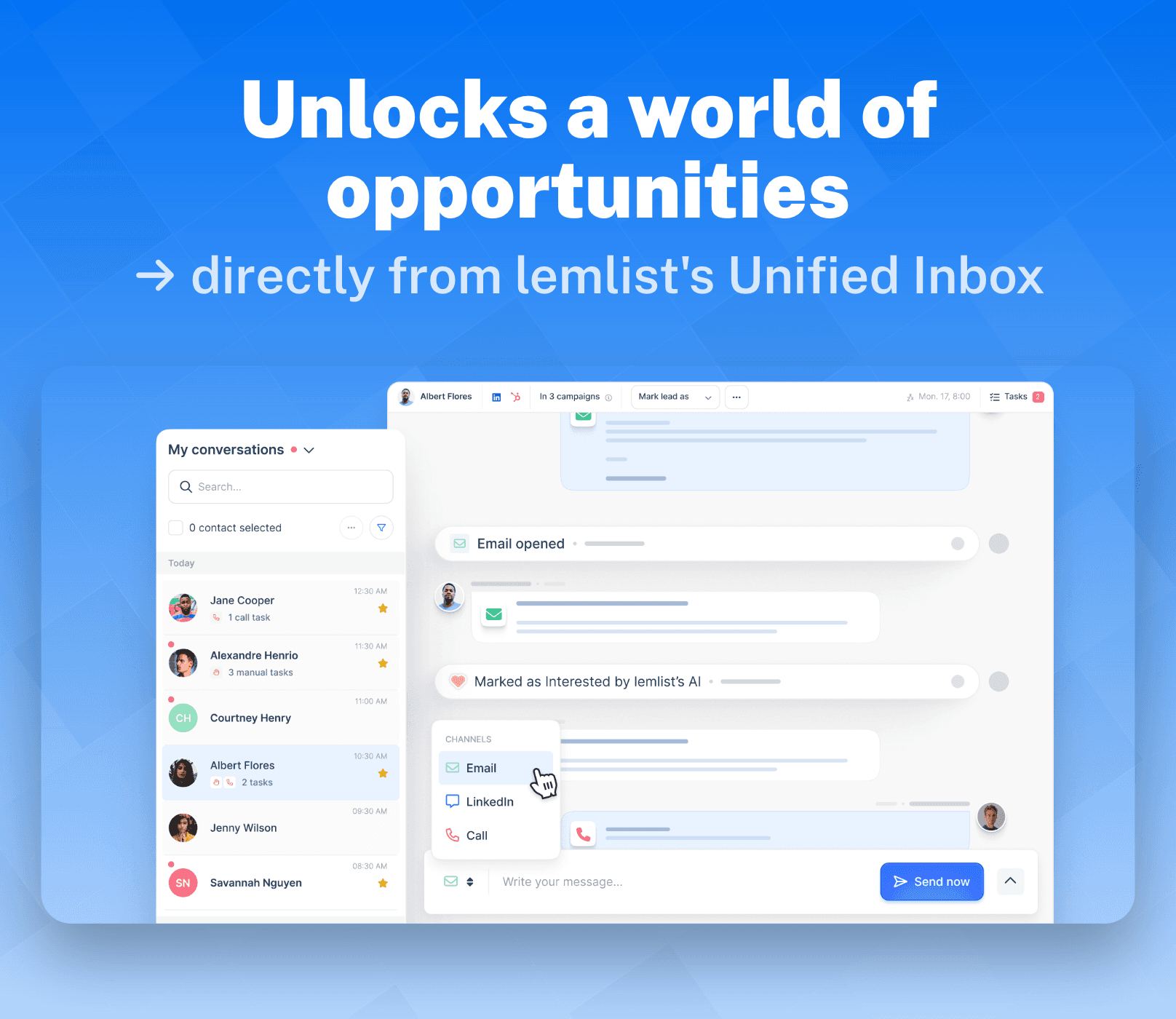
A feature we often see in sales engagement tools and beyond, lemlist comes stocked with a powerful Unified Inbox. For the uninitiated, this means lemlist collects all your conversations across a variety of channels and neatly places it in one, easily accessible, place.
Here’s what else you can expect from lemlist’s Unified Inbox
Lemlist makes it very easy to access various channels on the fly (email, LinkedIn, and cold calls) without ever having to switch tabs.
Seamless collaboration team-wide makes it possible for team members to access/track full contact history, while making it possible to assign tasks – all from the inbox.
All conversations from leads, across multiple accounts are displayed in a single thread alongside a list of sender accounts to seamlessly switch to and reply in a timely manner.
Unified Inbox Use Case:
Let's say you have multiple conversations going across multiple campaigns, wires are bound to get crossed and you'll most likely lose track of some of your conversations. Here's how lemlist helps stay on top of your conversations seamlessly.
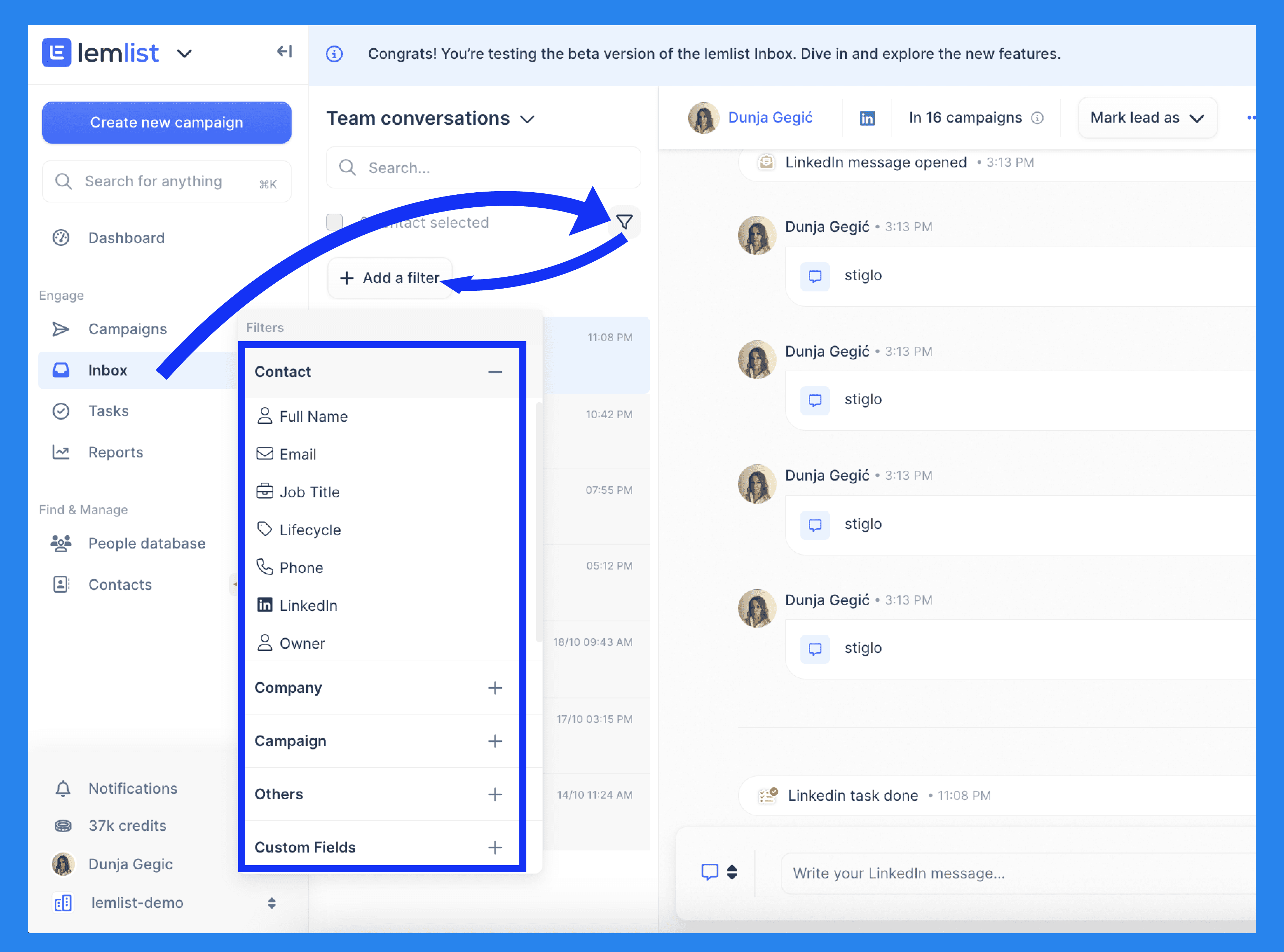
Go to your inbox and click the filter symbol under the search bar (as seen above). From there, you can add a filter to quickly find priority contacts that need a little lovin'. ❤️
A drop-down menu will appear, allowing you to filter contacts based on full name, email, phone number, lifecycle stage, company details, campaign status, the channel they were contacted through, and more. With so many options, finding the right contacts becomes a little more easier.
Multichannel Sequences 📨
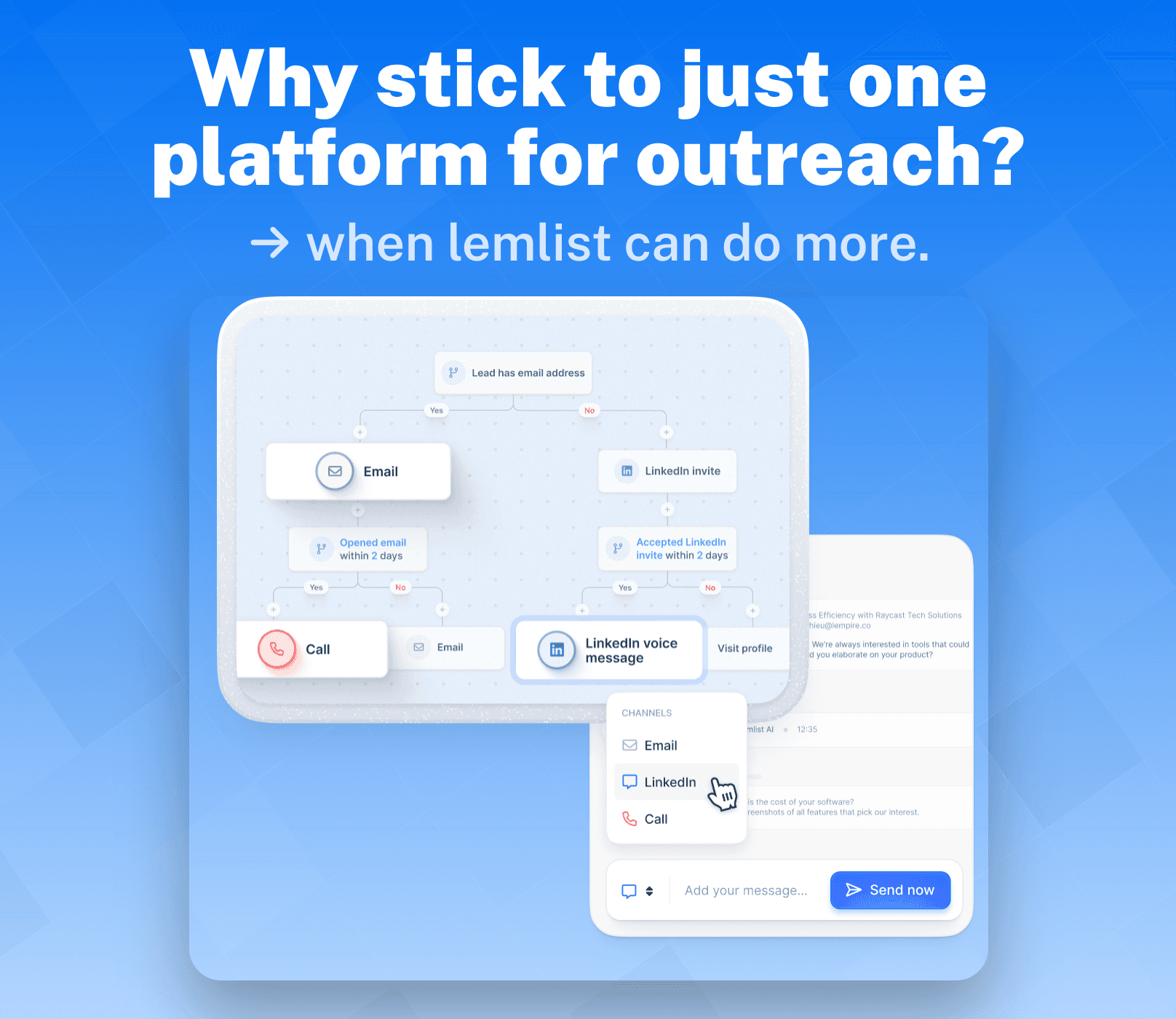
Forget meeting your leads halfway — lemlist’s Multichannel Sequences take you the whole nine yards, reaching prospects across multiple platforms in the way that matters most to them. By engaging with your leads across multiple platforms, you increase the chances of getting a reply in return.
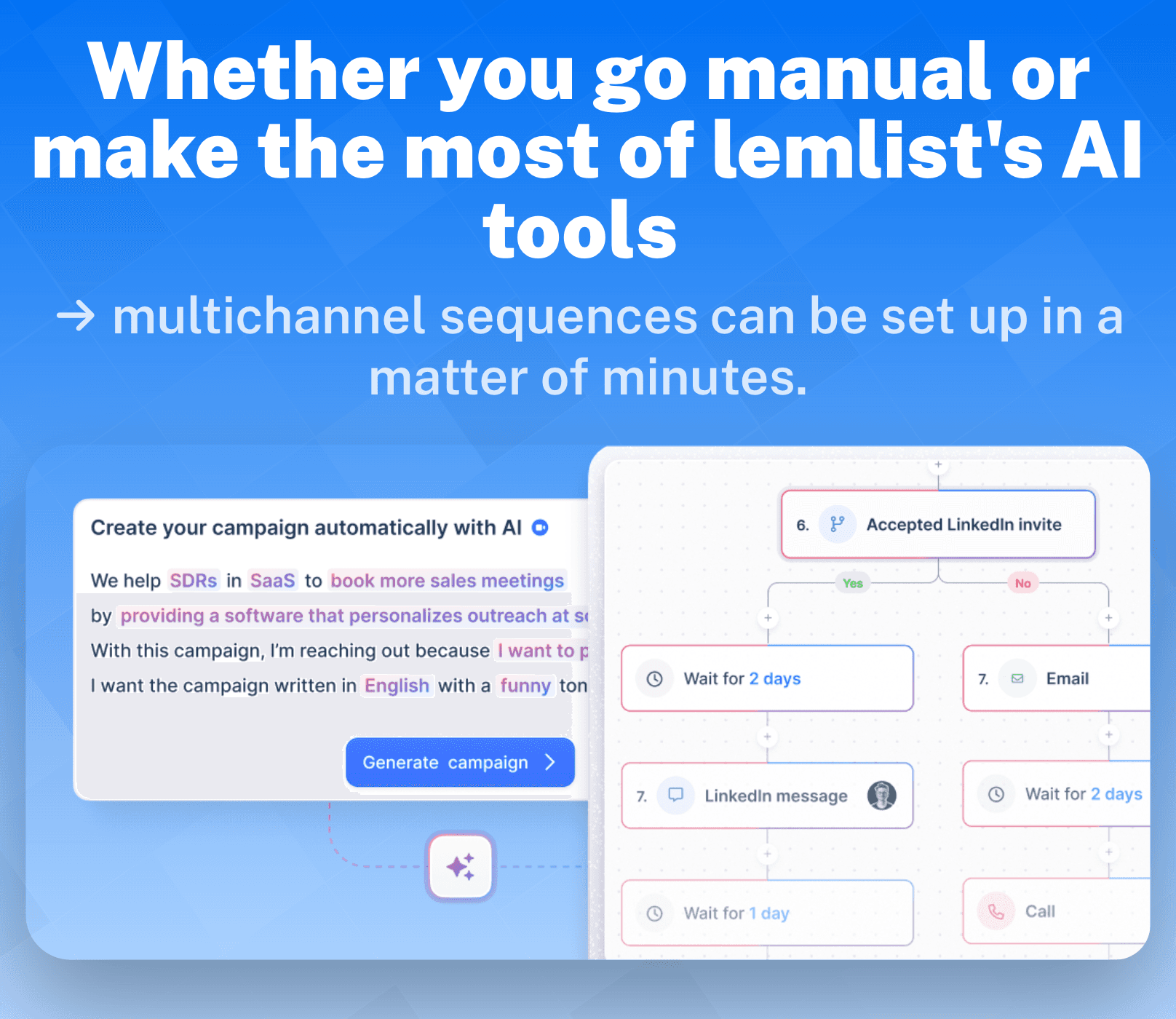
Lemlist takes this a step further by allowing you to automate (more on this later) a good majority of these steps (sending invitations, messages, and viewing profiles) drip campaign-style. Every sequence can be made in one of two ways: Manually or with lemlist’s AI-prompt (more on this later too).
Multichannel Sequence Use Case:
Let’s use an example as provided by lemlist to get a better understanding of how and when Multichannel Sequences are the most effective (thanks lemlist! 🙌).
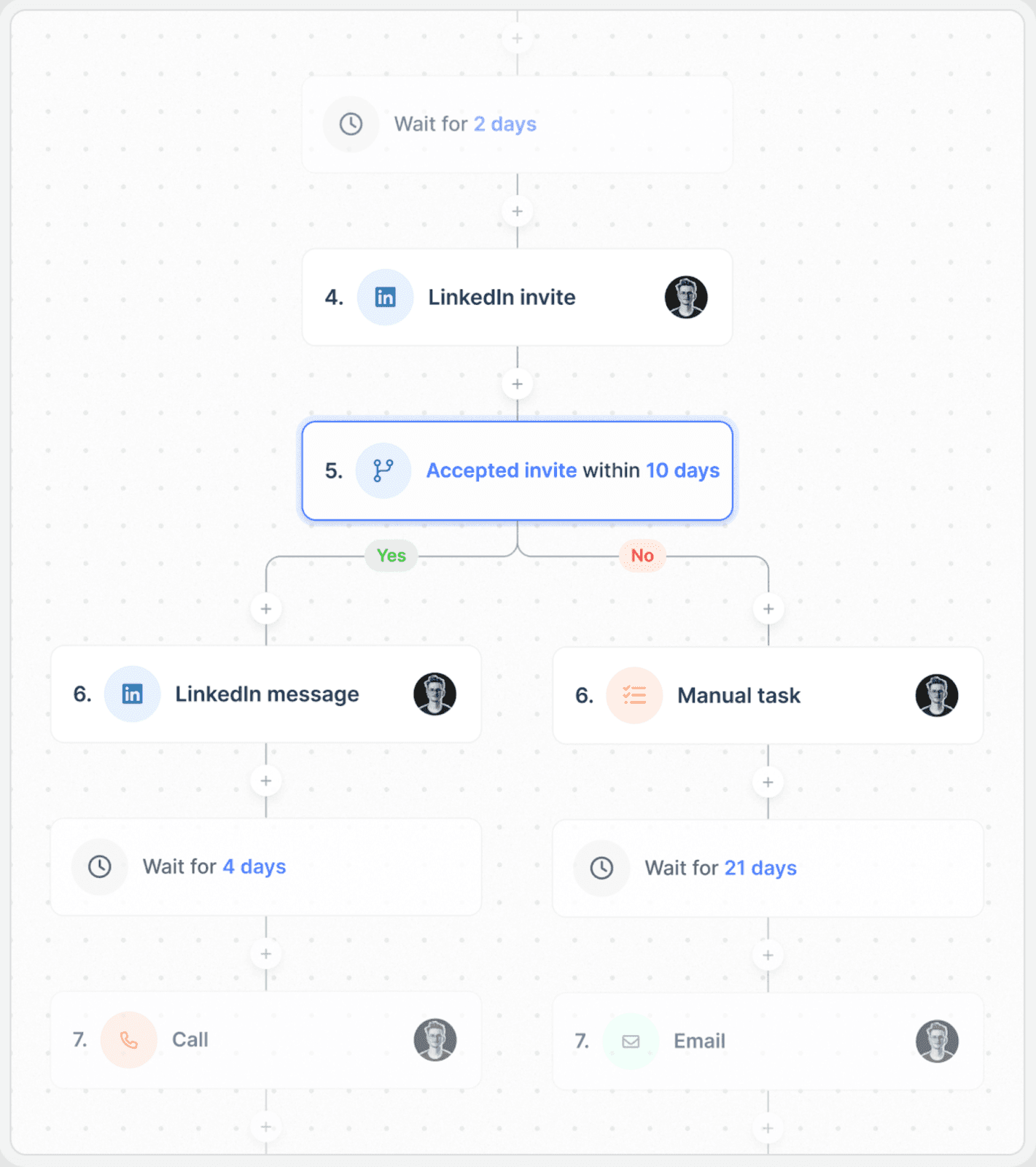
Let’s imagine you’re trying to connect with a lead on LinkedIn. Multichannel sequences help you identify when is the best time to approach your prospects, while making sure it happens on their terms.
So, you send a LinkedIn connection invite. If they accept, that’s a sign they’re open to connecting — and possibly to having a conversation with you. From there, you can follow up with a LinkedIn message to test the waters. Depending on how that exchange goes, you give your prospect time to think things over and, eventually (hopefully! 🙏), seal the deal over a call.
However, if things don’t go as planned and your prospect rejects your request, it’s probably best not to pursue them further — at least for now. But all is not lost! By stepping back and letting time do its thing, you can try reaching out later through a different channel to see if they’re more receptive to another approach.
Keep in mind that every lead requires a unique approach, and it may take some trial and error to find a winning formula. Just remember — it’s not about hitting a quota; it’s about building lasting connections.
B2B Lead Database 🗂️
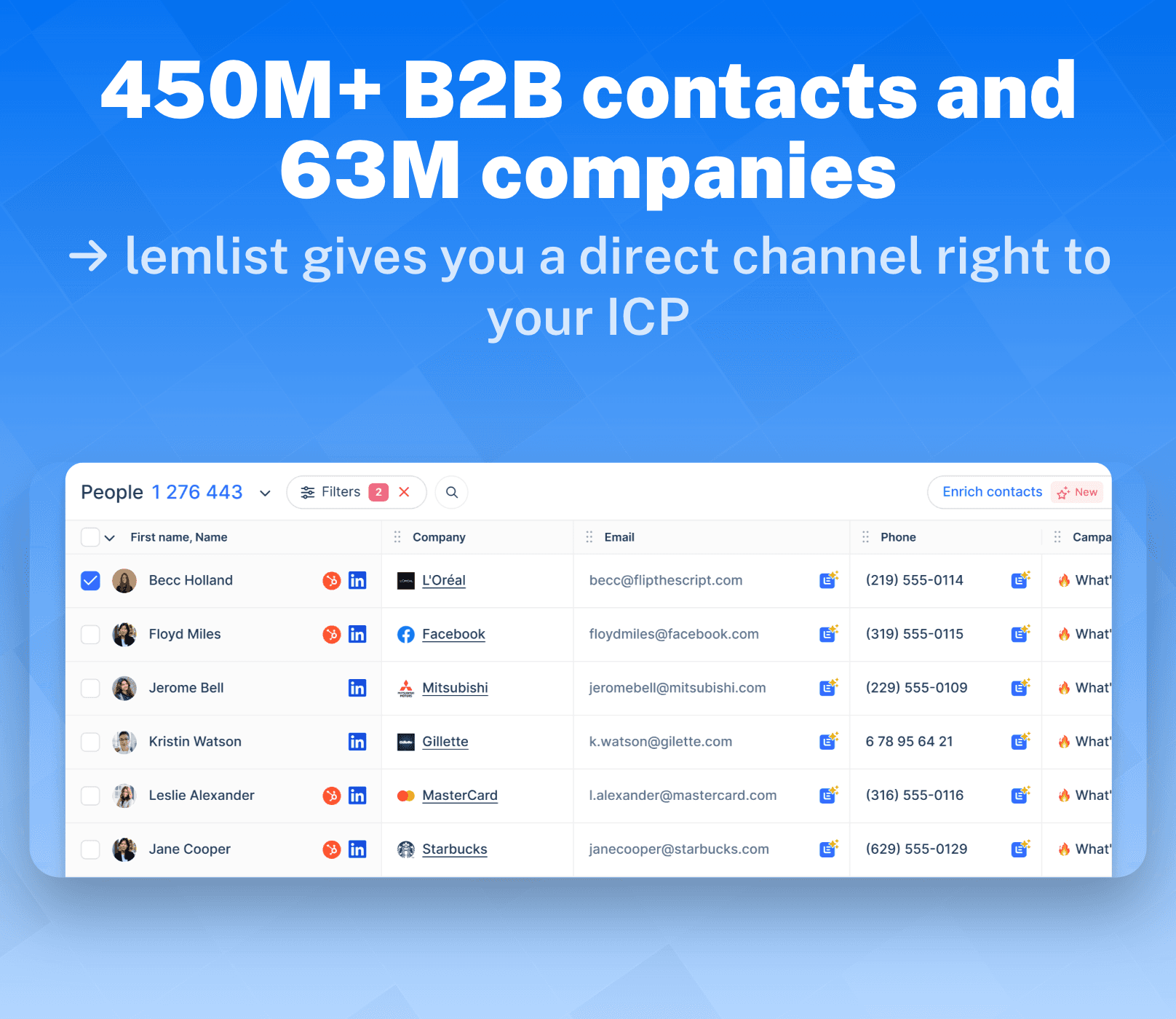
According to lemlist, their lead database features over 450M+ B2B contacts and 63M companies, which might raise a few eyebrows over the validity of that claim. However, much like LinkedIn’s Sales Navigator, lemlist’s Lead Database also offers a comprehensive range of advanced filters to help you find your ideal customer profile (ICP).
Lemlist’s database is broken down into two tiers:
The people database
The companies database
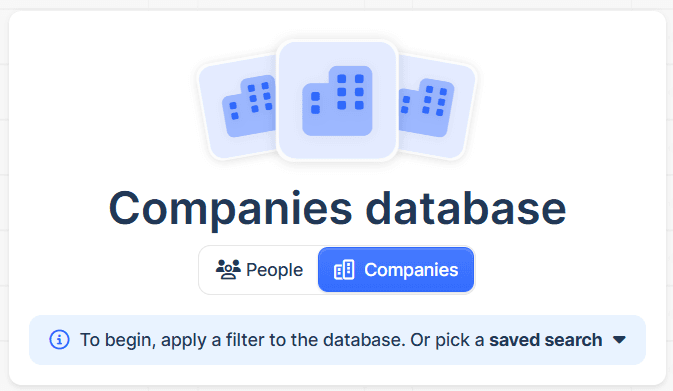
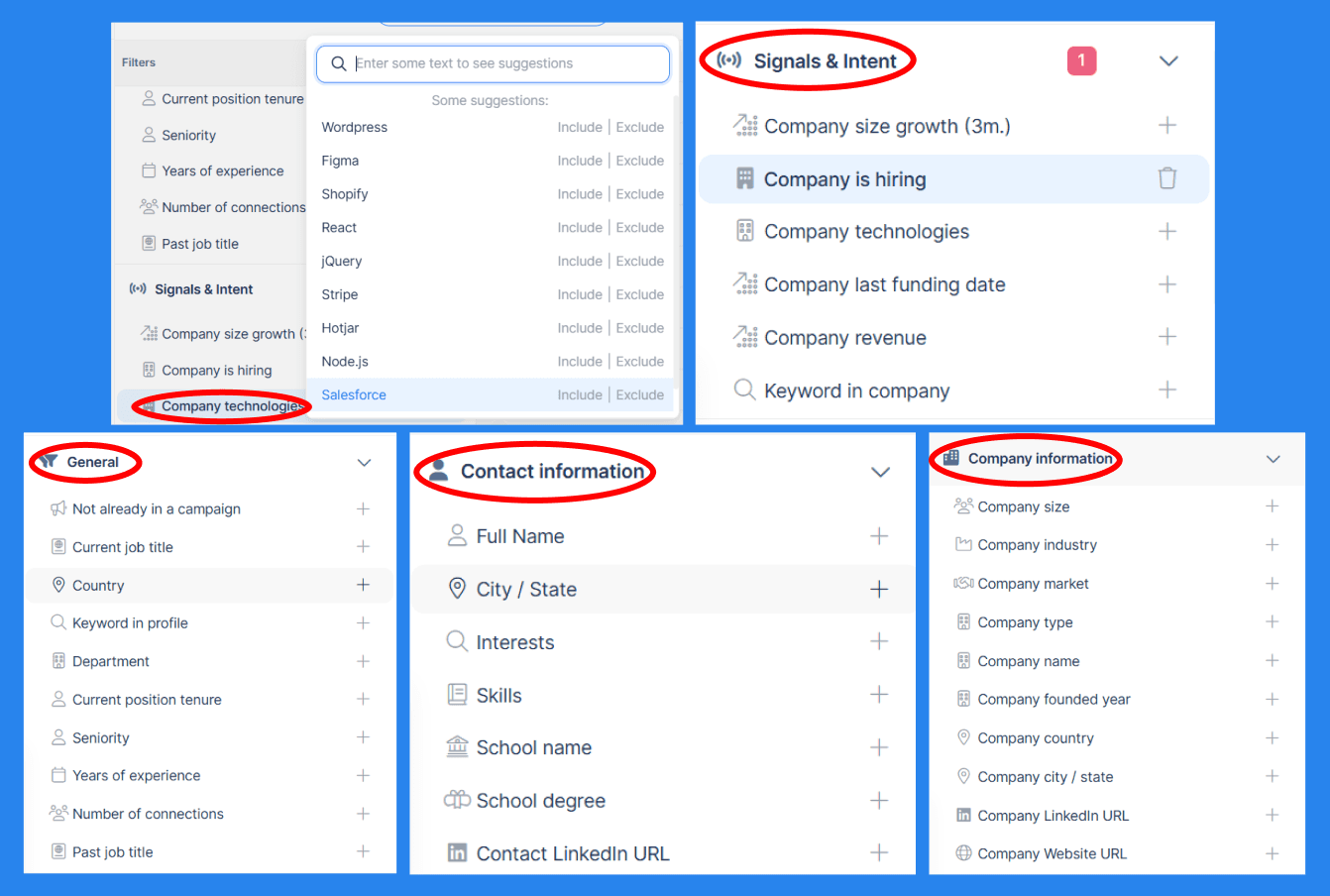
Beyond that, lemlist offers five advanced filters for you to track down your **ICP **in seconds:
General – Find common filters like location, keywords, and job titles to narrow your search.
Signals & Intent – Target high-intent leads that are more likely to convert using filters like company growth, hiring status, recent funding, revenue, keywords, and technologies used.
Company Information – Specify company details such as size, industry, market, and type to refine your search.
Contact Information – Locate specific individuals by filtering through skills, location, degree, or educational background.
B2B Lead Database Use Case:
For first-time users jumping through various filter options can be a bit of headache but it's a lot simpler when you get the hang of it — until then — here's and easy step-by-step guide on how to use lemlist's B2B Database:
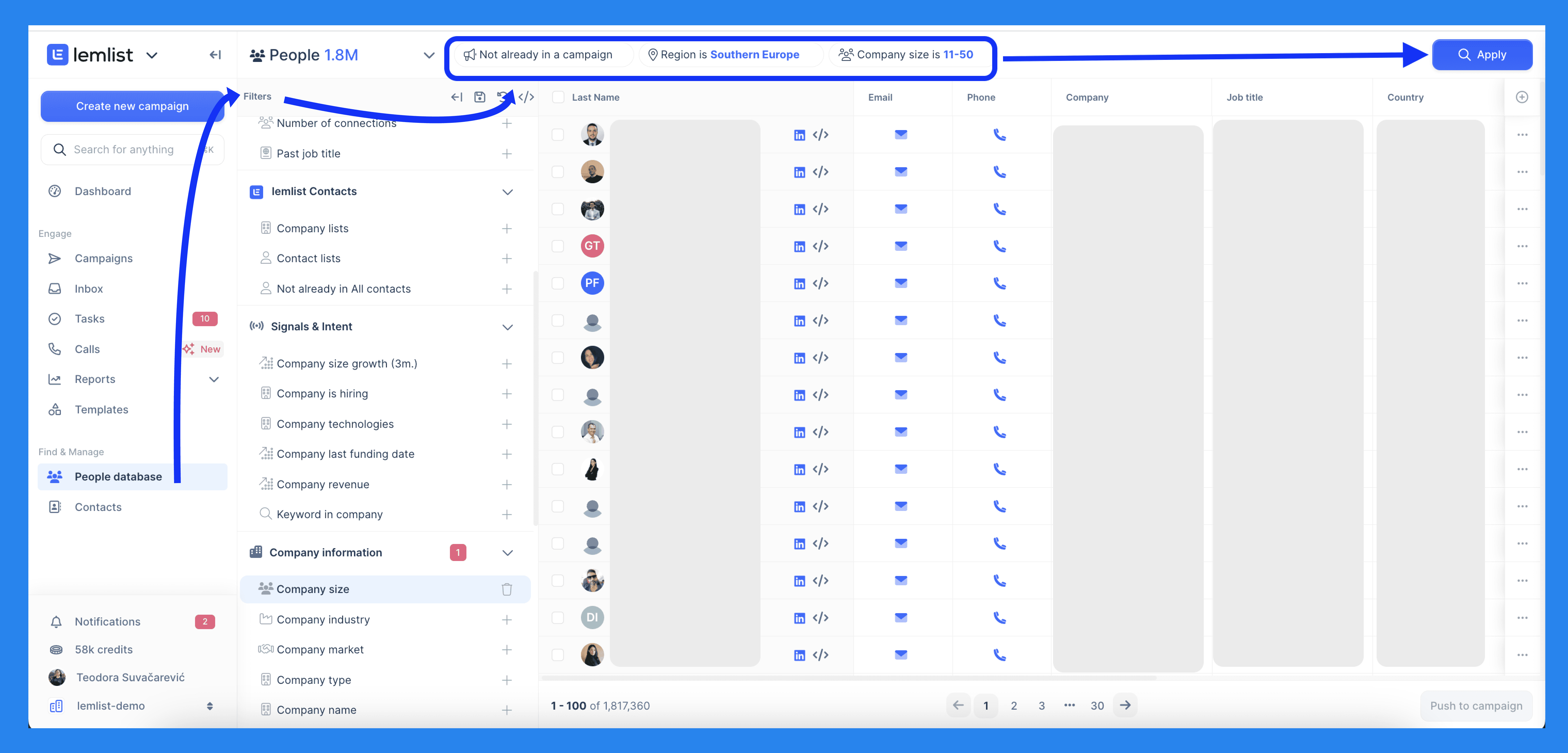
Step 1: Start by making your way to the 'People Database' on the side bar. From there you'll need to select the filters that best matches your ideal prospect profile. Once you're set, press 'Apply' and watch the magic happen. 🪄
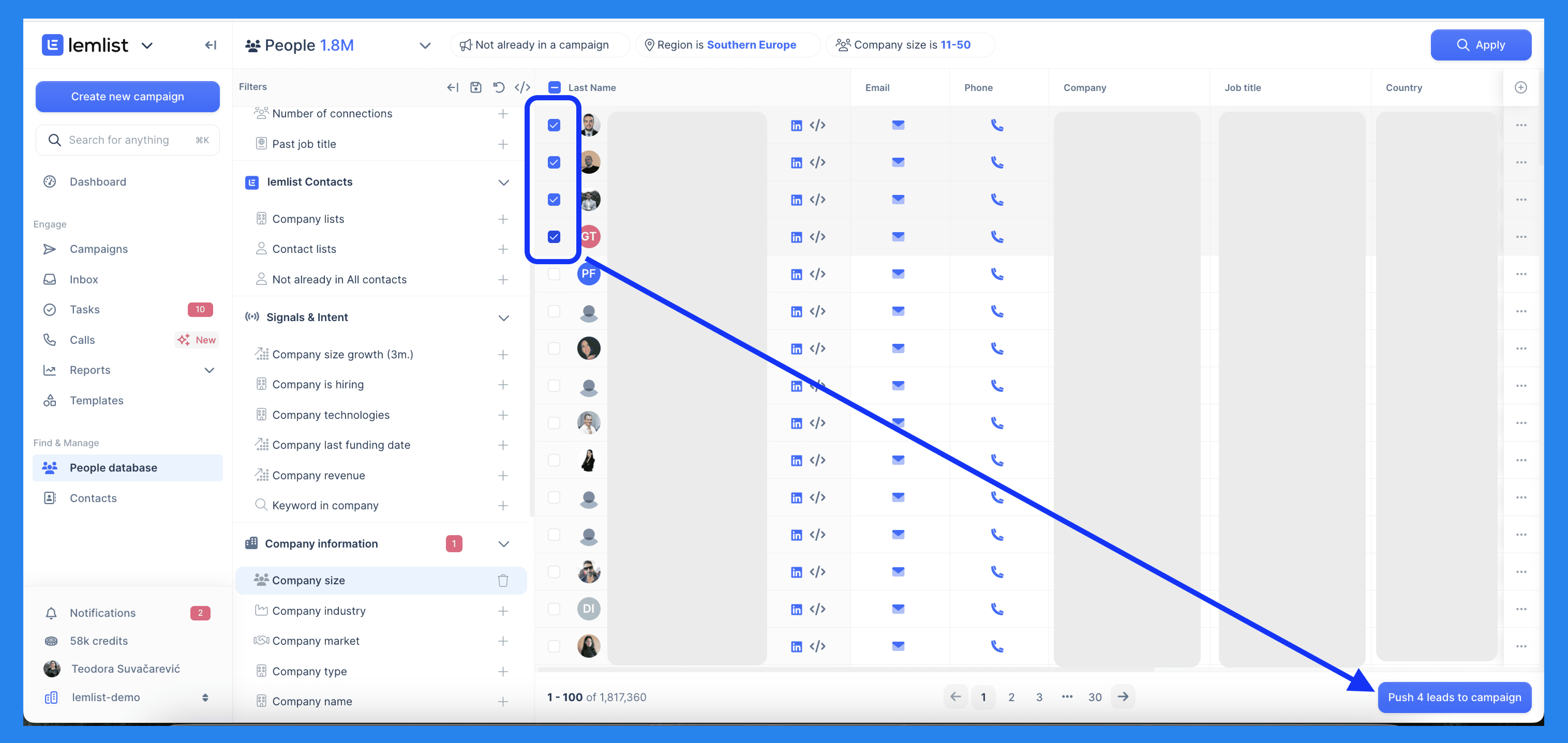
Step 2: You'll be given a list of prospects that match the data you've given. Create a shortlist of the prospects you like and press 'Push to campaign'. A small window will appear in the top right, letting you choose to push these prospects into your contacts list or campaigns.
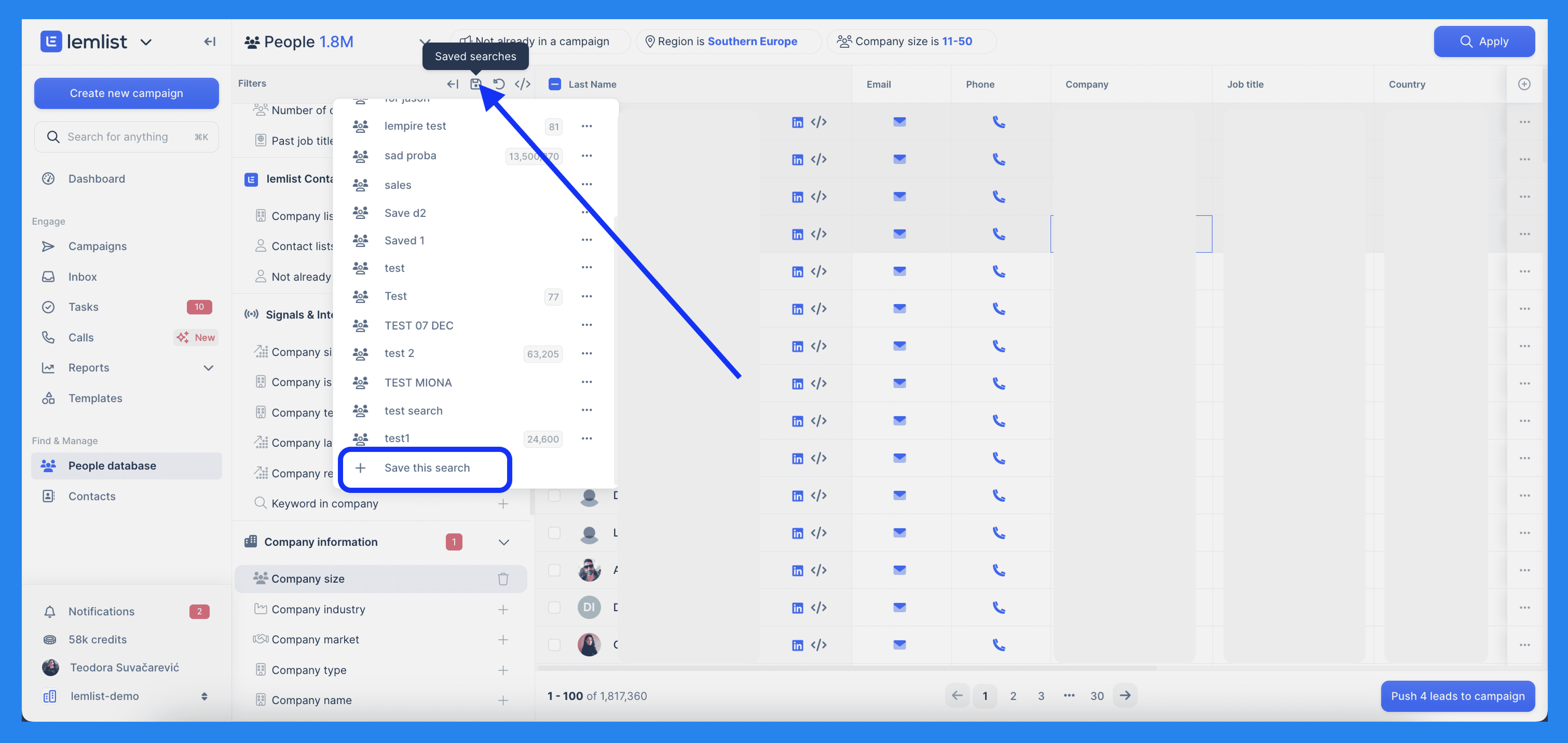
Easy-peasy right? This isn't necessarily a step but lets treat it as a final tip. If you liked the results of your search so much then you can save your filtered list for future campaigns by clicking on the save symbol below. You can access saved searches from the database or sidebar whenever the need arises.
In-app Calling 📞
For the longest time, lemlist relied on external VoIP solutions for calling capabilities. I believe this is what kept lemlist out of the conversation when it came to discussing sales engagement giants like **Outreach.io **and Salesloft — until now.
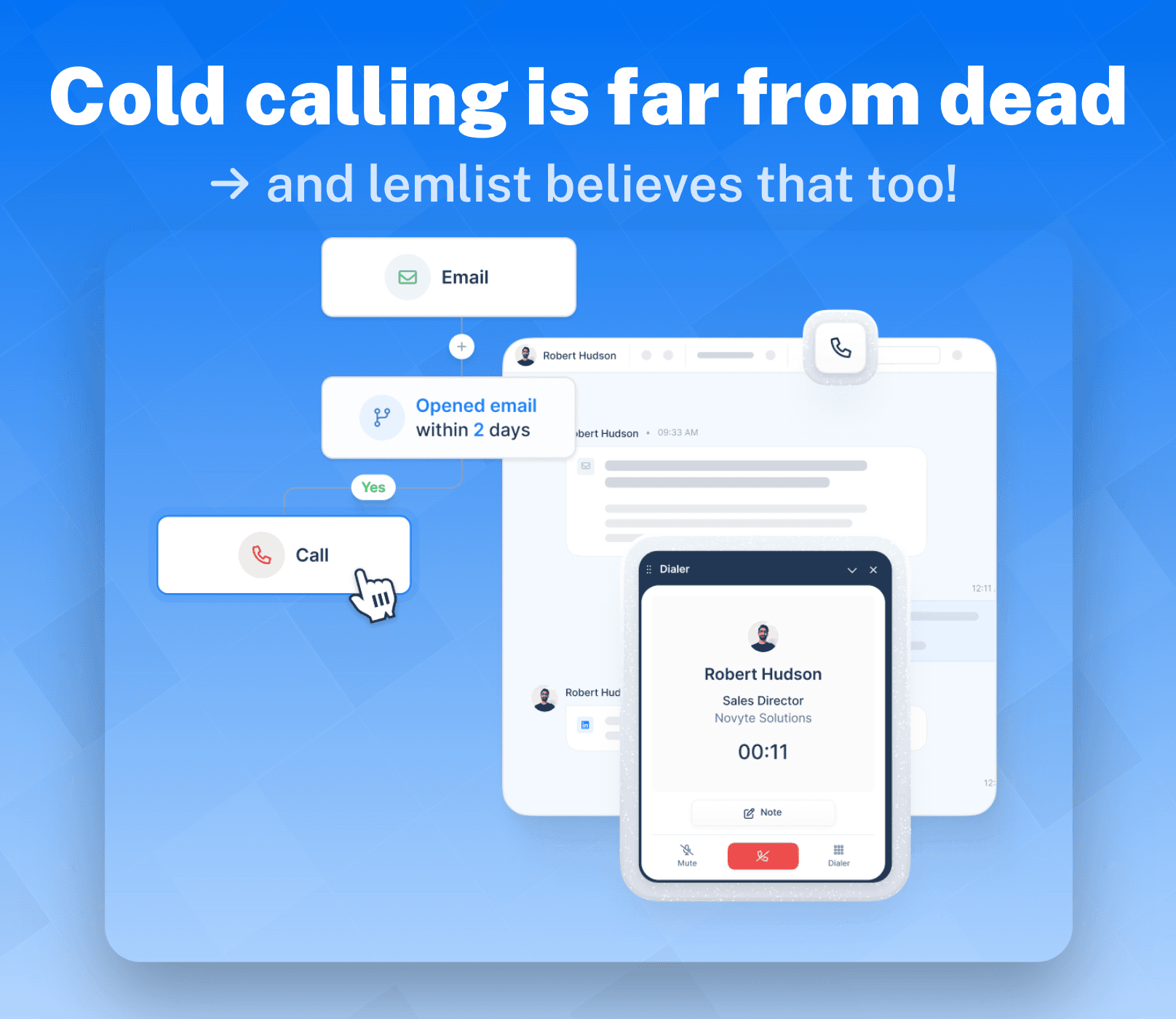
Backed by a powerful lead database and robust automation, lemlist’s **In-app Calling **feature empowers sales reps with the tools they need to provide multichannel outreach — hassle-free:
Reliable contact data sourced from LinkedIn or lemlist’s database.
Engagement-triggered call reminders to reach leads at the right moment.
A dedicated phone number within the app to reduce spam risk, improve call deliverability, and scale faster.
One-click calling directly from lead profiles or automated task triggers — no extra tools or integrations needed.
Call recording, transcription, and AI-powered summaries for better follow-ups and insights.
In-app Calling Use Case:
Here we break down the calling process.
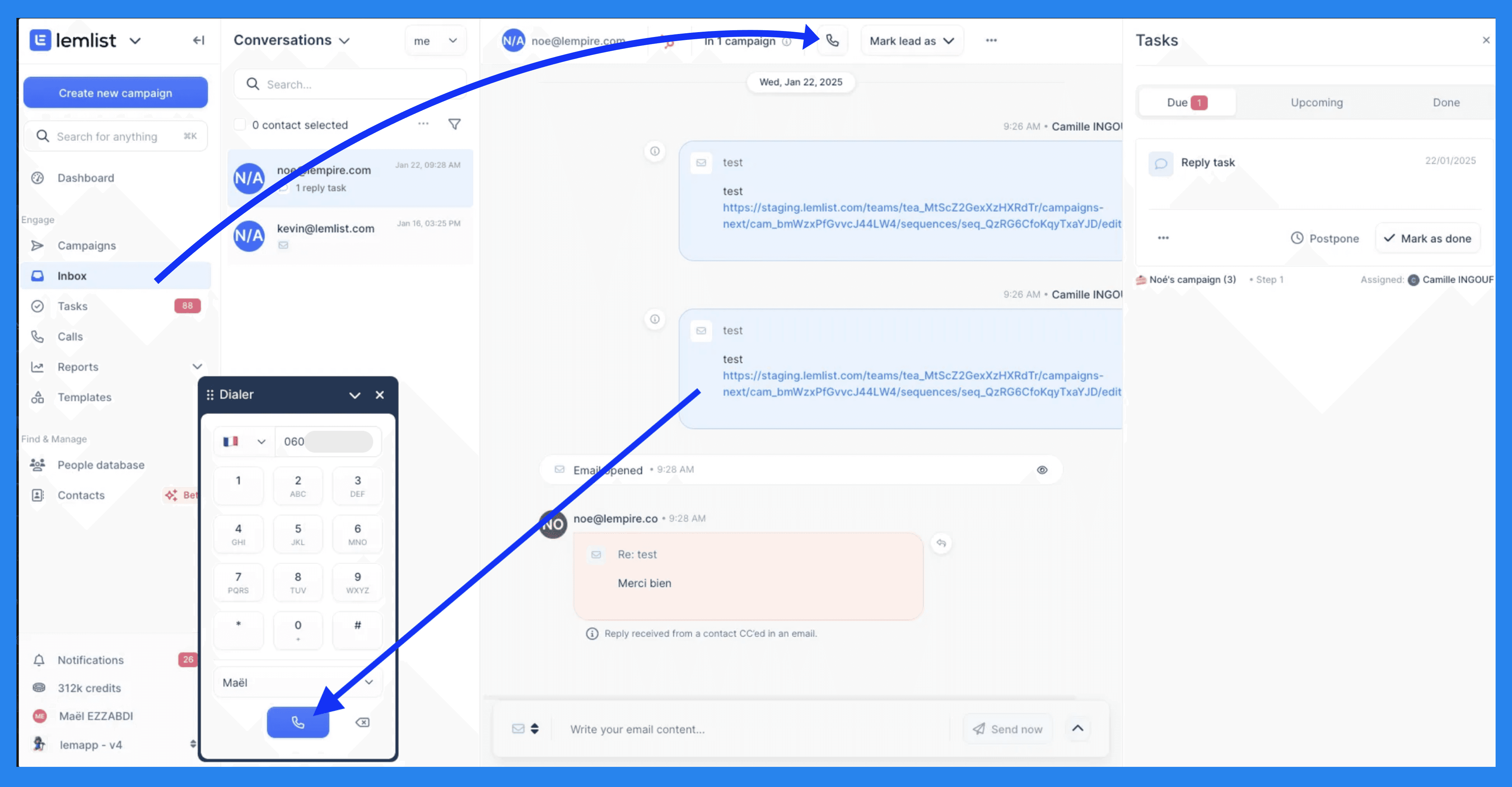
Step 1: Make your way to the inbox and select the prospect your looking to call and click on the call symbol at the top of your screen. A number dialer will pop up in a small window where you'll need to press the blue call symbol to initiate the call.
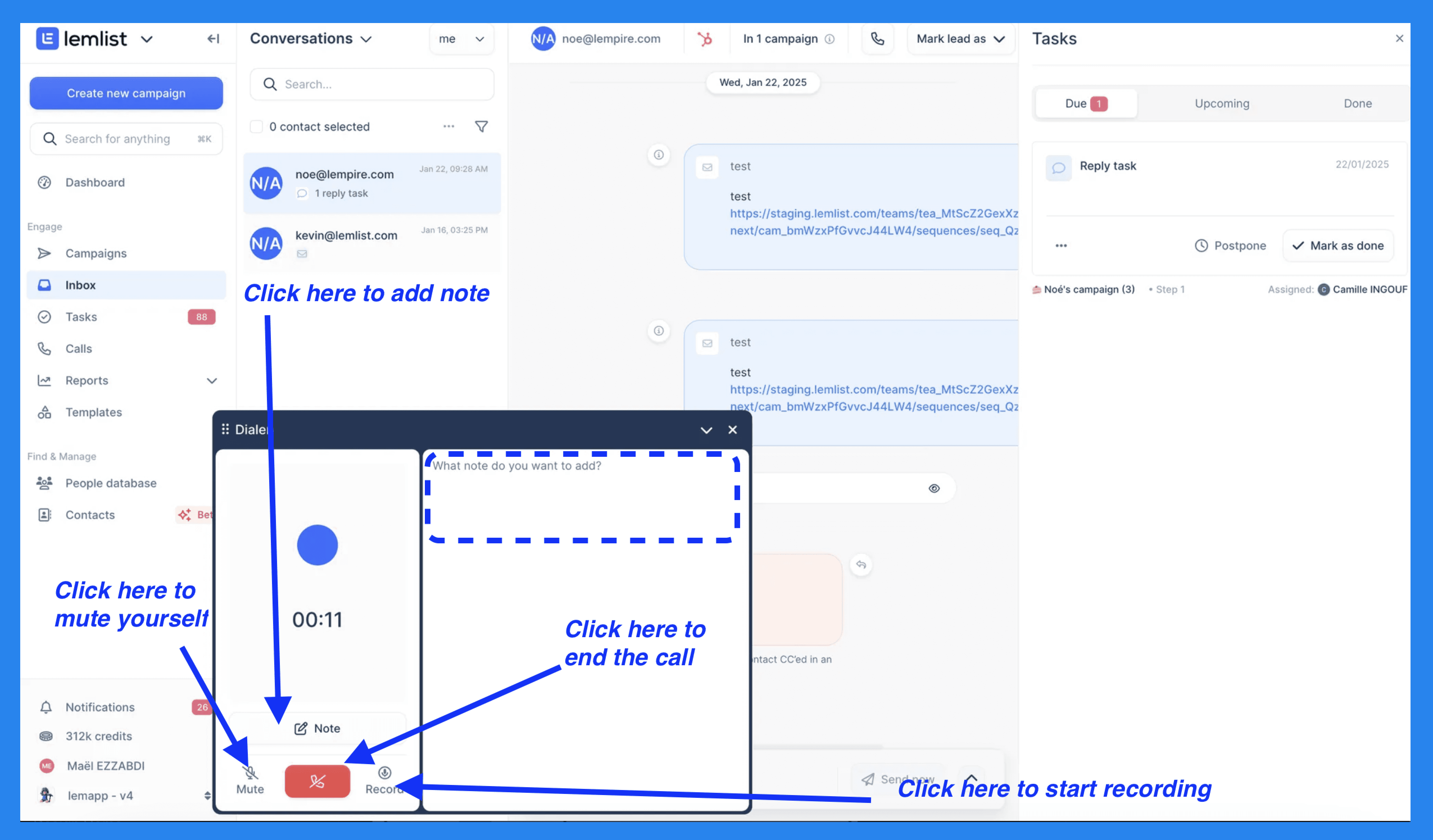
Step 2: Once on call, lemlist provides a range of controls to help you navigate the call. In total there is mute, notes, record, and end call.
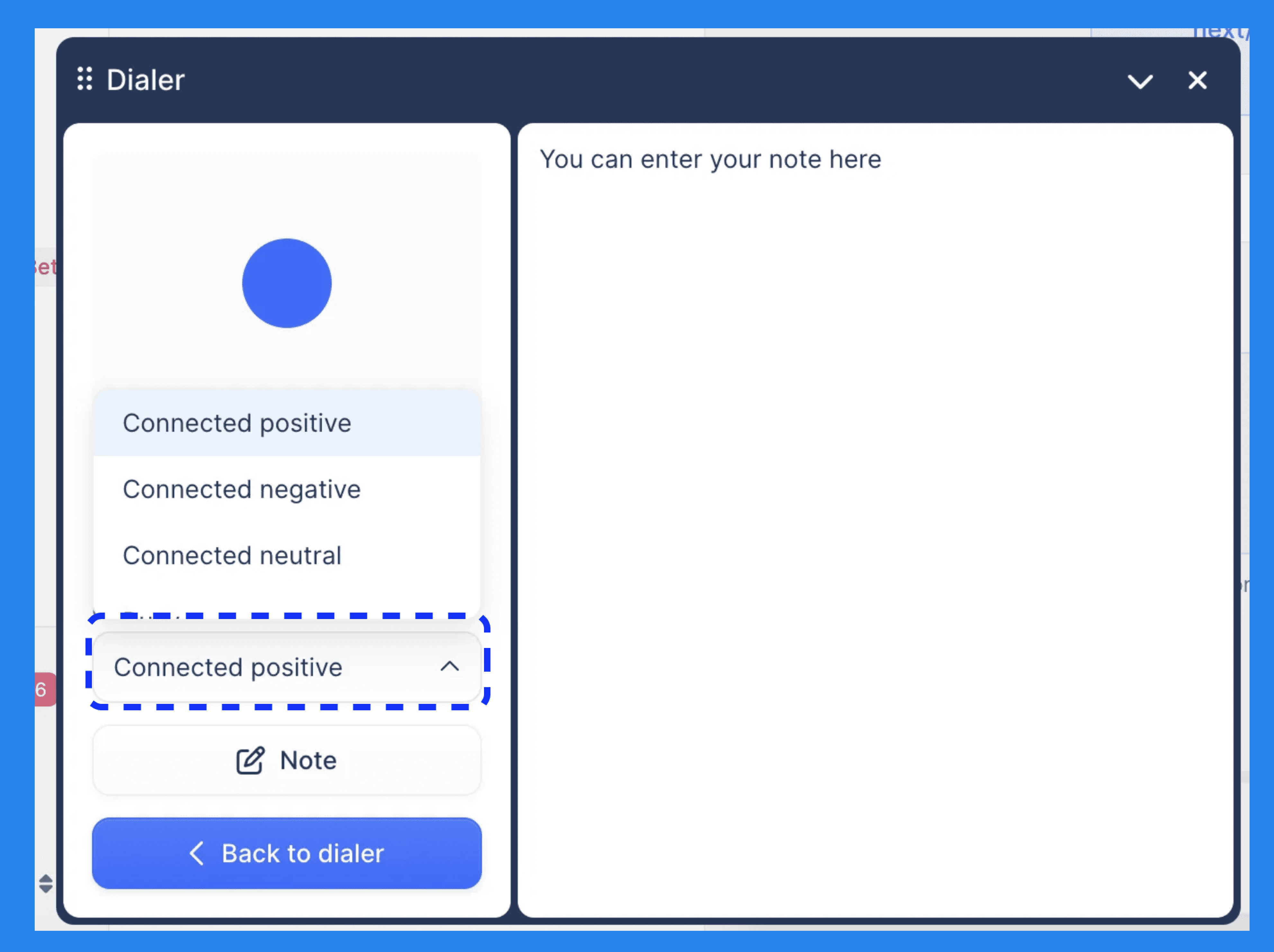
Step 3: When the call ends, lemlist's dialer will help you assign a call status (e.g., Connected, No Answer, Left Voicemail), edit notes, and review call recording + transcript. All data will be saved and synced to your CRM automatically.
AI Sequences & Personalization 🤖
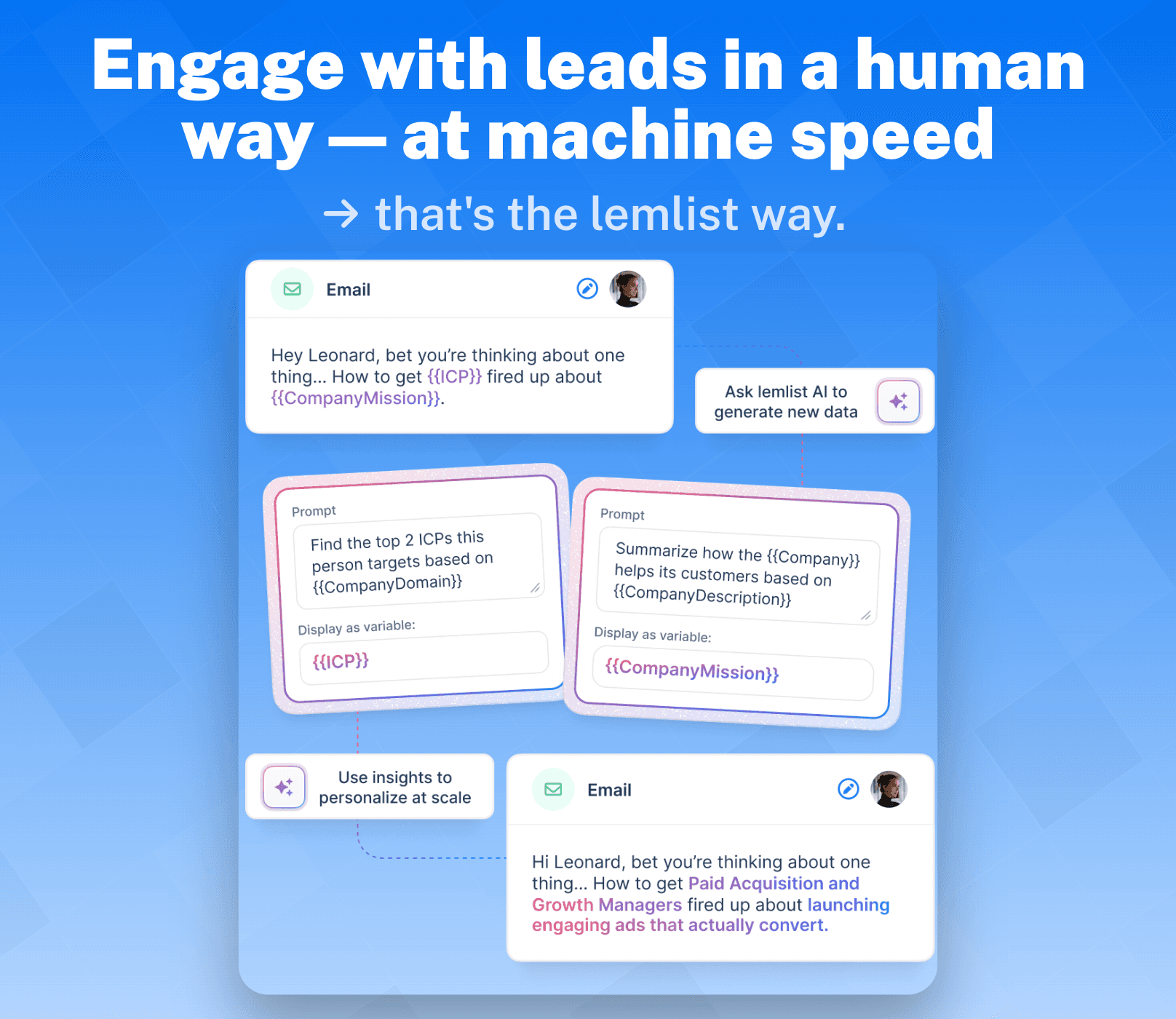
Lemlist understands that crafting the perfect cold email — let alone an entire campaign sequence — can be a ball-breaking task (their words, not mine… I think 👀). That’s where lemlist’s AI steps in, handling everything from building sequences from scratch to scaling personalized communication. The promise? Engaging with leads in a human way — at machine speed.
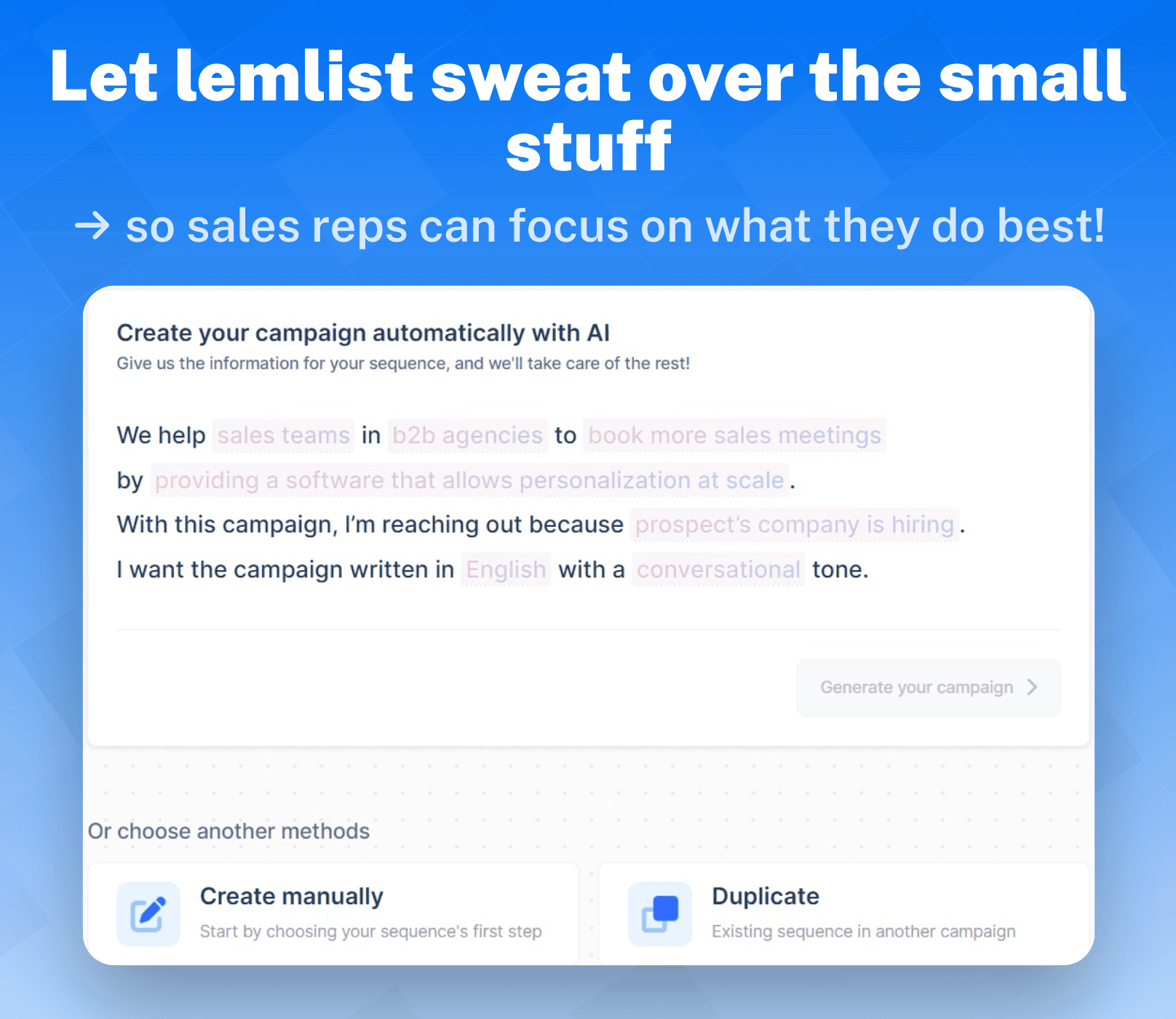
Lemlist’s AI makes building a campaign sequence a fairly straightforward process. With some input on your end, you can have a campaign up and running in a matter of minutes – easy, right?
Here’s all the data lemlist needs:
Target audience
Value proposition
Trigger
Language
Tone of voice
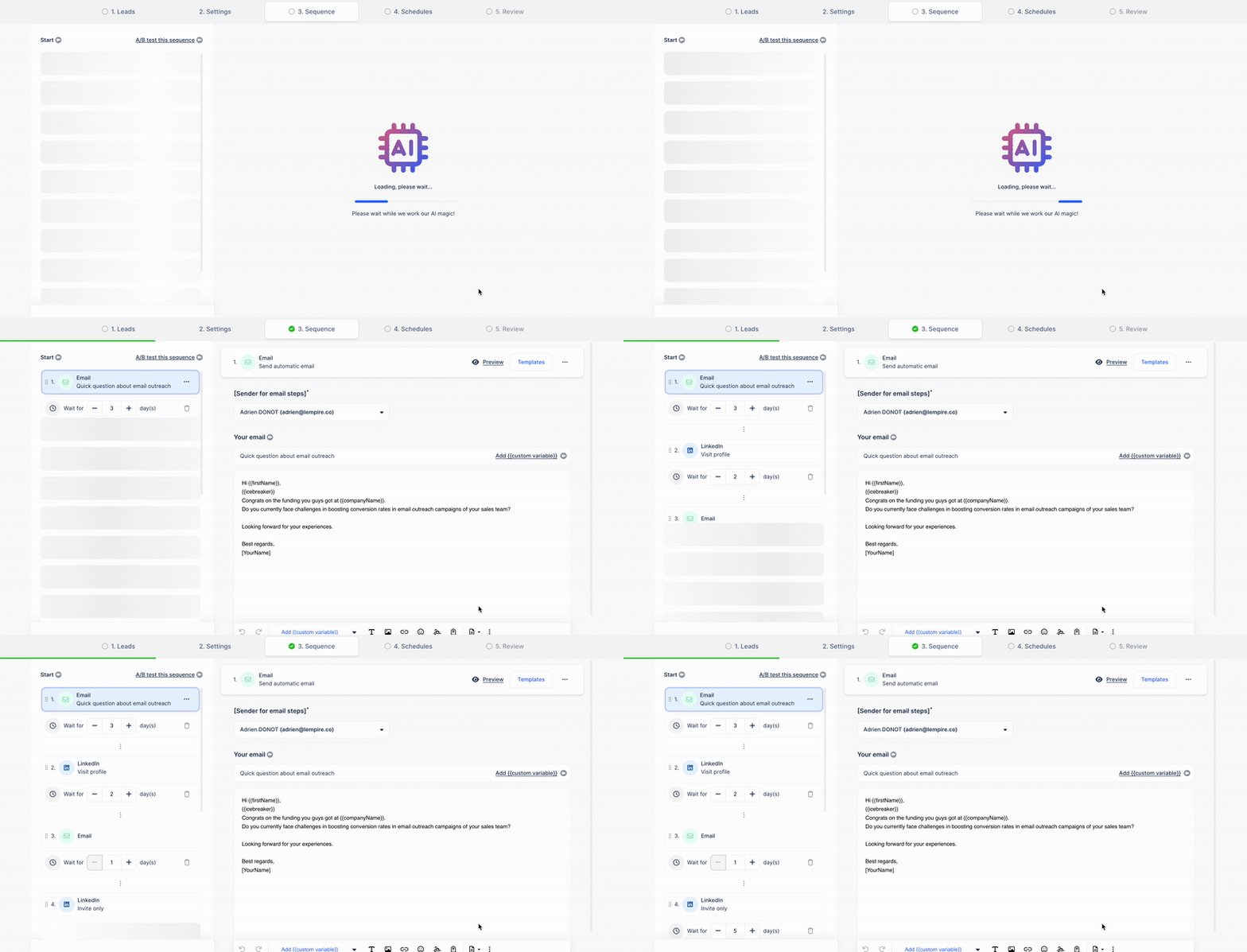
Now here’s where things get a little exciting, once your campaign is up and running you can now start customizing.
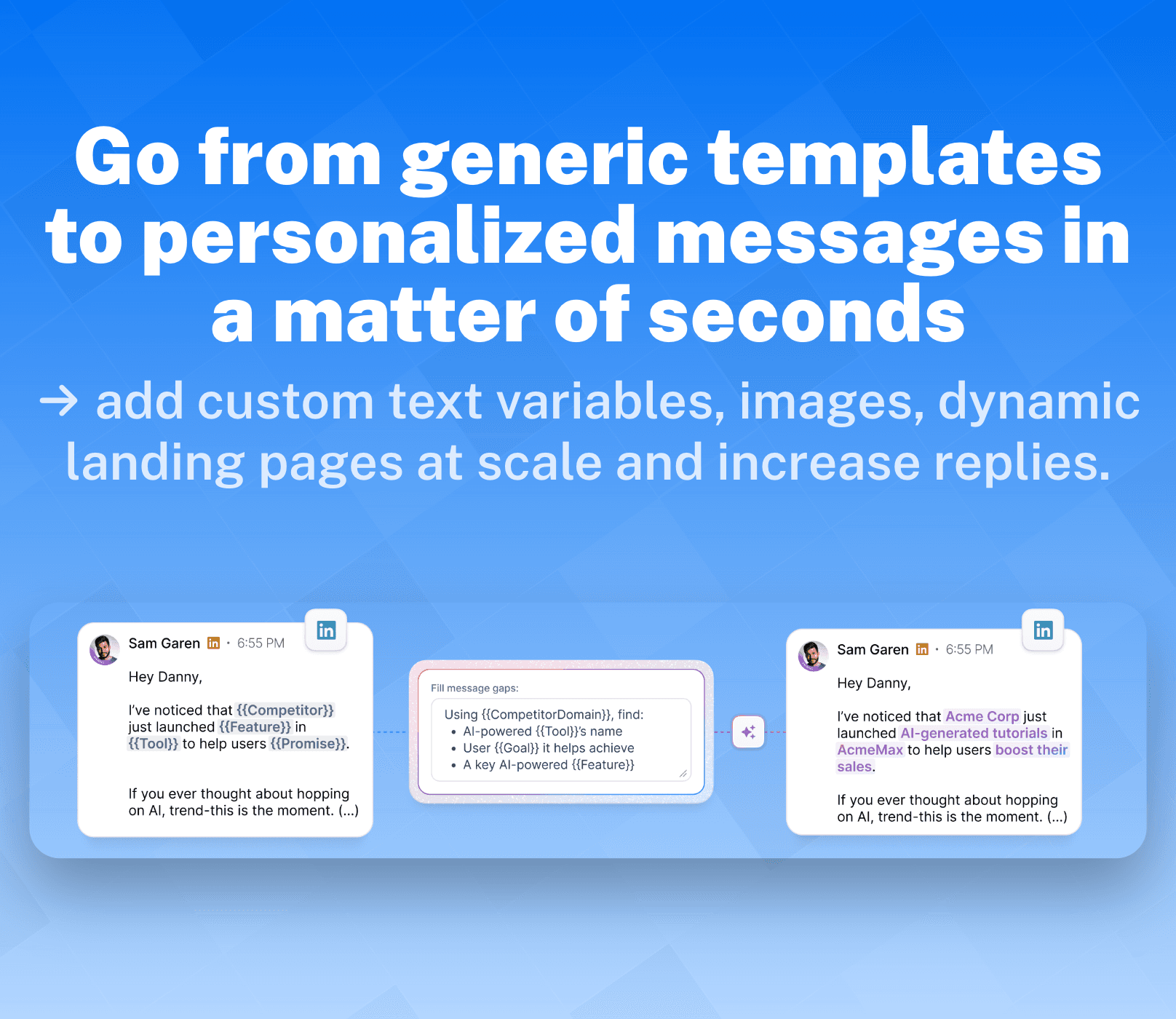
Custom variables might not be the most straightforward feature, but they’re lemlist’s way of giving you **control **over how their AI personalizes your outbound messages (emails + LinkedIn DMs). Here’s how it works:
Text variables - Guide lemlist’s AI to personalize key parts of your copy at scale.
Image variables - Add a unique touch by inserting personalized images, even in automated campaigns.
Video variables & custom thumbnails - Similar to image variables, but with videos for a more engaging experience.
Website variables - Embed tools like lemcal to nudge leads into taking action.
AI variables - hyper-personalize your outreach with icebreakers or crucial data specific to your leads.
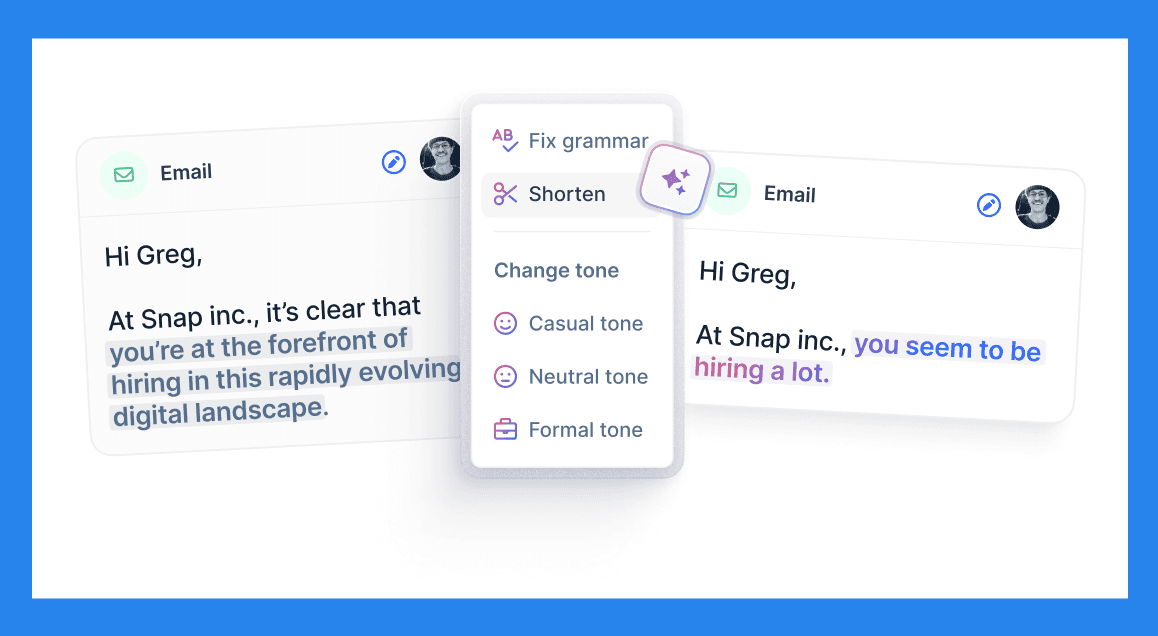
Lemlist’s AI is also equipped with the copywriting capabilities to fine-tune your messages:
Adjusts tone, length, and **impact **to boost conversions.
Cleans up information-heavy copy to sound less robotic.
Edits simple mistakes like capitalization, emojis, and job title errors.
Email Warmup and Deliverability 📬
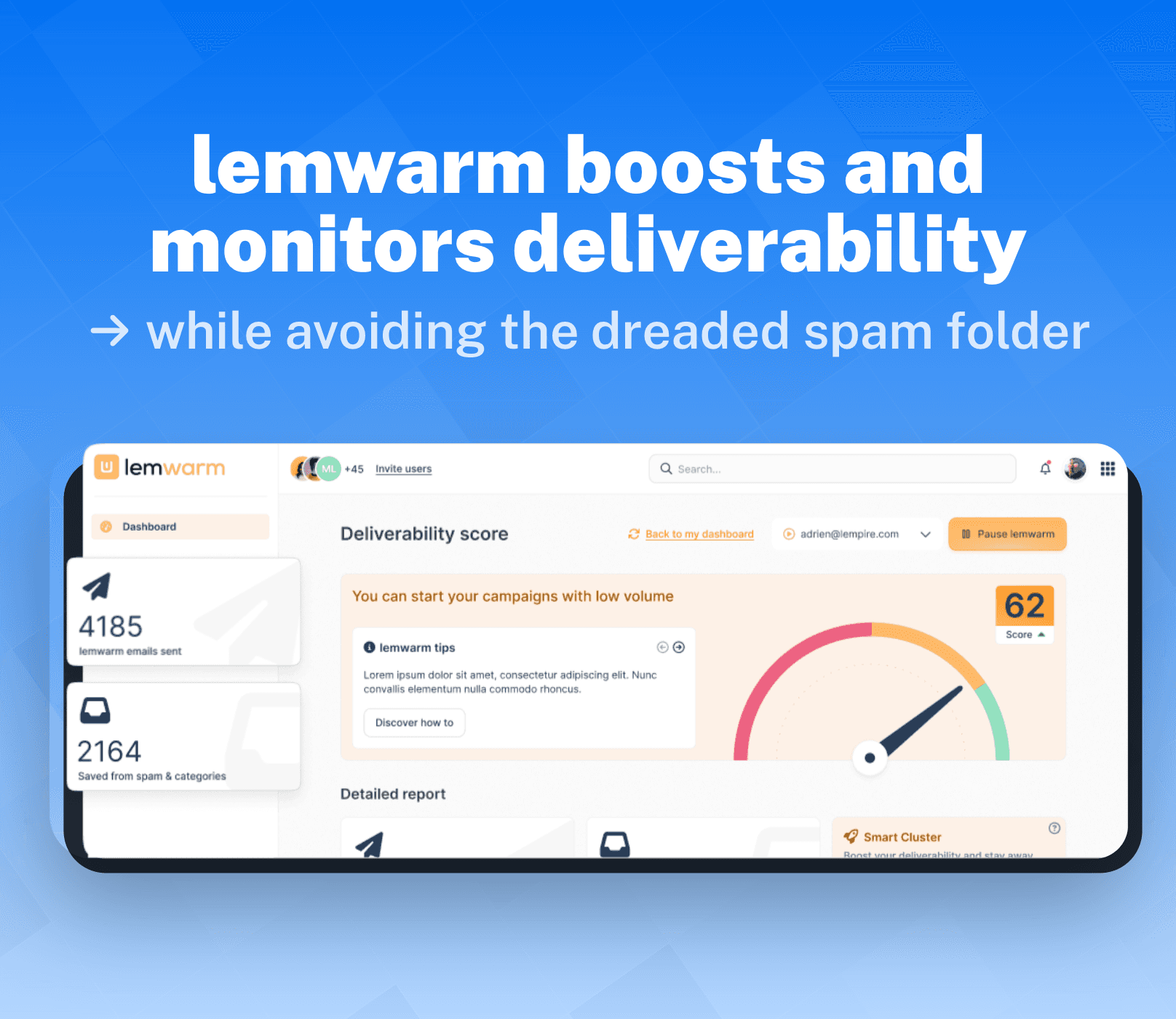
As the name suggests, lemwarm… warms up your email account by sending emails in a “human” way to a network of 10,000 users. The goal? To build domain credibility and ensure your emails stay out of the dreaded spam folder.
Once your account is 🔥(hot) to go, lemwarm will keep **track **of your accounts deliverability score and sending volume to make sure no spam filter is triggered. And if you start flying too close to the sun? You’ll get alerts before your deliverability takes a dive.

Advanced Conditions 🛠️
What I’d consider the final boss of lemlist’s campaign sequences, Advanced Conditions transforms your linear campaigns into an automated, hyper-personalized sequences that adapt to your lead’s specific **actions **or characteristics.
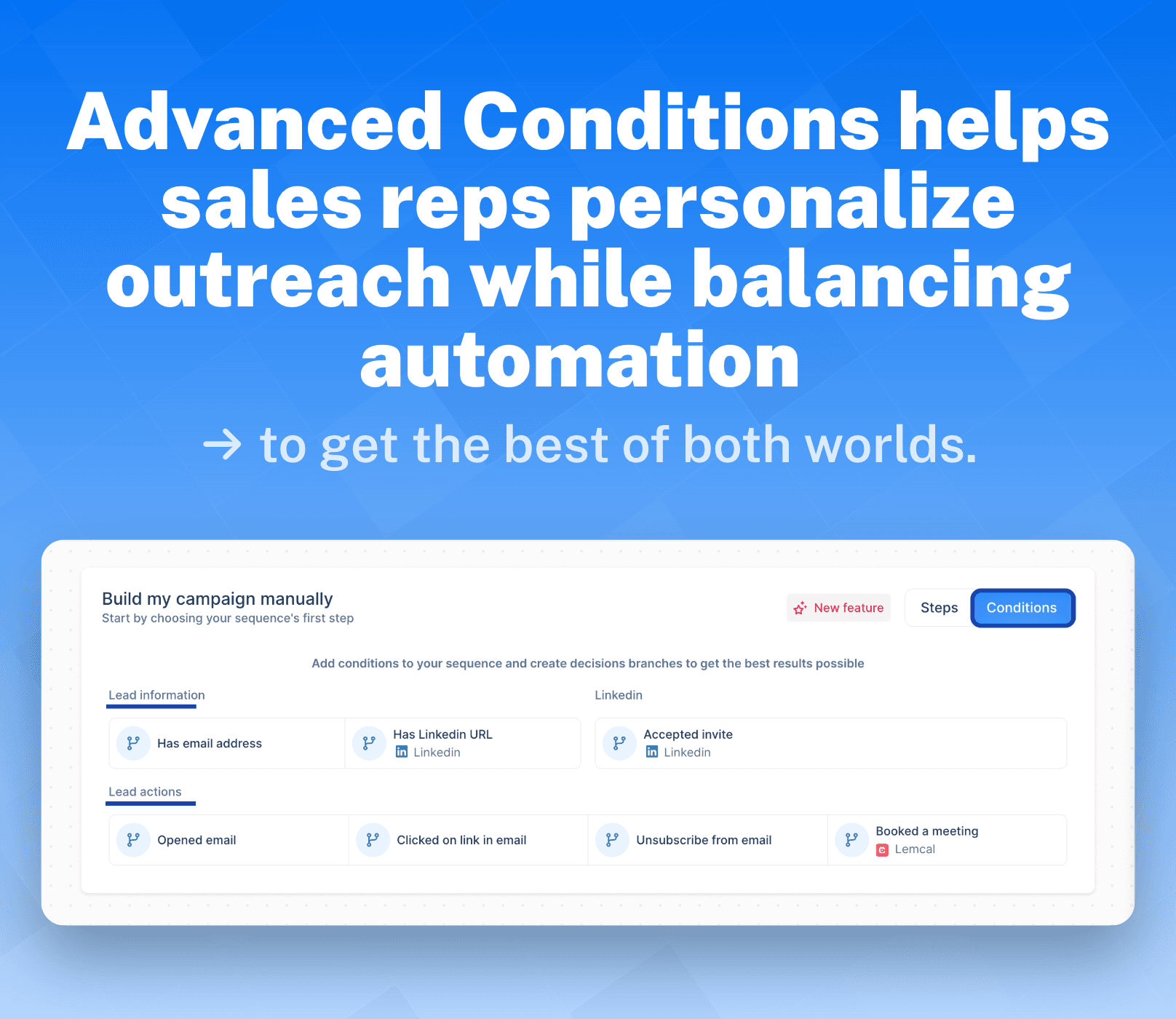
Think of Advanced Conditions as dynamic triggers that can be set off based on the **information **and **actions **of leads. Here are all available conditions:
Lead Information + Actions:
Has an email address
Has a LinkedIn URL
Accepted invite
Opened an email
Clicked on a link in email
Unsubscribed from email
Booked a meeting
Advanced Conditions Use Case:
Here we break down how to set up Advanced Conditions and when is the best time to use them.
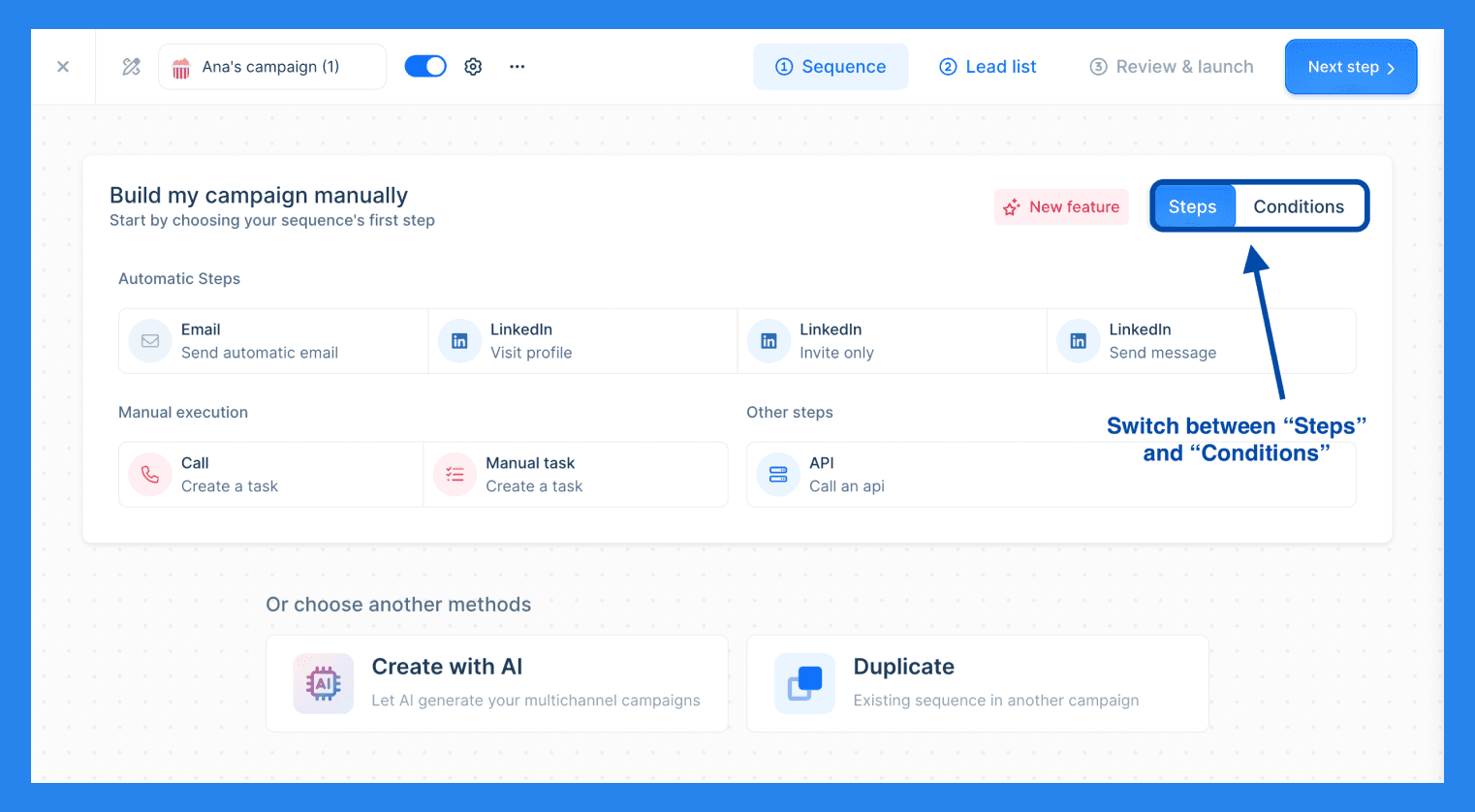
Once you've set up your campaign steps, you can seamlessly switch between steps and conditions in the top right.
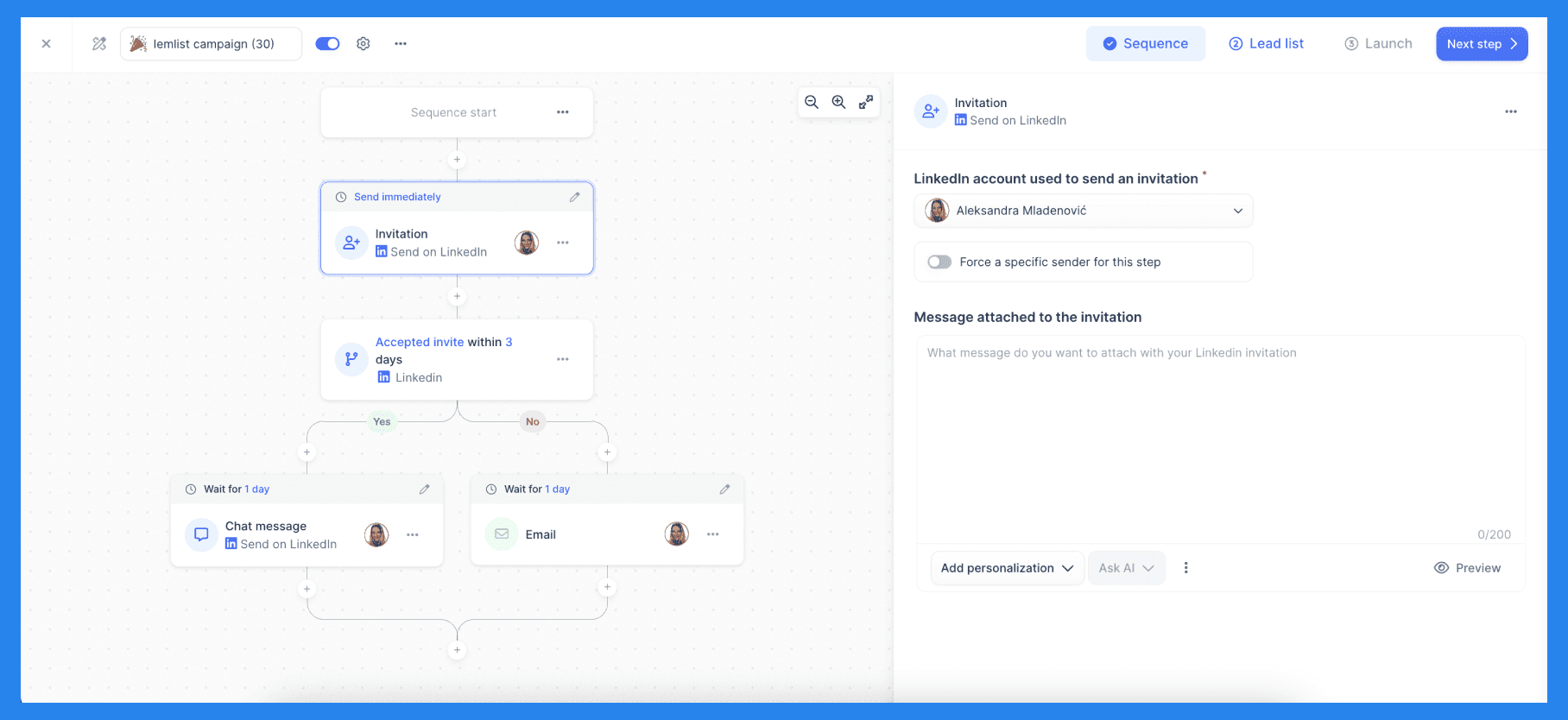
As I've already mentioned, your advanced conditions can be triggered by lead information and actions but you can also fine-tune these features further. Lemlist comes equipped with timed conditions to automate various steps of your campaigns sequence without any manual input on your part. You have two options: 'Within' and 'Wait Until.' The 'Within' condition moves the campaign sequence forward immediately, while 'Wait Until' delays progress for a set amount of time or until a specific action is completed. Simply put, Advanced Conditions just adds a new dimension to your campaign sequences.
The goal for any sales rep is to convert leads into revenue while balancing automation with personalization. Where this tool truly shines is its ability to do both seamlessly — without sacrificing one for the other — giving you the best of both worlds.
Plus, the sky’s the limit! Don’t be afraid to experiment and test new functions to find the perfect winning formula.
Integrations ⚙️
Lemlist is all about boosting productivity and **outreach **wherever possible, you can come to expect the same things with their extensive integration offerings.
You’ll find that lemlist offers 3 native integrations with CRMs like Salesforce, Pipedrive, and HubSpot. Alongside 8 data enrichment and 33 workflow management tools. Additionally, lemlist comes stocked with a powerful Chrome extension that scrapes LinkedIn leads and imports them directly into your CRM.
🔥 Killer Case Studies From Breakcold 🔥 |
|---|
Here's a joint customer of both Lemlist and Breakcold that got amazing results with integrations. |
💰 Lemlist Pricing Plans
Now let’s get down to brass tax, how much is lemlist going to cost you?
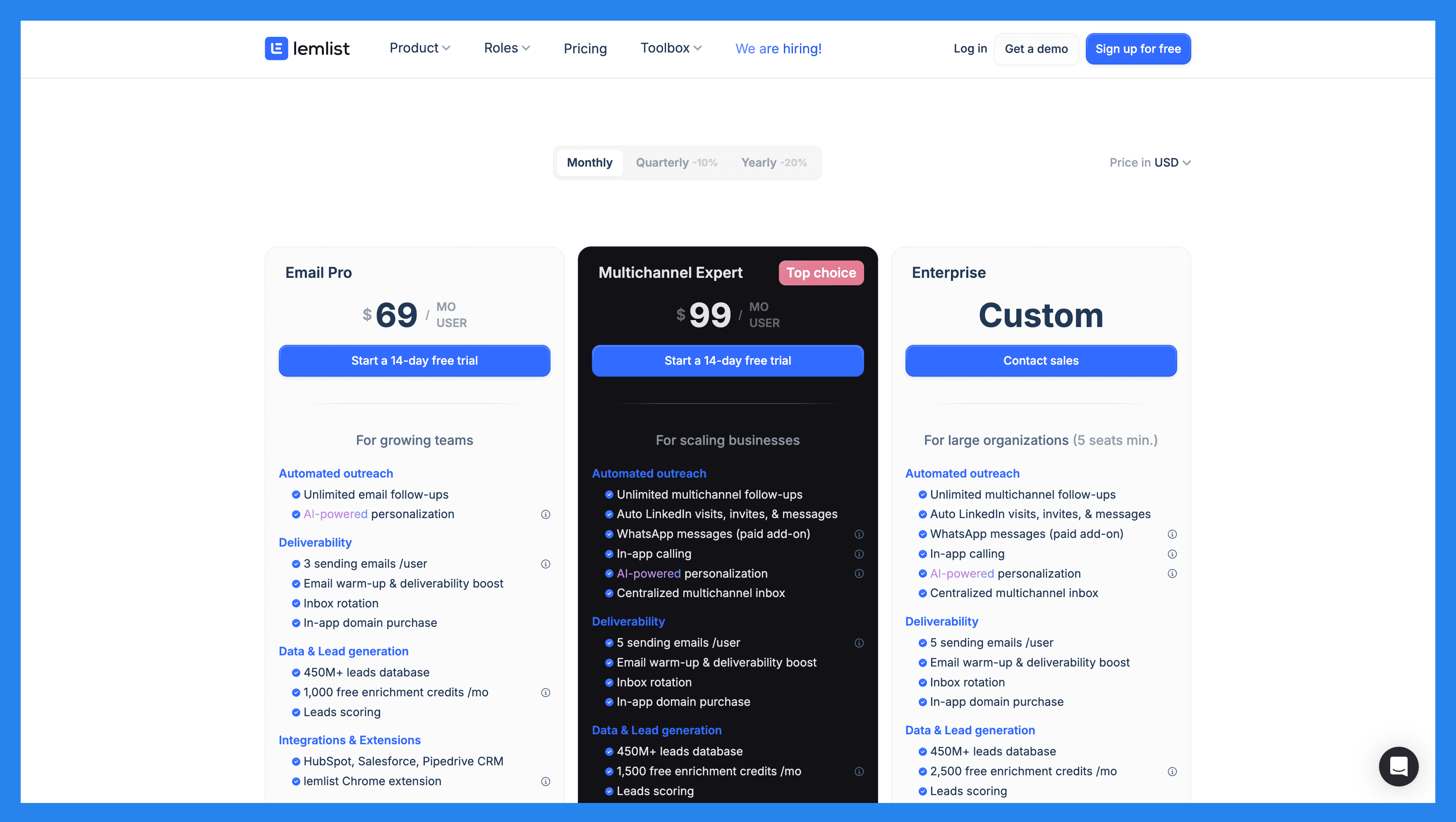
Email Pro | Multichannel Expert | Enterprise |
|---|---|---|
$69/MO | $99/MO | Custom Price / Contact Sales |
For growing teams Automated outreach Unlimited email follow-ups AI-powered personalization Deliverability 3 sending emails /user Email warm-up & deliverability boost Inbox rotation In-app domain purchase Data & Lead generation 450M+ leads database 1,000 free enrichment credits /moLeads scoring Integrations & Extensions HubSpot, Salesforce, Pipedrive CRM lemlist Chrome extension Enablement & Support In-app live support | For scaling businesses Automated outreach Unlimited multichannel follow-ups Auto LinkedIn visits, invites, & messages WhatsApp messages (paid add-on) In-app calling AI-powered personalization Centralized multichannel inbox Deliverability 5 sending emails /user Email warm-up & deliverability boost Inbox rotationIn-app domain purchase Data & Lead generation 450M+ leads database 1,500 free enrichment credits /mo Leads scoringIntents & signals targeting Integrations & Extensions HubSpot, Salesforce, Pipedrive CRM Ringover, Aircall voIP Zapier, Make, n8n, Clay lemlist Chrome extension Enablement & Support In-app live support | For enterprises (5 seats min.) Automated outreach Unlimited multichannel follow-ups Auto LinkedIn visits, invites, & messages WhatsApp messages (paid add-on) In-app calling AI-powered personalization Centralized multichannel inbox Deliverability 5 sending emails /user Email warm-up & deliverability boost Inbox rotationIn-app domain purchase Data & Lead generation 450M+ leads database 2,500 free enrichment credits /mo Leads scoring Intents & signals targeting Integrations & Extensions HubSpot, Salesforce, Pipedrive CRM Ringover, Aircall voIP lemlist Chrome extension Advanced API Enablement & Support In-app live support Assigned account manager Advanced login security (SSO/SAML) |
⭐ Pros & Cons + Ratings
Lemlist Ratings | |
|---|---|
G2 - 4.5/5 (274) | Capterra - 4.6/5 (388) |
Pros | Cons |
Personalization at scale Powerful lead database Extensive support library Multichannel outreach Improved deliverability via lemwarm Advanced campaign sequences | Expensive Clunky/confusing UI Steep learning curve Limited CRM integration Poor customer support Buggy performance |
🔄 Lemlist Alternatives
Look, if you’ve made it this far down, then you’re either still **undecided **or looking for **alternatives **to lemlist. We can’t help you with the former but we can certainly help with the latter:
Outreach.io
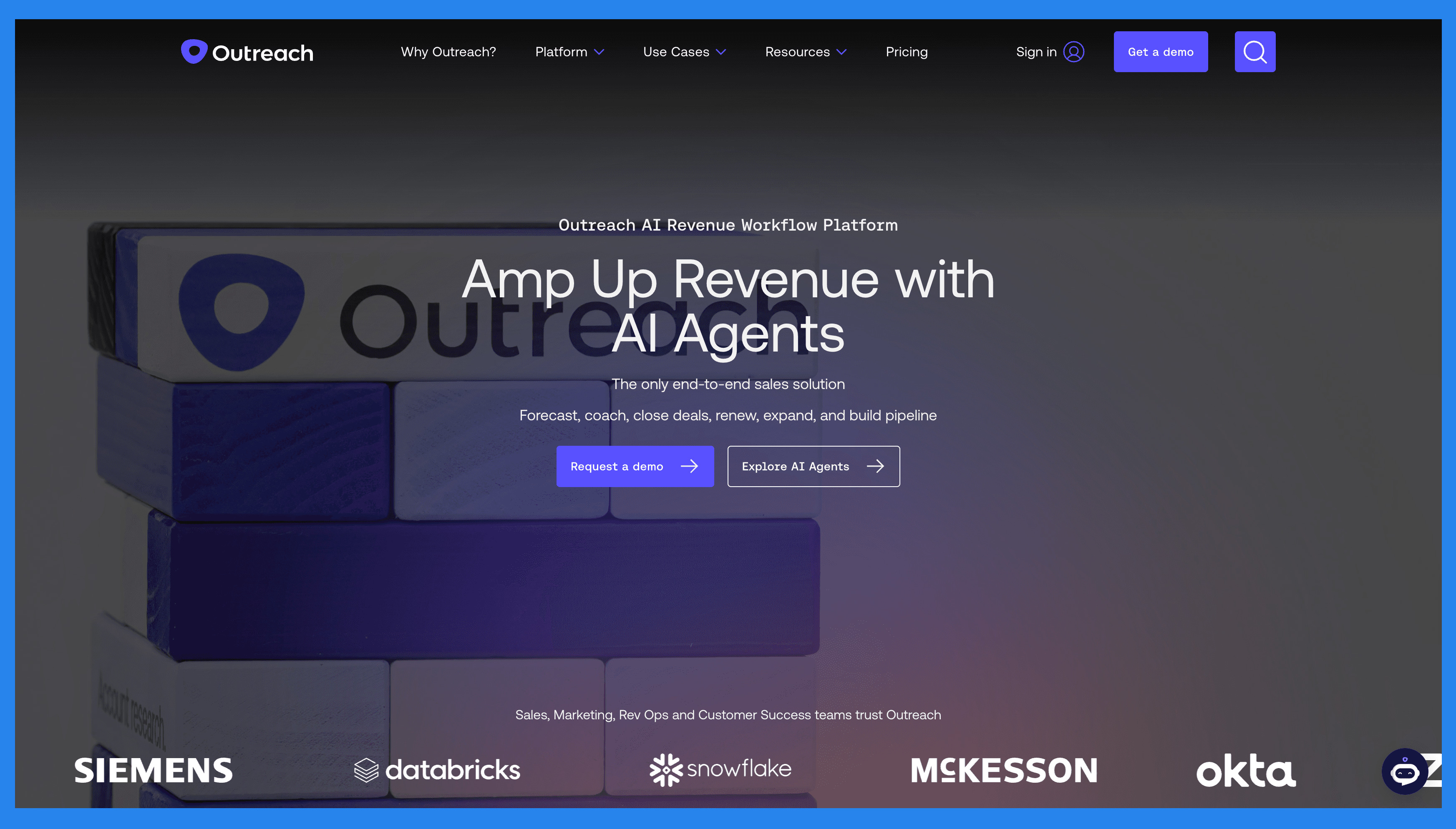
Overview: Outreach.io is a leading sales engagement and workflow platform designed for revenue leaders who need to scale prospecting and accelerate deal cycles. It goes beyond simple email outreach by combining multi-channel communication, AI-powered automation, and detailed analytics into one system. With features like task automation, sequence building, and pipeline insights, Outreach.io helps sales teams build stronger relationships, improve productivity, and consistently hit their revenue targets.
Key Features | |
|---|---|
Account Management Sales Engagement Conversation Intelligence Rep Coaching Deal/Pipeline Management Sales Forecasting | |
Outreach.io Ratings | |
G2 - 4.3/5 (3,461) | Capterra - 4.4/5 (301) |
Pros | Cons |
Robust email automation tools Multi-channel outreach Powerful prospect management features Advanced analytics | Poor/buggy UI Lacks LinkedIn automation Poor customer support Limited sequence creation options Steep learning curve |
Salesloft
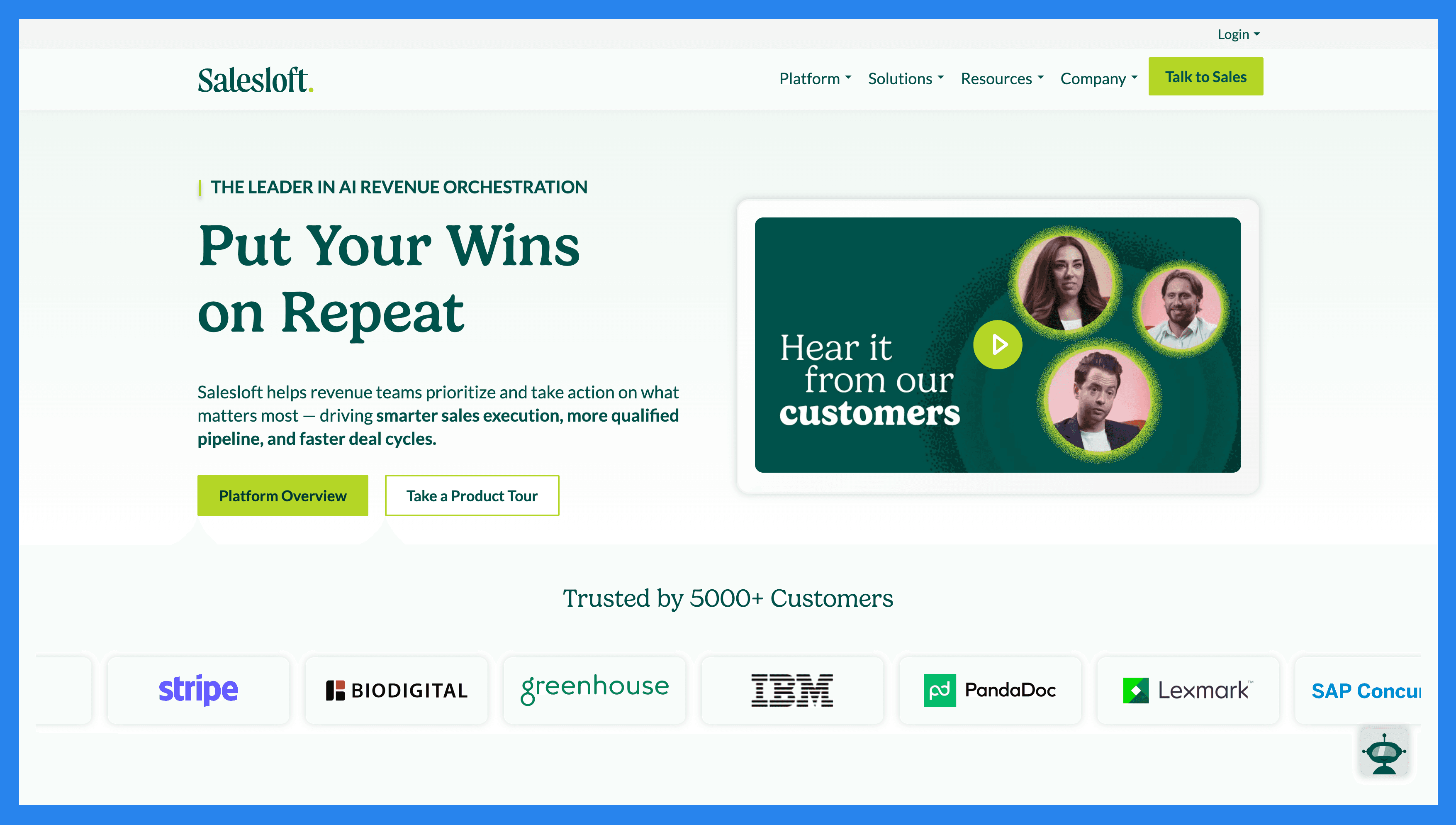
Overview: Salesloft is a revenue orchestration and sales engagement platform that helps teams streamline prospecting, manage multi-channel outreach, and close deals faster. Built with revenue teams in mind, it offers tools for email sequencing, call tracking, meeting scheduling, and pipeline management — all enhanced with AI-powered coaching and insights. By centralizing key sales workflows and providing real-time analytics, Salesloft enables teams to improve performance, personalize outreach at scale, and drive predictable revenue growth.
Key Features | |
|---|---|
Sales pipeline management AI-powered workflows (Rhythm & Cadence) Bi-directional CRM Sync Coaching Sales forecasts & analytics | |
Salesloft Ratings | |
G2 - 4.5/5 (4,123) | Capterra - 4.3/5 (218) |
Pros | Cons |
User-friendly UI Robust task management tools All-in-one sales tool Powerful mobile accessibility | Performance issues Lacks free trial/version Expensive with strict annual contract Poor customer support |
Reply.io
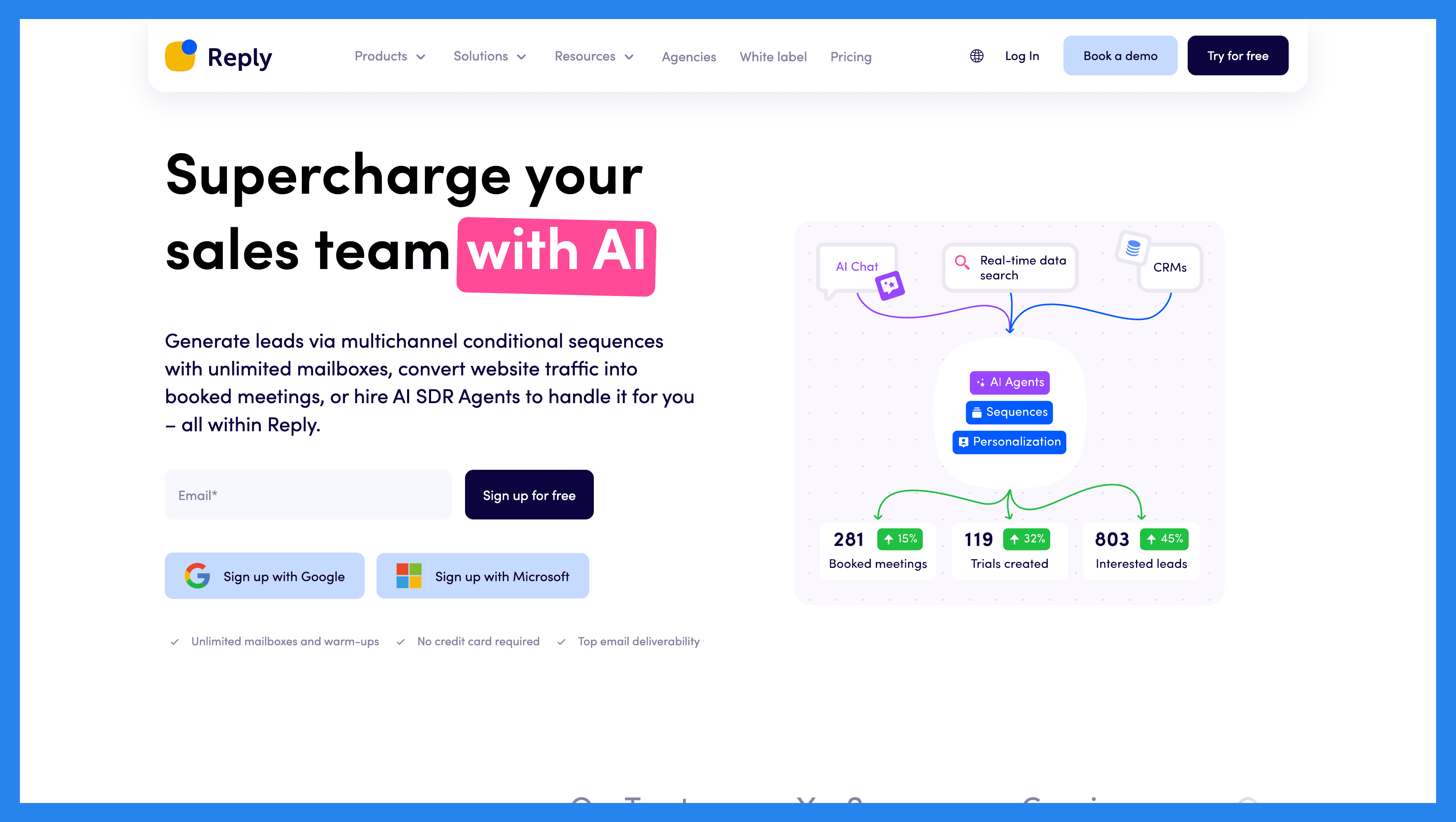
**Overview: **Reply.io is an AI-powered sales engagement platform designed to help sales reps automate lead generation and manage multi-channel outreach without losing the personal touch. It supports email sequences, LinkedIn engagement, calling, SMS, and WhatsApp — all from a single dashboard. With AI-driven features like email validation, personalization, and sequence optimization, Reply.io enables sales teams to scale their outreach while maintaining relevance. By streamlining prospecting and follow-ups, it helps businesses boost reply rates, book more meetings, and accelerate revenue growth.
Key Features | |
|---|---|
Multi-channel communication AI SDR AGENT (Jason AI) Powerful outreach personalization tools Deliverability toolkit B2B lead database Reporting and analytics | |
Reply.io Ratings | |
G2 - 4.6/5 (1,404) | Capterra - 4.6/5 (96) |
Pros | Cons |
User-friendly interface Jason AI Flexible pricing plans Robust sequence automation tools | Can be overwhelming to new users Buggy mailbox integration Limited automation options No mobile app |
LaGrowthMachine
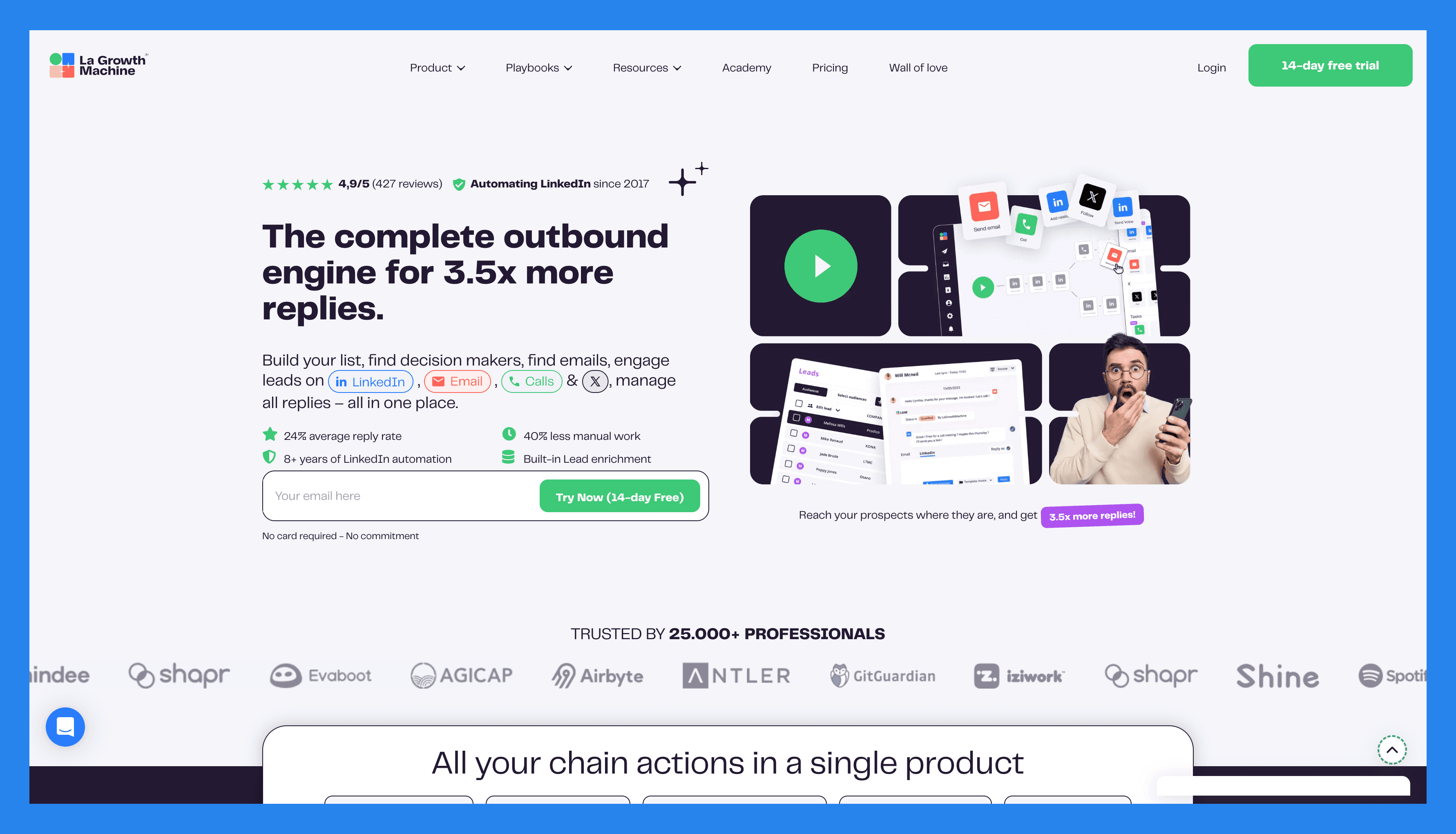
Overview: LaGrowthMachine is a multi-channel prospecting platform that automates outreach across email, LinkedIn, and X (formerly Twitter) to help sales teams scale their lead generation. Designed for efficiency, it allows users to build personalized sequences that combine multiple channels, ensuring prospects are engaged where they’re most active. With features like automated follow-ups, contact enrichment, and workflow customization, LaGrowthMachine helps reps save time while keeping outreach highly targeted. By centralizing campaigns and analytics, it enables teams to track performance, optimize engagement strategies, and generate more qualified leads with less manual effort.
Key Features | |
|---|---|
Multichannel prospecting Lead generation & enrichment Lead management Reporting & analytics | |
LaGrowthMachine Ratings | |
G2 - 4.6/5 (52) | Capterra - 4.9/5 (45) |
Pros | Cons |
Mult-channel outreach/prospecting Easy to use Customizable workflows Social-selling capabilities | Minor display bugs Room for improvement with sequence builder Performance issues |
Apollo.io
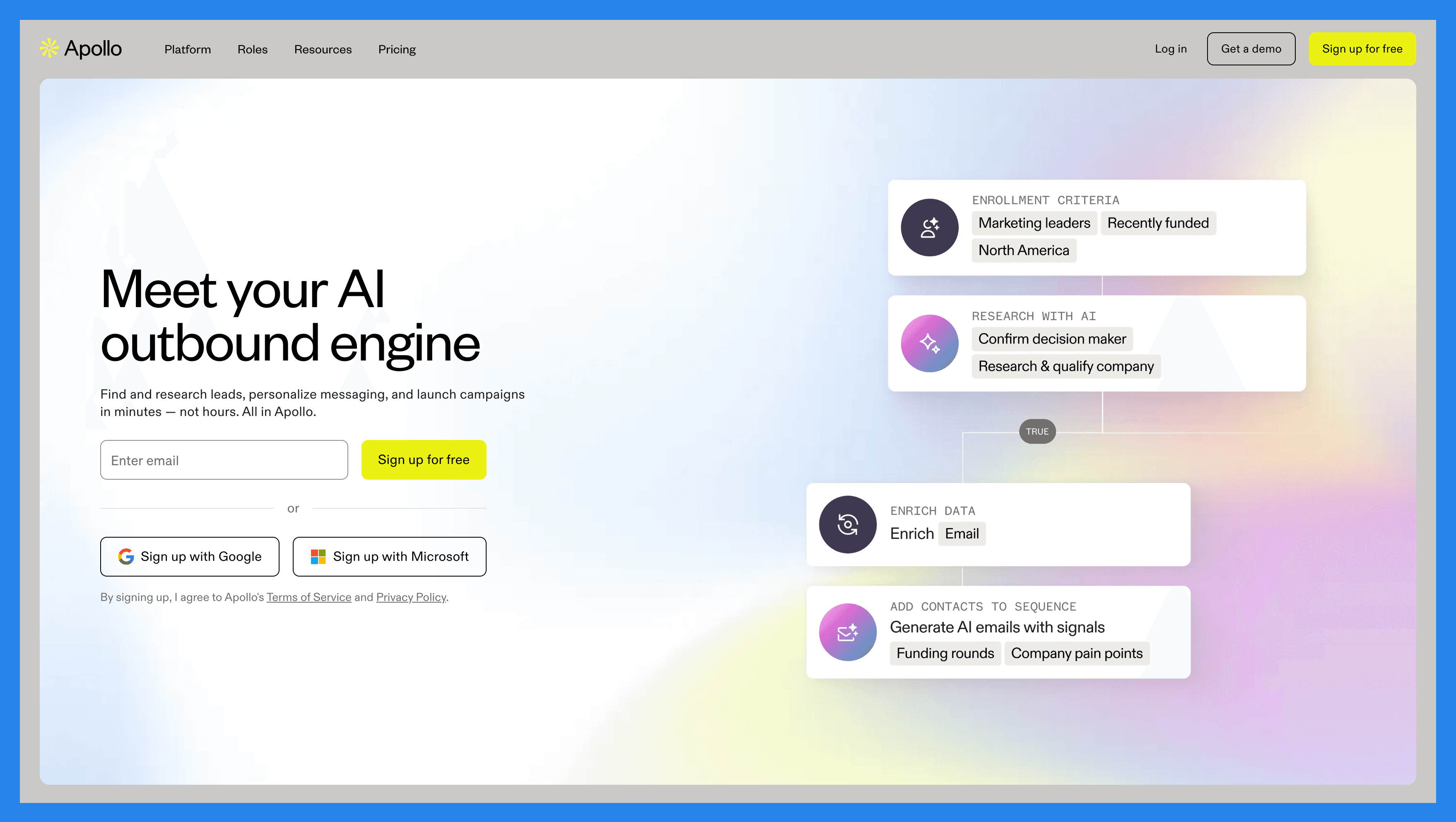
Overview: Apollo is an end-to-end AI-powered sales platform that combines prospecting, engagement, and sales intelligence into a single solution. With access to one of the largest B2B contact databases, Apollo helps sales teams identify decision-makers, enrich leads with accurate data, and launch targeted outreach campaigns across email, phone, and LinkedIn. Its engagement tools make it easy to personalize sequences, automate follow-ups, and track responses at scale, while AI-driven insights provide recommendations on the best actions to move deals forward. By unifying data and outreach, Apollo enables teams to shorten sales cycles, improve conversion rates, and drive predictable revenue growth.
Key Features | |
|---|---|
Lead generation & prospecting Sales engagement Lead management/tracking Reporting & analytics | |
Apollo.io Ratings | |
G2 - 4.7/5 (8,445) | Capterra - 4.6/5 (363) |
Pros | Cons |
Generous free plan User-friendly navigation Expansive lead database Robust email automation | Inconsistent lead data Learning-curve for new users Performance issues during high-usage Poor customer service |
HeyReach
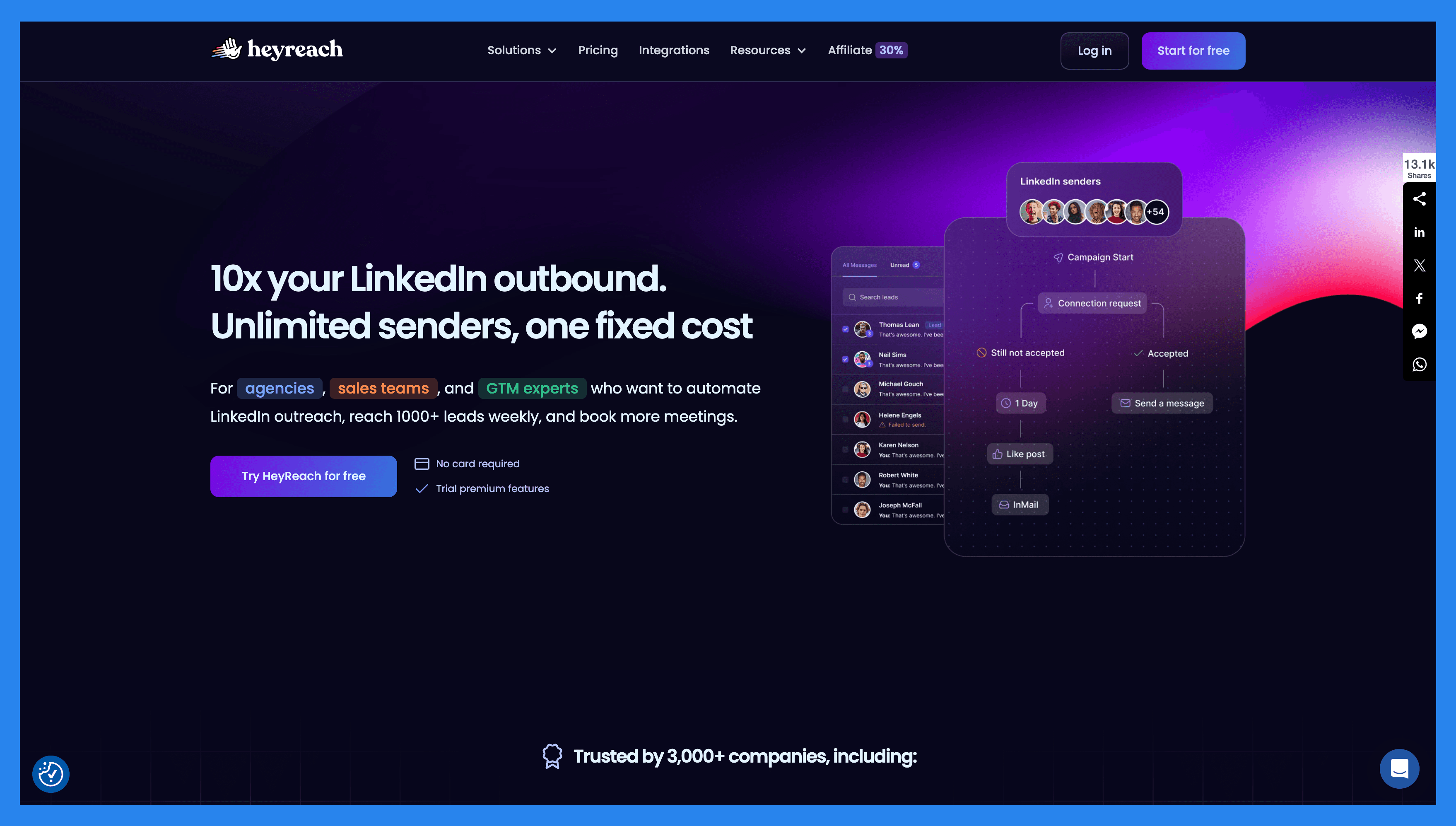
**Overview: **HeyReach is a LinkedIn-focused outreach automation platform designed for agencies, sales teams, and GTM professionals who want to scale lead generation without risking account bans or violating LinkedIn’s rules. Unlike basic automation tools, HeyReach offers features like multi-account management, advanced targeting, campaign scheduling, and safety guardrails that mimic natural human behavior. This makes it especially useful for teams running high-volume outreach while keeping profiles safe and compliant. With built-in collaboration tools, detailed analytics, and structured workflows, HeyReach helps sales teams and agencies generate a steady flow of qualified leads directly from LinkedIn — all in a way that’s scalable, secure, and aligned with platform best practices.
Key Features | |
|---|---|
Multi-account outreach Seamless CRM integrations Unibox Auto-rotation of LinkedIn senders Lead generation powerhouse | |
HeyReach Ratings | |
G2 – 4.7/5 (47) | Capterra - 4.7/5 (2) |
Pros | Cons |
Helps you connect multiple accounts to the same campaign to scale your outreach. Helps users to reach out to decision-makers via LinkedIn on autopilot. Helps keep track of your leads by integrating your favorite CRMs. Helps you create complex outreach sequences. | Lacks multi-channel outreach. There is a learning-curve to fully master HeyReach. Buggy performance. Pricing plans can be aggressive and not as friendly for bootstrapped organizations. |
Instantly.ai
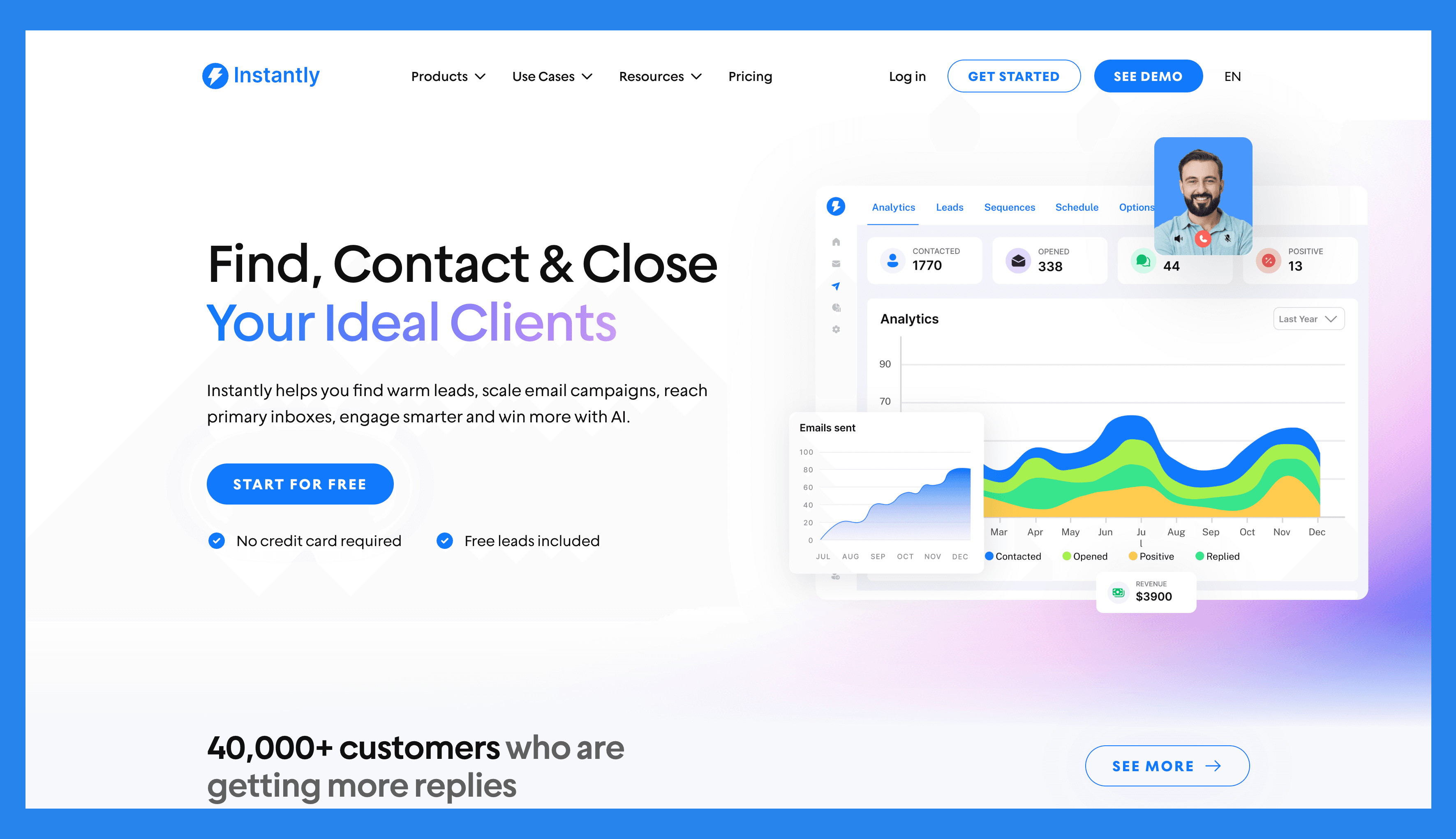
**Overview: **Instantly is an AI-powered cold email and outreach automation platform built to help businesses scale lead generation while maintaining high deliverability rates. It allows users to connect unlimited email-sending accounts, making it ideal for agencies and teams running high-volume campaigns. Beyond automation, Instantly includes a built-in B2B lead database, smart deliverability tools (like inbox rotation and warm-up), and detailed campaign analytics to ensure emails land in the inbox instead of spam. By combining scalability with AI-driven personalization, Instantly makes it easy to run multi-channel outreach, test campaigns, and consistently generate qualified leads at scale.
Key Features | |
|---|---|
Email warmup Lead database/management Unibox AI-driven analytics Email outreach tools CRM (soon) | |
Instantly.ai Ratings | |
G2 - 4.8/5 (3,638) | Capterra - N/A |
Pros | Cons |
Ease of use Email warming +deliverability AI-powered analytics/insights AI personalization for scale | No free plans Limited lead management features Expensive/restrictive pricing plans |
Final Thoughts + Takeaways 💭
Lemlist is a standout tool for B2B sales teams — and when it delivers, it delivers BIG. From hyper-personalized outreach to advanced automation, it’s one of the strongest players in outbound sales. That said, no platform is flawless. Lemlist’s occasional bugs and inconsistent customer support can leave some users frustrated.
If you can live with those trade-offs, lemlist remains a powerful option worth testing. But if reliability and hands-on support are non-negotiable for your team, you may want to explore alternative tools that offer a smoother overall experience.
Frequently asked questions

Written by
Arnaud Belinga · Co-Founder & CEO at Breakcold
Arnaud is the Co-Founder & CEO of Breakcold, the AI Native CRM for sales teams of 5 to 30+ people.