



Pipedrive Review: Is It Still a GOOD CRM in 2026?
TL;DR: is Pipedrive still a good CRM in 2026? 🏆
🟢 Pipedrive: still one of the best visual pipeline CRMs for manually tracking deals, easy to learn with 500+ integrations, but since the 2020 Vista Equity buyout it has drifted upmarket and shows its age in the AI era with basic "fluff AI" and no native LinkedIn.
💰 Pricing: starts at $19/user/mo and reaches $89/user/mo, and add-ons like LeadBooster, Campaigns and Web Visitors push the real cost higher. No free plan, and most AI features sit behind the top tiers.
🏆 Breakcold: the AI Native CRM for sales teams of 5 to 30+ people. AI agents handle the admin (move deals, log activity, create tasks), it connects to Claude and ChatGPT via native MCP, and it syncs LinkedIn, email, WhatsApp and Telegram into one pipeline. At 5 seats Breakcold is $139/mo, where a traditional CRM runs $300 to $500/mo.
🔵 Alternatives: Close is great for outbound teams living on the phone, Nimble suits relationship-driven sellers, OnePageCRM keeps it simple for follow-ups.
✅ How to choose: if you want a classic manual pipeline you already know, Pipedrive still delivers. If you are one of the many teams leaving it because the admin work never ends, look at an AI Native CRM like Breakcold.
Loading YouTube sends it your IP address and may enable cookies. This applies to this content only.
Once upon a time, the “golden age of CRMs” was all about getting rid of spreadsheets and giving sales teams a place to track deals. That’s the era Pipedrive was born into — a time when having a clean pipeline view felt revolutionary. And to its credit, Pipedrive quickly became one of the most popular CRMs in the world, especially for SMBs.
But the CRM landscape in 2026 looks a little different. The basics are no longer enough. AI is reshaping expectations, automating grunt work, enriching data, and even turning multichannel selling across LinkedIn, email and WhatsApp into a built-in workflow.
So how does a long-standing legacy player like Pipedrive stack up against these new-age challengers? Let’s find out.
💡 What is Pipedrive CRM?
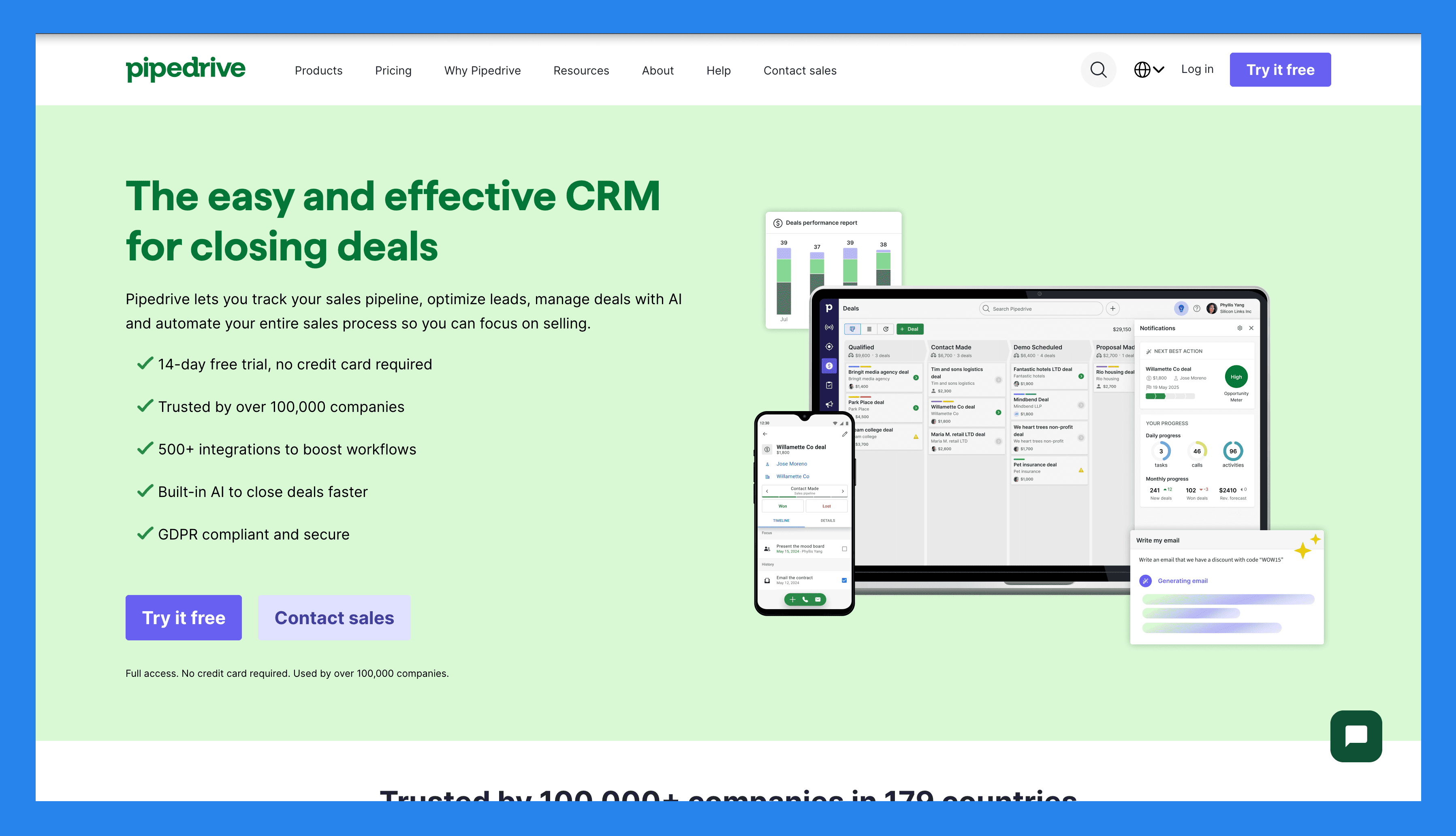
Pipedrive is a sales-focused CRM that first hit the market in 2010, created by salespeople for salespeople who wanted a tool that actually matched the way they worked. Instead of overwhelming dashboards or bloated features, Pipedrive introduced a simple, visual pipeline that made tracking deals intuitive.
Over the years, it’s become known for three things in particular:
Pipeline management – a drag-and-drop deal view that’s still one of the best in the industry.
Ease of use – teams can get up and running quickly without heavy onboarding.
Customization – from custom fields to tailored workflows, it’s flexible enough for different sales processes.
Today, Pipedrive is used by SMBs, sales-driven teams, and agencies that want a straightforward way to organize pipelines and track activities without the complexity of enterprise CRMs.
Note: Since its acquisition by a private equity firm, Vista Equity Partners, in 2020, Pipedrive has been moving upmarket. However, its pace of innovation — especially around AI — hasn’t quite kept up with newer, AI-native competitors. More on this later. |
|---|
⚙️ Key Features of Pipedrive
Pipedrive packs a solid range of sales tools designed to help teams stay organized, automate tasks, and close deals faster. Here’s a closer look at the key features that define the Pipedrive experience.
Visual Pipeline Management
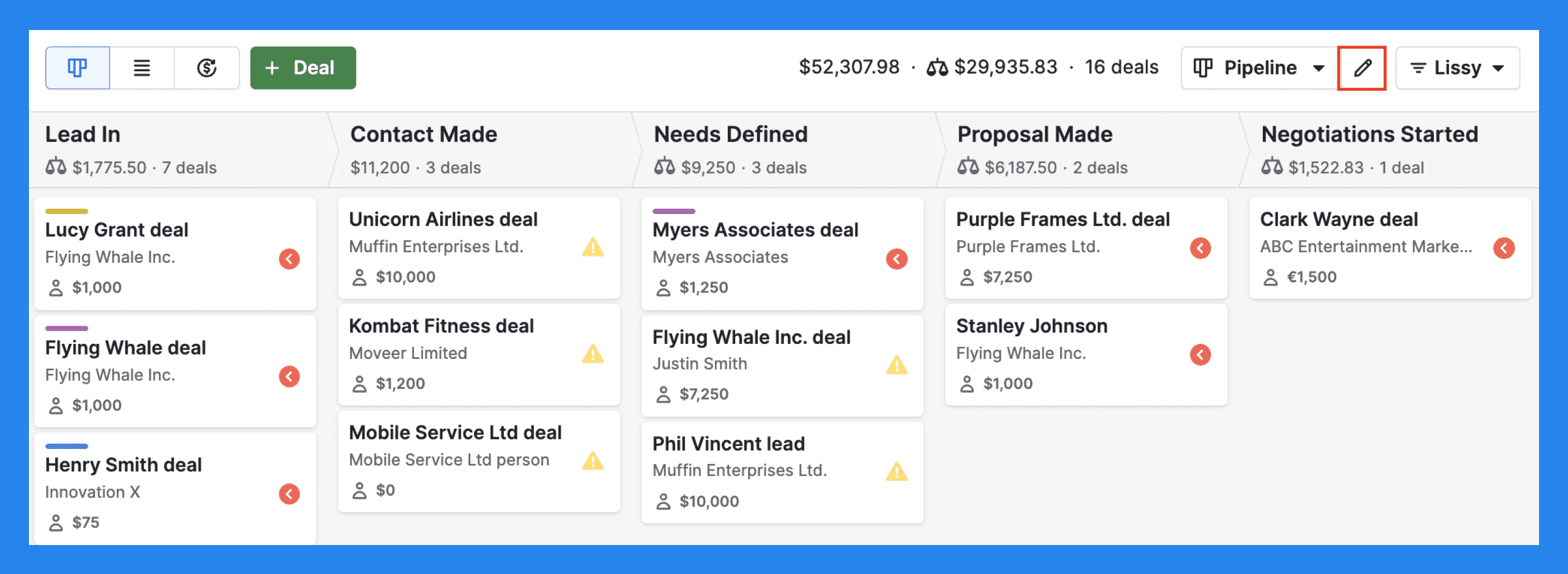
Diving right into one of the biggest reasons Pipedrive took off. Instead of endless spreadsheets or clunky deal lists, sales teams got a clean, drag-and-drop board that made it easy to see where every opportunity stood. Today it’s still one of the most intuitive pipeline UIs on the market, with customizable stages and multiple views to fit different teams.
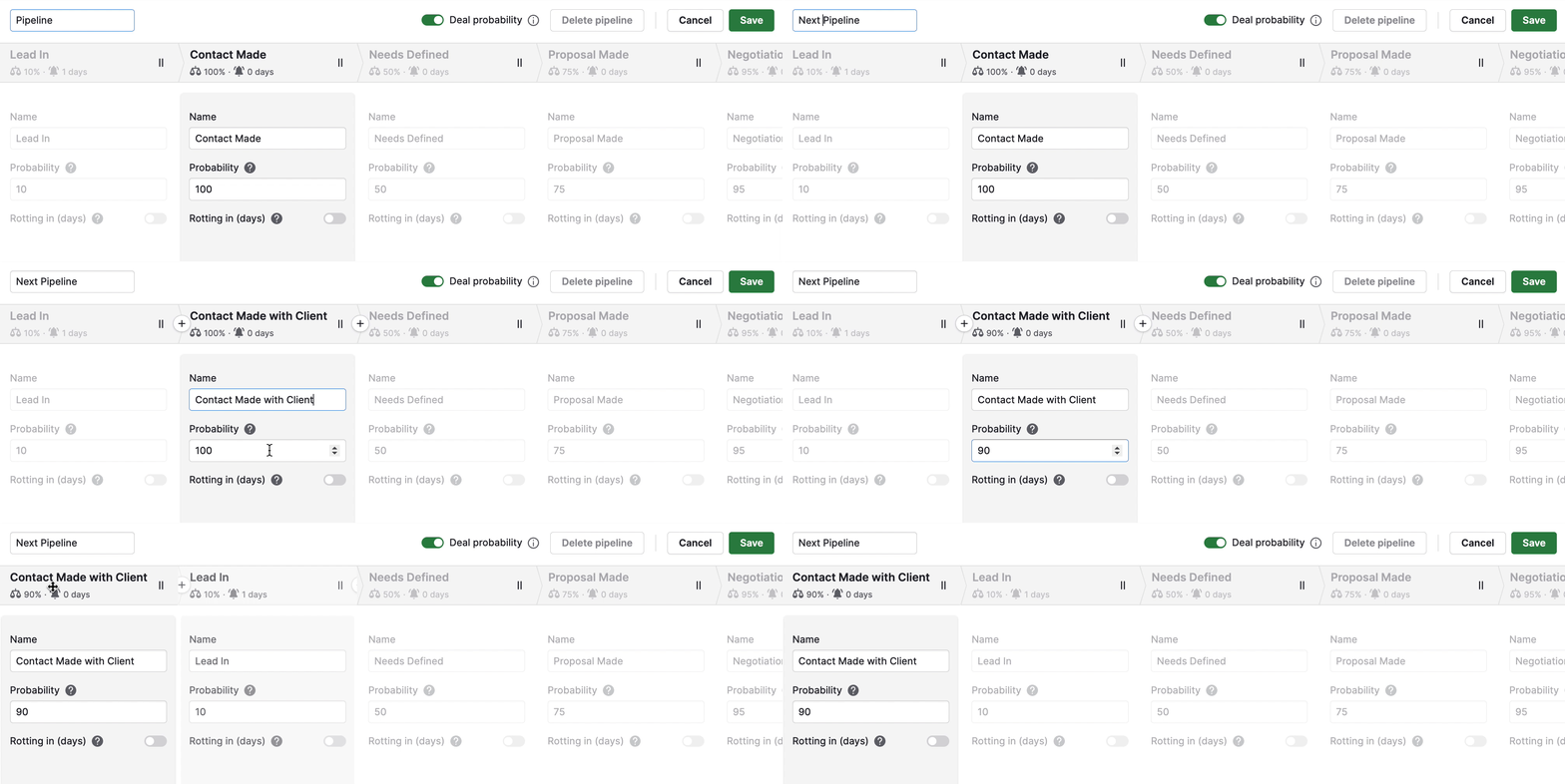
Just as it’s visually simple, Pipedrive also makes it straightforward to customize every stage of your pipeline to fit different sales processes. Each deal card acts as a single source of truth: deal value, contact history, notes, files, tasks, and scheduled activities are all in one place. That means no digging through separate tabs just to get context — a big win when you’re juggling multiple opportunities.
You can even run multiple pipelines in parallel — perfect if you’re managing separate motions like partner sales and direct sales at the same time.
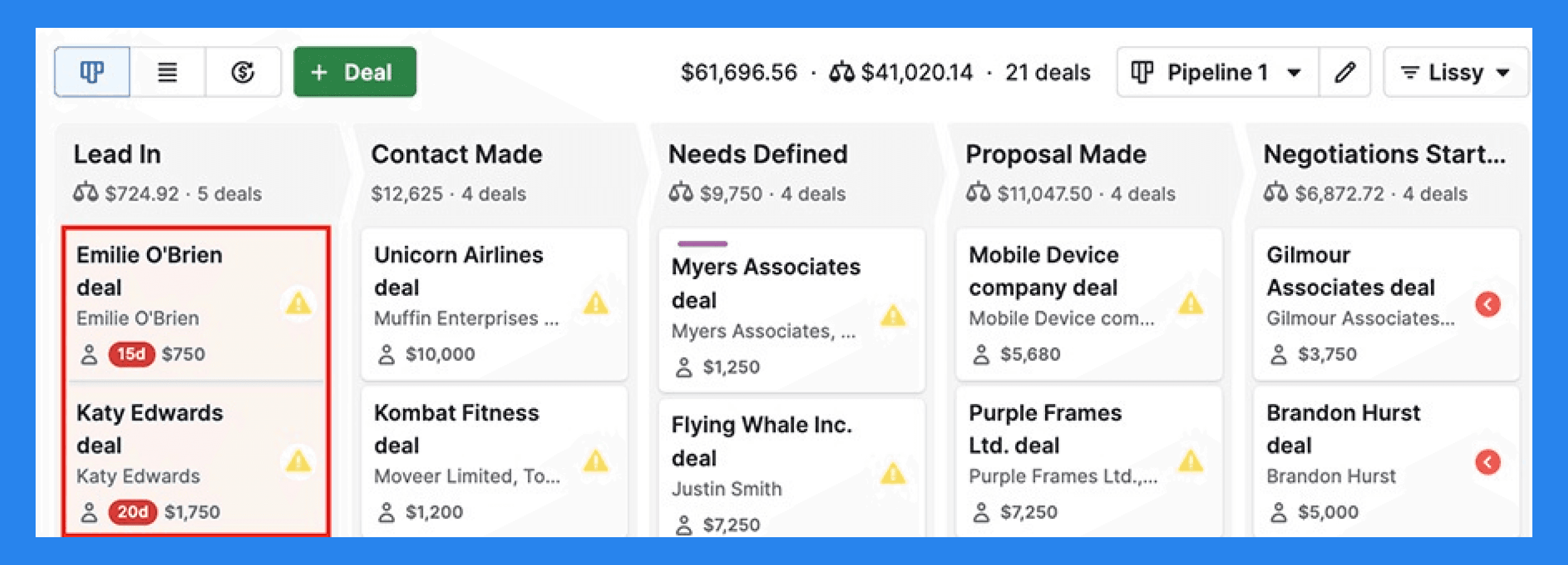
One feature that stands out (literally) is Pipedrive’s rotting feature — designed to alert you when deals have been sitting idle for too long (or as Pipedrive puts it, when they’ve gone “rotten”).
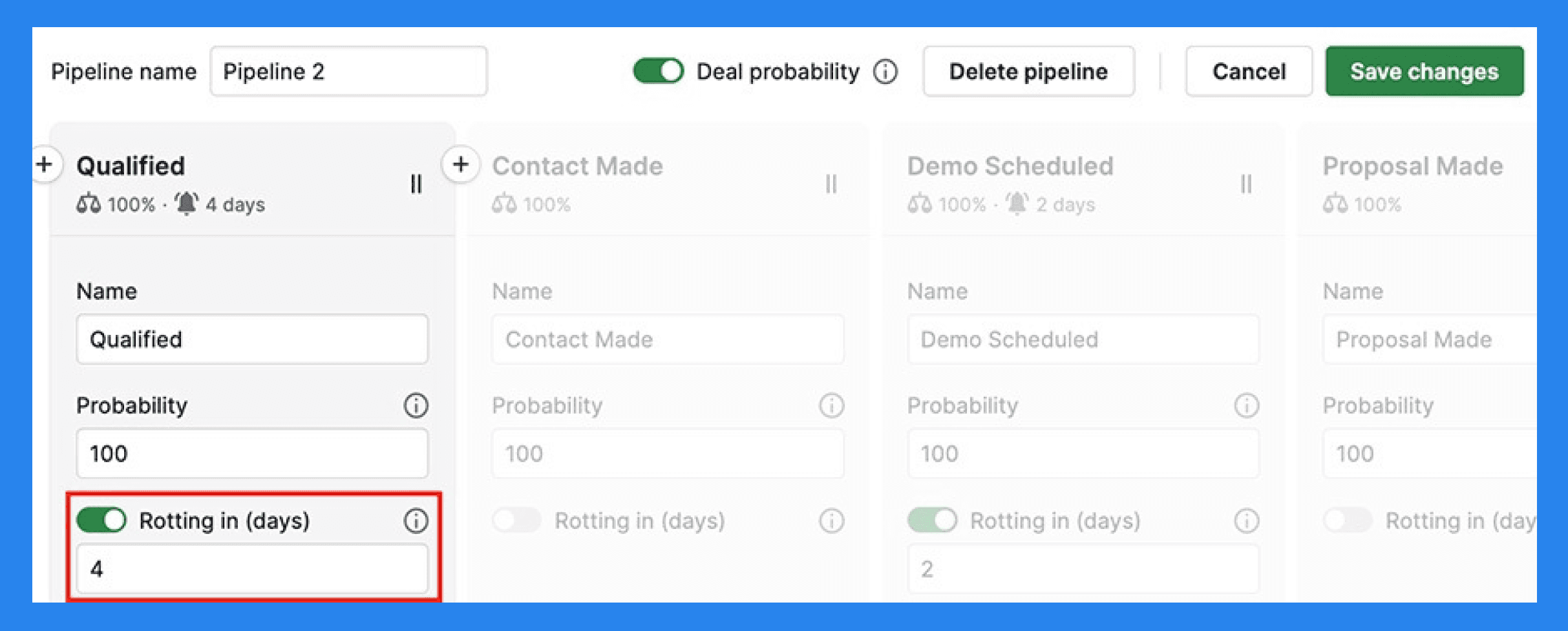
The timeline is completely customizable, so it’s up to you to define how long is too long before a deal is flagged.
Did You Know? |
|---|
With Breakcold, you don’t have to manually decide when it’s time to follow up. Depending on the AI Agent you choose, Breakcold automatically tracks lead activity and notifies you when it’s time to re-engage — so no prospect ever slips through the cracks. |
Sales Automations
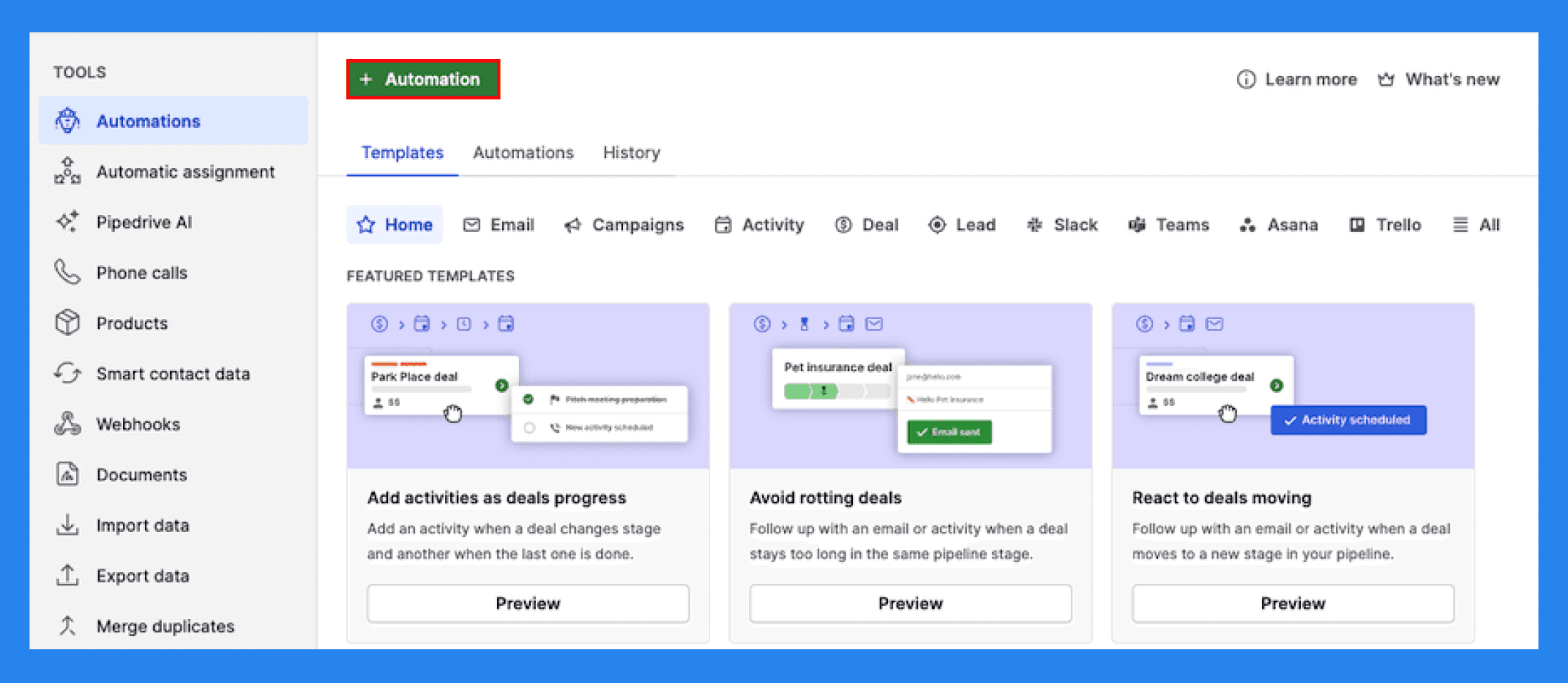
Pipedrive gives you a solid set of automation tools to save time on repetitive sales tasks. You can build workflow automations for things like sending follow-up reminders, moving deals to the next stage, or assigning tasks to teammates.
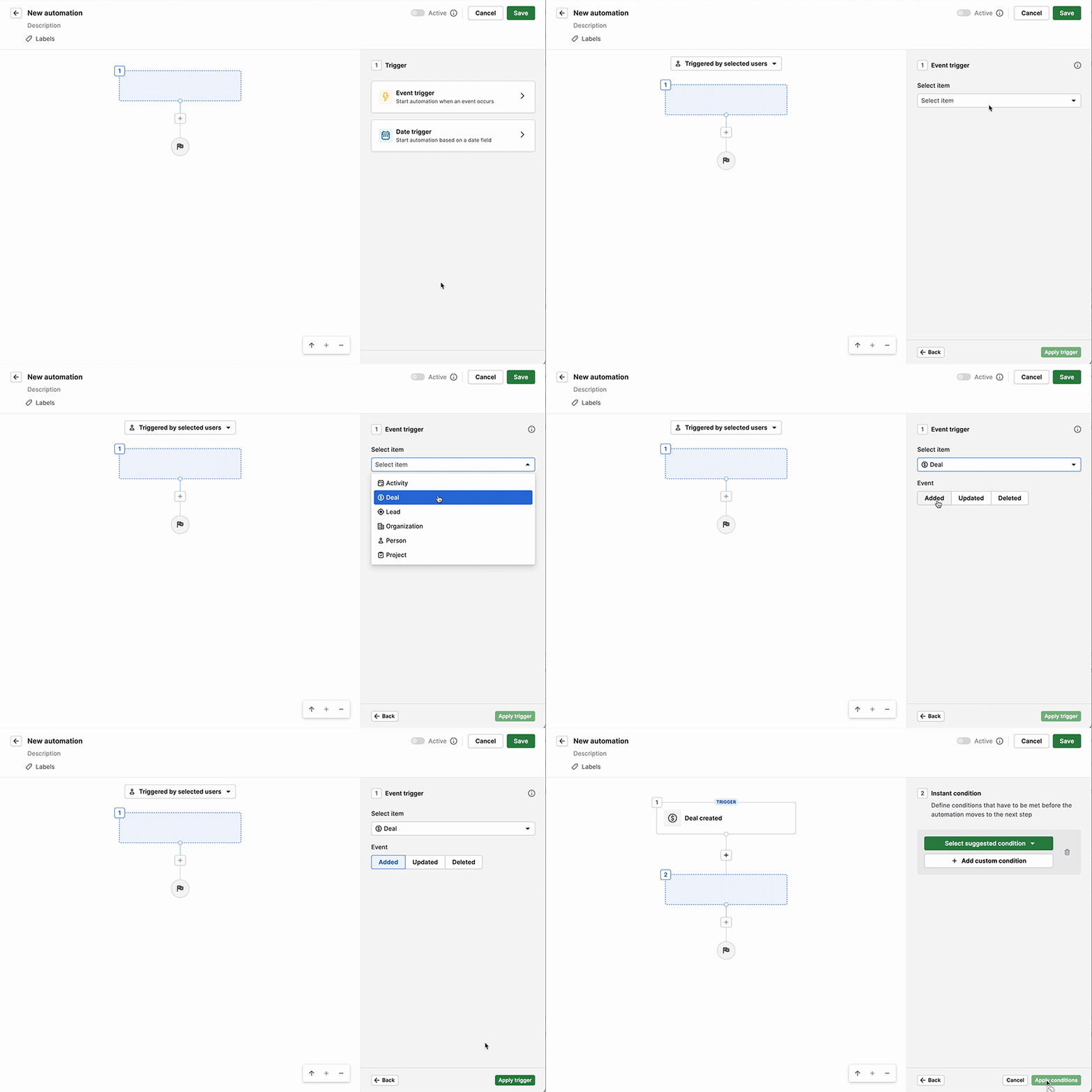
Most of Pipedrive’s automations follow the classic trigger-and-action format. Basic workflows are available on mid-tier plans, but if you want to build more advanced sequences, you’ll need to upgrade. Even then, the so-called “complex workflows” hit their limits quickly once you start trying to set up anything beyond the basics.
Did You Know? |
|---|
Pipedrive has a platform cap of 5,000 automation executions per workflow every 10 minutes and a total account limit of 10,000 actions. Now if quick maths aren’t your thing, that might sound like a lot. But in reality, it isn’t. If you're setting up workflows for high-volume outreach, lead scoring, or even data enrichment, it runs out pretty quick. And here’s the kicker: while Pipedrive limits how far you can automate, Breakcold’s Vision Builder removes those restrictions. You can create advanced workflows using simple text prompts — or even let the AI decide the next best step for you. Smarter, faster, and no manual input needed. |
Lead/Deal Management
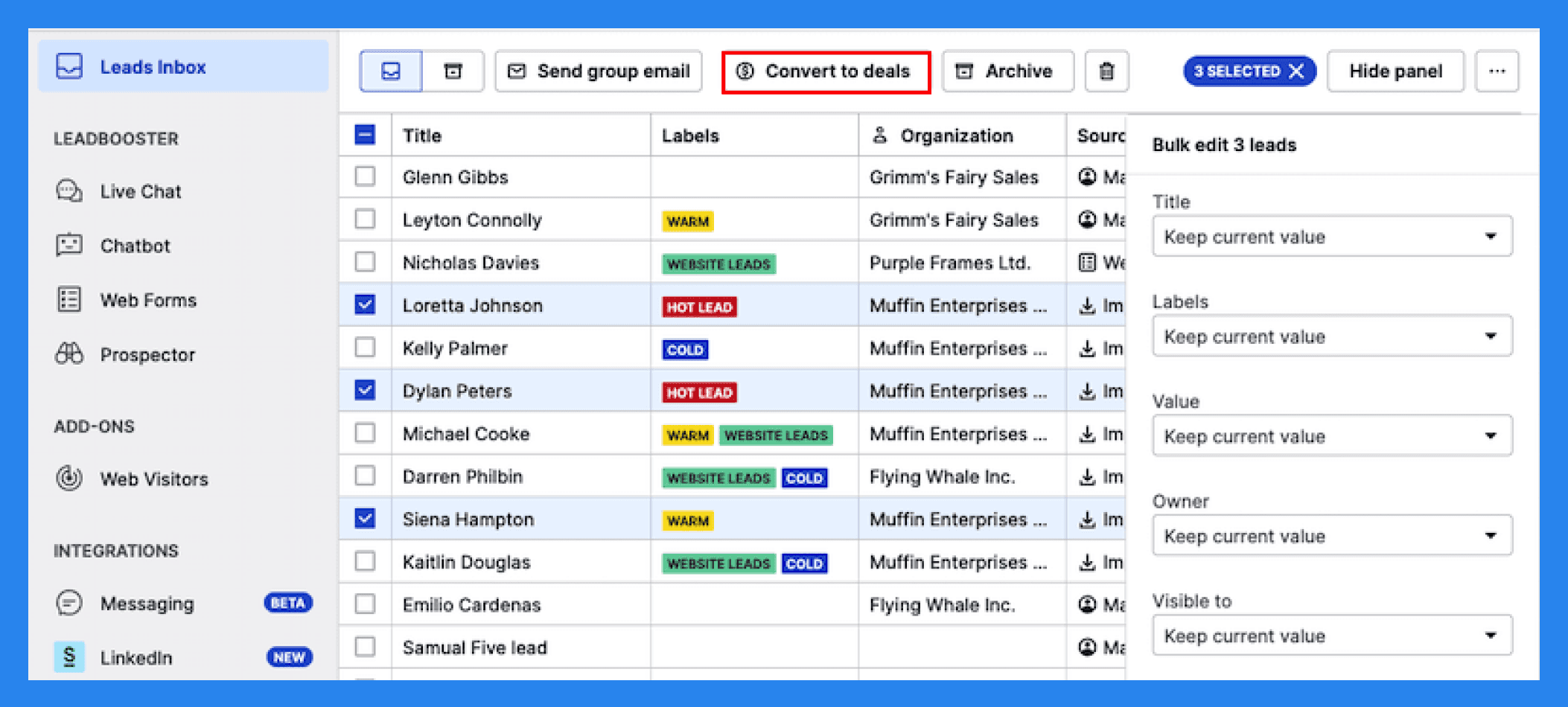
At its core, Pipedrive makes it easy to store, organize, qualify, and convert leads so nothing slips through the cracks. You can add key details like deal values, expected close dates, and custom fields to keep track of opportunities in a way that matches your sales process.
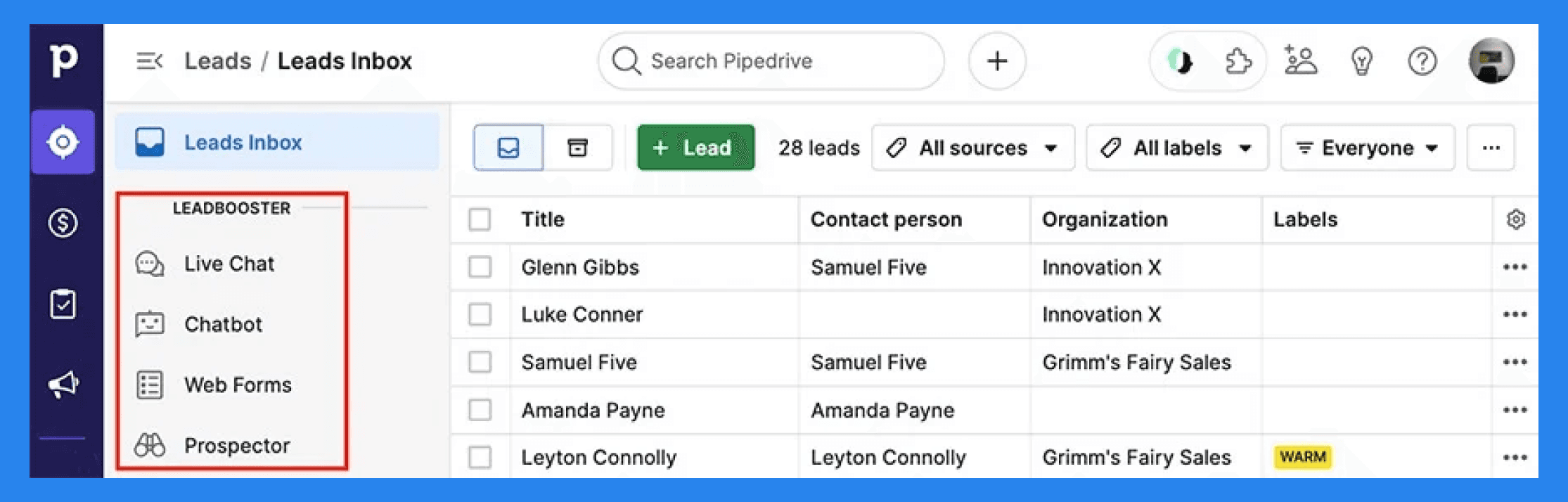
For teams focused on capturing new leads, Pipedrive offers the LeadBooster add-on — an extra-cost upgrade that includes:
Chatbots + Live Chats = The Chatbot feature allows prospects to qualify themselves through automated conversations or Live Chats. You can customize these interactions using Playbooks, which act as a script to collect lead information and automatically create leads, deals, or contacts in the CRM.
Prospector = An outbound lead generation tool powered by Cognism giving users access to a database of 400 million profiles and 10 million companies to find the latest leads.
Web forms = Simple, customizable forms you can embed on your site to capture new leads and feed them directly into your Pipedrive pipeline.
Web Visitor Tracker = A tool that identifies which companies visit your website and what pages they interact with, helping your team prioritize outreach.
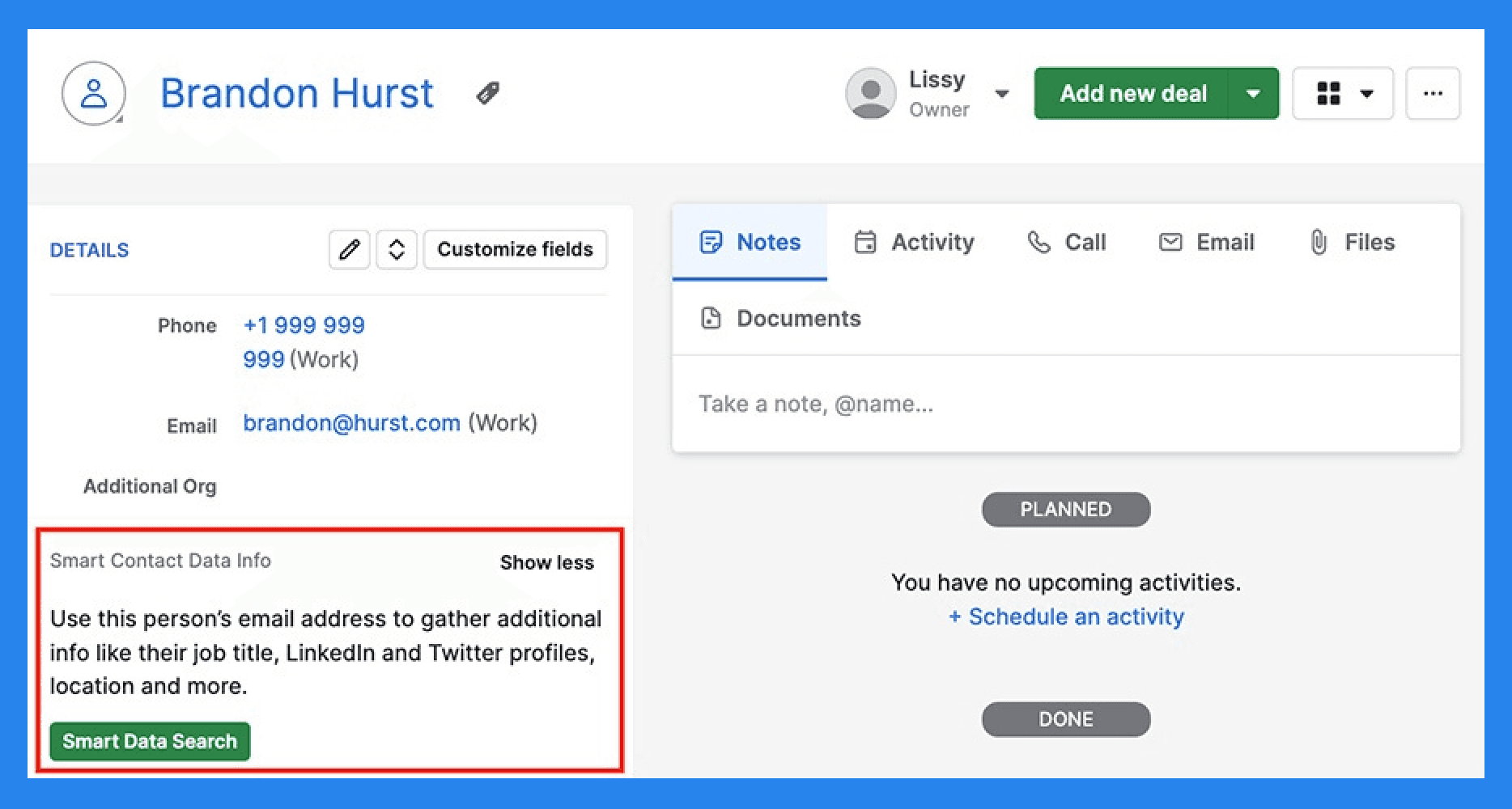
Another way Pipedrive helps reduce busy work when managing leads is through its Smart Contact Data feature.
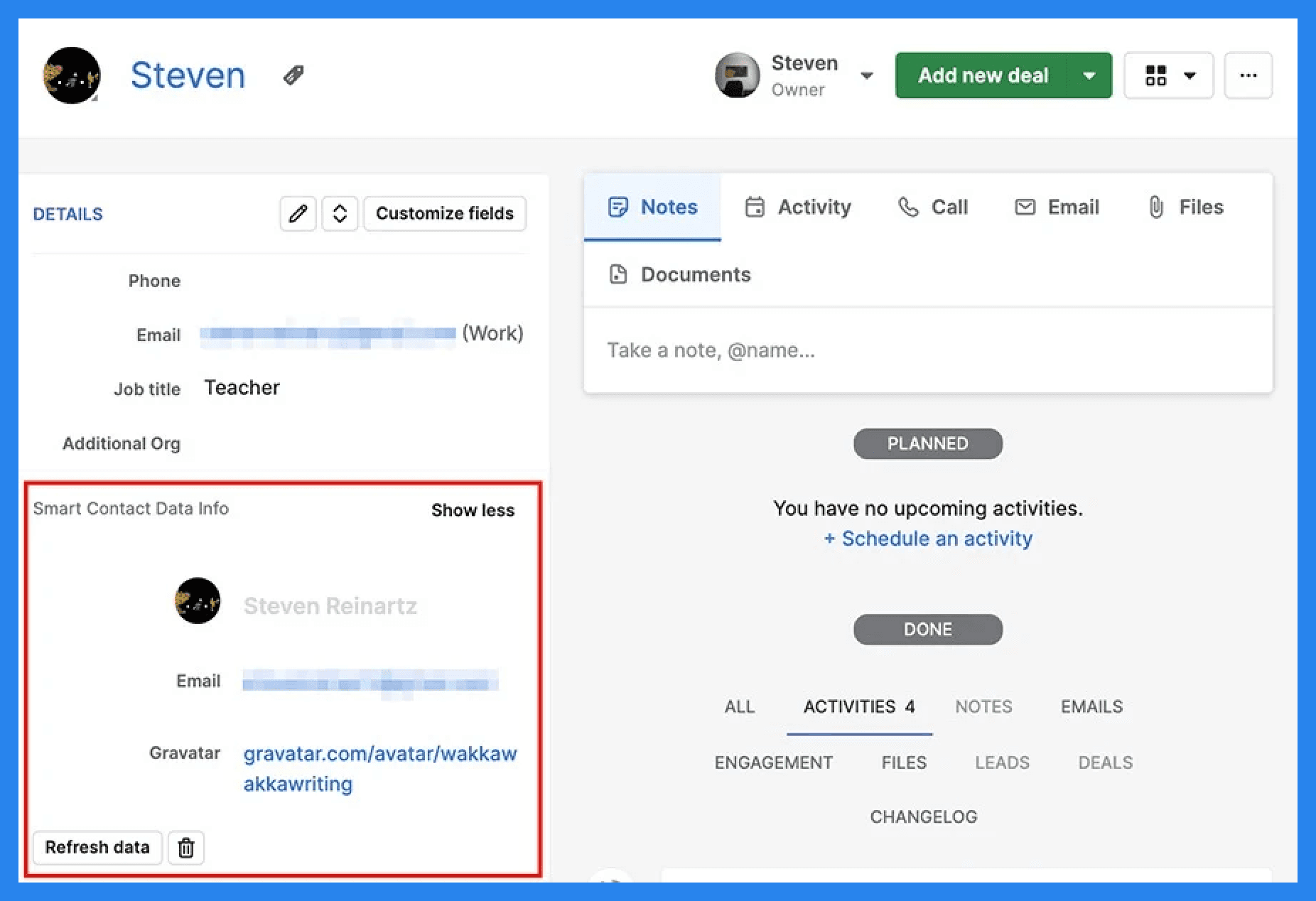
Once enabled, Pipedrive automatically gathers publicly available information about your leads and neatly adds it to their profiles. If the details ever look outdated, you can refresh the data to ensure you’re always working with the most current information. While not always perfect, it does save you some time and energy.
Note: Since August of 2025, Pipedrive has only made Smart Contact Data available to Advanced and higher plans. For new users, Pipedrive has recommended using Data Enrichment. |
|---|
Did You Know? |
|---|
Breakcold lets you enrich data manually or automatically — because we’ve baked enrichment right into our workflows. That means no more manual inputs or chasing missing info — just clean, enriched data while you focus on what matters most: SELLING. |
Pipedrive AI
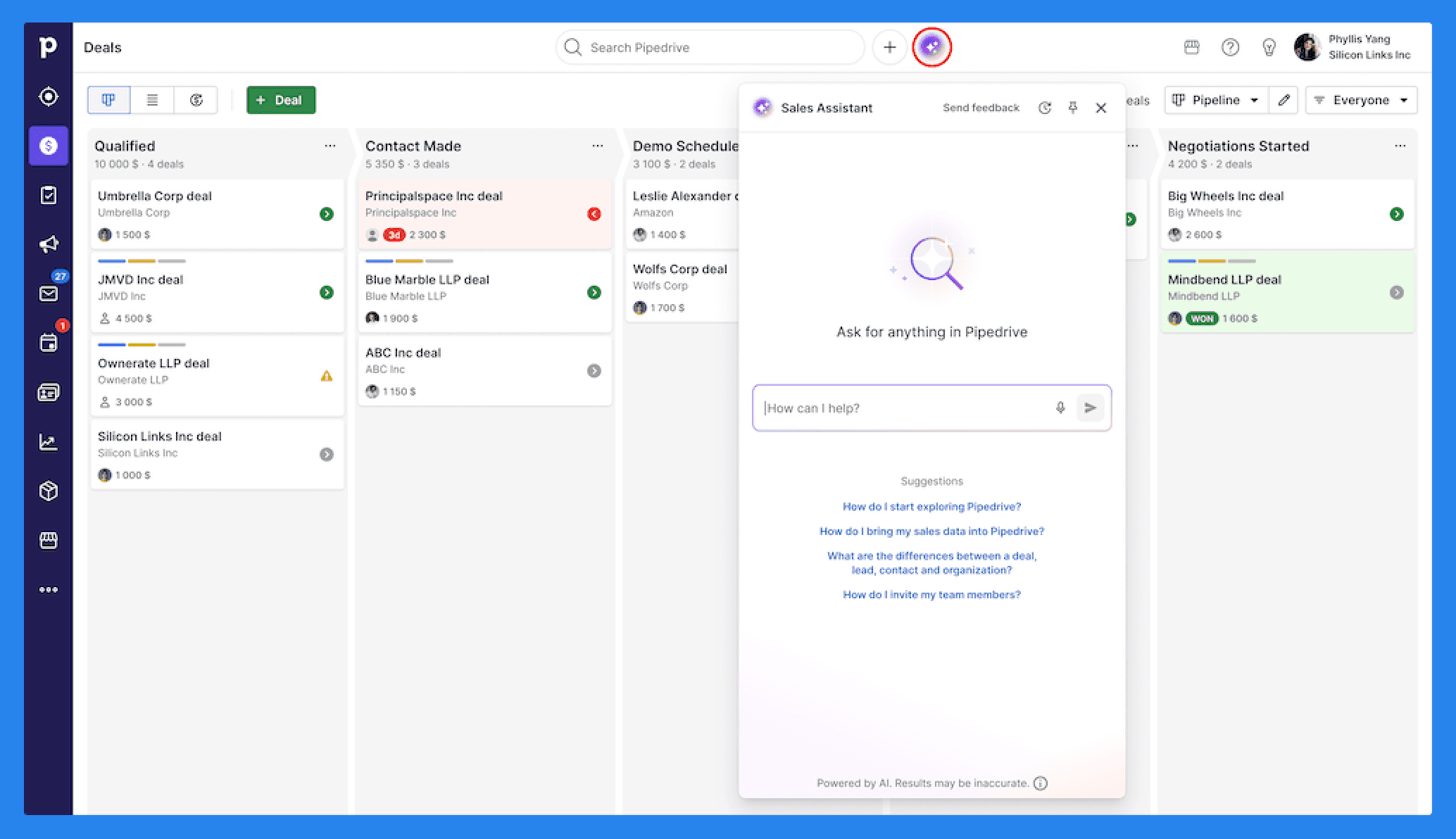
Pipedrive has steadily introduced more AI-powered features to help sales teams work smarter. The AI Assistant suggests next steps, flags deal risks, and provides recommendations to help you keep momentum in your pipeline.
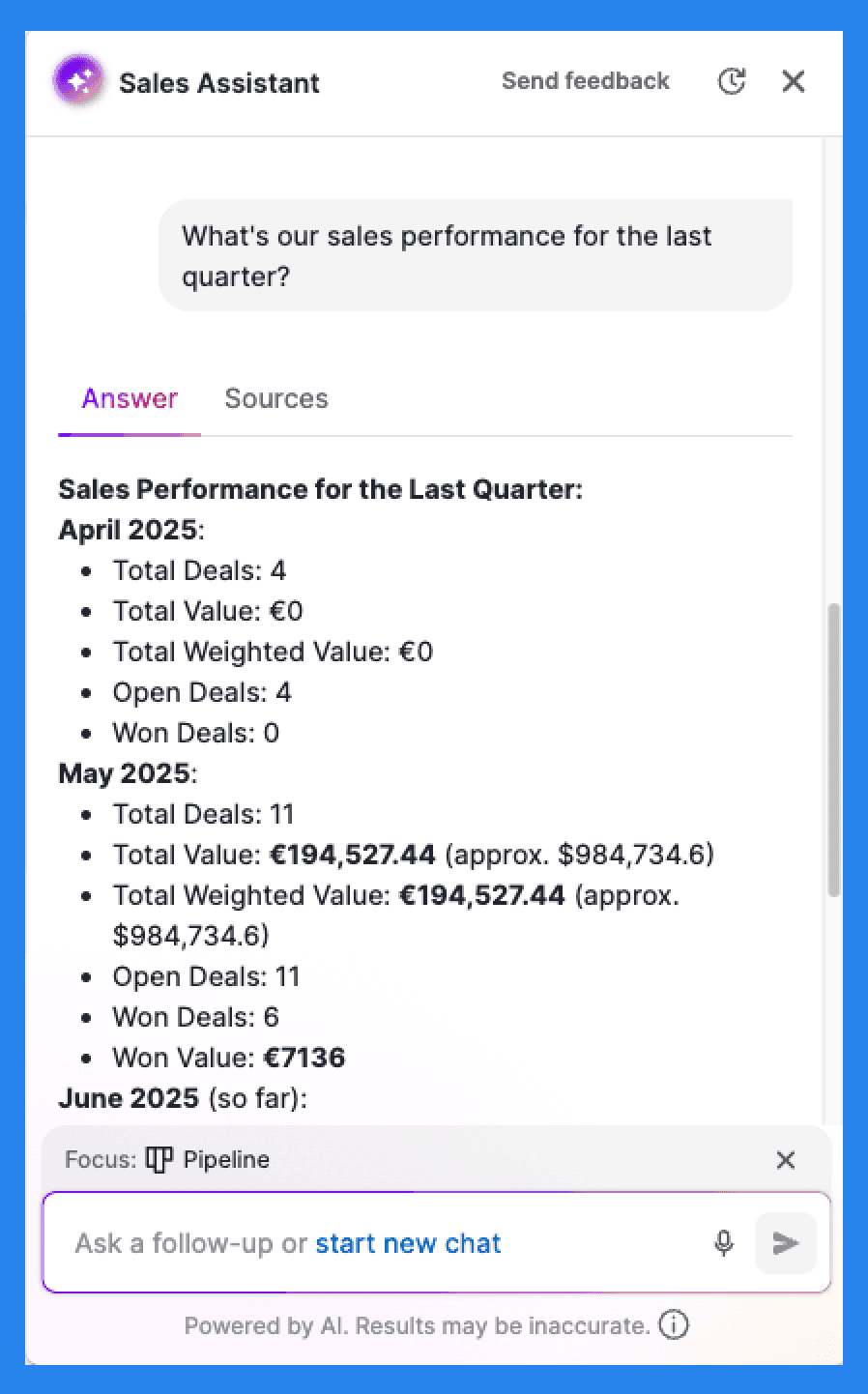
Powered by OpenAI, Pipedrive’s AI Assistant can also handle inquiries, summarize content (up to 300 characters), generate text for notes and emails, and even guide you step-by-step through how different Pipedrive features work. It can also answer follow-up questions, making it easier to get quick, relevant support without leaving your workflow.
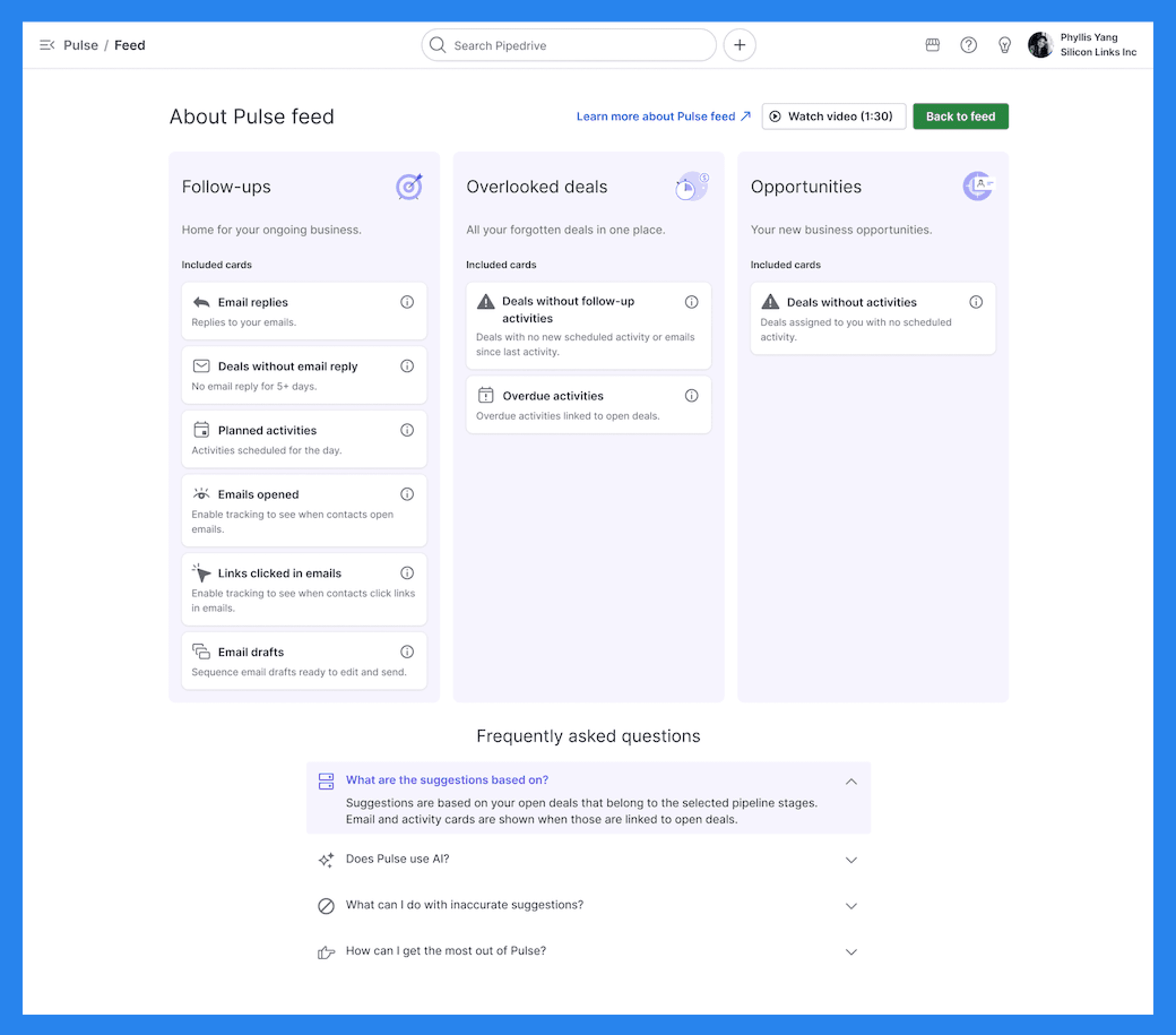
A standout addition is Pulse, Pipedrive’s dedicated AI toolkit that centralizes insights and helps you focus on high-impact opportunities. With Pulse, you can:
Identify priorities and next steps to stay on top of your deals.
Spot missing data instantly to strengthen your outreach.
Rank deals using custom scoring aligned with your business goals.
Optimize follow-ups with personalized email flows and task reminders.
Pipedrive also includes predictive forecasting based on historical deal data and an AI email generator to streamline communication.
That said, Pipedrive’s AI features are still relatively new and lean more toward suggestions than full automation.
Did You Know? |
|---|
Most of Pipedrive’s AI features are locked behind higher pricing tiers — meaning you’ll need to upgrade to access their full potential. With Breakcold, all AI features come standard from day one — no upsells, no hidden tiers, just full access to the tools that actually help you sell smarter. |
Omnichannel Tracking
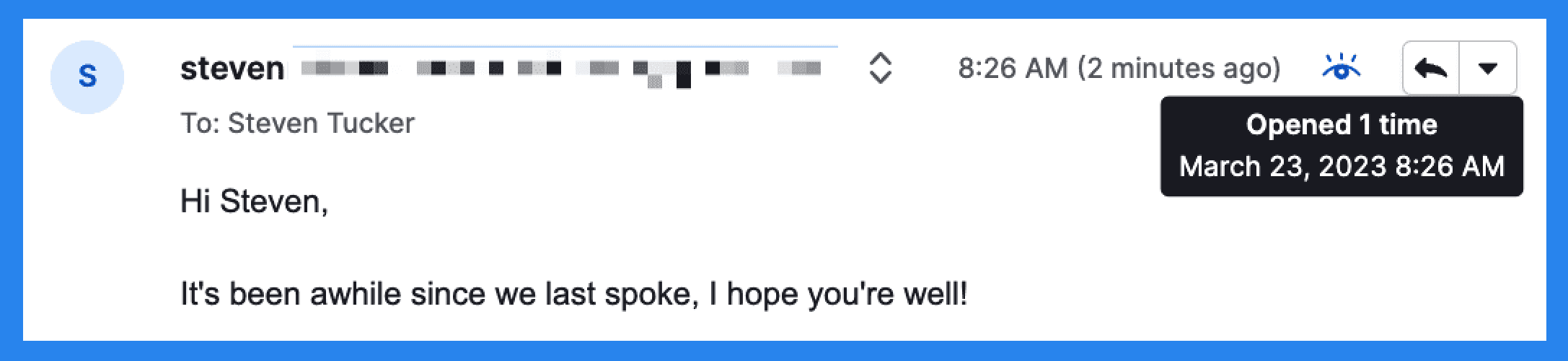
Pipedrive makes it easy to stay on top of your daily sales activities. You can track email opens, clicks, and replies directly inside the CRM, ensuring you know exactly when a prospect is engaging with your outreach.
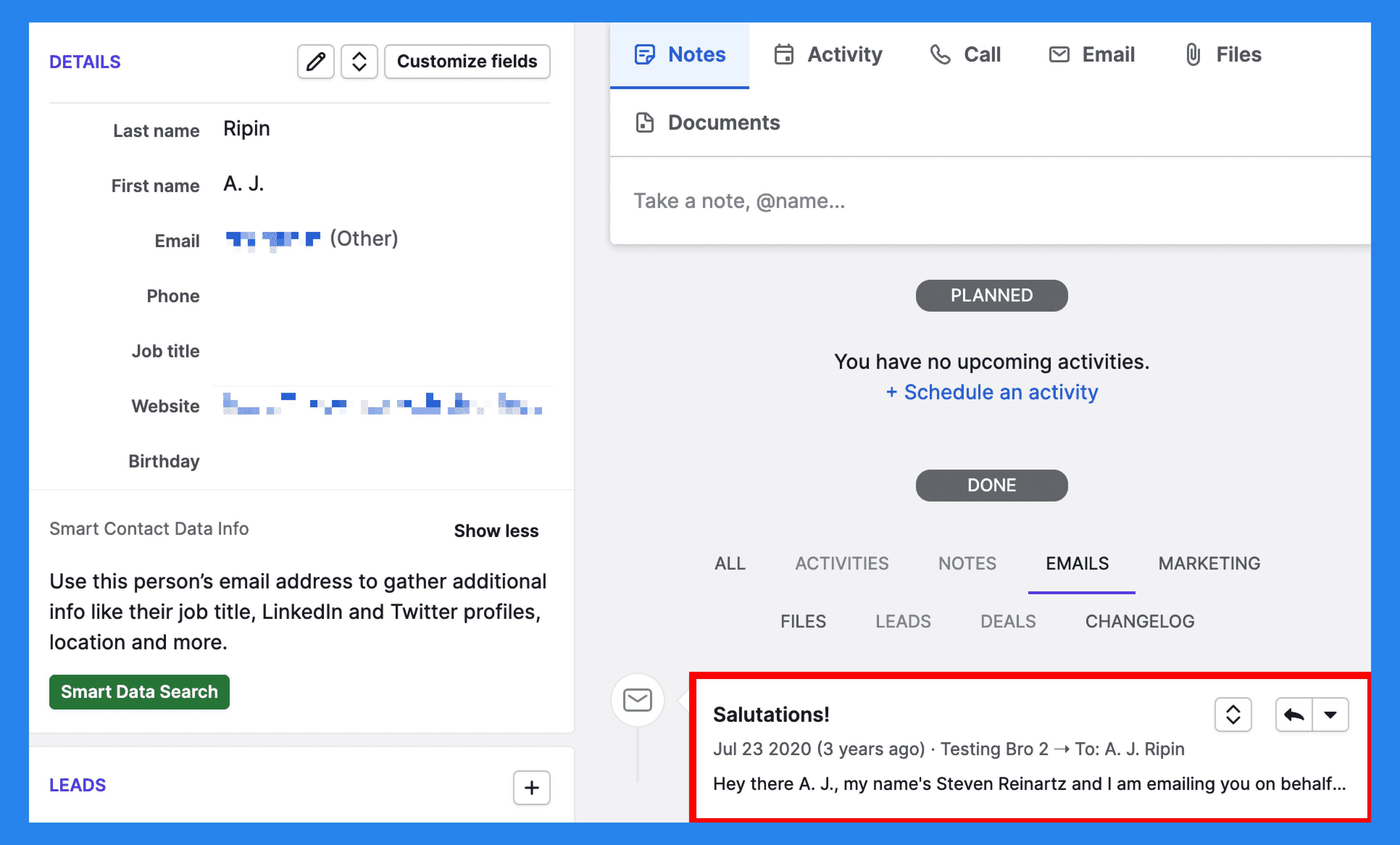
Beyond email, Pipedrive lets you log calls, meetings, and notes, giving your team a full record of every touchpoint.
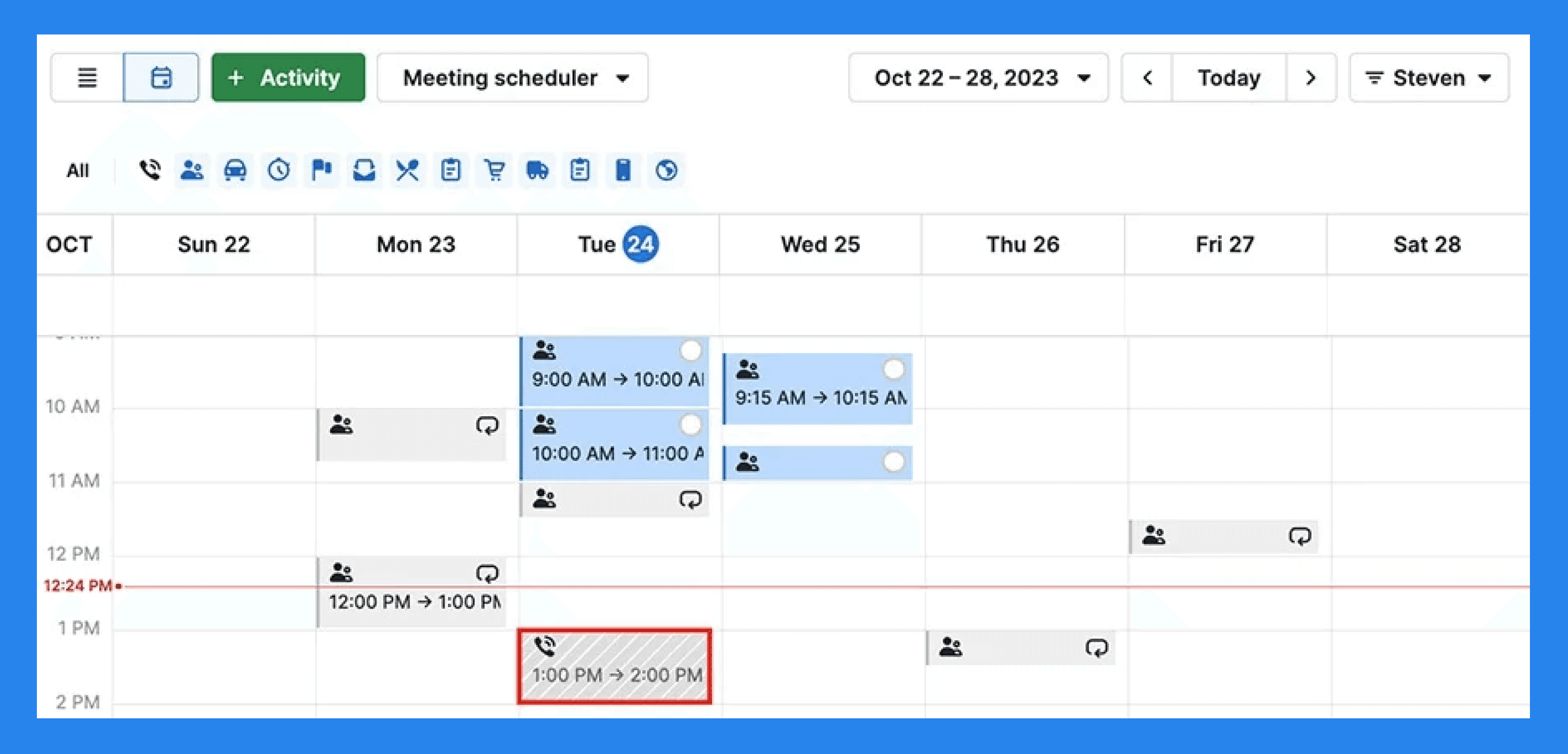
Pipedrive also makes scheduling simple — you can share your availability and let prospects book a time that works for both of you. Whether it’s a phone call or video meeting, Pipedrive logs it automatically so nothing slips through the cracks.
Note: Everything shows up in the daily calendar view, which is really useful for teams that prioritize outreach. |
|---|
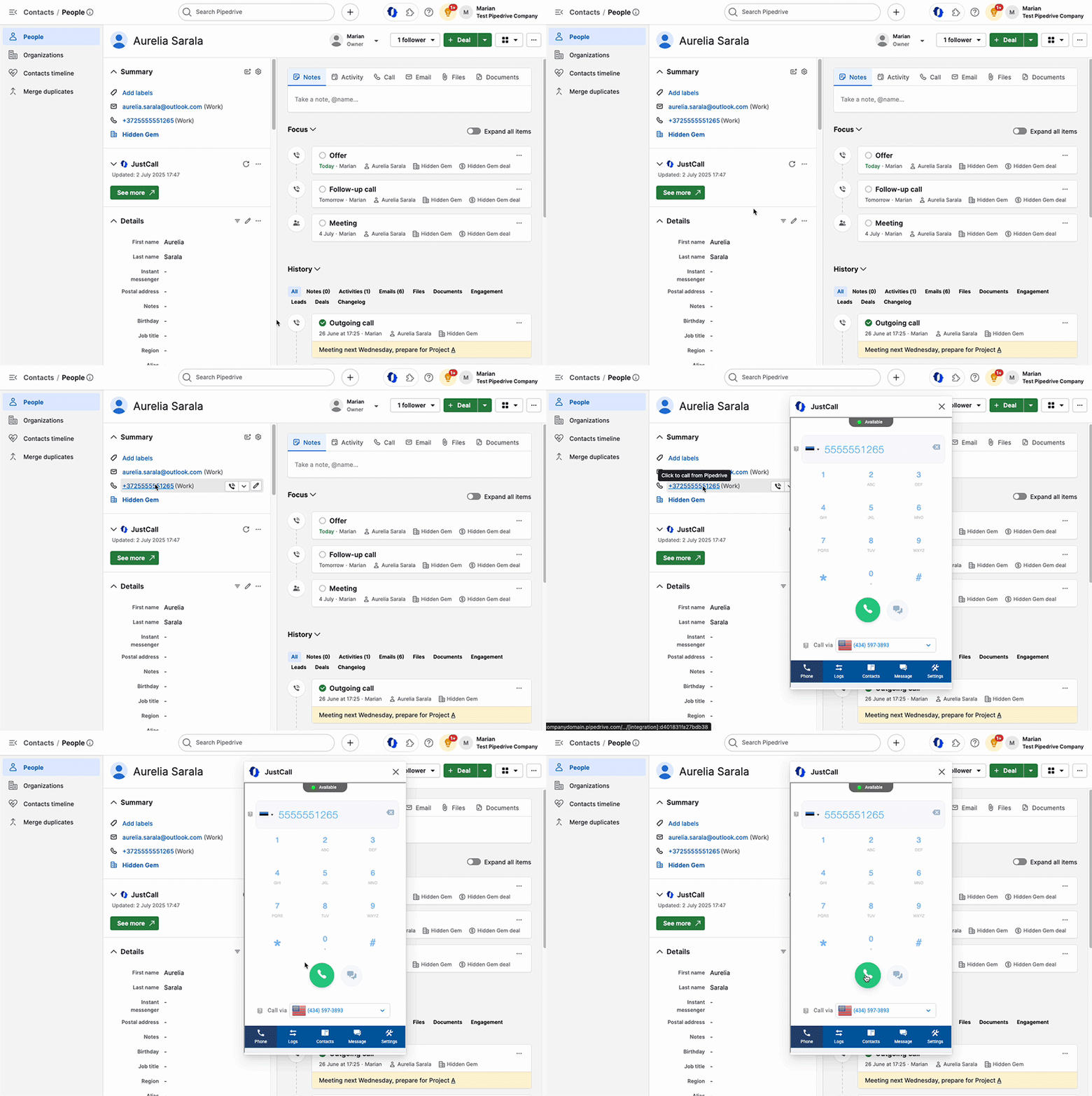
While Pipedrive doesn’t include built-in calling capabilities, it integrates with several third-party calling tools, allowing you to place calls directly from within the CRM once connected.
Reporting and Forecasting
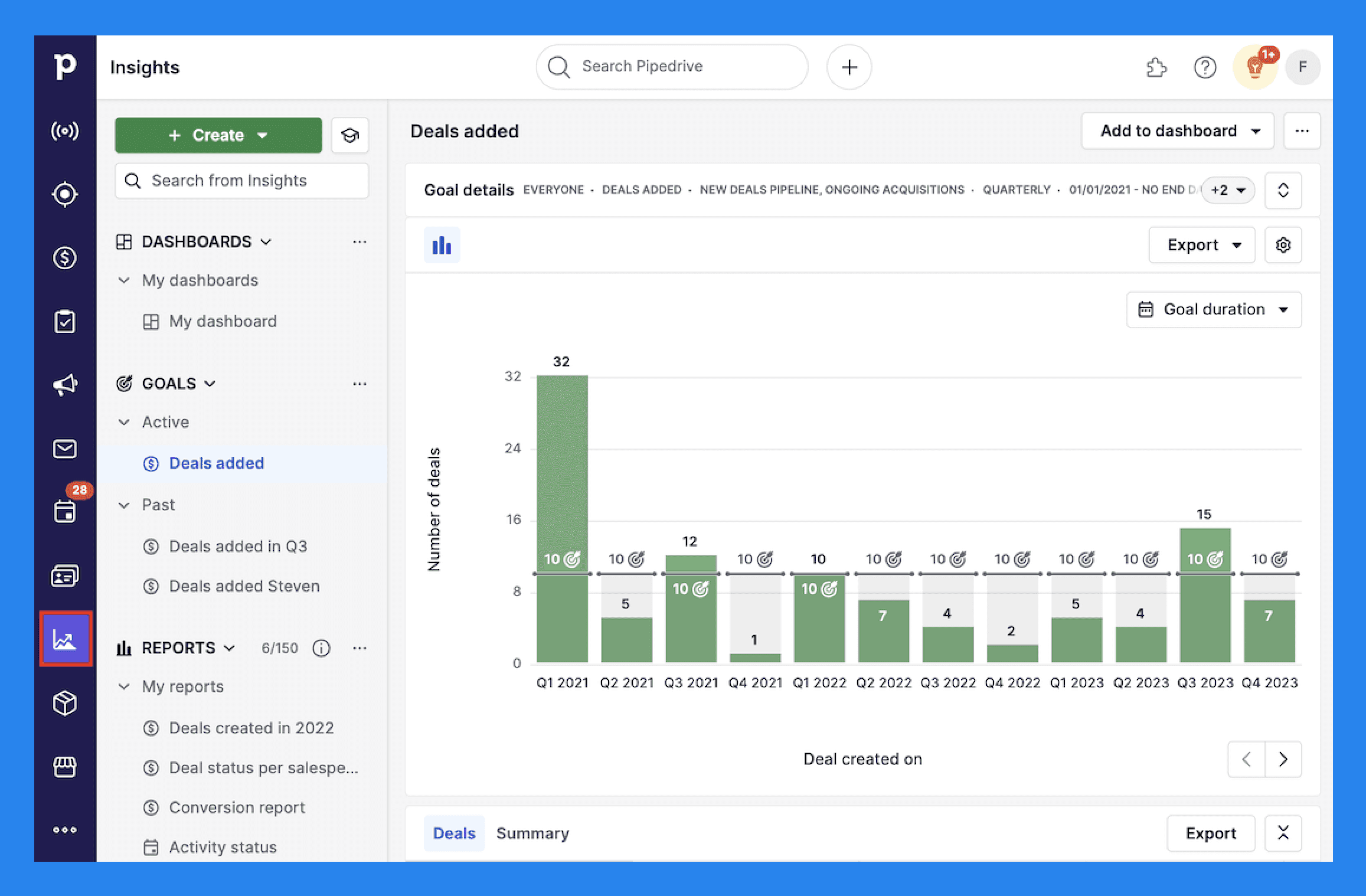
Pipedrive understands that tracking progress is one of the most important parts of sales — and that every business measures success differently. That’s why Pipedrive’s reporting tools are fully customizable, letting you tailor insights to match your specific goals.
You can start with default metrics like new deals created or recurring revenue, then add custom fields and filters to surface what matters most to your team. Whether you’re focused on activity performance, deal conversions, or revenue forecasting, Pipedrive’s reports adapt to your workflow.
Here’s a quick look at the types of reports available by category and plan tier:
Report | Category | Required plan |
Activities performance | Activity | Lite |
Emails performance | Activity | Lite |
People | Contact | Lite |
Organizations | Contact | Lite |
Performance | Lead | Lite |
Conversion | Lead | Lite |
Performance | Deal | Lite |
Conversion | Deal | Lite |
Duration | Deal | Lite |
Progress | Deal | Lite |
Products | Deal | Lite |
Product revenue forecast | Revenue forecast | Growth |
Deal revenue forecast | Revenue forecast | Premium |
Campaigns add-on Reports | ||
Campaigns conversion report | Activity | Add-on |
Campaigns performance report | Activity | Add-on |
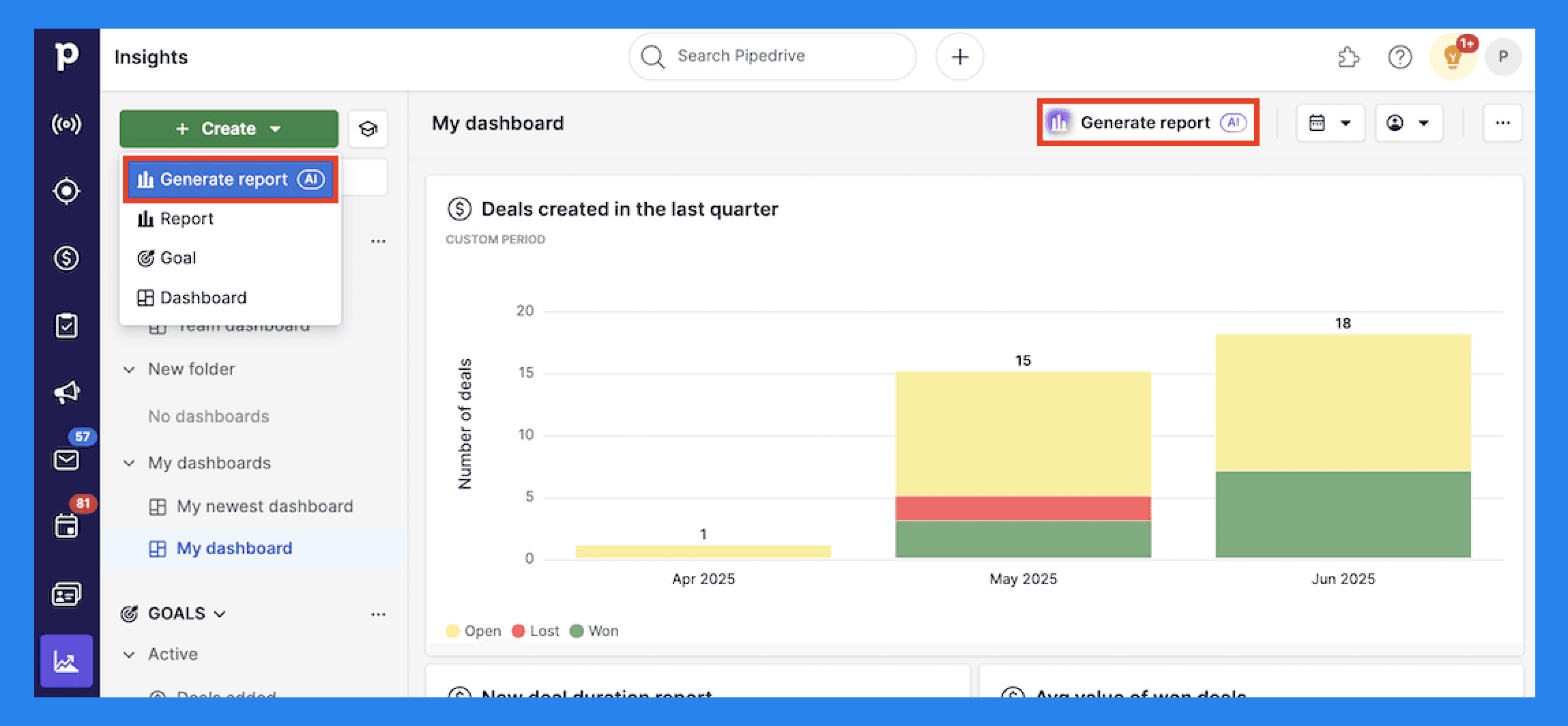
Pipedrive takes the guesswork out of building reports with its AI-powered report creation feature.
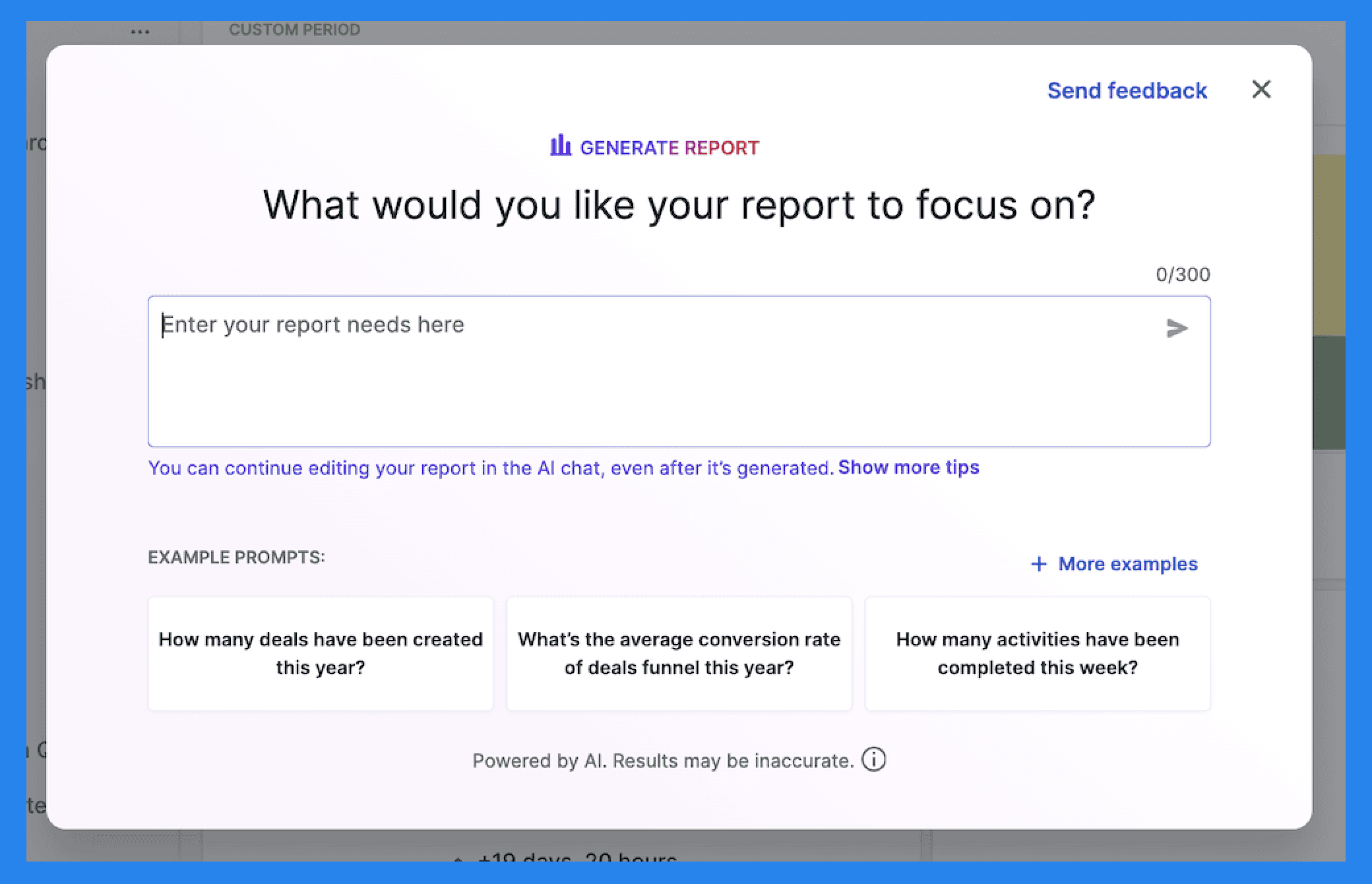
Using a simple text prompt — much like you’d find in other AI tools — you can describe the kind of report you want in plain language. Pipedrive’s Insights AI then automatically generates a customized report based on your input, saving you time and reducing manual setup.
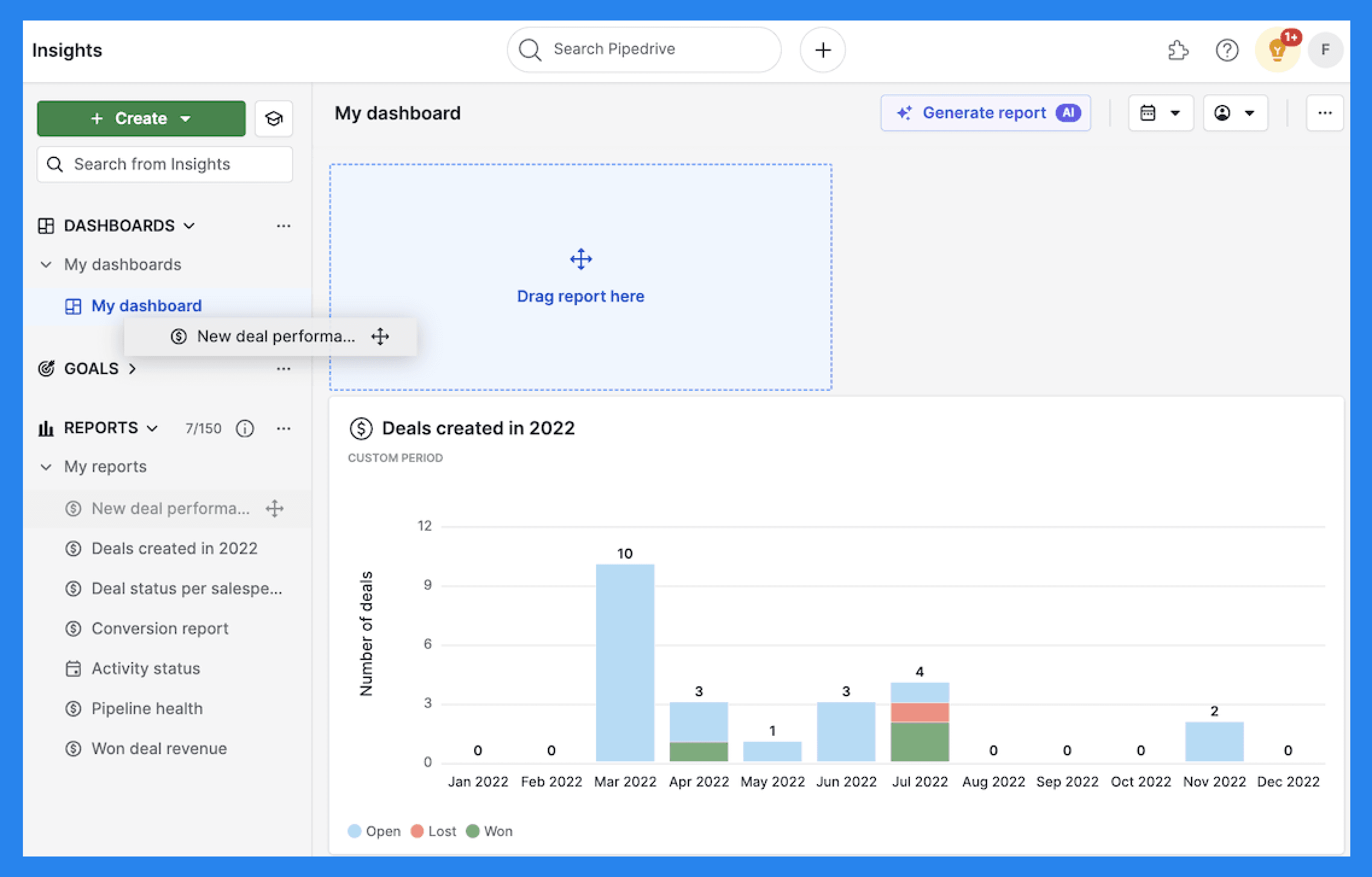
But reports alone aren’t enough — timing matters. Waiting for weekly updates can sometimes cost more deals than it saves. That’s why Pipedrive’s sales dashboards are designed to help managers track team performance, uncover winning strategies, and react to bottlenecks in real time.
To keep teams aligned, Pipedrive’s Goals feature lets you set clear targets that drive focus and accountability. You can create goals based on:
Deals (Added, Progressed, Won)
Activities (Added, Completed)
Forecasts (Revenue Forecast)
Did You Know? |
|---|
While Pipedrive’s sales dashboard is great for tracking progress, modern sales teams need more than just visibility — they need intelligence. Breakcold’s AI-powered dashboard doesn’t just show you what’s happening; it tells you what matters most and why. It highlights your top priorities, adds context behind every task, and helps you take action faster — without the guesswork. Also, did we mention that it's also self-updating? 👀 |
Marketplace Integrations
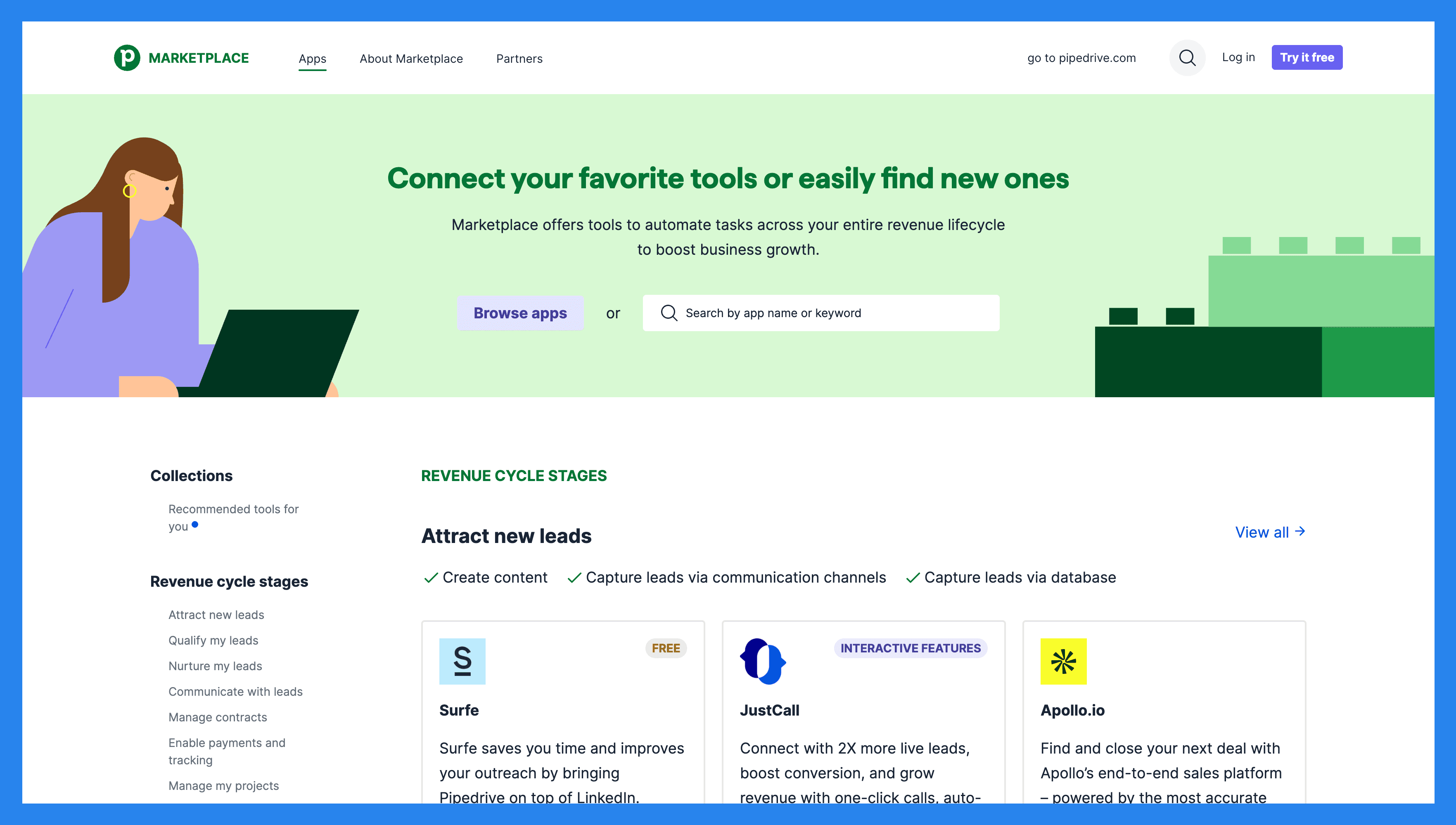
While Pipedrive can be lacking in certain aspects, they make up for it by offering 500+ tools to sync with their CRM.
Did You Know? |
|---|
Pipedrive doesn’t offer native LinkedIn integration — and for sales teams who live and breathe on LinkedIn, that’s a bit of a setback. While you can connect Pipedrive to LinkedIn through third-party integrations, choosing the right one can be tricky. Luckily, we’ve already done the legwork and rounded up the best Pipedrive integrations for LinkedIn. But if you’re after built-in LinkedIn accessibility without the extra plugins or setup... well, Breakcold should be your first stop 😉 |
💰 Pipedrive Pricing + Pros + Cons (2026)
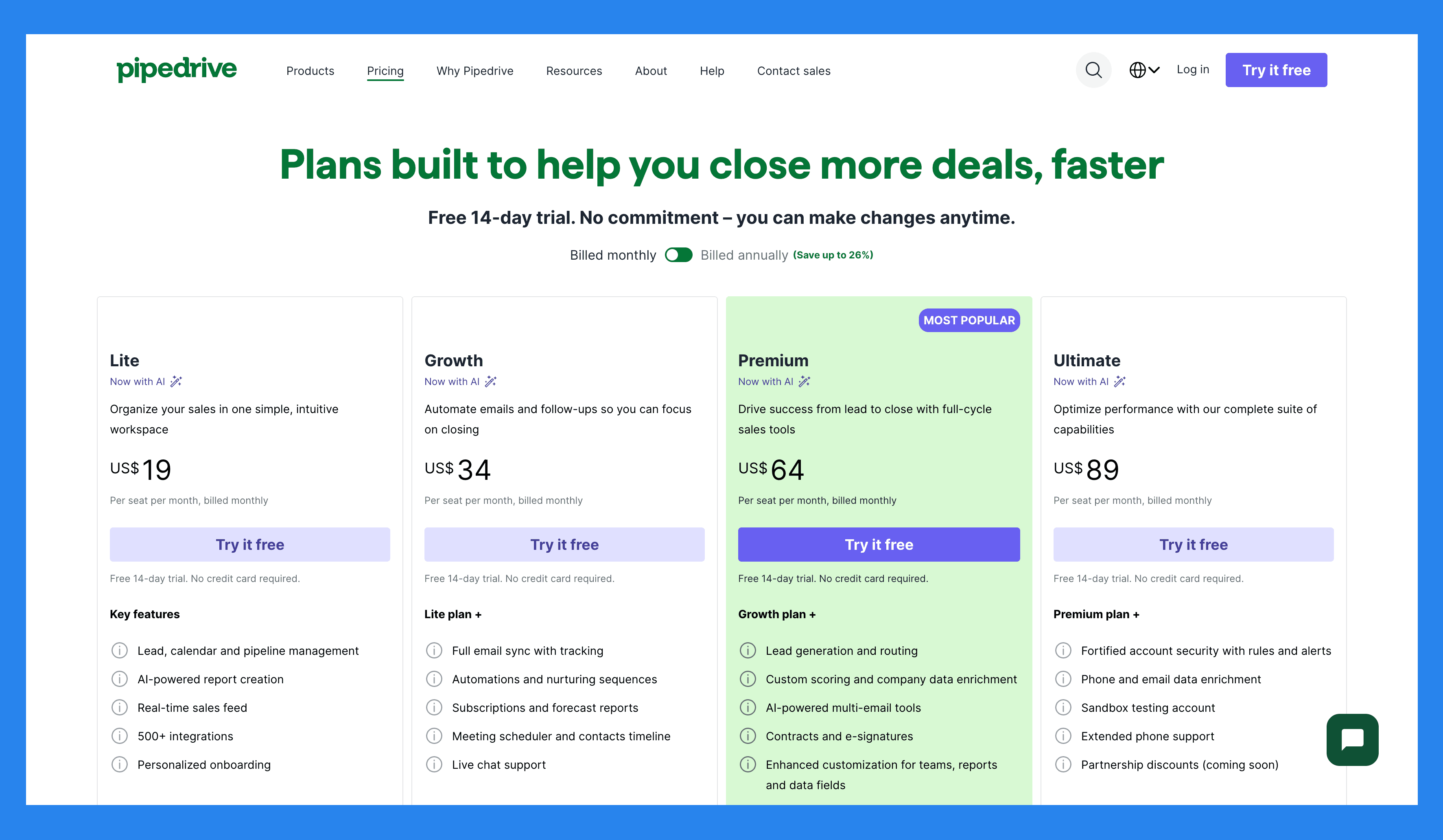
Lite | Growth |
|---|---|
$19/user/mo | $34/user/mo |
Key features: Lead, calendar and pipeline management AI-powered report creation Real-time sales feed 500+ integrations Personalized onboarding | Lite plan + Full email sync with tracking Automations and nurturing sequences Subscriptions and forecast reports Meeting scheduler and contacts timeline Live chat support |
Premium | Ultimate |
|---|---|
$64/user/mo | $89/user/mo |
Growth plan + Lead generation and routing Custom scoring and company data enrichment AI-powered multi-email tools Contracts and e-signatures Enhanced customization for teams, reports and data fields | Premium plan + Fortified account security with rules and alerts Phone and email data enrichment Sandbox testing account Extended phone support Partnership discounts (coming soon) |
Pipedrive Add-ons
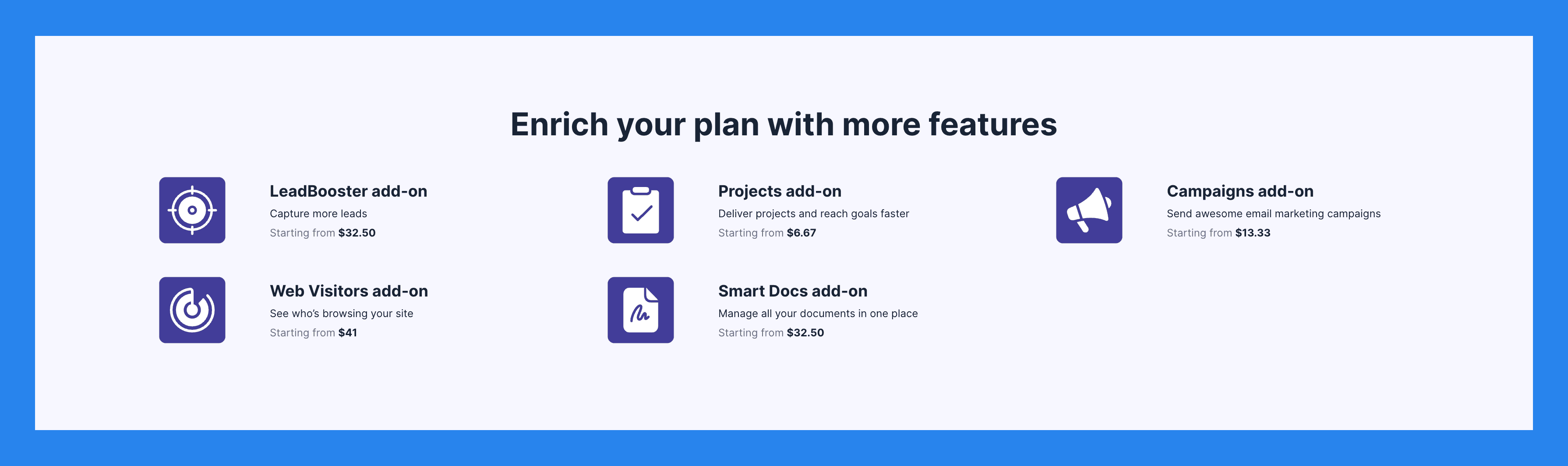
LeadBooster add-on | Projects add-on | Campaigns add-on |
|---|---|---|
Capture more leads Starting from $32.50 | Deliver projects and reach goals faster Starting from $6.67 | Send awesome email marketing campaigns Starting from $13.33 |
Web Visitors add-on | Smart Docs add-on | |
See who's browsing your site Starting from $41 | Manage all your documents in one place Starting from $32.50 |
Ratings + Pros & Cons
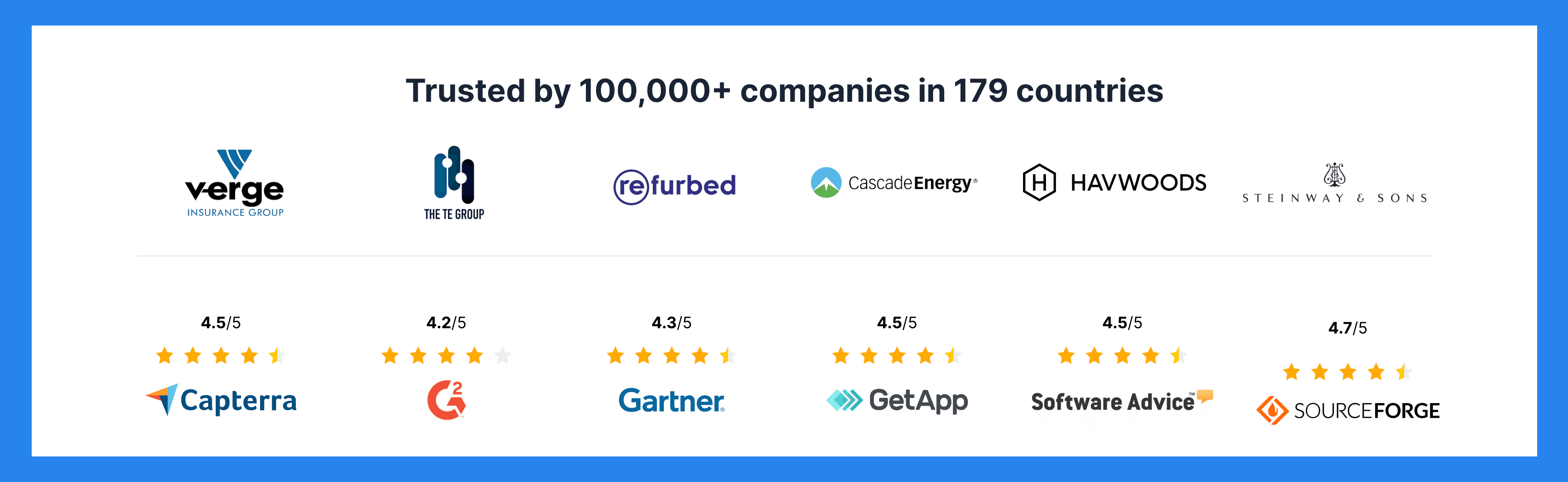
Rating | |
|---|---|
G2 - 4.3/5 (2,445) | Capterra - 4.5/5 (3047) |
Pros | Cons |
Intuitive, user-friendly interface. Excellent for pipeline and activity management. Strong onboarding materials (FAQs, videos, guides). Broad ecosystem of third-party integrations. Solid automation and reporting tools. Highly customizable pipelines and workflows. | Limited AI-native functionality, the AI Assistant is still fairly basic. No free plan, and costs add up quickly with higher tiers and add-ons. Relies on extra modules (LeadBooster, Web Visitors, Campaigns) for lead generation and marketing automation. No native LinkedIn integration, which hinders LinkedIn selling. Customer support response times can be inconsistent. |
🚫 Why Pipedrive is a BAD CRM for YOU
For years, Pipedrive was the go-to CRM for SMBs — simple, sales-focused, and built by salespeople, for salespeople.
But that version of Pipedrive doesn’t exist anymore – not really.
Since the founders sold the company to a private equity firm in 2020, Pipedrive has shifted its focus upmarket, aiming to serve larger enterprise clients. In doing so, it’s lost touch with the smaller, fast-moving businesses that made it popular in the first place — and it’s struggling to adapt to the AI-native era.
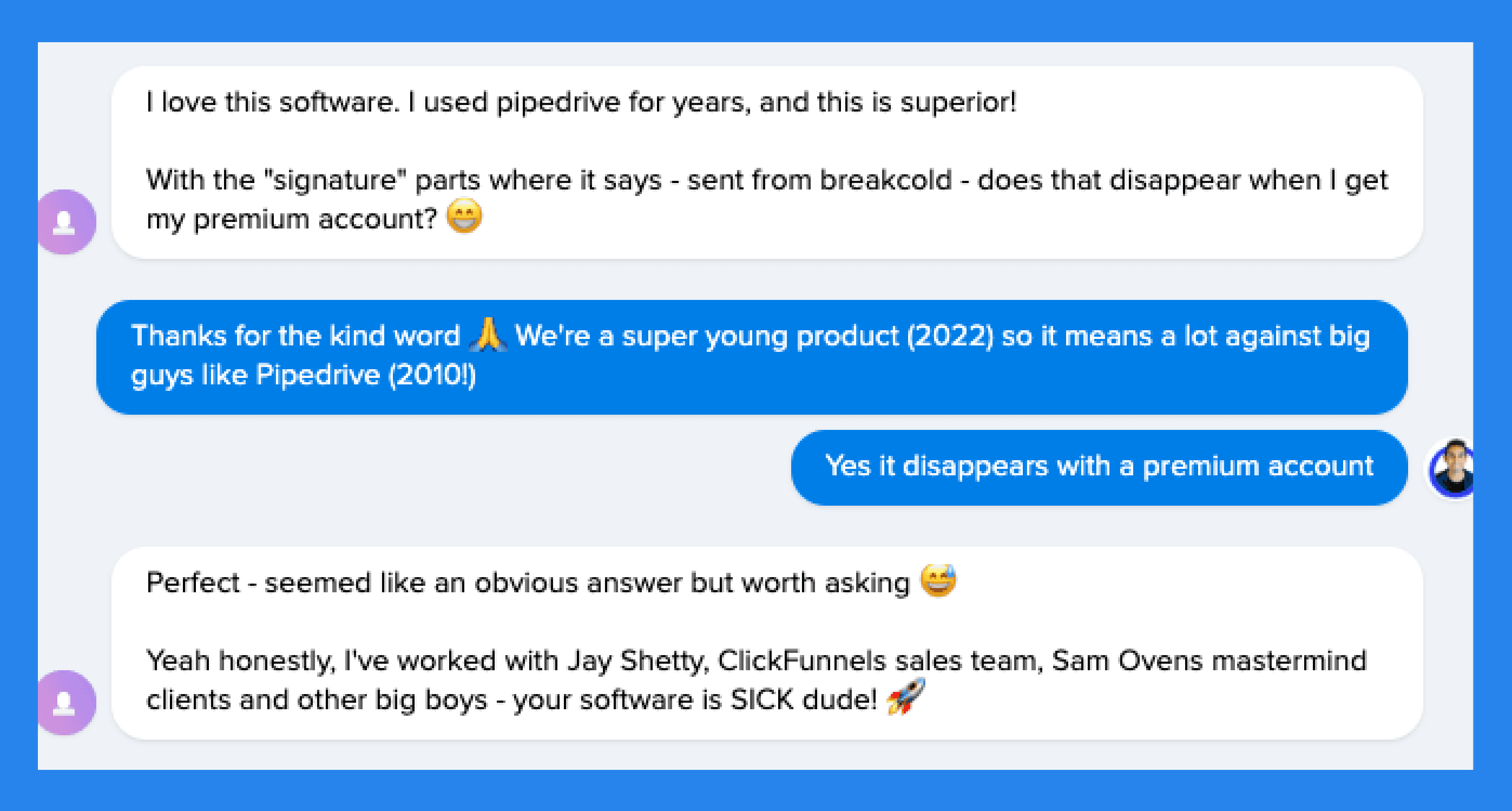
At Breakcold, we’ve seen this firsthand. Most of our customers come from Pipedrive — some of whom have used Pipedrive for 10+ years and have genuinely loved it. But over time, they realized it no longer fit their needs.
Here’s why.
1️⃣ Steep Learning Curve That’s a Waste of Time
Pipedrive still shines when it comes to classic pipeline management — but let’s be honest, it’s no longer 2010. Sales teams in the 2020s want intuitive, AI-powered tools that help them sell smarter, not harder.
Over the years, Pipedrive has packed its platform with a growing list of features and tools. But despite all those additions, it’s still primarily known for just two things: its clean UI and simple pipeline view.
The problem? Many of Pipedrive’s automations feel too rigid and too shallow. Even if you invest hours learning every tool and workflow, you’ll soon realize they only solve simple problems — not the complex, multi-channel challenges modern sales teams face.
2️⃣ Too Little Advancement for Too Much Admin Work
Thanks to Pipedrive’s new overlords, the CRM is now catering to enterprise-level clients. That means tools and updates that might work for big corporations who can also afford a dedicated onboard specialist to deal with setting it up. But for small businesses, that’s just not realistic.
Your salespeople should be selling, not buried in manual data entry.
And here’s the problem — instead of using AI to automate admin work, Pipedrive focuses on pumping out bloatware or what I call “fluff AI.”
That means things like AI-generated email drafts or AI-created reports — are nice to have, but not game-changing.
Real AI should automate the boring CRM admin tasks, not just add another layer of busywork.
So what’s the solution? We’re just getting to that 😉.
**🔁 **Alternatives to Pipedrive
If you’re feeling that Pipedrive isn’t quite cutting it anymore, don’t worry, there are several solid alternatives WE THINK are worth considering. Whether you need AI-native automation, multichannel LinkedIn and email selling, or a more modern CRM experience, these options can help you streamline your sales process and close more deals.
🥇 Breakcold
Summary
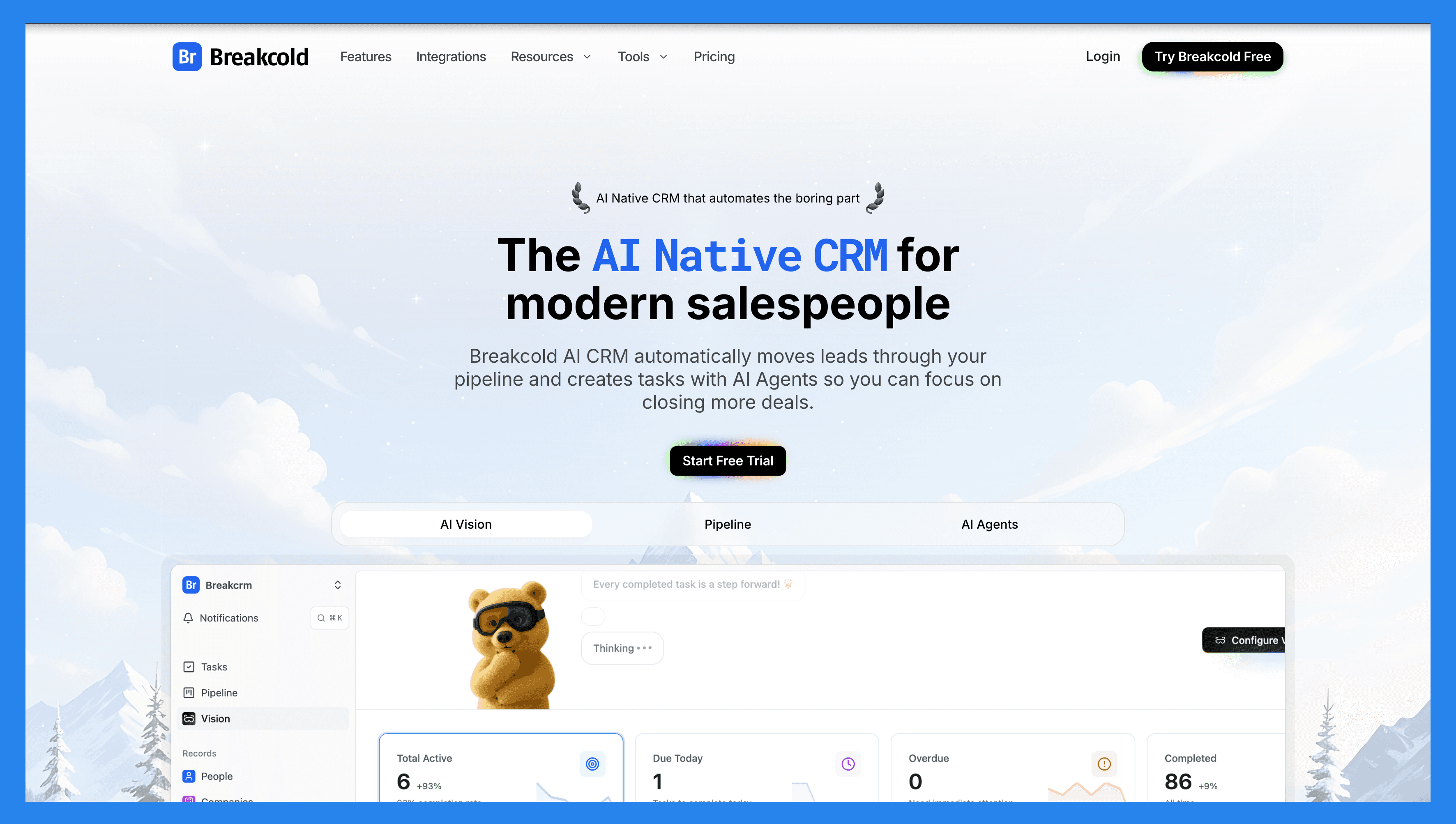
And that’s exactly why we built Breakcold — the AI-native CRM for modern salespeople that automates the parts of the job that slow you down.
Breakcold doesn’t just track deals — it moves leads automatically, assigns tags, and creates follow-up tasks across Email, LinkedIn, WhatsApp, Telegram, and soon, Phone.
With AI-native features built into its core, you can describe your business through a simple text prompt or voice recording, and Breakcold Vision will design workflows and pipelines tailored to your exact needs.
From a self-updating dashboard that highlights which leads need follow-ups (and why), to a social engagement stream that keeps you connected to every important lead opportunity — Breakcold brings clarity and automation together in one place.
It’s everything sales teams loved about Pipedrive early on — but rebuilt for the AI era, where selling is fast, personal, and automation-first.
Key Features | |
|---|---|
Auto Lead Movement – Leads move automatically in Breakcold’s CRM based on your interactions. No setup required — the AI understands and updates everything on its own. Auto Task Creation – Monitors your interactions with leads and automatically creates follow-up tasks so you never lose momentum. Focus on selling, not admin work. Vision Builder – By default, leads move automatically based on your list names and pipeline stages (zero setup). Want more control? Use natural language to build advanced AI CRM workflows. AI-Powered Dashboard – A self-updating dashboard that highlights your most important tasks so you always know what to focus on next. AI Contact Management – Automatically organizes leads into the right lists and groups by analyzing your conversations, notes, and activities. AI Personalities (AI Agents) – Choose an AI personality aligned with your sales style or business goals. Your dashboard then adapts and serves you daily tasks tailored to that persona. AI Reasoning – Every suggested task comes with clear context, so you’ll know exactly why it’s important and why it matters today. AI Message Suggestions – Get next-message recommendations that match your tone of voice and AI personality — for both email and social conversations. AI Rules – Add custom rules to each step of your workflow for deeper automation control and smarter processes. AI-Powered Contact Deduplication – Automatically identifies and merges duplicate contacts, saving hours of manual cleanup and keeping your CRM lean and accurate. Advanced Data Enrichment – Powered by BetterContact, Breakcold uses waterfall enrichment to surface verified B2B emails and phone numbers, improving outreach accuracy and deliverability. AI Notetaker – Integrates with Otter, Fireflies, TL;DV, and Fathom to auto-generate and log call summaries directly into the CRM — complete with transcripts, links, and follow-up tasks. Unified Inbox – Manage conversations from LinkedIn, Email, WhatsApp, and Telegram in one place, so you can respond faster and never miss a follow-up. Social Engagement Stream – Like, comment, and engage with your leads’ posts directly from the CRM to build relationships through consistent, meaningful interactions. 20+ Native Integrations – Connect Breakcold with Slack, Apollo, Smartlead, Instantly, Lemlist, and many other sales tools to streamline your workflow end-to-end. | |
Ratings | |
G2 - 4.7/5 (116) | Capterra - 4.8/5 (93) |
Pros | Cons |
Convenient and easy-to-use interface for LinkedIn power users Well-structured onboarding resources, including how-to videos, flowcharts, and best practices Responsive and reliable customer support Powerful social listening capabilities for lead insights and outreach personalization | Dependent on external services like Google and LinkedIn, which can cause bugs when those platforms update their policies Lacks native calling features and built-in AI functionality Still a developing platform with evolving features and occasional limitations |
Pricing Plans
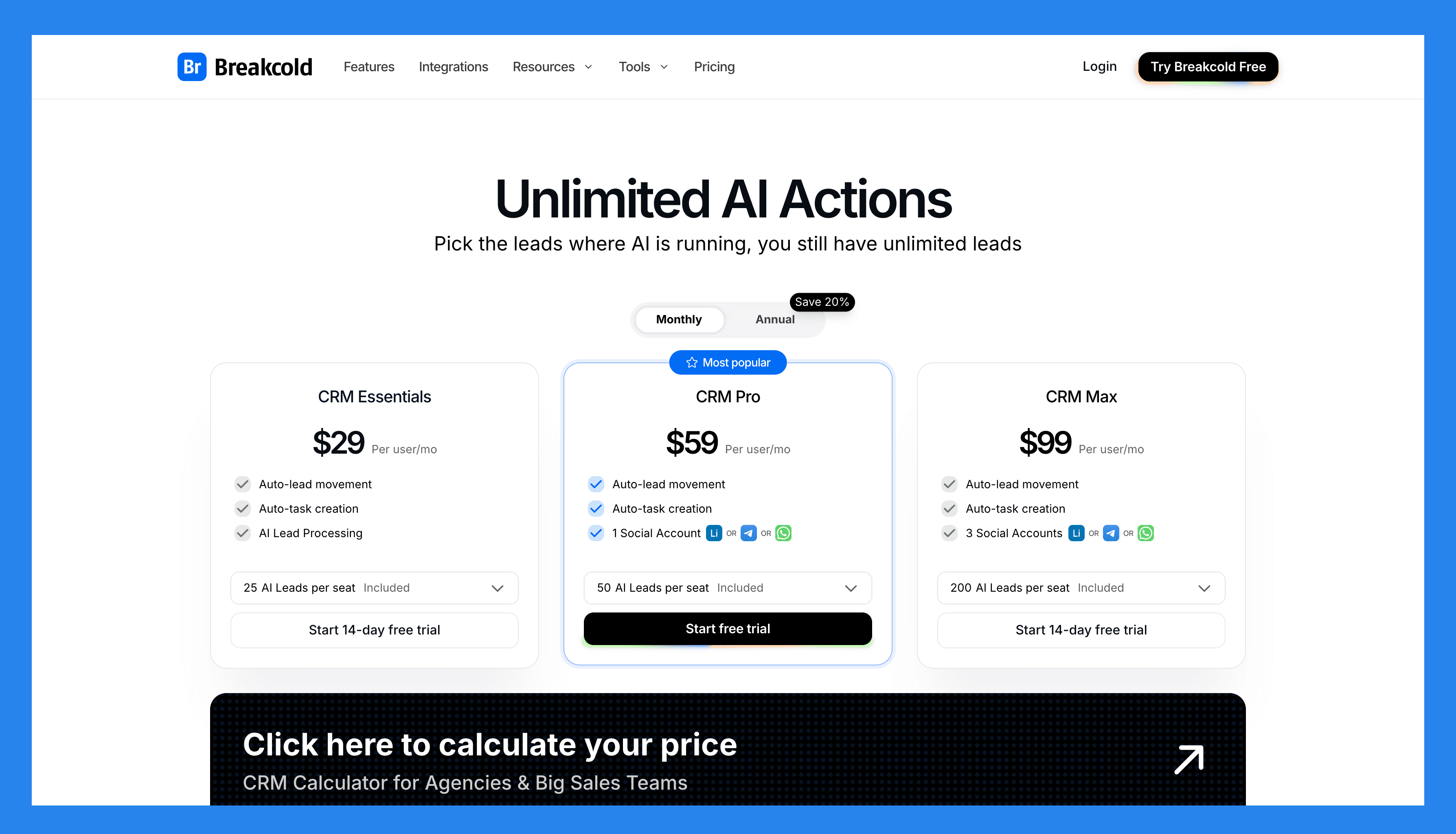
CRM Essentials | CRM Pro | CRM Max |
|---|---|---|
$99/user/mo | $99/user/mo | $99/user/mo |
What's included: Auto-lead movement Auto-task creation AI Lead Processing | All Essentials Features and: Auto-lead movement Auto-task creation 1 Social Account (LinkedIn, X, or Whatsapp) | All Pro features and: Auto-lead movement Auto-task creation 3 Social Accounts (LinkedIn, X, or Whatsapp) |
CRM Essentials | CRM Pro | CRM Max |
|---|---|---|
$99/user/mo | $99/user/mo | $99/user/mo |
What's included: 25 AI leads included (Unlimited AI Actions)/user Auto-lead movement Auto-task creation AI Lead Processing | All Essentials Features and: 50 AI leads included (unlimited AI actions)/user Auto-lead movement Auto-task creation 1 Social Account (LinkedIn, X, or Whatsapp) | All Pro features and: 200 AI leads included (unlimited AI Actions)/user Auto-lead movement Auto-task creation 3 Social Accounts (LinkedIn, X, or Whatsapp) |
A team of 5 on Breakcold is $139/mo, where Attio, Pipedrive and HubSpot Sales Hub run about $500/mo for 5 seats with similar features.
🥈 Close
Summary
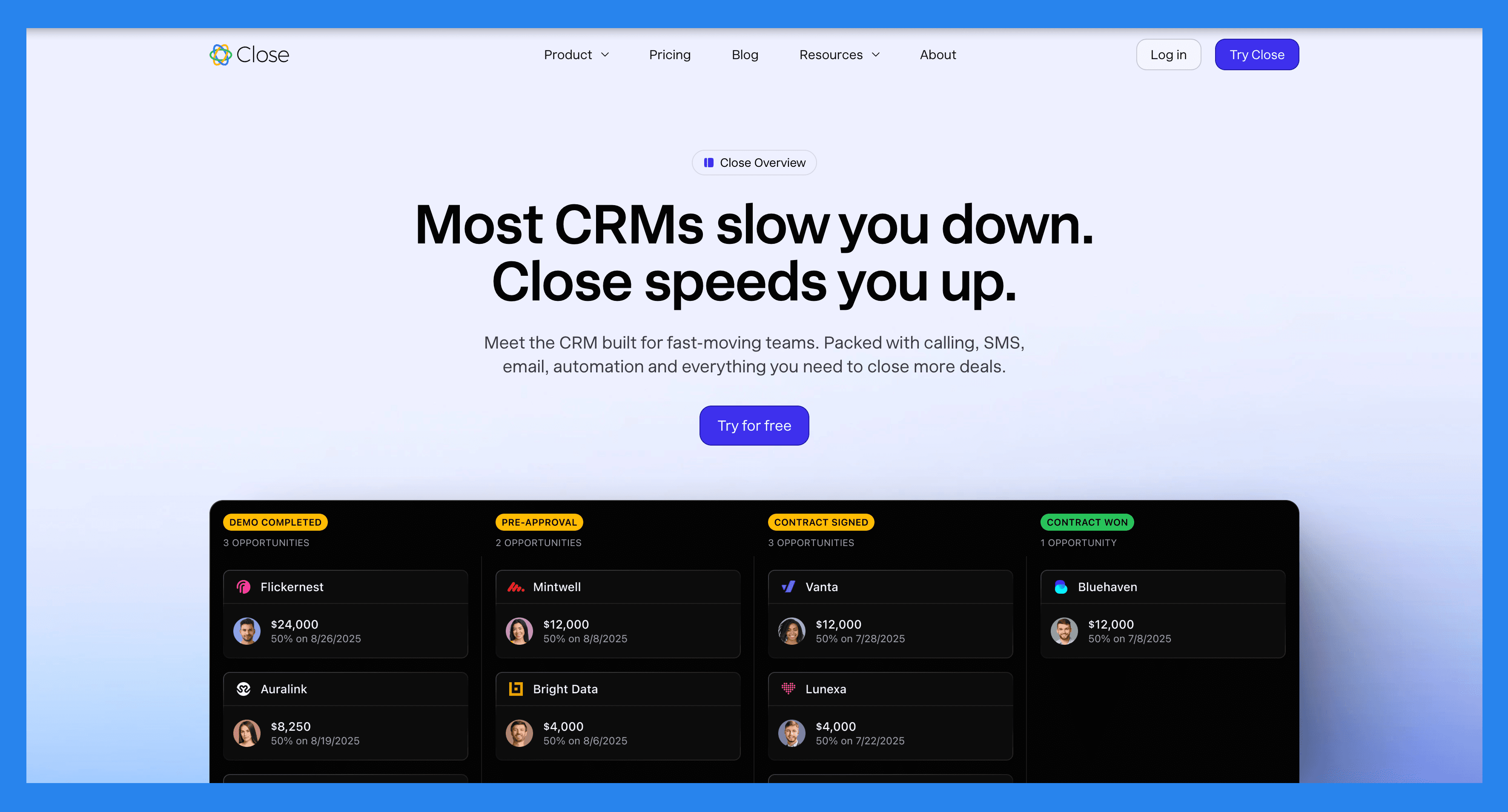
Close is designed for sales teams that live and breathe outbound. It combines calling, emailing, SMS, and pipeline management in one place — so you can sell faster without jumping between tools. Built with efficiency in mind, Close automates follow-ups, logs every interaction, and helps you keep deals moving at high speed.
It’s a great fit for startups and SMBs running fast-paced sales cycles that rely heavily on calls and emails — not spreadsheets.
Key Features | |
|---|---|
Funnel Insights & Sales Metrics – Gain visibility into your pipeline performance by tracking sales velocity, conversion rates, and deal progression to identify friction points and accelerate growth. Team & Rep Analytics – Monitor team productivity with flexible performance dashboards, spotlighting top sellers and revealing coaching opportunities based on real data. Centralized Communications Hub – Manage all your customer interactions—including email, SMS, and phone calls — within one platform, with activity automatically logged for full context. Multi-Channel Sales Sequences – Launch personalized outreach campaigns across channels using automated emails, call tasks, and follow-up reminders. Process Automation Tools – Eliminate repetitive work by building custom workflows that streamline lead nurturing, follow-ups, and pipeline updates. Lead Tracking & Prioritization – Organize your leads by stage, score, or activity, making it easier to focus on high-potential opportunities and assign tasks to the right team members. High-Volume Calling with Power Dialer – Speed up outbound efforts with an integrated power dialer that helps reps make more calls in less time. AI-Powered Call Assistant – Improve call effectiveness with live transcription, smart note-taking, and automated summaries that reduce manual work and keep reps focused on selling. | |
Ratings | |
G2 – 4.7/5 (1,044) | Capterra - 4.7/5 (161) |
Pros | Cons |
Clean, user-friendly interface with a minimal learning curve Robust calling features and automation tools, including Power Dialer Two-way email sync for seamless communication tracking Effective and intuitive email outreach workflows Cost-effective compared to many competitors with similar features Helps streamline productivity and team communication Highly customizable via open API for advanced use cases | No free version available — only a free trial No native integration with LinkedIn, requiring third-party tools Smart View filters can be overwhelming or tedious to set up Workflow features are limited compared to top competitors SMS functionality restricted to the US, Canada, UK, and Australia Some features are gated behind higher-tier pricing plans Users report occasional slow load times and connectivity issues with calling |
Pricing Plans
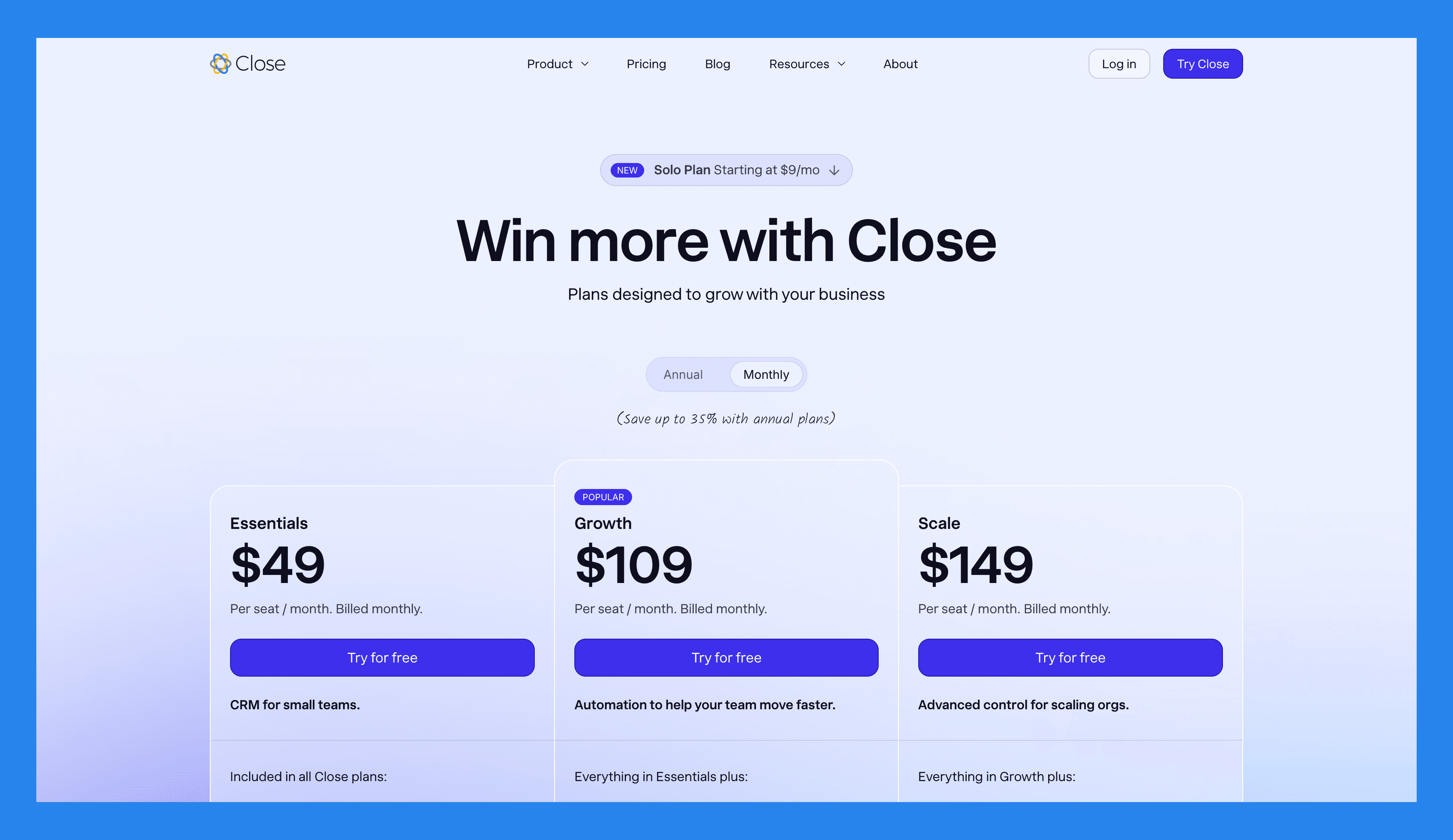
Essentials | Growth | Scale |
|---|---|---|
$49/user/mo | $109/user/mo | $149/user/mo |
Included in all Close plans: Unlimited contacts & leads Multiple pipelines Advanced lead & activity filters Built-in email, calling & SMS Centralized inbox & task lists | Everything in Essentials plus: Automated workflows Power Dialer AI Email Assistant Custom Activities | Everything in Growth plus: Role-based access & permissions Lead visibility rules Predictive Dialer Unlimited call recording |
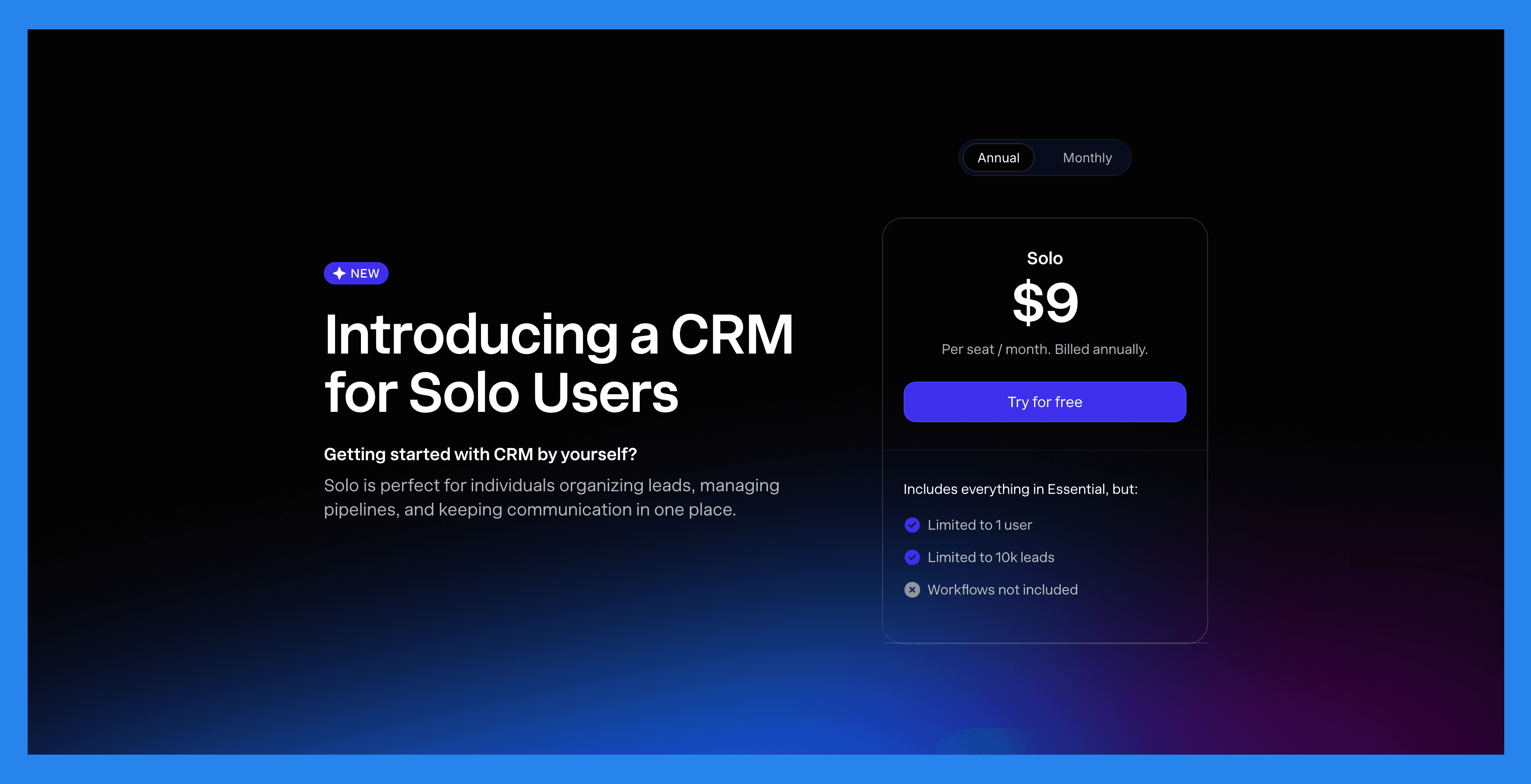
Solo Plan |
|---|
$9/user/mo |
Includes everything in Essential, but: Limited to 1 user Limited to 10k leads Workflows not included |
🥉 Nimble
Summary
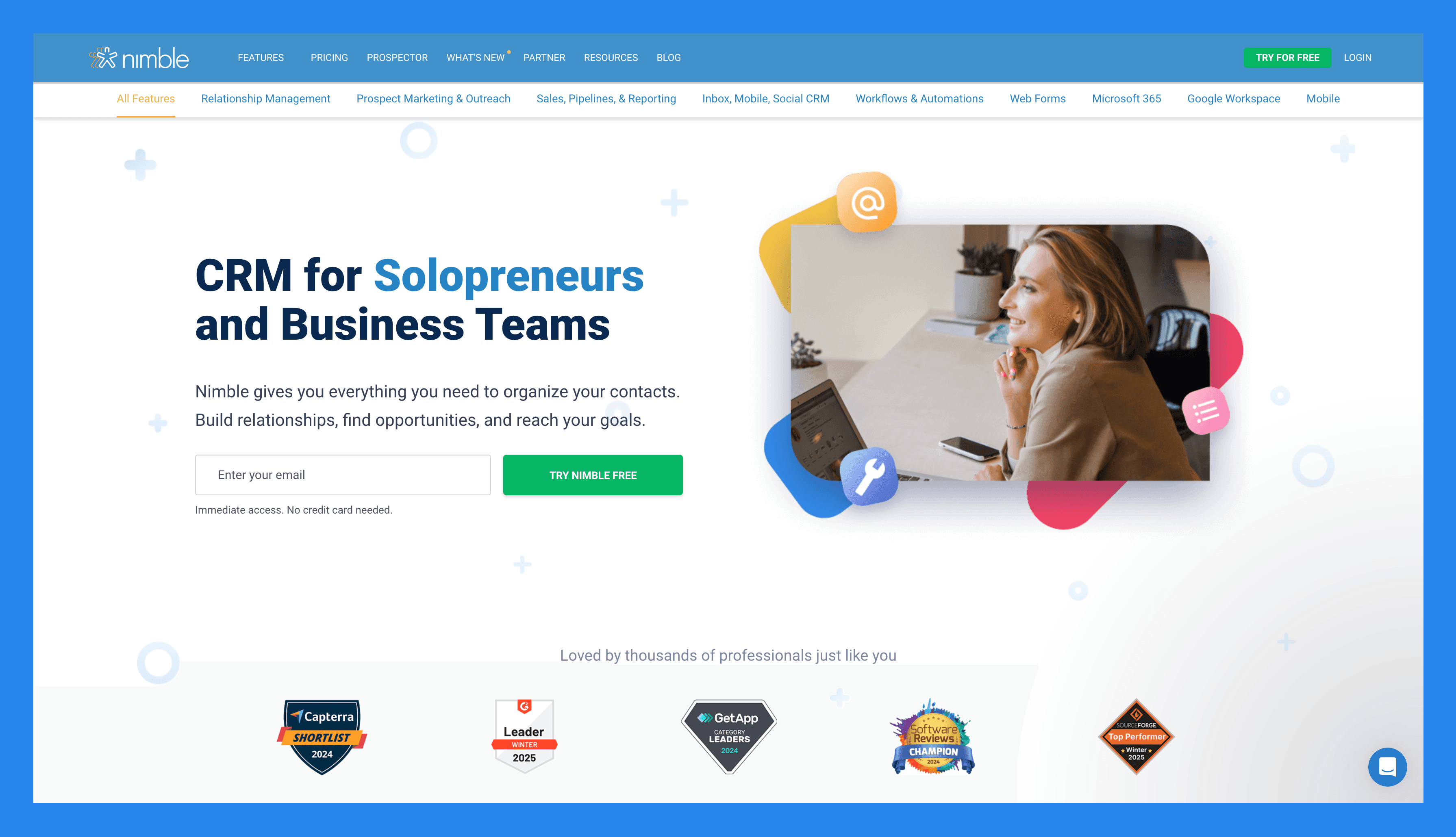
Nimble is a relationship-focused CRM that blends contact management, communication, and social insights into one simple platform. It integrates seamlessly with Google Workspace and Microsoft 365, automatically enriching contact profiles with data from email, calendar, and social media.
It’s ideal for consultants, solopreneurs, and small teams who value personal connections over complex pipelines.
Key Features | |
|---|---|
Lead Prospecting - Nimble can automatically capture contact data from email signatures, business cards (via its mobile app), or even just a person’s name or company name — pulling up associated social media profiles and contact details it finds online. Communication Management – Store up to 25,000 contact records and create rich profiles for people and companies. These profiles can be automatically updated as you browse the web or interact on social media. Social Media & Email Integrations – Access all email conversations, past or present, from Nimbles Unified Inbox. Nimble Prospector – This browser extension works outside the Nimble app, enabling you to gather contact and company info directly from anywhere on the web by simply hovering over names. Email Marketing – Nimble includes email-focused features like templates, tracking, and automated sequences to help you engage leads and clients more effectively. Mobile App – Available for both iOS and Android, Nimble’s mobile app brings essential CRM functionality to your phone — so you can manage relationships on the go. | |
Ratings | |
G2 - 4.5/5 (1,102) | Capterra - 4.4/5 (1883) |
Pros | Cons |
Easy to learn and use, with full customization for different industries and workflows Makes it simple to find and organize contacts using tags Clean, user-friendly interface with a mobile app available for iOS and Android Quick to set up and integrates smoothly with email and social media accounts | The in-browser widget can be buggy or inconsistent at times Customer support is helpful but not always easy to reach Lead enrichment features are somewhat limited and may require manual updates Some essential features are locked behind higher-tier pricing plans |
Pricing Plans
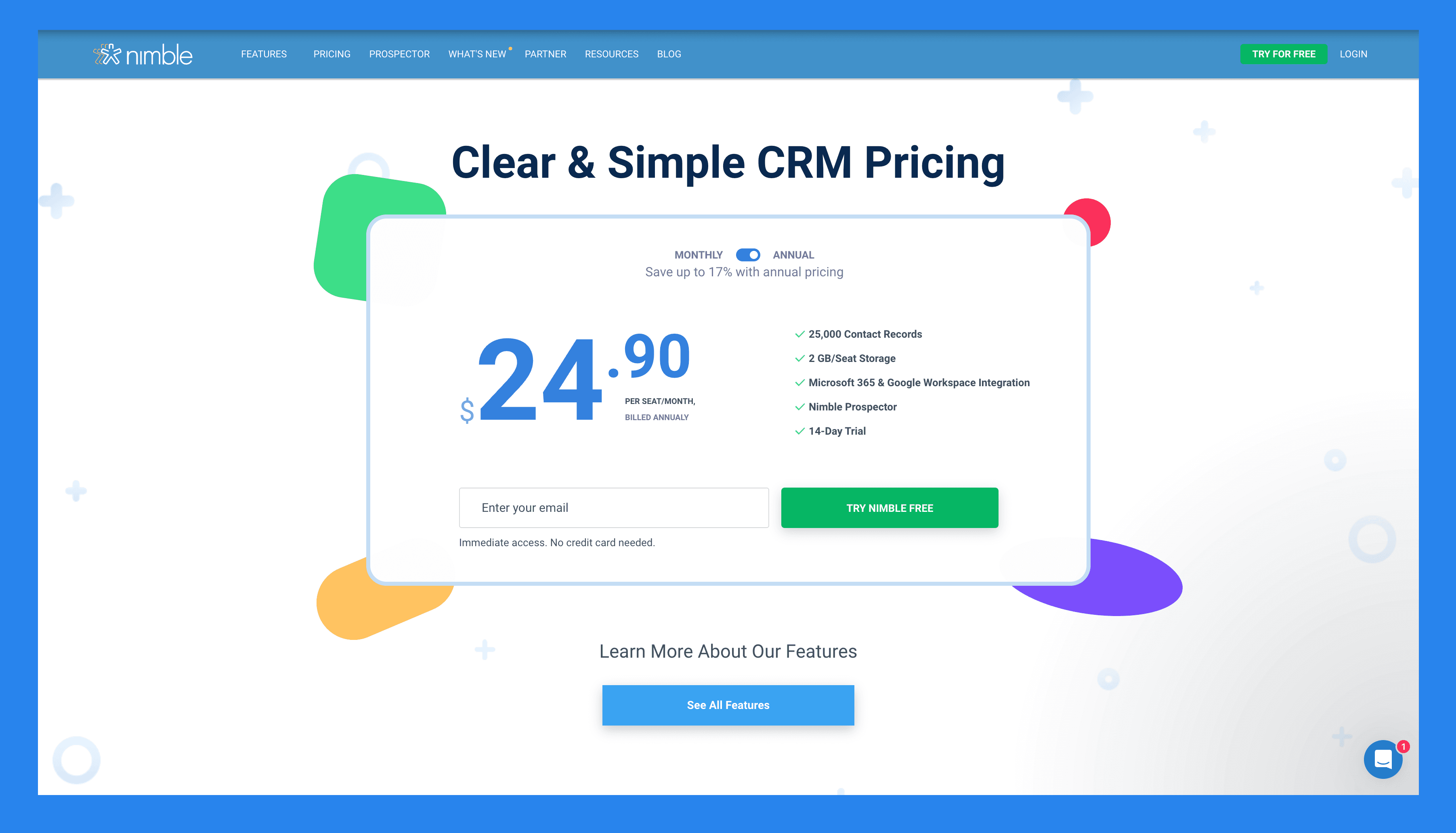
Features | Nimble CRM plan |
|---|---|
Pricing | $29.90 |
Relationship Management | |
Contact Management | ✅ |
Social Profile Matching & Enrichment | ✅ |
Browser & Email Extensions | ✅ |
Agenda & Activities | ✅ |
Today Page | ✅ |
Marketing & Outreach | |
Web Forms & Lead Capture | ✅ |
Email Marketing | ✅ |
Email Templates | ✅ |
Group Messages | ✅ |
Email Sequences | ✅ |
Sales, Pipelines, Reporting | |
Prospecting | ✅ |
Sales Engagement | ✅ |
Pipeline Management | ✅ |
Prospect Marketing & Outreach | ✅ |
Workflows | ✅ |
Workflows Automations | ✅ |
Works Everywhere | |
Microsoft 365 Integration | ✅ |
Google Workspace Integration | ✅ |
Apple Mail Integration | ✅ |
Integrations | |
App Integration Partners | 100 + Integration Partners |
PhoneBurner Integration | ✅ |
Zapier Integration | 120 + App Integrations |
API Access | ✅ |
Mobile Apps | |
IOS | ✅ |
Android | ✅ |
Customer Support | |
Online & Email Support | ✅ |
Comprehensive Support Center | ✅ |
Daily Live Q&A Sessions | ✅ |
Weekly Training Webinars | ✅ |
Free 1:1 Calls | ✅ |
🏅OnePageCRM
Summary
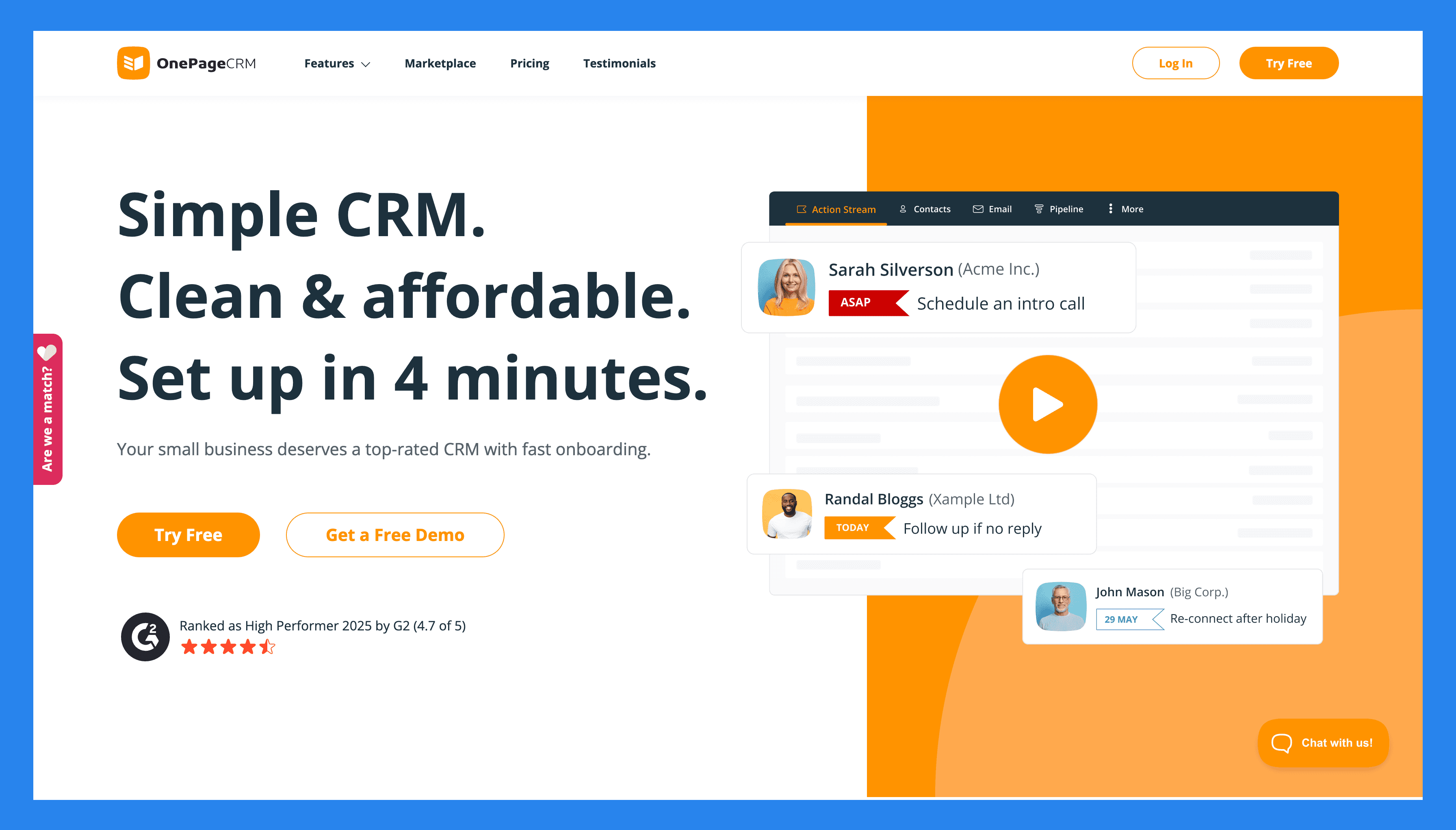
OnePageCRM focuses on helping small businesses take action, not just store contacts. Its standout feature is the Action Stream, which turns your entire contact list into a sequence of next steps, so you always know who to follow up with and when.
Beyond that, the system offers a ton of other useful tools for managing contacts and sales. You can track leads, manage deals, send and receive emails, automate routine tasks, generate quotes, and capture new contacts instantly. And best of all, you can do it all from a single page.
Key Features | |
|---|---|
Next Action Tracking – Every contact has a next step with a due date, and contacts are automatically arranged based on those due dates. This way, you always know who needs attention the most. One-page workspace – Everything you need lives on a single page. You can manage contacts, deals, emails, notes, tasks, and more without jumping between multiple tabs or modules. Two-way email sync – Connect your email account so you can send and receive emails, store full conversation history, and track the open rates of your emails. Workflow automation – Create simple automation rules to reduce manual work and save time. You can trigger tasks, assign follow-ups, move deals forward, and more when certain conditions are met. Full mobile CRM – OnePageCRM’s mobile app gives you full access to the CRM system, even when you are away from your desk. You can access everything, from contacts and deals to next actions, notes, and more. Sales pipeline management – Visualize your sales pipeline in a kanban board and drag and drop deals across stages. Sales forecasts – Use the current state of your pipeline to predict your expected revenue and monitor how well your business is performing. Delivery pipeline (light project management) – When a deal is closed, you can use a dedicated pipeline to track the delivery of the product or service from start to finish. Instant lead capture – Use the free browser extension and web forms to capture contacts from emails, websites, or social media. New leads automatically enter your database and get a next action, so you never forget to follow up. Simple dashboard and analytics – Get a clear overview of activity, deals won, upcoming actions, and more. You can also generate custom reports, which can be shared automatically with your team on a schedule you choose. Instant sales quotes – Create and send professional quotes directly from the CRM in just one click. Products and services catalog – Store the descriptions and prices of your products and or services inside the CRM system. When needed, you can add these items to deals, so you won’t have to go through the description and quoting process again. Integrations – Connect to other business apps — like email platforms, accounting software, communication apps, marketing tools, and more—to keep your workflow connected and reduce manual data entry. | |
Ratings | |
G2 - 4.7/5 (235) | Capterra - 4.8/5 (78) |
Pros | Cons |
Strong follow-up system prevents missed opportunities. Quick setup and minimal learning curve. Affordable pricing with all the essential CRM features. Layout lets you manage your whole business from one page. Includes free add-ons like Lead Clipper, AI route planner, and business card scanner. VIP customer support for all, including trial users. | No free forever plan. Limited customization options. Features basic reporting and analytics tools. |
Pricing Plans
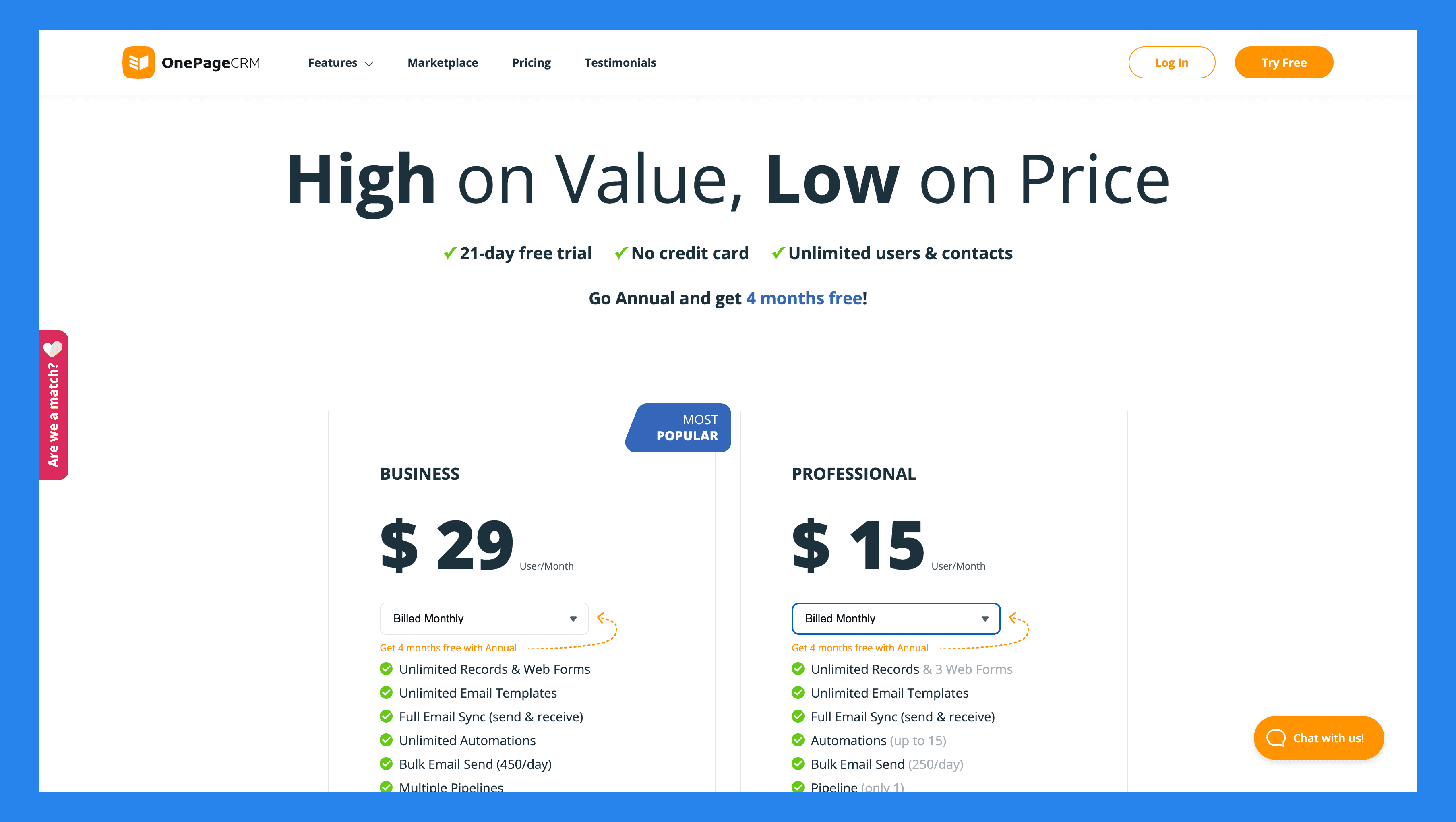
Professional | Business |
|---|---|
$15/user/mo | $29/user/mo |
Unlimited Records Free web forms Unlimited email templates Full email sync Automations Bulk email send Mobile app | Multiple pipelines Email tracking and notifications Email scheduling Email history fetching Light project management Advanced user permissions |
OnePageCRM's Free Add-ons
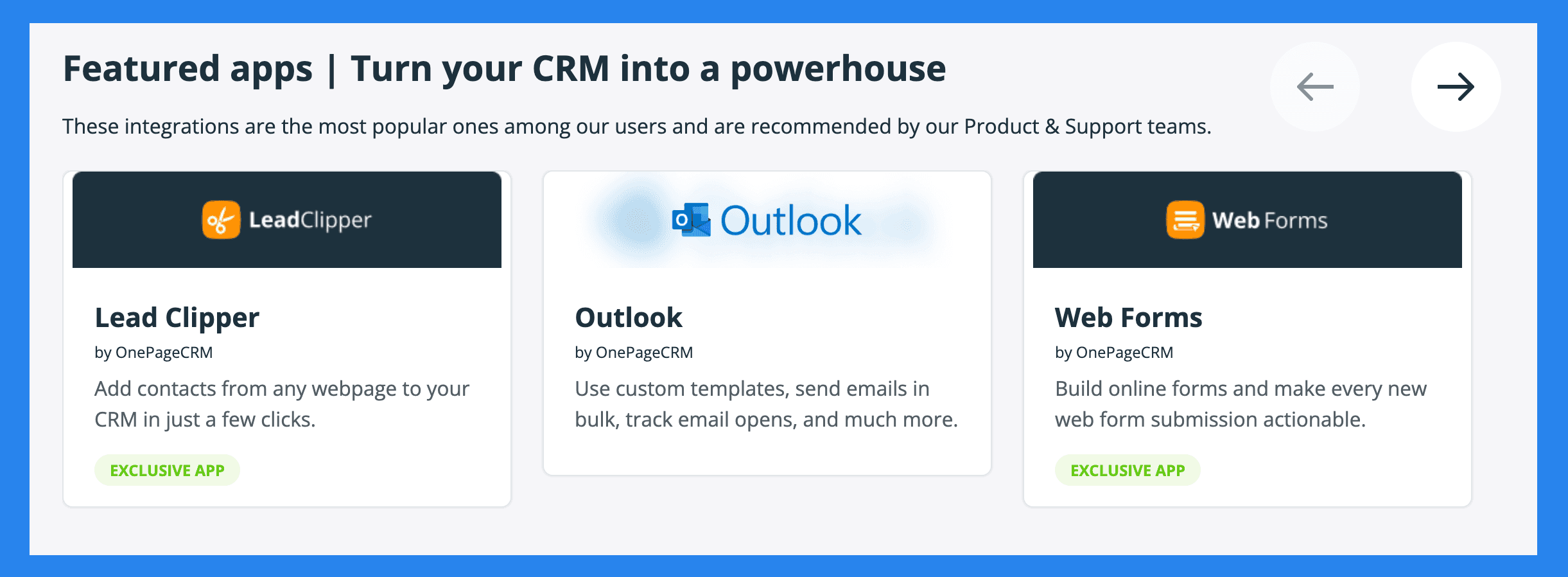
Lead Clipper | AI Route Planner |
|---|---|
A free browser extension that captures contacts from your email, social media profiles, or any webpage, and sends them to your CRM. | Optimizes your sales routes when you’re meeting prospects in person. |
Business Card Scanner | Web Forms |
Scan printed business cards and instantly convert them into contacts in your CRM. | Create simple forms to capture leads from your website. New submissions flow directly into your database, with a next step assigned. |
**💭 **Final Thoughts
Pipedrive has earned its place as one of the most established CRMs on the market. It’s sales-focused, one of the best visual pipelines on the market, and a solid choice for teams that want a straightforward way to manage deals.
But the CRM world has evolved. Breakcold represents the next generation, the AI Native CRM for sales teams of 5 to 30 people, with built-in prospecting, enrichment, and multichannel LinkedIn, email, WhatsApp and Telegram sync that eliminate admin work and keep your pipeline alive with context.
👉 If you’re after a traditional pipeline tool, Pipedrive won’t disappoint. But if you want a CRM designed for 2026 and beyond, Breakcold is built for you.
Frequently asked questions

Written by
Arnaud Belinga · Co-Founder & CEO at Breakcold
Arnaud is the Co-Founder & CEO of Breakcold, the AI Native CRM for sales teams of 5 to 30+ people.