



OnePageCRM Review 2026: Is It the One or the One to Avoid?
TL;DR: is OnePageCRM the right CRM for you in 2026? 🏆
🏆 OnePageCRM: a simple, action-focused CRM built around its Action Stream that turns every contact into a clear next step, best for solopreneurs, freelancers, consultants and small teams that want next-step selling without complexity. Starts at $15/user/mo (Professional) up to $29/user/mo (Business), with a free trial but no free forever plan.
🟢 Less Annoying CRM: even lighter and cheaper at $15/user/mo, ideal if you like OnePageCRM's simplicity but want the bare essentials with almost no setup.
🔵 noCRM.io: a lead-first, action-driven workflow for deal-focused teams that find traditional data-entry-heavy CRMs too rigid.
🟠 The catch: OnePageCRM stays deliberately lightweight, so you get limited automation (capped Autoflows), basic reporting and no native AI, and larger teams will outgrow it.
🟣 Breakcold: the AI Native CRM for sales teams of 5 to 30+ people. AI agents handle the admin (move deals, log activity, create tasks), it connects to Claude and ChatGPT via native MCP, and it syncs LinkedIn, email, WhatsApp and Telegram into one pipeline. At 5 seats Breakcold is $139/mo, where a traditional CRM runs $300 to $500/mo.
✅ How to choose: pick OnePageCRM if you love a clean next-action list, and look at an AI Native CRM instead if you want the tool to remove the admin work for you.
**Finding the “one” CRM sometimes feels like dating **— there’s plenty of options, but most don’t quite click. Some are too complex, others too basic, and a few just ghost you when you need them most.
Now, if you’re a small business, you’ve probably swiped past OnePageCRM before. It promises to keep things simple, focused, and action-driven — no fluff, no drama. But as we all know, that looks can be deceiving.
That’s why, in this OnePageCRM review, we’re putting it to the test to see if it’s truly the one in 2026 or just another “it’s not you, it’s me” situation. We’ll cover its pricing, key features, pros and cons, and best use cases to help you decide if it deserves a spot in your sales stack.
📖 What (And Who) Is OnePageCRM?
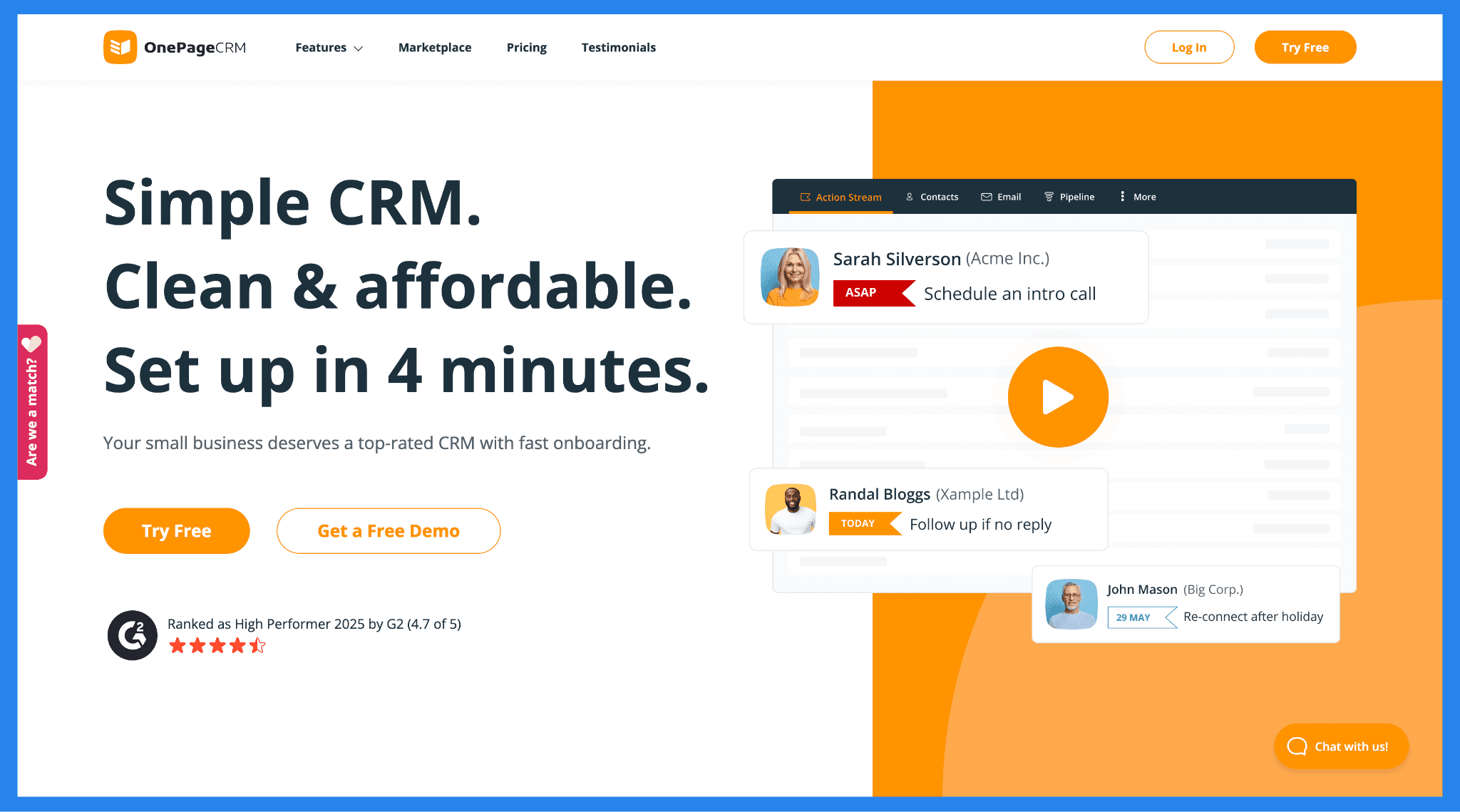
OnePageCRM is a simple, action-focused sales tool built for people who’d rather do sales than manage software. It transforms your customer list into a prioritized to-do list, so you always know what to do next.
Instead of juggling endless features or complicated dashboards, OnePageCRM keeps things refreshingly straightforward. Its focus on action-based workflows helps you move deals forward one step at a time — without the clutter of traditional CRMs.
Who Should Use OnePageCRM?
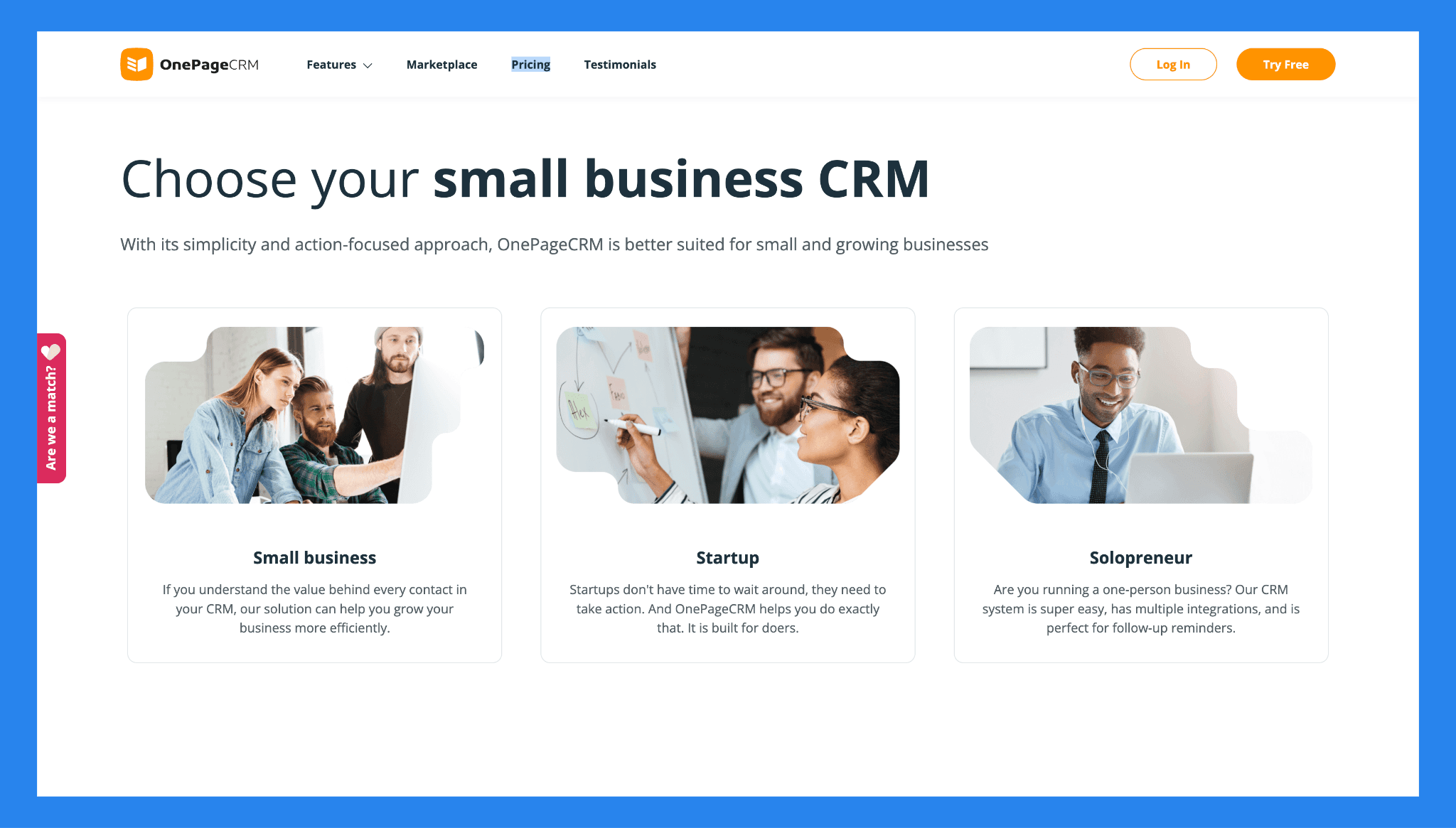
OnePageCRM is ideal for solopreneurs, startups, and small businesses looking for a lightweight, no-nonsense system that keeps them organized and on track. If you’d rather spend your time talking to clients than tinkering with software, this CRM is built for you.
According to OnePageCRM, the platform serves a variety of industries, including:
Coaches & Mentors
Service Businesses
Software & IT Services
Manufacturing
Real Estate
Financial Consultants
Creatives & Designers
Freelancers
Insurance Salesmen
E-commerce Sales
Its simplicity and action-focused workflow make it especially suited for teams or individuals who need a practical CRM without the complexity of enterprise-grade solutions.
⚙️ Key Features of OnePageCRM
OnePageCRM keeps things simple by focusing on the features that actually help you close deals, not just collect data. Here’s what stands out:
Action Stream
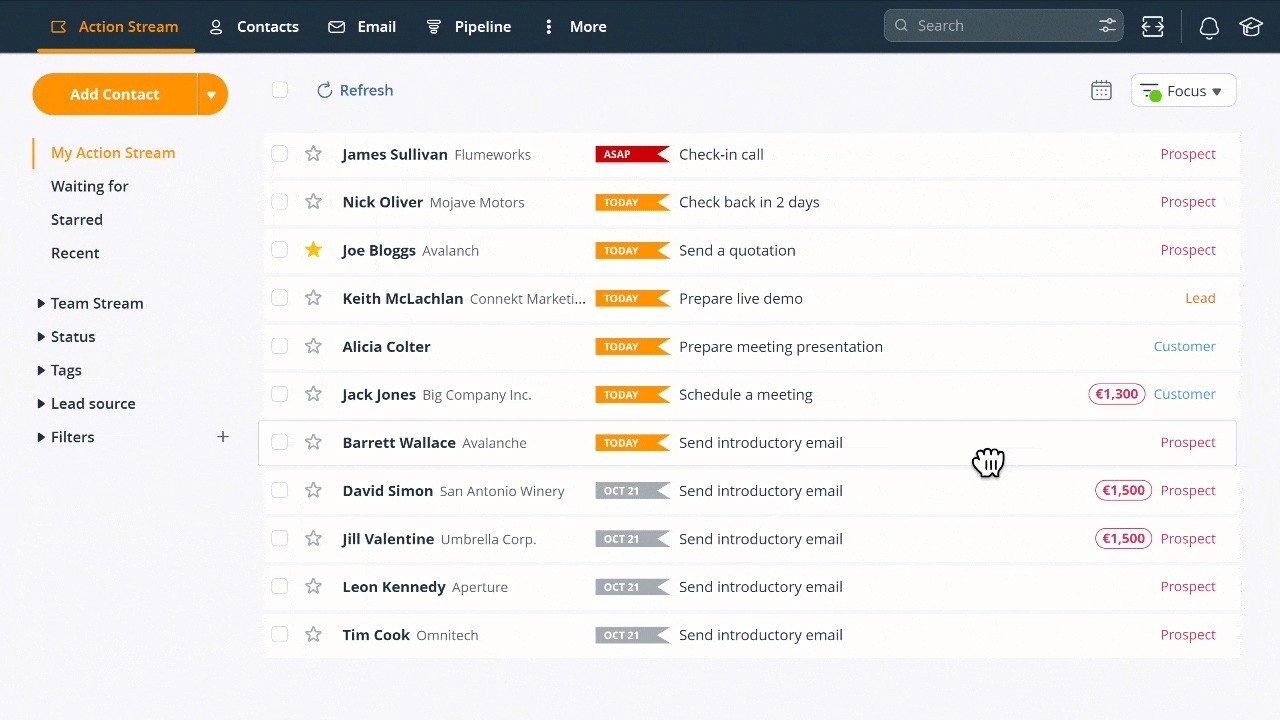
The Action Stream is OnePageCRM’s signature feature, and the secret sauce that sets it apart. Instead of letting leads gather dust in your pipeline, the Action Stream acts as a central hub where every contact becomes a to-do item with a clear next step.
You can use the Action Stream to:
Track follow-ups and sales actions
Email or call your CRM contacts
Create and update deals
Organize leads and contacts
Keep your agenda in one place
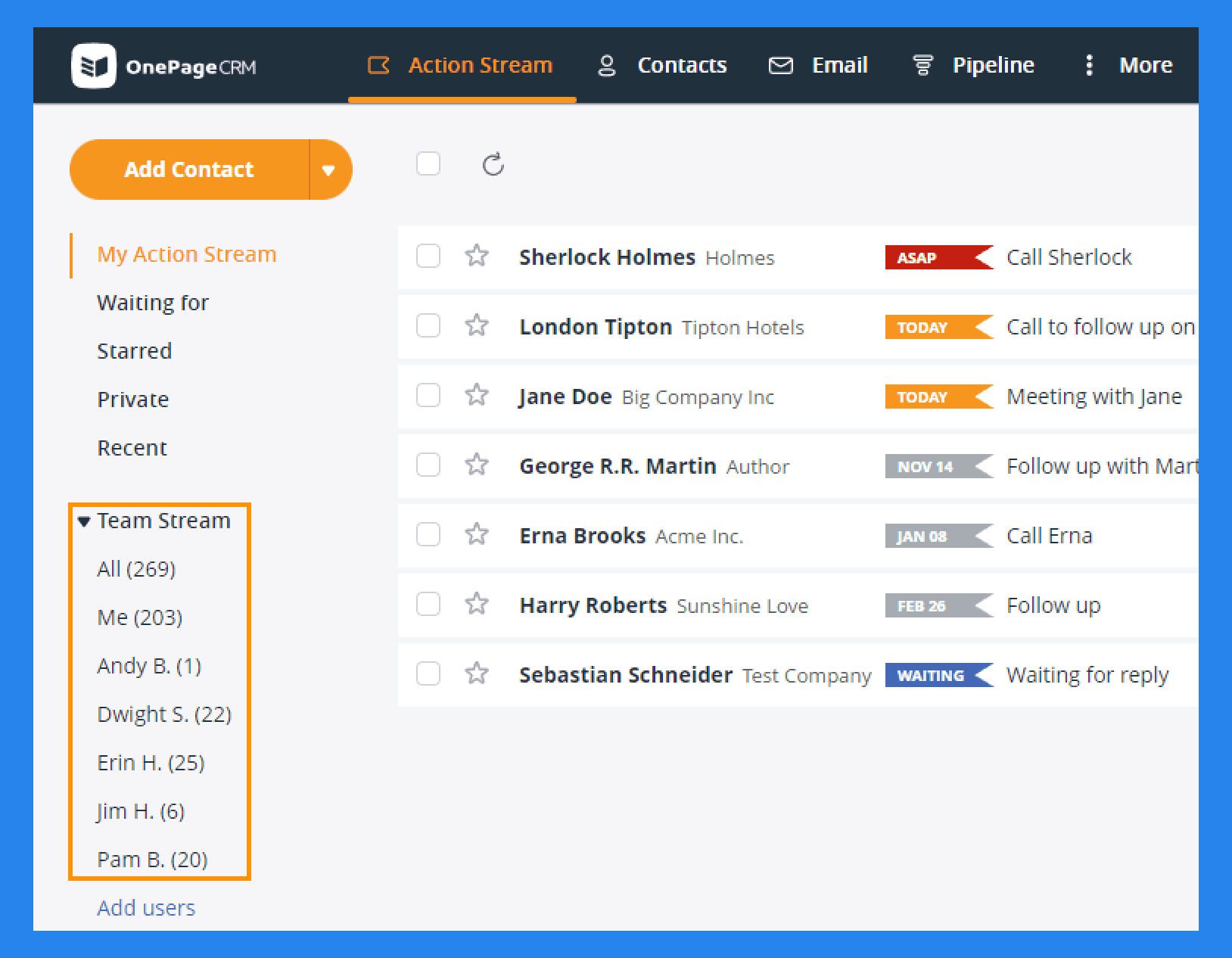
True to its name, OnePageCRM keeps everything visible at a glance — from team activities to key contact details. Whether you’re managing clients, deals, or daily tasks, it’s all laid out clearly on one simple, action-focused page.
Contact Management
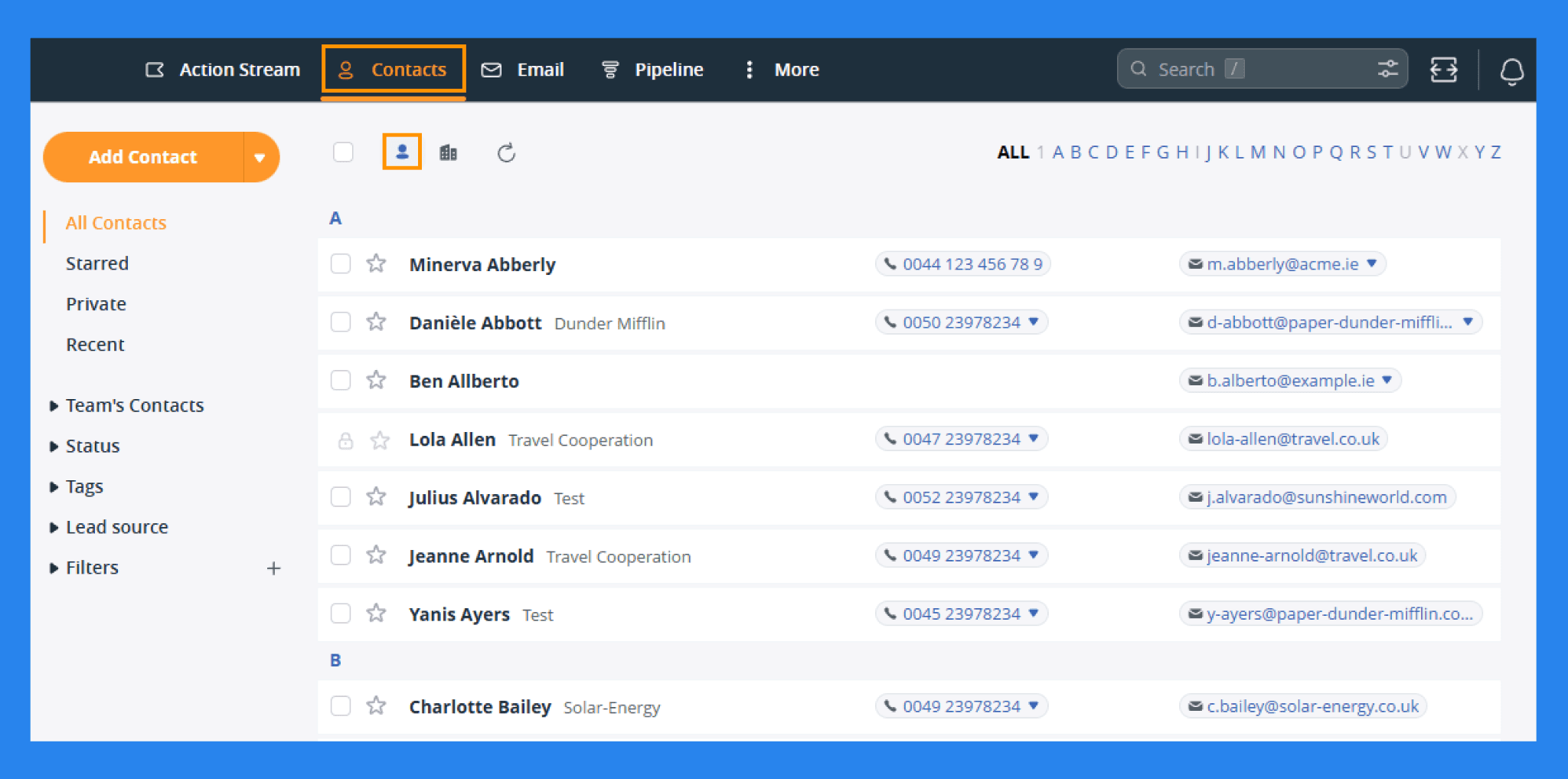
In OnePageCRM, all your Contacts and Organizations are neatly listed in alphabetical order under the Contacts tab — giving you an instant overview without the clutter. But it doesn’t stop there.
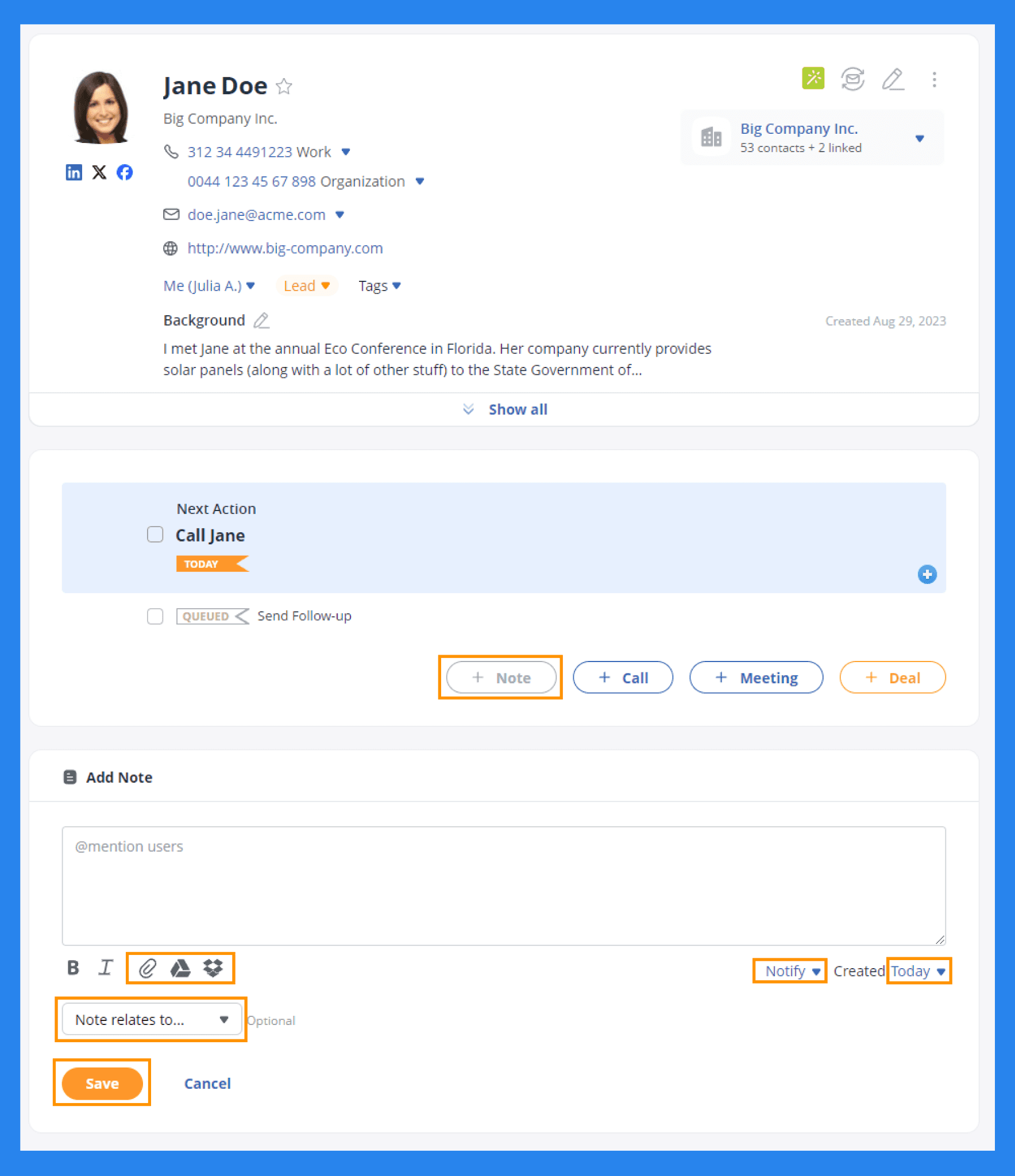
Click into any contact or organization, and you’ll unlock a deeper view: add them to deals, assign next actions, jot down notes, or log calls and meetings. What’s particularly clever is how “actions” double as tasks, turning every contact card into its own mini to-do list.
It’s a clean, no-nonsense system that keeps your relationships organized and your follow-ups consistent.
Sales Pipeline Management
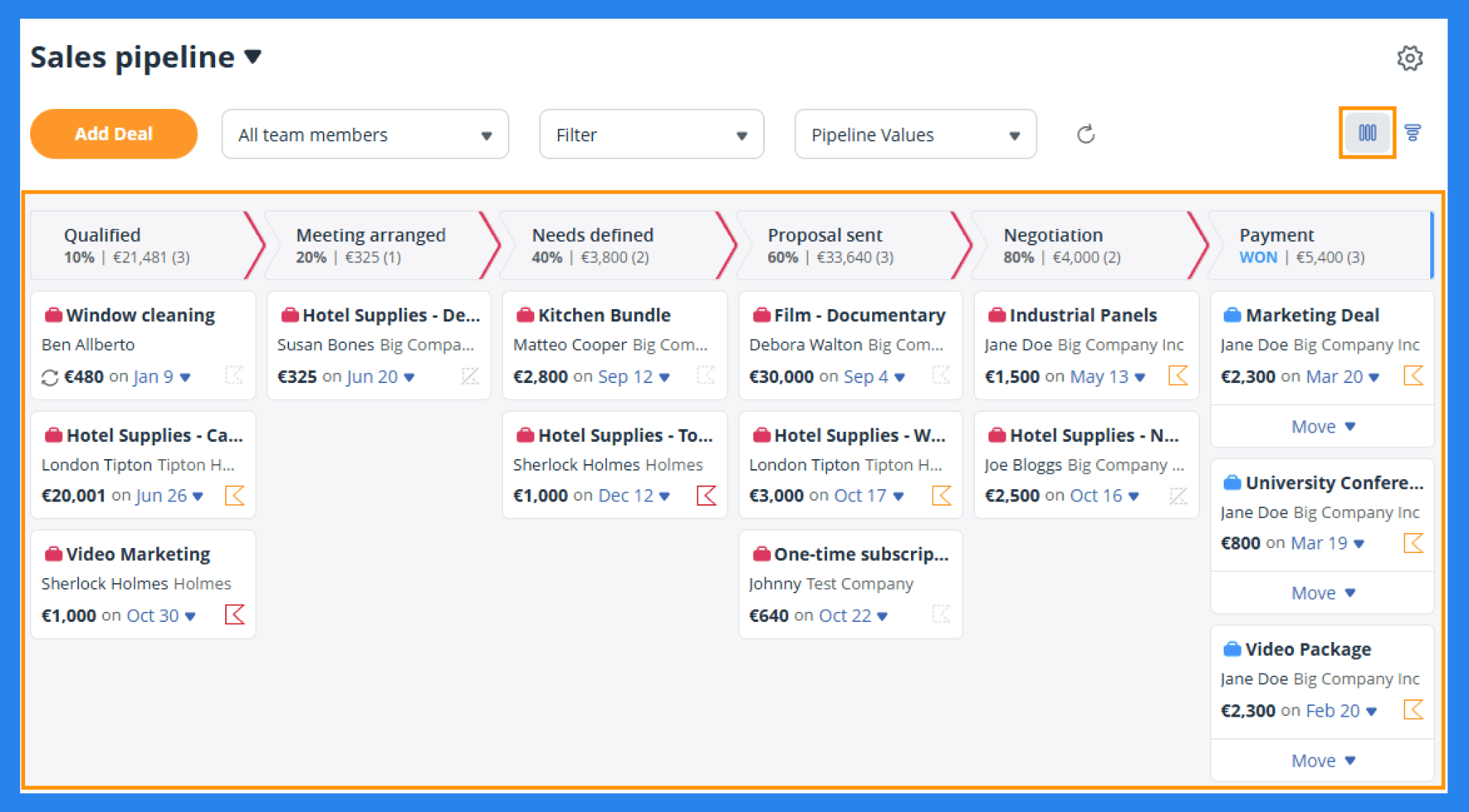
OnePageCRM gives you two pipeline options to manage both your deals and your post-sale work: the Sales Pipeline and the Delivery Pipeline. Both use the familiar kanban-style, drag-and-drop layout you’ll find in most modern CRMs — though visually, they’re a bit more functional than flashy.
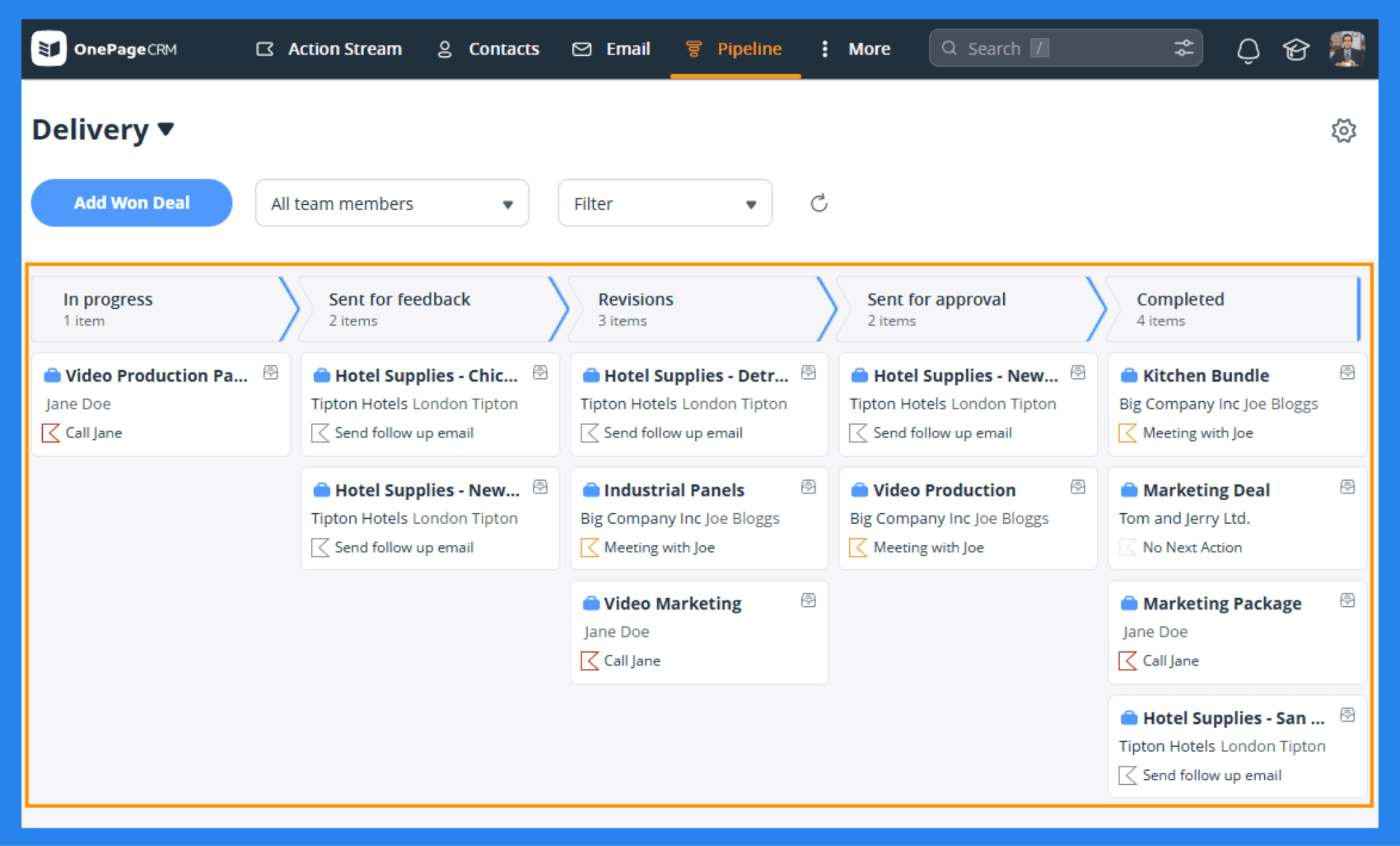
Here’s what each pipeline is designed for:
Sales Pipeline: Helps you track your sales cycle from first contact all the way to closing.
Delivery Pipeline: Acts as a lightweight project management tool for won deals (available only on Business plans).
While the pipelines won’t win any design awards, they do keep your deals moving and give you a clear, straightforward view of what’s happening at each stage.
Email Sync & Management
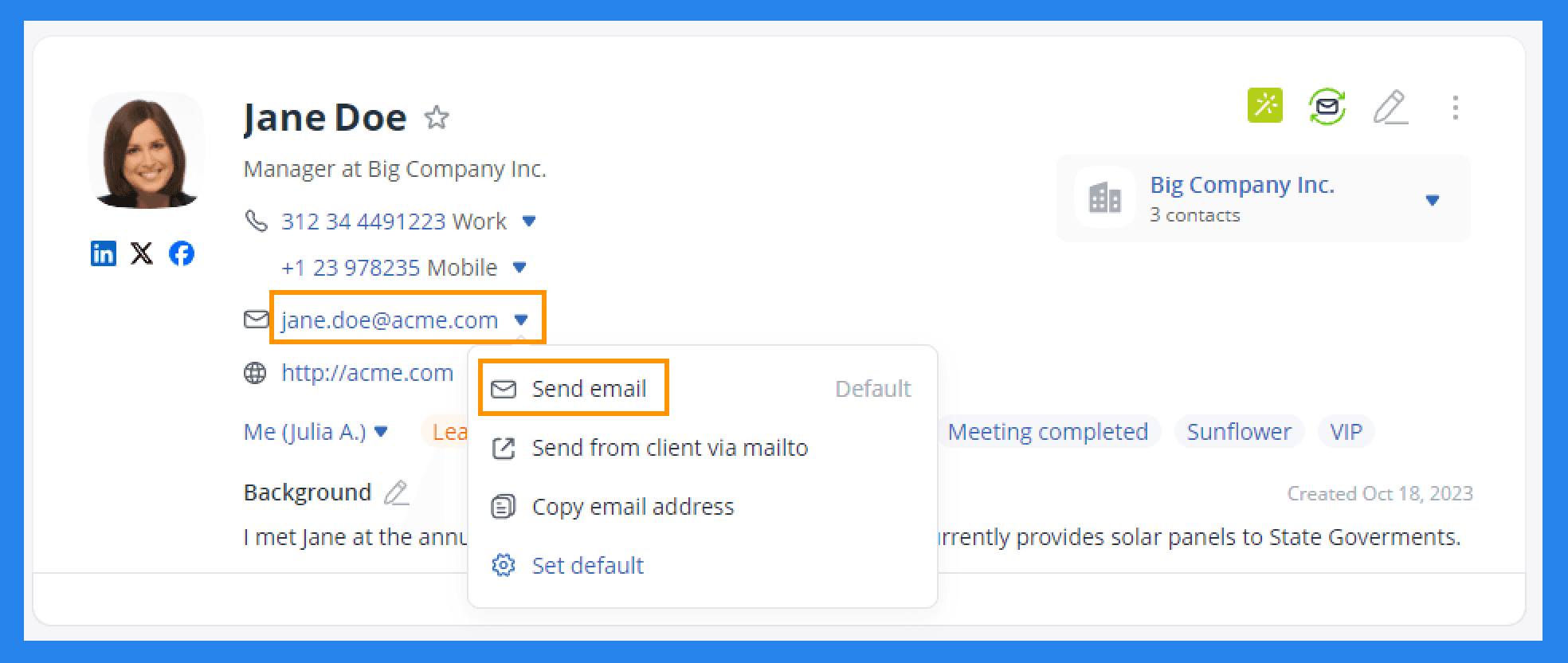
When you connect your email account to OnePageCRM, you can send and receive messages directly inside the CRM. The built-in inbox is fully functional, letting you handle communication without bouncing between tabs. With email sync enabled, you can:
Send emails in bulk.
Track opens and engagement.
Fetch historical emails from before the connection (Business plan only).
Email Capture Address to log your email communication with your customers.
One important detail: email sending limits vary by plan. Here’s what each tier allows: |
|---|
Business Plan: up to 450 emails per user/day. Professional Plan: up to 250 emails per user/day. Legacy Plan: up to 200 emails per user/day. |
Overall, it’s a simple and efficient setup — just be sure the daily send limits fit your outreach needs.
Automation (Autoflow)
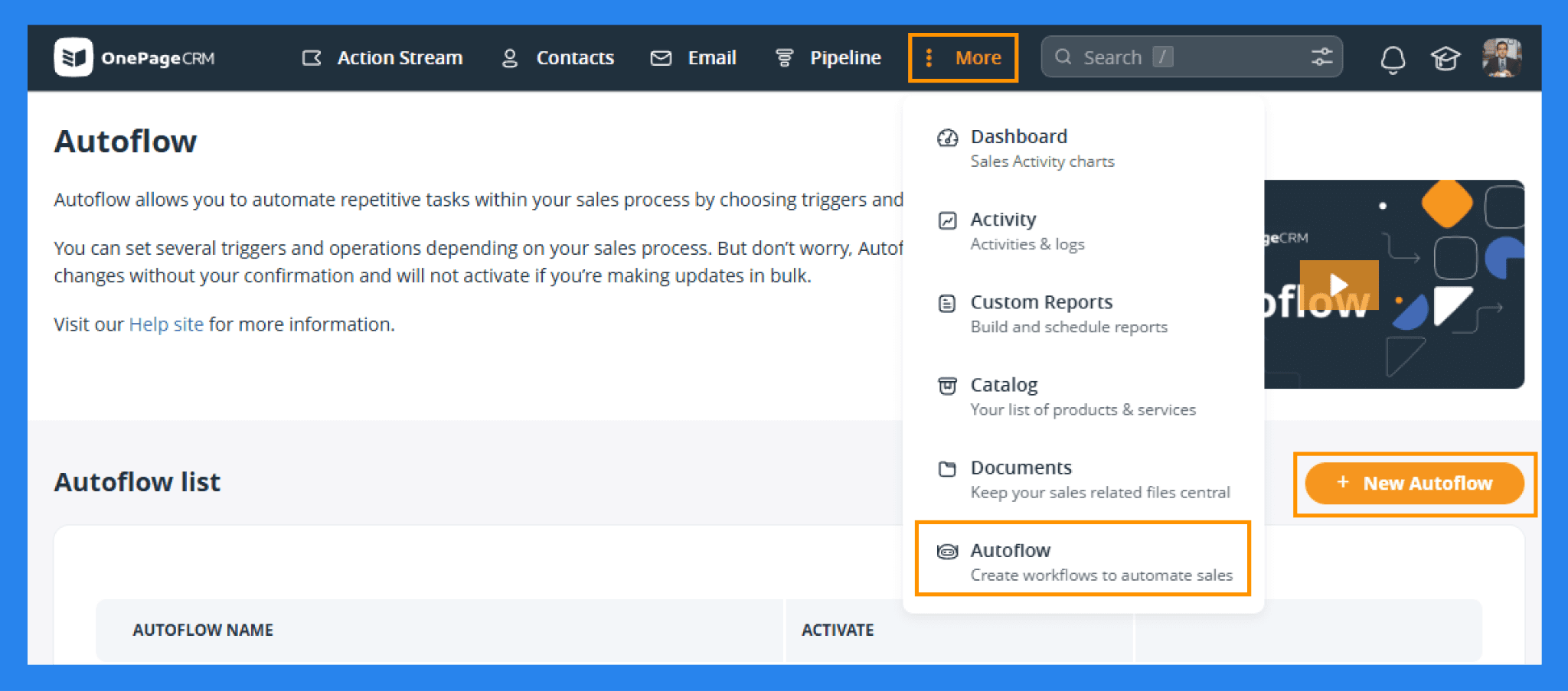
OnePageCRM’s automation tool, a.k.a Autoflow, helps you eliminate repetitive admin tasks that slow down your sales process. Instead of manually updating status labels, sending routine emails, or logging follow-up actions, Autoflow lets you automate them in just a few clicks.
Here’s how it works in three simple steps:
Identify a trigger: A recurring event in your workflow (e.g., a new contact is created).
Set an operation: What should happen after the trigger (e.g., automatically send a welcome email or assign a follow-up task).
Activate autoflow: Once enabled, OnePageCRM will prompt you to confirm the action whenever the trigger occurs — so you stay in control while saving time.
Your ability to automate depends on your plan: |
|---|
Business Plan: Unlimited Autoflows Professional & Legacy Plans: Up to 15 Autoflows |
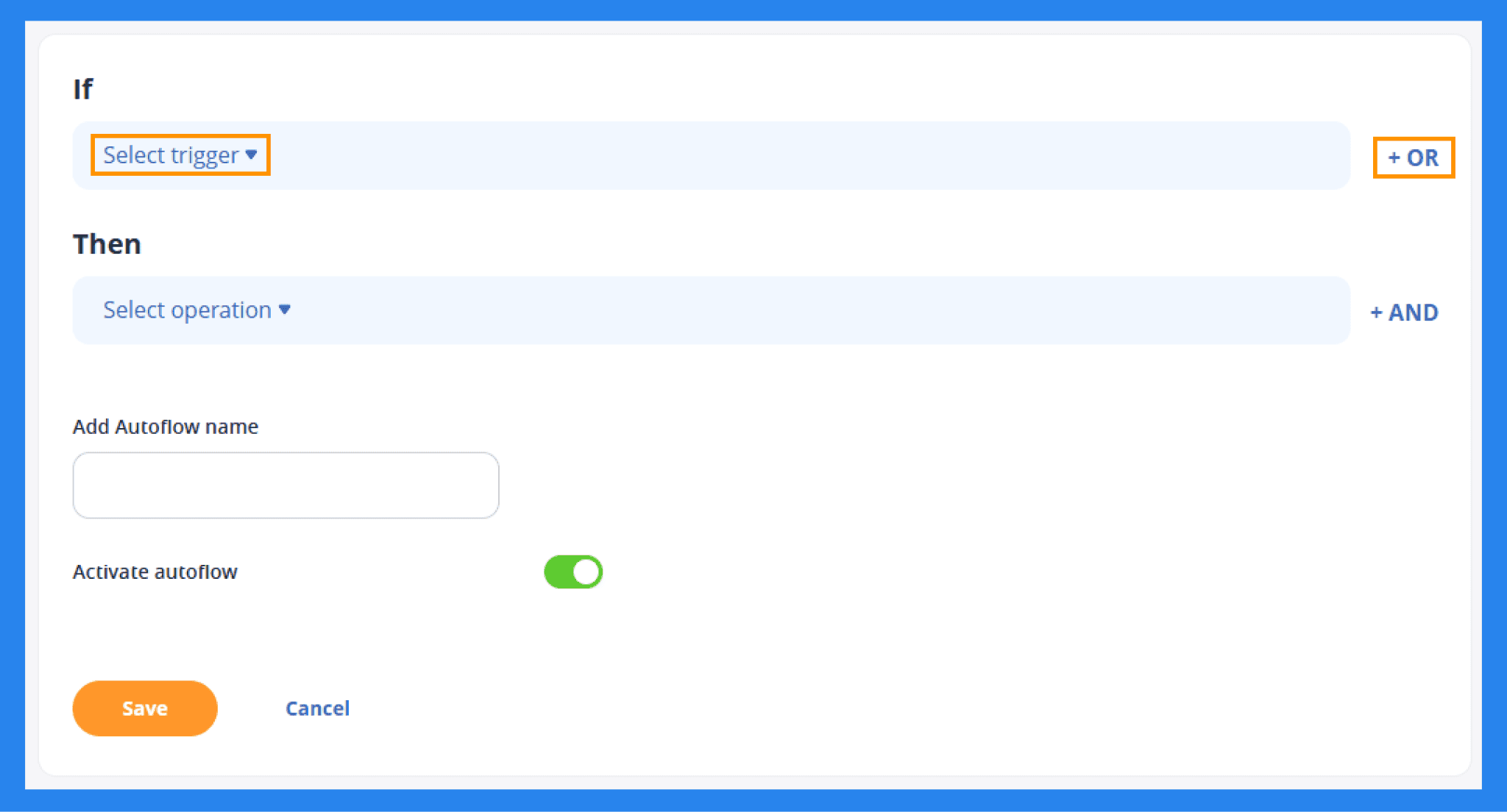
OnePageCRM offers a surprisingly flexible set of customizable triggers and actions, allowing you to build workflows that fit your exact sales process. We’ve broken it all down for you in the table below.
Triggers | Operations |
|---|---|
Call added Deal stage updated Deal created Next action completed Sales cycle closed Contact created Contact status updated Tag added Tag removed Custom field updated | Add contact note Add or remove tags Change contact owner Change contact status Show a pop-up notification Send an email (using templates) Add a next action (or choose from templates) Close a sales cycle |
Mobile App
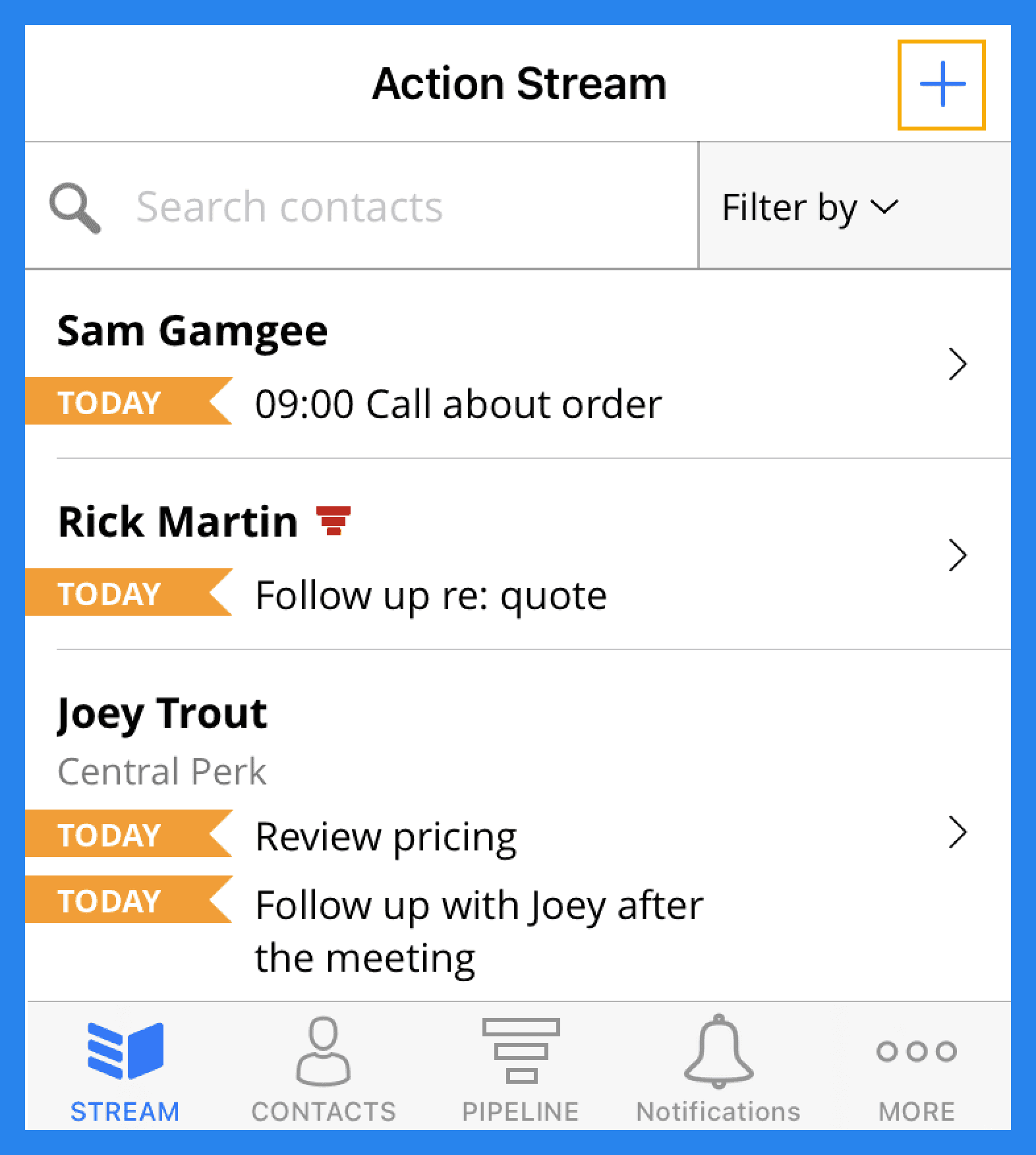
OnePageCRM doesn’t lock you to your desk, their mobile app (available on iOS or Android) gives sales teams the flexibility to manage their pipeline from anywhere. It packs in all the essentials you need on the go, including the ability to:
Stay on top of your Action Stream and Team Stream, filter what matters most, and complete or schedule Next Actions with ease.
Update deals in just a few taps, move them through your pipeline or make quick edits wherever you are.
Access full contact profiles, including notes, calls, tags, and deal history. Add new contacts instantly or import them straight from your phone.
Search faster using saved filters, statuses, tags, or lead sources.
Never miss an important follow-up thanks to push notifications for upcoming actions.
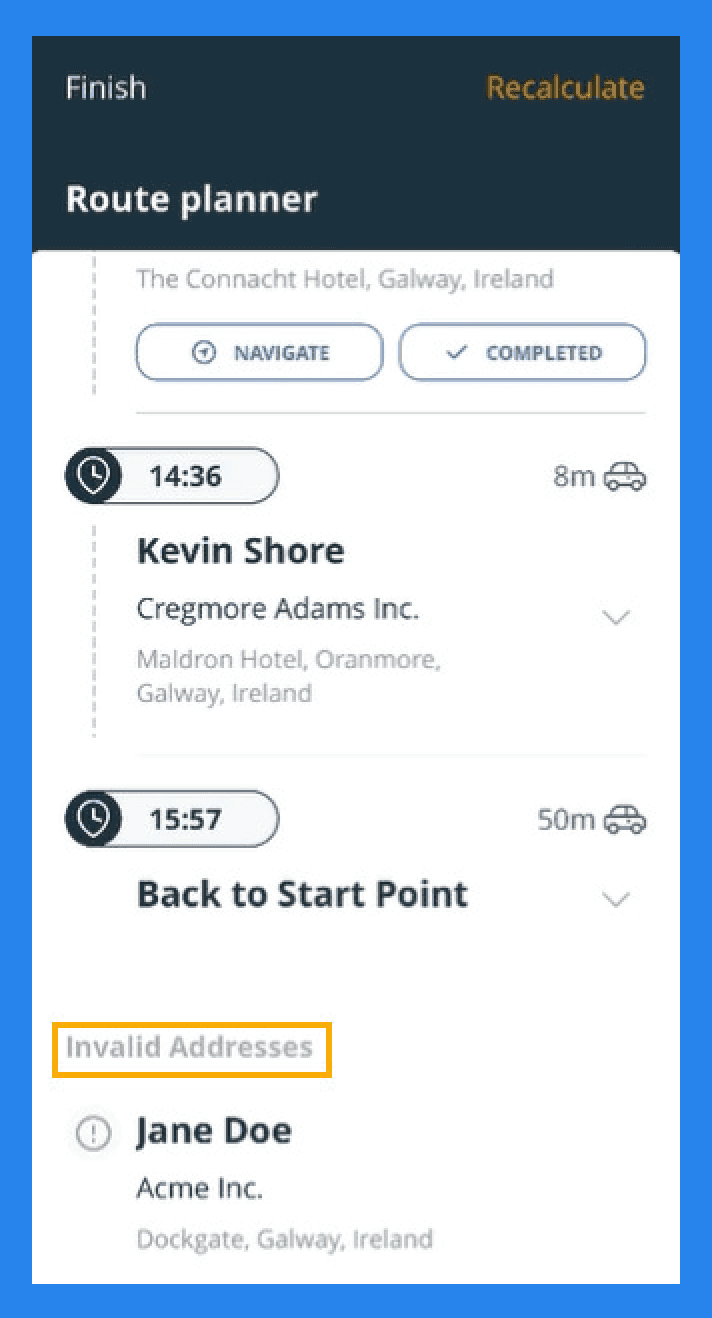
On top of the core mobile app, OnePageCRM also offers an AI-powered route planner built for field sales reps and in-person customer visits.
It makes planning your day effortless:
Select the contacts you want to visit.
The app automatically creates the optimal route using real-time traffic.
Get accurate travel times so you can plan smarter and make the most of your day.
The Route Planner also includes a handy speed dialer, letting you quickly call contacts and instantly log the call results or notes — perfect for busy reps who juggle multiple visits.
Integrations
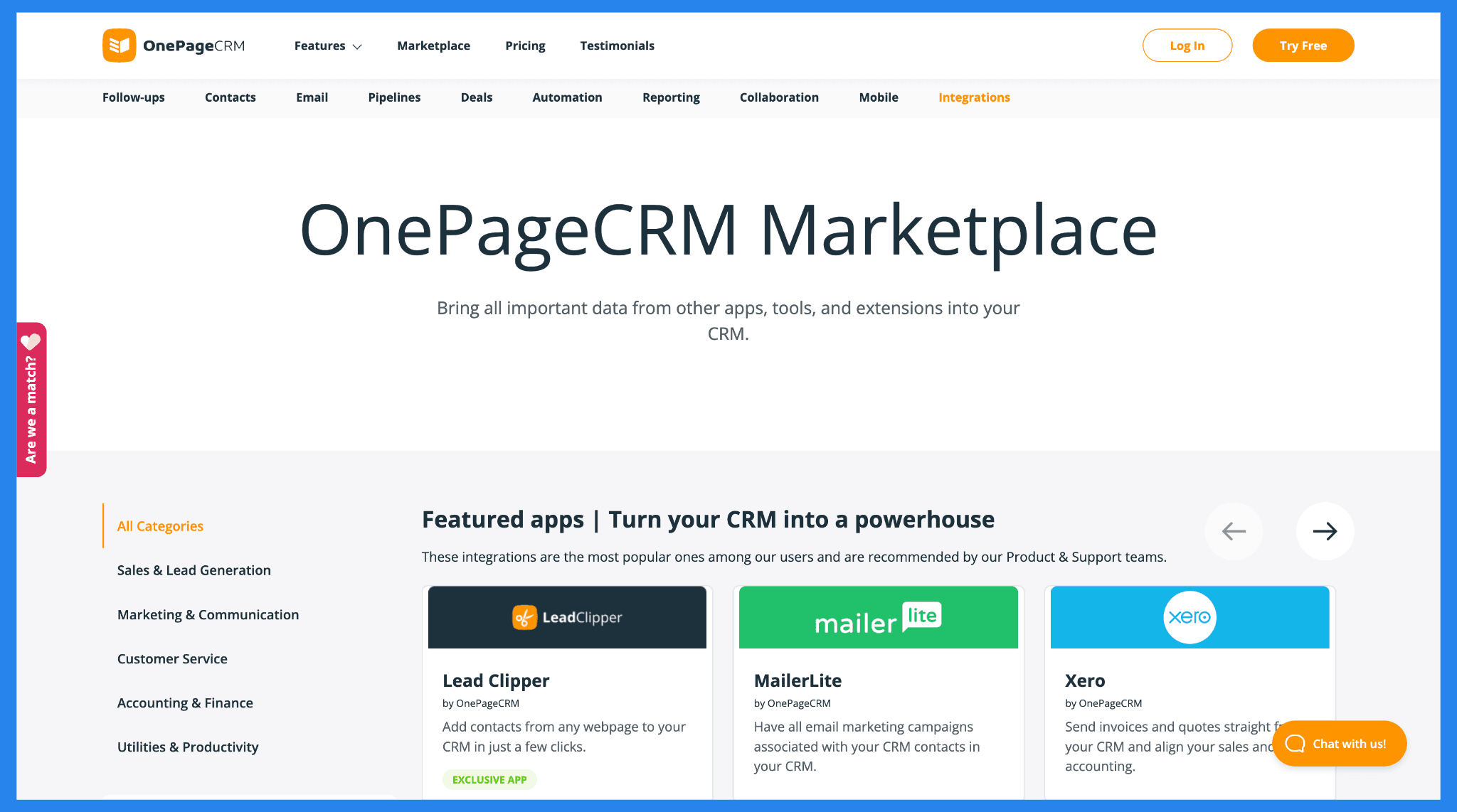
OnePageCRM connects seamlessly with many of the essential tools small businesses already rely on, including: Google Workspace, Outlook, Mailchimp, QuickBooks, Xero, Zapier, plus API and Webhook support for custom workflows.
Their integration marketplace covers a wide range of categories, from sales and lead generation to accounting and finance, giving you plenty of ways to extend the CRM without adding complexity.
In short: OnePageCRM offers the key integrations you need to build an efficient, streamlined tech stack for a growing small business.
Reporting & Analytics
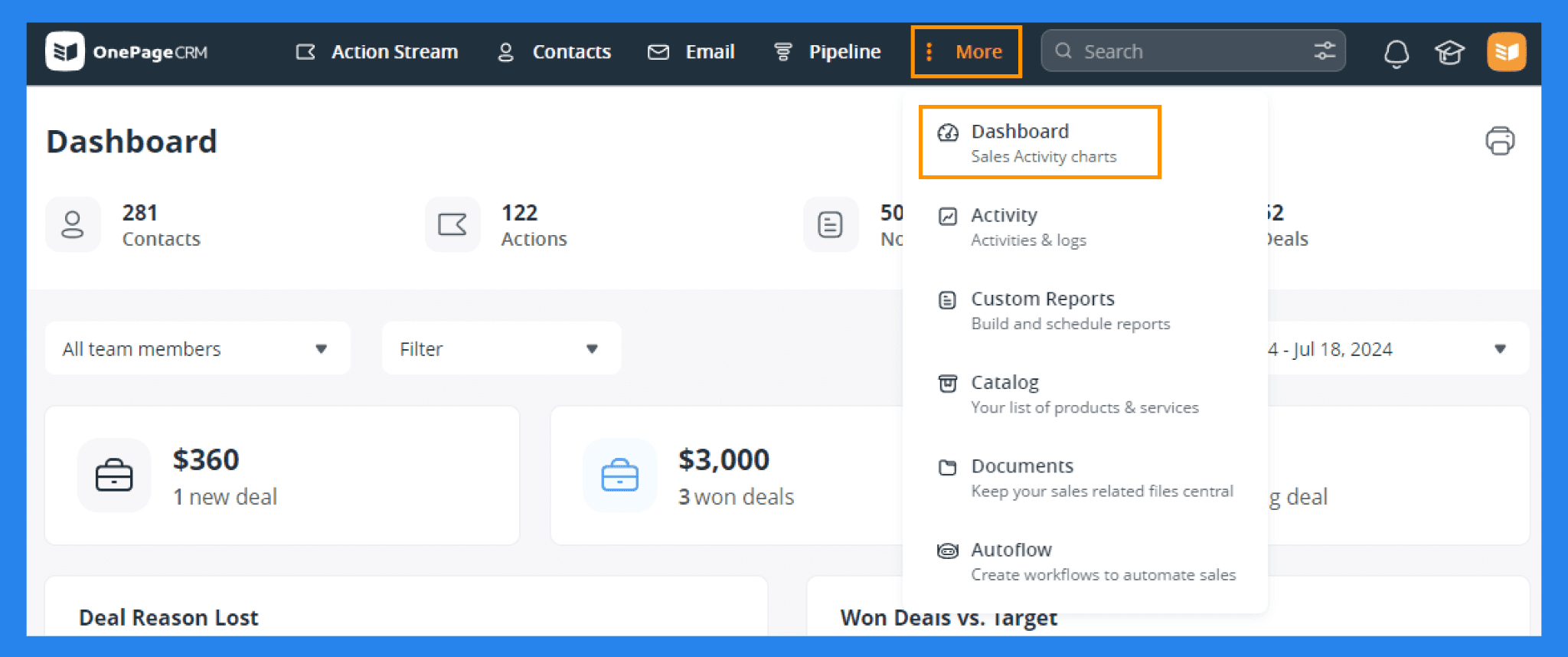
True to OnePageCRM’s philosophy, its reporting and analytics are simple, straightforward, and easy to use. Here’s what you get:
Dashboard: Get a quick overview of your sales team’s activities, deals, and KPIs — all in one place.
Activity Reporting: Track Notes, Calls, Meetings, Deals, Actions, Emails, and Logs (including new contacts, deletions, status updates, and edits). You can filter by team member, predefined filters, and time frame.
Custom Reports: Create tailored reports to get a top-level overview of all activity in your OnePageCRM account.
While these tools are useful for monitoring team activity and basic sales performance, don’t expect deep insights or advanced analytics into your sales processes or cycle.
💰 OnePageCRM Pricing + Pros & Cons (2026) ⭐️
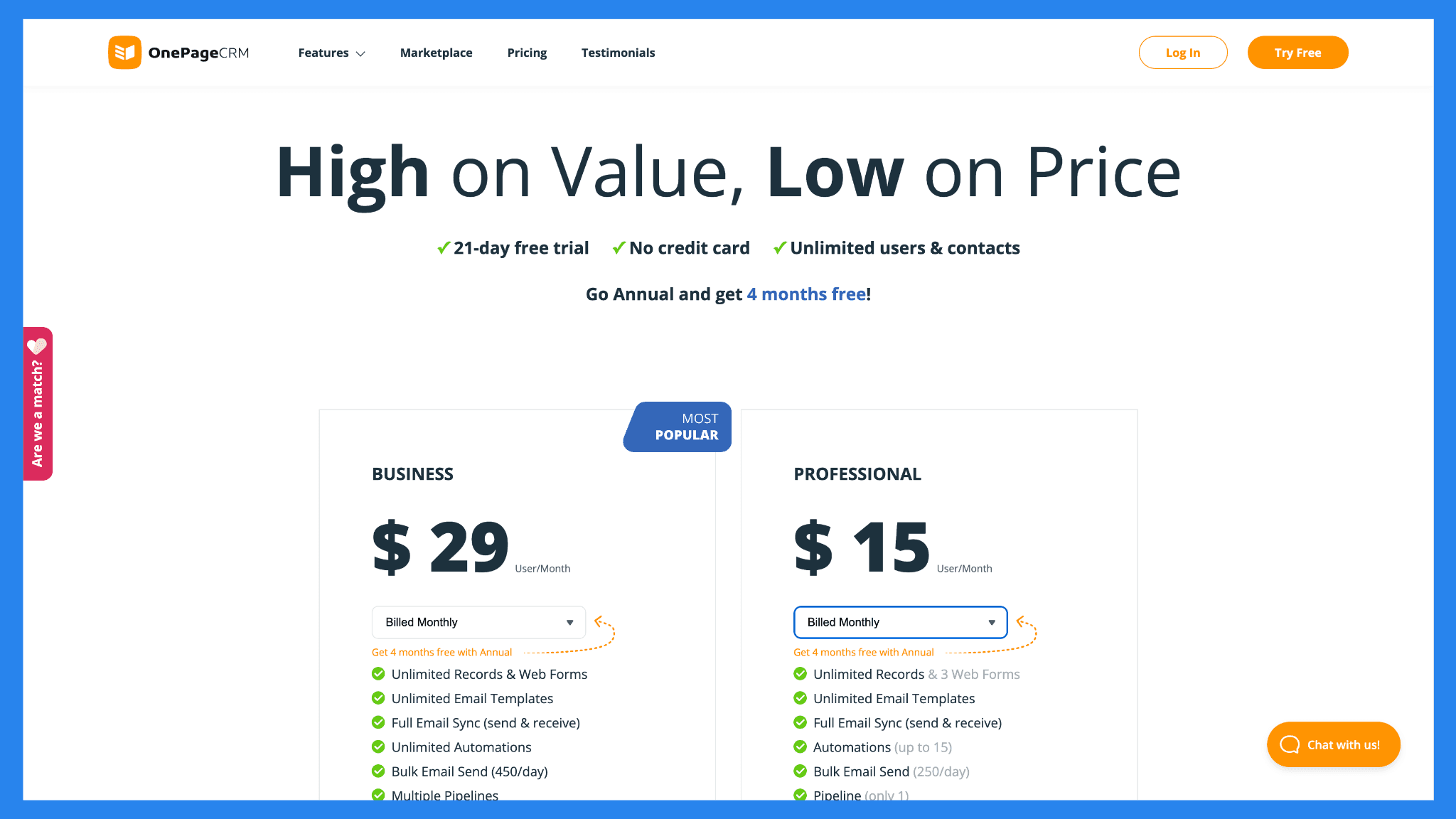
Pricing Plans
Business | Professional |
|---|---|
$29/user/mo | $15/user/mo |
Unlimited Records & Web Forms Unlimited Email Templates Full Email Sync (send & receive) Unlimited Automations Bulk Email Send (450/day) Multiple Pipelines Mobile Apps, incl. AI Route Planner AI Biz Card Scanner (500/month) Email Tracking & Notifications Email Scheduling Email History Fetching Light Project Management Advanced User Permissions | Unlimited Records & 3 Web Forms Unlimited Email Templates Full Email Sync (send & receive) Automations (up to 15) Bulk Email Send (250/day) Pipeline (only 1) Mobile Apps, incl. AI Route Planner AI Biz Card Scanner (100/month) |
OnePageCRM Pros and Cons
Ratings | |
|---|---|
G2 - 4.7/5 (231) | Capterra - 4.8/5 (71) |
Pros | Cons |
Simple, task-oriented interface that keeps sales teams organized Encourages consistent follow-ups and accountability Great mobile app and email integration Excellent customer support and onboarding experience | Lacks some advanced automation and reporting features Not ideal for large teams or enterprises with complex workflows Limited customization compared to more robust CRMs |
🔄 OnePageCRM Alternatives
While OnePageCRM is a solid choice for small businesses and action-focused sales teams, it’s not the only option out there. Depending on your workflow, team size, or need for additional features, other CRMs might be a better fit.
Here’s a quick look at three popular alternatives: Breakcold, Less Annoying CRM, and NoCRM.io — each offering unique strengths for different types of users.
🥇 Breakcold – Best Sales-Focused Alternative With AI-Native Automation
Summary
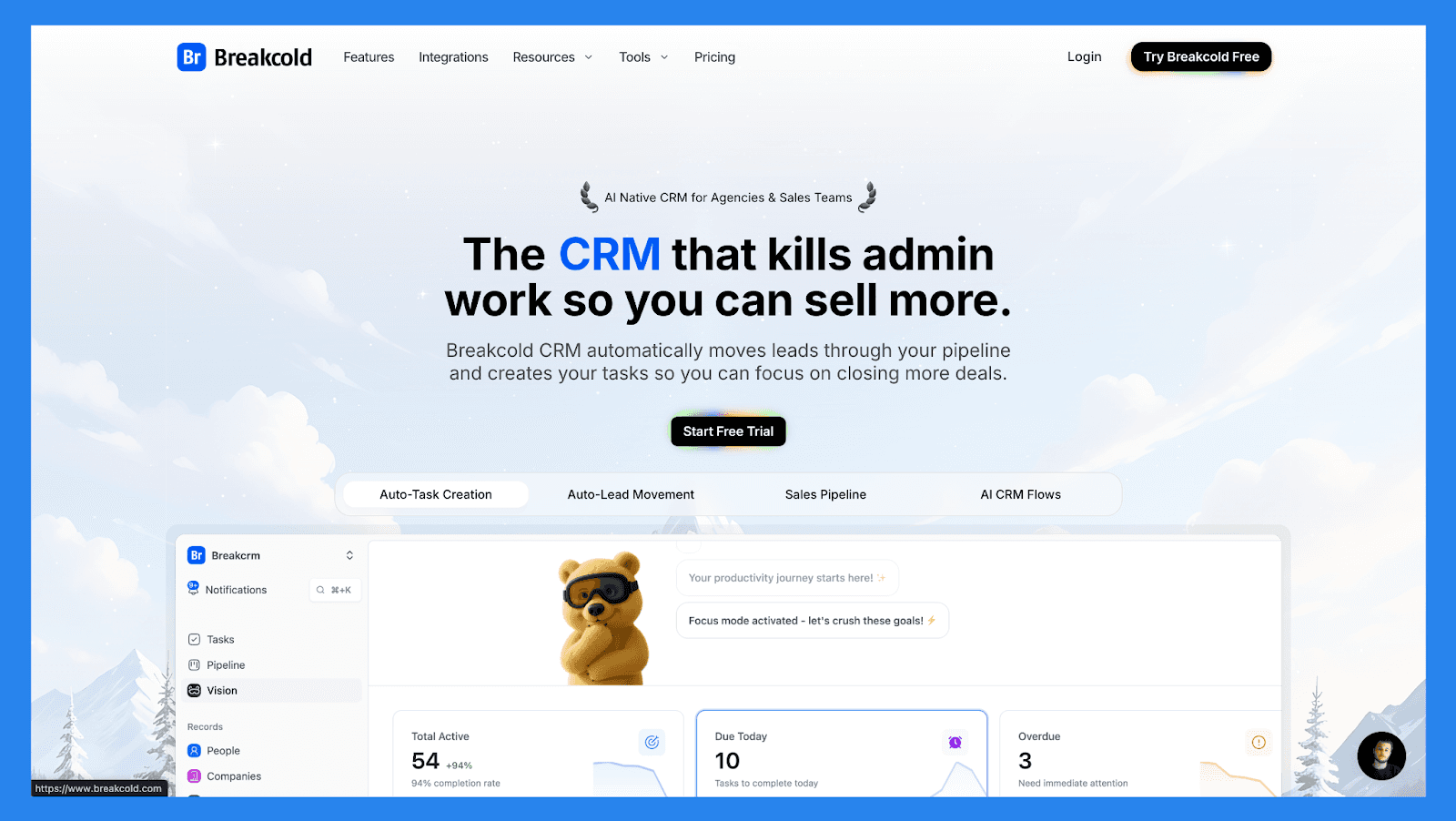
If OnePageCRM is built around staying organized through next-action workflows, Breakcold takes that idea further by combining it with full AI-native automation. It not only keeps your pipeline clean, it automates much of the busywork OnePageCRM still requires manually.
Breakcold enriches contacts in real time, tracks social engagement across LinkedIn, and proactively suggests next-best actions for every lead. It can auto-move deals, create follow-up tasks, and generate personalized outreach, letting solopreneurs and small teams sell more with fewer clicks.
Key Features | |
|---|---|
Auto Lead Movement – Leads move automatically in Breakcold’s CRM based on your interactions. No setup required — the AI understands and updates everything on its own. Auto Task Creation – Monitors your interactions with leads and automatically creates follow-up tasks so you never lose momentum. Focus on selling, not admin work. Vision Builder – By default, leads move automatically based on your list names and pipeline stages (zero setup). Want more control? Use natural language to build advanced AI CRM workflows. AI-Powered Dashboard – A self-updating dashboard that highlights your most important tasks so you always know what to focus on next. AI Contact Management – Automatically organizes leads into the right lists and groups by analyzing your conversations, notes, and activities. AI Personalities (AI Agents) – Choose an AI personality aligned with your sales style or business goals. Your dashboard then adapts and serves you daily tasks tailored to that persona. AI Reasoning – Every suggested task comes with clear context, so you’ll know exactly why it’s important and why it matters today. AI Message Suggestions – Get next-message recommendations that match your tone of voice and AI personality — for both email and social conversations. AI Rules – Add custom rules to each step of your workflow for deeper automation control and smarter processes. AI-Powered Contact Deduplication – Automatically identifies and merges duplicate contacts, saving hours of manual cleanup and keeping your CRM lean and accurate. Advanced Data Enrichment – Powered by BetterContact, Breakcold uses waterfall enrichment to surface verified B2B emails and phone numbers, improving outreach accuracy and deliverability. AI Notetaker – Integrates with Otter, Fireflies, TL;DV, and Fathom to auto-generate and log call summaries directly into the CRM — complete with transcripts, links, and follow-up tasks. Unified Inbox – Manage conversations from LinkedIn, Email, WhatsApp, and Telegram in one place, so you can respond faster and never miss a follow-up. Social Engagement Stream – Like, comment, and engage with your leads’ posts directly from the CRM to build relationships through consistent, meaningful interactions. 20+ Native Integrations – Connect Breakcold with Slack, Apollo, Smartlead, Instantly, Lemlist, and many other sales tools to streamline your workflow end-to-end. | |
Ratings | |
G2 - 4.7/5 (116) | Capterra - 4.8/5 (93) |
Pros | Cons |
Convenient and easy-to-use interface for LinkedIn power users Well-structured onboarding resources, including how-to videos, flowcharts, and best practices Responsive and reliable customer support Powerful social listening capabilities for lead insights and outreach personalization | Dependent on external services like Google and LinkedIn, which can cause bugs when those platforms update their policies Lacks native calling features and built-in AI functionality Still a developing platform with evolving features and occasional limitations |
Pricing Plans
CRM Essentials | CRM Pro | CRM Max |
|---|---|---|
$99/user/mo | $99/user/mo | $99/user/mo |
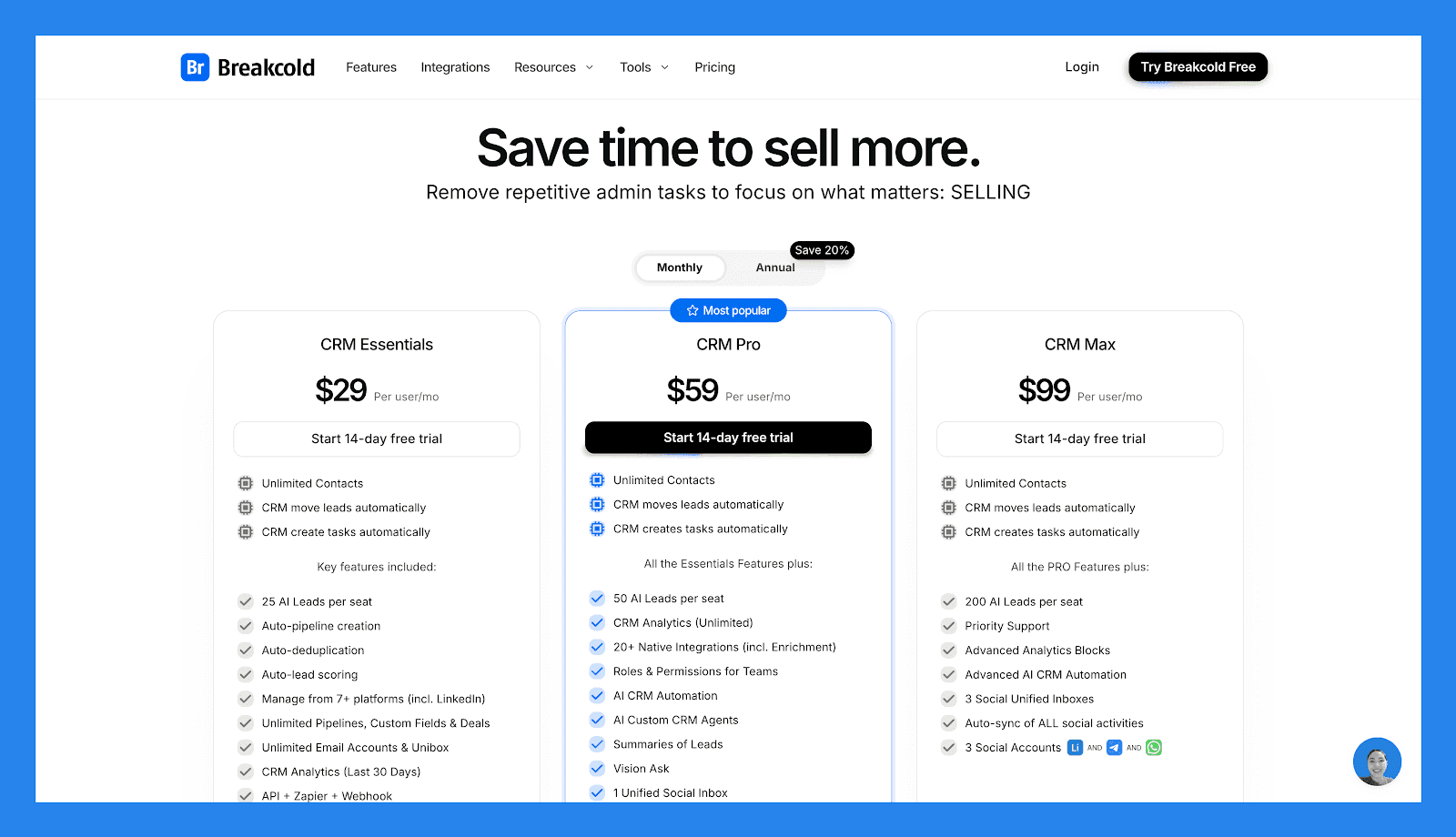
Unlimited Contacts CRM move leads automatically CRM create tasks automatically Key features included: 25 AI Leads per seat Auto-pipeline creation Auto-deduplication Auto-lead scoring Manage from 7+ platforms (incl. LinkedIn) Unlimited Pipelines, Custom Fields & Deals Unlimited Email Accounts & Unibox CRM Analytics (Last 30 Days) API + Zapier + Webhook | Unlimited Contacts CRM move leads automatically CRM create tasks automatically All Essentials Features plus: 50 AI Leads per seat CRM Analytics (Unlimited) 20+ Native Integrations (incl. Enrichment) Roles & Permissions for Teams AI CRM Automation AI Custom CRM Agents Summaries of Leads Vision Ask 1 Unified Social Inbox Auto-sync social activities for 1 social 1 Social Account (LinkedIn, X, or Whatsapp) | Unlimited Contacts CRM move leads automatically CRM create tasks automatically All PRO features plus: 200 AI Leads per seat Priority Support Advanced Analytics Blocks Advanced AI CRM Automation 3 Social Unified Inboxes Auto-sync of ALL social activities 3 Social Accounts (LinkedIn, X, or Whatsapp) |
A team of 5 on Breakcold is $139/mo, where Attio, Pipedrive and HubSpot Sales Hub run about $500/mo for 5 seats with similar features.
🥈 Less Annoying CRM – The Simplest, No-Frills Alternative
Summary
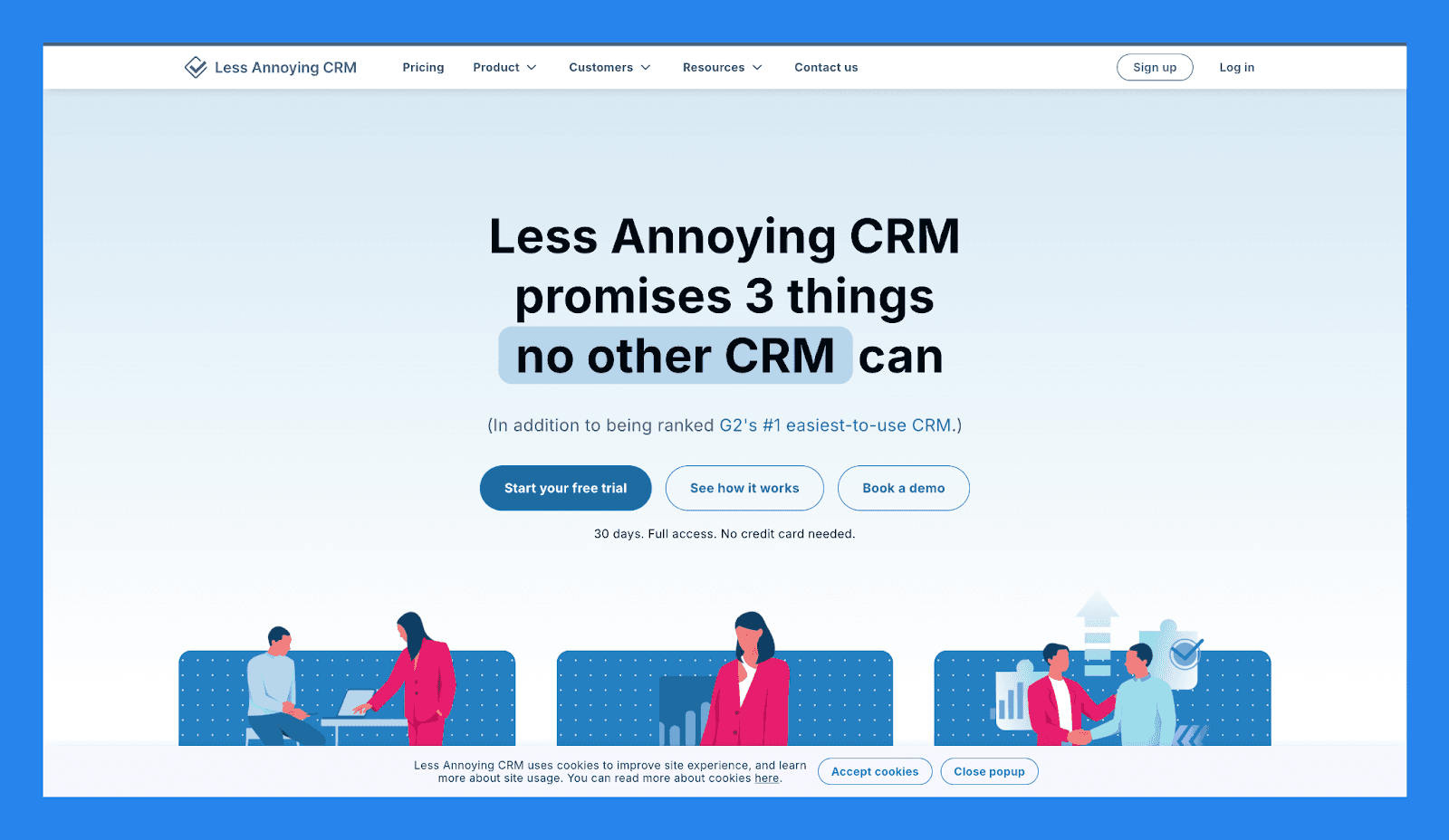
Less Annoying CRM offers an extremely clean, minimalistic experience designed for freelancers, solopreneurs, and small businesses that don’t need automation or advanced sales features.
Compared to OnePageCRM, which emphasizes action-focused selling and structured next-step workflows, Less Annoying CRM **strips everything down to the essentials: **easy contact management, basic follow-up reminders, and a straightforward sales pipeline. No complex menus, no overwhelming dashboards, and virtually no setup required.
It’s the ideal pick if you like OnePageCRM’s simplicity but want something even lighter, cheaper, and easier to maintain — without extra features getting in your way.
Key Features | |
|---|---|
Contact Management – Store and organize all your contacts and companies in a clean, searchable database. Simple Pipelines – Visualize deals in a straightforward sales pipeline without unnecessary complexity. Task & Follow-Up Management – Schedule calls, tasks, and follow-ups with reminders to keep your sales moving. Calendar Integration – Sync with Google Calendar to manage your schedule effortlessly. Notes & Activity Tracking – Keep all communications, notes, and tasks tied to each contact. Custom Fields – Add fields to track the information that matters most for your business. Reports & Exports – Generate basic reports and export data as needed. | |
Ratings | |
G2 - 4.9/5 (640) | Capterra - 4.8/5 (636) |
Pros | Cons |
Makes customer relationship management simple and straight-forward. Stellar customer support with a helpful and responsive team. No feature bloat, meaning no learning-curve to master. | Leans on the lighter side with automations, meaning tedious tasks have to be done manually. Ideal for small teams which means it would be a waste of time for mid-to-enterprise teams. Limited integration options on top of automation. |
Pricing Plans
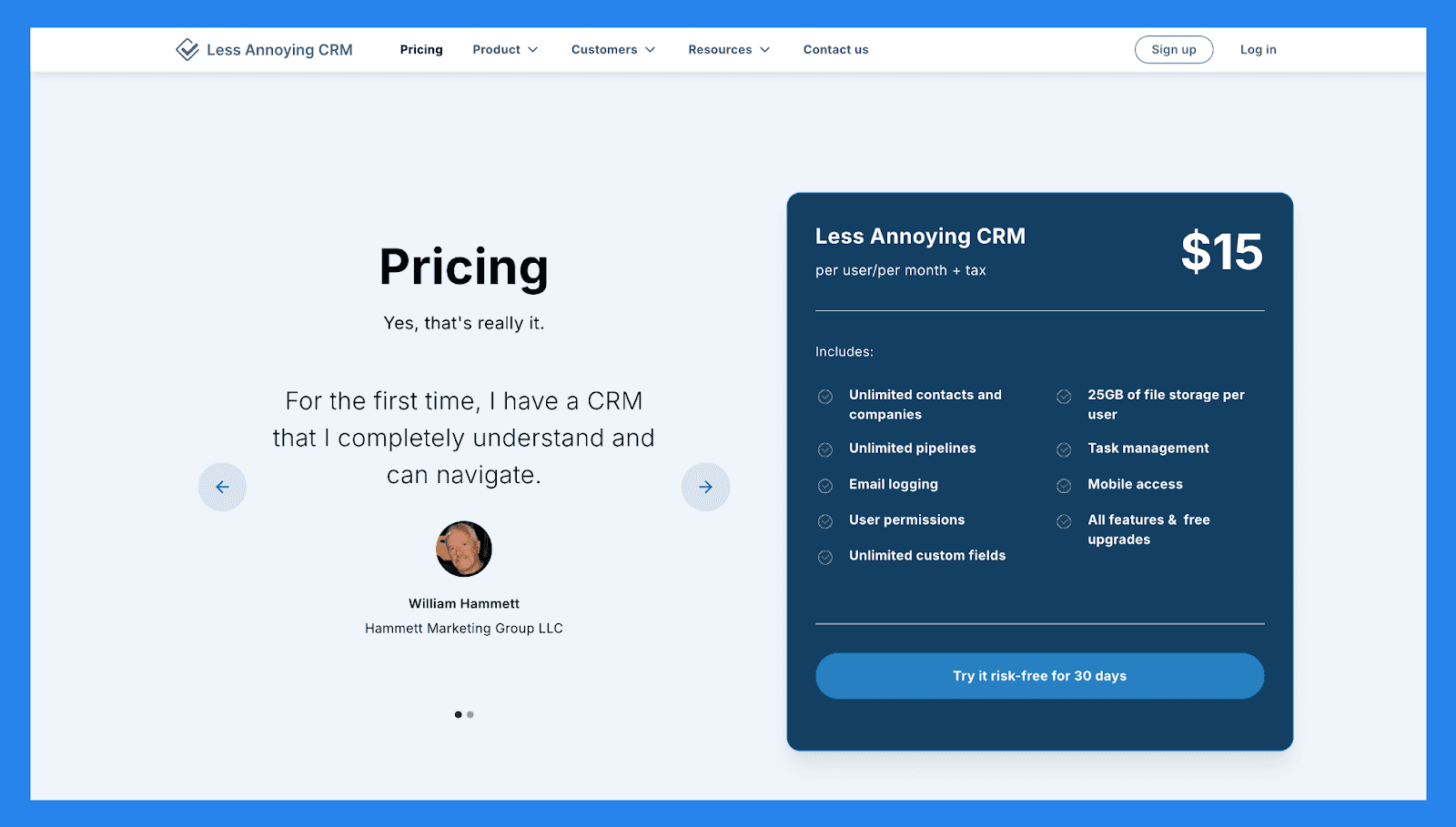
Less Annoying CRM |
|---|
$15/user/month + tax |
Includes: Unlimited contacts and companies Unlimited pipelines Email logging User permissions Unlimited custom fields 25GB of file storage per user Task management Mobile access All features & free upgrades |
🥉 NoCRM.io – A More Action-Driven Alternative for Deal-Focused Teams
Summary
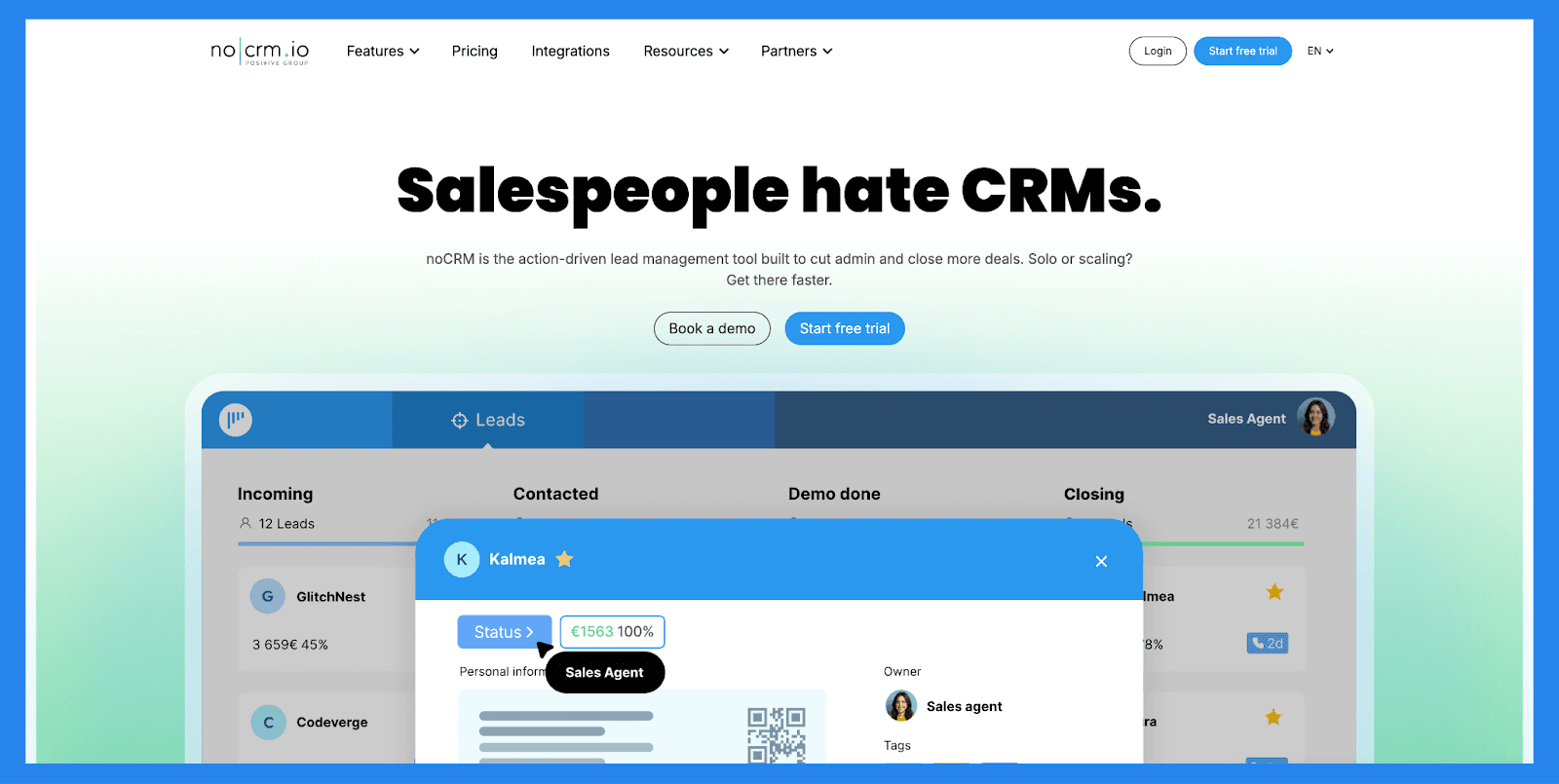
True to its name, noCRM.io is built for sales teams that find traditional CRMs too rigid or heavy. Instead of forcing reps to fill in endless fields, it centers the workflow around capturing leads quickly and keeping deals moving, a philosophy similar to OnePageCRM’s next-action approach, but with a stronger focus on momentum and pipeline visibility.
Where OnePageCRM offers structured task-based selling, noCRM.io leans into a more flexible, lead-first workflow. Reps can log prospects instantly, track progress through customizable pipelines, and stay laser-focused on closing without the distractions of large, feature-heavy CRMs.
It’s a great fit for small to mid-sized teams that like OnePageCRM’s action-oriented style but want something more streamlined, more sales-centric, and less dependent on traditional CRM data entry.
Key Features | |
|---|---|
Lead Capture Made Simple – Instantly create leads from emails, business cards, or websites. Pipeline View – Visual deal pipeline for easy tracking and prioritization. Actionable Sales Process – Every lead comes with a “next action” so nothing slips through the cracks. Email & Calendar Integration – Sync with Gmail, Outlook, and Google Calendar. Custom Sales Scripts – Guide reps through calls and demos with built-in templates. Collaboration Tools – Tag teammates, assign tasks, and share notes for smoother teamwork. Reporting & Analytics – Track team performance, conversion rates, and deal progress. | |
Ratings | |
G2 - 4.7/5 (103) | Capterra - 4.6/5 (481) |
Pros | Cons |
Extremely easy to use and quick to set up Focuses on sales actions, not data entry Great for small teams and startups with straightforward pipelines Affordable pricing with solid customization options | Lacks deep automation and marketing integrations Not ideal for enterprise-level teams Reporting could be more advanced for data-heavy users |
Pricing Plans
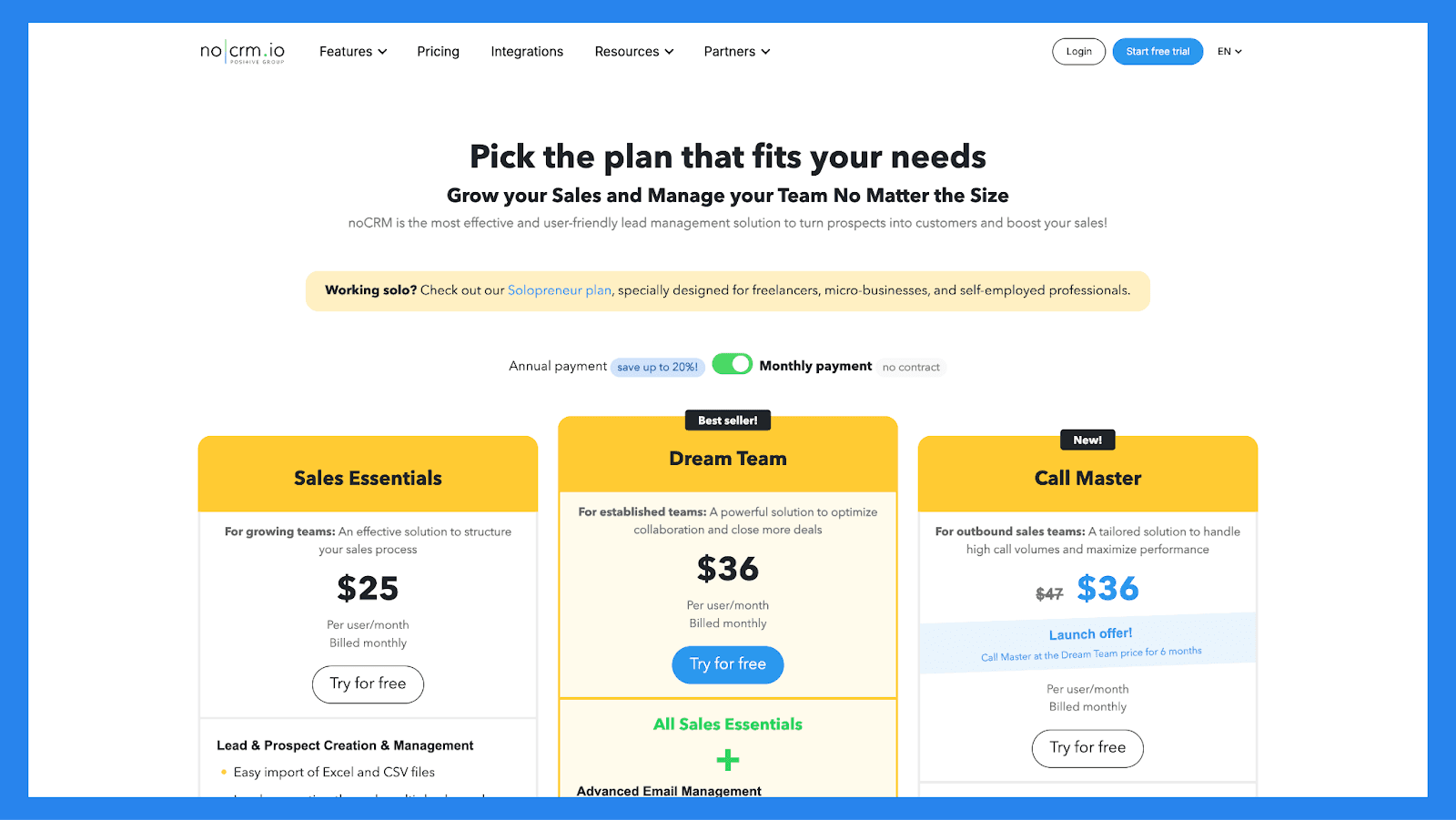
Sales Essentials | Dream Team | CRM Max |
|---|---|---|
$25/user/mo | $36/user/mo | $47/user/mo |
Lead & Prospect Creation & Management Easy import of Excel and CSV files Lead generation through multiple channels: email, business card scanning, or connected forms Smart classification and prioritization Duplicate detection Optimization of outbound prospecting actions: personalized call scripts, cold lead management Sales & post-Sales Process Management Visual and customizable pipeline Reminders and notifications Automatic calendar synchronization Fast sending of predefined messages (WhatsApp, SMS, etc.) Automated actions for each lead Post-sales tasks management Quote & Invoice Management Quote, deposit, invoice, credit notes creation Advanced customization & templates library Sales Performance Tracking Detailed performance reports Sales activities and lead performance tracking, sales forecasting Statistical reports Integrations 3,000+ automations via Zapier API access (max 2,000 requests/day) Webhooks and email notifications Services Mobile App Fast support via chat and email Online documentation and FAQ | All Sales Essentials + Advanced Email Management Email sync : send, receive, and schedule emails directly from noCRM Customizable email templates and signatures Performance tracking (opening, click, and response rates) VoIP Integrations CloudTalk, JustCall, Aircall, etc. : integration with the best VoIP solutions on the market to make calls directly from noCRM One-click and Power dialing SMS integration Call tracking and recordings Automatic synchronization AI summary transcripts WhatsApp Integration One-click lead creation Customizable message templates Conversation sync Team Management, Advanced Privacy & Security settings Role and permission management User-specific time zone settings Lead assignment Sales team goal tracking Team performance reports Export and deletion restrictions, user session management, sensitive action log Advanced Integrations Full access to native integrations API access with custom quotas API technical support Services Priority support via phone, chat and email Personalized onboarding (min 5 users) Custom onboarding and setup options through certified partners | All Dream Team + Call Campaign Creation & Management Multiple files import Advanced settings: lead source, operating conditions, automation triggers based on call outcomes Ongoing, stopped or completed campaigns visualization Detailed tracking of call results and outcomes Statistical analysis of campaigns and agent activity Call Agent Management Call results and outcomes detailed tracking Campaign Agent Assignment Access and permission management Attendance tracking and automatic logout Advanced Lead Management Lead transfer between noCRM accounts Shared inbox Lead–Prospect field sync |
🏁 Final Verdict: Is OnePageCRM Worth It?
Overall, OnePageCRM is an excellent choice for small businesses, freelancers, and consultants who want a simple, action-focused CRM without the complexity (or price tag) of enterprise software. Its Action Stream, clean pipelines, and mobile apps make it easy to keep deals moving and stay on top of follow-ups. While it may lack advanced features, it more than makes up for it with a streamlined, no-nonsense platform built for selling.
That said, if your business needs advanced reporting, heavy automation, or extensive integrations, OnePageCRM may not be the right fit. For those looking for more robust capabilities, Breakcold is a solid alternative, and it even offers a 2-week free trial to test its features – but you didn’t hear that from us. 😉
Frequently asked questions

Written by
Arnaud Belinga · Co-Founder & CEO at Breakcold
Arnaud is the Co-Founder & CEO of Breakcold, the AI Native CRM for sales teams of 5 to 30+ people.