



CRM Dashboards in 2026: The Secret Weapon You Can’t Ignore
TL;DR: the best CRM dashboard in 2026 tells you what to do next, not just what happened 🏆
🏆 Breakcold: the AI Native CRM for sales teams of 5 to 30+ people. Its AI-native dashboard surfaces your next best action with reasoning, AI agents handle the admin (move deals, log activity, create tasks), it connects to Claude and ChatGPT via native MCP, and it syncs LinkedIn, email, WhatsApp and Telegram into one pipeline. At 5 seats Breakcold is $139/mo, where a traditional CRM runs $300 to $500/mo.
🟢 HubSpot: a user-friendly drag-and-drop dashboard builder with a generous free tier, though costs climb fast as you scale.
🔵 Pipedrive: clean, visual pipeline-focused dashboards built to keep reps moving deals forward.
✅ Dashboard vs report: dashboards show real-time KPIs for daily decisions, reports dig into historical trends for forecasting and reviews.
✅ What to look for: customizable KPIs, forecasting, task reminders, integrations, mobile access, and increasingly AI that recommends the next action.
Picture this: you’re a salesperson with 20 deals in play, 50 follow-ups overdue, and a manager asking for “just a quick pipeline update.” Without a CRM dashboard, you’re basically playing sales roulette — hoping the right lead picks up the phone while you scramble through messy spreadsheets and half-written notes.
A CRM dashboard cuts through that chaos. It’s your sales command center, showing exactly where every lead, deal, and conversation stands in real time. For sales reps, it’s the difference between chasing dead ends and closing the right deals. For managers, its instant visibility into pipeline health without a dozen panicked emails.
In this article, you’ll learn what a CRM dashboard really is, why it’s mission-critical for sales (and beyond), and how to build one that actually drives revenue instead of collecting dust.
📊 What is a CRM Dashboard?
A CRM dashboard is a visual hub that pulls together your most important customer and sales data into one easy-to-read screen. Think of it as your command center: instead of digging through spreadsheets or clicking through endless tabs in your CRM, you get a clear overview of your pipeline, customer interactions, and performance metrics — all at a glance.
CRM Dashboard vs. CRM Reports
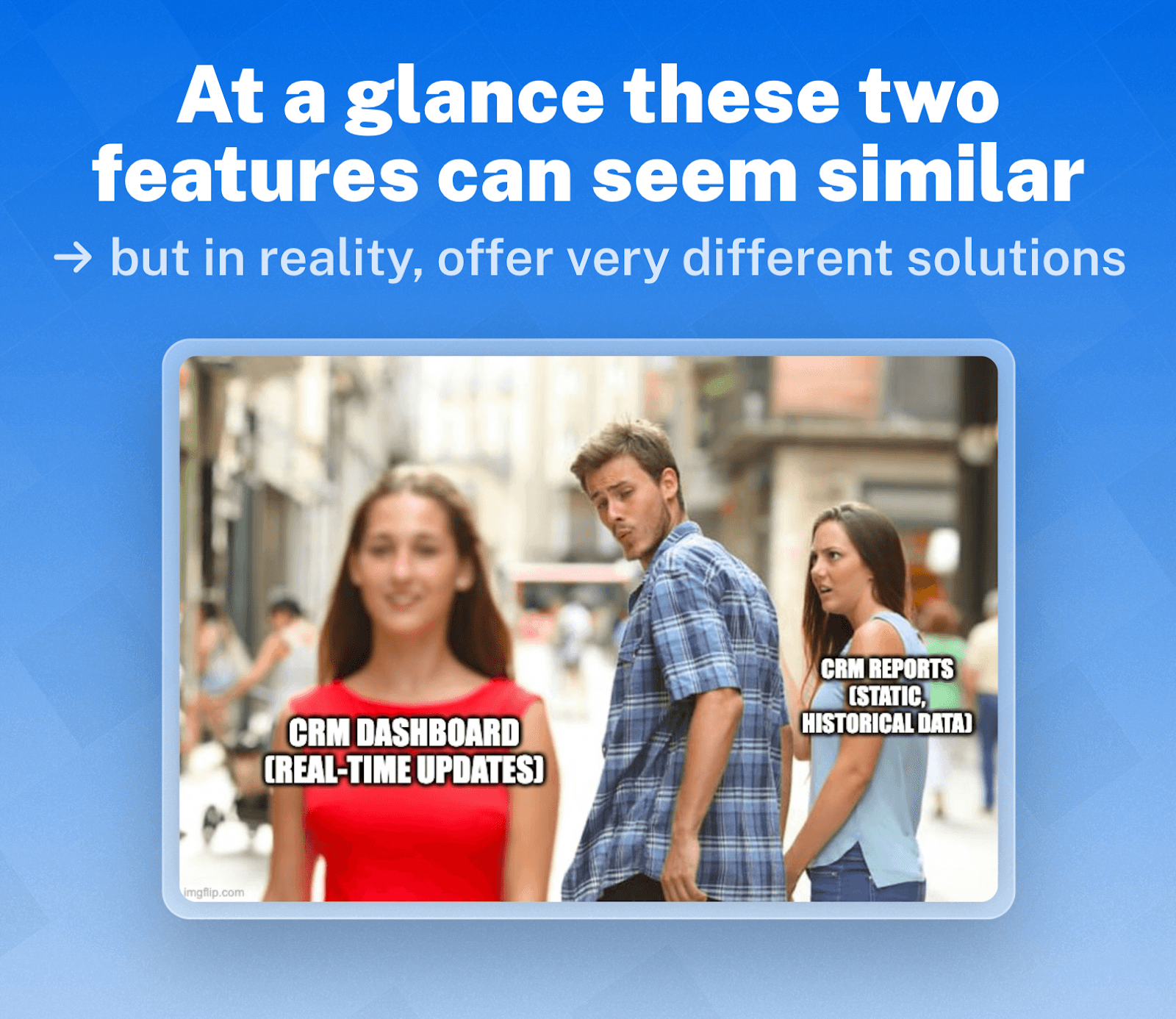
It’s easy to confuse a CRM dashboard with CRM reports, but there’s a key difference:
Dashboards show you real-time data and KPIs in a visual format (charts, graphs, tiles). They’re built for quick insights and day-to-day decision-making.
Reports are more detailed and static. They dig into historical data and trends, often exported for presentations, forecasting, or quarterly reviews.
Think of dashboards as your live sales scoreboard, while reports are the post-game analysis.
Types of CRM Dashboards
Depending on your role, dashboards can look very different:
Sales dashboards – Track leads, pipeline stages, conversion rates, revenue goals.
Marketing dashboards – Show campaign performance, lead sources, engagement metrics.
Customer support dashboards – Monitor open tickets, response times, and satisfaction scores, which is helpful whether the team is in-house or relies on outsourced customer support for handling daily inquiries.
Executive dashboards – High-level view of company health across sales, marketing, and support.
What is an AI CRM Dashboard?
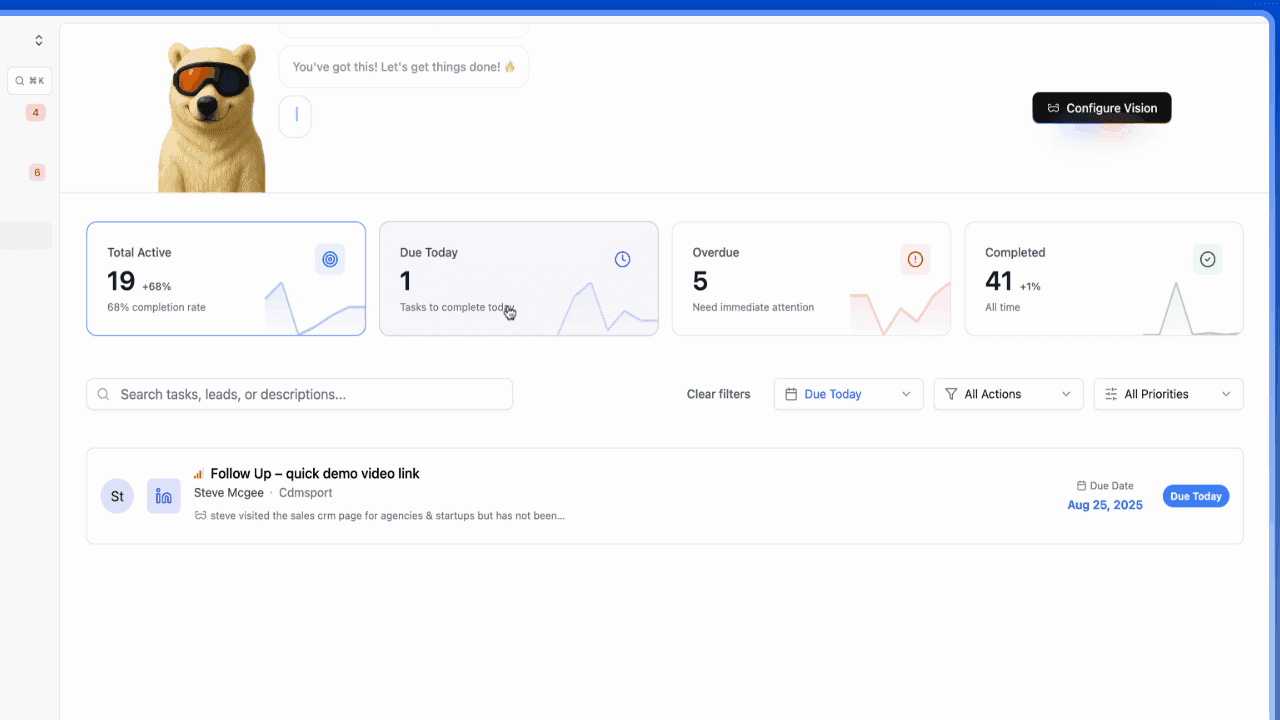
An AI-powered CRM dashboard (which can be found in Native-AI CRMs like Breakcold!) takes things a step further. Instead of just displaying data, it analyzes patterns and offers insights — like predicting which deals are most likely to close, highlighting accounts at risk of churn, or suggesting the best time to follow up with a lead. It’s like having a sales analyst working behind the scenes 24/7, but without the extra headcount and CRM know-how.
🚀 Key Benefits of Using a CRM Dashboard
A CRM dashboard isn’t just a pretty interface — it’s one of the most powerful tools sales, marketing, and customer success teams can use to hit their targets. Here are the main benefits:
1. Centralized Data View
Instead of switching between spreadsheets, email threads, and disconnected tools, a CRM dashboard centralizes customer and sales data in one place. This makes it easier to track leads, monitor progress, and stay focused on revenue-generating activities.
2. Better Decision-Making with Real-Time Insights
Dashboards update automatically, giving you a real-time pulse on your pipeline, customer activity, and performance metrics. No more outdated reports — managers and reps alike can make smarter, faster decisions based on what’s actually happening now.
3. Improved Team Alignment
A CRM dashboard creates transparency across departments. Sales, marketing, and support teams can all see the same KPIs and understand how their work connects to company goals. This shared visibility helps break down silos and keeps everyone on the same page.
4. Time Savings with Automated Data Visualization
Manual reporting wastes hours every week. With a CRM dashboard, data visualization is automated, meaning teams spend less time building charts and more time closing deals or supporting customers.
5. Enhanced Forecasting and Pipeline Management
Perhaps the biggest advantage: dashboards give leaders a clear view of pipeline health and deal velocity. By spotting stalled opportunities early, you can reallocate resources, adjust strategy, and forecast revenue with much greater accuracy.
🛠️ Must-Have Features in a CRM Dashboard
A good CRM dashboard should do more than display numbers — it should make your data actionable. Here are the must-have features to look for:
Customizable Widgets & KPIs – Every business is unique. The ability to choose and arrange key metrics (like conversion rates, pipeline value, or churn risk) ensures your dashboard reflects what matters most to your team.
Sales Forecasting & Revenue Analytics – A great dashboard goes beyond historical data by projecting future revenue and spotting trends before they become problems.
Task & Activity Reminders – CRM dashboards shouldn’t just track deals; they should keep reps on task with reminders for follow-ups, calls, and emails.
Seamless Integrations – Your dashboard should connect with tools you already use (email, calendar, marketing platforms) to avoid data silos.
Mobile Accessibility – Sales teams aren’t always at their desks. A mobile-friendly dashboard ensures you have insights on the go.
⚠️ Problem of Traditional CRM Dashboards
The truth? Traditional CRM dashboards are static and reactive. They show you what happened but rarely tell you what to do next.
Data often feels overwhelming and cluttered.
Reps spend more time updating fields than actually selling.
Insights come too late — you only see problems after the damage is done.
Dashboards lack personalization — everyone sees the same generic metrics, even if their roles are different.
This leaves teams frustrated and leaders flying blind when it comes to predicting revenue or spotting growth opportunities.
🤖 The Solution: Breakcold’s AI-Powered CRM Dashboard
At Breakcold, we’ve built a new generation of CRM dashboards that go beyond static charts. Our AI-powered dashboard is designed to make your CRM feel like a proactive sales assistant, not just a reporting tool.
Here’s what makes it different:
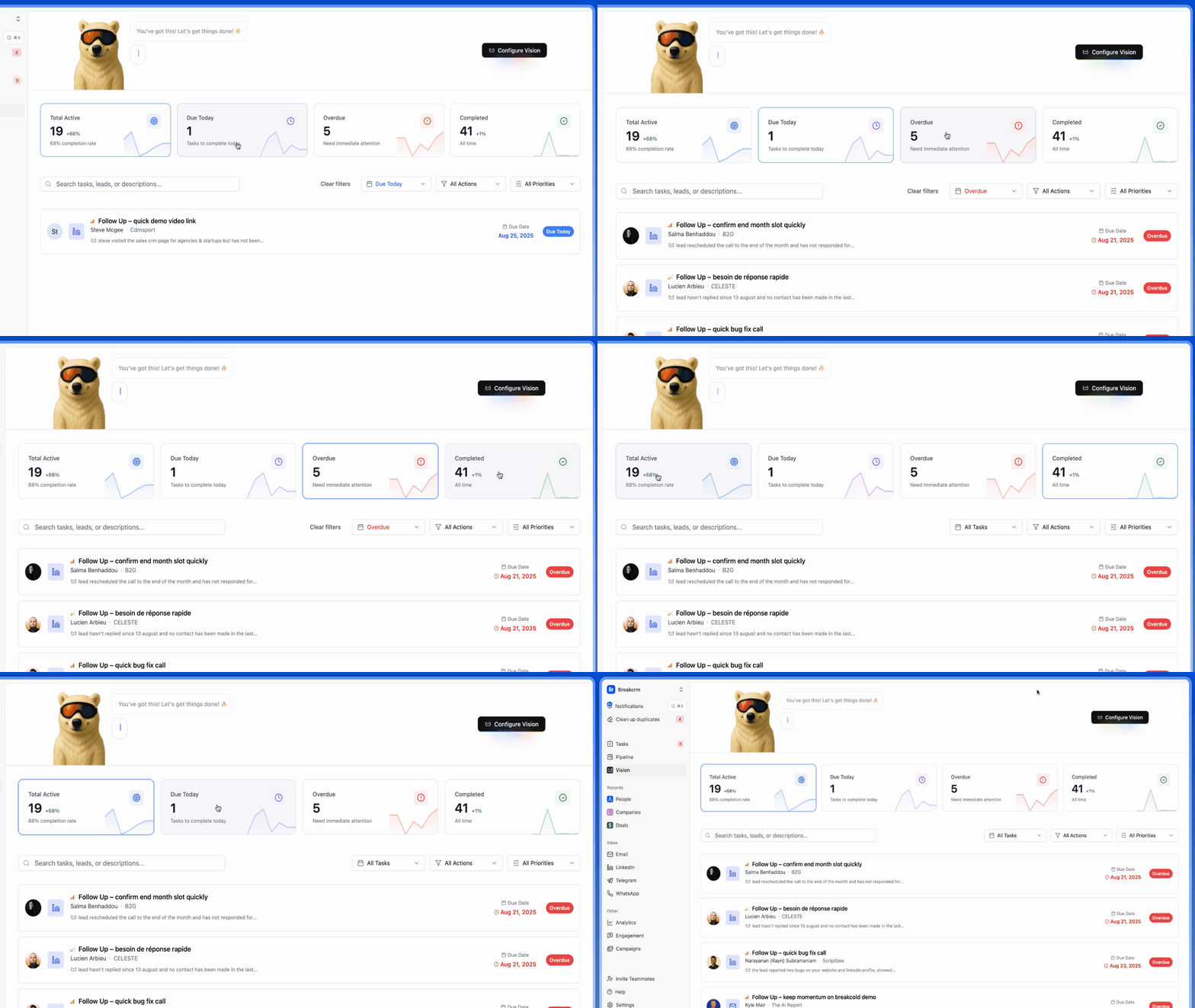
Smart Recommendations – Instead of just showing you data, the dashboard suggests your next best action, like which leads to follow up with first.
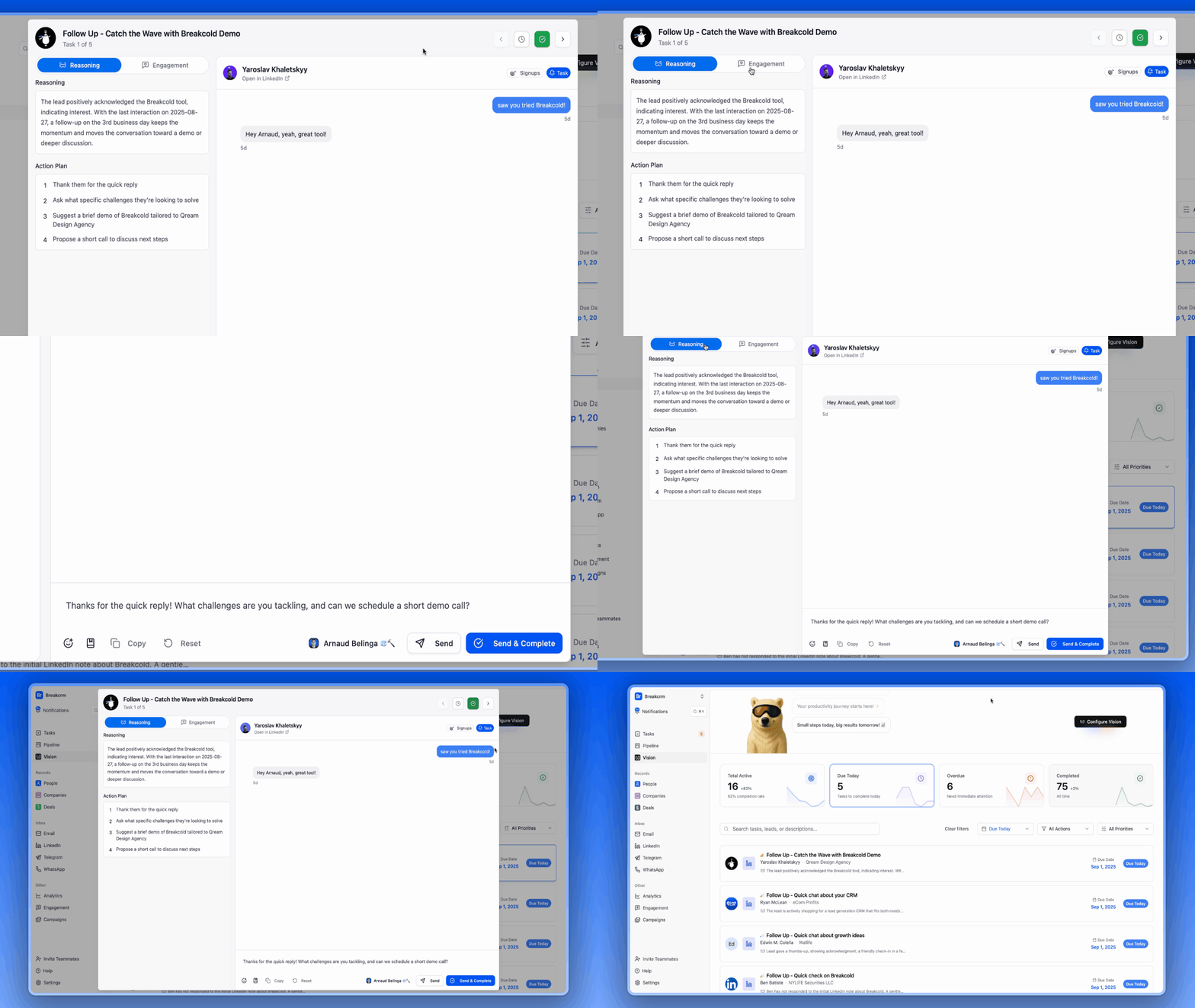
Breakcold gives you a quick action plan for each lead — along with the “why” behind the task, so you know exactly what matters most.
Did You Know? With Breakcold, you don’t just get follow-up reminders — you get AI-powered next-message suggestions that sound just like you. |
|---|
AI Personalities – Your dashboard can adapt its “voice” depending on your style. Whether you prefer concise summaries, motivational nudges, or deep-dive analytics, the AI adjusts how it presents insights.
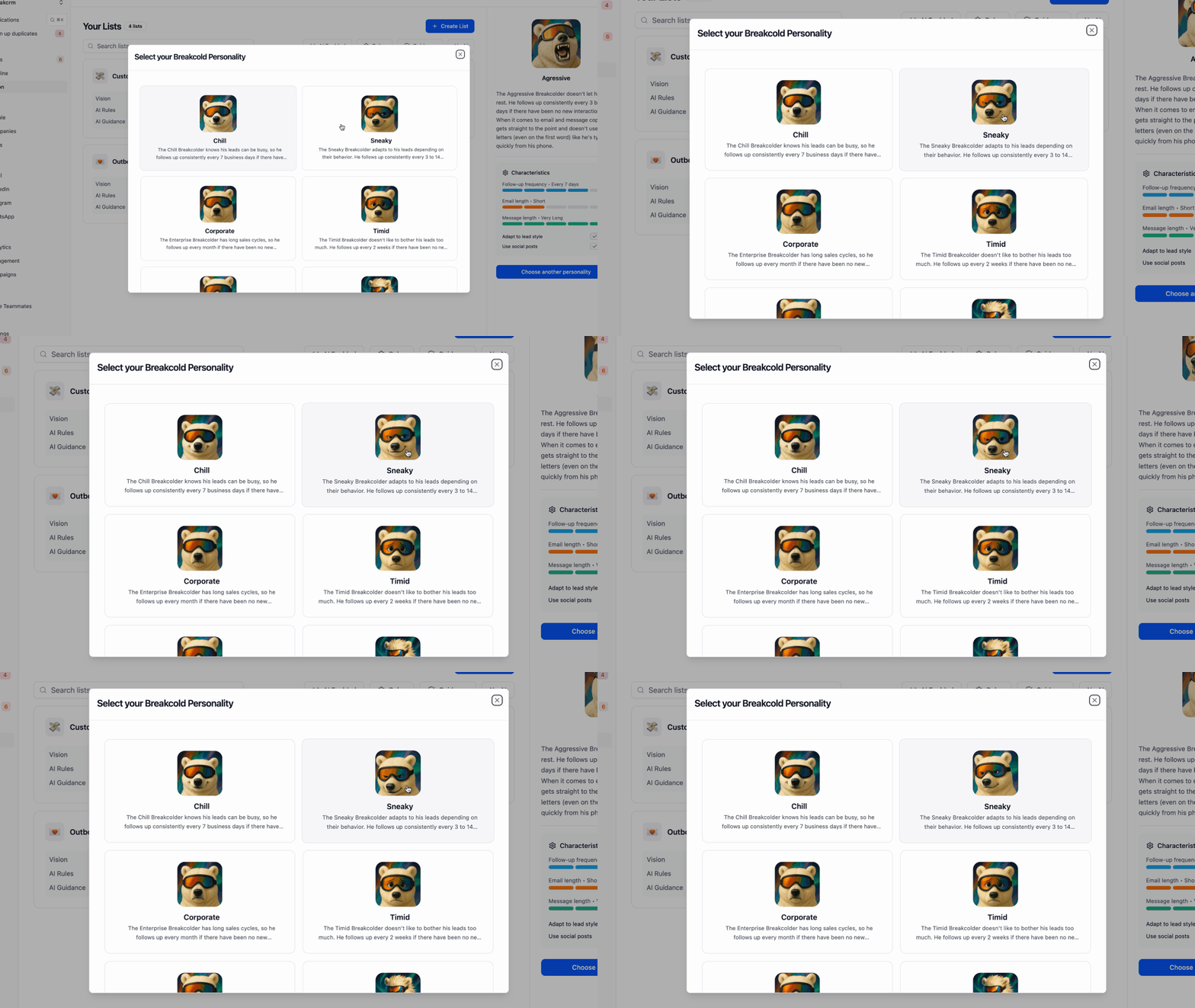
Fun Fact! If the current selection of AI Personalities doesn't match up with your business needs you can create one from scratch and Breakcold will create an AI-generated image to match. |
|---|
The result? A CRM dashboard that’s action-oriented, adaptive, and built for the way modern teams work.
🏆 Top CRM Software with Great Dashboards in 2026
While some CRM Dashboards are clunky, outdated, or too complex for everyday use — others give you the clarity and insights you need to actually close deals faster. Below are some of the best CRM software with standout dashboards in 2026:
🥇 1. Breakcold (AI-Native Dashboard Features)
Summary
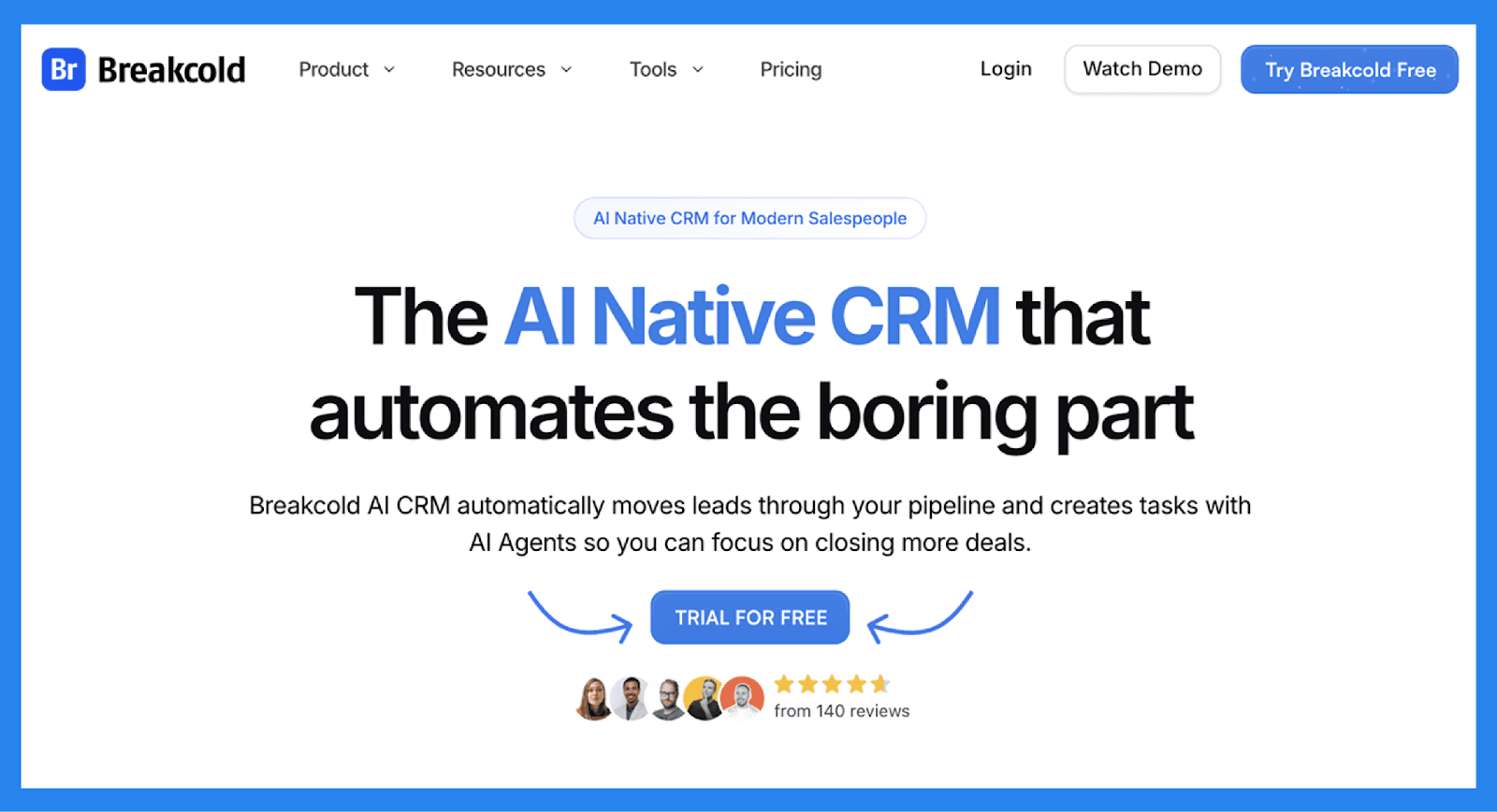
Breakcold takes dashboards to the next level with its AI-native approach. Instead of static charts, you get an adaptive dashboard powered by AI personalities that highlight the metrics most relevant to you. From pipeline health to deal velocity, Breakcold makes it easier to prioritize leads, forecast revenue, and act on real-time insights. Perfect for sales teams that want a dashboard that thinks with them, not just at them. As the AI-Native CRM, Breakcold also connects to Claude and ChatGPT so AI agents can read and update your CRM directly.
Key Features | |
|---|---|
Vision Builder – Create automated workflows with a simple text prompt or short voice note. No technical skills required, just describe what you want, and Breakcold builds it for you. AI-Powered CRM Dashboard – A self-updating dashboard that highlights your most important tasks so you always know what to focus on. AI Contact Management – Automatically organizes leads into the right lists and groups by analyzing your conversations, notes, and activities. AI Personalities (AI Agents) – Choose an AI personality aligned with your business goals. Your dashboard then adapts, serving you daily tasks tailored to that persona. AI Reasoning – Every suggested task comes with context, so you’ll know exactly why it’s important and why it matters today. AI-Suggested Messages – Get personalized next-message suggestions that match both your tone of voice and your AI personality. AI Rules – Add rules to each step of your workflow for deeper customization and smarter automation. AI-Powered Contact Deduplication – Automatically identifies and merges duplicate contacts, eliminating hours of manual data cleanup and keeping your CRM lean and accurate. Advanced Data Enrichment – Powered by BetterContact, Breakcold now uses waterfall enrichment to surface verified B2B emails and phone numbers, enhancing the quality and precision of your outreach. AI Notetaker – Breakcold integrates with tools like Otter, Fireflies, TL;DV, and Fathom to auto-generate and log call summaries directly into the CRM, complete with transcript links and follow-up tasks based on what was discussed. All-in-One Unified Inbox – Manage conversations from LinkedIn, email, WhatsApp, and Telegram in one place, so you can respond faster and never miss a follow-up. Social Engagement Stream – Like, comment, and engage with your leads’ posts without leaving the CRM, build relationships through meaningful and consistent interactions. | |
Ratings | |
G2 - 4.8/5 | Capterra - 4.9/5 |
Pros | Cons |
AI-native dashboard that surfaces your next best action with reasoning. AI agents move leads, assign tags, and create follow-up tasks on their own. Native MCP server (~54 tools) so Claude, ChatGPT, and Cursor can read and update the CRM. Built-in meeting and call recorder plus unlimited enrichment. Unified inbox for email, LinkedIn, WhatsApp, Telegram, and calls. | Limited advanced reporting capabilities compared to other CRMs. No dedicated customer objects (though custom fields are supported). 20+ native integrations, with more on the way. |
Pricing Plans
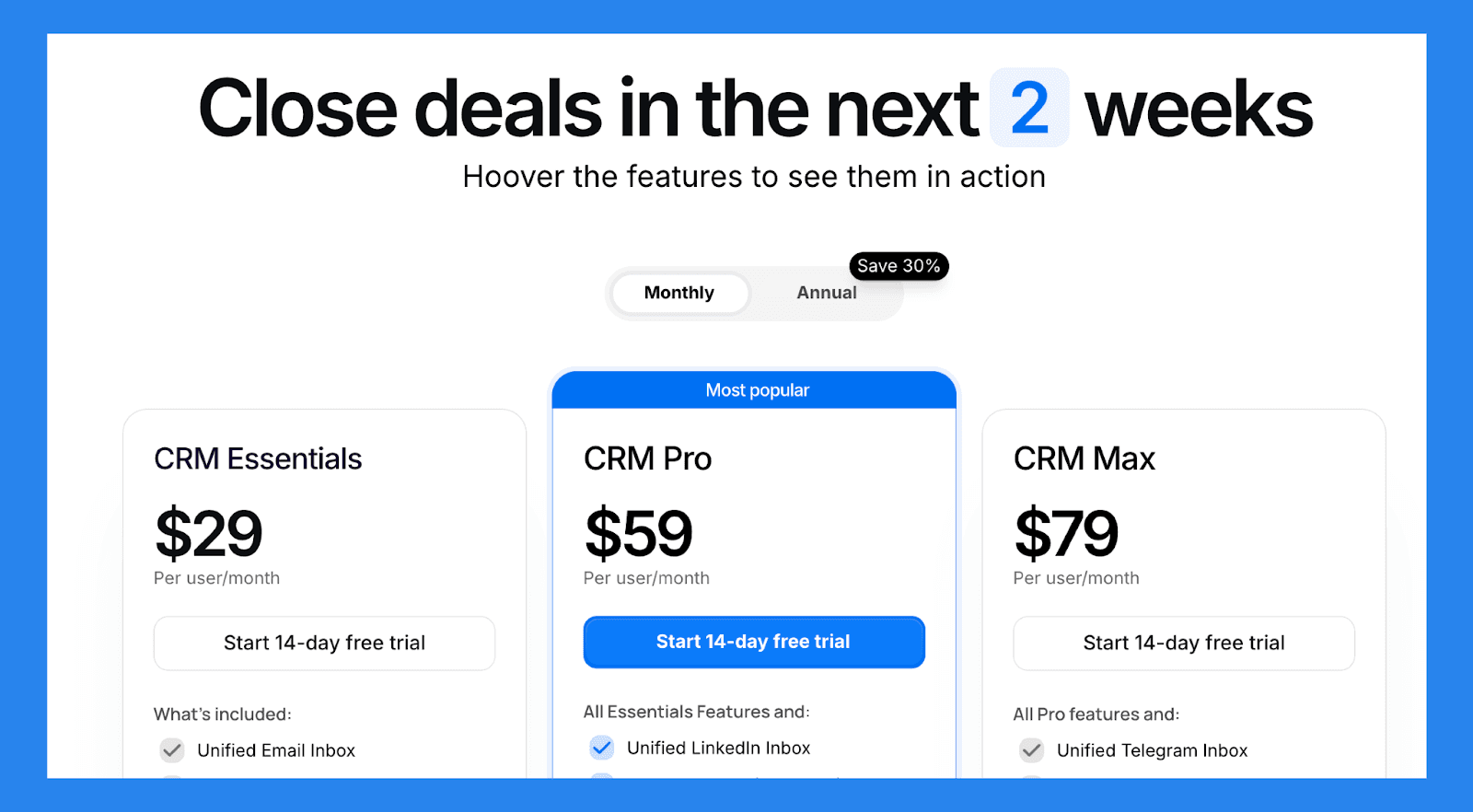
Breakcold has a single, simple plan. See the full breakdown on the pricing page.
The Only Plan |
|---|
$99/mo |
What's included: 1 seat 2 connected accounts 1,500 AI tokens/mo Unlimited person and company enrichment Token-based system for AI and enrichment Extra seat +$10/mo, extra connected account +$10/mo 14-day free trial, no credit card required |
A team of 5 on Breakcold is $139/mo, where Attio, Pipedrive and HubSpot Sales Hub run about $500/mo for 5 seats with similar features.
🥈 2. HubSpot CRM (Free + Customizable Dashboards)
Summary
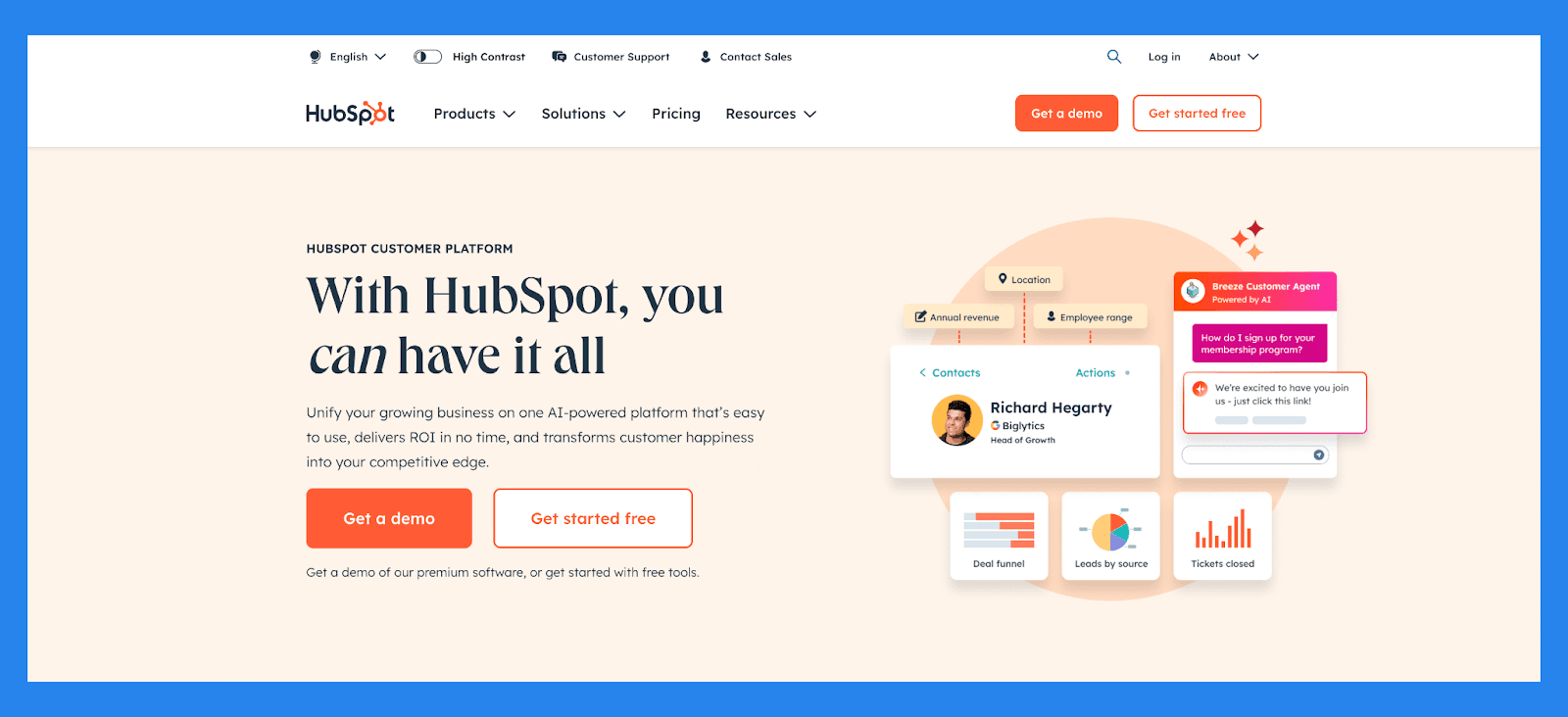
HubSpot offers one of the most user-friendly CRMs with free customizable dashboards. You can pull in sales, marketing, and service data in one place, making it a great option for growing businesses. Its drag-and-drop dashboard builder makes customization simple, and the free plan is a huge plus for startups.
Key Features | |
|---|---|
Contact Management – Automatically enrich and organize lead data with full activity timelines and engagement history Deal & Pipeline Management – Visualize and customize your lead stages to track progress from initial interest to closed deal Lead Scoring & Segmentation – Automatically prioritize leads based on behavior, demographic fit, and engagement level Email Tracking & Sequences – Track opens, clicks, replies, and automate follow-ups based on lead actions Form & Chatbot Lead Capture – Convert website visitors into leads with dynamic forms, chat, and pop-ups AI-Powered Insights – Identify bottlenecks in the sales funnel and surface high-converting channels Marketing-to-Sales Handoff – Seamlessly pass qualified leads between teams with shared data and workflows | |
Ratings | |
G2 - 4.4/5 (12,404) | Capterra - 4.5/5 (4362) |
Pros | Cons |
User-friendly interface, ideal for those who aren’t tech-savvy Clean, intuitive platform that’s easy to navigate Flexible pricing plans with customizable options Serves as a reliable single source of truth for customer data All-in-one platform that combines marketing, sales, and service tools | Pricing may be prohibitive for solopreneurs or very small businesses Some users report a learning curve during onboarding Automation features can be rigid, limiting customization Reporting tools lack depth for advanced analytics |
Pricing Plans
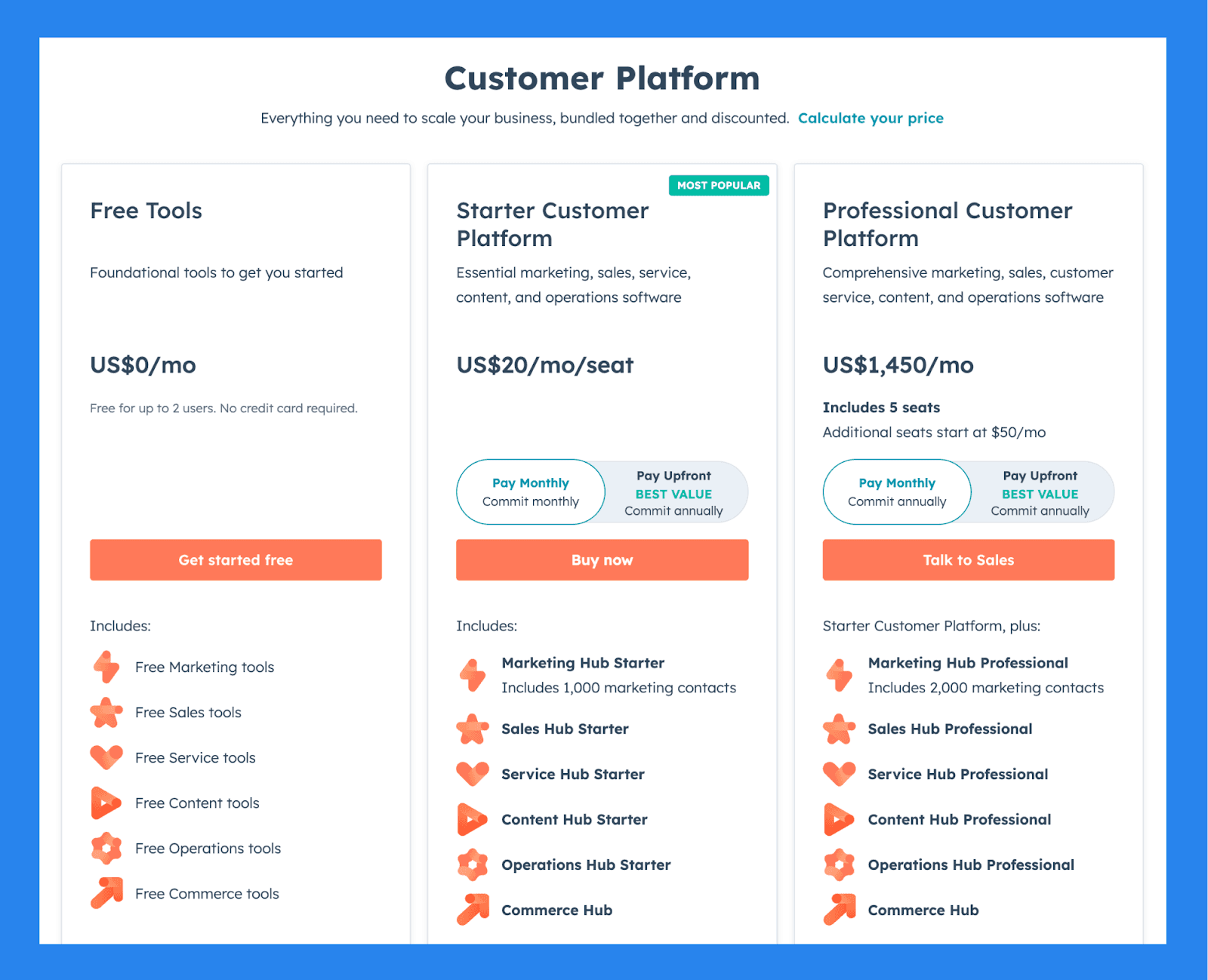
For Individuals & Small Teams
Free Tools | Starter Customer Platform | Professional Customer Platform |
|---|---|---|
$0/mo | $20/user/mo | $1,450/mo |
Includes: Free for up to 2 users No credit card required Free Marketing tools Free Sales tools Free Service tools Free Content tools Free Operations tools Free Commerce tools | Includes: Marketing Hub Starter Includes 1,000 marketing contacts Sales Hub Starter Service Hub Starter Content Hub Starter Operations Hub Starter Commerce Hub | Starter Customer Platform, plus: Includes 5 seats Additional seats start at $50/mo Marketing Hub Professional Includes 2,000 marketing contacts Sales Hub Professional Service Hub Professional Content Hub Professional Operations Hub Professional Commerce Hub |
🥉 3.Pipedrive (Visual Pipeline-Focused Dashboard)
Summary
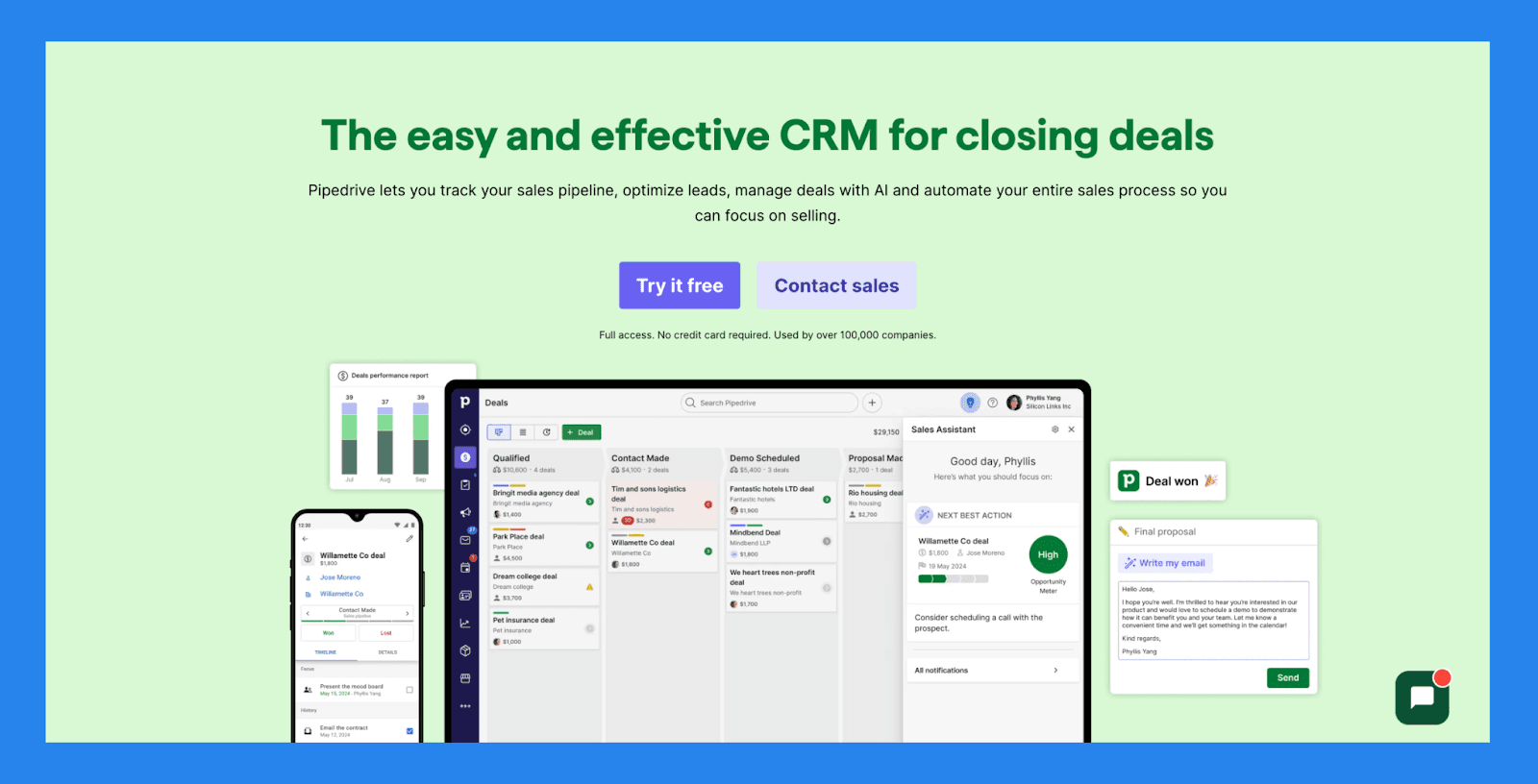
Pipedrive is all about visual sales pipelines. Its dashboards are clean, intuitive, and designed to keep sales reps laser-focused on moving deals forward. For teams who want a CRM that doubles as a pipeline management tool, Pipedrive’s dashboard makes tracking progress straightforward and visually engaging.
Key Features | |
|---|---|
AI Deal Guidance – Leverage intelligent prompts and win probability scores based on real-time CRM activity to focus on the deals that matter most. Custom Forecasting & Sales Reports – Build tailored dashboards to analyze revenue trends, deal health, and conversion rates — all in one place. Performance Dashboards & Goal Tracking – Set sales targets and track rep or team performance visually, making it easy to stay aligned and motivated. Visual Pipeline Control – Move deals through stages with drag-and-drop simplicity, schedule next actions, and get real-time visibility into deal momentum. Lead Progress Monitoring – Monitor each lead’s journey from initial contact to conversion, assign follow-ups, and prioritize outreach based on lead quality. Sales Task Automation – Cut down on repetitive tasks with smart workflows that handle data entry, email reminders, and pipeline updates automatically. AI Sales Productivity Suite – Access built-in tools like email writing assistance, summary generation, and LeadBooster to streamline prospecting. Extensive App Integrations – Sync with 350+ tools—including Gmail, Slack, Zoom, Klenty, and Wingman—to create a truly connected sales tech stack. Mobile CRM Functionality – Manage your pipeline, respond to leads, and access reports from anywhere with full-featured mobile access. | |
Rating | |
G2 - 4.3/5 (2,445) | Capterra - 4.5/5 (3047) |
Pros | Cons |
Well-structured onboarding materials, including FAQs and videos Offers a wide range of integrations with third-party tools Strong automation and AI features that boost productivity Quick and easy setup with minimal learning curve | User interface can feel dated or unintuitive for some users No free plan available — paid tiers start quickly Customer support can be slow or inconsistent. No native LinkedIn integration for lead importing Some users report occasional bugs and performance issues |
Pricing Plans
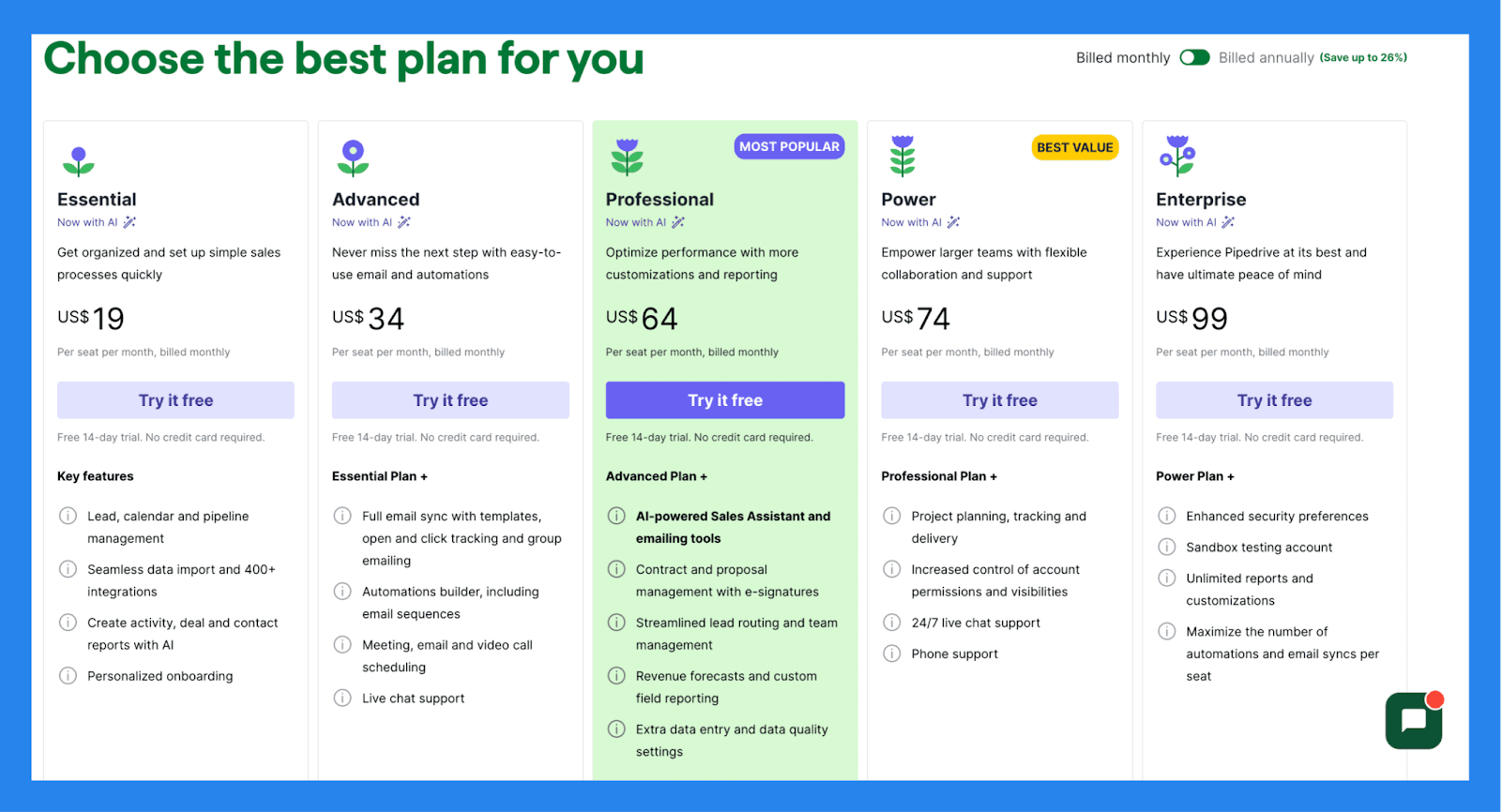
Essential | Advanced | Professional |
|---|---|---|
$19/user/mo | $34/user/mo | $64/user/mo |
Key features: Lead, calendar and pipeline management Seamless data import and 400+ integrations Create activity, deal and contact reports with AI Personalized onboarding | Essential Plan + Full email sync with templates, open and click tracking and group emailing Automations builder, including email sequences Meeting, email and video call scheduling Live chat support | Advanced Plan + AI-powered Sales Assistant and emailing tools Contract and proposal management with e-signatures Streamlined lead routing and team management Revenue forecasts and custom field reporting Extra data entry and data quality settings |
📖 CRM Dashboard Best Practices
A CRM dashboard is only as powerful as the way your team uses it. To get the most value, here are some best practices to follow:
Do your CRM tasks – Think of your dashboard as your command center. If it says you have follow-ups, do them. The dashboard only works if you act on it.
Keep dashboards focused – Avoid clutter by only tracking the KPIs that truly matter. Too many widgets can overwhelm your team instead of helping them.
Use role-based dashboards – Sales, marketing, and customer success teams don’t all need the same view. Tailor dashboards so each team sees the most relevant data.
Update KPIs regularly – Business goals evolve, and so should your dashboards. Review and refresh your tracked metrics to make sure they align with current objectives.
Automate reporting where possible – Save time by letting your CRM automatically update charts, forecasts, and activity summaries.
Review dashboards in team meetings – Make your dashboard a living part of your workflow by reviewing it together. This keeps everyone aligned and accountable.
When used effectively, a CRM dashboard becomes more than a reporting tool—it becomes the daily driver for decision-making and collaboration.
💡 Final Thoughts
A CRM dashboard is more than just pretty charts — it’s the engine room of your sales, marketing, and customer success efforts. When designed well, it reduces tool-switching, improves alignment, and helps your team make smarter decisions in real time.
If you’re still working off spreadsheets or clunky reports, now is the time to try a CRM with customizable dashboards. The right dashboard can give your team clarity, confidence, and the insights they need to hit targets consistently.
👉 Explore Breakcold’s AI-powered CRM dashboard to see how it can transform your sales and customer relationships.
Frequently asked questions

Written by
Arnaud Belinga · Co-Founder & CEO at Breakcold
Arnaud is the Co-Founder & CEO of Breakcold, the AI Native CRM for sales teams of 5 to 30+ people.