



CRM Data Enrichment in 2026: 11 Best Tools Ranked
The 11 best CRM data enrichment tools in 2026, from CRMs with enrichment built in like Breakcold to standalone apps like Apollo and Clay.
TL;DR: The fastest path to clean, enriched CRM data in 2026 🏆
🏆 Breakcold: the AI Native CRM for sales teams of 5 to 30+ people, and the only CRM here with enrichment built in. 50+ people and company data points free and unlimited, plus email and phone waterfall, with AI agents that handle the admin and native Claude and ChatGPT support via MCP. At 5 seats Breakcold is $139/mo, where a traditional CRM runs $300 to $500/mo.
🟠 HubSpot Breeze Intelligence: strong real-time enrichment powered by Clearbit, but you pay per seat, per hub, and per enrichment credit.
🟢 Zoho with Zia: solid AI-suggested enrichment if you already live inside the Zoho suite.
🔵 Standalone apps: Findymail, Apollo, ZoomInfo, Clay and Cognism still win for very large or specialized data pulls.
🟣 The real question: native enrichment inside your CRM, or a separate tool you sync. For most teams of 5 to 30, native wins on cost and simplicity.
How many hours have you spent digging through LinkedIn or company websites just to find a lead's email or confirm their job title, only to end up with outdated info or a bounced message? Manual prospecting slows you down, drains your focus, and makes it harder to hit your targets. Even with a solid lead list, you are often stuck guessing whether the data you have is accurate or relevant.
That is where data enrichment makes the difference. Instead of starting from scratch, enrichment tools automatically enhance your CRM records with real-time, verified details like role changes, company size, tech stack, and more. It turns raw leads into full profiles, so you spend less time researching and more time reaching out with confidence.
The big shift in 2026: you no longer need to bolt a separate enrichment tool onto your CRM. Breakcold now ships data enrichment built in. You can enrich 50+ data points on people and companies for free and unlimited, then layer on email and phone waterfall enrichment when you need verified contact details. Below we cover both the CRMs with native enrichment and the standalone enrichment apps, so you can decide what actually fits your workflow.
🧩 What Is Data Enrichment?
Loading YouTube sends it your IP address and may enable cookies. This applies to this content only.
Data enrichment is the process of improving your existing data by adding relevant, third-party information: making it more complete, accurate, and actionable. Rather than just collecting more data, enrichment focuses on enhancing what you already have by layering on useful context, such as job titles, industry, company size, tech stack, or social media activity.
This process is critical for any business that relies on data to drive growth across departments. Here’s how enriched data makes a difference:
For sales teams: Add firmographic details like company size, industry, and job titles to qualify leads faster and prioritize outreach.
For marketers: Use demographic or behavioral data to build smarter segments and deliver more personalized campaigns.
For ops and data teams: Standardize formats, fill in missing fields, and keep records up to date to maintain data integrity.
Data enrichment ensures your CRM isn’t just full of names: it’s full of useful, actionable insight.
🔍 Why Data Enrichment Matters** **
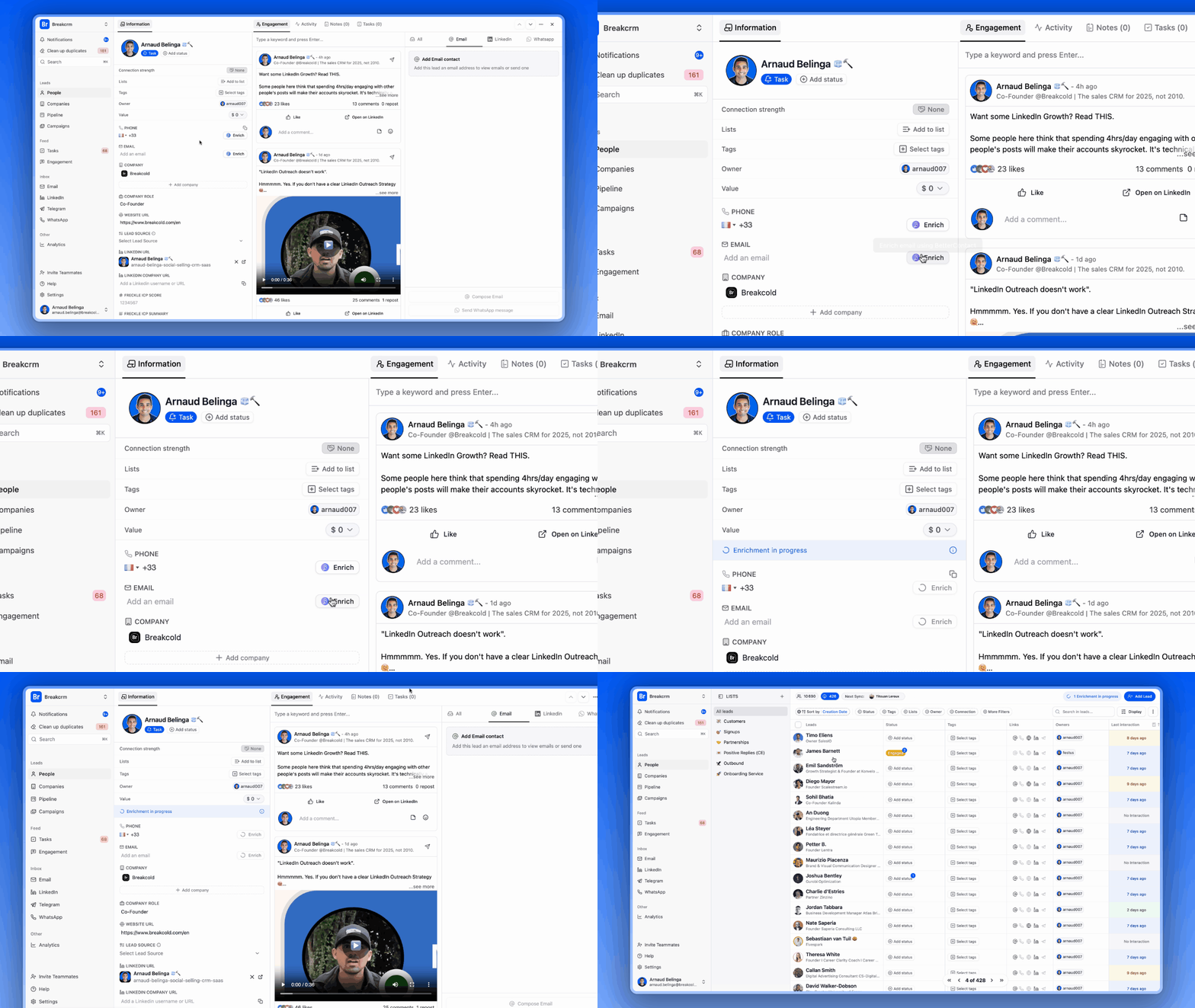
Enriching your data isn't just about filling in the blanks: it directly impacts how effectively your business can operate, engage, and grow. Here's why it matters:
🎯 Improved Personalization & Segmentation
With deeper insights into demographics, behavior, and firmographics, you can segment more precisely and tailor messaging that actually resonates.🚦 Better Lead Scoring & Routing
Accurate data helps prioritize high-value leads and route them to the right rep, reducing time wasted on poor-fit prospects.📊 Smarter Decisions & Analytics
Enriched data gives leadership a clearer picture: whether you’re launching a campaign, expanding into new regions, or optimizing sales strategies.🧹 Less Data Decay, More Accuracy
Job titles change. Companies grow. People move. Enrichment ensures your records stay fresh and reliable, so you’re not acting on outdated info.
In short, better data leads to better decisions, and stronger results across sales, marketing, and customer success.
🧼 Data Enrichment vs. Data Cleansing
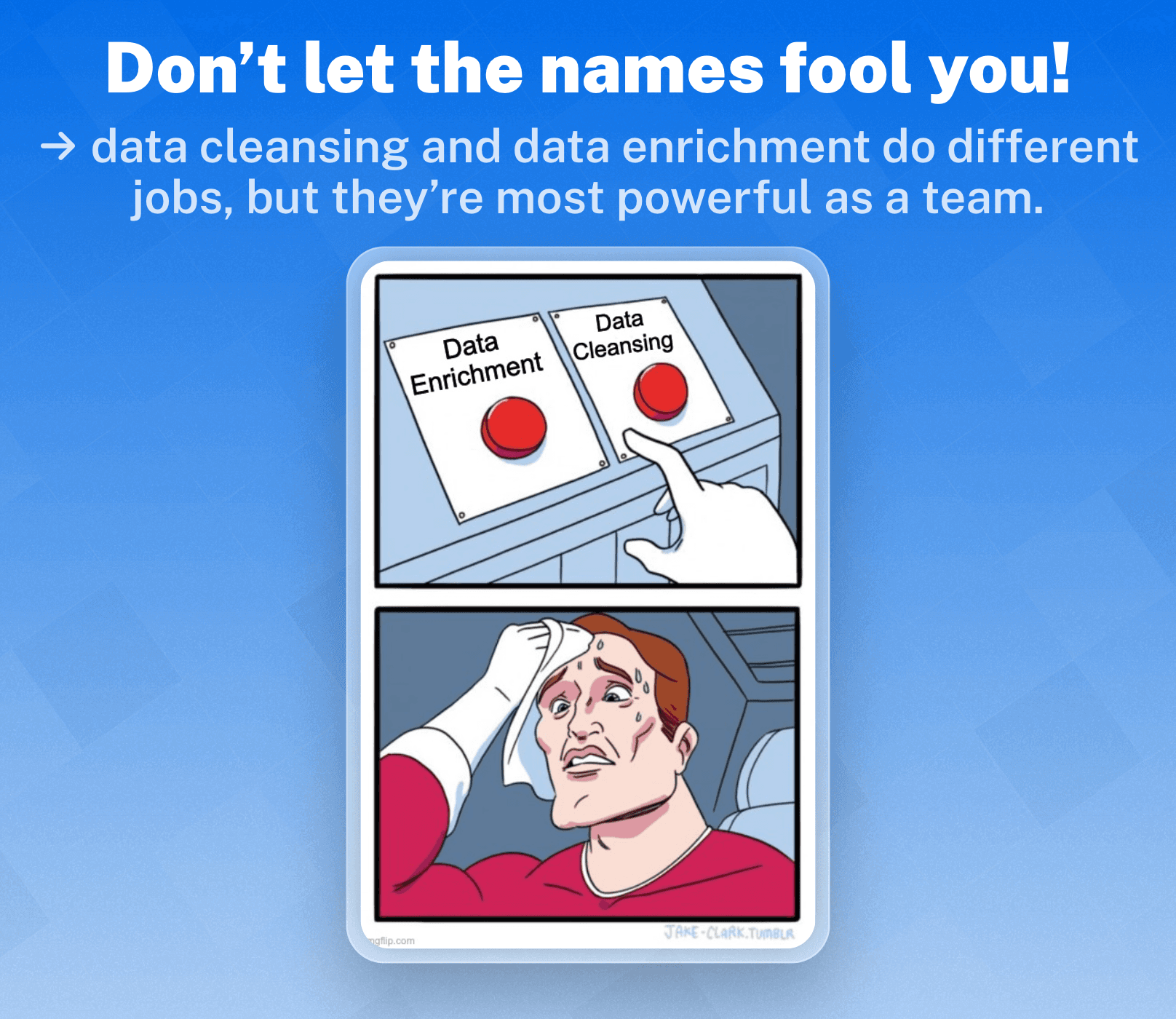
While they share the same goal of cleaner data, data cleansing and data enrichment serve very different functions.
🔍 Key Differences
Data cleansing removes or corrects inaccurate, outdated, or duplicate data. The goal is to improve data quality and reliability, and it usually happens before enrichment as part of routine maintenance: fixing email typos, removing duplicate entries.
Data enrichment adds new, relevant information from external sources. The goal is to add context and depth to existing records, and it happens after cleansing or continuously in real time: adding job titles, company size, tech stack, social profiles.
⚖️ Why Both Are Important
Cleansing ensures your CRM isn’t cluttered with bad or irrelevant data. As part of cleansing, performing Sensitive Data Discovery and Classification ensures sensitive information is located and labeled, so enrichment can build on a secure and compliant foundation.
Think of cleansing as tidying your room, and enrichment as furnishing it with everything you need to do your job better. For best results, both should be part of your ongoing data hygiene strategy.
⚡ Top Native CRM Data Enrichment Tools
Choosing the right CRM with built-in data enrichment capabilities can save your sales and marketing teams valuable time while keeping your data accurate and actionable. Here’s a look at some of the top CRMs that offer native or integrated enrichment features to help you get the most out of your customer data.
🥇 Breakcold: The Best AI-Native Sales CRM With Built-In Data Enrichment
Summary
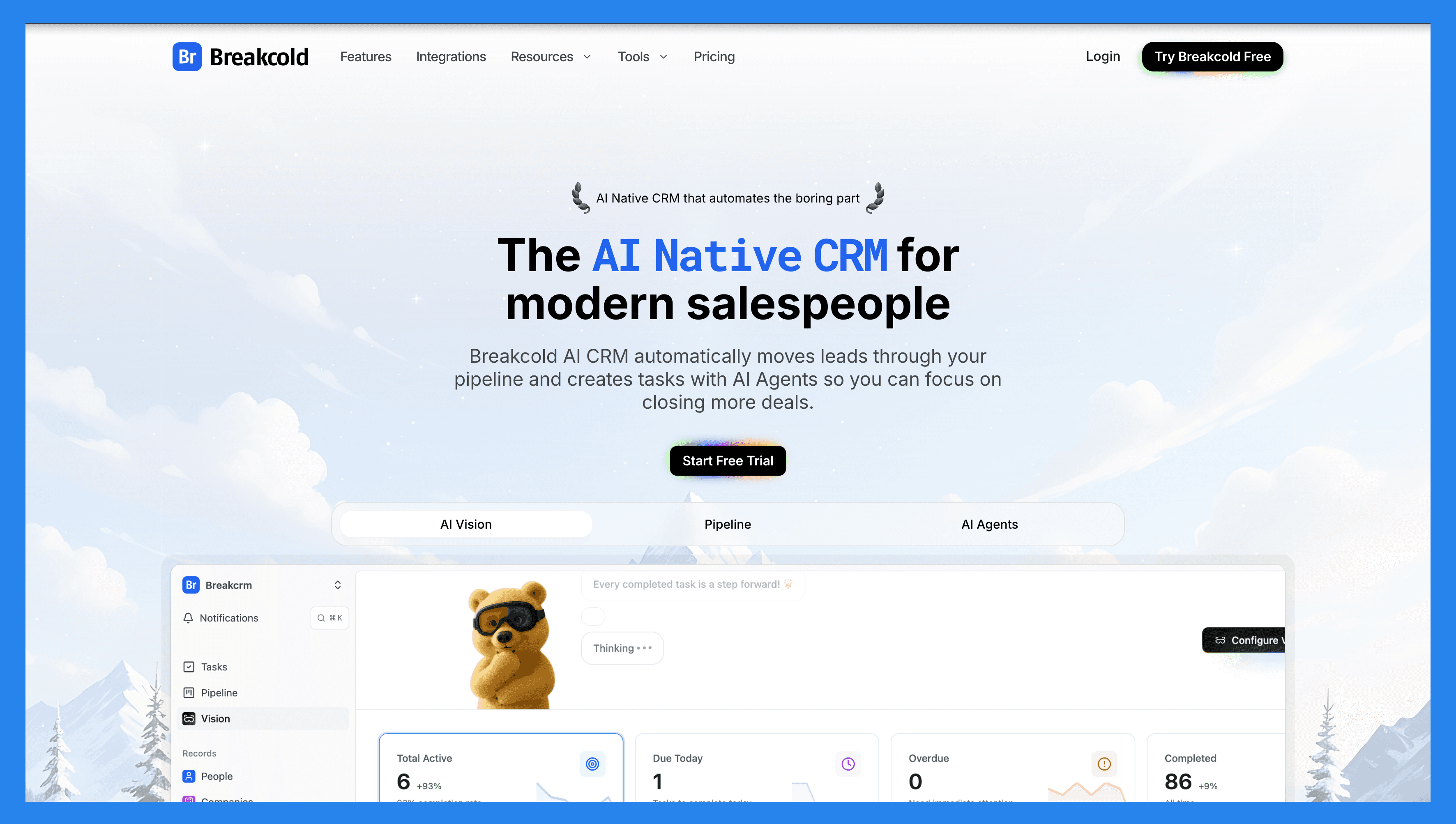
In 2026, closing deals takes more than a CRM. It takes an AI-native sales companion that keeps your data clean without the manual effort. Breakcold is the AI Native CRM for sales teams of 5 to 30 people, a platform that automates lead management, enriches contacts in real time, and suggests the next best action for every prospect.
The big update for this list: enrichment is now built into Breakcold natively. You no longer need to bolt on a separate tool like ZoomInfo or Apollo just to fill in missing fields. Breakcold lets you enrich 50+ data points on people and companies for free and unlimited, then run email and phone waterfall enrichment (powered by BetterContact, Apollo.io, Findymail and Wiza) when you need verified contact details. No guesswork, no outdated records, just clean data ready to convert.
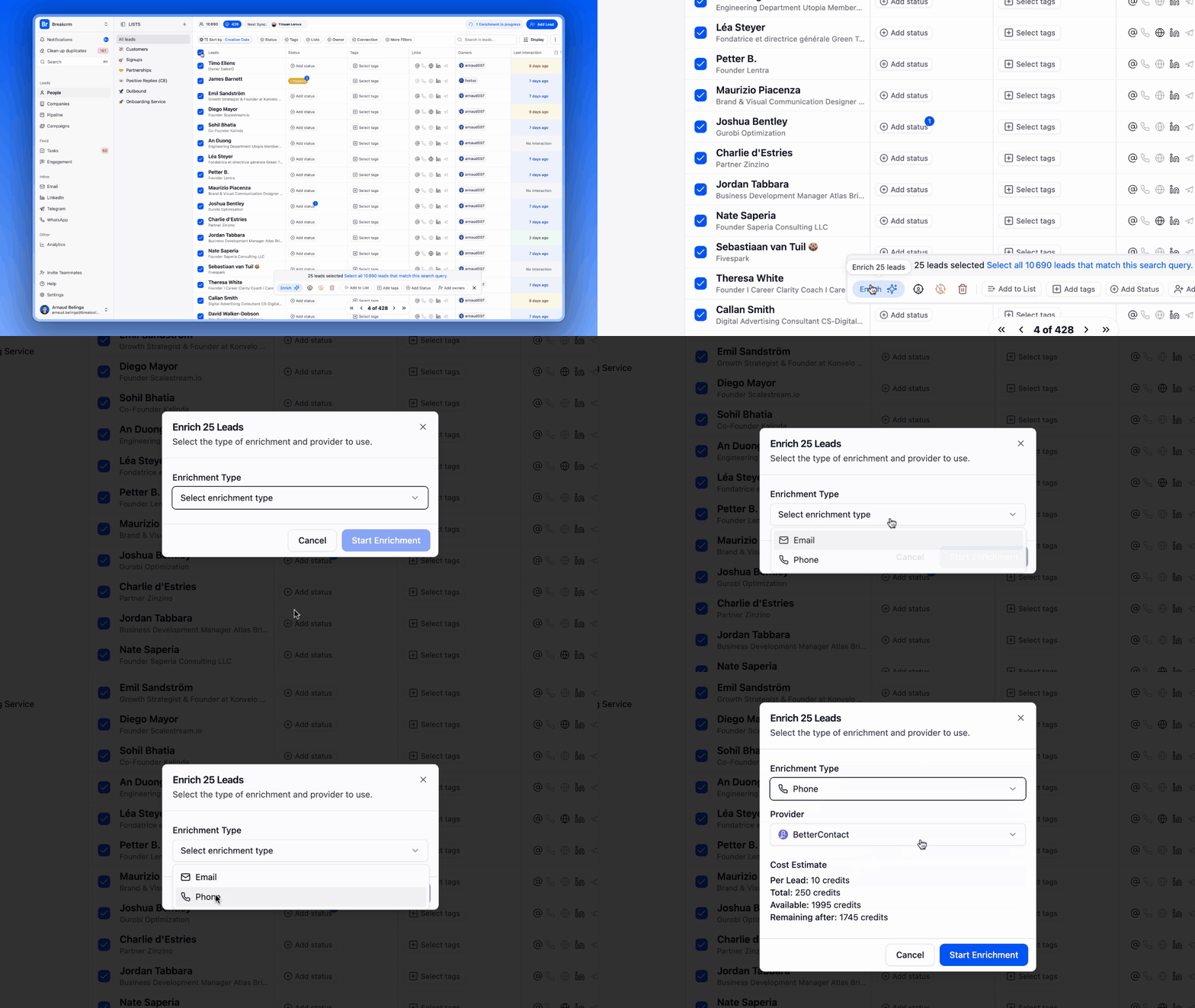
Built-In Enrichment, In Plain Numbers
This is where Breakcold pulls ahead of almost every other CRM in this list. Most of them sell enrichment as a separate add-on, often around $100/mo on top of your seats. Breakcold bundles it:
People and company enrichment: 50+ data points (job title, company size, industry, tech stack, socials) enriched free and unlimited. It never costs tokens.
Email waterfall enrichment: verified work emails pulled across multiple providers, roughly 10 tokens per request.
Phone waterfall enrichment: verified mobile numbers, roughly 80 tokens per request.
Always fresh: enrichment keeps records current as people change roles and companies grow, so you are not acting on stale data.
Key Features
Built-In Data Enrichment: surfaces verified emails and phone numbers via waterfall enrichment, plus unlimited people and company data points, all without leaving the CRM.
Vision Builder: create automated workflows with a simple text prompt or a short voice note. No technical skills required.
AI Agents: choose a default AI personality or build a custom one that sets the frequency of CRM tasks and suggested follow-ups.
AI Contact Management: automatically scores and organizes leads into the right lists by analyzing conversations, notes, and activity.
AI Contact Deduplication: merges duplicates automatically, saving hours of cleanup.
AI Notetaker: integrates with Otter, Fireflies, TL;DV and Fathom to log call summaries, transcripts, and follow-up tasks.
All-in-One Unified Inbox: manage LinkedIn, email, WhatsApp and Telegram conversations in one place, so you respond faster and never miss a follow-up.
Sales Pipeline Management: customizable pipelines with clear visibility into lead scoring impact.
Ratings: G2 4.7/5 (116) · Capterra 4.8/5 (93).
Pros
AI-native CRM with enrichment and automation built in, so you skip a separate data tool entirely.
Unlimited AI actions on leads, no credit-based restrictions.
One unified interface for email, phone, and social (LinkedIn, WhatsApp, Telegram).
Custom objects, custom fields, pipelines and relations, without needing a specialist to configure them.
Responsive, reliable support with strong onboarding resources (how-to videos, flowcharts, best practices).
Cons
Advanced reporting is lighter than legacy enterprise CRMs.
The native integration library is still growing, though the core channels are all covered.
Pricing
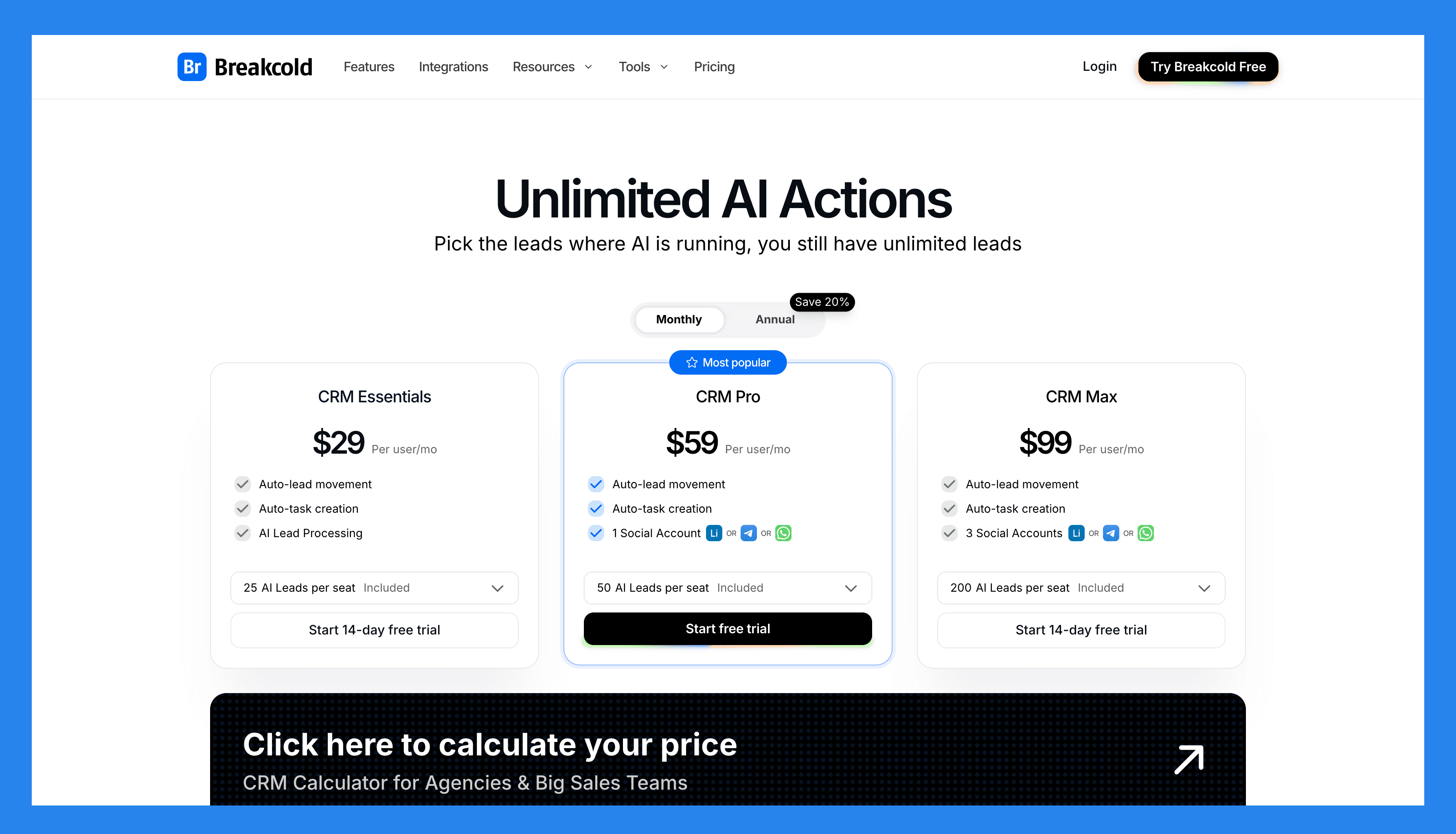
Breakcold dropped the multi-tier model for one simple plan:
The Only Plan ($99/mo): 1 seat and 2 accounts included, meeting recorder, email and phone waterfall enrichment, unlimited people and company enrichment, Claude and ChatGPT integrations, the multichannel inbox, auto-sync across Gmail, Outlook, LinkedIn, Telegram and WhatsApp, plus unlimited contacts, pipelines, custom objects and fields.
Extra seats: +$10/mo each, not +$59 like most CRMs.
Extra accounts: +$10/mo each, so adding a LinkedIn, Telegram or WhatsApp channel does not cost a $39 to $59 integration add-on.
A team of 5 lands at $99 + 4 x $10 = $139/mo with enrichment included. A team of 5 on Breakcold is $139/mo, where Attio, Pipedrive and HubSpot Sales Hub run about $500/mo for 5 seats with similar features. Run that math against a CRM that charges per seat, per integration, and per enrichment credit and the gap is hard to ignore. See how it compares for small teams under $100/mo.
Demo Video
Loading YouTube sends it your IP address and may enable cookies. This applies to this content only.
🥈 Hubspot / Breeze Intelligence: Best For Real-Time Data Updates
Summary
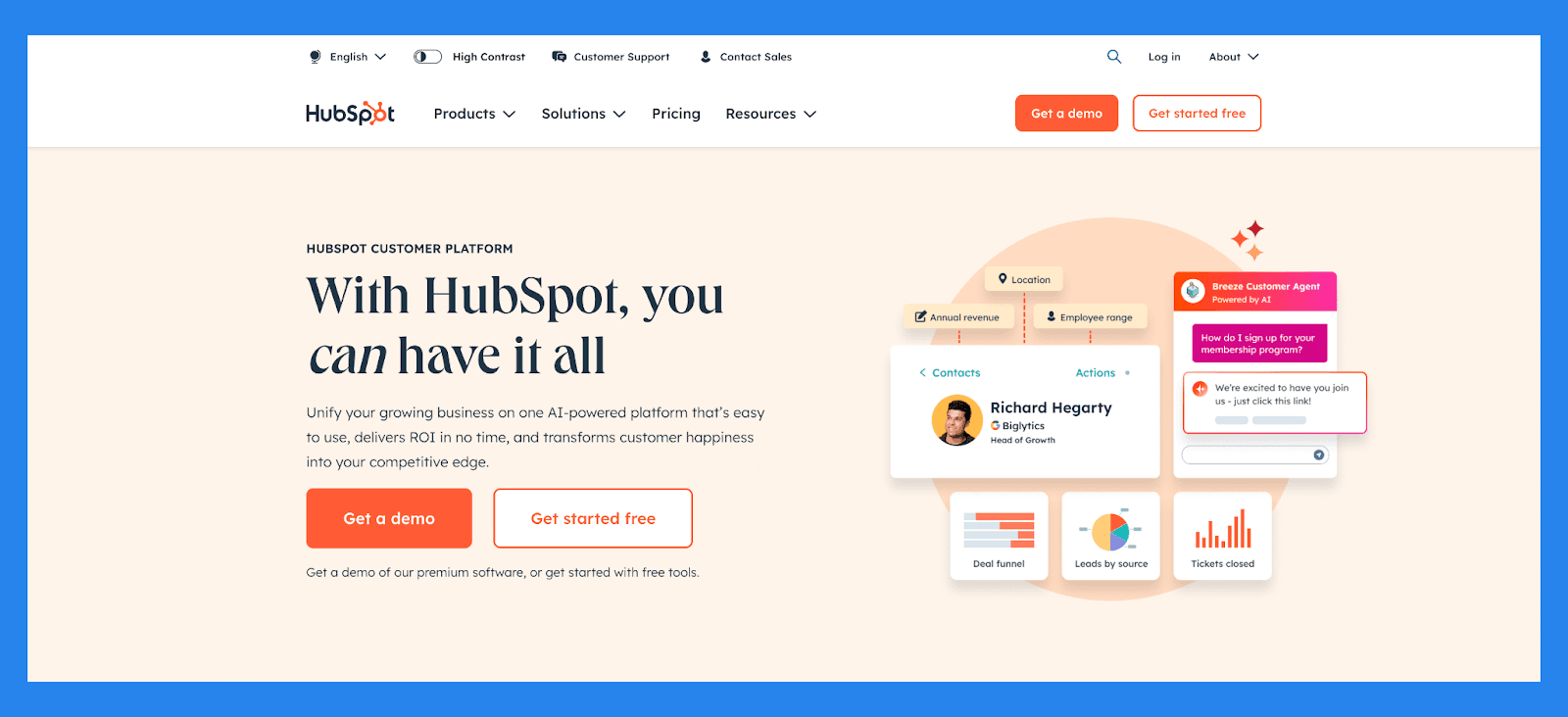
HubSpot isn’t just an all-in-one CRM: it’s a fully integrated growth platform that brings powerful data enrichment to your marketing and sales workflows. Leveraging Clearbit enrichment technology, HubSpot’s Breeze Intelligence can automatically populate missing fields in your contact and company records, keeping your data accurate, complete, and ready to act on.
Whether it’s updating stale contact info or enriching new leads the moment they submit a form, HubSpot ensures your CRM stays fresh without the manual work. You can even trigger automated lead scoring based on enriched data, helping reps prioritize high-intent leads faster. Combined with dynamic email personalization and smart landing page customization, HubSpot turns enriched data into real-time engagement.
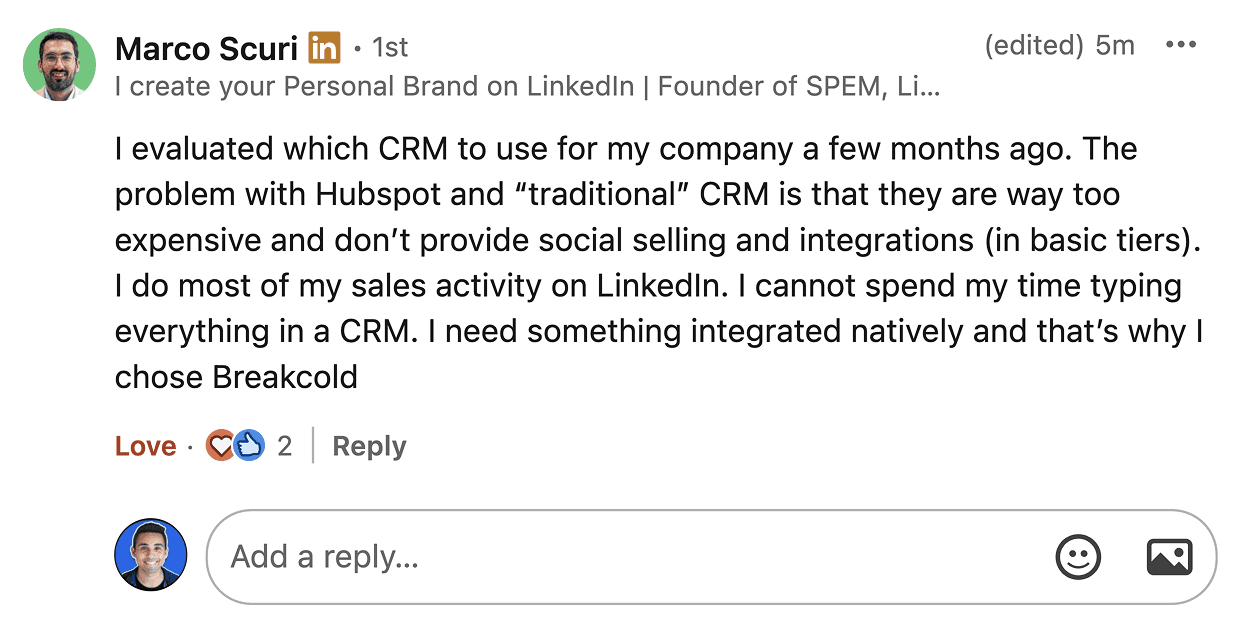
Marco Scuri summed up the HubSpot problem: too expensive, and LinkedIn selling plus integrations are gated behind higher tiers. The enrichment add-on is one more line on that bill.
Key Features
Contact Management: Automatically enrich and organize lead data with full activity timelines and engagement history
Deal & Pipeline Management: Visualize and customize your lead stages to track progress from initial interest to closed deal
Lead Scoring & Segmentation: Automatically prioritize leads based on behavior, demographic fit, and engagement level
Email Tracking & Sequences: Track opens, clicks, replies, and automate follow-ups based on lead actions
Form & Chatbot Lead Capture: Convert website visitors into leads with dynamic forms, chat, and pop-ups
AI-Powered Insights: Identify bottlenecks in the sales funnel and surface high-converting channels
Marketing-to-Sales Handoff: Seamlessly pass qualified leads between teams with shared data and workflows
Ratings: G2 - 4.4/5 (12,404) · Capterra - 4.5/5 (4362).
Pros
User-friendly interface, ideal for those who aren’t tech-savvy
Clean, intuitive platform that’s easy to navigate
Flexible pricing plans with customizable options
Serves as a reliable single source of truth for customer data
All-in-one platform that combines marketing, sales, and service tools
Cons
Pricing may be prohibitive for solopreneurs or very small businesses
Some users report a learning curve during onboarding
Automation features can be rigid, limiting customization
Reporting tools lack depth for advanced analytics
Pricing Plans
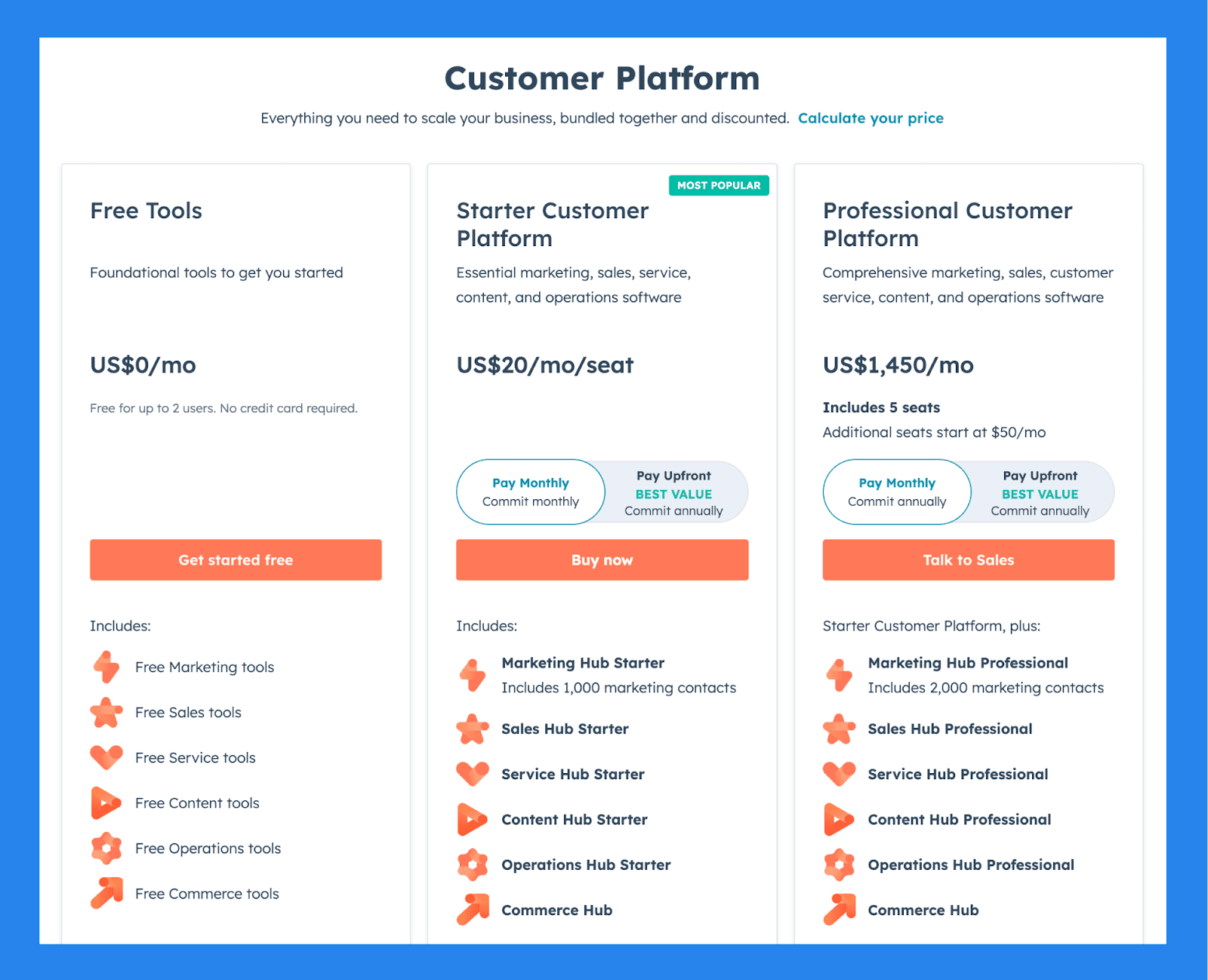
For Individuals & Small Teams
Free Tools ($0/mo): Free for up to 2 users, No credit card required, Free Marketing tools, Free Sales tools. Plus 4 more.
Starter Customer Platform ($20/user/mo): everything in Free Tools, plus Marketing Hub Starter, Sales Hub Starter, Service Hub Starter, Content Hub Starter. Plus 2 more.
Professional Customer Platform ($1,450/mo): everything in Starter Customer Platform, plus Additional seats start at $50/mo, Marketing Hub Professional, Sales Hub Professional, Service Hub Professional. Plus 2 more.
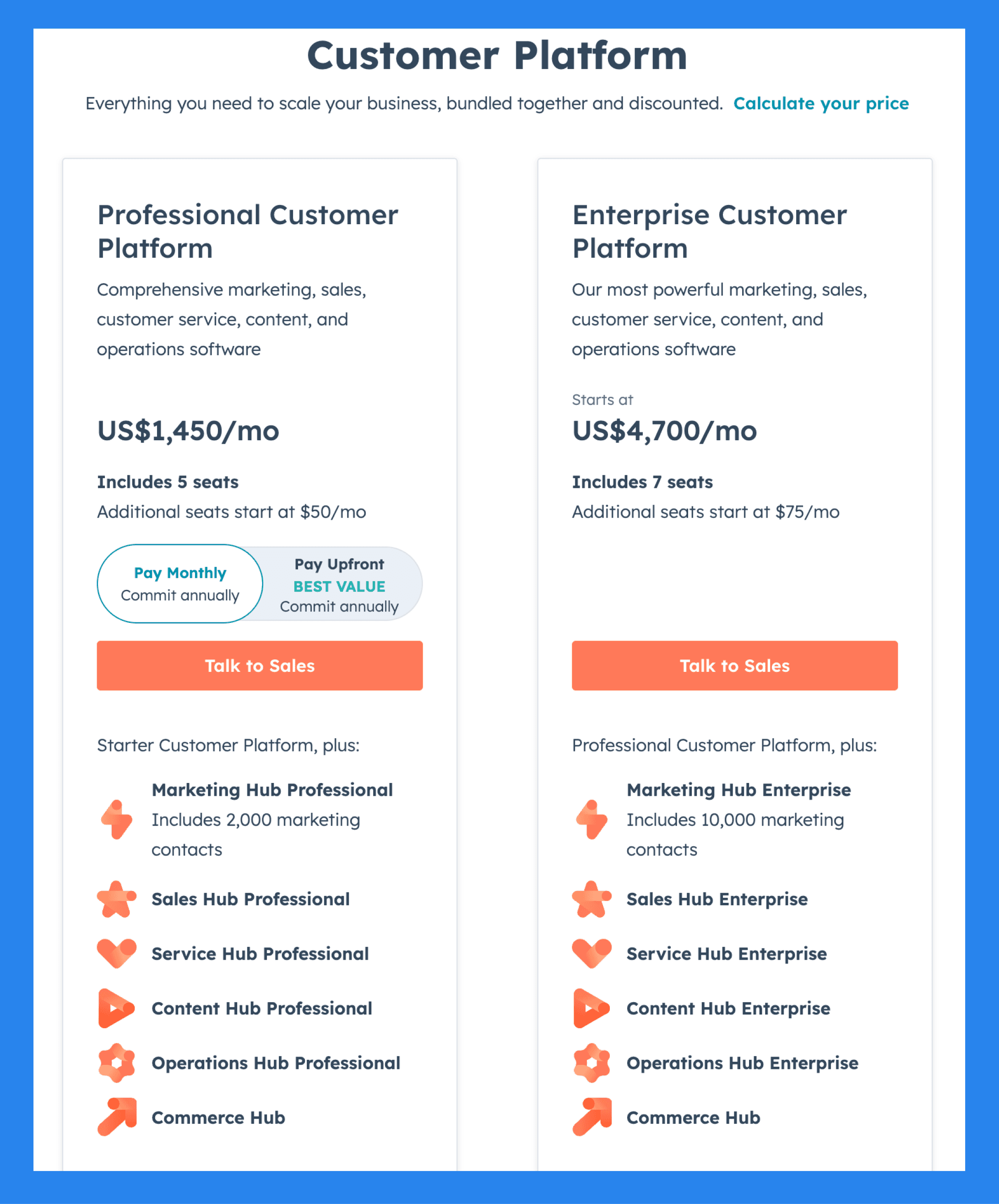
For Businesses & Enterprises
Professional Customer Platform ($1,450/mo): Additional seats start at $50/mo, Marketing Hub Professional, Sales Hub Professional, Service Hub Professional. Plus 3 more.
Enterprise Customer Platform ($4,700/mo): everything in Professional Customer Platform, plus Additional seats start at $75/mo, Marketing Hub Enterprise, Sales Hub Enterprise, Service Hub Enterprise. Plus 2 more.
Demo Video
Loading YouTube sends it your IP address and may enable cookies. This applies to this content only.
🥉 Zoho Sales CRM / Zia: Best for AI-Powered Data Suggestions
Summary
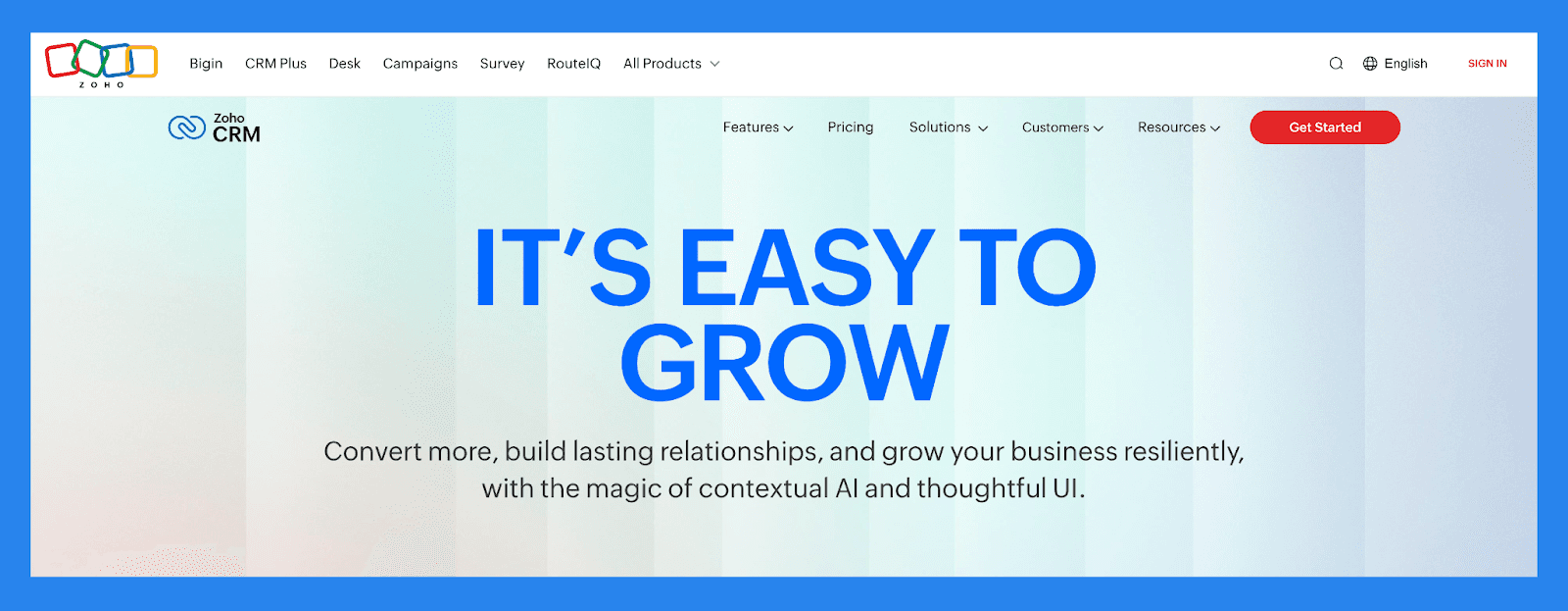
Zoho CRM combines flexibility, affordability, and enterprise-grade power, but what truly sets it apart is Zia, its intelligent sales assistant. Zia goes beyond automation and forecasting to deliver real-time data enrichment that keeps your CRM accurate, complete, and conversion-ready.
With just minimal input: like a name or email. Zia can pull in missing details such as company size, phone number, industry, location, and more. This enriched data gives your team a fuller view of every lead and customer, enabling smarter segmentation, more relevant communication, and faster qualification.
The result? Less time spent on manual data entry and more time closing deals: with enriched, actionable insights baked right into your sales workflow.
Key Features
AI-Powered Email Sentiment Analysis: Understand buyer mood and intent from incoming emails to respond more effectively.
Conversational AI: Zia Voice offers natural-language interactions to help users find records, run reports, or update CRM data.
AI Forecasting: Generate more accurate revenue forecasts by analyzing historical deal patterns and rep performance.
**Intuitive Dashboard **. A fully customizable, user-friendly dashboard with clean navigation designed to boost productivity and streamline your workflow.
**Cross-Platform Accessibility **. Available on both desktop and mobile platforms, Zoho CRM ensures you stay connected and productive wherever you are.
**Multichannel Engagement **. Consolidate communication across email, phone, social media, and live chat in one unified platform. This streamlines your outreach and enables more personalized, timely client interactions.
**User & Contact Management (Sandbox Environment) **. Zoho’s Sandbox feature allows for safe testing of custom-built modules and layouts: particularly valuable for SMEs and large businesses that require tailored CRM workflows.
**Zia AI **. Zoho’s AI assistant, Zia, helps with lead scoring, deal predictions, voice/text chat support, and intelligent sales insights to help guide decisions and improve conversions.
**Real-Time Reporting & Analytics **. Access detailed reports including:
Sales performance
Individual rep performance
Deal progress (closed/won/lost)
Revenue tracking over the last 30 days
Ratings: G2 - 4.1/5 (2,753) · Capterra - 4.3/5 (6957).
Pros
Robust and customizable interface that integrates well across various platforms and ecosystems
Feature-rich with extensive tools for sales, marketing, and automation
Highly scalable, making it a great fit for growing businesses
Integrates with a wide range of third-party apps and Zoho’s own suite of business tools
Cons
Onboarding and customization can be complex without technical assistance
Outdated UI and occasional syncing issues with third-party tools
The platform’s size and complexity can lead to slower load times and performance lags
Pricing Plans
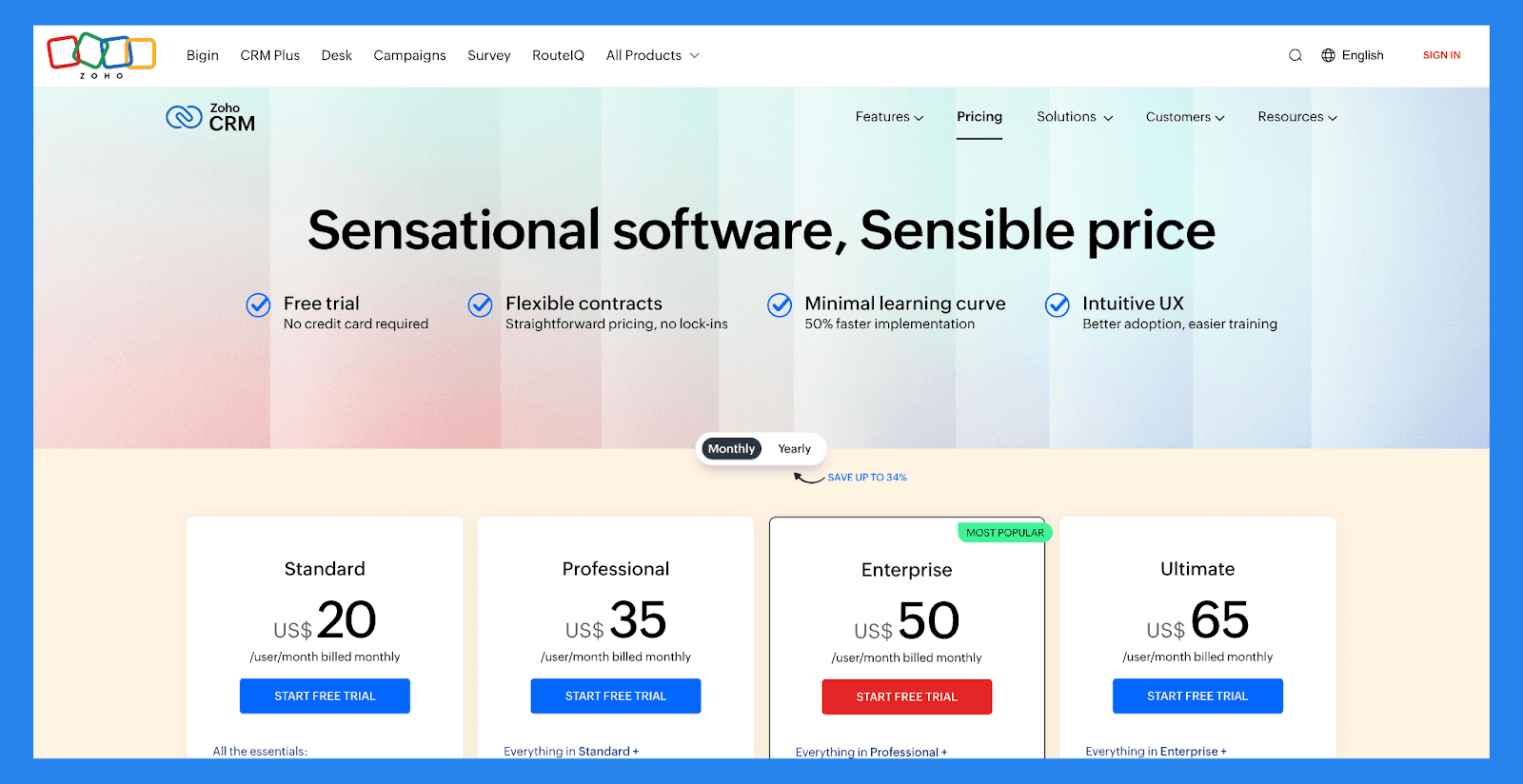
Standard ($20 /user/mo): Mass email, Custom modules, Workflows, Cadences. Plus 5 more.
Professional ($35 /user/mo): everything in Standard, plus Blueprint, CPQ, SalesSignals, Inventory management. Plus 5 more.
Enterprise ($50 /user/mo): Zia. AI assistant, Territory management, Custom functions, Journey orchestration. Plus 5 more.
Ultimate ($65 /user/mo): everything in Enterprise, plus Enhanced feature limits, Extended AI capabilities, Advanced customization, Data preparation. Plus 4 more.
Demo Video
Loading YouTube sends it your IP address and may enable cookies. This applies to this content only.
Pipedrive: Best for Plug-and-Play Enrichment
Summary
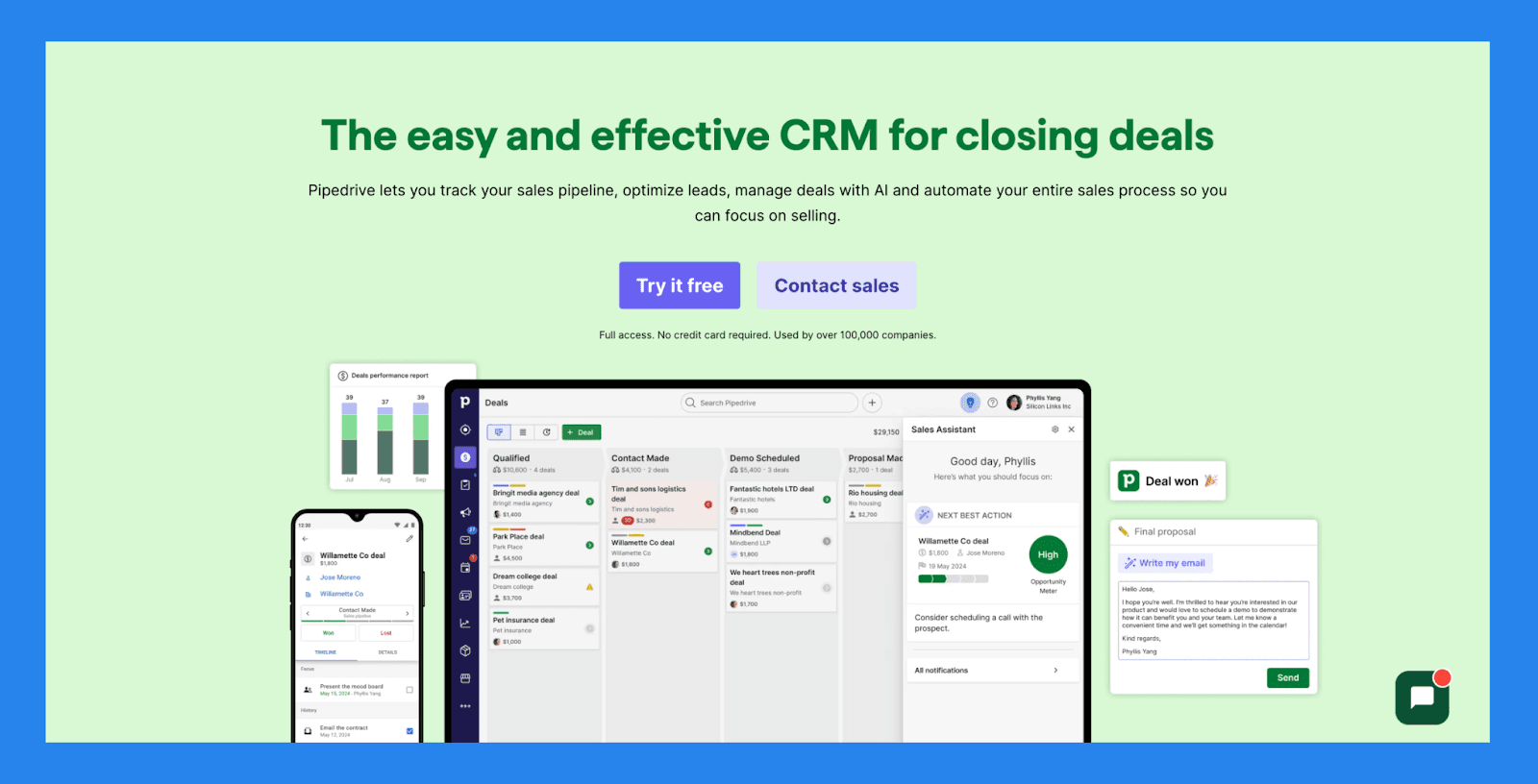
Pipedrive is a visual, deal-driven CRM designed for speed, simplicity, and sales efficiency. But it’s not just about managing pipelines. Pipedrive also helps teams work smarter with built-in data enrichment features that surface critical lead insights automatically.
With its Smart Contact Data tool, Pipedrive can instantly pull publicly available information: like company details, job titles, and social profiles: based on just an email address. This gives reps the context they need to qualify leads faster, personalize outreach, and keep momentum moving without digging through multiple sources.
It’s a powerful way to reduce research time, improve lead quality, and make your outreach feel more relevant: right out of the box.
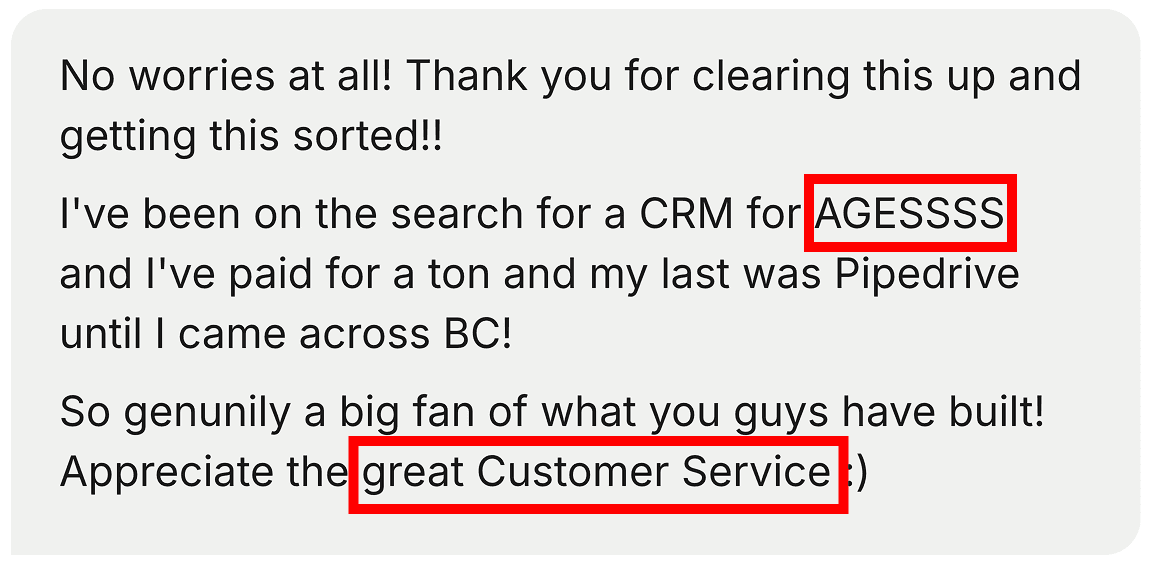
Pipedrive is fast to start with, but plenty of teams outgrow it. This one tried a ton of CRMs, last was Pipedrive, before landing on Breakcold.
Key Features
AI Sales Assistant: Get deal insights, win predictions, and actionable reminders based on deal activity and CRM data.
Advanced Forecasting & Reporting: Customize reports on win rates, revenue projections, and deal performance.
Goal & Performance Tracking: Set and monitor progress toward individual and team targets with visual dashboards.
Pipeline Management: Easily track deals by stage, set reminders, and visualize next steps with real-time updates.
Lead Management with Progress Tracking: View lead status, assign priorities, and track every touchpoint.
Workflow Automation: Automate admin tasks like data entry, follow-ups, and deal stage progression.
AI-Powered Tools: Use built-in tools like an email generator, summarizer, and LeadBooster to streamline engagement.
Integrations: Connect with over 350+ tools, including Gmail, Zoom, Slack, Klenty, and Wingman.
Mobile App with Reporting Access: Stay connected, review reports, and manage deals on the go.
Ratings: G2 - 4.3/5 (2,445) · Capterra - 4.5/5 (3047).
Pros
Well-structured onboarding materials, including FAQs and videos
Offers a wide range of integrations with third-party tools
Strong automation and AI features that boost productivity
Quick and easy setup with minimal learning curve
Cons
User interface can feel dated or unintuitive for some users
No free plan available: paid tiers start quickly
Customer support can be slow or inconsistent.
No native LinkedIn integration for lead importing
Some users report occasional bugs and performance issues
Pricing Plans
Key Features
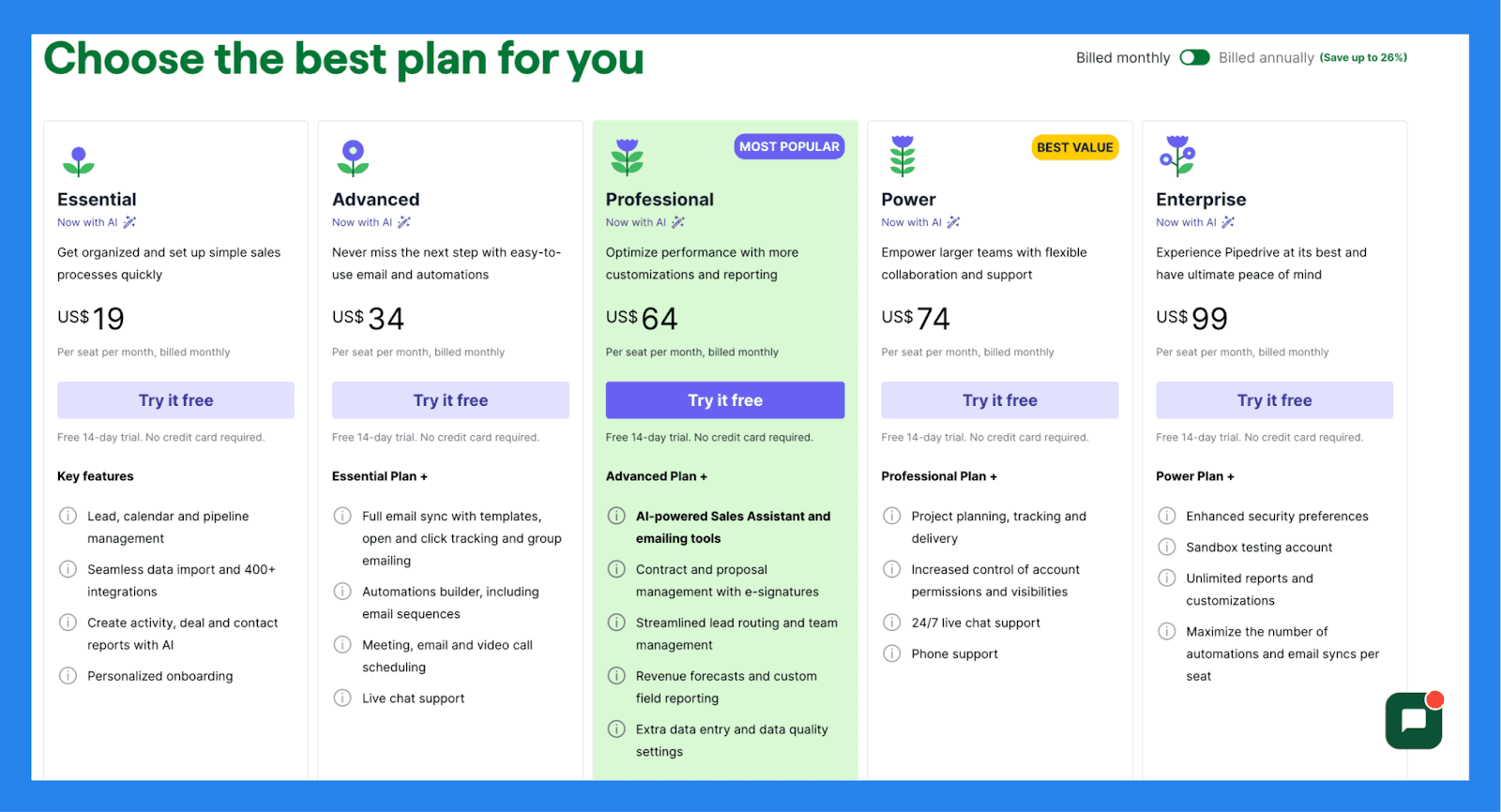
Lead, calendar and pipeline management
Seamless data import and 400+ integrations
Create activity, deal and contact reports with AI
Personalized onboarding
Full email sync with templates, open and click tracking and group emailing
Automations builder, including email sequences
Meeting, email and video call scheduling
Live chat support
AI-powered Sales Assistant and emailing tools
Contract and proposal management with e-signatures
Streamlined lead routing and team management
Revenue forecasts and custom field reporting
Extra data entry and data quality settings
Power ($74/user/mo): Project planning, tracking and delivery, Increased control of account permissions and visibilities, 24/7 live chat support, Phone support.
Enterprise ($99/user/mo): everything in Power, plus Enhanced security preferences, Unlimited reports and customizations, Maximize the number of automations and email syncs per seat.
Insightly: Best for Custom Enrichment Workflows
Summary
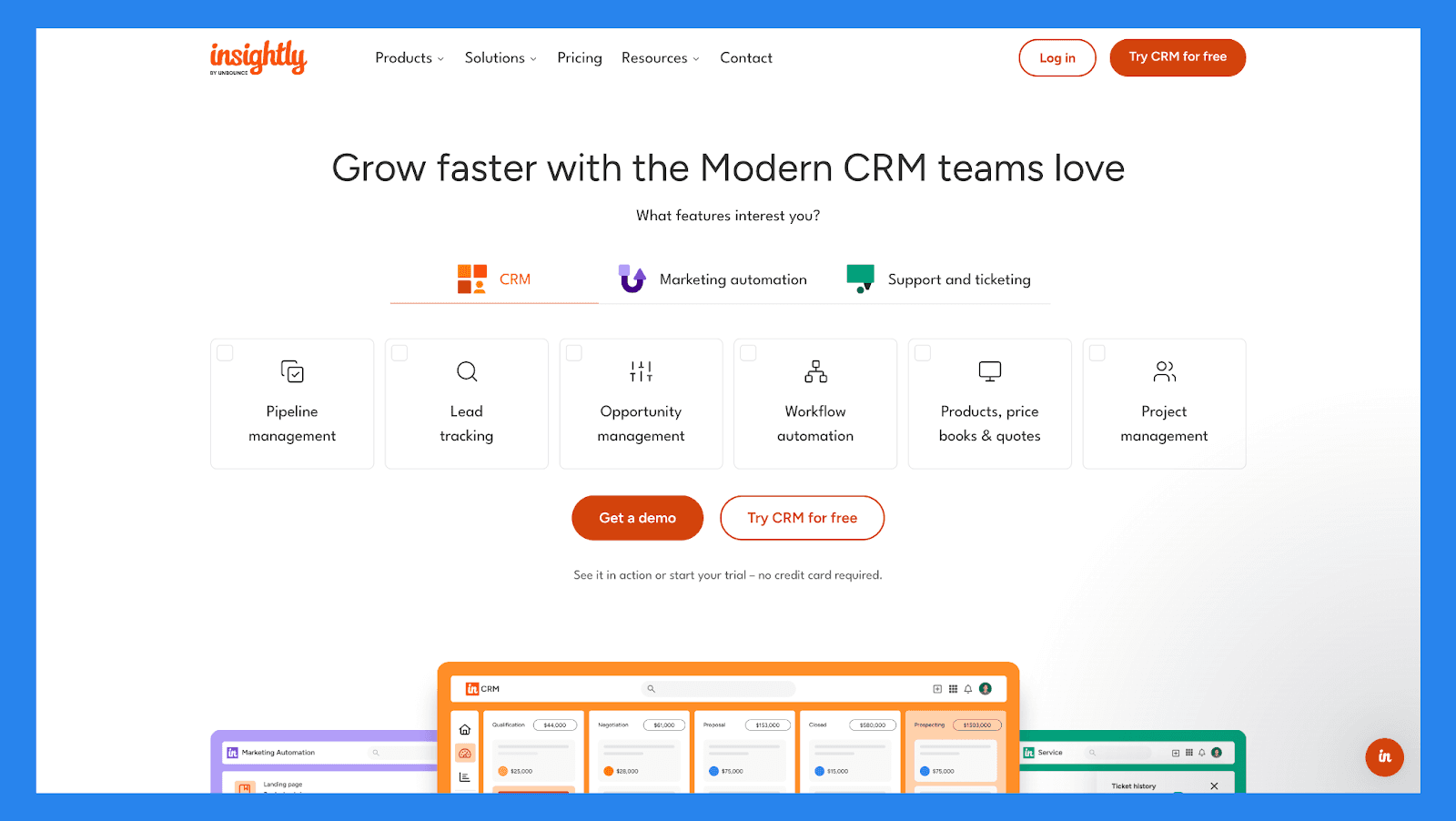
Insightly is an all-in-one CRM platform designed to help businesses build stronger customer relationships and scale with confidence. What sets Insightly apart is its ability to customize and automate data enrichment workflows to keep your records accurate, detailed, and actionable.
Through native integrations and workflow automation, Insightly enables teams to pull in enriched data: like updated contact details, firmographics, and company insights: directly into the CRM. You can design enrichment triggers based on form submissions, stage changes, or custom criteria, ensuring your database stays clean and current without the manual upkeep.
For teams that need both structure and flexibility, Insightly offers a powerful way to enrich data on your terms, so your pipeline is always fueled with high-quality leads.
Key Features
Contact Management. Store and organize detailed contact records, including communication history and custom fields.
Email Marketing. Create and send targeted email campaigns with tracking for opens, clicks, and responses.
Customizable Dashboard. Personalize your dashboard to display key metrics, tasks, and pipeline data at a glance.
Project Management. Track tasks, deadlines, and project progress directly linked to client records and opportunities.
Workflow Automation. Automate repetitive processes like follow-ups, task assignments, and approvals.
Sales Reports & Analytics. Generate insights into sales performance, lead sources, and pipeline health with detailed reporting tools.
Mobile App. Access and update CRM data on the go with a fully functional mobile app for iOS and Android.
Ratings: G2 - 4.2/5 (920) · Capterra - 4.0/5 (660).
Pros
Highly customizable: create custom fields, reports, templates, and dashboards
Reliable and responsive customer support
Clean, user-friendly interface with powerful automation capabilities
Cons
Email marketing is reliable but limited to sending 50 emails at a one time
Steeper learning curve; often requires assistance from a success rep to get started
Can be costly for smaller organizations, with key integrations locked behind higher-tier plans
Pricing Plans
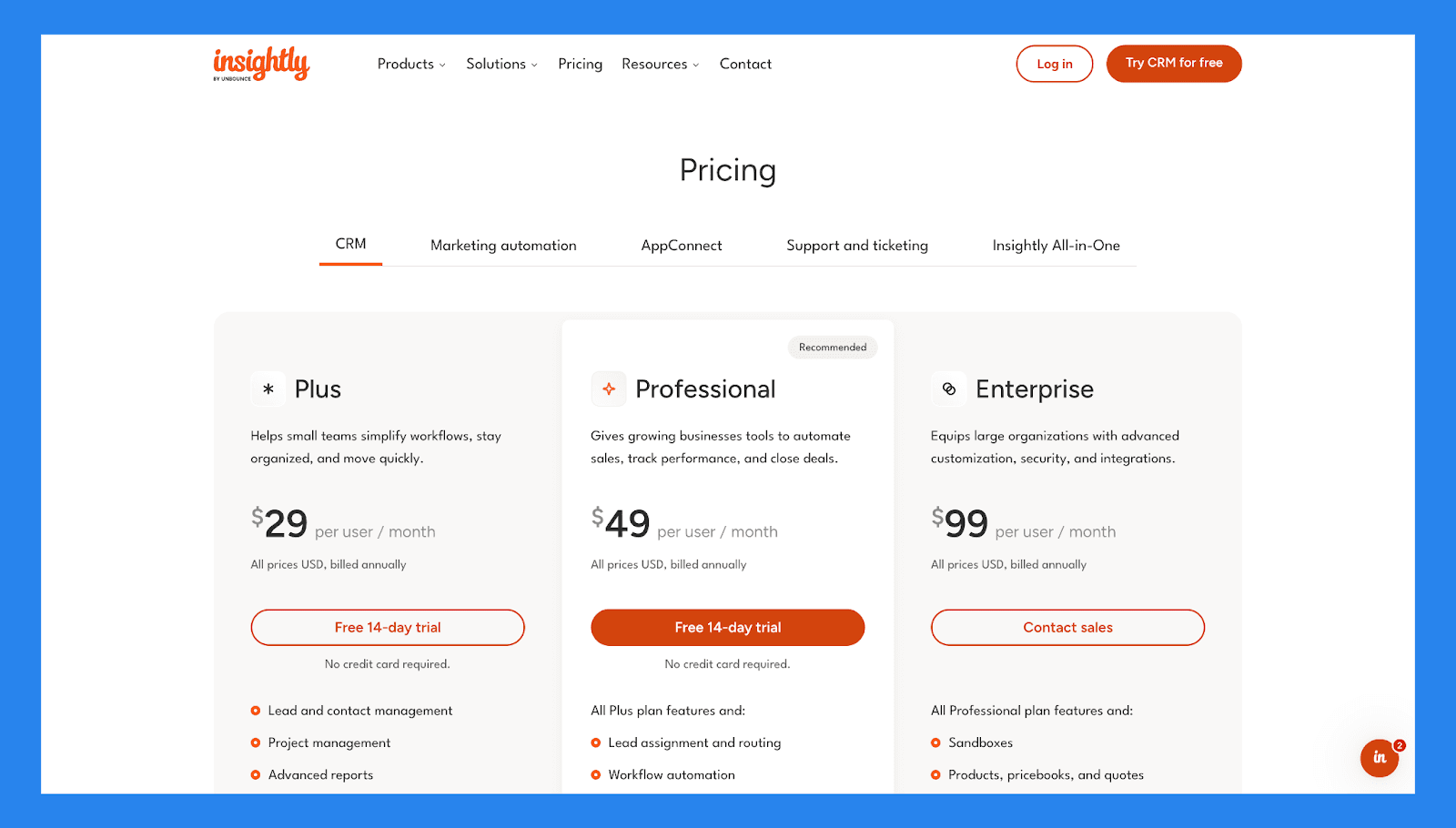
Plus ($29/user/mo): Lead and contact management, Project management, Advanced reports, Pre-built business dashboards.
Professional ($49/user/mo): everything in Plus, plus Lead assignment and routing, Workflow automation, Custom page layouts.
Enterprise ($99/user/mo): everything in Professional, plus Sandboxes, Products, pricebooks, and quotes, Comprehensive audit logging.
🔌 Bonus: Data Enrichment Tools That Plug Into Any CRM
🥇 Findymail: Best App for B2B Email Enrichment
Summary
Findymail is a B2B data enrichment tool focused almost exclusively on finding and verifying professional email addresses. It’s widely used by outbound teams who already have leads (from LinkedIn, Apollo, CSVs, etc.) and want high-quality, deliverable emails at scale, without paying for bloated sales intelligence features they don’t need.
Key Features
Email enrichment from LinkedIn profiles & CSVs
Strong email verification (bounce protection)
Works well on bulk lists (thousands of leads)
Chrome extension for LinkedIn
Simple API & Zapier integrations
Credit-based pricing (not seat-based)
Ratings
G2: ~4.7/5 (varies, smaller volume than ZoomInfo)
Capterra: Limited reviews (more niche tool)
Pros
Very high email accuracy, especially for B2B and SMBs
Much cheaper than sales intelligence platforms
No seat limits, credits can be shared across the team
Simple UI, no learning curve
Great complement to tools like Apollo, Clay, or LinkedIn Sales Navigator
Cons
No EU phone numbers (only US)
No intent data, firmographics, or org charts
Not an all-in-one prospecting tool
You need another tool to find leads first
Pricing Plans
Findymail uses credit-based pricing (no per-seat pricing).
Includes:
Email enrichment & verification
Bulk enrichment (CSV / LinkedIn)
Chrome extension
API & automations
Pricing scales mainly on number of emails enriched per month, making it very cost-effective for outbound-heavy teams.
🥈 ZoomInfo: Best App For B2B Data Enrichment
Summary
ZoomInfo is a leading B2B data enrichment and sales intelligence platform built to help revenue teams identify, connect with, and convert high-value prospects. With a massive database of over 260 million contacts and 100 million companies, it delivers deep firmographic, technographic, and intent data to power smarter outreach and pipeline growth.
Key Features
Firmographic data-focused
Indicates buyer intent signals
Org chart mapping
CRM integrations
Real-time enrichment
Advanced lead filters
Ratings: G2 - 4.5/5 (8,743 reviews) · Capterra - 4.1/5 (307 reviews).
Pros
Intent data is now more reliable and actionable, making it easier to identify high-quality leads
ZoomInfo makes it easy to enrich CRM account and contact data while helping prioritize accounts based on key insights
The Chrome extension is intuitive and works seamlessly alongside other systems like CRMs.
Cons
Contact overlap and redundancy are common, with the same lead sometimes appearing under different titles or outdated information.
The price point is high, making it difficult for smaller businesses to afford.
The platform layout can feel cluttered, making it hard to quickly locate relevant information.
Pricing Plans
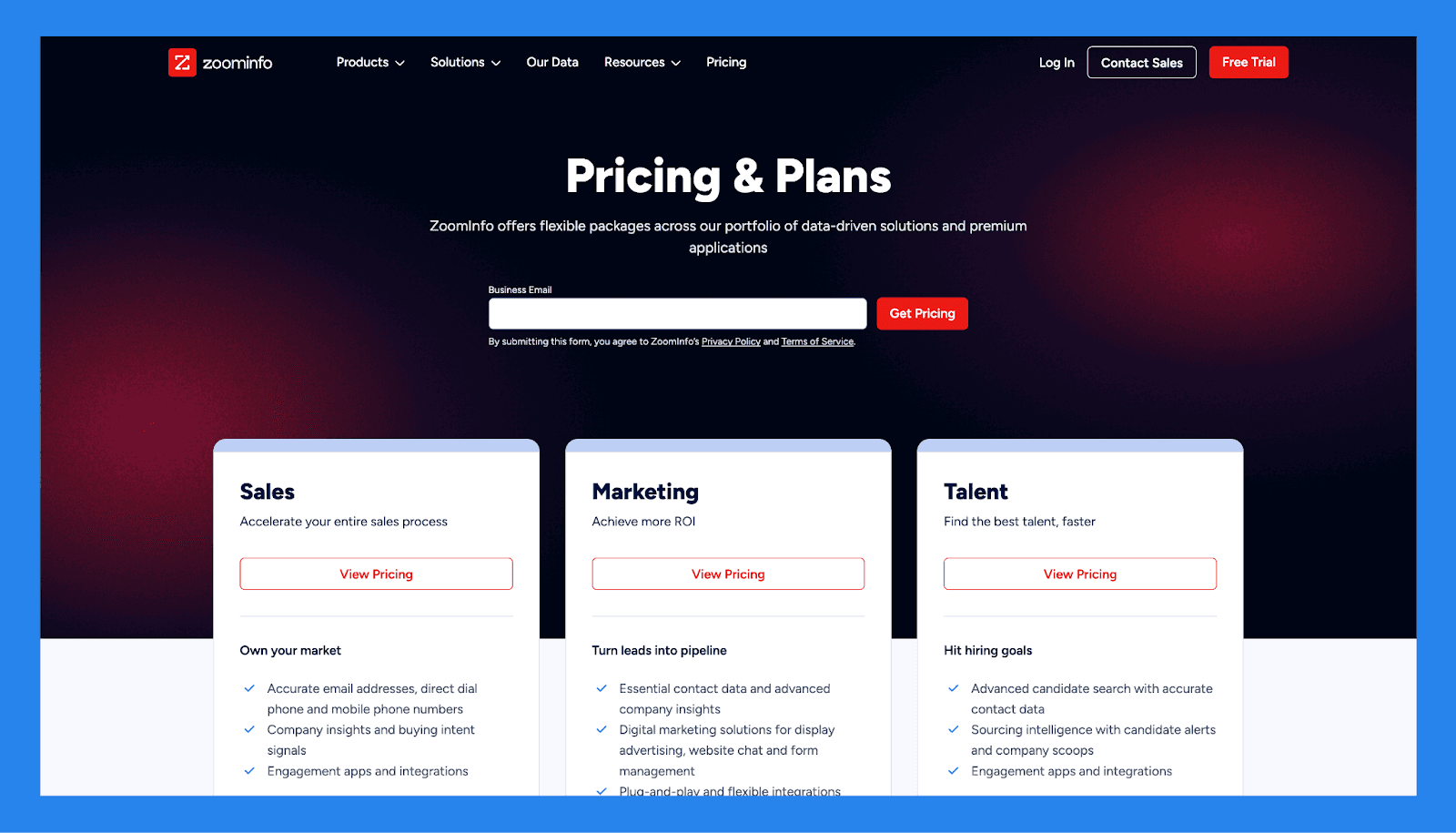
Sales (Contact Sales): Accurate email addresses, direct dial phone and mobile phone numbers, Company insights and buying intent signals, Engagement apps and integrations.
Marketing (Contact Sales): everything in Sales, plus Essential contact data and advanced company insights, Digital marketing solutions for display advertising, website chat and form management, Plug-and-play and flexible integrations.
Talent (Contact Sales): everything in Marketing, plus Advanced candidate search with accurate contact data, Sourcing intelligence with candidate alerts and company scoops.
Demo Video
Loading YouTube sends it your IP address and may enable cookies. This applies to this content only.
🥉 Apollo.io: Best Data Enrichment Software For Sales Prospecting
Summary
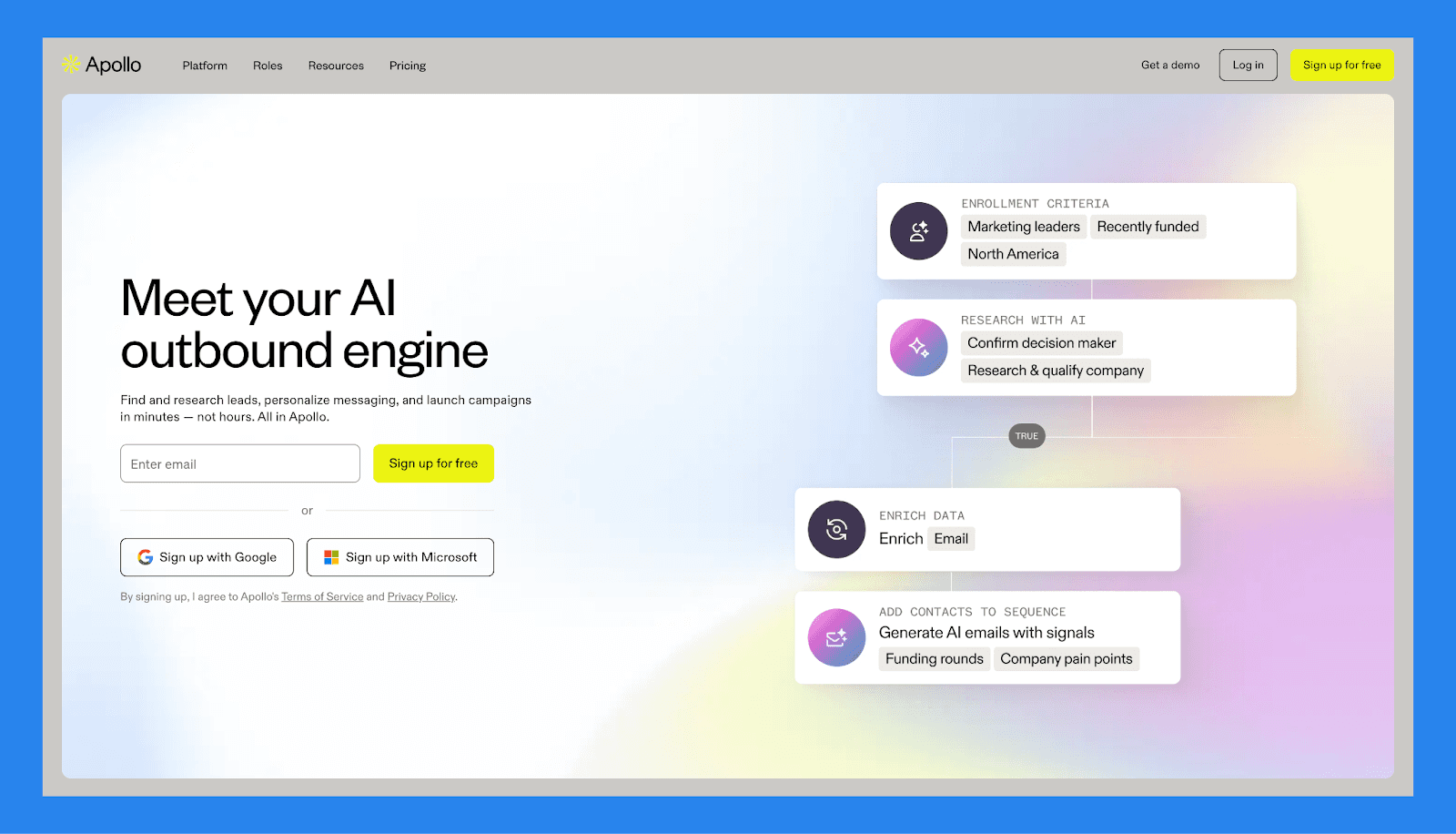
Apollo is an end-to-end AI sales platform designed to help teams prospect, engage, and close more deals. Combining outreach automation with a massive contact database and built-in data enrichment, Apollo streamlines the entire sales process: from lead discovery to follow-up. It’s particularly well-suited for teams that want a CRM, engagement tool, and enrichment solution all in one platform.
Key Features
Contact database
Email enrichment
Outreach automation
CRM functionality
LinkedIn integration
Intent signals indicator
Ratings: G2 - 4.7/5 (8,445 reviews) · Capterra - 4.6/5 (363 reviews).
Pros
Easily define ideal customer profiles using metrics like company size, revenue, location, and industry to build targeted campaigns and workflows
Apollo offers a clean, user-friendly interface that’s easy to navigate
The Chrome extension is intuitive and works seamlessly within LinkedIn
Cons
The platform is extremely powerful and there is a slight learning curve to understand the dependencies and requirements to set up workflows and campaigns.
There are a lot of features, so it can be a little confusing to muddle through the differences between plan levels
Pricing Plans
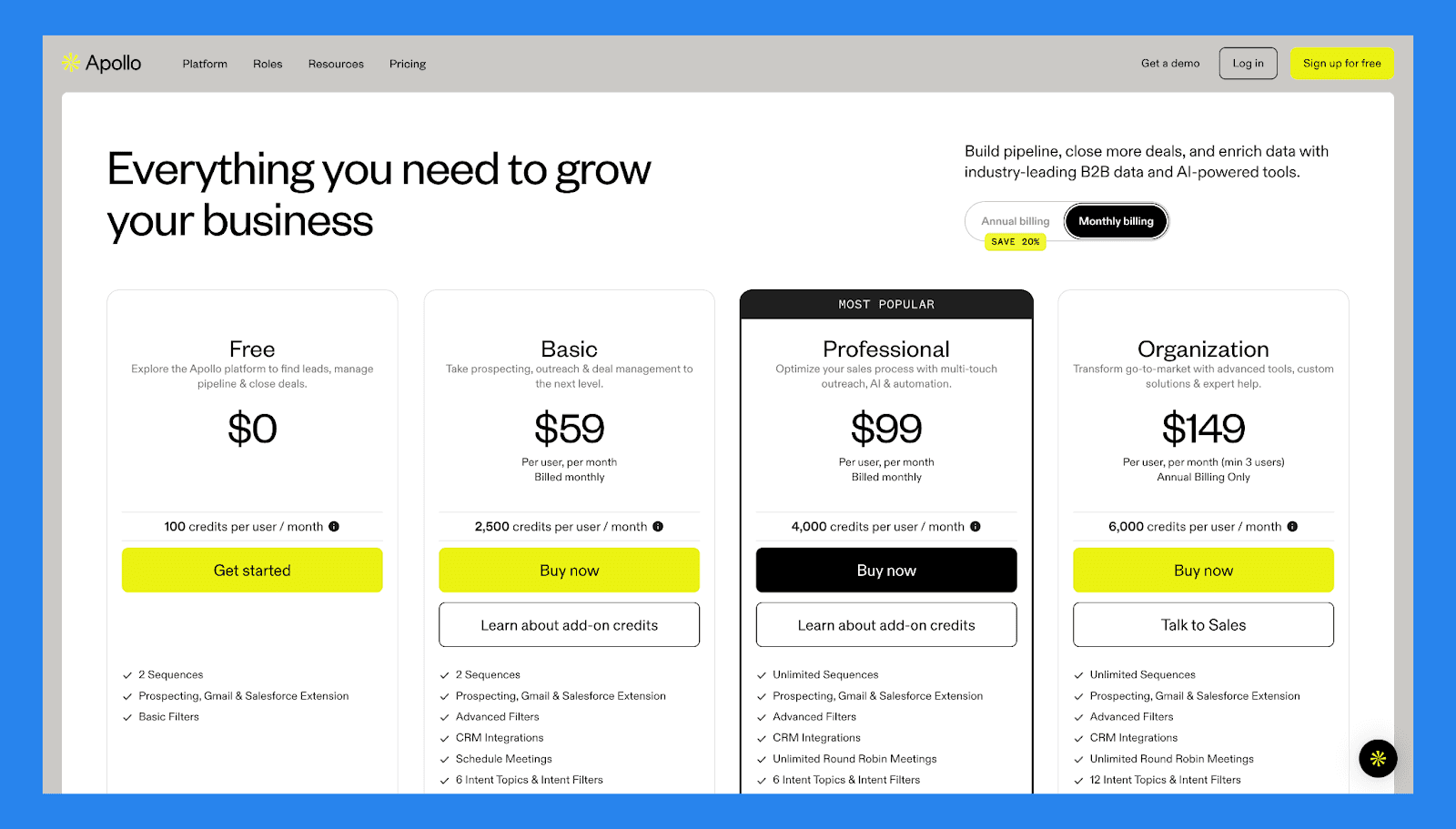
Free ($0/user/mo): 2 Sequences, Prospecting, Gmail & Salesforce Extension, Basic Filters.
Basic ($0/user/mo): everything in Free, plus Advanced Filters, CRM Integrations, Schedule Meetings, 6 Intent Topics & Intent Filters. Plus 1 more.
Professional ($0/user/mo): Unlimited Sequences, Prospecting, Gmail & Salesforce Extension, Advanced Filters, CRM Integrations. Plus 9 more.
Organization ($0/user/mo): everything in Professional, plus 12 Intent Topics & Intent Filters, US Dialer & International Dialer, 15 Mailboxes per user, Call Recordings & AI Insights (8,000 mins). Plus 3 more.
Demo Video
Loading YouTube sends it your IP address and may enable cookies. This applies to this content only.
🥉 Ex Aequo Clay: Best Data Enrichment Tool For Built-in Automation
Summary
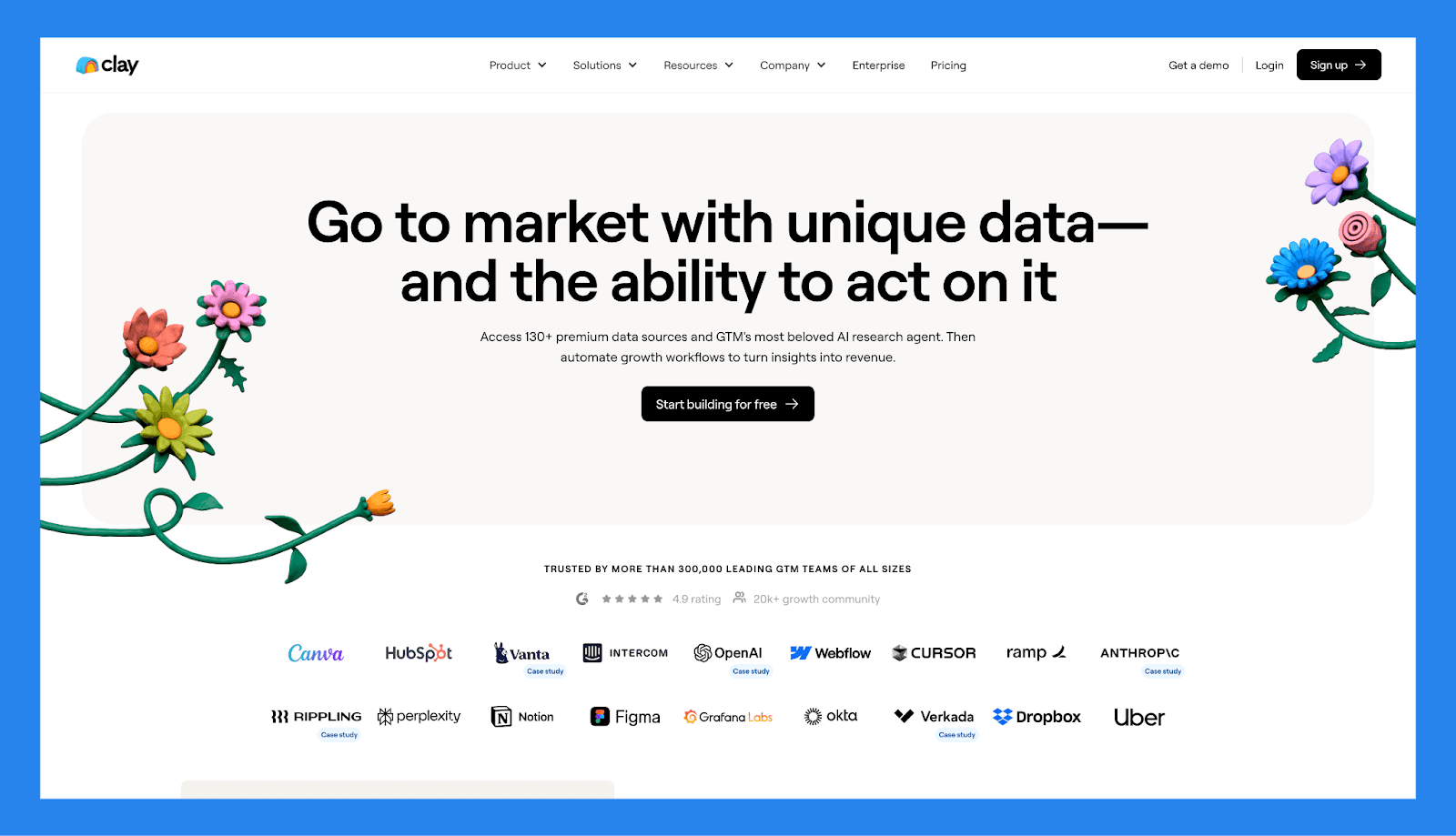
Clay is a highly flexible sales intelligence platform that combines data enrichment, automation, and personalization to help teams manage relationships at scale. While it positions itself as a relationship-driven tool, Clay functions more like a powerful data operations engine, pulling from 100+ external enrichment sources to surface and qualify high-value leads. Its AI-powered features help users go beyond basic prospecting: automating everything from lead scoring to personalized outreach.
Key Features
Waterfall enrichment
Intent data
Lead & account scoring
AI formula builder
Personalized copywriting
100+ data source integrations
Ratings: G2 - 4.9/5 (150 reviews) · Capterra - N/A.
Pros
Clay offers an extensive range of features that make it a powerful tool for market analysis and business intelligence
The community is highly active and responsive, often providing help that feels like 24/7 support
Its flexibility allows teams across marketing, sales, and customer success to find success
Cons
The platform often requires support from RevOps or technical team, especially during initial setup
Some coding knowledge and logical thinking are needed, which may be a barrier for non-technical users.
The interface isn't the most intuitive, and free features are fairly limited
Pricing Plans
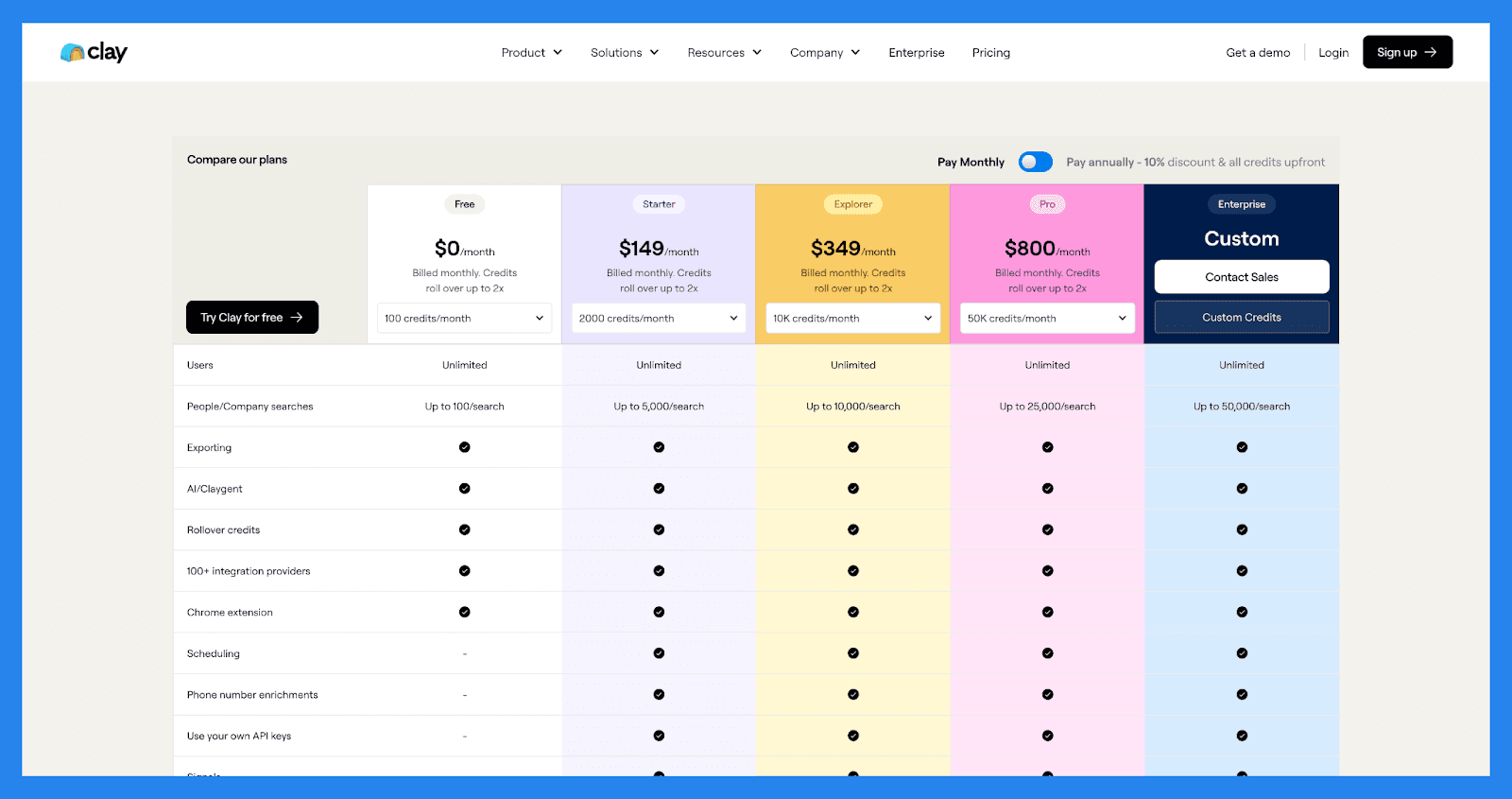
Free ($0/month): Users (Unlimited), People/Company searches (Up to 100/search), Exporting, AI/Claygent. Plus 3 more.
Starter ($149/month): everything in Free, plus People/Company searches (Up to 5,000/search), Scheduling, Phone number enrichments, Use your own API keys.
Explorer ($349/month): everything in Starter, plus People/Company searches (Up to 10,000/search), Integrate with any HTTP API, Webhooks, Email sequencing integrations. Plus 1 more.
Pro ($800/month): everything in Explorer, plus People/Company searches (Up to 25,000/search), CRM integrations.
Demo Video
Loading YouTube sends it your IP address and may enable cookies. This applies to this content only.
Datanyze: Best Data Enrichment App For Technology Tracking
Summary
Datanyze is a B2B data enrichment tool known for its focus on **technographic data **: helping sales and marketing teams understand what technologies their prospects are using. It’s especially useful for SaaS companies and IT service providers targeting accounts based on tech stack. With a Chrome extension and built-in enrichment features, Datanyze makes it easy to gather intel directly from LinkedIn or company websites.
Key Features
Technographic data indicator
Chrome extension
Contact info enrichment
Real-time company insights
CRM integrations
Email verification
Ratings: G2 - 4.1/5 (445 reviews) · Capterra - 3.8/5 (52 reviews).
Pros
Clean and intuitive user interface
Data accuracy is consistently around 90%, outperforming many competitors
Chrome extension is reliable and easy to use
Cons
Limited flexibility to correct or flag inaccurate data
Customer support can be slow or unresponsive
Many users express dissatisfaction with Datanyze’s business model
Pricing Plans
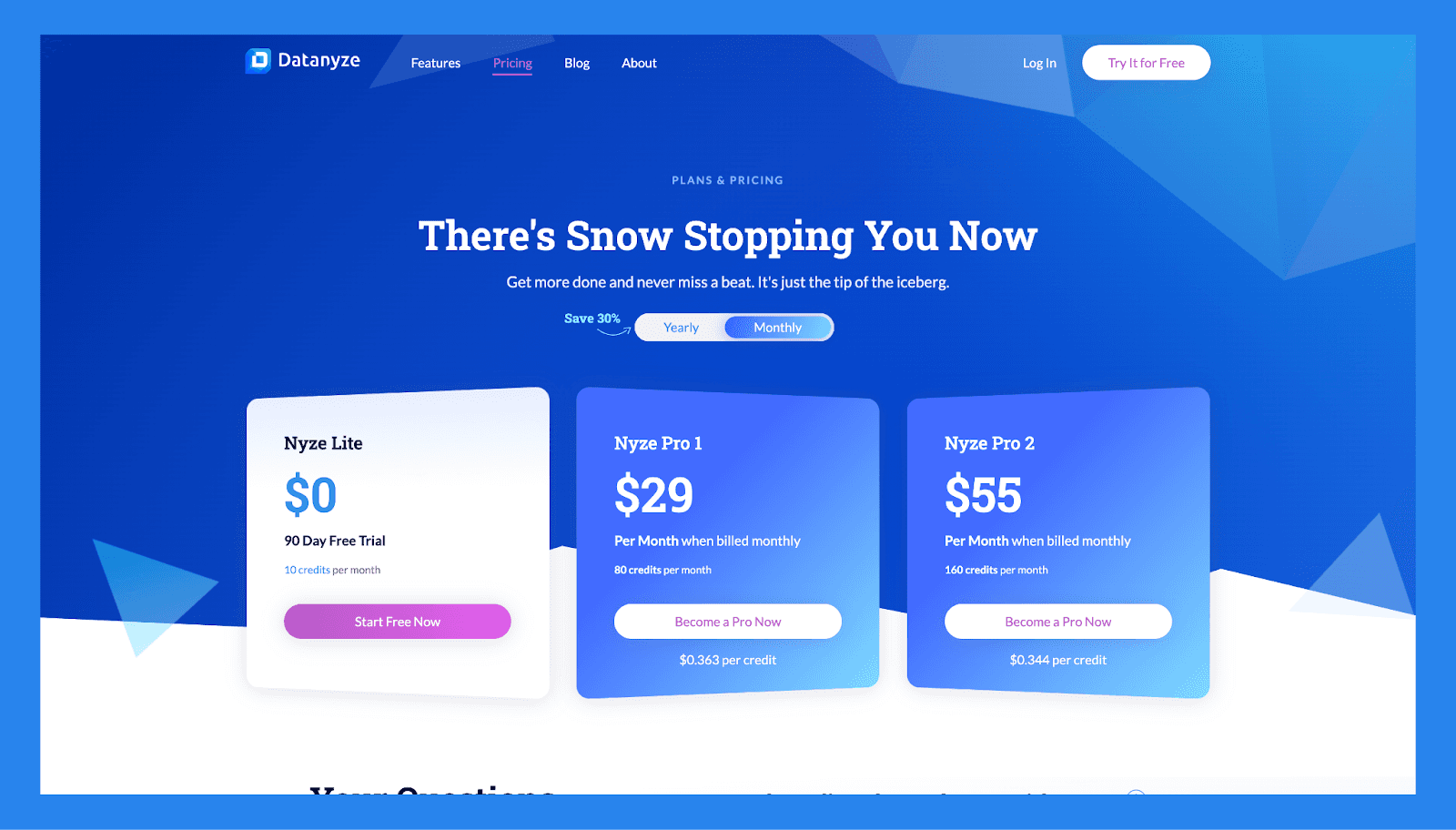
Nyze Lite ($0 /90 Day Free Trial).
Nyze Pro 1 ($29/mo): same scope, higher limits.
Nyze Pro 2 ($55/mo): same scope, higher limits.
Cognism: Best Data Enrichment Software For GDPR Compliance
Summary
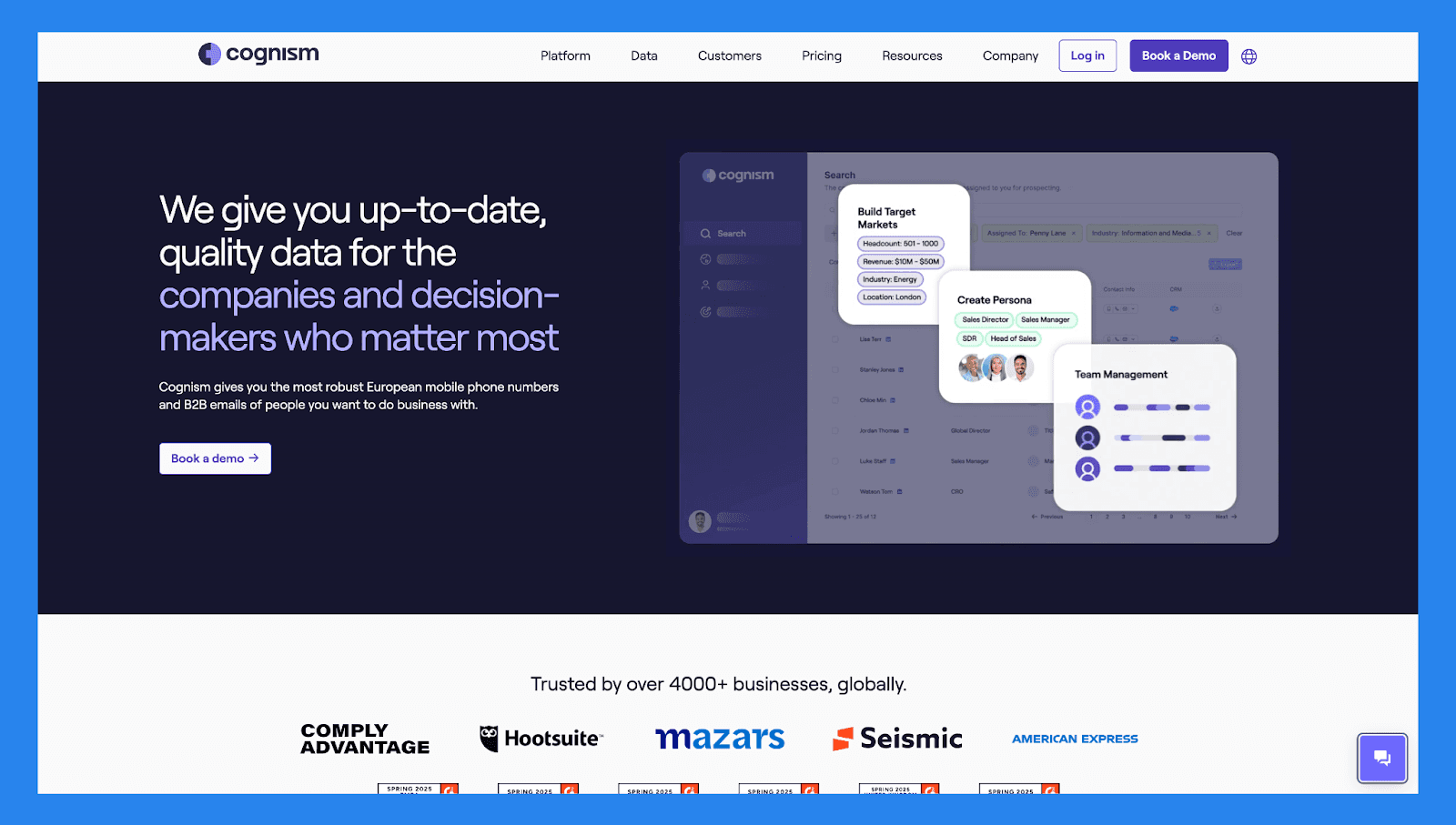
Cognism is a B2B sales intelligence and data enrichment platform built with a strong focus on data privacy and compliance. Trusted by revenue teams across Europe and beyond, Cognism offers verified, compliant contact data: making it ideal for companies operating in strict regulatory environments like the UK and EU. Its real-time enrichment capabilities help keep your CRM clean, accurate, and ready for outreach.
Key Features
GDPR-compliant data
Real-time enrichment
Intent data
Phone-verified contacts
CRM integrations
Global coverage
Ratings: G2 - 4.6/5 (999 reviews) · Capterra -4.7/5 (230 reviews).
Pros
The Chrome extension is quick to set up and makes it easy **to use **when finding contacts data directly from Sales Navigator
The platform is easy to use, delivers strong contact quality, and integrates well with other sales tools
Cognism provides verified mobile numbers and emails, helping you scale your outbound efforts more effectively
Cons
Data accuracy can occasionally be inconsistent or slightly off
Pricing may be a barrier for smaller businesses or budget-conscious teams
While the interface is generally intuitive, the number of filters and features can feel overwhelming at first and take some time to master
Pricing Plans
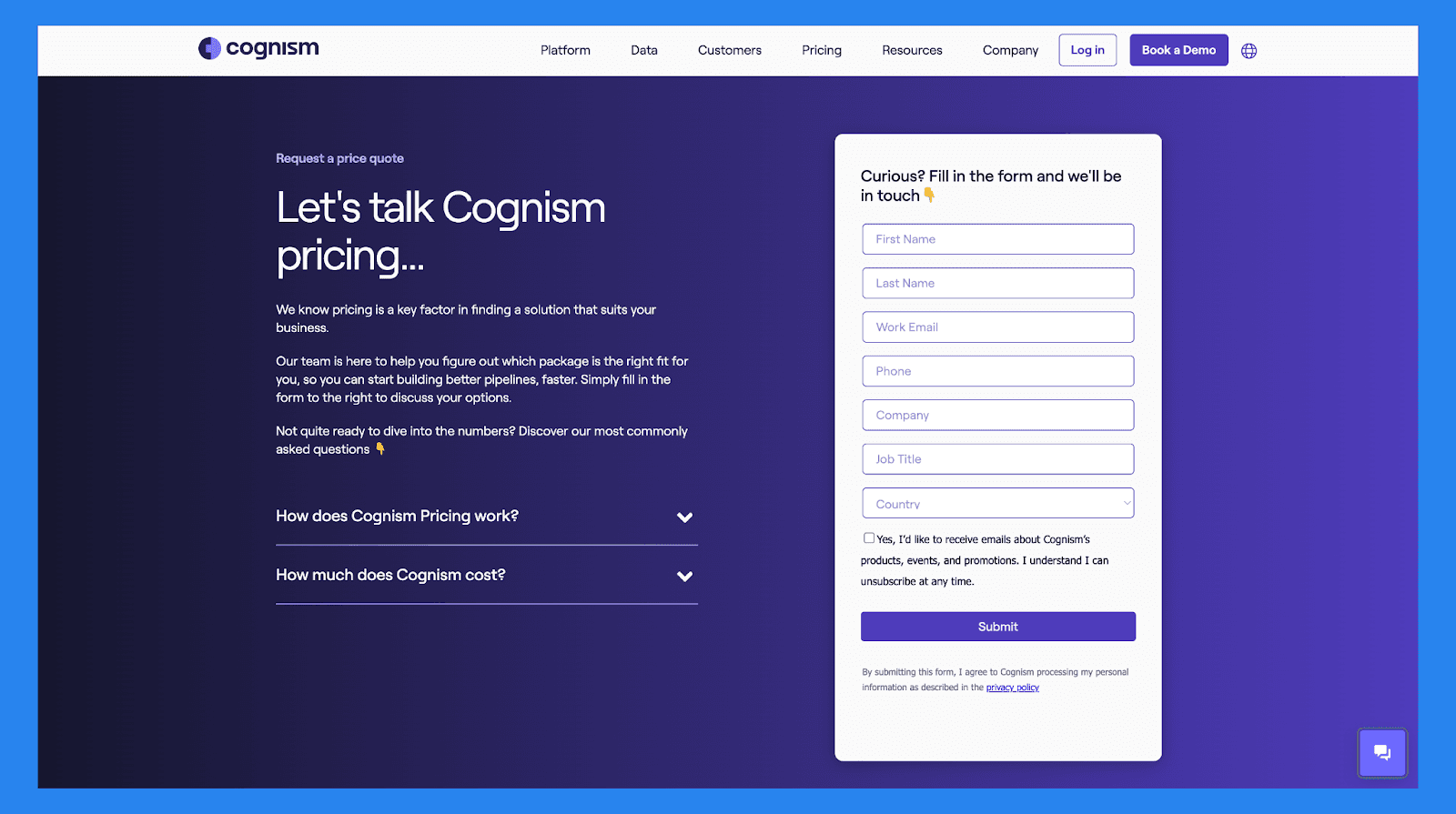
Grow (custom pricing): Emails, Mobiles, Diamond Data®, Work History. Plus 11 more.
Elevate (custom pricing): everything in Grow, plus Champion Job Changes, Funding, Company Hiring, Mergers & Acquisitions. Plus 6 more.

📝 Final Thoughts
In today’s data-driven sales landscape, having a full pipeline isn’t enough: you need complete, accurate, and actionable data to turn prospects into customers. That’s exactly what data enrichment delivers. From better personalization and lead scoring to smarter decision-making and fewer missed opportunities, enriched data gives your team the edge it needs to move faster and close more deals.
For businesses serious about scaling, ignoring data enrichment means leaving revenue on the table. Whether you're running outbound campaigns, scoring inbound leads, or building detailed customer profiles, enrichment transforms your CRM from a static list into a strategic asset.
Getting started is simple:
Clean your existing data to lay the groundwork
Choose a CRM or enrichment tool that fits your workflow
Automate enrichment to keep your data fresh without manual effort
Start with the basics, scale as you go, and let better data do the heavy lifting.
Frequently asked questions

Written by
Arnaud Belinga · Co-Founder & CEO at Breakcold
Arnaud is the Co-Founder & CEO of Breakcold, the AI Native CRM for sales teams of 5 to 30+ people.