



2 AI CRMs for LinkedIn Automation Agency using HeyReach
TL;DR: the 2 AI CRMs for LinkedIn automation agencies using HeyReach 🏆
🏆 Breakcold: the AI Native CRM for sales teams of 5 to 30+ people. AI agents handle the admin (move deals, log activity, create tasks), it connects to Claude and ChatGPT via native MCP, and it syncs LinkedIn, email, WhatsApp and Telegram into one pipeline. At 5 seats Breakcold is $139/mo, where a traditional CRM runs $300 to $500/mo. It has a native HeyReach integration and a workspace per client.
🟢 Kondo: a fast LinkedIn inbox manager with split inbox, smart labels and Superhuman-style shortcuts, but not a real CRM and no agency workspace system.
🔵 HeyReach: scales LinkedIn outreach fast, but its built-in inbox is not a CRM for closing deals.
✅ How to choose: use HeyReach to generate replies, then Breakcold to close if you need a full CRM, or Kondo if you only need a lightweight inbox.
Every day, I talk to many LinkedIn lead generation agencies, and they are all using either Expandi or HeyReach 👥.
But since HeyReach reached $10M ARR in under 30 months, every new agency in the space now has HeyReach as the default option 📈.
Still, they have one big problem: how do you manage positive replies from HeyReach in a proper CRM beyond HeyReach’s default inbox?
The issue is that there are very few CRMs or AI CRMs with native LinkedIn integrations. So what options are actually available out there 🤔?
Well, there are only two. Let’s find out.
Alternative #1: Breakcold - The AI Native CRM for LinkedIn Automation Agencies
Breakcold has been used by multi-hundreds lead generation agencies to manage positive replies from HeyReach - for them or for their own clients.
Loading YouTube sends it your IP address and may enable cookies. This applies to this content only.
Pros
Here are the main pros about Breakcold:
LinkedIn integration
Breakcold is the only AI multi channel CRM on the market that has solid integrations with LinkedIn 🔗.
It is as powerful as a traditional sales CRM, but with native social integrations.
Breakcold automatically aggregates all your LinkedIn messages into your leads’ activity timelines without any manual data entry, which is a huge win compared to traditional sales CRMs like Pipedrive 🧠.
You can connect multiple LinkedIn accounts to the CRM. Typically, you would connect the same accounts that are connected to HeyReach so the CRM can capture conversations that started there 💬.
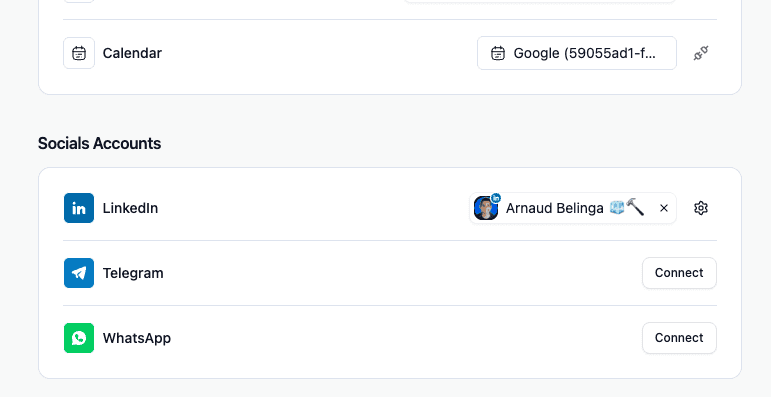
Multiple workspace system
Like HeyReach, Breakcold has a workspace system, which is super rare for an AI sales CRM 🧩.
As a lead generation agency, you can create multiple workspaces, usually one per client 📂.
From there, as the workspace owner, you can manage all the different workspaces, while your clients are limited to their own. Pretty handy 🔐.
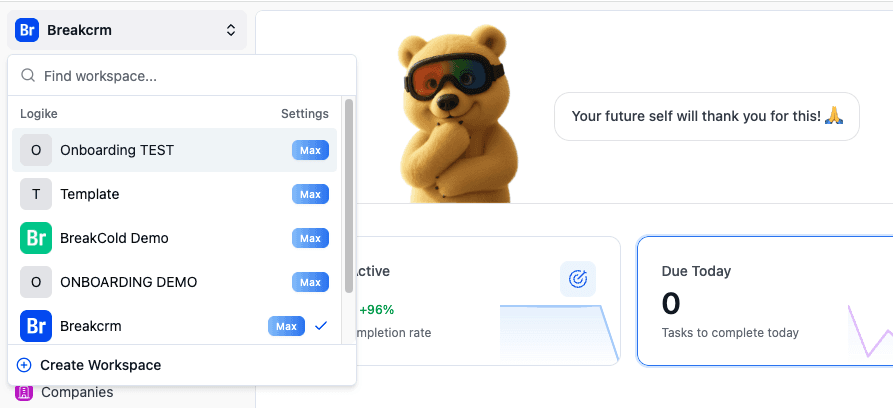
Invite clients to the CRM easily
The workspace system allows you to invite your clients into their own workspace so they can see what’s going on with your work 👀.
It’s a great way to build trust with your clients, or simply to upsell them to a done with you service to reduce churn and teach them how to close the leads you generate for them 🤝.
I released a video about this whole process by combining HeyReach and Breakcold. You can check it out below 🎥.
Loading YouTube sends it your IP address and may enable cookies. This applies to this content only.
Roles & Permissions on LinkedIn accounts
You can give roles and permissions to your reps or virtual assistants so they can only access conversations coming from HeyReach leads, and not all of the client’s LinkedIn conversations 🔒.
This is very important to avoid privacy issues and to build trust with your clients 🤝👁️.
LinkedIn Safety: Proxies dedicated IP Addresses
Similarly to HeyReach, Breakcold keeps your LinkedIn account safe by giving you dedicated proxies at the right IP address where you or your clients are based.
Unified LinkedIn Inbox
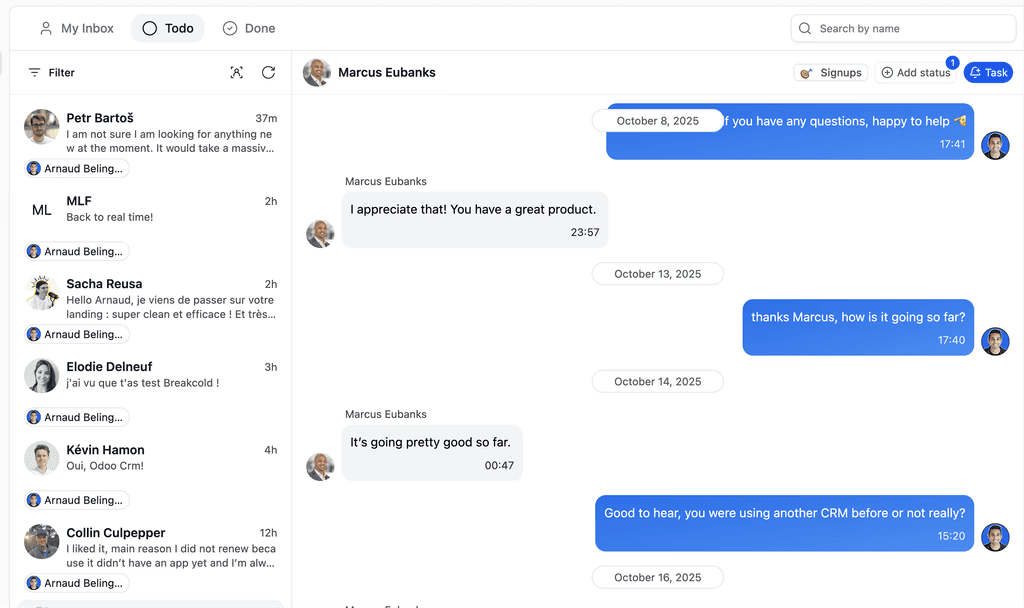
HeyReach has a unified LinkedIn inbox, and Breakcold does as well 📥.
This is very helpful because it means you can continue conversations that started on HeyReach directly inside Breakcold and have a full overview of all the different accounts connected to the workspace 🔍.
Since it is also a unified inbox, you can manage everything from one single place, which makes collaboration much easier 💬.
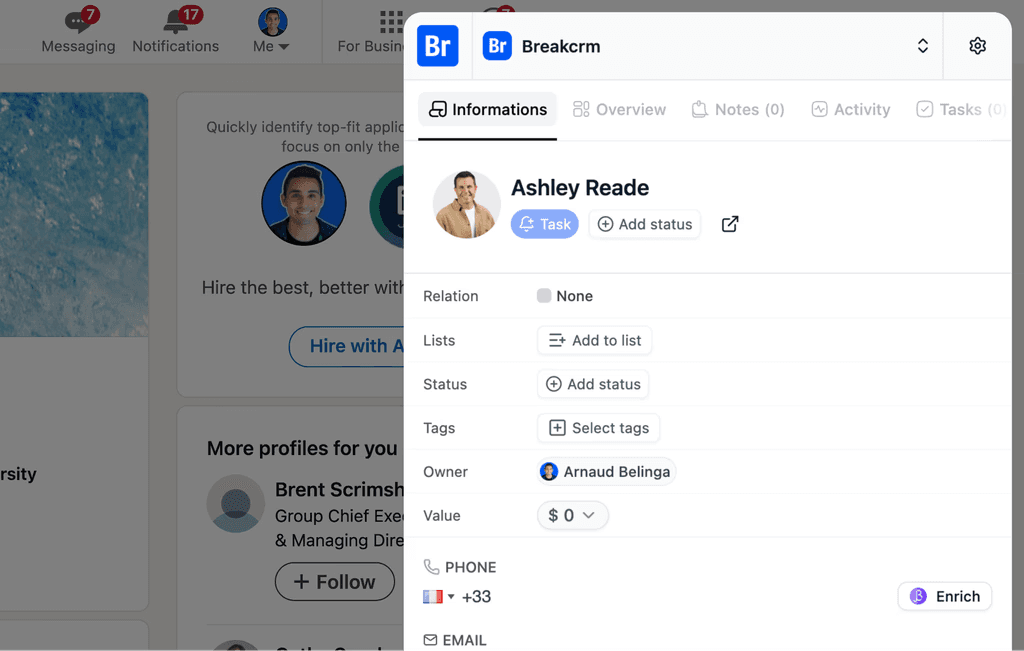
Chrome extension for LinkedIn adapted for multiple clients
If you need to do some CRM work for your clients, like adding new leads or related leads to the targets that replied positively on HeyReach, Breakcold has a Chrome extension to help you add leads to Breakcold in one click 🖱️.
The cool thing about this extension is that it works with multiple workspaces, so you can easily switch from one workspace to another depending on the client you want to focus on 🔄.
This makes CRM work much easier and faster for agencies ⚡️.
LinkedIn Engagement Feed
ome Breakcold clients also engage with the LinkedIn posts of their leads using the engagement section of Breakcold 💬.
Generating leads with HeyReach doesn’t mean the work is over. You still need to close the deals, and staying top of mind by engaging with their posts is key 🧠.
AI Tasks and AI Lead Management
This is the juicy part, Breakcold is an AI Native CRM so it can:
create your CRM tasks automatically thanks to AI CRM agents that you can pick or configure
move your leads automatically just by knowing how you named your CRM lists and sales pipeline stages
HeyReach Native integration
Finally, Breakcold has a native integration with HeyReach 🔗.
The founder, Arnaud, had a call with Nikola, the CEO of HeyReach, where they shared their common vision around cold outreach 🤝.
You can see in this video how the integration between the two softwares works and discover some workflow examples between Breakcold and HeyReach 🎥.
Loading YouTube sends it your IP address and may enable cookies. This applies to this content only.
Cons
Breakcold doesn't have many cons when it comes to be the perfect CRM coupled with HeyReach.
Here are the main cons about Breakcold.
Pricing flexibility
HeyReach is known for its unlimited plan, which allows people to do LinkedIn outreach at scale 🚀.
They took the playbook of Instantly and adapted it for LinkedIn lead generation agencies instead of cold emailing agencies 🧩.
To my knowledge, HeyReach is the only software related to LinkedIn that offers unlimited LinkedIn accounts and sending. I think only Salesforge matches this offer now 👀.
Breakcold is a sales CRM first and does not plan to offer unlimited LinkedIn accounts. Nevertheless, for $10 per month, you can add a new account, so the pricing scales smoothly without being unlimited for a fixed fee like HeyReach 💰.
No LinkedIn Automation
Breakcold is an AI sales CRM with social capabilities, it doesn't do LinkedIn automation.
HeyReach to generate leads, Breakcold to close deals.
Other Key Features of Breakcold AI Native CRM |
|---|
Auto-lead movement: Leads move automatically in Breakcold’s CRM based on your interactions with them. No setup required, the AI understands everything on its own. Auto-task creation: Monitors your interactions with leads and automatically creates follow-up tasks so you never lose momentum. This lets you focus on chatting with leads, not on admin work. Vision Builder – by default, leads move automatically by how you named your lists and sales pipeline stages (zero setup). But if you want to control the AI, you can by using natural language to build advanced AI CRM workflows. AI-Powered CRM Dashboard – A self-updating dashboard that highlights your most important tasks so you always know what to focus on. AI Contact Management – Automatically organizes leads into the right lists and groups by analyzing your conversations, notes, and activities. AI Personalities (AI Agents) – Choose an AI personality aligned with your business goals. Your dashboard then adapts, serving you daily tasks tailored to that persona. AI Reasoning – Every suggested task comes with context, so you’ll know exactly why it’s important and why it matters today. AI-Suggested Messages – Get personalized next-message suggestions that match both your tone of voice and your AI personality. Works for email & social conversations. AI Rules – Add rules to each step of your workflow for deeper customization and smarter automation. AI-Powered Contact Deduplication – Automatically identifies and merges duplicate contacts, eliminating hours of manual data cleanup and keeping your CRM lean and accurate. Advanced Data Enrichment – Powered by BetterContact, Breakcold now uses waterfall enrichment to surface verified B2B emails and phone numbers, enhancing the quality and precision of your outreach. AI Notetaker – Breakcold has its owner AI Notetaker but also integrates with tools like Otter, Fireflies, TL;DV, and Fathom to auto-generate and log call summaries directly into the CRM — complete with transcript links and follow-up tasks based on what was discussed. All-in-One Unified Inbox – Manage conversations from LinkedIn, email, WhatsApp, and Telegram in one place, so you can respond faster and never miss a follow-up. Social Engagement Stream – Like, comment, and engage with your leads’ posts without leaving the CRM — build relationships through meaningful and consistent interactions. 20+ native integrations: including Slack, Apollo, Smartlead, Instantly, Lemlist & many other sales tools. |
Alternative #2: Kondo - The LinkedIn Connections manager for LinkedIn power users
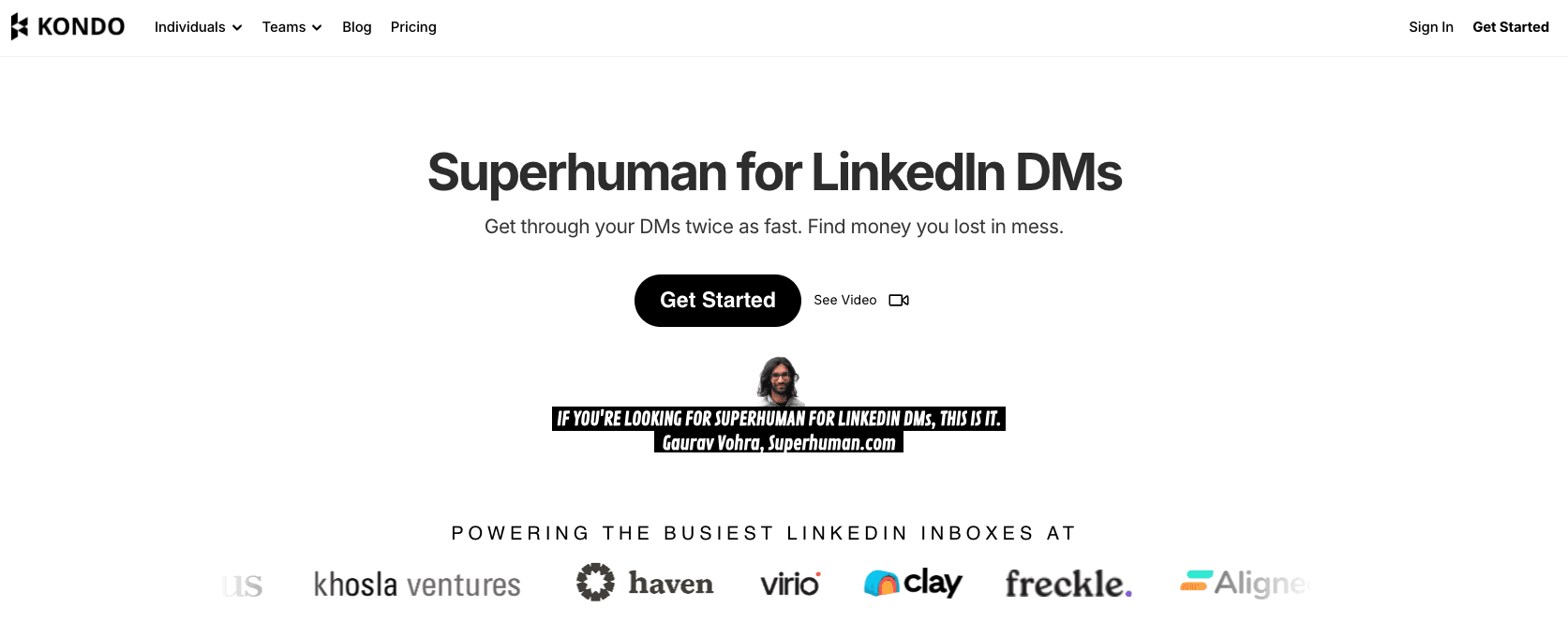
Kondo, also known as Trykondo.com is a LinkedIn inbox management tool. It's not exactly a CRM but considering the niche use case of managing positive replies from HeyReach, it will make the cut as LinkedIn CRM here.
Pros
Kondo is like Superhuman but for LinkedIn. It’s a solution built for people who want to be extremely efficient with their B2B social conversations ⚡️.
Kondo’s AI is not about generative outreach like writing cold messages automatically, but rather about productivity and prioritization intelligence. It’s similar to how Superhuman or modern email clients use smart shortcuts, labels, and reminders to make messaging easier 🧠.
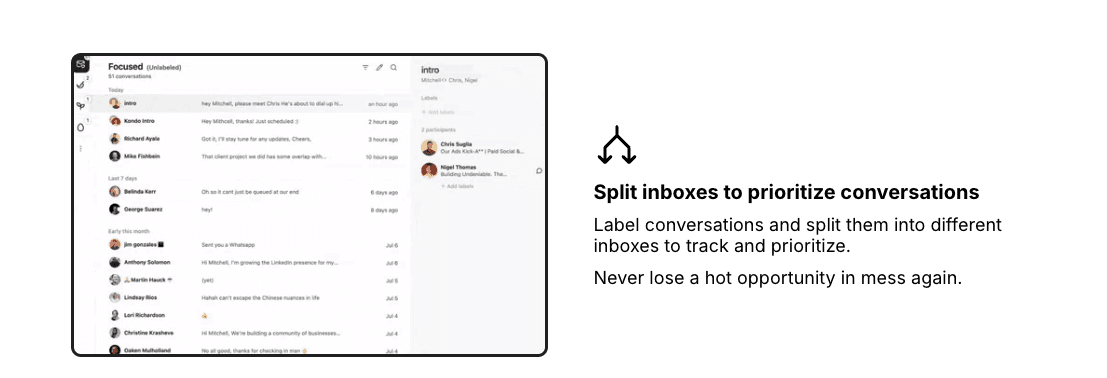
The nice thing is that you can manage conversations that started on HeyReach directly inside Kondo.
Some of the main pros include:
Split inbox and smart labeling: automatically or manually filter your leads
Snooze: you can snooze conversations to focus on them later ⏰
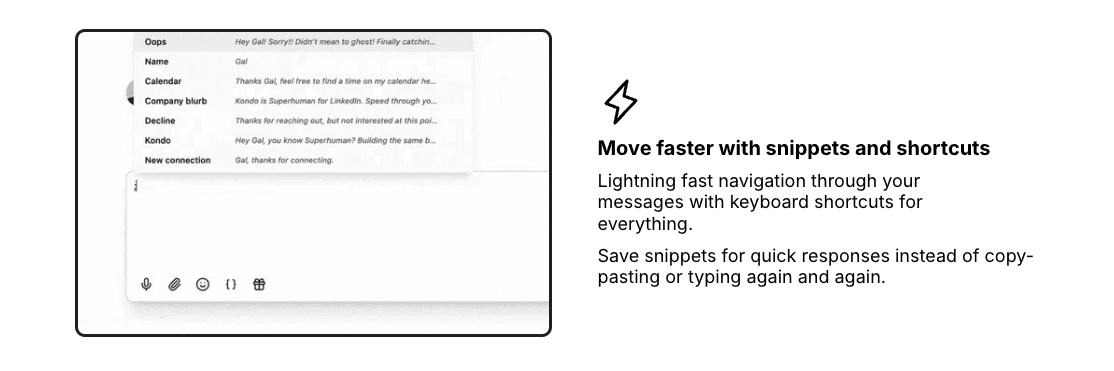
Keyboard shortcuts: like Superhuman, you benefit from powerful shortcuts to handle LinkedIn conversations faster than ever
Intelligent prioritization: the software uses AI to assign urgency scores to conversations and prioritize them, which helps you maximize your time on busy days and reply faster to the most important leads
Cons
As previously mentioned, Kondo is not a sales CRM by design, so you'll face multiple problems along the way if you're a LinkedIn automation agency.
Here are the main cons:
0 Multiple workspaces system for agencies
Kondo is a LinkedIn connection manager tool designed to improve your inbox experience, but it’s not the perfect tool for agencies using HeyReach 📥.
Yes, you can technically engage on behalf of different customers, but it quickly becomes messy to manage because there is no proper workspace system 🧩.
This lack of separation can create confusion and make collaboration much harder for agencies handling multiple clients 🔄.
No possibility to manage leads like a normal CRM
Again, Kondo is not a proper sales CRM software 📋.
Everything is conversation based, but in that case, you’ll be limited in the same way as with HeyReach’s inbox. You won’t be able to categorize leads into entirely new lists. You can create segments and tags, but it won’t go as far as a traditional CRM with custom fields, custom objects, and advanced automations ⚙️.
As a result, Kondo works well for managing conversations, but it quickly reaches its limits when you need structured CRM logic and deeper lead management 🧠.
Harder to engage on behalf of your clients
As a LinkedIn automation agency, you probably want your reps or virtual assistants to engage on behalf of the client once there is a reply, so they can book the meeting 🤝.
Because of the lack of an advanced workspace system, team members will have to log out and log back in to engage on behalf of different clients 🔁.
This quickly becomes painful to manage at scale and increases the risk of mistakes or lost conversations ⚠️.
Are there any other viable alternatives to Breakcold and Kondo for LinkedIn automation agencies with AI?
Not really. We can very quickly mention Leaddelta, which is an inferior version of Kondo in my opinion 🤷♂️.
But apart from that, you won’t find many truly reliable solutions to solve this specific pain point 🧩.
That’s why most agencies end up hacking workflows instead of relying on a proper, purpose built tool ⚠️.
Frequently asked questions

Written by
Arnaud Belinga · Co-Founder & CEO at Breakcold
Arnaud is the Co-Founder & CEO of Breakcold, the AI Native CRM for sales teams of 5 to 30+ people.