
How to INCREASE Retention for your Lead Gen Agency? (Decrease Churn)
If you run a lead generation agency, you’ve probably heard this sentence 1000 times:
“Your leads are bad.”
And honestly… this is one of the biggest reasons why lead gen agencies churn.
But here’s the twist.
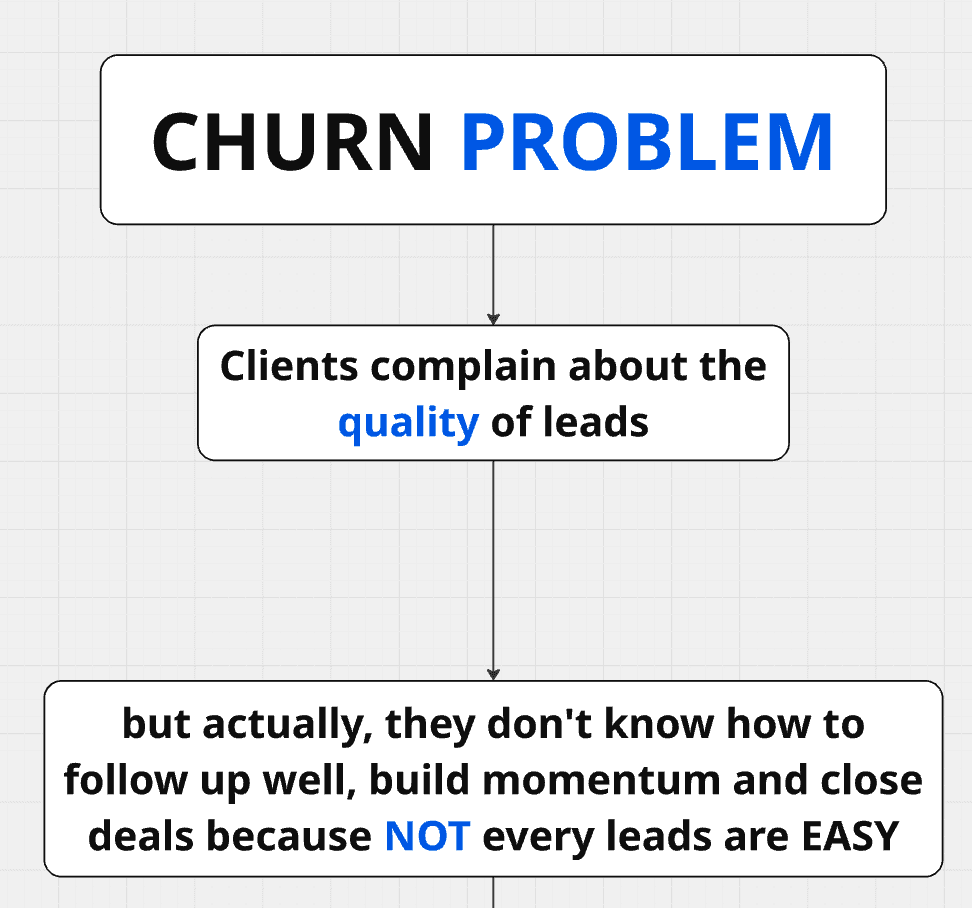
In most cases, the problem is not the leads.
The real problem is that clients don’t know how to convert those leads into closed deals.
They don’t follow up properly.
They don’t build momentum.
They don’t have a system.
They expect leads to magically close after the first call like it’s 2018.
And when it doesn’t happen, they blame the agency.
So in this article, I’m going to show you exactly how you can fix churn and increase retention for your lead gen agency.
This is a process that some of my own agency customers came up with, and it works insanely well because it removes the number one source of churn:
client disappointment due to “lack of results.”
We’ll cover:
Why churn happens in lead gen agencies (the real reason)
The only 2 possible solutions
A done-with-you system that increases retention like crazy
A step-by-step CRM workflow (real implementation)
How to push positive replies automatically into pipelines
The “daily execution dashboard” method that forces clients to win
Let’s go.
How to INCREASE Retention for your Lead Gen Agency? (Decrease Churn) (TL;DR) |
|---|
Most lead gen agencies don’t lose clients because the leads are “bad” — they lose clients because the client can’t convert. So the retention fix isn’t “more leads”… it’s building a conversion system that forces execution. 🔥 Clients blame lead quality when the real problem is no follow-up momentum. 📉 No momentum = no closed deals = no ROI = churn (even if your service is great). ✅ There are only 2 solutions: close deals for them (terrible + unscalable) or teach them to convert (the winning move). 🧠 The retention cheat code: sell “lead gen + conversion machine” as a done-with-you system. 🏗️ The conversion machine has 4 layers: CRM workspace + pipeline + automated lead routing + daily execution dashboard. 🧊 Use an AI CRM (ex: Breakcold) to auto-generate pipelines, move leads, and create daily follow-up tasks automatically. 📩 Push positive replies from cold email + LinkedIn tools directly into the CRM with automation (Smartlead + HeyReach + Zapier). 📅 Only thing the client must do: show up daily → execute tasks → follow up → close. 💰 Optional retention upsell: sell a Follow-Up VA service so clients only have to close calls. 🚀 The right retention strategy isn’t sending leads — it’s delivering a system that converts leads into revenue. |
The Biggest Retention Problem in Lead Gen Agencies
Most agency founders have the same situation:
You generate positive replies
You book calls
You send leads
And then… a few weeks later:
“Yeah, the leads are dog sh*t.”
But when you zoom out, what’s really happening is:
Clients don’t know how to handle leads
Because not every lead is easy.
A lot of clients think lead gen works like this:
Lead replies
Call booked
Deal closed instantly
Money arrives
But real life is more like:
Lead replies
Call booked but doesn’t show up
You follow up
Follow up again
Follow up again
Lead shows up 2 weeks later
Deal closes
So the leads are not “bad.”
The follow-up system is bad.
The truth: most clients have no momentum
They don’t know how to:
reply fast enough
handle objections
chase politely
re-engage no-shows
stay consistent for weeks
And without momentum, even good leads die.
So retention dies too.
Why This Creates Churn (Even If Your Service Is Good)
Here’s the core issue:
Your agency is judged on results.
And results depend on conversion.
But conversion depends on the client.
So basically, you’re stuck in this unfair system where:
you generate value
but the client destroys value
then blames you for it
If clients are not converting:
they stop believing
they start doubting
they cancel
Even if your lead quality is good.
The Only 2 Solutions (And Why One Is Terrible)
If you want to fix churn, there are only two possible solutions.
Solution #1: You run the business for them
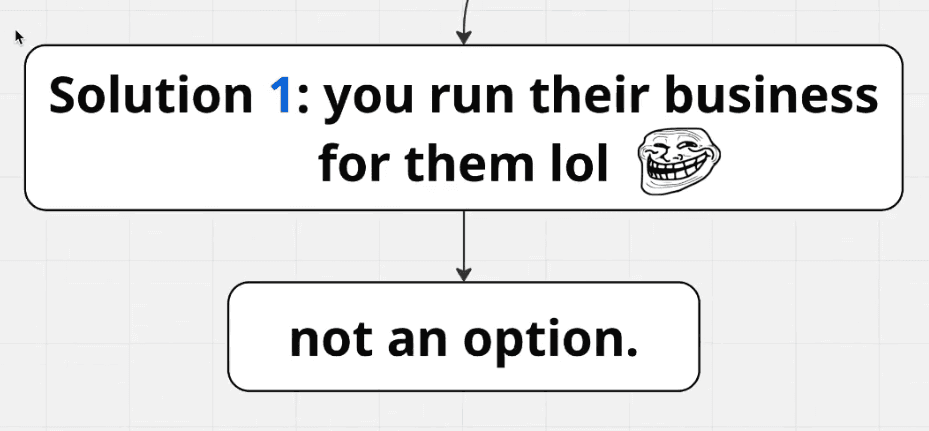
Meaning:
you generate leads
you follow up for them
you close deals for them
But at this point, you’re not doing lead gen anymore.
You’re running their company.
It’s not scalable.
It’s not profitable.
And it’s a nightmare.
So this is not a viable solution.
Solution #2 (The winning one): Teach them how to convert
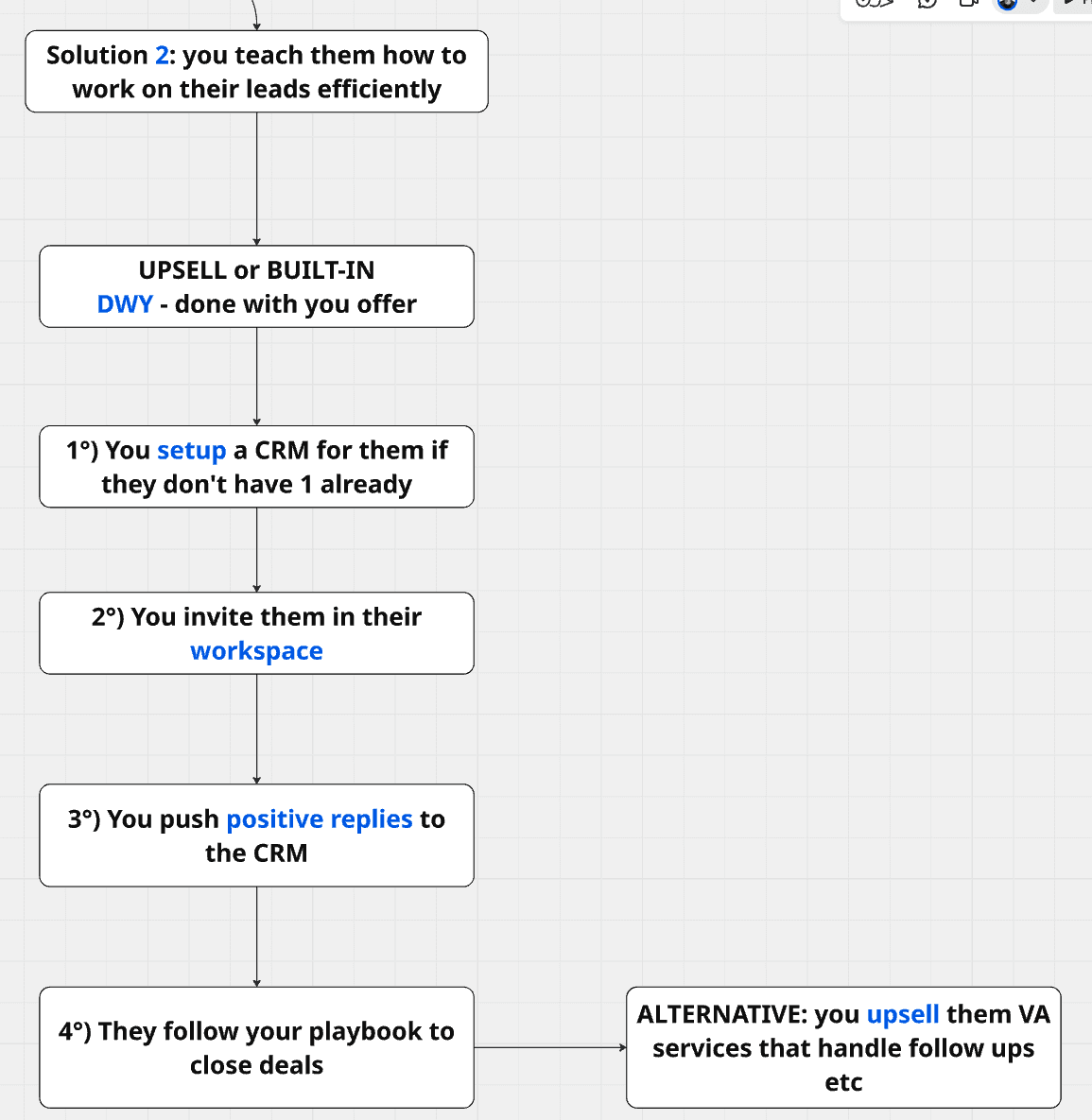
Instead of doing everything for them, you do a done-with-you system.
You teach them how to:
follow up correctly
build momentum
handle leads with structure
close deals with consistency
And the best part?
This creates retention because now:
clients see results
they stop complaining
you become essential
It also gives you:
higher perceived value
stronger positioning
ability to charge more
This can be:
✅ an upsell
or
✅ included directly in your offer (recommended)
The “Done-With-You” Retention Framework
This is the framework.
Your agency doesn’t just send leads.
Your agency builds a conversion machine for the client.
That machine has 4 layers:
1) A CRM for the client
2) A clean pipeline structure
3) Automated lead routing (LinkedIn + cold email)
4) A daily execution system (tasks + follow-ups)
Let’s break it down.
What We Want to Achieve (The End Goal)
You want a system with:
A pipeline tailored for their business
Leads auto-pushed into “positive replies” buckets
Daily tasks auto-generated by AI
Leads moving automatically based on conversations
Client only job = show up daily and execute
This is key:
Clients don’t need motivation.
They need a system that forces them to win.
Step-by-Step Setup (The Full Process)
Now I’ll show you how to implement this step by step.
We’re going to use:
And we’ll pretend we have a client called:
✅ Unblock (SEO agency)
Step 1: Create a CRM Workspace for Your Client
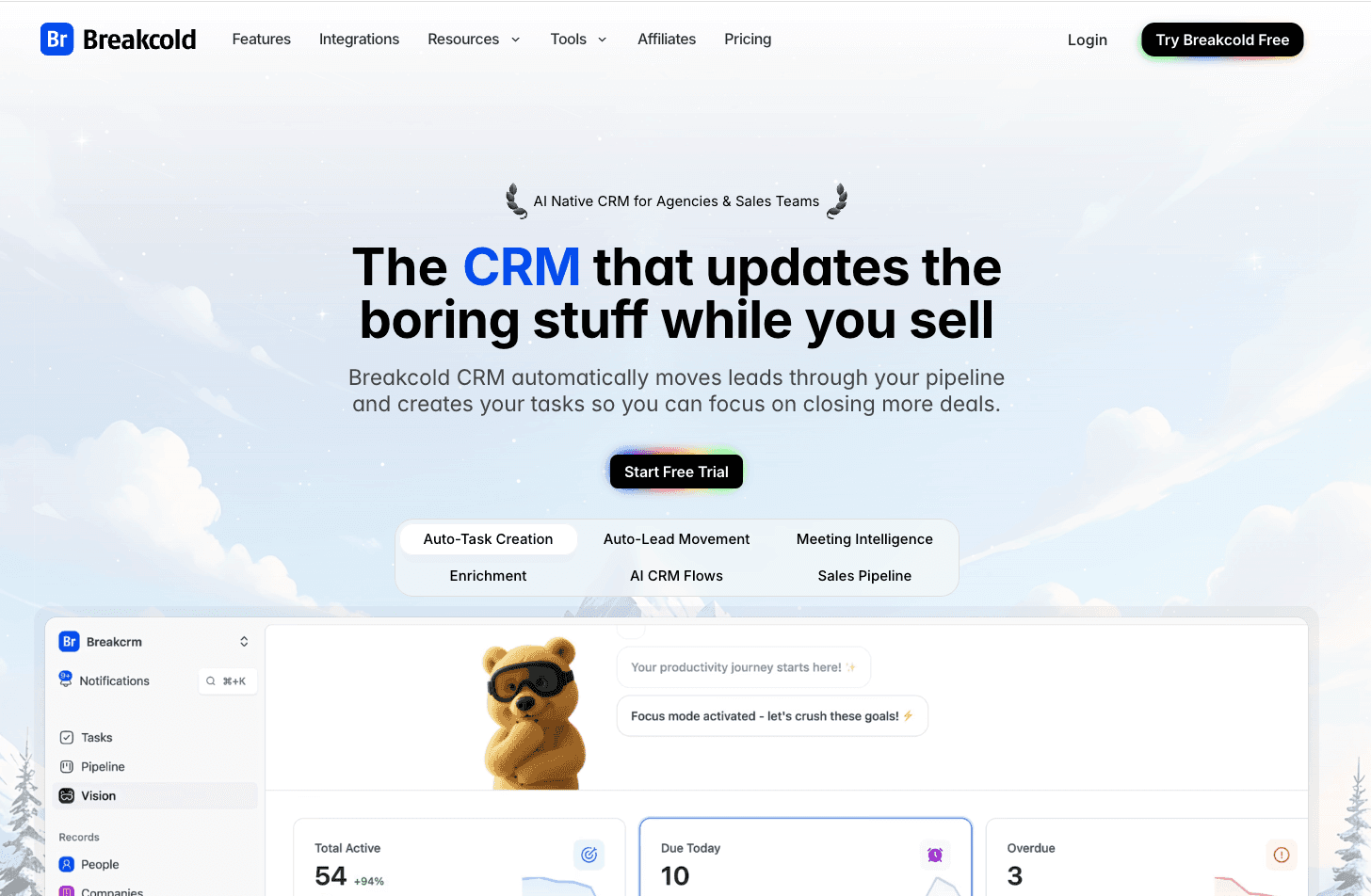
First, go to Google and type:
Breakcold
Then:
click Try Breakcold Free
register
and start onboarding like you were the client
In onboarding you’ll do:
Client name
Example: “Unblock”
Company size
Select something like “2 to 4 people”
Acquisition source
Select “YouTube” (or whatever)
Website
If the client has one, enter it.
If not, skip it. No problem.
Then Breakcold analyzes the business automatically.
Step 2: Describe the Client’s Business
Here’s the structure:
Business description example
“Unblock is an SEO agency that generates B2B content for startups and agencies in the US and the UK.”
Then describe the sales process.
And here you describe YOUR process as an agency:
“We generate leads through Smartlead (cold email) and HeyReach (LinkedIn). We push positive replies into the CRM, then convert them into booked calls and closed deals.”
Then click finish.
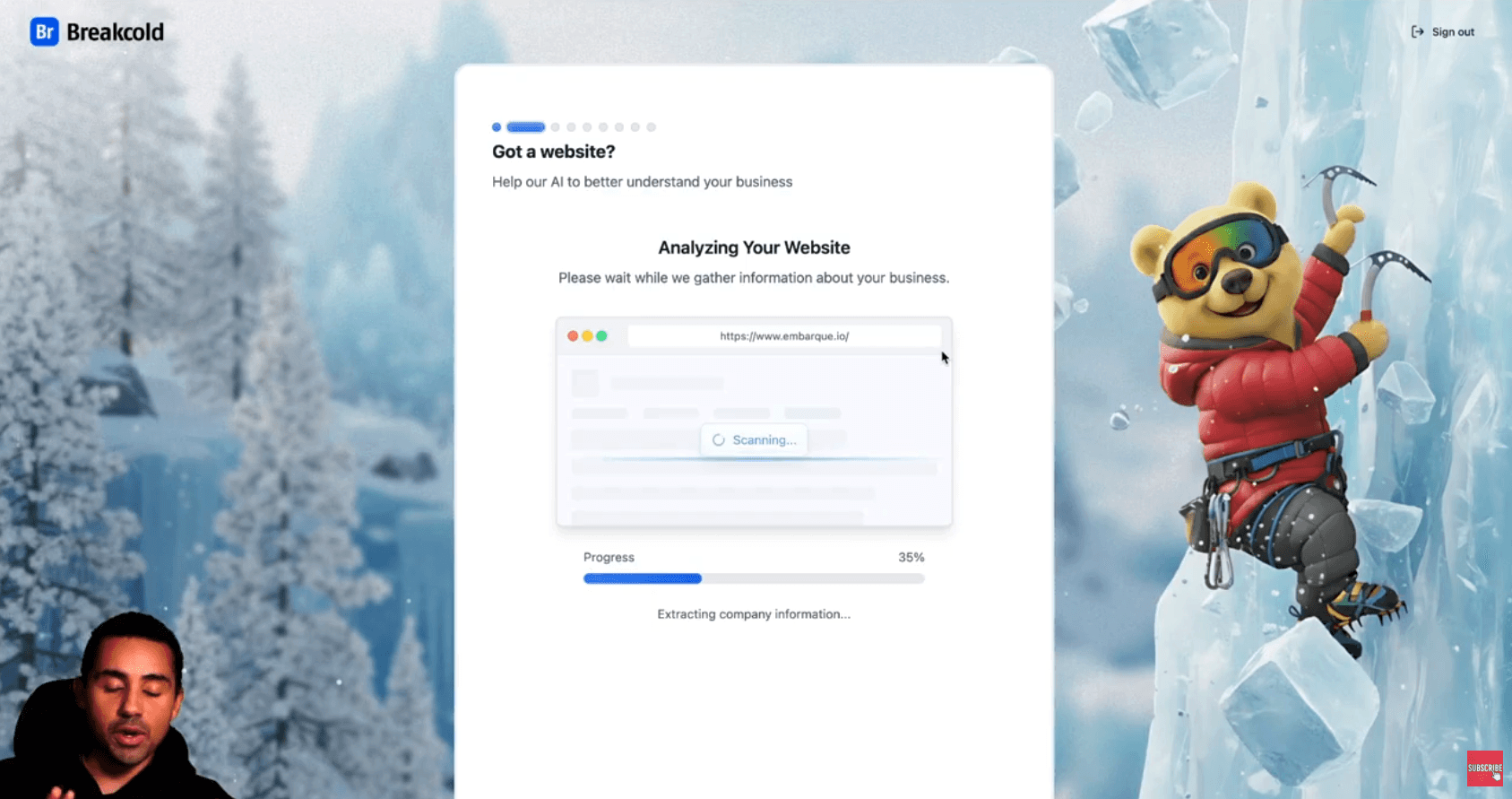
Step 3: Let the CRM Auto-Generate Everything
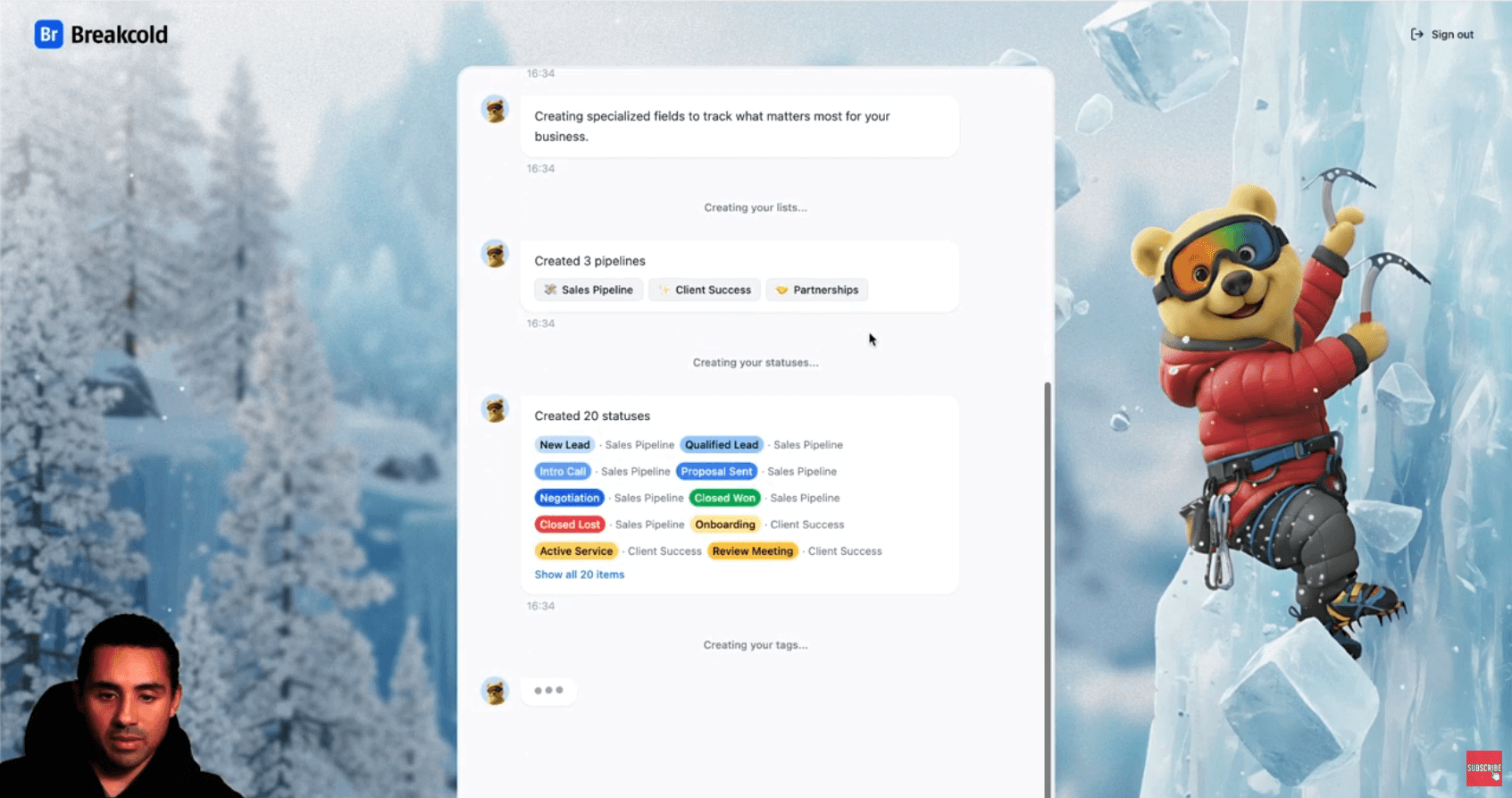
Breakcold will create:
lists
tags
statuses
And it’s tailored to the business.
So you have no boring CRM setup to do manually.
That’s huge because agency founders hate setup.
Step 4: Clean the CRM (Focus Only on Sales Pipeline)
Once you land in the workspace:
Go to:
Pipeline
You’ll see the CRM created different pipelines like:
Sales pipeline
Client success
Partnerships
For this retention system, focus on:
✅ Sales pipeline only
You can delete client success and partnerships for now.
Building the Perfect Sales Pipeline
Now we rename the stages.
This is critical because it forces clients into a conversion process.
Recommended pipeline stages
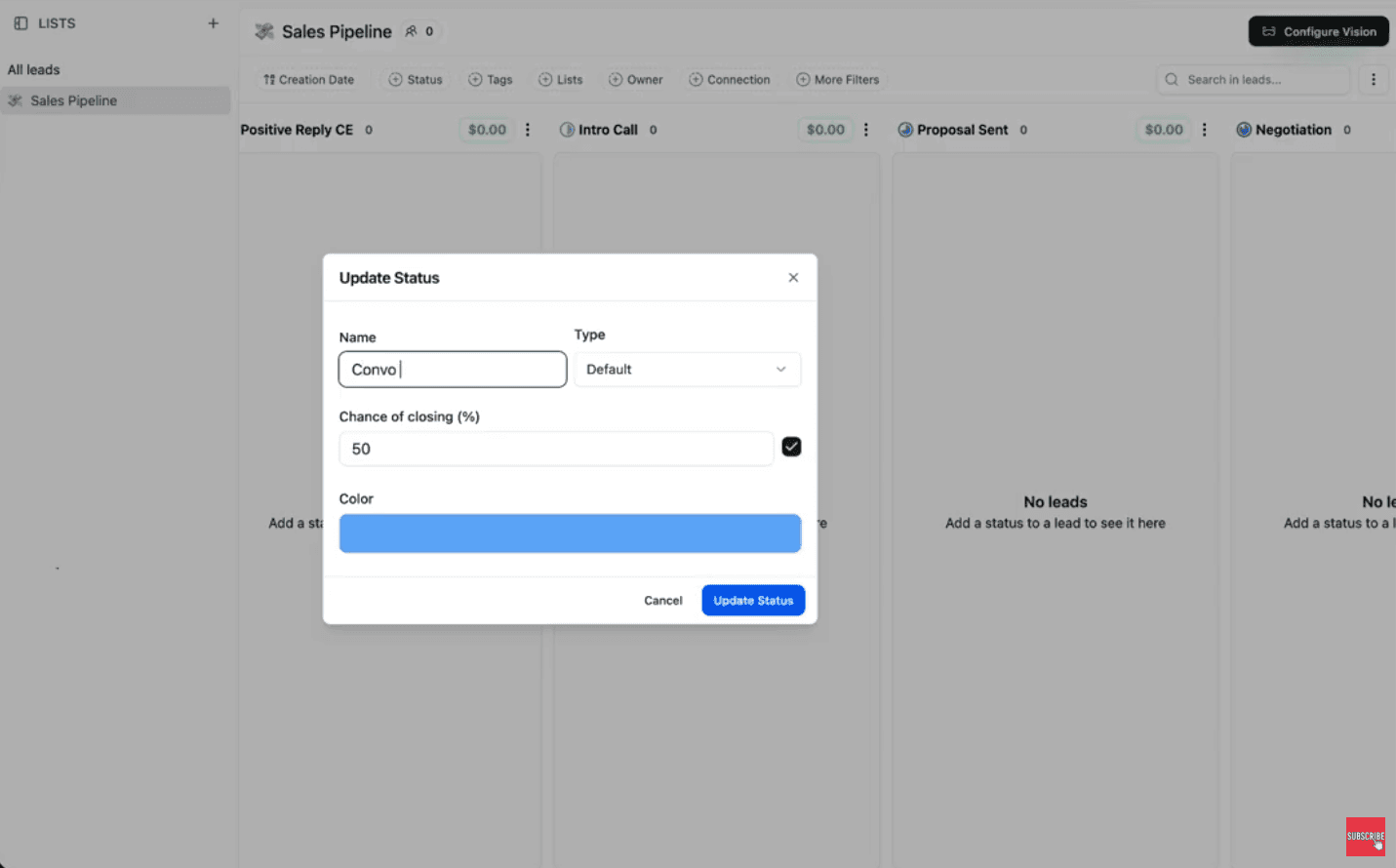
Stage 1: Positive reply (Cold email)
Name it:
✅ Positive Reply - Cold Email
This bucket receives positive replies from Smartlead.
Stage 2: Positive reply (LinkedIn)
Name it:
✅ Positive Reply - LinkedIn
This bucket receives positive replies from HeyReach.
Stage 3: Conversation Started
Name it:
✅ Conversation Started
This stage = real conversations.
Rule of thumb:
move leads here only after at least 2 replies.
Stage 4: Booked a Call
Name it:
✅ Booked a Call
This stage triggers once:
Calendly confirmation happens
or the lead explicitly books something
Stage 5: To Follow Up
Name it:
✅ Follow Up
This stage is where momentum happens.
Important:
Follow-up is where deals are won.
Most people don’t do it.
Stage 6: Closed Won
✅ Closed Won
Stage 7: Closed Lost
✅ Closed Lost
Step 5: Invite Your Client Into the Workspace
Go to:
Settings → Members
Invite your client.
Once your client accepts:
Tell them to connect:
✅ their email
✅ their LinkedIn account
Why?
Because it allows the CRM to auto-aggregate:
email threads
LinkedIn threads
calendar events
That’s how the CRM becomes “alive.”
Step 6: Create the Daily Execution System (Vision Dashboard)
This is where retention really becomes strong.
Because clients stop being chaotic.
They start being consistent.
Go to:
Vision → Configure Vision
Vision is the dashboard where:
tasks are auto-created
AI suggests messages
client just executes daily
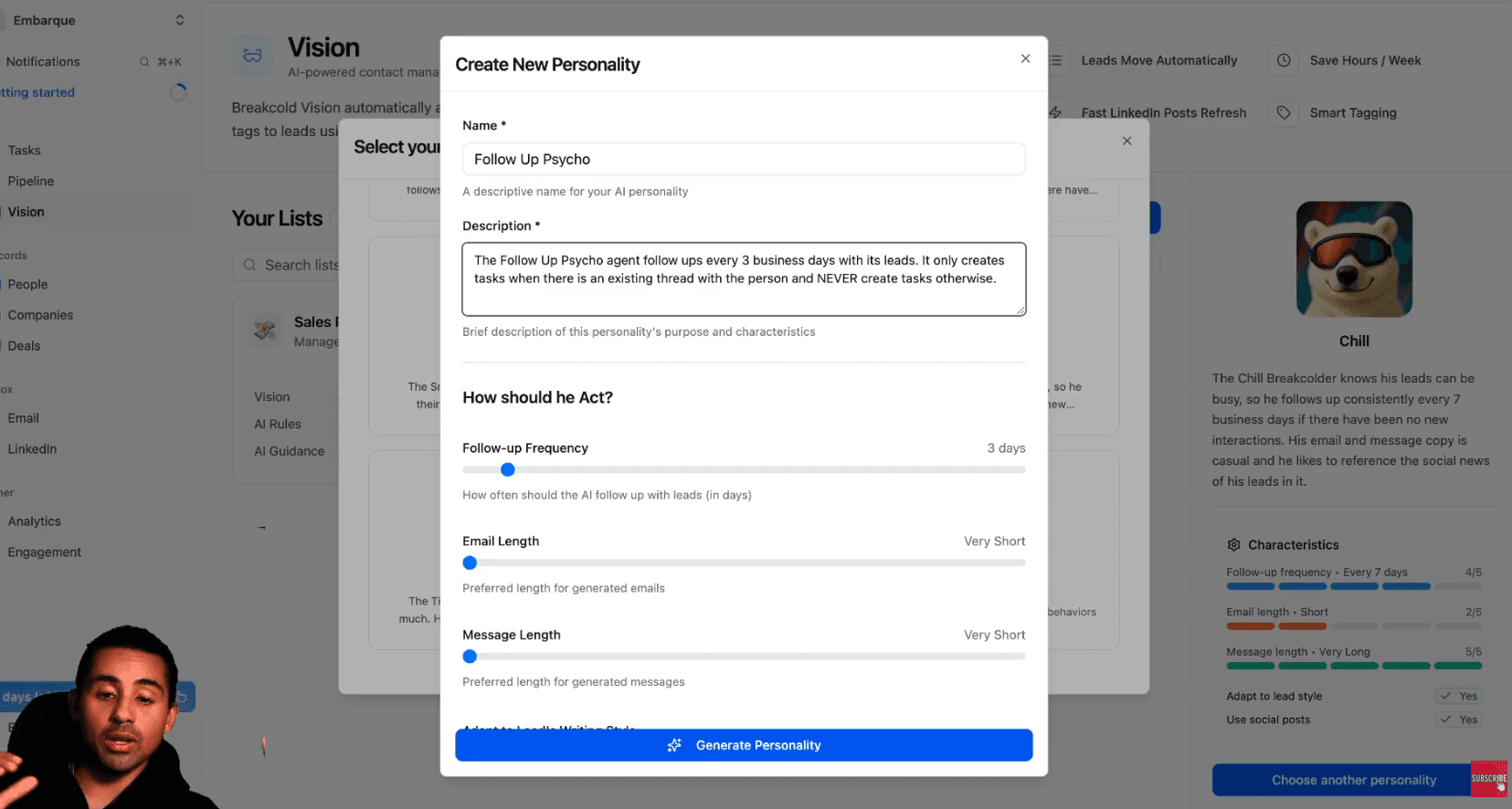
Choose a CRM personality (the trick)
Pick one of the existing personalities, or create your own.
My favorite method:
Create a “Follow-Up Psycho Agent”
Yes, seriously.
Because your goal is simple:
Never lose momentum with leads.
Recommended configuration
Follow-up frequency: every 3 business days
Email length: short
Rules: only create tasks when an existing thread exists
This is super important:
You are generating leads from cold email + LinkedIn automation.
You push positive replies.
So there IS a thread.
The AI should not create tasks for random people with no conversation.
Personality description example
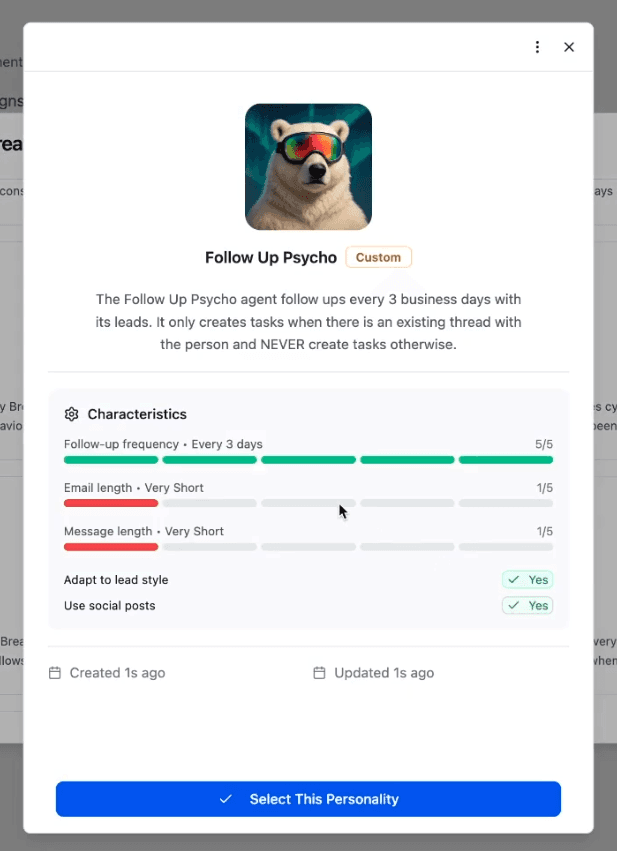
Follow-Up Psycho Agent
follows up every 3 business days
only creates tasks when there is an existing conversation thread
adapts to lead writing style
uses lead social posts in suggested messages
prioritizes momentum over perfection
Then click generate personality.
Now select it as your default CRM agent.
Step 7: Automate Lead Movement in the Pipeline
Now we configure lead movement rules.
Go to automation settings.
Important: disable auto movement from AI for positive reply stages
Because your agency pushes leads there manually via Zapier.
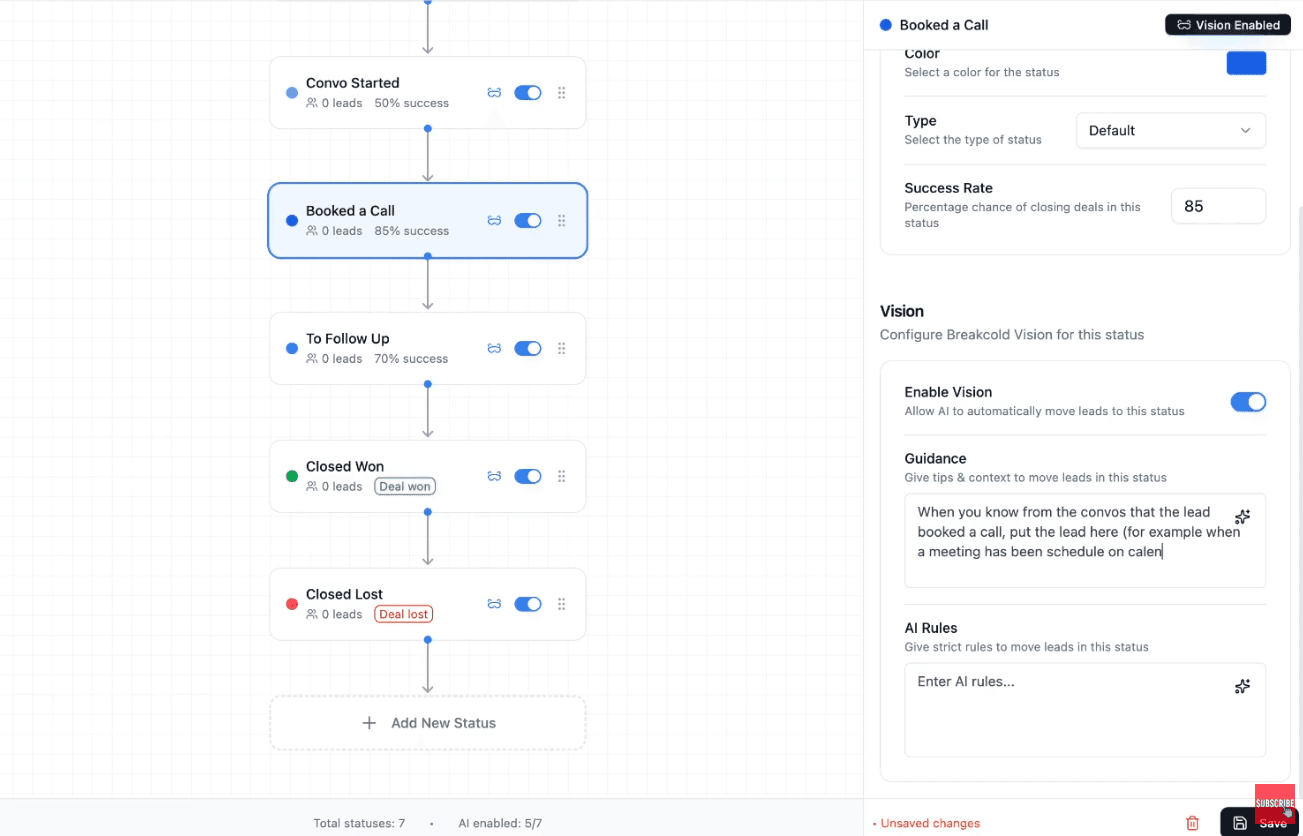
Configure Conversation Started logic
Rule:
Only move leads to Conversation Started when there are at least 2 replies from the lead.
So positive reply = 1 reply
conversation started = real back and forth
Configure Booked a Call logic
Rule example:
Move lead here when a meeting has been scheduled on Calendly (or similar).
Configure Follow-Up stage logic
Rule example:
Only put leads here if they already had a call, or if they went silent after a conversation.
Closed Won / Lost
Straightforward.
Replicating for Every Client (Agency Scaling)
Once you’ve done it once:
You can replicate it for every client.
You create a new workspace per client.
So your agency becomes a multi-workspace machine.
This is what you want:
one workflow template
cloned for all clients
high retention
high value offer
Step 8: Push Positive Replies From Smartlead Into the CRM
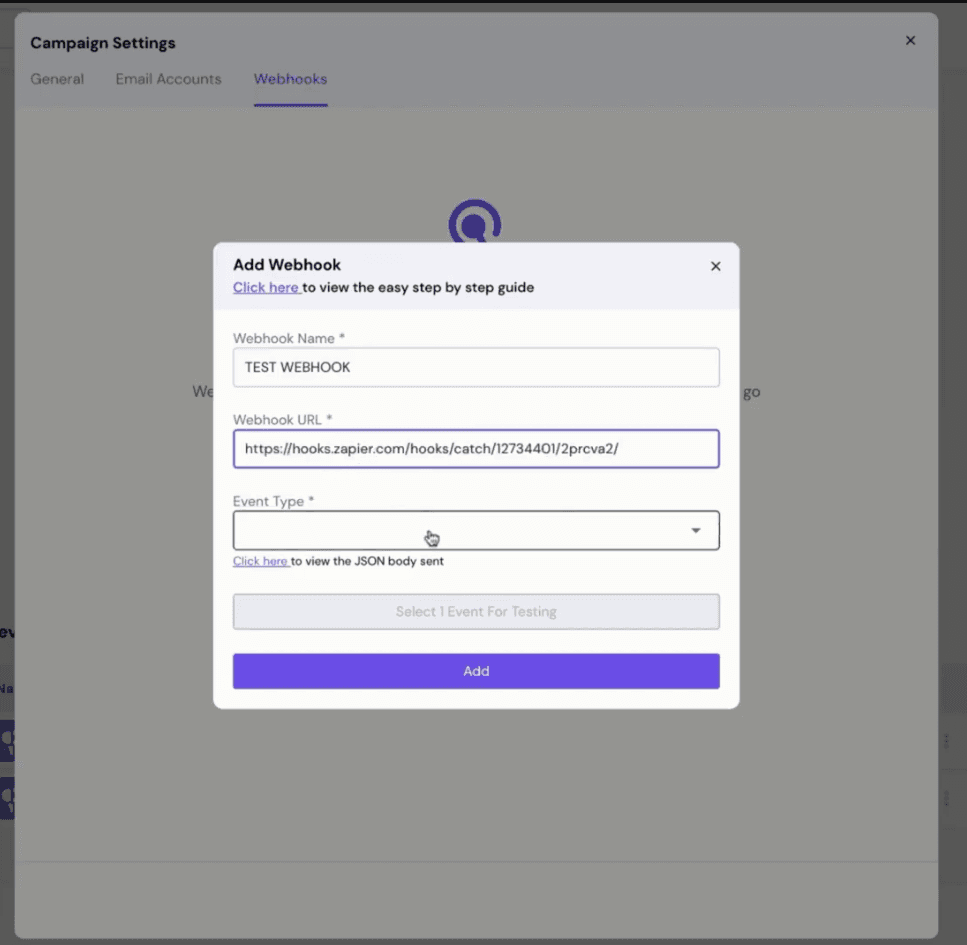
Now we connect Smartlead.
In Smartlead:
Go to Webhooks
Create webhook
Trigger: lead category updated
You want:
When you mark lead as “Interested” → send to CRM
Zapier workflow (Smartlead → Breakcold)
Trigger: Catch Hook
Action: Breakcold → Create/Update Lead
Assign list: Sales pipeline
Assign stage: Positive Reply - Cold Email
Test it.
Done.
Now every positive reply goes in the CRM automatically.
Step 9: Push LinkedIn Positive Replies From HeyReach Into the CRM
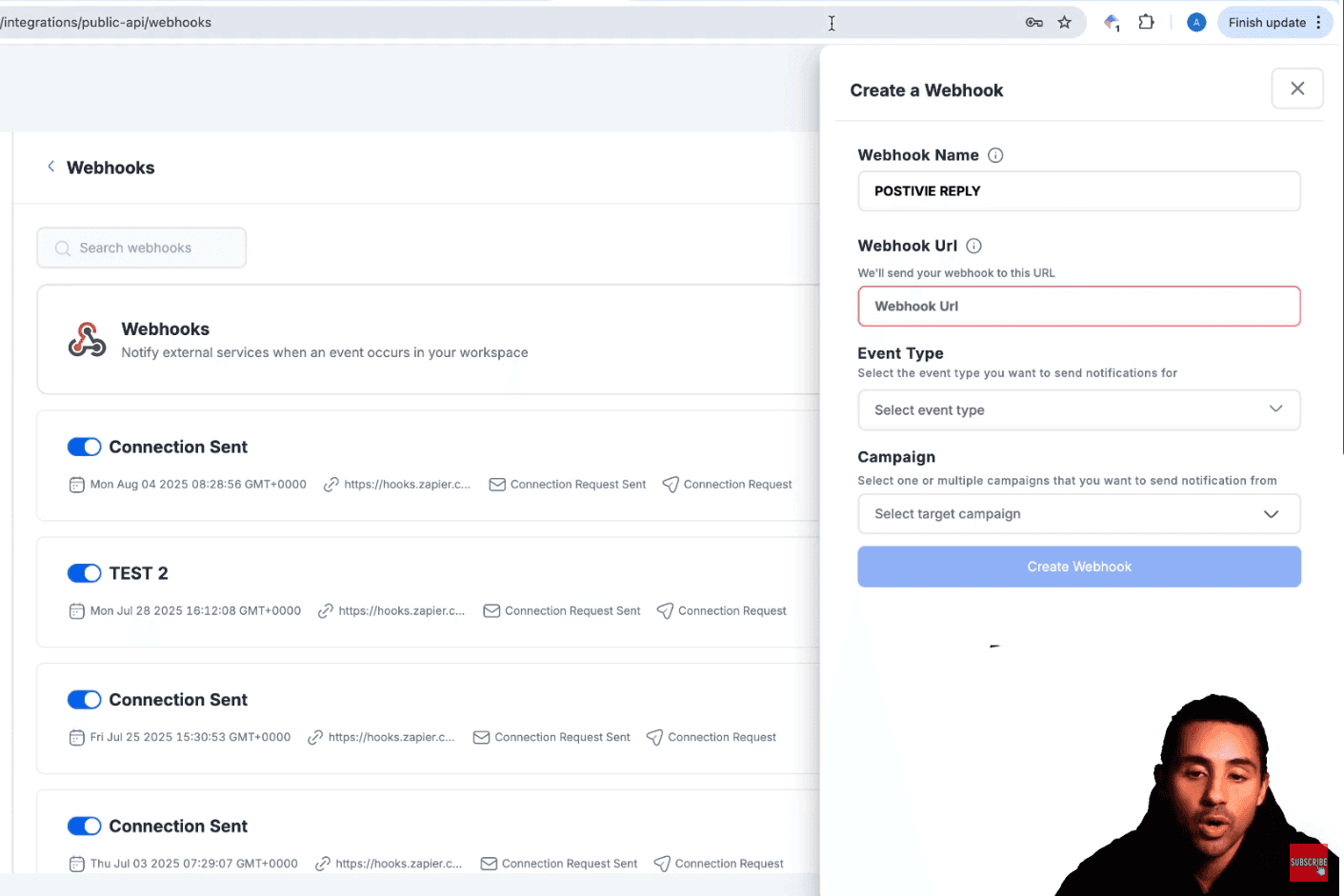
In HeyReach:
go to integrations
webhooks
create webhook
event type: first message reply received
Now build Zapier again:
Trigger: Catch Hook
Action: Breakcold → Create/Update Lead
Assign list: Sales pipeline
Assign stage: Positive Reply - LinkedIn
Test it.
Done.
Now LinkedIn replies also enter the CRM.
What It Looks Like When It’s Running (Daily Workflow)
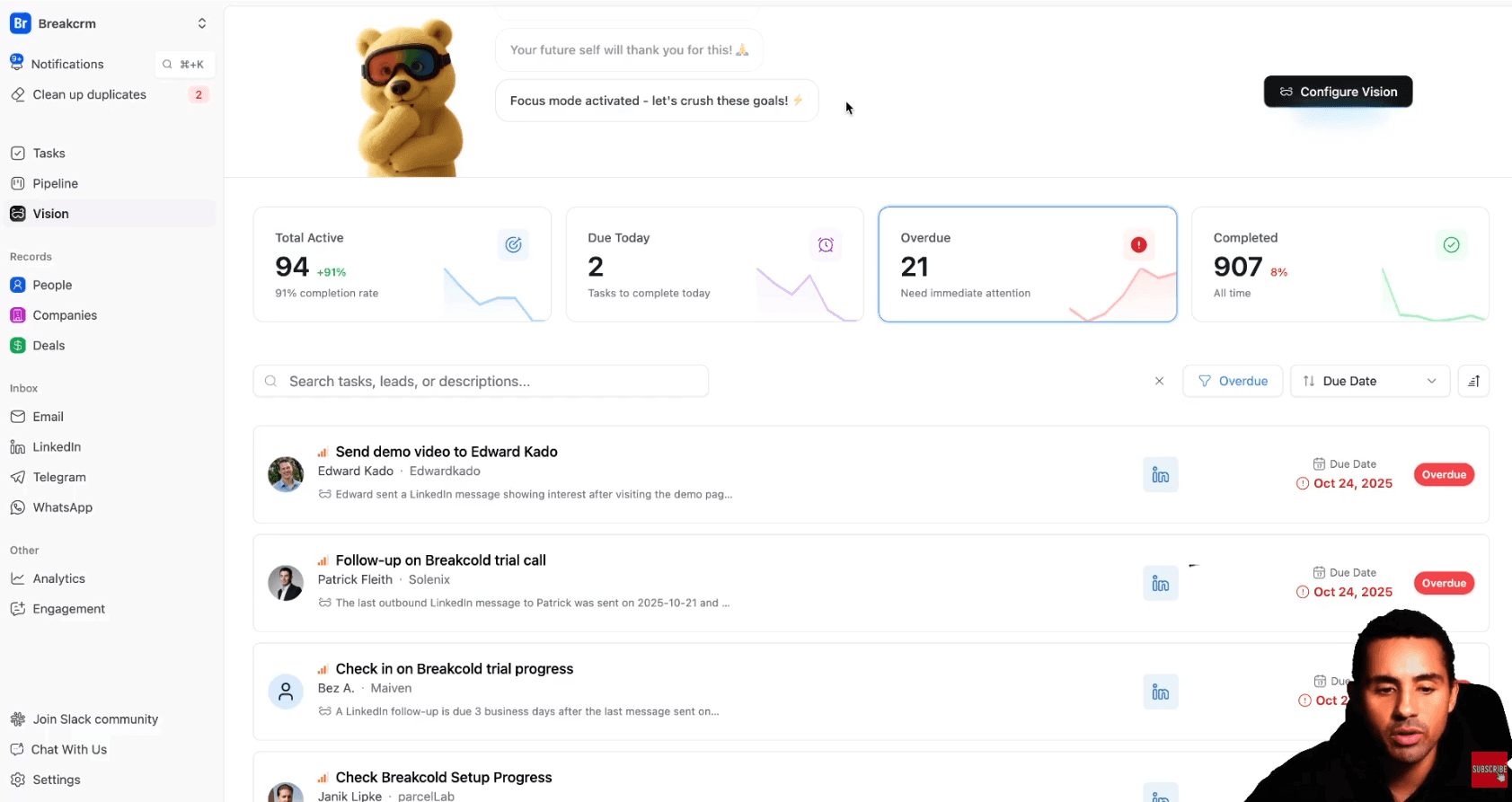
Now imagine you have a workspace full of leads.
This is what happens daily:
Client opens Vision dashboard
Tasks are already waiting.
No thinking.
No guessing.
No procrastination.
They click tasks and get:
direct access to email thread or LinkedIn thread
action plan from AI
suggested message
follow-up reminders
They just execute.
Meanwhile the CRM does the rest
detects conversations
detects booked calls
moves leads automatically
updates analytics automatically
\
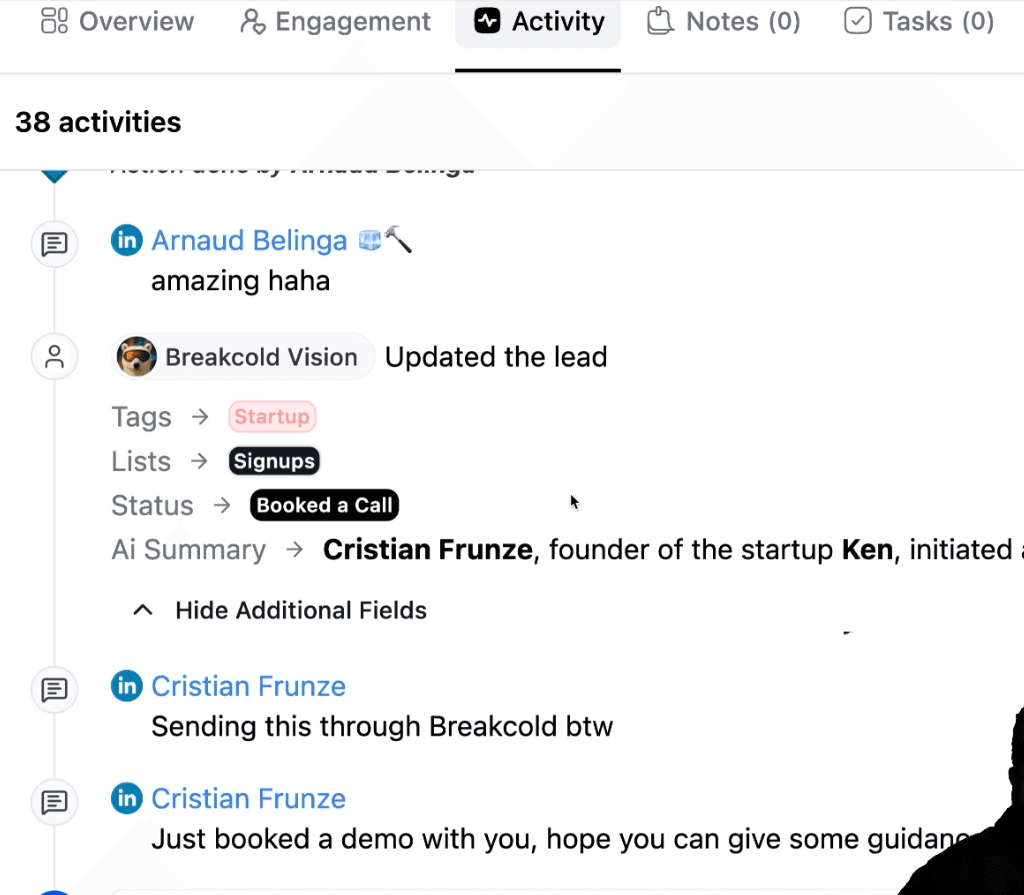
So the pipeline stays clean.
The stats stay clean.
And the client feels like:
“Wow, this system is actually working.”
And guess what?
This makes them stay longer.
Why This Works So Well (Retention Explanation)
Now the system is set.
And now your client has:
a CRM workspace tailored to their business
a clean pipeline
leads pushed automatically
tasks auto generated
leads moved automatically
analytics always up to date
So what does the client need to do?
Only one job:
✅ show up daily
✅ execute tasks
✅ follow up
✅ close deals
This removes excuses.
And retention increases hard.
Alternative Upsell: Sell a Follow-Up VA Service
If you want an even easier retention play:
Instead of teaching the client to follow up…
You upsell:
✅ a virtual assistant
✅ follow-up services
✅ appointment management
So:
VA handles replies + follow-ups
client only closes calls
This is an easy upsell and can massively improve retention.
Conclusion
Most lead gen agencies lose clients not because the leads are bad…
But because clients don’t know what to do with them.
So your retention strategy is simple:
Don’t just generate leads.
Build a system that converts.
The workflow looks like this:
CRM workspace per client
Clean pipeline
Push positive replies automatically
Auto task creation dashboard
Leads move automatically
Client executes daily
Results increase
Retention increases
That’s it.
If you implement this, your agency becomes more than an agency.
It becomes a revenue system provider.
And that’s how you win long-term.
Written by Arnaud Belinga