



HubSpot Sales Hub Review (2026): Built to Scale or Built Too Big?
TL;DR: is HubSpot Sales Hub worth it in 2026? 🏆
🟢 HubSpot Sales Hub: a scalable, all-in-one sales engine with deep automation, forecasting, reporting, calling, conversation intelligence and Breeze AI, tightly tied to Marketing and Service Hubs. Best for inbound-led B2B SaaS teams, agencies and consultants that want sales, marketing and service in one mature ecosystem.
🟠 Pricing: free plan, Starter around $10/seat, Professional around $100/seat, Enterprise around $150/seat. Most of the good stuff (sequences, forecasting, sales analytics) lives in Professional and above, and cost climbs fast as you add seats. Skip it if you are on a tight budget, need extreme customization, or want a lighter sales-first tool.
🔵 Pipedrive: a simpler, deal-centric CRM for teams that mainly want a clean visual pipeline without heavy automation.
🟣 Salesforce: enterprise-grade depth and customization for large or regulated organizations, at the cost of a steeper learning curve and higher admin overhead.
🏆 Breakcold: the AI Native CRM for sales teams of 5 to 30+ people. AI agents handle the admin (move deals, log activity, create tasks), it connects to Claude and ChatGPT via native MCP, and it syncs LinkedIn, email, WhatsApp and Telegram into one pipeline. At 5 seats Breakcold is $139/mo, where a traditional CRM runs $300 to $500/mo.
When you think of the top CRM (customer relationship management) platforms on the market, a handful of familiar names probably come to mind. Each sales team has its own preferences based on budget, workflow, and past experiences — but when it comes to scale, popularity, and market dominance, few platforms match the reach of HubSpot.
In this HubSpot Sales Hub Review, we’ll break down everything you need to know before choosing it as your primary CRM — from features and pricing to pros, cons, and the best alternatives.
📖 What is HubSpot Sales Hub?
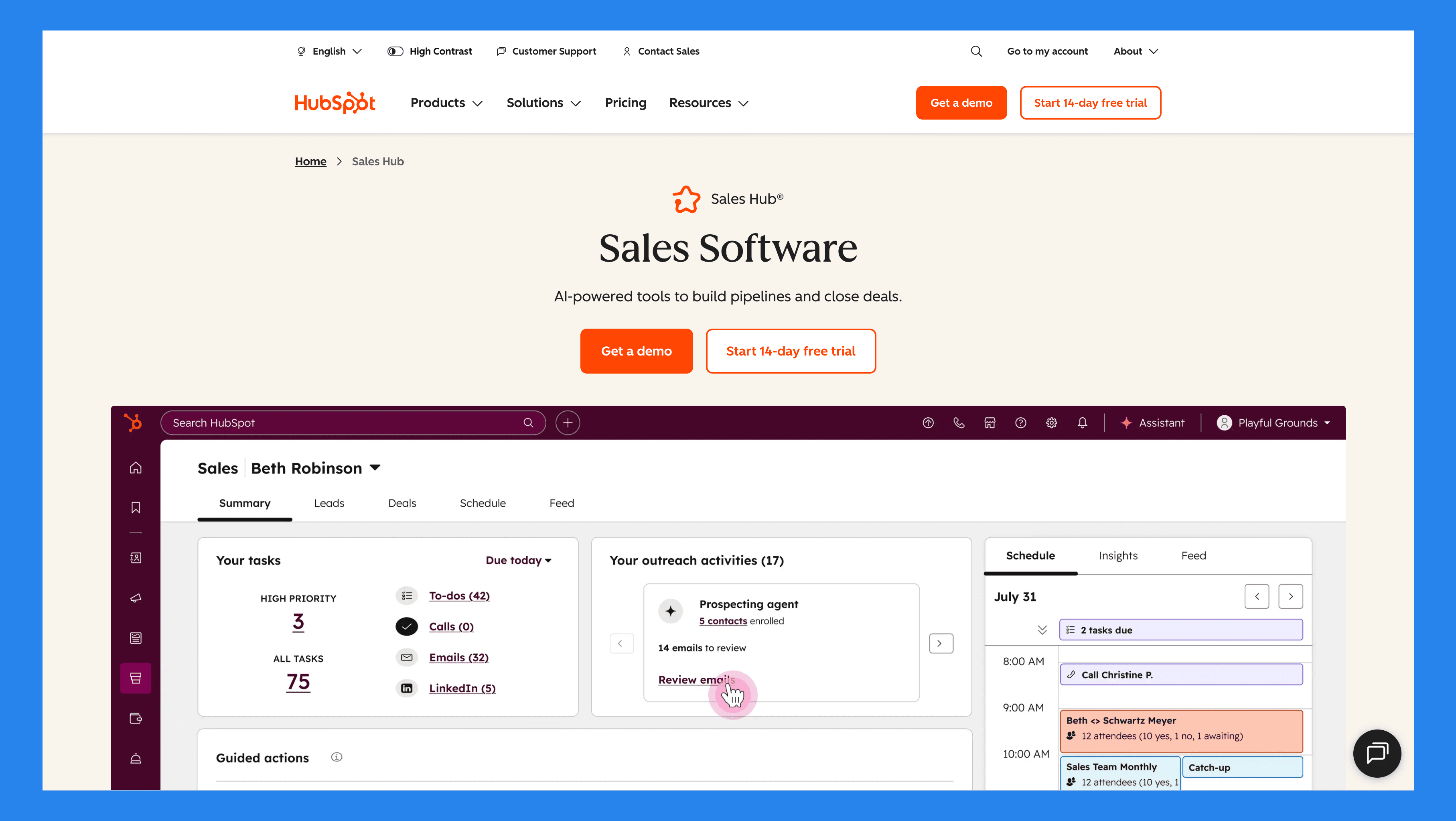
HubSpot, founded in 2006, is one of the most well-known CRM and marketing platforms globally. It started as an inbound marketing tool but has since grown into a full-featured ecosystem, helping businesses manage marketing, sales, service, and operations all in one place.
While HubSpot CRM is the free, core platform designed for basic contact and deal management, HubSpot Sales Hub is a premium extension focused specifically on sales automation, pipeline management, and advanced reporting. Think of Sales Hub as the part of HubSpot that transforms the CRM into a powerful sales engine.
The Sales Hub also integrates seamlessly with other HubSpot “Hubs,” including:
Marketing Hub: Align your marketing campaigns with sales activities.
Service Hub: Connect customer support insights to your sales pipeline.
Content Hub: Optimize website and content for lead generation.
Data Hub: Sync data, automate workflows, and keep your CRM clean and up-to-date.
Commerce Hub: Streamline e-commerce processes and integrate sales data for a complete view of revenue.
In short, Sales Hub isn’t just a CRM add-on — it’s a complete solution for teams looking to scale their sales operations efficiently within the HubSpot ecosystem.
Who Should (and Shouldn’t) Use HubSpot Sales Hub?
While HubSpot Sales Hub works for many organizations, it isn’t the right fit for every team. Use the table below to quickly see if it matches your needs:
Ideal for | Not ideal for |
|---|---|
B2B SaaS teams looking to streamline outbound and inbound sales | Budget-restricted startups seeking low-cost alternatives |
Inbound-focused sales organizations that rely on automation and analytics | Teams with highly complex, custom sales processes |
Agencies & consultants managing multiple clients and pipelines | Teams wanting full control and ownership of all data |
Fun Fact! |
|---|
Breakcold and HubSpot share a lot of overlapping customers — and a good number of them eventually switch to Breakcold for one reason or another… but you didn’t hear that from us 🤫 |
⚙️ Key Features of HubSpot Sales Hub
HubSpot Sales Hub is packed with tools designed to help sales teams manage deals efficiently, automate workflows, and close more business. Let’s break down the core features:
Contact & Deal Management
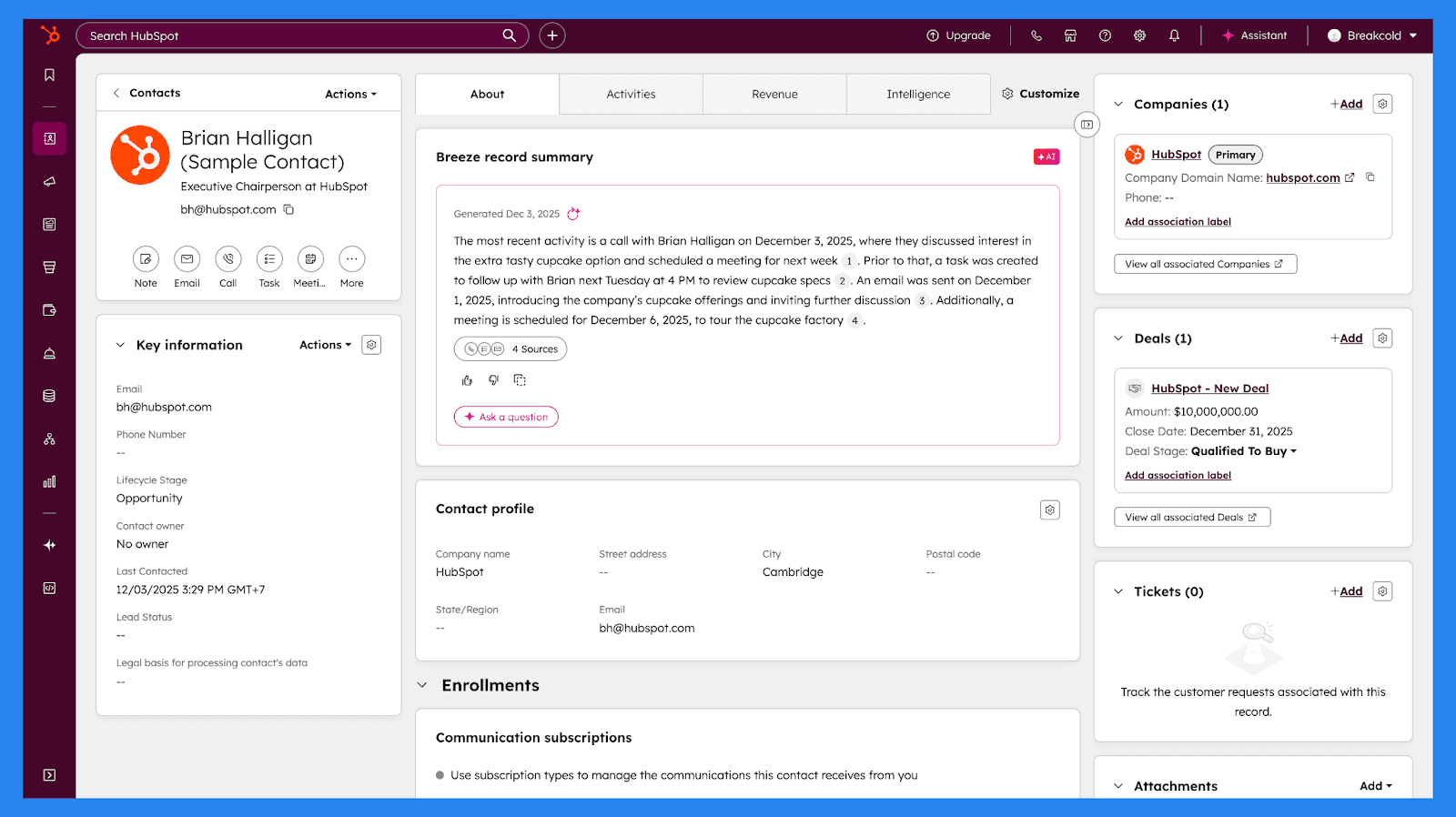
Managing leads and deals is the heart of any CRM, and HubSpot is no exception. Each contact comes with a detailed, dynamic profile that consolidates all relevant information in one place — company details, communication history, deal activity, engagement with emails and content, meeting notes, and more.
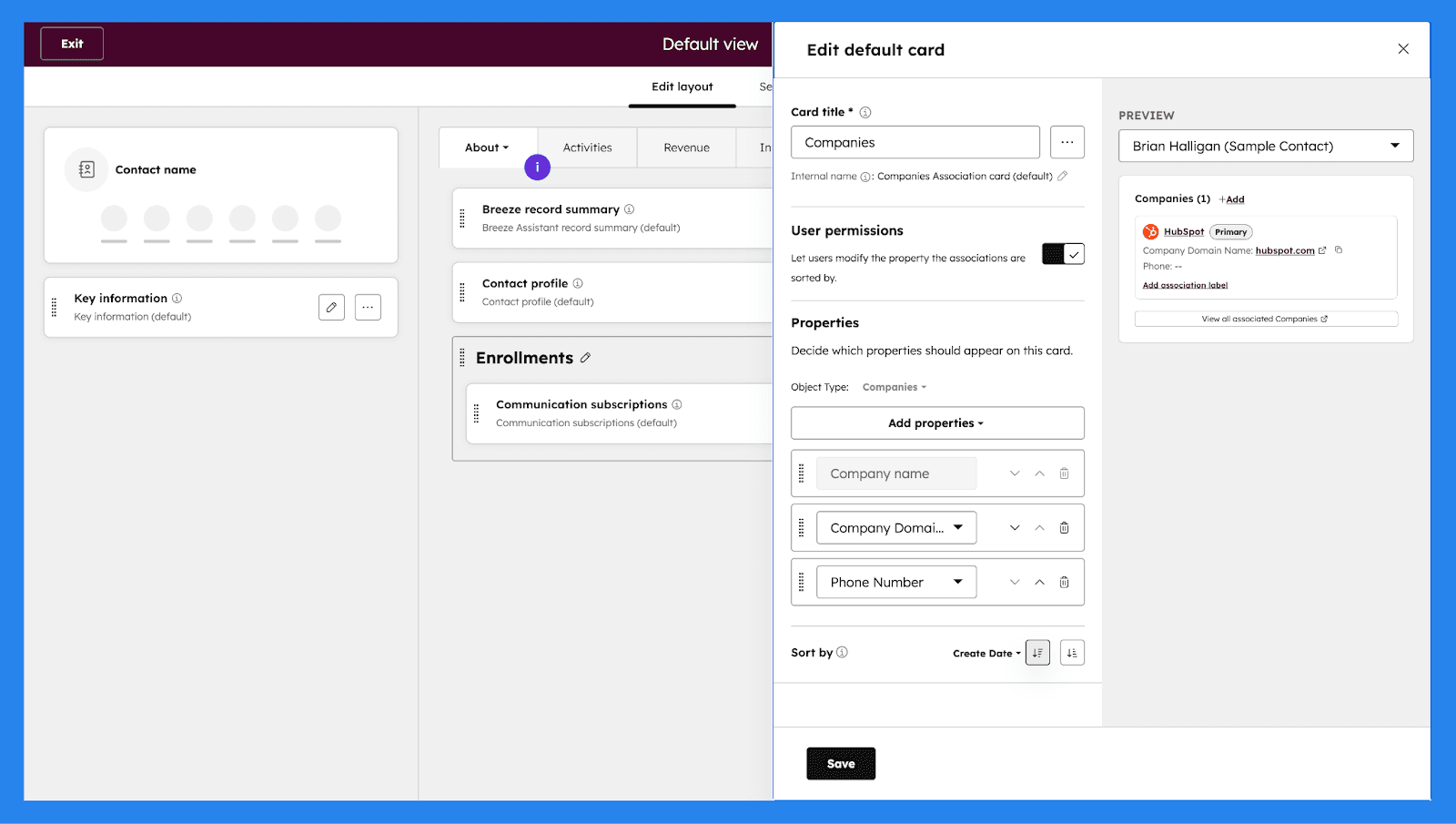
However, if the default view isn’t enough, HubSpot gives you the flexibility to customize contact profiles and pipeline views, ensuring you capture the data that matters most to your team.
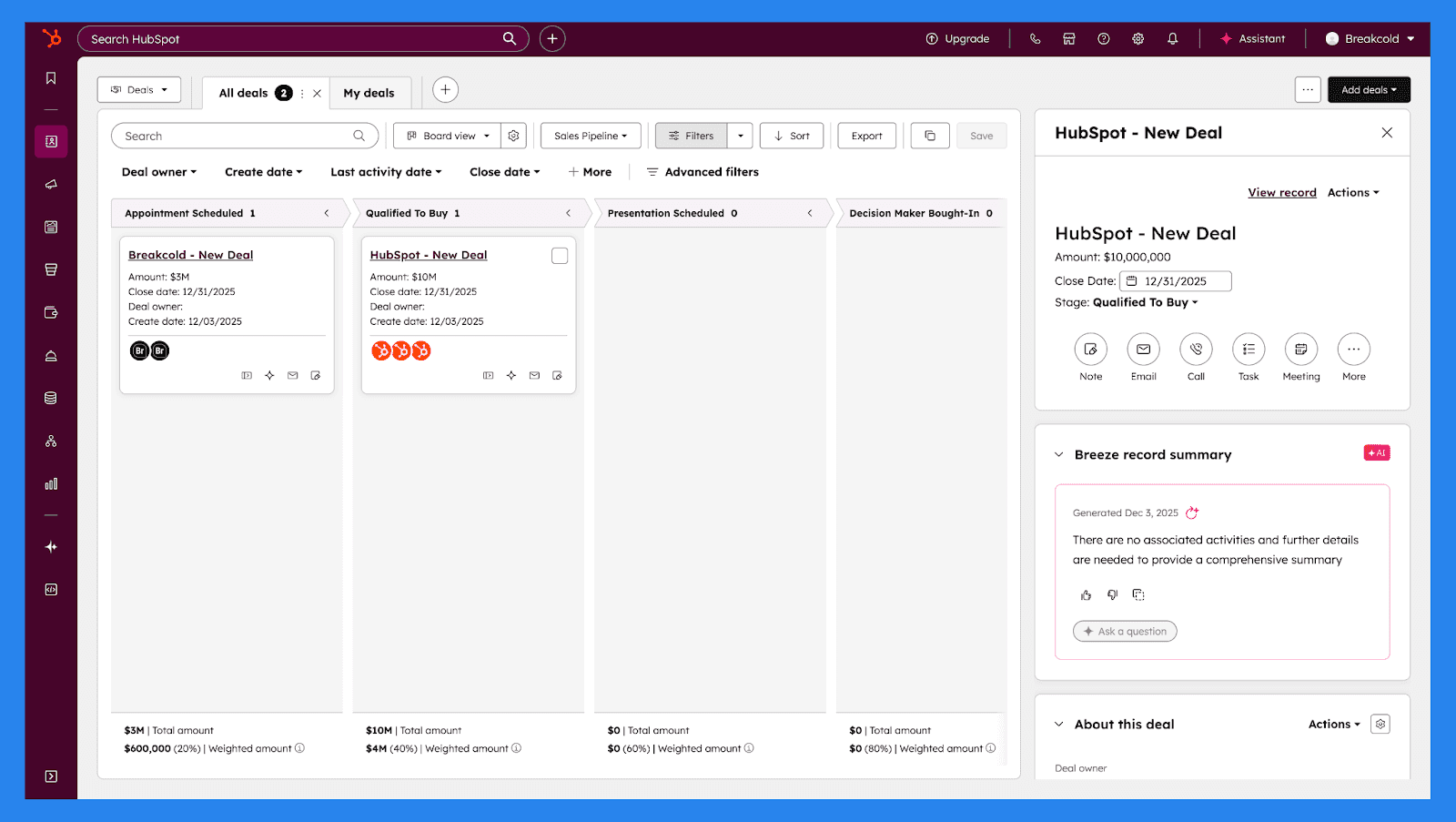
Combined with intuitive drag-and-drop, Kanban-style visual pipelines and custom properties for storing tailored data, HubSpot ensures every interaction is informed, organized, and relevant — helping your team move deals forward efficiently.
Email Tracking & Engagement Insights
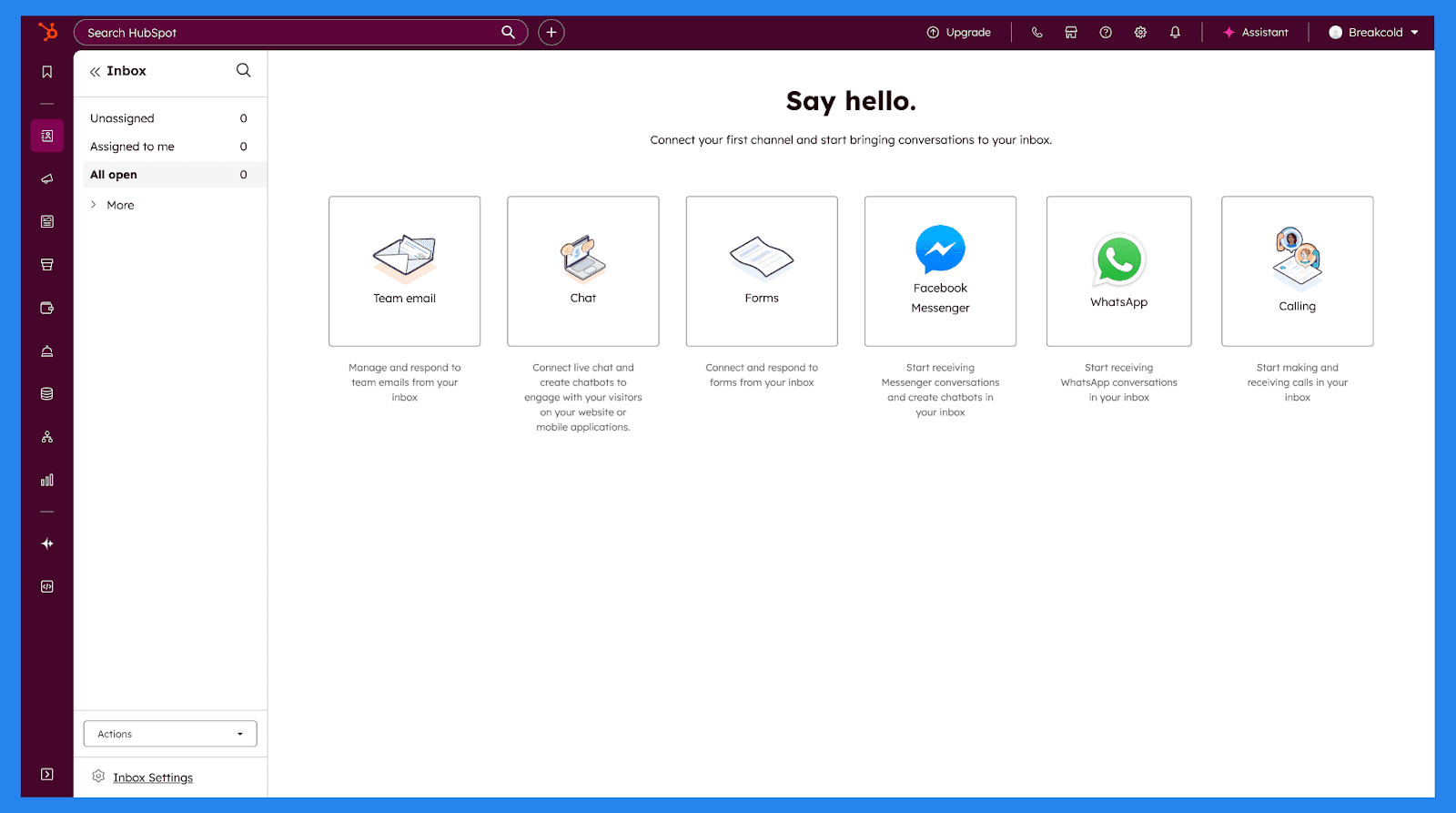
In sales, knowing what to say matters – but knowing when to say it matters even more. HubSpot Sales Hub makes that easy with its universal inbox, which centralizes emails, calls, and other conversations into a single place. This gives sales teams a clear view of every interaction and helps them stay responsive without juggling multiple tools or tabs.
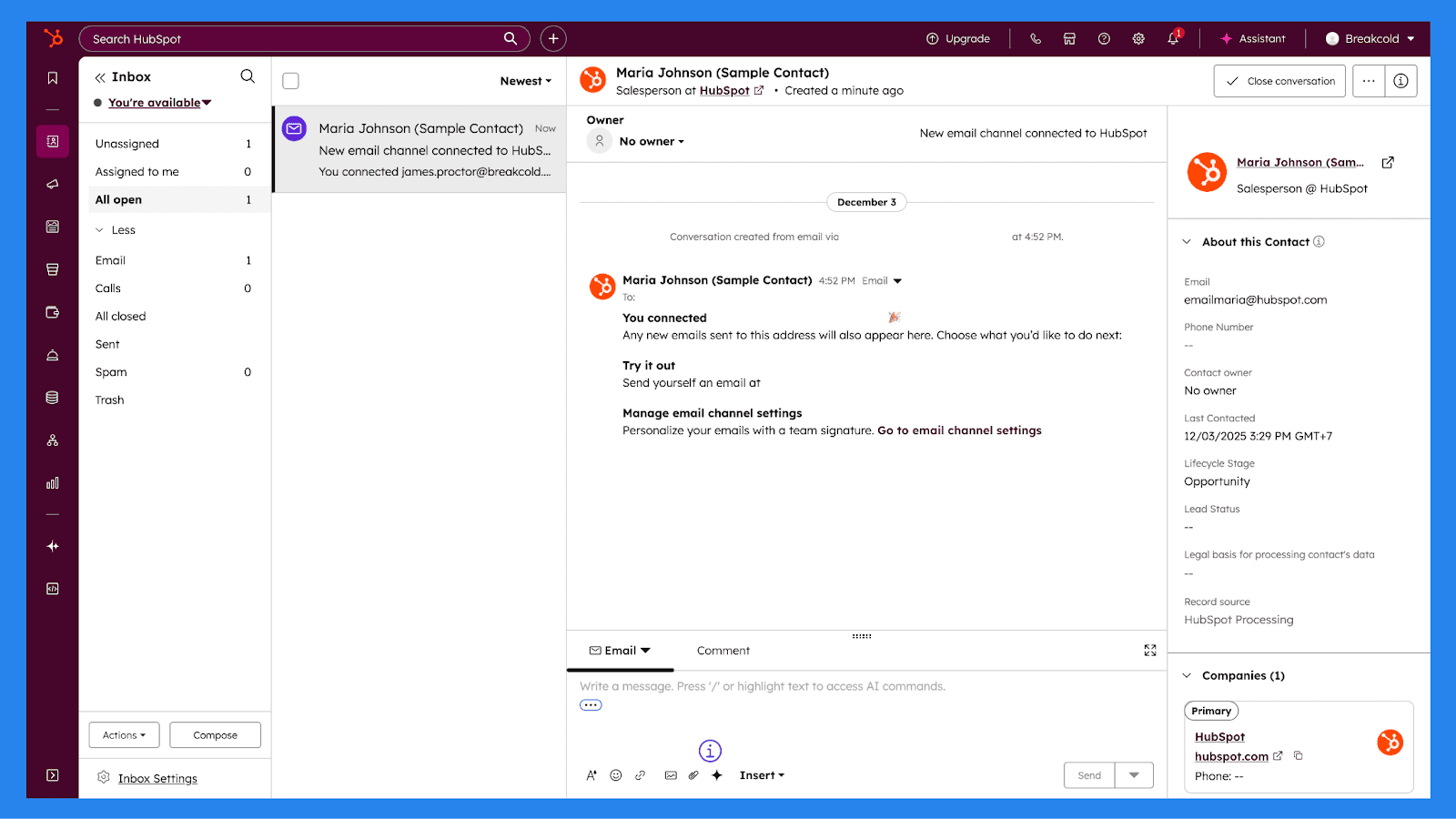
Every contact profile includes a complete engagement history, showing exactly when a prospect opens an email, clicks a link, or replies. With real-time notifications, reps are alerted the moment a lead engages, making it easier to follow up while interest is high and conversations are still warm.
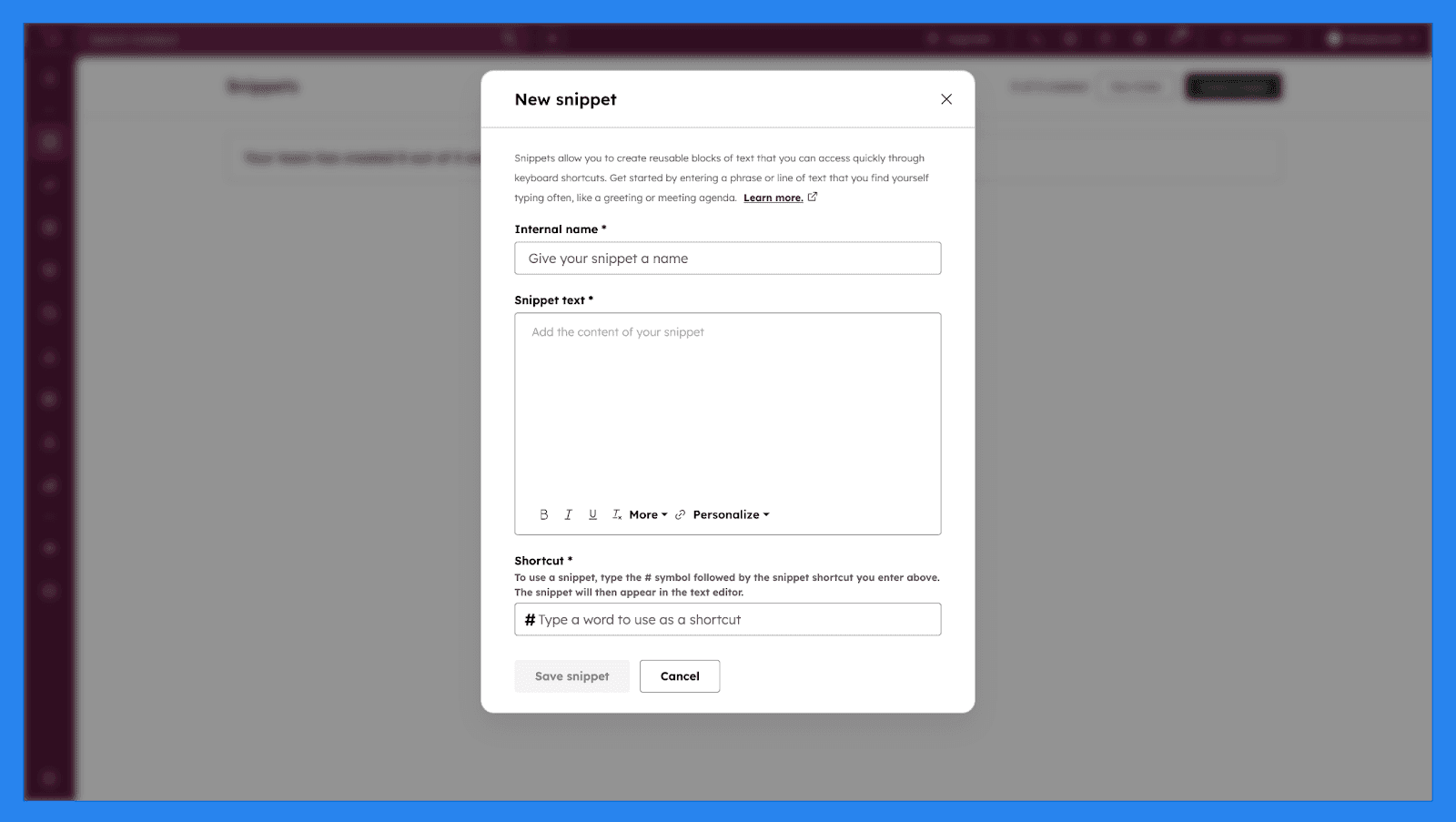
To scale outreach without sounding robotic, HubSpot offers email snippets and message templates that can be personalized for each contact. These tools help sales teams maintain consistent messaging while cutting down on repetitive typing. Combined with built-in tracking and engagement insights, HubSpot Sales Hub enables teams to prioritize follow-ups, personalize communication, and drive more meaningful conversations throughout the entire sales cycle.
Note |
|---|
While you write and send emails from your inbox, if you need full-blown email marketing – Marketing Hub Professional or Enterprise subscription is required to automate your marketing directly from marketing assets. |
Automation & Workflows (Professional+)
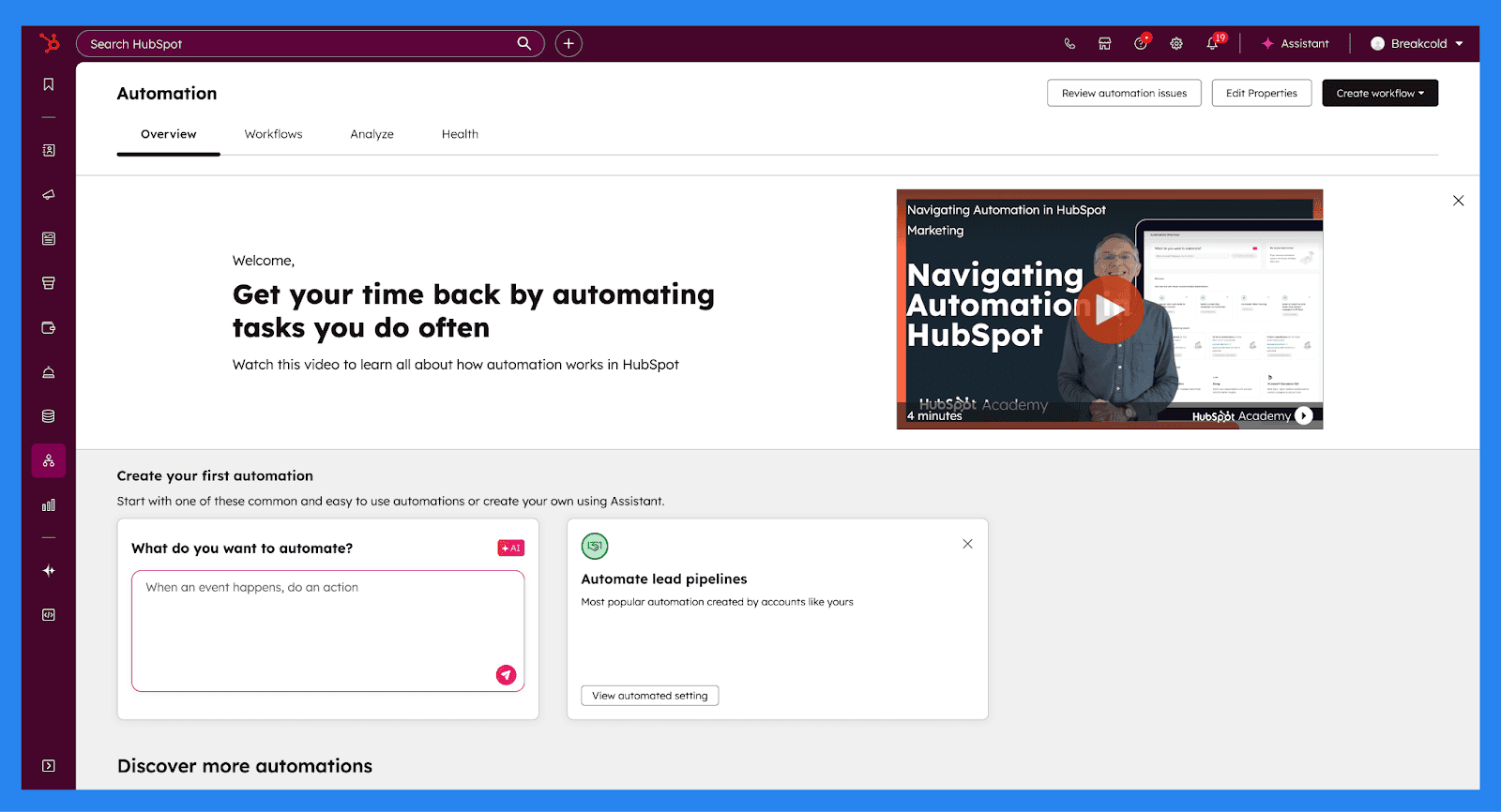
HubSpot’s **Automation **(available on Professional plans and above) is designed to remove repetitive busywork and keep leads moving through your pipeline with minimal manual effort. At the top of the Automation dashboard, HubSpot gives you a clear snapshot of how your automations are performing. The interface is broken into four core sections:
Overview: A high-level summary of active automations and usage across your account.
Workflows: Your central hub for creating, editing, and managing all workflows.
Analyze: Enrollment data, performance insights, and recommendations for where automation can (and should) do more of the heavy lifting.
Health: A system check that flags broken, inefficient, or underperforming workflows.
From here, Breeze can also help generate workflows, suggest automation ideas based on account activity, and surface other automation tools you might be underusing — think of it as a second set of ops-focused eyes.
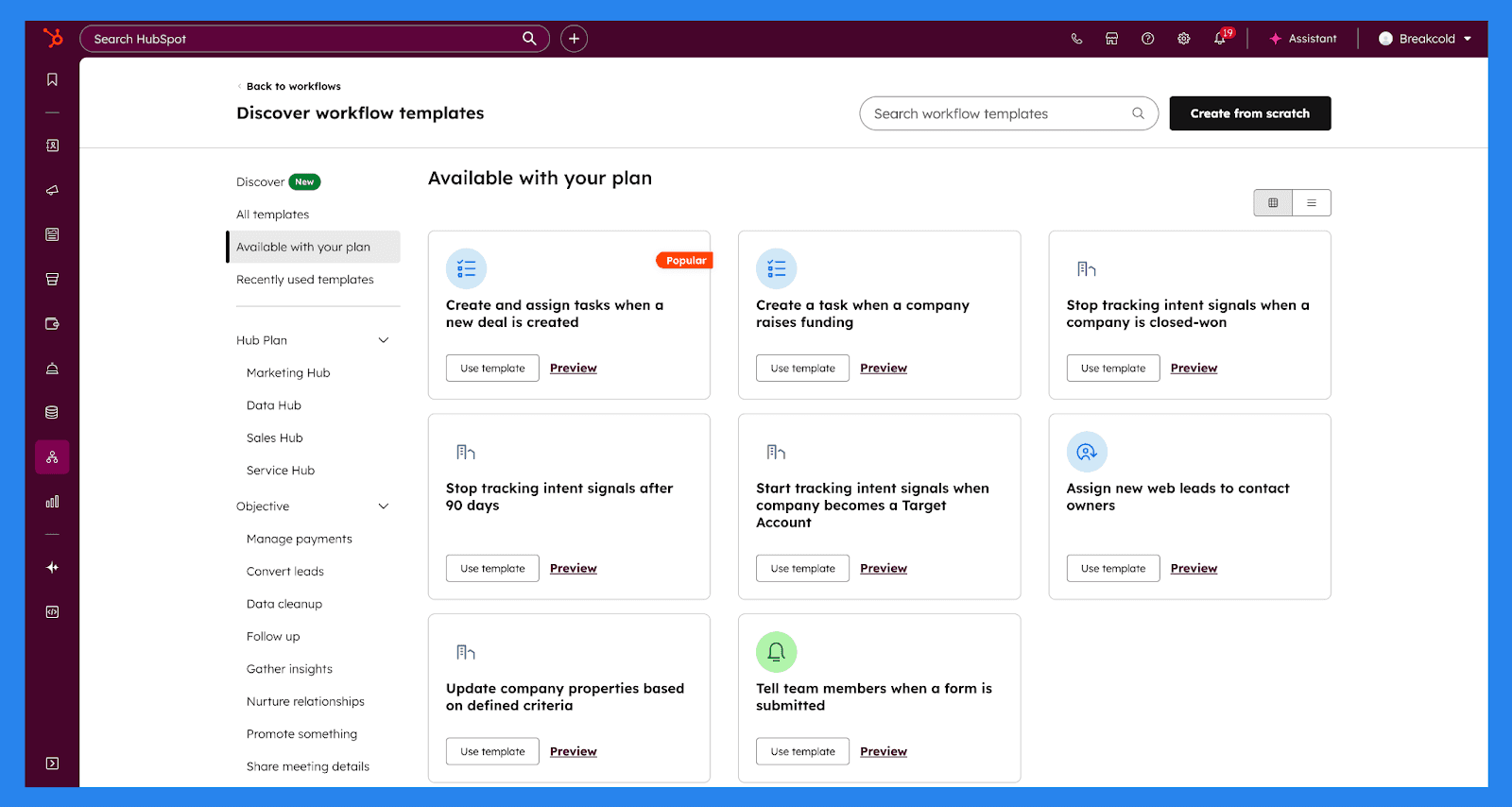
The total number of workflows you can create depends on your subscription, but HubSpot supports automation across a wide range of objects, including:
Contacts, Companies, Deals, and Leads
Tasks and Calls
Quotes, Invoices, Subscriptions, and Payments
Tickets, Conversations, and Feedback submissions (Service Hub Professional+)
Custom objects (Enterprise only)
All together, HubSpot’s automation tools help sales teams maintain data accuracy, respond faster, and build a scalable sales process — without turning automation setup into a full-time job.
Sales Reporting & Filtering
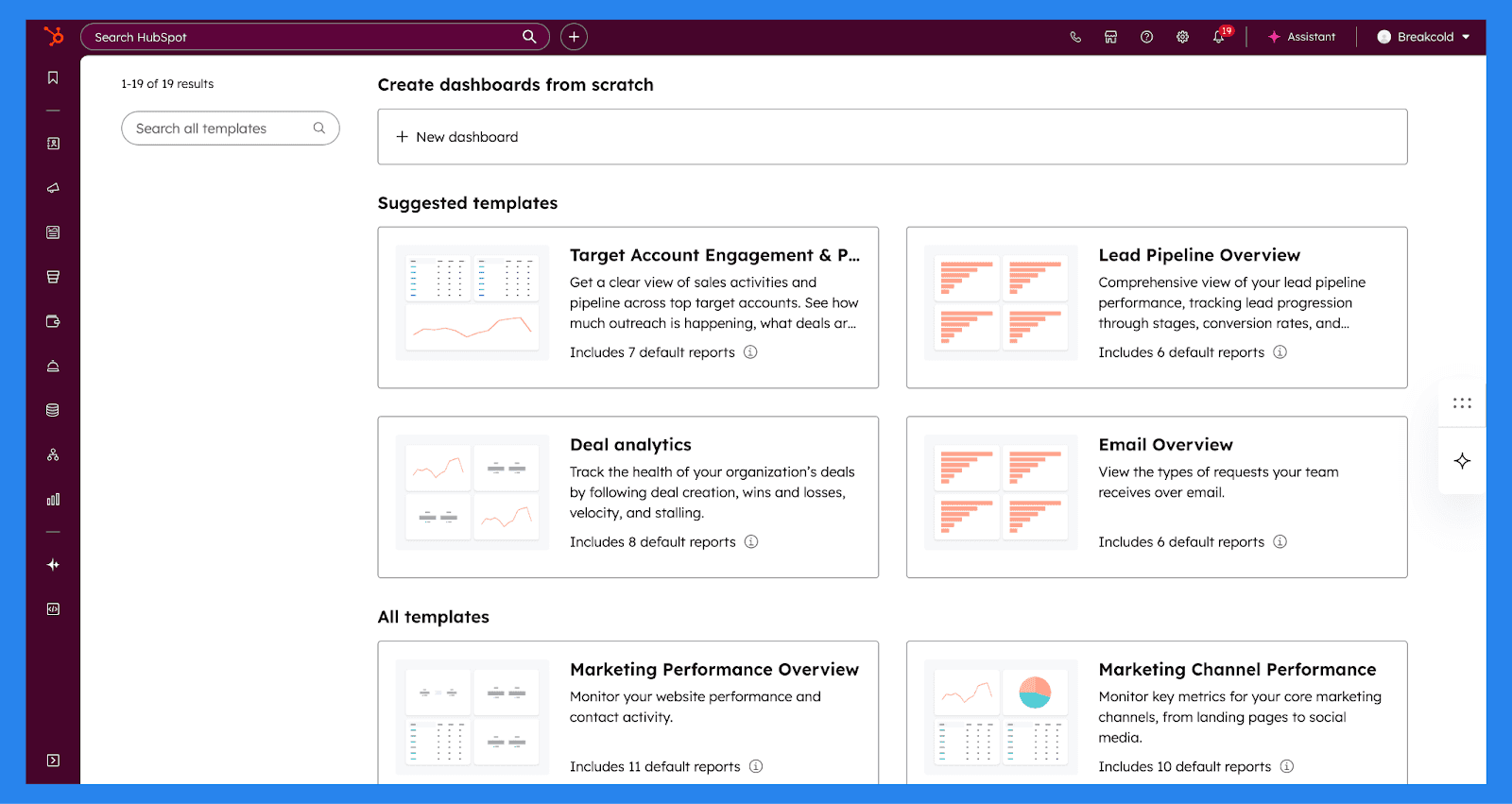
HubSpot Sales Hub includes a robust reporting engine that gives sales teams clear visibility into pipeline health, performance, and growth trends. With custom dashboards, teams can build reports around the metrics that matter most — whether that’s a high-level revenue snapshot, a breakdown of deal sources, or a detailed view of individual rep activity. Everything is fully customizable, making it easy to track performance without exporting data to spreadsheets or relying on third-party tools.
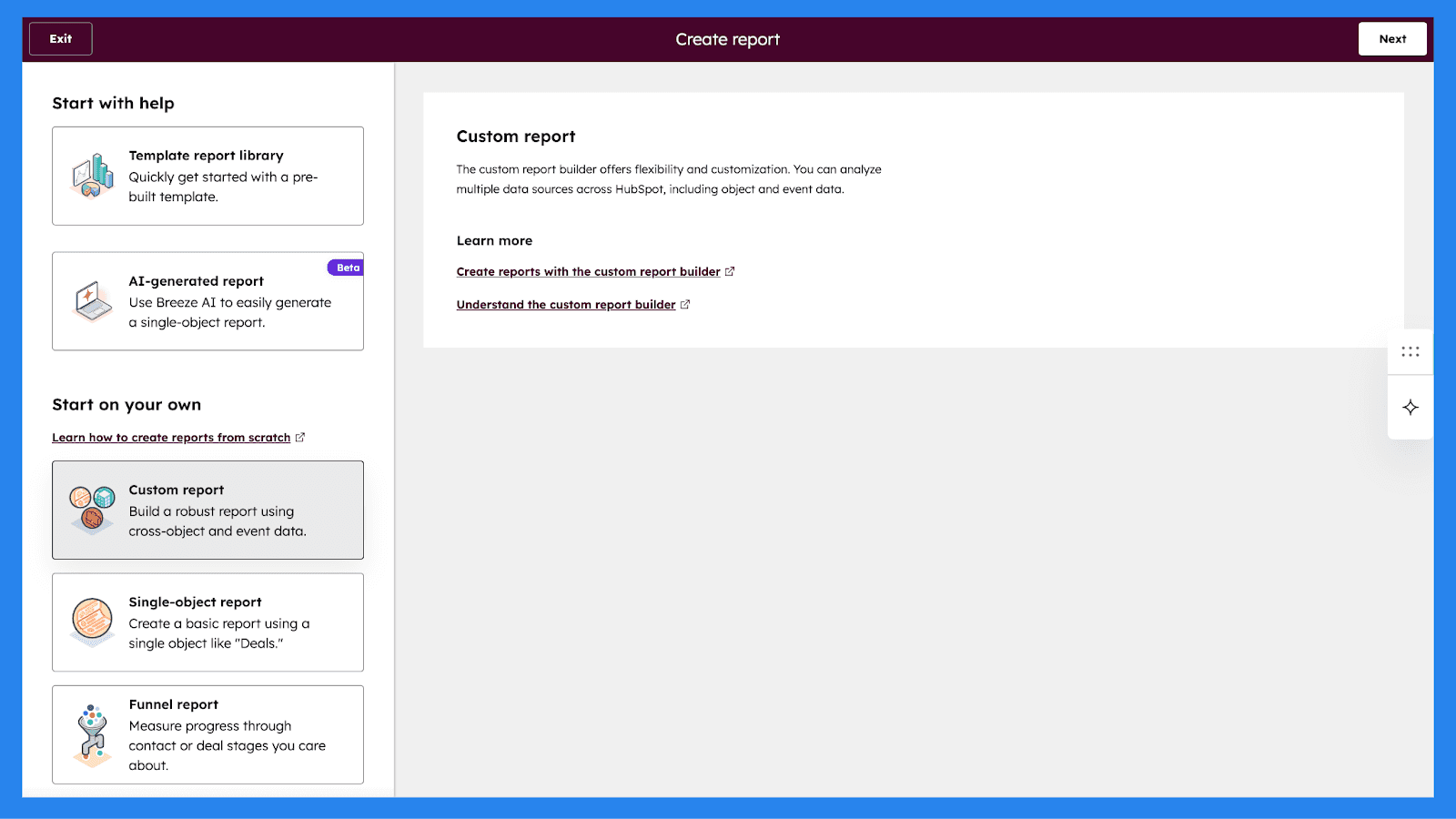
When analyzing data, HubSpot lets you visualize reports using a variety of chart types, depending on the insights you’re after. Sales teams can choose from bar, column, line, area, doughnut, pie, summary, or table views, allowing reports to be as high-level or granular as needed.
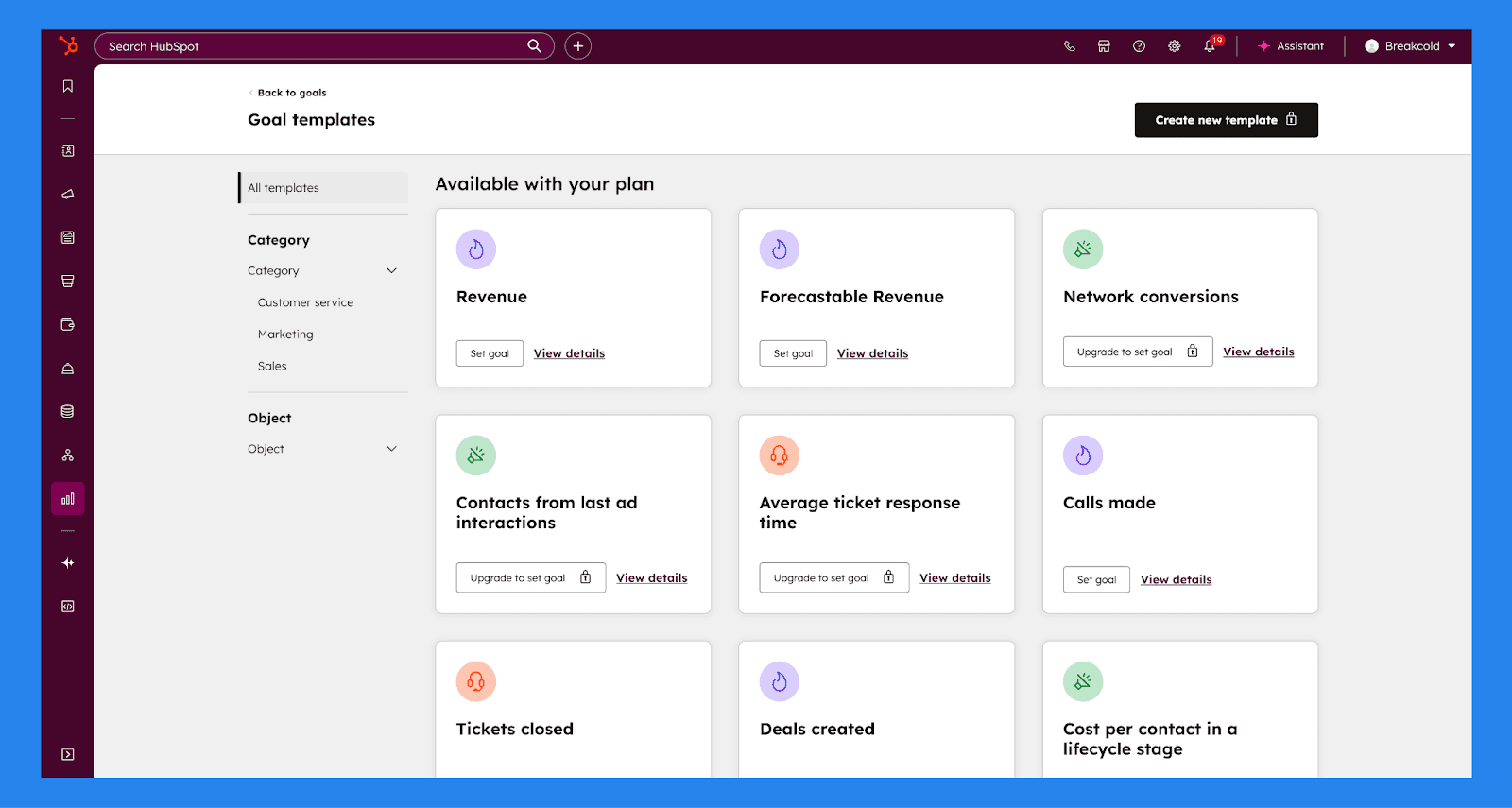
HubSpot also includes Goals, which help sales leaders measure performance against defined targets and keep teams aligned. Sales, marketing, and service activities can all be reported against goals to evaluate progress over time. For sales teams specifically, goals can be set as user-level quotas, with measurable targets such as deals created, calls made, revenue generated, and meetings booked. This makes it easy to track performance, motivate reps, and forecast outcomes with greater accuracy.
Calling & Conversation Intelligence (Enterprise)
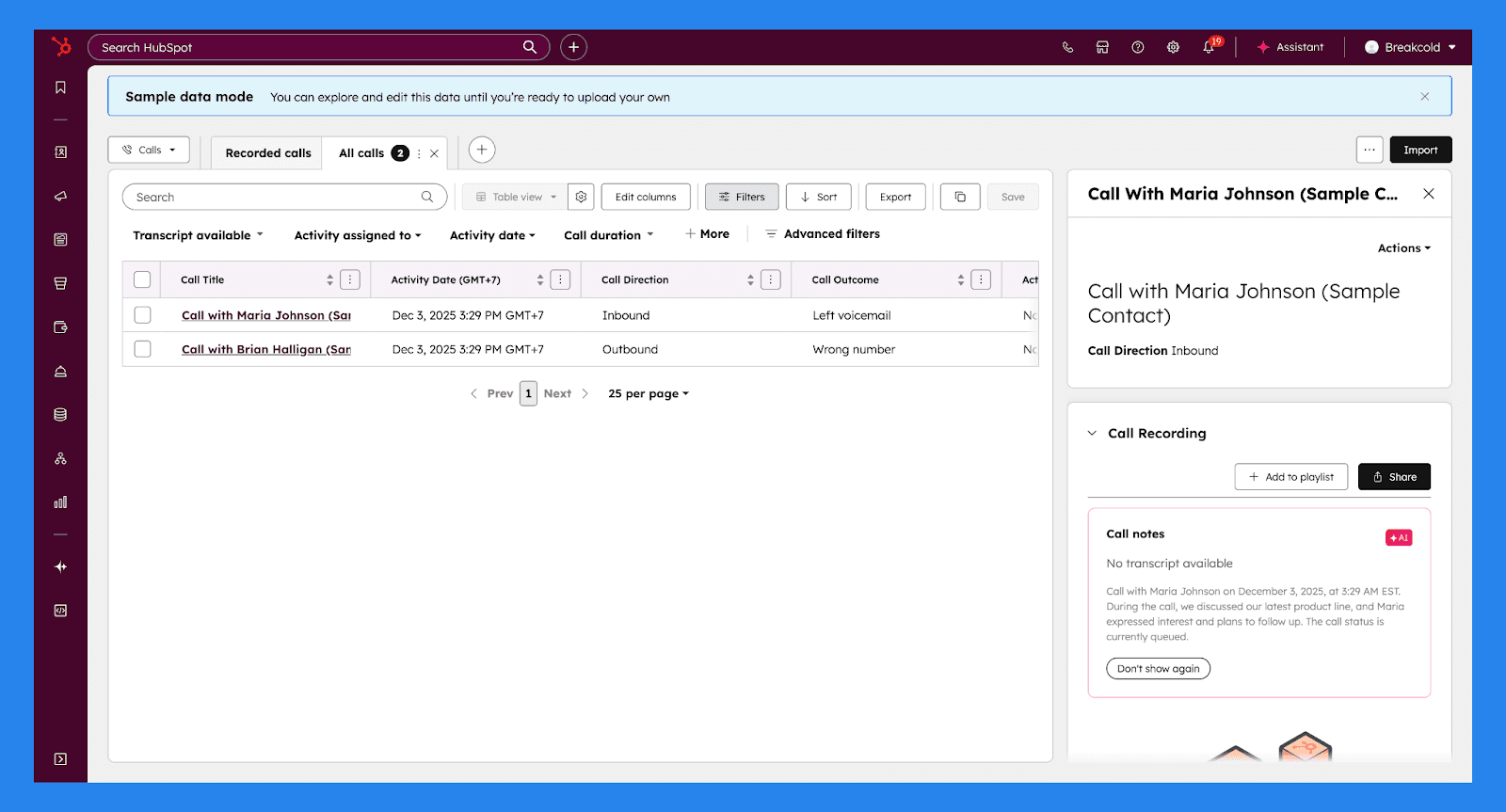
HubSpot Sales Hub lets teams make, receive, record, and analyze sales calls directly from the CRM, keeping every conversation tied to the right contact and deal. Setup is flexible and works whether you’re starting from scratch or integrating an existing calling stack.
Once calling is enabled, teams can:
Generate HubSpot-provided phone numbers: Powered by Twilio, HubSpot phone numbers allow reps to make and receive calls directly in their browser, forward calls to a personal device, or handle calls via the mobile app. Super Admins can easily acquire, assign, and reassign numbers as teams scale.
Register outbound phone numbers: Teams can register their own phone numbers for outbound calls, ensuring a familiar caller ID appears when reaching out to prospects.
Integrate third-party calling providers: HubSpot supports multiple calling tools through its App Marketplace, allowing teams to centralize call activity without abandoning their preferred providers.
Customize call recording & Conversation Intelligence settings: Call recording can be enabled account-wide, with calls automatically stored in the call index. Transcriptions and basic analysis are enabled by default. Sales Hub and Service Hub Professional or Enterprise users can activate Conversation Intelligence (CI) for automatic recording, transcription, call review, and automatic association of calls with the correct CRM records.
Require call outcome logs: Sales leaders can standardize how reps log call outcomes, making it easier to report on activity trends and performance patterns.
Set up voicemail & working hours: Teams can create text-to-speech or recorded voicemails that play during or outside defined working hours.
Customize recording consent messages: Call recording consent messages can be tailored to comply with regional regulations before inbound callers connect with reps.
Overall, HubSpot’s calling and conversation intelligence tools bring clarity, consistency, and accountability to sales calls — helping teams improve performance, tighten messaging, and close deals more effectively.
Hubspot AI (Breeze)
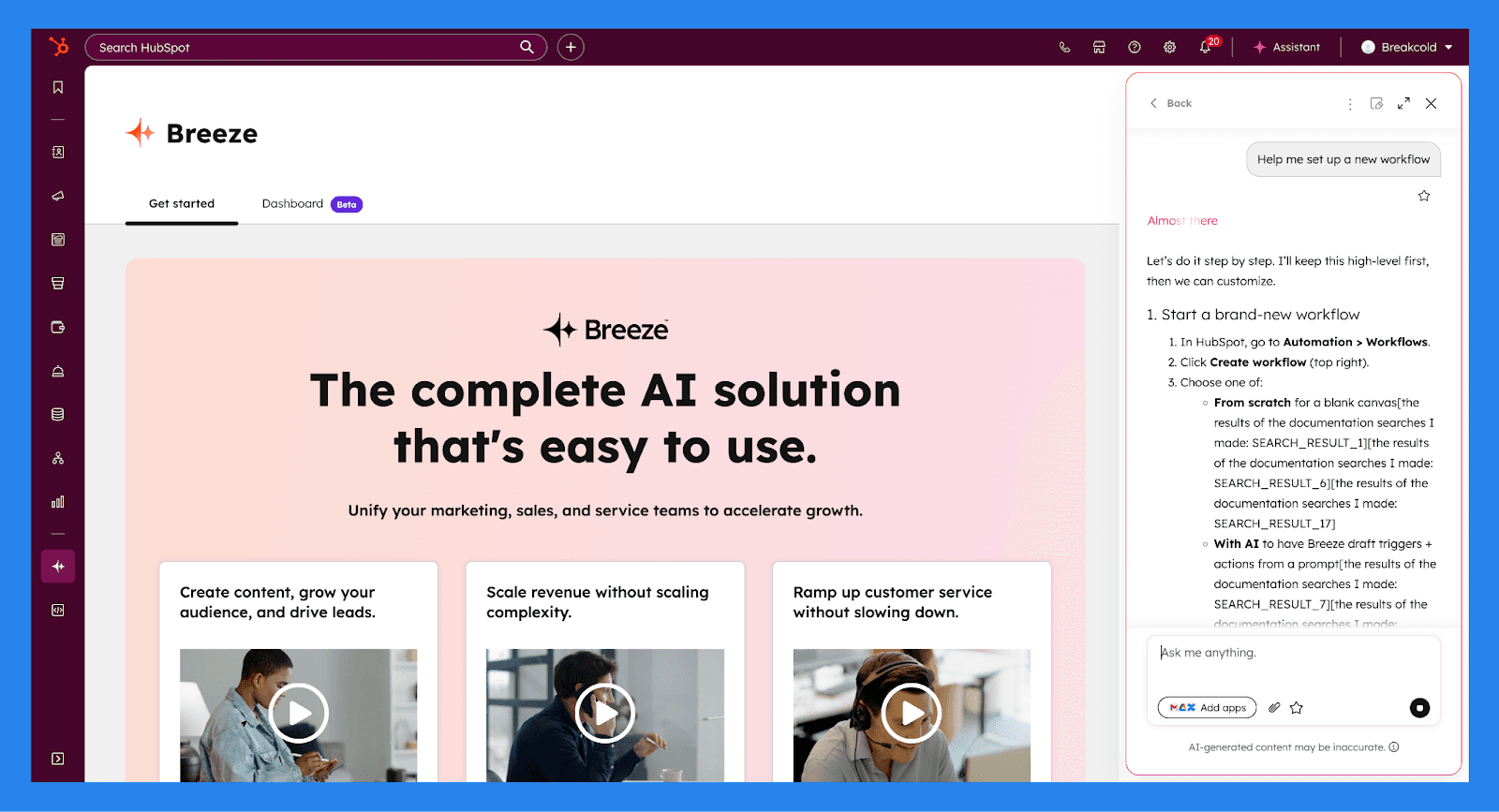
HubSpot comes equipped with a built-in AI assistant called Breeze, and it’s one of the platform’s most useful productivity boosters. Breeze is a conversational AI (similar in spirit to ChatGPT) that lives directly inside HubSpot and helps teams work faster across sales, marketing, and service.
Using simple or advanced text prompts, Breeze can create workflows, summarize CRM records, generate content, prep reps for meetings, and surface insights from your data. Because it operates inside HubSpot, it understands your CRM context and only performs actions users are permissioned to take — keeping things both powerful and controlled.
With Breeze, you can:
Prospect and research companies, including technology usage and recent news
Prepare for upcoming meetings using existing CRM and calendar data
Summarize CRM records for contacts, companies, deals, tickets, and workflows
Create and update CRM records, such as deals, notes, tasks, and property values
List and filter records using specific criteria (e.g. deals closing this month)
Generate, refine, and rewrite content across blogs, landing pages, emails, CTAs, SMS, and knowledge base articles
Apply brand voice or adjust tone (friendly, professional, witty, educational, etc.) to existing content
Generate completely new content, including headings, paragraphs, subsections, emails, and SMS messages
Summarize performance data, including reports, marketing emails, and feedback surveys (with Service Hub)
Draft and personalize sales emails for different lifecycle stages
Create workflows using plain-language prompts, including triggers and actions
Analyze and troubleshoot workflows, such as identifying why records did or didn’t enroll
Compare apps in the HubSpot Marketplace by features, pricing, and reviews
Generate images for use in blog posts and marketing content
Centralize insights across connected apps, when permissioned and enabled
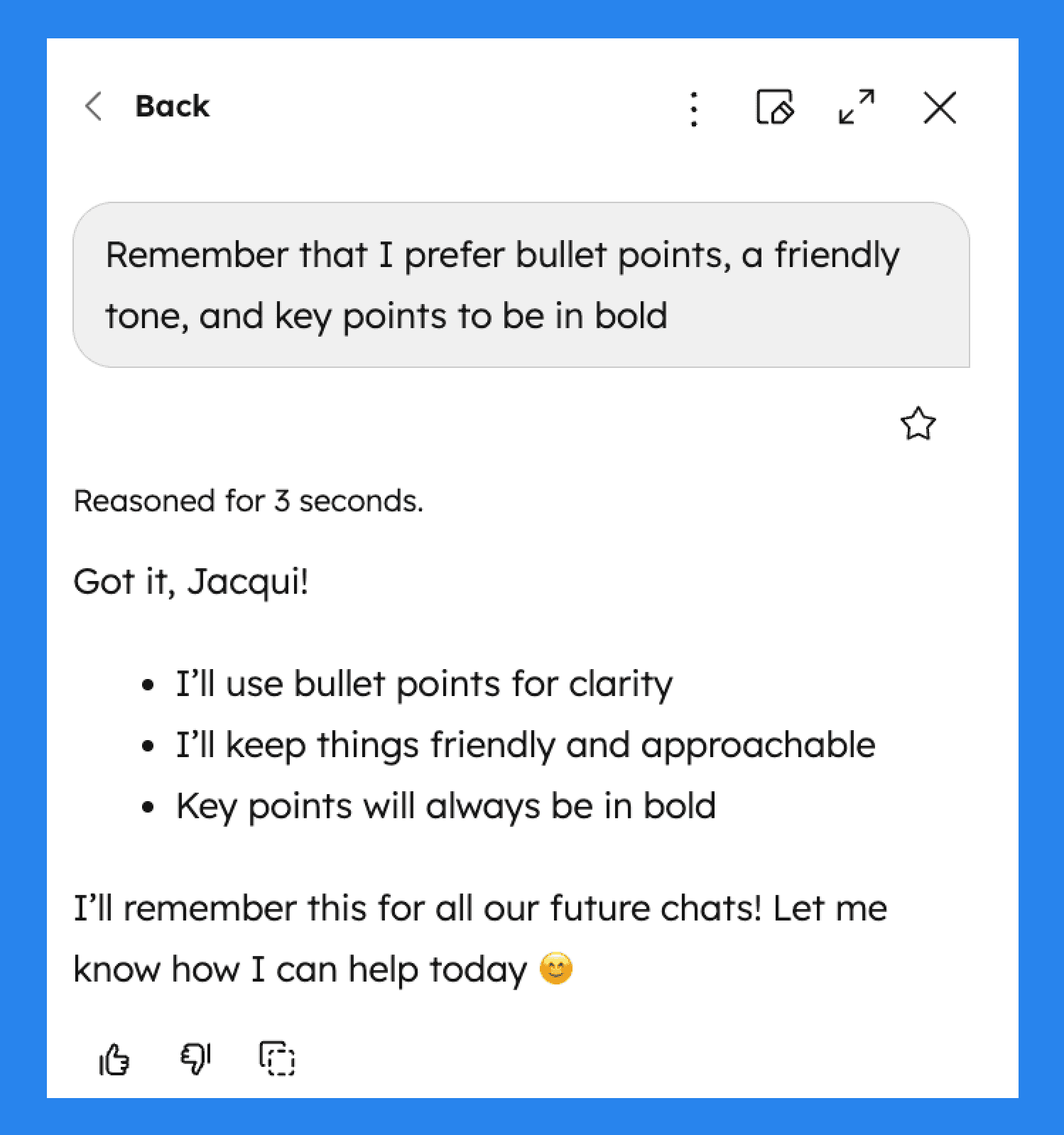
Breeze can also support memory-based personalization, allowing Breeze to adapt to preferences like tone, writing style, or recurring instructions over time.
Marketplace & Mobile App
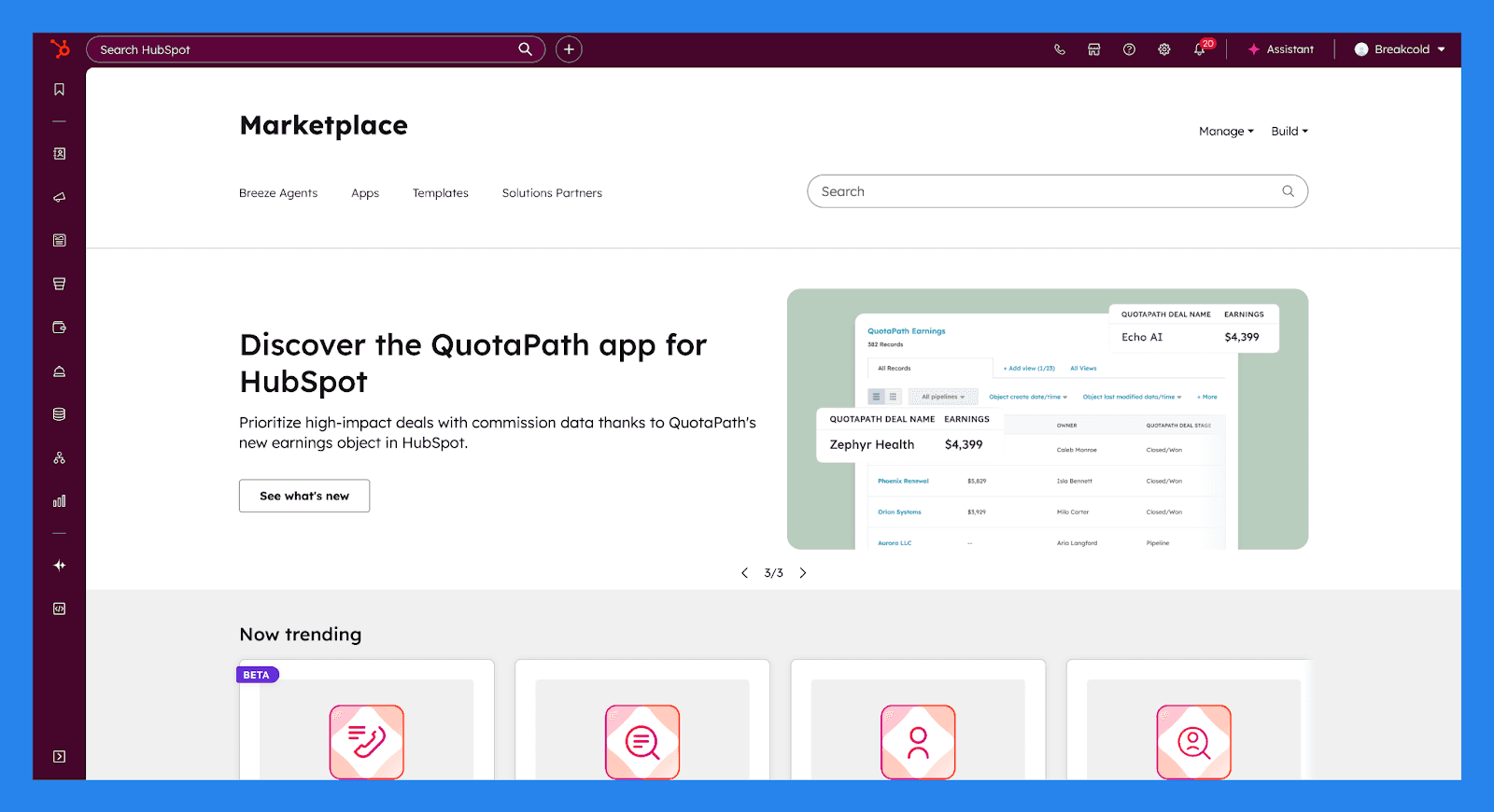
HubSpot’s App Marketplace makes it easy to connect the tools your business already relies on directly to your CRM. Every app in the Marketplace is reviewed and certified by HubSpot, ensuring compatibility, security, and reliable data syncing across your tech stack.
With 2,000+ apps and over 2.5 million active installs, the Marketplace covers everything from communication and automation to analytics and payments. Popular integrations include everyday tools like Slack, Microsoft Teams, and Zapier, allowing teams to streamline workflows and centralize data without custom development or complex setups.
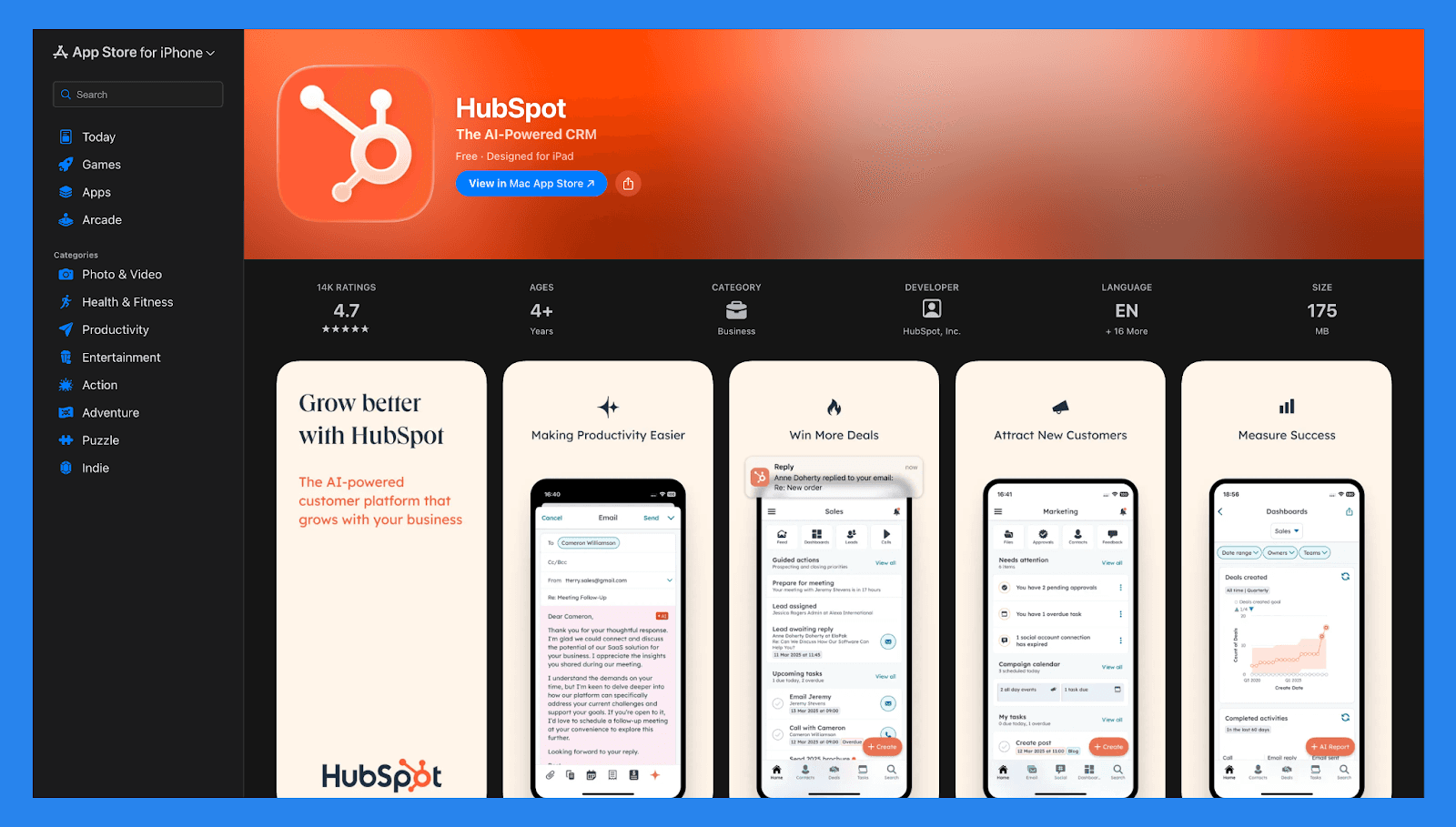
HubSpot also supports sales teams on the move with its mobile app, available on both iOS and Android. From your phone or tablet, reps can view and edit CRM records, make and log calls, manage marketing emails, and respond to conversations in the shared inbox. This ensures teams stay connected and productive — whether they’re in the office, on the road, or between meetings.
💰 HubSpot Sales Hub Pricing (2026) 💰
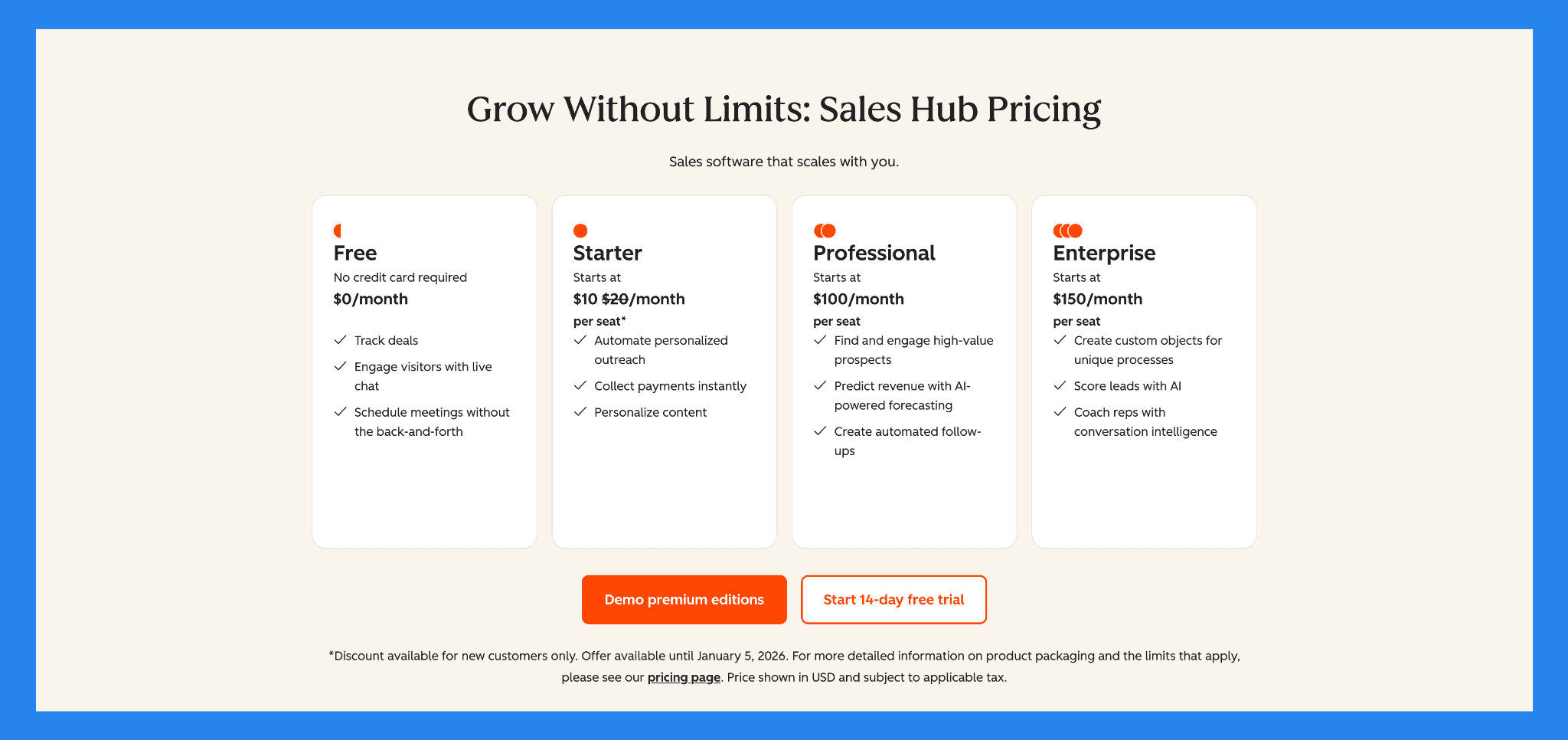
Free | Starter |
|---|---|
US$0/mo | US$10/mo/seat |
Includes: Track deals Engage visitors with live chat Schedule meetings without the back-and-forth | Free tools, plus: 500 HubSpot Credits Breeze Assistant Calling HubSpot-provided phone numbers Repeating tasks and task queues Object Tags Goals |
Professional | Enterprise |
|---|---|
US$100/mo/seat | US$150/mo/seat |
Starter, plus: AI Meeting Assistant Breeze Prospecting Agent Call transcription and coaching Sales analytics Sales workspace Forecasting Sequences | Professional, plus: AI call transcript enrichment (Beta) Conversation intelligence Deal splits Deal journey analytics Lead Form Routing Pipeline approvals for Deals Interactive Voice Response |
⭐ Pros & Cons of HubSpot Sales Hub ⭐
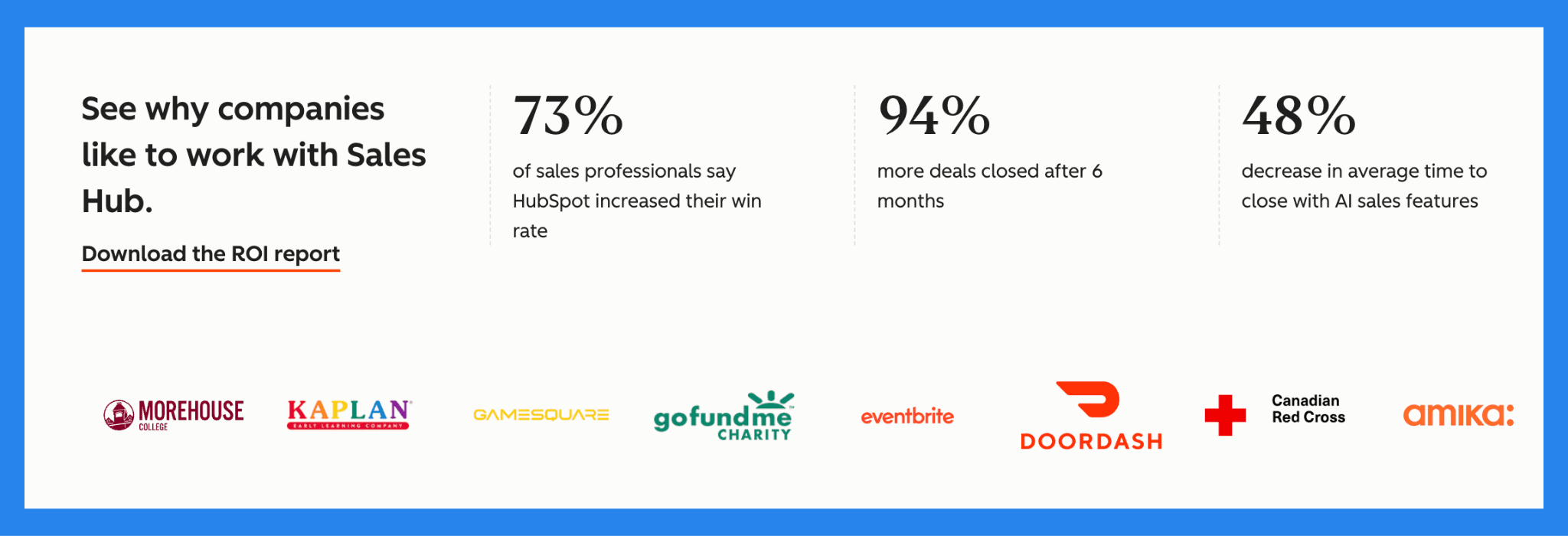
Ratings | |
|---|---|
G2 - 4.6/5 (412) | Capterra - 4.5/5 (665) |
Pros | Cons |
Unified platform combining CRM, marketing, sales, and service tools — reduces tool bloat and improves team collaboration. Generous free tier that handles core CRM needs. Strong automation, segmentation, and workflow capabilities, enabling scalable marketing and sales operations. Reliable for organizations needing structured pipelines, reporting, and unified customer data across teams. | Pricing escalates quickly as you add seats or upgrade to unlock advanced features. Some powerful features and deeper functionality are gated behind higher-tier plans, limiting what entry-level or free users can do. Can be overwhelming for very small teams or businesses that only need basic CRM functionality. |
🆚 HubSpot Sales Hub vs Competitors
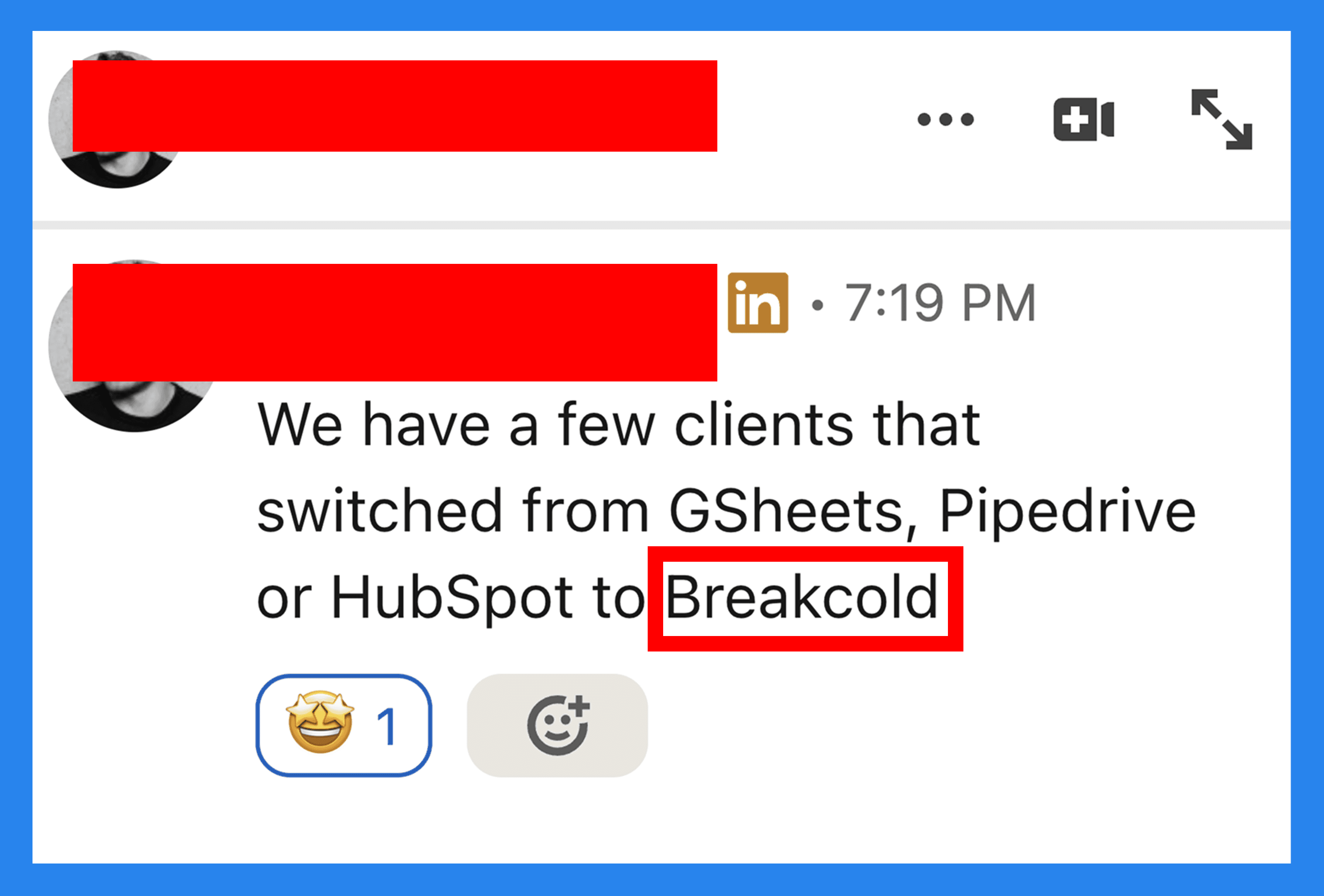
HubSpot Sales Hub is a powerful, well-rounded CRM, but it’s not the only option on the market. Depending on your sales motion, budget, and appetite for automation, another platform may be a better fit. Below, we compare HubSpot Sales Hub with leading alternatives, starting with tools built specifically for sales-driven teams that prioritize speed, automation, and modern workflows.
🥇 Breakcold – Best for sales-driven teams focused on AI-native workflows
Summary
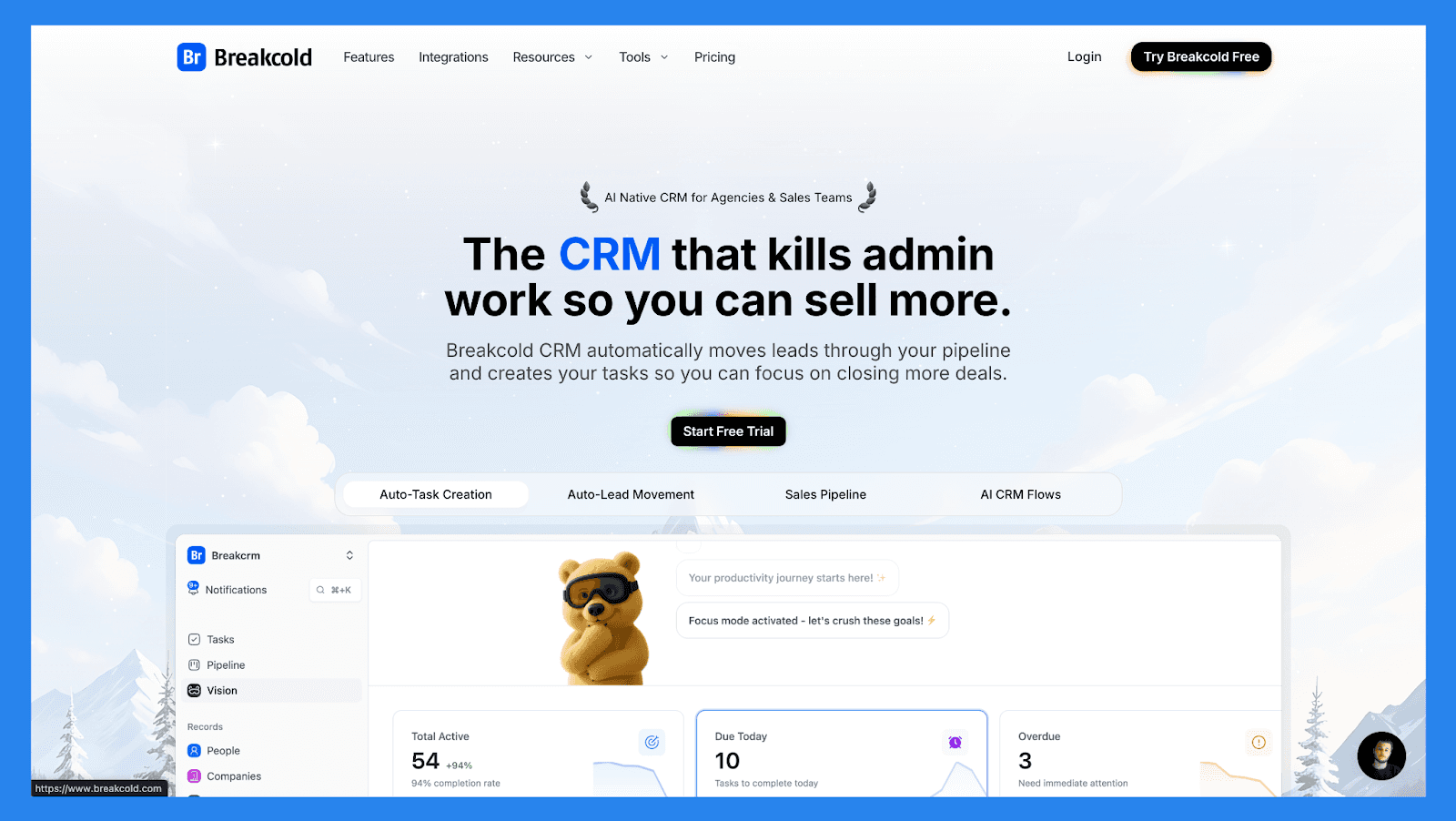
Breakcold is a lightweight, AI-native sales-first CRM built for speed, simplicity, and social-selling. It’s ideal for agencies, solo sellers, and small teams that want to start prospecting fast without dealing with complex setups, heavy automation, or bloated dashboards of enterprise CRMs. Compared to HubSpot Sales Hub, Breakcold feels far more focused: fewer features, but less friction — especially for sales-driven workflows.
That said, HubSpot Sales Hub clearly wins on scale and depth. Where Breakcold excels at staying lean and moving fast, HubSpot shines with advanced reporting, automation, pipeline customization, coaching tools, and tight alignment with marketing and service teams.
Key Features | |
|---|---|
Auto Lead Movement: Leads move automatically in Breakcold’s CRM based on your interactions. No setup required — the AI understands and updates everything on its own. Auto Task Creation: Monitors your interactions with leads and automatically creates follow-up tasks so you never lose momentum. Focus on selling, not admin work. Vision Builder: By default, leads move automatically based on your list names and pipeline stages (zero setup). Want more control? Use natural language to build advanced AI CRM workflows. AI-Powered Dashboard: A self-updating dashboard that highlights your most important tasks so you always know what to focus on next. AI Contact Management: Automatically organizes leads into the right lists and groups by analyzing your conversations, notes, and activities. AI Personalities (AI Agents): Choose an AI personality aligned with your sales style or business goals. Your dashboard then adapts and serves you daily tasks tailored to that persona. AI Reasoning: Every suggested task comes with clear context, so you’ll know exactly why it’s important and why it matters today. AI Message Suggestions: Get next-message recommendations that match your tone of voice and AI personality — for both email and social conversations. AI Rules: Add custom rules to each step of your workflow for deeper automation control and smarter processes. AI-Powered Contact Deduplication: Automatically identifies and merges duplicate contacts, saving hours of manual cleanup and keeping your CRM lean and accurate. Advanced Data Enrichment: Powered by BetterContact, Breakcold uses waterfall enrichment to surface verified B2B emails and phone numbers, improving outreach accuracy and deliverability. AI Notetaker: Integrates with Otter, Fireflies, TL;DV, and Fathom to auto-generate and log call summaries directly into the CRM — complete with transcripts, links, and follow-up tasks. Unified Inbox: Manage conversations from LinkedIn, Email, WhatsApp, and Telegram in one place, so you can respond faster and never miss a follow-up. Social Engagement Stream: Like, comment, and engage with your leads’ posts directly from the CRM to build relationships through consistent, meaningful interactions. 20+ Native Integrations: Connect Breakcold with Slack, Apollo, Smartlead, Instantly, Lemlist, and many other sales tools to streamline your workflow end-to-end. | |
Ratings | |
G2 - 4.7/5 (116) | Capterra - 4.8/5 (93) |
Pros | Cons |
Convenient and easy-to-use interface for LinkedIn power users Well-structured onboarding resources, including how-to videos, flowcharts, and best practices Responsive and reliable customer support Powerful social listening capabilities for lead insights and outreach personalization | Dependent on external services like Google and LinkedIn, which can cause bugs when those platforms update their policies Lacks native calling features and built-in AI functionality Still a developing platform with evolving features and occasional limitations |
Pricing Plans
CRM Essentials | CRM Pro | CRM Max |
|---|---|---|
$99/mo | $99/mo | $99/mo |
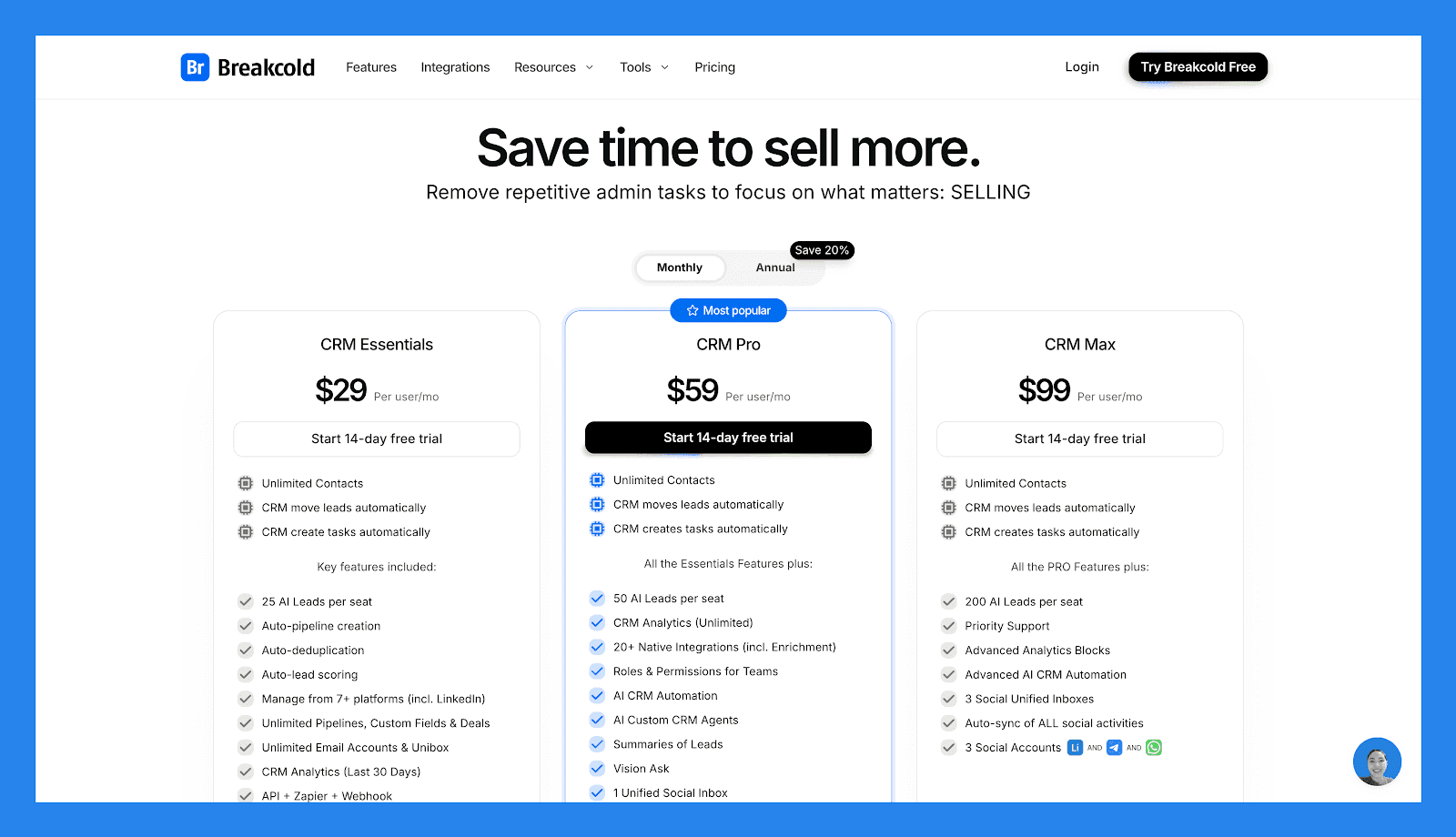
Unlimited Contacts CRM move leads automatically CRM create tasks automatically Key features included: 25 AI Leads per seat Auto-pipeline creation Auto-deduplication Auto-lead scoring Manage from 7+ platforms (incl. LinkedIn) Unlimited Pipelines, Custom Fields & Deals Unlimited Email Accounts & Unibox CRM Analytics (Last 30 Days) API + Zapier + Webhook | Unlimited Contacts CRM move leads automatically CRM create tasks automatically All Essentials Features plus: 50 AI Leads per seat CRM Analytics (Unlimited) 20+ Native Integrations (incl. Enrichment) Roles & Permissions for Teams AI CRM Automation AI Custom CRM Agents Summaries of Leads Vision Ask 1 Unified Social Inbox Auto-sync social activities for 1 social 1 Social Account (LinkedIn, X, or Whatsapp) | Unlimited Contacts CRM move leads automatically CRM create tasks automatically All PRO features plus: 200 AI Leads per seat Priority Support Advanced Analytics Blocks Advanced AI CRM Automation 3 Social Unified Inboxes Auto-sync of ALL social activities 3 Social Accounts (LinkedIn, X, or Whatsapp) |
A team of 5 on Breakcold is $139/mo, where Attio, Pipedrive and HubSpot Sales Hub run about $500/mo for 5 seats with similar features.
🥈 Pipedrive – A deal-centric CRM ideal for teams that want a simple, visual sales pipeline
Summary
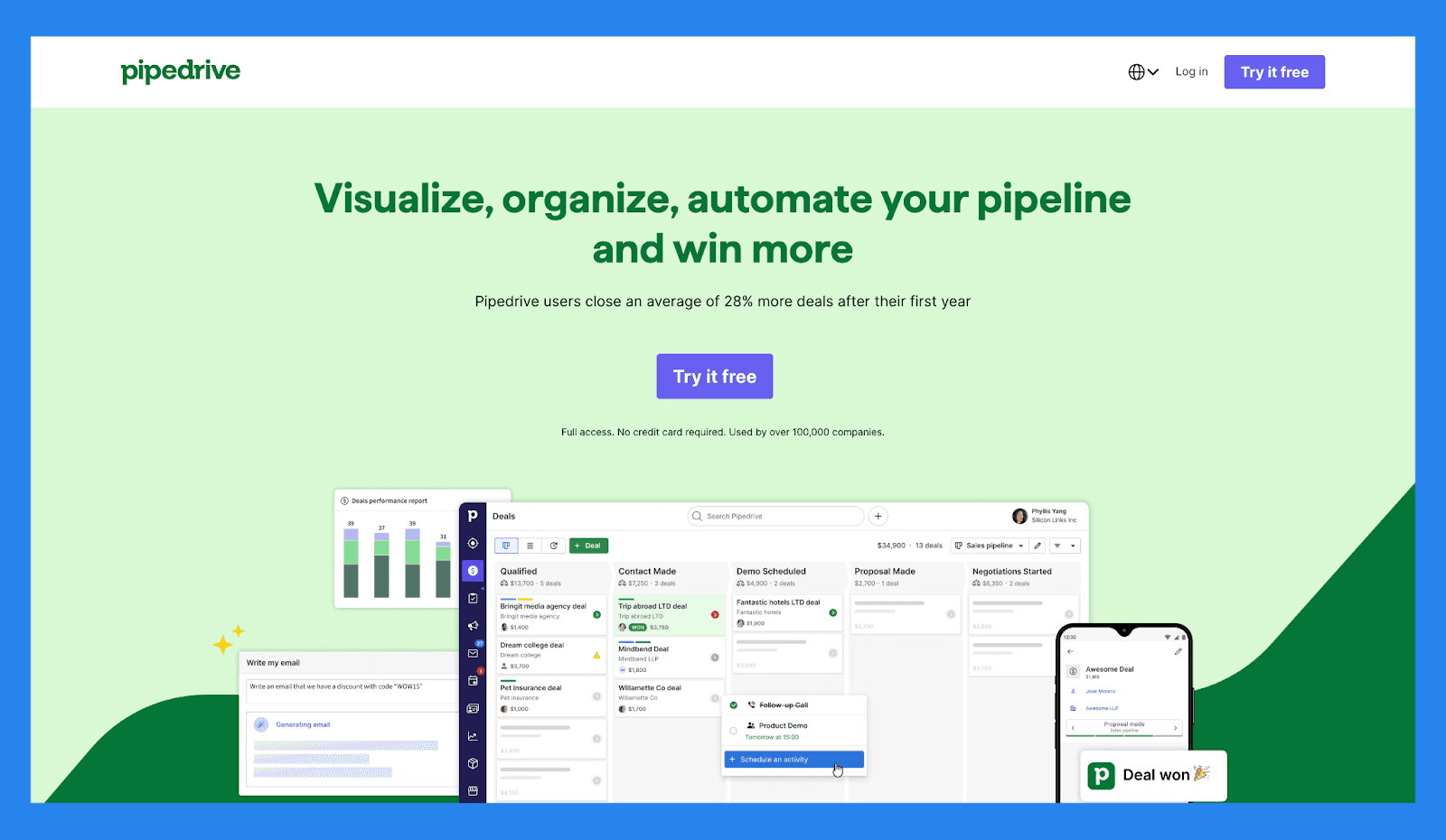
Pipedrive is a deal-centric CRM designed for sales teams that live and breathe pipelines. Its visual interface makes it incredibly easy to track deals, move opportunities through stages, and keep reps focused on closing. Compared to HubSpot Sales Hub, Pipedrive is simpler to learn and faster to adopt, especially for teams that want strong pipeline visibility without diving into advanced automations or complex reporting.
However, HubSpot Sales Hub offers far more depth beyond pipeline management. While Pipedrive is a great fit for sales-led teams that value clarity and ease of use. HubSpot outperforms Pipedrive in automation, analytics, AI-driven insights, and cross-team alignment with marketing and service tools.
Key Features | |
|---|---|
AI Deal Guidance: Leverage intelligent prompts and win probability scores based on real-time CRM activity to focus on the deals that matter most. Custom Forecasting & Sales Reports: Build tailored dashboards to analyze revenue trends, deal health, and conversion rates — all in one place. Performance Dashboards & Goal Tracking: Set sales targets and track rep or team performance visually, making it easy to stay aligned and motivated. Visual Pipeline Control: Move deals through stages with drag-and-drop simplicity, schedule next actions, and get real-time visibility into deal momentum. Lead Progress Monitoring: Monitor each lead’s journey from initial contact to conversion, assign follow-ups, and prioritize outreach based on lead quality. Sales Task Automation: Cut down on repetitive tasks with smart workflows that handle data entry, email reminders, and pipeline updates automatically. AI Sales Productivity Suite: Access built-in tools like email writing assistance, summary generation, and LeadBooster to streamline prospecting. Extensive App Integrations: Sync with 350+ tools—including Gmail, Slack, Zoom, Klenty, and Wingman—to create a truly connected sales tech stack. Mobile CRM Functionality: Manage your pipeline, respond to leads, and access reports from anywhere with full-featured mobile access. | |
Rating | |
G2 - 4.3/5 (2,445) | Capterra - 4.5/5 (3047) |
Pros | Cons |
Well-structured onboarding materials, including FAQs and videos Offers a wide range of integrations with third-party tools Strong automation and AI features that boost productivity Quick and easy setup with minimal learning curve | User interface can feel dated or unintuitive for some users No free plan available — paid tiers start quickly Customer support can be slow or inconsistent. No native LinkedIn integration for lead importing Some users report occasional bugs and performance issues |
Pricing Plans
Essential | Advanced | Professional |
|---|---|---|
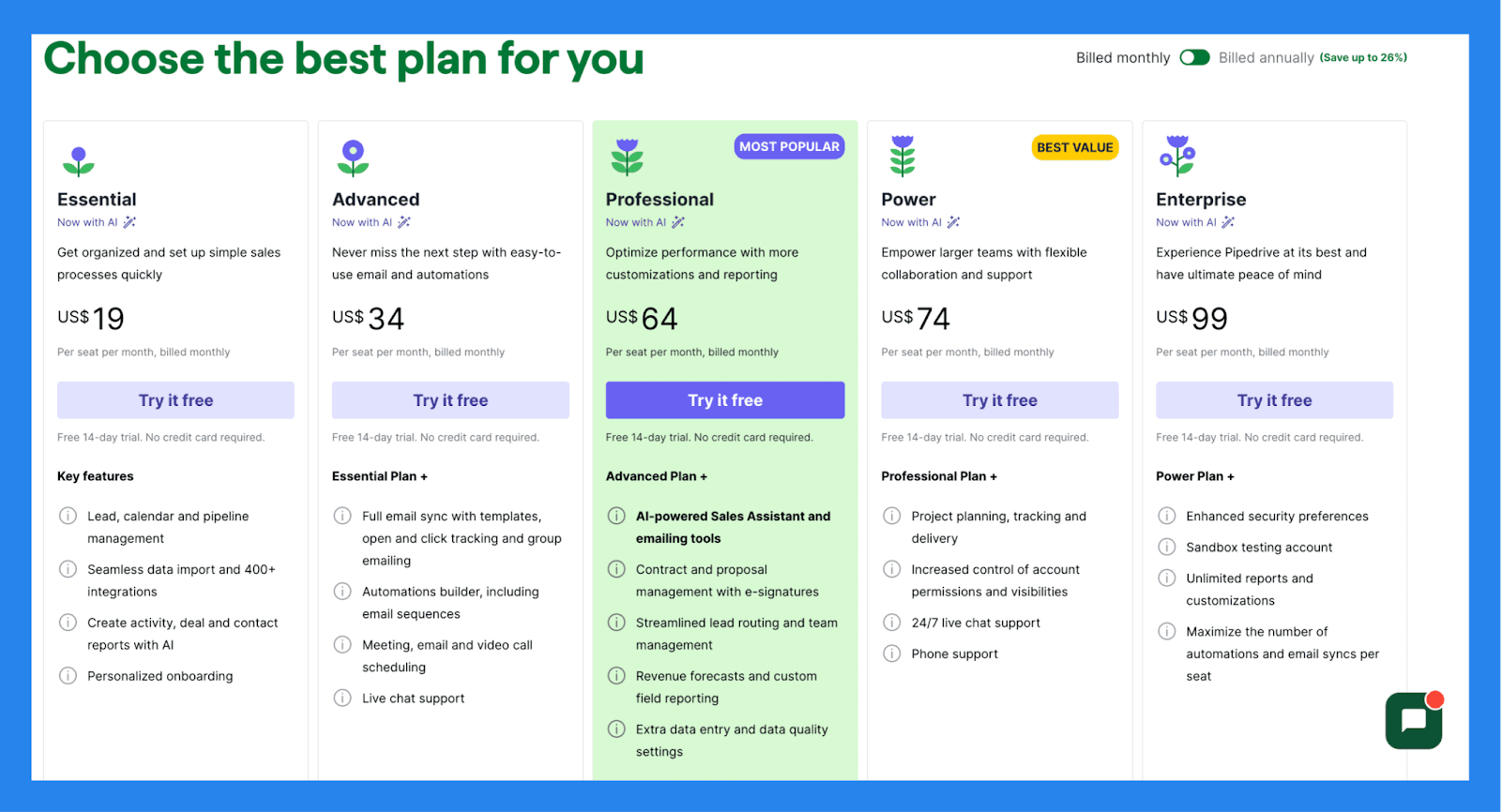
$19/user/mo | $34/user/mo | $64/user/mo |
Key features: Lead, calendar and pipeline management Seamless data import and 400+ integrations Create activity, deal and contact reports with AI Personalized onboarding | Essential Plan + Full email sync with templates, open and click tracking and group emailing Automations builder, including email sequences Meeting, email and video call scheduling Live chat support | Advanced Plan + AI-powered Sales Assistant and emailing tools Contract and proposal management with e-signatures Streamlined lead routing and team management Revenue forecasts and custom field reporting Extra data entry and data quality settings |
🥉 Salesforce – Enterprise-grade CRM built for complex sales organizations with highly customizable workflows
Summary
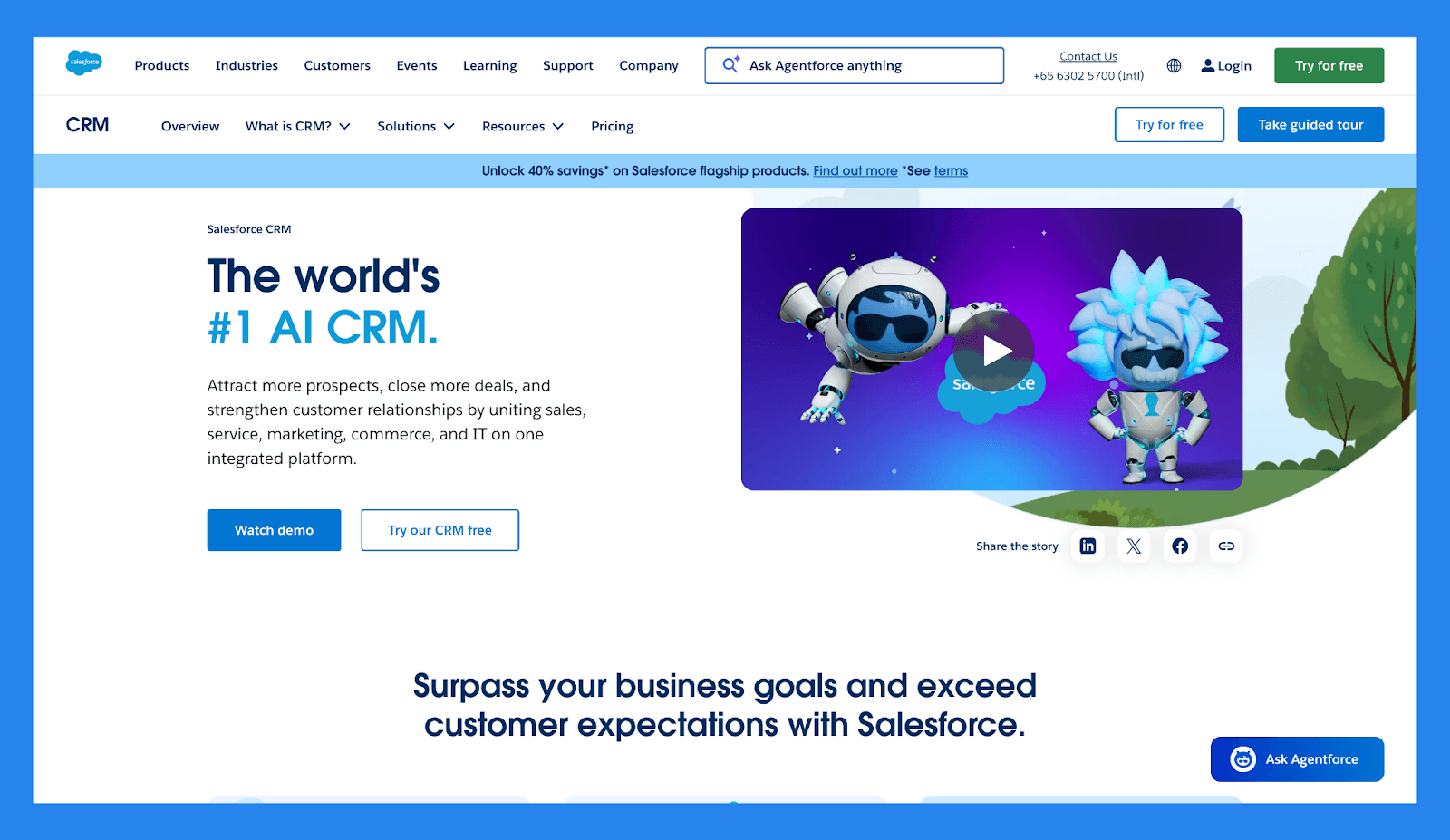
Salesforce is one of the original heavyweights in the CRM space, built for enterprises that need maximum flexibility, customization, and control. It can support nearly any sales process at any scale, backed by a massive AppExchange ecosystem and deep reporting capabilities. For large or highly regulated organizations, Salesforce remains one of the most powerful CRMs on the market.
That power, however, comes at a cost. Compared to HubSpot Sales Hub, Salesforce has a steeper learning curve, higher implementation costs, and heavier ongoing admin overhead. HubSpot wins on ease of use, faster time-to-value, and native alignment across marketing, sales, and service.
Key Features | |
|---|---|
Lead & Deal Tracking: Seamlessly capture and qualify new leads, assign them to the right reps, and follow opportunities through fully customizable sales stages. Sales Process Automation: Minimize manual work with automated lead assignment, task reminders, and follow-up triggers that keep your pipeline moving. Tailored Sales Pipelines: Design visual pipelines that mirror your sales workflow, complete with drag-and-drop controls and detailed progress tracking. Unified Contact Management: Organize contacts and accounts in one place, with full histories of calls, emails, meetings, and notes for every relationship. Integrated Communication Logging: Automatically sync emails, calls, and calendar events from Gmail, Outlook, or other platforms — keeping your CRM activity-rich and up to date. Advanced Workflow Automation: Build complex approval paths and rule-based workflows to streamline internal processes and enforce consistency across teams. App Ecosystem via AppExchange: Expand Salesforce’s functionality with thousands of vetted apps covering everything from lead generation to financial tracking. CRM on the Go: Empower your team with a fully functional mobile app that offers access to deals, contacts, tasks, and dashboards — anytime, anywhere. Einstein AI Intelligence: Boost productivity with AI-driven insights, including predictive lead scoring, opportunity health analysis, and suggested next steps. Built-In Team Collaboration (Chatter): Collaborate directly inside the CRM with real-time updates, mentions, and threaded discussions to keep everyone aligned on key deals. | |
Ratings | |
G2 - 4.4/5 (23,272) | Capterra - 4.4/5 (18817) |
Pros | Cons |
Optimizes lead management and improves conversion rates Excels at data organization and cleanliness Integration-rich with a vast app ecosystem Responsive customer support and helpful community resources | Complex implementation process that requires time and resources Expensive, especially for solopreneurs or small businesses Steep learning curve, particularly for non-technical users User interface can be unintuitive and hard to navigate |
Pricing Plans
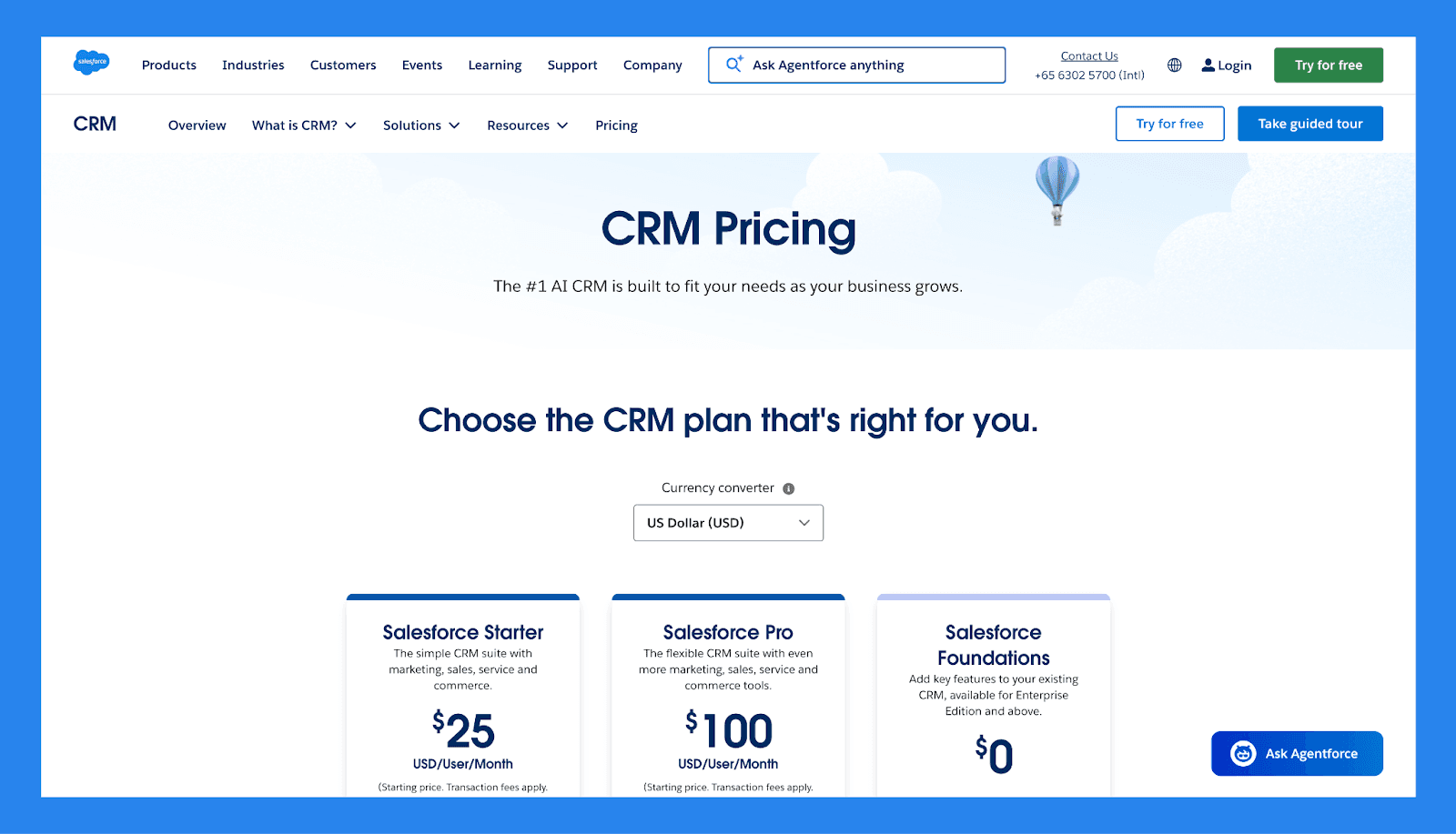
Salesforce Starter | Salesforce Pro | Salesforce Foundations |
|---|---|---|
$25/user/mo | $100/user/mo | $0 |
Lead, Account, Contact and Opportunity Management Dynamic Email Marketing and Analytics Built-in Sales Flows and Lead Routeing Connected Slack Conversations | Everything in Starter plus Enhanced, Real-Time Chat Greater Customisation and Automation Sales Quoting and Forecasting Access to AppExchange | 100k Flex Credits 250K Data Cloud credits Sales, Service, Marketing and Commerce tools |
🏁 Final Verdict: Is HubSpot Sales Hub Worth It in 2026?
Today, HubSpot Sales Hub remains one of the strongest sales platforms in 2026 thanks to its intuitive UI, deep automation, and seamless connection to HubSpot’s Marketing, Service, Content, and Operations Hubs. For growing B2B teams that rely on inbound leads, value clean data, and want sales, marketing, and customer success living in one ecosystem, HubSpot delivers real long-term value. The addition of AI tools like Breeze only strengthens its position as a modern, forward-looking CRM.
That said, HubSpot isn’t for everyone. **You should choose HubSpot Sales Hub **if you want fast time-to-value, scalable automation, and minimal CRM overhead. However, you may want to avoid it if you’re on a tight budget, need extreme customization, or prefer a lighter, sales-first CRM without ecosystem lock-in — in which case Sales Hub can feel like more than you need.
👉 Our take: For teams that value fast execution, minimal admin, and AI-native sales workflows, Breakcold is often the better fit. Try it free for 2 weeks and experience a CRM designed for selling — not managing software.
Frequently asked questions

Written by
Arnaud Belinga · Co-Founder & CEO at Breakcold
Arnaud is the Co-Founder & CEO of Breakcold, the AI Native CRM for sales teams of 5 to 30+ people.