CRM Use

15 Lead Management Tools That Actually Close More Deals

15 Lead Management Tools That Actually Close More Deals

15 Lead Management Tools That Actually Close More Deals

15 dec. 2025

15 dec. 2025

Lead management isn’t sexy, but neither is missing quota. In a world where every click, call, and DM can turn into pipeline, the real winners are the teams that can actually keep track of it all. That’s where modern lead management tools come in: they capture, organize, score, and route leads automatically, so you’re not stuck playing digital detective.

And yes, you can try to run it all on spreadsheets or half-baked “CRM-lite” setups… until volume hits and everything catches fire.

This guide is for the sales teams, agencies, consultants, and scrappy startups who want fewer dropped leads, faster follow-ups, and a system that scales without melting down. Let’s dive in.

📖 What Is a Lead Management Tool? 

What Is a Lead Management Tool

A lead management tool is software that helps businesses capture, track, qualify, distribute, and nurture leads from first touch to closed deal. Instead of juggling spreadsheets or ad-hoc systems, it centralizes every interaction so sales teams can work faster and convert more.

What Lead Management Tools Typically Do

  • Capture leads from forms, ads, social, email, and outbound

  • Track every touchpoint and update lead status automatically

  • Score and qualify leads based on fit or intent

  • Route leads to the right rep instantly

  • Automate follow-ups, reminders, and nurturing sequences

  • Provide visibility into pipeline, performance, and bottlenecks

Lead Management Tools vs. CRMs vs. Marketing Automation Software

Tool Type

Primary Purpose

Best For

What It Doesn’t Do Well

Lead Management Tool

Capture, qualify, distribute, and nurture leads efficiently

Sales teams, agencies, consultants, startups that need clarity and speed

Deep account management, complex sales workflows

CRM (Customer Relationship Management)

Manage full customer relationships post-lead stage (contacts, accounts, deals, support)

Sales orgs with structured pipelines and multi-stage deal cycles

Early-stage lead capture, quick qualification, fast routing

Marketing Automation Software

Automate campaigns, nurture sequences, and audience segmentation

Marketing teams running email workflows, lifecycle campaigns, lead scoring

Rep-facing workflow, routing, pipeline visibility, sales actions

🛠️ Must-Have + Nice-to-Have / Advanced Features of Lead Management Tools 

Must-Have + Nice-to-Have / Advanced Features of Lead Management Tools

Before you pick a lead management tool, it helps to know which features actually move the needle. Most platforms promise “end-to-end lead tracking,” but the best ones give you visibility, speed, and automation without adding admin bloat. Here’s a breakdown of the essentials vs. the value-adds.

🔑 Must-Have Features 🔑

These are the non-negotiables — if a tool doesn’t have these, it’s going to slow you down:

  • Lead capture: Forms, imports, scraping tools, enrichment, or integrations that ensure no lead slips through the cracks.

  • Pipeline & status tracking: Clear visibility into where each lead stands, what’s next, and what’s stuck.

  • Lead assignment & ownership: Rules or manual controls to ensure every lead has a clear owner—no inbox black holes.

  • Notes, activity history & reminders: A full engagement timeline with tasks and nudges so follow-ups happen on time.

🚀 Nice-to-Have / Advanced Features 🚀

These aren’t strictly required, but they dramatically improve efficiency and conversion rates:

  • Lead scoring: Prioritize high-intent leads automatically.

  • Automation & workflows: Auto-assign tasks, trigger sequences, or update statuses without manual clicks.

  • AI insights: Predictive recommendations, summaries, follow-up suggestions, or automated next steps.

  • Data enrichment: Automatically fill in missing lead and company data to reduce research time.

🏆 Top Lead Management Tools (Ranked)

Below, we’ve ranked the top lead management tools based on how well they handle real-world sales workflows: capturing leads, tracking conversations, automating follow-ups, and helping teams close faster.

🥇 Breakcold – Best for: sales teams, agencies, AI-native workflows

Breakcold – Best for: sales teams, agencies, AI-native workflows

Summary

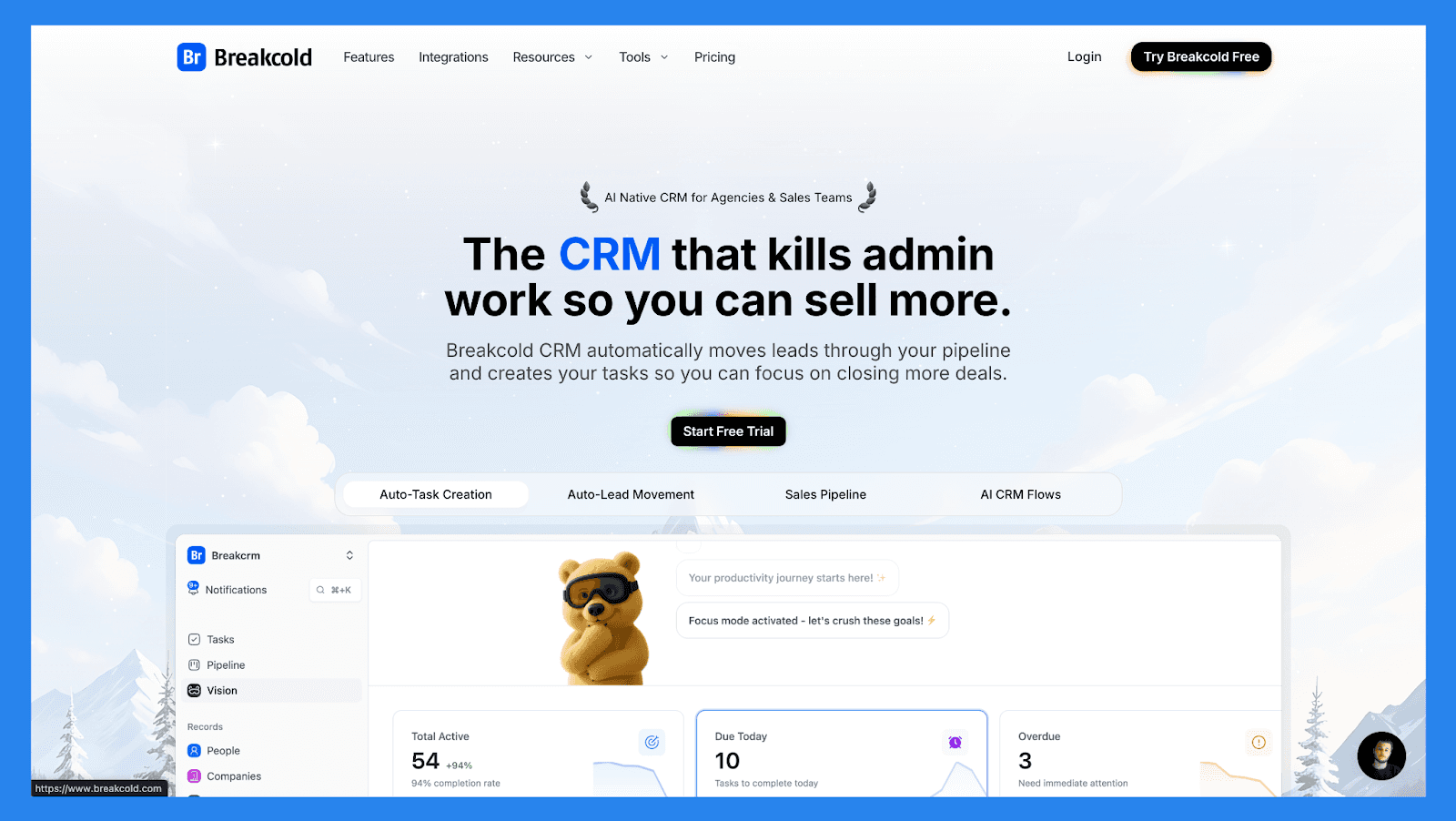
Breakcold is modernizing the lead management game by turning social selling into an AI-native workflow. Instead of logging activity manually or juggling tabs, it automatically enriches leads, tracks engagement, and suggests the next best action for every prospect.

Built for solopreneurs and small sales teams, Breakcold delivers smarter follow-ups and cleaner pipelines, without the bloat or complexity of traditional enterprise CRMs.

Breakcold Lead Management Checklist

Category

Item

Status

Core Lead Management Features


Lead capture

Forms, imports, multi-channel capture (email/LinkedIn)

Pipeline / lead stage tracking

Kanban + automated stage movement

Lead assignment / routing

Rule-based 

Follow-up tracking

Tasks, AI-reasoned daily actions & reminders

Duplicate management

Built-in de-duplication & enrichment

Centralization & Visibility


Unified lead workspace

Single prospect profile with cross-channel context

Activity timeline

Email, LinkedIn, WhatsApp, notes, calls

Dashboard / reporting

Funnel analytics + AI insights

Communication Channels


Email

Native send & tracking

Phone / Calling

Call logging (via integrations)

SMS

Via integrations

Social (LinkedIn)

Native integration & tracking

WhatsApp

Native integration

Multi-channel inbox

Unified feed for lead nurturing 

AI & Automation


Lead scoring

Behavior + AI signals

AI insights

Next-best action, AI reasoning for tasks

AI enrichment

Phone + email contact data

Workflow automation

Visual flows + auto-movement

Auto lead movement

AI & rule driven

Support


Email support

Standard

Live chat

Standard

Phone support

Schedule calls to trouble-shoot ongoing issues

Onboarding resources

Knowledge-base, templates, Breakcold Vision, and videos

Key Features


Multi-channel outreach + inbox

Email, LinkedIn, WhatsApp, Telegram

AI-driven workflows

Auto tasks + reasoning

Data enrichment & dedupe

Native enrichment

Social feed & prospecting

Social selling focus

Integrations

CRM, outreach, calling tools

Pricing & Ratings


Free plan


Free trial

2-week free trial

Starting price

$29/mo

Tiered pricing plan

G2 Rating

⭐ 4.7/5

118 reviews

Capterra Rating

⭐ 4.8/5 

92 reviews

🥈 NoCRM.io – Best for: Sales teams that hate CRMs

NoCRM.io – Best for: Sales teams that hate CRMs

Summary

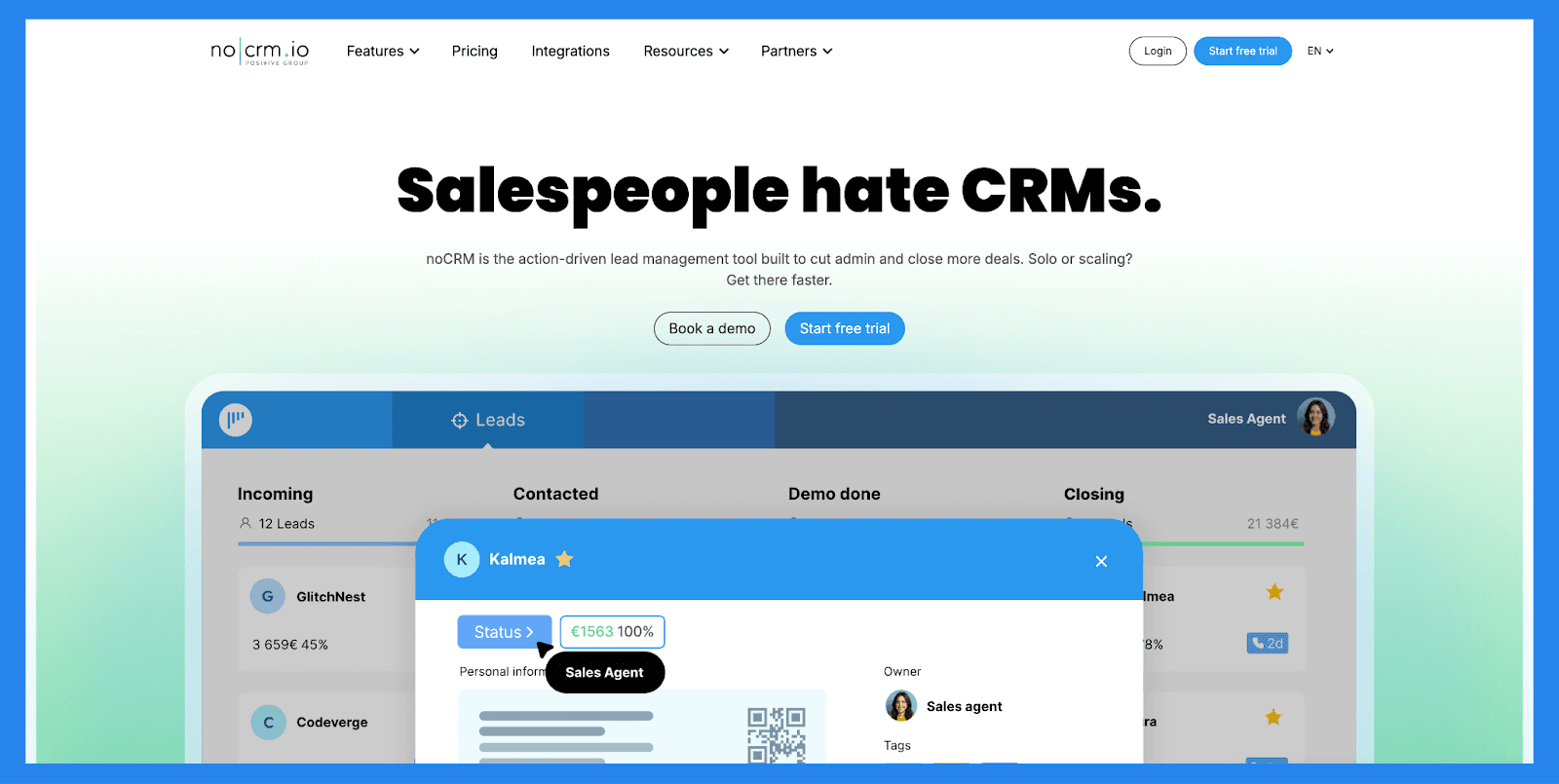
noCRM strips lead management down to its essentials. There are no bloated dashboards or overly complex objects — just leads, pipelines, reminders, and follow-ups. The tool is intentionally opinionated, prioritizing speed and action over data perfection.

It’s a strong fit for sales reps and managers who want to focus on closing deals instead of maintaining a CRM. However, teams needing advanced automation, enrichment, or deep analytics may outgrow it quickly.

NoCRM Lead Management Checklist

Category

Item

Status

Core Lead Management Features


Lead capture

Web forms, imports, prospect lists

Pipeline / lead stage tracking

Sales-opportunity focused pipelines

Lead assignment / routing

Manual & simple rules

Follow-up tracking

Tasks & reminders

Duplicate management

Basic detection & merges

Centralization & Visibility


Unified lead workspace

Lead-centric (not contact heavy)

Activity timeline

Emails, calls, notes

Dashboard / reporting

Pipeline conversion metrics

Communication Channels


Email

Native sending & templates

Phone / Calling

⚠️

Integrates with calling providers

SMS

⚠️

Via integrations

Social (LinkedIn)

Not native

WhatsApp

Needs integration

Multi-channel inbox

No single unified inbox

AI & Automation


Lead scoring

Manual tagging / filters

AI insights

Not native

AI enrichment

Integrations required

Workflow automation

Task automation & triggers

Auto lead movement

Rule-based progression

Support


Email support

Standard

Live chat

Standard

Phone support

N/A

Onboarding resources

Templates, guides, knowledge-base, webinars, and academies

Key Features 


Simplicity & speed

Purpose-built for reps who hate CRMs

Lead-focused UX

Minimal data entry

Task management

Sales task centric

Team collaboration

Shared pipelines & reports

Pricing & Ratings


Free plan

No permanent free tier

Free trial

Trial available

Starting price

$25/mo

Affordable per-user pricing

G2 Rating

⭐4.7/5

103 reviews

Capterra Rating

⭐4.6/5 

481 reviews

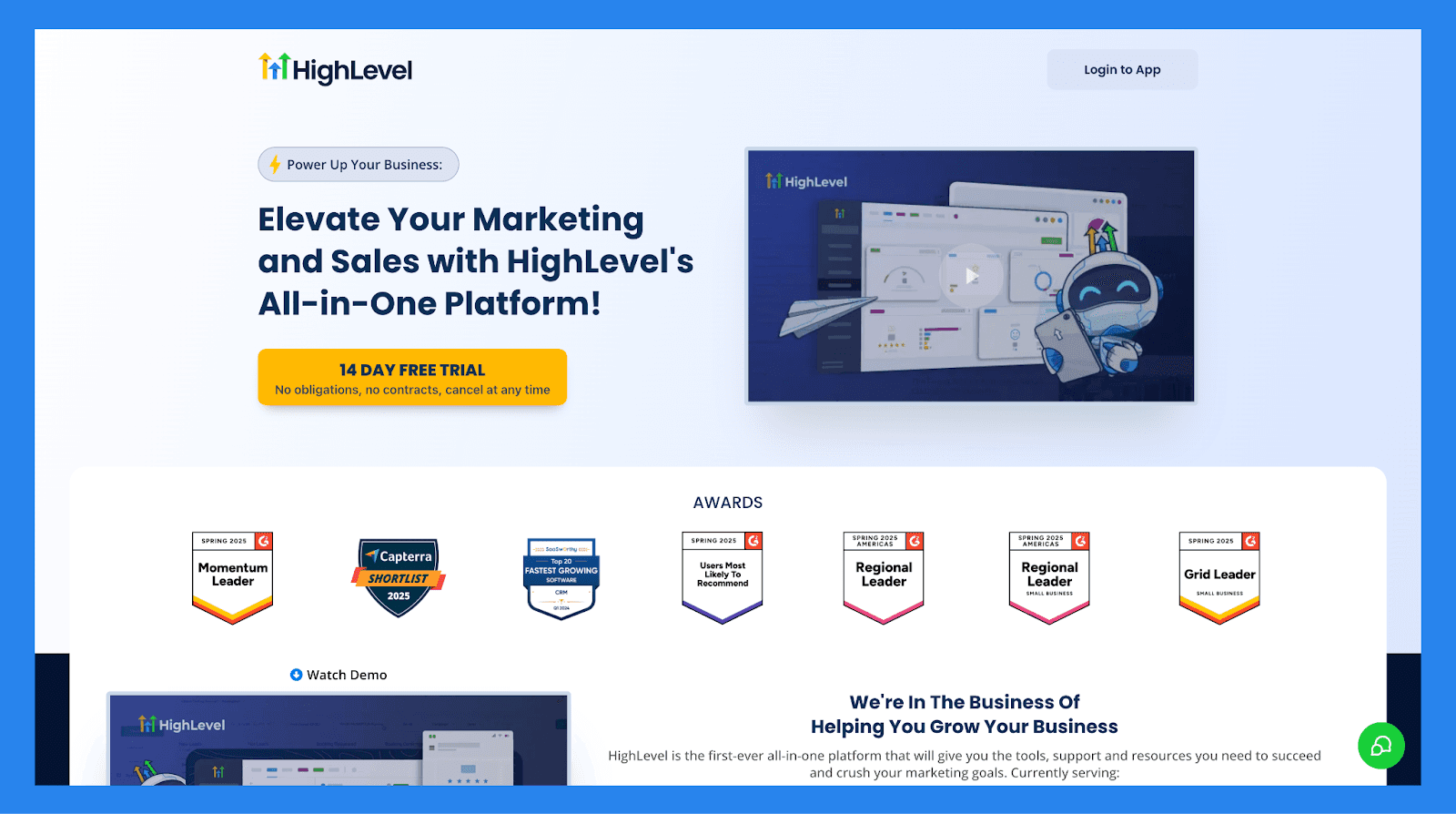
🥉 GoHighLevel – Best for: Agencies and service-based businesses managing multiple clients

GoHighLevel – Best for: Agencies and service-based businesses managing multiple clients

Summary

GoHighLevel positions itself as an “all-in-one” solution for customer acquisition and retention, allowing users to capture leads, nurture prospects, close deals, and continue engagement post-sale. 

Its strongest appeal lies in its ability to centralize both sales and marketing operations — making it especially attractive to service-based businesses and agencies that manage multiple clients and want to simplify their tech stack.

GoHighLevel Lead Management Checklist

Category

Item

Status

Core Lead Management Features


Lead capture

Forms, funnels, landing pages

Pipeline / lead stage tracking

Kanban-style pipelines

Lead assignment / routing

Round-robin, rule-based

Follow-up tracking

Tasks + automated reminders

Duplicate management

Limited; depends on workflows

Centralization & Visibility


Unified lead workspace

Single client or multi-client mode

Activity timeline

Email/SMS/notes/calls

Dashboard / reporting

Funnel analytics + attribution

Communication Channels


Email

Native

Phone / Calling

Requires Twilio

SMS

Works via Twilio

Social (LinkedIn)

Not native

WhatsApp

Needs integration

Multi-channel inbox

Inbox is fragmented

AI & Automation


Lead scoring

Manual only

AI insights

Not native

AI enrichment

Not available

Workflow automation

Powerful visual automation builder

Auto lead movement

Must build logic manually

Support


Email support

Standard

Live chat

Not standard

Phone support

Not available

Onboarding resources

Tutorials, templates, snapshots

Key Features


All-in-one CRM + marketing suite

CRM, pipelines, forms, surveys, calendars, funnels, emails, SMS

Marketing automation builder

Multi-step workflows: nurture, re-engagement, retention

White-labeling

Agencies can resell with full custom branding

Landing page & funnel builder

Replaces ClickFunnels/Leadpages

Built-in email & SMS marketing

Broadcasts, drips, automations

Reputation management

Review requests + Google review tracking

Client portals

Multi-account management, permissions, reporting

Unified inbox

⚠️ Partial

View SMS/email/chat, but not fully unified

Pricing & Ratings


Free plan

No free plan

Free trial

14-day trial

Starting price

$97/mo

Tiered; agency/unlimited options

G2 Rating

⭐ 4.6/5

552 reviews

Capterra Rating

⭐ 4.1/5

83 reviews

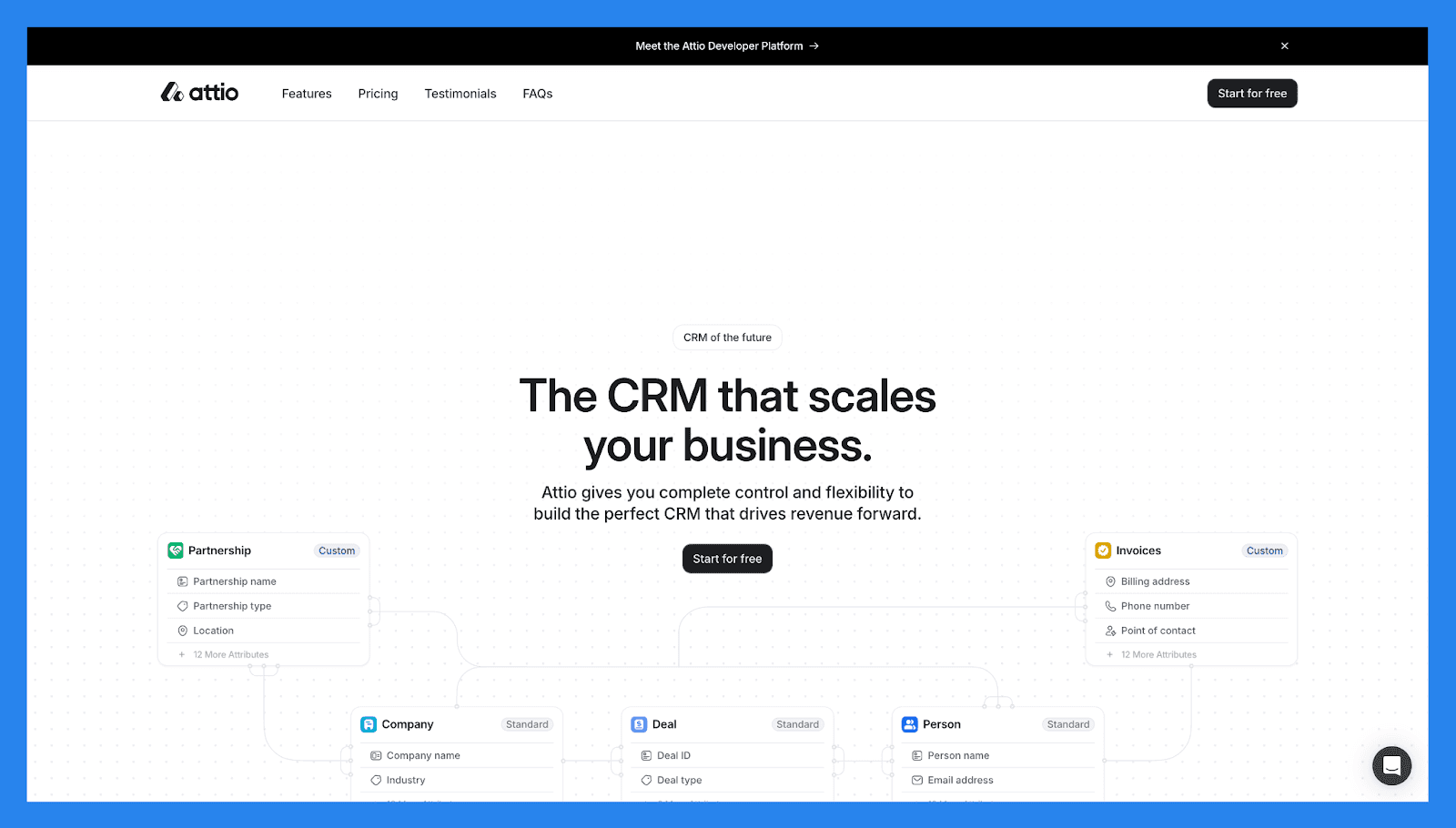
🏅 Attio - Best for: Modern startups and RevOps-driven teams

Attio - Best for: Modern startups and RevOps-driven teams

Summary

Attio reimagines lead management as a flexible, data-first system. Instead of rigid CRM structures, it offers customizable objects, dynamic views, and real-time syncing — making it ideal for teams that want to build their own lead workflows from scratch.

It excels at organizing and segmenting leads across multiple dimensions, but relies more on integrations than native communication tools. Attio is a strong choice for fast-moving startups that care about clean data and modern UX.

Attio Lead Management Checklist

Category

Item

Status

Core Lead Management Features


Lead capture

Forms, imports, APIs

Pipeline / lead stage tracking

Custom pipelines & properties

Lead assignment / routing

Rule & manual assignment

Follow-up tracking

Tasks, reminders, sequences

Duplicate management

Smart matching & merges

Centralization & Visibility


Unified lead workspace

Highly customizable records

Activity timeline

Emails, meetings, notes

Dashboard / reporting

Custom views & reports

Communication Channels


Email

Two-way sync & templates

Phone / Calling

⚠️

Integrations required

SMS

⚠️

Via integrations

Social (LinkedIn)

Not native

WhatsApp

Needs integration

Multi-channel inbox

Not unified

AI & Automation


Lead scoring

Custom scoring fields

AI insights

⚠️

Some AI features / forthcoming

AI enrichment

⚠️

Integrations available

Workflow automation

Automations & triggers

Auto lead movement

Rule-based movement

Support


Email support

Standard

Live chat

Business hours

Phone support

N/A

Onboarding resources

Docs & templates

Key Features 


Flexible data model

Great for non-standard pipelines

Collaboration & shared views

Team centric

Developer-friendly

API + integrations

Pricing & Ratings


Free plan

Free forever

Free trial

No free trials for paid plans

Starting price

$36/mo

Tiered per user / workspace

G2 Rating

⭐4.4/5

18 reviews

Capterra Rating

⭐ 4.5/5

5 reviews

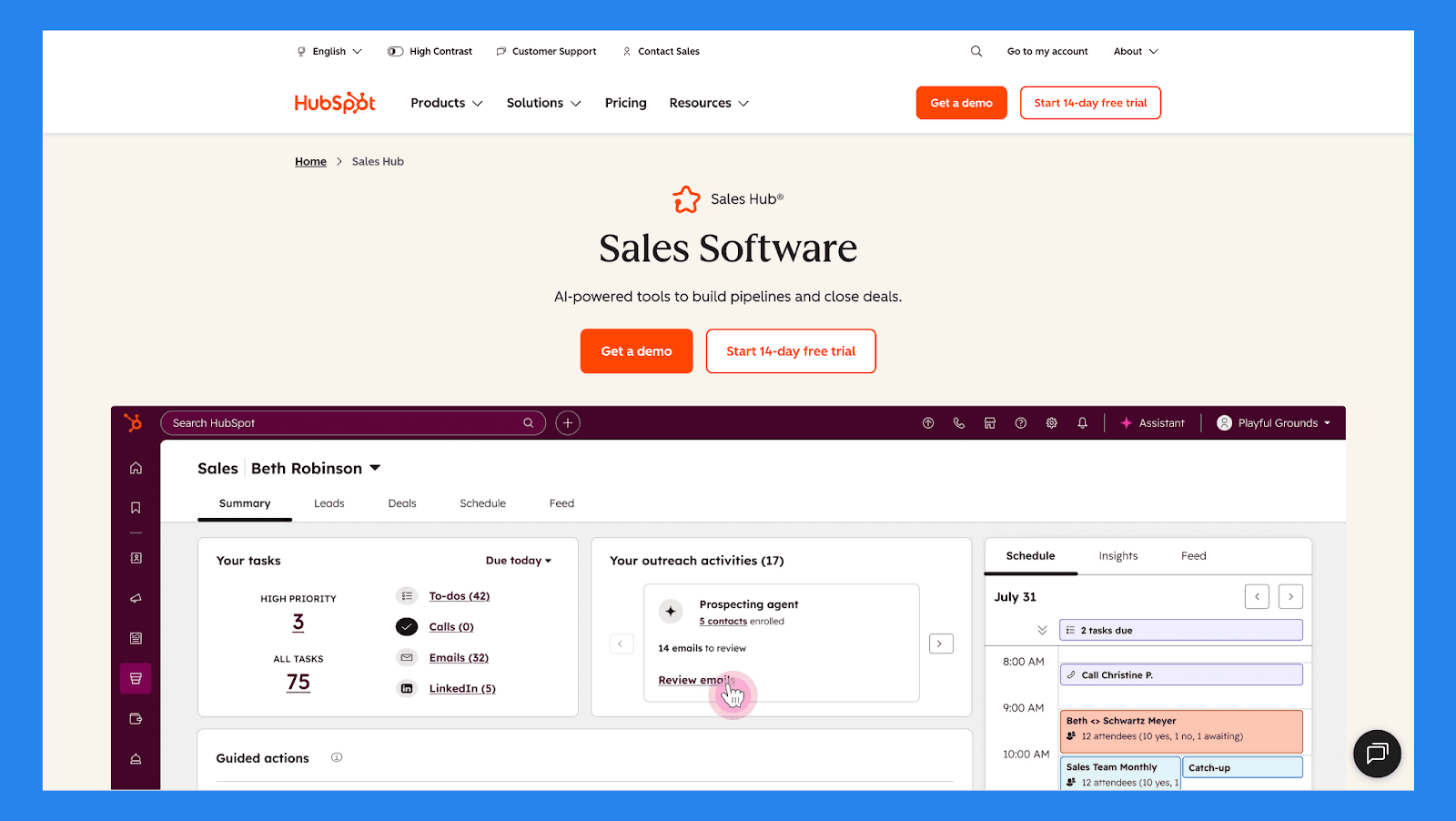
🏅 Hubspot (Sales Hub) – Best for: Teams that want lead management tightly connected to marketing

Hubspot (Sales Hub) – Best for: Teams that want lead management tightly connected to marketing

Summary

HubSpot is one of the most recognizable names in the SaaS game — and for good reason. Its CRM sits at the center of a broader ecosystem that includes marketing automation, email campaigns, analytics, and customer support.

Lead capture, tracking, nurturing, and reporting are tightly integrated, making HubSpot ideal for inbound-focused teams. The free tier is accessible, but more advanced lead management features require upgrades as teams scale.

Hubspot (Sales Hub) Lead Management Checklist

Category

Item

Status

Core Lead Management Features


Lead capture

Forms, chat, ads, imports

Pipeline / lead stage tracking

Visual pipelines + tasks

Lead assignment / routing

Round-robin, rules

Follow-up tracking

Tasks, sequences, meeting scheduler

Duplicate management

Auto-dedupe & merge suggestions

Centralization & Visibility


Unified lead workspace

Contact timeline + company data

Activity timeline

Email, calls, meetings, notes

Dashboard / reporting

Robust analytics & attribution

Communication Channels


Email

Native & sequences

Phone / Calling

Built-in calling credits / integrations

SMS

⚠️

Via integrations

Social (LinkedIn)

Social tools in Marketing Hub

WhatsApp

⚠️

Via partners/integrations

Multi-channel inbox

Conversations inbox (chat, email, social)

AI & Automation


Lead scoring

Behavioral + properties

AI insights

Breeze AI (conversational AI)

AI enrichment

HubSpot Prospects & partner enrichers

Workflow automation

Powerful automation engine

Auto lead movement

Workflows + sequences

Support


Email support

Yes (tier dependent)

Live chat

Yes (paid tiers)

Phone support

Paid plans

Onboarding resources

Extensive academy, knowledge-base  & docs

Key Features 


All-in-one growth platform

CRM + marketing + sales + service + more

Deep reporting & attribution

Strong analytics

Strong ecosystem

App Marketplace & partners

Free CRM core

Great for small teams

Pricing & Ratings


Free plan

Robust free CRM

Free trial

14-day trials for paid hubs

Starting price

$100/mo

Free → paid hub tiers

G2 Rating

⭐4.5/5

14,221 reviews

Capterra Rating

⭐4.5/5

4,414 reviews

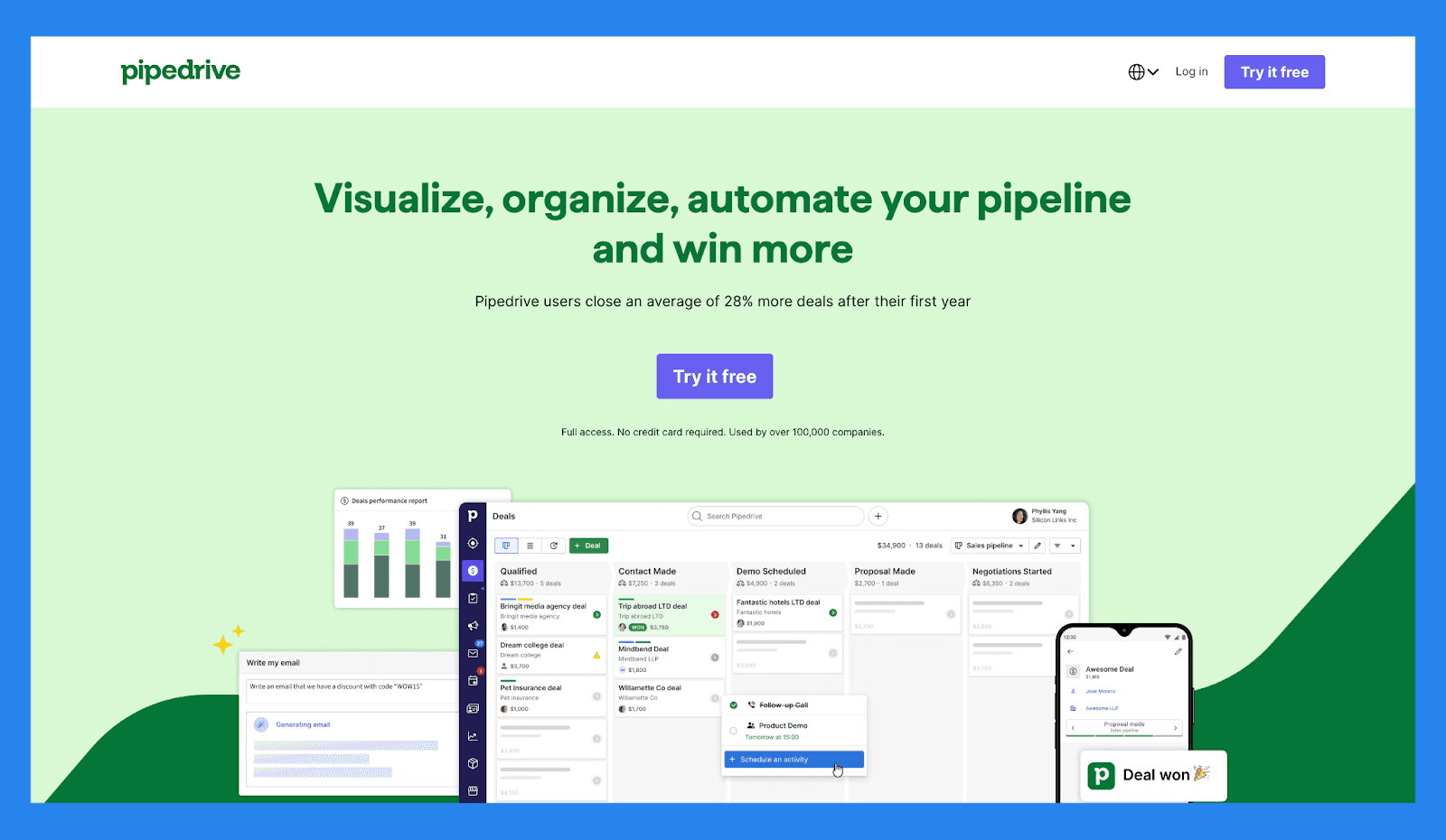
🏅 Pipedrive – Best for: Sales-led teams that want clear pipeline visibility

Pipedrive – Best for: Sales-led teams that want clear pipeline visibility

Summary

Pipedrive is built around one core idea: visual pipelines that make it easy to see where every lead and deal stands. Lead management is intuitive, fast to adopt, and heavily focused on action — calls, emails, and follow-ups.

While it doesn’t offer deep marketing automation or AI-heavy features out of the box, Pipedrive excels at keeping sales teams organized and accountable. It’s a strong option for SMBs that want clarity without complexity.

Pipedrive Lead Management Checklist

Category

Item

Status

Core Lead Management Features


Lead capture

Web forms, imports, APIs

Pipeline / lead stage tracking

Strong visual Kanban pipelines

Lead assignment / routing

Manual & rule-based

Follow-up tracking

Activities, reminders, timeline

Duplicate management

Merge & cleanup tools

Centralization & Visibility


Unified lead workspace

Deal & person-centric views

Activity timeline

Email sync, calls, notes

Dashboard / reporting

Sales metrics & goals

Communication Channels


Email

Two-way sync & templates

Phone / Calling

Native calling (paid) / integrations

SMS

⚠️

Via integrations

Social (LinkedIn)

Not native

WhatsApp

Needs integration

Multi-channel inbox

Not fully unified

AI & Automation


Lead scoring

Add-on tools / custom fields

AI insights

⚠️

Marketplace add-ons

AI enrichment

⚠️

Integrations available

Workflow automation

Automations & triggers

Auto lead movement

Rule-based

Support


Email support

Standard

Live chat

Business hours

Phone support

Paid plans

Onboarding resources

Rich docs & webinars

Key Features 


Pipeline usability

Fast adoption

Activity-based selling

Task focus

Marketplace & integrations

Large ecosystem

Pricing & Ratings


Free plan

No permanent free plan (trial available)

Free trial

14-day trial

Starting price

$19/mo

Tiered per user

G2 Rating

⭐4.3/5

2,445 reviews

Capterra Rating

⭐4.5/5

3,047 reviews

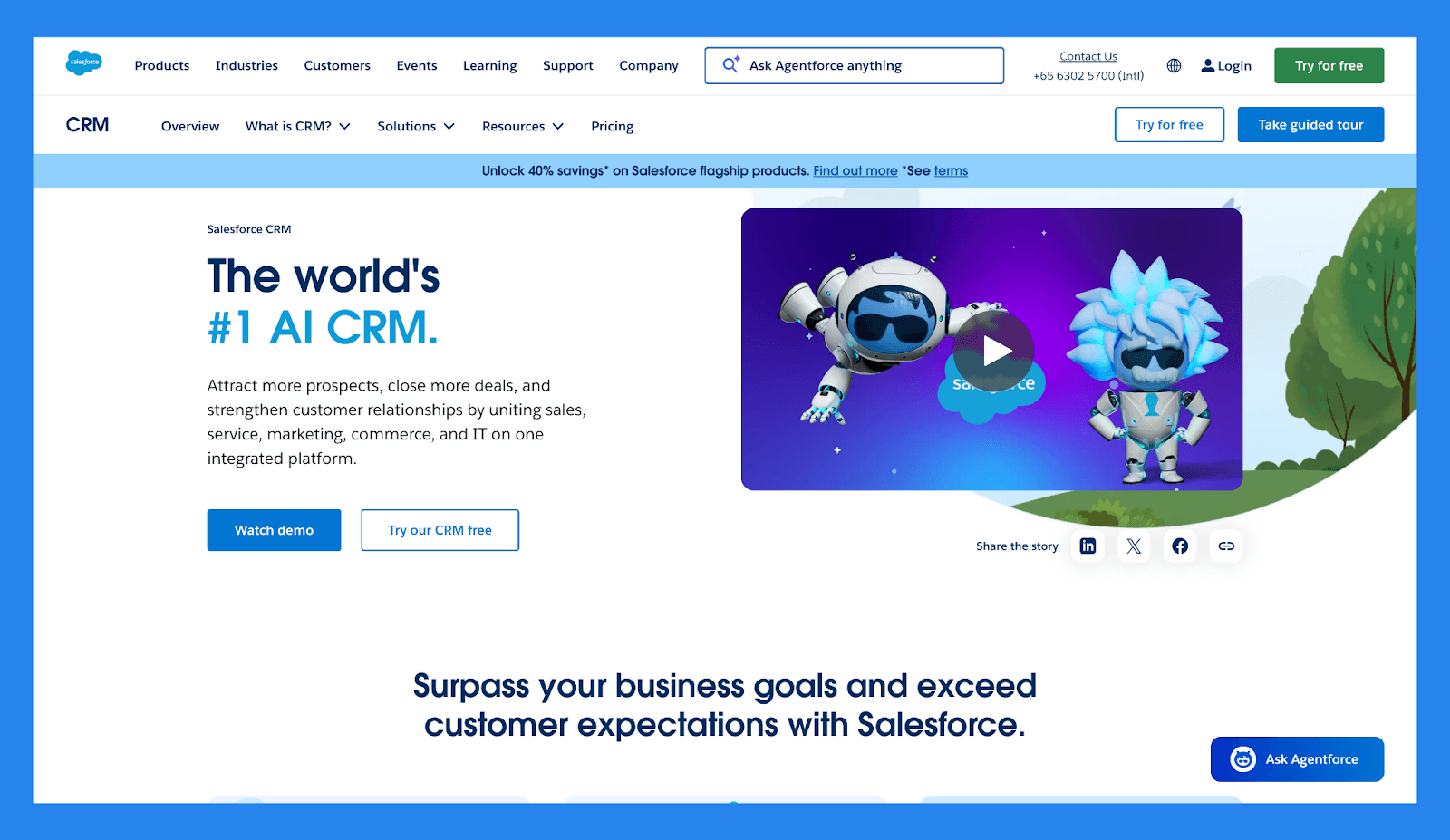
🏅 Salesforce – Best for: Enterprises with complex lead workflows

Salesforce – Best for: Enterprises with complex lead workflows

Summary

Salesforce is one of the most powerful (and most complex) lead management platforms on the market. It supports advanced routing, scoring, automation, reporting, and customization at virtually any scale. That power, does however, come at the cost of setup time and ongoing maintenance

Salesforce is best suited for large organizations with dedicated ops teams and highly customized sales processes rather than lean startups or small teams.

Salesforce Lead Management Checklist

Category

Item

Status

Core Lead Management Features


Lead capture

Forms, web-to-lead, APIs

Pipeline / lead stage tracking

Highly customizable

Lead assignment / routing

Advanced rules & territories

Follow-up tracking

Tasks, workflows, reminders

Duplicate management

Advanced dedupe & matching

Centralization & Visibility


Unified lead workspace

Contact/Account/Opportunity model

Activity timeline

Full activity logging

Dashboard / reporting

Enterprise reporting & BI

Communication Channels


Email

Integrated email & templates

Phone / Calling

CTI integrations, native features

SMS

Via partners

Social (LinkedIn)

Sales Navigator integration

WhatsApp

Via partners

Multi-channel inbox

Service/Sales clouds + integrations

AI & Automation


Lead scoring

Einstein lead scoring

AI insights

Einstein AI for predictions & recommendations

AI enrichment

Partner enrichers

Workflow automation

Flow Builder + Process Builder

Auto lead movement

Workflow & AI triggers

Support


Email support

Standard (paid tiers)

Live chat

Available

Phone support

Paid support tiers

Onboarding resources

Extensive Trailhead & partners

Key Features 


Extreme customizability

Enterprise grade

Ecosystem & partners

Massive app marketplace

Advanced AI & analytics

Einstein platform

Pricing & Ratings


Free plan

No free plan

Free trial

30-day trial

Starting price

$25/mo

Higher (enterprise focus)

G2 Rating

⭐4.4/5

25,246 reviews

Capterra Rating

⭐4.4/5

18,730 reviews

🏅 Capsule – Best for: Small businesses that want simple lead tracking

Capsule – Best for: Small businesses that want simple lead tracking

Summary

Capsule offers lightweight lead and contact management without the intimidation factor of enterprise CRMs. It covers the basics (pipelines, notes, tasks, and reminders) with a clean, user-friendly interface.

It’s a good fit for small teams that want structure without heavy automation. However, teams looking for advanced workflows, AI insights, or deep integrations may find it limiting over time.

Capsule Lead Management Checklist

Category

Item

Status

Core Lead Management Features


Lead capture

Forms, imports, integrations

Pipeline / lead stage tracking

Simple pipelines

Lead assignment / routing

Manual assignment, team sharing

Follow-up tracking

Tasks & reminders

Duplicate management

Merge & cleanup

Centralization & Visibility


Unified lead workspace

Contact + case history

Activity timeline

Emails, notes, tasks

Dashboard / reporting

Sales reports & KPIs

Communication Channels


Email

Two-way sync

Phone / Calling

⚠️

Integrations required

SMS

Not native

Social (LinkedIn)

Not native

WhatsApp

Needs integration

Multi-channel inbox

No

AI & Automation


Lead scoring

Not native

AI insights

Not native

AI enrichment

⚠️

Via integrations

Workflow automation

Basic automation & reminders

Auto lead movement

Rule based

Support


Email support

Standard

Live chat

Not standard

Phone support

⚠️

Limited

Onboarding resources

Docs & guides

Key Features 


Lightweight CRM

Easy to use for small teams

Affordability

Simple pricing

Clean UI

Fast onboarding

Pricing & Ratings


Free plan

Maximum 2 users (free forever) 

Free trial

14-day trial

Starting price

$21/mo

Lower-cost tiers

G2 Rating

⭐4.7/5

452 reviews

Capterra Rating

⭐4.5/5

167 reviews

🏅 LeadFeeder – Best for: B2B teams focused on website intent data

LeadFeeder – Best for: B2B teams focused on website intent data

Summary

Leadfeeder flips lead management on its head by starting with anonymous website visitors. It identifies companies visiting your site, tracks behavior, and surfaces high-intent leads for sales teams to follow up with.

It’s best used alongside a CRM rather than as a standalone lead management tool. For B2B companies running content- or traffic-driven acquisition, Leadfeeder adds valuable intent signals to the top of the funnel.

LeadFeeder Lead Management Checklist

Category

Item

Status

Core Lead Management Features


Lead capture

Website visitor identification (IP → company)

Pipeline / lead stage tracking

⚠️

Integrates with CRMs for pipeline work

Lead assignment / routing

⚠️

Via CRM integrations

Follow-up tracking

⚠️

Depends on CRM

Duplicate management

⚠️

CRM side

Centralization & Visibility


Unified lead workspace

Focused on intent/visitors; pairs with CRM

Activity timeline

Website activity (pages, visits)

Dashboard / reporting

Traffic → company lead insights

Communication Channels


Email

Not a communication tool

Phone / Calling

No

SMS

No

Social (LinkedIn)

No

WhatsApp

No

Multi-channel inbox

No

AI & Automation


Lead scoring

Behavior/engagement scoring (visitor intent)

AI insights

⚠️

Pattern detection & intent signals

AI enrichment

⚠️

Adds company data (limited personal contact)

Workflow automation

Integrations trigger workflows in CRMs

Auto lead movement

⚠️

CRM handles movement

Support


Email support

Standard

Live chat

Business hours

Phone support

N/A

Onboarding resources

Setup guides & integrations

Key Features 


Website visitor-to-company intelligence

Great for B2B intent capture

Integrations with CRMs & tools

Tight CRM connections

Lead intent scoring

Prioritize companies visiting your site

Pricing & Ratings


Free plan

Free tier with limited data

Free trial

Trial available for paid tiers

Starting price

€141/mo

One pricing plan

G2 Rating

⭐4.3/5

742 reviews

Capterra Rating

⭐4.2/5

134 reviews

🏅 Mailchimp – Best for: Email-first lead nurturing

Mailchimp – Best for: Email-first lead nurturing

Summary

Mailchimp began as an email marketing tool and has gradually expanded into light CRM and lead management territory. It handles lead capture, segmentation, and email-based nurturing well, especially for small businesses.

That said, it’s not designed for complex sales pipelines or multi-rep lead ownership. Mailchimp works best when email is the primary channel and sales processes are relatively simple.

MailChimp Lead Management Checklist

Category

Item

Status

Core Lead Management Features


Lead capture

Forms, landing pages, signups

Pipeline / lead stage tracking

Not a deal pipeline CRM

Lead assignment / routing

Not native

Follow-up tracking

Email automations & journeys

Duplicate management

Audience management tools

Centralization & Visibility


Unified lead workspace

⚠️

Audience-centric (marketing)

Activity timeline

Email engagement, campaigns

Dashboard / reporting

Campaign analytics & audience reports

Communication Channels


Email

Core strength: campaigns & automations

Phone / Calling

No

SMS

SMS add-on available

Social (LinkedIn)

Ads & social posting integrations

WhatsApp

Not native

Multi-channel inbox

No

AI & Automation


Lead scoring

⚠️

Basic engagement scoring

AI insights

Content & send-time suggestions (limited)

AI enrichment

Not native

Workflow automation

Customer journeys & automations

Auto lead movement

Not applicable

Support


Email support

Standard

Live chat

Paid tiers

Phone support

Paid tiers

Onboarding resources

Guides & templates

Key Features 


Email marketing & automation

Best-in-class for campaigns

Audience segmentation

Robust segments & tags

Landing pages & forms

Built-in capture

Pricing & Ratings


Free plan

Flexible entry-level pricing

Free trial


Starting price

$10/mo

Tiered by plans and contact size

G2 Rating

⭐4.4/5

5,364 reviews

Capterra Rating

⭐4.5/5

17,490 reviews

🏅 Freshsales (Freshworks CRM) – Best for: Growing teams that want built-in intelligence

Freshsales (Freshworks CRM) – Best for: Growing teams that want built-in intelligence

Summary

Freshsales blends traditional CRM functionality with lead scoring, automation, and communication tools. It offers a good balance between ease of use and advanced features like behavior tracking and prioritization.

For teams graduating from spreadsheets or basic CRMs, Freshsales provides structure without overwhelming users — making it a strong mid-market lead management option.

Freshsales (Freshworks CRM) Lead Management Checklist

Category

Item

Status

Core Lead Management Features


Lead capture

Forms, imports, APIs

Pipeline / lead stage tracking

Deal pipelines + stages

Lead assignment / routing

Rules & auto assign

Follow-up tracking

Tasks, sequences, reminders

Duplicate management

Deduplication features

Centralization & Visibility


Unified lead workspace

Contact + activity timeline

Activity timeline

Emails, calls, notes

Dashboard / reporting

Sales & funnel reports

Communication Channels


Email

Native & tracking

Phone / Calling

Built-in telephony

SMS

⚠️

Via integrations

Social (LinkedIn)

⚠️

Integrations

WhatsApp

⚠️

Partners/integrations

Multi-channel inbox

Conversations hub

AI & Automation


Lead scoring

Predictive scoring available

AI insights

Freddy AI insights

AI enrichment

Partner enrichers

Workflow automation

Flow automation

Auto lead movement

Rules & AI triggers

Support


Email support

Yes

Live chat

Yes

Phone support

Paid tiers

Onboarding resources

Docs & academy

Key Features 


Built-in telephony

Useful for call-heavy teams

AI assistant (Freddy)

Insights & recommendations

Good mid-market fit

Balance of features & usability

Pricing & Ratings


Free plan

No

Free trial

21-day trial

Starting price

$11/mo

Tiered plans

G2 Rating

⭐4.5/5

1,216 reviews

Capterra Rating

⭐4.5/5

620 reviews

🏅 Salesflare – Best for: Small B2B teams that want minimal data entry

Salesflare – Best for: Small B2B teams that want minimal data entry

Summary

Salesflare focuses on automating the busywork behind lead management. It automatically enriches contacts, tracks interactions, and keeps pipelines up to date with minimal manual input.

The result is a CRM that quietly manages leads in the background while sales reps focus on relationships. It’s particularly appealing for lean B2B teams with limited time for admin tasks.

Salesflare Lead Management Checklist

Category

Item

Status

Core Lead Management Features


Lead capture

Email parsing, imports, integrations

Pipeline / lead stage tracking

Visual pipelines

Lead assignment / routing

Manual & team sharing

Follow-up tracking

Automated follow-ups & tasks

Duplicate management

Auto-match & merge

Centralization & Visibility


Unified lead workspace

Auto-built contact profiles

Activity timeline

Auto-captured emails, meetings

Dashboard / reporting

Revenue & pipeline reporting

Communication Channels


Email

Deep email automation & tracking

Phone / Calling

⚠️

Integrates with calling tools

SMS

Not native

Social (LinkedIn)

Not native

WhatsApp

Needs integration

Multi-channel inbox

No unified inbox

AI & Automation


Lead scoring

⚠️

Basic scoring via fields

AI insights

Auto-capture intelligence (semi-AI)

AI enrichment

Auto-enrichment of profiles

Workflow automation

Automatic task creation & sequences

Auto lead movement

Rule & trigger driven

Support


Email support

Standard

Live chat

Business hours

Phone support

N/A

Onboarding resources

Guides & templates

Key Features 


Zero-entry data capture

Minimal manual input

Smart automation

Auto follow-ups & reminders

B2B focus

Great for small B2B teams

Pricing & Ratings


Free plan

No free plan (trial available)

Free trial

30-day trial 

Starting price

$39/mo

Mid-tier pricing

G2 Rating

⭐4.8/5

296 reviews

Capterra Rating

⭐4.7/5

139 reviews

🏅 Lemlist – Best for: Outbound email-driven lead generation

Lemlist – Best for: Outbound email-driven lead generation

Summary

Lemlist is not a traditional CRM, but it plays a critical role in outbound lead management. It excels at personalized cold email campaigns, follow-ups, and sequence-based outreach.

When paired with a CRM, Lemlist becomes a powerful engine for generating and warming leads. On its own, it’s best viewed as a lead activation tool rather than a full management system.

Lemlist Lead Management Checklist

Category

Item

Status

Core Lead Management Features


Lead capture

Email campaign replies & imports

Pipeline / lead stage tracking

Not a full CRM pipeline

Lead assignment / routing

Limited; integrates with CRMs

Follow-up tracking

Sequenced email follow-ups

Duplicate management

Campaign-level features only

Centralization & Visibility


Unified lead workspace

Focused on outreach lists

Activity timeline

Email opens, replies, link clicks

Dashboard / reporting

Campaign performance metrics

Communication Channels


Email

Core strength: personalized cold email

Phone / Calling

Not native

SMS

Not native

Social (LinkedIn)

Integrations / sequences via add-ons

WhatsApp

No

Multi-channel inbox

No

AI & Automation


Lead scoring

Not native

AI insights

Personalization suggestions (templates)

AI enrichment

Integrations possible

Workflow automation

Campaign sequences & triggers

Auto lead movement

Via CRM integrations

Support


Email support

Standard

Live chat

Business hours

Phone support

N/A

Onboarding resources

Templates & guides

Key Features 


Cold email personalization

Dynamic images & variables

Deliverability tools

Warmup & domain guidance

Campaign automation

Sequences + A/B testing

Pricing & Ratings


Free plan

No free plan (trial available)

Free trial

14-day trial

Starting price

$69/mo

Per campaign / per user tiers

G2 Rating

⭐4.5/5

968 reviews

Capterra Rating

⭐4.6/5

386 reviews

🏅 MondayCRM – Best for: Teams that want customizable workflows

MondayCRM – Best for: Teams that want customizable workflows

Summary

Built on the monday.com work OS, Monday CRM offers flexible lead tracking that can be customized to almost any workflow. Pipelines, automations, and dashboards are highly configurable.

It’s ideal for teams that want lead management to mirror their internal processes exactly, though it may require more setup than purpose-built sales CRMs.

MondayCRM Lead Management Checklist

Category

Item

Status

Core Lead Management Features


Lead capture

Forms, automations, imports

Pipeline / lead stage tracking

Highly customizable boards

Lead assignment / routing

Automations & assignments

Follow-up tracking

Tasks, reminders, automations

Duplicate management

⚠️

Manual/automation-based

Centralization & Visibility


Unified lead workspace

Boards + dashboards

Activity timeline

Updates, notes, file attachments

Dashboard / reporting

Dashboards + widgets

Communication Channels


Email

Integrations & automations

Phone / Calling

⚠️

Integrations required

SMS

⚠️

Integrations / apps

Social (LinkedIn)

Not native

WhatsApp

Third-party apps

Multi-channel inbox

No

AI & Automation


Lead scoring

⚠️

Custom formula fields possible

AI insights

⚠️

Apps / integrations

AI enrichment

⚠️

Via integrations

Workflow automation

Strong automation builder

Auto lead movement

Automations handle movement

Support


Email support

Standard

Live chat

Business hours

Phone support

⚠️

Limited

Onboarding resources

Templates & academy

Key Features 


Customizability

Build almost any workflow

Visual boards & dashboards

Great for process visibility

Integrations & apps

Marketplace for add-ons

Pricing & Ratings


Free plan

Free tier (limited boards/users)

Free trial

14-day trial

Starting price

$15/mo

Tiered per seat / team size

G2 Rating

⭐4.6/5

1,057 reviews

Capterra Rating

⭐4.7/5

452 reviews

🏅 Clickup – Best for: Teams managing leads alongside projects

Clickup – Best for: Teams managing leads alongside projects

Summary

ClickUp approaches lead management through the lens of tasks and workflows. While not a native CRM, it can be configured to track leads, stages, owners, and follow-ups within a broader productivity system.

It’s best suited for teams that want everything (leads, deals, delivery, and projects) in one workspace, rather than a dedicated sales-only tool.

Clickup Lead Management Checklist

Category

Item

Status

Core Lead Management Features


Lead capture

Forms, imports, automations

Pipeline / lead stage tracking

Custom Lists/Board views

Lead assignment / routing

Automations & workloads

Follow-up tracking

Tasks, reminders, dependencies

Duplicate management

⚠️

Manual / automations

Centralization & Visibility


Unified lead workspace

Tasks + Docs + Emails (via inbox)

Activity timeline

Task history & comments

Dashboard / reporting

Custom dashboards & widgets

Communication Channels


Email

Email integrations & native "Email in ClickUp"

Phone / Calling

Integrations required

SMS

Integrations

Social (LinkedIn)

Not native

WhatsApp

Integrations

Multi-channel inbox

⚠️

Inbox for email; not full omnichannel

AI & Automation


Lead scoring

⚠️

Custom fields / formulas can emulate scoring

AI insights

AI features available (summaries, tasks) depending on plan

AI enrichment

Not native

Workflow automation

Powerful automation builder

Auto lead movement

Automations move items between lists/boards

Support


Email support

Standard

Live chat

Business hours

Phone support

N/A

Onboarding resources

Extensive docs & templates

Key Features 


All-in-one workspace

Tasks, docs, dashboards, goals

Highly customizable

Build custom lead workflows

Affordable at scale

Broad functionality per seat

Pricing & Ratings


Free plan

Strong free tier

Free trial

Yes

Starting price

$10/mo

Tiered per user / add-ons

G2 Rating

⭐4.7/5 

10,814 reviews

Capterra Rating

⭐4.6/5

4,524 reviews

🏁 Final Verdict: Which Lead Management Tool Is Best?

Final Verdict: Which Lead Management Tool Is Best?

At the end of the day, the best lead management tool isn’t the one with the longest feature list — it’s the one that actually fits how your team captures, works, and closes leads day to day.

Different tools shine in different scenarios. Here’s the simple breakdown:

  • If you’re a solo founder or small team: You’ll likely want something lightweight, affordable, and easy to adopt without weeks of setup. Tools like Pipedrive, Capsule, or Salesflare are solid choices for straightforward pipeline tracking and basic follow-ups.

  • If you’re a sales-led startup or outbound-focused team: This is where tools built specifically for modern selling stand out. Breakcold is designed for teams that live in email, LinkedIn, WhatsApp, and social channels — combining lead management, multichannel communication, and AI-driven next steps in one focused platform, without enterprise bloat.

  • If you’re an agency or service-based business managing multiple clients: Platforms like GoHighLevel, Monday CRM, or ClickUp can work well if you need heavy customization, client portals, and process flexibility — though they often require more manual setup and ongoing maintenance.

  • If you’re a marketing-first team or enterprise organization: Larger, all-in-one ecosystems such as HubSpot or Salesforce make sense when you need advanced reporting, complex workflows, and deep integrations — and have the budget and resources to support them.

The Bottom Line

Lead management isn’t just about storing contacts, it’s about moving the right leads forward at the right time, with the least amount of friction.

If your growth depends on AI-native workflows, relationship-driven selling and fast follow-ups across multiple channels, Breakcold is built specifically for that reality — helping modern teams spend less time managing leads and more time closing them.

👉 Want to see what AI-native lead management looks like in practice? Breakcold is a great place to start.

Breakcold AI-native Sales CRM

Recurring Questions About Lead Management Tools

  • What is the best lead management tool?

    The best lead management tool depends on how your business sells. For sales-led teams, Breakcold stands out thanks to its AI-native workflows, multi-channel communication (email, LinkedIn, WhatsApp), and automated next-step recommendations.


  • Are lead management tools the same as CRMs?

    Not exactly.

    • Lead management tools focus specifically on capturing, tracking, qualifying, and nurturing leads.

    • CRMs are broader systems that also manage customers, deals, accounts, reporting, and post-sale activities.

    Many modern tools (like Breakcold, Freshsales, or HubSpot) blur the line by combining lead management + CRM features, but not all CRMs are optimized for high-velocity lead handling.


  • Can small businesses use lead management software?

    Yes. And they often benefit the most.

    Small businesses, solopreneurs, and startups use lead management tools to:

    • Avoid losing leads in spreadsheets

    • Centralize conversations and follow-ups

    • Prioritize the right prospects without hiring more staff

    Many tools offer free plans or free trials, making it easy to start small and scale later.

Recurring Questions About Lead Management Tools

  • What is the best lead management tool?

    The best lead management tool depends on how your business sells. For sales-led teams, Breakcold stands out thanks to its AI-native workflows, multi-channel communication (email, LinkedIn, WhatsApp), and automated next-step recommendations.


  • Are lead management tools the same as CRMs?

    Not exactly.

    • Lead management tools focus specifically on capturing, tracking, qualifying, and nurturing leads.

    • CRMs are broader systems that also manage customers, deals, accounts, reporting, and post-sale activities.

    Many modern tools (like Breakcold, Freshsales, or HubSpot) blur the line by combining lead management + CRM features, but not all CRMs are optimized for high-velocity lead handling.


  • Can small businesses use lead management software?

    Yes. And they often benefit the most.

    Small businesses, solopreneurs, and startups use lead management tools to:

    • Avoid losing leads in spreadsheets

    • Centralize conversations and follow-ups

    • Prioritize the right prospects without hiring more staff

    Many tools offer free plans or free trials, making it easy to start small and scale later.

Om författaren

Arnaud Belinga

    Prova min sälj CRM-programvara
    (folk älskar det)
    👇

    Breakcold Youtube Channel

    Prova min sälj CRM-programvara
    (folk älskar det)
    👇

    Breakcold Youtube Channel

    Relaterade artiklar

    Relaterade artiklar

    Relaterade artiklar

    Hubspot Sales Hub Review
    Hubspot Sales Hub Review
    Hubspot Sales Hub Review
    Hubspot Sales Hub Review

    CRM Use

    HubSpot Sales Hub Review (2025): Built to Scale or Built Too Big?

    HubSpot Sales Hub Review (2025): Built to Scale or Built Too Big?

    HubSpot Sales Hub Review (2025): Built to Scale or Built Too Big?

    HubSpot Sales Hub Review (2025): Built to Scale or Built Too Big?

    Upptäck mer

    Upptäck mer

    Pipedrive Review
    Pipedrive Review
    Pipedrive Review
    Pipedrive Review

    CRM Use

    Less Annoying CRM Review: Annoyingly Good or Annoyingly Bad?

    Less Annoying CRM Review: Annoyingly Good or Annoyingly Bad?

    Less Annoying CRM Review: Annoyingly Good or Annoyingly Bad?

    Less Annoying CRM Review: Annoyingly Good or Annoyingly Bad?

    Upptäck mer

    Upptäck mer

    Pipedrive Review
    Pipedrive Review
    Pipedrive Review
    Pipedrive Review

    CRM Use

    Pipedrive Review: Is It Still a GOOD CRM in 2025?

    Pipedrive Review: Is It Still a GOOD CRM in 2025?

    Pipedrive Review: Is It Still a GOOD CRM in 2025?

    Pipedrive Review: Is It Still a GOOD CRM in 2025?

    Upptäck mer

    Upptäck mer

    The Best 3 AI CRM Alternatives to Close CRM
    The Best 3 AI CRM Alternatives to Close CRM
    The Best 3 AI CRM Alternatives to Close CRM
    The Best 3 AI CRM Alternatives to Close CRM

    CRM Use

    The Best 3 AI CRM Alternatives to Close CRM

    The Best 3 AI CRM Alternatives to Close CRM

    The Best 3 AI CRM Alternatives to Close CRM

    The Best 3 AI CRM Alternatives to Close CRM

    Upptäck mer

    Upptäck mer

    3 AI CRMs that Move Leads Automatically
    3 AI CRMs that Move Leads Automatically
    3 AI CRMs that Move Leads Automatically
    3 AI CRMs that Move Leads Automatically

    CRM Use

    3 AI CRMs that Move Leads Automatically

    3 AI CRMs that Move Leads Automatically

    3 AI CRMs that Move Leads Automatically

    3 AI CRMs that Move Leads Automatically

    Upptäck mer

    Upptäck mer

    4 Ways AI CRMs Kill Admin Work
    4 Ways AI CRMs Kill Admin Work
    4 Ways AI CRMs Kill Admin Work
    4 Ways AI CRMs Kill Admin Work

    CRM Use

    4 Ways AI CRMs Kill Admin Work

    4 Ways AI CRMs Kill Admin Work

    4 Ways AI CRMs Kill Admin Work

    4 Ways AI CRMs Kill Admin Work

    Upptäck mer

    Upptäck mer

    3 AI CRMs for Early Stage B2B Startups (Pre-Seed to Series A)
    3 AI CRMs for Early Stage B2B Startups (Pre-Seed to Series A)
    3 AI CRMs for Early Stage B2B Startups (Pre-Seed to Series A)
    3 AI CRMs for Early Stage B2B Startups (Pre-Seed to Series A)

    CRM Use

    3 AI CRMs for Early Stage B2B Startups (Pre-Seed to Series A)

    3 AI CRMs for Early Stage B2B Startups (Pre-Seed to Series A)

    3 AI CRMs for Early Stage B2B Startups (Pre-Seed to Series A)

    3 AI CRMs for Early Stage B2B Startups (Pre-Seed to Series A)

    Upptäck mer

    Upptäck mer

    Go High-Level Review
    Go High-Level Review
    Go High-Level Review
    Go High-Level Review

    CRM Use

    GoHighLevel Review 2025: High-Level Solution or DiSaaSter?

    GoHighLevel Review 2025: High-Level Solution or DiSaaSter?

    GoHighLevel Review 2025: High-Level Solution or DiSaaSter?

    GoHighLevel Review 2025: High-Level Solution or DiSaaSter?

    Upptäck mer

    Upptäck mer

    New AI CRMs vs Old CRMs: what's the Difference & Who wins?
    New AI CRMs vs Old CRMs: what's the Difference & Who wins?
    New AI CRMs vs Old CRMs: what's the Difference & Who wins?
    New AI CRMs vs Old CRMs: what's the Difference & Who wins?

    CRM Use

    New AI NCRMs vs Old CRMs: what's the Difference & Who wins?

    New AI NCRMs vs Old CRMs: what's the Difference & Who wins?

    New AI NCRMs vs Old CRMs: what's the Difference & Who wins?

    New AI NCRMs vs Old CRMs: what's the Difference & Who wins?

    Upptäck mer

    Upptäck mer

    3 AI CRMs for Multi-Channel Selling (Socials + Email + Phone)
    3 AI CRMs for Multi-Channel Selling (Socials + Email + Phone)
    3 AI CRMs for Multi-Channel Selling (Socials + Email + Phone)
    3 AI CRMs for Multi-Channel Selling (Socials + Email + Phone)

    CRM Use

    3 AI CRMs for Multi-Channel Selling (Socials + Email + Phone)

    3 AI CRMs for Multi-Channel Selling (Socials + Email + Phone)

    3 AI CRMs for Multi-Channel Selling (Socials + Email + Phone)

    3 AI CRMs for Multi-Channel Selling (Socials + Email + Phone)

    Upptäck mer

    Upptäck mer

    The Best 3 AI CRM Alternatives to Pipedrive
    The Best 3 AI CRM Alternatives to Pipedrive
    The Best 3 AI CRM Alternatives to Pipedrive
    The Best 3 AI CRM Alternatives to Pipedrive

    CRM Use

    The Best 3 AI CRM Alternatives to Pipedrive

    The Best 3 AI CRM Alternatives to Pipedrive

    The Best 3 AI CRM Alternatives to Pipedrive

    The Best 3 AI CRM Alternatives to Pipedrive

    Upptäck mer

    Upptäck mer

    Pipedrive Review
    Pipedrive Review
    Pipedrive Review
    Pipedrive Review

    CRM Use

    Streak CRM 2025 Review: Why It Might Be Time to Switch

    Streak CRM 2025 Review: Why It Might Be Time to Switch

    Streak CRM 2025 Review: Why It Might Be Time to Switch

    Streak CRM 2025 Review: Why It Might Be Time to Switch

    Upptäck mer

    Upptäck mer

    Capsule Review
    Capsule Review
    Capsule Review
    Capsule Review

    CRM Use

    Capsule CRM Review 2025: Simple but Still Worth It?

    Capsule CRM Review 2025: Simple but Still Worth It?

    Capsule CRM Review 2025: Simple but Still Worth It?

    Capsule CRM Review 2025: Simple but Still Worth It?

    Upptäck mer

    Upptäck mer

    CRM Workflows
    CRM Workflows
    CRM Workflows
    CRM Workflows

    CRM Use

    The Ultimate Guide to CRM Workflows (With Real Examples)

    The Ultimate Guide to CRM Workflows (With Real Examples)

    The Ultimate Guide to CRM Workflows (With Real Examples)

    The Ultimate Guide to CRM Workflows (With Real Examples)

    Upptäck mer

    Upptäck mer

    AI CRM Agents: 5 Use Cases to Save Time
    AI CRM Agents: 5 Use Cases to Save Time
    AI CRM Agents: 5 Use Cases to Save Time
    AI CRM Agents: 5 Use Cases to Save Time

    CRM Use

    AI CRM Agents: 5 Use Cases to Save Time

    AI CRM Agents: 5 Use Cases to Save Time

    AI CRM Agents: 5 Use Cases to Save Time

    AI CRM Agents: 5 Use Cases to Save Time

    Upptäck mer

    Upptäck mer

    The 4 BEST AI CRMs for Lead Generation Agency
    The 4 BEST AI CRMs for Lead Generation Agency
    The 4 BEST AI CRMs for Lead Generation Agency
    The 4 BEST AI CRMs for Lead Generation Agency

    CRM Use

    The 4 BEST AI CRMs for Lead Generation Agency

    The 4 BEST AI CRMs for Lead Generation Agency

    The 4 BEST AI CRMs for Lead Generation Agency

    The 4 BEST AI CRMs for Lead Generation Agency

    Upptäck mer

    Upptäck mer

    The 2 BEST AI CRMs with LinkedIn Integration
    The 2 BEST AI CRMs with LinkedIn Integration
    The 2 BEST AI CRMs with LinkedIn Integration
    The 2 BEST AI CRMs with LinkedIn Integration

    CRM Use

    The 2 BEST AI CRMs with LinkedIn Integration

    The 2 BEST AI CRMs with LinkedIn Integration

    The 2 BEST AI CRMs with LinkedIn Integration

    The 2 BEST AI CRMs with LinkedIn Integration

    Upptäck mer

    Upptäck mer

    The 2 BEST AI CRM for GTM Engineers
    The 2 BEST AI CRM for GTM Engineers
    The 2 BEST AI CRM for GTM Engineers
    The 2 BEST AI CRM for GTM Engineers

    CRM Use

    The 2 BEST AI CRM for GTM Engineers

    The 2 BEST AI CRM for GTM Engineers

    The 2 BEST AI CRM for GTM Engineers

    The 2 BEST AI CRM for GTM Engineers

    Upptäck mer

    Upptäck mer

    CRM for SaaS
    CRM for SaaS
    CRM for SaaS
    CRM for SaaS

    CRM Use

    The Best CRM for SaaS in 2025 to Boost MRR & Cut Churn

    The Best CRM for SaaS in 2025 to Boost MRR & Cut Churn

    The Best CRM for SaaS in 2025 to Boost MRR & Cut Churn

    The Best CRM for SaaS in 2025 to Boost MRR & Cut Churn

    Upptäck mer

    Upptäck mer

    Prova Breakcold NU

    Är du redo att snabba på din försäljningspipeline?

    Gå med över +1000 byråer, startups och konsulter som stänger affärer med Breakcold Sales CRM

    Prova Breakcold NU

    Är du redo att snabba på din försäljningspipeline?

    Gå med över +1000 byråer, startups och konsulter som stänger affärer med Breakcold Sales CRM

    Prova Breakcold NU

    Är du redo att snabba på din försäljningspipeline?

    Gå med över +1000 byråer, startups och konsulter som stänger affärer med Breakcold Sales CRM

    Prova Breakcold NU

    Är du redo att snabba på din försäljningspipeline?

    Gå med över +1000 byråer, startups och konsulter som stänger affärer med Breakcold Sales CRM