
Less Annoying CRM Recension: Irriterande Bra eller Irriterande Dåligt?
Trött på röriga, överkomplicerade CRM-system som tar veckor att lista ut? Det är också Less Annoying CRM. Byggd på idén att mindre verkligen är mer, detta enkla men kraftfulla verktyg lovar att hjälpa små företag, soloentreprenörer och team att hålla sig organiserade utan svullnad.
I denna recension kommer vi att bryta ner vad som gör Less Annoying CRM särskilt utmärkande år 2026 — och om det är rätt tid att ta chansen, släppa det, eller äntligen ge det ett försök.
Översikt över Less Annoying CRM (TL;DR) |
|---|
Till skillnad från företagsanpassade CRM-system byggda för massiva säljteam, fokuserar Less Annoying på frilansare, soloföretagare och småföretagare som bara behöver ett enkelt sätt att hantera kontakter, uppföljningar och pipelines — utan extra krusiduller och tillbehör. 🤝 Less Annoying CRM är bäst för frilansare, soloföretagare och små företag 💰 Less Annoying erbjuder en fast prisplan på $15/användare/mån 🔥 Varför Less Annoying inte är det bästa valet år 2026: Trots sin bekvämlighet och mycket enkelhet kan Streaks enkelhet bara ta dig så långt. Då det erbjuder lite när det kommer till automationer, kommer Less Annoying att kämpa för att växa med ditt företag. 🔄 Om du utforskar alternativ, överväg: Breakcold – Bäst för försäljningsfokuserad CRM med AI-inhemska funktioner Pipedrive – Bästa Allt-i-ett CRM med avancerad automation Nimble CRM – Liknande enkelhet, något mer avancerad Streak CRM – Bäst för Gmail-baserade säljteam som behöver e-postkraftverktyg OnePageCRM – Enkel CRM för att följa upp och avsluta fler affärer |
📖 Vad (och Vem) är Less Annoying CRM?
Less Annoying CRM grundades 2009 med ett enkelt uppdrag: göra kundrelationshantering faktiskt mindre irriterande. Till skillnad från företagsanpassade CRM byggda för stora säljteam, fokuserar Less Annoying på frilansare, soloföretagare och småföretagare som bara behöver ett rakt sätt att hantera kontakter, uppföljningar och pipelines — utan extra krusiduller och tillbehör.
Allt körs i molnet, så det finns inget behov av installationer eller IT-support. Gränssnittet är rent, intuitivt, och byggt kring en kärnidé: enkelhet är lika med produktivitet. Inga förvirrande instrumentbrädor, inga oändliga installationssteg — bara de nödvändiga verktygen du behöver för att hålla koll på dina relationer och försäljningar på ett ställe.
⚙️ Viktiga Funktioner i Less Annoying CRM
Kontakt Hantering
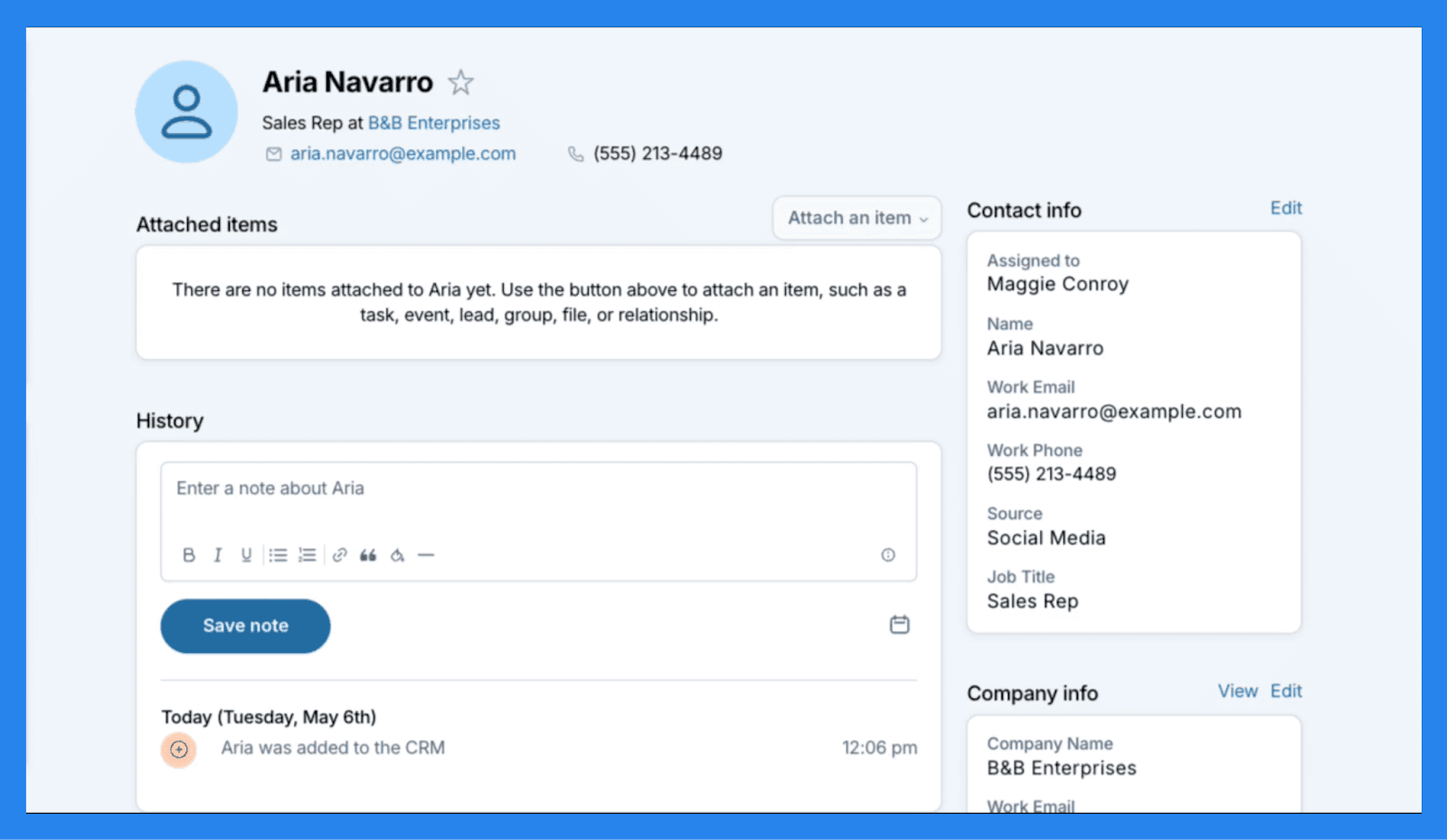
När det kommer till att hantera kontakter, förblir Less Annoying CRM trogen sitt namn — enkelt, intuitivt och utan automatiseringar (mer om detta senare). Du kan lagra upp till 50,000 kontakter per konto, antingen importerade i bulk eller tillagda manuellt, och varje profil ger dig allt du behöver i översikt. Anteckningar, filer, uppgifter, händelser och hela interaktionshistoriken är alla prydligt organiserade på ett ställe. För extra flexibilitet kan du till och med skapa anpassade fält för att fånga de unika datapunkterna som inte passar standardmallar.
Det sagt försöker inte Less Annoying CRM konkurrera med avancerade kontakt hanteringsverktyg. Du hittar inte inbyggd dataförbättring, lead poäng eller marknadsföringsautomation här. Det är ett rakt system designat för små team som värderar användarvänlighet över komplexitet.
Pipeline Hantering
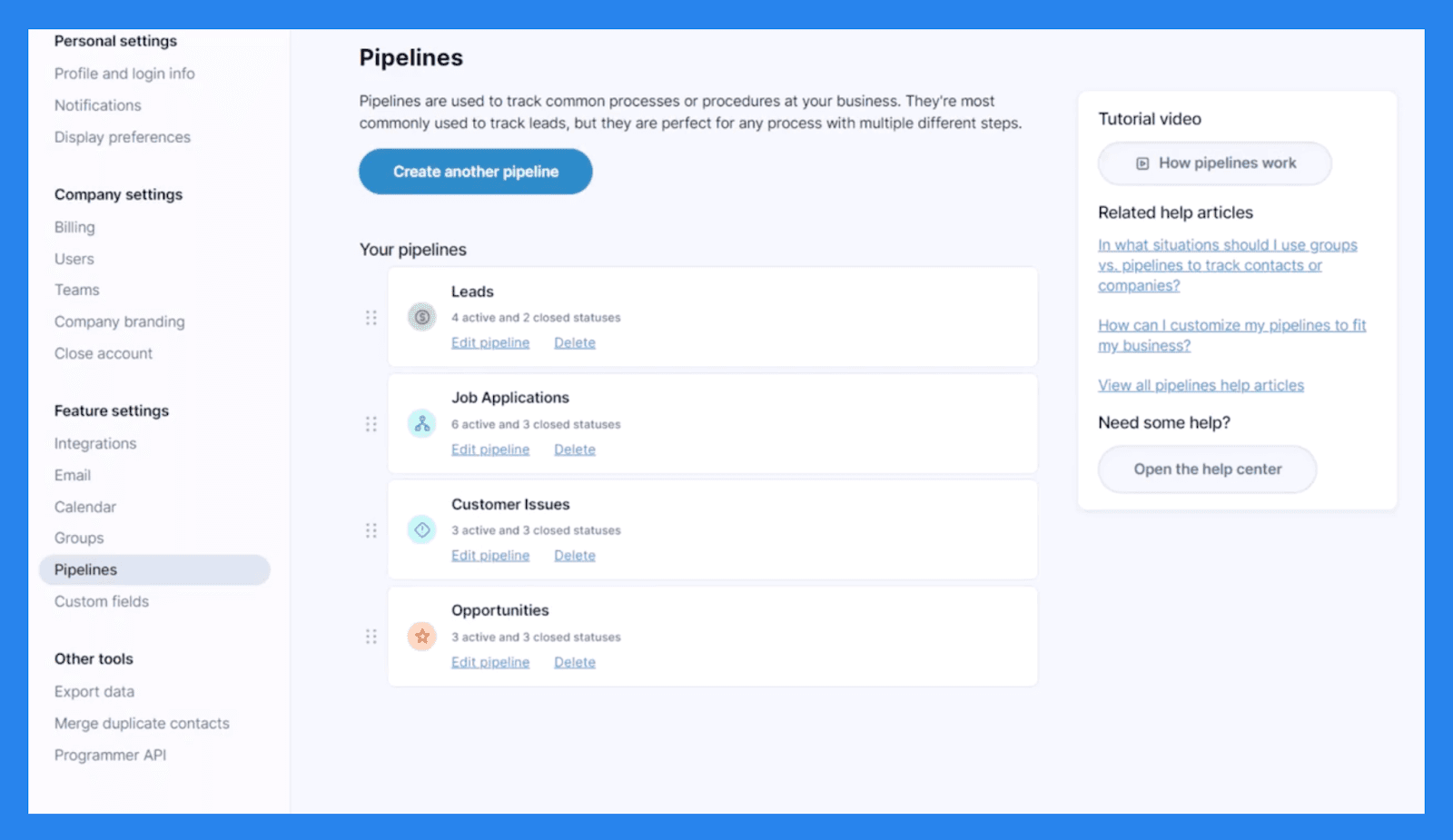
Pipeline-hantering är en av de mest anpassningsbara funktionerna i Less Annoying CRM, som ger dig flexibiliteten att skapa pipelines för olika affärsprocesser — oavsett om det är försäljning, projekt eller kundintroduktion. Även om det inte erbjuder en visuell kanban-stilbord, kan du fortfarande se en tydlig översikt över dina leads och affärer genom Rapporter fliken.
I praktiken sker pipeline-spårning direkt inom kontakt- och företagsprofiler. Varje posts Aktiva Status representerar dess steg i din pipeline, vilket gör det enkelt att se var varje lead står vid en blick.
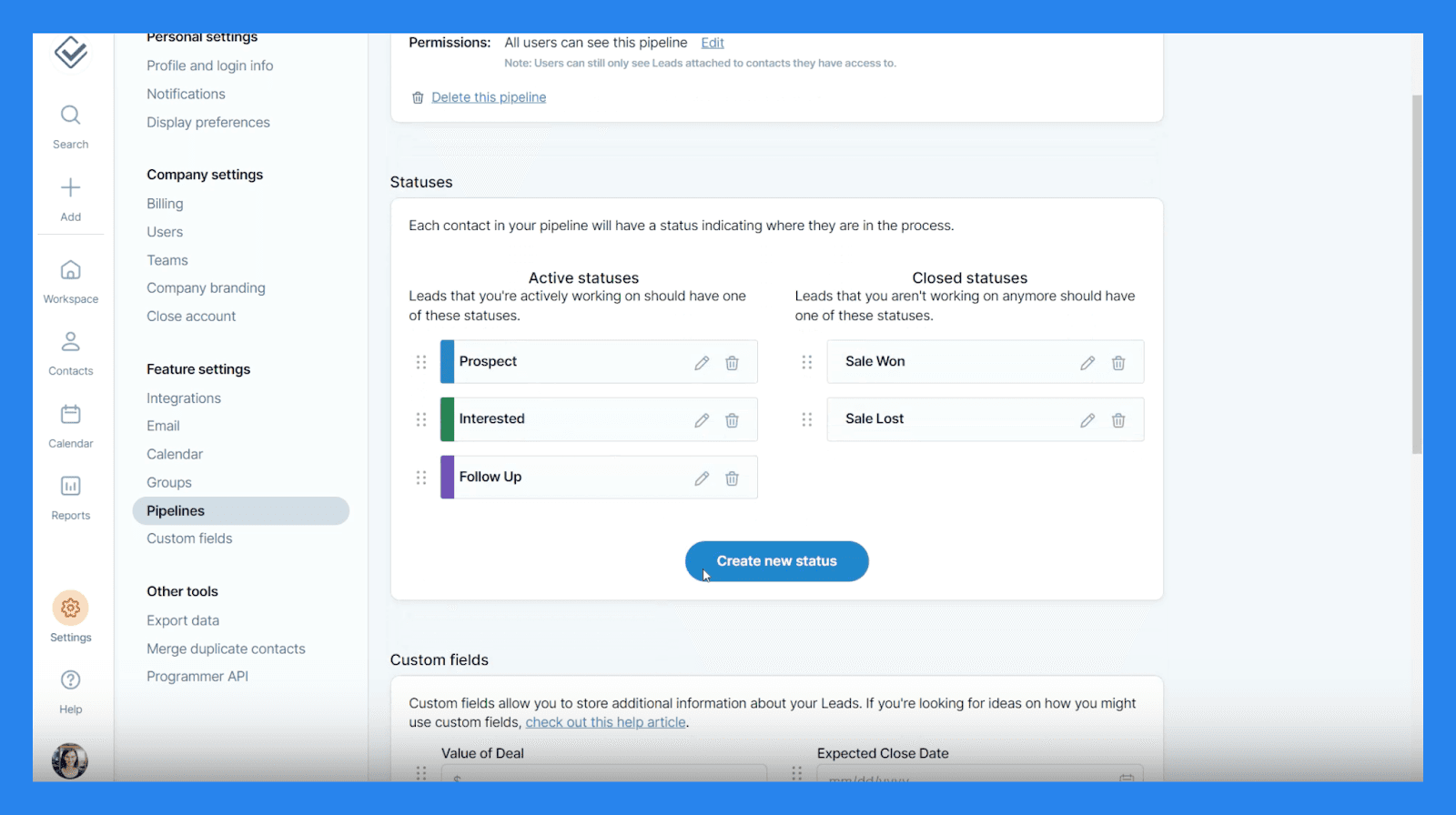
Anpassning är där Less Annoying CRM verkligen lyser. Du kan skapa anpassade statusar och anpassade fält för att skräddarsy pipelines till ditt specifika arbetsflöde. Här är vad du kan bygga:
Text Box (enradig) - För korta inlägg som Partner Namn eller Hobby.
Text Area (flerlinjer) - För längre anteckningar som Särskilda Överväganden eller Ytterligare Förfrågningar.
Nummerfält - För numeriska data som Klient ID eller Kontonummer.
Valutafält - För att spåra affärsvärden eller Total Kostnad.
Datumfält - För tidskänsliga data som Kontrakts Utgång eller Årsdagar.
Dropp-Lista - För standardiserade alternativ som Lead Källa eller Prioritet.
Radio Lista - För enkelvalfrågor som Ja/Nej eller Plan Typ.
Checkbox Lista - För att välja flera alternativ som Produkter eller Tjänster.
Kontakt Länk - För att koppla poster (t.ex. Hänvisad Av, Leverantör eller Familjemedlem).
Filfält - För att ladda upp kompletterande dokument som Offert, Kontrakt, eller Projektbilder.
Sammantaget erbjuder Less Annoying CRM anmärkningsvärd flexibilitet för ett verktyg fokuserat på enkelhet. Du får inte avancerad automatisering eller dra-och-släpp visuella tavlor, men för små team som vill ha ett enkelt, lättanpassat sätt att hantera affärer, gör det jobbet vackert.
Uppgift och Kalender Spårning
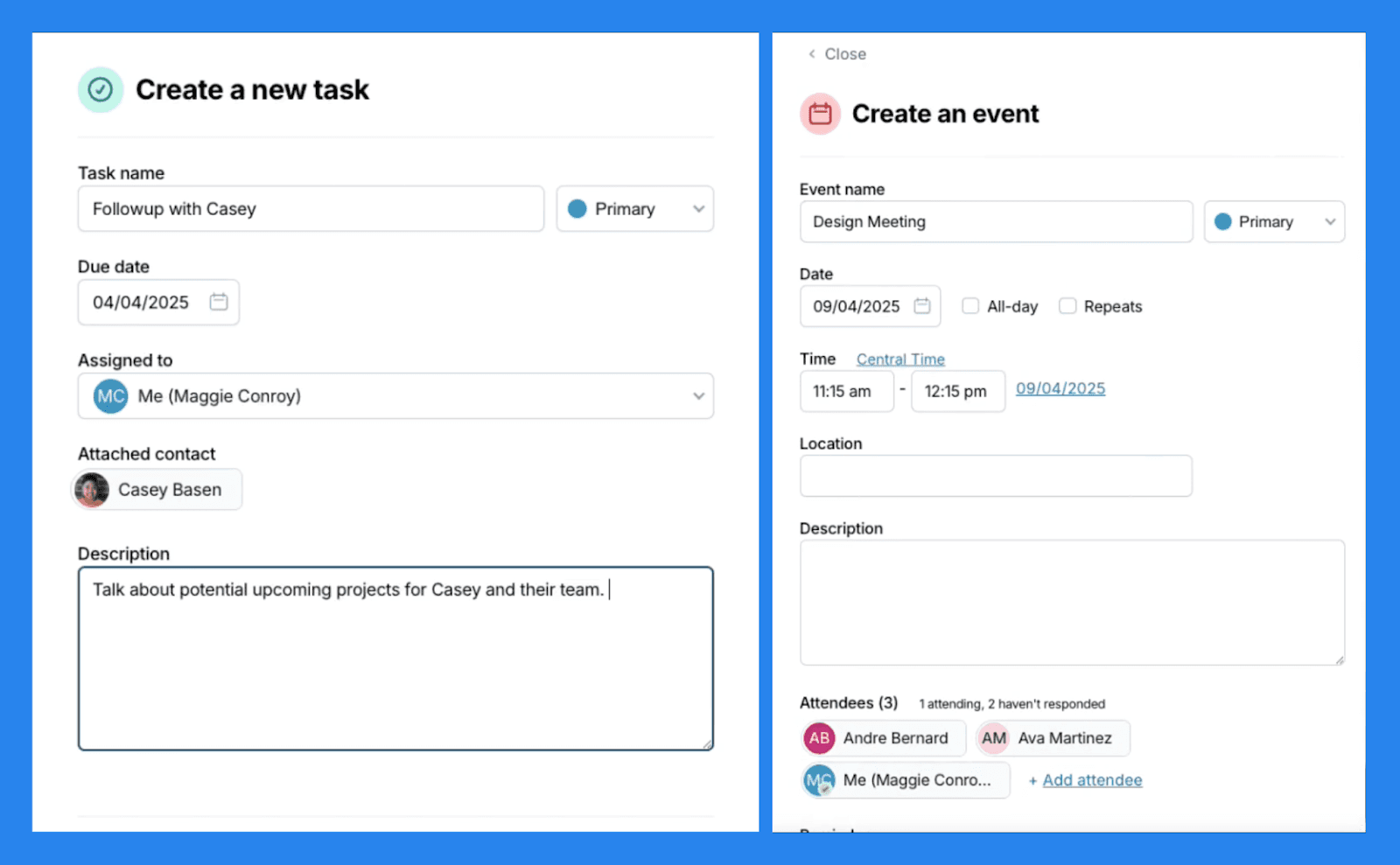
I Less Annoying CRM arbetar uppgifter och kalendrar sömlöst tillsammans för att hjälpa dig att hålla koll på ditt dag-till-dag arbetsflöde. Uppgifter fungerar som enkla påminnelser för saker som behöver göras — du kan sätta ett namn, förfallodatum och prioritet, och länka dem direkt till kontakter eller företag. När de är färdiga visas dessa uppgifter automatiskt i kontaktens historik, vilket ger dig en fullständig post över tidigare interaktioner och uppföljningar.
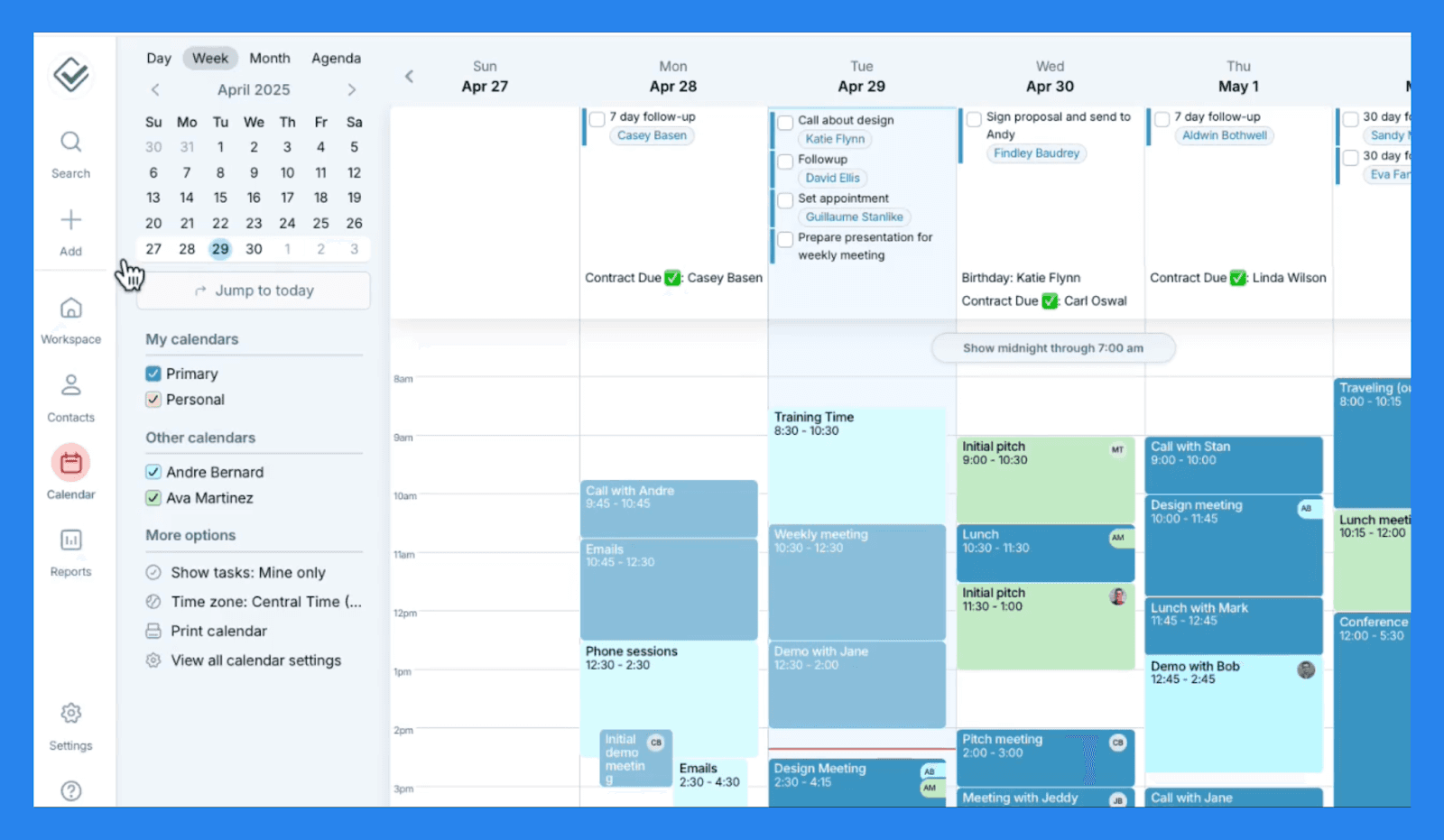
Kalender funktionen ger en tydlig översikt över alla kommande uppgifter och händelser, såsom möten, telefonsamtal eller kundbesök – vilket ger dig precis vad du behöver för att hantera ditt schema utan distraktion. En utmärkande funktion här är möjligheten att skapa underkalendrar, vilket är särskilt användbart för team som hanterar flera kunder eller projekt. Det håller allt organiserat och lätt att hantera, utan att störa en enda kalenderöversikt.
För team gör delade kalendrar samarbeten enkla — du kan omedelbart se vad dina kollegor arbetar med och hålla er synkade utan oändliga uppdateringar eller meddelanden. Dessutom stöder Less Annoying CRM tvåvägs synkronisering med Google och Outlook kalendrar, vilket säkerställer att ditt schema är uppdaterat oavsett var du hanterar det.
E-postregistrering
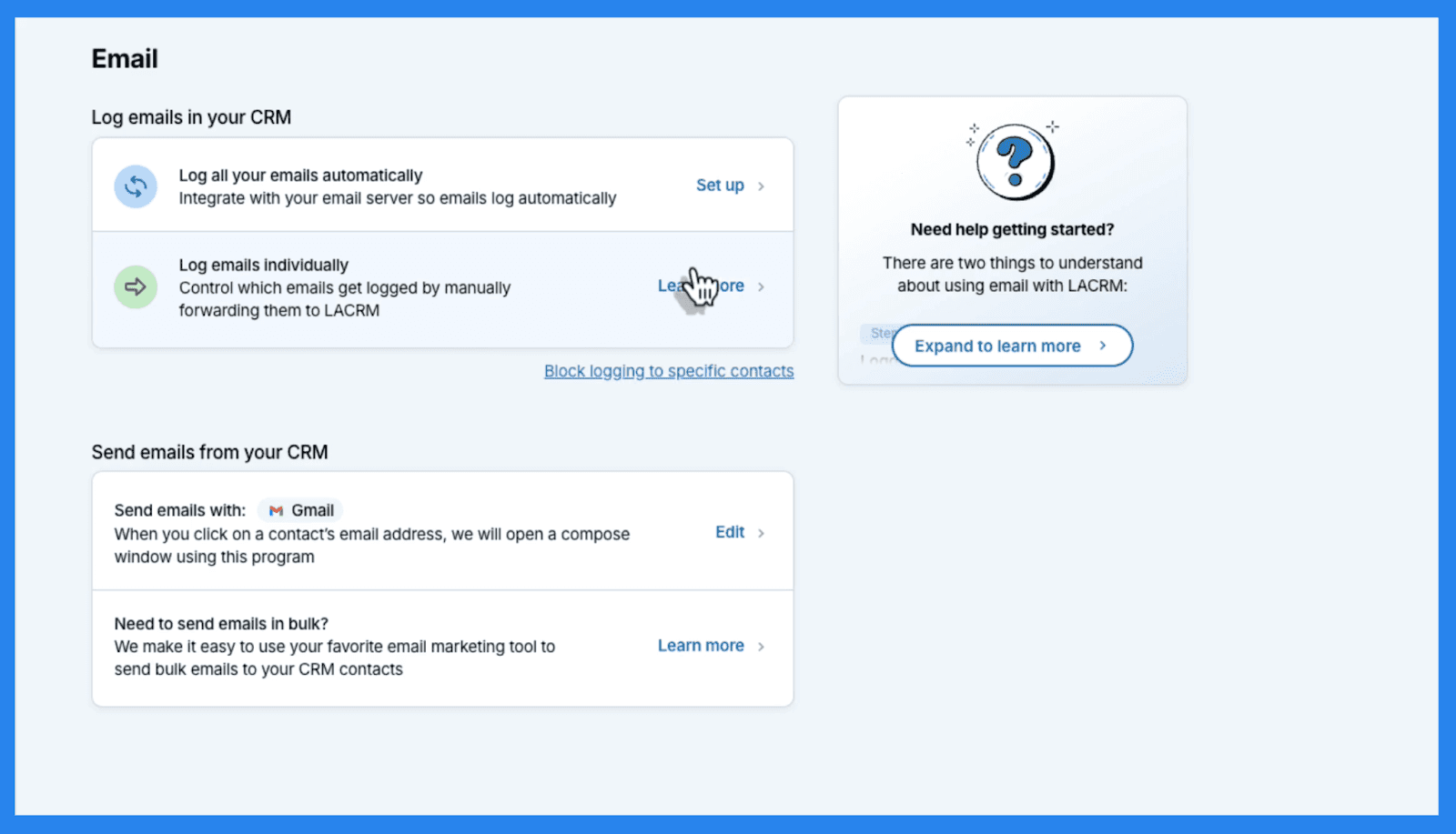
Less Annoying CRM skickar eller tar inte emot e-post direkt, men det gör det enkelt att registrera och spåra din e-postkommunikation med kontakter. Du kan ansluta din föredragna e-postklient — oavsett om det är Gmail, Outlook, eller en annan leverantör via IMAP — och integrera upp till tre e-postkonton per CRM-användare. När du har anslutit, sparas alla e-postmeddelanden du skickar till kontakter från dina anslutna e-postkonton automatiskt i deras kontakt historik inom Less Annoying CRM. Inkommande e-postmeddelanden från befintliga kontakter loggas också automatiskt, vilket ger dig en fullständig post av korrespondens på ett ställe.
Kom ihåg att Less Annoying CRM bara loggar e-post efter integration — det kommer inte att importera tidigare meddelanden retroaktivt. E-postmeddelanden loggas endast för kontakter som redan finns i ditt CRM, vilket säkerställer sekretess och dataintegritet. Om du behöver bifoga ett e-postmeddelande från en kontakt som inte loggas kan du ändå göra det manuellt. Det sagt, plattformen erbjuder inte e-spårning, vilket betyder att du inte ser öppningsfrekvenser, klick eller avancerad analys.
Det är ett enkelt system för att hålla kommunikationsregister — inte ett fullfjädrat verktyg för e-postmarknadsföring som kan luta åt den irriterande sidan när det kommer till att sätta upp allt detta.
Mobil Åtkomst
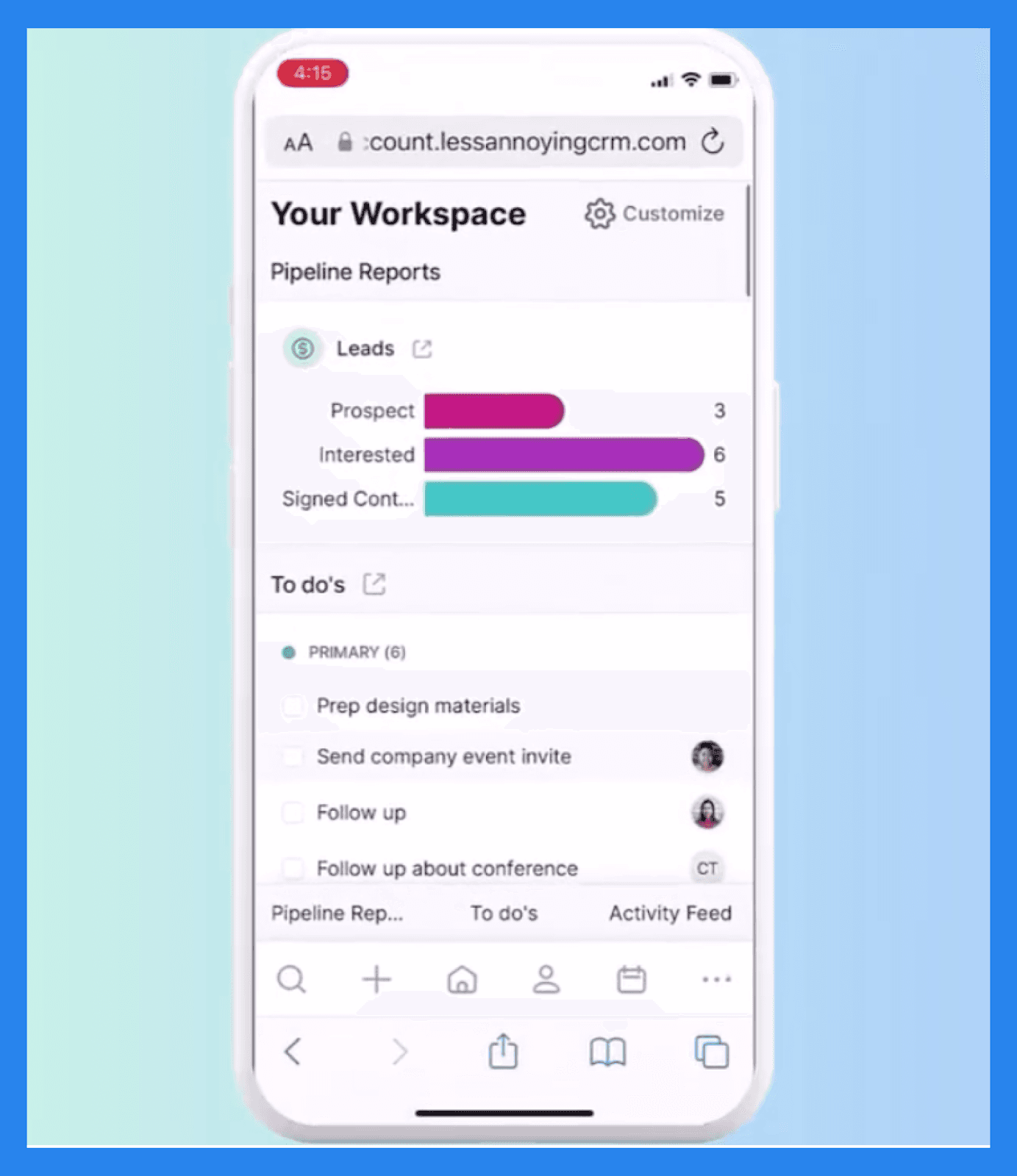
Less Annoying CRM är helt webbaserat, så du kan komma åt det från vilken mobil webbläsare som helst — ingen appnedladdning krävs. Mobilgränssnittet ger dig åtkomst till alla kärnfunktioner som kontakter, uppgifter och pipelines när du är på språng. Dessutom fungerar det på både iOS och Android enheter, inklusive telefoner och surfplattor.
Det finns dock ingen offline-läge, vilket innebär att du behöver konstant tillgång till Wi-Fi eller data för att använda plattformen. Det är lätt och pålitligt, men inte idealiskt för användare som ofta arbetar i miljöer med låg anslutning.
Rapportering
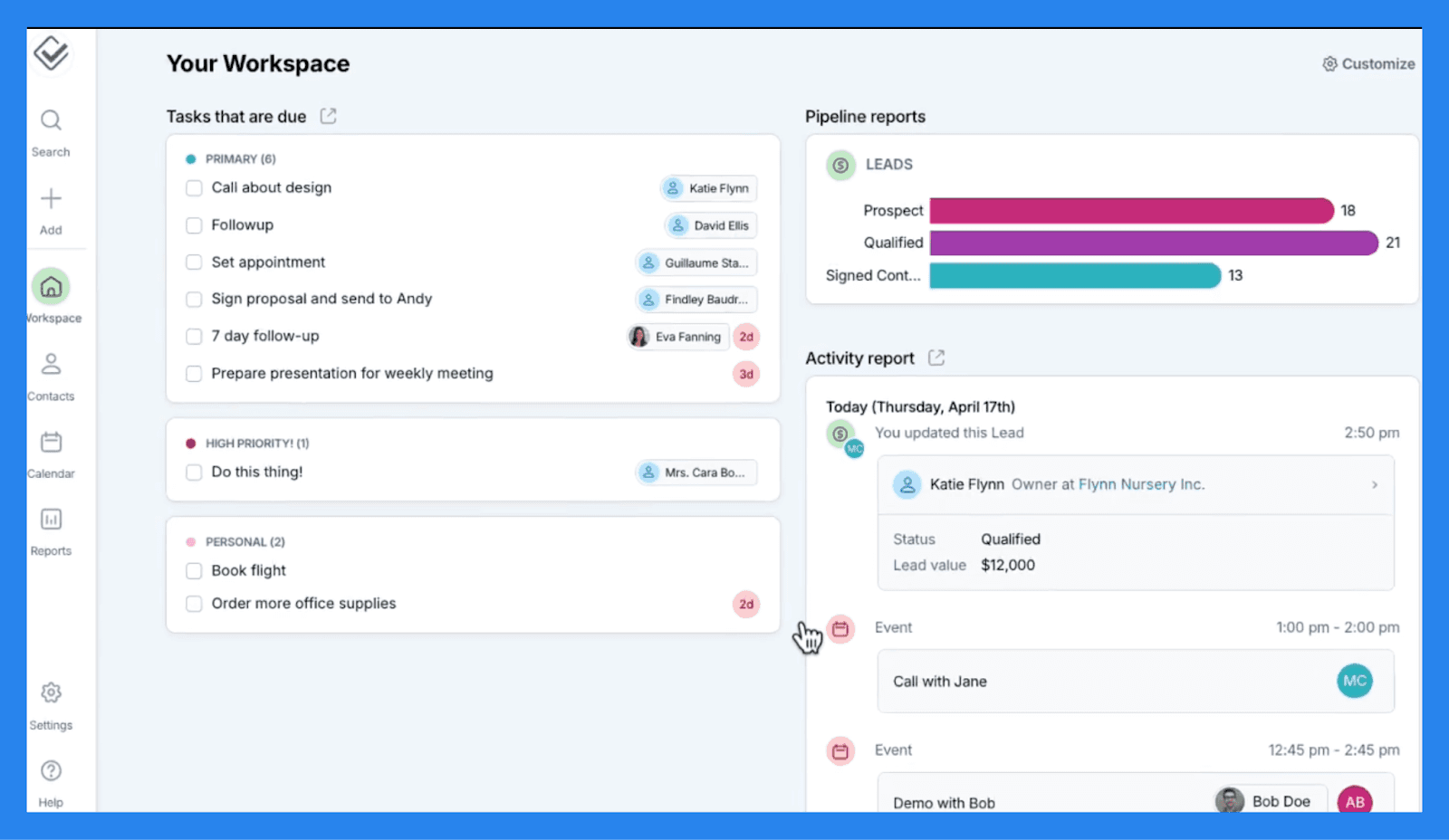
Även om Less Annoying CRM saknar de djupa rapporteringsmöjligheterna hos större CRM, täcker det det nödvändiga för små team som bara behöver en tydlig bild av sina dagliga verksamheter:
Arbetsplats instrumentpanel ger en snabb översikt över din CRM-aktivitet, visar senaste uppdateringar, kommande uppgifter och aktiva leads.
Du kan generera en Aktivitetsrapport för att spåra vad ditt säljteam har registrerat.
Lead Rapport för att övervaka pipeline framsteg.
Uppgiftrapport som fungerar som en digital att-göra-lista.
Rapporter kan filtreras efter aktivitetstyp, användare eller datum, vilket gör det enkelt att fokusera på det som är viktigast. Och om du föredrar offline-åtkomst kan du exportera vilken rapport som helst till Excel för ytterligare analys eller utskrift.
Integrationer
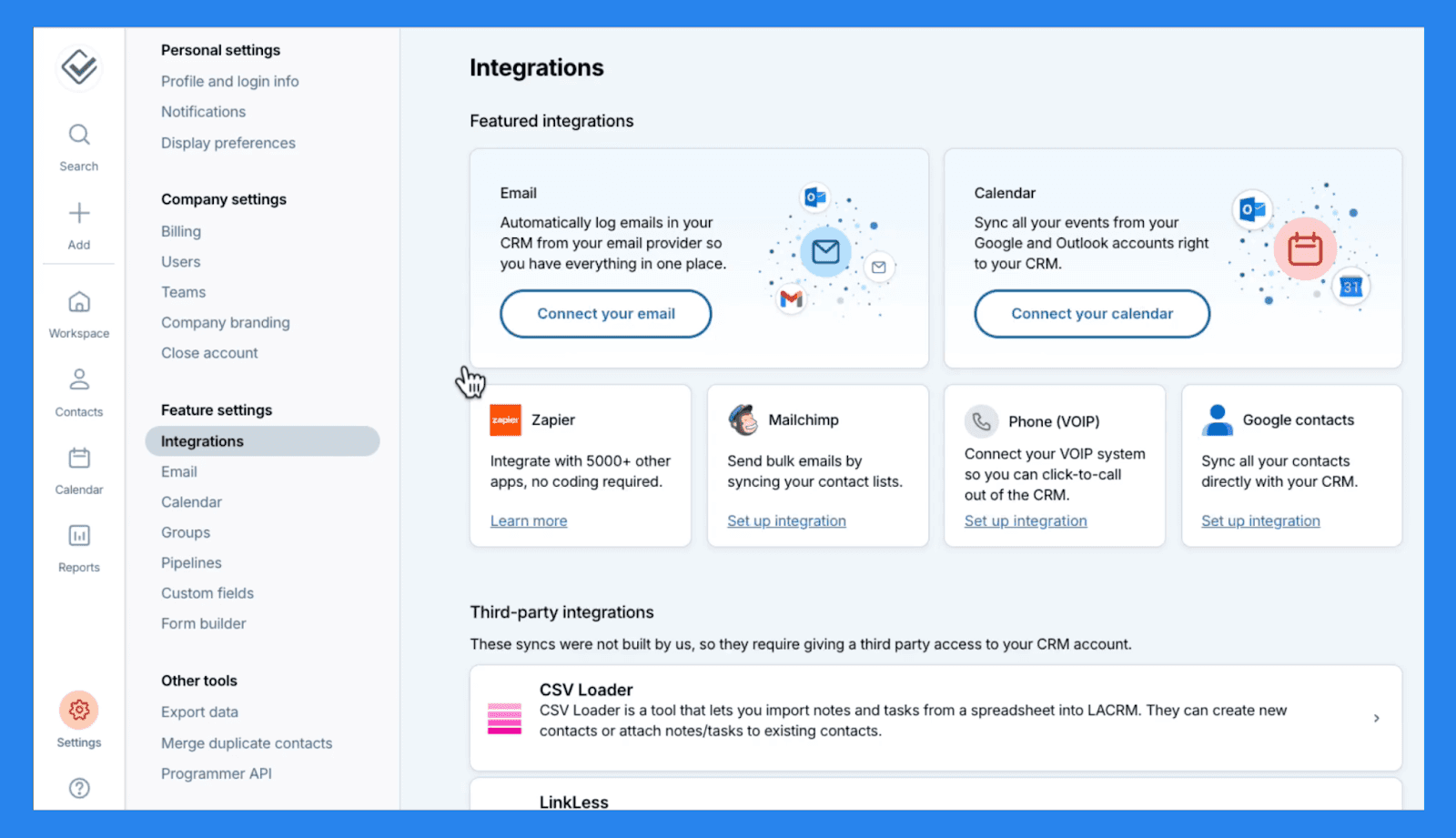
Less Annoying CRM erbjuder några användbara integrationer för att hjälpa dig att ansluta de verktyg du redan använder och effektivisera ditt arbetsflöde:
Du kan synkronisera dina **Google ** eller Outlook kalendrar för att säkerställa att möten, uppgifter och händelser hålls uppdaterade över plattformar.
Integration med Google Kontakter håller dina databaser synkade — lägg till en kontakt en gång, och det visas automatiskt i båda systemen.
För e-postmarknadsföring, Mailchimp integration låter dig skicka gruppmeddelanden och hålla en logg över dina kampanjer direkt i CRM.
Och om du behöver gå utöver dessa inhemska alternativ, ansluter Less Annoying också med Zapier, som låser upp tillgång till över 5,000 tredjepartsappar för ytterligare automation och datasynkronisering.
Även om integrationslistan inte är omfattande, täcker den de viktigaste de flesta små team behöver för att hålla sig uppkopplade och organiserade.
💰 Prissättning för Less Annoying CRM
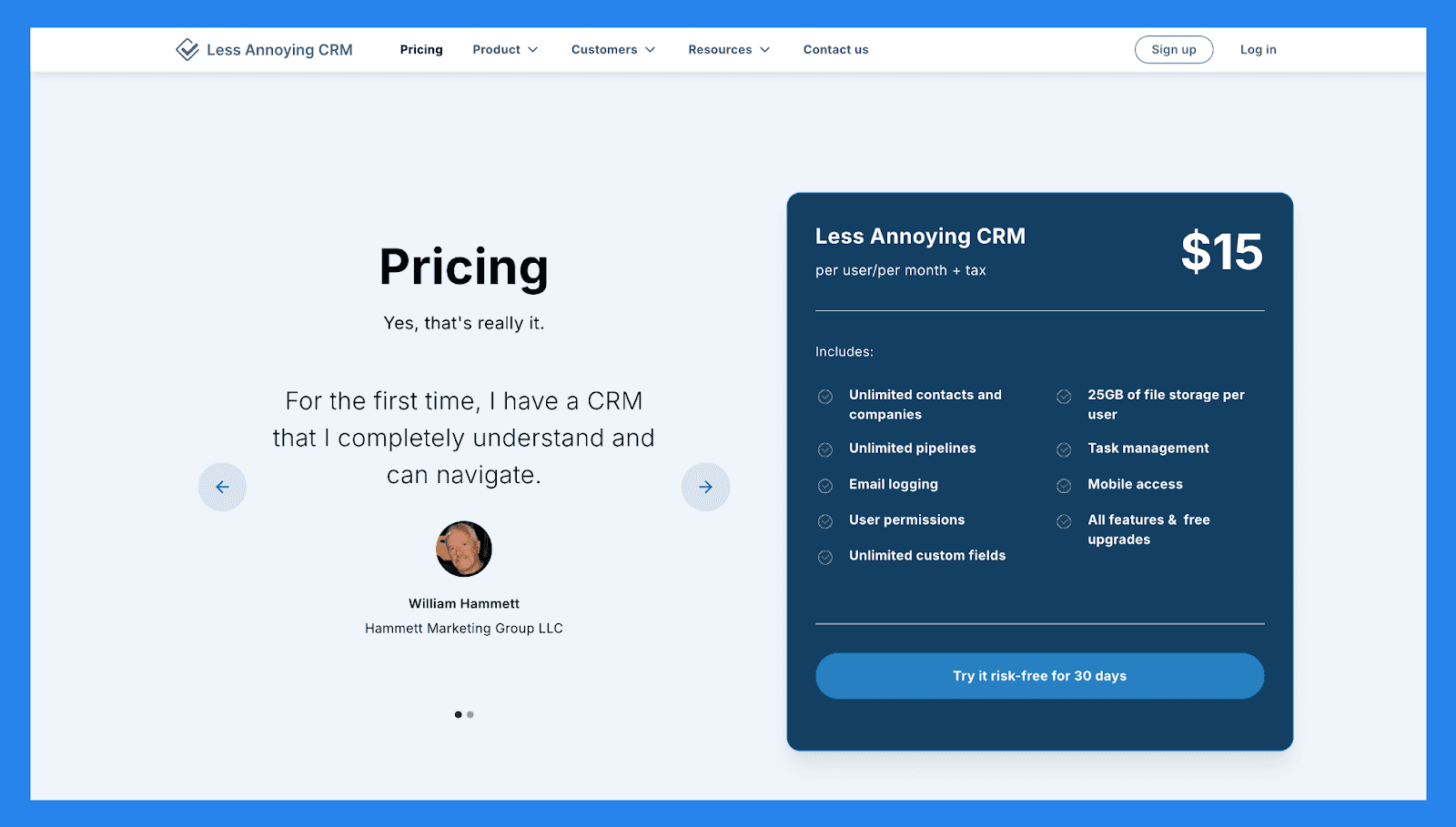
Less Annoying CRM |
|---|
$15/användare/månad + moms |
Inkluderar: Obegränsade kontakter och företag Obegränsade pipelines E-postloggning Användarbehörigheter Obegränsade anpassade fält 25GB fil lagring per användare Uppgiftshantering Mobil åtkomst Alla funktioner & gratis uppgraderingar |
⭐️ Fördelar och Nackdelar med Less Annoying CRM
Betyg | |
|---|---|
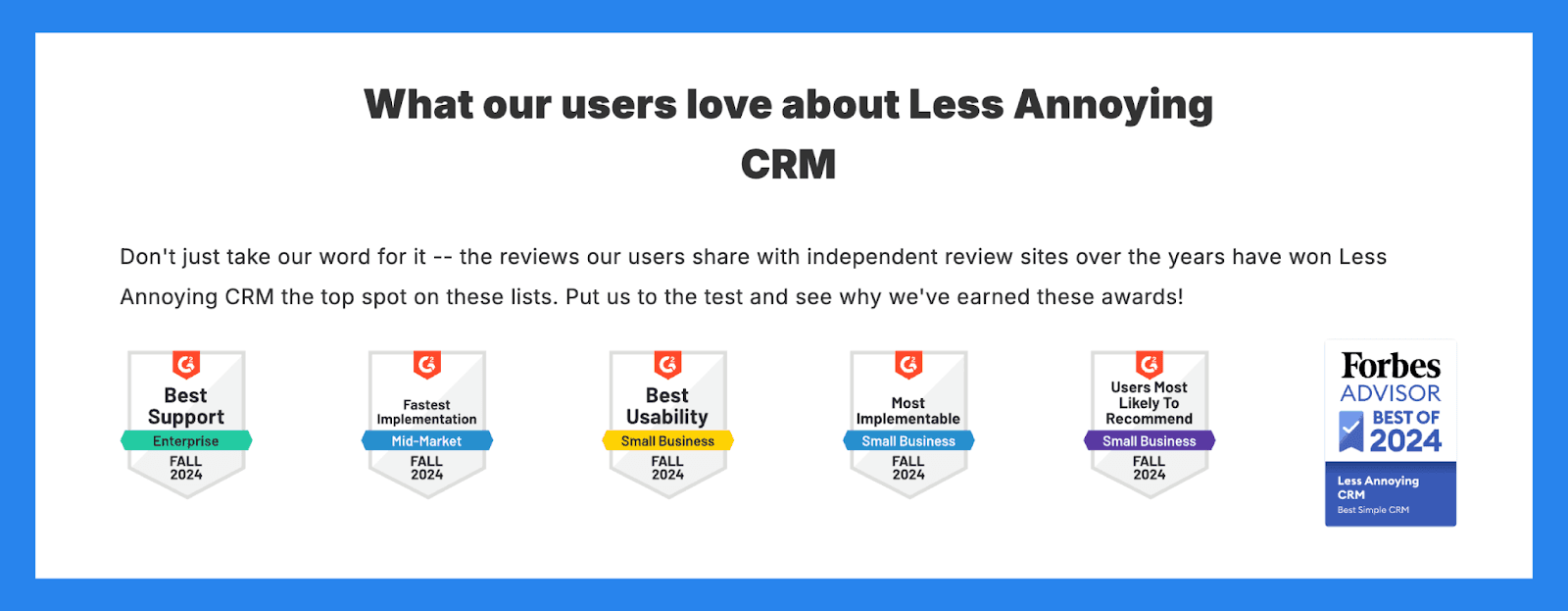
G2 - 4.9/5 (640) | Capterra - 4.8/5 (636) |
Fördelar | Nackdelar |
Gör kundrelationshantering enkelt och direkt. Fantastisk kundsupport med ett hjälpsamt och lyhört team. Ingen funktionsbombardiering, vilket innebär ingen inlärningskurva att bemästra. | Lutar mot det lättare sidan med automationer, vilket betyder tråkiga uppgifter måste göras manuellt. Perfekt för små team, vilket innebär att det skulle vara bortkastad tid för medelstora till stora företagsteam. Begränsade integrationsmöjligheter utöver automation. |
🔄 Alternativ till Less Annoying CRM
🥇 Breakcold CRM – Bäst Försäljningsfokuserad CRM med AI-Inhemska Funktioner
Sammanfattning
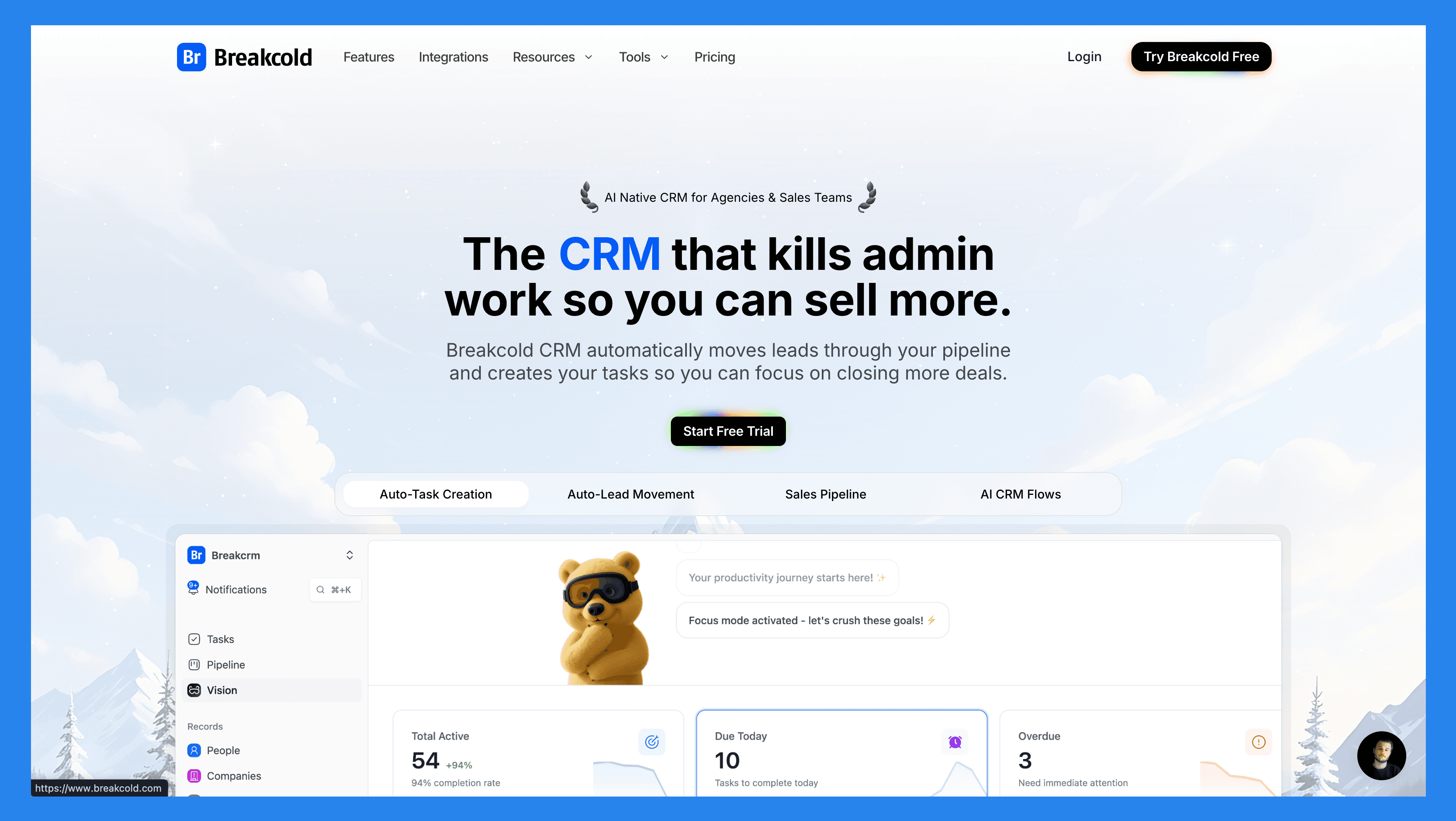
Breakcold är byggt för moderna säljteam som vill ha mer än bara ett CRM för att spåra affärer. Dess AI-inhemska automatiseringar flyttar leads automatiskt, tilldelar taggar och skapar uppgifter för uppföljning över Email, LinkedIn, WhatsApp, Telegram och snart, Telefon.
Med en självuppdaterande instrumentpanel som lyfter fram vilka leads som behöver uppmärksamhet, och varför, plus en social engagemangsström som håller dig ansluten till varje möjlighet, kombinerar Breakcold klarhet och automatisering i ett ställe. Det är perfekt för team som vill spara tid, hålla sig organiserade och fokusera på att sälja snarare än manuellt administrativt arbete.
Viktiga Funktioner | |
|---|---|
Automatisk Lead-rörelse – Leads flyttas automatiskt i Breakcolds CRM baserat på dina interaktioner. Ingen installation krävs — AI:n förstår och uppdaterar allt själv. Automatisk Uppgiftskapande – Övervakar dina interaktioner med leads och skapar automatiskt uppgifter för uppföljning så att du aldrig tappar fart. Fokusera på att sälja, inte administrativt arbete. Vision Byggare – Som standard flyttas leads automatiskt baserat på dina listnamn och pipelinesteg (noll installation). Vill du ha mer kontroll? Använd naturligt språk för att bygga avancerade AI CRM-arbetsflöden. AI-driven Instrumentpanel – En självuppdaterande instrumentpanel som lyfter fram dina viktigaste uppgifter så att du alltid vet vad du ska fokusera på härnäst. AI Kontakt Hantering – Organiserar automatiskt leads till rätt listor och grupper genom att analysera dina konversationer, anteckningar och aktiviteter. AI Personligheter (AI Agenter) – Välj en AI-personlighet som stämmer överens med din försäljningsstil eller affärsmål. Din instrumentpanel anpassas och ger dig dagliga uppgifter anpassade till den personan. AI Resonerande – Varje föreslagen uppgift kommer med klar kontext, så att du vet exakt varför den är viktig och varför den är viktig idag. AI Meddelandesförslag – Få nästa-medimeddelanden rekommendationer som matchar din ton och AI-personlighet — för både e-post och sociala konversationer. AI Regler – Lägg till anpassade regler till varje steg i ditt arbetsflöde för djupare automation och smartare processer. AI Driven Kontakt Deduplication – Identifierar och slår automatiskt samman dubbletter av kontakter, vilket sparar timmar av manuell rengöring och håller ditt CRM smalt och korrekt. Avancerad Dataförbättring – Drivs av BetterContact, använder Breakcold vattenfallsförbättring för att yta verifierade B2B-e-postadresser och telefonnummer, vilket förbättrar träffsäkerhet och leveransförmåga. AI Anteckingsman – Integrerar med Otter, Fireflies, TL;DV och Fathom för att automatiskt skapa och logga samtalssammanfattningar direkt i CRM — komplett med transkriptioner, länkar och uppgifter för uppföljning. Enhetlig Inkorg – Hantera konversationer från LinkedIn, E-post, WhatsApp och Telegram på ett ställe, så att du kan svara snabbare och aldrig missa en uppföljning. Sociala Engagemangsströmmen – Gilla, kommentera och engagera dig med dina leads' inlägg direkt från CRM för att bygga relationer genom konsekventa, meningsfulla interaktioner. 20+ Inhemska Integrationer – Anslut Breakcold med Slack, Apollo, Smartlead, Instantly, Lemlist, och många andra försäljningsverktyg för att effektivisera ditt arbetsflöde från början till slut. | |
Betyg | |
G2 - 4.7/5 (116) | Capterra - 4.8/5 (93) |
Fördelar | Nackdelar |
Bekvämt och enkelt att använda gränssnitt för LinkedIn-kraftanvändare Välstrukturerade onboarding-resurser, inklusive instruktionsvideor, flödesscheman och bästa praxis Lyhört och pålitligt kundsupport Kraftiga sociala lyssningsfunktioner för lead-insikter och outreach-personalisering | Beroende på extern tjänster som Google och LinkedIn, vilket kan orsaka buggar när dessa plattformar uppdaterar sina policyer Saknar inhemska ringfunktioner och inbyggd AI-funktionalitet Fortfarande en plattform under utveckling med utvecklande funktioner och ibland begränsningar |
Prissättningsplaner
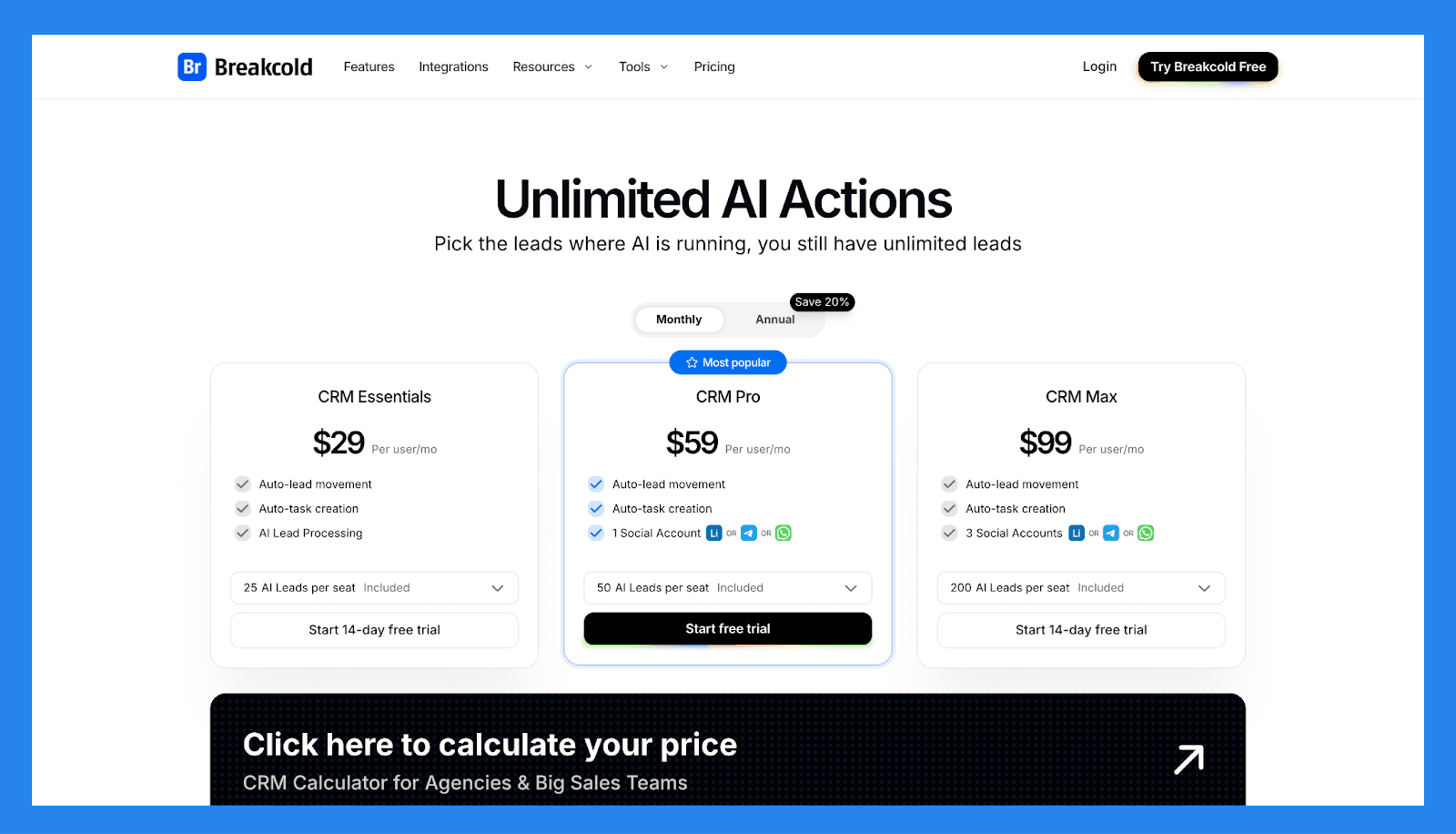
CRM Essentials | CRM Pro | CRM Max |
|---|---|---|
$29/användare/mån | $59/användare/mån | $99/användare/mån |
Vad som ingår: Automatisk lead-rörelse Automatisk uppgiftskapande AI produkthantering | Alla Essentials funktioner och: Automatisk lead-rörelse Automatisk uppgiftskapande 1 Social Konto (LinkedIn, X, eller Whatsapp) | Alla Pro funktioner och: Automatisk lead-rörelse Automatisk uppgiftskapande 3 Social Konton (LinkedIn, X, eller Whatsapp) |
🥈 Pipedrive – Bäst Allt-i-ett CRM med Avancerad Automation
Sammanfattning
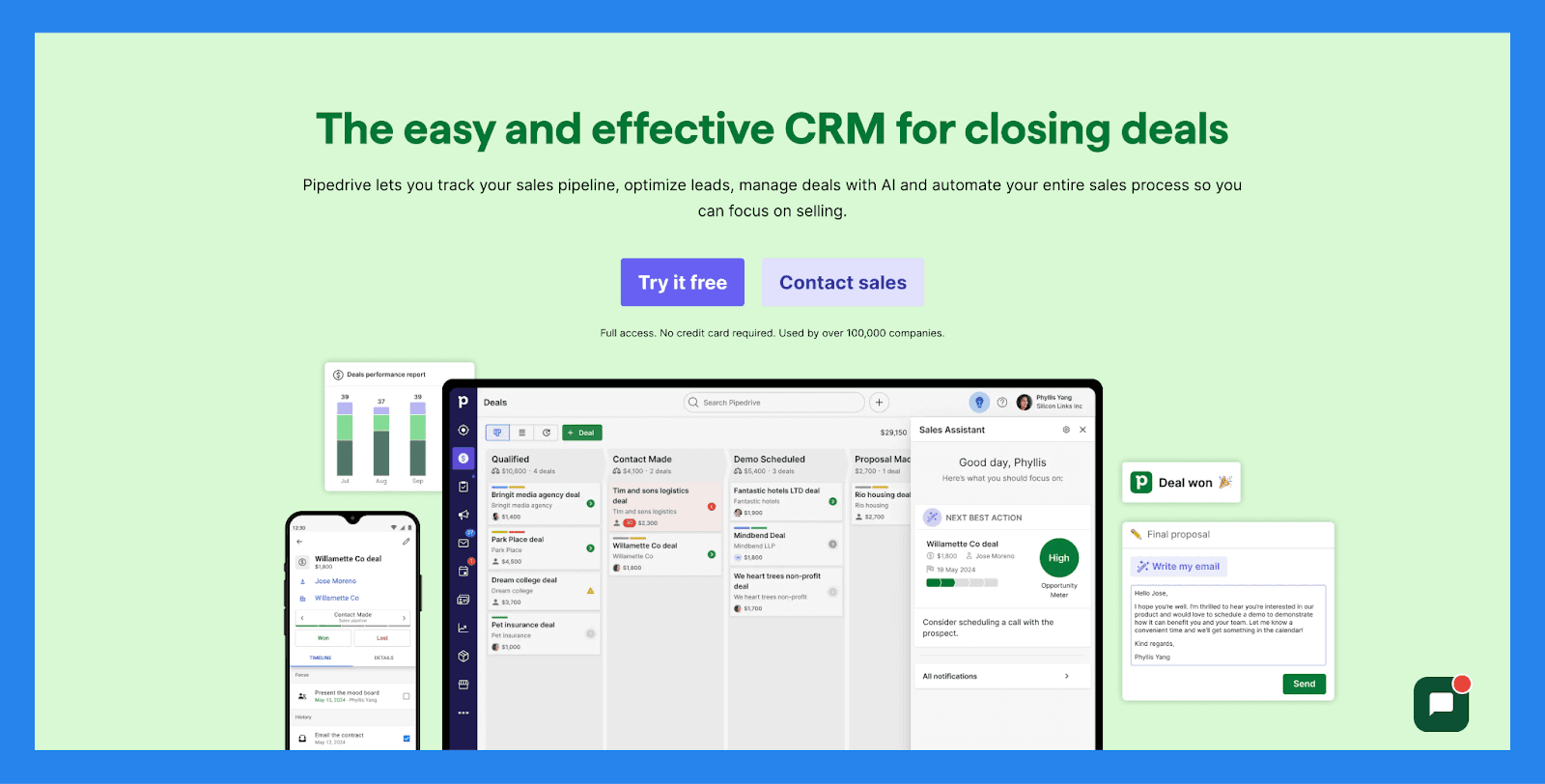
Pipedrive förenklar pipeline-hantering med ett rent, visuellt gränssnitt som gör spårning av affärer, inga överväldigande instrumentbrädor eller överbelastade funktioner. Lägg till dess växande uppsättning av avancerade automationer, och du får ett CRM byggt för att växa tillsammans med din försäljningsprocess.
Idag betjänar Pipedrive SMB, försäljningsdrivna team och byråer som letar efter ett enkelt sätt att organisera pipelines, spåra aktiviteter och bibehålla effektivitet.
Viktiga Funktioner | |
|---|---|
AI Deal Vägledning – Utnyttja intelligenta uppmaningar och sannolikhetsräkningar baserade på realtids CRM-aktivitet för att fokusera på affärerna som betyder mest. Anpassad Prognostisering & Försäljningsrapporter – Bygg skräddarsydda instrumentpaneler för att analysera intäkts trender, hälsoaffärer och omvandlingsfrekvenser — allt på ett ställe. Prestanda Instrumentbrädor & Målspårning – Sätt försäljningsmål och spåra säljares eller teams prestanda visuellt, vilket gör det enkelt att förbli synkroniserade och motiverade. Visuell Pipeline Kontroll – Flytta affärer genom steg med dra-och-släpp enkelhet, schemalägg nästa åtgärder och få insyn i affärens momentum i realtid. Lead Framstegs Övervakning – Övervaka varje leads resa från första kontakt till konvertering, tilldela uppföljningar och prioritera outreach baserat på lead kvalitet. Försäljnings Automatisering – Minska repetitiva uppgifter med smarta arbetsflöden som hanterar dataregistrering, e-postpåminnelser och pipelineuppdateringar automatiskt. AI Försäljnings Produktivitets Suite – Få tillgång till inbyggda verktyg som e-postskrivhjälp, sammanfattningsgenerering och LeadBooster för att effektivisera prospektering. Omfattande App-Integrationer – Synka med 350+ verktyg — inklusive Gmail, Slack, Zoom, Klenty och Wingman — för att skapa en verkligt ansluten försäljningsteknologistack. Mobil CRM Funktionalitet – Hantera din pipeline, svara på leads och få tillgång till rapporter från var som helst med full-funktionell mobilåtkomst. | |
Betyg | |
G2 - 4.3/5 (2,445) | Capterra - 4.5/5 (3047) |
Fördelar | Nackdelar |
Välstrukturerade onboarding-material, inklusive FAQ och videor Erbjuder ett brett utbud av integrationer med tredjepartsverktyg Starka automations- och AI-funktioner som ökar produktiviteten Snabb och enkel installation med minimal inlärningskurva | Användargränssnittet kan kännas daterat eller otydligt för vissa användare Ingen gratis plan tillgänglig — betalda nivåer börjar snabbt Kundsupport kan vara långsam eller inkonsekvent. Ingen inhemsk LinkedIn integration för lead import Vissa användare rapporterar tillfälliga buggar och prestandaproblem |
Prissättningsplaner
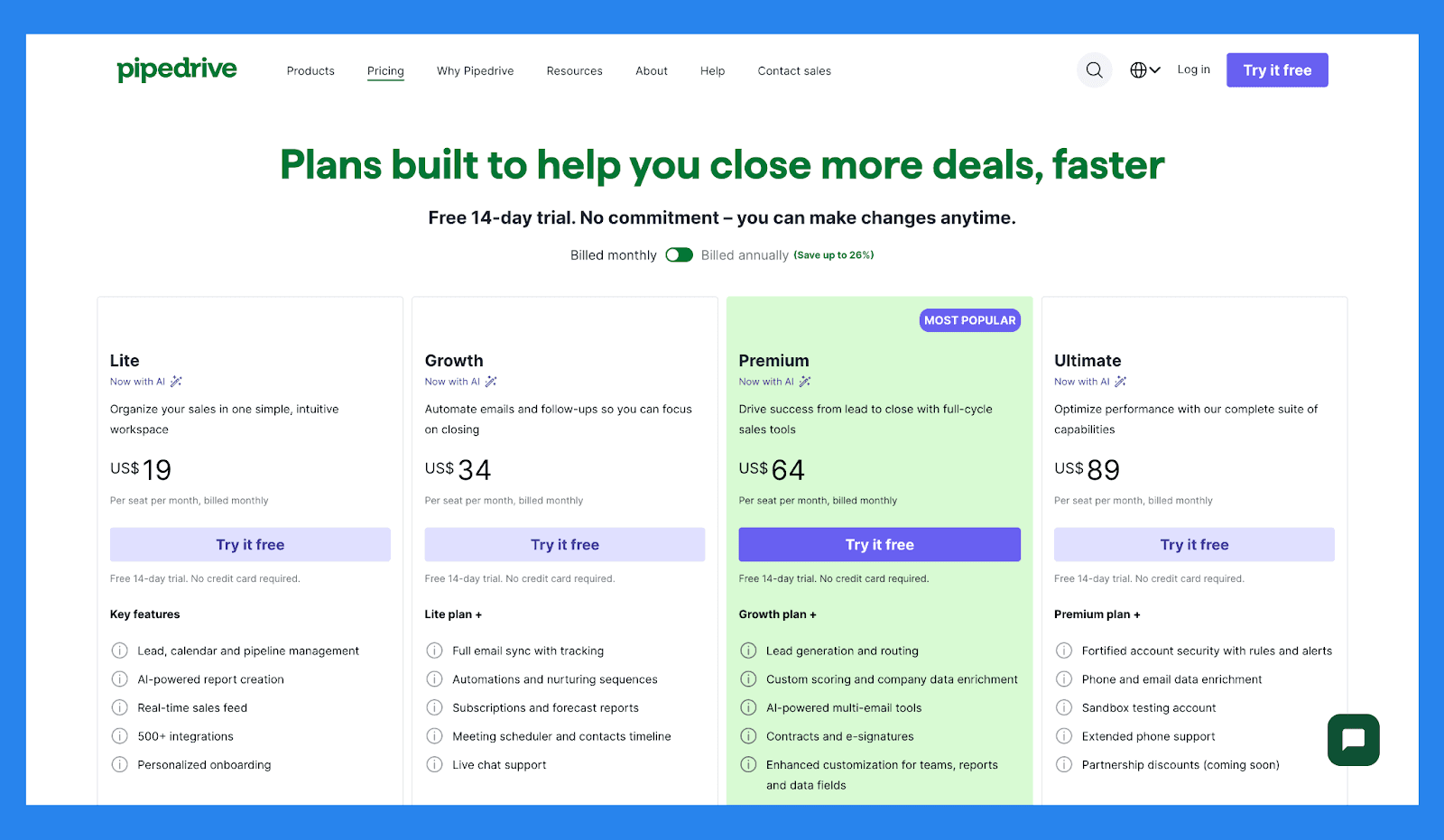
Lite | Tillväxt |
|---|---|
$19/användare/mån | $34/användare/mån |
Nyckelfunktioner: Lead, kalender och pipelinehantering AI-driven rapportgenerering Försäljningsflöde i realtid 500+ integrationer Personlig onboarding | Liteplan + Full e-postsynk med spårning Automatiseringar och vårdnadssekvenser Prenumerationer och prognosrapporter Mötesplanerare och kontakt tidslinje Live chattstöd |
Premium | Ultimate |
|---|---|
$64/användare/mån | $89/användare/mån |
Tillväxtplan + Leadgenerering och dirigering Anpassad poängsättning och företagsdataförbättring AI-driven multimedelsverktyg Kontrakt och e-signaturer Förhöjd anpassning för team, rapporter och datafält | Premiumplan + Förstärkt konto säkerhet med regler och varningar Telefon och e-post dataförbättring Sandlåda testkonto Utökad telefonstöd Samarbetsrabatter (kommer snart) |
Pipedrives Tillägg
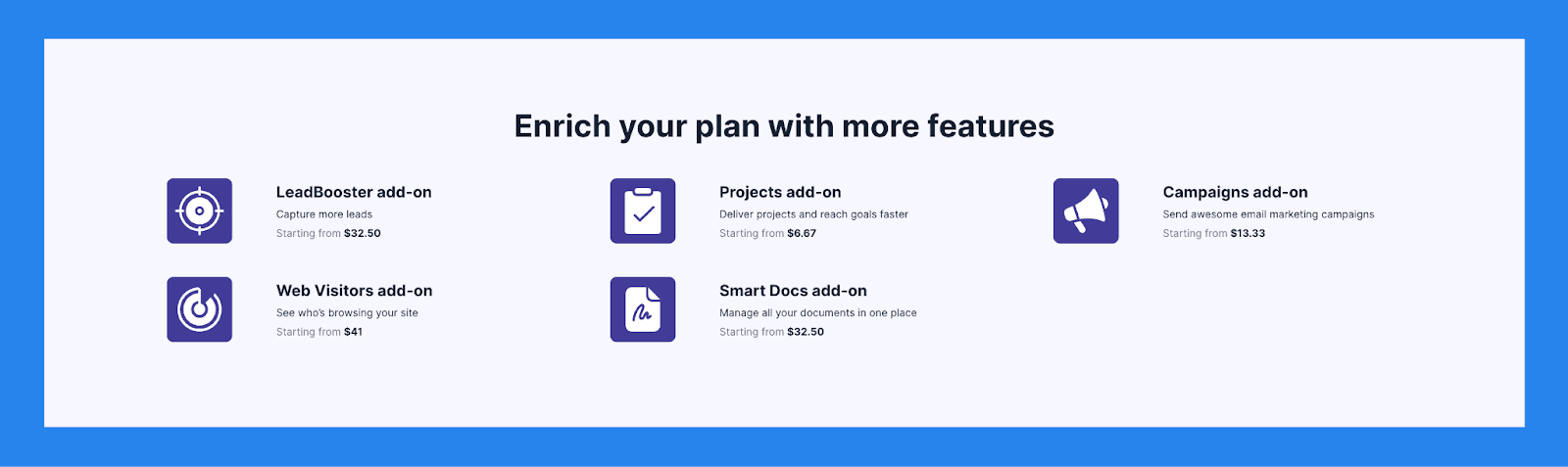
LeadBooster tillägg | Projekt tillägg | Kampanjer tillägg |
|---|---|---|
Fånga fler leads Från $32.50 | Leverera projekt och nå mål snabbare Från $6.67 | Skicka fantastiska e-postmarknadsföringskampanjer Från $13.33 |
Webbesökare tillägg | Smart Docs tillägg | |
Se vem som surfar på din webbplats Från $41 | Hantera alla dina dokument på ett ställe Från $32.50 |
🥉 Nimble – Liknande Enkelhet, Något Mer Avancerat
Sammanfattning
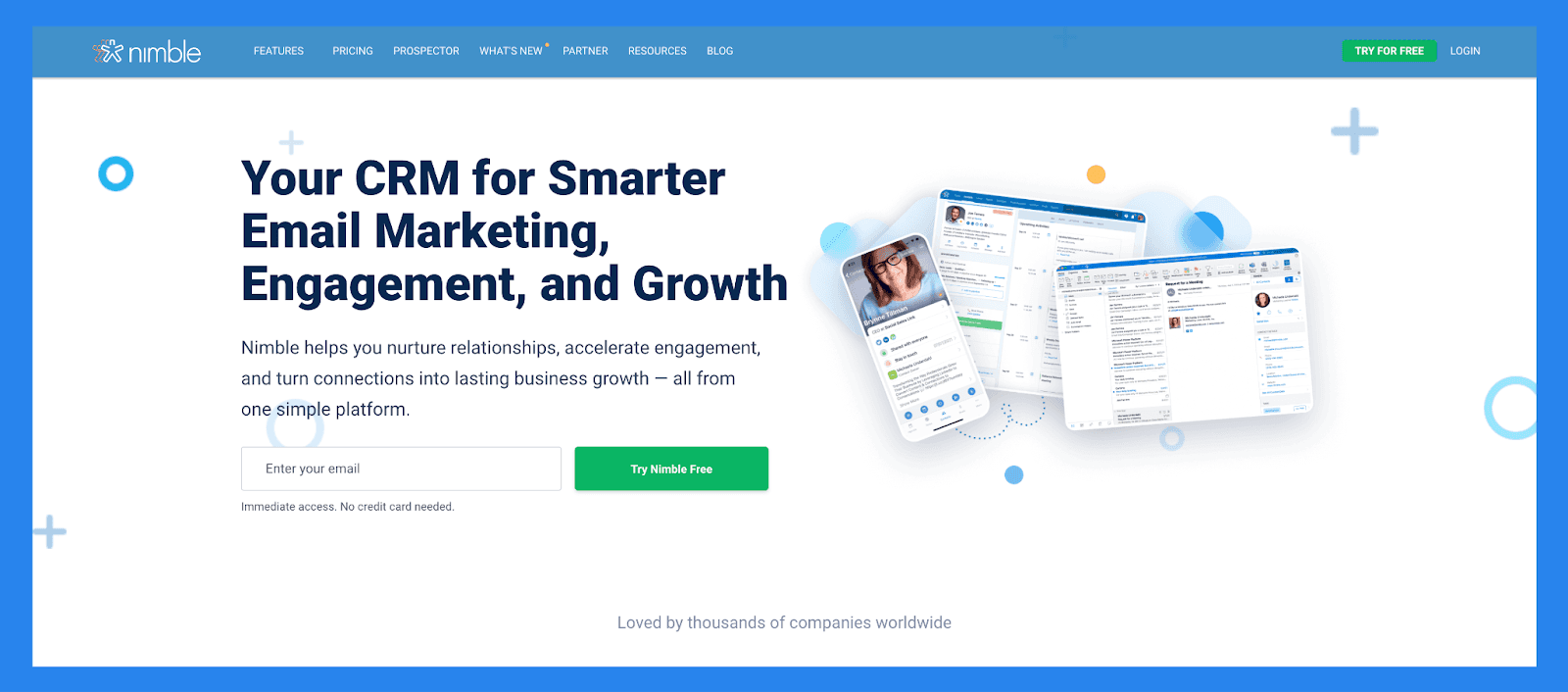
Nimble är en relationsfokuserad CRM som kombinerar kontakt hantering, kommunikation och sociala insikter i en strømlinjeformat plattform. Den integreras sömlöst med Google Workspace och Microsoft 365, automatiskt berikar kontaktprofiler med data från e-post, kalender och sociala medier.
Designad för konsulter, soloföretagare och små team, prioriterar Nimble personliga kontakter över komplexa pipelines, vilket erbjuder ett enkelt men något mer avancerat alternativ till CRM som Less Annoying CRM.
Viktiga Funktioner | |
|---|---|
Lead Prospektering - Nimble kan automatiskt fånga kontaktdata från e-post signaturer, visitkort (via sin mobilapp), eller till och med bara en persons namn eller företagsnamn — drar upp associerade sociala mediaprofiler och kontaktinformation den hittar online. Kommunikation Hantering – Spara upp till 25,000 kontaktposter och skapa rika profiler för människor och företag. Dessa profiler kan uppdateras automatiskt medan du surfar på webben eller interagerar på sociala medier. Sociala Medier & E-post Integrationer – Få tillgång till alla e-postkonversationer, tidigare eller nuvarande, från Nimbles Enhetlig Inkorg. Nimble Prospector – Denna webbläsartillägg fungerar utanför Nimble appen, så att du kan samla kontakt och företagsinformation direkt från var som helst på webben genom att bara sväva över namn. E-post Marknadsföring – Nimble inkluderar e-postfokuserade funktioner som mallar, spårning och automatiserade sekvenser för att hjälpa dig att engagera leads och kunder mer effektivt. Mobil App – Tillgänglig för både iOS och Android, Nimbles mobilapp tar med all viktig CRM funktionalitet till din telefon — så du kan hantera relationer på språng. | |
Betyg | |
G2 - 4.5/5 (1,102) | Capterra - 4.4/5 (1883) |
Fördelar | Nackdelar |
Enkel att lära sig |
och stark> användas, med full anpassning för olika branscher och arbetsflöden
\
Gör det enkelt att hitta och organisera kontakter med taggar
Ren, användarvänligt gränssnitt med en mobilapp tillgänglig för iOS och Android
Snabb att sätta upp och integreras smidigt med e-post och sociala medier konton
Inbrowser-widgeten kan vara buggig eller inkonsekvent ibland
Kundsupport är behjälplig men inte alltid lätt att nå
Lead berikningsfunktioner är något begränsade och kan kräva manuella uppdateringar
Vissa viktiga funktioner är låsta bakom högre prissättningsplaner
Prissättningsplaner
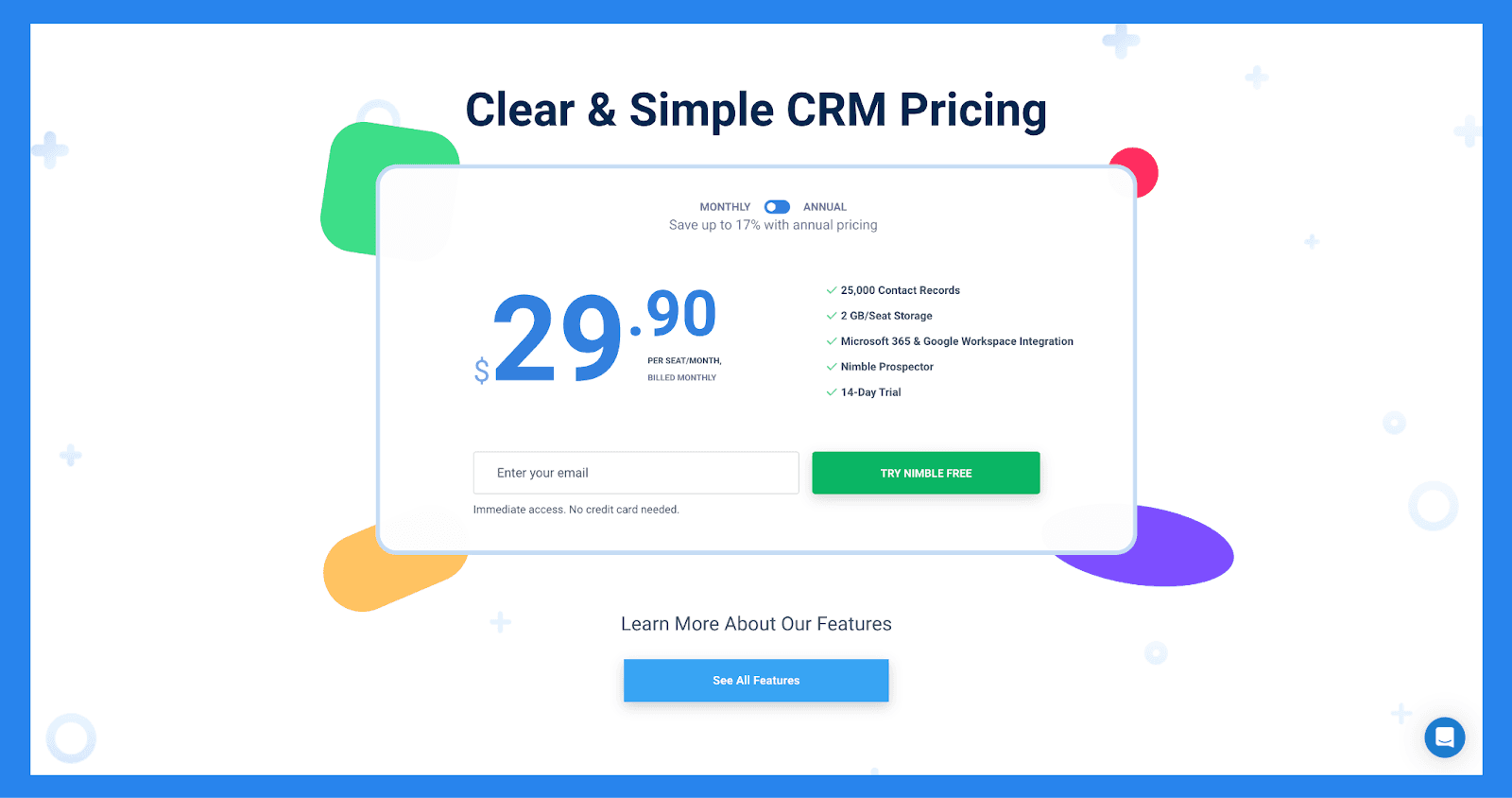
Funktioner | Nimble CRM plan |
|---|---|
Prissättning | $29.90 |
Relations hantering | |
Kontakt hantering | ✅ |
Social Profil Matchning & Berikning | ✅ |
Webbläsare & E-post Tillägg | ✅ |
Agenda & Aktiviteter | ✅ |
Dagens Sida | ✅ |
Marknadsföring & Outreach | |
Webbformulär & Lead Fångst | ✅ |
E-postmarknadsföring | ✅ |
E-postmallar | ✅ |
Gruppmeddelanden | ✅ |
E-postsekvenser | ✅ |
Försäljning, Pipelines, Rapportering | |
Prospektering | ✅ |
Försäljningsengagemang | ✅ |
Pipeline Hantering | ✅ |
Prospekt Marknadsföring & Outreach | ✅ |
Arbetsflöden | ✅ |
Arbetsflöde Automatiseringar | ✅ |
Fungerar Överallt | |
Microsoft 365 Integration | ✅ |
Google Workspace Integration | ✅ |
Apple Mail Integration | ✅ |
Integrationer | |
App Integration Partner | 100 + Integration Partners |
PhoneBurner Integration | ✅ |
Zapier Integration | 120 + App Integrationer |
API Åtkomst | ✅ |
Mobil Appar | |
iOS | ✅ |
Android | ✅ |
Kundsupport | |
Online & E-postsupport | ✅ |
Omfattande Support Center | ✅ |
Dagliga Live Q&A Sessions | ✅ |
Veckovisa Tränings Webbinarier | ✅ |
Gratis 1:1 Samtal | ✅ |
🏅 Streak CRM – Bäst Gmail-Baserade Säljteam Som Behöver E-postkraftverktyg
Sammanfattning
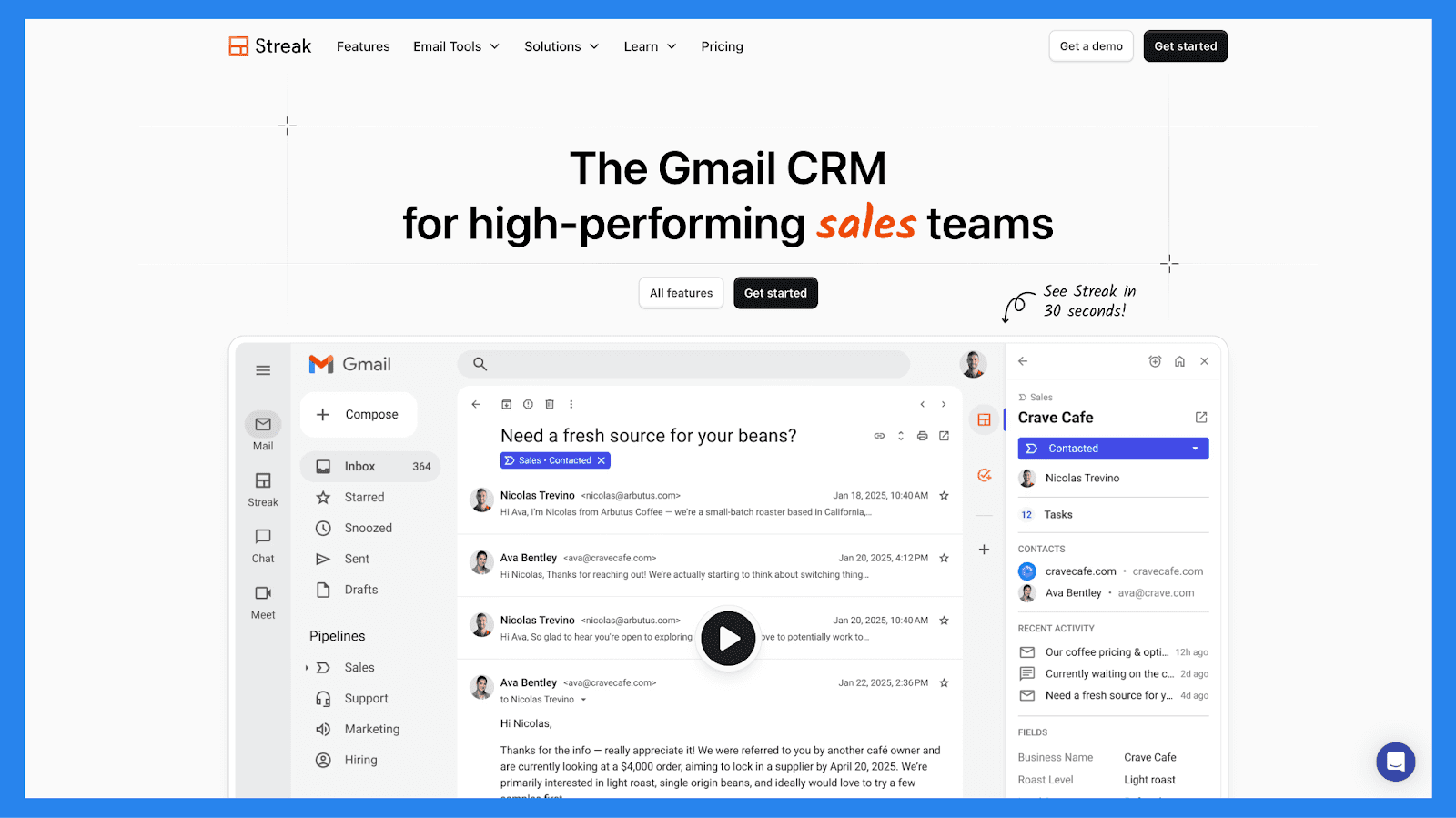
Streak ger CRM-funktionalitet direkt in i din Gmail-inkorg, transformerar det gränssnitt du redan känner till till ett lätt men kraftfullt sälj- och relationshanteringsnav, med praktiskt taget ingen onboarding krävd.
Det är särskilt populärt bland frilansare, soloföretagare, konsulter och små team som förlitar sig på Gmail för kundkommunikation och värderar enkelhet och snabbhet framför komplexa, funktionrika CRM.
Viktiga Funktioner | |
|---|---|
Gmail Integration – Hantera pipelines, kontakter och affärer direkt från din inkorg. E-postspårning – Se vem som öppnar dina e-postmeddelanden och när, vilket hjälper vid tidsriktiga uppföljningar. E-postsammanfogning – Skicka personligt anpassade massmail för outreach eller uppföljningar i stor skala. Snippets – Spara och återanvänd vanliga e-postmallar för att påskynda kommunikationen. Pipeline Hantering – Visualisera steg och flytta leads enkelt med dra-och-släpp funktionalitet. Mobil Åtkomst – Kom åt pipelines och kontakter via Streak mobilapp. Delade Pipelines – Samarbeta med ditt team sömlöst inom Gmail. | |
Betyg | |
G2 - 4.5/5 (254) | Capterra - 4.5/5 (479) |
Fördelar | Nackdelar |
Om du vet hur man använder Gmail, kommer du att känna dig hemma med Streak — ingen brant inlärningskurva. Streak lever direkt inuti din inkorg, vilket gör det till en enkel men kraftfull CRM. Från att spåra öppningar till e-postsammanfogning och snippets, är Streak ett drömverktyg för outreach-intensiva team. | Förutom pipeline framsteg och grundläggande mått, kan Streaks rapporteringsfunktioner kännas begränsande för datadrivna team. Streak fungerar exklusivt med Gmail-konton — inte idealiskt för Outlook eller andra e-postplattform användare. Medan Streak stöder vissa arbetsflöde regler, saknar den djupet av sann automation som erbjuds av mer avancerade CRM. |
Prissättningsplaner
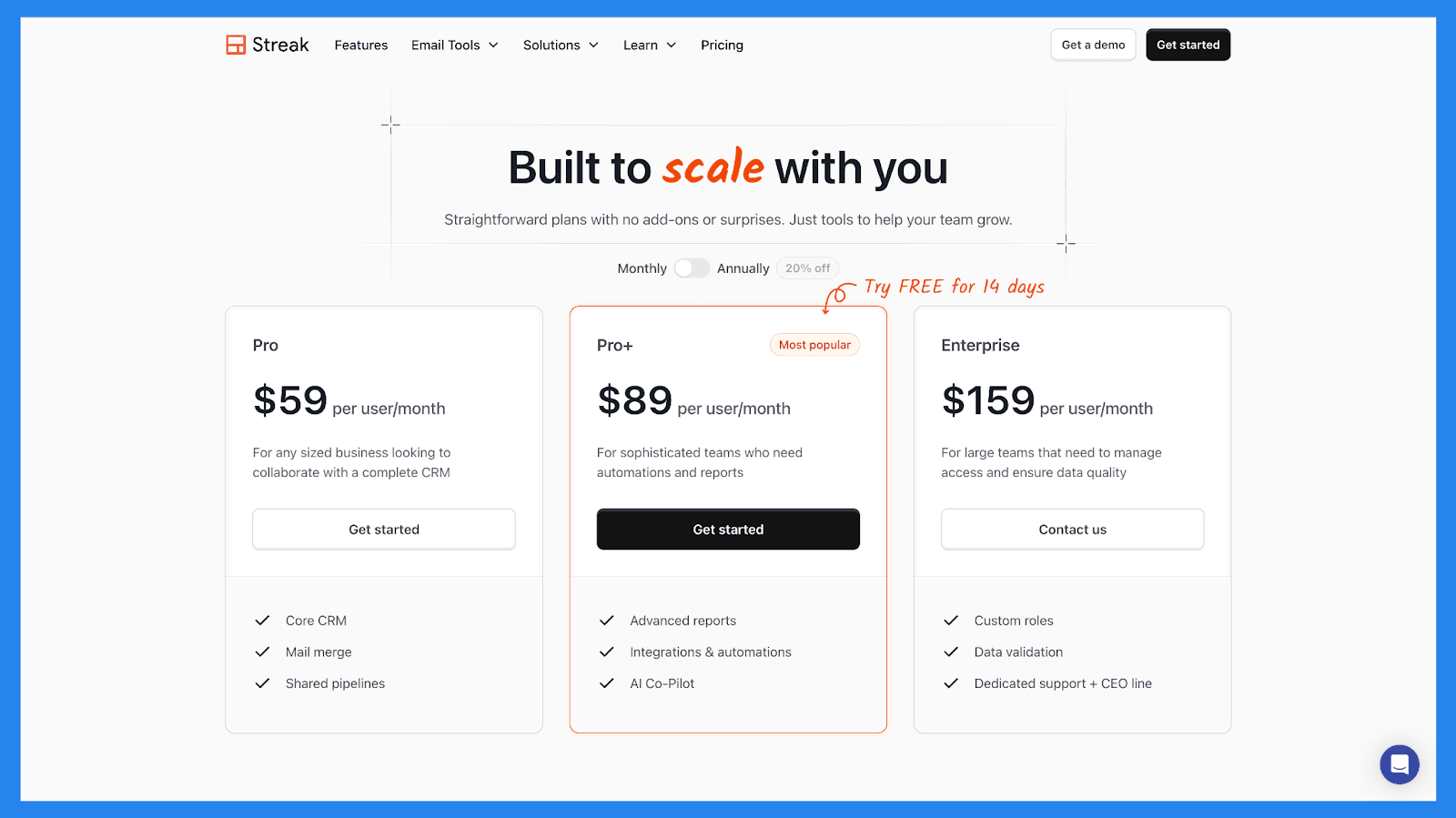
Pro | Pro+ | Enterprise |
|---|---|---|
$59/användare/mån | $89/användare/mån | $159/användare/mån |
Kärna CRM E-postsammanfogning Delade Pipelines | Avancerade rapporter Integrationer & automationer AI Medarbetare | Anpassade roller Datavalidering Dedikerat support + VD-linje |
🏅OnePageCRM — Enkel CRM för Att Följa Upp och Stänga Mer Affärer
Sammanfattning
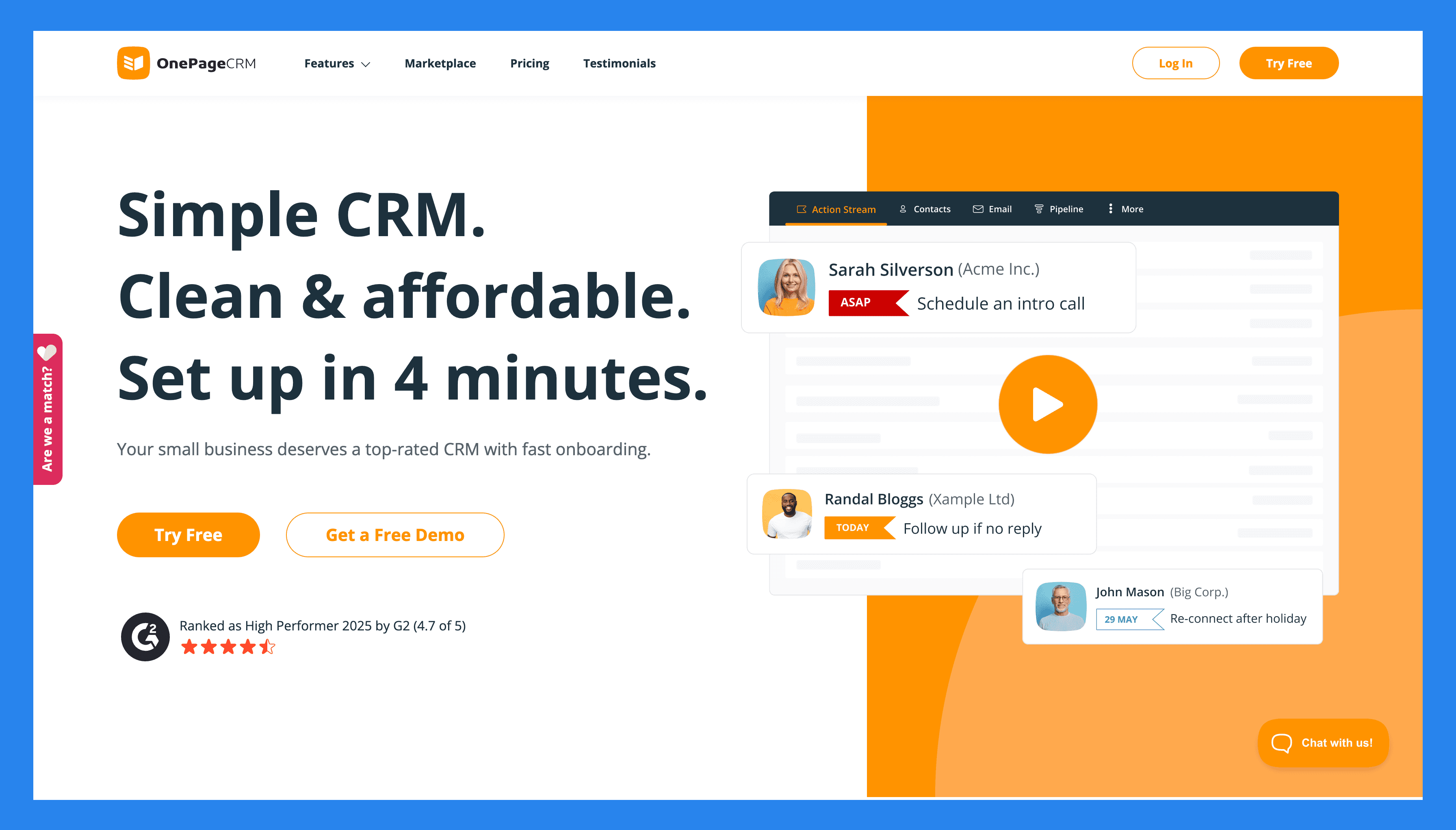
OnePageCRM fokuserar på att hjälpa små företag att agera, inte bara lagra kontakter. Dess utmärkande funktion är Åtgärdsströmmen, som gör hela din kontaktlista till en följd av nästa steg, så du alltid vet vem du ska följa upp med och när.
Utöver det erbjuder systemet massor av andra användbara verktyg för att hantera kontakter och försäljning. Du kan spåra leads, hantera affärer, skicka och ta emot e-post, automatisera rutinuppgifter, generera offerter och fånga nya kontakter direkt. Och bäst av allt, du kan göra det hela från en sida.
Viktiga Funktioner | |
|---|---|
Nästa Åtgärd Spårning – Varje kontakt har ett nästa steg med ett förfallodatum, och kontakter arrangeras automatiskt baserat på dessa förfallodatum. På det här sättet vet du alltid vem som behöver mest uppmärksamhet. One-page arbetsyta – Allt du behöver finns på en enda sida. Du kan hantera kontakter, affärer, e-post, anteckningar, uppgifter och mer utan att hoppa mellan flera flikar eller moduler. Tvåvägs e-post synkronisering – Anslut ditt e-postkonto så du kan skicka och ta emot e-post, lagra fullständig konversationshistoria och spåra öppningsfrekvenser för dina meddelanden. Arbetsflödes automatisering – Skapa enkla automationregler för att minska manuellt arbete och spara tid. Du kan trigga uppgifter, tilldela uppföljningar, flytta affärer framåt och mer när vissa villkor är uppfyllda. Fullständig mobil CRM – OnePageCRM:s mobilapp ger dig full tillgång till CRM-systemet, även när du är borta från ditt skrivbord. Du kan få tillgång till allt, från kontakter och affärer till nästa åtgärder, anteckningar och mer. Försäljnings pipeline hantering – Visualisera din försäljnings pipeline i en kanban-tavla och dra och släpp affärer över steg. Försäljningsprognoser – Använd det nuvarande tillståndet i din pipeline för att förutse din förväntade intäkt och övervaka hur bra ditt företag presterar. Distribuerings pipeline (lätt projektledning) – När en affär är stängd, kan du använda en dedikerad pipeline för att spåra leveransen av produkten eller tjänsten från början till slut. Omedelbar lead fångst – Använd den gratis webbläsartillägget och webbformulär för att fånga kontakter från e-post, webbplatser eller sociala medier. Nya leads kommer automatiskt in i din databas och får en nästa åtgärd, så du aldrig glömmer att följa upp. Enkelt instrumentbräda och analys – Få en tydlig översikt över aktivitet, vunna affärer, kommande åtgärder och mer. Du kan också generera anpassade rapporter, som kan delas automatiskt med ditt team på ett schema du väljer. Omedelbara försäljningsofferter – Skapa och skicka professionella offerter direkt från CRM:n på bara ett klick. Produkter och tjänstekatalog – Lagra beskrivningar och priser för dina produkter och/eller tjänster inom CRM-systemet. När det behövs kan du lägga till dessa föremål till affärer, så du inte behöver gå igenom beskrivning och offertprocessen igen. Integrationer – Anslut till andra affärsappar — som e-postplattformar, redovisningsmjukvara, kommunikationsappar, marknadsföringsverktyg och mer — för att hålla ditt arbetsflöde anslutet och minska manuell datainmatning. | |
Betyg | |
G2 - 4.7/5 (235) | Capterra - 4.8/5 (78) |
Fördelar | Nackdelar |
Stark uppföljningssystem förhindrar missade möjligheter. Snabb installation och minimal inlärningskurva. Prisvärd prissättning med alla viktiga CRM funktioner. Layouten låter dig hantera hela ditt företag från en sida. Inkluderar gratis tillägg som Lead Clipper, AI-ruttplanerare och visitkortsskanner. VIP-kundsupport för alla, inklusive provanvändare. | Ingen gratis evighetsplan. Begränsade anpassningsalternativ. Egenskaper grundläggande rapporterings- och analysverktyg. |
Prissättningsplaner
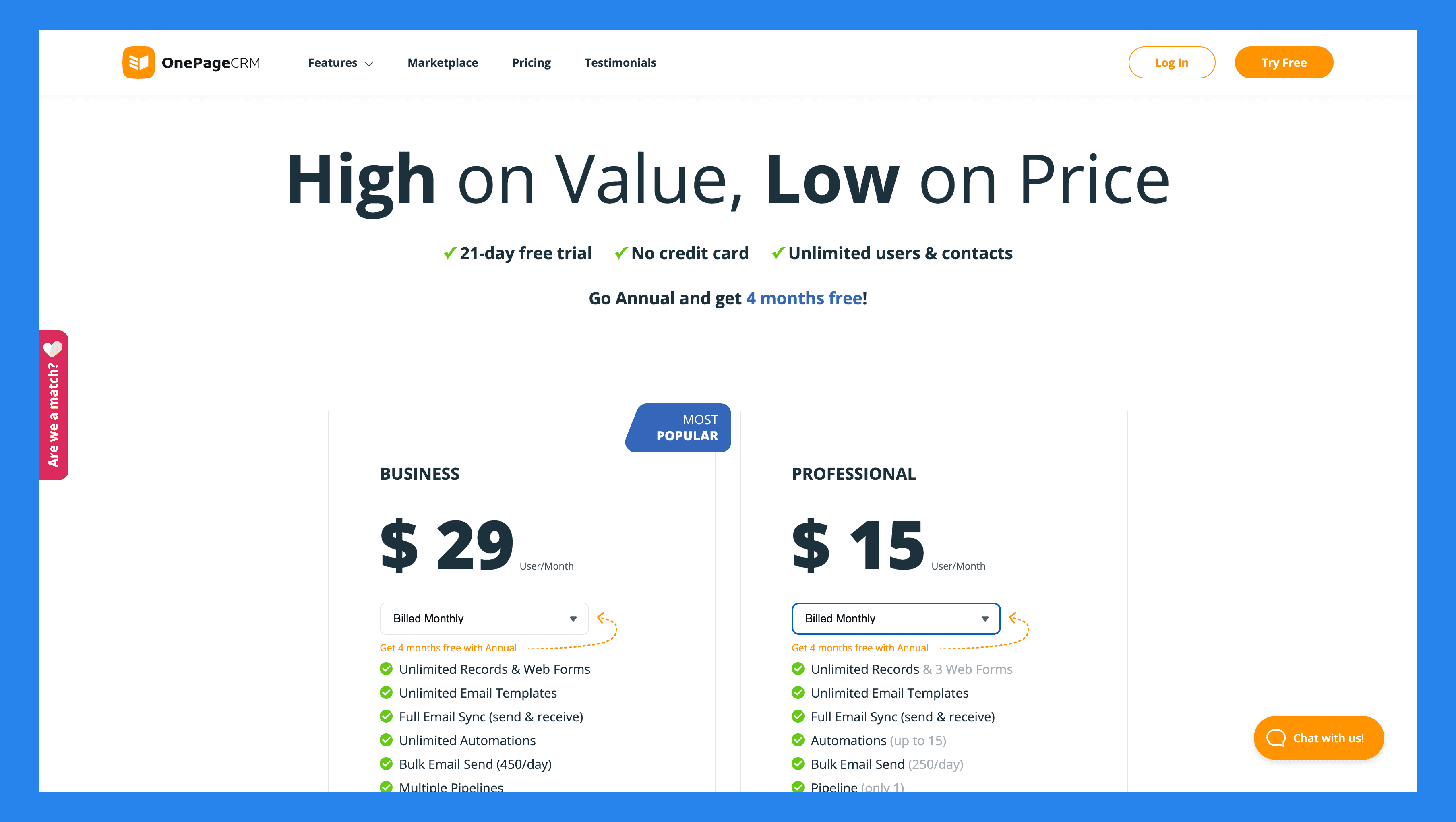
Professional | Företag | |
|---|---|---|
$15/användare/mån | $29/användare/mån | |
Obegränsade Poster Gratis webbformulär Obegränsade e-postmallar Fullständig e-postsintegration Automatiseringar Massutskick av e-post Mobilapp | Flera pipelines E-postspårning och notifieringar Planering av e-post Hämtning av e-post historik Lätt projektledning Avancerade användarbehörigheter |
OnePageCRM:s Gratis Tillägg
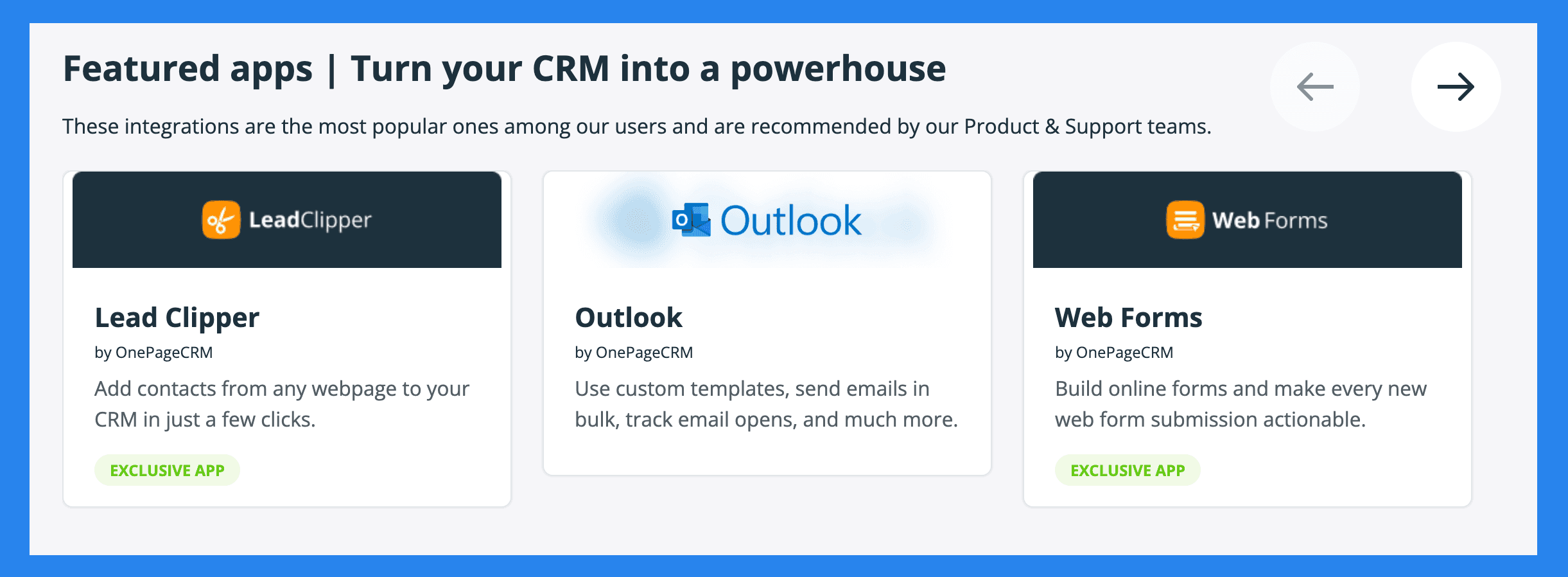
Lead Clipper | AI Ruttplanerare |
|---|---|
Ett gratis webbläsartillägg som fångar kontakter från din e-post, sociala medieprofiler, eller vilken webbplats som helst, och skickar dem till din CRM. | Optimerar dina försäljningsruttor när du träffar prospects personligen. |
Visitkortsskanner | Webbformulär |
Skanna tryckta visitkort och konvertera dem omedelbart till kontakter i din CRM. | Skapa enkla formulär för att fånga leads från din webbplats. Nya inskick flödar direkt in i din databas, med ett nästa steg tilldelat. |
🏁 Slutgiltig Bedömning: Är Less Annoying CRM Värt Det?
Det korta svaret: absolut, ja.
Det långa svaret: I en värld där CRM-system hela tiden jagar nästa stora trend, har Less Annoying CRM ärligt fokus på vad småföretag faktiskt vill ha — enkelhet som fungerar. Det i sig är uppfriskande. Med sin intuitiva design, noll inlärningskurva och platta $15 per användare per månad prissättning, erbjuder det ett av de enklaste och mest prisvärda sätten att hantera kontakter, pipelines och uppföljningar utan den vanliga röran.
Enkelhet är en sällsynt vara på CRM-marknaden — och Less Annoying CRM har det i massor.
Det sagt, om det finns en nackdel, är det att denna plattform inte är byggd för växande medelstora eller stora team som behöver avancerad automatisering eller komplex rapportering. Och det är helt okej — det var aldrig meningen att den skulle vara det.
Men om du finner att du överväxer dess enkelhet och behöver en CRM som skalar med ditt företag medan den automatiserar de tråkiga administrativa uppgifterna, kan du överväga att uppgradera till något som Breakcold — en modernare, försäljningsinriktad CRM som utvecklas i takt med att din försäljningsprocess gör det.
Written by Arnaud Belinga