
Less Annoying CRM-anmeldelse: Irriterende god eller irriterende dårlig?
Lei av rotete, overkompliserte CRM-er som tar uker å finne ut av? Det er også Less Annoying CRM. Bygget på ideen om at mindre faktisk er mer, lover dette enkle, men kraftige verktøyet å hjelpe små bedrifter, solo-entreprenører og team å holde seg organisert uten oppsvulming.
I denne anmeldelsen vil vi se hva som gjør Less Annoying CRM fremtredende i 2026 – og om det er riktig tid å plukke den opp, droppe den, eller endelig prøve den.
Less Annoying CRM Oversikt (TL;DR) |
|---|
I motsetning til enterprise-grade CRM-er bygget for massive salgsteam, fokuserer Less Annoying på frilansere, soloprenører og småbedriftseiere som bare trenger en grei måte å håndtere kontakter, oppfølgninger og pipeline – uten ekstra bjeller og plystre. 🤝 Less Annoying CRM er best for frilansere, soloprenører og små bedrifter 💰 Less Annoying tilbyr en fast prisplan på $15/bruker/mnd 🔥 Hvorfor Less Annoying ikke er det beste valget i 2026: Selv om det er praktisk og veldig enkelt, kan Streaks enkelhet bare ta deg så langt. Med lite å tilby når det gjelder automasjoner, vil Less Annoying slite med å vokse sammen med din bedrift. 🔄 Hvis du vurderer alternativer, se på: Breakcold – Best For Sales-Focused CRM med AI-native funksjoner Pipedrive – Beste Alt-i-ett CRM med avansert automatisering Nimble CRM – Lik enkelhet, litt mer avansert Streak CRM – Best Gmail-basert salgsteam som trenger e-postverktøy OnePageCRM – Enkel CRM for oppfølging og lukking av flere avtaler |
📖 Hva (Og Hvem) er Less Annoying CRM?
Less Annoying CRM ble grunnlagt i 2009 med ett enkelt oppdrag: gjøre kundeoppfølgingsadministrasjon faktisk mindre irriterende. I motsetning til enterprise-grade CRM-er bygget for massive salgsteam, fokuserer Less Annoying på frilansere, soloprenører, og småbedrift eiere som bare trenger en grei måte å håndtere kontakter, oppfølgninger og pipeline – uten ekstra bjeller og plystre.
Alt kjører i skyen, så det er ikke behov for installasjoner eller IT-støtte. Grensesnittet er rent, intuitivt, og bygget rundt en kjerneidé: enkelhet er lik produktivitet. Ingen forvirrende dashboards, ingen endeløse oppsetttrinn — bare de essensielle verktøyene du trenger for å holde orden på dine relasjoner og salg på ett sted.
⚙️ Nøkkelfunksjoner i Less Annoying CRM
Kontaktadministrasjon
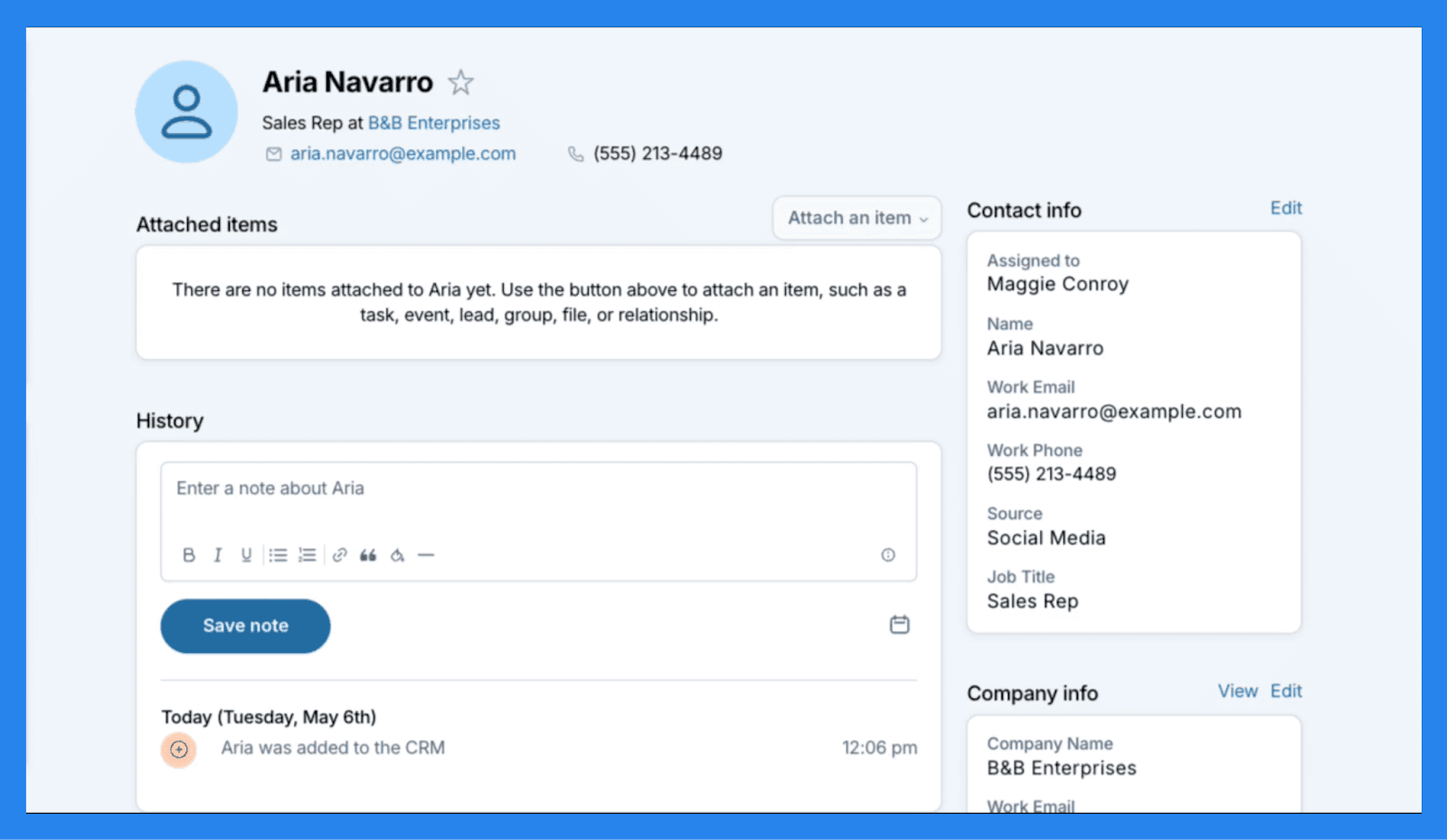
Når det kommer til å administrere kontakter, er Less Annoying CRM tro mot sitt navn — enkelt, intuitivt og uten automasjoner (mer om dette senere). Du kan lagre opptil 50 000 kontakter per konto, enten importert i bulk eller lagt til manuelt, og hver profil gir deg alt du trenger ved et øyekast. Notater, filer, oppgaver, hendelser og full interaksjonshistorikk er alle pent organisert på ett sted. For ekstra fleksibilitet kan du til og med opprette egendefinerte felt for å fange de unike datapunktene som ikke passer til standardmaler.
Når det er sagt, prøver Less Annoying CRM ikke å konkurrere med avanserte kontaktadministrasjonsverktøy. Du finner ikke innebygd data enrichment, lead scoring, eller markedsføringsautomatisering her. Det er et rett frem system designet for små team som verdsetter brukervennlighet fremfor kompleksitet.
Pipeline Management
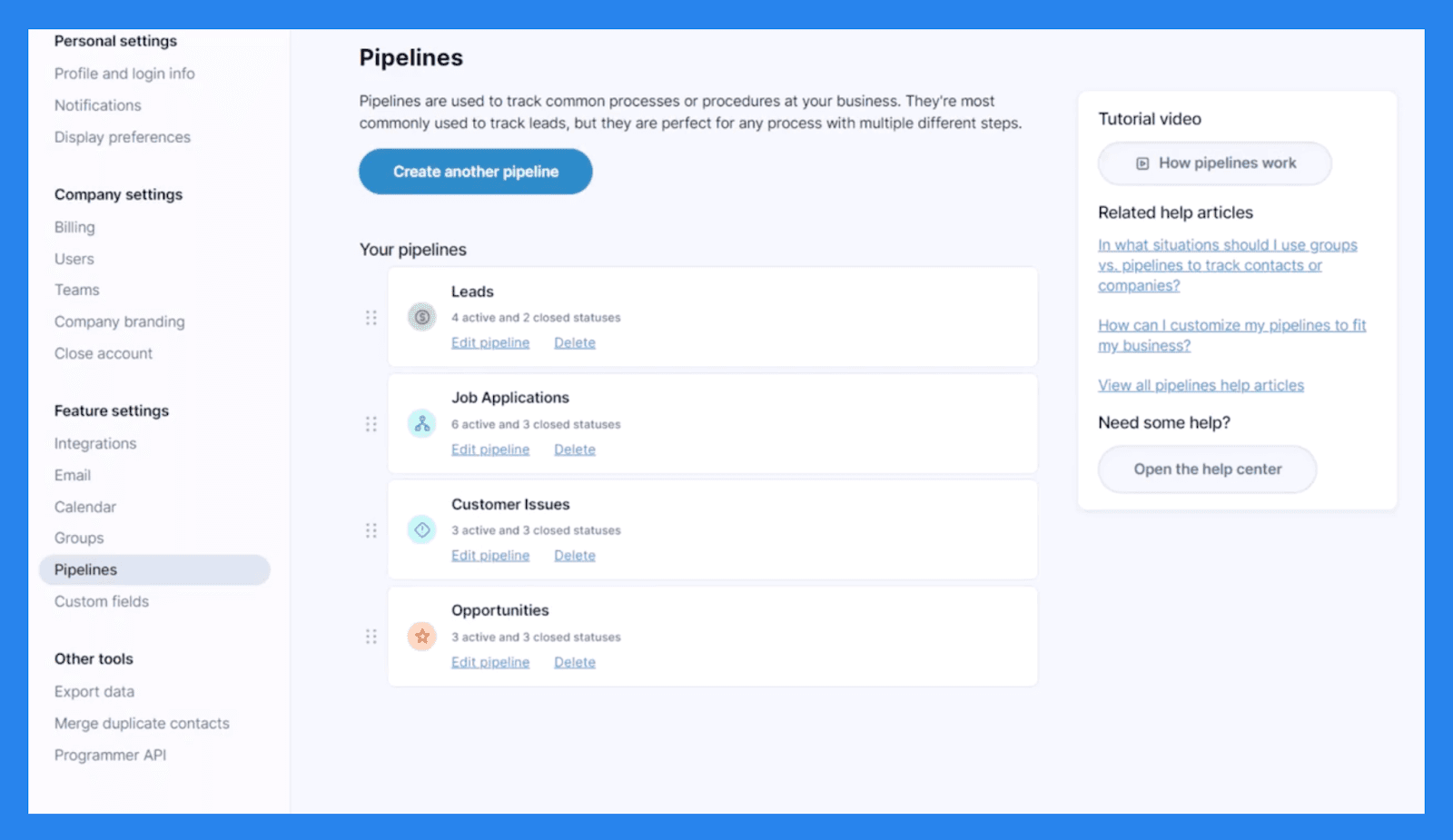
Pipeline management er en av de mest tilpassbare funksjonene i Less Annoying CRM, og gir deg fleksibiliteten til å lage pipelines for forskjellige forretningsprosesser – enten det er salg, prosjekter eller kundeonboarding. Mens det ikke tilbyr et visuelt kanban-stil bord, kan du fortsatt se en klar oversikt over dine leads og avtaler gjennom **Rapporter **fanen.
I praksis skjer pipeline-sporing direkte innenfor kontakt og selskapsprofiler. Hver posts Aktive Status representerer dens stadium i din pipeline, noe som gjør det enkelt å se hvor hver lead står ved et øyekast.
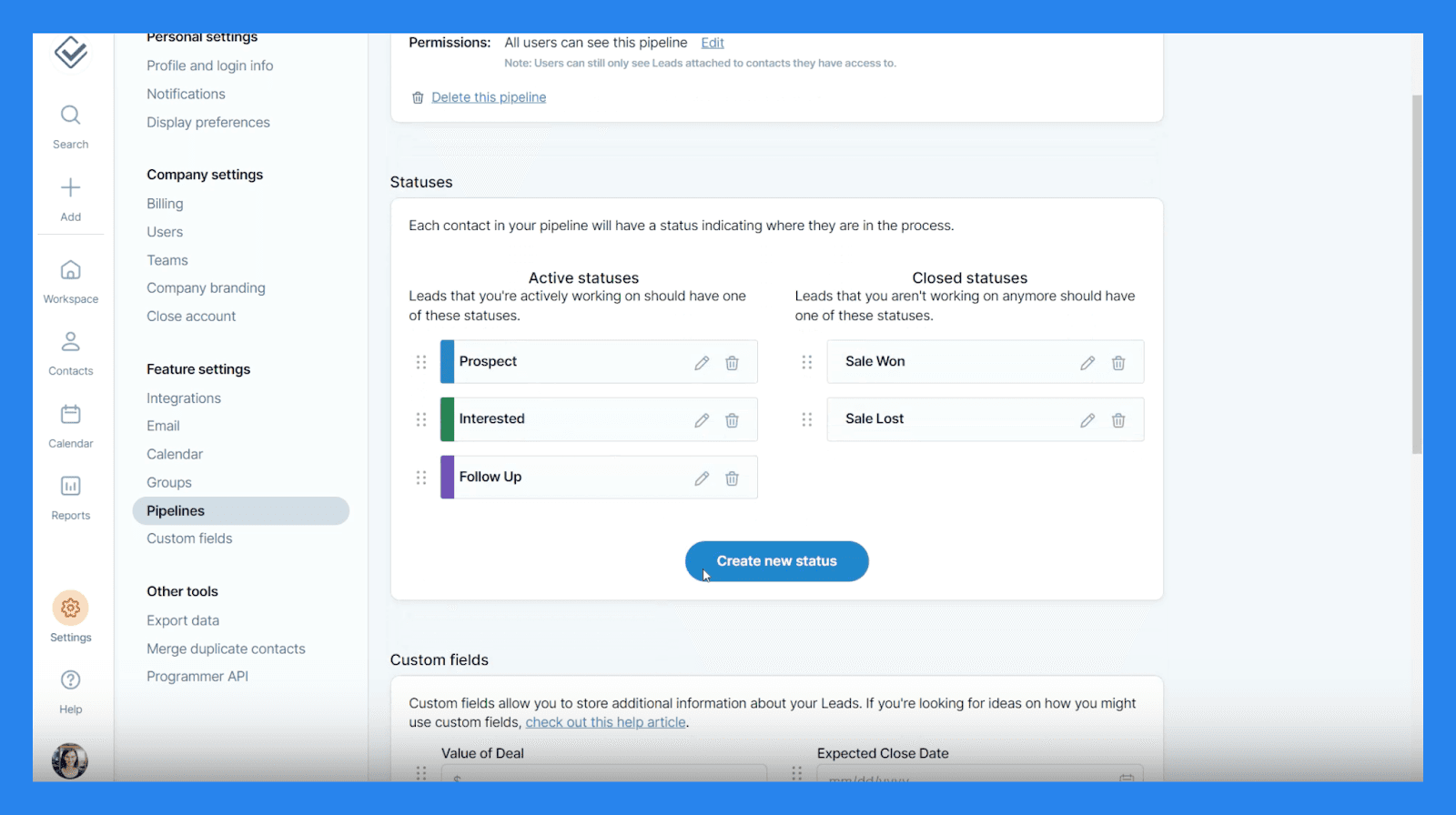
Tilpasning er hvor Less Annoying CRM virkelig skinner. Du kan opprette egendefinerte statuser og egendefinerte felt for å skreddersy pipelines til din spesifikke arbeidsflyt. Her er hva du kan bygge:
Tekstboks (enkellinje) - For korte innlegg som Partnernavn eller Hobby.
Tekstområde (flerlinje) - For lengre notater som Spesielle hensyn eller Ytterligere forespørsler.
Nummerfelt - For numeriske data som Klient-ID eller Konto-ID.
Valutafelt - For å spore avtaleverdier eller Total kostnad.
Datofelt - For tidsfølsomme data som Kontraktutløp eller Jubileumsdatoer.
Nedtrekksliste - For standardiserte alternativer som Leadkilde eller Prioritet.
Radio-liste - For enkelt-valg spørsmål som Ja/Nei eller Plannavn.
Sjekkboks liste - For å velge flere alternativer som Produkter eller Tjenester.
Kontaktlink - For å koble poster (f.eks., Henvist av, Selger eller Familiemedlem).
Filfelt - For å laste opp støttedokumenter som Tilbud, Kontrakter, eller Prosjektbilder.
Alt i alt tilbyr Less Annoying CRM imponerende fleksibilitet for et verktøy fokuserte på enkelhet. Du får ingen avanserte automasjoner eller dra-og-slipp visuelle boards, men for små team som ønsker en grei, lett tilpassbar måte å administrere avtaler på, gjør det jobben vakkert.
Oppgavg og kalendersporing
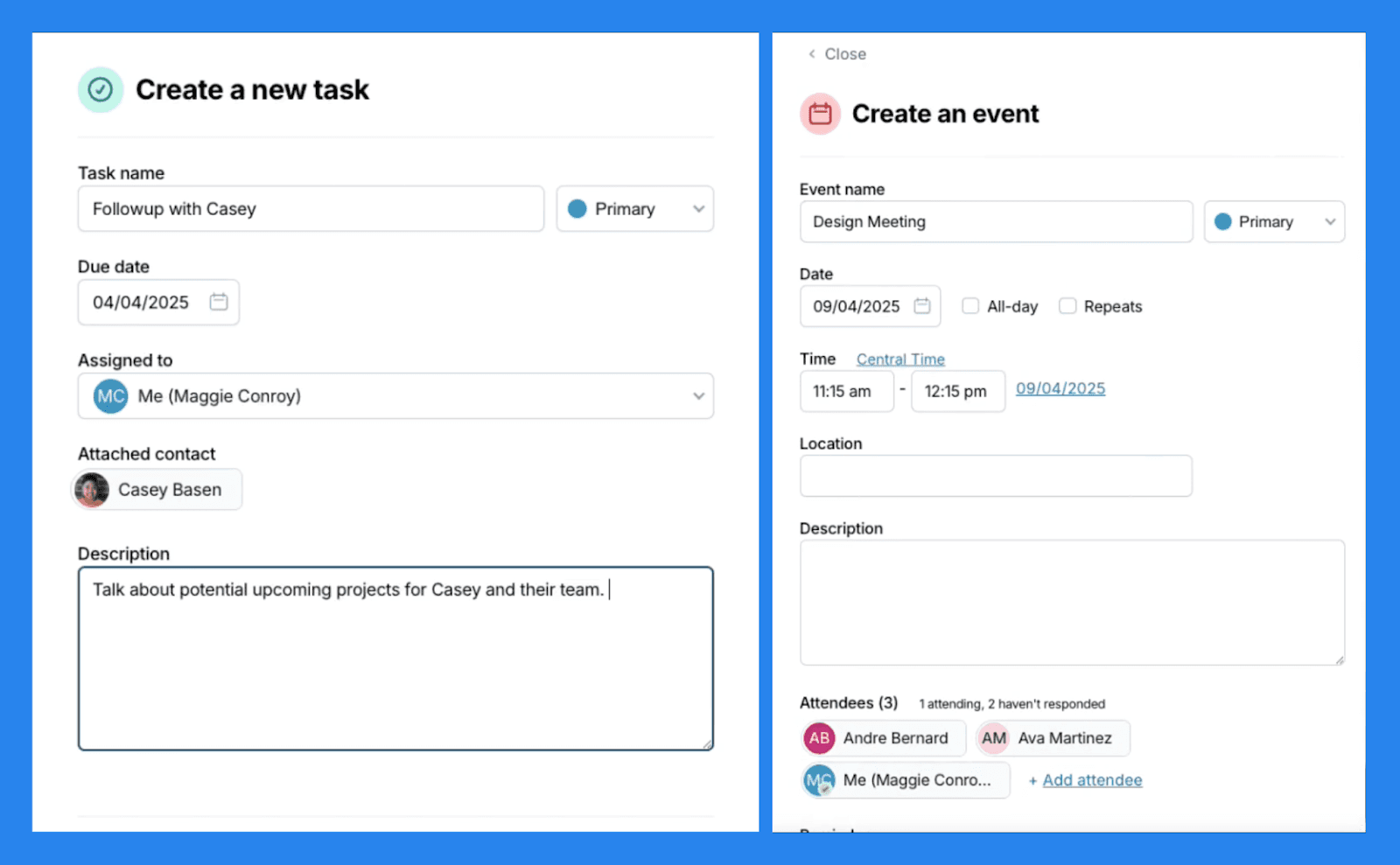
I Less Annoying CRM fungerer oppgaver og kalendere sømløst sammen for å hjelpe deg med å holde operativsystemet i gang dag-til-dag arbeidsflyt. Oppgaver fungerer som enkle påminnelser for ting som må gjøres — du kan sette et navn, forfallsdato og prioritet, og koble dem direkte til kontakter eller selskaper. Når de er fullført, vises disse oppgavene automatisk i kontaktens historie, slik at du får en fullstendig oversikt over tidligere interaksjoner og oppfølgninger.
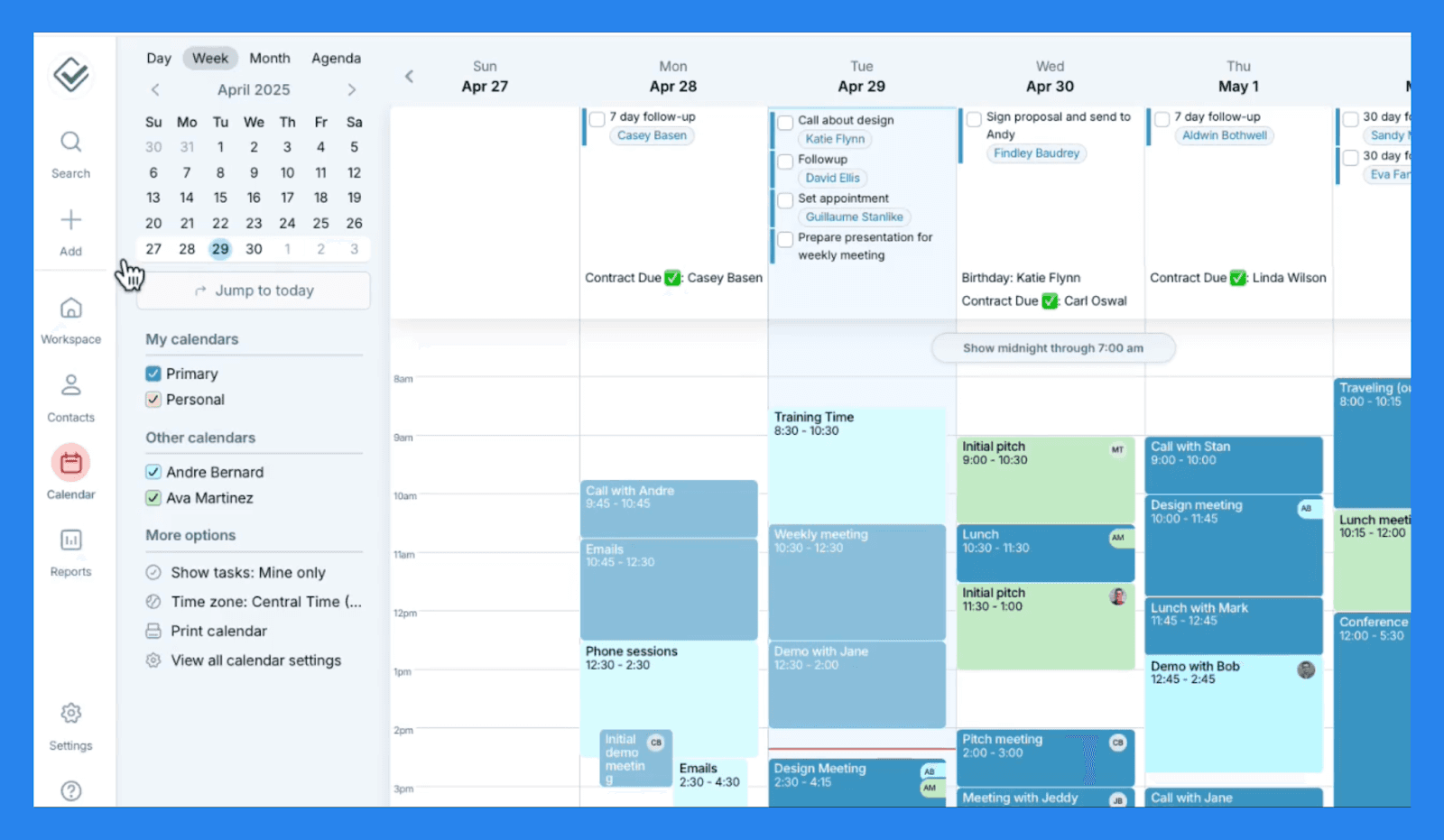
**Kalenderen ** gir en klar oversikt over alle kommende oppgaver og hendelser, som møter, samtaler eller kundemøter – som gir deg akkurat det du trenger for å styre tidsplanen uten distraksjon. En fremtredende funksjon her er muligheten til å opprette underkalendere, noe som er spesielt nyttig for team som håndterer flere kunder eller prosjekter. Det holder alt organisert og lett å administrere, uten å rote til en enkelt kalenderoversikt.
For team gjør felles kalendere samarbeid enkelt — du kan umiddelbart se på hva kollegene dine jobber med og forbli i takt uten endeløse oppdateringer eller varsler. I tillegg støtter Less Annoying CRM to-veis synkronisering med Google og Outlook kalendere, noe som sikrer at tidsplanen din holdes oppdatert uansett hvor du administrerer den fra.
E-post logging
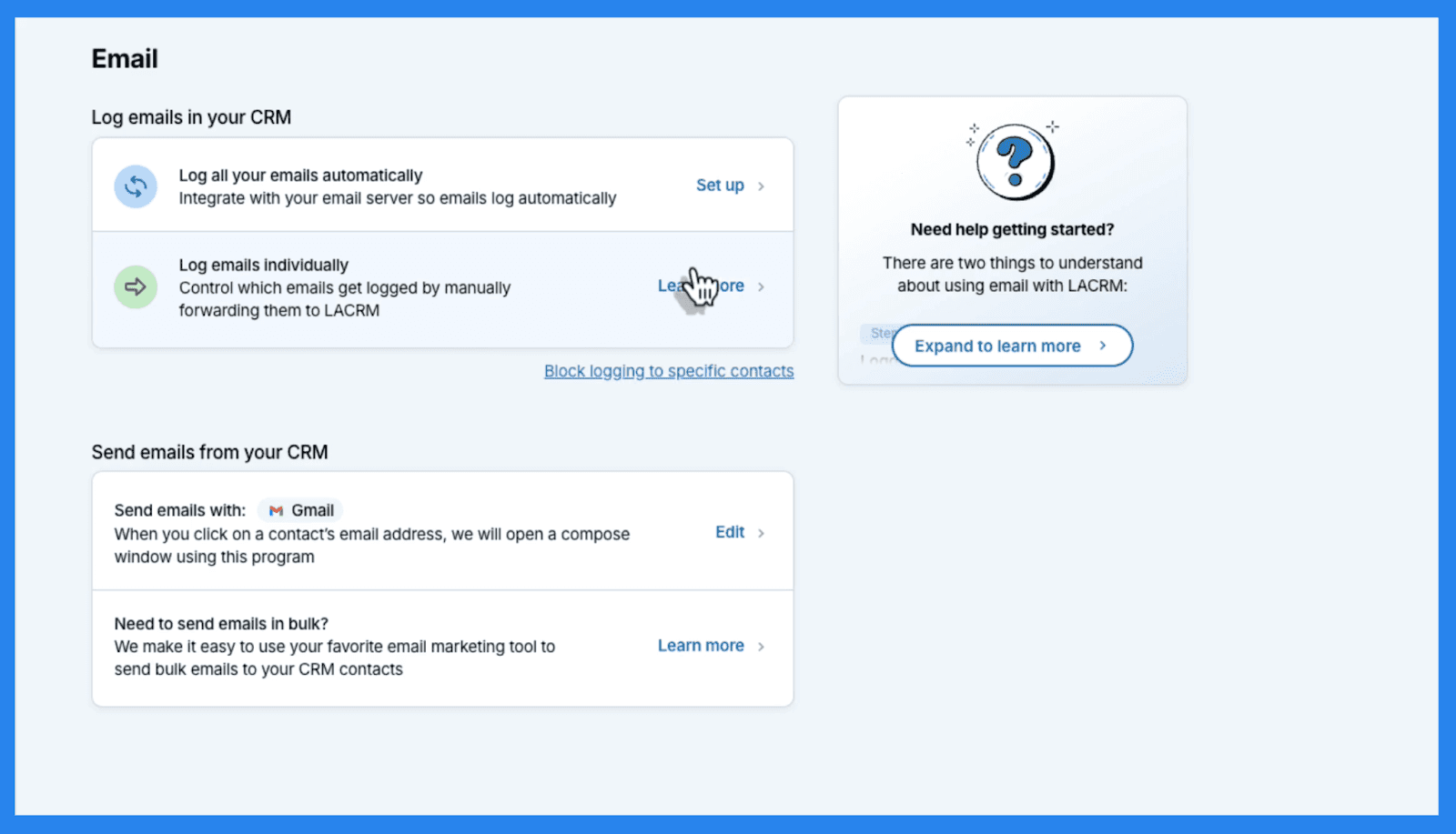
Less Annoying CRM sender eller mottar ikke e-post direkte, men gjør det enkelt å **logge og spore din e-post kommunikasjon **med kontakter. Du kan koble din foretrukne e-postklient — enten det er Gmail, Outlook, eller en annen leverandør via IMAP — og integrere opptil tre e-postkontoer per CRM-bruker. Når de er koblet til, vil alle e-poster du sender til kontakter fra dine tilkoblede e-postkontoer automatisk bli lagret i deres kontakt historie innen Less Annoying CRM. Inngående e-poster fra eksisterende kontakter logges også automatisk, og gir deg en full oversikt over korrespondanse på ett sted.
Vær oppmerksom på at Less Annoying CRM kun logger e-poster etter integrasjon — det vil ikke importere tidligere meldinger tilbakevirkende. E-poster logges kun for kontakter som allerede er i din CRM, noe som sikrer personvern og dataintegritet. Hvis du trenger å knytte en e-post fra en ikke-logget kontakt, kan du fortsatt gjøre det manuelt. Det sagt, plattformen tilbyr ikke e-postsporing, noe som betyr at du ikke vil se åpningsfrekvenser, klikk, eller avansert analytikk.
Det er et enkelt system for å holde kommunikasjonsregistre — ikke et fullverdig e-postmarkedsverktøy som kan lene seg mot den irriterende siden når det kommer til å sette alt dette opp.
Mobiltilgang
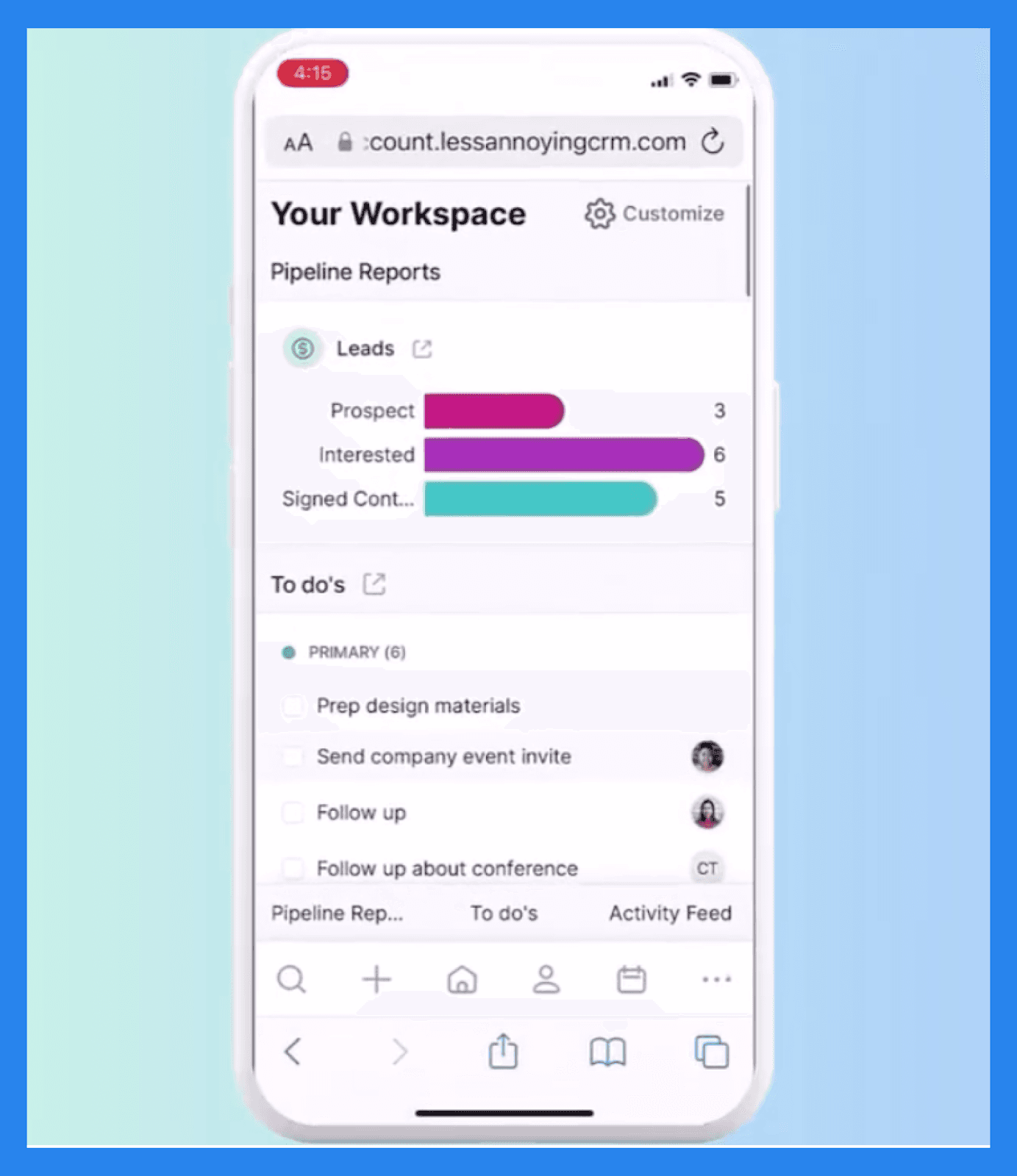
Less Annoying CRM er fullt nettbassert, så du kan få tilgang til det fra enhver mobil nettleser — ingen app nedlasting nødvendig. Det mobile grensesnittet gir deg tilgang til alle kjernefunksjoner som kontakter, oppgaver og pipelines på farten. I tillegg fungerer det på både iOS og Android-enheter, inkludert telefoner og nettbrett.
Men det er ingen offline-modus, noe som betyr at du trenger konstant tilgang til Wi-Fi eller data for å bruke plattformen. Det er lett og pålitelig, men ikke ideelt for brukere som ofte jobber i miljøer med lav tilkobling.
Rapportering
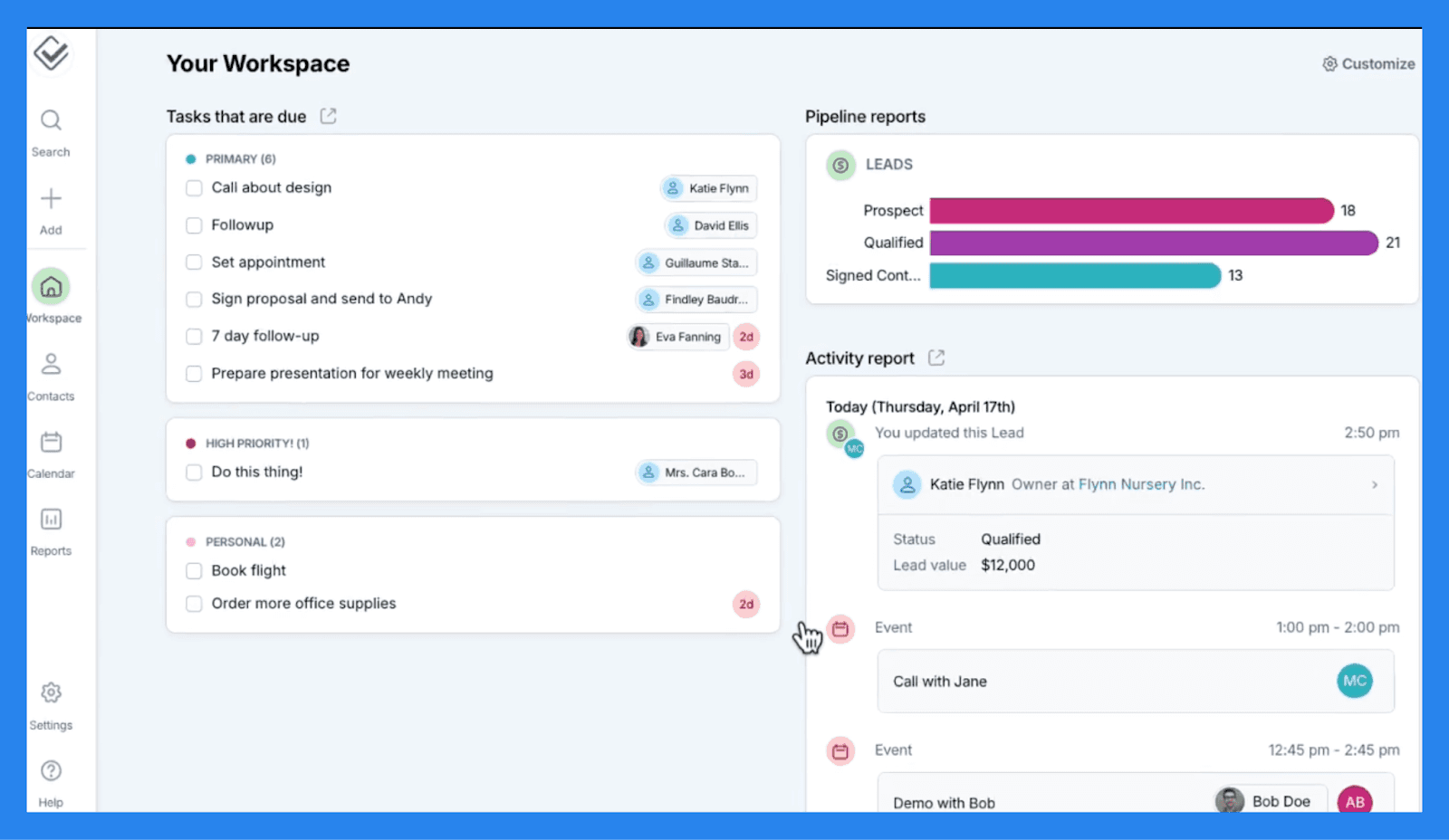
Mens Less Annoying CRM mangler de dype rapporteringsmulighetene til større CRM-er, dekker det det essensielle for små team som bare trenger et klart bilde av deres daglige operasjoner:
Arbeidsområde dashbordet gir en rask oversikt over din CRM-aktivitet, viser nylige oppdateringer, kommende oppgaver og aktive leads.
Du kan generere en Aktivitetsrapport for å spore hva salgsteamet ditt har logget.
Leadrapport for å overvåke pipeline-fremdrift.
Oppgavesrapport som fungerer som en digital gjøremålsliste.
Rapporter kan filtreres etter aktivitetstype, bruker eller dato, slik at det er enkelt å fokusere på det som betyr mest. Og hvis du foretrekker offline-tilgang, kan du eksportere en hvilken som helst rapport til Excel for videre analyse eller utskrift.
Integrasjoner
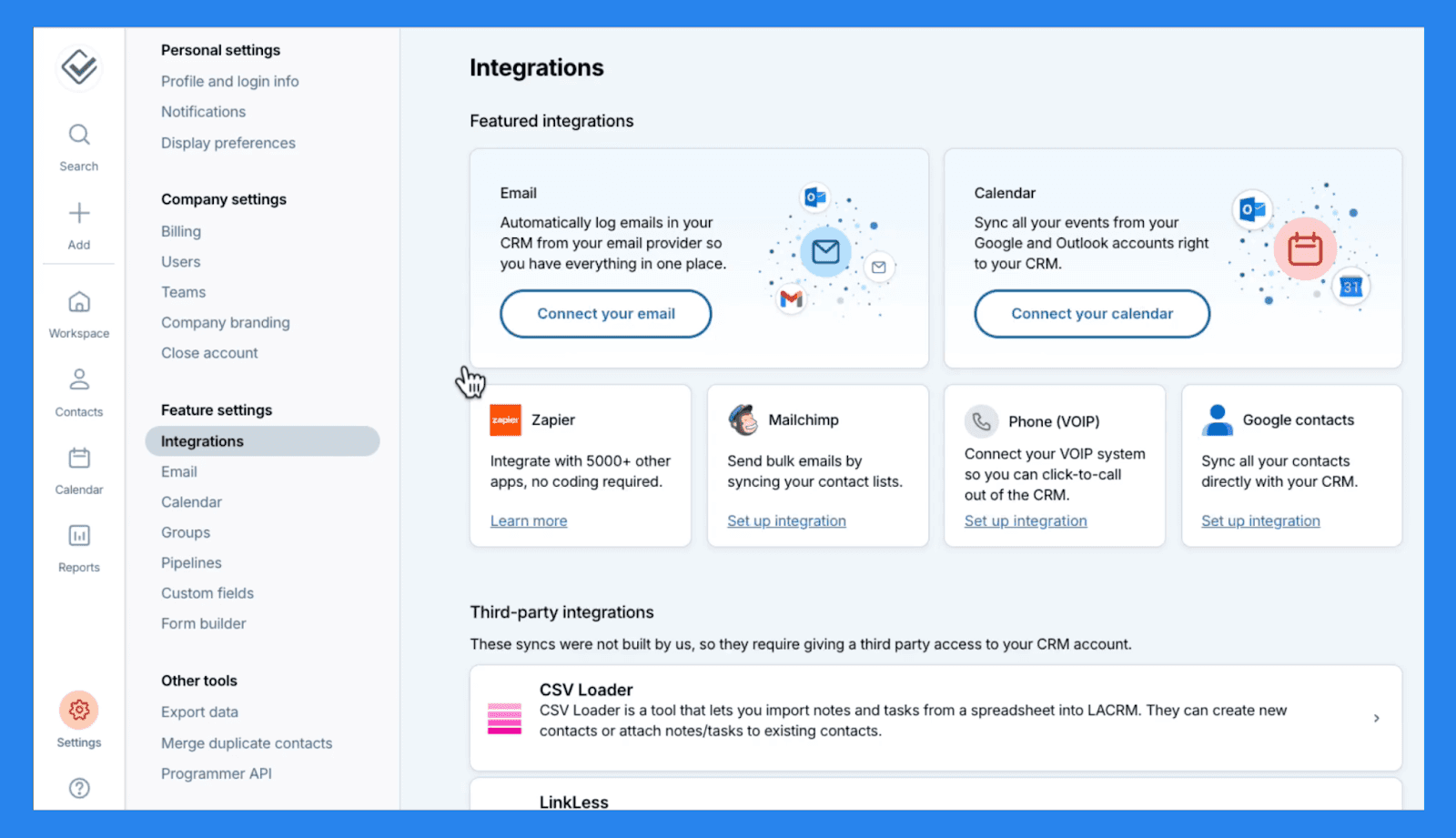
Less Annoying CRM tilbyr en håndfull nyttige integrasjoner for å hjelpe deg med å koble verktøyene du allerede bruker og strømlinjeforme arbeidsflyten din:
Du kan synkronisere din Google eller Outlook kalendere for å sikre at møter, oppgaver og hendelser forblir oppdatert på tvers av plattformer.
Integrasjon med Google Kontakter holder databasene dine oppdatert — legg til en kontakt en gang, og den vises automatisk i begge systemene.
For e-postmarkedsføring lar integrasjon med Mailchimp deg sende gruppemail og holde oversikt over kampanjene dine rett inne i CRM.
Og hvis du trenger å gå utover disse native alternativene, kobler Less Annoying også med Zapier, og gir tilgang til over 5 000 tredjepartsapper for ekstra automatisering og datasynkronisering.
Selv om integrasjonslisten ikke er omfattende, dekker den det essensielle de fleste små team trenger for å forbli tilkoblet og organisert.
💰 Less Annoying CRM Prising
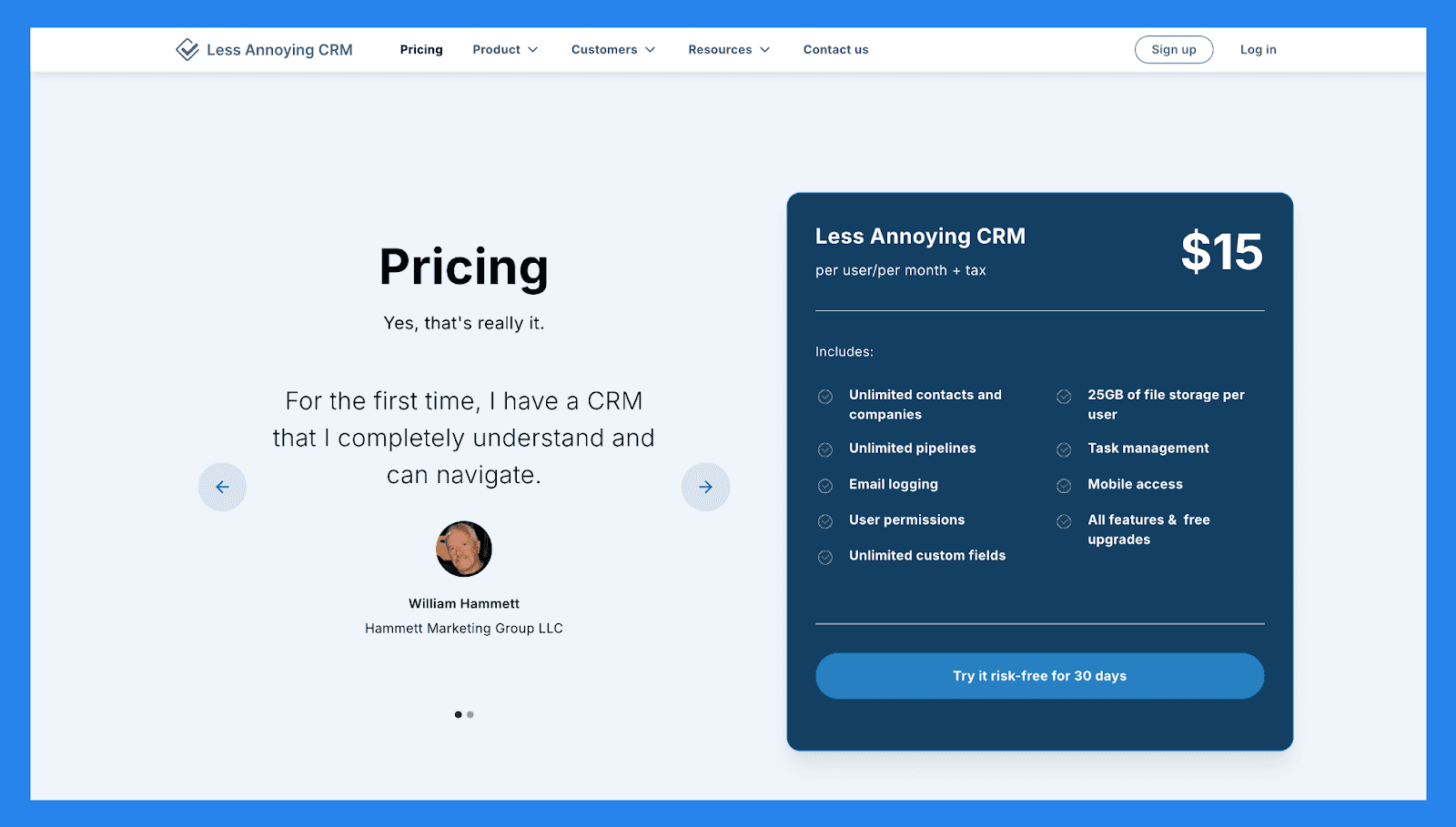
Less Annoying CRM |
|---|
$15/bruker/måned + skatt |
Inkluderer: Ubegrensede kontakter og selskaper Ubegrensede pipelines E-post logging Brukertillatelser Ubegrensede egendefinerte felt 25GB med fil lagring per bruker Oppgavehåndtering Mobil tilgang Alle funksjoner & gratis oppgraderinger |
⭐️ Fordeler og ulemper med Less Annoying CRM
Vurderinger | |
|---|---|
G2 - 4.9/5 (640) | Capterra - 4.8/5 (636) |
Fordeler | Ulemper |
Gjør kundeoppfølgingsadministrasjon enkelt og greit. Fantastisk kundestøtte med et hjelpsomt og responsivt team. Ingen funksjonsoppsvulming, betyr ingen læringskurve å mestre. | Lener mot den lettere siden med automasjoner, hvilket betyr at kjedelige oppgaver må gjøres manuelt. Ideell for små team hvilket betyr at det ville være bortkastet tid for mid-størrelse til enterprise teams. Begrensede integrasjons alternativer på toppen av automatisering. |
🔄 Alternativer til Less Annoying CRM
🥇 Breakcold CRM – Best Sales Focused CRM med AI-native funksjoner
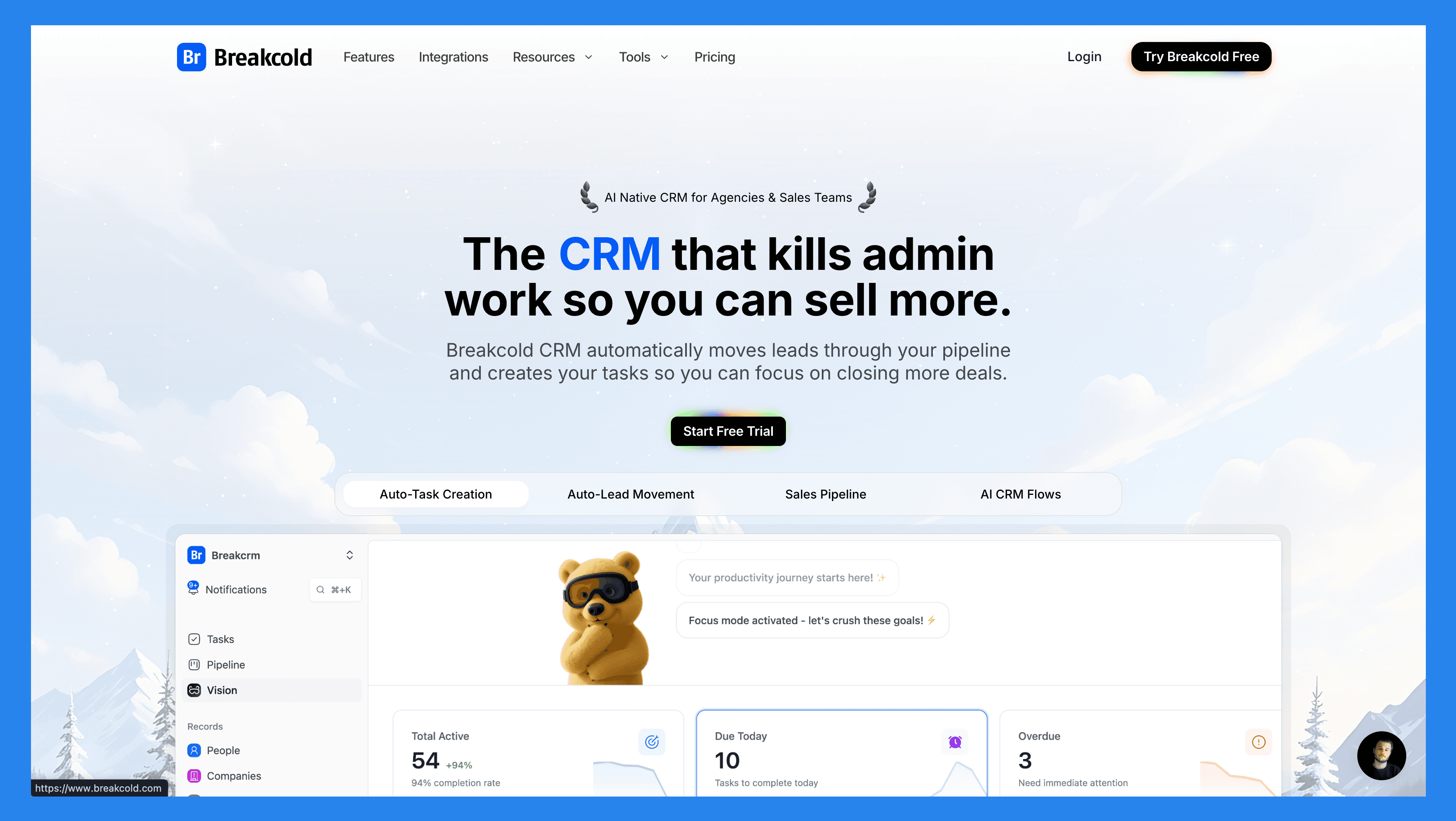
Sammendrag
Breakcold er bygget for moderne salgsteam som ønsker mer enn bare en CRM for å spore avtaler. Dens AI-native automasjoner flytter leads automatisk, tildeler tagger og skaper oppfølgingsoppgaver over E-post, LinkedIn, WhatsApp, Telegram, og snart, Telefon.
Med et selvoppdaterende dashbord som fremhever hvilke leads som trenger oppmerksomhet, og hvorfor, inkludert en sosial engasjementstrøm som holder deg tilkoblet hver mulighet, kombinerer Breakcold klarhet og automatisering på ett sted. Det er ideelt for team som ønsker å spare tid, holde seg organisert og fokusere på salg heller enn manuell administrasjon.
Nøkkelfunksjoner | |
|---|---|
Automatisk bevegelse av leads – Leads beveger seg automatisk i Breakcold's CRM basert på dine interaksjoner. Ingen oppsett kreves — AI forstår og oppdaterer alt på egenhånd. Automatisk oppgaveoppretting – Overvåker dine interaksjoner med leads og oppretter automatisk oppfølgingsoppgaver slik at du aldri mister momentum. Fokuser på salg, ikke administrasjonsarbeid. Visjonsbygger – Som standard, beveger leads seg automatisk basert på dine listes navn og pipeline-trinn (null oppsett). Ønsker du mer kontroll? Bruk naturlig språk for å bygge avanserte AI CRM arbeidsflyter. AI-drevet dashbord – Et selvoppdaterende dashbord som fremhever dine viktigste oppgaver, slik at du alltid vet hva du skal fokusere på neste gang. AI Kontaktadministrasjon – Organiserer leads automatisk i riktige lister og grupper ved å analysere dine samtaler, notater og aktiviteter. AI Personalities (AI-agenter) – Velg en AI-personlighet som er i tråd med din salgsstil eller forretningsmål. Ditt dashbord tilpasser seg deretter og gir deg daglige oppgaver skreddersydd til den personaen. AI-reasoning – Hver foreslåtte oppgave kommer med klar kontekst, slik at du vil vite nøyaktig hvorfor den er viktig og hvorfor den er viktig i dag. AI meldingsforslag – Få anbefalinger for neste melding som matcher din stemme og AI-personlighet — for både e-post og sosiale samtaler. AI regler – Legg til tilpassede regler for hvert trinn i arbeidsflyten for dypere automatiseringskontroll og smartere prosesser. AI-Drevet deduplisering av kontakter – Identifiserer og fusjonerer automatisk dupliserte kontakter, sparer timer med manuell opprydding og holder din CRM slank og nøyaktig. Avansert data enrichment – Drevet av BetterContact, bruker Breakcold waterfall enrichment for å fremheve verifiserte B2B e-poster og telefonnumre, forbedrer nøyaktigheten og leveransen av din målrettede kommunikasjon. AI Notetaker – Integreres med Otter, Fireflies, TL;DV, og Fathom for automatisk å generere og loggføre sammenfatninger av samtaler direkte i CRM — komplett med transkripsjoner, lenker, og oppfølgingsoppgaver. Samlet innboks – Administrer samtaler fra LinkedIn, Email, WhatsApp, og Telegram på ett sted, slik at du kan svare raskere og aldri gå glipp av en oppfølging. Sosial Engagement Stream – Lik, kommenter, og engasjer deg med dine leads innlegg direkte fra CRM for å bygge relasjoner gjennom konsekvente, meningsfulle interaksjoner. 20+ gjennomsiktige integrasjoner – Koble Breakcold med Slack, Apollo, Smartlead, Instantly, Lemlist, og mange andre salg verktøy for å strømlinjeforme arbeidsflyten din ende-til-ende. | |
Vurderinger | |
G2 - 4.7/5 (116) | Capterra - 4.8/5 (93) |
Fordeler | Ulemper |
Praktisk og brukervennlig grensesnitt for LinkedIn-brukerkrefter Veldokumenterte onboarding-ressurser, inkludert instruksjonsvideoer, flytdiagrammer, og beste praksiser Responsiv og pålitelig kundestøtte Kraftige muligheter for sosiale lytteverktøy for lead-innsikt og personliggjøring av outreach | Avhengig av eksterne tjenester som Google og LinkedIn, som kan føre til feil når plattformene oppdaterer sine policyer Mangler native calling-funksjoner og innebygd AI-funksjonalitet Fortsatt en utviklingsplattform med utviklende funksjoner og sporadiske begrensninger |
Prisplaner
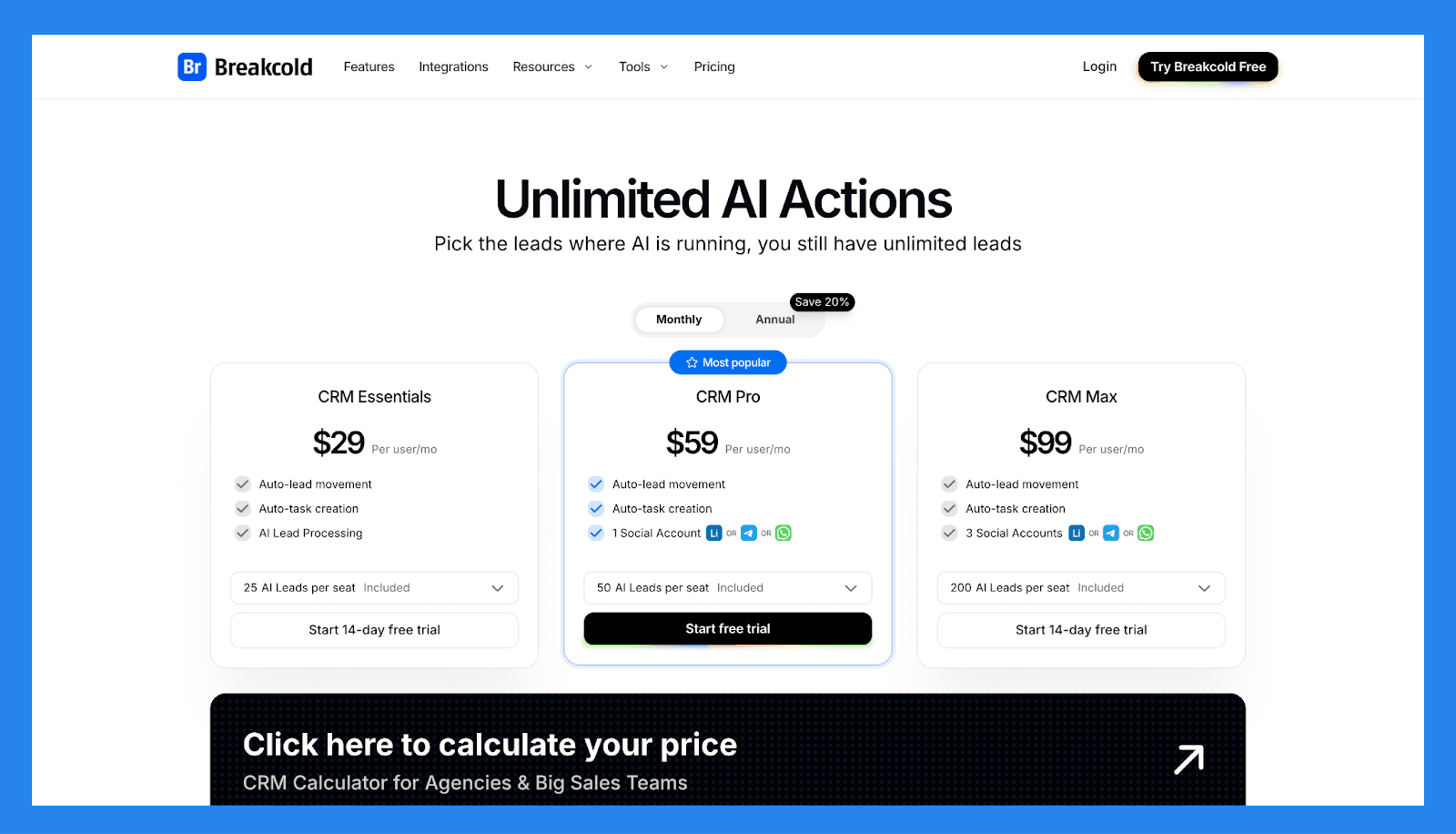
CRM Essentials | CRM Pro | CRM Max |
|---|---|---|
$29/bruker/mnd | $59/bruker/mnd | $99/bruker/mnd |
Hva er inkludert: Automatisk bevegelse av leads Automatisk oppgaveoppretting AI Lead Behandling | Alle Essentials-funksjoner og: Automatisk bevegelse av leads Automatisk oppgaveoppretting 1 Sosialkonto (LinkedIn, X, eller Whatsapp) | Alle Pro-funksjoner og: Automatisk bevegelse av leads Automatisk oppgaveoppretting 3 Sosialkontoer (LinkedIn, X, eller Whatsapp) |
🥈 Pipedrive – Beste Alt-i-ett CRM med Avansert Automatisering
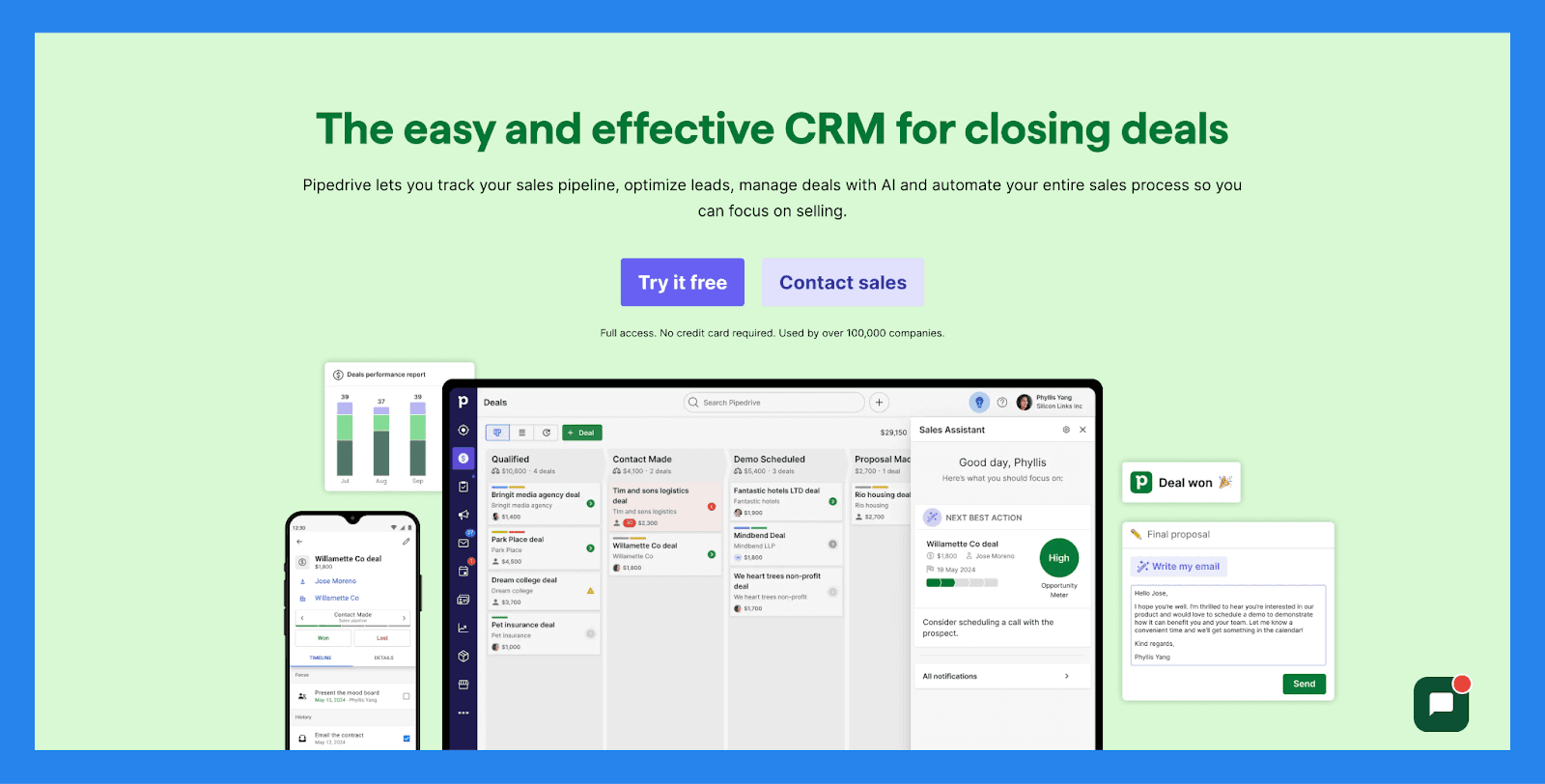
Sammendrag
Pipedrive forenkler pipelinehåndtering med et rent, visuelt grensesnitt som gjør sporing av avtaler, uten overveldende dashbord eller oppsvulmende funksjoner. Lag et voksende sett med avanserte automasjoner, og du får en CRM bygget for å skalere ved siden av din salgsprosess.
I dag, betjener Pipedrive SMB-er, salgsdrevne team, og byråer som leter etter en enkel måte å organisere pipeline, spore aktiviteter, og opprettholde effektivitet.
Nøkkelfunksjoner | |
|---|---|
AI-avtaleveiledning – Utnytt intelligente forslag og vinn sannsynlighetspoeng basert på CRM-aktivitet i sanntid for å fokusere på avtalene som betyr mest. Tilpasset prognosering & salg rapporter – Bygg skreddersydde dashbord for å analysere inntektstrender, avtalens helse, og konverteringsrater — alt på ett sted. Ytelsedashboards & målsporing – Sett salgsmål og spor representant eller teamytelse visuelt, slik at det er enkelt å forbli justert og motivert. Visuell kontroll over pipeline – Flytt avtaler gjennom trinn med dra-og-slipp enkelhet, planlegg neste handlinger, og få innsikt i avtale momentum i sanntid. Lead-progressovervåkning – Overvåk hver lead sin reise fra første kontakt til konvertering, tilordne oppfølelser, og prioriter outreach basert på lead-kvalitet. Salgs oppgaveautomatisering – Reduser repetitive oppgaver med smarte arbeidsflyter som håndterer dataregistrering, e-påminnelser, og pipeline-oppdateringer automatisk. AI Salgsproduktivitets Suite – Få tilgang til innebygde verktøy som e-post skrivestøtte, oppsummeringsgenerering, og LeadBooster for å effektivt strømlinje kommunikasjon. Omfattende App Integrasjoner – Synkroniser med 350+ verktøy—inclusive Gmail, Slack, Zoom, Klenty, og Wingman—for å skape en virkelig sammenkoplet salgs teknologistabel. Mobil CRM Funksjonalitet – Administrer din pipeline, svar på leads, og få tilgang til rapporter hvor som helst med fullverdig mobil tilgang. | |
Rangering | |
G2 - 4.3/5 (2,445) | Capterra - 4.5/5 (3047) |
Fordeler | Ulemper |
Veldokumenterte onboarding-materialer, inkludert vanlige spørsmål og videoer Tilbyr et bredt spekter av integrasjoner med tredjepartsverktøy Styrke automatisering- og AI-funksjoner som øker produktivitet Rask og enkel oppsett med minimal læringskurve | Brukergrensesnitt kan føles gammelt eller uintuivt for enkelte brukere Ingen gratis plan tilgjengelig — betalte nivåer starter raskt Kundestøtte kan være treg eller inkonsekvent. Ingen native LinkedIn-integrasjon for import av leads Noen brukere rapporterer om sporadiske feil og ytelsesproblemer |
Prisplaner
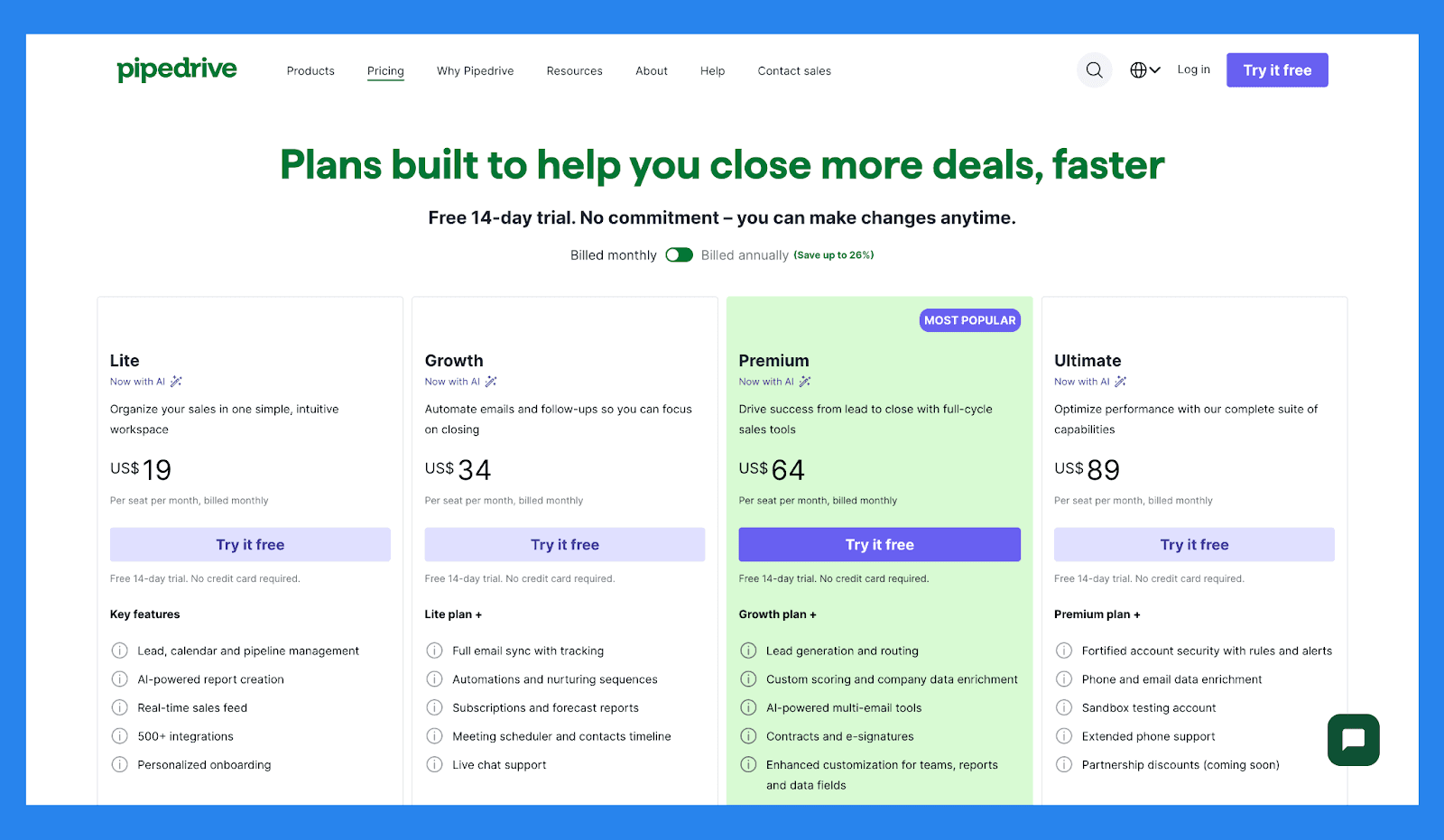
Lite | Vekst |
|---|---|
$19/bruker/mnd | $34/bruker/mnd |
Nøkkelfunksjoner: Lead, kalender og pipeline administrasjon AI-drevet rapport opprettelse Sanntid salg feedback 500+ integrasjoner Personaliserte onboarding | Lite plan + Full epost synkronisering med sporing Automatisering og nurture sekvenser Abonnement og prognoser rapporter Møteplanlegging og kontakt tidslinje Live chat-støtte |
Premium | Ultimate |
|---|---|
$64/bruker/mnd | $89/bruker/mnd |
Vekst plan + Lead generering og routing Tilpasset scoring og selskapsdata enrichment AI-drevet flere epost verktøy Kontrakter og e-signaturer Forbedrede tilpasning for team, rapportering og datafelt | Premium plan + Forsterket kontorsikkerhet med regler og varsler Telefon og email data enrichment Sandbox testkonto Utvidet telefonsstøtte Partnerskapsrabatter (kommer snart) |
Pipedrive Add-ons
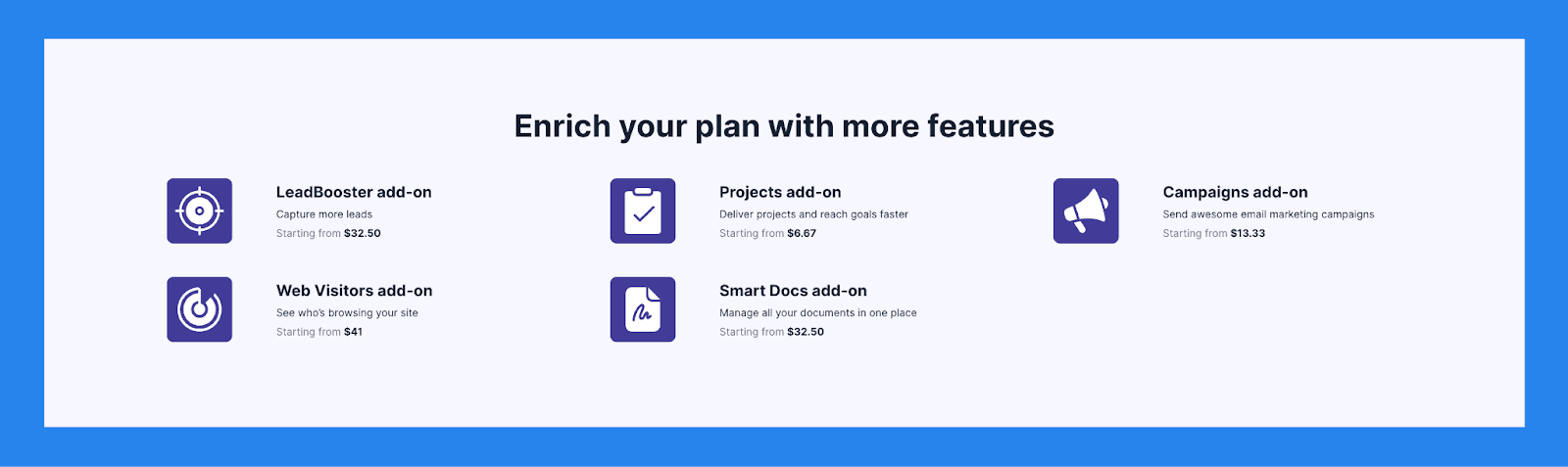
LeadBooster ekstrautstyr | Prosjekter ekstrautstyr | Kampanjer ekstrautstyr |
|---|---|---|
Fang mer leads Starter fra $32.50 | Lever prosjekter og nå mål raskere Starter fra $6.67 | Send fantastiske epostmarkedsføringskampanjer Starter fra $13.33 |
Nettbesøk ekstrautstyr | Smart Docs ekstrautstyr | |
Se hvem som surfer på nettstedet ditt Starter fra $41 | Administrer alle dokumentene dine på ett sted Starter fra $32.50 |
🥉 Nimble – Lignende Enkelhet, Litt Mer Avansert
Sammendrag
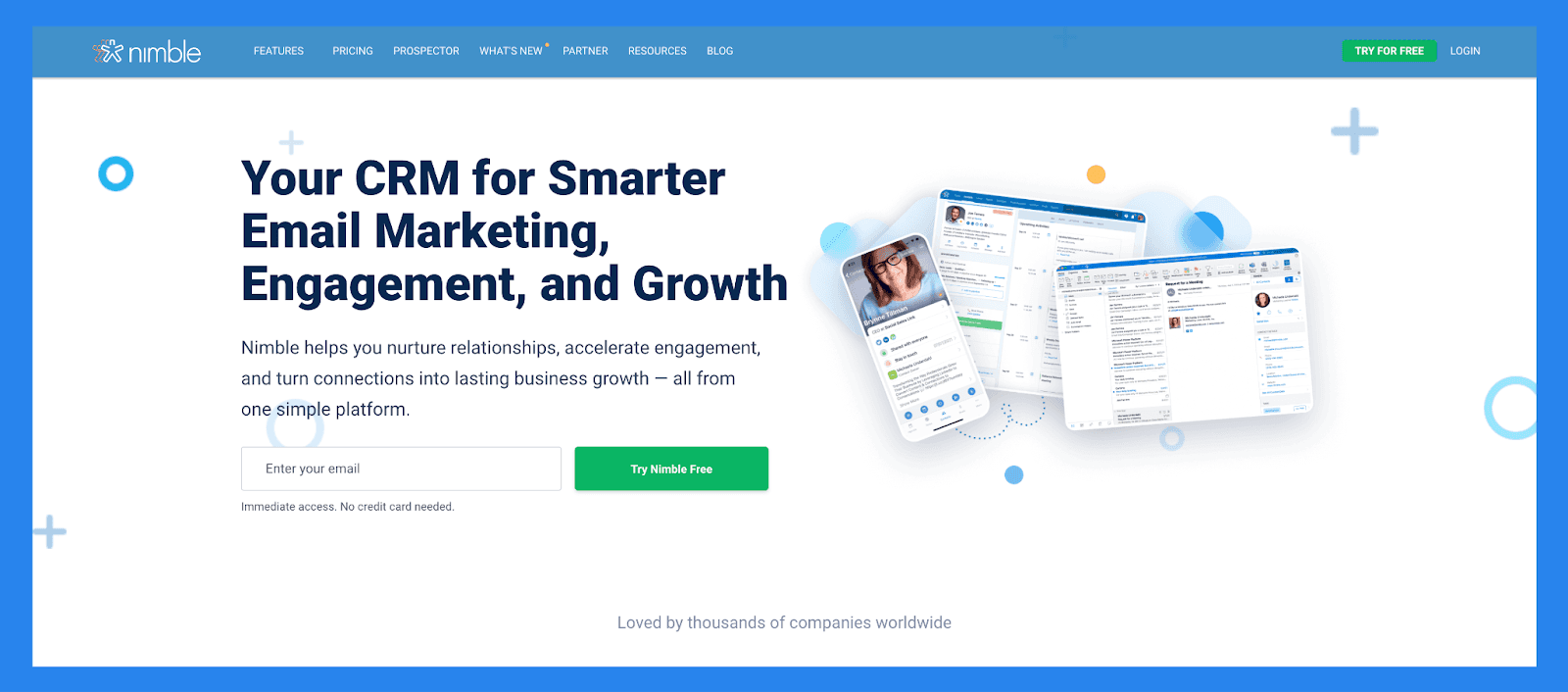
Nimble er en relasjonssentrert CRM som kombinerer kontaktstyring, kommunikasjon og sosiale innsikter i en strømlinjeformet plattform. Den integreres sømløst med Google Workspace og Microsoft 365, automatisk beriking av kontaktprofiler med data fra epost, kalender og sosiale medier.
Designet for konsulenter, soloprenører og små team, prioriterer Nimble personlige forbindelser fremfor komplekse pipelines, og tilbyr et enkelt, men litt mer avansert alternativ til CRM-er som Less Annoying CRM.
Nøkkelfunksjoner | |
|---|---|
Lead Prospektering - Nimble kan automatisk hente kontaktdata fra epostsignaturer, visittkort (via sin mobilapp), eller til og med bare et persons navn eller selskapsnavn — trekker opp tilknyttede sosiale medieprofiler og kontaktopplysninger den finner online. Kommunikasjonsforvaltning – Lagre opptil 25 000 kontaktposter og opprett rike profiler for personer og selskaper. Disse profilene kan automatisk oppdateres mens du surfer på webben eller interagerer på sosiale medier. Integrasjoner med sosiale medier & epost – Få tilgang til alle epostkonversasjoner, tidligere eller nåværende, fra Nimbles samlede innboks. Nimble Prospector – Denne nettleserutvidelsen fungerer utenfor Nimble-appen, som gjør at du kan samle kontakt- og selskapsinformasjon direkte fra hvor som helst på webben ved ganske enkelt å sveve over navn. Epostmarkedsføring – Nimble inkluderer epost-fokuserte funksjoner som maler, sporing og automatiserte sekvenser for å hjelpe deg med å engasjere leads og kunder mer effektivt. Mobilapp – Tilgjengelig for både iOS og Android, gir Nimbles mobilapp essensiell CRM-funksjonalitet til telefonen — slik at du kan administrere relasjoner på farten. | |
Vurderinger | |
G2 - 4.5/5 (1,102) | Capterra - 4.4/5 (1883) |
Fordeler | Ulemper |
Lett å lære og bruk , med full tilpasning for forskjellige bransjer og arbeidsflyter Gjør det enkelt å finne og organisere kontakter ved bruk av tagger Rent, brukervennlig grensesnitt med en mobilapp tilgjengelig for iOS og Android Rask å sette opp og integrerer jevnt med epost og sosiale medier-kontoer | Innebygd widget kan være feilaktig eller inkonsekvent til tider Støtte er hjelpsom men ikke alltid lett å nå Leadberikningsfunksjoner er noe begrenset og kan kreve manuelle oppdateringer Noen essensielle funksjoner er låst bak høyere nivå prisplaner |
Prisplaner
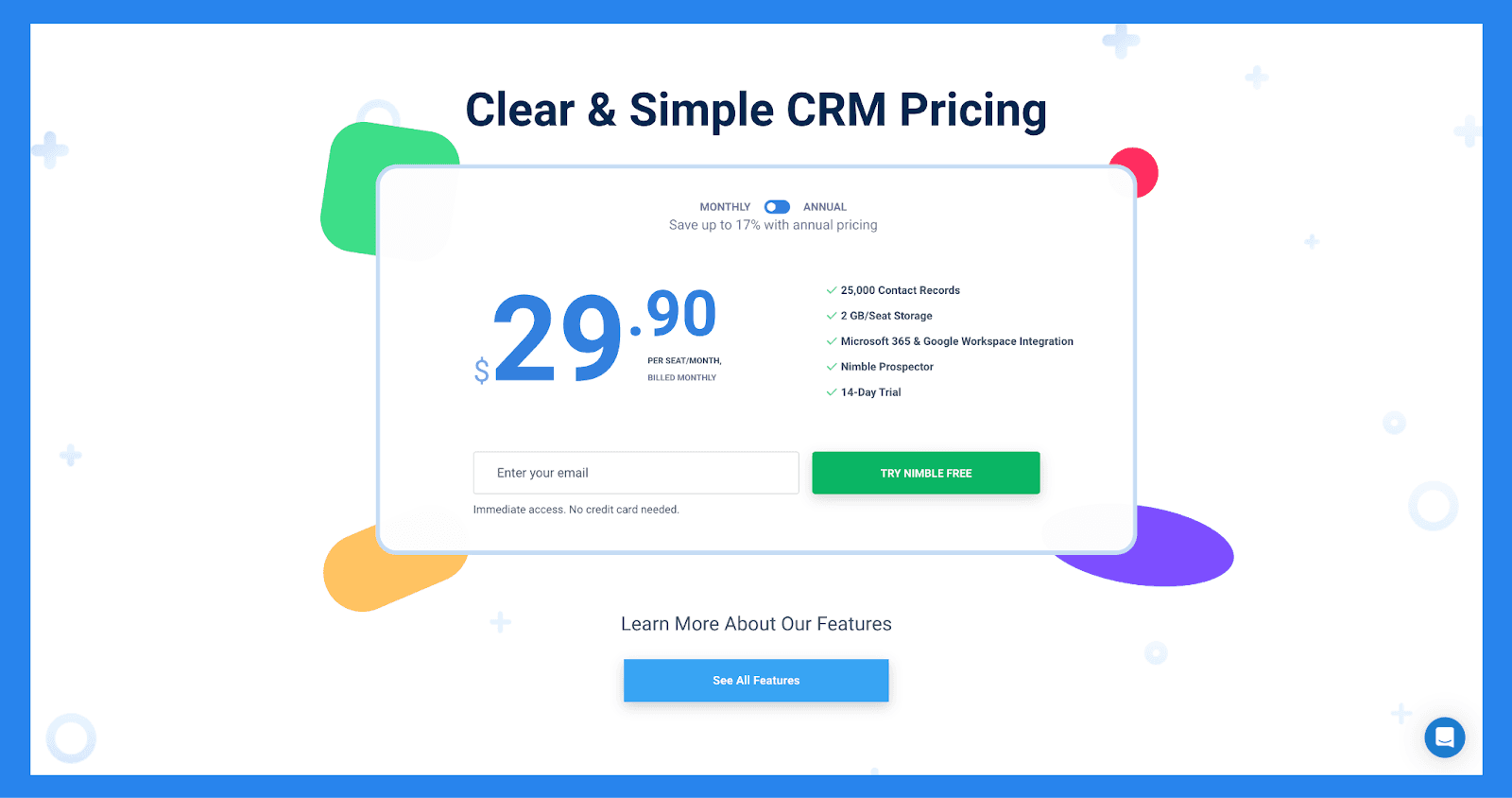
Funksjoner | Nimble CRM plan |
|---|---|
Prising | $29.90 |
Relasjonsstyring | |
Kontaktadministrasjon | ✅ |
Sosial Profil Matching & Berikelse | ✅ |
Nettleser & Epost Utvidelser | ✅ |
Agenda & Aktiviteter | ✅ |
Dagens Side | ✅ |
Markedsføring & Outreach | |
Web Skjemaer & Lead Fange | ✅ |
Epostmarkedsføring | ✅ |
Epost Maler | ✅ |
Gruppe Meldinger | ✅ |
Epost Sekvenser | ✅ |
Salg, Pipelines, Rapportering | |
Prospektering | ✅ |
Salg Engasjement | ✅ |
Pipeline Håndtering | ✅ |
Prospekt Markedsføring & Outreach | ✅ |
Arbeidsflyter | ✅ |
Automatisering av arbeidsflyter | ✅ |
Fungerer overalt | |
Microsoft 365 Integrasjon | ✅ |
Google Workspace Integrasjon | ✅ |
Apple Mail Integrasjon | ✅ |
Integrasjoner | |
App Integrasjon Partnere | 100 + Integrasjonspartnere |
PhoneBurner Integrasjon | ✅ |
Zapier Integrasjon | 120 + App Integrasjoner |
API Tilgang | ✅ |
Mobilapper | |
IOS | ✅ |
Android | ✅ |
Kundestøtte | |
Online & Epoststøtte | ✅ |
Omfattende support senter | ✅ |
Daglige Q&A Sessions | ✅ |
Ukentlige Treningsseminarer | ✅ |
Gratis 1:1 Samtaler | ✅ |
🏅 Streak CRM – Beste Gmail-basert Salgsteam som Trenger E-post Verktøy
Sammendrag
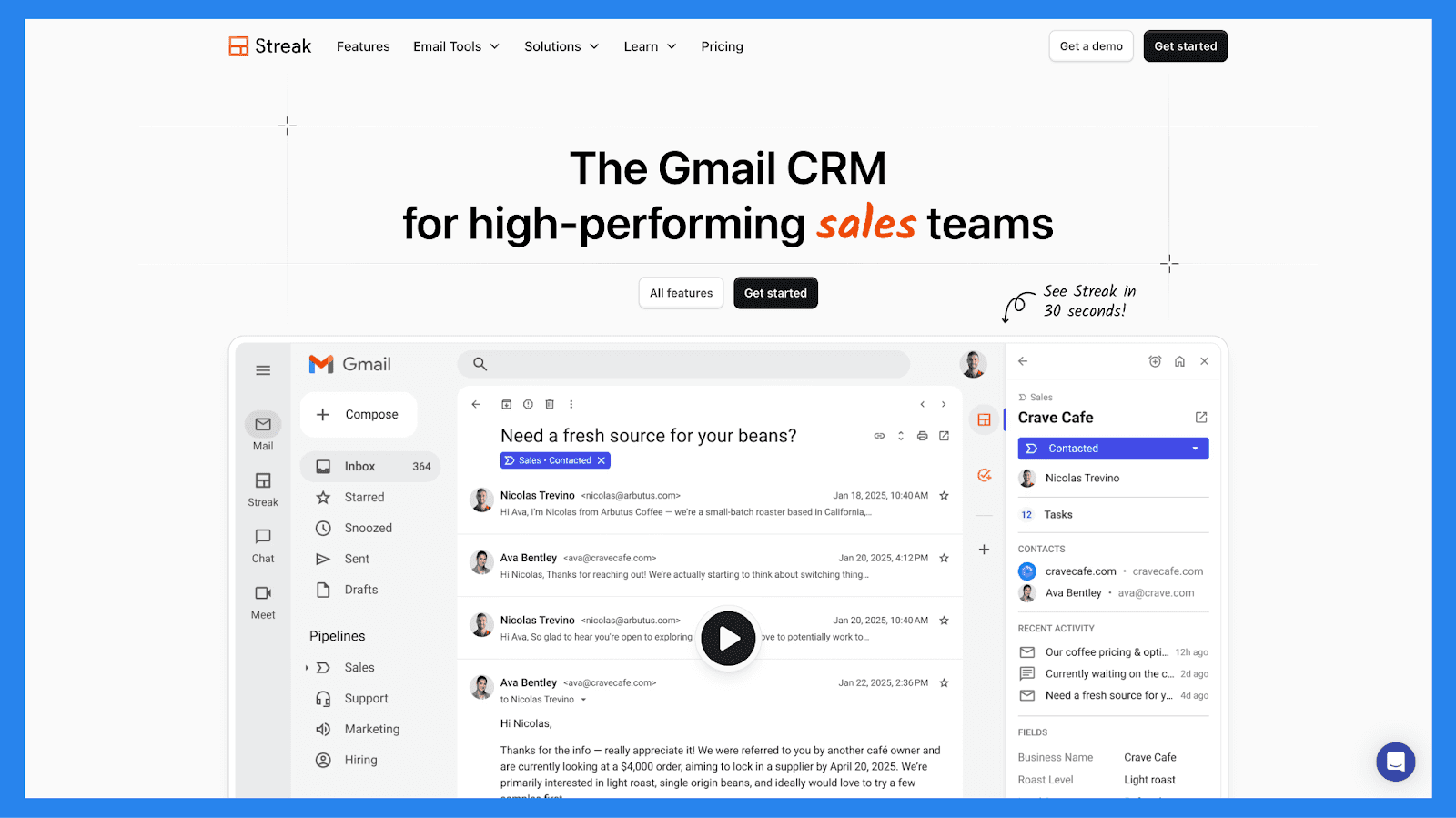
Streak bringer CRM-funksjonalitet direkte inn i Gmail-innboksen din, og omdanner grensesnittet du allerede kjenner til et lett men kraftig salg- og relasjonshåndteringshub, med praktisk talt ingen onboarding krevd.
Det er spesielt populært blant frilansere, soloprenører, konsulenter og små team som er avhengige av Gmail for klientkommunikasjon og verdsetter enkelhet og hastighet over komplekse, funksjonsrike CRM-er.
Nøkkelfunksjoner | |
|---|---|
Gmail Integrasjon – Administrer pipelines, kontakter og avtaler direkte fra innboksen din. Epostsporing – Se hvem som åpner e-postene dine og når, hjelpe med rettidige oppfølgninger. Mail Sammenføyning – Send personlig masse e-poster for outreach eller oppfølgninger i skala. Snippets – Lagre og gjenbruk vanlige e-postmaler for å framskynde kommunikasjon. Pipeline-styring – Visualiser stadier og flytt leads enkelt med dra-og-slipp-funksjonalitet. Mobil Tilgang – Få tilgang til pipelines og kontakter via Streaks mobilapp. Delt Pipelines – Samarbeid med teamet ditt sømløst innen Gmail. | |
Vurderinger | |
G2 - 4.5/5 (254) | Capterra - 4.5/5 (479) |
Fordeler | Ulemper |
Hvis du vet hvordan du bruker Gmail, vil du føle deg hjemme med Streak — ingen bratt læringskurve. Streak lever direkte inne i innboksen din, som forvandler den til en enkel men kraftig CRM. Fra sporing av åpninger til mail sammenføyninger og snippets, er Streak en drømverktøy for outreach-heavy team. | Beyond pipeline-fremdrift og grunnleggende metrikk, kan Streaks rapporterings funksjoner oppleves som begrensende for data-drevne team. Streak arbeider utelukkende med Gmail-kontoer — ikke ideelt for Outlook eller andre e-post plattformbrukere. Mens Streak støtter noen arbeidsflyt regler, mangler den dybde av ekte automatisering tilbudt av mer avanserte CRM-er. |
Prisplaner
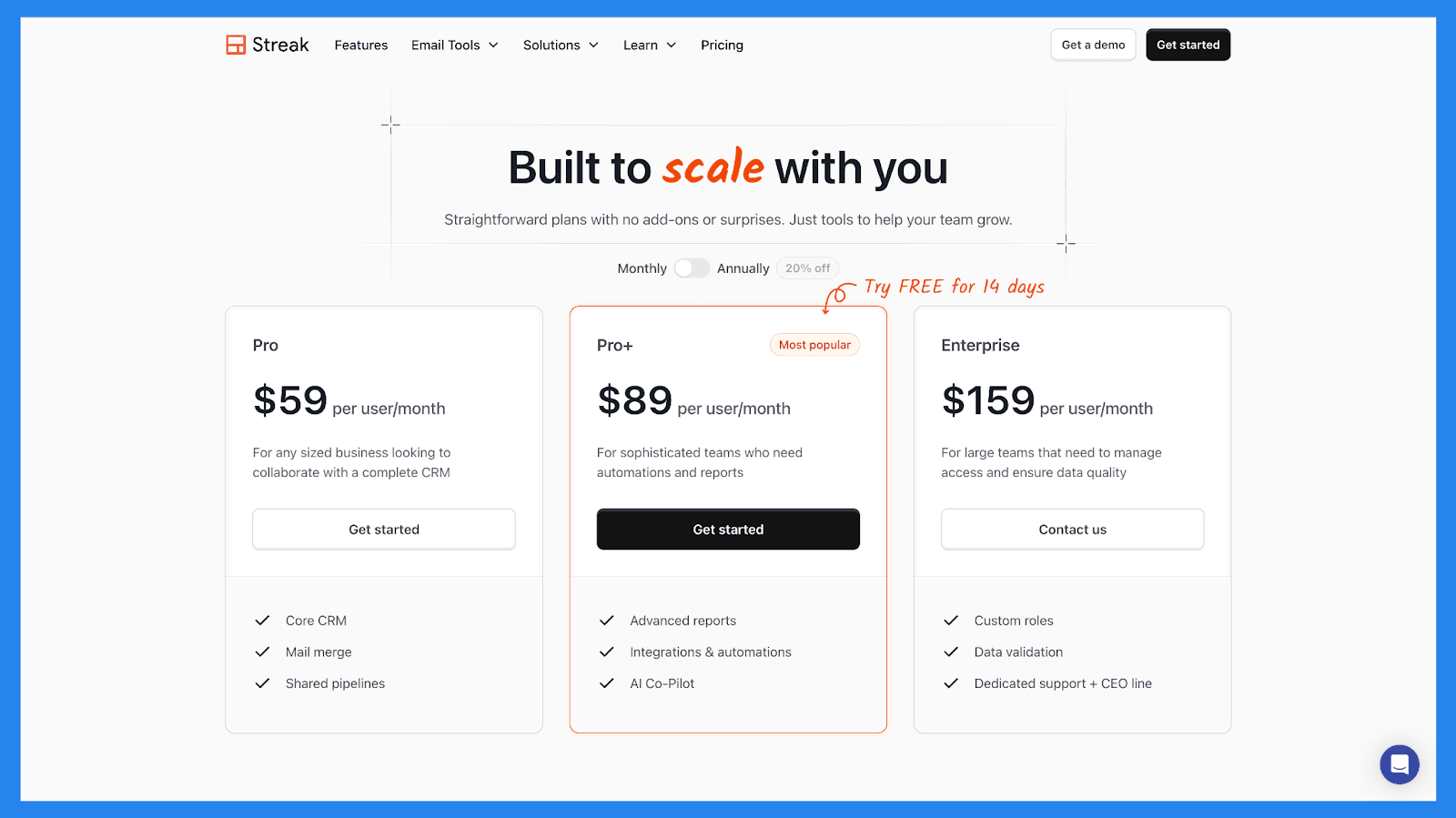
Pro | Pro+ | Enterprise |
|---|---|---|
$59/bruker/mnd | $89/bruker/mnd | $159/bruker/mnd |
Kjerne CRM Mail Sammenføyning Delt Pipelines | Avanserte rapporter Integrasjoner & automatiseringer AI Co-Pilot | Tilpassede roller Data validering Dedikert støtte + CEO-linje |
🏅OnePageCRM — Enkel CRM for å følge opp og lukke flere avtaler
Sammendrag
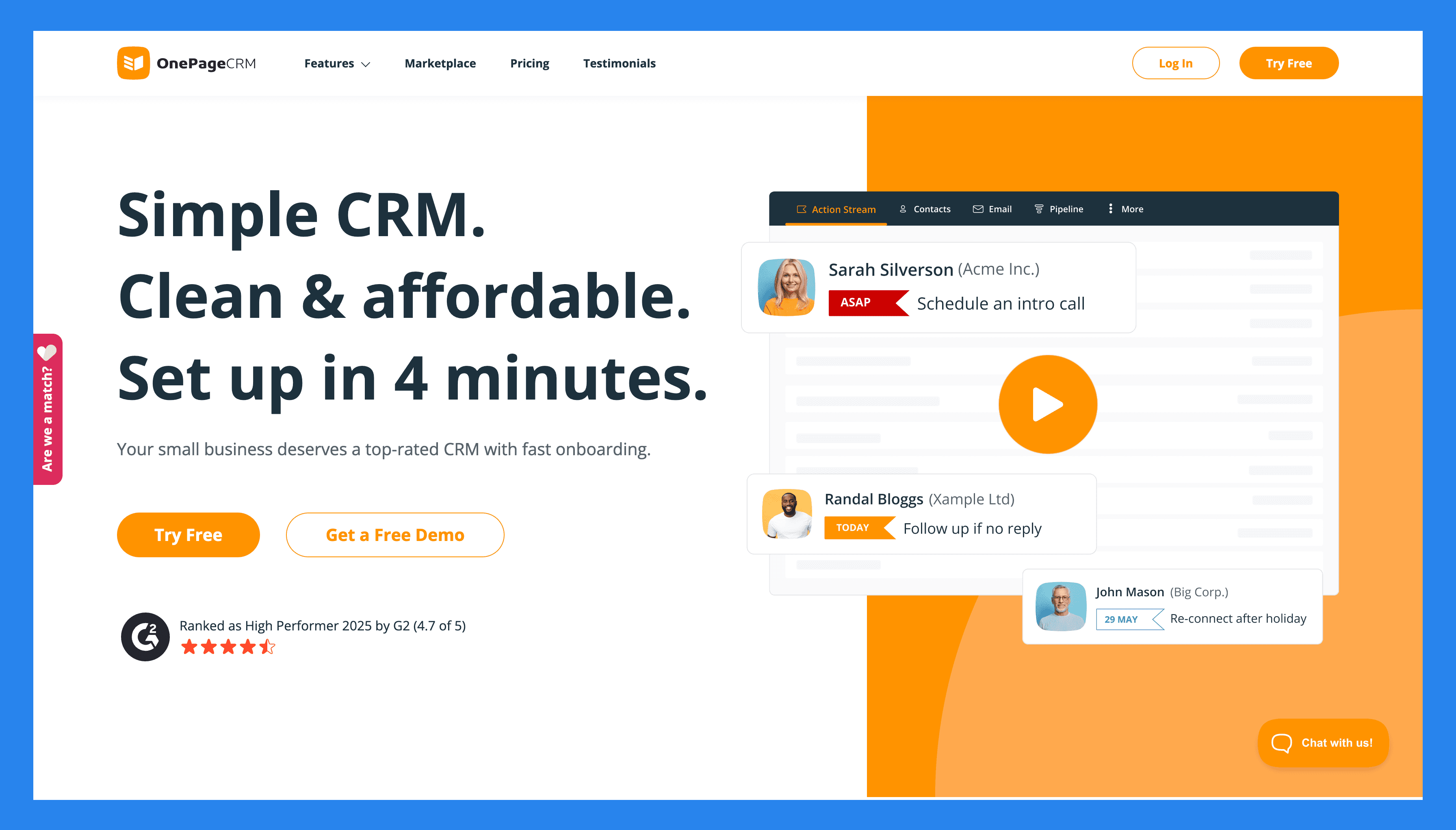
OnePageCRM fokuserer på å hjelpe små bedrifter til å ta handling, ikke bare lagre kontakter. Dens fremtredende funksjon er Handlingsstrømmen, som forvandler hele kontaktlisten din til en sekvens av neste skritt, slik at du alltid vet hvem du skal følge opp med og når.
Utenom det, tilbyr systemet en mengde andre nyttige verktøy for å administrere kontakter og salg. Du kan spore leads, administrere avtaler, sende og motta e-post, automatisere rutineoppgaver, generere tilbud, og fange nye kontakter umiddelbart. Og best av alt, du kan gjøre alt fra en enkelt side.
Nøkkelfunksjoner | |
|---|---|
Neste Handling Sporing – Hver kontakt har et neste skritt med en forfallsdato, og kontakter er automatisk organisert basert på disse forfallsdatoene. På denne måten, vet du alltid hvem som trenger mest oppmerksomhet. Arbeidsområde på en side – Alt du trenger lever på en enkelt side. Du kan administrere kontakter, avtaler, e-poster, notater, oppgaver, og mer uten å hoppe mellom flere faner eller moduler. To-veis e-post synkronisering – Koble e-postkontoen din slik at du kan sende og motta e-poster, lagre full konversasjonshistorikk, og spore åpningsfrekvensene på e-postene dine. Arbeidsflytautomatisering – Opprett enkle regler for automatisering for å redusere manuelt arbeid og spare tid. Du kan utløse oppgaver, tildele oppfølgninger, flytte avtaler frem, og mer når visse betingelser er møtt. Full mobil CRM – OnePageCRMs mobilapp gir deg full tilgang til CRM-systemet, selv når du er borte fra pulten. Du kan få tilgang til alt, fra kontakter og avtaler til neste handlinger, notater, og mer. Sales pipeline management – Visualiser din salgspipeline i en kanban-brett og dra og slipp avtaler over stadier. Salgsprognoser – Bruk den nåværende tilstanden til din pipeline for å forutsi din forventede inntekt og overvåke hvordan din bedrift presterer. Leveranse pipeline (lett prosjektledelse) – Når en avtale er lukket, kan du bruke en dedikert pipeline for å spore leveringen av produktet eller tjenesten fra start til slutt. Øyeblikkelig lead fange – Bruk den gratis nettleserutvidelsen og web skjemaer for å fange kontakter fra e-post, nettsteder, eller sosiale medier. Nye leads kommer automatisk inn i databasen din og får en neste handling, slik at du aldri glemmer å følge opp. Enkel dashbord og analyser – Få en klar oversikt over aktivitet, vunne avtaler, kommende handlinger, og mer. Du kan også generere tilpassede rapporter, som kan deles automatisk med teamet ditt på en plan du velger. Øyeblikkelige salgs tilbud – Lag og send profesjonelle tilbud direkte fra CRM i bare ett klikk. Produkt- og tjenestekatalog – Lagre beskrivelsene og prisene på dine produkter og/eller tjenester i CRM-systemet. Når det er nødvendig, kan du legge til disse elementene i avtaler, slik at du ikke trenger å gå gjennom beskrivelsen og tilbudsprosessen igjen. Integrasjoner – Koble til andre forretningsapper — som e-postplattformer, regnskapsprogramvare, kommunikasjonsapper, markedsverktøy, og mer — for å holde arbeidsflyten din koblet og redusere manuell dataregistrering. | |
Vurderinger | |
G2 - 4.7/5 (235) | Capterra - 4.8/5 (78) |
Fordeler | Ulemper |
Sterk oppfølgningssystem forhindrer tapte muligheter. Rask oppsett og minimal læringskurve. Overkommelig pris med alle de essensielle CRM-funksjonene. Layout lar deg administrere hele bedriften din fra en side. Inkluderer gratis tillegg som Lead Clipper, AI ruteplanlegger, og visittkortskanner. VIP kundestøtte for alle, inkludert prøvebrukere. | Ingen gratis evig plan. Begrensede tilpasningsmuligheter. Funksjoner grunnleggende rapportering og analyser verktøy. |
Prisplaner
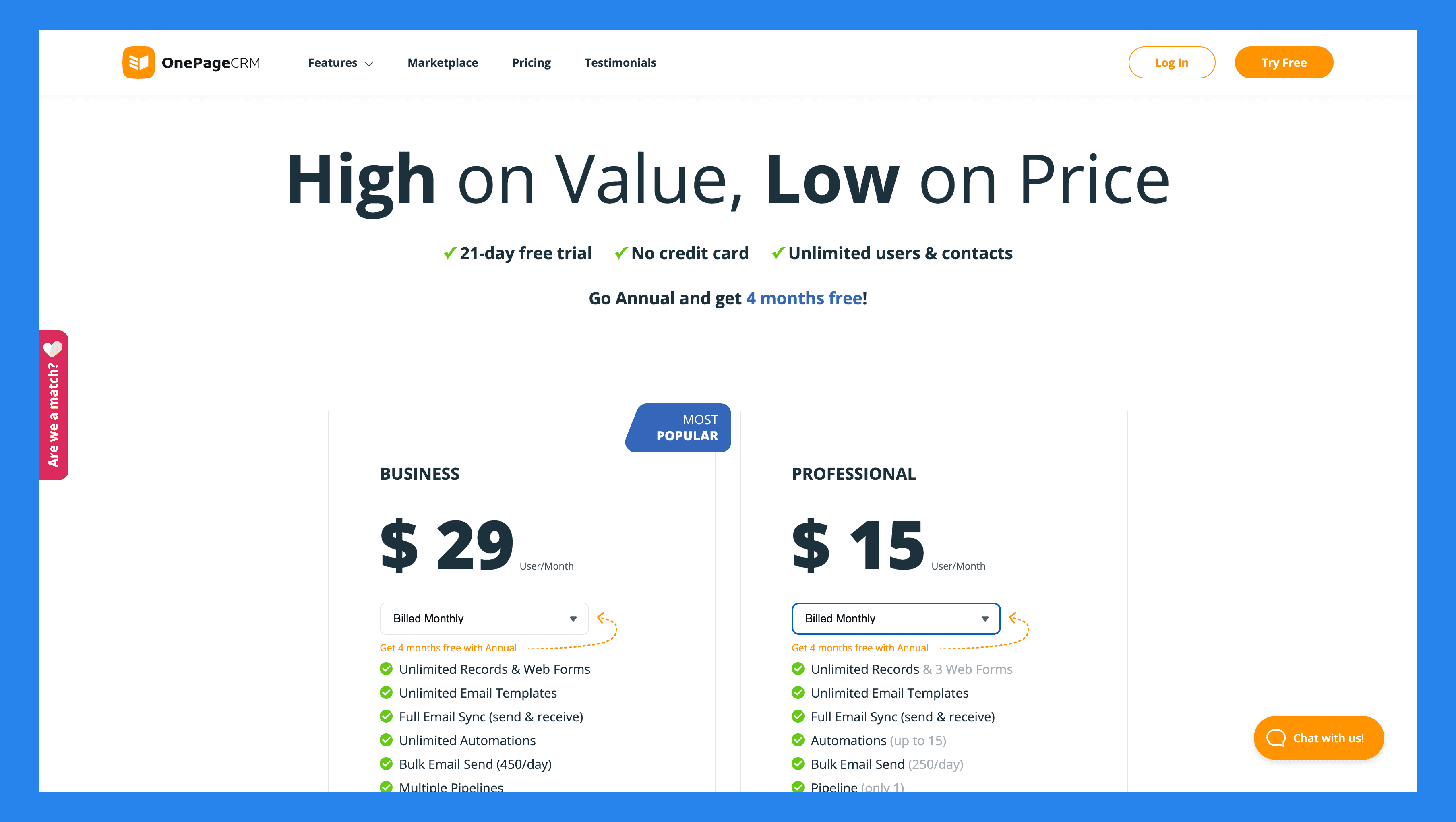
Profesjonell | Business | |
|---|---|---|
$15/bruker/mnd | $29/bruker/mnd | |
Ubegrensede Records Gratis web skjemaer Ubegrensede epost maler Full e-pos synkronisering Automatiseringer Masse epost-utsendelse Mobil app | Flere pipelines E-postsporing og varsler E-post planlegging E-post historie henting Lett prosjektstyring Avanserte brukertillatelser |
OnePageCRM's Gratis Tillegg
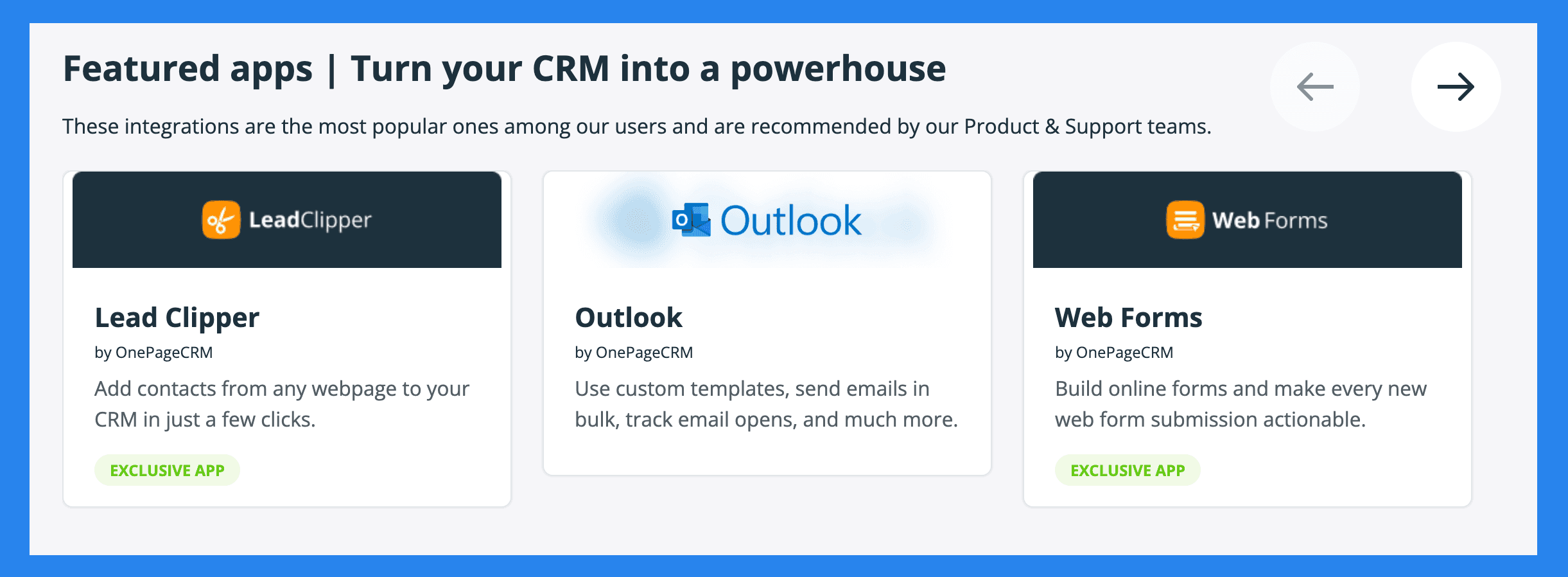
Lead Clipper | AI Ruteplanlegger |
|---|---|
En gratis nettleserutvidelse som fanger kontakter fra e-posten din, sosiale medieprofiler, eller hvilken som helst webside, og sender dem til din CRM. | Optimaliserer salg rutene dine når du møter prospekter personlig. |
Visittkort skanner | Web Skjemaer |
Skann trykte visittkort og konverter dem umiddelbart til kontakter i CRM-en din. | Opprett enkle skjemaer for å fange leads fra nettstedet ditt. Nye innsendelser flyter direkte inn i databasen din, med et neste skritt tildelt. |
🏁 Siste Glimt: Er Less Annoying CRM Verdt Det?
Det korte svaret: absolutt, ja.
Det lange svaret: I en verden hvor CRM-er stadig jakter på den neste store trenden, Less Annoying CRM holder seg tro mot hva små bedrifter faktisk vil ha — enkelhet som fungerer. Det alene er forfriskende. Med sitt intuitive design, null læringskurve, og flat $15 per bruker per måned prising, leverer det en av de enkleste, mest overkommelige måtene å administrere kontakter, pipelines, og oppfølgningsaktiviteter uten vanlig rot.
Enkelhet er en sjelden vare i CRM-markedet — og Less Annoying CRM har det i overflod.
Det sagt, hvis det er en ulempe, er det at denne plattformen ikke er bygget for voksende mellomstore eller enterprise-teams som trenger avansert automatisering eller kompleks rapportering. Og det er helt greit — det var aldri ment å være.
Men hvis du finner ut at du vokser ut av dets enkelhet og trenger en CRM som skalerer med bedriften din mens du automatiserer det kjedelige administrasjonsarbeidet, kan du vurdere oppgradere til noe som Breakcold — en mer moderne, salgsfokuserte CRM som utvikler seg i takt med din salgsprosess gjør.
Written by Arnaud Belinga