



Salesmate Review: Friend or Foe in 2026 and Beyond?
TL;DR: Salesmate is a solid, affordable sales CRM, but not truly AI-native 🏆
🔵 Salesmate: a clean, sales-focused CRM with built-in calling, SMS, Smart Flows automation and a great mobile app (business card scanner included), best for SMBs, agencies, SaaS teams and remote/field reps who want automation without enterprise complexity, starting at $29/user/mo.
🟠 The gap: its Smart Flows are capable but still rule-based and can take setup to master, Sandy AI is still in beta, and its integration ecosystem is thinner than larger CRMs.
🏆 Breakcold: the AI Native CRM for sales teams of 5 to 30+ people. AI agents handle the admin (move deals, log activity, create tasks), it connects to Claude and ChatGPT via native MCP, and it syncs LinkedIn, email, WhatsApp and Telegram into one pipeline. At 5 seats Breakcold is $139/mo, where a traditional CRM runs $300 to $500/mo.
🔄 Other options: Nutshell for CRM plus built-in email marketing, Nimble for mobile and relationship-focused selling.
✅ How to choose: pick Salesmate if you want a dependable, affordable sales CRM today; look at an AI-native option if you want prospecting, data enrichment and pipeline updates handled by AI across LinkedIn, WhatsApp and email.
Picture this: It’s Monday morning. Your inbox is groaning, your leads are scattered across three spreadsheets, and your team’s chasing deals from an app that hasn’t been updated since 2018. By noon, you’ve lost track of who replied, who ghosted, and who’s supposedly “circling back.”
Sound familiar?
That’s the exact brand of chaos Salesmate CRM was built to fix.
In this review, we’ll break down Salesmate’s key features, pricing, pros and cons, and the best alternatives to help you decide if it’s still the right CRM for your team in 2026.
📖 What Is Salesmate CRM?
To fully understand who Salesmate is today, we first need to understand their origins.
In 2016, three friends — Jayesh, Samir, and Dipesh — were running a consulting business and were looking to scale with the help of the right tools. The problem? Each Customer Relationship Management (CRM) tool they used was either too complicated to set up or too basic to scale. Instead of settling, they decided to take matters into their own hands — creating a CRM that combined powerful features with refreshing simplicity, designed to grow with businesses instead of getting in their way.
That idea turned into Salesmate, a platform built to help companies sell, market, and support customers without overcomplicating their tech stack. It’s evolved from a passion project into a tool trusted by thousands of businesses worldwide — especially SMBs**, agencies, SaaS teams, **and field sales reps who value automation and usability in equal measure.
Who Salesmate is best suited for: |
|---|
SMBs and startups that are tired of juggling spreadsheets or clunky legacy CRMs. Agencies managing multiple client pipelines with lots of moving parts. SaaS sales teams juggling demos, trials, and customer onboarding. Remote and field sales teams that need a CRM that works as hard on mobile as it does on desktop. |
⚙️ Salesmate’s Key Features
Now that you know what Salesmate is and where it came from, let’s talk about what it can actually do for your team:
Contact Management & Pipelines
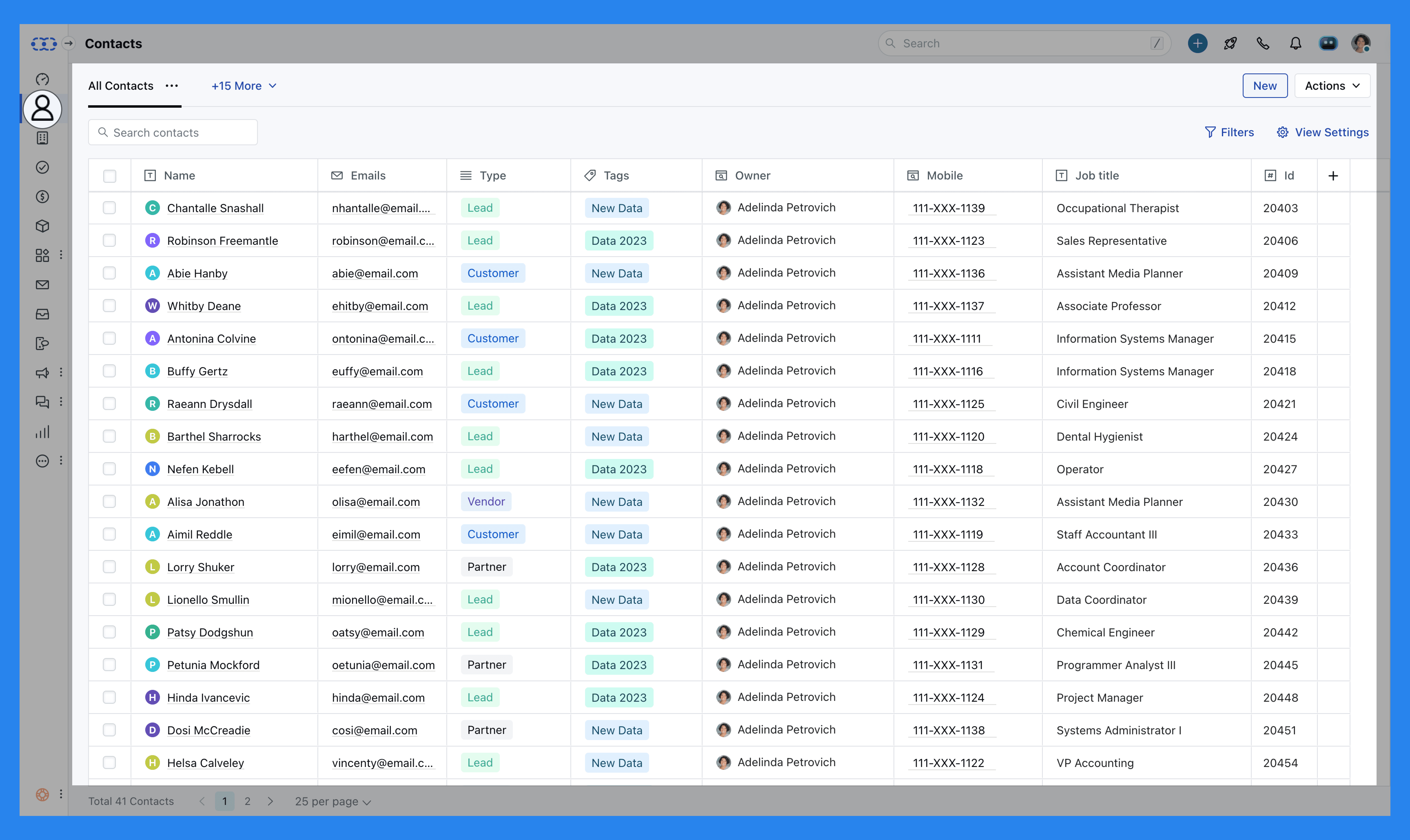
Salesmate turns messy lead lists into a visual, easy-to-follow pipeline that gives your team instant clarity on where every deal stands. You can drag and drop deals through stages, assign them to teammates, and get a quick sense of what’s moving — and what’s stuck.
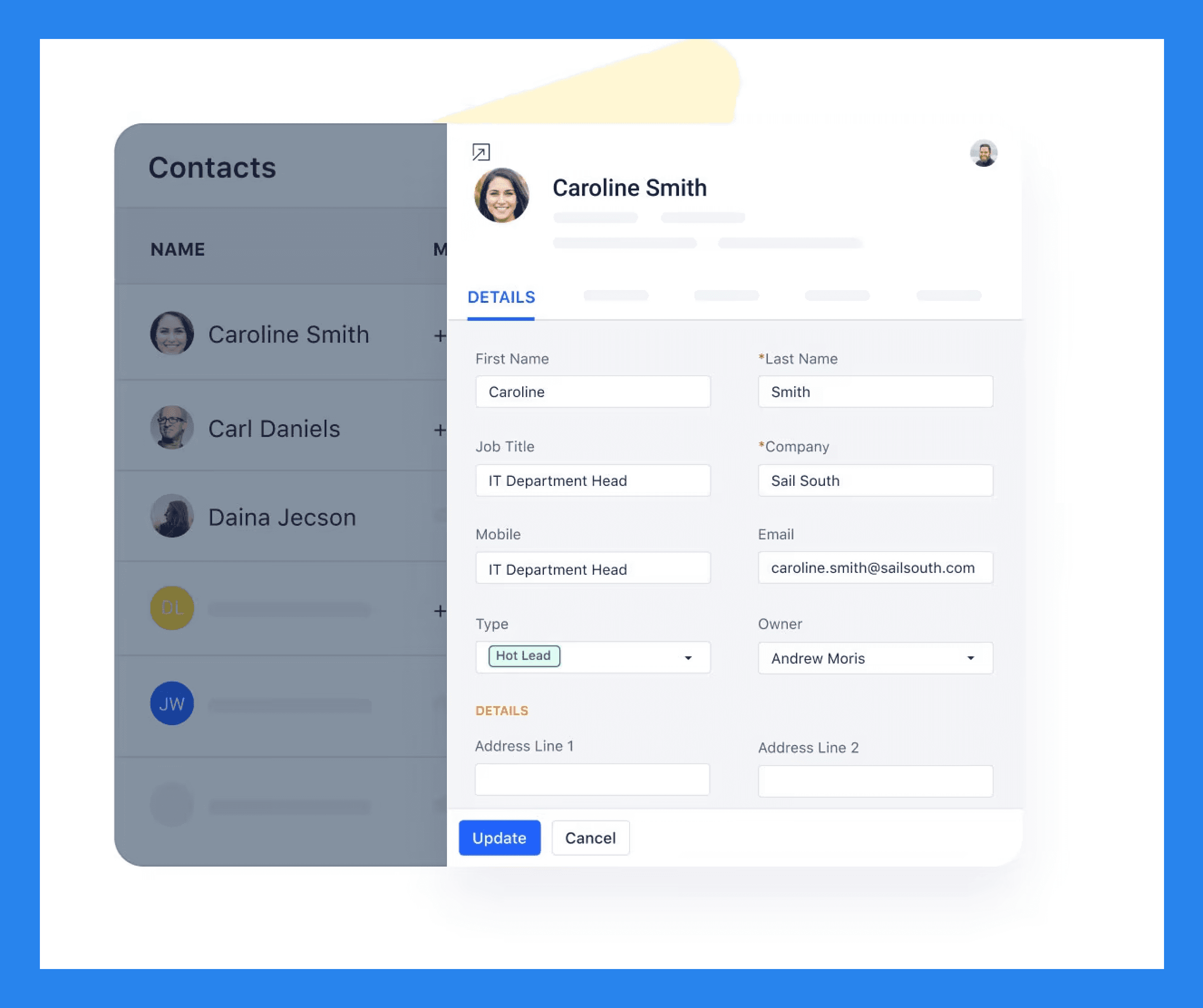
Each contact profile feels like a mini control center. You can see every email, call, note, and activity in one place, which makes follow-ups less guesswork and more strategy. It’s built for collaboration too — your team can leave notes, tag each other, and keep everyone on the same page without endless Slack messages.
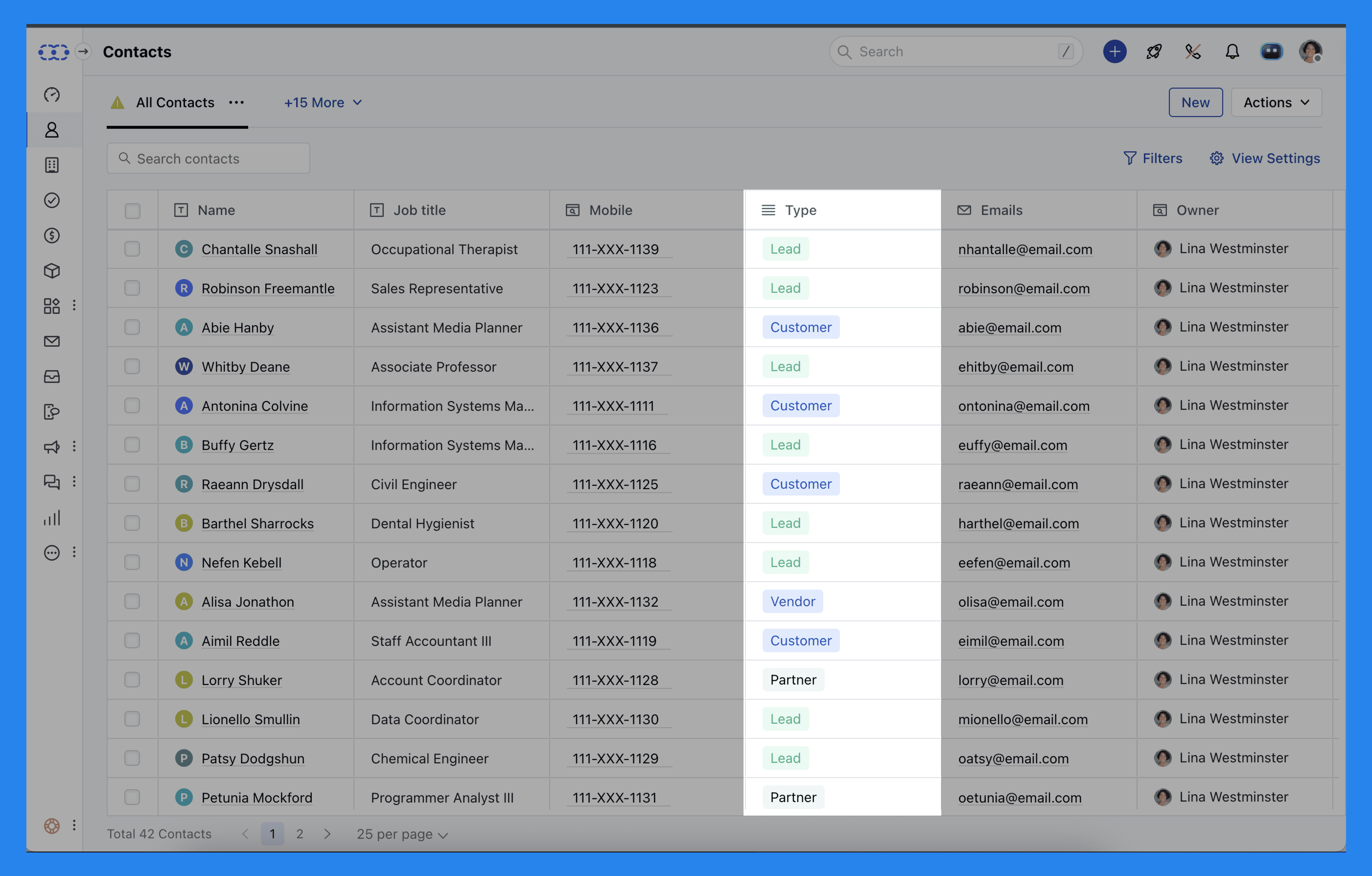
Salesmate adds an extra layer of organization to contact management with Contact Types — a simple but powerful way to categorize and filter the people you do business with.
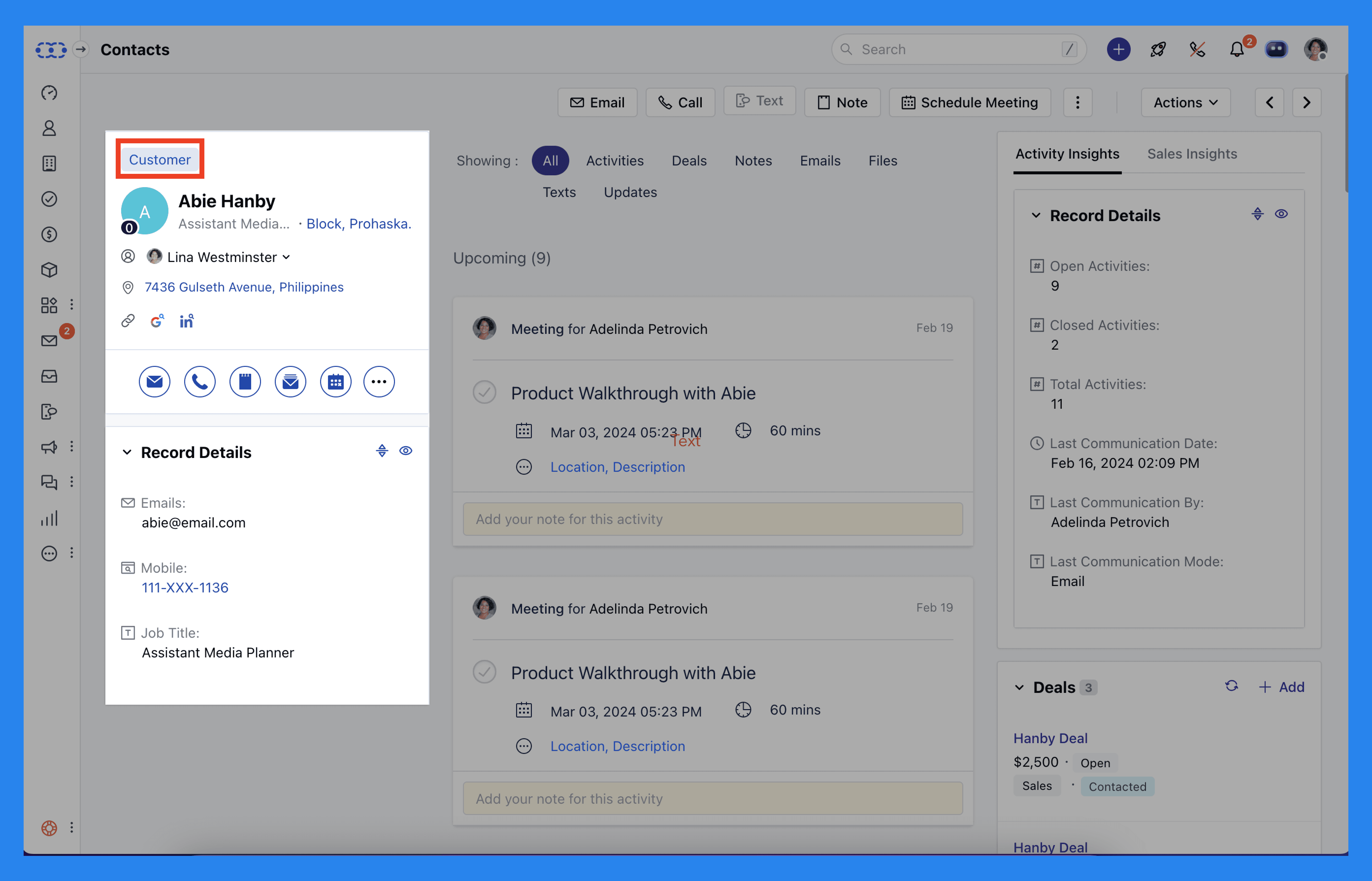
Instead of lumping everyone together in one giant list, you can group contacts based on their relationship with your business — making communication, segmentation, and deal tracking way more efficient.
Here are the types you can assign:
Customer
Lead
Vendor
Partner
Competitor
Reseller
Distributor
Prospect
Other
This small but clever feature helps you instantly see who’s who in your CRM — so you’re not accidentally pitching your new offer to a competitor or following up with an existing customer as if they’re still a lead.
Did You Know? |
|---|
Breakcold also gives you a centralized view of every client’s key details — but it takes things a step further. Instead of manually updating lead stages, Breakcold’s AI automatically moves your leads based on your real interactions with them. No manual setup, no rules to build — the AI just understands and updates your pipeline for you. |
Sales Automation
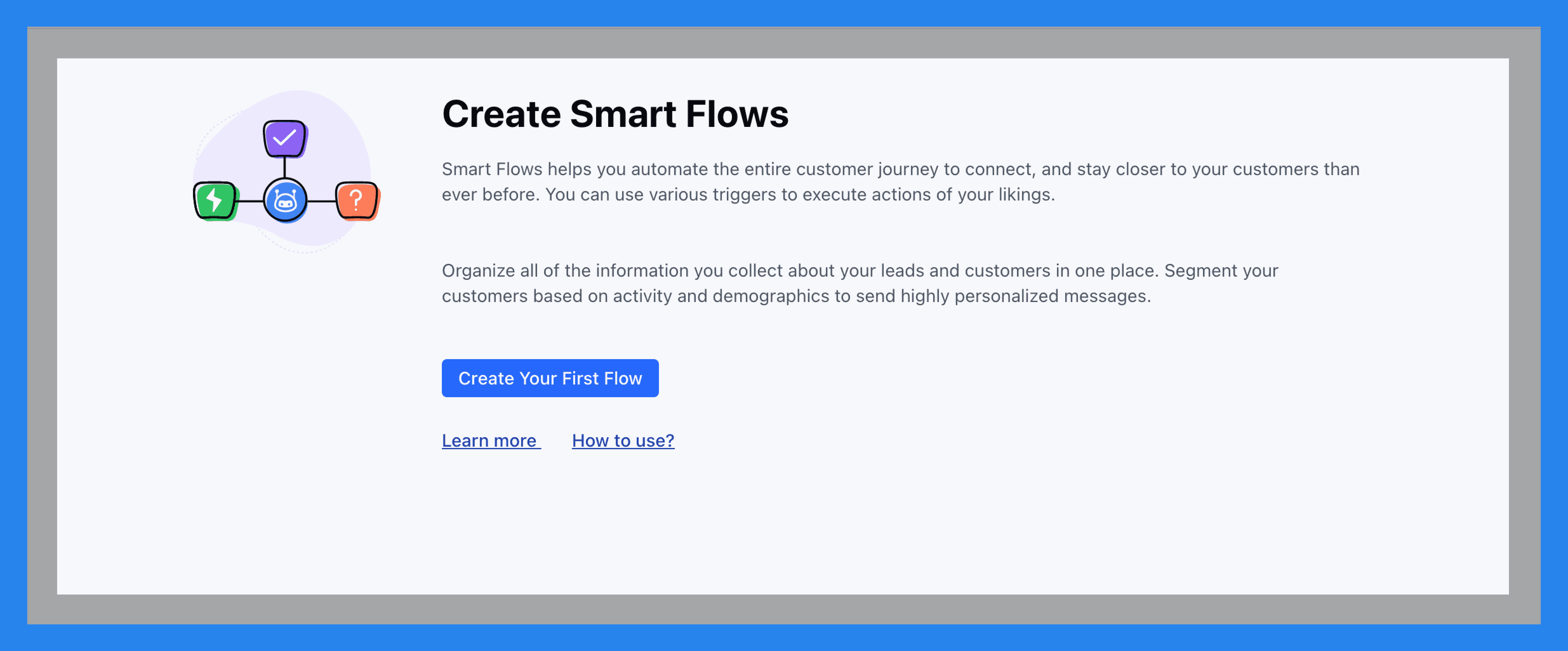
Salesmate takes the “busy” out of busywork with workflow automation, email sequences, and follow-up reminders — all without touching a single line of code.
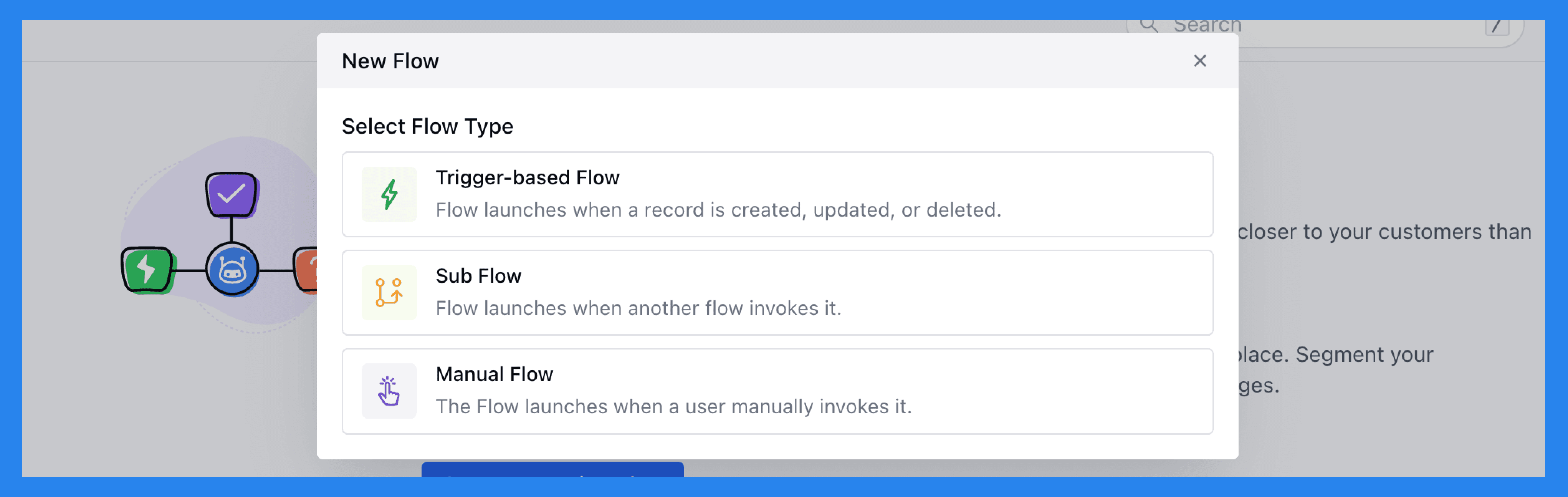
With Smart Flows (Salesmate’s name for its powerful, no-code automation engine), you can set up automated processes that run like clockwork. These can be Trigger-based Flows, Manual Flows, or Sub Flows — all designed to kick into action when something happens, like a record being created, updated, or deleted.
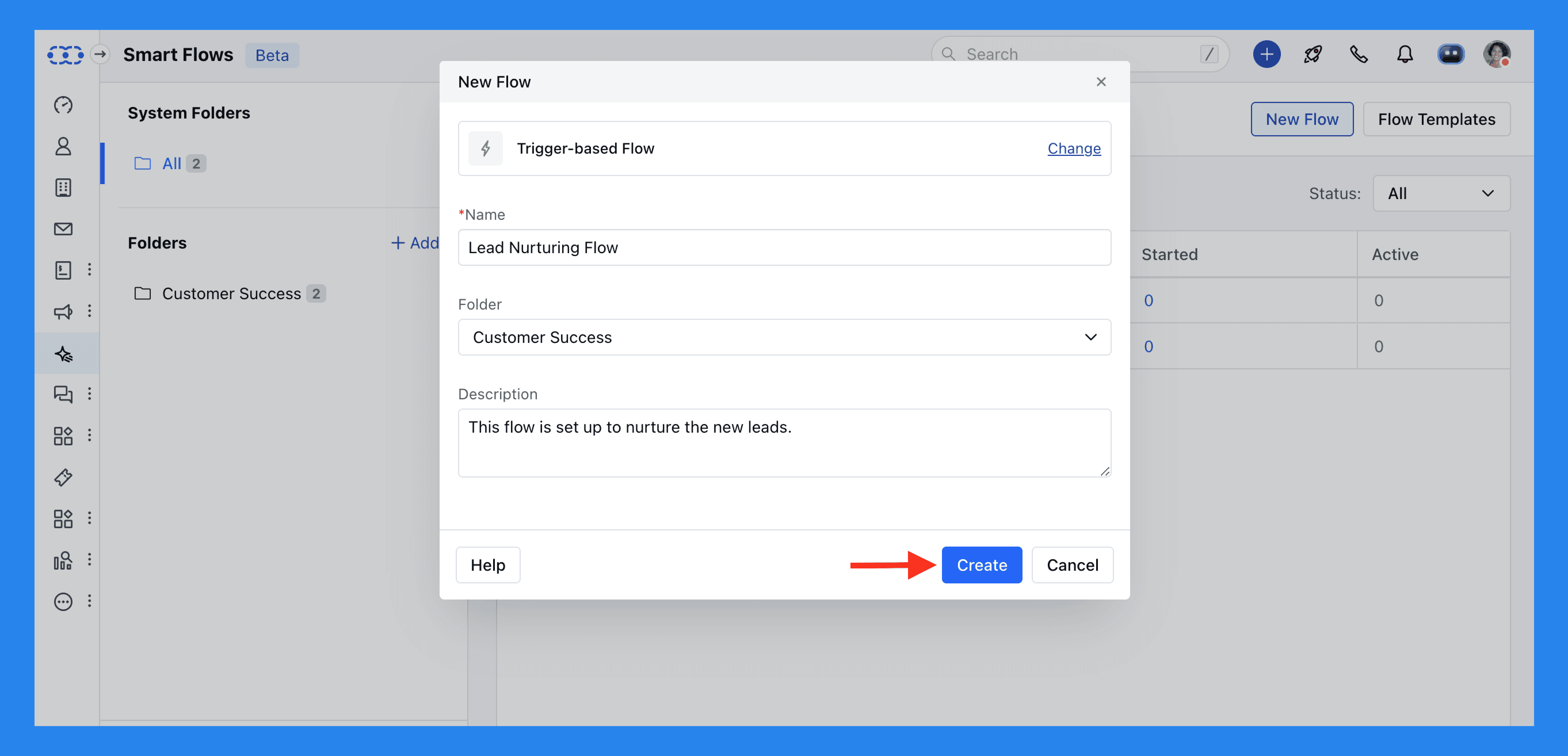
Example:
Let’s say a new subscriber signs up on your website. You can automatically send them a warm welcome email introducing your services, tag them as a “New Subscriber” for future segmentation, and even schedule a follow-up email a week later with useful resources or a special offer.
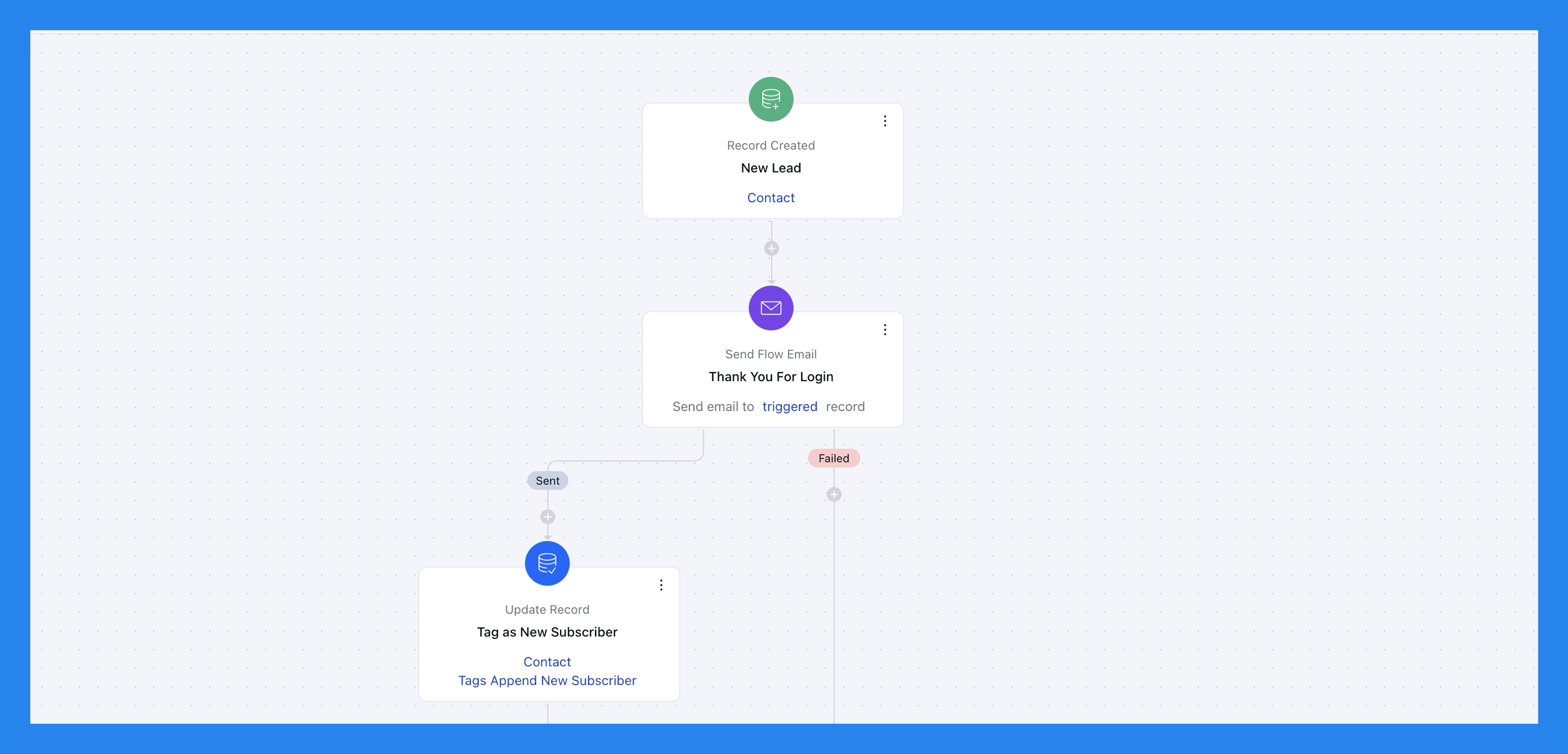
Other practical use cases for Smart Flows include:
Lead management: Qualify leads, assign them to reps, and send follow-up sequences automatically.
Opportunity tracking: Keep deals moving forward with automated reminders and stage updates.
Customer support: Route inquiries to the right team and trigger follow-up surveys after resolution.
Marketing automation: Send targeted campaigns and nurture leads with zero manual effort.

Then there are email and message sequences, they’re basically structured campaigns made up of timed emails, calls, or texts — automatically sent until your lead replies or takes action. Perfect for post-event follow-ups or drip nurturing.
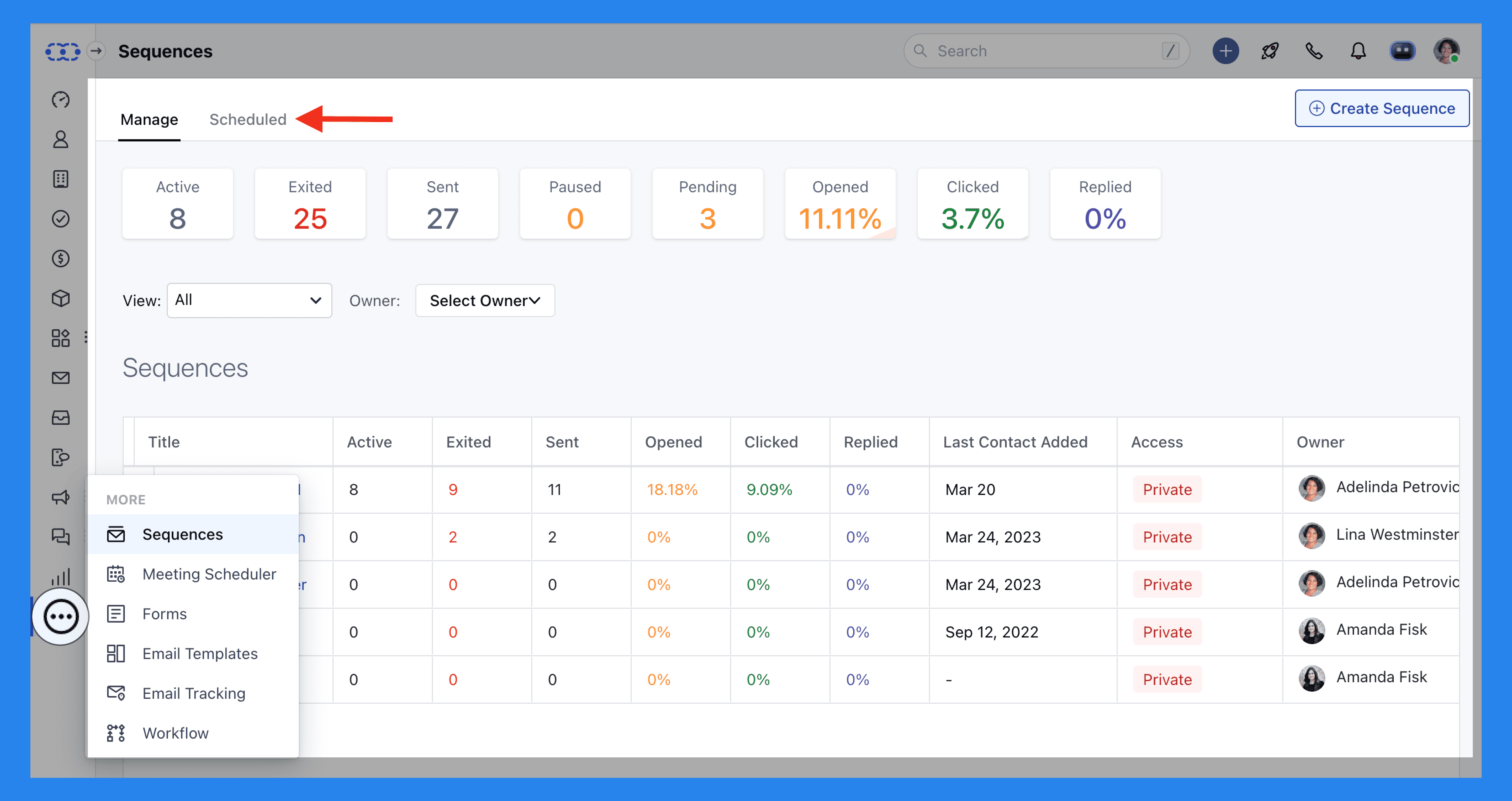
For example, if you’ve got a list of 100 leads from a conference, drop them into a sequence — Salesmate will send your pre-written messages at intervals and stop automatically once someone replies or books a call.
Benefits of Sequences:
Email templates can save time.
Personalize messages before enrolling contacts.
Auto-unenrolls when someone replies — no cringe double follow-ups.
Add manual steps for personal touchpoints.
Detects out-of-office replies and adjusts automatically.
Tracks opens, clicks, and replies so you know what’s working.
Did You Know? |
|---|
Salesmate’s workflow management is straightforward enough — but getting the most out of its sales automation can take some setup and know-how. Breakcold, on the other hand, makes automation effortless. You can create entire pipelines and workflows just by typing simple text prompts or describing your business — and the AI handles the rest. |
Sandy AI
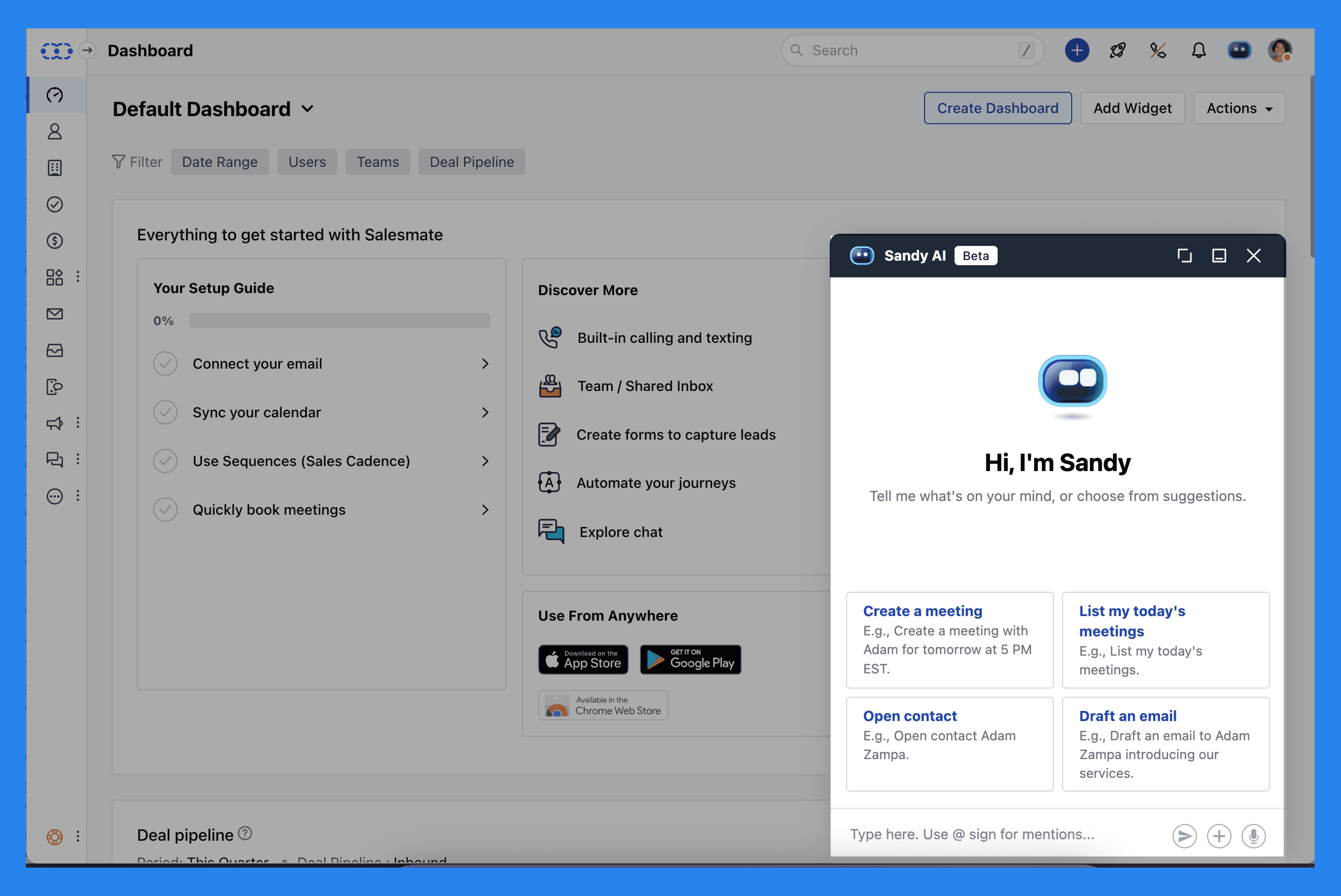
AI has been making waves across the CRM space — and in Salesmate’s case, that comes in the form of Sandy AI, its built-in virtual assistant.
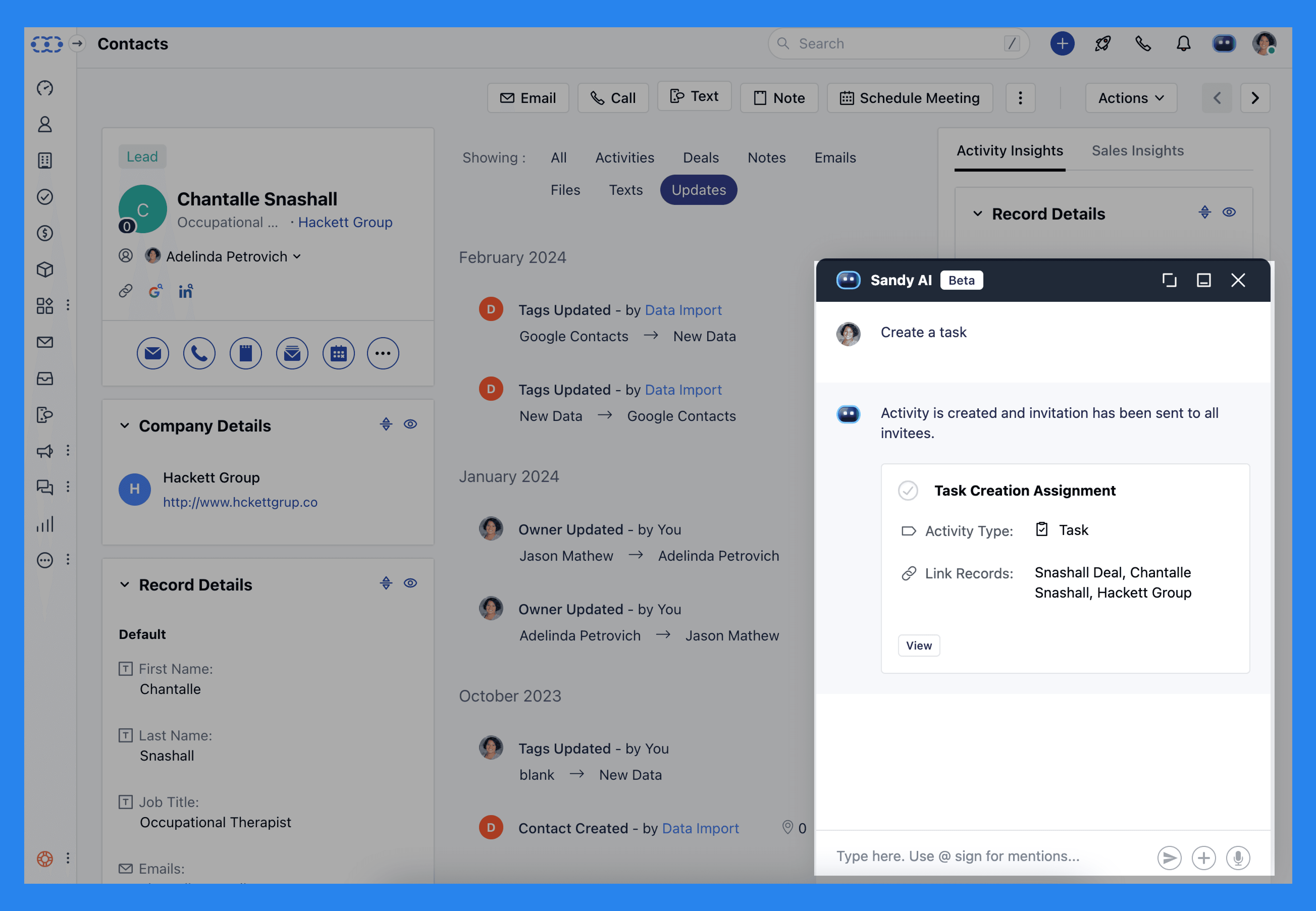
While Sandy’s still in beta, with only a few words or clicks, Sandy can schedule meetings, compose or reply to emails, add notes or activity descriptions, and even assist in chat conversations.
Did You Know? |
|---|
Breakcold comes with its own built-in AI — Breakcold Vision — designed to make selling smarter, not harder. It doesn’t just suggest who to follow up with next; it also explains why and even drafts a personalized message to go with it. In short, Breakcold Vision actively guides your sales process from start to finish — helping you focus on the right leads at the right time. |
Omnichannel Communication
Modern sales teams don’t just live in their inbox anymore — they’re juggling emails, calls, texts, and chat all day long. Salesmate brings all those channels together into one clean dashboard, so you can communicate with leads and customers without switching tabs (or losing your sanity).
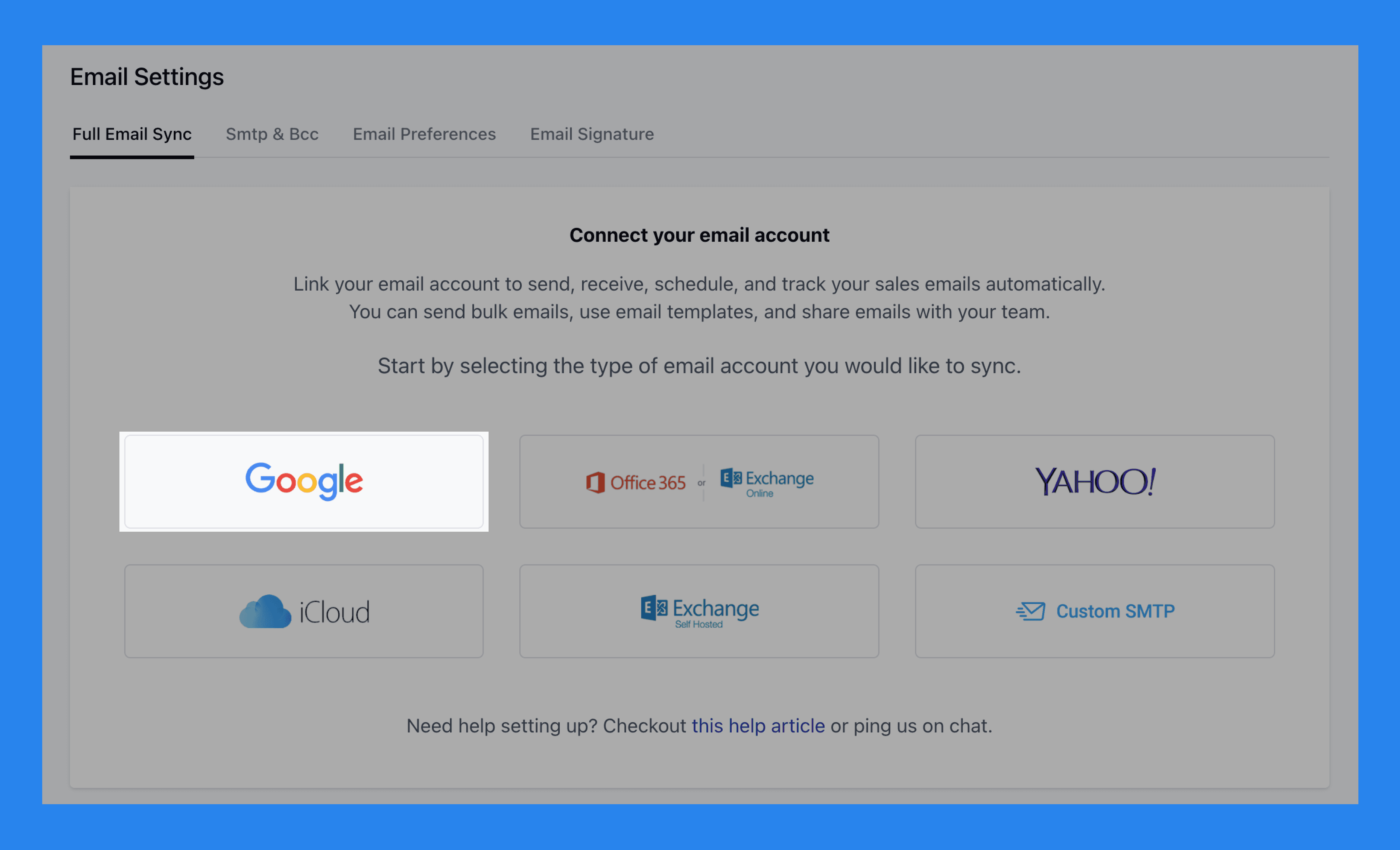
Salesmate supports two-way email sync with all major providers — plus custom SMTPs if you prefer your own setup. That means you can send emails directly from Salesmate and have every reply logged automatically in your CRM.
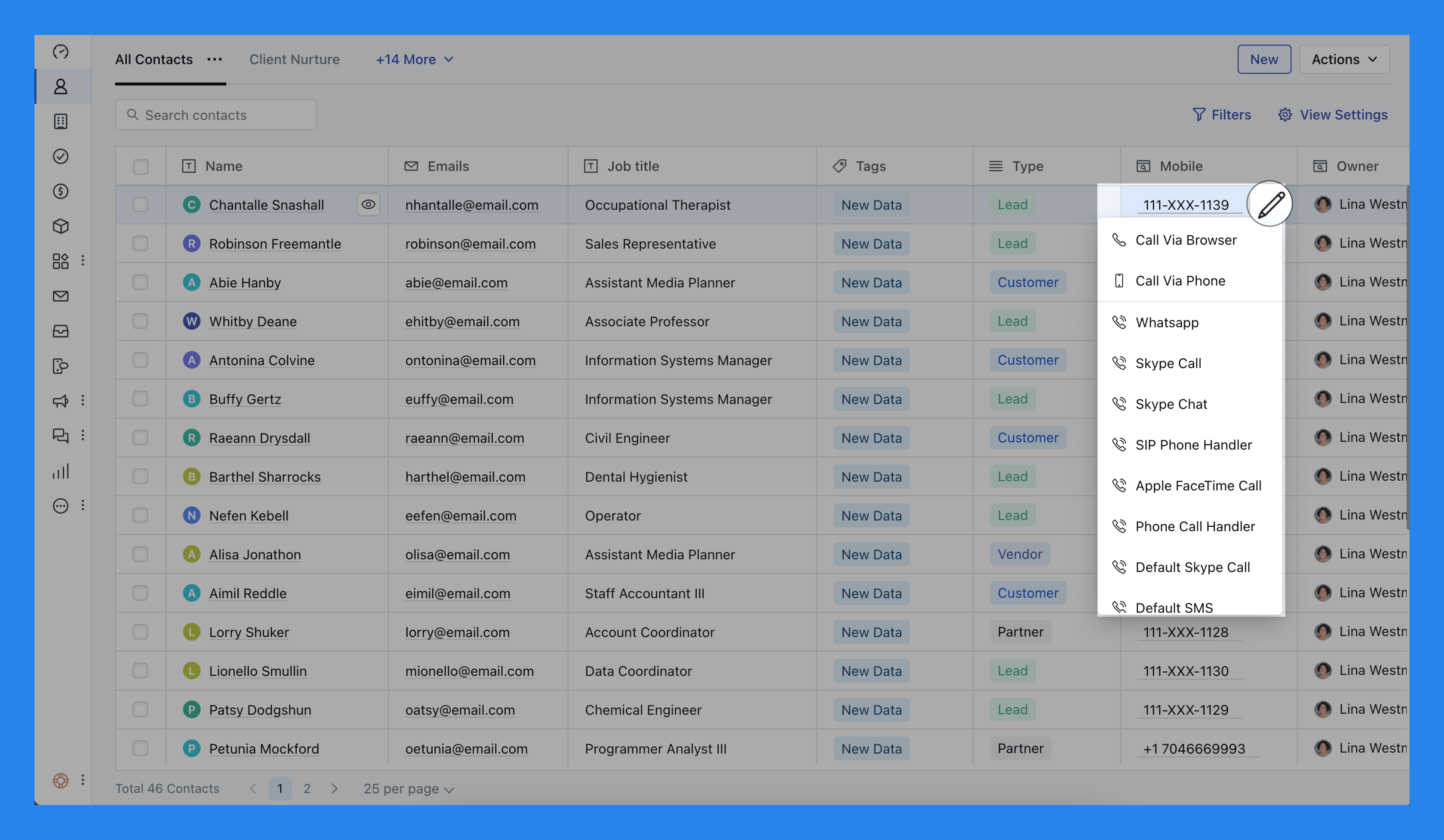
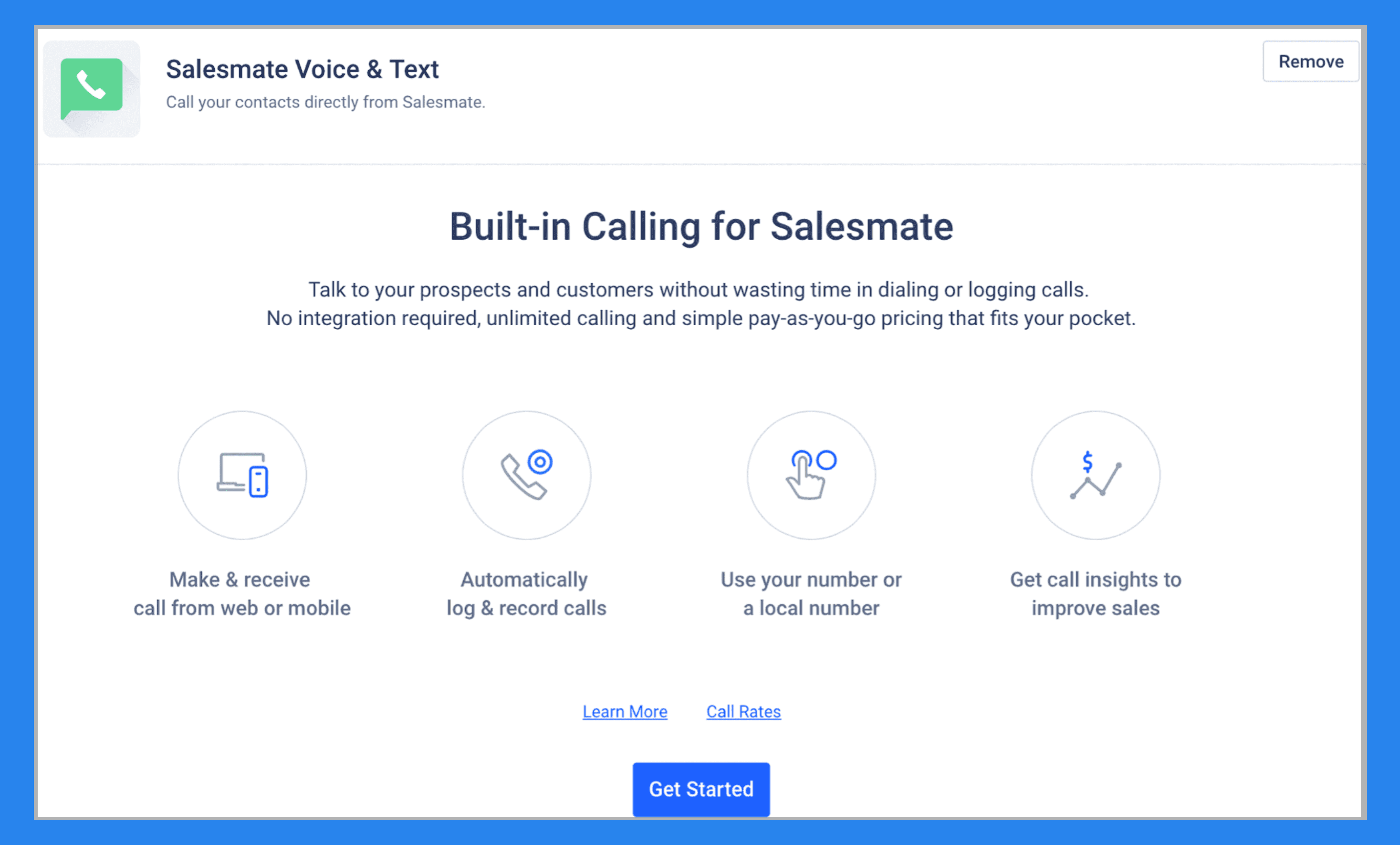
On top of that, Salesmate includes a built-in VoIP phone system, letting you call clients from anywhere via the web or mobile app — also, offering a powerdialer should you need it.
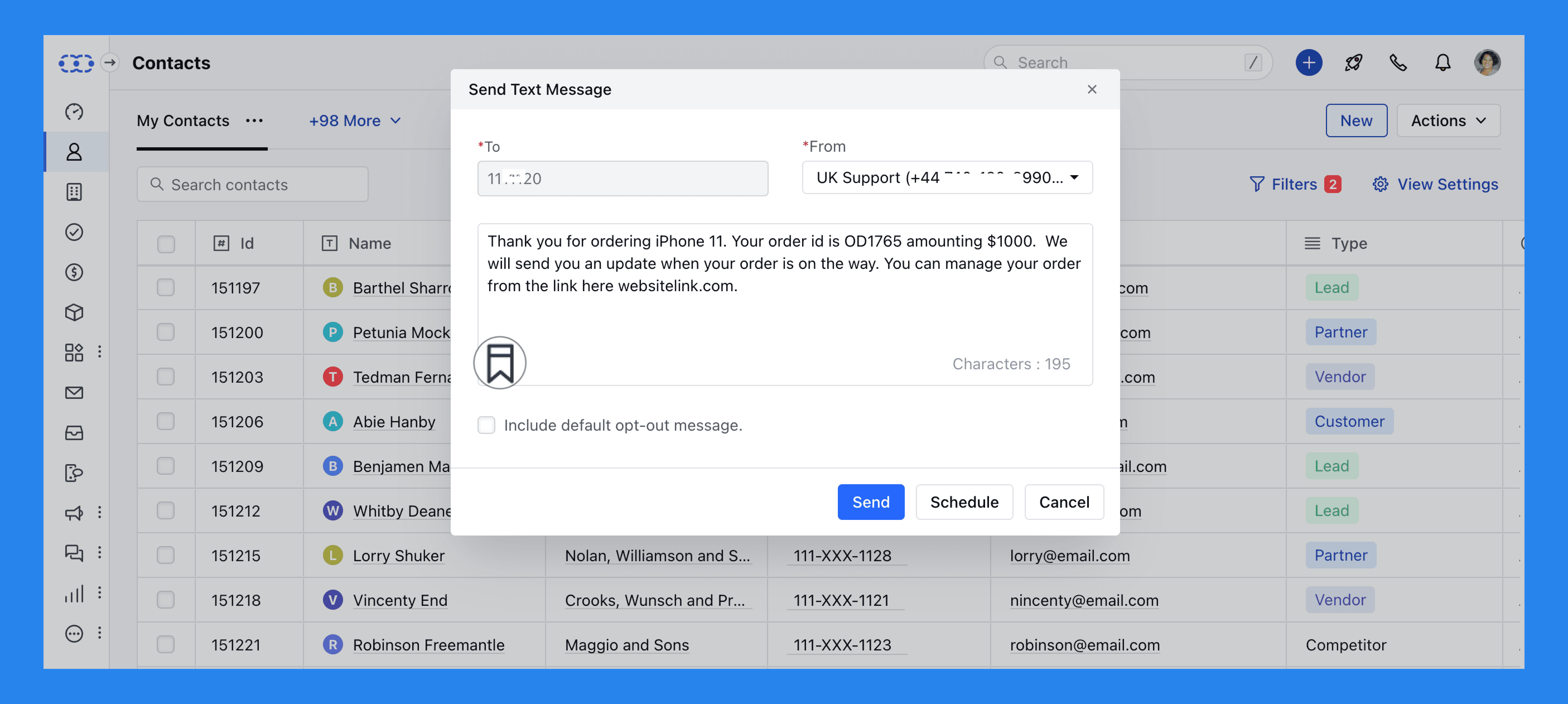
For teams that want a true multichannel experience, Salesmate also offers a Unified Inbox add-on ($15/user/month). It centralizes all your conversations across platforms like:
Salesmate Chat
Facebook Messenger
Instagram
WhatsApp (via Vonage or Twilio)
It’s a convenient upgrade for teams managing multiple communication channels, though the extra cost might make it less appealing for smaller teams.
Did You Know? |
|---|
Before going all-in on AI-native features, Breakcold was already known for its seamless integrations with LinkedIn, WhatsApp, Telegram, and (soon) phone. Today, those same integrations remain, but now they’re supercharged with a full suite of AI-powered tools designed to make multichannel selling and closing smarter than ever. Here at Breakcold we take it one step further and offer data enrichment for both emails and phone numbers! |
Mobile CRM App
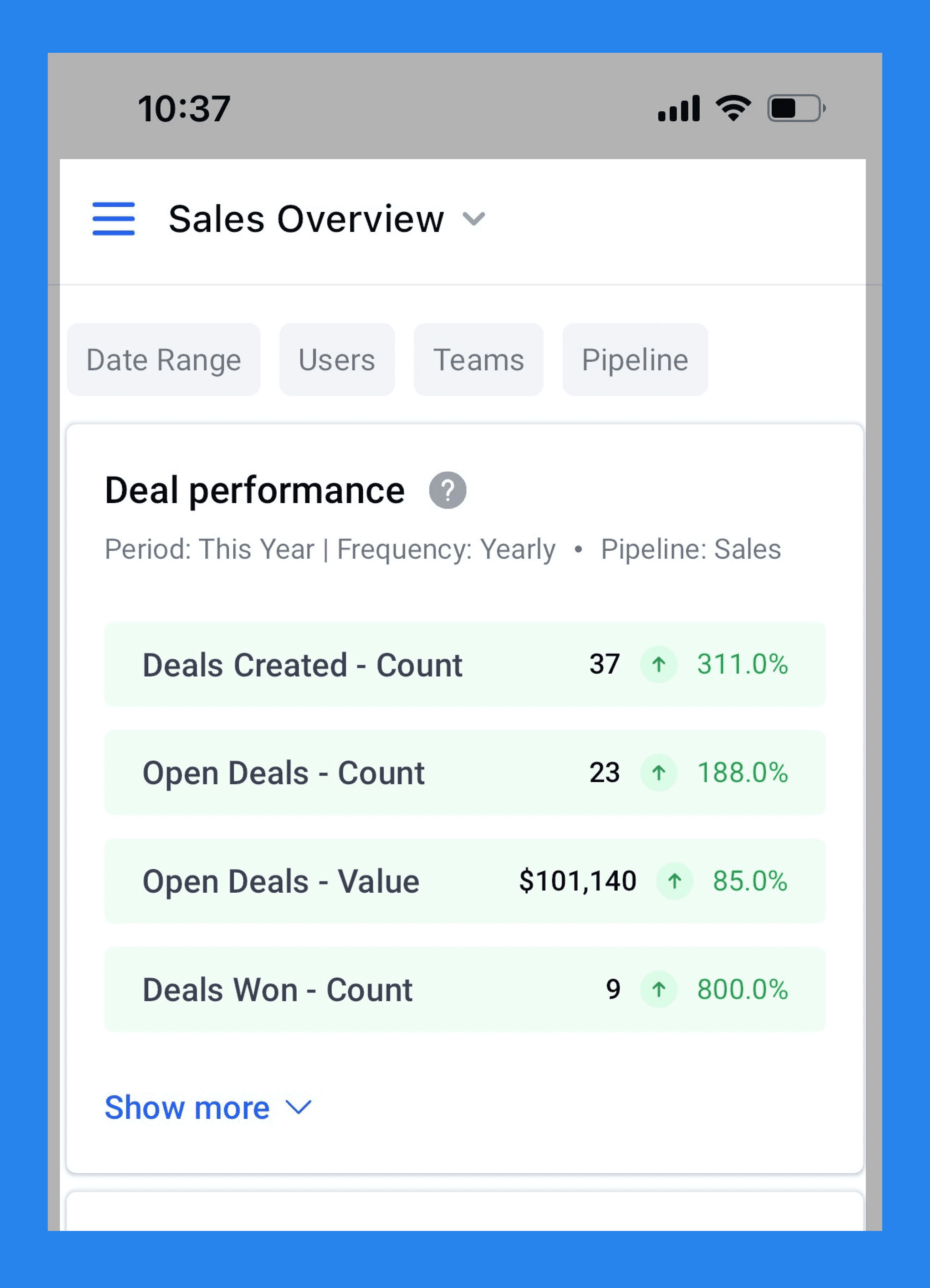
Salesmate believes your smartphone is the ultimate sales tool — and its mobile app proves the point. Available on both iOS and Android, the app gives reps full control over their pipelines, allowing them to email, call, and text prospects, collaborate with teammates, track progress, and nurture relationships on the go.
One standout feature is the business card scanner, which lets you ditch the pile of paper cards from networking events. Just snap a photo, and Salesmate automatically captures the details and saves them as contacts inside the app — no manual entry required.
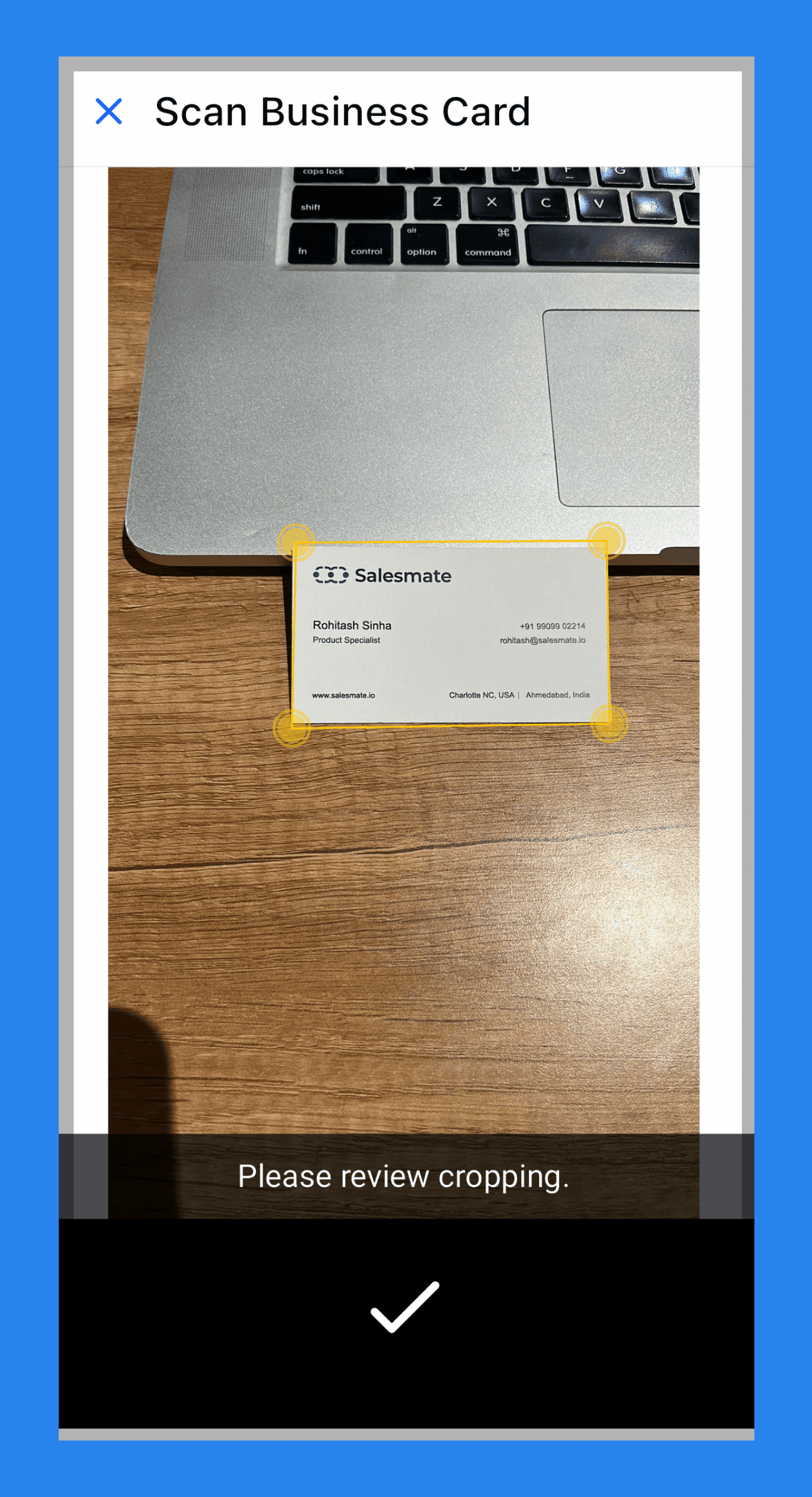
It’s a thoughtful addition for field sales reps and on-the-go teams who live out of their phones and need a CRM that moves as fast as they do.
Reporting & Dashboards
No CRM is complete without reporting — and Salesmate delivers the essentials with a visual, easy-to-digest dashboard.
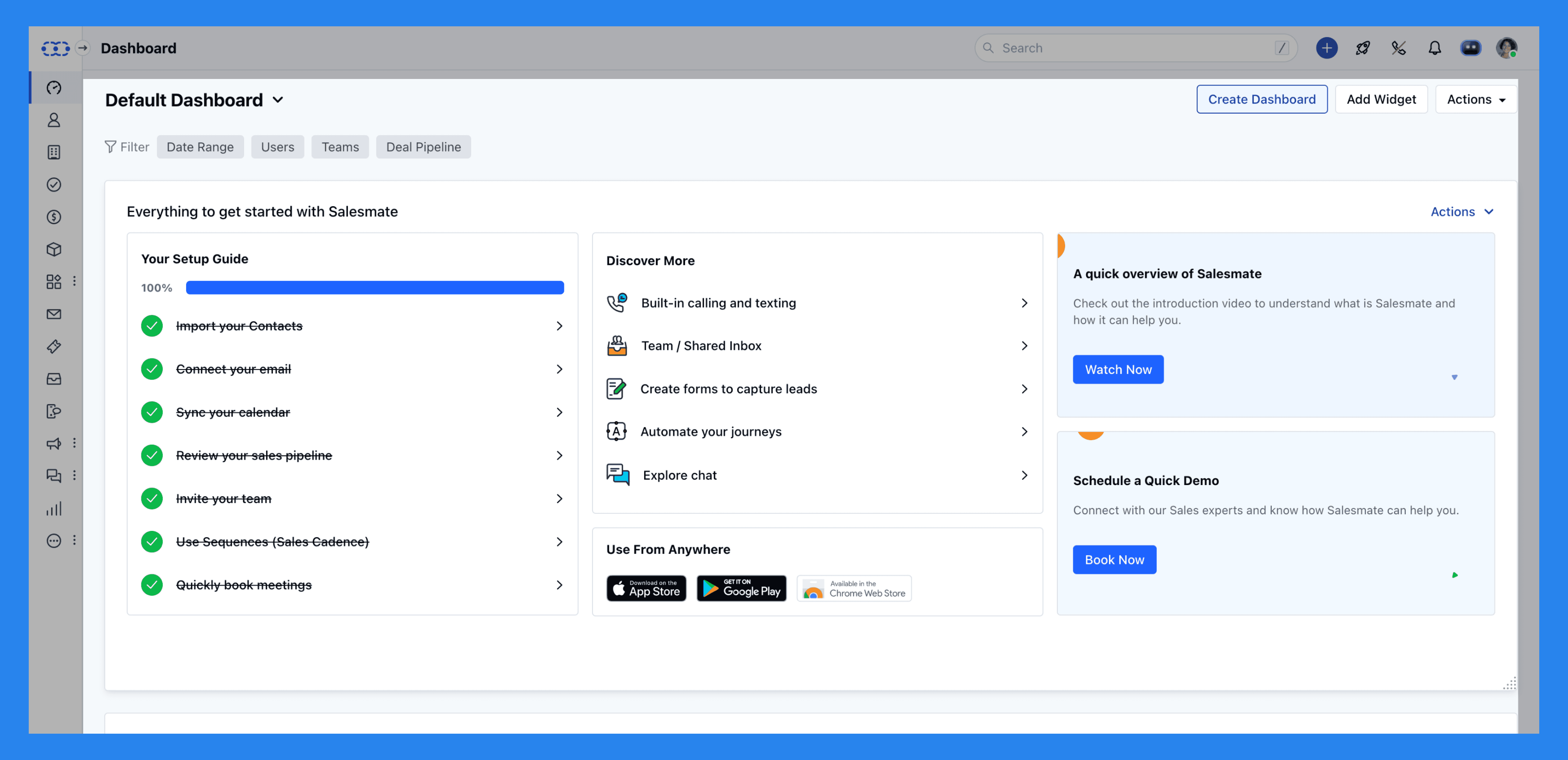
When you first log in, you’re greeted with an onboarding dashboard — a helpful setup hub that uses welcoming widgets to guide you through the basics of configuring your CRM. Once you’re up and running, Salesmate lets you customize your main dashboard, which comes preloaded with several practical widgets that give you a snapshot of your team’s performance and activity:
Onboarding Widget – Tracks your setup progress and helps you complete key steps.
Deal Pipeline View – Displays ongoing deals, their value, and which stage they’re in for each pipeline.
My Agenda – Lists upcoming activities, sequence emails, and texts that need attention.
Deal Performance – Summarizes deals created and won during a selected time period.
Activity Performance Overview – Shows all activities completed by your sales team within a given timeframe.
Recently Updated Contacts – Highlights the 25 most recently updated contacts from the past 30 days.
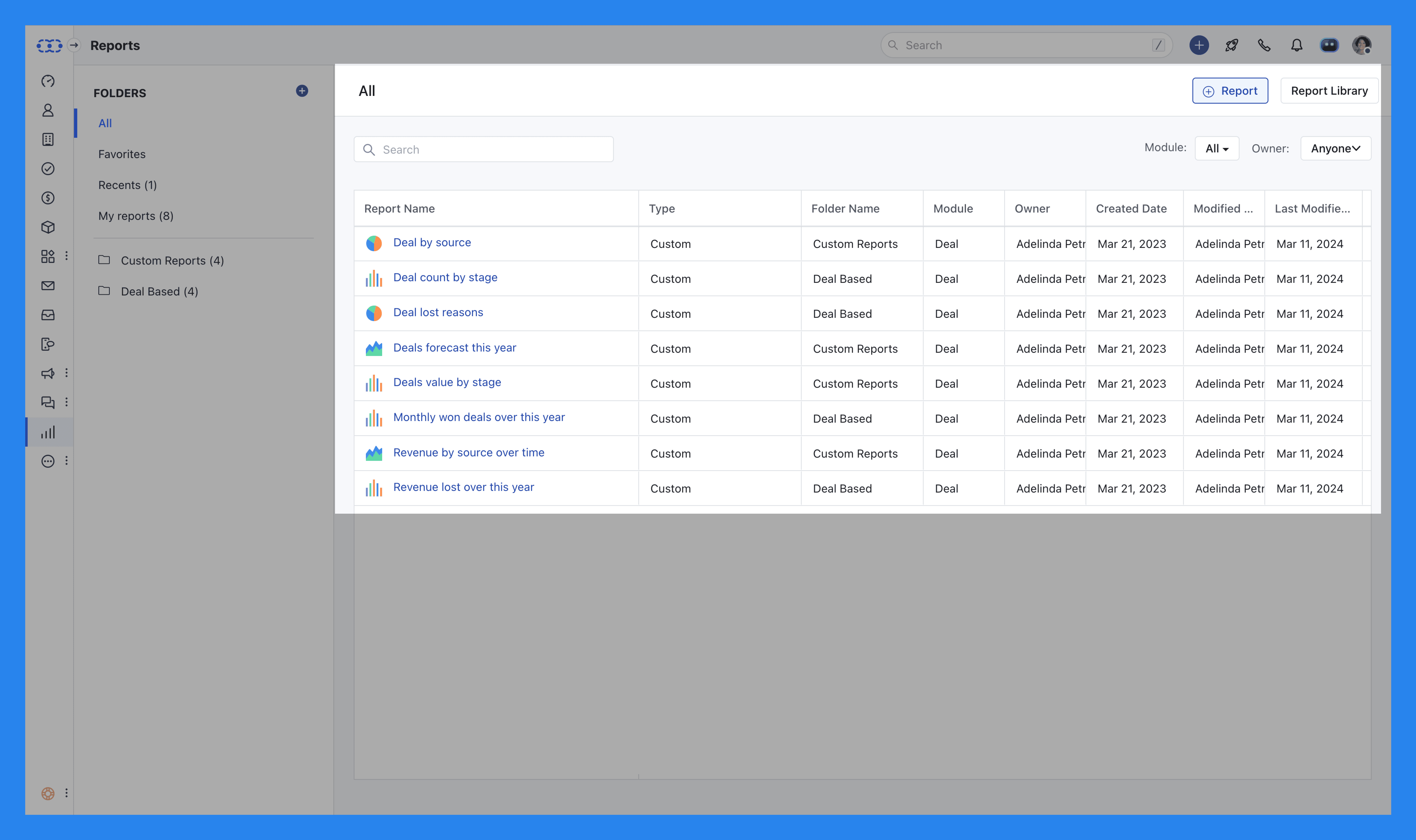
Beyond the default setup, Salesmate’s dashboard provides a solid foundation for analytics, with the ability to customize reports to your heart’s content. You can break down insights by activity, deal stage, or pipeline to identify what’s driving conversions (and what’s slowing them down).
The platform also includes call log reports, email analytics, and email template usage data — giving you the visibility needed to understand how well your outreach and communication efforts are performing.
Did You Know? |
|---|
Breakcold features a self-updating, AI-powered dashboard that adapts to how you work. Depending on the AI agent personality you choose, your CRM will automatically adjust the frequency of tasks, follow-ups, and reminders to match your sales style. Breakcold comes with a few preloaded AI personalities out of the box — but you can also create your own from scratch to perfectly fit your business. |
Integrations & API
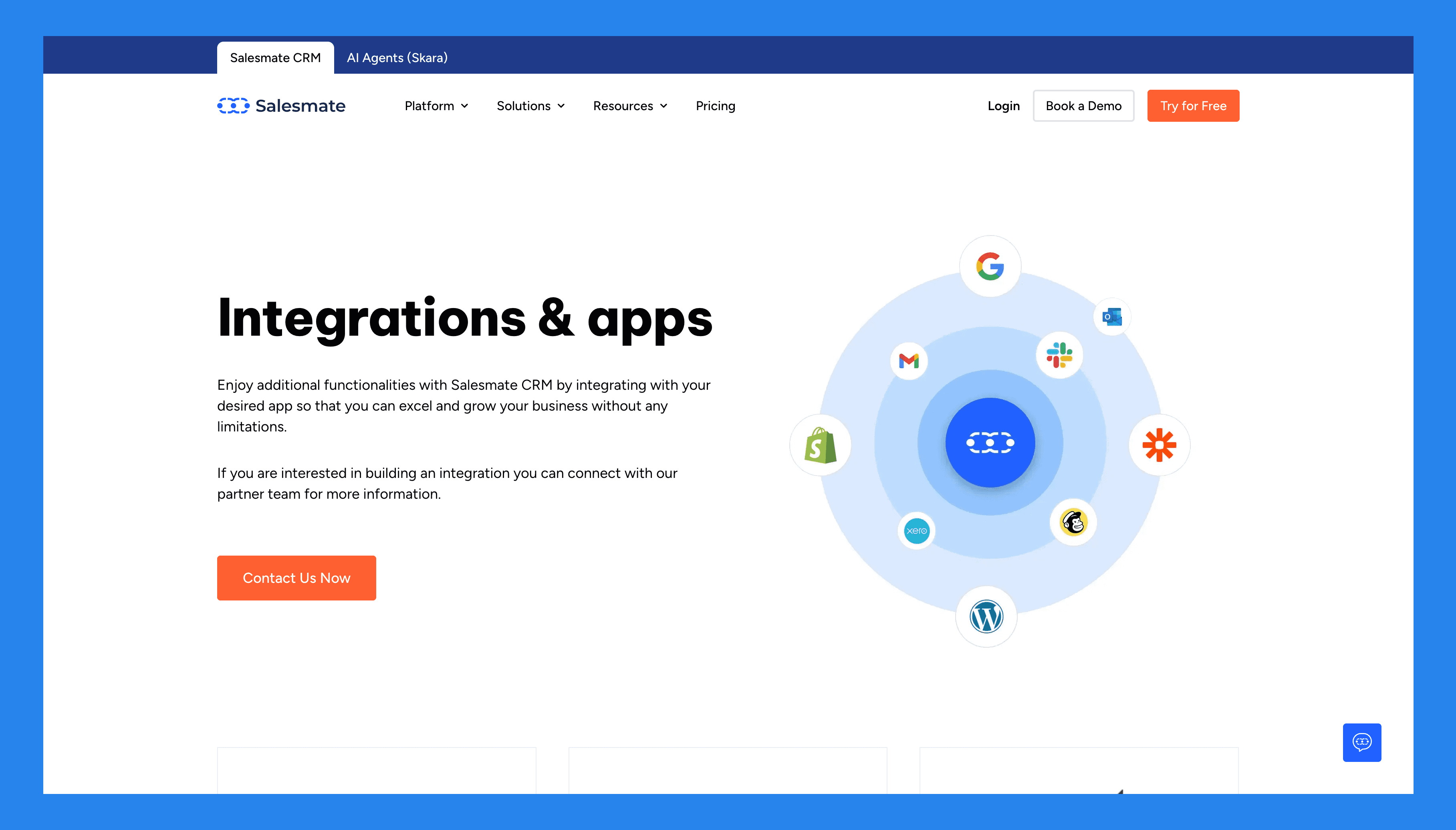
Salesmate’s integration ecosystem is somewhat limited compared to larger CRMs, but it still covers most of the essential tools modern teams rely on — including Slack, WordPress, Mailchimp, and more.
For those who need deeper customization, Salesmate’s API lets you build on top of the platform and connect with other tools in your stack. Plus, the Zapier integration expands its reach even further.
Salesmate also offers a Google Chrome extension that brings CRM functionality directly into your inbox — allowing you to identify contacts, create new records on the fly, track email activity, and access a quick 360° overview of each contact without switching tabs.
💰 Pricing Plans + Pros & Cons of Salesmate CRM
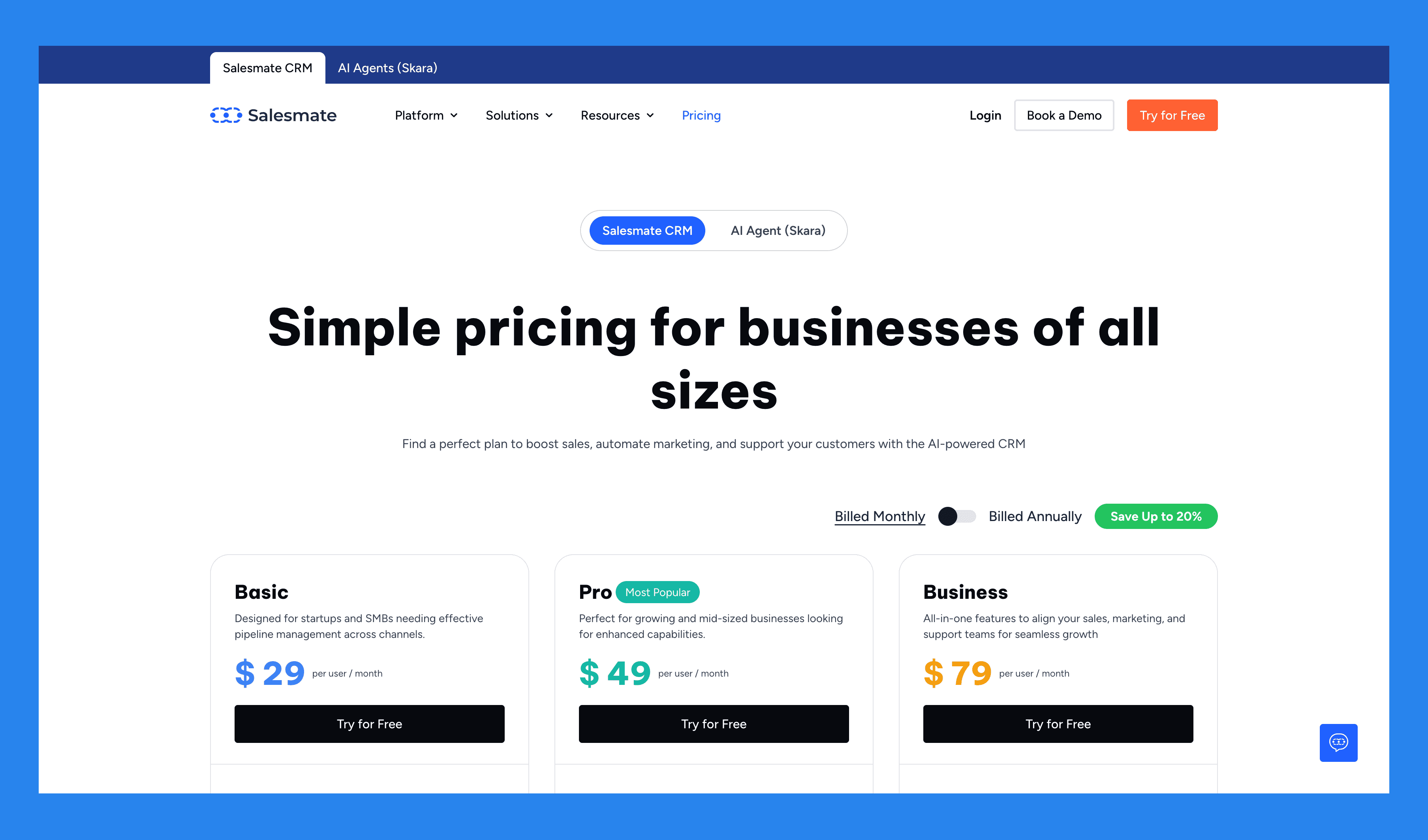
Basic | Pro | Business |
|---|---|---|
$29/user/mo | $49/user/mo | $79/user/mo |
Key features Contact, company management Activity/task management Calendar sync Deal pipeline management Full email sync Email templates and tracking Meeting scheduler Standard dashboard and reports Web forms Custom fields Sales and marketing automation (Smart flows) 5K Credits/user/mo | Everything in Basic, plus… Sequences Product & quote management Ticket management Team inbox Team management Custom dashboard and reports with goals Field-based permissions Formula fields SSO Sandy AI Sales and marketing automation (Smart flows) 10K Credits/user/mo | Everything in Pro, plus... Deal credit split Custom modules (Objects) Custom duplicate management rules Surveys Service level agreements Advanced goal management Calculated fields Power dialer Voicemail drop Sales and marketing automation (Smart flows) 15K Credits/user/mo |

Ratings | |
|---|---|
G2 - 4.6/5 (105) | Capterra - 4.7/5 (101) |
Pros | Cons |
Modern, intuitive interface that’s easy to navigate. Affordable pricing suited for growing and scaling businesses. Excellent mobile app — great for field sales teams. Built-in calling and SMS features support true omnichannel outreach. | Limited integration eco-system. Workflow automations can be complex and time-intensive to learn. The customer experience can use some improvement especially when trying to get customer support. Not an all-in-one platform as there is little for marketing and nearly nothing for customer service. |
⁉️ Should You Still Use Salesmate CRM In 2026?

Salesmate still holds its ground in 2026 as a reliable, sales-focused CRM built for teams that want automation and multichannel communication without paying enterprise prices. The platform continues to evolve, with steady updates to its workflow automation, reporting, and communication features — making it a strong choice for small to mid-sized sales teams.
That said, if your team is looking for deeper AI-native capabilities — like automated prospecting, data enrichment, or intelligent deal insights — Salesmate isn’t quite there yet. Its automation is capable but still largely rule-based, not truly AI-driven.
In short: Salesmate is a great pick if you need a clean, automation-ready CRM that helps you sell smarter — but if you’re chasing next-gen AI workflows, you might find it a step behind tools like Breakcold.
🔁 Salesmate Alternatives
If Salesmate doesn’t quite check every box for your team, don’t worry — there are plenty of modern CRMs that push automation, AI, and integration even further.
🥇 Breakcold – Best AI-native Sales CRM
Summary
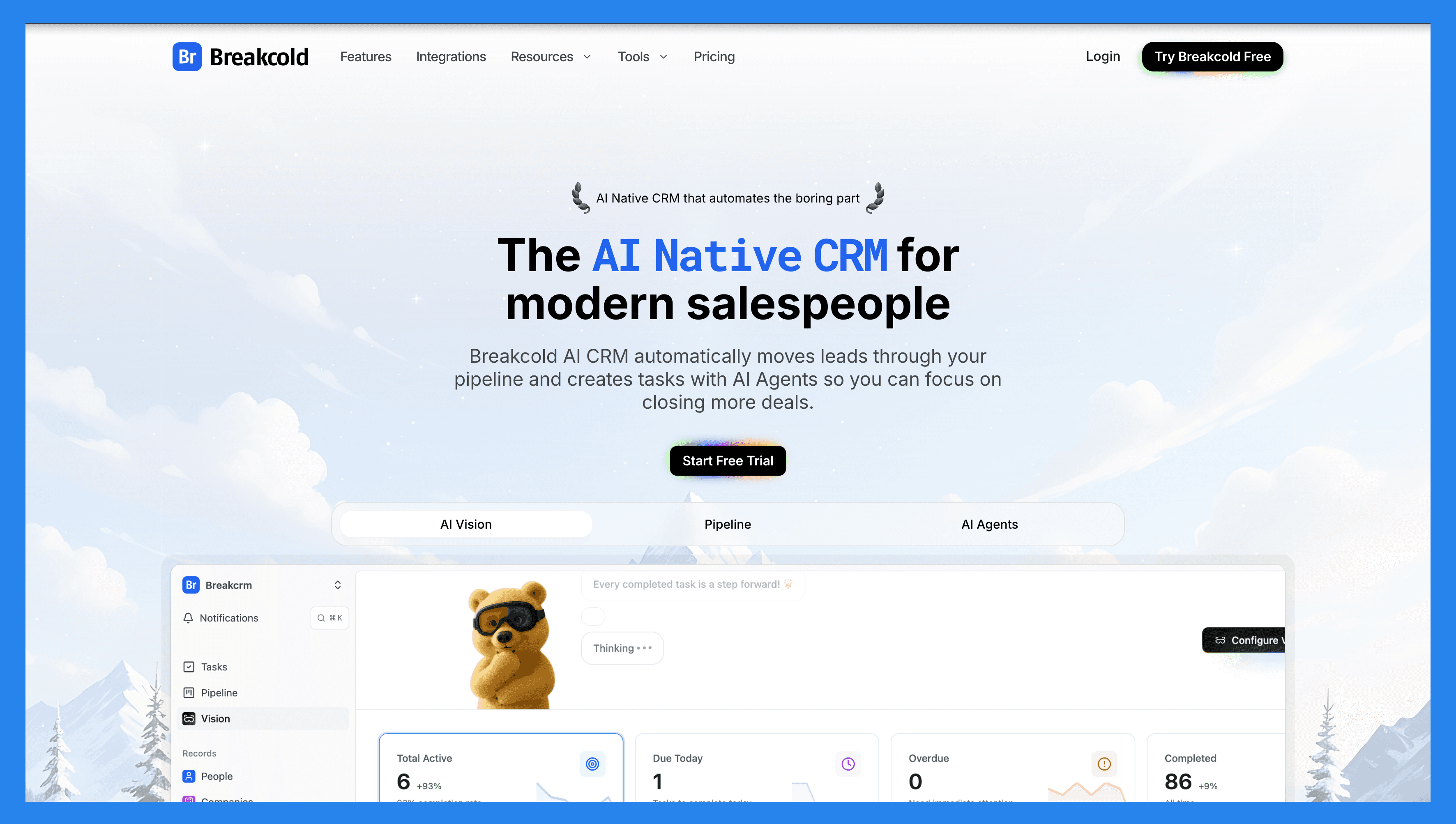
Breakcold – the AI-native CRM for modern salespeople – does more than just track deals — it moves leads automatically, assigns tags, and creates follow-up tasks across Email, LinkedIn, WhatsApp, Telegram, and soon, Phone.
With AI-native features built into its core, you can describe your business through a simple text prompt or voice recording, and Breakcold Vision will design workflows and pipelines tailored to your exact needs.
From a self-updating dashboard that highlights which leads need follow-ups (and why), to a social engagement stream that keeps you connected to every important lead opportunity — Breakcold brings clarity and automation together in one place.
Key Features | |
|---|---|
Auto Lead Movement – Leads move automatically in Breakcold’s CRM based on your interactions. No setup required — the AI understands and updates everything on its own. Auto Task Creation – Monitors your interactions with leads and automatically creates follow-up tasks so you never lose momentum. Focus on selling, not admin work. Vision Builder – By default, leads move automatically based on your list names and pipeline stages (zero setup). Want more control? Use natural language to build advanced AI CRM workflows. AI-Powered Dashboard – A self-updating dashboard that highlights your most important tasks so you always know what to focus on next. AI Contact Management – Automatically organizes leads into the right lists and groups by analyzing your conversations, notes, and activities. AI Personalities (AI Agents) – Choose an AI personality aligned with your sales style or business goals. Your dashboard then adapts and serves you daily tasks tailored to that persona. AI Reasoning – Every suggested task comes with clear context, so you’ll know exactly why it’s important and why it matters today. AI Message Suggestions – Get next-message recommendations that match your tone of voice and AI personality — for both email and social conversations. AI Rules – Add custom rules to each step of your workflow for deeper automation control and smarter processes. AI-Powered Contact Deduplication – Automatically identifies and merges duplicate contacts, saving hours of manual cleanup and keeping your CRM lean and accurate. Advanced Data Enrichment – Powered by BetterContact, Breakcold uses waterfall enrichment to surface verified B2B emails and phone numbers, improving outreach accuracy and deliverability. AI Notetaker – Integrates with Otter, Fireflies, TL;DV, and Fathom to auto-generate and log call summaries directly into the CRM — complete with transcripts, links, and follow-up tasks. Unified Inbox – Manage conversations from LinkedIn, Email, WhatsApp, and Telegram in one place, so you can respond faster and never miss a follow-up. Social Engagement Stream – Like, comment, and engage with your leads’ posts directly from the CRM to build relationships through consistent, meaningful interactions. 20+ Native Integrations – Connect Breakcold with Slack, Apollo, Smartlead, Instantly, Lemlist, and many other sales tools to streamline your workflow end-to-end. | |
Ratings | |
G2 - 4.7/5 (116) | Capterra - 4.8/5 (93) |
Pros | Cons |
Convenient and easy-to-use interface for LinkedIn power users Well-structured onboarding resources, including how-to videos, flowcharts, and best practices Responsive and reliable customer support Powerful social listening capabilities for lead insights and outreach personalization | Dependent on external services like Google and LinkedIn, which can cause bugs when those platforms update their policies Lacks native calling features and built-in AI functionality Still a developing platform with evolving features and occasional limitations |
Pricing Plans
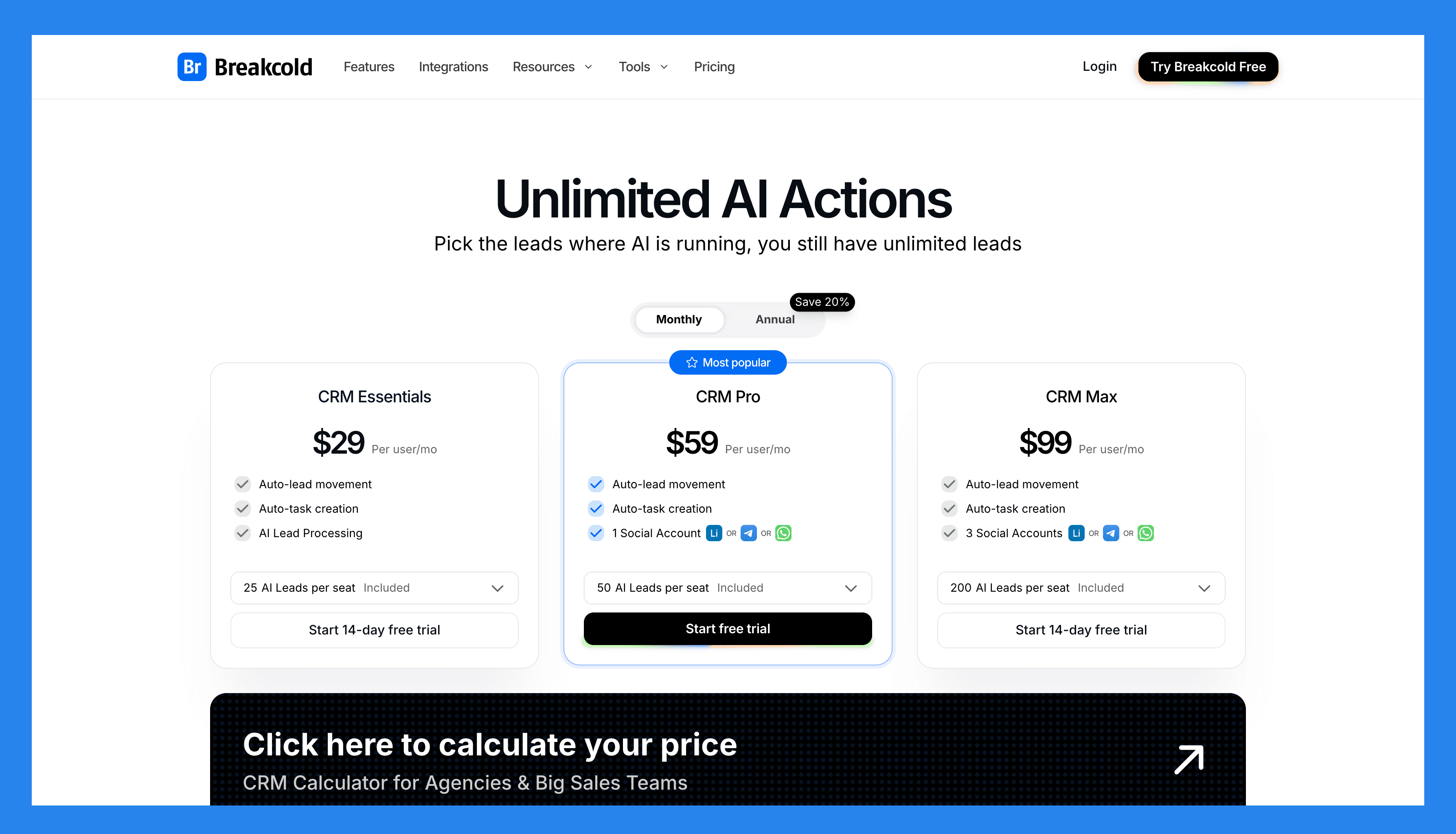
CRM Essentials | CRM Pro | CRM Max |
|---|---|---|
$99/user/mo | $99/user/mo | $99/user/mo |
What's included: Auto-lead movement Auto-task creation AI Lead Processing | All Essentials Features and: Auto-lead movement Auto-task creation 1 Social Account (LinkedIn, X, or Whatsapp) | All Pro features and: Auto-lead movement Auto-task creation 3 Social Accounts (LinkedIn, X, or Whatsapp) |
A team of 5 on Breakcold is $139/mo, where Attio, Pipedrive and HubSpot Sales Hub run about $500/mo for 5 seats with similar features.
🥈 Nutshell** **– All-In-One CRM and Marketing Automation
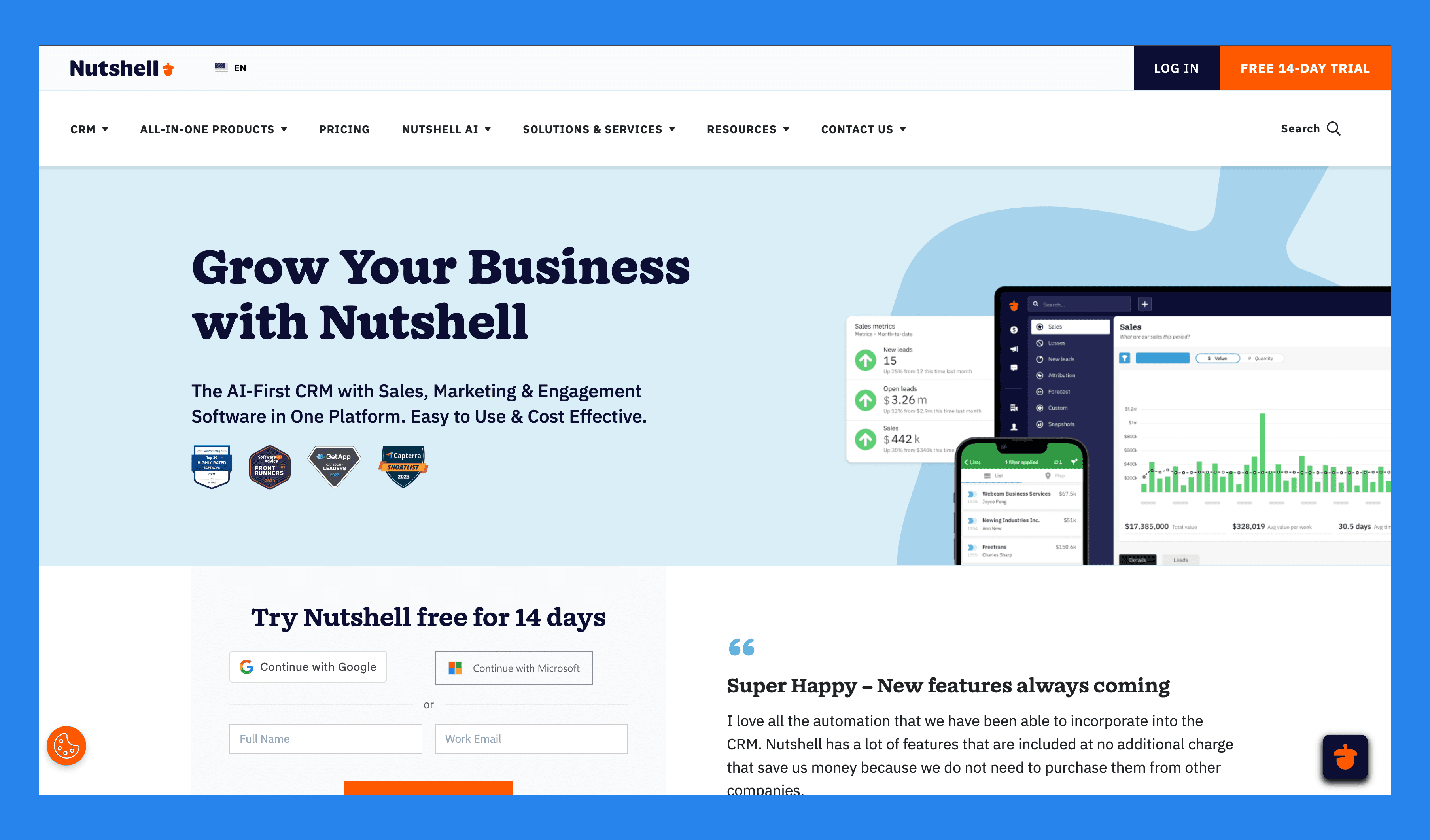
Summary
Nutshell is a straightforward yet surprisingly capable CRM designed for small businesses and solo sales teams who want clarity without complexity. It blends contact management, pipeline tracking, and built-in email marketing to help users see — and manage — every step of the customer journey, from first touch to closed deal.
Its clean interface and automatic activity tracking make it easy to stay on top of follow-ups and lead progress, while its reporting keeps things simple and actionable. If you’re after a CRM that’s easy to learn, lightweight, and doesn’t drown you in settings or features, Nutshell is a dependable choice — especially for teams that prefer efficiency over enterprise-level depth.
Key Features | |
|---|---|
Contact Management – Centralizes customer information and tracks communication history to keep teams organized and aligned. Pipeline Management – Customizable sales pipelines to track leads and deals at every stage of the sales process. Email Marketing – Built-in campaign tools for targeted outreach and engagement with prospects and customers. Activity Tracking – Automatically logs interactions like calls, emails, and meetings, helping teams stay on top of follow-ups. Reporting & Analytics – Offers insights into sales performance, forecasting, and team activity to support data-driven decisions. | |
Ratings | |
G2 - 4.3/5 (1,248) | Capterra - 4.3/5 (551) |
Pros | Cons |
Reliable data imports with excellent attention to detail, reducing onboarding friction Highly customizable, adaptable to the needs of different sales teams Effective follow-up tracking, making it easy to manage each client and sales stage User-friendly interface with a clean design and a robust set of features | No built-in canned responses or pre-set email templates, which could speed up outreach Slow customer support, with chat responses typically taking up to a day Pricing may be high for smaller teams or early-stage businesses |
Pricing Plans
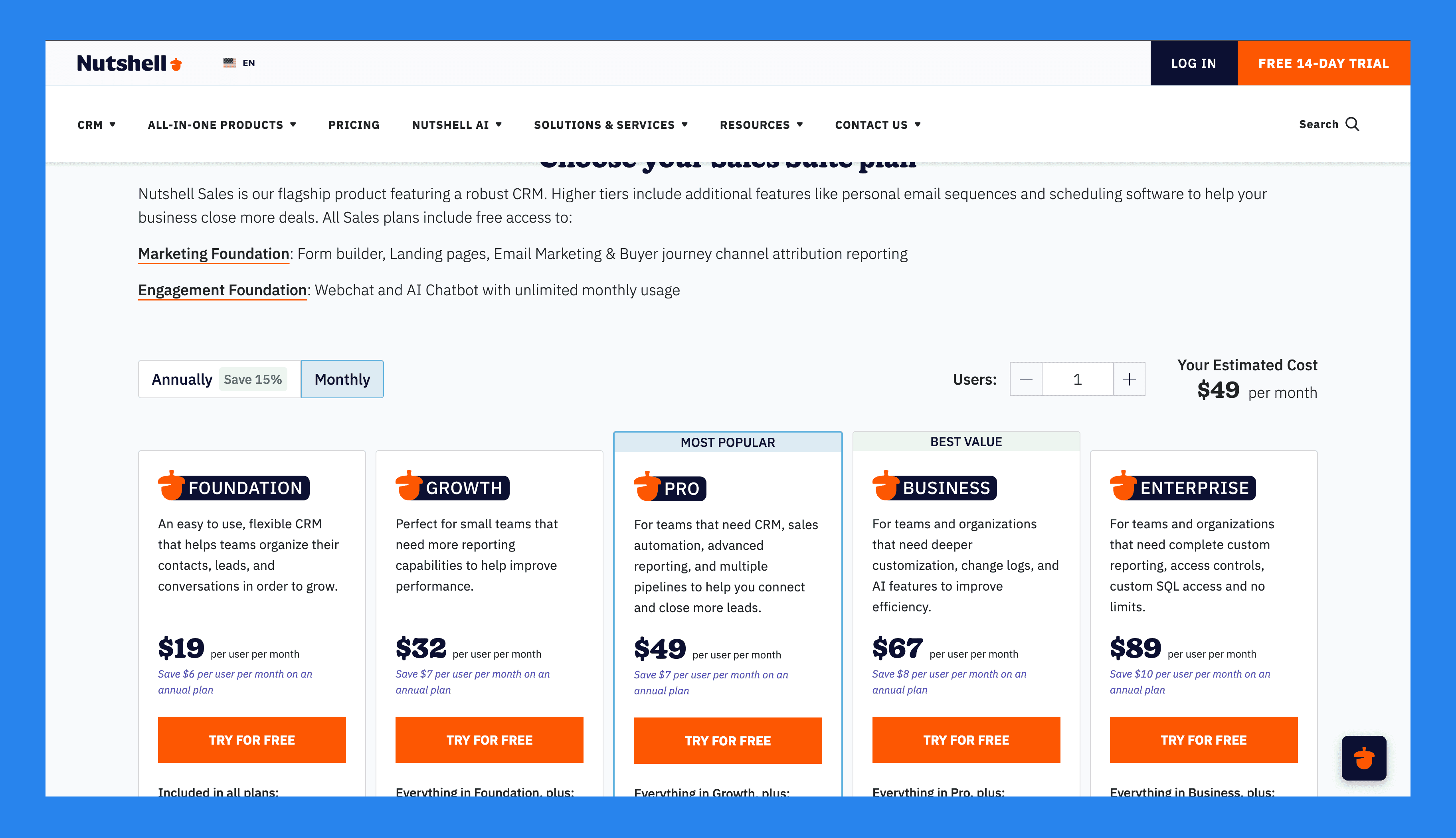
Foundation | Growth | Pro |
|---|---|---|
$19/user/mo | $32/user/mo | $49/user/mo |
Included in all plans: Unlimited storage, contacts & accounts Contact management and communication timelines Email and calendar sync Customizable single sales pipeline Free live support Foundation has a 100 active leads limit | Everything in Foundation, plus: Activity and Email reports Sales and Activity quotas Pipeline stage goals Up to 25 custom fields No open leads limit | Everything in Growth, plus: 5 customizable pipelines Sales automation Personal email sequences Full reporting suite, including Activity, Funnel, and Forecast reports Meeting scheduling software (lite version) |
Business | Enterprise |
|---|---|
$67/user/mo | $89/user/mo |
Everything in Pro, plus: Increased pipelines, territories, markets, teams and more Unlimited Notetaker usage (AI powered speech-to-text transcription) Meeting scheduling software (full version) Audit log and changelog Send email templates directly from Gmail | Everything in Business, plus: Unlimited pipelines Unlimited custom fields, teams, currencies and territories Read-only SQL access Multiple currencies Free scheduled phone support API support |
🥉 Nimble – Best Alternative for Mobile CRMs
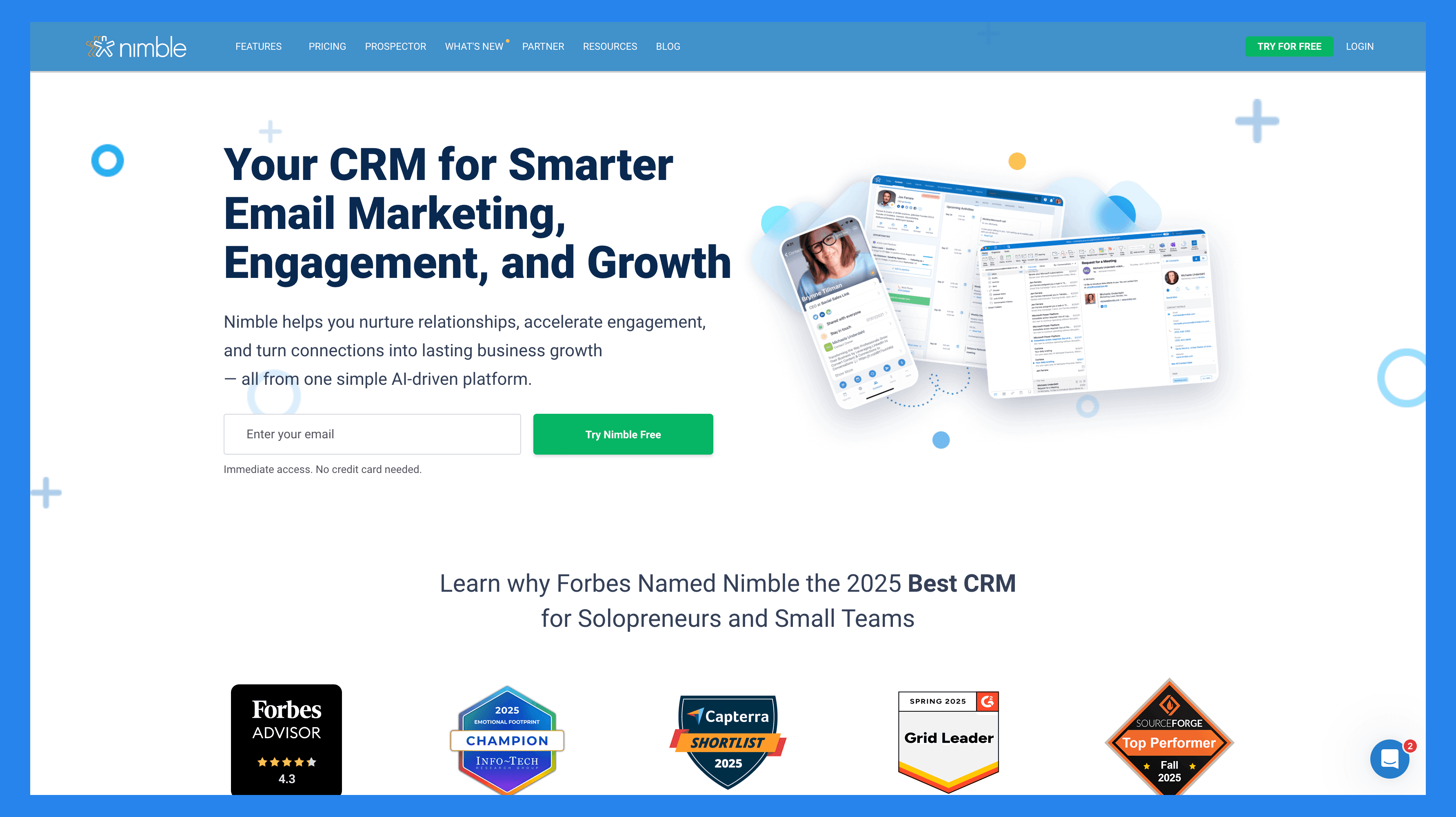
Summary
Nimble is a relationship-focused CRM that blends contact management, communication, and social insights into one simple platform. It integrates seamlessly with Google Workspace and Microsoft 365, automatically enriching contact profiles with data from email, calendar, and social media.
It’s ideal for consultants, solopreneurs, and small teams who value personal connections over complex pipelines.
Key Features | |
|---|---|
Lead Prospecting - Nimble can automatically capture contact data from email signatures, business cards (via its mobile app), or even just a person’s name or company name — pulling up associated social media profiles and contact details it finds online. Communication Management – Store up to 25,000 contact records and create rich profiles for people and companies. These profiles can be automatically updated as you browse the web or interact on social media. Social Media & Email Integrations – Access all email conversations, past or present, from Nimbles Unified Inbox. Nimble Prospector – This browser extension works outside the Nimble app, enabling you to gather contact and company info directly from anywhere on the web by simply hovering over names. Email Marketing – Nimble includes email-focused features like templates, tracking, and automated sequences to help you engage leads and clients more effectively. Mobile App – Available for both iOS and Android, Nimble’s mobile app brings essential CRM functionality to your phone — so you can manage relationships on the go. | |
Ratings | |
G2 - 4.5/5 (1,102) | Capterra - 4.4/5 (1883) |
Pros | Cons |
Easy to learn and use, with full customization for different industries and workflows Makes it simple to find and organize contacts using tags Clean, user-friendly interface with a mobile app available for iOS and Android Quick to set up and integrates smoothly with email and social media accounts | The in-browser widget can be buggy or inconsistent at times Customer support is helpful but not always easy to reach Lead enrichment features are somewhat limited and may require manual updates Some essential features are locked behind higher-tier pricing plans |
Pricing Plans
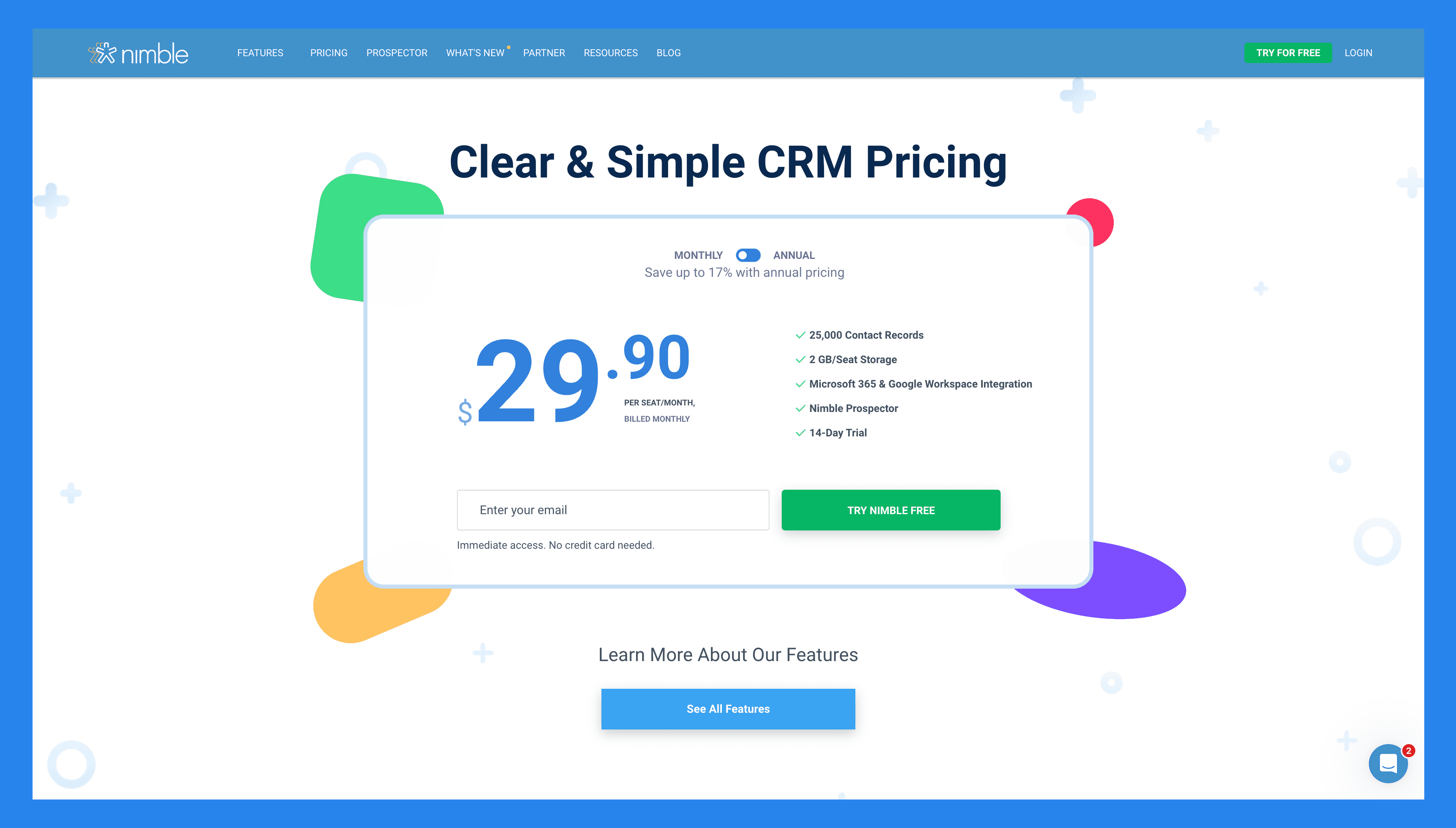
Features | Nimble CRM plan |
|---|---|
Pricing | $29.90 |
Relationship Management | |
Contact Management | ✅ |
Social Profile Matching & Enrichment | ✅ |
Browser & Email Extensions | ✅ |
Agenda & Activities | ✅ |
Today Page | ✅ |
Marketing & Outreach | |
Web Forms & Lead Capture | ✅ |
Email Marketing | ✅ |
Email Templates | ✅ |
Group Messages | ✅ |
Email Sequences | ✅ |
Sales, Pipelines, Reporting | |
Prospecting | ✅ |
Sales Engagement | ✅ |
Pipeline Management | ✅ |
Prospect Marketing & Outreach | ✅ |
Workflows | ✅ |
Workflows Automations | ✅ |
Works Everywhere | |
Microsoft 365 Integration | ✅ |
Google Workspace Integration | ✅ |
Apple Mail Integration | ✅ |
Integrations | |
App Integration Partners | 100 + Integration Partners |
PhoneBurner Integration | ✅ |
Zapier Integration | 120 + App Integrations |
API Access | ✅ |
Mobile Apps | |
IOS | ✅ |
Android | ✅ |
Customer Support | |
Online & Email Support | ✅ |
Comprehensive Support Center | ✅ |
Daily Live Q&A Sessions | ✅ |
Weekly Training Webinars | ✅ |
Free 1:1 Calls | ✅ |
💭 Final Thoughts
Salesmate remains a solid contender in 2026 for growing sales teams that value usability, automation, and affordability. It strikes a comfortable balance between being powerful enough for serious pipeline management and simple enough that your team will actually use it.
Its strengths lie in sales automation, mobile accessibility, and omnichannel communication — all wrapped in an intuitive interface. However, its limited integration ecosystem and lack of truly AI-driven features might make it feel a step behind newer, AI-native CRMs.
Our HONEST opinion: If you’re after a clean, sales-focused CRM that streamlines your day-to-day without overwhelming your team, Salesmate is a dependable choice. But if you’re ready to level up with real AI prospecting, automatic data enrichment, and multichannel LinkedIn, WhatsApp and email selling workflows, it might be time to give Breakcold a try.
👉 Try Breakcold’s 2-week free trial and see how an AI-native CRM feels in action.
Frequently asked questions

Written by
Arnaud Belinga · Co-Founder & CEO at Breakcold
Arnaud is the Co-Founder & CEO of Breakcold, the AI Native CRM for sales teams of 5 to 30+ people.