



Capsule CRM Review 2026: Simple but Still Worth It?
TL;DR: Capsule is a clean, simple CRM for small teams, but it feels analog in an AI-driven 2026 🏆
🟢 Capsule: a refreshingly simple, clutter-free CRM for relationship-driven B2B service businesses, best for consultants, agencies and small SaaS teams that live on client relationships and want to manage contacts, pipelines and follow-ups without an instruction manual. Starts at $21/user/mo with a free plan for up to 2 users and 250 contacts.
🟠 Where it falls short: lean contact management, no built-in AI enrichment, limited analytics, one pipeline on Starter, and automation that is paid-tier only and does not scale well as your team grows. In an AI-driven 2026 it starts to feel analog.
🏆 Breakcold: the AI Native CRM for sales teams of 5 to 30+ people. AI agents handle the admin (move deals, log activity, create tasks), it connects to Claude and ChatGPT via native MCP, and it syncs LinkedIn, email, WhatsApp and Telegram into one pipeline. At 5 seats Breakcold is $139/mo, where a traditional CRM runs $300 to $500/mo.
🔵 Pipedrive: strong visual pipeline management and forecasting for sales-driven SMBs and agencies.
🟣 Salesmate: a mobile-first CRM with built-in calling and SMS for teams that sell on the go.
In the ever-growing jungle of CRMs, there’s a system for everyone — and probably their dog too. Salesforce and Pipedrive cater to the enterprise crowd, Breakcold brings the AI-native magic, and then there’s the rest: small businesses trying to find something that just works without needing a degree in sales pipeline-onomics.
That’s where Capsule CRM often sneaks into the conversation. It’s not flashy, not trying to reinvent the CRM wheel — just a refreshingly simple system that promises to do what you need, without 37 side menus and a migraine.
In this review, we’ll unpack what makes Capsule CRM stand out in 2026, explore its key features, pricing, and usability, and see how it stacks up against newer, shinier tools. Whether you’re a consultant, small business owner, or growing agency on the hunt for a CRM that feels more like a helping hand than a full-time job, this guide will help you figure out if Capsule is the right fit.
💡 What Is Capsule CRM?
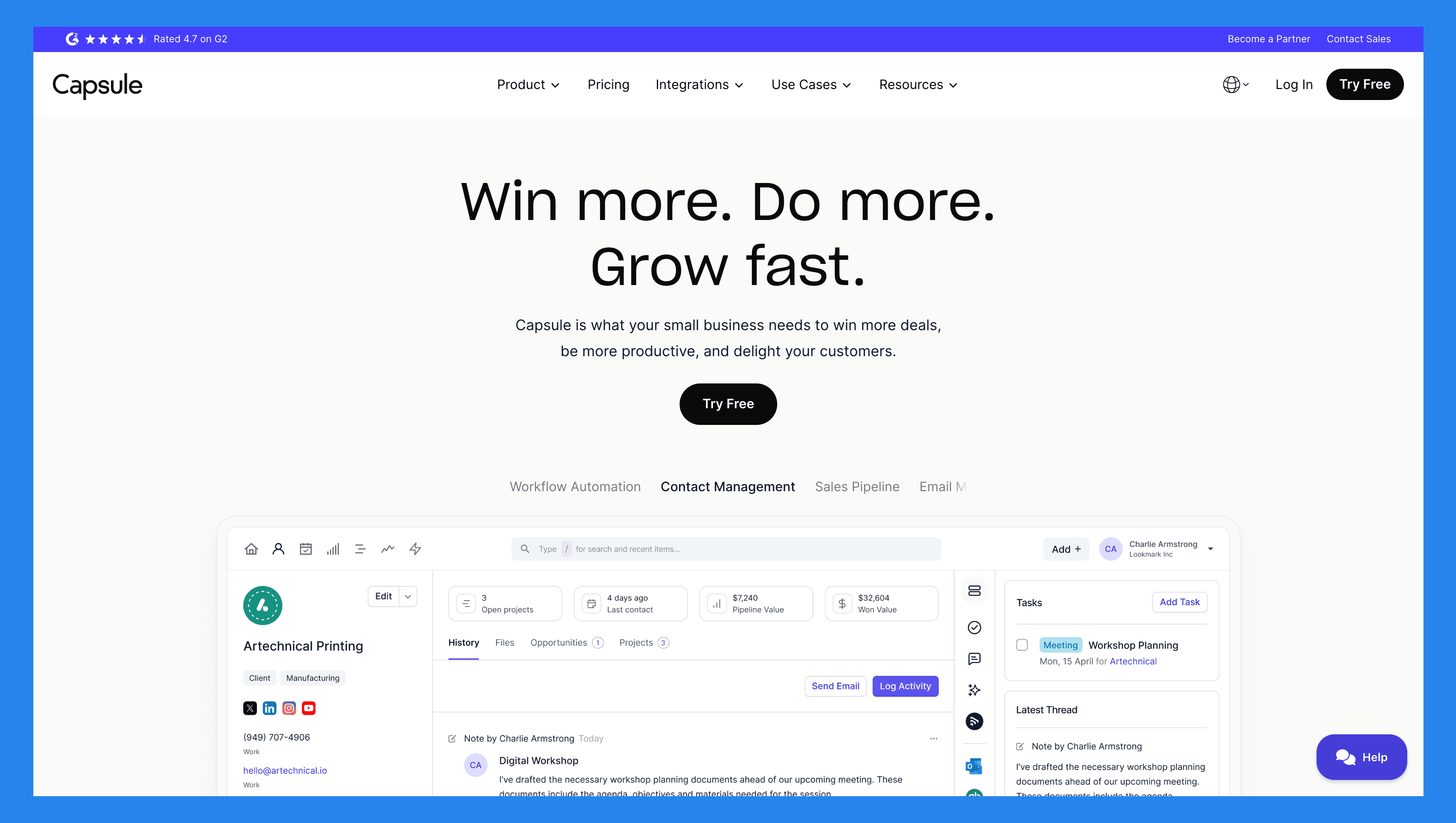
Think of Capsule CRM as the minimalist’s answer to bloated sales software. It’s a cloud-based platform designed for small and medium-sized businesses that want to manage contacts, track deals, and actually enjoy using their CRM — all without the chaos of overly complex systems.
Born in Manchester, UK back in 2009, Capsule started with one goal in mind: make CRMs simple again. Over the years, it’s evolved gently — adding smoother integrations, smarter workflows, and a mobile app — while keeping its “no fluff” philosophy intact.
What really sets Capsule apart is its design. It’s clean, intuitive, and delightfully uncluttered — a rare combo in CRM land. It also plays nicely with tools most teams already use, like Google Workspace, Mailchimp, Xero, QuickBooks, and Zapier. The result? A CRM that quietly slides into your tech stack instead of taking it over.
Capsule shines for relationship-based sales and B2B service businesses — consultants, agencies, and small SaaS teams that live and breathe client relationships. It’s perfect if you want to organize your leads, manage pipelines, and stay on top of follow-ups without needing an instruction manual. One dashboard, minimal fuss, maximum clarity.
⚙️ Capsule CRM Key Features
Capsule doesn’t try to wow you with hundreds of bells and whistles. It’s not a CRM that tries to do everything — it’s one that tries to make the things you actually do every day simpler, cleaner, and faster. Here’s a closer look at the features that make Capsule CRM quietly powerful.
Contact & Lead Management
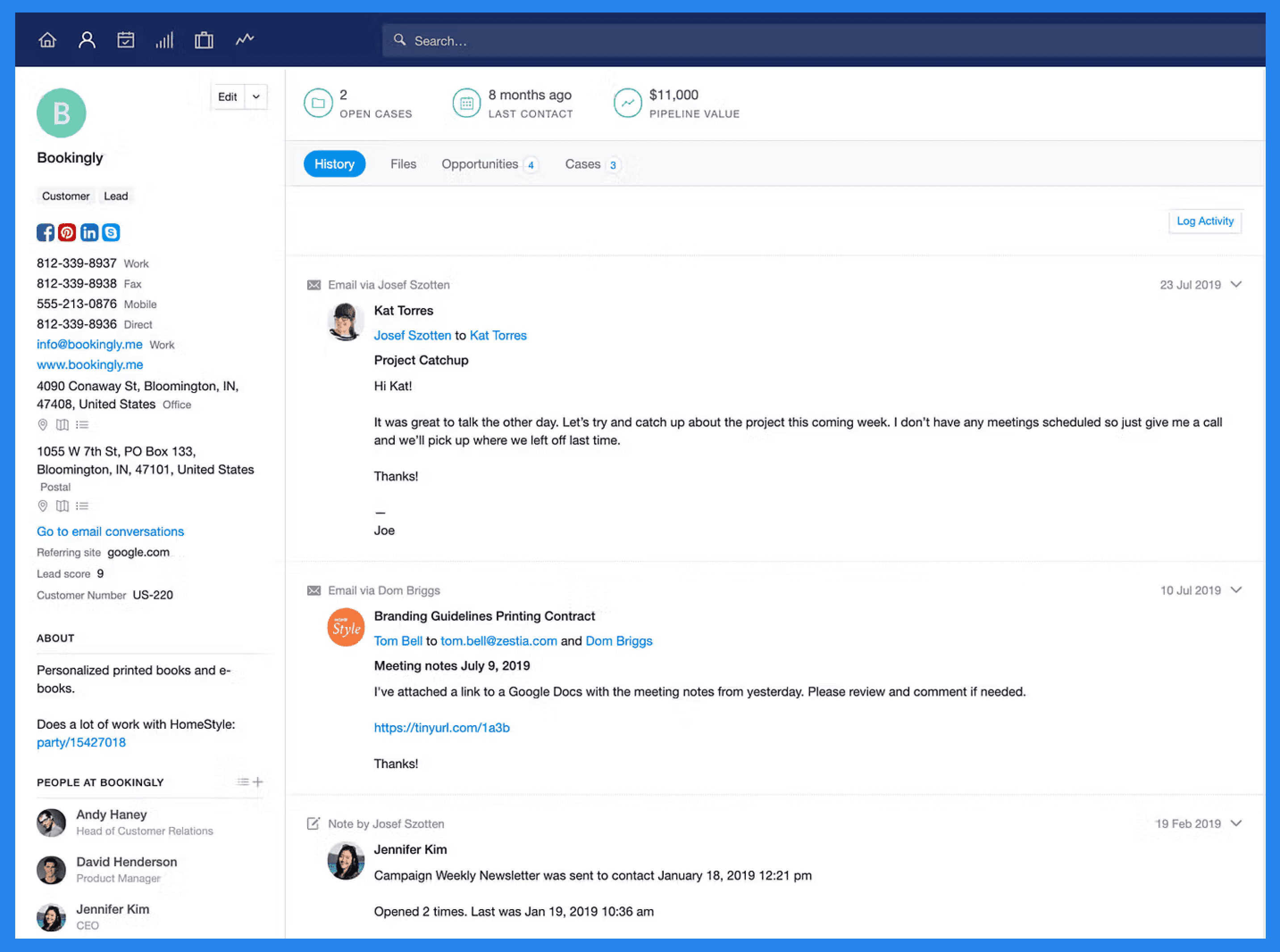
Like any CRM worth its salt, Capsule is all about keeping your contacts and leads neatly organized. Importing or migrating data is refreshingly straightforward, and once your information is in, every client/prospect or company gets its own clean, detailed record. You can log everything — from contact details, project notes, and opportunity values to tasks, activity logs, files, outreach emails, and internal comments.
That said, compared to some of its more modern counterparts, Capsule’s contact management tools can feel a little on the lean side. It nails the basics, but don’t expect deep automation** or **AI-assisted enrichment here.
Did You Know? |
|---|
Capsule’s Free Plan lets you store up to 250 contacts, while the Starter Plan expands that limit to 30,000. And here’s a little insider tip: with Breakcold, you get unlimited contact storage on every plan — right from the start. Not bad for teams who never want to worry about hitting the limit on growth. |
Sales Pipeline Management
Capsule’s pipeline management is as straightforward as it gets — and that’s not a bad thing. You get a clean kanban view, where drag-and-drop simplicity rules the day. Each card represents an Opportunity (Capsule’s version of deals), making it easy to see where every potential sale stands.
Not a fan of kanban? No problem. Capsule also offers a list view, complete with advanced filtering, so you can slice and dice your opportunities however you like — perfect for sales teams who prefer a data-driven, zoomed-out perspective.
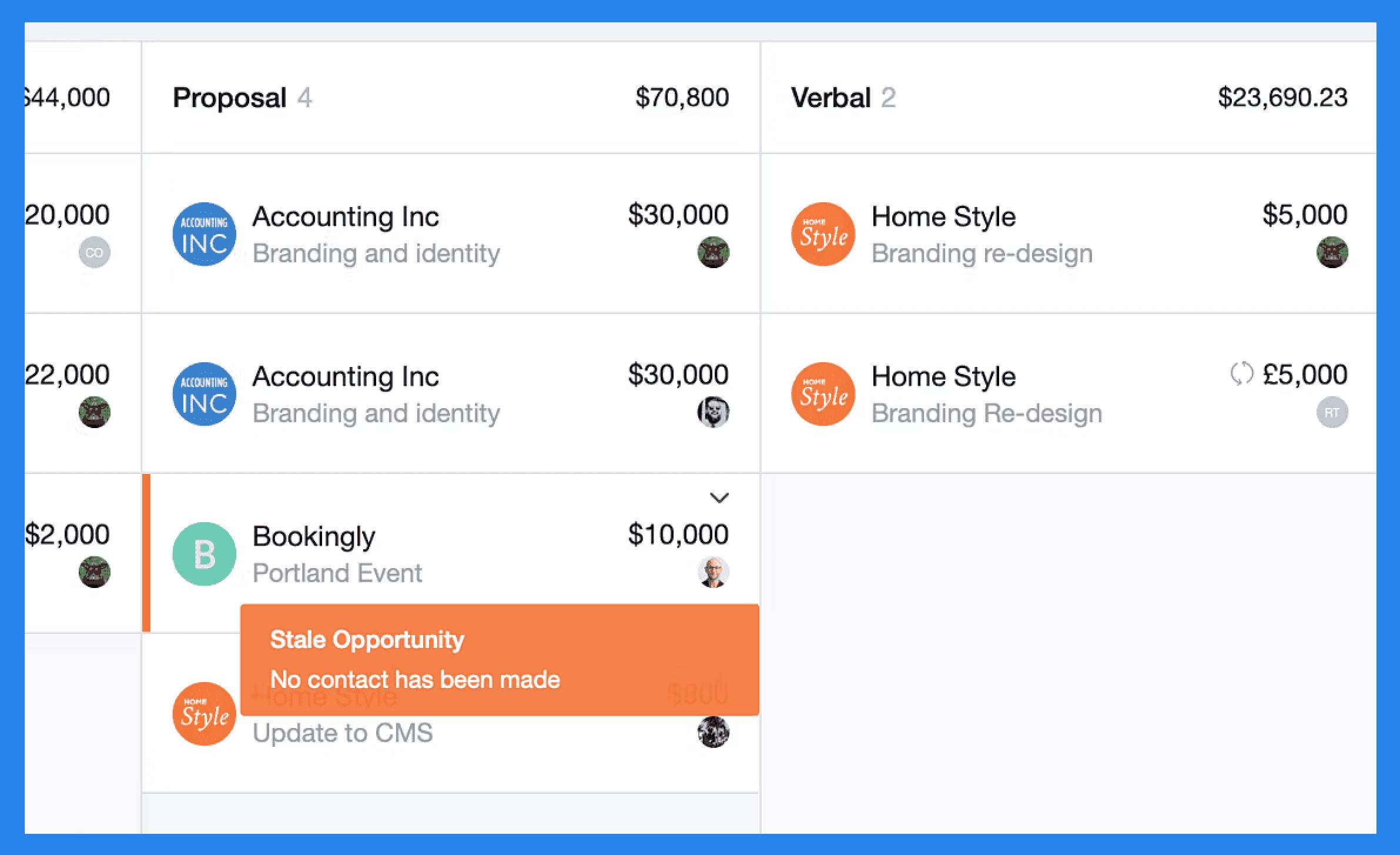
One standout feature in Capsule’s pipelines is Stale Opportunities. Much like Pipedrive’s “rotting” feature (which we covered in our Pipeline Review), Capsule flags deals that have been sitting idle for too long. You can define how many days it takes for an opportunity to go stale — either globally or per milestone — or turn the feature off entirely if you’d rather not be reminded.
Did You Know? |
|---|
If your team’s on a budget, keep in mind that Capsule’s Starter Plan limits you to one pipeline. That might be fine for a small team, but it’s less ideal if you’re managing multiple products, regions, or sales processes. Here at Breakcold, we know that sales teams don’t just chase one type of deal — they chase growth. That’s why every Breakcold plan comes with unlimited pipelines (and unlimited contacts), so you can scale freely and focus on what really matters: closing deals, and not having to worry about cutting costs! |
Task & Activity Management
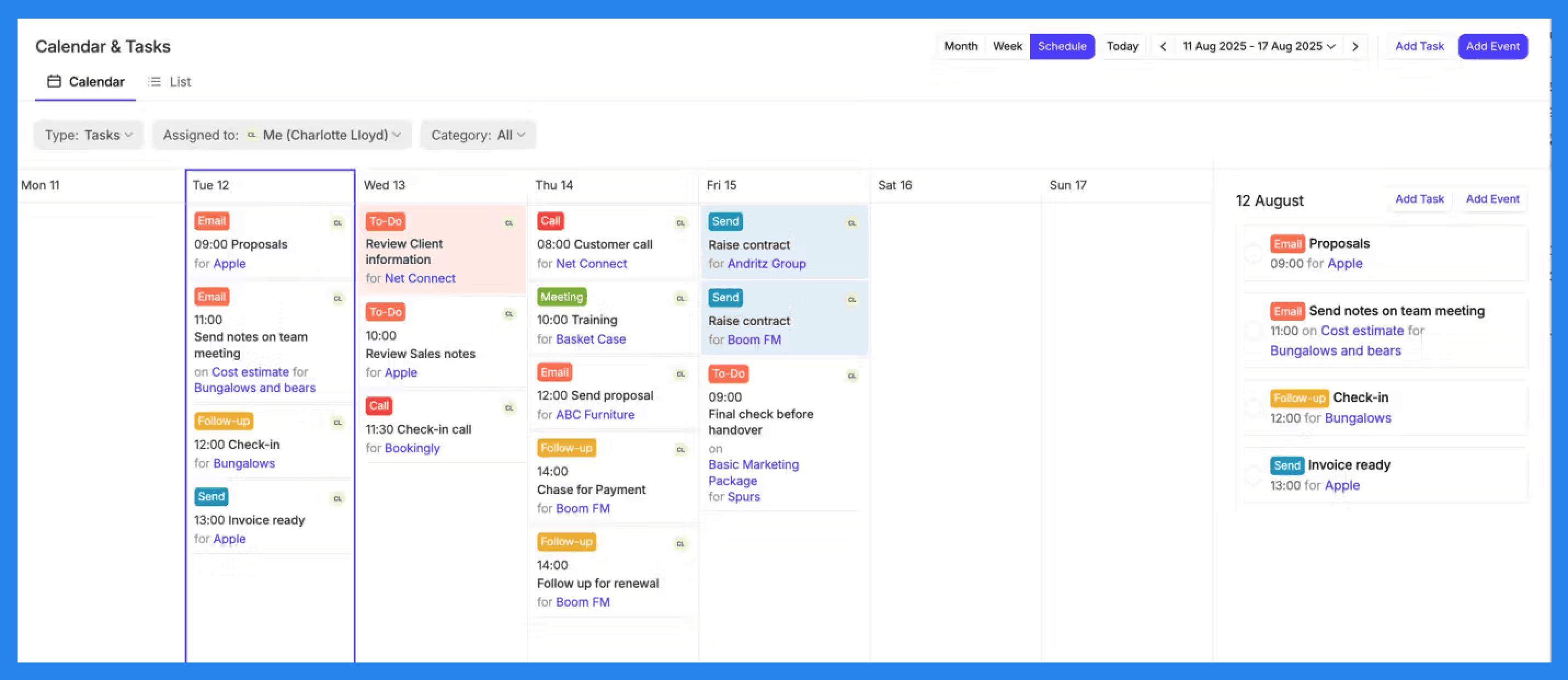
For the visually inclined and the checklist lovers alike, Capsule’s Task Management system strikes a nice balance between structure and simplicity. You can view your to-dos in either a calendar or list format, making it easy to see what’s coming up — whether it’s a call, an email, a meeting, or that all-important follow-up you promised three days ago.
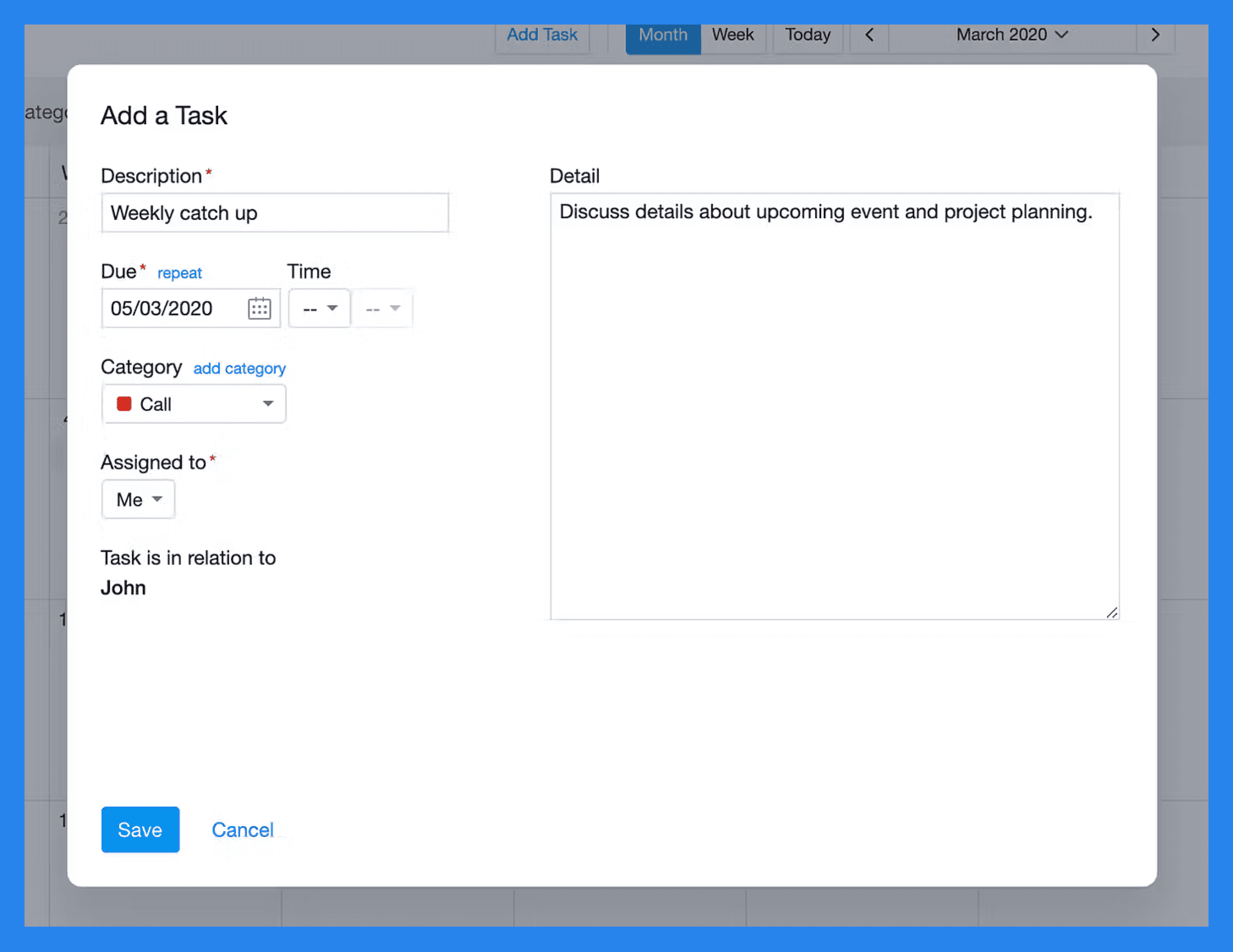
Capsule comes with standard task types like call, email, meeting, send, and follow-up, but you can also create custom categories to match your workflow. The system is lightweight but functional — ideal for keeping your daily sales rhythm on track.
And if your schedule already lives in Google Calendar or Outlook, Capsule’s got you covered. It syncs seamlessly, giving you a unified view of your upcoming tasks and activities without having to jump between tabs or tools.
Email Integration
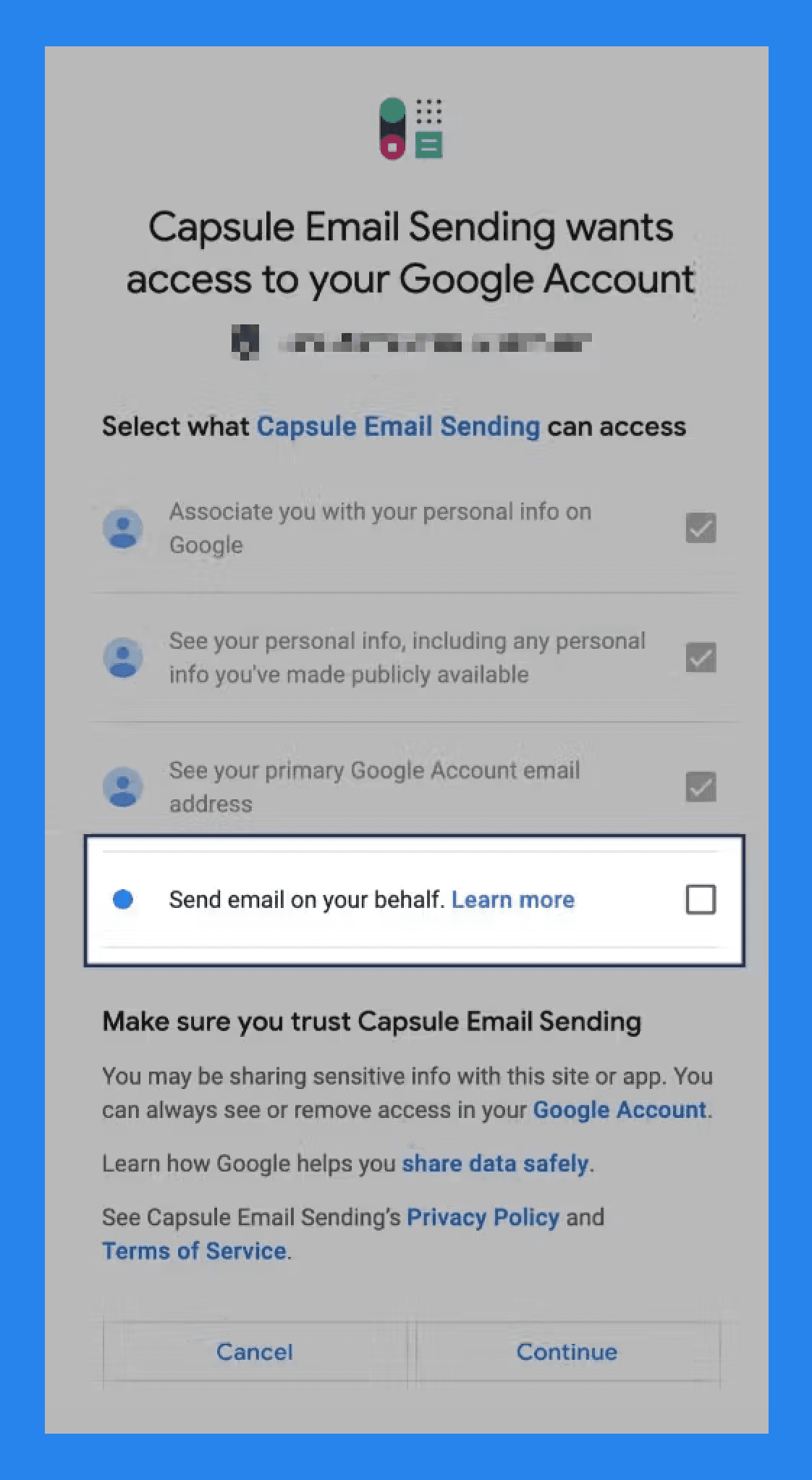
Capsule doesn’t just store your emails — it lets you send them, too. You can connect your Google Workspace, Gmail, Microsoft 365, or Outlook account and start emailing contacts directly from within Capsule. No more bouncing between tabs or hunting through your inbox; everything lives neatly in one place, keeping your workflow seamless and your sanity intact.
Capsule also comes stocked with an AI Content Assistant, designed to take the sting out of writing emails. Just tell it what you want to say, choose the type of message and tone, and voilà — you’ll have a polished, relevant email drafted in seconds.
Mobile CRM
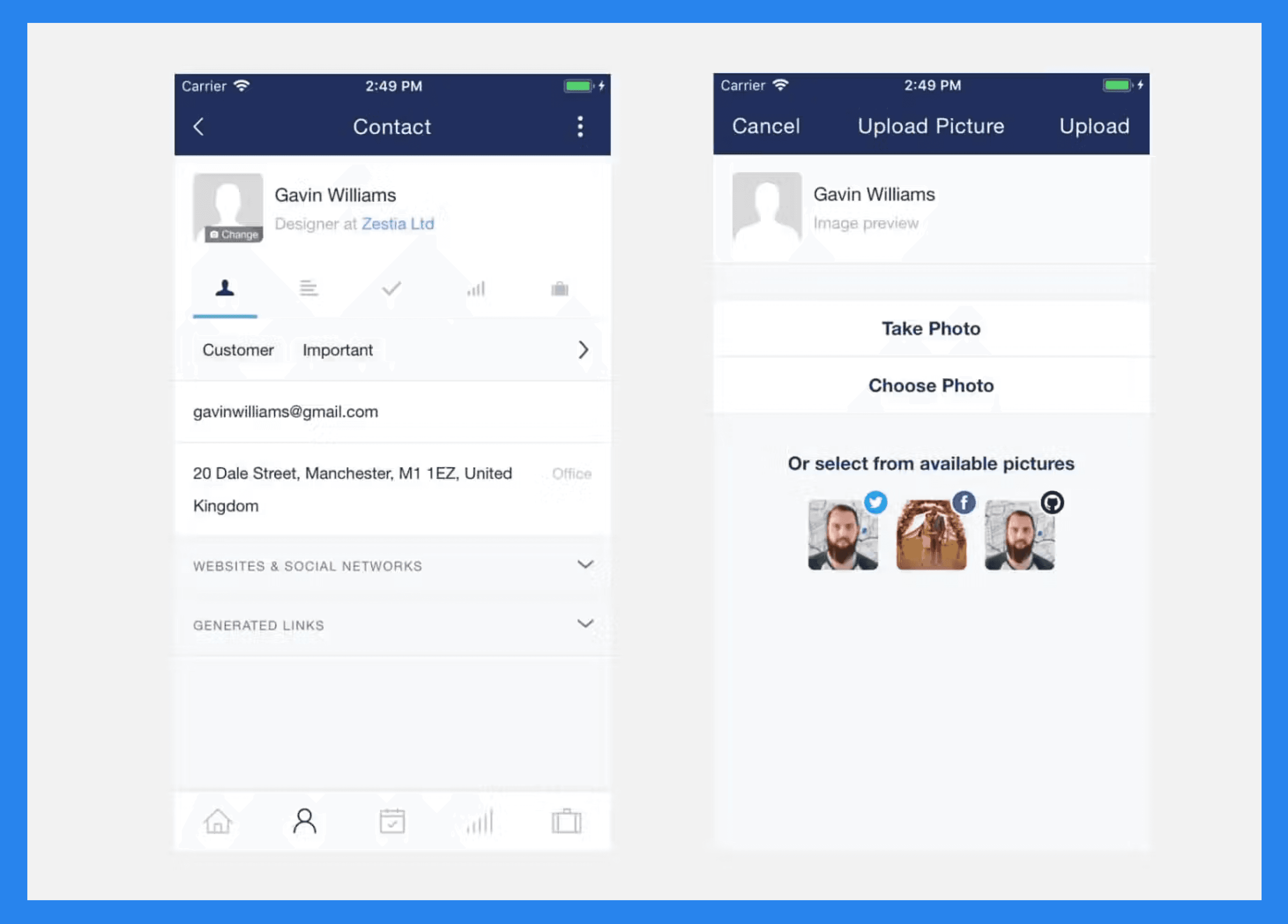
For sales teams who spend more time on the road than at a desk, Capsule’s mobile CRM app is a reliable travel companion. Available on both iOS and Android, it gives you access to your contacts, tasks, and deals anytime, anywhere — even when you’re offline.
You can update opportunities, log calls, and check in on key accounts without needing a steady connection, ensuring your workflow keeps moving no matter where you are.
Workflow Automation
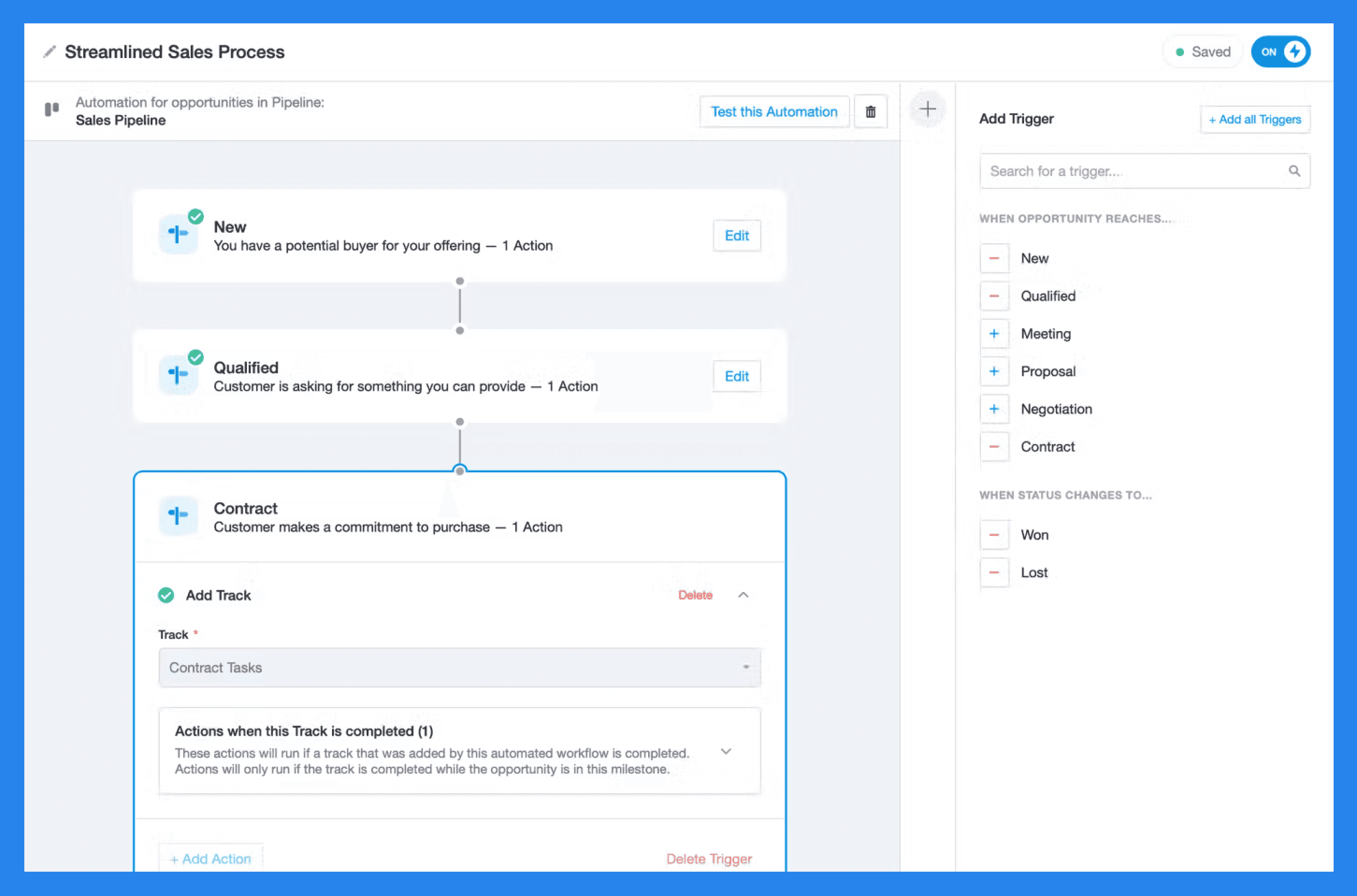
Capsule includes native workflow automation, though it’s important to note that this feature is only available on higher-tier plans — not on the Free or Starter tiers.
With automation, you can configure Capsule to handle repetitive CRM tasks automatically, such as assigning opportunities to team members, creating projects, or sending follow-up emails.
For instance, if you have a milestone for when a contract is drafted for a potential client — and a specific teammate manages that stage — you can set up an automation that reassigns the opportunity to them and applies a “Track” outlining the series of tasks they need to complete.
Did You Know? |
|---|
While Capsule’s workflow automation does reduce admin work, its capabilities are relatively limited and don’t scale well as teams grow — especially considering it’s a paid-tier feature. By contrast, Breakcold takes automation a step further. Leads move automatically based on your real-time interactions and conversations. You can even let Breakcold Vision decide when and how to trigger workflow actions — enabling smarter, more personalized automation that adapts to how you sell. |
Integrations & Add-ons
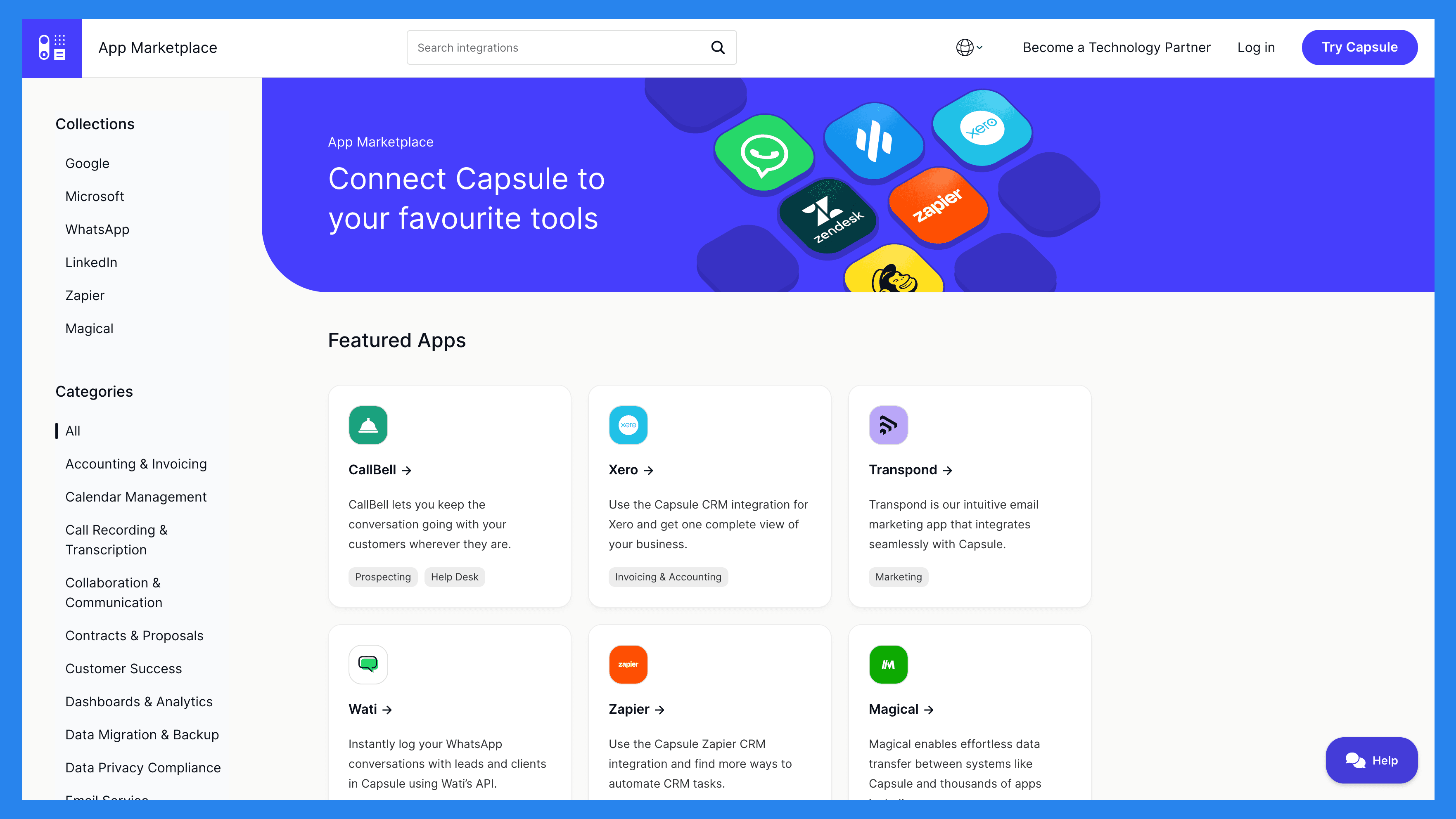
Capsule comes with a solid integration ecosystem (via its App Marketplace) that lets you connect the CRM with a variety of popular business tools — helping you streamline workflows and reduce app-switching fatigue.
Some of the most notable integrations include Gmail, Outlook, QuickBooks, Mailchimp, Transpond, and Zapier — giving users flexibility to connect Capsule with their existing tech stack.
While the marketplace isn’t as extensive as what you’ll find in tools like HubSpot or Pipedrive, it covers the essentials most small businesses need to get started without friction.
💰 Capsule CRM Pricing (2026 Update)
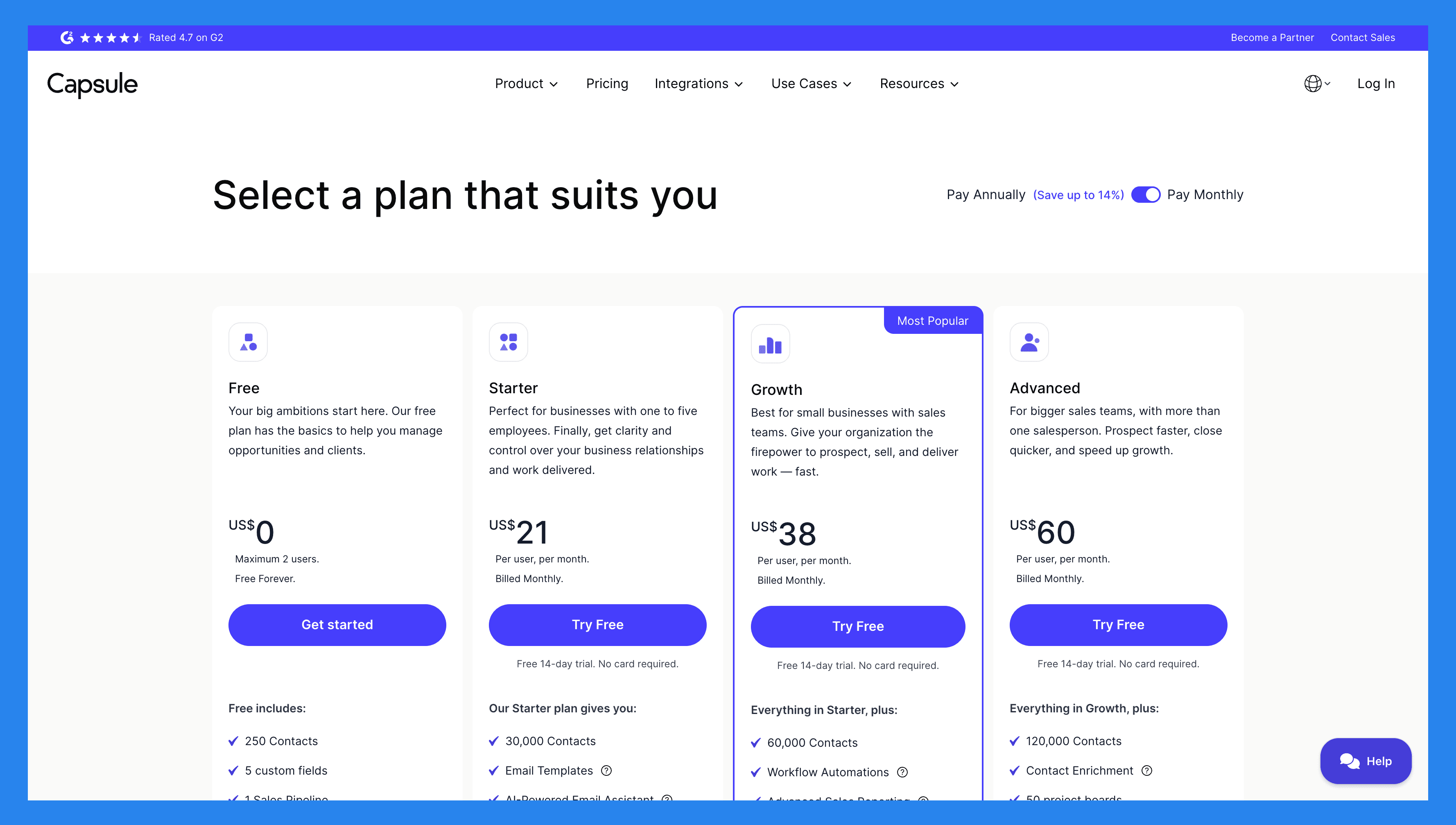
Free | Starter |
|---|---|
$0 (Max 2 users) | $21/user/mo |
Free includes: 250 Contacts 5 custom fields 1 Sales Pipeline Activity Log Contact History Outlook & Gmail add-in Mobile app access Upgrade to a paid plan anytime | Our Starter plan gives you: 30,000 Contacts Email Templates AI-Powered Email Assistant Shared Mailbox Basic Reporting Premium Integrations Goals |
Growth | Advanced |
|---|---|
$38/user/mo | $60/user/mo |
Everything in Starter, plus: 60,000 Contacts Workflow Automations Advanced Sales Reporting Reporting Dashboards Multiple Sales Pipelines Multiple Project Boards Project Management Team & Access Controls Business Enrichment | Everything in Growth, plus: 120,000 Contacts Contact Enrichment 50 project boards |
⭐️ Capsule CRM Ratings + Pros and Cons
Ratings | |
|---|---|
G2 - 4.5/5 (1,102) | Capterra - 4.4/5 (1883) |
Pros | Cons |
Capsule’s simplicity makes it easy to set up and start using right away Customer support is fast and reliable Provides easy access to manage and store client data and potential sales leads | The streamlined feature set may feel basic or limiting for larger businesses Analytics and reporting options are somewhat limited Training resources are more geared toward admin users than everyday users |
🔁 Capsule CRM Alternatives
🥇 Breakcold CRM – Best Sales Focused CRM With AI-Native Features
Summary
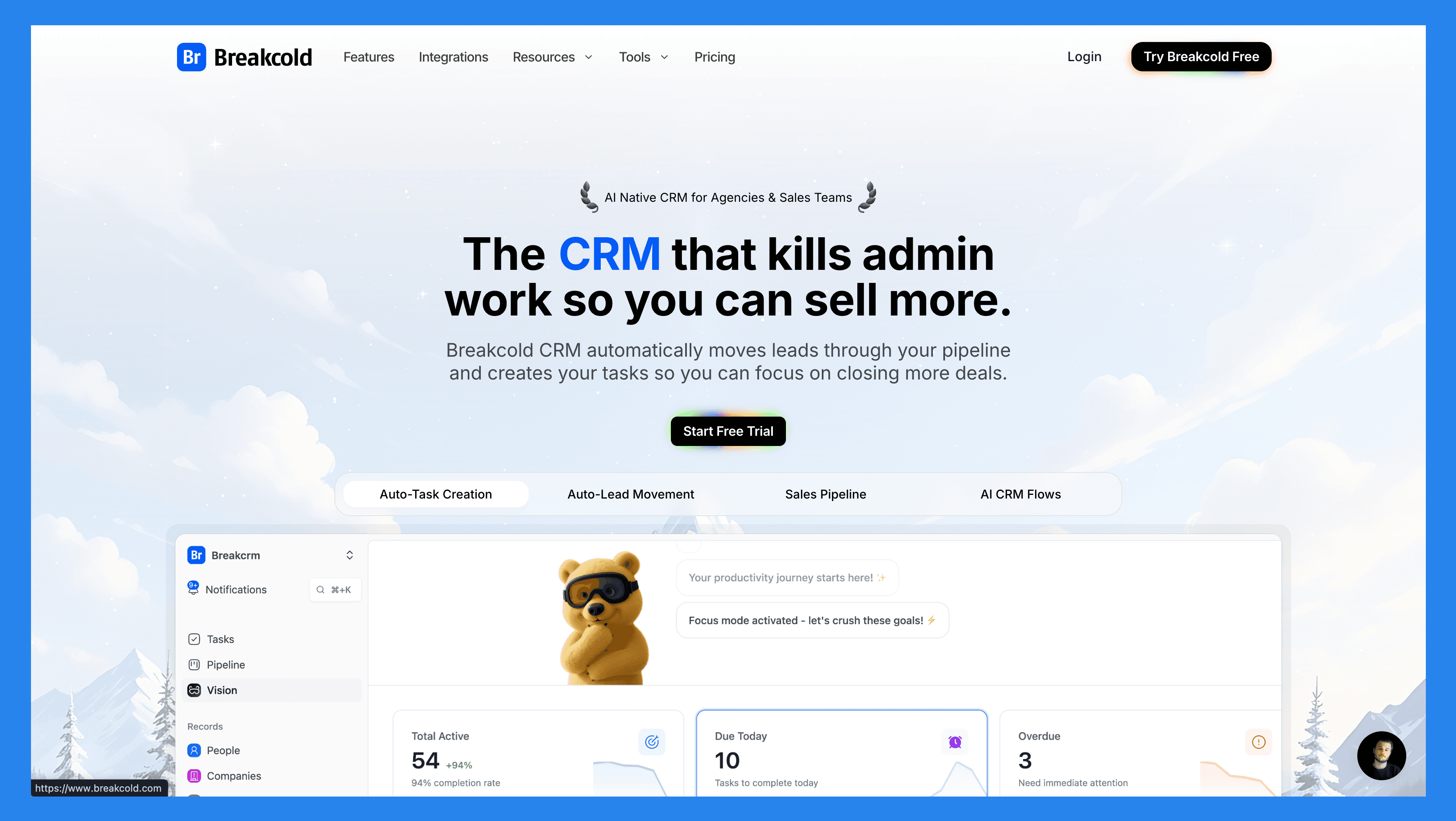
Today, Breakcold has evolved into the AI-native CRM designed for how sales teams actually work today. It automates lead movement, tagging, and follow-ups across Email, LinkedIn, WhatsApp, Telegram, and soon Phone — eliminating the manual upkeep Capsule still requires. With a self-updating dashboard and a social engagement stream, Breakcold gives sellers clarity on who to follow up with, when, and why.
For teams wanting a CRM built around **speed, personalization, and automation, **Breakcold offers a smarter, more modern alternative to Capsule.
Key Features | |
|---|---|
Auto Lead Movement – Leads move automatically in Breakcold’s CRM based on your interactions. No setup required — the AI understands and updates everything on its own. Auto Task Creation – Monitors your interactions with leads and automatically creates follow-up tasks so you never lose momentum. Focus on selling, not admin work. Vision Builder – By default, leads move automatically based on your list names and pipeline stages (zero setup). Want more control? Use natural language to build advanced AI CRM workflows. AI-Powered Dashboard – A self-updating dashboard that highlights your most important tasks so you always know what to focus on next. AI Contact Management – Automatically organizes leads into the right lists and groups by analyzing your conversations, notes, and activities. AI Personalities (AI Agents) – Choose an AI personality aligned with your sales style or business goals. Your dashboard then adapts and serves you daily tasks tailored to that persona. AI Reasoning – Every suggested task comes with clear context, so you’ll know exactly why it’s important and why it matters today. AI Message Suggestions – Get next-message recommendations that match your tone of voice and AI personality — for both email and social conversations. AI Rules – Add custom rules to each step of your workflow for deeper automation control and smarter processes. AI-Powered Contact Deduplication – Automatically identifies and merges duplicate contacts, saving hours of manual cleanup and keeping your CRM lean and accurate. Advanced Data Enrichment – Powered by BetterContact, Breakcold uses waterfall enrichment to surface verified B2B emails and phone numbers, improving outreach accuracy and deliverability. AI Notetaker – Integrates with Otter, Fireflies, TL;DV, and Fathom to auto-generate and log call summaries directly into the CRM — complete with transcripts, links, and follow-up tasks. Unified Inbox – Manage conversations from LinkedIn, Email, WhatsApp, and Telegram in one place, so you can respond faster and never miss a follow-up. Social Engagement Stream – Like, comment, and engage with your leads’ posts directly from the CRM to build relationships through consistent, meaningful interactions. 20+ Native Integrations – Connect Breakcold with Slack, Apollo, Smartlead, Instantly, Lemlist, and many other sales tools to streamline your workflow end-to-end. | |
Ratings | |
G2 - 4.7/5 (116) | Capterra - 4.8/5 (93) |
Pros | Cons |
Convenient and easy-to-use interface for LinkedIn power users Well-structured onboarding resources, including how-to videos, flowcharts, and best practices Responsive and reliable customer support Powerful social listening capabilities for lead insights and outreach personalization | Dependent on external services like Google and LinkedIn, which can cause bugs when those platforms update their policies Lacks native calling features and built-in AI functionality Still a developing platform with evolving features and occasional limitations |
Pricing Plans
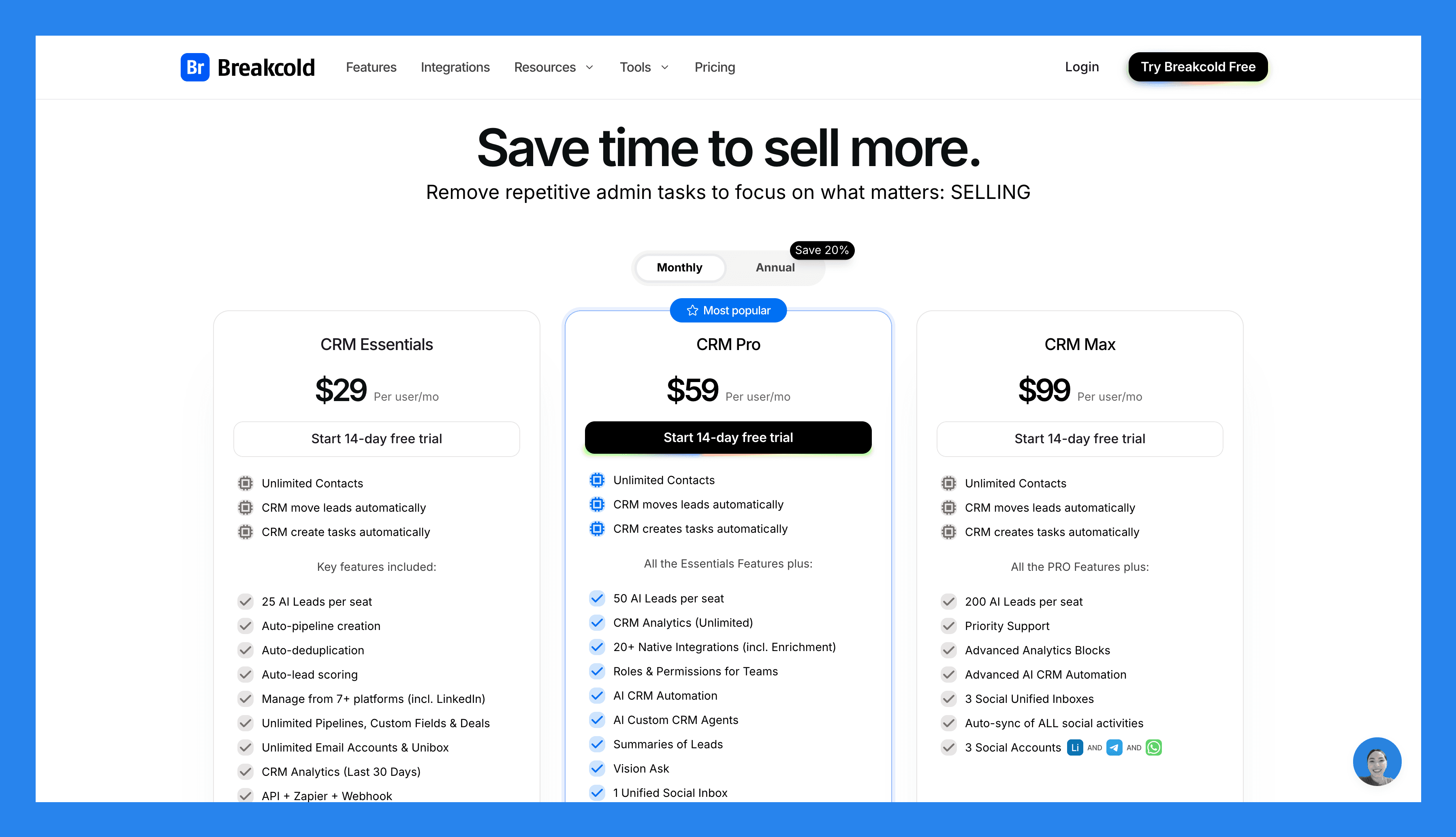
CRM Essentials | CRM Pro | CRM Max |
|---|---|---|
$99/mo | $99/mo | $99/mo |
Unlimited Contacts CRM move leads automatically CRM create tasks automatically Key features included: 25 AI Leads per seat Auto-pipeline creation Auto-deduplication Auto-lead scoring Manage from 7+ platforms (incl. LinkedIn) Unlimited Pipelines, Custom Fields & Deals Unlimited Email Accounts & Unibox CRM Analytics (Last 30 Days) API + Zapier + Webhook | Unlimited Contacts CRM move leads automatically CRM create tasks automatically All Essentials Features plus: 50 AI Leads per seat CRM Analytics (Unlimited) 20+ Native Integrations (incl. Enrichment) Roles & Permissions for Teams AI CRM Automation AI Custom CRM Agents Summaries of Leads Vision Ask 1 Unified Social Inbox Auto-sync social activities for 1 social 1 Social Account (LinkedIn, X, or Whatsapp) | Unlimited Contacts CRM move leads automatically CRM create tasks automatically All PRO features plus: 200 AI Leads per seat Priority Support Advanced Analytics Blocks Advanced AI CRM Automation 3 Social Unified Inboxes Auto-sync of ALL social activities 3 Social Accounts (LinkedIn, X, or Whatsapp) |
A team of 5 on Breakcold is $139/mo, where Attio, Pipedrive and HubSpot Sales Hub run about $500/mo for 5 seats with similar features.
🥈 Pipedrive – Best All-In-One CRM With Advanced Automation
Summary
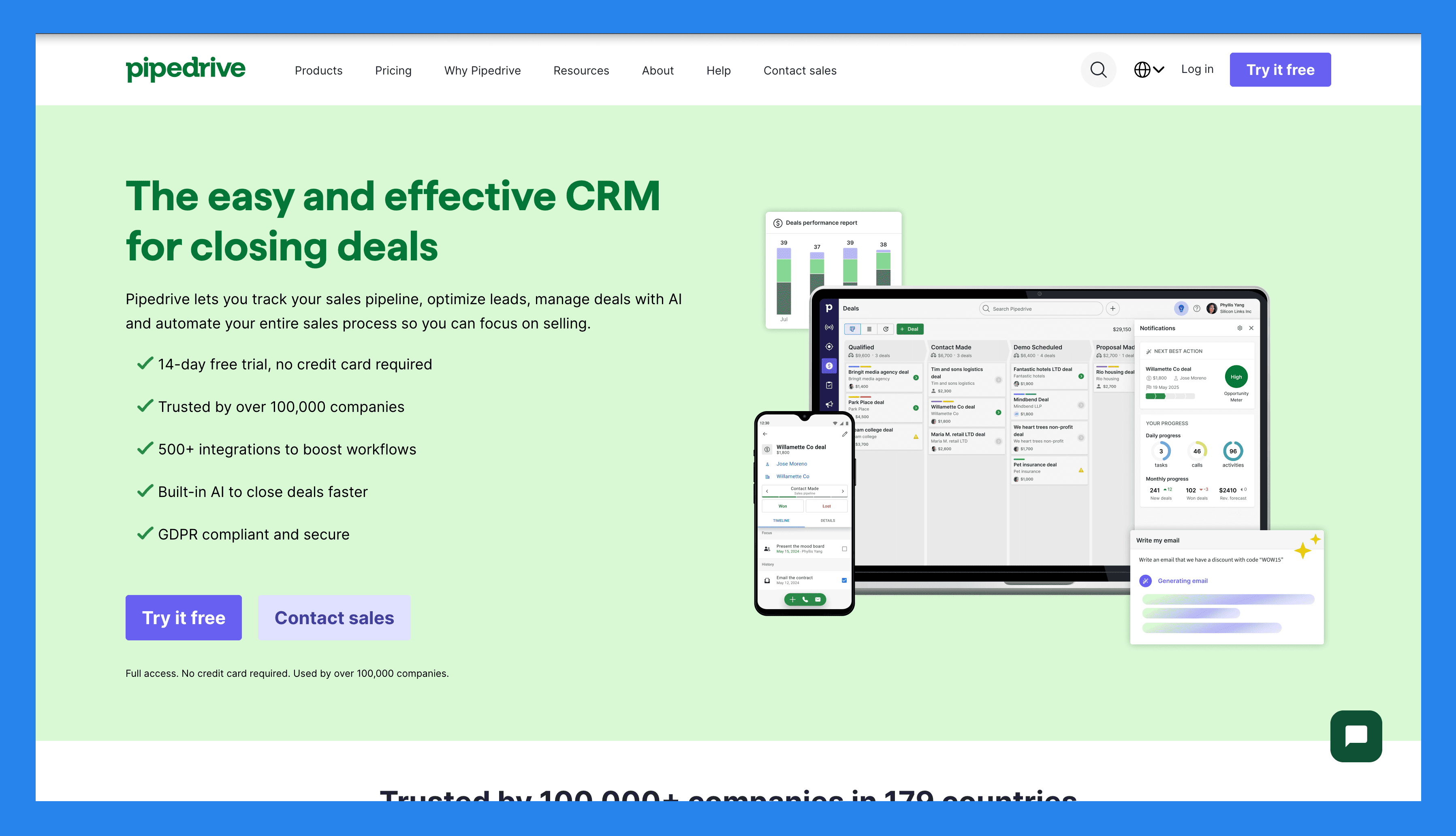
Pipedrive was built by salespeople, for salespeople, with one goal: make managing deals intuitive. Instead of overwhelming dashboards or bloated features, it offers a simple, visual pipeline that clearly shows where every deal stands.
Today, Pipedrive serves SMBs, agencies, and sales-driven teams that want a straightforward, organized way to track activities and manage pipelines — all while benefiting from advanced automation and integrations that keep workflows efficient without the complexity of enterprise CRMs like Capsule.
Key Features | |
|---|---|
AI Deal Guidance – Leverage intelligent prompts and win probability scores based on real-time CRM activity to focus on the deals that matter most. Custom Forecasting & Sales Reports – Build tailored dashboards to analyze revenue trends, deal health, and conversion rates — all in one place. Performance Dashboards & Goal Tracking – Set sales targets and track rep or team performance visually, making it easy to stay aligned and motivated. Visual Pipeline Control – Move deals through stages with drag-and-drop simplicity, schedule next actions, and get real-time visibility into deal momentum. Lead Progress Monitoring – Monitor each lead’s journey from initial contact to conversion, assign follow-ups, and prioritize outreach based on lead quality. Sales Task Automation – Cut down on repetitive tasks with smart workflows that handle data entry, email reminders, and pipeline updates automatically. AI Sales Productivity Suite – Access built-in tools like email writing assistance, summary generation, and LeadBooster to streamline prospecting. Extensive App Integrations – Sync with 350+ tools—including Gmail, Slack, Zoom, Klenty, and Wingman—to create a truly connected sales tech stack. Mobile CRM Functionality – Manage your pipeline, respond to leads, and access reports from anywhere with full-featured mobile access. | |
Rating | |
G2 - 4.3/5 (2,445) | Capterra - 4.5/5 (3047) |
Pros | Cons |
Well-structured onboarding materials, including FAQs and videos Offers a wide range of integrations with third-party tools Strong automation and AI features that boost productivity Quick and easy setup with minimal learning curve | User interface can feel dated or unintuitive for some users No free plan available — paid tiers start quickly Customer support can be slow or inconsistent. No native LinkedIn integration for lead importing Some users report occasional bugs and performance issues |
Pricing Plans
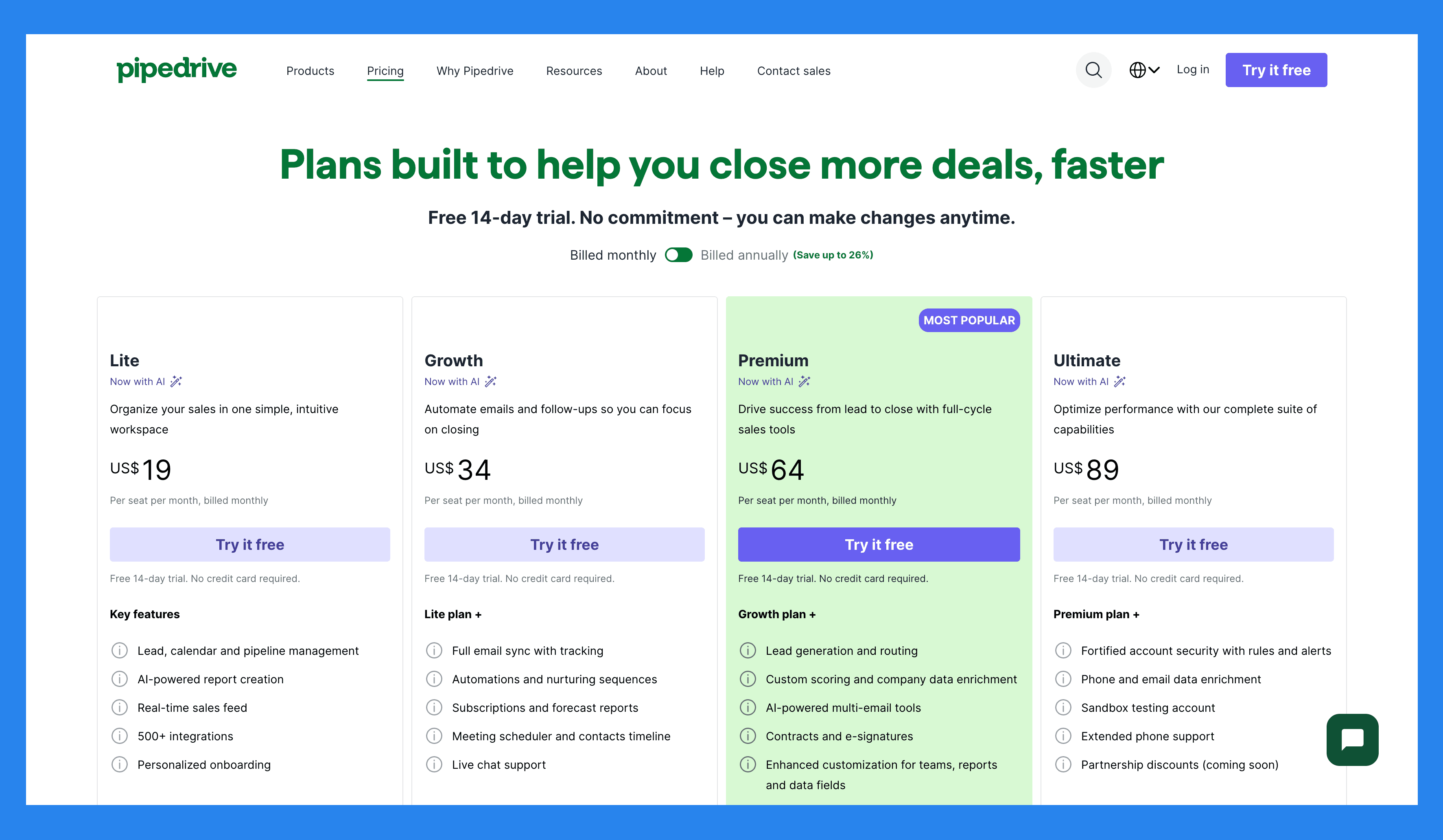
Lite | Growth |
|---|---|
$19/user/mo | $34/user/mo |
Key features: Lead, calendar and pipeline management AI-powered report creation Real-time sales feed 500+ integrations Personalized onboarding | Lite plan + Full email sync with tracking Automations and nurturing sequences Subscriptions and forecast reports Meeting scheduler and contacts timeline Live chat support |
Premium | Ultimate |
|---|---|
$64/user/mo | $89/user/mo |
Growth plan + Lead generation and routing Custom scoring and company data enrichment AI-powered multi-email tools Contracts and e-signatures Enhanced customization for teams, reports and data fields | Premium plan + Fortified account security with rules and alerts Phone and email data enrichment Sandbox testing account Extended phone support Partnership discounts (coming soon) |
Pipedrive Add-ons
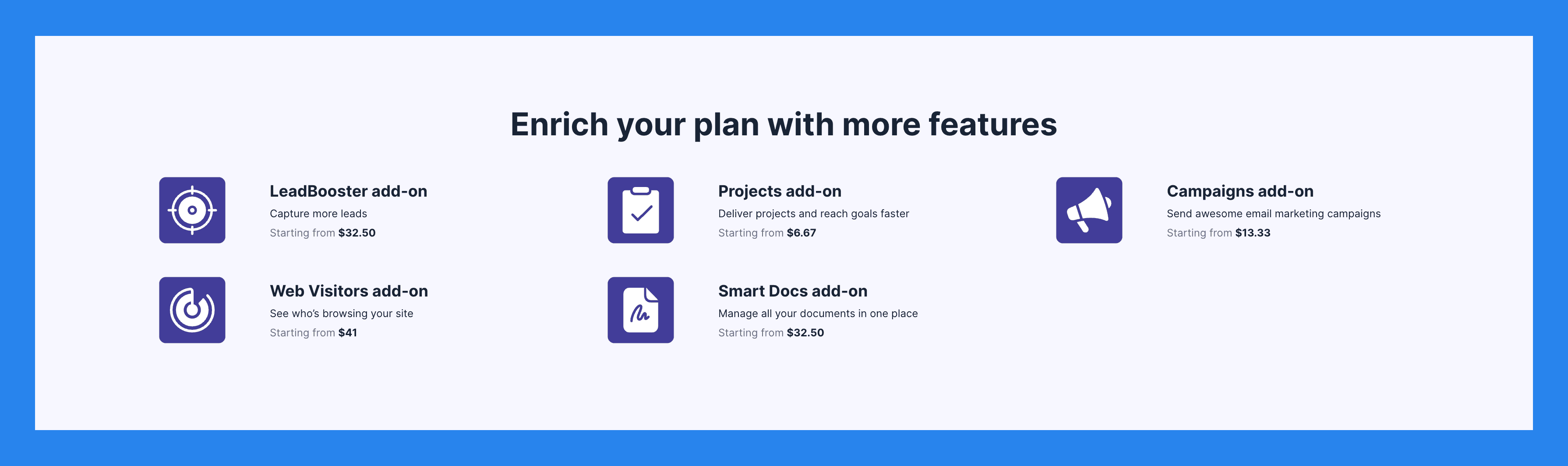
LeadBooster add-on | Projects add-on | Campaigns add-on |
|---|---|---|
Capture more leads Starting from $32.50 | Deliver projects and reach goals faster Starting from $6.67 | Send awesome email marketing campaigns Starting from $13.33 |
Web Visitors add-on | Smart Docs add-on | |
See who's browsing your site Starting from $41 | Manage all your documents in one place Starting from $32.50 |
🥉 Salesmate CRM – Best Mobile-First CRM For On-The-Go Teams
Summary
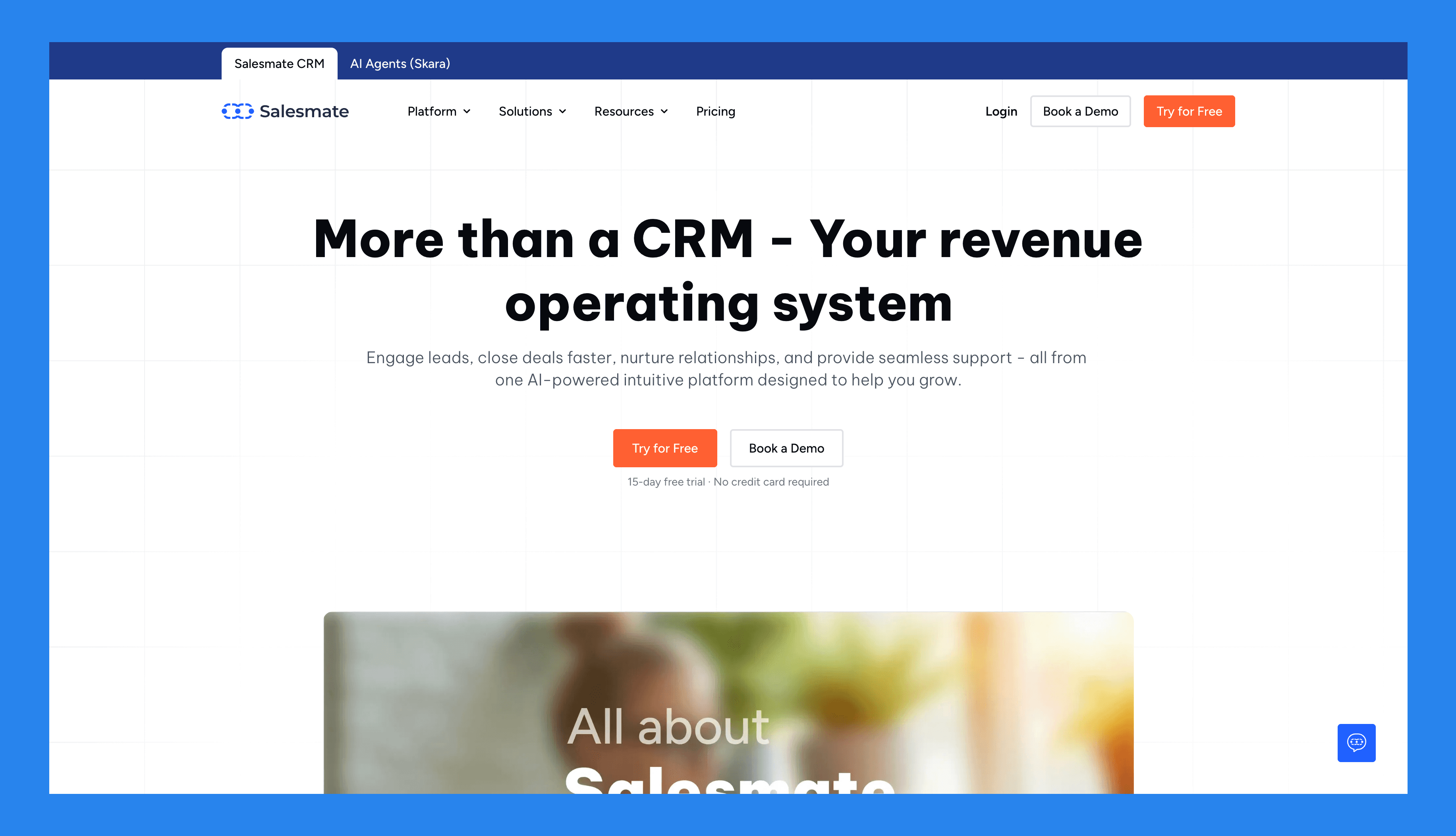
Salesmate is a sales-focused CRM built for teams that need structure on the move. It centralizes communication across email, calls, and SMS, automates follow-ups, and simplifies pipeline management — all within a clean, modern dashboard.
Balancing ease of use with flexibility, Salesmate is ideal for growing teams who want a mobile-first experience without the complexity of enterprise CRMs. It’s commonly used by SMBs and startups tired of juggling spreadsheets or legacy CRMs, agencies managing multiple client pipelines, SaaS sales teams handling demos, trials, and onboarding, and remote or field sales teams who need access to CRM tools on the go.
Key Features | |
|---|---|
Visual Sales Pipeline – Manage deals with an intuitive drag-and-drop pipeline that provides instant visibility into every stage of your sales process. Sales Automation – Automate follow-ups, lead assignments, and workflows to reduce manual work and keep deals moving. Built-in Calling & SMS – Connect with leads directly from the CRM using integrated call and text features. All communications are automatically logged. Email Sync & Tracking – Two-way sync with Gmail, Outlook, and other providers. Track opens, clicks, and replies directly inside Salesmate. Sequences & Drip Campaigns – Create automated outreach sequences that nurture leads over time — perfect for outbound or follow-up campaigns. Mobile CRM App – A robust mobile app that mirrors the desktop experience for sales reps on the go. Reporting & Dashboards – Customizable reports and dashboards for tracking performance metrics and forecasting revenue. Integrations – Connects with tools like Zapier, Slack, Google Workspace, and Mailchimp (though the ecosystem is somewhat limited). | |
Ratings | |
G2 - 4.6/5 (105) | Capterra - 4.7/5 (101) |
Pros | Cons |
Modern, intuitive interface that’s easy to navigate. Affordable pricing suited for growing and scaling businesses. Excellent mobile app — great for field sales teams. Built-in calling and SMS features support true omnichannel outreach. | Limited integration eco-system. Workflow automations can be complex and time-intensive to learn. The customer experience can use some improvement especially when trying to get customer support. Not an all-in-one platform as there is little for marketing and nearly nothing for customer service. |
Pricing Plans
Basic | Pro | Business |
|---|---|---|
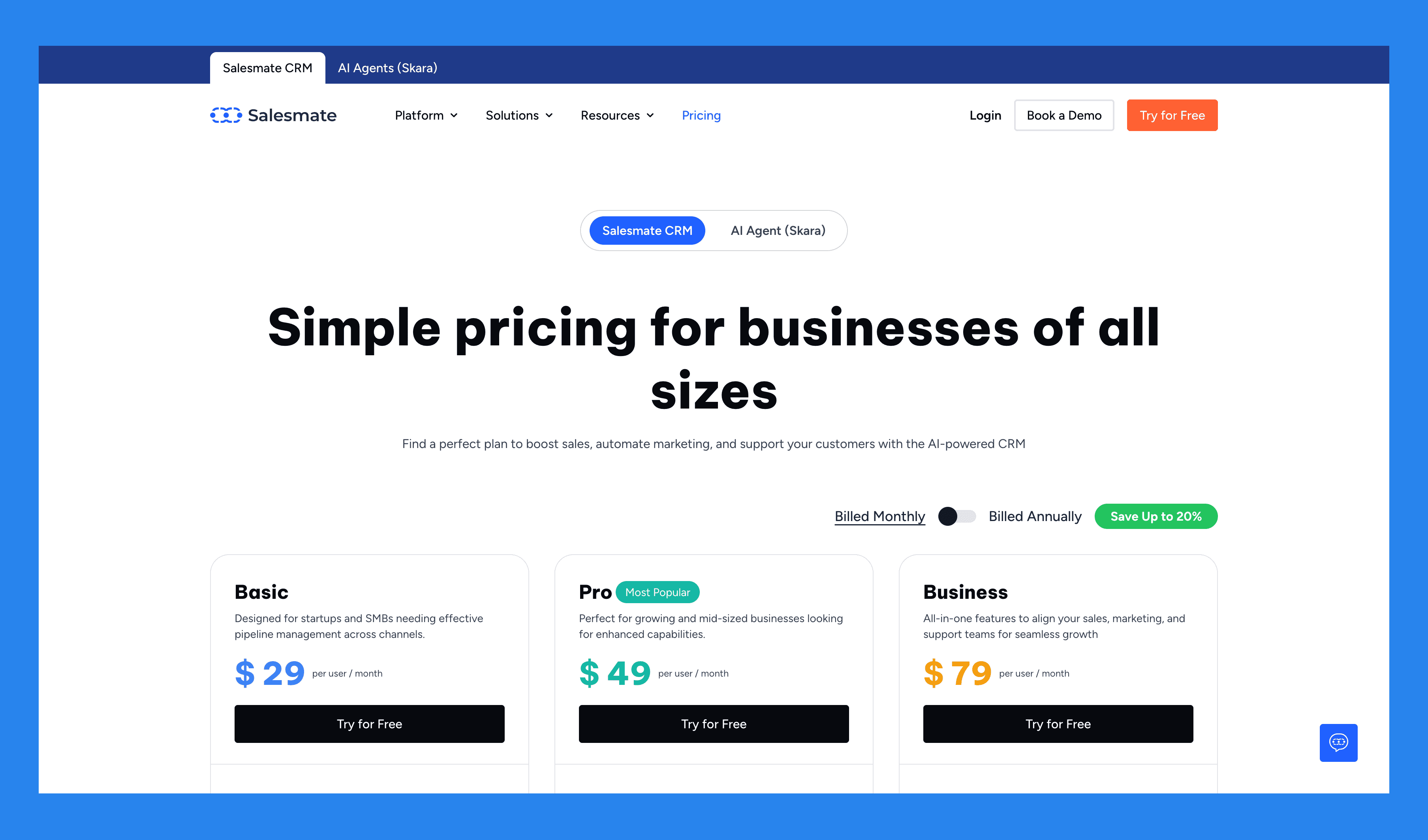
$29/user/mo | $49/user/mo | $79/user/mo |
Key features Contact, company management Activity/task management Calendar sync Deal pipeline management Full email sync Email templates and tracking Meeting scheduler Standard dashboard and reports Web forms Custom fields Sales and marketing automation (Smart flows) 5K Credits/user/mo | Everything in Basic, plus… Sequences Product & quote management Ticket management Team inbox Team management Custom dashboard and reports with goals Field-based permissions Formula fields SSO Sandy AI Sales and marketing automation (Smart flows) 10K Credits/user/mo | Everything in Pro, plus... Deal credit split Custom modules (Objects) Custom duplicate management rules Surveys Service level agreements Advanced goal management Calculated fields Power dialer Voicemail drop Sales and marketing automation (Smart flows) 15K Credits/user/mo |
💭 Final Thoughts: Is Capsule Still Worth It?
Short answer: not really — but it depends on your goals.
Capsule CRM isn’t trying to be everything to everyone — and that’s part of its charm. It’s clean, simple, and affordable, making it a solid pick for small teams that value ease of use over endless configuration.
But that simplicity comes at a cost. As your sales process grows more complex, Capsule can start to feel like it’s holding you back rather than helping you scale.
In an era where automation and AI rule the sales world, Capsule falls noticeably short. The average sales rep already loses up to 70% of their time on admin work — leaving only 30% for what actually matters: selling.
If you’re ready to break that cycle, it might be time to try something smarter. Breakcold eliminates tedious CRM admin work with AI-native automations, data enrichment, and multichannel LinkedIn selling that help you focus on closing deals, not clicking checkboxes.
👉 Experience the future of sales. Try Breakcold’s free trial today.
Frequently asked questions

Written by
Arnaud Belinga · Co-Founder & CEO at Breakcold
Arnaud is the Co-Founder & CEO of Breakcold, the AI Native CRM for sales teams of 5 to 30+ people.