



16 Best AI Sales CRMs for 2026 (Ranked & Reviewed)
TL;DR: the best AI sales CRMs for 2026, ranked by AI depth and fit 🏆
🏆 Breakcold: the AI Native CRM for sales teams of 5 to 30+ people. AI agents handle the admin (move deals, log activity, create tasks), it connects to Claude and ChatGPT via native MCP, and it syncs LinkedIn, email, WhatsApp and Telegram into one pipeline. At 5 seats Breakcold is $139/mo, where a traditional CRM runs $300 to $500/mo.
🟣 Attio: the deepest, most flexible data model for data first startups, with a hosted MCP server, at the cost of a steeper setup.
🟢 HubSpot: an all in one suite for sales, marketing and service with a strong free tier, but the price ladder climbs fast at Professional.
🔵 Salesforce: enterprise grade with Einstein AI for large, complex sales orgs, heavy and expensive for small teams.
🟠 Freshsales, Zoho, Pipedrive: solid, affordable AI CRMs for teams that want lead scoring and pipeline automation without the enterprise weight.
✅ How to choose: pick the CRM that removes data entry, covers the channels you sell on, and plugs into your AI tools. For multichannel LinkedIn and email teams that points to an AI Native CRM like Breakcold.
Since the release of OpenAI’s GPT-3 in June 2020, the business world has been in a race to harness the power of artificial intelligence. What started as a breakthrough in natural language processing quickly evolved into a larger movement: one where AI is reshaping how companies sell, market, and grow.
Nowhere is this transformation more evident than in the world of Sales CRMs. These platforms have evolved from simple contact databases into intelligent systems that automate outreach, score leads, predict deal outcomes, and personalize customer interactions: all powered by machine learning.
In fact, around 61% of companies plan to add AI to their CRM within the next three years (Source: Market.us), signaling a massive shift in how businesses approach sales and customer engagement.
In this guide, we’ll explore the best AI Sales CRMs of 2026, highlighting tools that help sales teams work faster, smarter, and more efficiently. Whether you're running a lean startup or managing a large enterprise team, these platforms are designed to give you a clear competitive edge.
🤔 What is an AI Sales CRM?
An AI Sales CRM is a customer relationship management platform enhanced with artificial intelligence features that help sales teams automate tasks, analyze data, personalize communication, and predict outcomes. While traditional CRMs focus on data storage and manual tracking of interactions, AI-powered CRMs take it a step further by using machine learning, natural language processing (NLP), and predictive analytics to make real-time, data-driven decisions.
🆚 AI CRM vs. Traditional CRM: What's the Difference?
Feature | Traditional CRM | AI-Powered CRM |
|---|---|---|
Data Entry | Manual | Automated from emails, calls, etc. |
Lead Scoring | Static or rule-based | Predictive and dynamic |
Follow-Up Reminders | Manually set | Smart suggestions based on behavior |
Forecasting | Based on past data | Real-time and predictive |
Personalization | Basic segmentation | Hyper-personalized at scale |
Insights & Recommendations | Limited | AI-driven and proactive |
In short, AI Sales CRMs do more of the thinking for you, allowing your team to focus on high-impact activities instead of administrative busywork.
🚀 Benefits of Using AI in Sales CRMs
Integrating AI into your sales CRM brings several high-impact benefits:
**Smarter Lead Scoring & Prioritization **: AI algorithms analyze historical data to rank leads based on conversion potential, helping sales reps focus on the most promising prospects.
Automated Data Entry: AI can extract data from emails, call transcripts, and meetings, eliminating the need for manual updates and improving data accuracy.
**Predictive Sales Forecasting **: By analyzing pipeline behavior and deal trends, AI offers more accurate forecasts than manual projections.
Personalized Outreach at Scale: An AI email writer can craft email copy, suggest message timing, and even personalize subject lines based on recipient behavior and CRM data.
**Improved Productivity **: With less time spent on admin tasks, sales teams can spend more time building relationships and closing deals.
⚠️ Common Challenges with AI Sales CRMs
Despite their benefits, AI-powered CRMs come with some challenges to be aware of:
**Data Privacy & Ethical Concerns **: AI relies on vast amounts of data, raising questions about customer privacy, data ownership, and regulatory compliance (e.g., GDPR).
Implementation Complexity: Integrating AI features into existing workflows can require time, training, and sometimes outside expertise.
Over-Reliance on AI Suggestions: Sales teams may become too dependent on AI, losing the human touch that often closes deals.
Cost: AI capabilities can drive up CRM subscription costs, especially for advanced analytics or automation features.
**Accuracy Depends on Data Quality **: If your CRM data is messy or incomplete, AI predictions and recommendations can be misleading or ineffective.
🏆 Best AI Sales CRMs (Ranked List with Features and Pros/Cons)
🥇 Breakcold CRM – Best AI-Native Sales CRM for Multichannel Teams
Summary
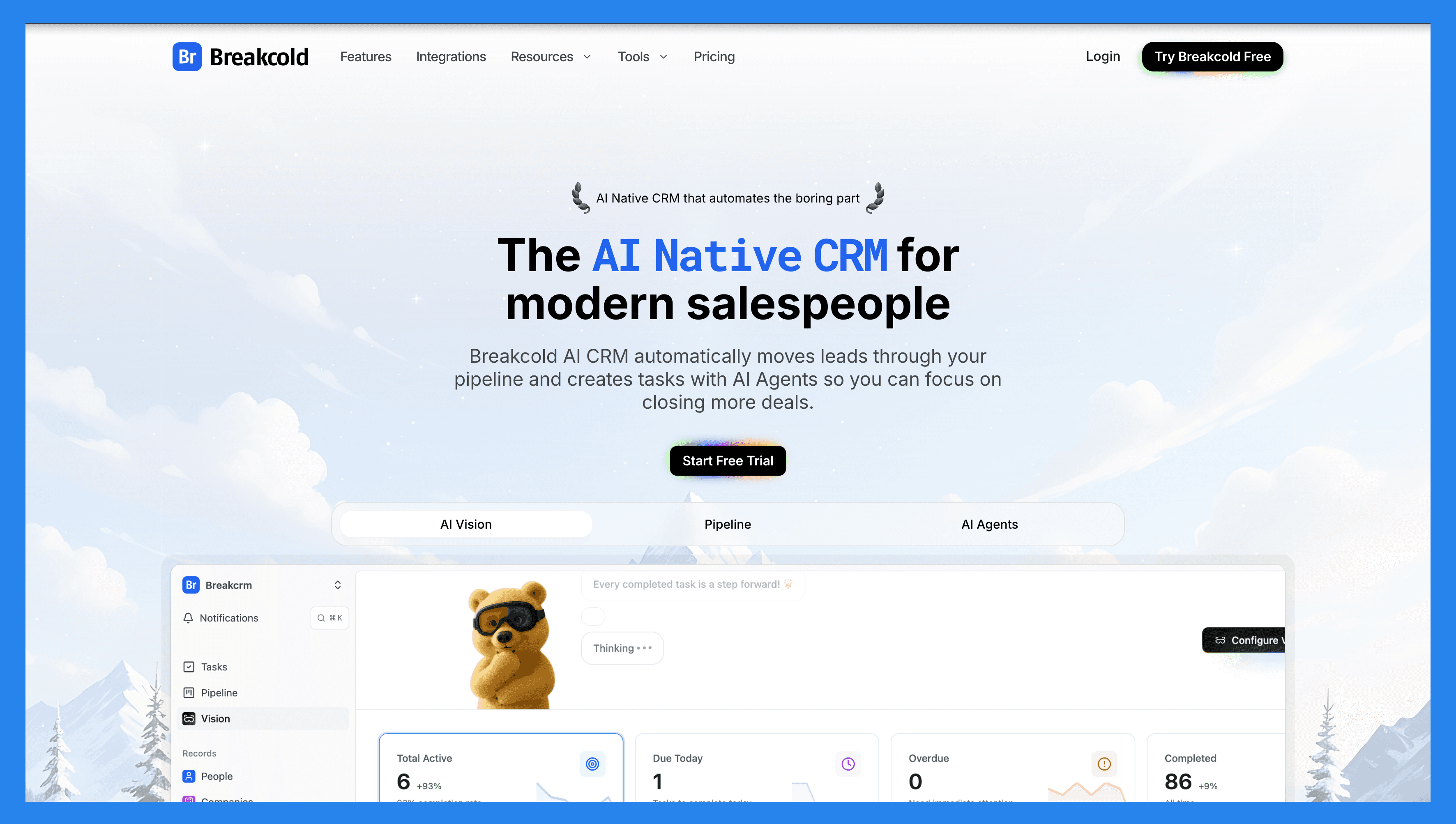
Breakcold is an AI-native sales CRM built for digital SMBs: startups, agencies and consultants. It works for solopreneurs all the way up to teams of 30 to 50, but it is at its best for sales teams of 5 to 30 people who want the power of Attio or HubSpot without the complexity.
Its strongest claim is one no other CRM can really make: it is the only sales CRM that natively integrates email, calls, meetings, LinkedIn, Telegram and WhatsApp into one unified inbox. Conversations auto-sync, so you do not click a Chrome-extension button to log a LinkedIn DM the way you do in Folk, and you do not bolt on Surfe or LeadJet to capture activity. It is built in.
It is also explicitly designed for humans and AI agents to work together. Most CRMs bolt an AI button onto an old data model. Breakcold exposes the whole CRM, inbox, tasks and notes to AI through a first-party MCP server, which is what earns it the top spot on this list (full breakdown below).
Key Features
Vision Builder: create automated workflows from a plain text prompt or a short voice note. No technical skills, just describe what you want and Breakcold builds it.
AI Agents: pick a default AI personality or build your own to set the cadence of CRM updates and suggested follow-ups.
AI Contact Management: scores and organizes leads into the right lists by reading conversations, notes and activity.
Multichannel Unified Inbox: email, LinkedIn, Telegram and WhatsApp threads in one place, with calls and meetings logged automatically.
Custom Objects, Fields and Relations: a data model deep enough to model your real business, second only to Attio but far easier to configure.
AI-Powered Enrichment: verified emails and phone numbers via waterfall enrichment (BetterContact, Apollo.io, Findymail, Wiza), plus people and company enrichment that never costs tokens.
AI Notetaker: works with Otter, Fireflies, TL;DV and Fathom to log call summaries, transcripts and follow-up tasks.
Social Engagement Stream: like, comment and engage with your leads posts without leaving the CRM.
🔌 Native MCP, Claude Integration and the Agent Skill
This is the part that makes Breakcold genuinely AI-native rather than AI-flavored. Breakcold ships a first-party, hosted MCP server (Model Context Protocol) at breakcold.com/mcp, exposing 54 tools generated from the same OpenAPI contract as its public REST API. Any AI client that speaks MCP can read and write your CRM directly: no Zapier, no n8n, no middle layer.
For Claude users specifically, you can connect Breakcold to Claude (Claude.ai, Claude Desktop and Claude Code) as a custom connector in a couple of minutes. Once connected, Claude can create records, update fields, complete tasks and, crucially, read multi-channel conversations: email, LinkedIn, Telegram and WhatsApp threads in the same prompt. That multichannel context is something most CRM MCP servers cannot return.
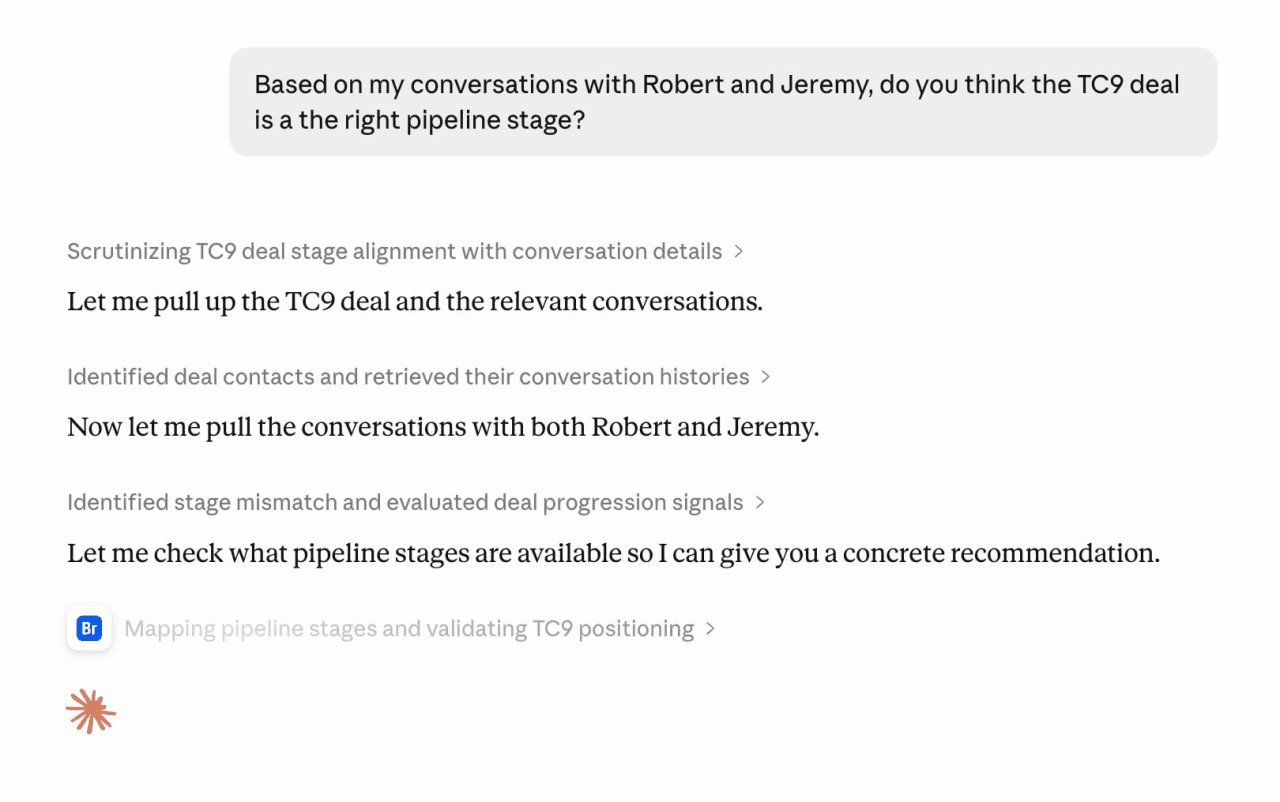
Breakcold also ships a Claude Cowork Skill, which is the playbook layer on top of MCP. Where MCP hands Claude the tools, the Breakcold agent Skill hands it the step-by-step workflow for running real sales tasks. It is a concrete example of the kind of CRM AI agents teams are starting to rely on. And it is not Claude-only: the same MCP endpoint works with ChatGPT, OpenAI Codex, Cursor, Microsoft 365 Copilot and any other MCP client.
Because Breakcold MCP also covers the social-selling and meeting side, not just the classic CRM routes, it can push more context to Claude than a typical CRM. That is handy for building advanced sales reports on demand.
Ratings
Ratings: G2 4.7/5 (116 reviews) and Capterra 4.8/5 (93 reviews).
Pros
The only CRM that natively unifies email, calls, meetings, LinkedIn, Telegram and WhatsApp.
Genuinely AI-native: native MCP server, Claude and ChatGPT integrations, and an agent Skill, not just an AI summarize button.
Custom objects, fields and relations, the number two data model after Attio but far easier to configure.
Unlimited people and company enrichment that never costs tokens.
Pricing that scales sanely: extra seats and accounts are +$10/mo, not +$59/mo.
Responsive support and strong onboarding (how-to videos, flowcharts, best practices).
Cons
Reporting is solid but not as deep as enterprise suites like Salesforce or SugarCRM.
Not a fit if you need a full marketing automation suite. It is built for the sales side.
Best for teams of 5 to 30. Very large orgs (50+) may outgrow the sweet spot.
Pricing Plans
Breakcold runs one plan built for humans and agents, not a maze of tiers. The base is $99/mo and includes 1 seat, 2 accounts, the meeting recorder, email and phone waterfall enrichment, Claude and ChatGPT integrations, the multichannel inbox, auto-sync across Gmail, Outlook, LinkedIn, Telegram and WhatsApp, roles and permissions, and unlimited contacts, pipelines, custom objects and fields.
From there you move two sliders: +$10/mo per extra seat and +$10/mo per extra account. So a team of 5 lands at $139/mo ($99 + 4 x $10), versus the $100+/seat you would pay on HubSpot Sales Hub Professional. AI CRM actions run on a generous token allowance (the $99 base includes 1,500 tokens, about 3,000 actions at roughly 0.5 tokens each), while people and company enrichment stays free and never burns tokens.
A team of 5 on Breakcold is $139/mo, where Attio, Pipedrive and HubSpot Sales Hub run about $500/mo for 5 seats with similar features.
Demo Video
🥈 Attio – Best AI CRM for Customization and Modern Sales Workflows
Summary
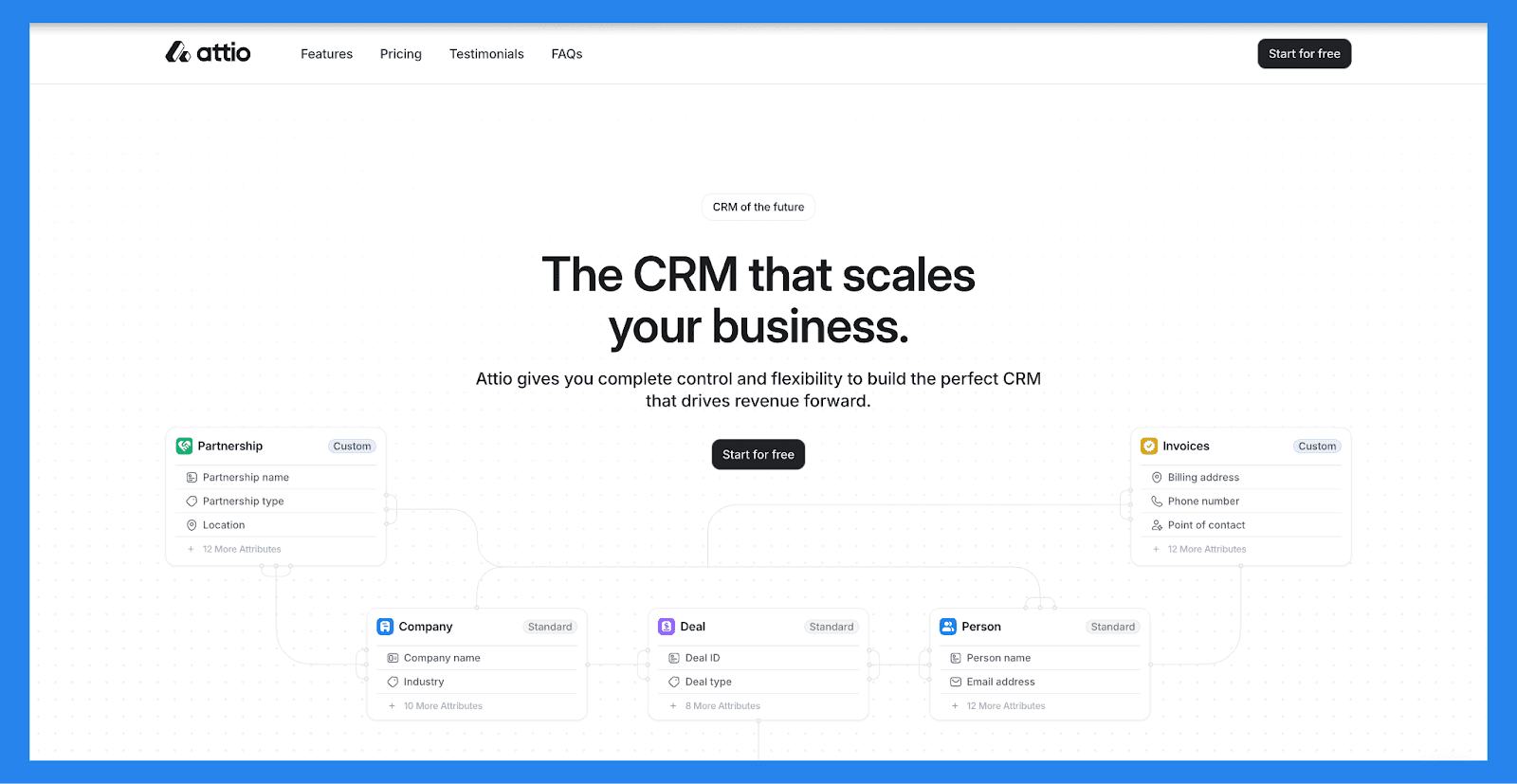
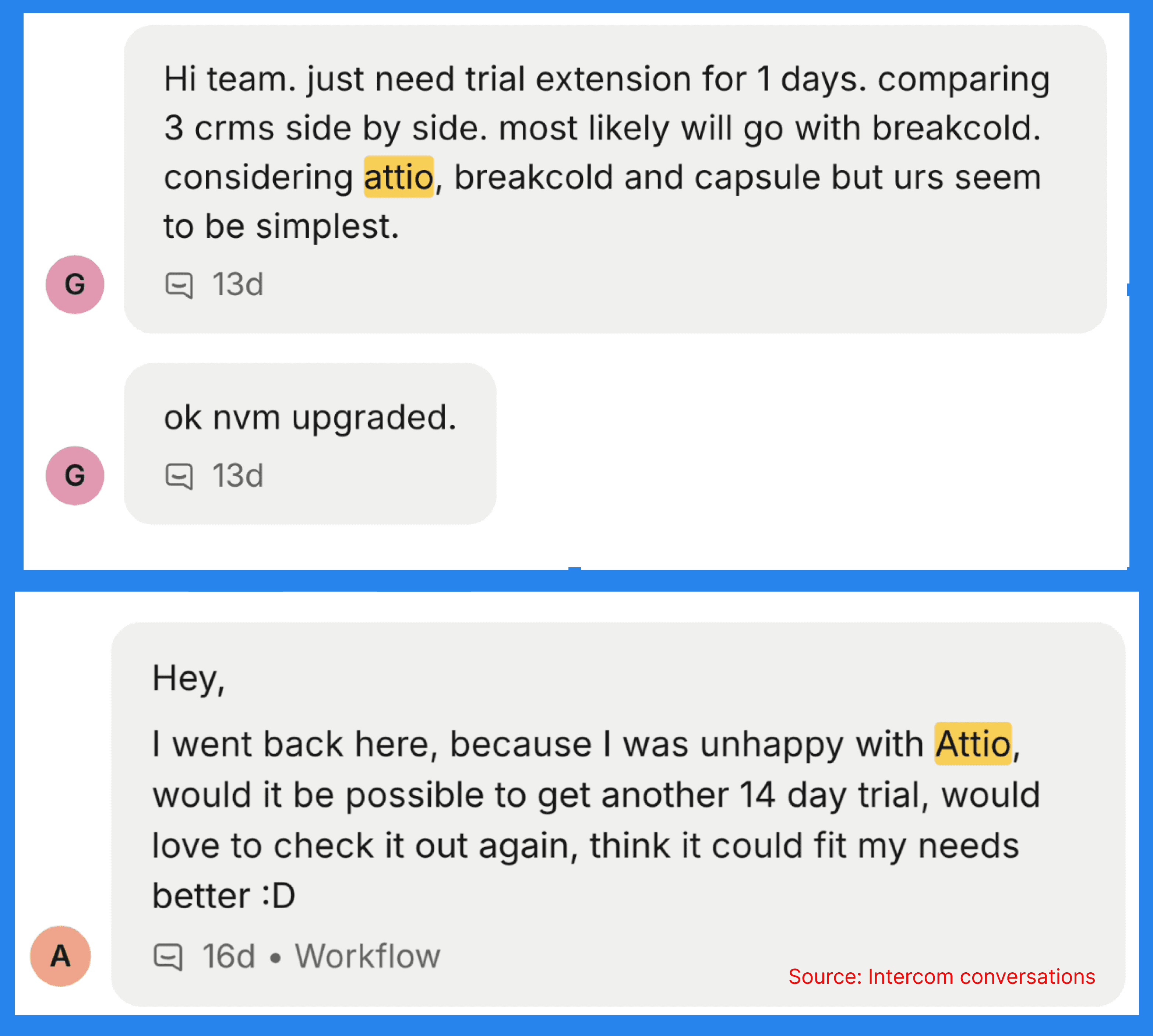
Think of Attio, a next-gen AI CRM, as the best parts of a database, a spreadsheet, and an AI assistant** : ** all rolled into one. Perfect for scale-ups and mid-market teams, it helps streamline workflows, boost collaboration, and reveal the insights that actually move deals forward.
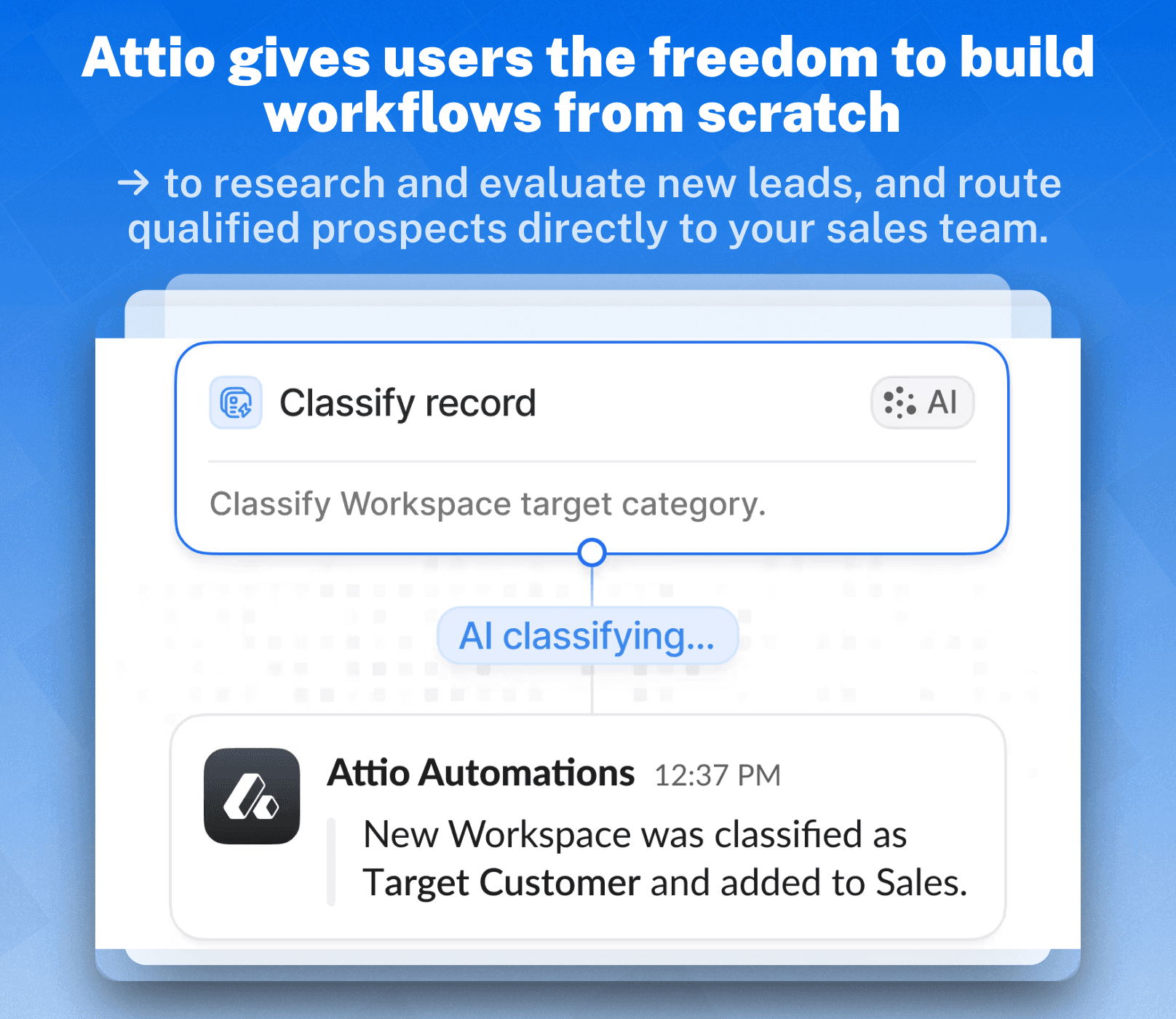
Where Attio truly shines is in its ability to let you build your workflows from the ground up: giving you total flexibility to model your CRM around the way your team actually works, not the other way around. With customizable objects, AI-powered automation, and real-time data enrichment, Attio empowers teams to create a CRM that grows with them.
Pricing Plans
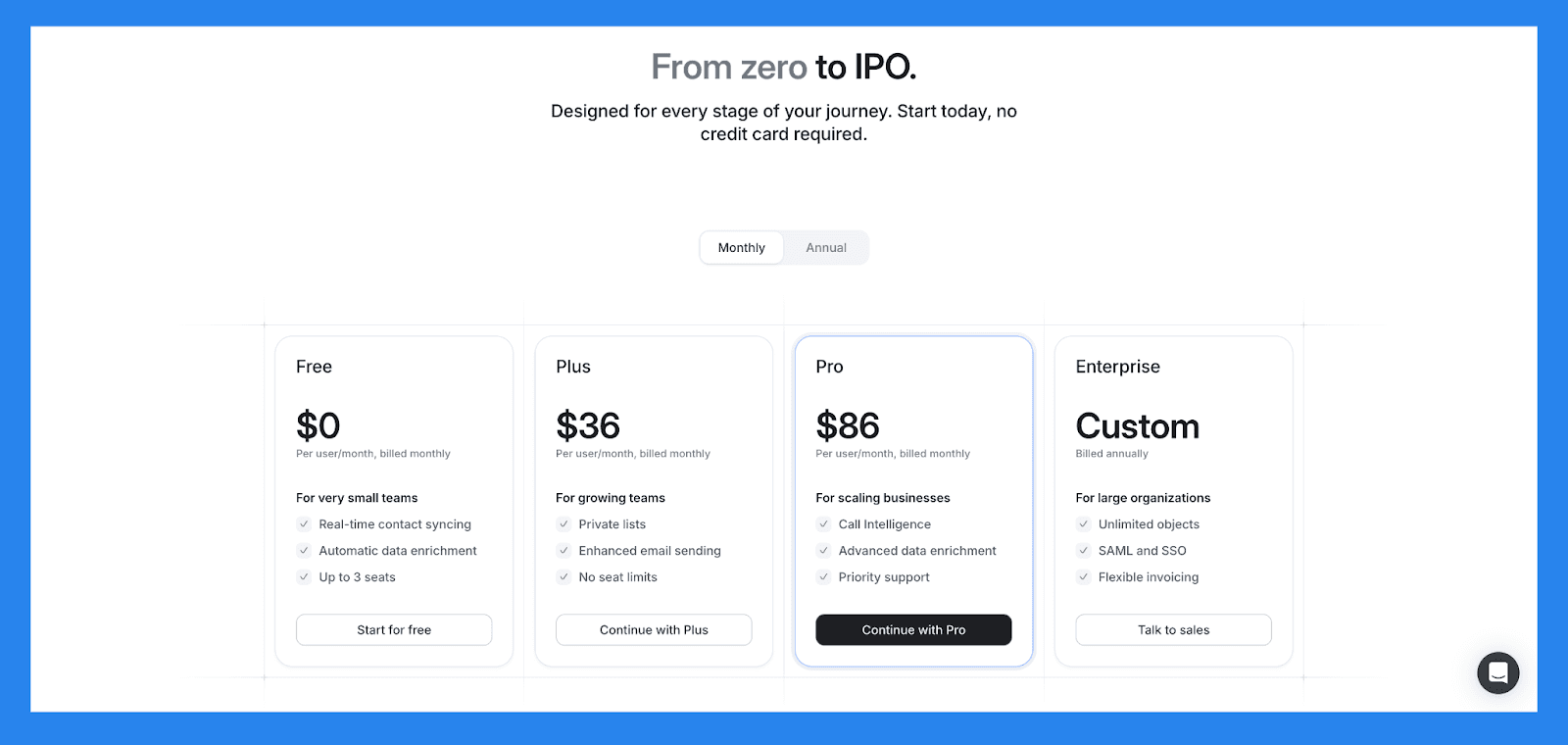
Free | Plus | Pro | Enterprise |
|---|---|---|---|
$0/user/mo | $29/user/mo | $59/user/mo | $119/user/mo |
For very small teams Real-time contact syncing Automatic data enrichment Up to 3 seats | For growing teams Private lists Enhanced email sending No seat limits | For scaling businesses Call Intelligence Advanced data enrichment Priority support | For large organizations Unlimited objects SAML and SSO Flexible invoicing |
Demo Video
🥉 Creatio – Best for No-Code AI Sales Automation
Summary
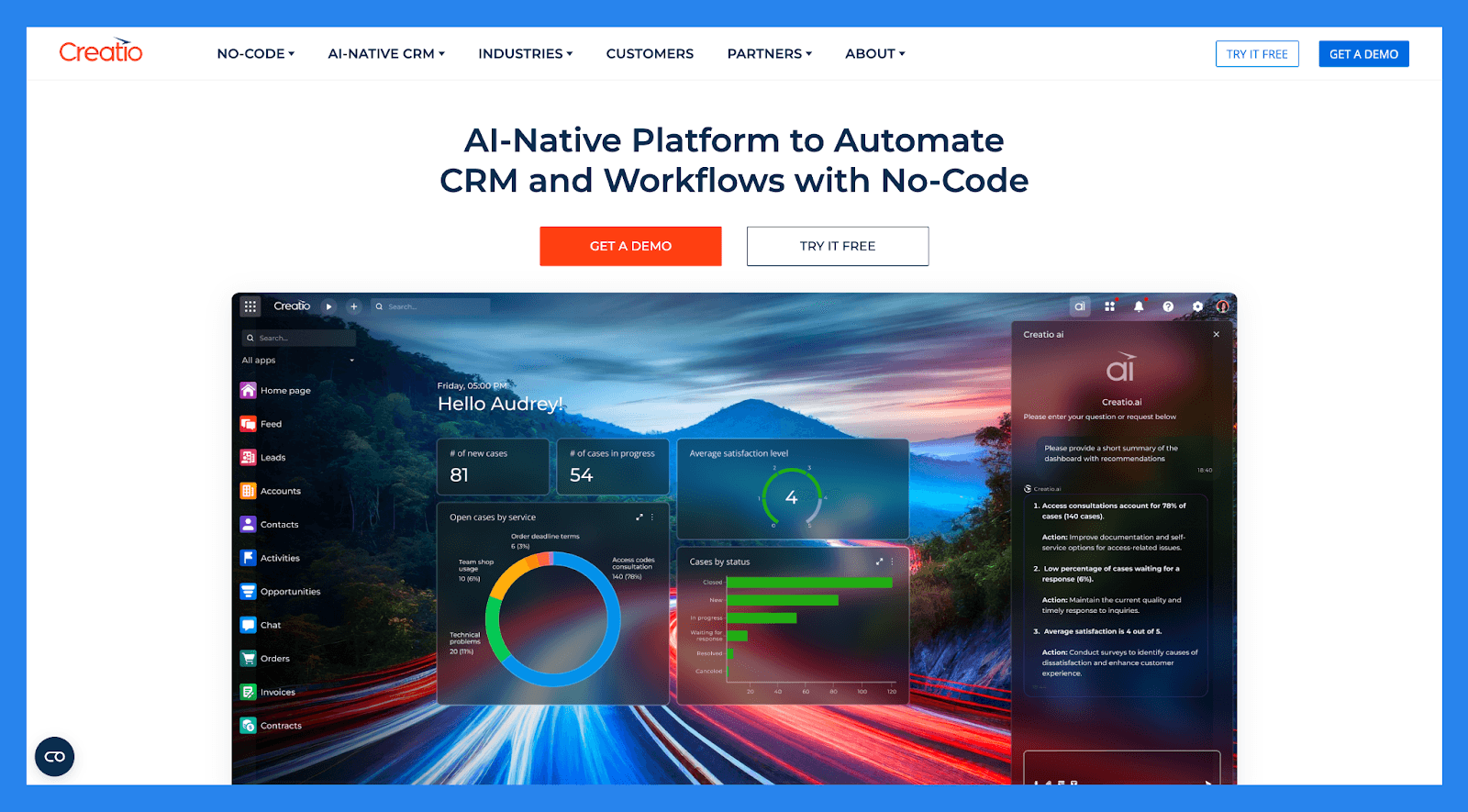
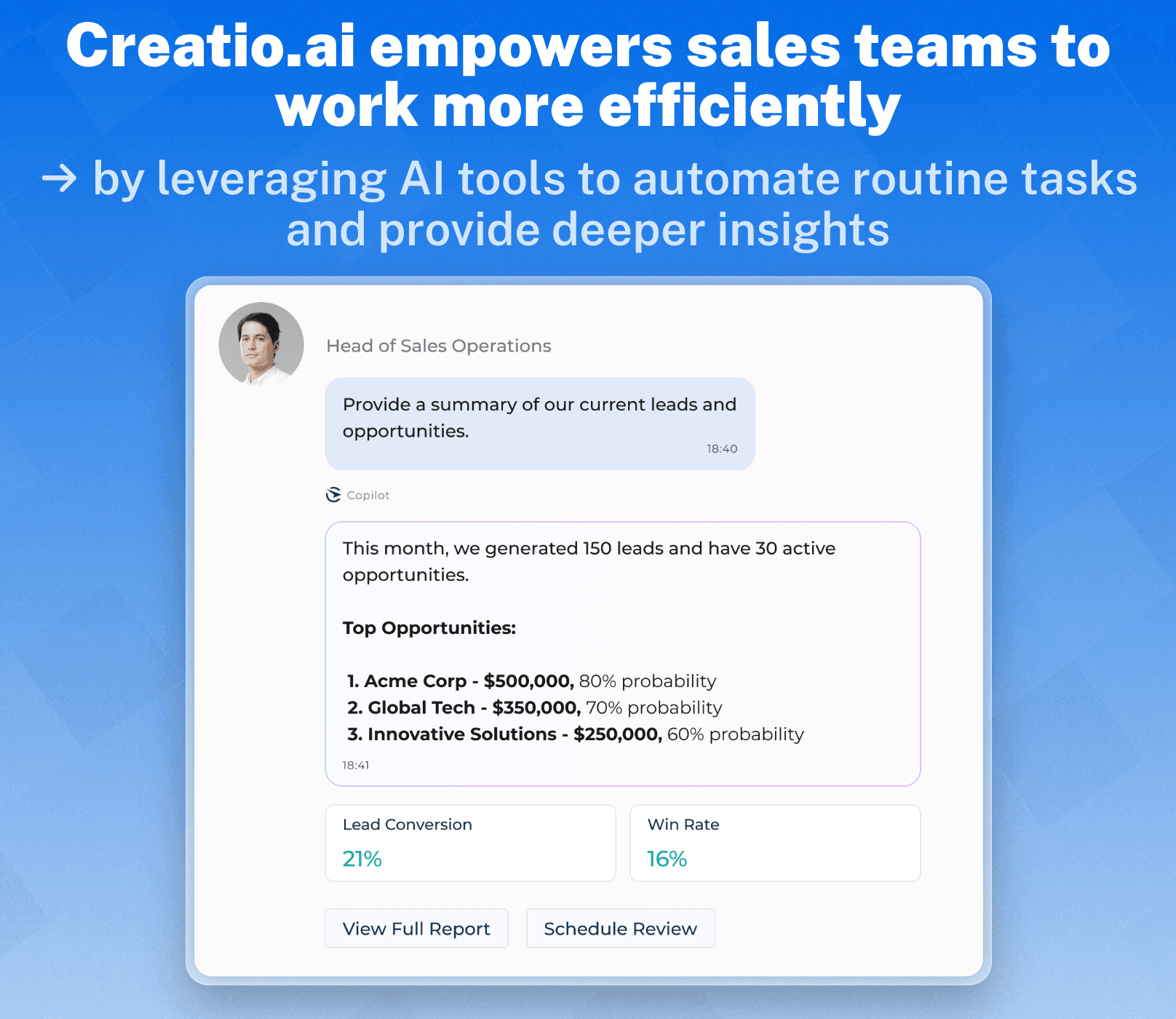
Creatio is a powerful no-code platform designed to automate core business functions: including **omnichannel marketing, sales, and customer service **: within a single ecosystem. As an end-to-end AI-powered CRM, it allows teams to build and automate complex workflows with a high degree of customization and flexibility.
However, its relatively high cost makes it less accessible for small or early-stage businesses. Creatio is best suited for mid-sized to large enterprises or fast-scaling companies that need robust automation capabilities, advanced customization, and are ready to invest in a scalable, all-in-one CRM solution.
Pricing Plans
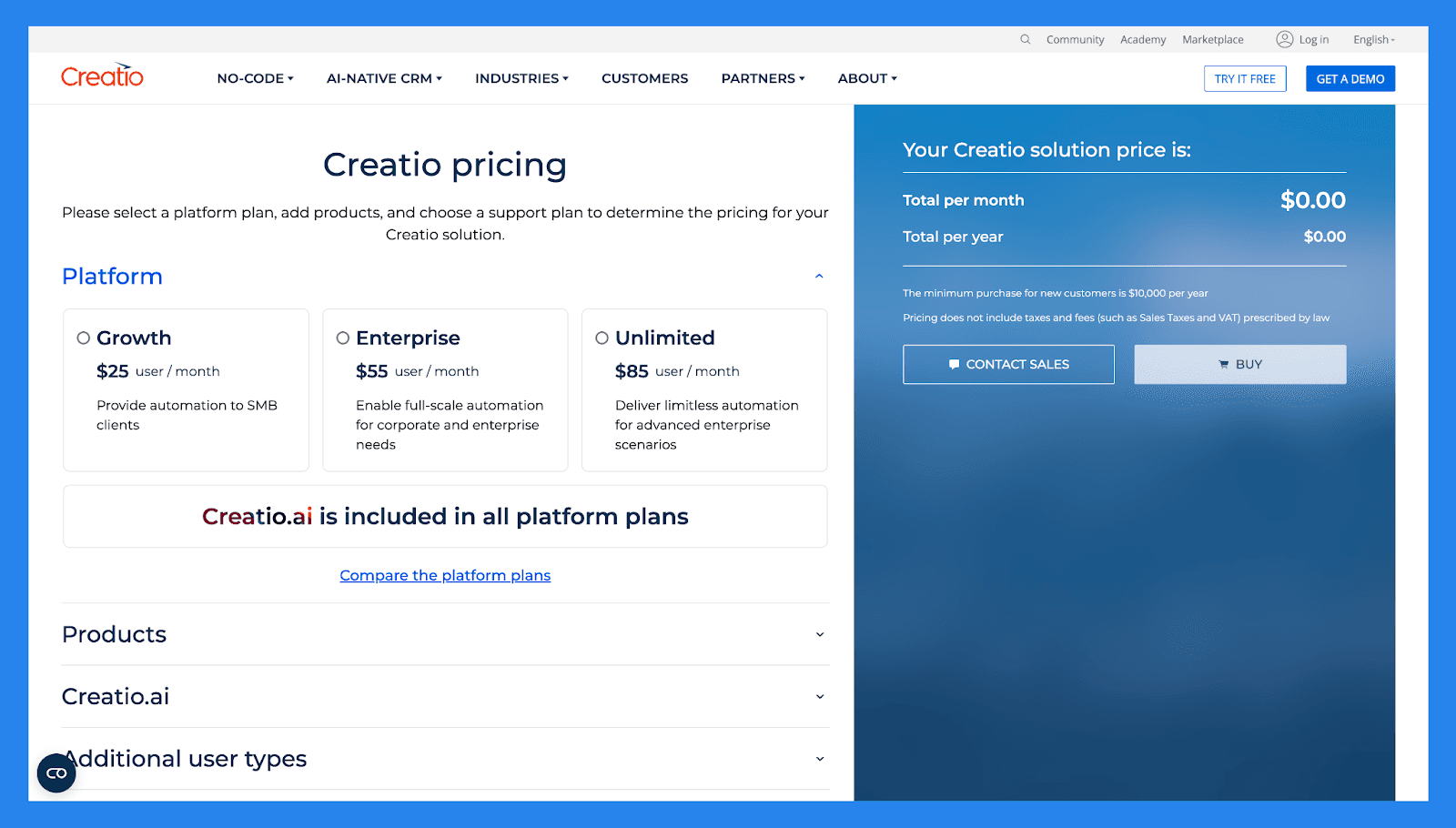
Pricing Plans | Growth | Enterprise | Unlimited |
|---|---|---|---|
Platform Pricing | $25/user/mo | $55/user/mo | $85/user/mo |
No-Code Tools | |||
No-code user interface designer | ✅ | ✅ | ✅ |
No-code workflow designers | ✅ | ✅ | ✅ |
Web, desktop and mobile apps | ✅ | ✅ | ✅ |
Customization via scripts | ✅ | ✅ | ✅ |
Custom branding for UI | ❌ | ✅ | ✅ |
Usage | |||
Number of users | Starting with 5 | Starting with 5 | Starting with 50 |
Number of applications | Unlimited | Unlimited | Unlimited |
Number of workflows | Unlimited | Unlimited | Unlimited |
Number of records | Unlimited | Unlimited | Unlimited |
Number of workflow runs (BPM & DCM) | 50K executed process elements per month | Unlimited | Unlimited |
Database storage | 1 GB per user | 2 GB per user | Unlimited |
Attachment space | 1 GB per user | 2 GB per user | Unlimited |
Creatio.ai Tokens | 100K per user | 200K per user | 300K per user |
No-Code Magic | |||
Coverage of implementation services for the first project delivered by certified partner | ❌ | ❌ | ✅ |
Coverage of an additional use case - 10% of extra licenses | ❌ | ❌ | ✅ |
Demo Video
Lightfield – Newest AI-Native CRM Out of Stealth
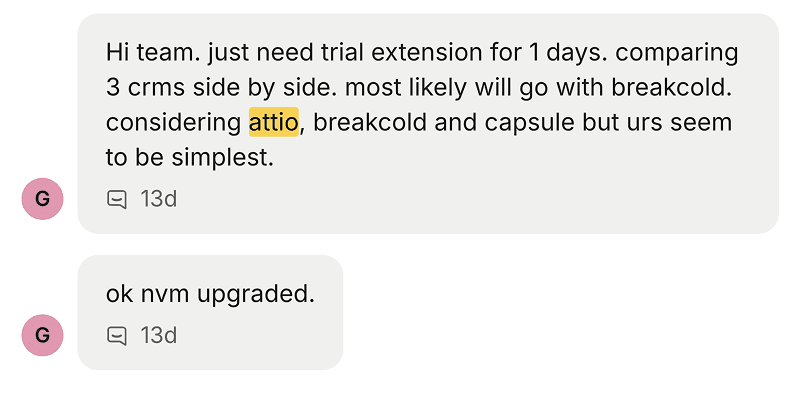
Buyers comparing the Attio-style, data-first AI-native CRMs (Attio, and now Lightfield) against Breakcold keep choosing the simpler, multichannel option.
Summary
Lightfield is one of the newest names in the AI-native CRM conversation. It came out of stealth in November 2025, is heavily VC-backed, and pitches a CRM that builds itself: it captures every email, meeting and conversation automatically, is schema-less from day one, and ships a one-hour migration agent to pull your records off HubSpot. More than 2,500 companies have spun up a workspace since launch.
Architecturally it reads like a copy of Attio that wants to go fully AI-native, which is a real and interesting bet. Our honest take: outside of paid influencers, we have not yet heard many users genuinely raving about it, and we have only seen it live on a sales call once. It is one to watch rather than one we would bet a sales team on today.
Pros
Genuinely AI-native: the CRM assembles itself from captured activity instead of manual data entry.
Fast, agent-driven migration off HubSpot (the one-hour import agent is a clever hook).
Schema-less data model that evolves as the business does, appealing to data-first founders.
Cons
Very new (stealth since late 2025), so the track record and community are still thin.
Leans data-and-ops heavy like Attio. If you sell on LinkedIn, Telegram or WhatsApp, a multichannel CRM is a closer fit.
No multichannel inbox and no social-selling layer, so reps living in DMs will feel the gap.
Pricing Plans
Lightfield does not publish transparent pricing. It is positioned as a premium AI-native platform aimed at high-growth startups, so expect to book a demo for a quote rather than read a price off the site.
Demo Video
HubSpot – Best All-in-One AI CRM for Sales, Marketing, and Service
Summary
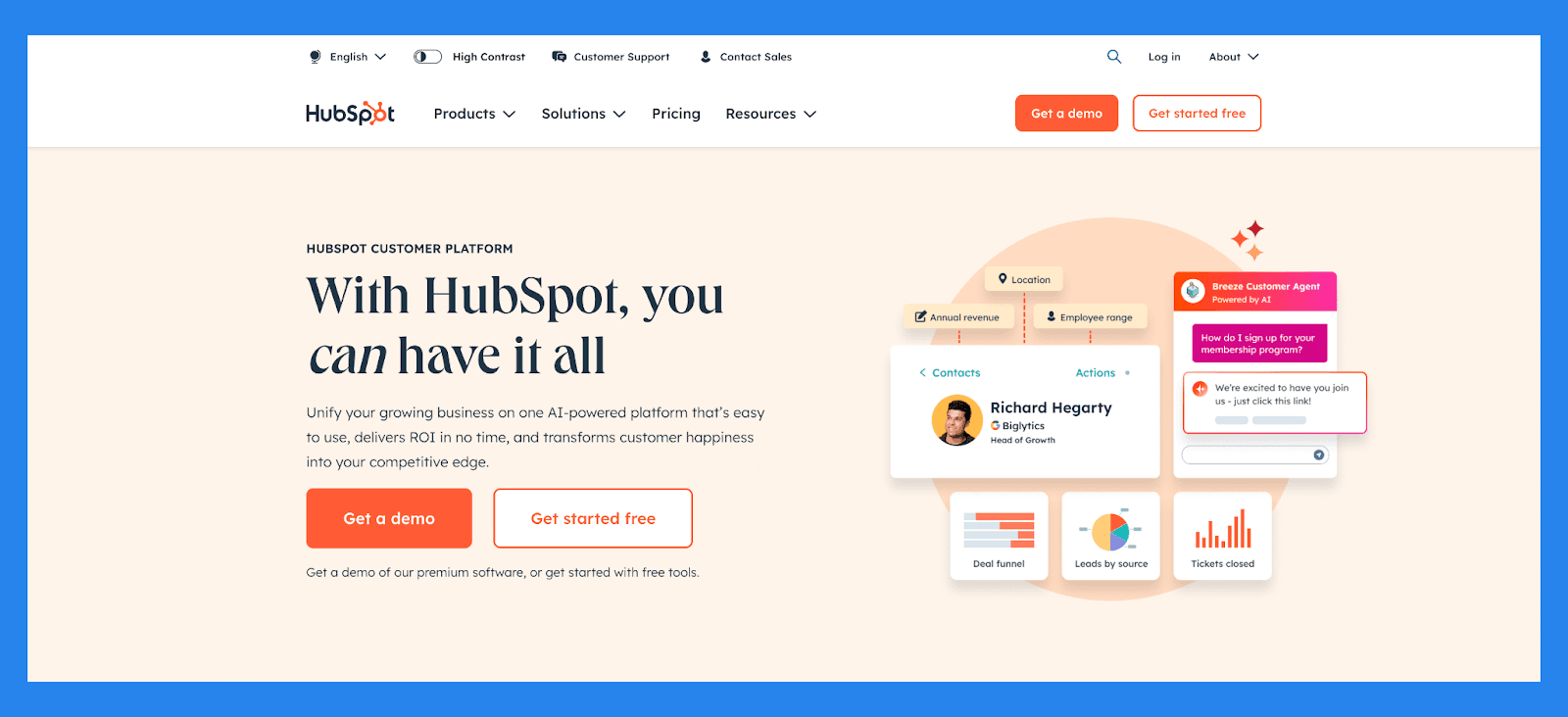
HubSpot is a powerhouse CRM designed to unify sales, marketing, and service: all-in-one solution. Originally built as a marketing platform, HubSpot has evolved into a flexible, AI-enhanced CRM that helps businesses capture, qualify, track, and nurture leads at every stage of the funnel.
From automated lead capture to real-time engagement tracking and customizable pipelines, HubSpot gives teams full visibility into the buyer journey: all within a user-friendly interface. Its deep integration between sales and marketing tools ensures that leads are never lost in handoffs and follow-ups happen at exactly the right time.
Key Features | |
|---|---|
Breeze Copilot: your AI-powered assistant for automating tasks, summarizing interactions, and helping you stay on top of every deal Breeze agents: A powerful lineup of AI-driven assistants built to take over repetitive workflows, so your team can stay focused on closing deals and driving growth Customer Agent : An always-available support AI that handles common questions with speed and accuracy, escalating complex issues to your team when human touch is needed Prospecting Agent (Beta). Your AI-powered lead hunter that researches accounts, crafts personalized outreach, and engages qualified leads, so your sales team can focus on high-value conversations Content Agent (Beta) : A creative assistant that generates marketing content like blog posts, landing pages, and case studies: eliminating writer’s block and saving your team hours Knowledge Base Agent (Beta): An AI that analyzes support tickets to spot content gaps and draft help articles: keeping your knowledge base up to date with minimal effort Social Media Agent (Beta): A virtual social manager that writes posts, recommends optimal posting times, and helps maintain a consistent tone across platforms: so your team can focus on strategy, not scheduling AI-Powered Insights – Identify bottlenecks in the sales funnel and surface high-converting channels | |
Ratings | |
G2 - 4.4/5 (12,404) | Capterra - 4.5/5 (4362) |
Pros | Cons |
User-friendly interface, ideal for those who aren’t tech-savvy Clean, intuitive platform that’s easy to navigate Flexible pricing plans with customizable options Serves as a reliable single source of truth for customer data All-in-one platform that combines marketing, sales, and service tools | Pricing may be prohibitive for solopreneurs or very small businesses Some users report a learning curve during onboarding Automation features can be rigid, limiting customization Reporting tools lack depth for advanced analytics |
Pricing Plans
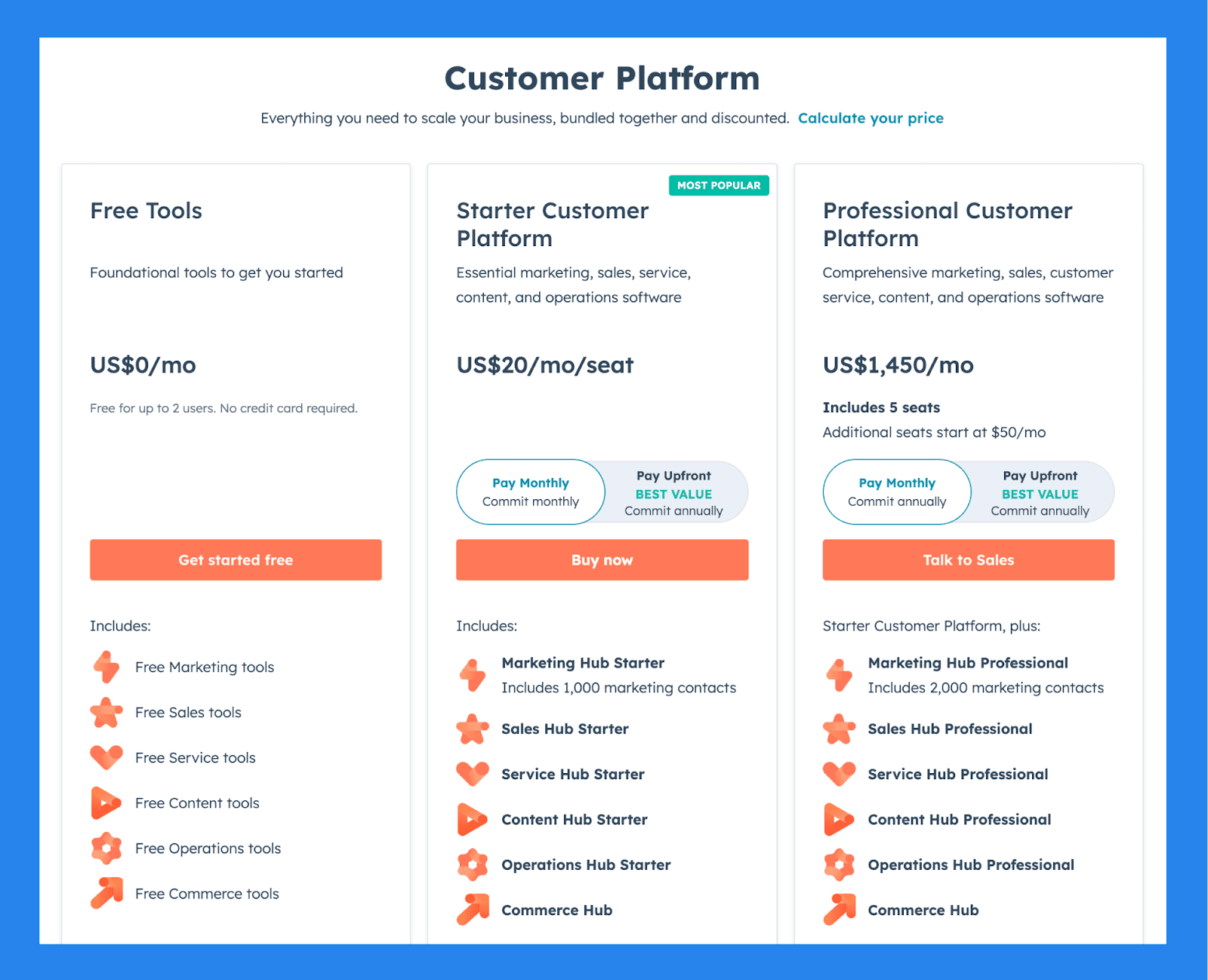
For Individuals & Small Teams
Free Tools | Starter Customer Platform | Professional Customer Platform |
|---|---|---|
$0/mo | $20/user/mo | $1,450/mo |
Includes: Free for up to 2 users No credit card required Free Marketing tools Free Sales tools Free Service tools Free Content tools Free Operations tools Free Commerce tools | Includes: Marketing Hub Starter Includes 1,000 marketing contacts Sales Hub Starter Service Hub Starter Content Hub Starter Operations Hub Starter Commerce Hub | Starter Customer Platform, plus: Includes 5 seats Additional seats start at $50/mo Marketing Hub Professional Includes 2,000 marketing contacts Sales Hub Professional Service Hub Professional Content Hub Professional Operations Hub Professional Commerce Hub |
Salesforce – Best for Enterprise-Grade Sales Management at Scale
Summary
What began in the early 2000s as a cloud-based CRM, Salesforce has since evolved into a powerful, all-in-one platform for sales, marketing, and customer service teams.
Today, Salesforce is doubling down on AI with Einstein AI, offering intelligent lead scoring, opportunity insights, and next-step suggestions to help teams sell smarter and faster. Built with large enterprises in mind, Salesforce enables organizations to make data-driven decisions, optimize customer interactions, and improve operational efficiency: making it a top choice for businesses with complex needs.
Key Features | |
|---|---|
Salesforce AI: Get intelligent lead scoring, opportunity insights, and next-step suggestions to boost rep productivity and drive more deal conversions Conversational AI Assistant: Build your own CRM-native assistant with Einstein Copilot, enabling reps to ask questions, summarize data, generate content, and automate actions in natural language AI Agents: Offload repetitive tasks like follow-ups, case resolution, and data entry to autonomous AI agents, so your team can focus on high-impact work Forecasting Intelligence: Leverage Einstein Forecasting to predict future sales performance with real-time, data-driven projections that help managers and reps stay aligned Email & Conversation Insights: Automatically analyze email threads and sales calls to surface sentiment, action items, and key topics: keeping your team informed without manual review Einstein Bots: Deploy AI-powered bots to handle routine customer service inquiries, deflect tickets, and seamlessly escalate complex cases to human agents when needed Generative AI: Instantly generate personalized sales emails, knowledge base articles, and support responses: saving hours of writing time and improving consistency Marketing AI: Predict customer behavior, optimize campaign timing, and tailor messaging with Einstein’s AI features built into Marketing Cloud | |
Ratings | |
G2 - 4.4/5 (23,272) | Capterra - 4.4/5 (18817) |
Pros | Cons |
Optimizes lead management and improves conversion rates Excels at data organization and cleanliness Integration-rich with a vast app ecosystem Responsive customer support and helpful community resources | Complex implementation process that requires time and resources Expensive, especially for solopreneurs or small businesses Steep learning curve, particularly for non-technical users User interface can be unintuitive and hard to navigate |
Pricing Plans
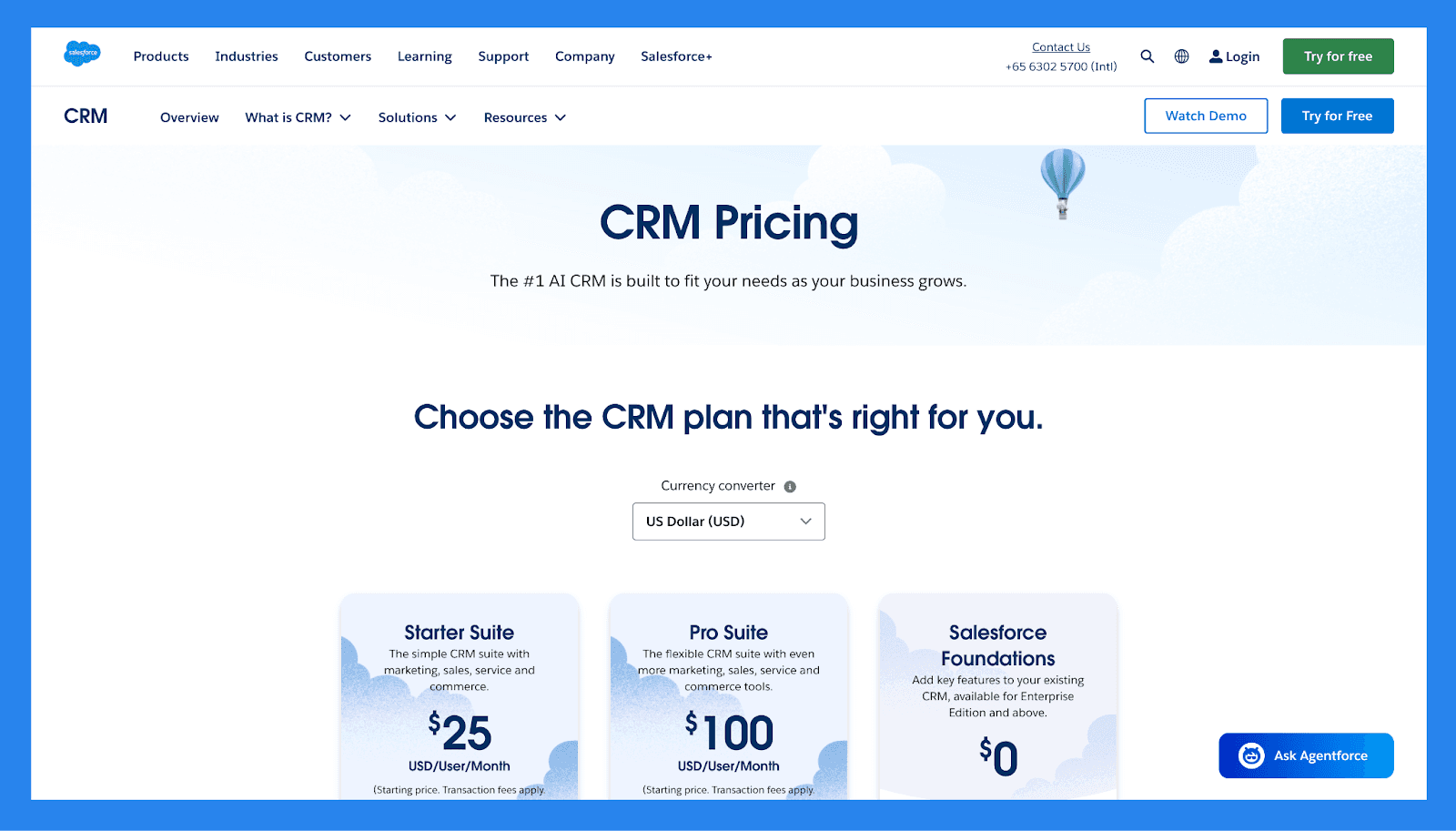
For SMBs
Starter Suite | Pro Suite | Enterprise | |
|---|---|---|---|
Price | $25/user/mo | $100/user/mo | $165/user/mo |
Users | 325 max | Unlimited | Unlimited |
Lead scoring | ❌ | ✅ | ✅ |
API | ❌ | $15/user/month | ✅ |
Custom reports | ✅ | ✅ | ✅ |
Advanced Forecasting | ❌ | ❌ | ❌ |
Generative AI features | ✅ | ✅ | ✅ |
For Enterprises
Unlimited | Einstein 1 Sales | |
|---|---|---|
Price | $330/user/month | $500/user/month |
Users | Unlimited | Unlimited |
Lead scoring | ✅ | ✅ |
API | ✅ | ✅ |
Custom reports | ✅ | ✅ |
Advanced Forecasting | ✅ | ✅ |
Generative AI features | ✅ | ✅ |
Zoho CRM – Best AI CRM for Sales Firms of All Sizes
Summary
For decades Zoho CRM have offered **startups, SMBs, and enterprise sales teams **an all-in-one customer relationship management solution: rivaling industry giants like Salesforce and HubSpot at a fraction of the cost.
At the core of the platform is Zia, Zoho’s built-in AI engine, which powers everything from lead scoring and sales forecasting to workflow automation and conversational assistance. These AI capabilities help sales teams work smarter, reduce manual effort, and make data-driven decisions at every stage of the funnel.
Key Features | |
|---|---|
AI-Powered Email Sentiment Analysis – Understand buyer mood and intent from incoming emails to respond more effectively Conversational AI – Zia Voice offers natural-language interactions to help users find records, run reports, or update CRM data AI Forecasting – Generate more accurate revenue forecasts by analyzing historical deal patterns and rep performance. Zia AI – Zoho’s AI assistant, Zia, helps with lead scoring, deal predictions, voice/text chat support, and intelligent sales insights to help guide decisions and improve conversions | |
Ratings | |
G2 - 4.1/5 (2,753) | Capterra - 4.3/5 (6957) |
Pros | Cons |
Robust and customizable interface that integrates well across various platforms and ecosystems Feature-rich with extensive tools for sales, marketing, and automation Highly scalable, making it a great fit for growing businesses Integrates with a wide range of third-party apps and Zoho’s own suite of business tools | Onboarding and customization can be complex without technical assistance Outdated UI and occasional syncing issues with third-party tools The platform’s size and complexity can lead to slower load times and performance lags |
Pricing Plans
Standard | Professional | Enterprise | Ultimate |
|---|---|---|---|
$20 /user/mo | $35 /user/mo | $50 /user/mo | $65 /user/mo |
All the essentials: Mass email Custom modules Workflows Cadences Sales forecasting Lookup fields Canvas Office 365 integration Zoho Marketplace | Everything in Standard + Blueprint CPQ SalesSignals Inventory management Webhooks Assignment rules Validation rules Kiosk Studio Google Ads integration | Everything in Professional + Zia: AI assistant Territory management Custom functions Journey orchestration Multi-user portals Page layouts Client scripts Approval process Sandbox | Everything in Enterprise + Enhanced feature limits Extended AI capabilities Advanced customization Data preparation Augmented analytics Data storytelling Unified business insights Advanced administration |
Freshsales – Best AI CRM for Sales Teams That Value Simplicity and Engagement
Summary
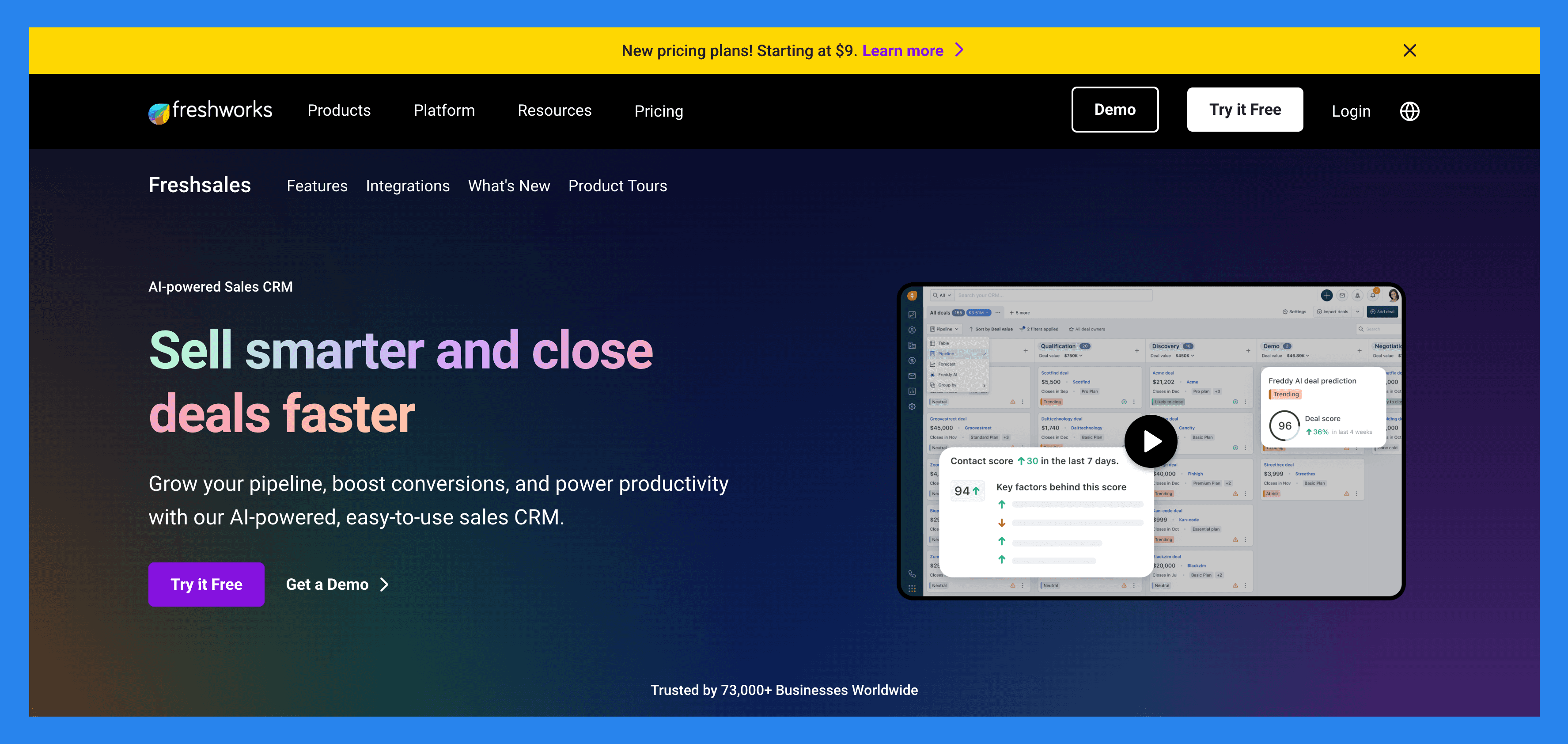
Freshsales, part of the Freshworks suite, is a modern CRM designed to help small businesses and account managers streamline and optimize their sales process. While it's built with smaller teams in mind, its scalable features also make it a strong fit for growing companies looking for an all-in-one CRM that’s simple, smart, and customizable.
Freshsales blends ease of use with powerful, AI-driven reporting tools, making it ideal for teams that want insights without a steep learning curve. Its automation and reporting capabilities are particularly useful for account managers, sales reps, and small teams looking to drive smarter decisions and faster conversions.
Key Features | |
|---|---|
AI-Based Lead Scoring (Freddy AI) – Automatically scores leads based on engagement and behavior, helping you focus on prospects most likely to convert Reporting & Analytics Dashboard – Generate detailed reports on sales performance, deal velocity, campaign ROI, activity metrics, and more – fully customizable to your goals Visual Sales Pipeline – Track and manage deals across customizable pipeline stages with a drag-and-drop interface and clear visibility into revenue progress Campaign Management – Plan, execute, and analyze email marketing campaigns from within the CRM. Track performance metrics like open rates, clicks, and conversions Email Syncing & Tracking – Sync with Gmail or Outlook to send, receive, and track emails directly within Freshsales. Get real-time alerts when prospects open or click your emails | |
Ratings | |
G2 - 4.5/5 (1,223) | Capterra - 4.5/5 (618) |
Pros | Cons |
User-friendly interface with fast, easy onboarding Provides accurate reporting and essential CRM features Seamlessly integrates with popular tools (Gmail, Outlook, Slack, etc.) Clean, intuitive UI that suits small to mid-sized teams | Reporting and dashboard capabilities may feel limited for larger teams with advanced data needs AI-powered features (like lead scoring and predictive insights) are only available on higher-tier pricing plans |
Pricing Plan
Growth | Pro | Enterprise |
|---|---|---|
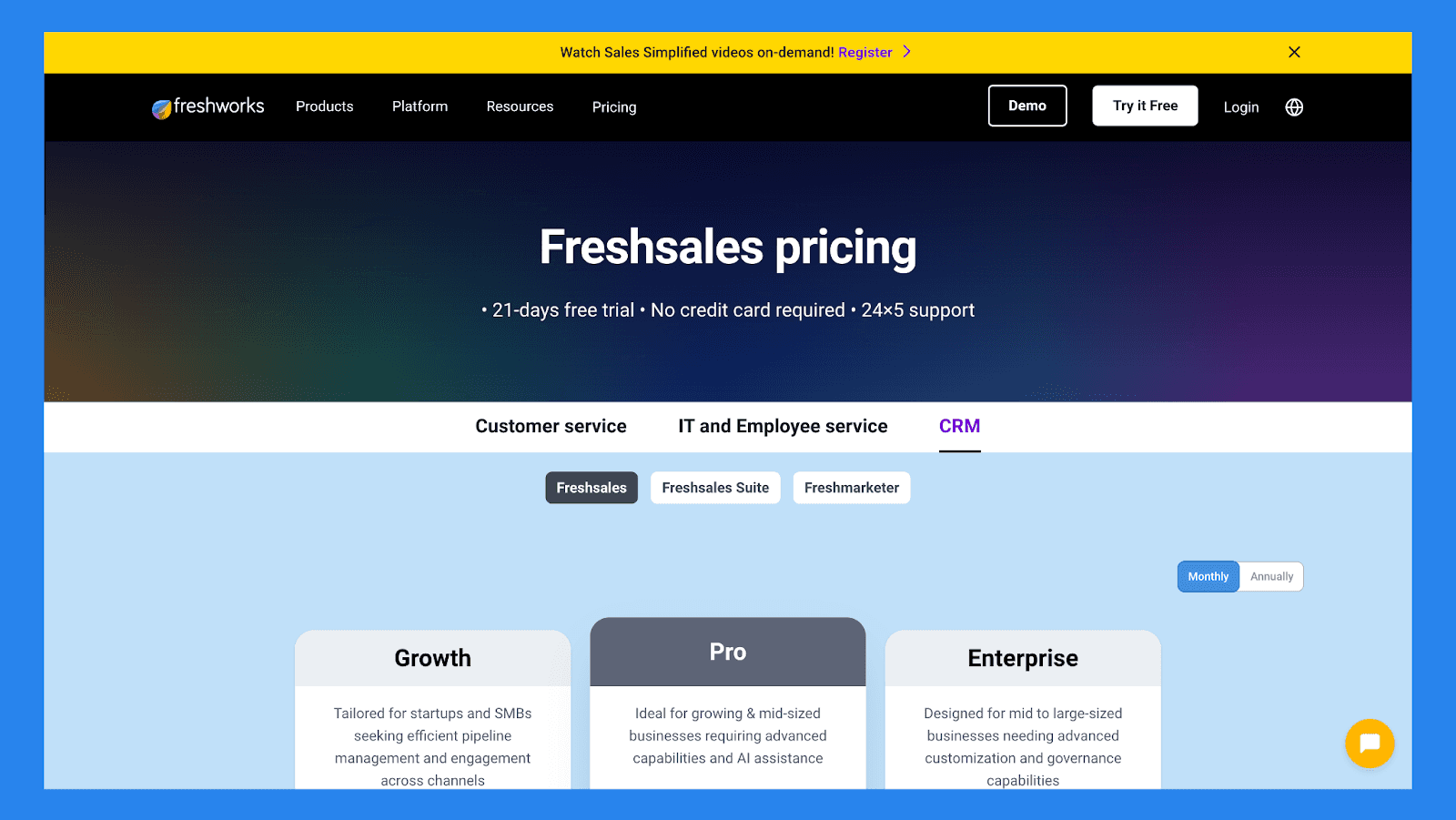
$9/user/mo | $39/user/mo | $59/user/mo |
Includes: Kanban View for Contacts, Accounts, and Deals Contact Lifecycle Stages Built-in Chat, Email, & Phone Email Templates Custom Fields Basic Workflows Contextual Collaboration with Slack Product Catalog Curated Reports Freshworks Marketplace 1 CPQ license Mobile App 24x5 Support | Everything in Growth, plus: Contact Scoring by Freddy AI Custom Sales Activities Advanced custom fields Auto-assignment Rules Territory Management Sales Sequences Sales Emails by Freddy AI Rephrase, Expand, and Enhance text by Freddy AI Bring Your Own Carrier (B.Y.O.C) Multiple Sales Pipelines Account Hierarchy Deal Insights by Freddy AI Advanced Workflows Custom Reports | Everything in Pro, plus: Field-level Permissions Custom Modules Forecasting Insights by Freddy AI Workflows for Custom Modules Sandbox Audit Logs |
Zendesk – Best for AI lead management
Summary
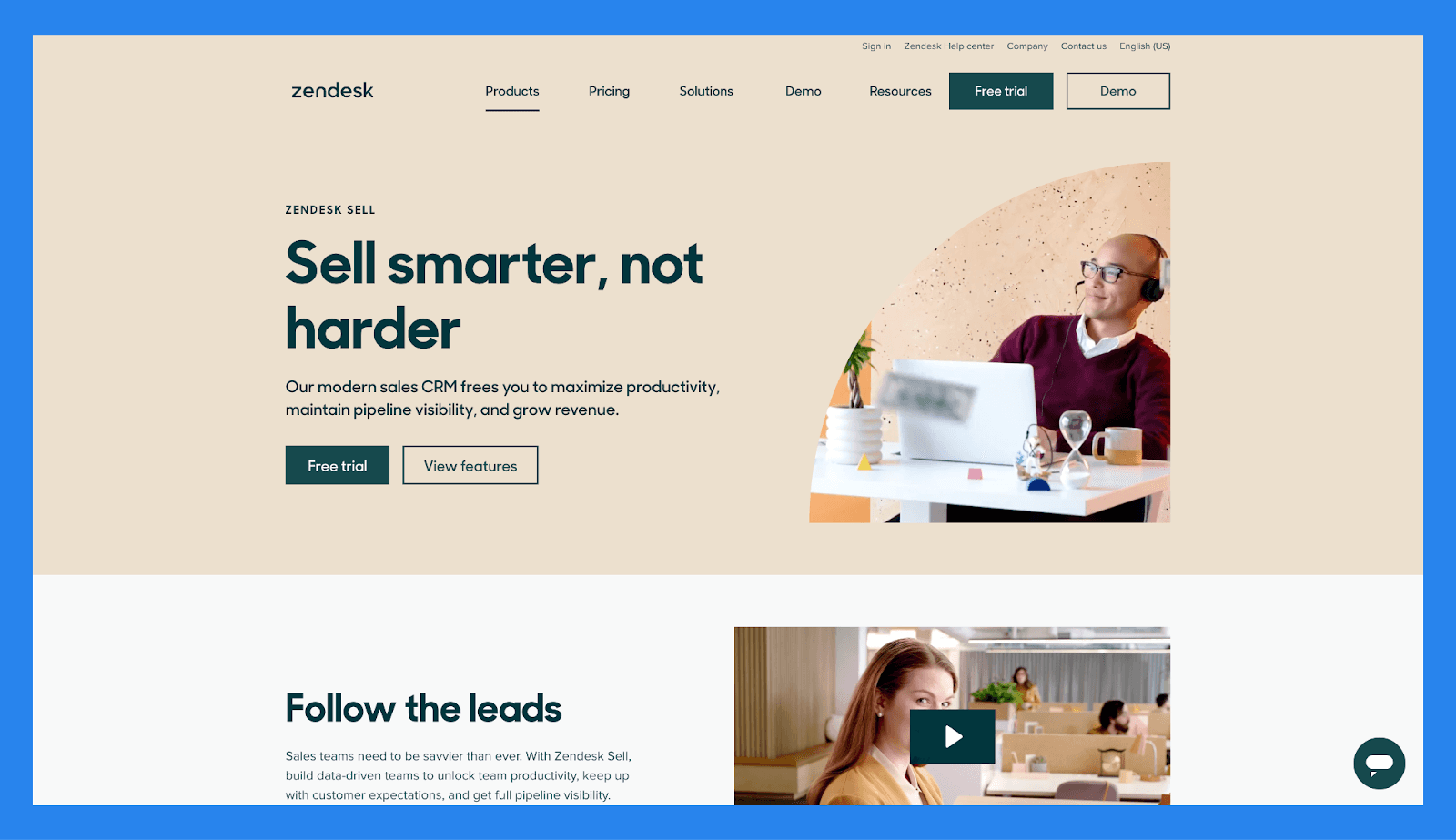
Zendesk is an all-in-one CRM solution built for service-focused businesses and sales teams. Powered by Zendesk AI, which is based on OpenAI’s GPT model, it offers a robust suite of tools that help teams engage more customers efficiently and create seamless customer experiences.
Its AI features streamline workflows, automate repetitive tasks, and provide real-time suggestions to support agents during customer interactions. Zendesk is best suited for midsize to large companies that manage high volumes of customer interactions and prioritize customer service automation and scalability.
Key Features | |
|---|---|
AI-Powered Automation: Zendesk AI (built on OpenAI’s GPT model) automates repetitive tasks, routes tickets, and provides smart reply suggestions Advanced AI Bots: Intelligent bots can handle complex customer requests, offer personalized responses, and deflect tickets effectively AI-Driven Insights: Real-time analytics and AI-generated reports help optimize team performance, response times, and customer satisfaction ChatGPT Integration via Zapier: Connect Zendesk to ChatGPT through Zapier to generate dynamic responses, summarize conversations, or automate support content | |
Ratings | |
G2 - 4.3/5 (6,217) | Capterra - 4.4/5 (4056) |
Pros | Cons |
Powerful reporting and analytics offer robust, customizable insights to monitor performance and track KPIs. The user interface is one of the cleanest and most intuitive in the CRM and support space. Omnichannel capabilities make it easy to integrate email, chat, voice, and social media into one support experience. Macros and smart ticket routing help small teams stay organized and ensure no requests fall through the cracks. The Zendesk Suite combines multiple channels in one place, making it easy to track conversations without losing context and identify upsell opportunities. | Zendesk’s licensing is more expensive compared to many competing CRM and support platforms. The learning curve is steep, especially when customizing help centers, automations, or workflows. Integration with Facebook and Instagram may lack important features or require additional setup. The system relies heavily on email integrations, which can lead to fragmented conversations and duplicate threads. |
Pricing Plans
Suite Team | Suite Growth |
|---|---|
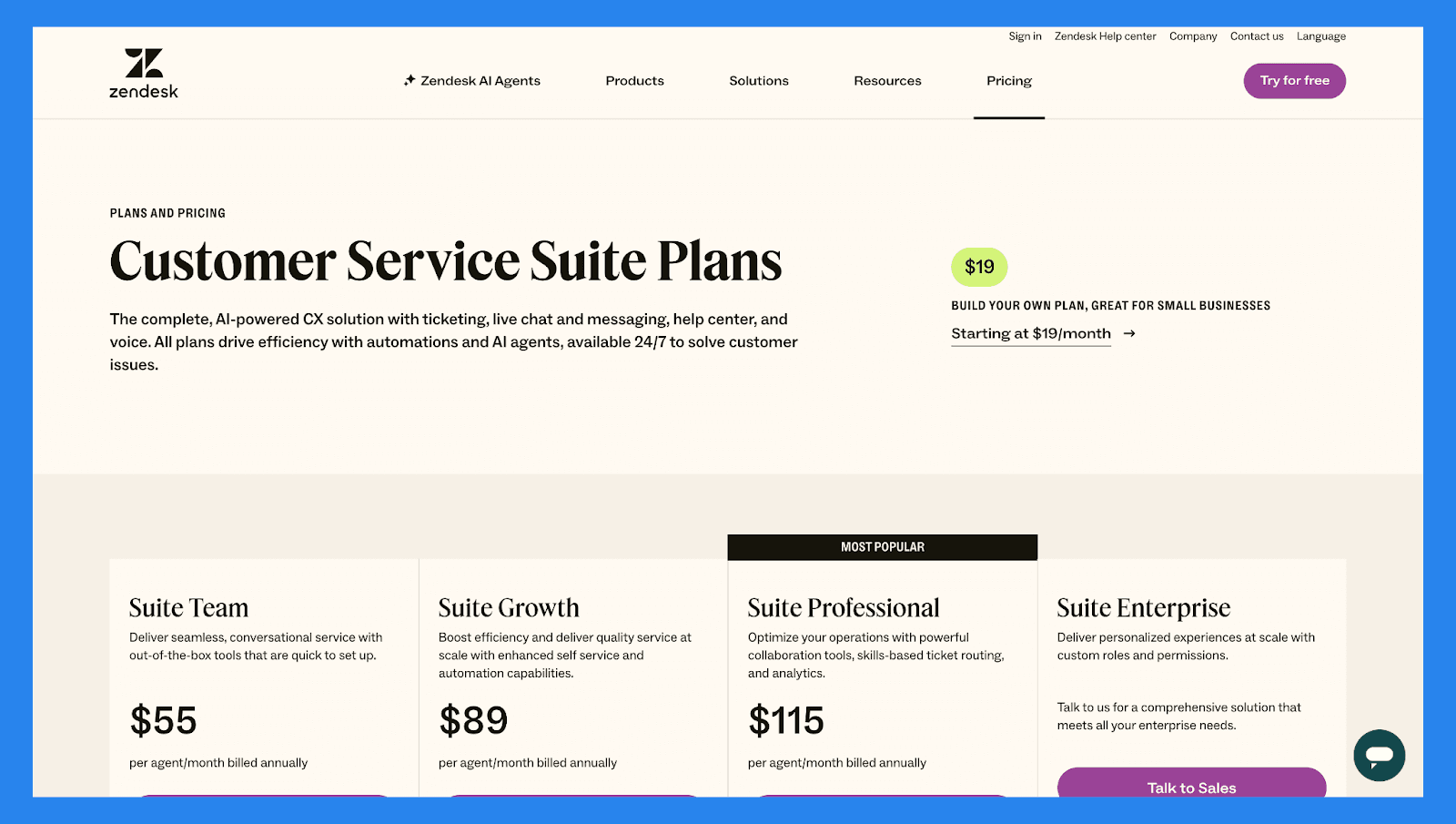
$55/user/mo | $89/user/mo |
Ticketing system Email, chat, voice, social messaging, and more Help center Generative searchNew AI agentsNew Prebuilt analytics dashboards 1,000+ apps & integrations Pre-defined responses (macros) Custom business rules (triggers & automations) Online support from the Zendesk team Digital onboarding and adoption resources Eligible for workforce management add-on Eligible for quality assurance add-on | Ticketing system Email, chat, voice, social messaging, and more Help center Generative searchNew AI agentsNew Prebuilt analytics dashboards 1,000+ apps & integrations Pre-defined responses (macros) Custom business rules (triggers & automations) Online support from the Zendesk team Digital onboarding and adoption resources Eligible for workforce management add-on Eligible for quality assurance add-on Multiple ticket forms Light Agents Service level agreements (SLA) Customer satisfaction ratings (CSAT) Multilingual support and content Self-service customer portal Business hours |
Suite Professional | Suite Enterprise |
|---|---|
$115/user/mo | Contact Sales |
Ticketing system Email, chat, voice, social messaging, and more Help center Generative searchNew AI agentsNew Prebuilt analytics dashboards 1,000+ apps & integrations Pre-defined responses (macros) Custom business rules (triggers & automations) Online support from the Zendesk team Digital onboarding and adoption resources Eligible for workforce management add-on Eligible for quality assurance add-on Multiple ticket forms Light Agents Service level agreements (SLA) Customer satisfaction ratings (CSAT) Multilingual support and content Self-service customer portal Business hours Custom and live analytics Side conversations Skills-based routing Integrated community forums Data location options HIPAA enabled Access to Sunshine Conversations Eligible for Copilot add-on | Ticketing system Email, chat, voice, social messaging, and more Help center Generative searchNew AI agentsNew Prebuilt analytics dashboards 1,000+ apps & integrations Pre-defined responses (macros) Custom business rules (triggers & automations) Online support from the Zendesk team Digital onboarding and adoption resources Eligible for workforce management add-on Eligible for quality assurance add-on Multiple ticket forms Light Agents Service level agreements (SLA) Customer satisfaction ratings (CSAT) Multilingual support and content Self-service customer portal Business hours Custom and live analytics Side conversations Skills-based routing Integrated community forums Data location options HIPAA enabled Access to Sunshine Conversations Eligible for Copilot add-on Eligible for Advanced Data Privacy and Protection add-on Sandbox Content blocks Custom agent roles Dynamic, Contextual workspaces |
Pipedrive – Best Lightweight AI CRM for Pipeline-Focused Teams
Summary
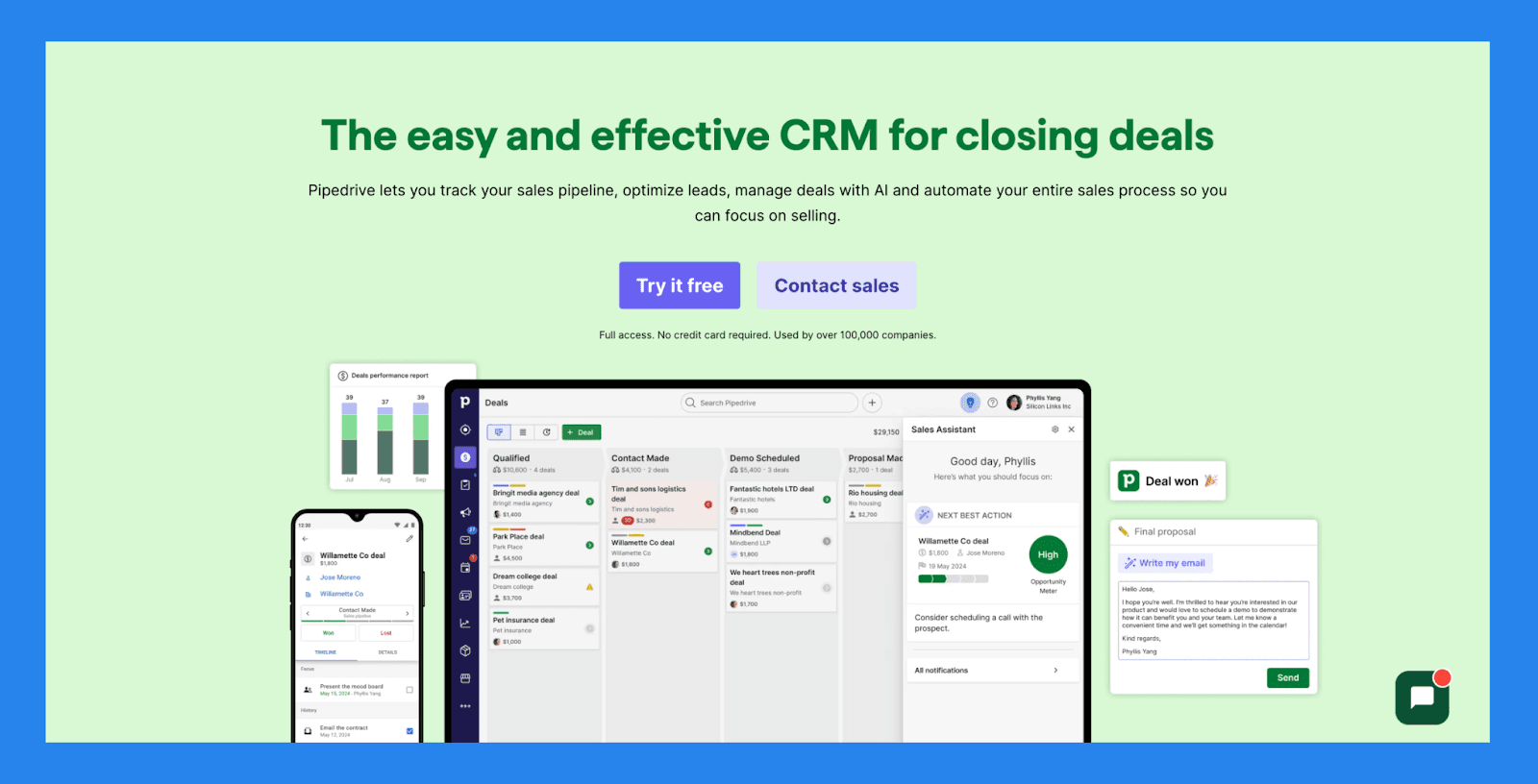
Pipedrive is a visual, sales-focused CRM designed to help teams **manage their pipeline, automate routine tasks, and close deals faster. **With its built-in AI-powered Sales Assistant, Pipedrive can predict win probabilities, flag inactive deals, suggest next steps, and provide reminders – all in one streamlined feed. It also includes AI tools like an email generator, summarizer, and LeadBooster to capture and qualify leads more effectively.
Key Features | |
|---|---|
AI Sales Assistant: Get deal insights, win predictions, and actionable reminders based on deal activity and CRM data Advanced Forecasting & Reporting: Customize reports on win rates, revenue projections, and deal performance AI-Powered Tools: Use built-in tools like an email generator, summarizer, and LeadBooster to streamline engagement Pipeline Management: Easily track deals by stage, set reminders, and visualize next steps with real-time updates Lead Management with Progress Tracking: View lead status, assign priorities, and track every touchpoint Workflow Automation: Automate admin tasks like data entry, follow-ups, and deal stage progression | |
Rating | |
G2 - 4.3/5 (2,445) | Capterra - 4.5/5 (3047) |
Pros | Cons |
Well-structured onboarding materials, including FAQs and videos Offers a wide range of integrations with third-party tools Strong automation and AI features that boost productivity Quick and easy setup with minimal learning curve | User interface can feel dated or unintuitive for some users No free plan available: paid tiers start quickly Customer support can be slow or inconsistent. No native LinkedIn integration for lead importing Some users report occasional bugs and performance issues |
Pricing Plans
Essential | Advanced | Professional |
|---|---|---|
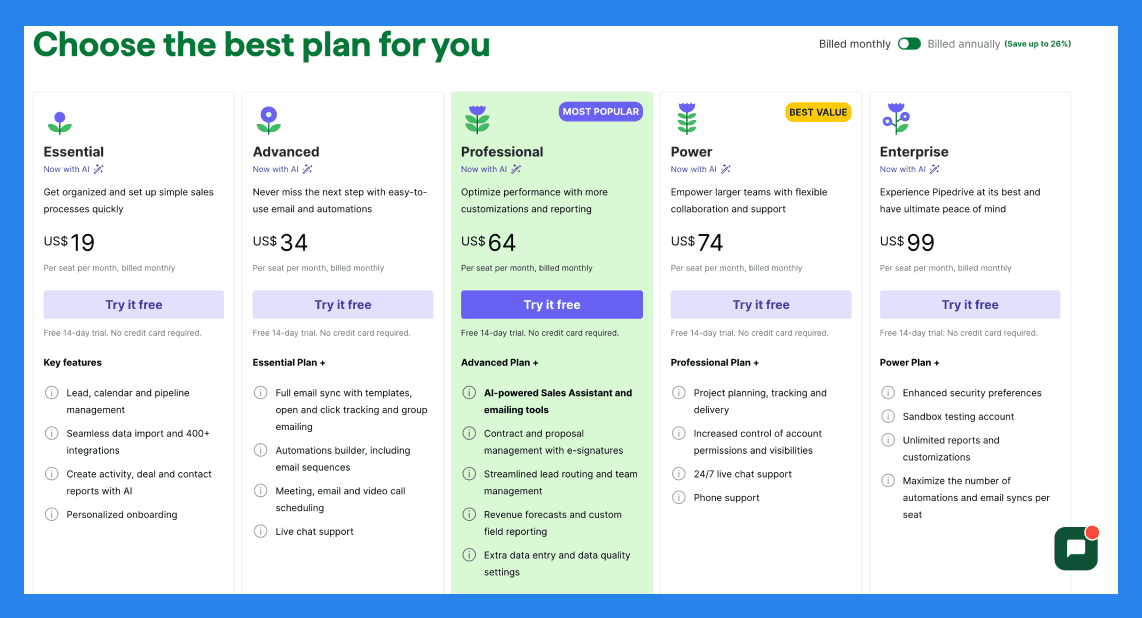
$19/user/mo | $34/user/mo | $64/user/mo |
Key features: Lead, calendar and pipeline management Seamless data import and 400+ integrations Create activity, deal and contact reports with AI Personalized onboarding | Essential Plan + Full email sync with templates, open and click tracking and group emailing Automations builder, including email sequences Meeting, email and video call scheduling Live chat support | Advanced Plan + AI-powered Sales Assistant and emailing tools Contract and proposal management with e-signatures Streamlined lead routing and team management Revenue forecasts and custom field reporting Extra data entry and data quality settings |
Power | Enterprise |
|---|---|
$74/user/mo | $99/user/mo |
Professional Plan + Project planning, tracking and delivery Increased control of account permissions and visibilities 24/7 live chat support Phone support | Power Plan + Enhanced security preferences Unlimited reports and customizations Maximize the number of automations and email syncs per seat |
Nutshell – Best AI CRM for Small Teams with Built-In Email Marketing
Summary
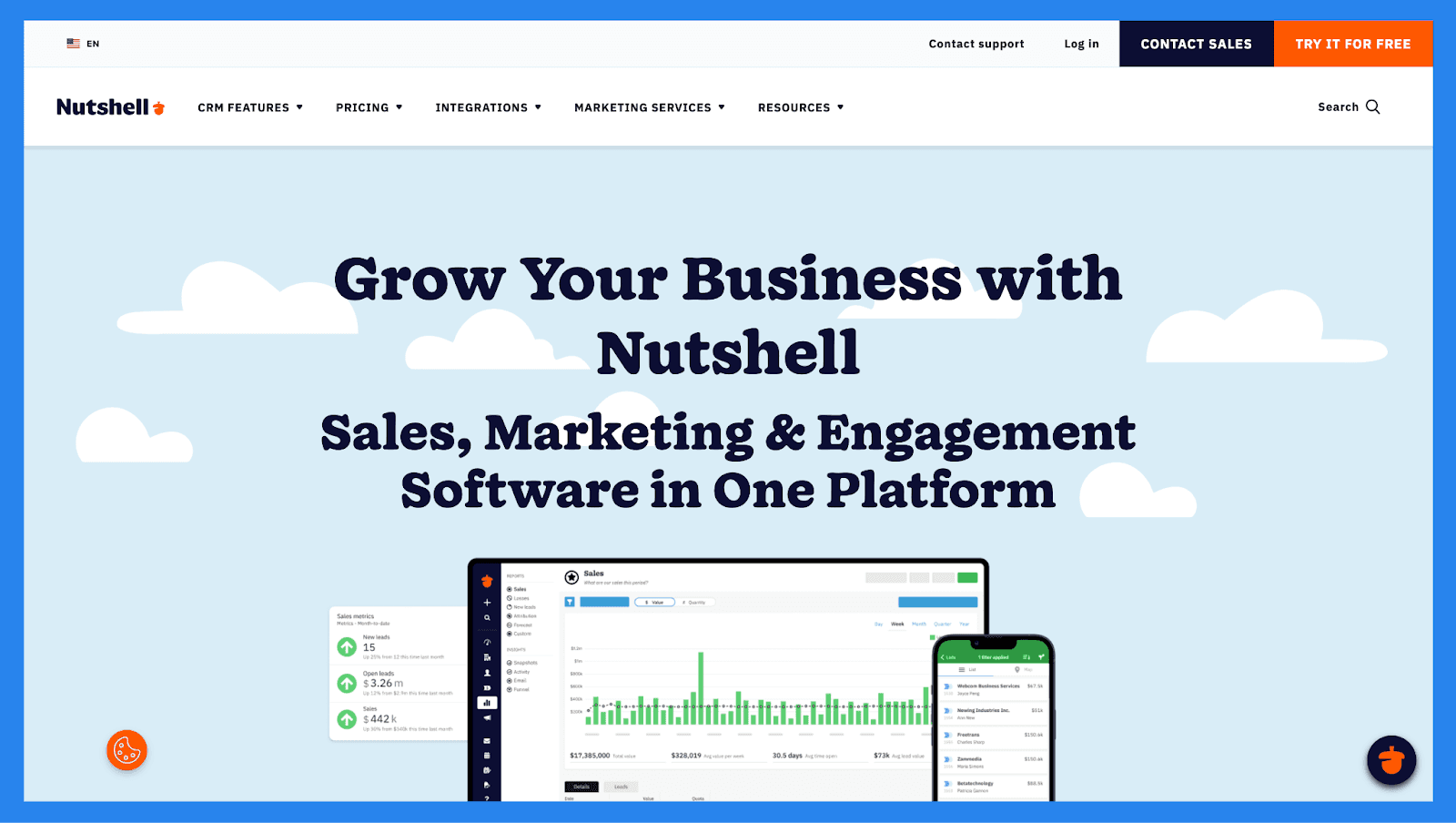
Nutshell is a simple yet powerful CRM built to help small businesses and solo users track leads with ease and clarity. It combines contact management, pipeline tracking, and built-in email marketing to give users full visibility into every stage of the customer journey: from first touch to final deal.
With its intuitive interface and automatic activity tracking, Nutshell makes it easy to stay on top of lead progress, follow-ups, and engagement history. Whether you’re qualifying new prospects or managing long-term opportunities, Nutshell keeps your sales pipeline organized and moving forward: all without the complexity of enterprise CRMs.
Key Features | |
|---|---|
AI-Powered Interaction Summarization: Instantly summarize customer timelines, Zoom transcripts, and voice notes to surface actionable insights and streamline follow-ups AI Contact Analysis: Leverage Nutshell Intelligence to analyze and summarize contact data for deeper relationship context Nutshell IQ: A complete AI toolkit designed to help you identify more qualified leads and close more deals ProspectorIQ: Fill your pipeline with ideal customers using a prospecting database of over 200 million verified contacts VisitorIQ: Identify anonymous visitors on your website from companies not yet in your CRM PeopleIQ: Uncover new contacts within companies you already know, expanding your reach and decision-maker visibility Activity Tracking: Automatically log calls, emails, meetings, and more to ensure no touchpoint is missed | |
Ratings | |
G2 - 4.3/5 (1,248) | Capterra - 4.3/5 (551) |
Pros | Cons |
Reliable data imports with excellent attention to detail, reducing onboarding friction Highly customizable, adaptable to the needs of different sales teams Effective follow-up tracking, making it easy to manage each client and sales stage User-friendly interface with a clean design and a robust set of features | No built-in canned responses or pre-set email templates, which could speed up outreach Slow customer support, with chat responses typically taking up to a day Pricing may be high for smaller teams or early-stage businesses |
Pricing Plans
Foundation | Growth | Pro |
|---|---|---|
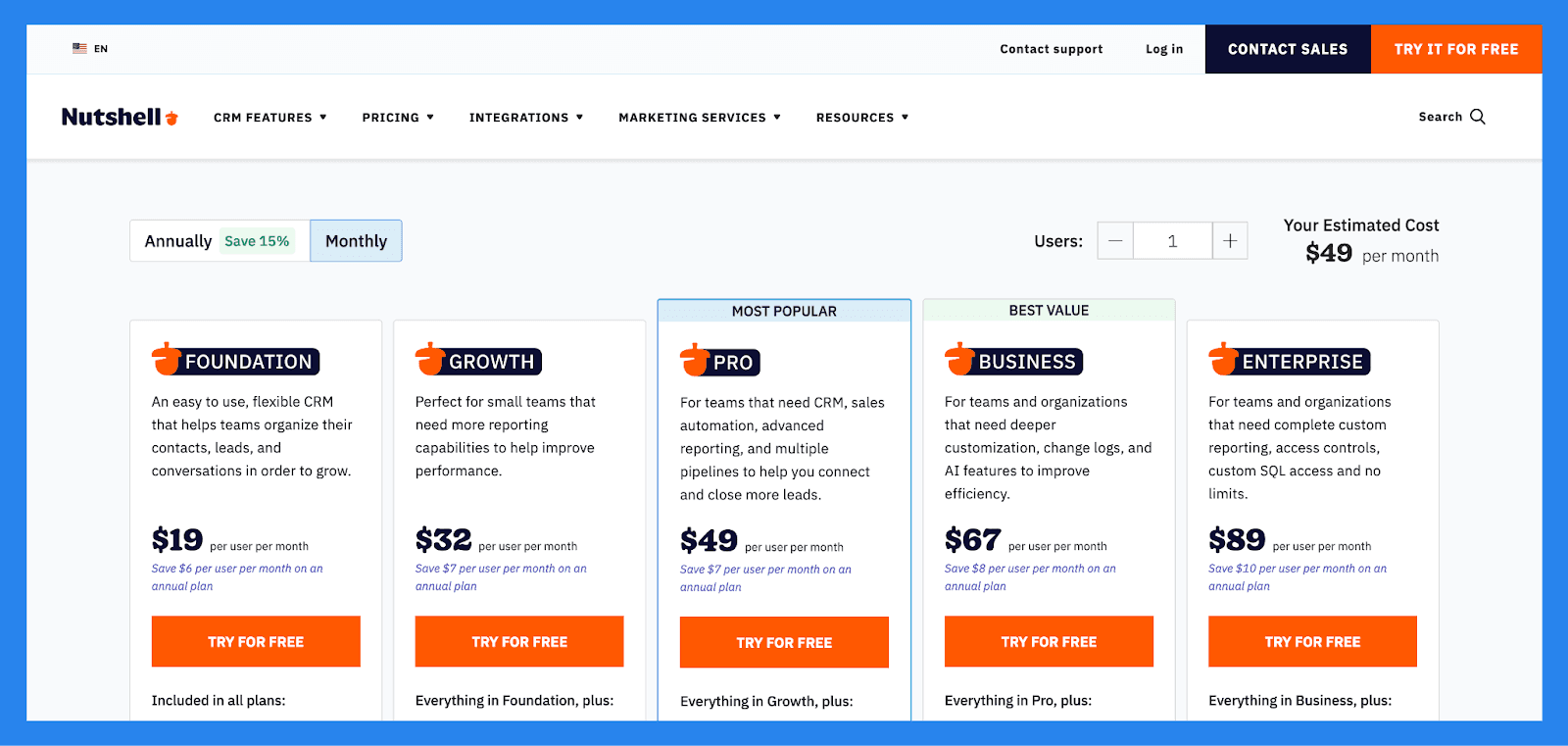
$19/user/mo | $32/user/mo | $49/user/mo |
Included in all plans: Unlimited storage, contacts & accounts Contact management and communication timelines Email and calendar sync Customizable single sales pipeline Free live support Foundation has a 100 active leads limit | Everything in Foundation, plus: Activity and Email reports Sales and Activity quotas Pipeline stage goals Up to 25 custom fields No open leads limit | Everything in Growth, plus: 5 customizable pipelines Sales automation Personal email sequences Full reporting suite, including Activity, Funnel, and Forecast reports Meeting scheduling software (lite version) |
Business | Enterprise |
|---|---|
$67/user/mo | $89/user/mo |
Everything in Pro, plus: Increased pipelines, territories, markets, teams and more Unlimited Notetaker usage (AI powered speech-to-text transcription) Meeting scheduling software (full version) Audit log and changelog Send email templates directly from Gmail | Everything in Business, plus: Unlimited pipelines Unlimited custom fields, teams, currencies and territories Read-only SQL access Multiple currencies Free scheduled phone support API support |
Monday CRM – Best AI CRM for Workflow-Heavy Sales Teams
Summary
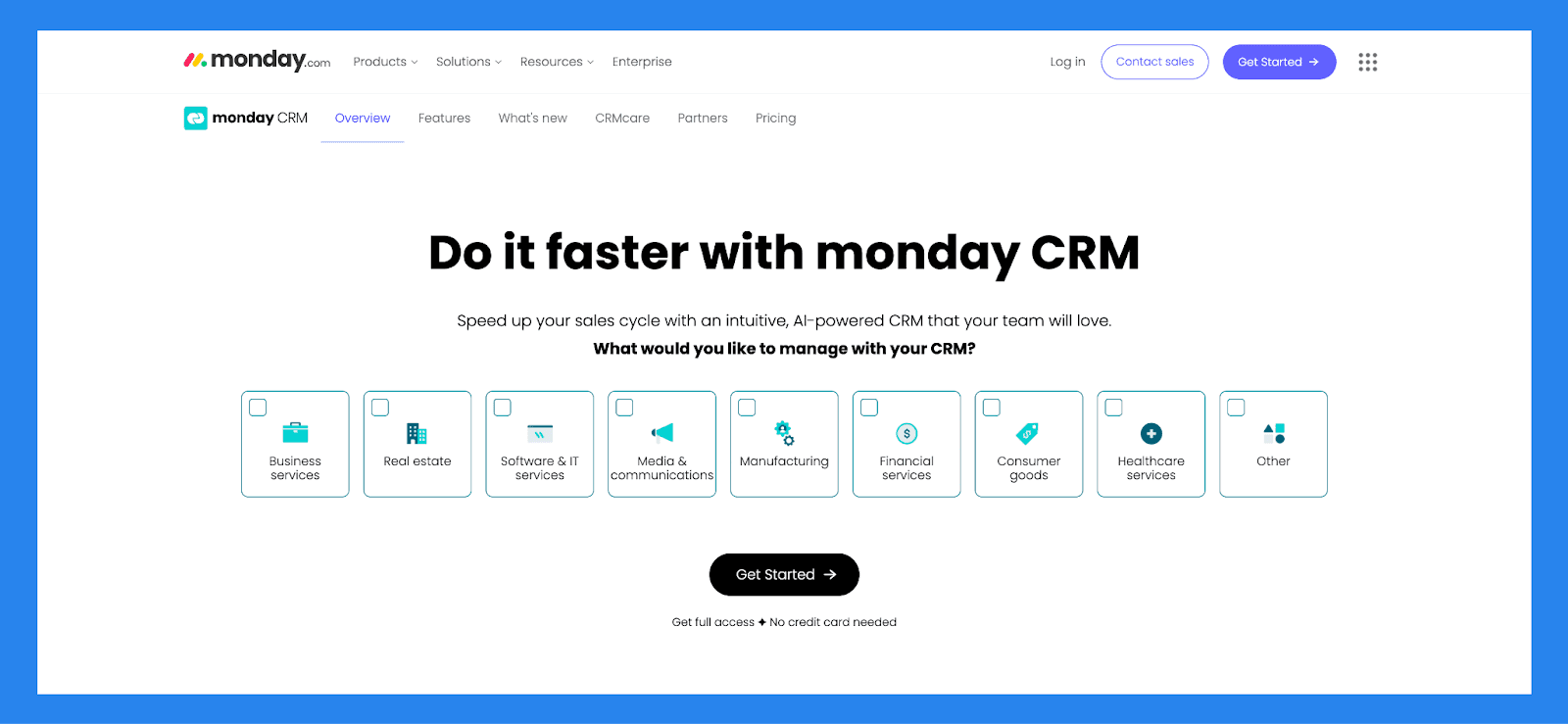
Built on Monday.com: a flexible Work OS known for its project and task management: Monday Sales CRM is a fully customizable, no-code platform designed to help businesses manage and automate every stage of the sales process, from lead generation to post-sale follow-up.
But with great flexibility comes the great risk of being overwhelmed. Much like standing in a grocery store faced with too many choices, Monday’s endless customization options can leave users bogged down in setup, instead of focusing on what they came for: closing deals and moving leads forward.
Key Features | |
|---|---|
Lead Management: Capture, organize, and track leads throughout the sales cycle Activity Tracking: Log calls, emails, and meetings to maintain a clear interaction history Pipeline Management: Visualize and manage deals at every stage of the sales funnel Guided Selling Tools: Use prompts and automation to streamline sales tasks and improve conversion rates Data Visualization & Analytics: Gain insights through customizable dashboards and performance reports Opportunity Management: Track sales opportunities and forecast potential revenue Forecasting & Data Management: Use historical and real-time data to predict sales trends and outcomes Account & Contract Management: Organize key account details and manage contracts from one place | |
Ratings | |
G2 - 4.6 /5 (921) | Capterra - 4.7/5 (406) |
Pros | Cons |
Highly customizable & flexible Powerful task management and the lead management system The interface is simple and easy to use while being pleasant to interact with Rich integration marketplace | There are growing pains to setting up the platform to suit your needs Essential features locked behind higher paywalls There are too many features sometimes the UI looks cluttered and overwhelming to use |
Pricing Plans
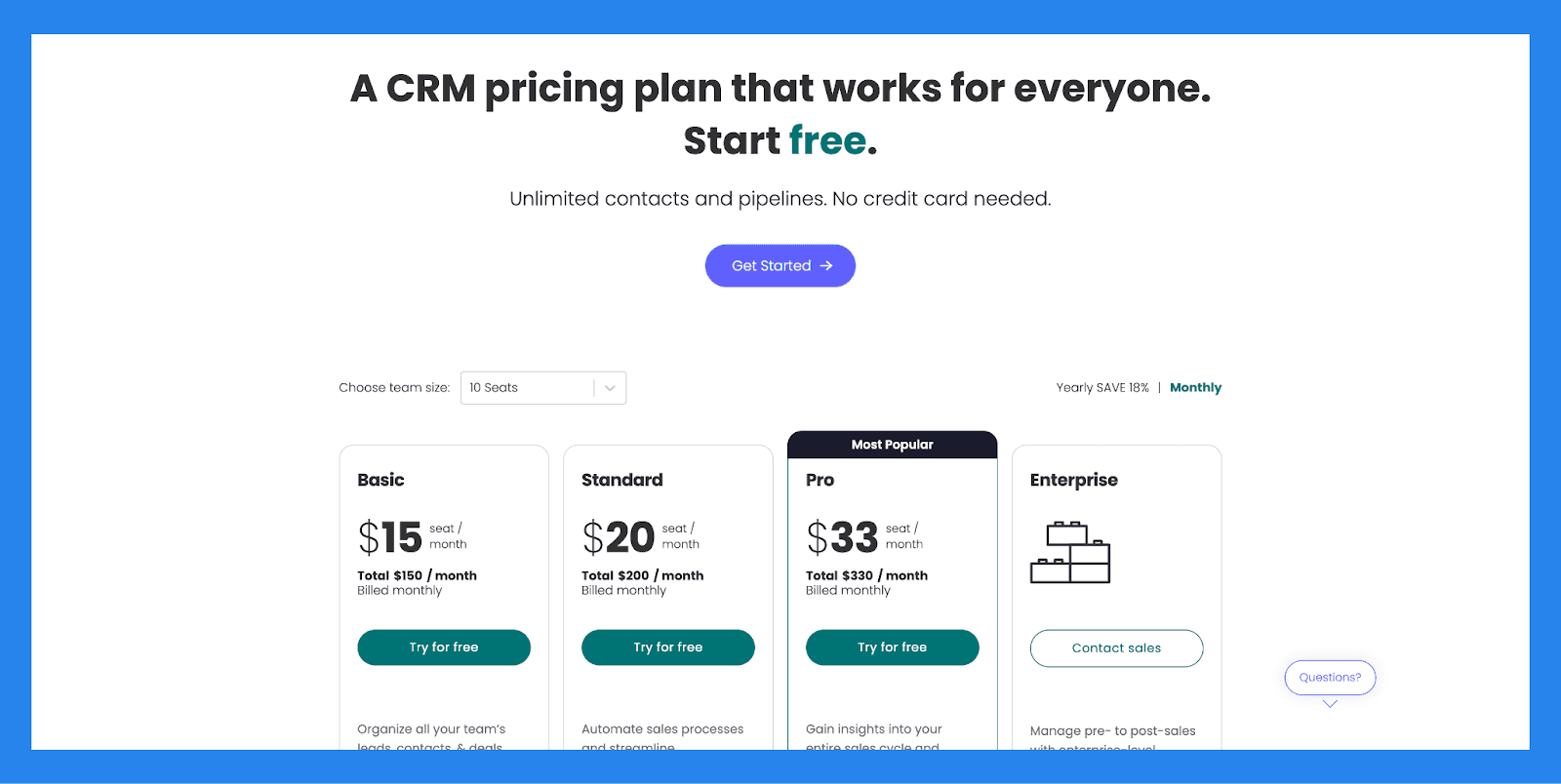
Basic | Standard |
|---|---|
$15/user/mo | $20/user/mo |
Basic includes: Unlimited customizable pipelines Unlimited contacts Unlimited boards Templates for lead, contact & deal management iOS & Android apps Unlimited free viewers Create a dashboard based on 1 board | Includes basic, plus: Advanced account, contact, & deal management 2-way email integration with Gmail and Outlook AI email generator Activity management Merge duplicate data Custom CRM automations (250 actions per month) Custom CRM integrations (250 actions per month) Create a dashboard that combines 5 boards 500 AI credits/mo/user |
Pro | Enterprise |
|---|---|
$33/user/mo | Contact sales |
Includes standard, plus: Sales forecasting Email templates Email tracking & automations Sequences Quotes & invoices Mass emails Google Calendar sync Sales analytics Custom CRM automations (25,000 actions per month) Custom CRM integrations (25,000 actions per month) Create a dashboard that combines 20 boards 500 AI credits/mo/user | Includes pro, plus: Lead scoring Mandatory fields Team goals Advanced analytics (dashboards up to 50 boards) Account management Documents for sales Enterprise-scale automations & integrations Enterprise-grade security & governance Multi-level permissions HIPAA Compliance 500 AI credits/mo/user |
Copper CRM – Best AI CRM for Google Workspace Users
Summary
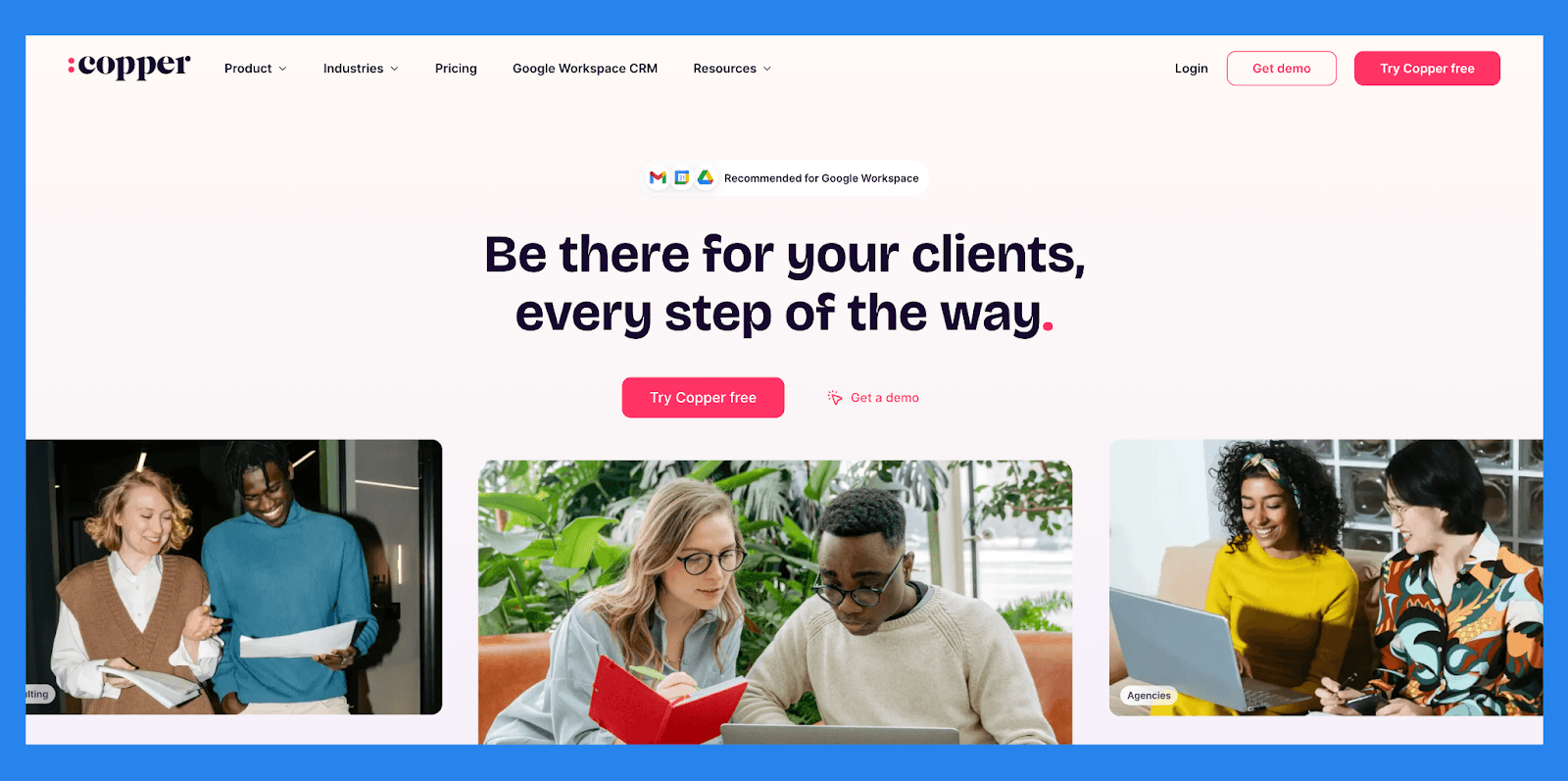
Copper CRM is purpose-built for Google Workspace users, offering seamless integration with Gmail, Google Calendar, and Google Drive. It stands out by embedding essential CRM tools directly into the Google ecosystem, helping teams manage contacts, track leads, and automate workflows without leaving their inbox.
Its Chrome extension is a highlight, giving users quick access to contact data and sales pipelines inside Gmail: perfect for teams that prioritize simplicity and speed. Copper is ideal for startups, small businesses, and agencies looking for a lightweight CRM that feels like a natural extension of their daily tools.
Key Features | |
|---|---|
Gmail Integration: Manage leads and customers directly inside your inbox Google Calendar & Drive Sync: Keep meetings, files, and tasks fully aligned with your CRM Chrome Extension: Access pipeline and contact details without leaving Gmail Automated Data Entry: Copper auto-fills contact info and updates activity logs Sales Pipeline Management: Visualize and manage deal stages with drag-and-drop simplicity Workflow Automation: Trigger follow-ups, task assignments, and email templates automatically | |
Ratings | |
G2 – 4.5/5 (1,135) | Capterra - 4.4/5 (619) |
Pros | Cons |
User-friendly interface with a low learning curve Deep Google Workspace integration Powerful Chrome extension for Gmail-based workflows Automated workflows and smart reminders Seamless data syncing across tools Clean and intuitive mobile app | Occasional buggy performance Limited compatibility with non-Google platforms Customization options can be overwhelming for beginners Pricing can be aggressive for smaller teams Clunky API compared to more developer-friendly CRMs Lacks scalability for larger organizations with complex needs |
Pricing Plans
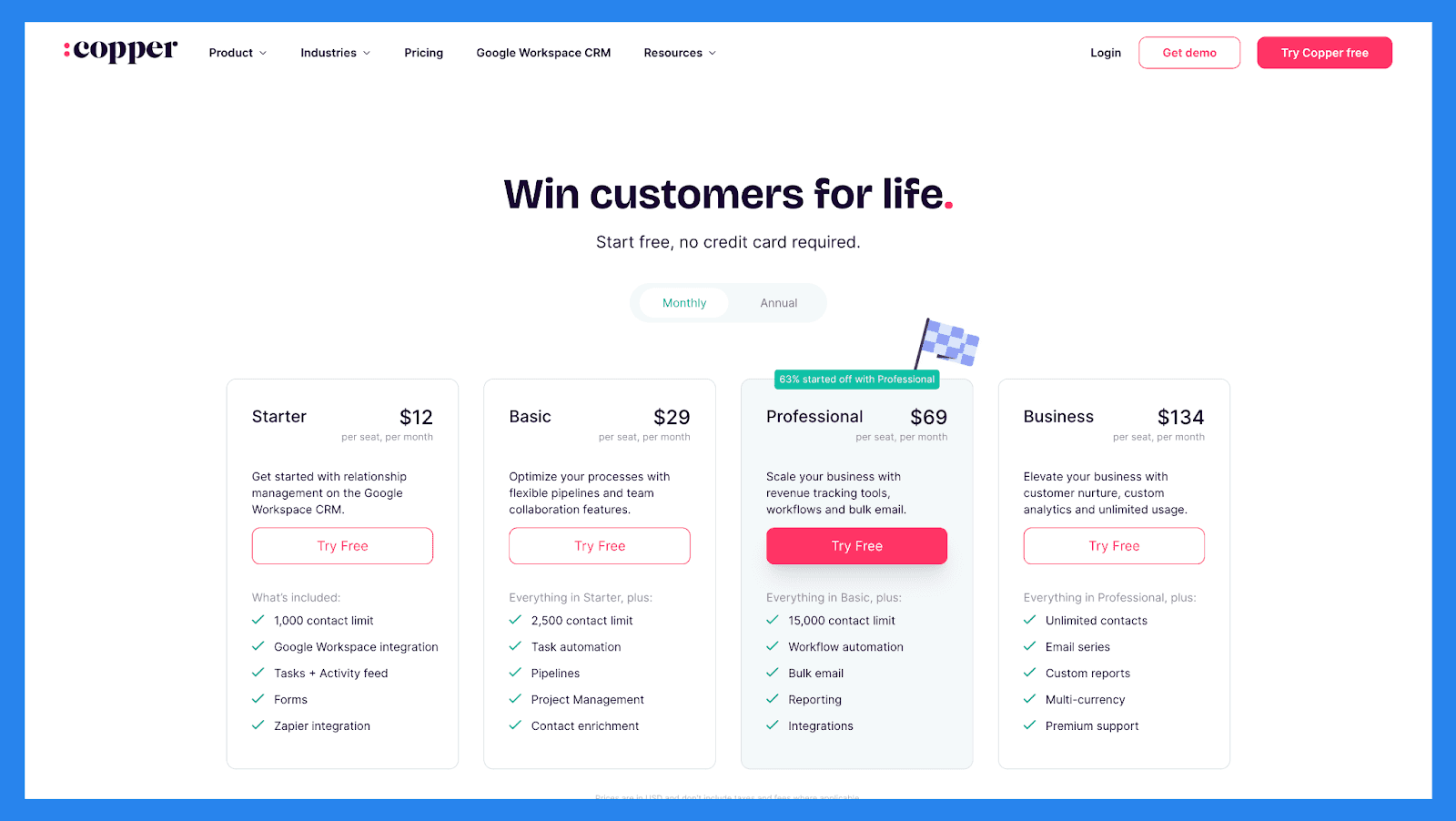
Starter | Basic |
|---|---|
$12/user/mo | $29/user/mo |
What’s included: 1,000 contact limit Google Workspace integration Tasks + Activity feed Forms Zapier integration | Everything in Starter, plus: 2,500 contact limit Task automation Pipelines Project Management Contact enrichment |
Professional | Business |
|---|---|
$69/user/mo | $134/user/mo |
Everything in Basic, plus: 15,000 contact limit Workflow automation Bulk email Reporting Integrations | Everything in Professional, plus: Unlimited contacts Email series Custom reports Multi-currency Premium support |
Keap (formerly Infusionsoft) – Best cloud-based AI CRM for Small Businesses
Summary
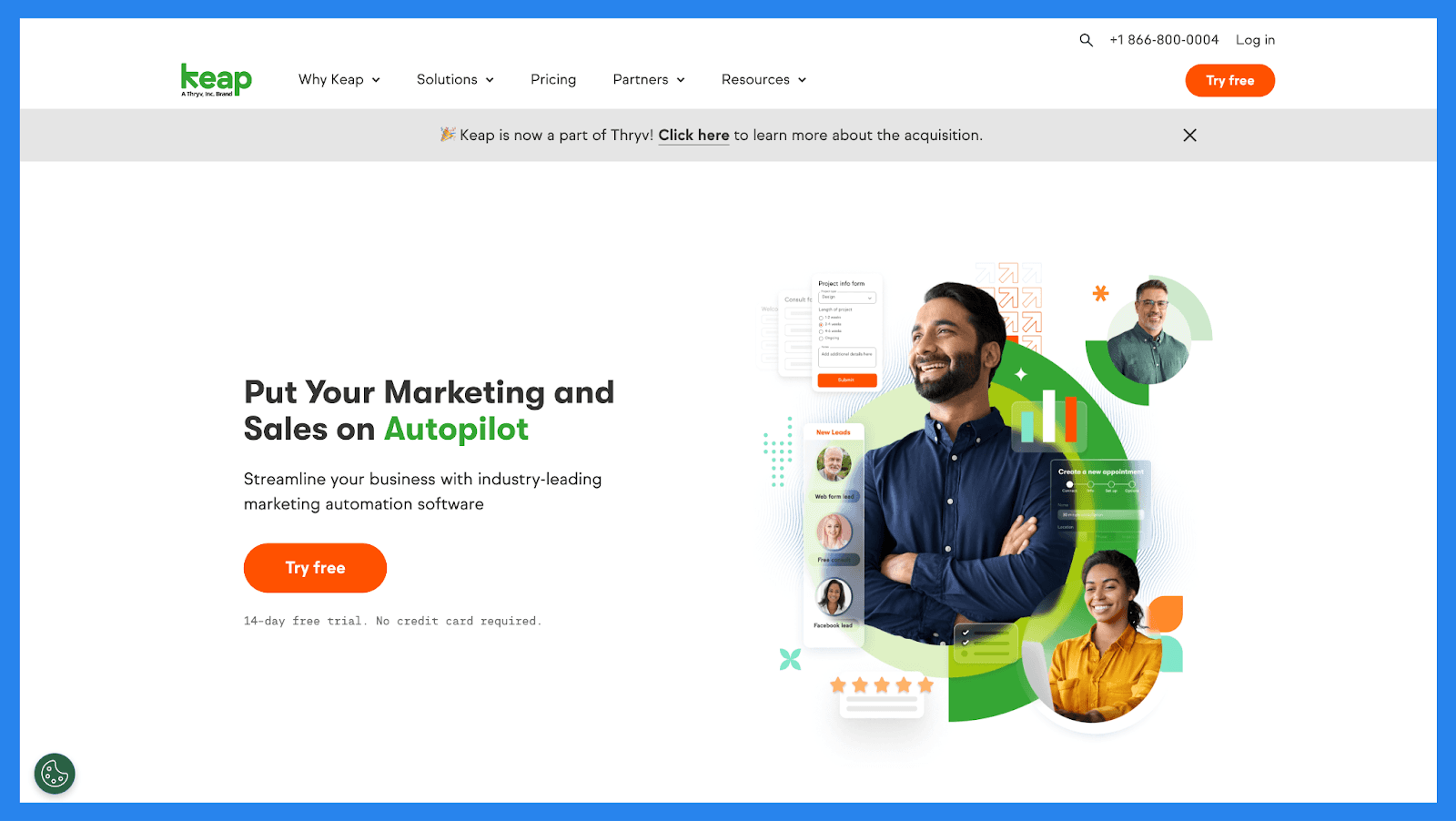
Keap assists small businesses with sales and marketing automation, offering an intuitive platform for managing leads, automating repetitive tasks, and streamlining AI-enabled workflows. It’s especially popular among e-commerce businesses, solopreneurs, and service-based professionals who are new to CRM systems and want an all-in-one tool that’s easy to use.
Keap is best for small teams and entrepreneurs who need a simple yet powerful solution to handle customer relationships, automate follow-ups, and drive growth without the complexity of larger CRM platforms.
Key Features | |
|---|---|
AI-Powered Email and Sales Automation: Use AI to optimize email timing, content, and workflows for higher engagement and conversions Smart Contact Management & Lead Tracking: Automatically organize, tag, and prioritize leads based on behavior and engagement history AI-Powered Workflow Automation: Build intelligent automations that respond to user actions, form submissions, or contact triggers without coding | |
Ratings | |
G2 – 4.2/5 (1,563) | Capterra - 4.1/5 (1304) |
Pros | Cons |
Extensive customization options make it easy to tailor the CRM to your business, and even large data sets can be edited efficiently. Custom automation is intuitive, allowing you to build workflows, track leads in detail, and visualize the entire customer journey. Reusable email templates simplify content creation for recurring campaigns or follow-ups. Contact information is easy to manage, and built-in forms and order tracking make payment checks and client data retrieval straightforward. | The user interface feels outdated compared to more modern CRMs. Integration with other apps can be limited, and mobile functionality is somewhat restricted. Pricing can become expensive, especially if you need access to Keap’s more advanced features. There is a learning curve, particularly when setting up complex automation workflows for the first time. |
Pricing Plans
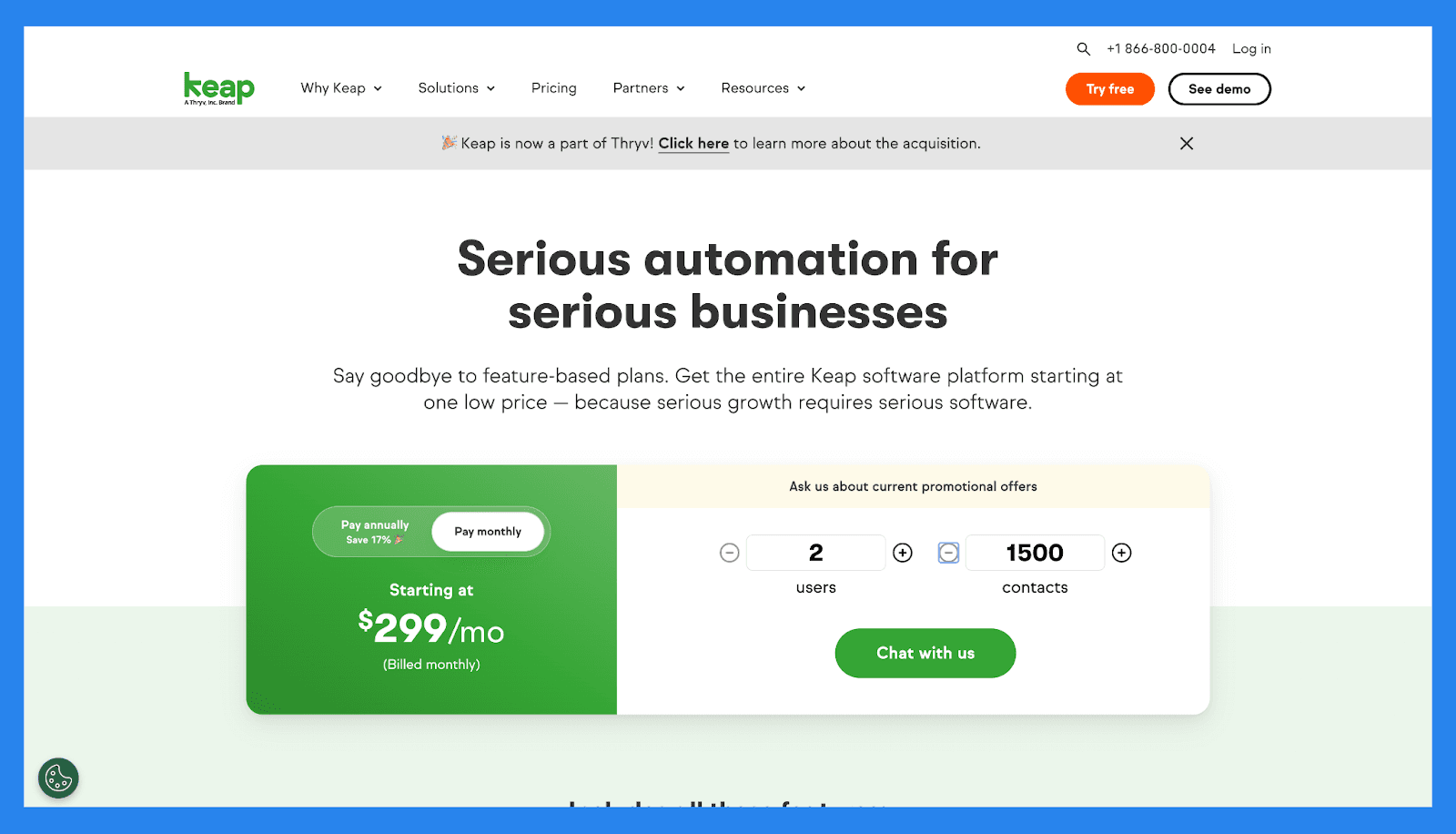
Keap Pricing Plan | |
|---|---|
Starting Price | $299/mo |
Features | ✅ |
CRM | ✅ |
Automation | ✅ |
Email & Text | ✅ |
Pipeline | ✅ |
Landing Pages | ✅ |
Payments | ✅ |
Appointments | ✅ |
Reporting | ✅ |
Close CRM – Best for Outbound Sales Teams That Want Built-In Calling, SMS, and Email
Summary
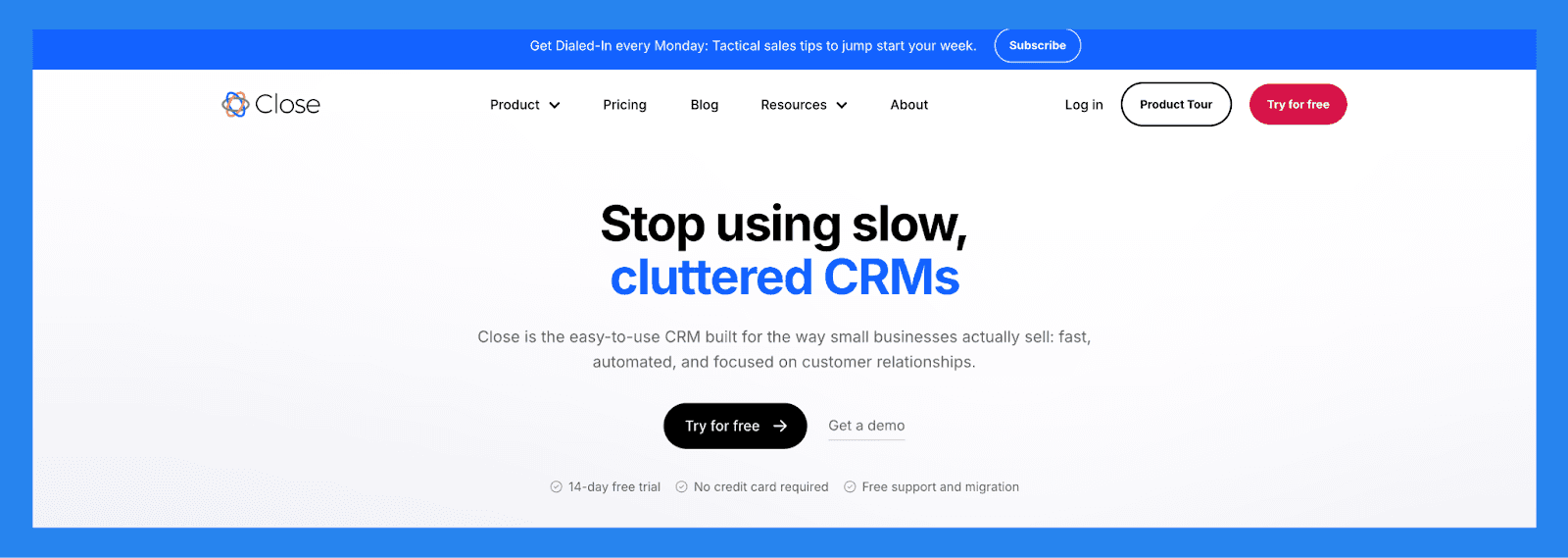
Close (formerly Close.io) is a sales-focused AI CRM built specifically for small and medium-sized businesses that want to turn into outbound sales-powerhouse. It unifies essential sales channels like email, calling, and SMS in a single, streamlined interface, eliminating the need to juggle multiple platforms.
What sets Close apart is its laser focus on lead tracking and engagement. Features like Search Views and Smart Views make it easy to segment and surface the right leads at the right time, so reps can prioritize high-value opportunities and follow up with precision. Combined with built-in calling, power dialers, and activity tracking, Close empowers sales teams to move faster and close deals more efficiently.
Key Features | |
|---|---|
Sales Funnel Reporting: Analyze sales velocity, conversion rates, and pipeline health to uncover bottlenecks and optimize your sales process Performance Reports : Track individual and team performance with customizable reports and leaderboards that spotlight top performers and highlight areas for coaching Power Dialer : Make high-volume outbound calls quickly with the built-in power dialer to boost team productivity Call Assistant: Use real-time transcription and note-taking tools to improve call quality and reduce admin work | |
Ratings | |
G2 – 4.7/5 (1,044) | Capterra - 4.7/5 (161) |
Pros | Cons |
Clean, user-friendly interface with a minimal learning curve Robust calling features and automation tools, including Power Dialer Two-way email sync for seamless communication tracking Effective and intuitive email outreach workflows Cost-effective compared to many competitors with similar features Helps streamline productivity and team communication Highly customizable via open API for advanced use cases | No free version available: only a free trial No native integration with LinkedIn, requiring third-party tools Smart View filters can be overwhelming or tedious to set up Workflow features are more limited compared to top competitors SMS functionality restricted to the US, Canada, UK, and Australia Some features are gated behind higher-tier pricing plans Users report occasional slow load times and connectivity issues with calling |
Pricing Plans
Base | Professional | Enterprise |
|---|---|---|
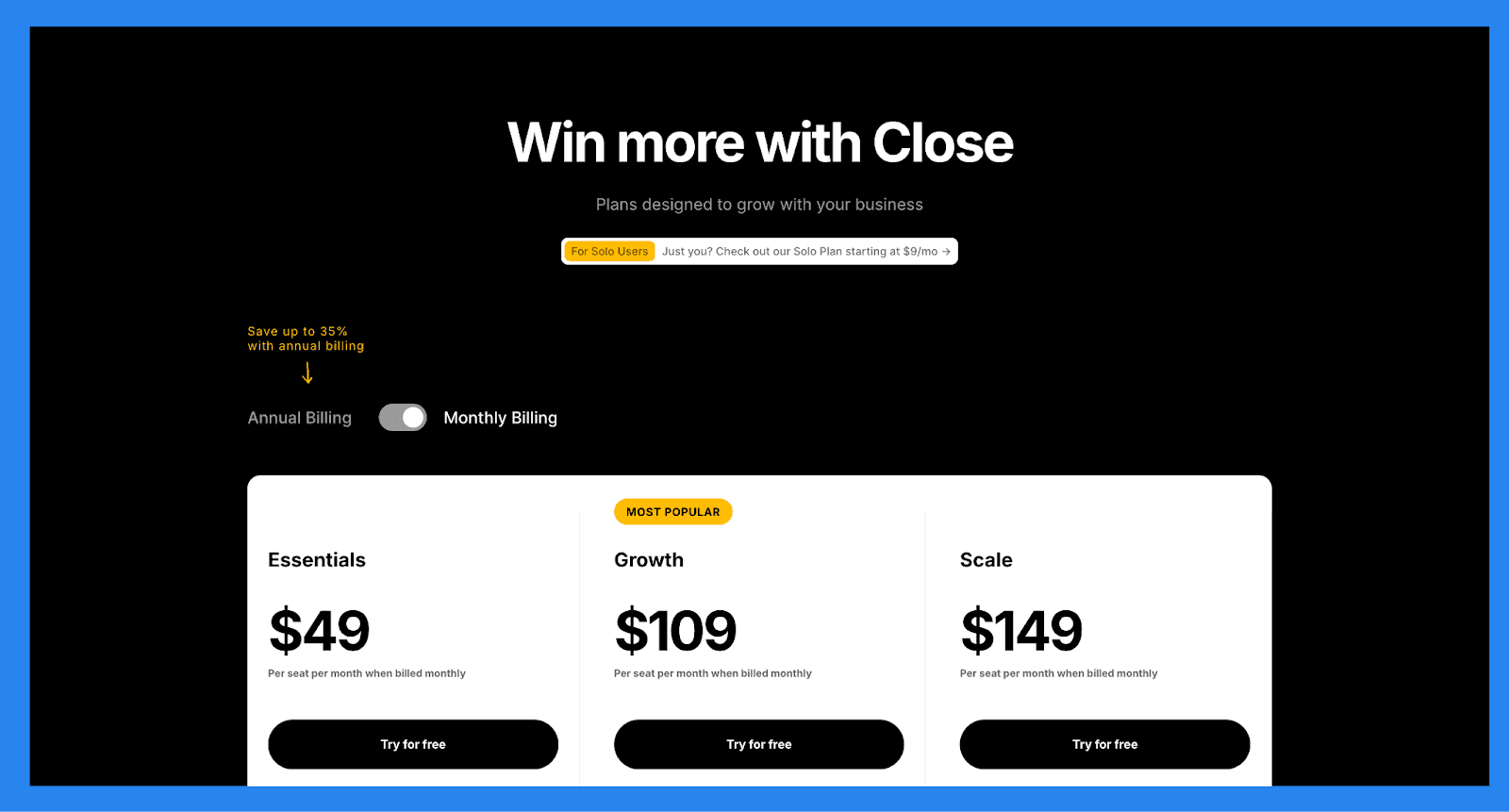
$49/mo (Max: 1 users) | $99/mo (Max: 3 users) | $139/mo (Max: 5 users) |
Core features included in all Close plans: Unlimited accounts, contacts, and opportunities Two-way email sync: send and receive emails directly in Close Built-in calling & SMS. Bring your number or rent a number from Close Centralized inbox to manage your to-do list | Everything in Base, plus Use Custom Activities to track unique steps in your sales process AI Lead Summaries bring you up to speed in seconds Enhanced roles and permissions capabilities | Everything in Professional, plus: Call Coaching to help improve rep performance Predictive Dialer to supercharge dialing Advanced customization on CRM objects Enhanced reporting Priority access to the Close team |
SugarCRM – Best CRM for Intelligent Analytics and Predictive Sales Automation
Summary
SugarCRM is a flexible, AI-powered CRM platform designed to help businesses automate sales processes, gain predictive insights, and deliver more personalized customer experiences. With powerful features like AI-driven analytics, automated lead scoring, and workflow automation, SugarCRM enables sales and marketing teams to make smarter, faster decisions based on real-time data.
The platform is best suited for mid-sized to enterprise-level businesses that require customization, advanced reporting, and strong automation capabilities. Its focus on predictive intelligence and deep customer insights makes it a solid choice for organizations looking to drive growth through smarter, more data-informed selling.
Key Features | |
|---|---|
AI-Driven Customer Sentiment Analysis: Understand customer tone and satisfaction levels based on communications and interactions Predictive Lead and Opportunity Scoring: Use machine learning to identify high-converting leads and forecast deal outcomes with greater accuracy Automated Sales and Marketing Workflows: Streamline repetitive tasks and nurture leads with customizable automation rules Integrated Business Intelligence Tools: Access real-time dashboards and in-depth analytics to monitor performance and guide decision-making 360° Customer View: Consolidate customer data from multiple channels to create a complete profile for more personalized engagement | |
Ratings | |
G2 – 4.0/5 (1,151) | Capterra - 3.8/5 (413) |
Pros | Cons |
Clean and unified interface makes it easy to manage customer cases and support interactions. Workflow automation and SLA tracking help teams stay organized and meet response time targets. Built-in dashboards and seamless integration with other SugarCRM tools provide a complete view of customer interactions and team performance. | There is a steep learning curve, particularly when setting up custom workflows and advanced reports. The self-service portal feels limited and could benefit from more customization options for branding and user experience. The interface can be sluggish when handling large volumes of data, which may impact performance for high-traffic teams. |
Pricing Plans
Essentials | Standard |
|---|---|
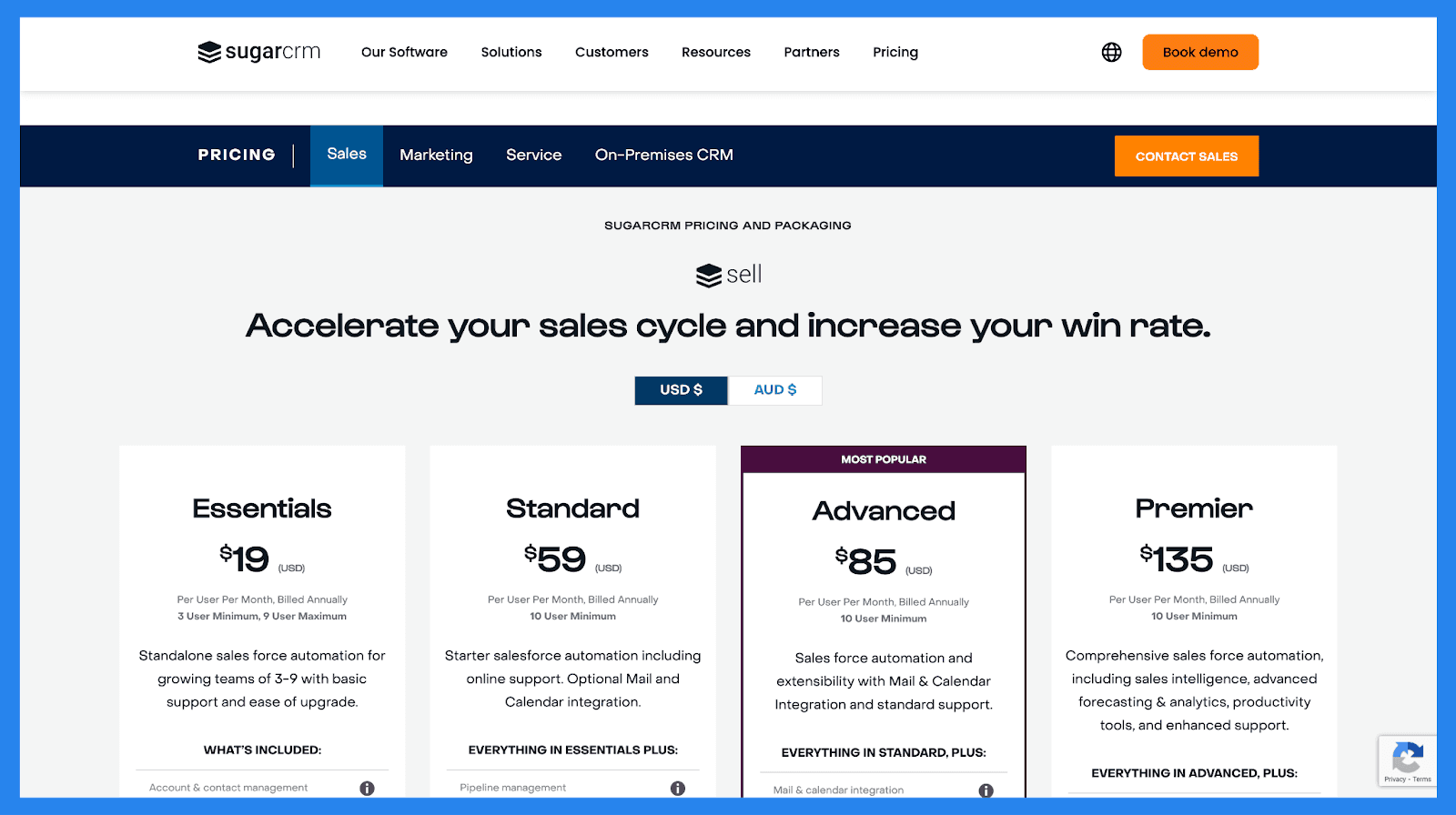
$19/user/mo | $59/user/mo |
What’s included: Account & contact management Lead & opportunity management Quote Management Activity management Intelligent Account Management Reporting & analytics Collaboration & teamwork Basic support | Everything in essentials, plus: Pipeline management Forecasting Pipeline analytics Mobility Omni-channel communications Business Process Management Extensibility Connector for Sharepoint, Google, Dropbox, & Docusign Support for custom fields *Mail & calendar integration |
Advanced | Premier |
|---|---|
$85/user/mo | $135/user/mo |
Everything in Standard, plus: Mail & calendar integration Case management Bug tracking Standard support *Intelligent lead prioritization *Revenue Intelligence *Generative AI *Sentiment analysis *Chat & chatbot | Everything in Advanced, plus: Geo mapping Enhanced forecasting 2x file managed storage 2x data managed storage Enhanced support News feeds Smart guides Linkedin connector |
💭 Final Thoughts
As artificial intelligence continues to reshape the sales landscape, choosing the right AI-powered CRM is no longer a luxury – it’s a competitive necessity. From predictive lead scoring and intelligent automation to generative content creation and AI-powered insights, today’s top CRMs offer powerful tools that help teams sell smarter, not harder.
Whether you're a startup looking for agility, a consultancy needing smarter workflows, or a growing business aiming to scale customer engagement, there's an AI CRM built to match your goals and budget.
Each platform in this list brings its own strengths, so the best choice ultimately depends on your team's size, workflow complexity, and growth strategy. Take advantage of free trials or demos where available, and test how each solution fits into your sales process before committing.
Investing in the right AI-Native Sales CRM today can help future-proof your sales operations, and give your team the insights, speed, and personalization they need to close more deals with confidence.
Frequently asked questions

Written by
Arnaud Belinga · Co-Founder & CEO at Breakcold
Arnaud is the Co-Founder & CEO of Breakcold, the AI Native CRM for sales teams of 5 to 30+ people.