



What Is CRM Reporting? How to Use It to Optimize Sales in 2026 and Beyond
TL;DR: CRM reporting turns your pipeline data into decisions, if the data is clean 🏆
📊 What it is: CRM reporting gathers and visualizes your pipeline data into forecasts, activity reports, conversion analysis and dashboards so you can act on trends instead of guessing.
🏆 Breakcold: the AI Native CRM for sales teams of 5 to 30+ people. AI agents handle the admin (move deals, log activity, create tasks), it connects to Claude and ChatGPT via native MCP, and it syncs LinkedIn, email, WhatsApp and Telegram into one pipeline. At 5 seats Breakcold is $139/mo, where a traditional CRM runs $300 to $500/mo.
🟢 Salesforce and HubSpot: the deepest enterprise-grade reporting and custom dashboards, but complex and expensive to run.
🔵 Pipedrive, Zoho and Freshsales: Pipedrive owns the most accessible forecasting in its tier, Zoho delivers enterprise-level reporting at small business prices, and Freshsales starts at $9/user for AI-powered insights.
📈 Reports that matter: pipeline, lead source, forecasting, activity, conversion rate and churn reports are the core set to track, and CRMs return about $8.71 for every dollar spent when used strategically.
✅ The real lesson: no report is better than the data behind it, so a CRM that keeps records clean automatically beats one with fancy charts and stale data.
CRMs do more than just track contacts and conversations — the right CRM platform gives you access to essential Key Performance Indicators** (KPIs)**, saving time on manual analysis and improving sales forecasting.
But not all CRMs are created equal. Some offer far more powerful reporting and analytics tools than others, which can directly impact your sales performance, team productivity, and overall business insights.
In this article, we’ll break down what CRM reporting is, the most important CRM reports to track, and the best CRM platforms with robust reporting features in 2026.
What Is CRM Reporting?
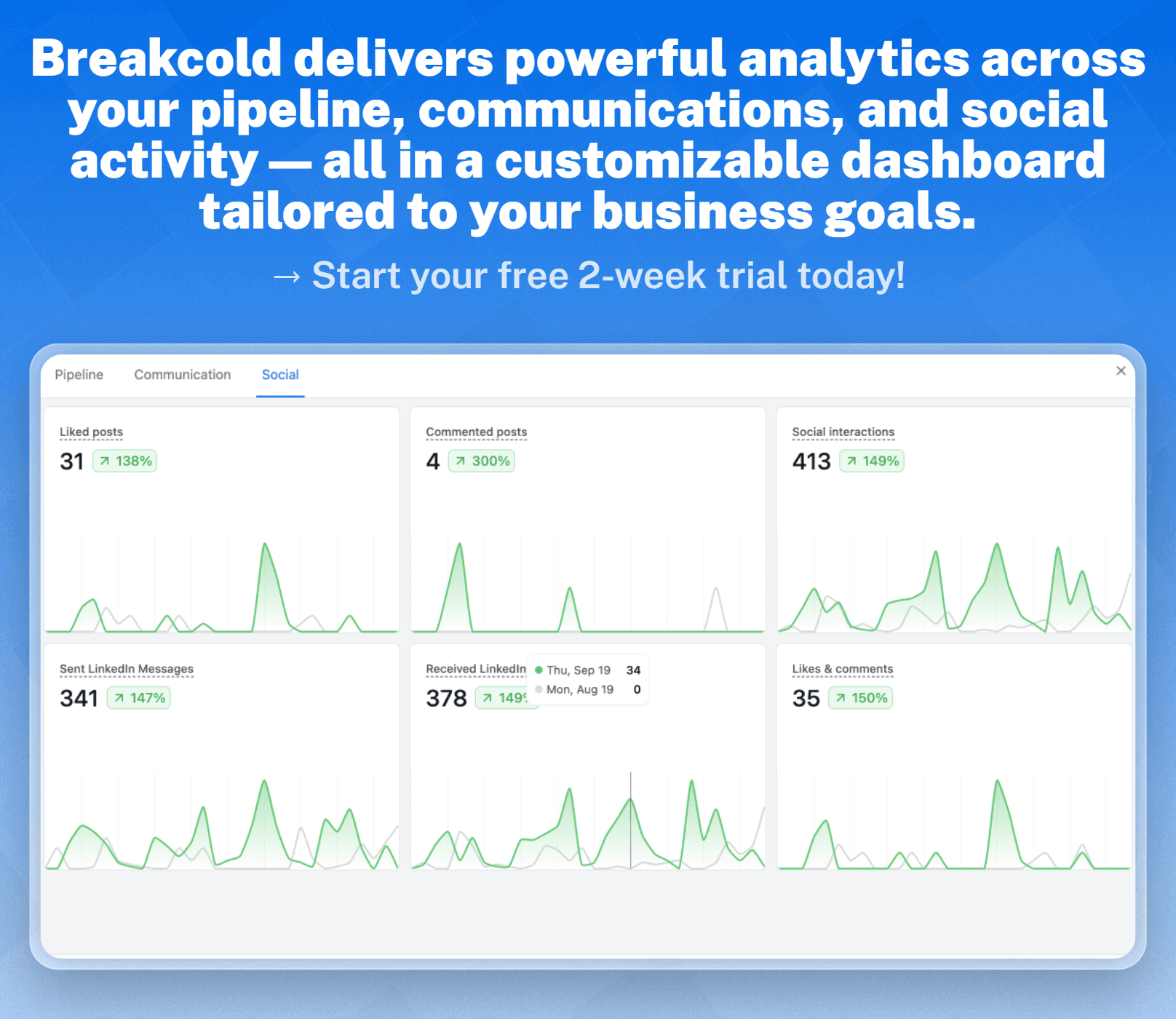
At its core, CRM reporting is the process of gathering and analyzing data from your CRM system to generate actionable insights. This is typically an automated process, where the CRM compiles key datasets into easy-to-read reports for analysis.
These reports help businesses identify trends, uncover new opportunities, and understand what’s working — and what isn’t. With accurate CRM reporting, teams can make smarter decisions, strengthen customer relationships, and optimize sales strategies to better hit annual business goals.
Benefits of CRM Reporting
CRM reports provide valuable insights into the more nuanced areas of your business, empowering you to make data-driven, strategic decisions. They help you understand what’s happening across sales, marketing, and customer success in real time.
Beyond just surface-level metrics, they can also help you:
Enable smarter decision-making with data – Get a clear view of what’s working — and what’s not — so you can make informed choices backed by real-time insights.
Improve sales forecasting accuracy – Predict future revenue more reliably by analyzing past performance, deal stages, and sales trends.
Track and enhance team performance – Monitor individual and team activities, helping you identify top performers and areas that need improvement.
Gain visibility into marketing ROI – Understand which channels, campaigns, or lead sources drive the most valuable customers — and which ones drain your budget.
Analyze and optimize the customer journey – Spot friction points and engagement gaps across the funnel to create smoother, more effective customer experiences.
💡 Did you know? 💡 On average, CRM systems offer a return on investment (ROI) of $8.71 for every dollar spent (Source: Nucleus Research). That’s a strong incentive to make sure you’re using your CRM strategically. 👉 Want more data-backed insights? Check out our guide on 32 CRM Statistics You NEED To Know For 2026 And Beyond to stay ahead of the curve and make smarter CRM decisions. |
|---|
Valuable Types of CRM Reports You Need to Use in 2026
Loading YouTube sends it your IP address and may enable cookies. This applies to this content only.
While the exact reports available may vary depending on your CRM platform, most tools offer a core set of standard reports that are essential for effective sales and marketing analysis:
📊Sales Pipeline Reports
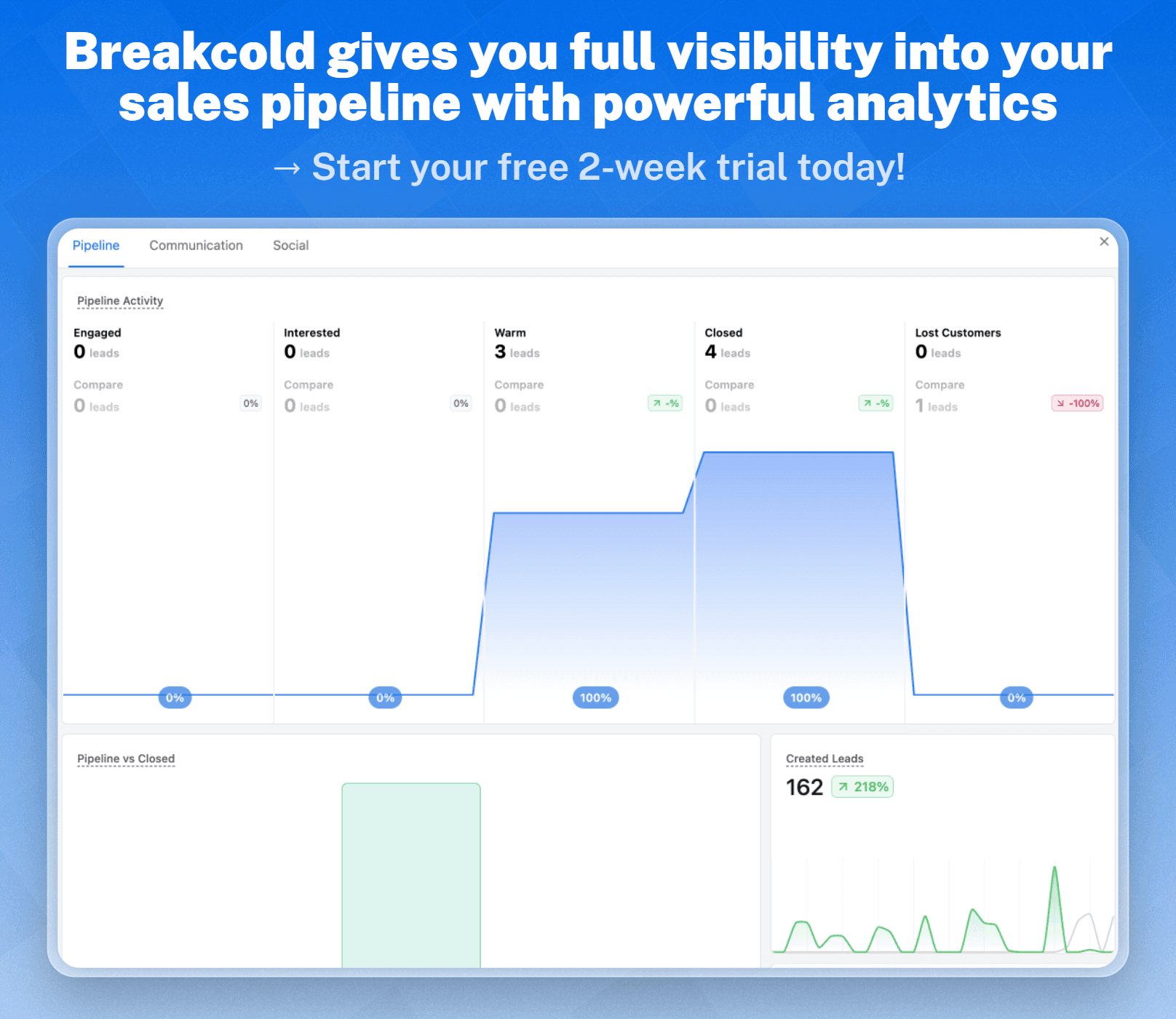
Gain a bird's eye view of your deals across each sales stage to manage progress and prioritize opportunities. This report helps sales managers monitor pipeline health, identify bottlenecks, and forecast revenue with more accuracy.
Key Metrics:
Number of open deals
Deal stage distribution
Total pipeline value
Average deal size
Win/loss ratio
🌐Lead Source Reports
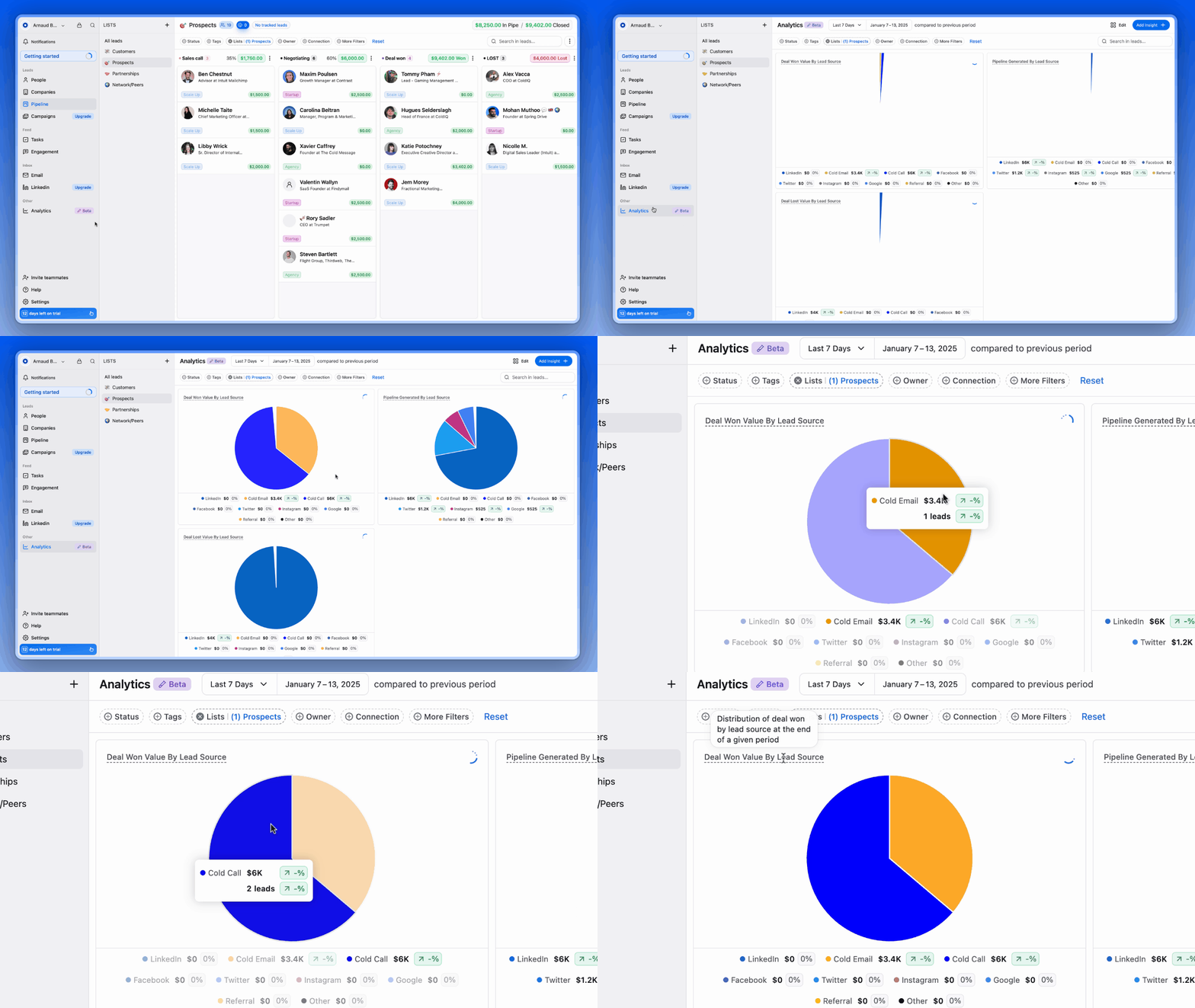
Break down where your leads are coming from and highlight the most effective channels. Lead Source Reports reveal which channels generate the most qualified leads, enabling better budget allocation and campaign optimization.
Key Metrics:
Leads by source (e.g., organic, paid, referrals)
Conversion rate by source
Revenue per source
Cost per lead
📈Forecasting Reports
Forecasting Reports predict future revenue and growth based on your current sales data and trends. This helps support strategic planning by providing a realistic view of upcoming revenue and potential shortfalls.
Key Metrics:
Projected revenue
Expected close date
Probability-weighted deal value
Historical sales trends
📞Activity Reports (calls, emails, meetings)
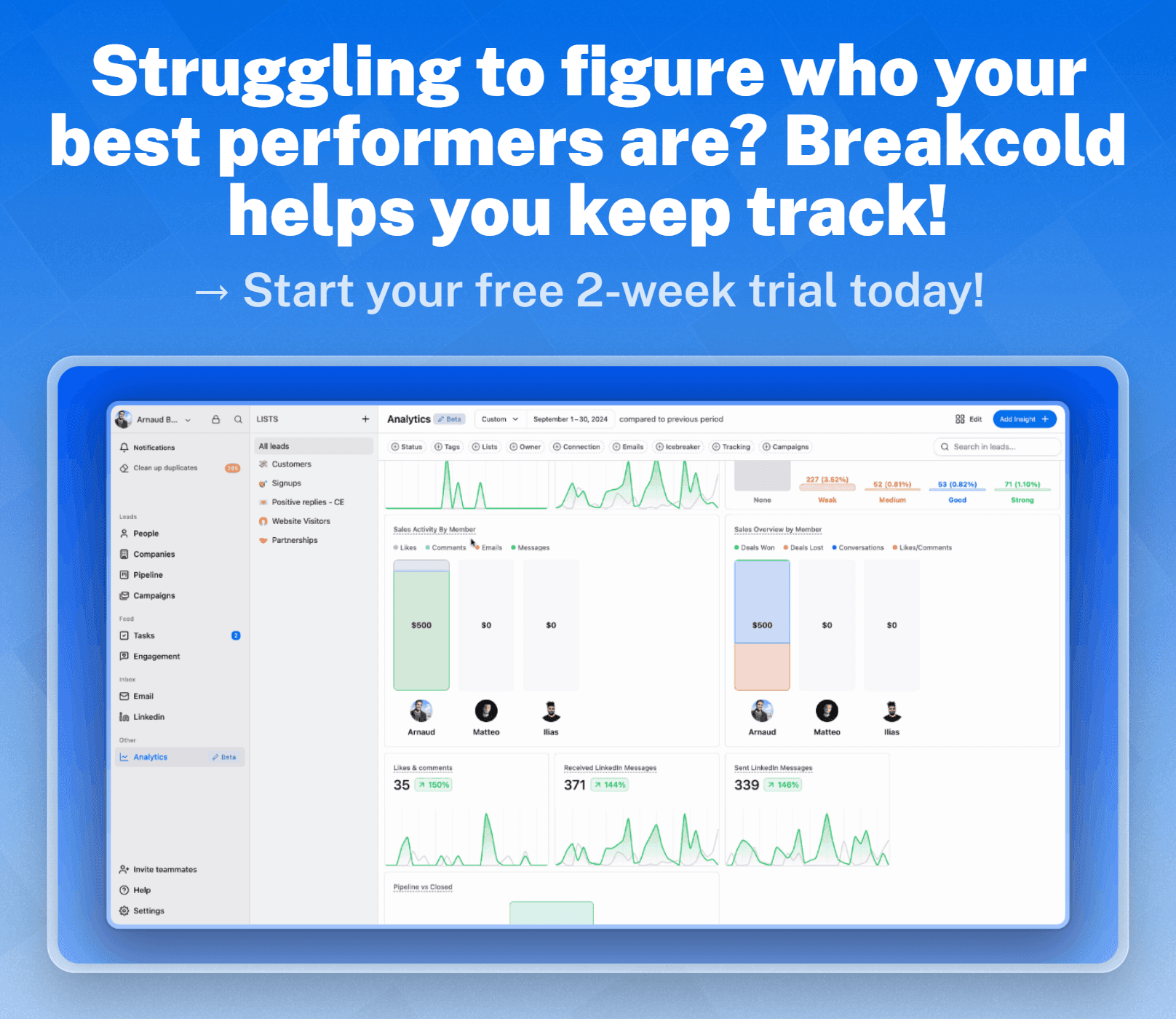
Activity Reports track your team’s communication and outreach efforts with leads and customers. This helps improve sales team accountability and productivity by highlighting which activities drive results.
Key Metrics:
Number of calls, emails, meetings per rep
Response rate
Follow-up time
Activity-to-close ratio
🔁Conversion Rate Reports
Conversion Rate Reports measure how effectively leads move through each stage of your funnel. This helps you pinpoint drop-off points in the funnel so you can streamline your sales process and boost efficiency.
Key Metrics:
Stage-to-stage conversion rate
Lead-to-opportunity rate
Opportunity-to-close rate
Average time in each stage
🔒Customer Retention/Churn Reports
Understand how well you’re retaining customers and identify warning signs of churn. Customer Retention/Churn Reports can improve customer loyalty and revenue predictability by helping you take proactive steps to reduce churn.
Key Metrics:
Churn rate
Customer lifetime value (CLV)
Renewal rate
Repeat purchase rate
Time to churn
Best CRM Tools for Reporting
CRM Reporting Comparison Table
CRM | Best For | Starting Price | Drawbacks | Free Plan? |
|---|---|---|---|---|
Breakcold | Best For AI-Native Sales-Focused Teams | $99/mo | Advanced reporting still developing | ❌ |
Close | Best For Growing Multi-Channel Outbound Sales Teams | $49/mo (Max: 1 users) | No native integration with LinkedIn, requiring third-party tools | ❌ |
Insightly | Best For Analyzing Complex, Multi-touch Processes | $29user/mo | Steeper learning curve; often requires assistance from a success rep to get started | ❌ |
Pipedrive | Best For Advanced Forecasting | $19/user/mo | No native LinkedIn integration for lead importing | ❌ |
Hubspot | Best for Marketing Reports and Analysis | $20/user/mo | Reporting tools lack depth for advanced analytics | ✅ |
Salesforce | Best For Comprehensive Range of Highly Customizable Reports | $25/user/mo | Complex implementation process that requires time and resources | ✅ |
Zoho CRM | Best Enterprise-Level Reporting For Small Business | $20/user/mo | Onboarding can be complex without technical assistance | ❌ |
Freshsales | Best For AI-Powered Sales Insights and Analytics | $9/user/mo | Reporting and dashboard capabilities may feel limited for larger teams | ❌ |
Nimble | Best For Straight-forward Non-enterprise Level Analytics | $29.90/user/mo | Essential features are locked behind higher-tier pricing plans | ❌ |
🥇 Breakcold – Best For AI-Native Sales-Focused Teams
Summary
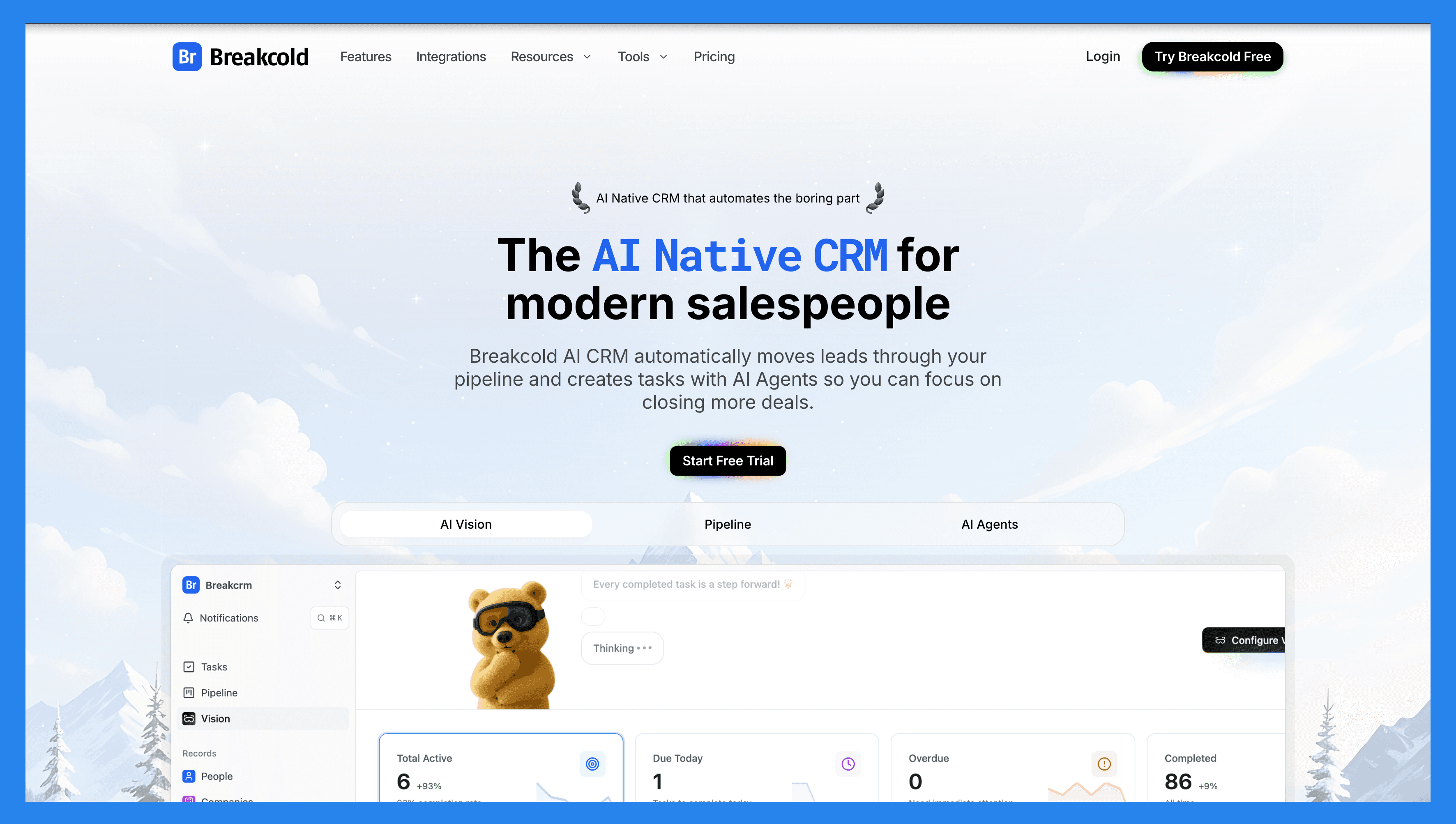
Breakcold is THE AI-Native CRM for modern salespeople and AI agents, built for 2026 to help solopreneurs and small teams close deals without needing advanced tech skills or deep sales expertise. AI is the foundation, not a bolt-on: AI agents move leads through the pipeline, and a native MCP server lets Claude and ChatGPT read and update the CRM directly. Multichannel by design, it syncs LinkedIn, email, WhatsApp, Telegram, and calls into one inbox.
Unlike bulky enterprise CRMs, Breakcold is intuitive and easy to use — from AI-powered lead enrichment to automated follow-ups, everything works out of the box. Teams can focus on meaningful engagement and growing their pipeline, not wrestling with complex workflows or learning curves.
Key Features | |
|---|---|
Vision Builder – Create workflows from a text prompt or voice note. Just describe it, and Breakcold builds it. AI-Powered Dashboard – A self-updating dashboard that surfaces your most important tasks in real time. AI Contact Management – Automatically organizes leads into the right lists and groups by analyzing your conversations and activities. AI Personalities (Agents) – Select an AI “persona” aligned with your business goals, and get daily tasks tailored to it. AI Reasoning – Every suggested task includes context, so you know exactly why it matters today. AI-Suggested Messages – Personalized next-message suggestions that adapt to your tone and your prospect’s voice. AI Rules – Add intelligent rules to automate follow-ups and lead movement without complex setup. AI Contact Deduplication – Merges duplicates automatically, saving hours of data cleanup. Advanced Data Enrichment – Powered by BetterContact, with waterfall enrichment to surface verified B2B emails and phone numbers. AI Notetaker – Integrates with Otter, Fireflies, TL;DV, and Fathom to log call summaries, transcripts, and follow-up tasks automatically. Unified Inbox – Manage LinkedIn, email, WhatsApp, and Telegram conversations all in one place. Social Engagement Stream – Like, comment, and interact with your prospects’ posts directly inside the CRM. | |
Ratings | |
G2 - 4.8/5 | Capterra - 4.9/5 |
Pros | Cons |
AI-native CRM with agents that move leads, assign tags, and create tasks on their own. Native MCP server (~54 tools) so Claude, ChatGPT, and Cursor can read and update the CRM. Built-in meeting and call recorder plus unlimited enrichment. Unified inbox for email, LinkedIn, WhatsApp, Telegram, and calls. Responsive and reliable customer support. | Advanced reporting capabilities are still developing compared to enterprise CRMs. No dedicated customer objects (though custom fields are supported). 20+ native integrations, with more on the way. |
Pricing Plans
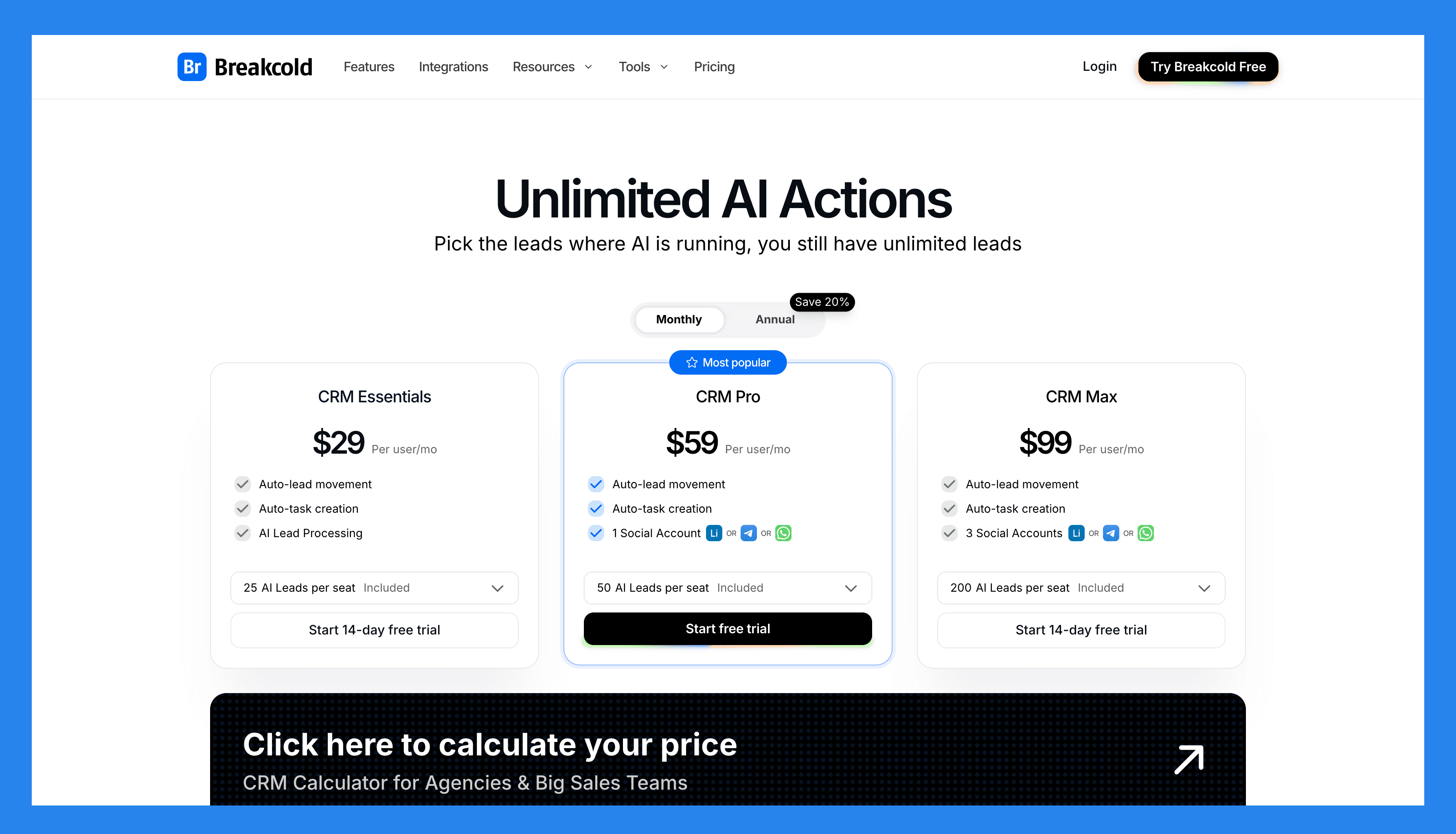
Breakcold has a single, simple plan. See the full breakdown on the pricing page.
The Only Plan |
|---|
$99/mo |
What's included: 1 seat 2 connected accounts 1,500 AI tokens/mo Unlimited person and company enrichment Token-based system for AI and enrichment Extra seat +$10/mo, extra connected account +$10/mo 14-day free trial, no credit card required |
A team of 5 on Breakcold is $139/mo, where Attio, Pipedrive and HubSpot Sales Hub run about $500/mo for 5 seats with similar features.
🥈 Close – Best For Growing Multi-Channel Outbound Sales Teams
Summary
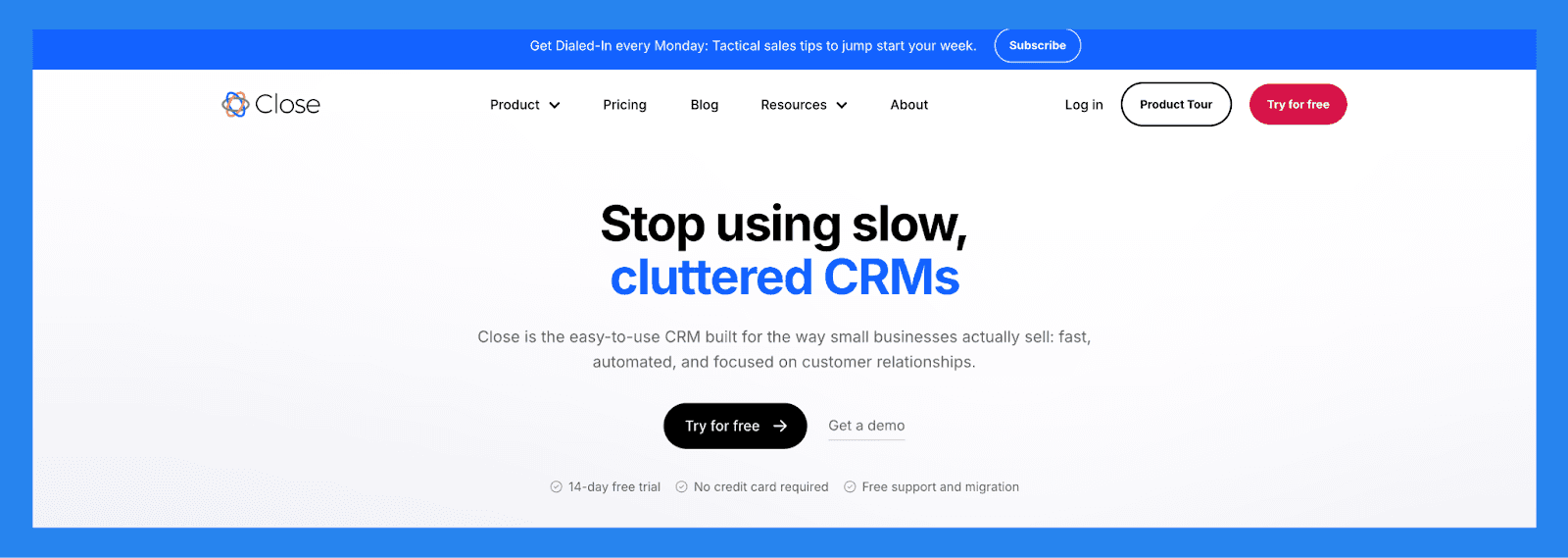
Close (formerly Close.io) is a sales-focused CRM built specifically for small and medium-sized businesses that want to turn leads into revenue — FAST. It unifies essential sales tools like email, calling, and SMS in a single, streamlined interface, eliminating the need to juggle multiple platforms.
Close offers granular reporting on outreach activity, team performance, and funnel metrics, making it ideal for fast-growing outbound sales teams. It’s not just a CRM — it’s a performance dashboard that gives managers everything they need to scale smarter and faster.
Key Features | |
|---|---|
Sales Funnel Reporting – Analyze sales velocity, conversion rates, and pipeline health to uncover bottlenecks and optimize your sales process. Performance Reports – Track individual and team performance with customizable reports and leaderboards that spotlight top performers and highlight areas for coaching. Unified Communication – Handle email, SMS, and calls from one platform, with automatic logging and tracking. Sales Automation – Build and deploy multi-channel outreach sequences with email follow-ups and task reminders. Workflow Tools – Automate repetitive tasks, create custom workflows, and keep your sales pipeline moving efficiently. Lead Management – Easily track lead progress, prioritize high-value contacts, and assign follow-ups to your team. Power Dialer – Make high-volume outbound calls quickly with the built-in power dialer to boost team productivity. Call Assistant – Use real-time transcription and note-taking tools to improve call quality and reduce admin work. | |
Ratings | |
G2 – 4.7/5 (1,044) | Capterra - 4.7/5 (161) |
Pros | Cons |
Clean, user-friendly interface with a minimal learning curve Robust calling features and automation tools, including Power Dialer Two-way email sync for seamless communication tracking Effective and intuitive email outreach workflows Cost-effective compared to many competitors with similar features Helps streamline productivity and team communication Highly customizable via open API for advanced use cases | No free version available — only a free trial No native integration with LinkedIn, requiring third-party tools Smart View filters can be overwhelming or tedious to set up Workflow features are more limited compared to top competitors SMS functionality restricted to the US, Canada, UK, and Australia Some features are gated behind higher-tier pricing plans Users report occasional slow load times and connectivity issues with calling |
Pricing Plans
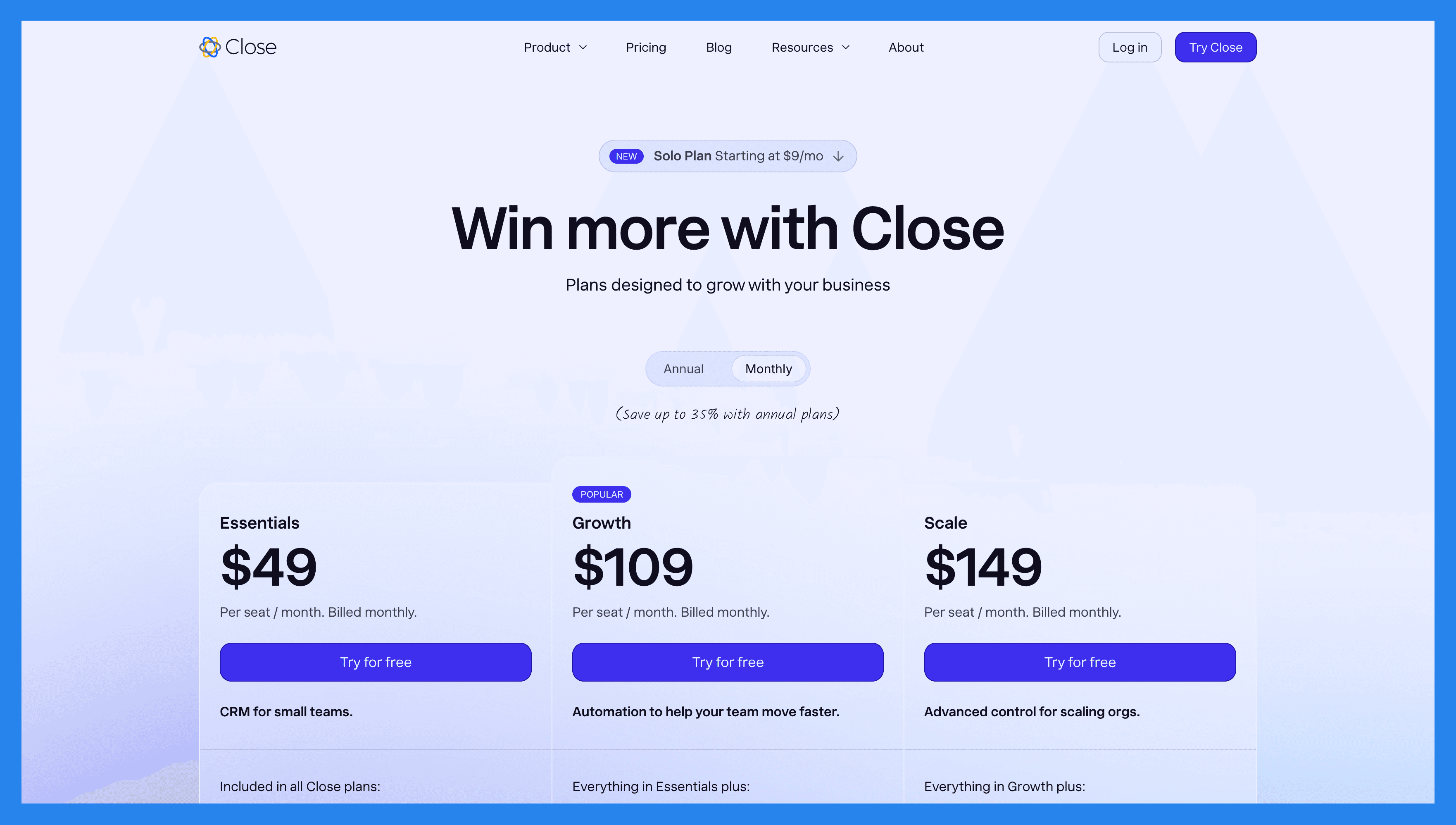
Solo | Base | Professional | Enterprise |
|---|---|---|---|
$19/mo | $49/user/mo | $109/user/mo | $149/user/mo |
Includes everything in Essential, but: Limited to 1 user Limited to 10k leads Workflows not included | Included in all Close plans: Unlimited contacts & leads Multiple pipelines Advanced lead & activity filters Built-in email, calling & SMS Centralized inbox & task lists | Everything in Essentials plus: Automated workflows Power Dialer AI Email Assistant Custom Activities | Everything in Growth plus: Role-based access & permissions Lead visibility rules Predictive Dialer Unlimited call recording |
🥉 Insightly – Best For Analyzing Complex, Multi-Touch Processes
Summary
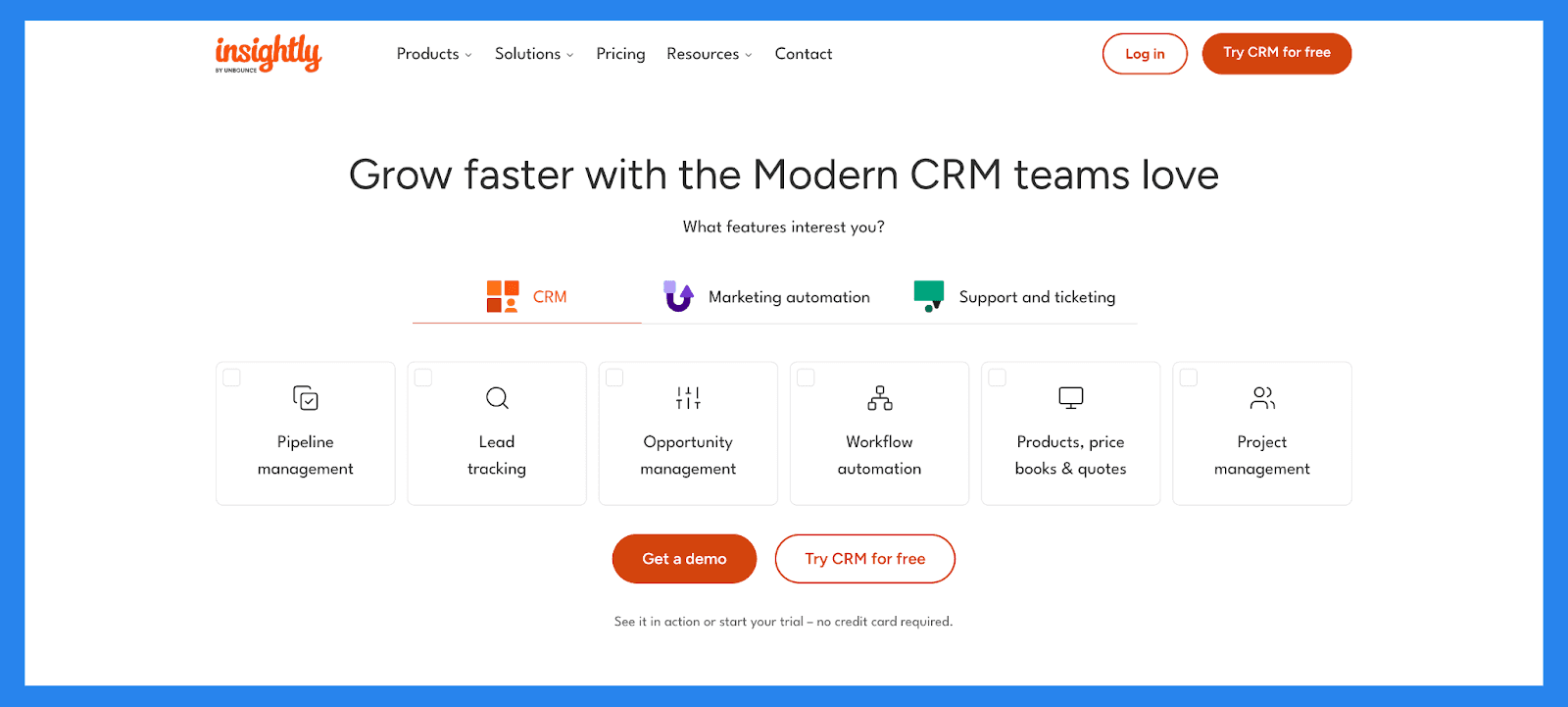
Insightly is a robust, enterprise-ready CRM designed to help growing businesses manage customer relationships, automate workflows, and track performance across sales, marketing, and projects. Its built-in reporting tools make it especially useful for medium to large businesses that need visibility across complex, multi-touch processes — without the high cost of more traditional enterprise platforms.
Insightly goes beyond traditional CRM reporting by merging sales, marketing, and project insights into a single source of truth. This makes it a top-tier solution for growing companies that need both strategic and operational visibility — without juggling multiple tools.
Key Features | |
|---|---|
Sales Reports & Analytics – Generate insights into sales performance, lead sources, and pipeline health with detailed reporting tools. Lead Source & Conversion Reports – Identify which marketing channels or lead sources are driving the highest conversion rates and revenue. Contact Management – Store and organize detailed contact records, including communication history and custom fields. Email Marketing – Create and send targeted email campaigns with tracking for opens, clicks, and responses. Customizable Dashboard – Personalize your dashboard to display key metrics, tasks, and pipeline data at a glance. Project Management – Track tasks, deadlines, and project progress directly linked to client records and opportunities. Workflow Automation – Automate repetitive processes like follow-ups, task assignments, and approvals. Mobile App – Access and update CRM data on the go with a fully functional mobile app for iOS and Android. | |
Ratings | |
G2 - 4.2/5 (920) | Capterra - 4.0/5 (660) |
Pros | Cons |
Highly customizable: create custom fields, reports, templates, and dashboards Reliable and responsive customer support Clean, user-friendly interface with powerful automation capabilities | Email marketing is reliable but limited to sending 50 emails at a one time Steeper learning curve; often requires assistance from a success rep to get started Can be costly for smaller organizations, with key integrations locked behind higher-tier plans |
Pricing Plans
Plus | Professional | Enterprise |
|---|---|---|
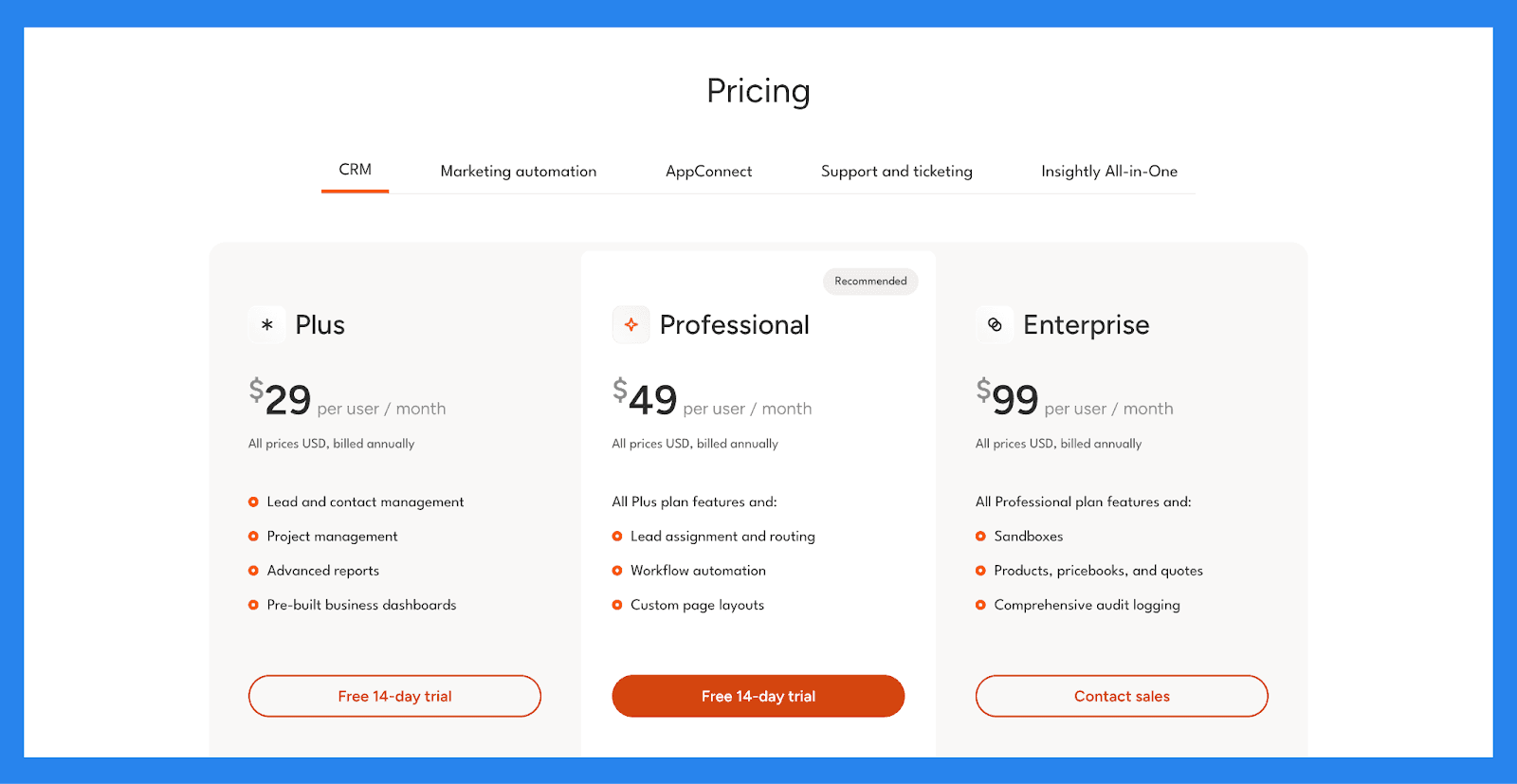
$29/user/mo | $49/user/mo | $99/user/mo |
Includes: Lead and contact management Project management Advanced reports Pre-built business dashboards | All Plus plan features and: Lead assignment and routing Workflow automation Custom page layouts | All Professional plan features and: Sandboxes Products, pricebooks, and quotes Comprehensive audit logging |
Pipedrive – Best For Advanced Forecasting
Summary
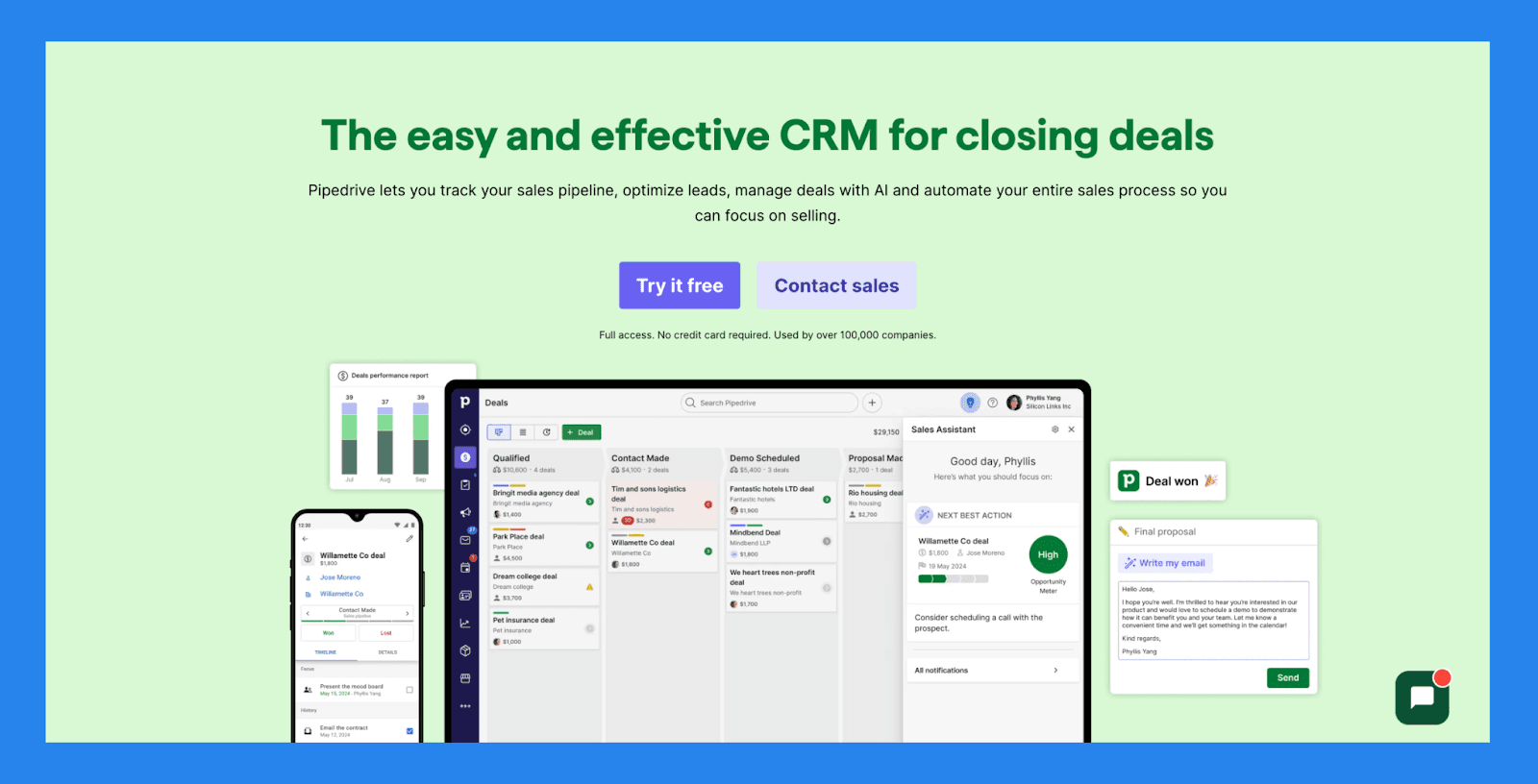
Pipedrive is a user-friendly CRM that helps businesses streamline their sales pipeline, automate repetitive tasks, and track customer interactions with ease. It’s especially well-suited for teams that need a clear, bird’s-eye view of their pipeline to ensure the right leads are being prioritized and nothing slips through the cracks.
Pipedrive offers some of the most accessible yet powerful forecasting tools among CRMs in its tier. Whether you need a quick overview of next quarter’s revenue or detailed performance reports by rep or stage, Pipedrive makes it simple — no analytics expertise required.
Key Features | |
|---|---|
Advanced Forecasting & Reporting – Access customizable reports on deal performance, sales activities, win rates, and future revenue projections based on pipeline data. Goal & Performance Tracking – Set individual or team goals (e.g., calls made, deals closed) and track progress with visual dashboards and reports. Pipeline Management – Visualize deal stages, set activity reminders, and use real-time data to ensure deals stay on track — no guesswork required. Lead Management with Progress Tracking – Monitor lead status, set priorities, and track all touchpoints for better visibility into your conversion funnel. Workflow Automation – Automate admin tasks like data entry, email follow-ups, and pipeline updates — all while collecting data for performance reporting. Integrations – Connect with Gmail, Zoom, Slack, and over 350 tools to ensure seamless data syncing and unified reporting across platforms. Mobile App with Reporting Access – Stay connected and check deal status or team performance while on the go — with reporting tools built into the mobile experience. | |
Rating | |
G2 - 4.3/5 (2,445) | Capterra - 4.5/5 (3047) |
Pros | Cons |
Well-structured onboarding materials, including FAQs and videos Offers a wide range of integrations with third-party tools Strong automation and AI features that boost productivity Quick and easy setup with minimal learning curve | User interface can feel dated or unintuitive for some users No free plan available — paid tiers start quickly Customer support can be slow or inconsistent. No native LinkedIn integration for lead importing Some users report occasional bugs and performance issues |
Pricing Plans
Essential | Advanced | Professional |
|---|---|---|
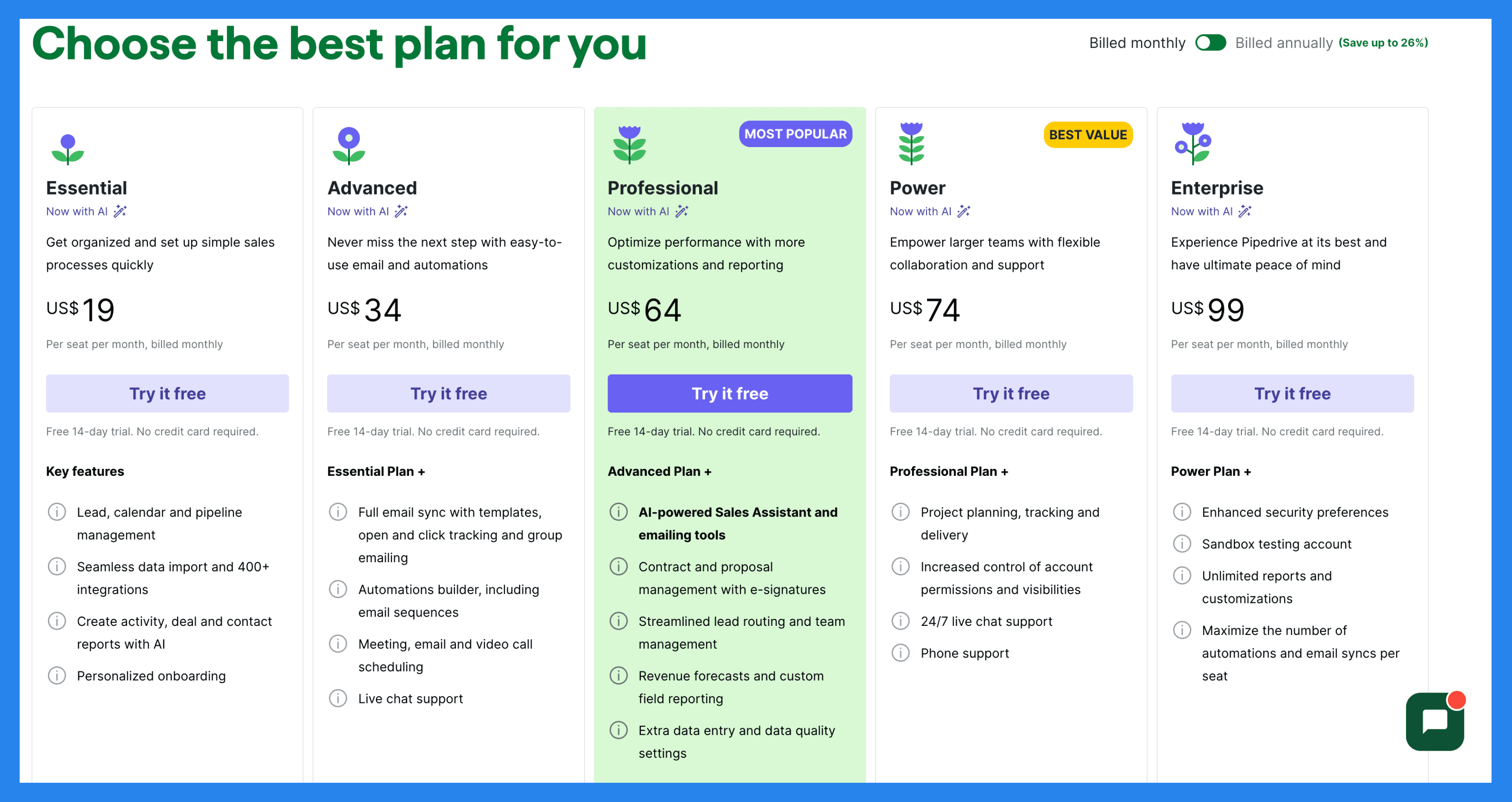
$19/user/mo | $34/user/mo | $64/user/mo |
Key features: Lead, calendar and pipeline management Seamless data import and 400+ integrations Create activity, deal and contact reports with AI Personalized onboarding | Essential Plan + Full email sync with templates, open and click tracking and group emailing Automations builder, including email sequences Meeting, email and video call scheduling Live chat support | Advanced Plan + AI-powered Sales Assistant and emailing tools Contract and proposal management with e-signatures Streamlined lead routing and team management Revenue forecasts and custom field reporting Extra data entry and data quality settings |
Power | Enterprise |
|---|---|
$74/user/mo | $99/user/mo |
Professional Plan + Project planning, tracking and delivery Increased control of account permissions and visibilities 24/7 live chat support Phone support | Power Plan + Enhanced security preferences Unlimited reports and customizations Maximize the number of automations and email syncs per seat |
HubSpot – Best for Marketing Reports and Analysis
Summary
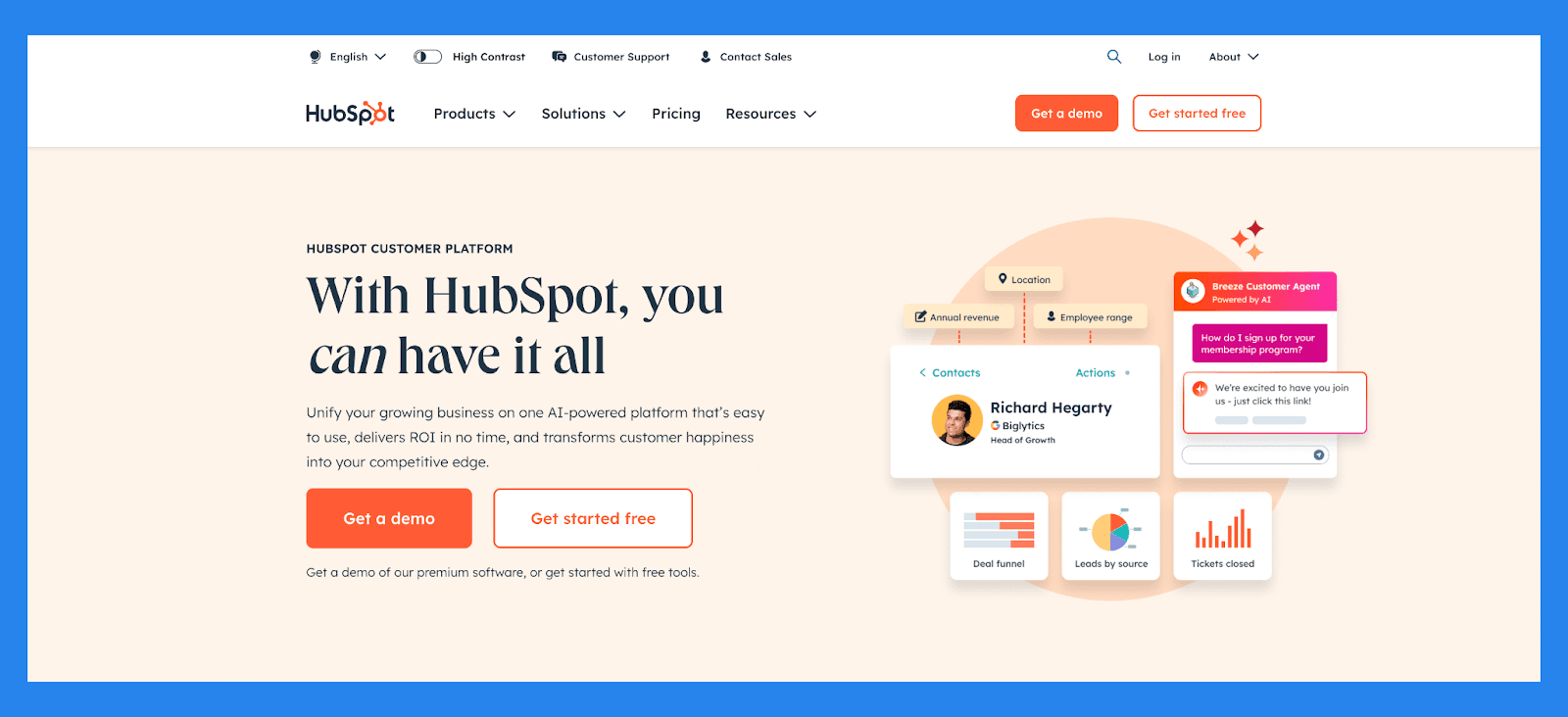
HubSpot is a powerhouse CRM built around the customer experience. While it started as a marketing tool in 2006, it’s since evolved into a comprehensive, AI-enhanced platform that brings together sales, marketing, and customer service into one unified ecosystem.
HubSpot offers enterprise-grade reporting tools across every function — marketing, sales, and service. Its pre-built and custom dashboards make it easy to tie ROI directly to campaigns, rep activity, or support outcomes, helping businesses scale with confidence and clarity.
Key Features | |
|---|---|
Contact Management – Store and organize contact information with ease, complete with activity tracking and engagement history. Deal & Pipeline Management – Visualize your sales process and track deals through every stage with intuitive pipeline tools. Marketing Analytics Dashboards – Track campaign performance, lead sources, conversion paths, and ROI across all marketing channels — from SEO to email to paid ads. Email Tracking & Automation Reporting – Get real-time data on open rates, click-throughs, replies, and engagement by sequence or individual campaign. Custom Report Builder – Use HubSpot’s drag-and-drop reporting tools to build dashboards that combine marketing, sales, and service data — perfect for executive-level insights. Sales Hub Analytics – Monitor rep performance, track deals won/lost, forecast future revenue, and optimize outreach sequences based on real-time data. Service Hub Reports – Get visibility into support tickets, response times, customer satisfaction scores, and feedback trends to improve client experience. AI-Powered Insights – Leverage AI recommendations to identify bottlenecks, surface top-converting channels, and uncover hidden opportunities in your data. | |
Ratings | |
G2 - 4.4/5 (12,404) | Capterra - 4.5/5 (4362) |
Pros | Cons |
User-friendly interface, ideal for those who aren’t tech-savvy Clean, intuitive platform that’s easy to navigate Flexible pricing plans with customizable options Serves as a reliable single source of truth for customer data All-in-one platform that combines marketing, sales, and service tools | Pricing may be prohibitive for solopreneurs or very small businesses Some users report a learning curve during onboarding Automation features can be rigid, limiting customization Reporting tools lack depth for advanced analytics |
Pricing Plans
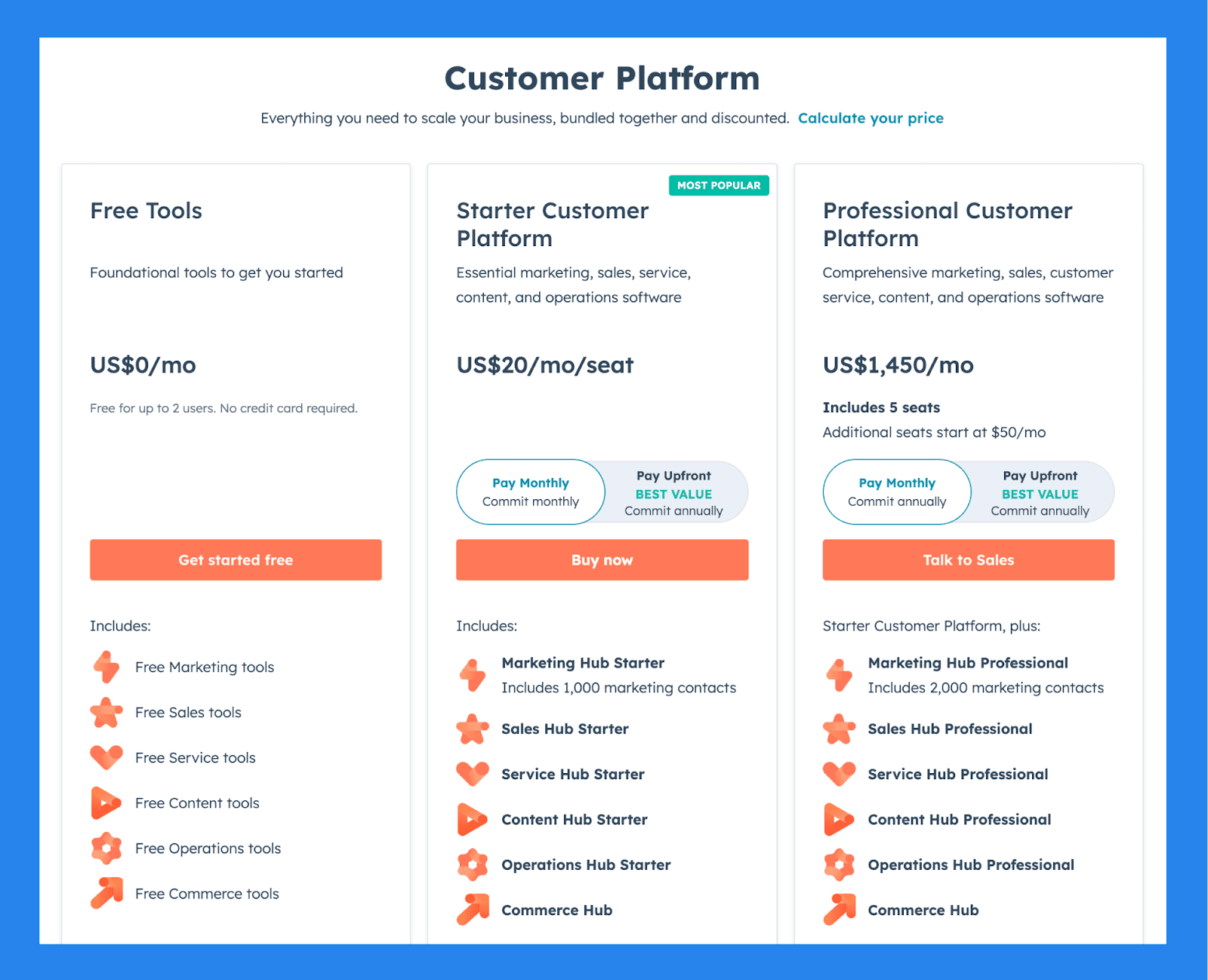
For Individuals & Small Teams
Free Tools | Starter Customer Platform | Professional Customer Platform |
|---|---|---|
$0 | $20/user/mo | $1,450/mo |
Includes: Free for up to 2 users No credit card required Free Marketing tools Free Sales tools Free Service tools Free Content tools Free Operations tools Free Commerce tools | Includes: Marketing Hub Starter Includes 1,000 marketing contacts Sales Hub Starter Service Hub Starter Content Hub Starter Operations Hub Starter Commerce Hub | Starter Customer Platform, plus: Includes 5 seats Additional seats start at $50/mo Marketing Hub Professional Includes 2,000 marketing contacts Sales Hub Professional Service Hub Professional Content Hub Professional Operations Hub Professional Commerce Hub |
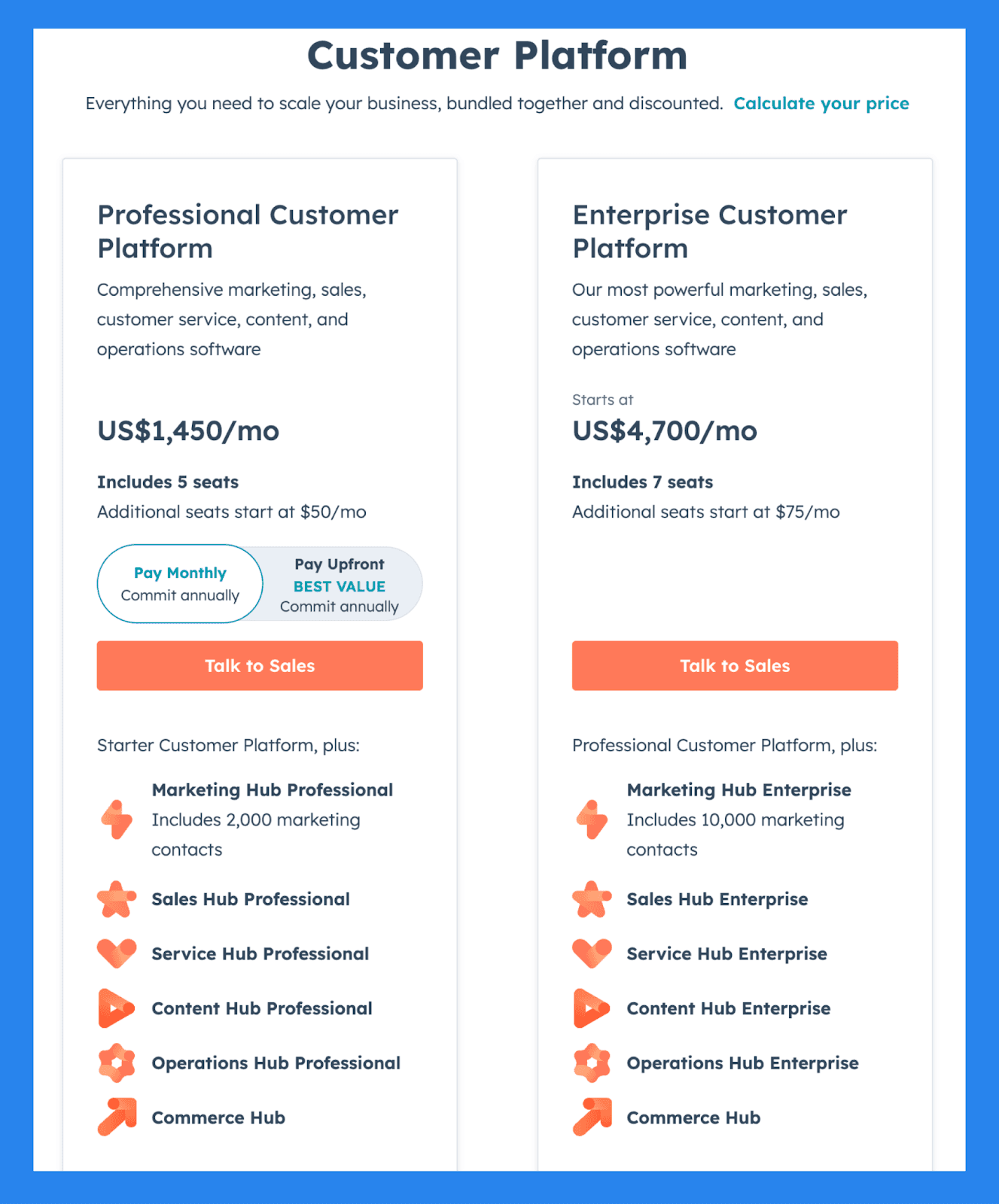
For Businesses & Enterprises
Professional Customer Platform | Enterprise Customer Platform |
|---|---|
$1,450/mo | $4,700/mo |
Starter Customer Platform, plus: Includes 5 seats Additional seats start at $50/mo Marketing Hub Professional Includes 2,000 marketing contacts Sales Hub Professional Service Hub Professional Content Hub Professional Operations Hub Professional Commerce Hub | Professional Customer Platform, plus: Includes 7 seats Additional seats start at $75/mo Marketing Hub Enterprise Includes 10,000 marketing contacts Sales Hub Enterprise Service Hub Enterprise Content Hub Enterprise Operations Hub Enterprise Commerce Hub |
Salesforce - Best Comprehensive Range of Highly Customizable Reports
Summary
Salesforce is the original giant of the CRM world — and still a gold standard when it comes to managing customer relationships at scale. Since pioneering the CRM movement in the early 2000s, Salesforce has evolved into a robust, all-in-one platform for sales, marketing, and service teams.
Salesforce offers the most customizable CRM reporting experience on the market. Whether you're a startup scaling fast or an enterprise with layered sales teams, Salesforce delivers highly granular insights, flexible dashboards, and predictive analytics — all tailored to your business strategy.
Key Features | |
|---|---|
Sales Cloud Analytics – Track leads, opportunities, win rates, sales velocity, and revenue forecasts – with customizable dashboards that provide visibility into every stage of your pipeline. Marketing Cloud Reporting – Measure campaign effectiveness, channel ROI, engagement metrics, and customer journeys across email, SMS, social, and web. Service Cloud Metrics – Get granular insights into ticket resolution times, CSAT scores, agent performance, and knowledge base usage. Custom Report Builder – Create custom reports with filters, formulas, and logic to match your specific KPIs — ideal for complex or niche reporting requirements. Salesforce Einstein Analytics (AI) – Tap into predictive forecasting, lead scoring, opportunity insights, and AI-powered recommendations to optimize performance across teams. Chatter + Collaboration Reporting – Track internal communications and collaboration trends to improve team productivity and response coordination. | |
Ratings | |
G2 - 4.4/5 (23,272) | Capterra - 4.4/5 (18817) |
Pros | Cons |
Optimizes lead management and improves conversion rates Excels at data organization and cleanliness Integration-rich with a vast app ecosystem Responsive customer support and helpful community resources | Complex implementation process that requires time and resources Expensive, especially for solopreneurs or small businesses Steep learning curve, particularly for non-technical users User interface can be unintuitive and hard to navigate |
Pricing Plans
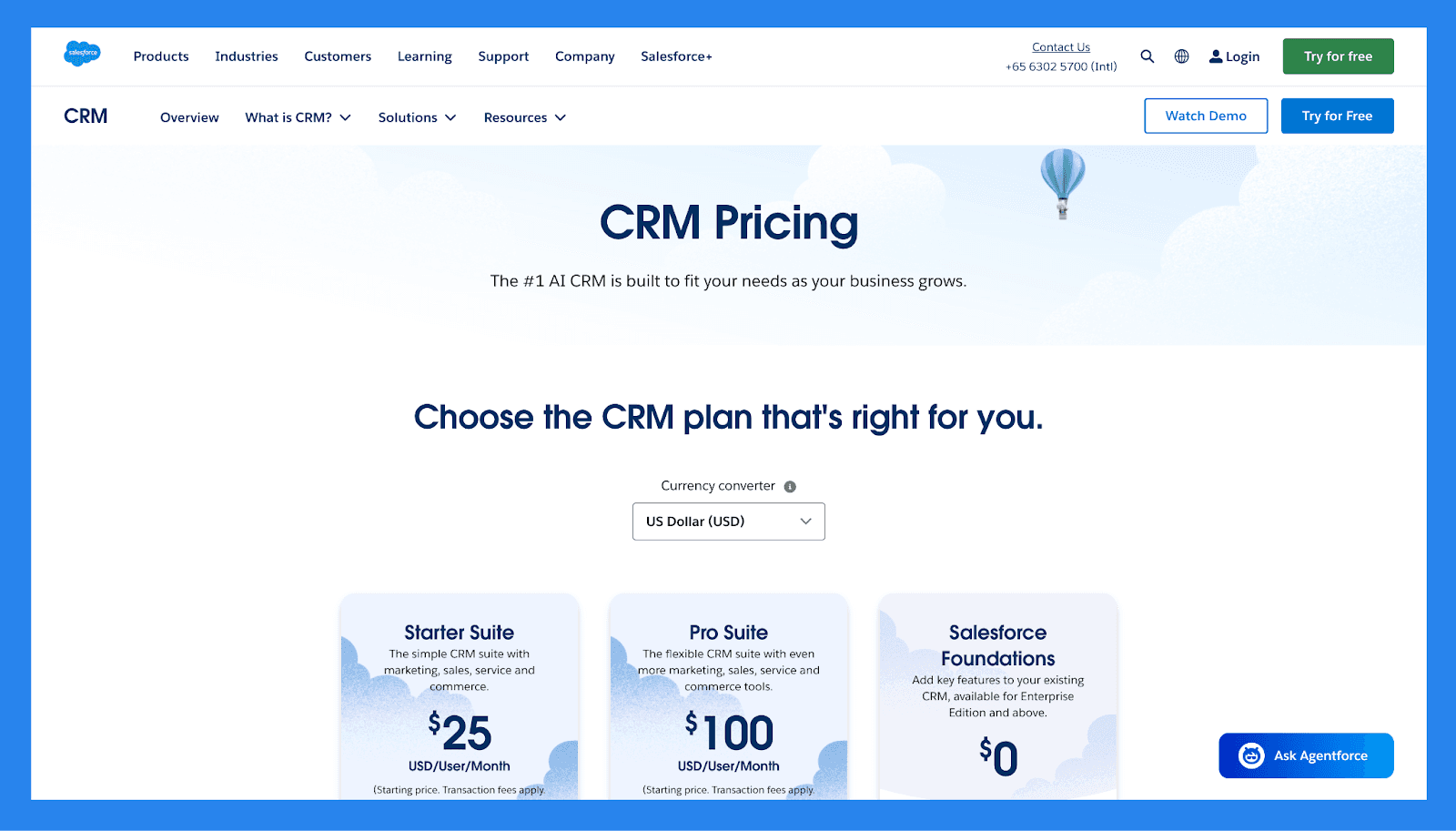
For SMBs
Starter Suite | Pro Suite | Enterprise | |
|---|---|---|---|
Price | $25/user/mo | $100/user/mo | $165/user/mo |
Users | 325 max | Unlimited | Unlimited |
Lead scoring | ❌ | ✅ | ✅ |
API | ❌ | $15/user/month | ✅ |
Custom reports | ✅ | ✅ | ✅ |
Advanced Forecasting | ❌ | ❌ | ❌ |
Generative AI features | ✅ | ✅ | ✅ |
For Enterprises
Unlimited | Einstein 1 Sales | |
|---|---|---|
Price | $330/user/month | $500/user/month |
Users | Unlimited | Unlimited |
Lead scoring | ✅ | ✅ |
API | ✅ | ✅ |
Custom reports | ✅ | ✅ |
Advanced Forecasting | ✅ | ✅ |
Generative AI features | ✅ | ✅ |
Zoho CRM – Best Enterprise-Level Reporting For Small Business
Summary
Zoho CRM is a flexible, feature-rich platform tailored for small to midsize businesses — but with the muscle to support enterprise-level growth. With an impressive mix of automation, customization, and AI-powered reporting, Zoho strikes an ideal balance for teams that want to start lean and scale with intelligence.
Zoho CRM delivers enterprise-level reporting at small business prices. From real-time dashboards to predictive insights powered by AI, it gives scaling teams the tools they need to make informed, data-backed decisions — without needing a full-time data analyst.
Key Features | |
|---|---|
Intuitive Dashboard – A fully customizable, user-friendly dashboard with clean navigation designed to boost productivity and streamline your workflow. Cross-Platform Accessibility – Available on both desktop and mobile platforms, Zoho CRM ensures you stay connected and productive wherever you are. Multichannel Engagement – Consolidate communication across email, phone, social media, and live chat in one unified platform. This streamlines your outreach and enables more personalized, timely client interactions. User & Contact Management (Sandbox Environment) – Zoho’s Sandbox feature allows for safe testing of custom-built modules and layouts—particularly valuable for SMEs and large businesses that require tailored CRM workflows. Zia AI – Zoho’s AI assistant, Zia, helps with lead scoring, deal predictions, voice/text chat support, and intelligent sales insights to help guide decisions and improve conversions. Real-Time Reporting & Analytics – Access detailed reports including: Sales performance Individual rep performance Deal progress (closed/won/lost) Revenue tracking over the last 30 days | |
Ratings | |
G2 - 4.1/5 (2,753) | Capterra - 4.3/5 (6957) |
Pros | Cons |
Robust and customizable interface that integrates well across various platforms and ecosystems Feature-rich with extensive tools for sales, marketing, and automation Highly scalable, making it a great fit for growing businesses Integrates with a wide range of third-party apps and Zoho’s own suite of business tools | Onboarding and customization can be complex without technical assistance Outdated UI and occasional syncing issues with third-party tools The platform’s size and complexity can lead to slower load times and performance lags |
Pricing Plans
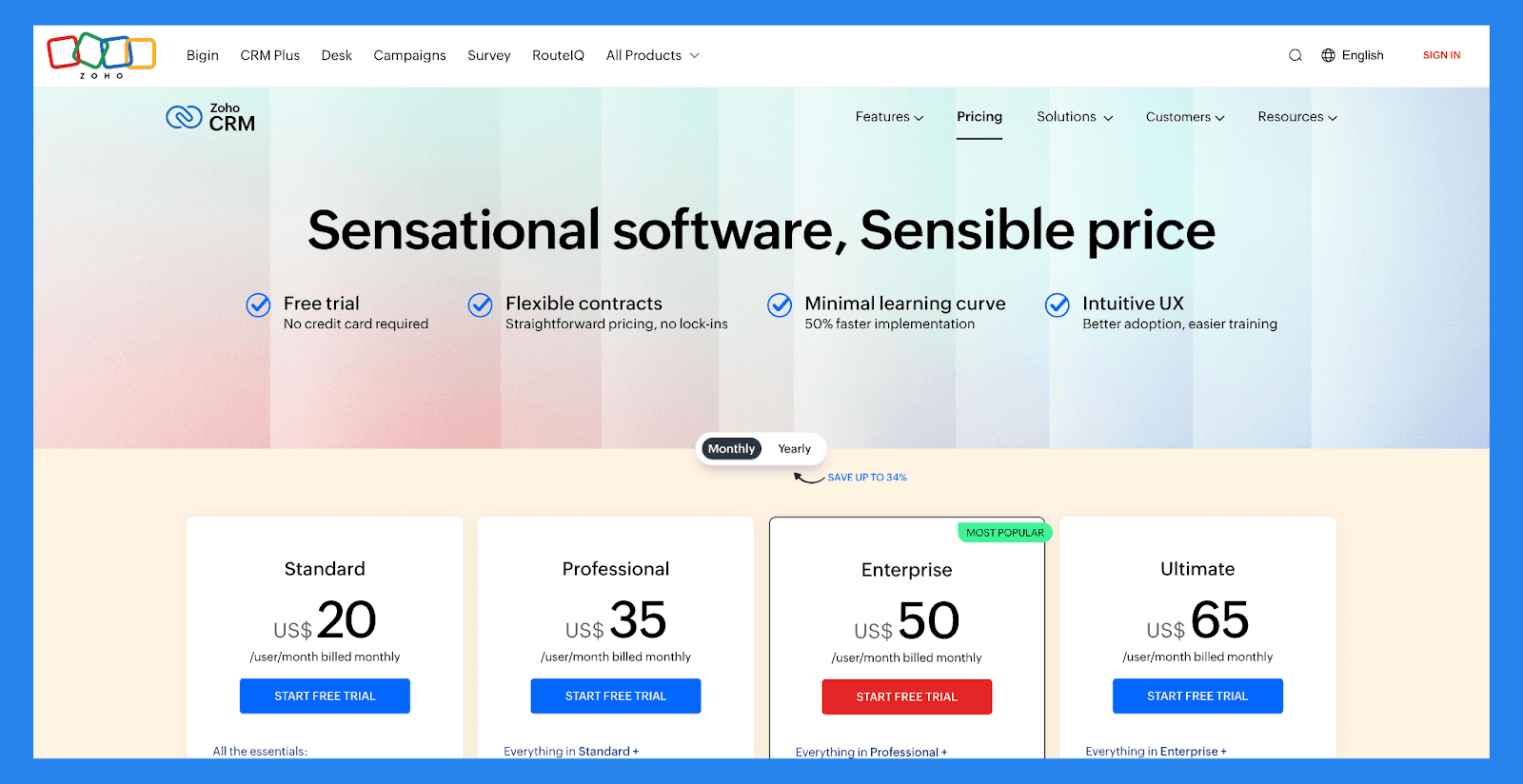
Standard | Professional | Enterprise | Ultimate |
|---|---|---|---|
$20 /user/mo | $35 /user/mo | $50 /user/mo | $65 /user/mo |
All the essentials: Mass email Custom modules Workflows Cadences Sales forecasting Lookup fields Canvas Office 365 integration Zoho Marketplace | Everything in Standard + Blueprint CPQ SalesSignals Inventory management Webhooks Assignment rules Validation rules Kiosk Studio Google Ads integration | Everything in Professional + Zia — AI assistant Territory management Custom functions Journey orchestration Multi-user portals Page layouts Client scripts Approval process Sandbox | Everything in Enterprise + Enhanced feature limits Extended AI capabilities Advanced customization Data preparation Augmented analytics Data storytelling Unified business insights Advanced administration |
Freshsales – Best For AI-Powered Sales Insights and Analytics
Summary
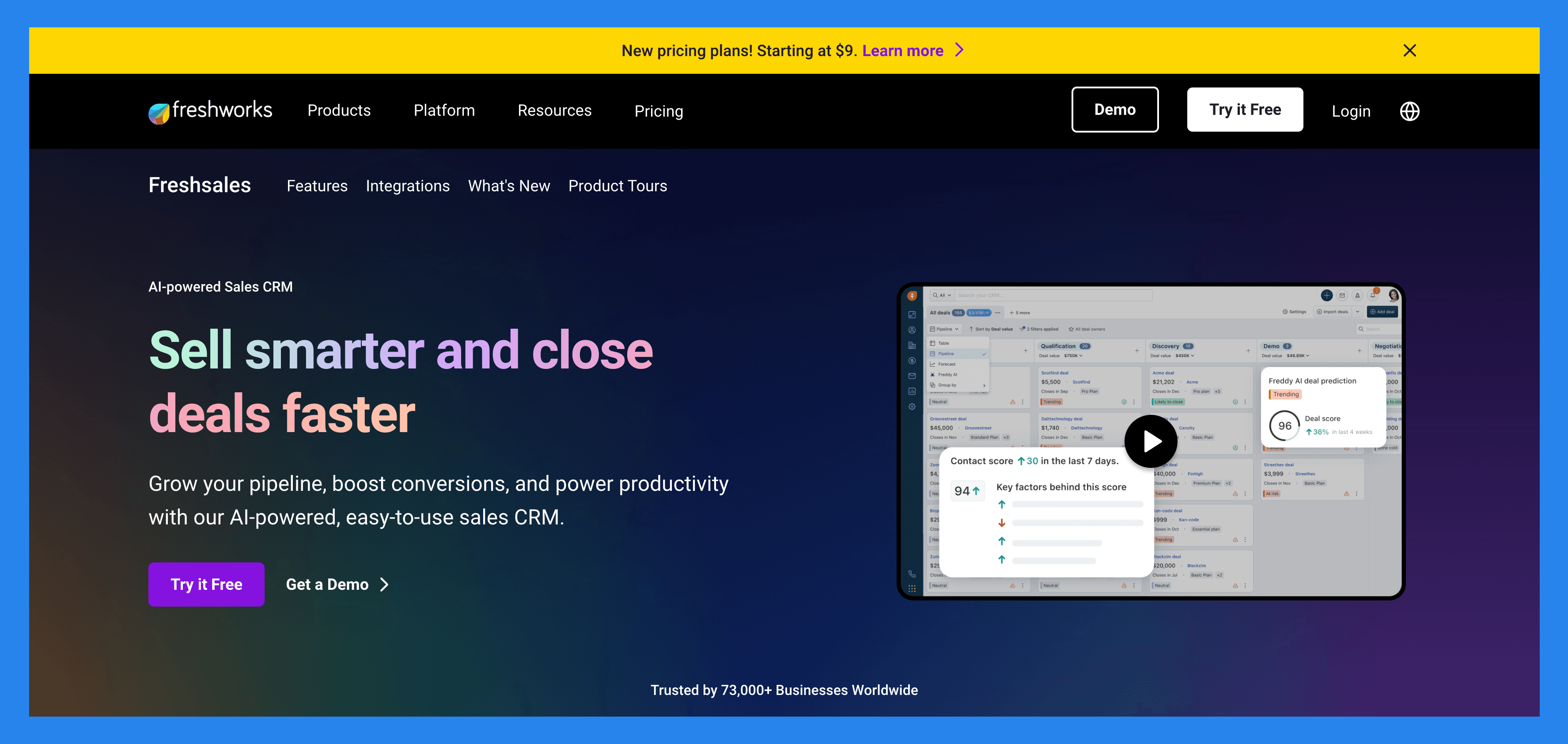
Freshsales, part of the Freshworks suite, is a modern CRM designed to help small businesses and account managers streamline and optimize their sales process. While it's built with smaller teams in mind, its scalable features also make it a strong fit for growing companies looking for an all-in-one CRM that’s simple, smart, and customizable.
Freshsales blends ease of use with powerful, AI-driven reporting tools, making it ideal for teams that want insights without a steep learning curve. Its automation and reporting capabilities are particularly useful for account managers, sales reps, and small teams looking to drive smarter decisions and faster conversions.
Key Features | |
|---|---|
AI-Based Lead Scoring (Freddy AI) – Automatically scores leads based on engagement and behavior, helping you focus on prospects most likely to convert. Reporting & Analytics Dashboard – Generate detailed reports on sales performance, deal velocity, campaign ROI, activity metrics, and more — fully customizable to your goals. Visual Sales Pipeline – Track and manage deals across customizable pipeline stages with a drag-and-drop interface and clear visibility into revenue progress. Campaign Management – Plan, execute, and analyze email marketing campaigns from within the CRM. Track performance metrics like open rates, clicks, and conversions. Email Syncing & Tracking – Sync with Gmail or Outlook to send, receive, and track emails directly within Freshsales. Get real-time alerts when prospects open or click your emails. Workflow Automation – Eliminate repetitive tasks with automated workflows for email follow-ups, lead assignment, pipeline movement, and more. Built-in Communication Tools – Call, email, and chat with leads from one platform — all interactions are automatically logged for accurate reporting and analysis. Mobile App & Remote Access – Stay productive on the go with full CRM access via Freshsales’ mobile app, including dashboards, task management, and contact records. | |
Ratings | |
G2 - 4.5/5 (1,223) | Capterra - 4.5/5 (618) |
Pros | Cons |
User-friendly interface with fast, easy onboarding Provides accurate reporting and essential CRM features Seamlessly integrates with popular tools (Gmail, Outlook, Slack, etc.) Clean, intuitive UI that suits small to mid-sized teams | Reporting and dashboard capabilities may feel limited for larger teams with advanced data needs AI-powered features (like lead scoring and predictive insights) are only available on higher-tier pricing plans |
Pricing Plans
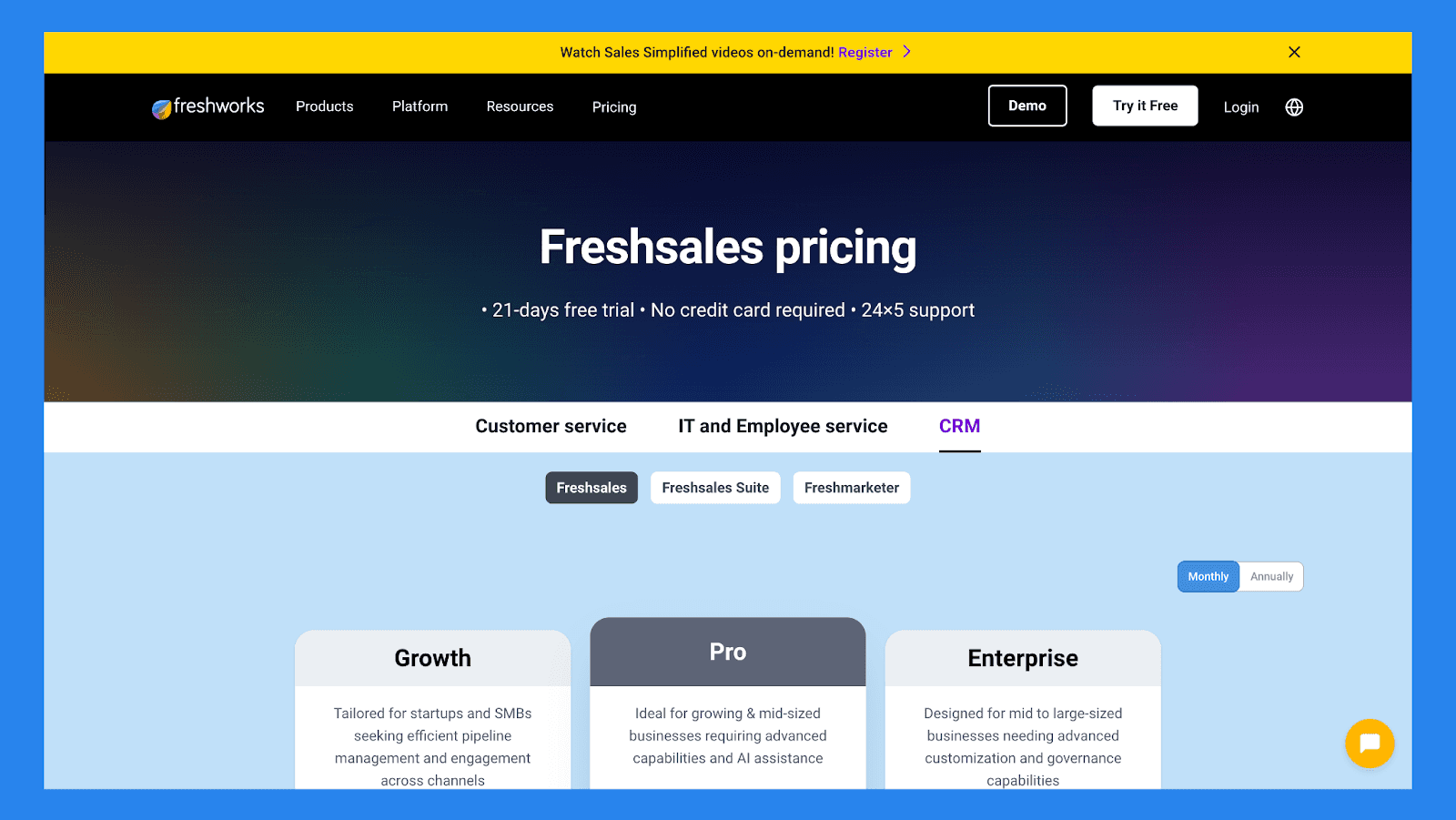
Growth | Pro | Enterprise |
|---|---|---|
$9/user/mo | $39/user/mo | $59/user/mo |
Includes: Kanban View for Contacts, Accounts, and Deals Contact Lifecycle Stages Built-in Chat, Email, & Phone Email Templates Custom Fields Basic Workflows Contextual Collaboration with Slack Product Catalog Curated Reports Freshworks Marketplace 1 CPQ license Mobile App 24x5 Support | Everything in Growth, plus: Contact Scoring by Freddy AI Custom Sales Activities Advanced custom fields Auto-assignment Rules Territory Management Sales Sequences Sales Emails by Freddy AI Rephrase, Expand, and Enhance text by Freddy AI Bring Your Own Carrier (B.Y.O.C) Multiple Sales Pipelines Account Hierarchy Deal Insights by Freddy AI Advanced Workflows Custom Reports | Everything in Pro, plus: Field-level Permissions Custom Modules Forecasting Insights by Freddy AI Workflows for Custom Modules Sandbox Audit Logs |
Nimble – Best For Straight-forward Non-enterprise Level Analytics
Summary
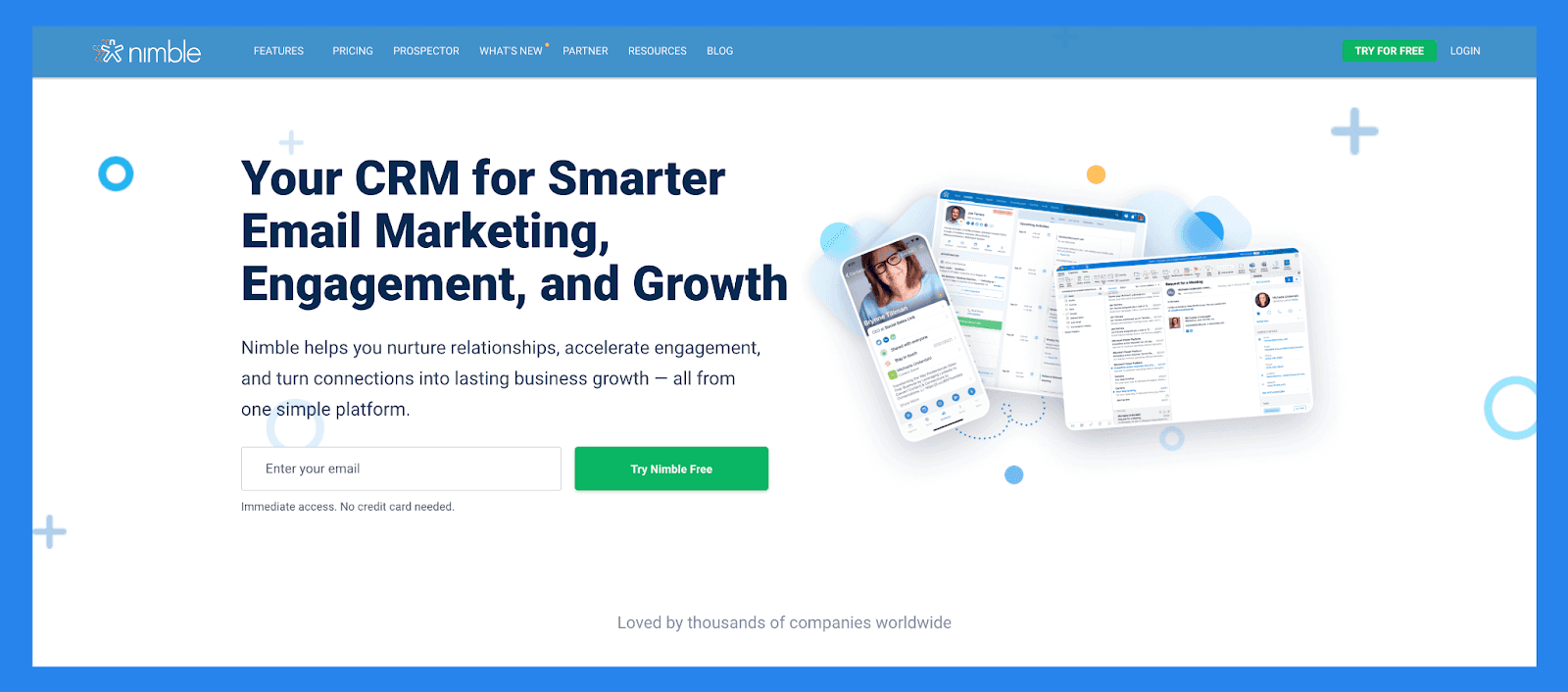
Nimble is a lightweight, relationship-driven CRM that puts communication at the center of your sales process. It excels at automatically building and enriching contact profiles through email, social media, and web browsing — making it especially effective for solo consultants, freelancers, and small teams focused on personalized outreach and lead nurturing.
Nimble isn’t built for enterprise analytics — but that’s its strength. It delivers lightweight, actionable insights that help relationship-focused professionals stay organized, follow up at the right time, and make the most of every interaction. If you care more about connections than charts, Nimble is a standout.
Key Features | |
|---|---|
Lead Prospecting - Nimble can automatically capture contact data from email signatures, business cards (via its mobile app), or even just a person’s name or company name — pulling up associated social media profiles and contact details it finds online. Communication Management – Store up to 25,000 contact records and create rich profiles for people and companies. These profiles can be automatically updated as you browse the web or interact on social media. Social Media & Email Integrations – Access all email conversations, past or present, from Nimbles Unified Inbox. Nimble Prospector – This browser extension works outside the Nimble app, enabling you to gather contact and company info directly from anywhere on the web by simply hovering over names. Email Marketing – Nimble includes email-focused features like templates, tracking, and automated sequences to help you engage leads and clients more effectively. Mobile App – Available for both iOS and Android, Nimble’s mobile app brings essential CRM functionality to your phone — so you can manage relationships on the go. | |
Ratings | |
G2 - 4.5/5 (1,102) | Capterra - 4.4/5 (1883) |
Pros | Cons |
Easy to learn and use, with full customization for different industries and workflows Makes it simple to find and organize contacts using tags Clean, user-friendly interface with a mobile app available for iOS and Android Quick to set up and integrates smoothly with email and social media accounts | The in-browser widget can be buggy or inconsistent at times Customer support is helpful but not always easy to reach Lead enrichment features are somewhat limited and may require manual updates Some essential features are locked behind higher-tier pricing plans |
Pricing Plan
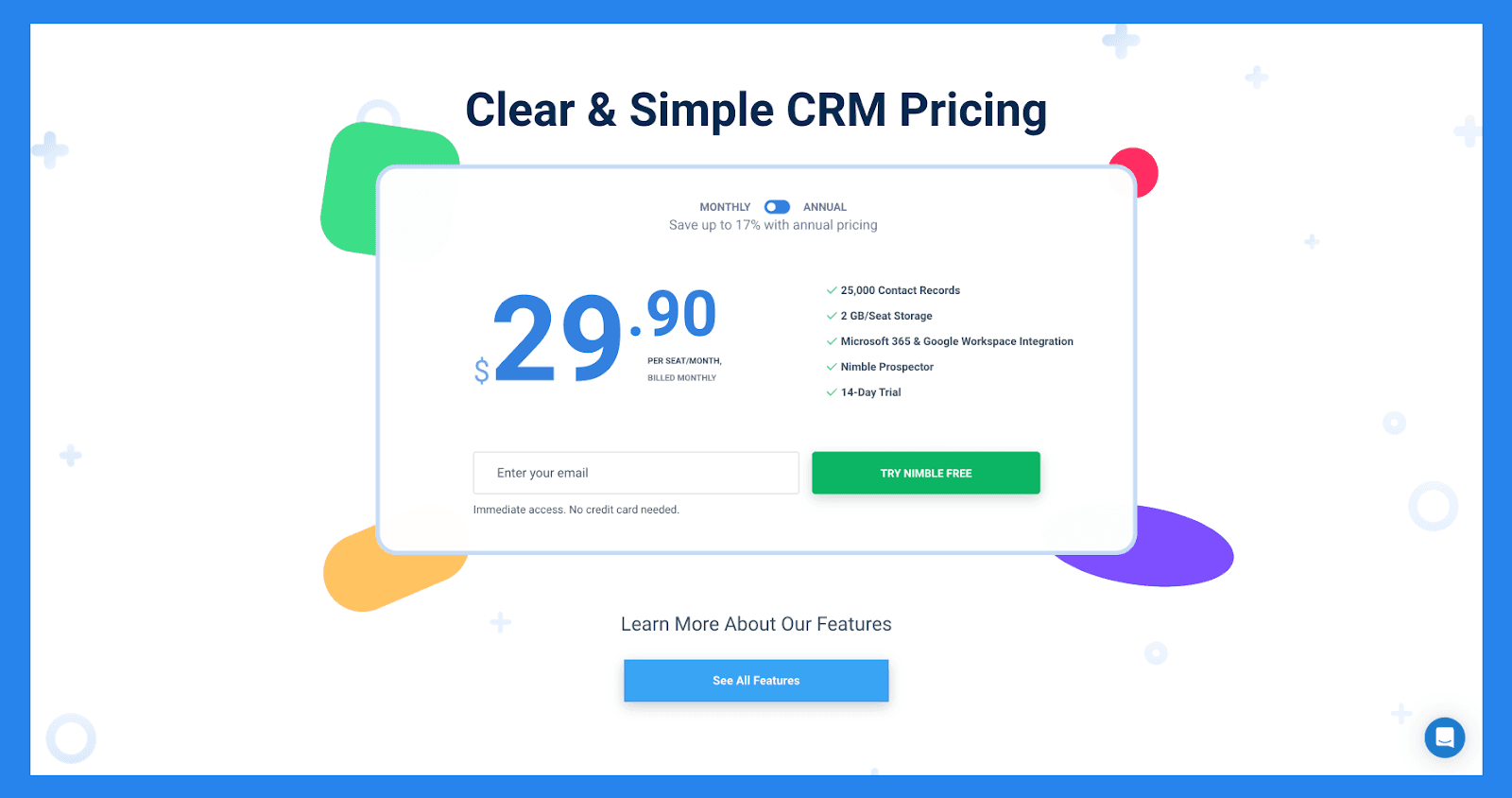
Features | Nimble CRM plan |
|---|---|
Pricing | $29.90 |
Relationship Management | |
Contact Management | ✅ |
Social Profile Matching & Enrichment | ✅ |
Browser & Email Extensions | ✅ |
Agenda & Activities | ✅ |
Today Page | ✅ |
Marketing & Outreach | |
Web Forms & Lead Capture | ✅ |
Email Marketing | ✅ |
Email Templates | ✅ |
Group Messages | ✅ |
Email Sequences | ✅ |
Sales, Pipelines, Reporting | |
Prospecting | ✅ |
Sales Engagement | ✅ |
Pipeline Management | ✅ |
Prospect Marketing & Outreach | ✅ |
Workflows | ✅ |
Workflows Automations | ✅ |
Works Everywhere | |
Microsoft 365 Integration | ✅ |
Google Workspace Integration | ✅ |
Apple Mail Integration | ✅ |
Integrations | |
App Integration Partners | 100 + Integration Partners |
PhoneBurner Integration | ✅ |
Zapier Integration | 120 + App Integrations |
API Access | ✅ |
Mobile Apps | |
IOS | ✅ |
Android | ✅ |
Customer Support | |
Online & Email Support | ✅ |
Comprehensive Support Center | ✅ |
Daily Live Q&A Sessions | ✅ |
Weekly Training Webinars | ✅ |
Free 1:1 Calls | ✅ |
Final Thoughts
CRM reporting isn’t just a nice-to-have – it’s a mission-critical tool for making smarter, faster business decisions. Whether you're a solopreneur managing client outreach or a growing sales team juggling multiple pipelines, the ability to track, analyze, and act on real-time data is what sets successful businesses apart in 2026 and beyond.
By choosing a CRM with strong reporting capabilities, you’ll gain visibility into every stage of your sales process – from lead generation to conversion to customer retention. The right CRM will help you identify bottlenecks, optimize performance, and ultimately, drive predictable, scalable growth.
Ready to stay ahead of the competition? Start with Breakcold 😉 — it’s built for results, not just records.
Frequently asked questions

Written by
Arnaud Belinga · Co-Founder & CEO at Breakcold
Arnaud is the Co-Founder & CEO of Breakcold, the AI Native CRM for sales teams of 5 to 30+ people.