



CRM Integration with WhatsApp: Best Native Options in 2026
Most CRMs send WhatsApp messages through Zapier and call it integration. Breakcold auto-syncs conversations natively, lets you reply from the CRM inbox, and exposes your threads to AI agents. Here is how the five main options compare.
TL;DR: the best CRMs with WhatsApp integration in 2026 🏆
🏆 Breakcold: the AI Native CRM for sales teams of 5 to 30+ people. AI agents handle the admin (move deals, log activity, create tasks), it connects to Claude and ChatGPT via native MCP, and it syncs LinkedIn, email, WhatsApp and Telegram into one pipeline. At 5 seats Breakcold is $139/mo, where a traditional CRM runs $300 to $500/mo. WhatsApp is native and included in the base plan.
🟢 WAplus, WAWCD, Wati: WhatsApp-first tools built around messaging, chatbots and broadcasts, great if WhatsApp is your entire workflow.
🔵 Bigin by Zoho: a lightweight, affordable pipeline CRM with WhatsApp for small teams that want simple deal tracking.
🟣 HubSpot, Salesforce, Pipedrive, Monday: capable CRMs, but WhatsApp only through third-party connectors, which adds setup and cost.
✅ How to choose: decide whether WhatsApp is your whole motion or one channel among several, then pick native support over a Zapier bridge to avoid extra tools.
Let’s face it: sales outreach** can be brutal**. You do your homework, write the PERFECT email, hit send… and hear nothing.
“That’s fine,” you think. “Life happens.”
So you follow up, with an even better message, crafted by you (or your AI sidekick). Still nothing. Weeks pass. The thread’s collecting dust.
So what happened? A little digging reveals the truth: they don’t even use email anymore… In fact, they’ve shifted most of their communication to platforms like WhatsApp.
Frustrating? Definitely. But it happens to the best of us. The key is being prepared. That might mean digging deeper during research, or better yet, **using a **CRM that actually meets people where they are.
If you’re leaning toward the latter, you’re in the right place. In this article, we’ll break down five CRMs with native WhatsApp integration, and five more that get the job done with a little third-party help.
Whatsapp CRM Overview 📖
What is WhatsApp CRM?
Whether integrated natively or through third-party platforms, WhatsApp CRMs combine the power of customer relationship management with the massive reach of WhatsApp, giving you a direct line to capture more leads and turn them into loyal customers.
What are the Benefits?
Beyond tapping into a global user base of over 2 billion people, WhatsApp CRMs offer several key advantages:
Instant communication and global reach: Messaging apps like WhatsApp are quickly becoming the preferred method of business communication in regions like Latin America, Europe, and Asia, making it easier to connect with customers where they already are.
Centralized customer data and interaction history: Managing dozens (or even hundreds) of conversations across tabs can get overwhelming fast. WhatsApp CRMs consolidate chats, contacts, and interaction history into one centralized platform, keeping everything organized and easy to access.
Actionable data and real-time insights: WhatsApp provides built-in indicators like message delivery, read receipts, and more. **CRMs surface these metrics as **key performance indicators, such as open rates and response times, to help you fine-tune your outreach strategies.
5 CRMs with Native WhatsApp Integration ⚙️
🥇 1) Breakcold
Summary + USP
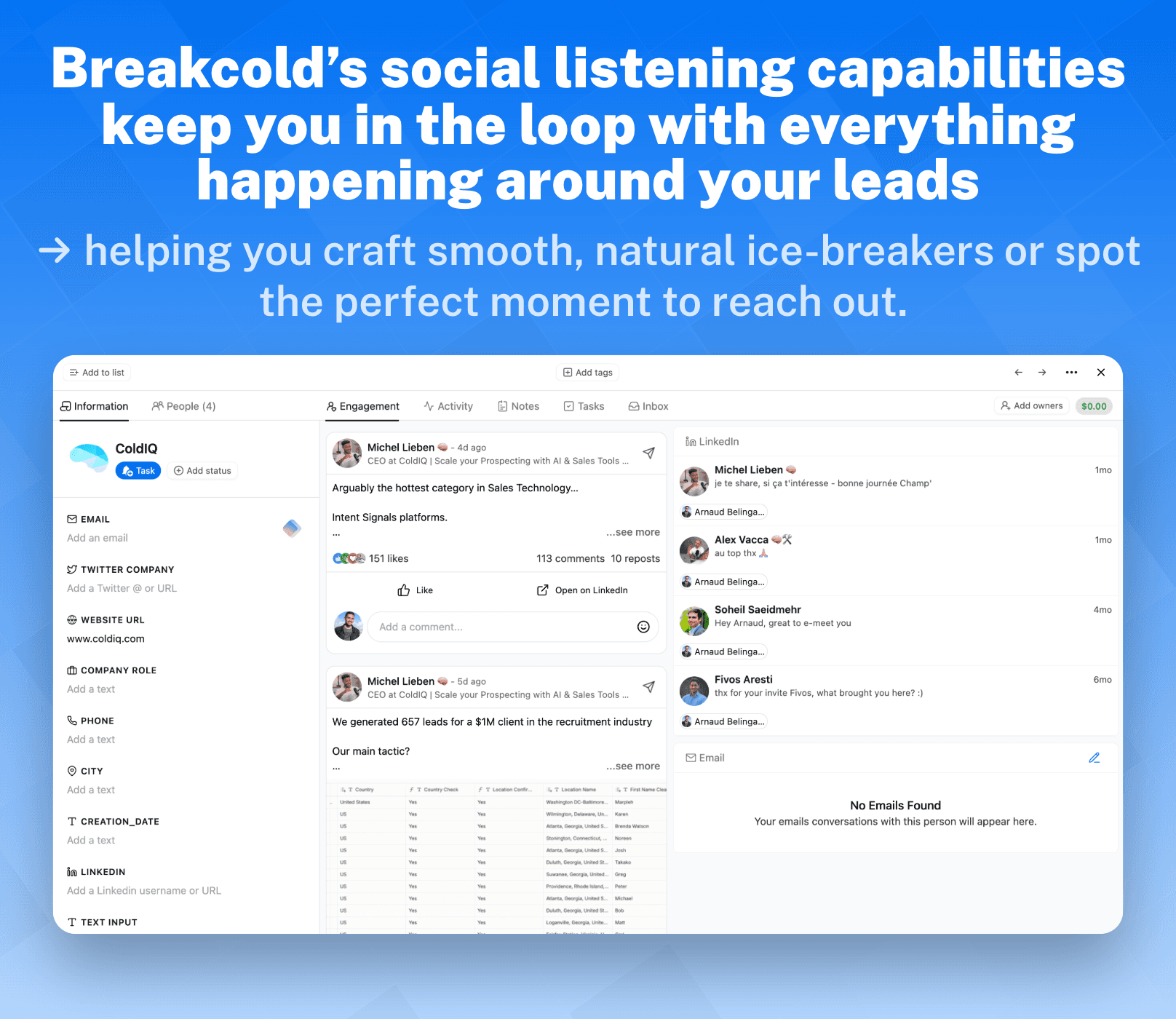
Breakcold is the AI Native CRM for sales teams of 5 to 30 people, built for closing deals in 2026, and beyond, not 2015. Its AI agents move deals through the pipeline, assign tags, and create follow-up tasks on their own, so Breakcold stays a lightweight CRM designed for teams who want to close deals across modern channels – one meaningful connection at a time.
But Breakcold isn’t just another CRM: it’s one of THE first AI-Native Sales CRMs built for solopreneurs and small business in 2026. With WhatsApp integration, LinkedIn selling tools, and a full suite of AI-powered features, Breakcold helps you close deals faster, nurture relationships personally, and manage all your conversations in one intuitive platform. Think of it as an AI-powered sales assistant: lightweight, smart, and built for modern sales.
Key Features
**Vision Builder **– Create automated workflows with a simple text prompt or short voice note. No technical skills required: just describe what you want, and Breakcold builds it for you.
**AI Agents **–You can choose a default AI personality or create your own custom one that determines the frequency of CRM tasks and suggested follow-ups.
AI Contact Management – Automatically scores and organizes leads into the right lists and groups by analyzing conversations, notes, and activity.
AI-Powered Dashboard – Surfaces your most important leads with a self-updating dashboard, complete with reasoning behind each suggestion.
AI-Suggested Messages – Generates personalized follow-ups that adapt to your tone of voice and your prospect’s personality.
AI Rules & Automations – Set intelligent rules for lead scoring, follow-ups, and deal movement.
AI Contact Deduplication – Merges duplicates automatically, saving hours of data cleanup.
AI-Powered Data Enrichment – Surfaces verified emails and phone numbers via waterfall enrichment (BetterContact, Apollo.io, Findymail, Wiza).
AI Notetaker – Integrates with Otter, Fireflies, TL;DV, and Fathom to log call summaries, transcripts, and follow-up tasks automatically.
All-in-One Unified Inbox – Manage conversations from LinkedIn, email, WhatsApp, and Telegram in one place, so you can respond faster and never miss a follow-up.
Sales Pipeline Management – Streamline deal progress with customizable workflows and visibility into lead scoring impact.
Social Engagement Stream – Like, comment, and engage with your leads’ posts without leaving the CRM to build meaningful and consistent interactions.
Ratings: G2 - 4.7/5 (116) · Capterra - 4.8/5 (93).
Pros
AI-Native CRM with built-in automation to streamline workflows.
Token-based AI actions: 3,000 AI actions included at the $99 baseline. Extra tokens scale affordably, with no per-seat surcharge just to unlock features.
Unified, user-friendly interface for email, phone, and social (LinkedIn, WhatsApp, Telegram).
Comprehensive onboarding resources with how-to videos, flowcharts, and best practices.
Responsive and reliable customer support.
Cons
Limited advanced reporting capabilities compared to other CRMs.
Token management has a small learning curve if you rely heavily on email or phone waterfall enrichment (each enrichment request draws from your token balance).
Currently offers 25+ native integrations, with more on the way.
Pricing Plans
Breakcold runs on a single plan starting at $99/mo (1 seat and 2 connected accounts included). Extra seats cost +$10/mo each and extra accounts +$10/mo each, not the $59 to $100 per seat that most legacy CRMs charge.
Included at $99/mo: 1 seat + 2 connected accounts, WhatsApp, LinkedIn, Telegram, Email and Calls (all native), Meeting recorder, Unlimited contacts, pipelines, custom objects and custom fields. Plus 5 more.
Add-on costs (Extra seat:+$10/mo): everything in Included at $99/mo, plus Extra seat:+$10/mo, Extra account:+$10/mo, Email waterfall enrichment: 10 tokens/request, Phone waterfall enrichment: 80 tokens/request. Plus 1 more.
A team of 5 pays $139/mo ($99 + 4 x $10) for the full multichannel stack including WhatsApp. A team of 5 on Breakcold is $139/mo, where Attio, Pipedrive and HubSpot Sales Hub run about $500/mo for 5 seats with similar features. Compare that to HubSpot Sales Hub at ~$100/seat/mo, where WhatsApp is not included natively.
🥈 2) Waplus.io
Summary + USP
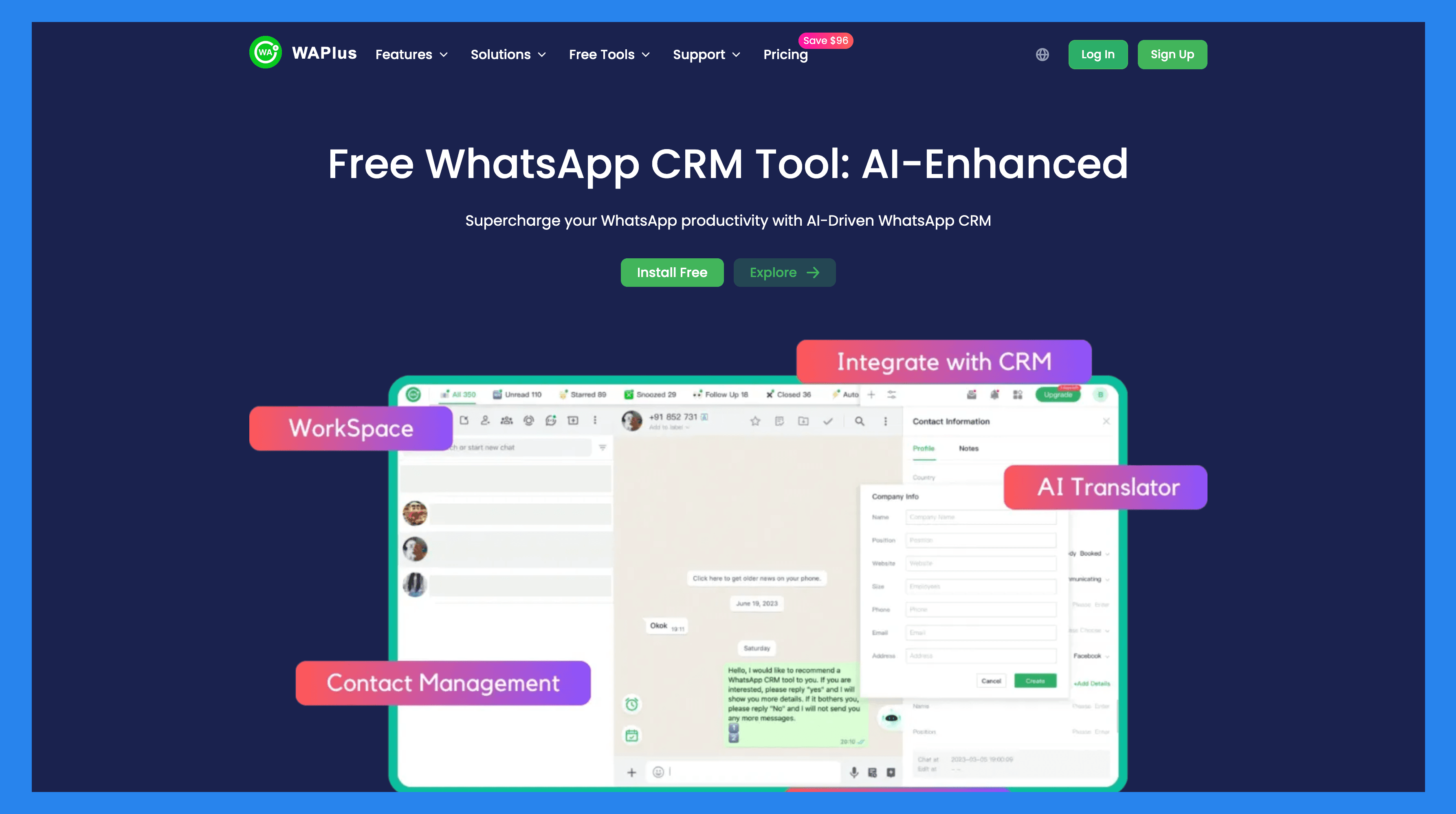
WAplus.io is a WhatsApp-focused CRM built to help businesses manage contacts, engage with customers, and streamline communication directly within WhatsApp. With automation features like scheduled messaging and auto-replies, it makes it easier for small teams to stay on top of leads and customer conversations. By connecting with other CRM systems, WAplus allows users to track leads, manage customer data, and automate repetitive tasks: all without leaving WhatsApp.
Key Features
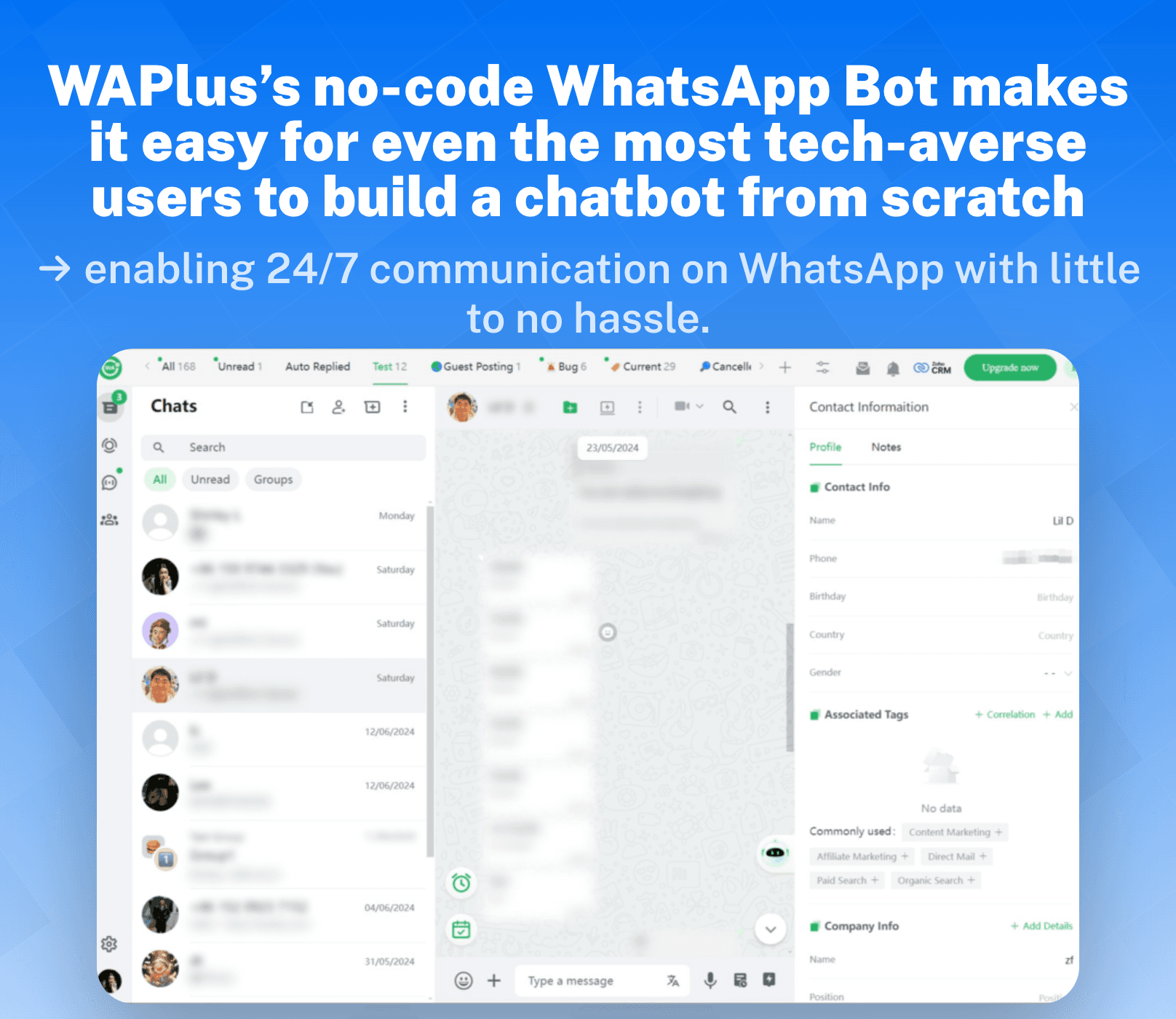
AI Chatbot – Automatically respond to customer messages with intelligent AI-driven replies.
Automated Response – Set up predefined replies to common inquiries.
Message Scheduler – Schedule messages in advance to engage customers at the right time.
Smart Response – AI-assisted suggestions for crafting personalized replies.
Team Collaboration – Share customer sales progress through custom labels and collaborate with your team on lead management.
Conversation Backup – Synchronize conversation records with customers to the team space, ensuring data is preserved even if chats are deleted.
Activity Tracking – Monitor WhatsApp sales activities, including message counts and response times, for better team performance insights.
Custom Tabs – Organize chats and contacts using unlimited custom tabs for efficient management.
Broadcast Messaging – Send messages to multiple contacts simultaneously, enhancing outreach efficiency.
CRM Integration – Connects with external CRM systems to centralize customer data and workflow automation.
Ratings: G2 - 5/5 (1) · Capterra - N/A.
Pros
Cost-efficient
Streamlines workflows and boosts Whatsapp productivity
Easy to use/set up
Cons
Automated replies won’t trigger when offline.
Essential features locked behind paid plans
Pricing Plans
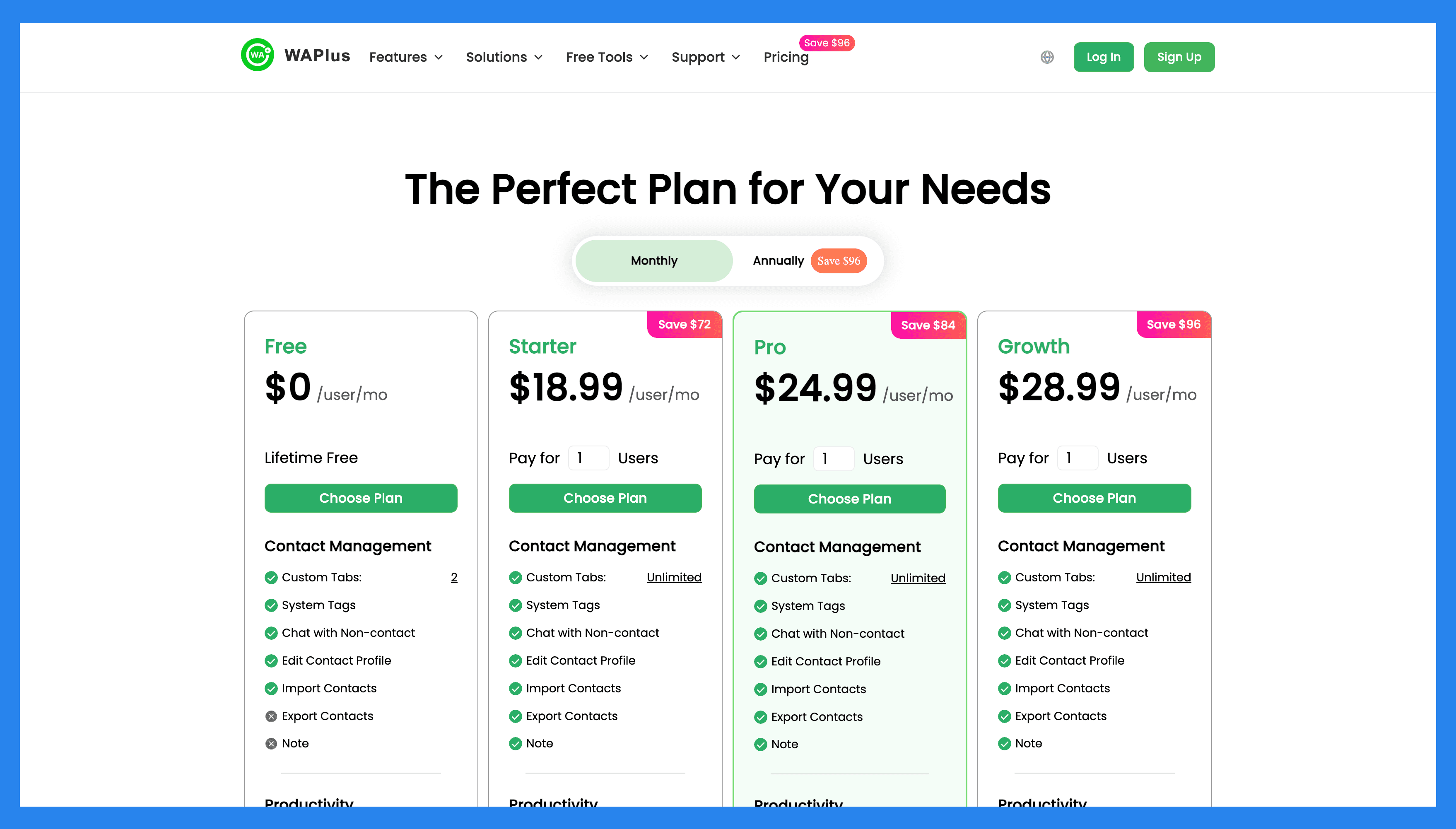
Free ($0 /user/mo): Custom Tabs (2), System Tabs, Chat with Non-contact, Edit Contact Profile. Plus 6 more.
Starter ($9.99/user/mo): everything in Free, plus Custom Tabs (Unlimited), Export Contacts, AI Translation (10,000 characters/mo), Scheduler (Unlimited). Plus 4 more.
Pro ($18.9 /user/mo): everything in Starter, plus AI Translation (500,000 characters/mo), Broadcasts, Auto-Sync Chats, AI Chatbots.
Growth ($24.9 /user/mo): everything in Pro, plus AI Translation (1,000,000 characters/mo), HubSpot, Salesforce, Zoho. Plus 1 more.
🥉 3) WAWCD
Summary + USP
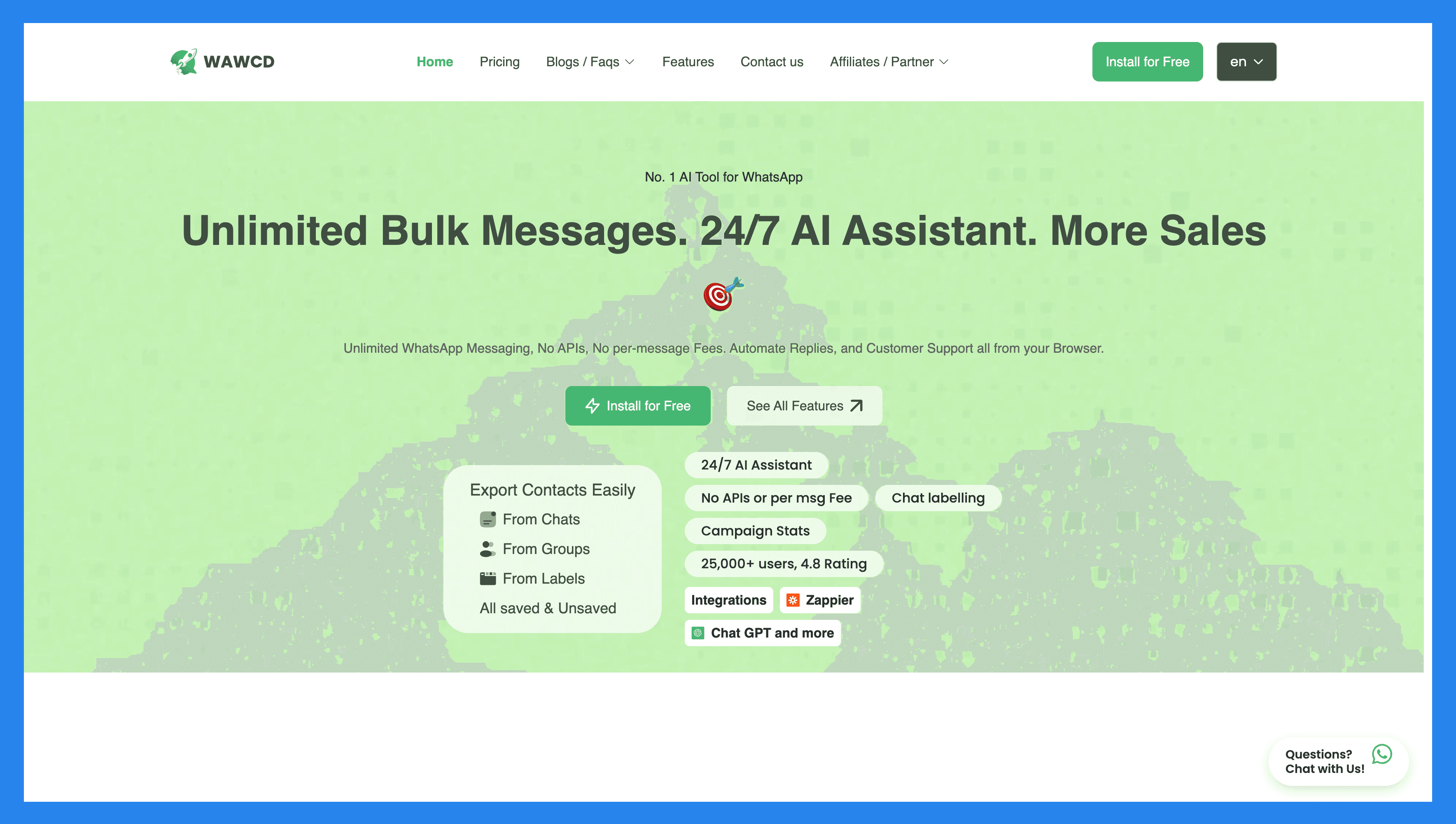
WAWCD is a lightweight WhatsApp CRM Chrome extension built for teams and individuals who want to supercharge WhatsApp Web without the hassle of a full-blown CRM system. It’s designed for simplicity: offering essential sales and communication tools directly inside WhatsApp, making it ideal for small businesses, solopreneurs, and customer support teams who live in the app daily.
Key Features
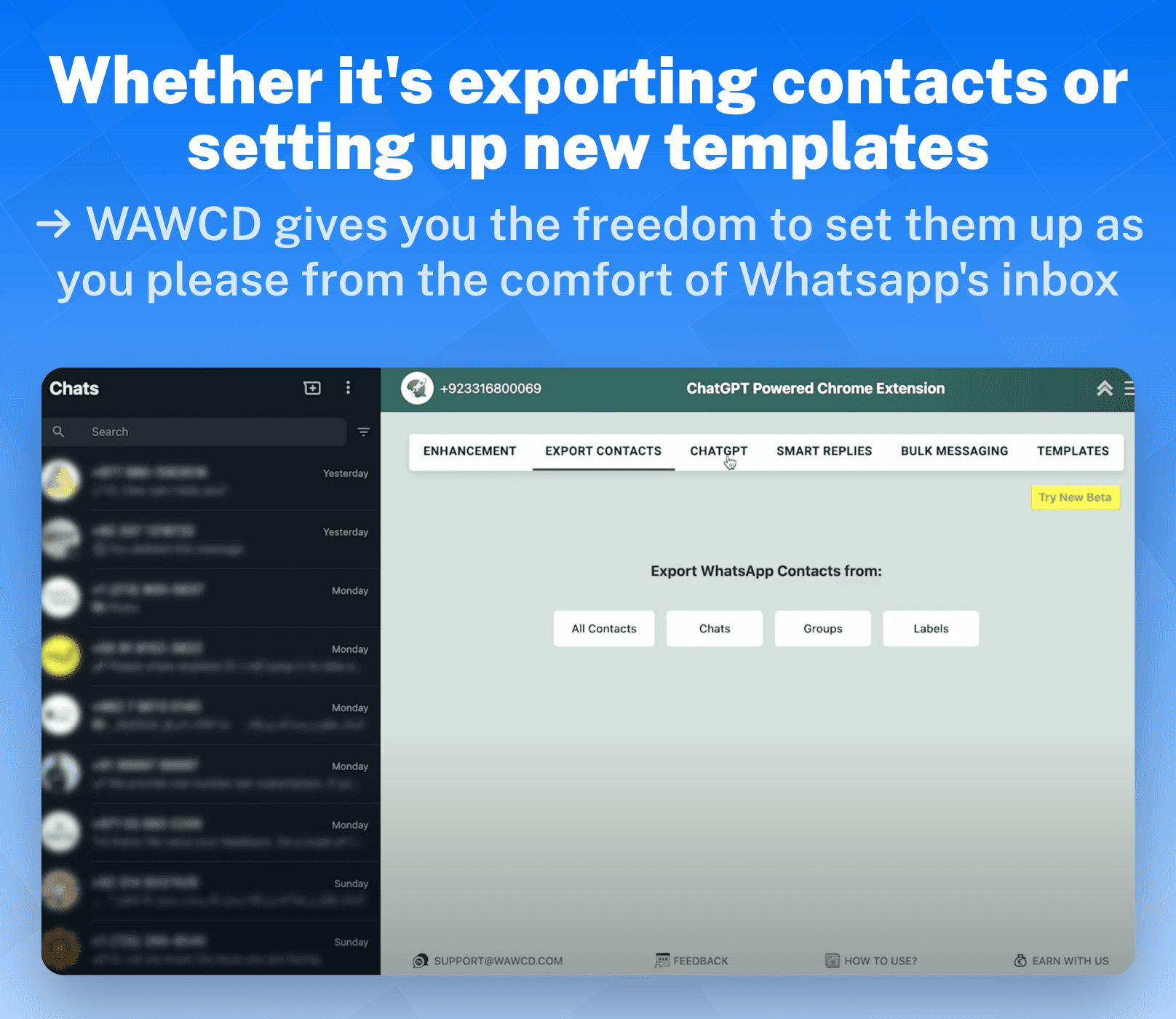
Seamless Import/Export of Contacts – Quickly move contact lists in and out of WhatsApp for smoother lead management.
Smart Inbox – Organize and prioritize chats so you never miss an important conversation.
Smart Replies – Speed up responses with AI-assisted or pre-set quick replies.
Bulk Messaging – Send campaigns or updates to multiple contacts at once.
Message Templates – Save time with reusable templates for common outreach and support.
No-Code Chatbot Builder – Create automated chatbots without any technical skills.
Ratings: G2 - 4.8/5 (30) · Capterra - 5/5 (50).
Pros
Has a freemium plan.
Easy to set up (smooth integration).
User-friendly interface.
Simplifies tasks like bulk messaging, contact exporting, and automated replies.
Cons
Limited CRM functionality.
Dependent on WhatsApp, which may be subject to changes or limitations set by Meta.
Essential features are locked behind paywalls which lean on the pricier side.
Pricing Plans
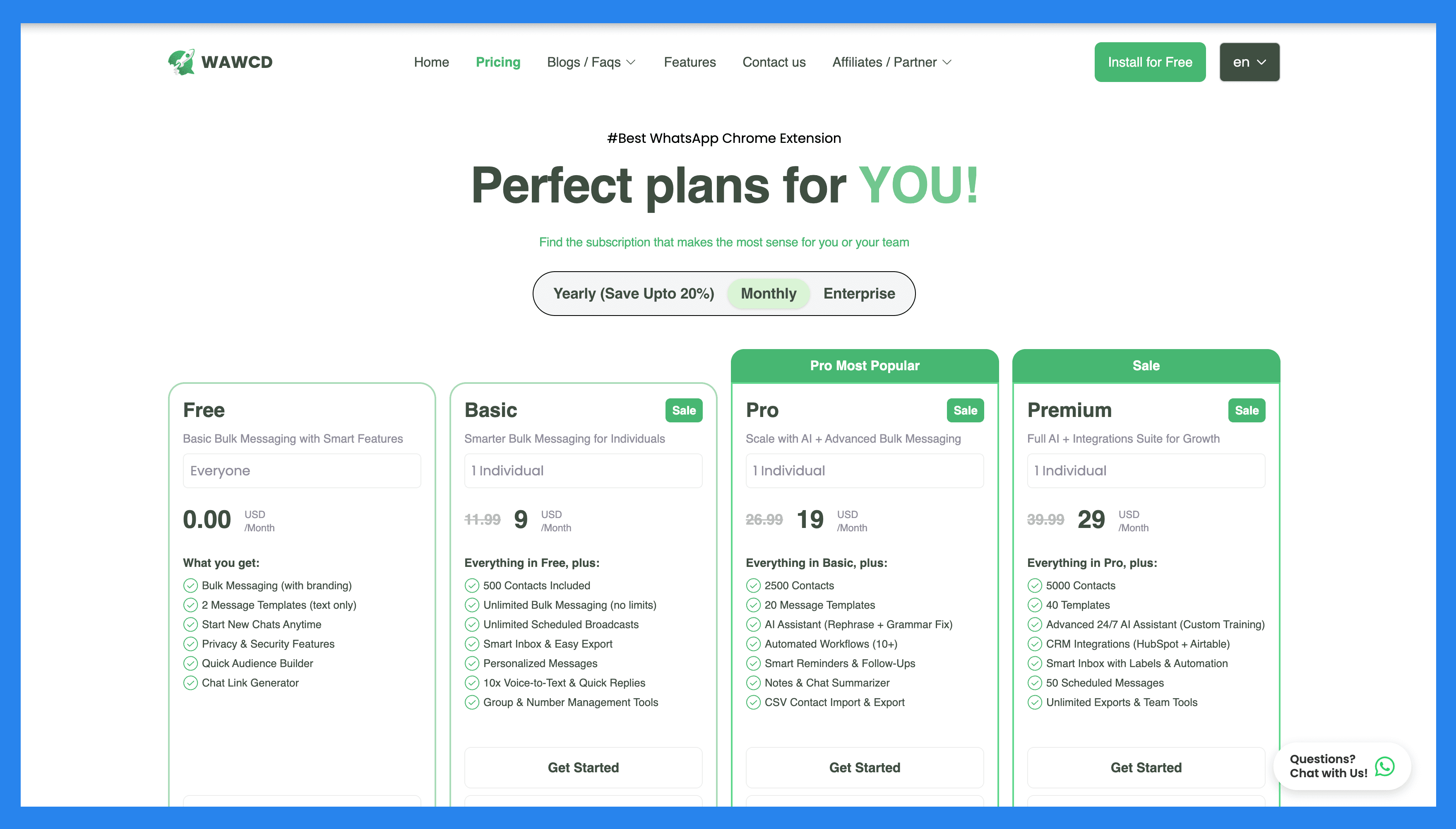
Free ($0 /user/mo): Click to chat generate, Unlimited Broadcast (With Branding), Quick Broadcasting, Start a New Chat. Plus 7 more.
Basic ($11.99/user/mo): everything in Free, plus Export Contacts from Chats, Export Contacts from Labels, Export Contacts from Groups, Export Saved/Unsaved Contacts. Plus 22 more.
Pro ($26.99/user/mo): everything in Basic, plus Message rephrase, Grammar check, Audience (2500), Broadcasting Enhancements. Plus 6 more.
Premium ($39.99/user/mo): everything in Pro, plus Custom AI Training, Audience (5000), Workflows (20), Trained AI Assistant. Plus 2 more.
4) Wati
Summary + USP
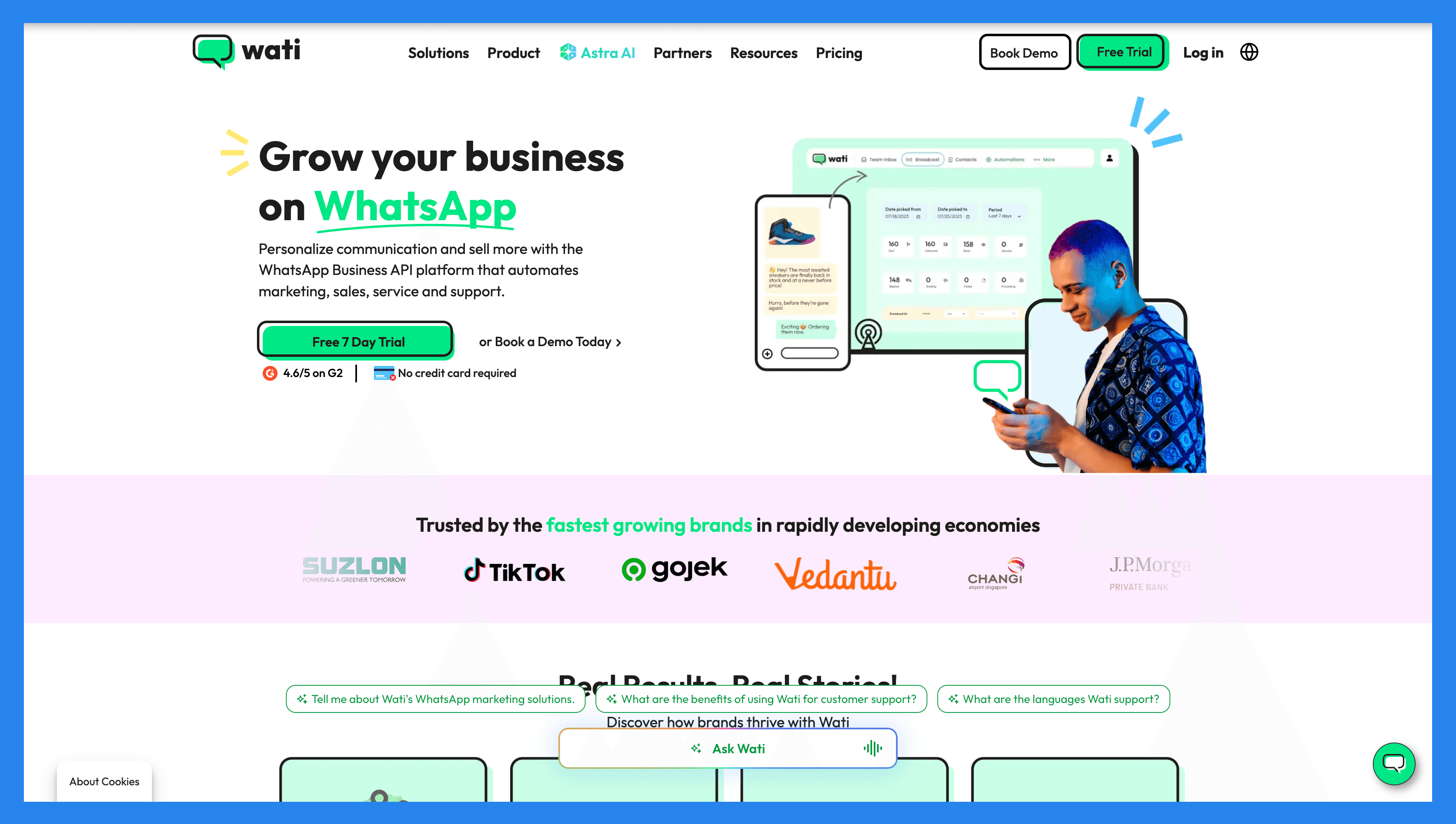
Wati is an end-to-end WhatsApp API solution built for SMBs that want to scale sales, marketing, and customer support directly inside WhatsApp. As traditional channels like email and SMS lose traction, Wati helps businesses stay relevant with advanced tools like chatbots, automation flows, and customer intelligence. It’s more than just messaging: it’s a full customer engagement platform tailored for WhatsApp-first communication.
Key Features
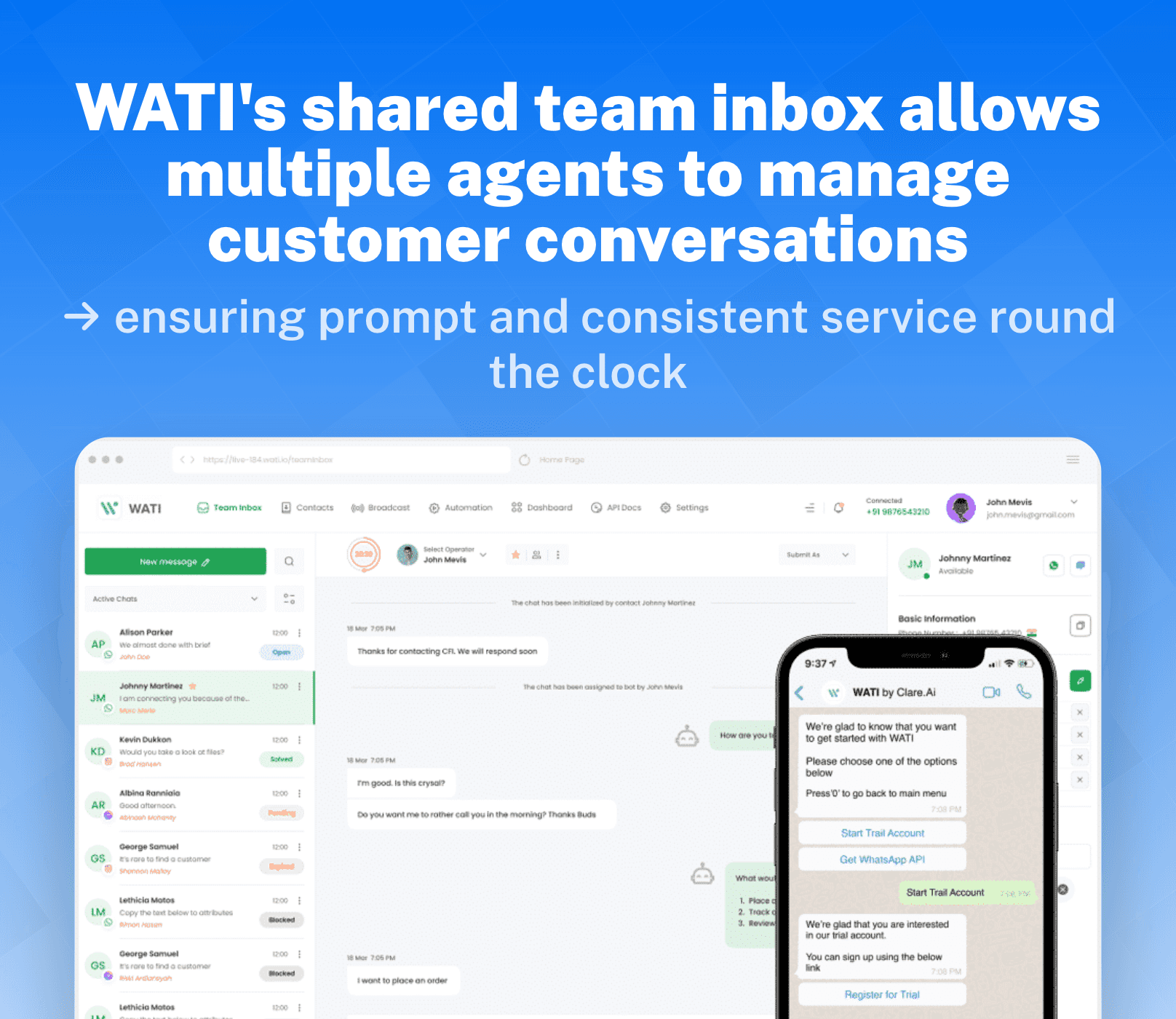
Unified Inbox – Manage all customer chats in one place for faster responses.
No-Code Chatbot Builder – Build automated conversation flows without needing developers.
Bulk Broadcasting – Send promotional or transactional updates to thousands of contacts.
Analytics & Reporting – Track engagement, response times, and campaign performance.
Custom Notifications – Trigger reminders and alerts for customer actions.
CRM & App Integrations – Sync with external tools to centralize workflows.
Contact Management – Segment and organize customer data for targeted outreach.
Flow Builder – Design advanced automation journeys with a drag-and-drop editor.
Omnichannel Messaging – Extend communication beyond WhatsApp across multiple platforms.
Ratings: G2 - 54.6/5 (355) · Capterra - 4.6/5 (173).
Pros
User-friendly and easy to use
Powerful + time-saving automations like Instagram DM automation
Wati doesn’t charge based on contacts
Intuitive workflow builder
Cons
Less than stellar customer support
Buggy phone app
Less than friendly pricing plan compared to other alternatives
Limitations in customizing message templates and layouts
Pricing Plans
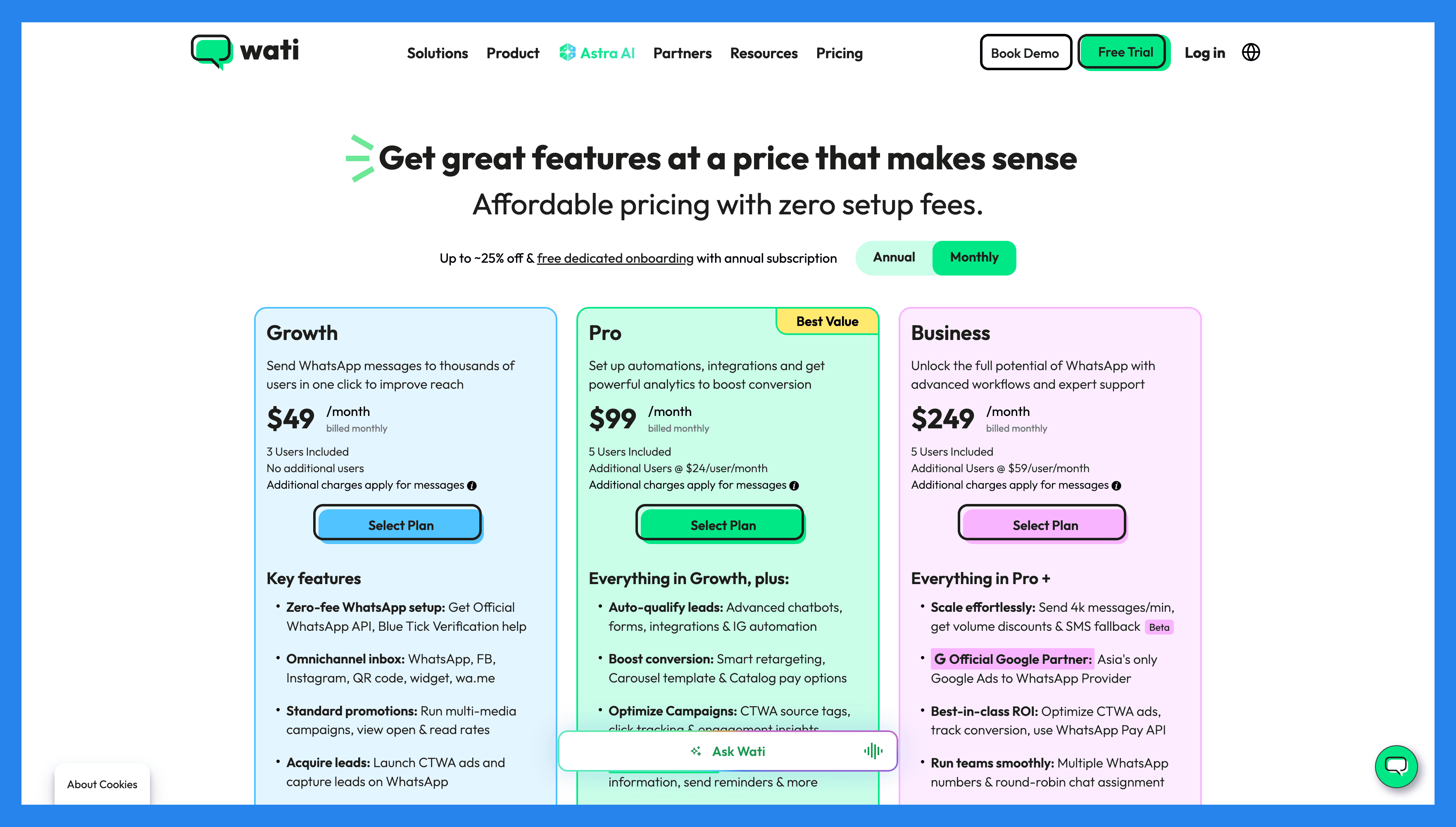
Growth ($49/mo): 3 Users Included, Blue Tick Verification & Assistance, Broadcast multi-media messages, 15K Marketing Broadcasts/month. Plus 11 more.
Pro ($99/mo): everything in Growth, plus 5 Users Included, Additional Users @ $24/mo/user, Smart Broadcast Retarget for all events, Carousel templates to boost conversions. Plus 14 more.
Business ($249/mo): everything in Pro, plus Additional Users @ $59/mo/user, Dedicated Customer Success Manager, Round-Robin chat assignment, Attractive discounts on marketing conversations. Plus 14 more.
5) Bigin by Zoho CRM
Summary + USP
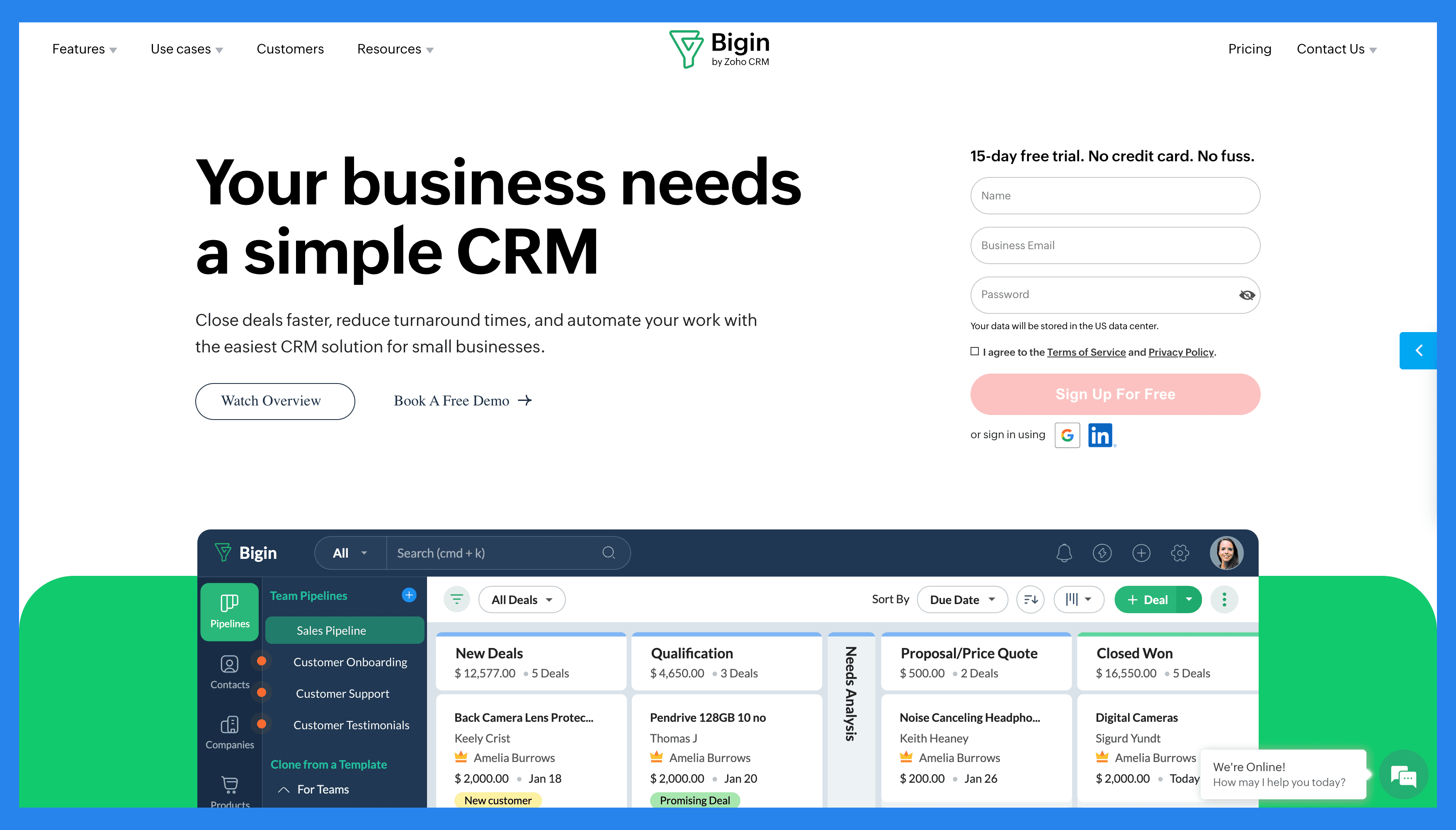
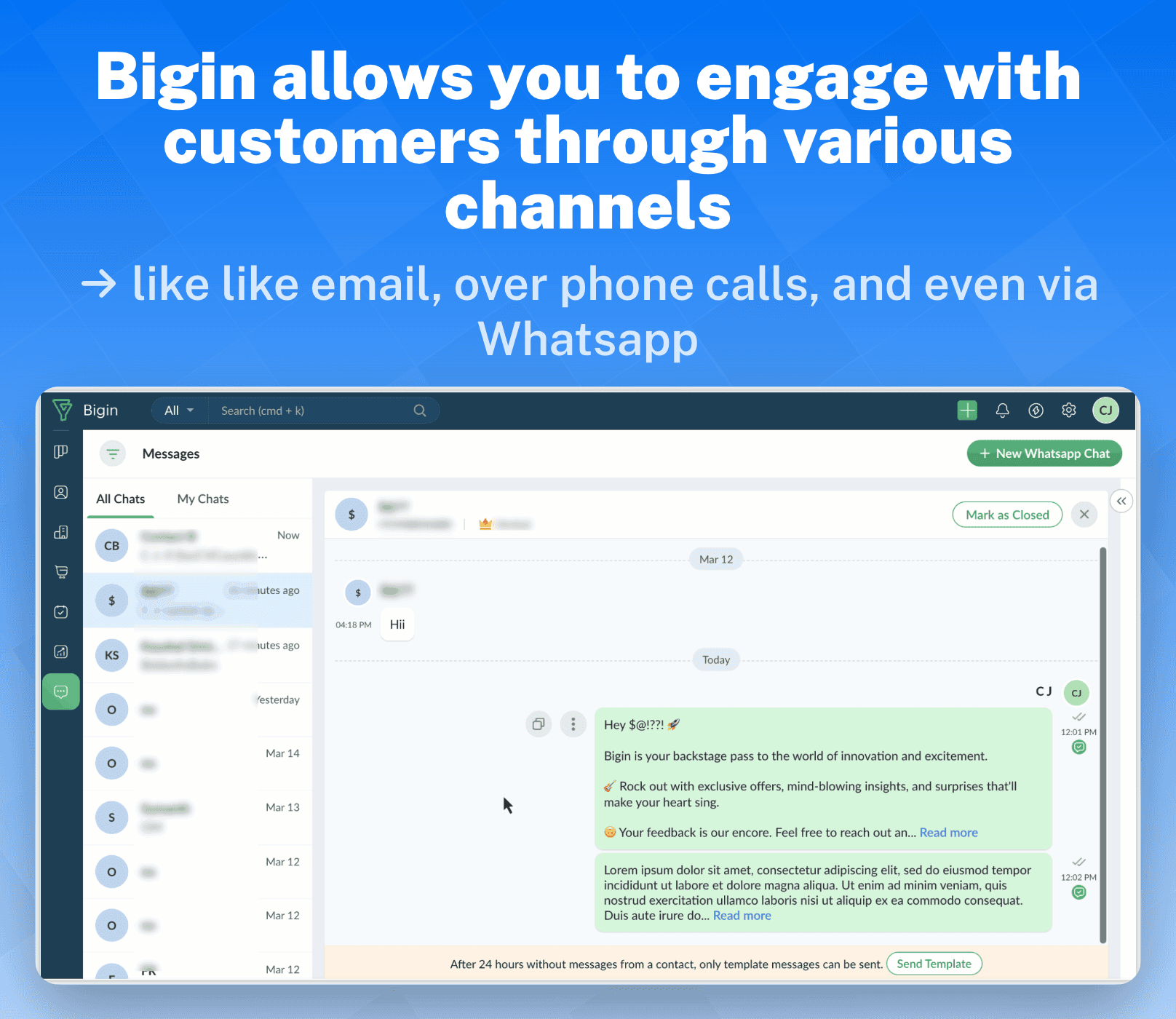
Built by Zoho, Bigin is a lightweight CRM tailored for small businesses, startups, and agile sales teams that don’t need the complexity of enterprise systems. It brings together sales, marketing, onboarding, delivery, and support into one unified hub, helping teams close deals faster, streamline operations, and stay on top of customer relationships without the steep learning curve of larger CRMs.
Key Features
Pipeline Management – Visualize deals and track progress with an easy drag-and-drop interface.
Customer Management – Centralize customer data for more personalized interactions.
Multichannel Communication – Manage calls, emails, and other channels in one place.
Automation – Automate repetitive tasks to save time and improve consistency.
Team Collaboration – Share updates, notes, and activities across your team.
Customization – Tailor pipelines, fields, and workflows to fit your business needs.
Analytics & Reporting – Track performance and gain insights into your sales process.
Ratings: G2 - 4.6/5 (521) · Capterra - 4.7/5 (651).
Pros
Simple and easy to use
Smooth, user-friendly interface
Smart features designed for small businesses
Strong mobile app
Cons
The UI is clean but not exciting
Limited Google integrations
Overall buggy performance with tendency to crash
Pricing Plans
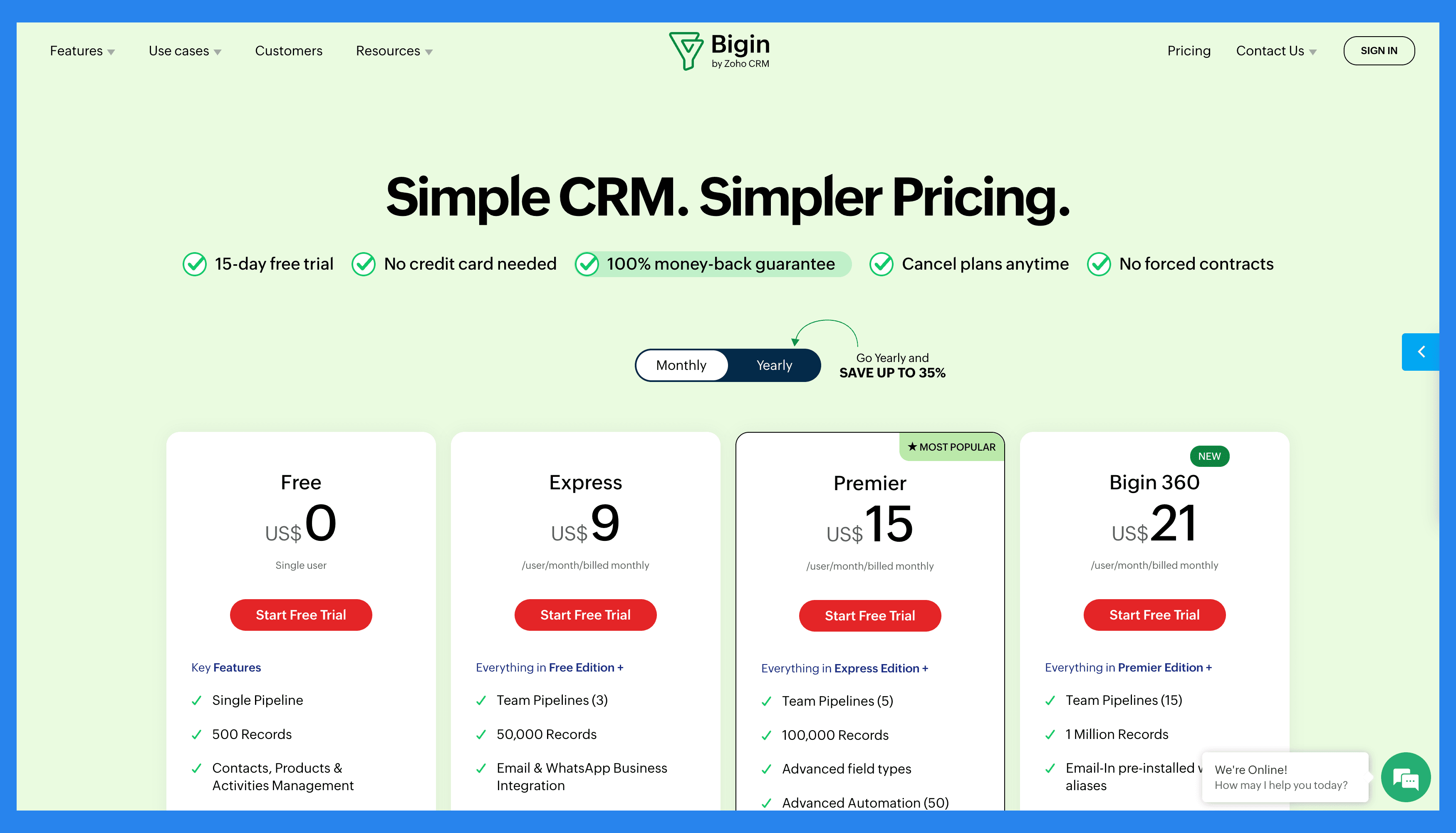
Free ($0/user/mo): Deal Management, Contact & Lead Management, Pre-built Pipeline Templates, Team Pipelines for Sales. Plus 28 more.
Express ($9/user/mo): everything in Free, plus Connected Pipelines, Two-way Email Integration, Calendar Integration, Meeting Integration. Plus 28 more.
Premier ($15/user/mo): everything in Express, plus Multiple Currencies, Payment Links, Scheduled Actions - Automation, Stage Transition Rules - Automation. Plus 5 more.
Bigin 360 ($21/user/mo): same scope, higher limits.
5 CRMs with 3rd-party WhatsApp Integration 🔧
1) Hubspot
Summary + USP
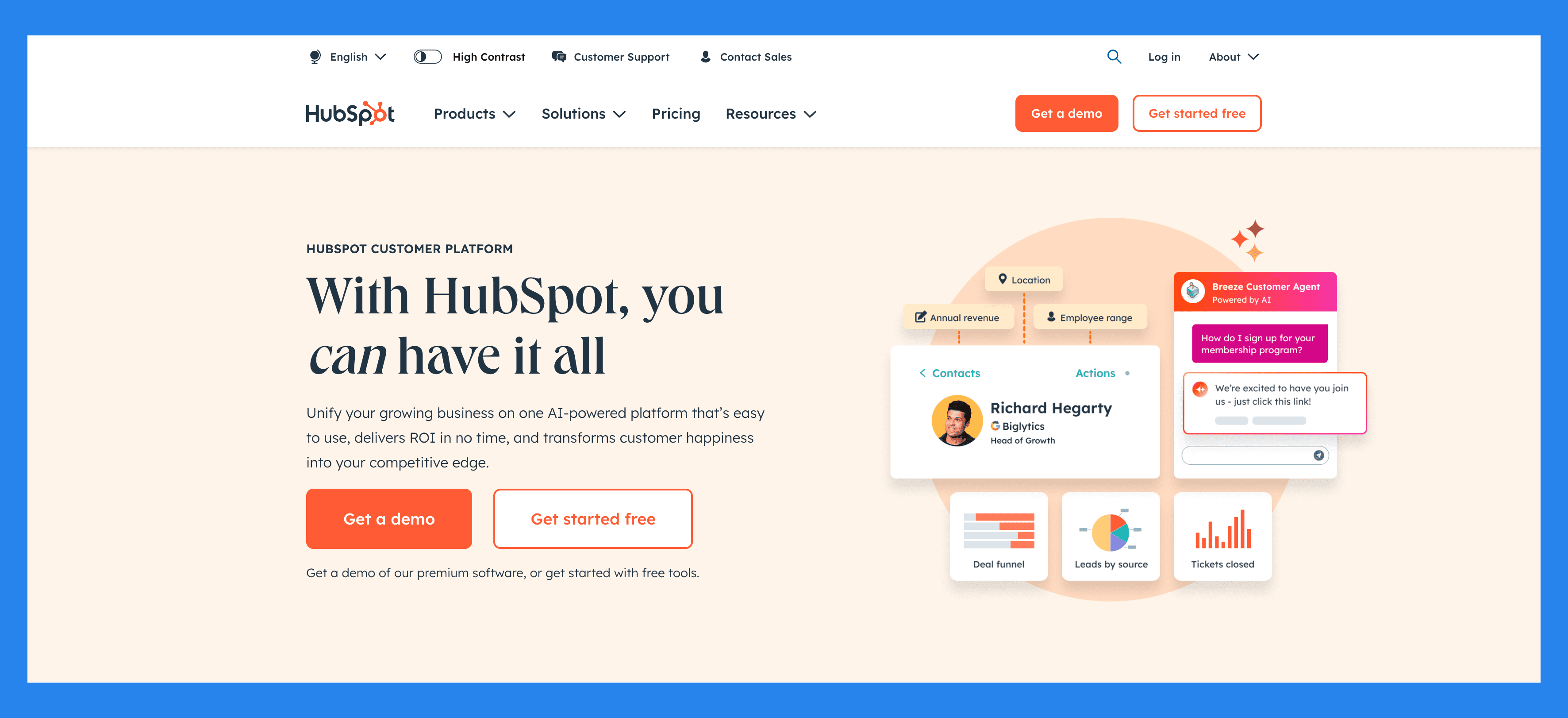
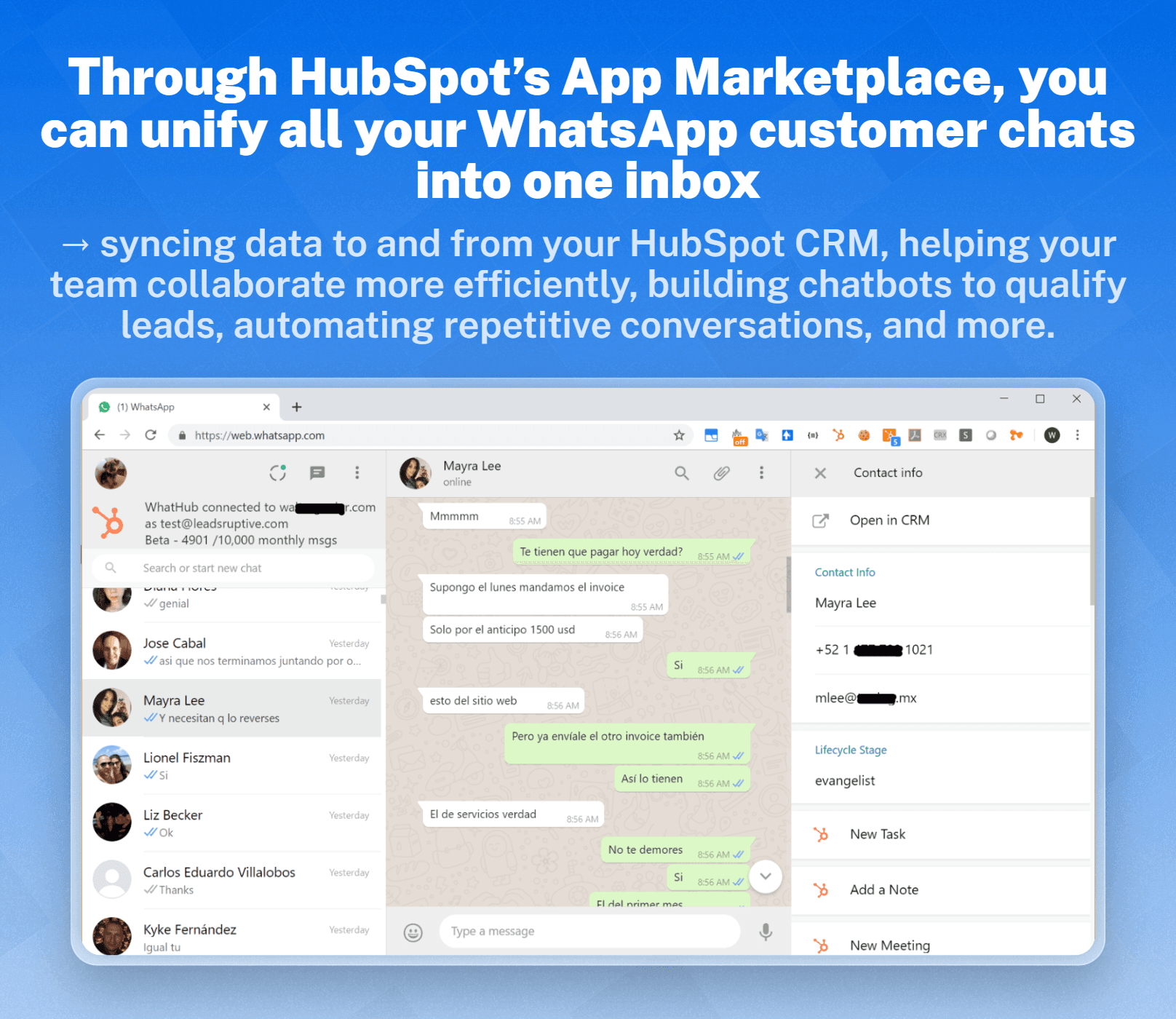
Launched in 2006, HubSpot has grown into one of the most comprehensive CRMs on the market, bringing marketing, sales, and customer service into a single ecosystem. With its recent AI-powered enhancements, HubSpot helps businesses attract leads, nurture relationships, and close deals more efficiently: all while keeping the customer experience at the center. Though it doesn’t offer native WhatsApp integration, HubSpot seamlessly connects with trusted third-party WhatsApp tools, giving teams the flexibility to add conversational messaging into their existing workflows.
Key Features
Contact Management – Store, organize, and segment customer data in one place.
Deal & Pipeline Management – Track progress with visual pipelines and reporting.
Email Tracking & Automation – Automate follow-ups and monitor engagement.
Marketing Hub – Tools for inbound marketing, lead capture, and nurturing campaigns.
Sales Hub – Streamline prospecting, outreach, and closing.
Service Hub – Manage tickets, support, and customer satisfaction in one dashboard.
Ratings: G2 - 4.4/5 (12,404) · Capterra - 4.5/5 (4362).
Pros
User-friendly for people who aren’t tech-savvy.
Clean and easy-to-navigate platform.
Customizable pricing plan.
Reliable single source of truth.
All-in-one platform.
Cons
Pricing model can be prohibitive for small businesses.
There can be a learning-curve for new users.
Rigid automations that can limit customization.
Reporting lacks deeper analytics.
Pricing Plans
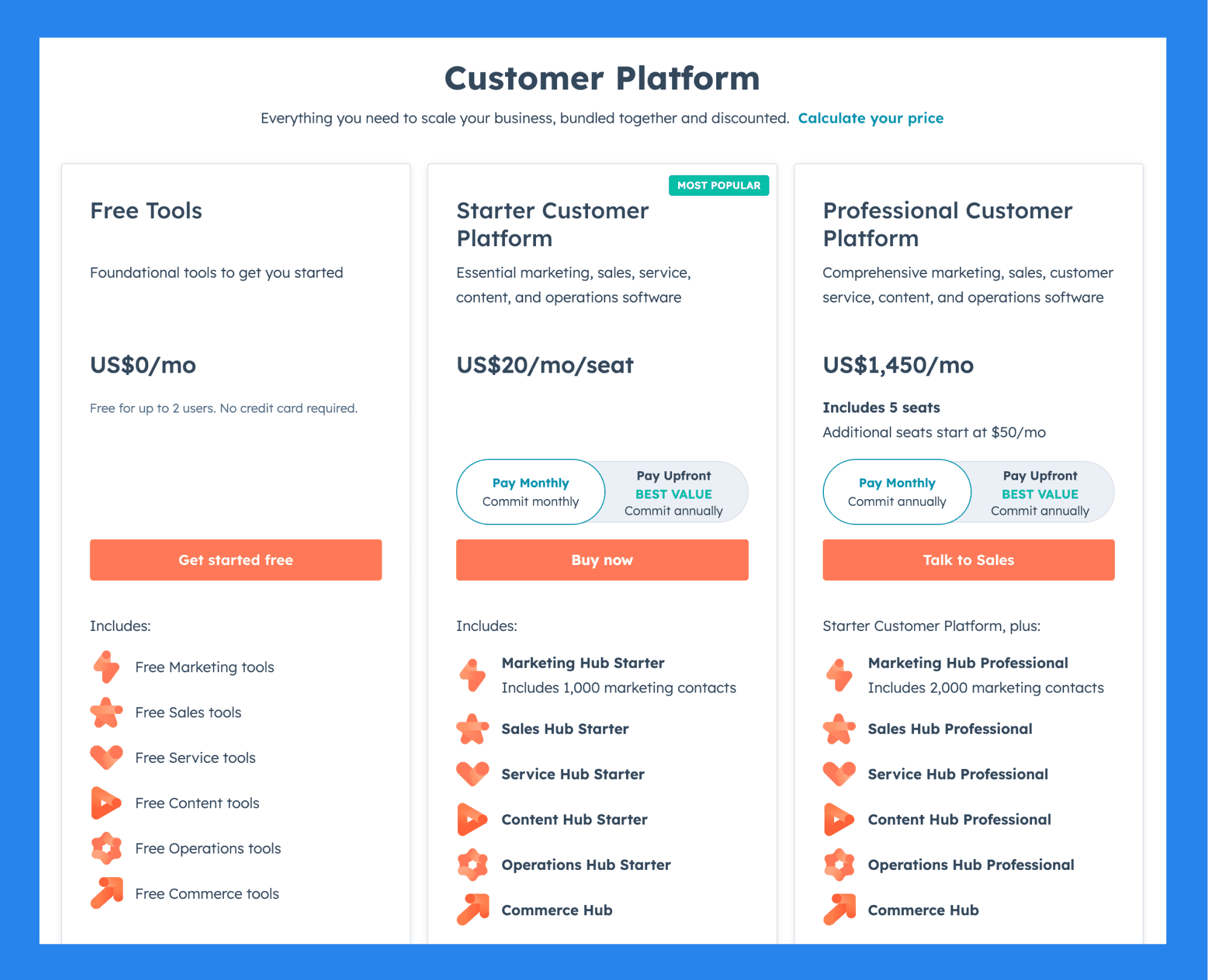
For Individuals & Small Teams
Free Tools (US$0): Free for up to 2 users, No credit card required, Free Marketing tools, Free Sales tools. Plus 4 more.
Starter Customer Platform ($20/mo/seat): everything in Free Tools, plus Marketing Hub Starter, Includes 1,000 marketing contacts, Sales Hub Starter, Service Hub Starter. Plus 3 more.
Professional Customer Platform ($1,450/mo): everything in Starter Customer Platform, plus Includes 5 seats, Additional seats start at $50/mo, Marketing Hub Professional, Includes 2,000 marketing contacts. Plus 4 more.
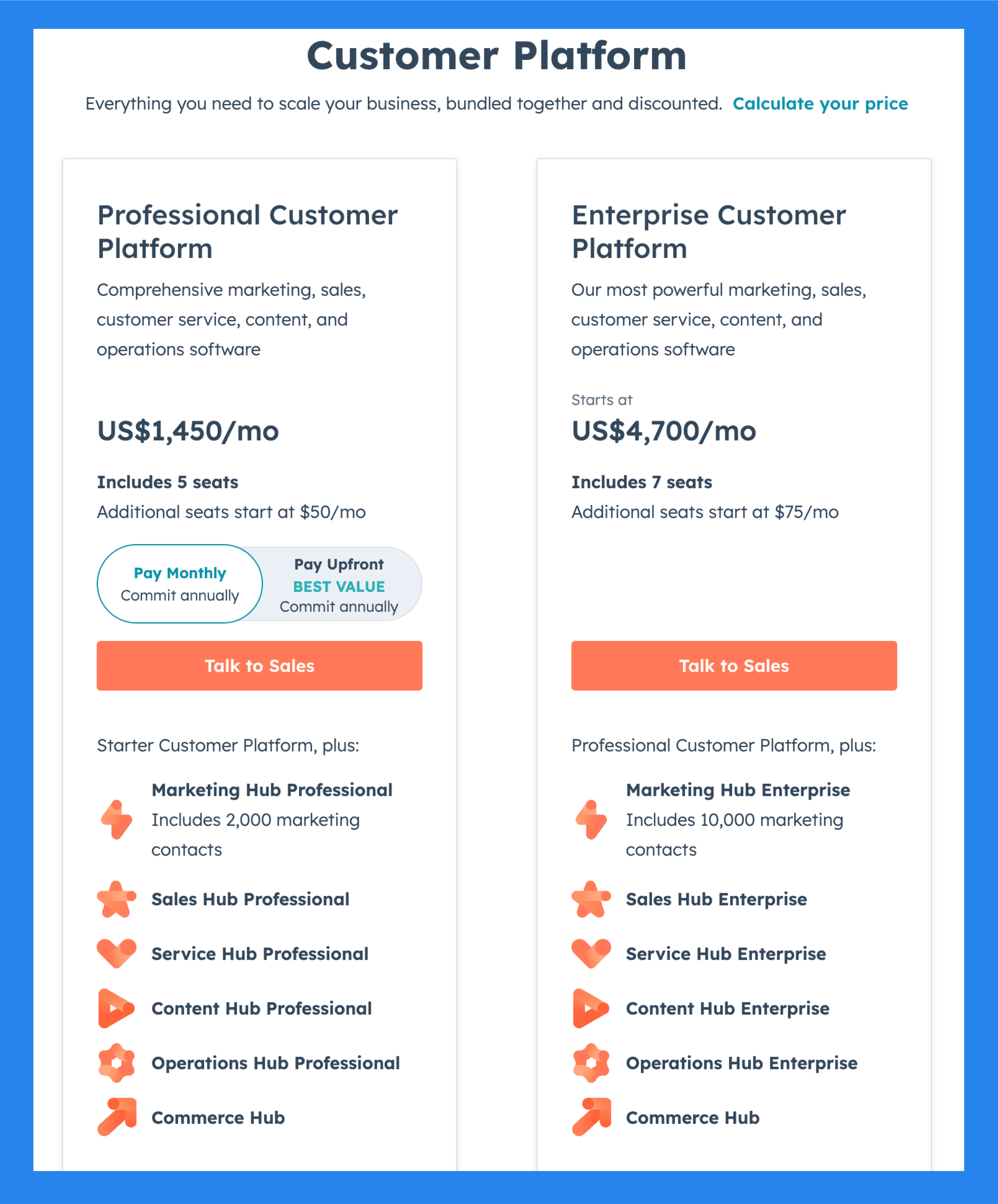
For Businesses & Enterprises
Professional Customer Platform ($1,450/mo): Includes 5 seats, Additional seats start at $50/mo, Marketing Hub Professional, Includes 2,000 marketing contacts. Plus 5 more.
Enterprise Customer Platform ($4,700/mo): everything in Professional Customer Platform, plus Includes 7 seats, Additional seats start at $75/mo, Marketing Hub Enterprise, Includes 10,000 marketing contacts. Plus 4 more.
2) Salesforce
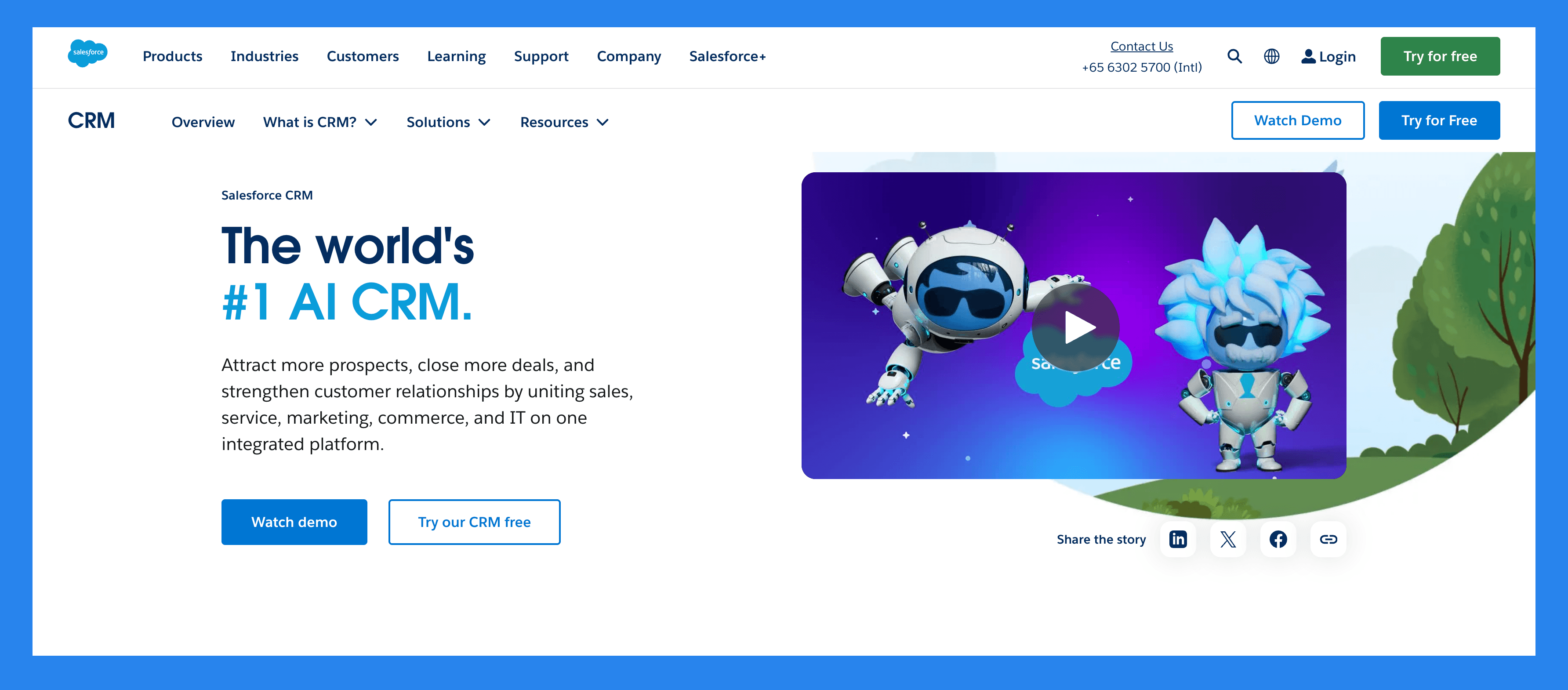
Summary + USP
A true pioneer in the CRM space, Salesforce has been shaping how businesses manage customer relationships since the early 2000s. Today, it remains the go-to enterprise solution for sales, marketing, and service teams worldwide. With a vast ecosystem of integrations: including third-party WhatsApp connectors. Salesforce helps organizations centralize data, automate workflows, and deliver personalized customer experiences at scale.
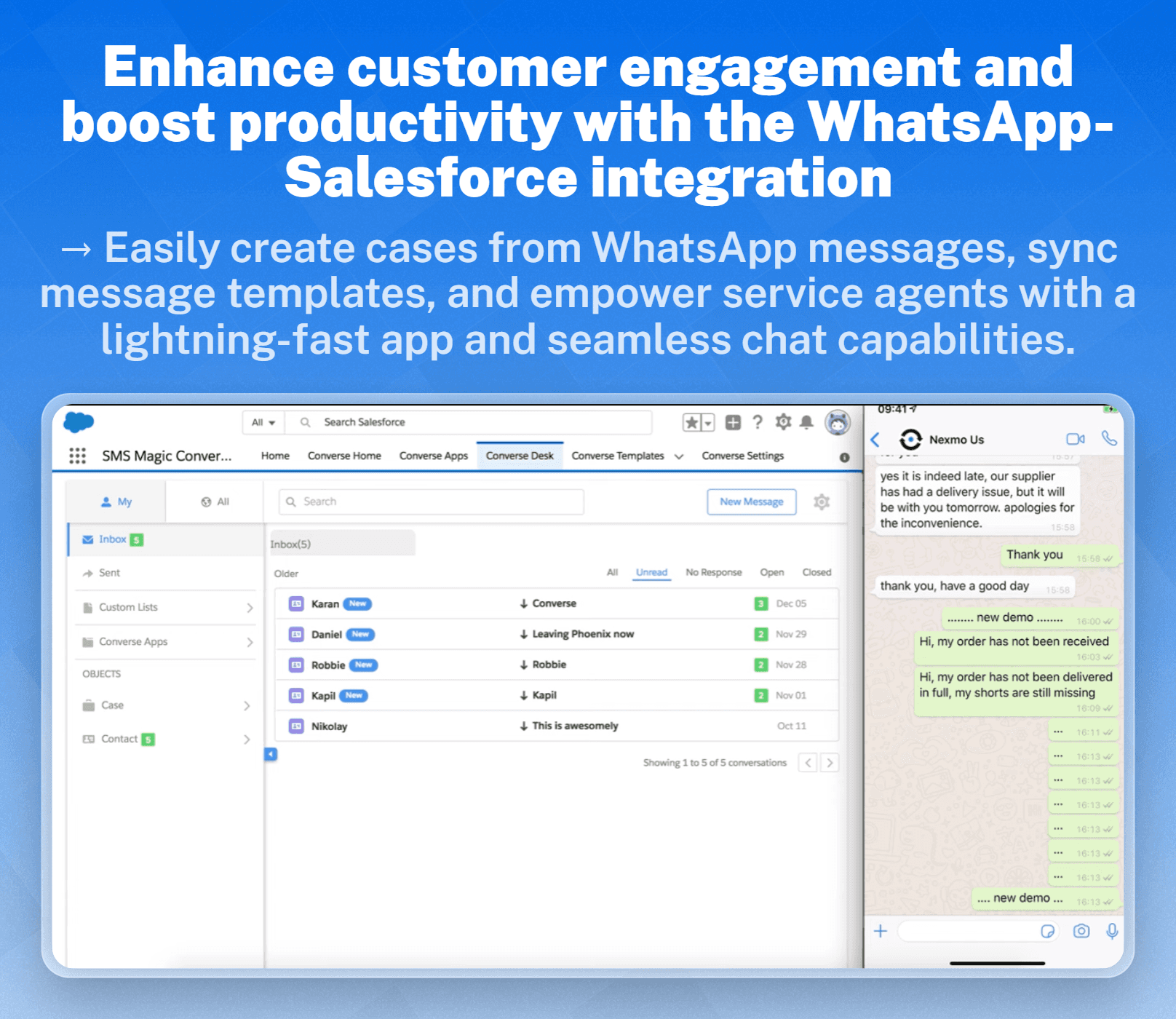
Key Features
Sales Cloud – Manage leads, opportunities, and pipelines in real time.
Marketing Cloud – Run data-driven campaigns with advanced automation.
Service Cloud – Deliver faster, more personalized customer support.
Chatter – Enable team collaboration and communication within the CRM.
Salesforce Einstein – AI-powered insights and predictions to guide smarter decisions.
Ratings: G2 - 4.4/5 (23,272) · Capterra - 4.4/5 (18817).
Pros
Optimizes lead management and conversion rates.
Excels at keeping your data clean and organized.
Reactive customer support
Integration-rich
Cons
Implementation is complex and resource-intensive.
Expensive and not always user- friendly
Steep learning-curve
Hard-to-navigate UI
Pricing Plans
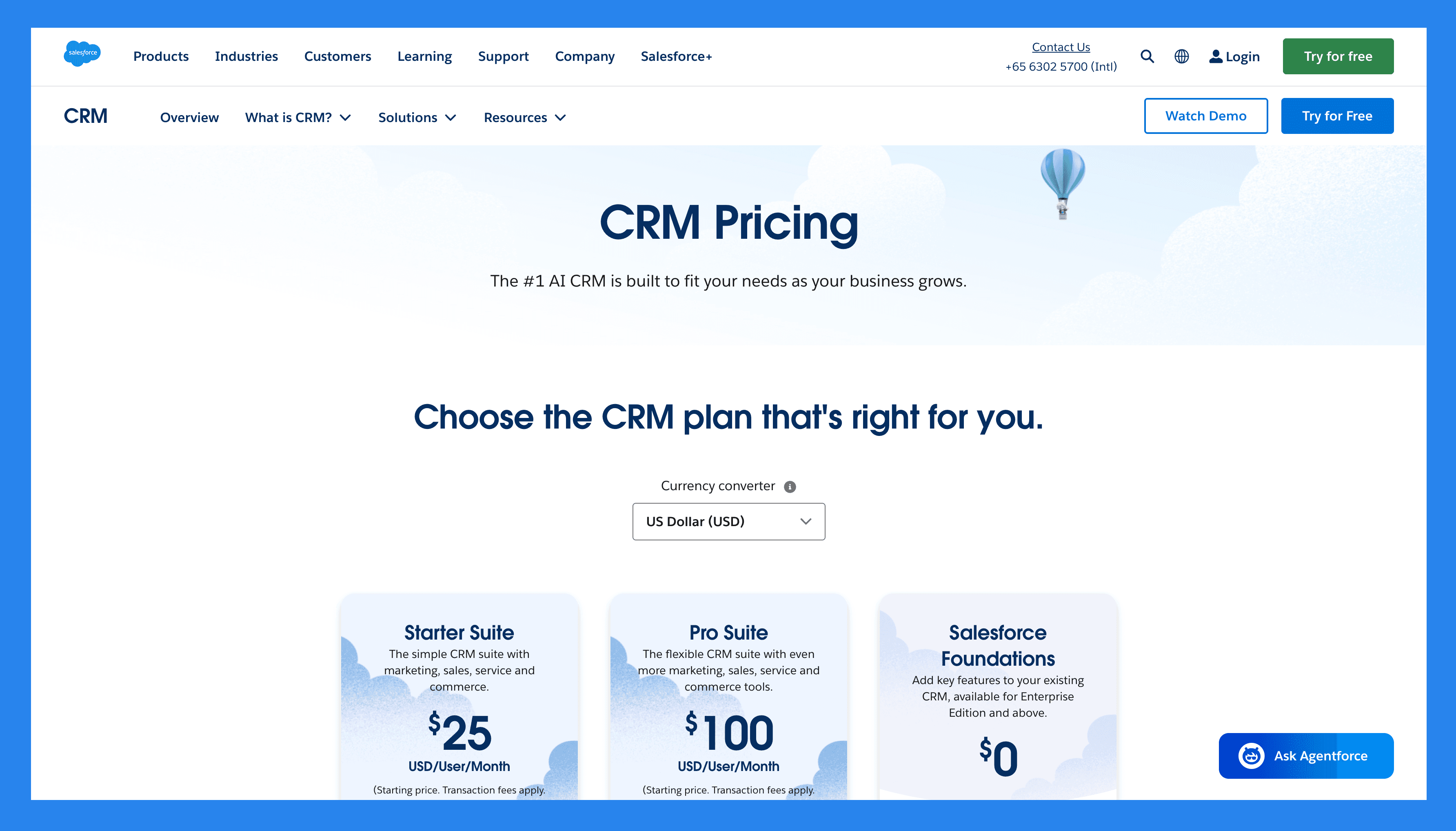
For SMBs
Starter Suite ($25/user/mo): Users (325 max), Custom reports, Generative AI features.
Pro Suite ($100/user/mo): everything in Starter Suite, plus Users (Unlimited), Lead scoring, API ($15/user/month).
Enterprise ($165/user/mo): everything in Pro Suite, plus API.
For Enterprises
Unlimited ($330/user/month): Users (Unlimited), Lead scoring, API, Custom reports. Plus 2 more.
Einstein 1 Sales ($500/user/month): same scope, higher limits.
3) Pipedrive
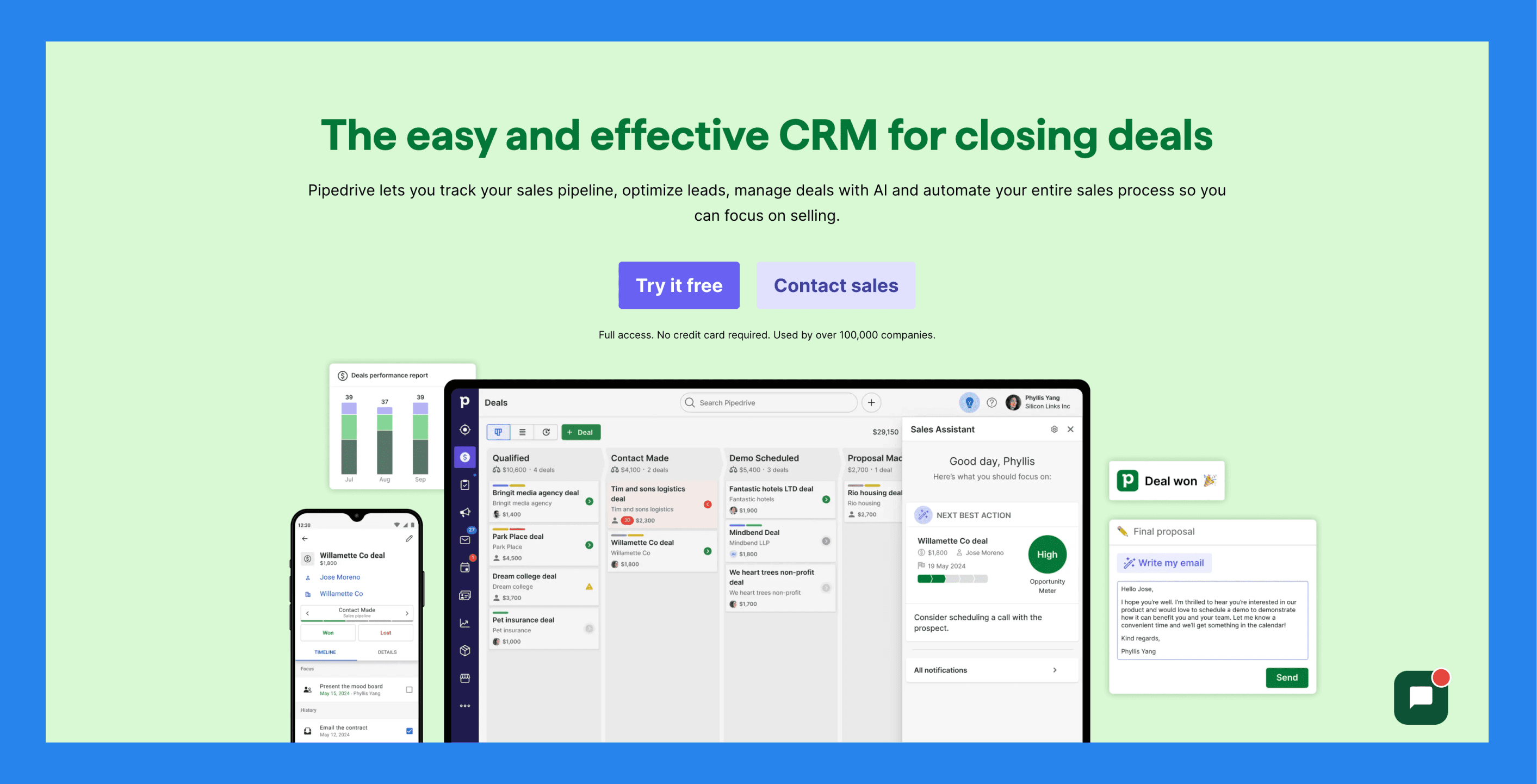
Summary + USP
Built specifically for sales teams, Pipedrive is a user-friendly CRM designed to simplify pipeline management and keep deals moving forward. With its intuitive interface, automation tools, and seamless integrations: including third-party WhatsApp connectors. Pipedrive makes it easier for businesses to track leads, automate follow-ups, and focus on closing deals instead of juggling admin tasks.
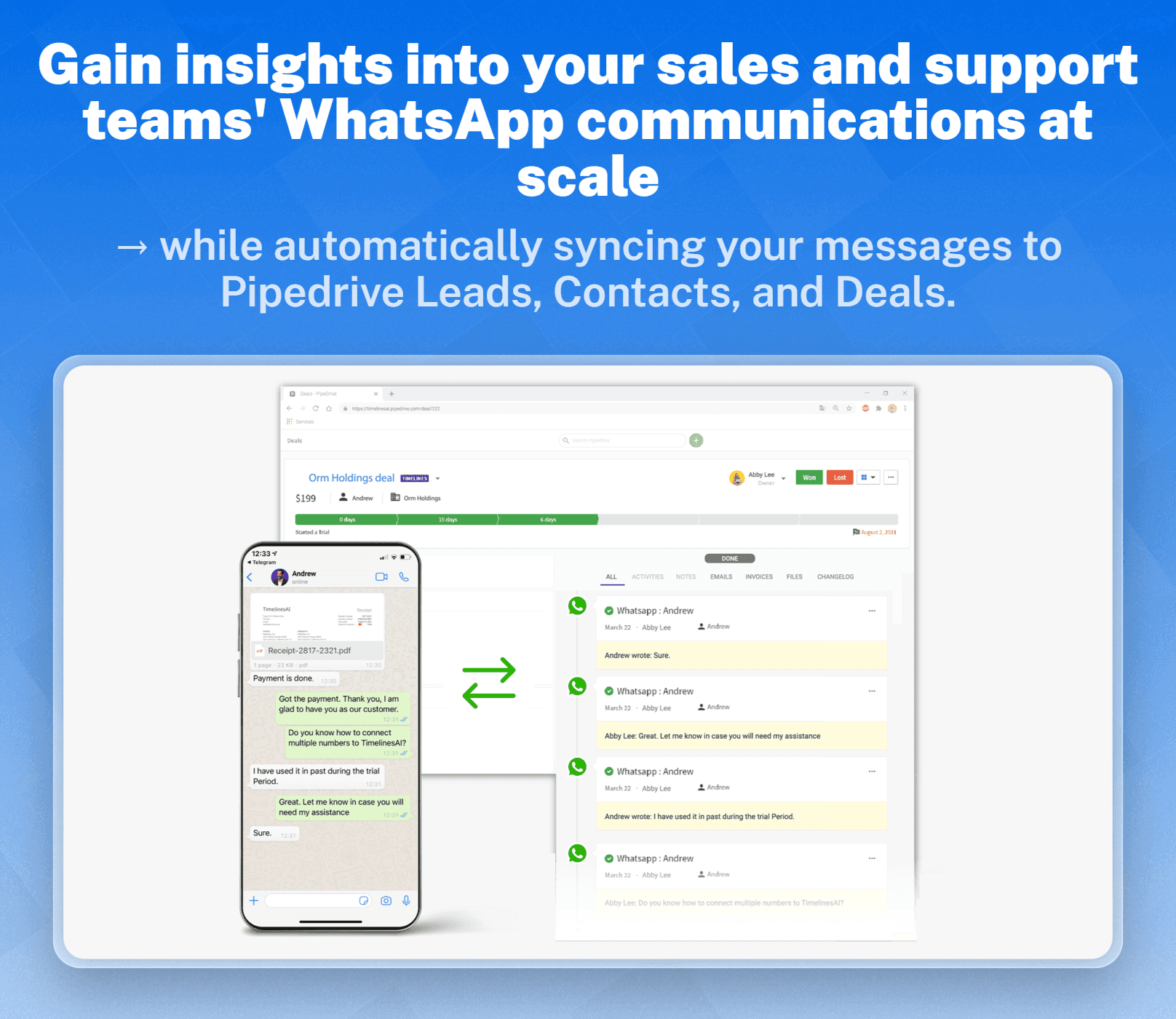
Key Features
Pipeline Management – Visualize and manage your entire sales funnel with drag-and-drop simplicity.
Lead Management – Capture, organize, and prioritize leads in one place.
Automation – Automate repetitive tasks like reminders, follow-ups, and data entry.
Reporting & Analytics – Gain insights into team performance and deal progress.
Integrations – Connect with WhatsApp, email, and hundreds of other apps.
Customization – Tailor pipelines, fields, and workflows to fit your sales process.
Mobile App – Manage your pipeline and stay connected on the go.
Pipedrive's Rating.
Pricing Plans
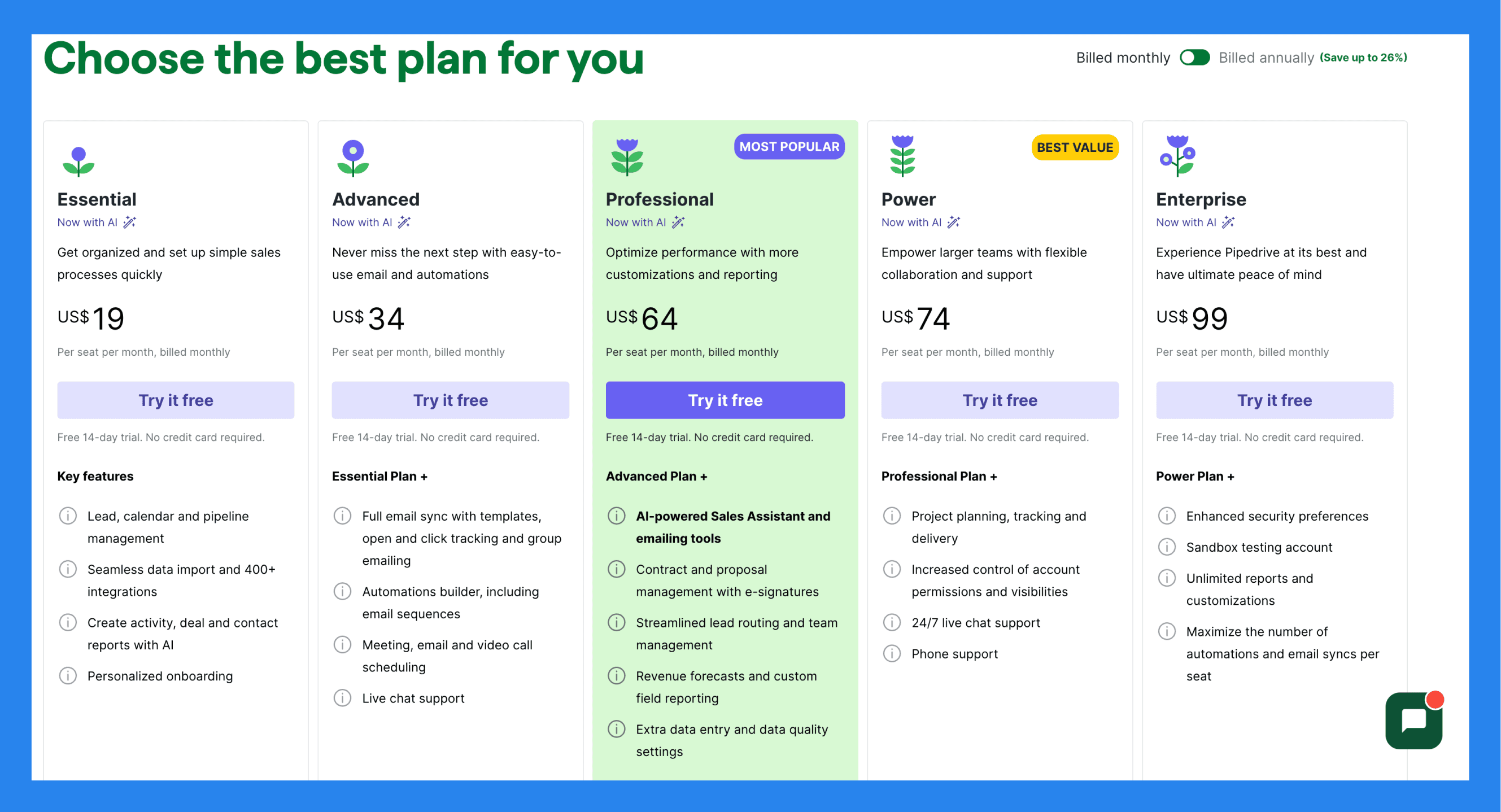
Essential ($19/user/mo): Lead, calendar and pipeline management, Seamless data import and 400+ integrations, Create activity, deal and contact reports with AI, Personalized onboarding.
Advanced ($34/user/mo): everything in Essential, plus Full email sync with templates, open and click tracking and group emailing, Automations builder, including email sequences, Meeting, email and video call scheduling, Live chat support.
Professional ($64/user/mo): everything in Advanced, plus AI-powered Sales Assistant and emailing tools, Contract and proposal management with e-signatures, Streamlined lead routing and team management, Revenue forecasts and custom field reporting. Plus 1 more.
Power ($74/user/mo): Project planning, tracking and delivery, Increased control of account permissions and visibilities, 24/7 live chat support, Phone support.
Enterprise ($99/user/mo): everything in Power, plus Enhanced security preferences, Unlimited reports and customizations, Maximize the number of automations and email syncs per seat.
4) Monday CRM
Summary + USP
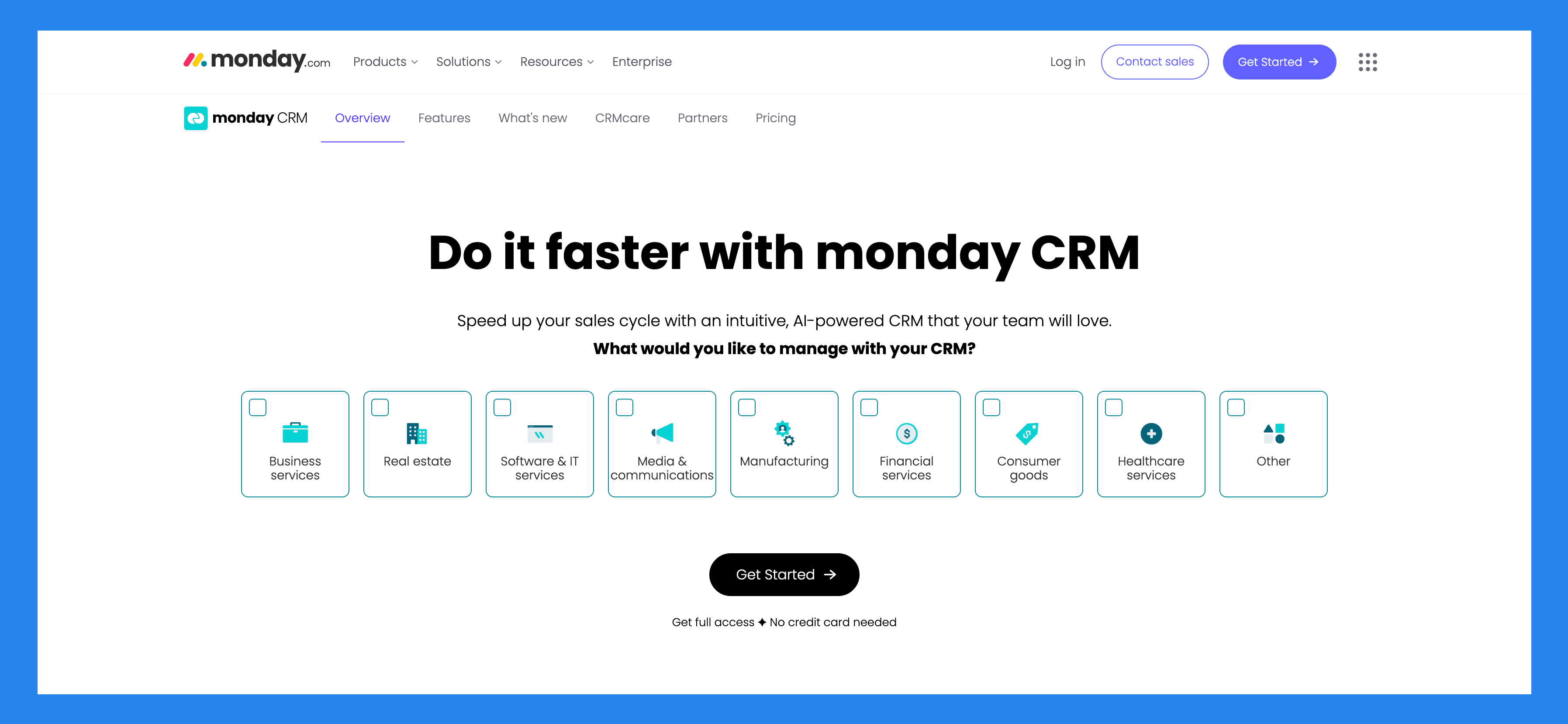
Built on the Monday.com Work OS, Monday CRM is a fully customizable, no-code sales platform that adapts to the way your team works. From lead generation to post-sales activities, it allows businesses to design workflows, automate repetitive tasks, and visualize the entire sales pipeline in a simple, drag-and-drop format.
It’s especially well-suited for teams that find traditional CRMs like Salesforce or HubSpot too rigid and want a more flexible, collaborative solution.
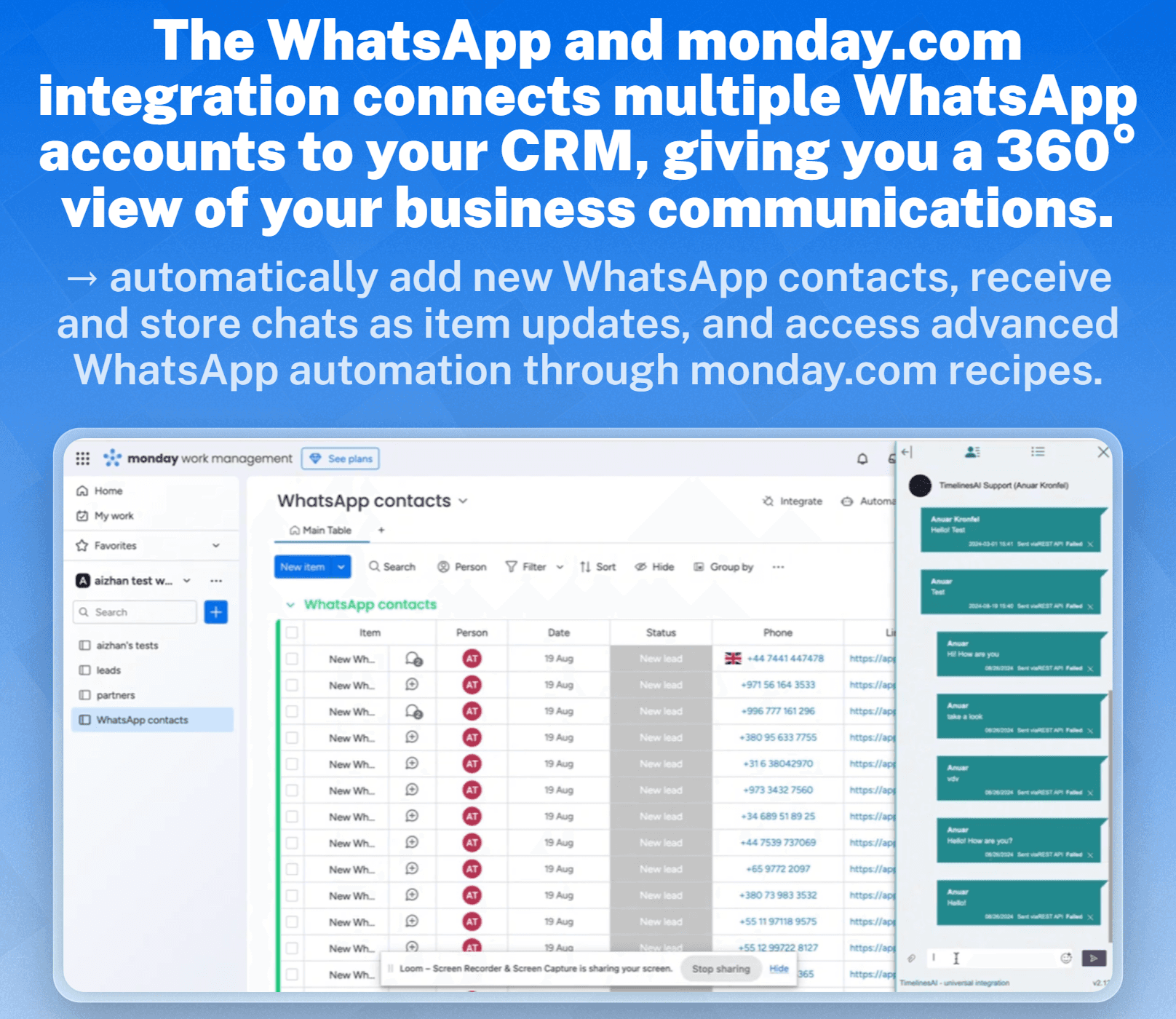
Key Features
Lead Management – Capture and organize leads with ease.
Activity Management – Track calls, emails, and meetings in one place.
Pipeline Management – Visualize deal stages and progress with customizable pipelines.
Guided Selling – Keep reps on track with step-by-step sales workflows.
Visualization & Analytics – Access dashboards that show performance and pipeline health.
Opportunity Management – Stay on top of every deal from start to finish.
Data & Forecasting – Use AI-driven insights to predict revenue and sales outcomes.
Account & Contract Management – Manage client details, contracts, and renewals.
Proposals & Quotes – Generate sales documents directly within the platform.
Integrations – Connect with tools like Gmail, Outlook, Slack, and WhatsApp via third-party connectors.
Cross-Team Collaboration – Align sales with marketing, customer success, and operations seamlessly.
Ratings: G2 - 4.6 /5 (921) · Capterra - 4.7/5 (406).
Pros
Highly customizable & flexible
Powerful task management and the lead management system
The interface is simple and easy to use while being pleasant to interact with
Rich integration marketplace
Cons
There are growing pains to setting up the platform to suit your needs
Essential features locked behind higher paywalls
There are too many features sometimes the UI looks cluttered and overwhelming to use
Pricing Plans
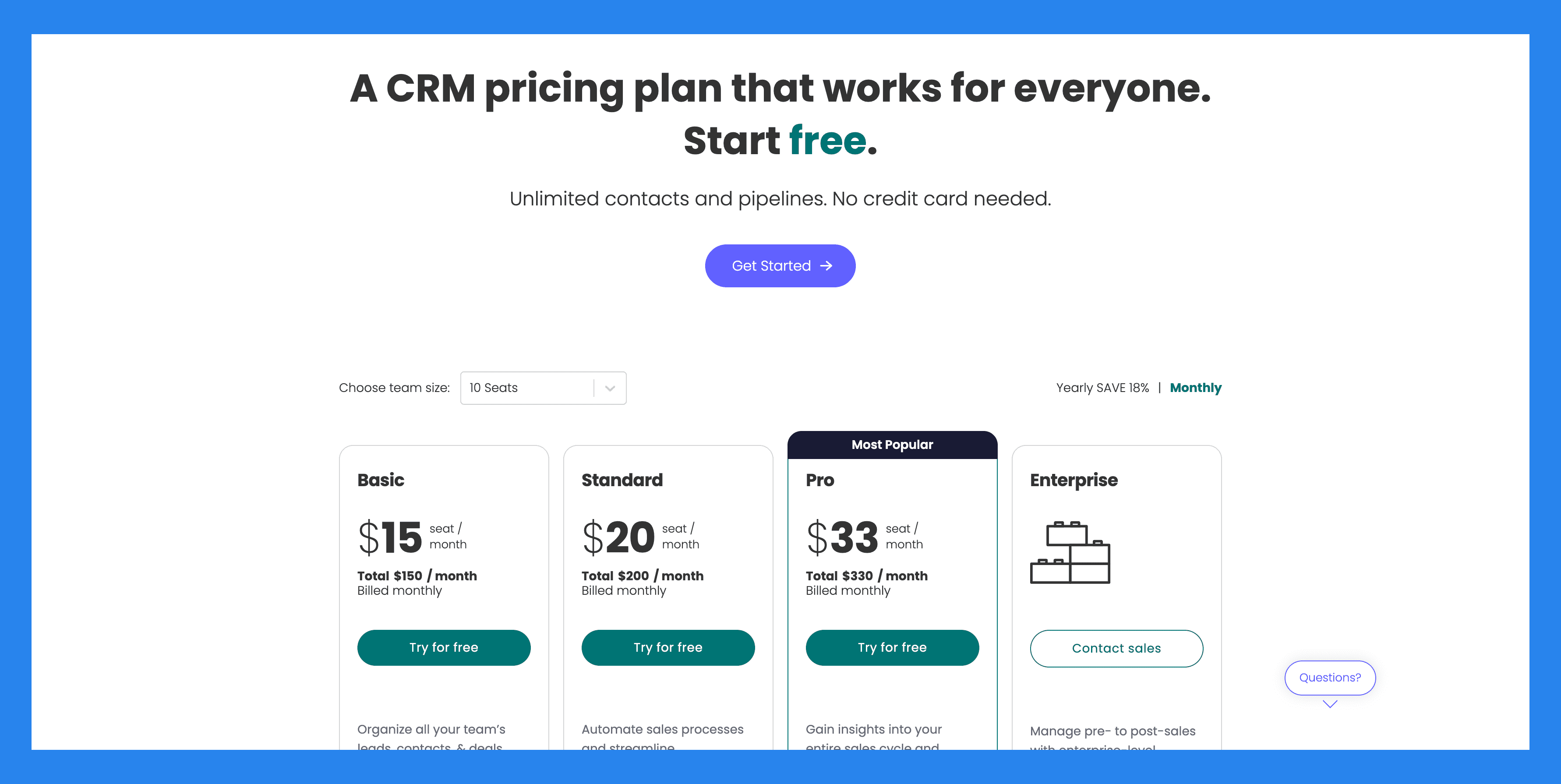
Basic ($15 seat/mo): Unlimited customizable pipelines, Unlimited contacts, Unlimited boards, Templates for lead, contact & deal management. Plus 3 more.
Standard ($20 seat/mo): everything in Basic, plus Advanced account, contact, & deal management, 2-way email integration with Gmail and Outlook, AI email generator, Activity management. Plus 5 more.
Pro ($33 seat/mo): Sales forecasting, Email templates, Email tracking & automations, Sequences. Plus 8 more.
Enterprise (Contact sales): everything in Pro, plus Lead scoring, Mandatory fields, Team goals, Advanced analytics (dashboards up to 50 boards). Plus 6 more.
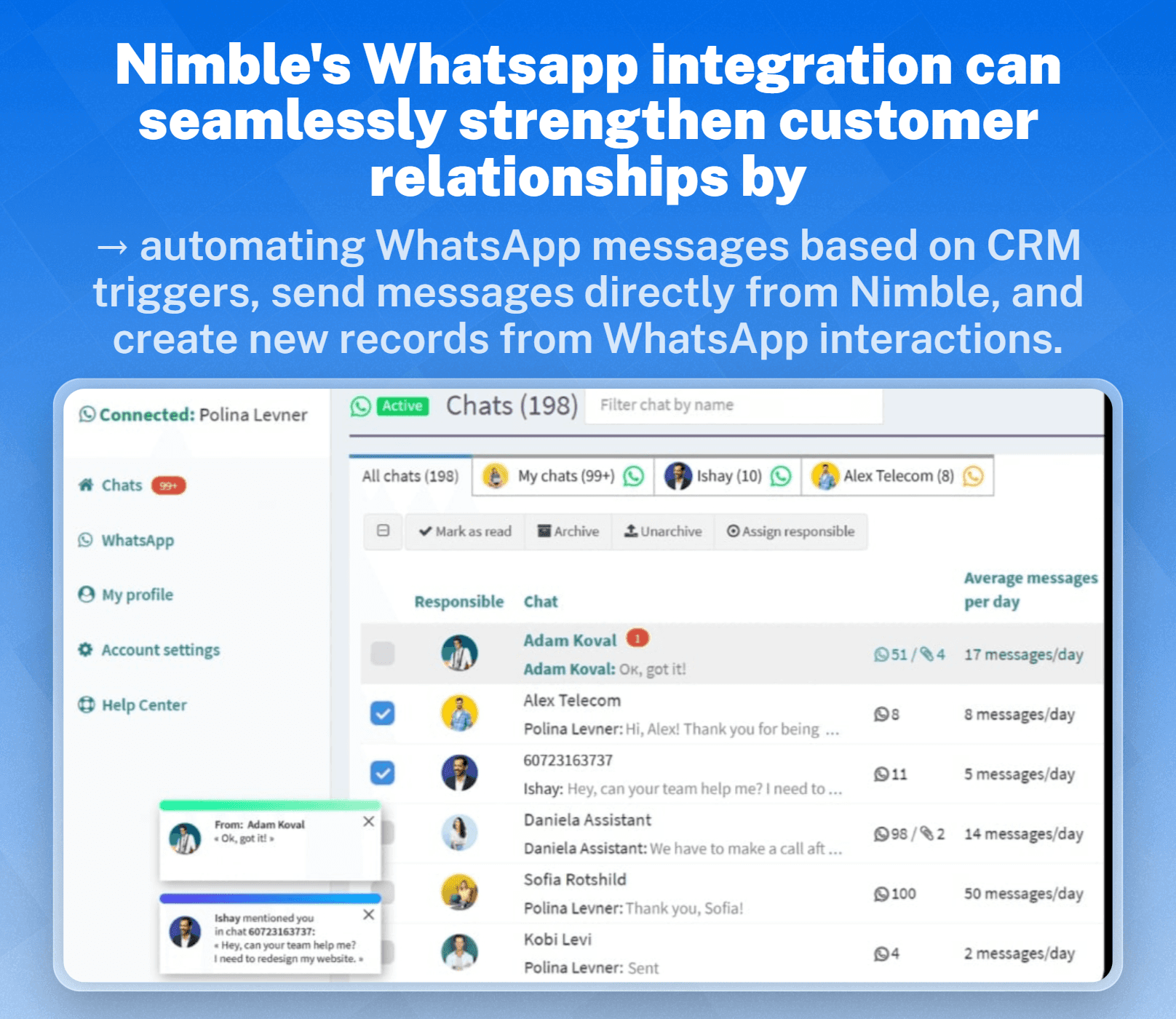
5) Nimble CRM
Summary + USP
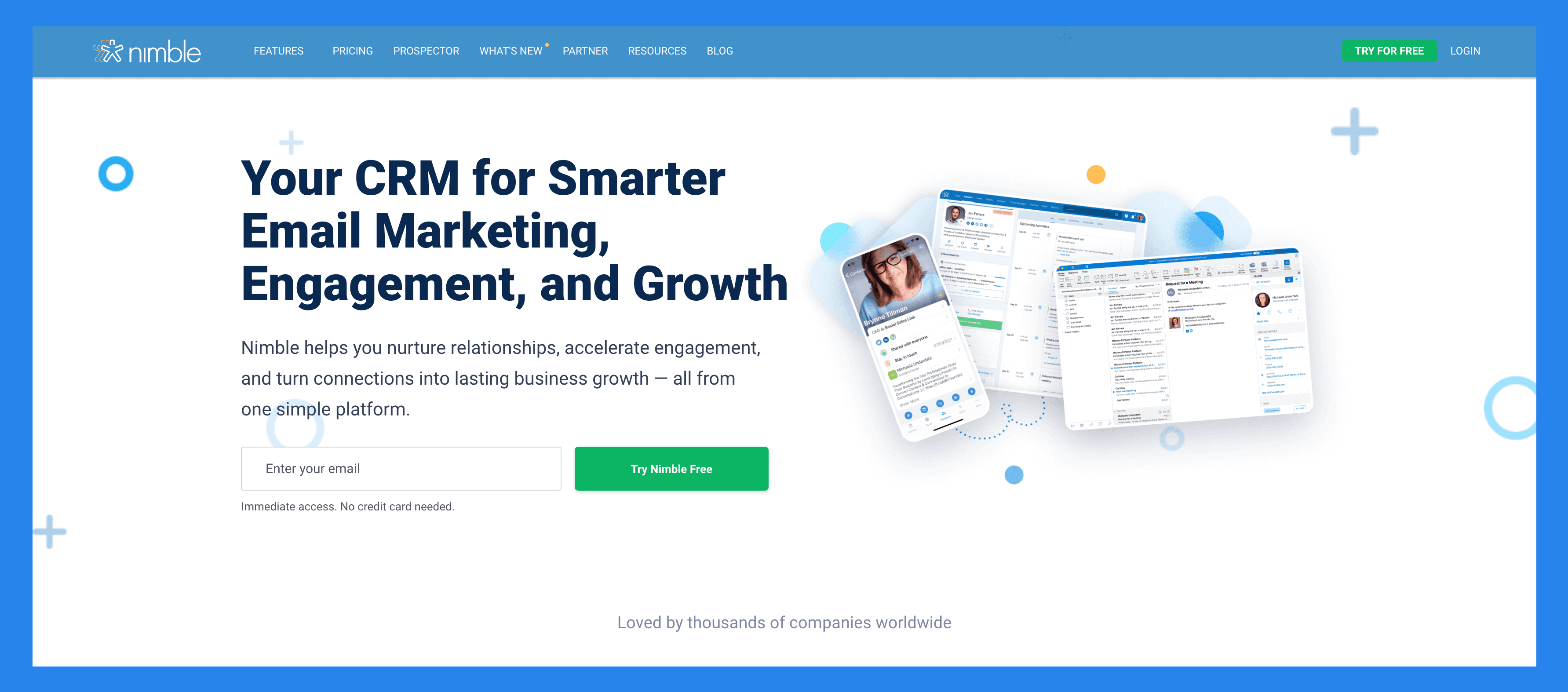
Nimble is a lightweight, social-focused CRM built for solopreneurs, startups, and small businesses that want to manage relationships without the usual CRM complexity.
Its standout feature is automatic contact enrichment. Nimble pulls in emails, social profiles, conversations, and even calendar events, creating a living, breathing address book that saves hours of manual data entry. Think of it as a smart contact manager blended with CRM essentials.
Key Features
Contact Unification – Consolidate emails, calls, notes, and social media profiles into one view.
Automatic Contact Enrichment – Keep profiles updated with real-time data from across the web.
Workflow Automation – Streamline repetitive tasks and follow-ups.
Sales & Marketing Tools – Manage pipelines, segment leads, and send group emails.
Social Media Integration – Engage with prospects directly on Twitter, LinkedIn, and beyond.
Calendar & Email Sync – Stay on top of meetings and communications without leaving Nimble.
Ratings: G2 - 4.5/5 (1,099) · Capterra - 4.4/5 (1883).
Pros
Easy to learn, use, and customize
Excellent search functionality and Group Message feature
Very helpful back-end support
Simple UI to create, track, and keep on top of opportunities
Cons
In-browser widget is often buggy
Syncing issues with multiple users
Lacks pricing plans and freemium version
Lack some advanced features found in larger CRM systems
Pricing Plans
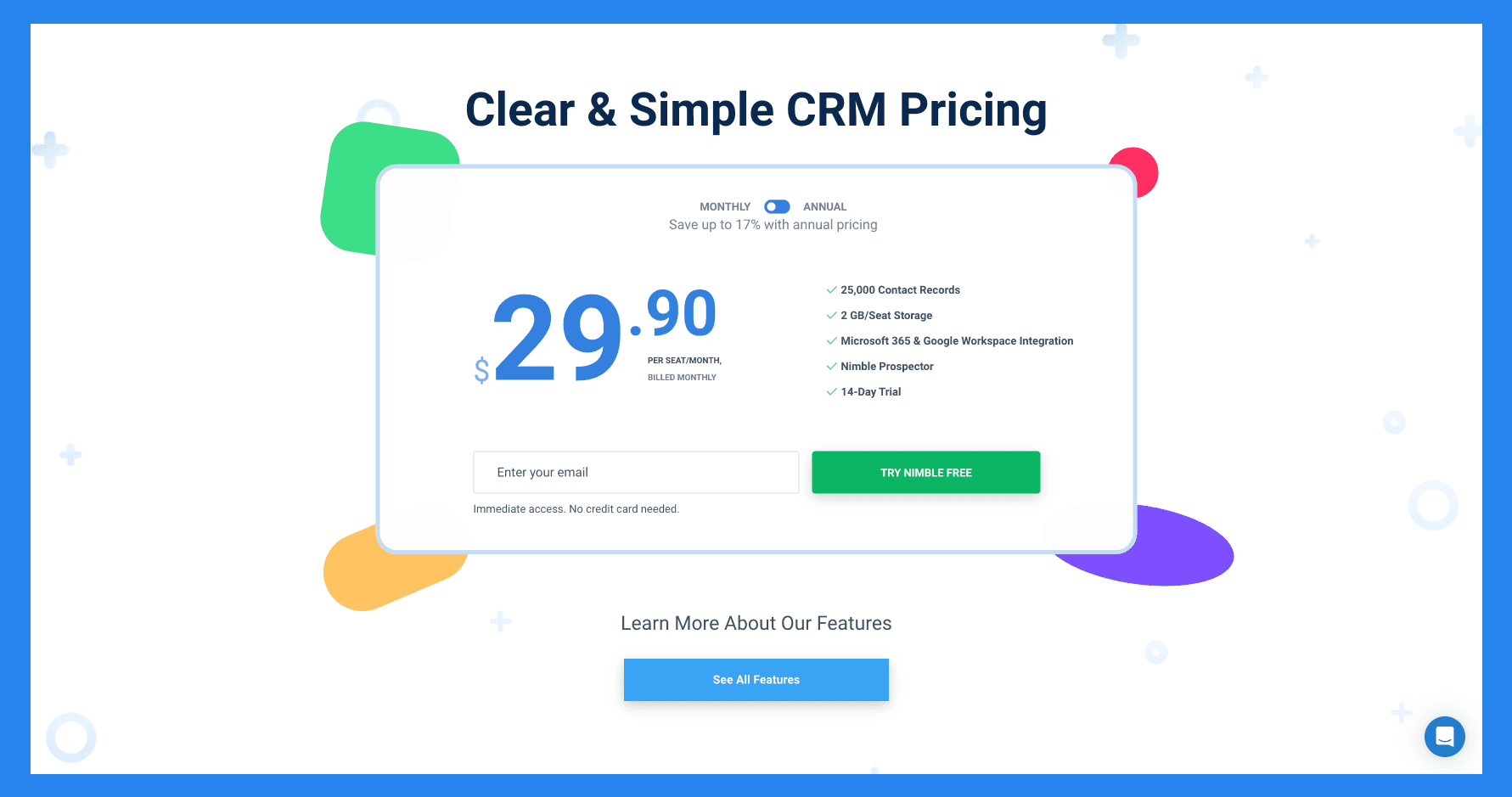
Features (Contact Management).
Nimble CRM plan ($29.90): same scope, higher limits.
Closing Thoughts + Takeaways 💭
Today, more than ever, it’s crucial to meet your leads where they are. **With most **prospects spending their time on social platforms, many sales reps are just one DM away from closing a deal. And as I’ve always said, and will keep saying: if you’re not engaging with them, you’re missing out. Big time.
WhatsApp CRMs offer a powerful way to connect with new leads, especially as many industries find that their ICP now prefers modern, instant messaging channels over traditional communication methods. And if you’re looking for an all-in-one AI-native CRM that unifies LinkedIn, email, WhatsApp and Telegram into one seamless workflow, with a full MCP server so your AI agents can act on every conversation. Give Breakcold a spin with our 14-day free trial.
Frequently asked questions

Written by
Arnaud Belinga · Co-Founder & CEO at Breakcold
Arnaud is the Co-Founder & CEO of Breakcold, the AI Native CRM for sales teams of 5 to 30+ people.