



Salesflare Review: Simplify Your Sales Workflow or Go AI-Native?
TL;DR: Salesflare is a lightweight, self-updating CRM for small teams 🏆
🏆 Salesflare: a "zero-input" CRM that auto-fills itself from your email, calendar, phone and email signatures, plus a strong LinkedIn/email sidebar and a polished iOS and Android mobile app, best for relationship-driven selling without the admin.
🟢 Best for: solopreneurs, B2B startups, SMBs, consultants and agencies selling through email, LinkedIn and personal outreach rather than high-volume funnels.
🔵 Pricing: starts at $39/user/mo (Growth), with Pro at $64 and Enterprise at $124 (5-seat minimum). Custom dashboards and multi-email workflows only unlock on higher tiers, so the bill scales as you add seats.
🟣 Watch out: it is not fully AI native, the native integration ecosystem is limited (you lean on Zapier), and it is too lightweight for enterprise reporting, territory management and complex workflows. OnePageCRM and noCRM.io are lighter, action-first alternatives.
✅ If you want deeper AI: Breakcold is the AI Native CRM for sales teams of 5 to 30+ people, with AI agents that move deals and log activity, native MCP for Claude and ChatGPT, and LinkedIn, email, WhatsApp and Telegram in one pipeline. At 5 seats Breakcold is $139/mo, where a traditional CRM runs $300 to $500/mo.
If you're on a small or medium-sized sales team, chances are you've heard of Salesflare. Not to be mistaken with Salesforce, it's one of those tools that often comes up when you're building (or rebuilding) your sales tech stack. But with so many CRM options on the market, it’s not always easy to know if Salesflare is the right fit for your team.
In this review, we’ll explore what makes Salesflare stand out, its key features, pricing, pros and cons, and how it compares to other top CRMs on the market.
📖 What (And Who) Is Salesflare?
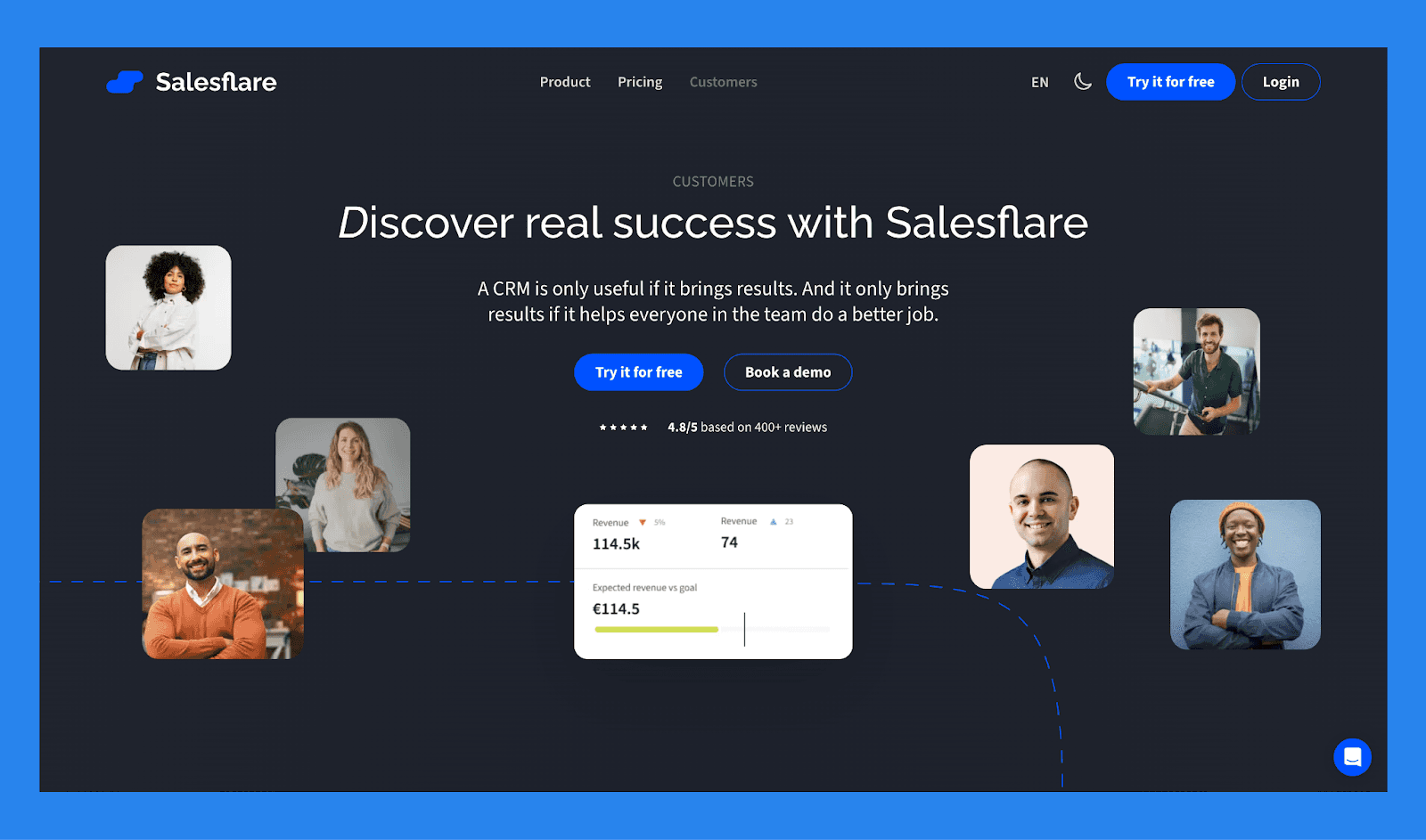
Founded in 2014 by Jeroen Corthout and Lieven Janssen, Salesflare was built to solve a problem most small sales teams face: CRMs that are too complicated and too time-consuming to keep updated. The founders designed Salesflare to be a “zero-input” CRM — one that fills itself with data from your emails, calendar, phone, and social connections.
At its core, Salesflare is built for businesses that rely on relationship-driven sales. It’s especially useful for teams that sell through email, LinkedIn, and personal outreach rather than high-volume lead funnels.
Where traditional CRMs like HubSpot or Salesforce demand extensive setup, manual data entry, and customization, Salesflare automates much of that. It acts as your sales assistant, capturing lead data automatically and reminding you when to follow up — making it ideal for small teams that need a system that “just works” out of the box.
Who Should Use Salesflare?
Salesflare is best suited for:
B2B startups and SMBs that want to manage relationships efficiently without a steep learning curve.
Solopreneurs and small sales teams who rely on email, LinkedIn, and personal outreach.
Consultants and agencies that need lightweight automation and clear pipeline visibility.
Salesflare may not be ideal for:
Large enterprise sales organizations with complex reporting, territory management, or multi-team hierarchies.
Marketing-heavy businesses that rely on deep campaign automation or need tight integration with advanced marketing tools.
If you’re a small business looking for a CRM that automates admin work, keeps your pipeline clean, and helps you close deals faster, Salesflare is worth a serious look.
⚙️ Key Features of Salesflare
What makes Salesflare stand out from other CRMs is how much of the manual work it takes off your plate. Below are some of the key features that make Salesflare a favorite among modern sales teams.
Sales CRM Software
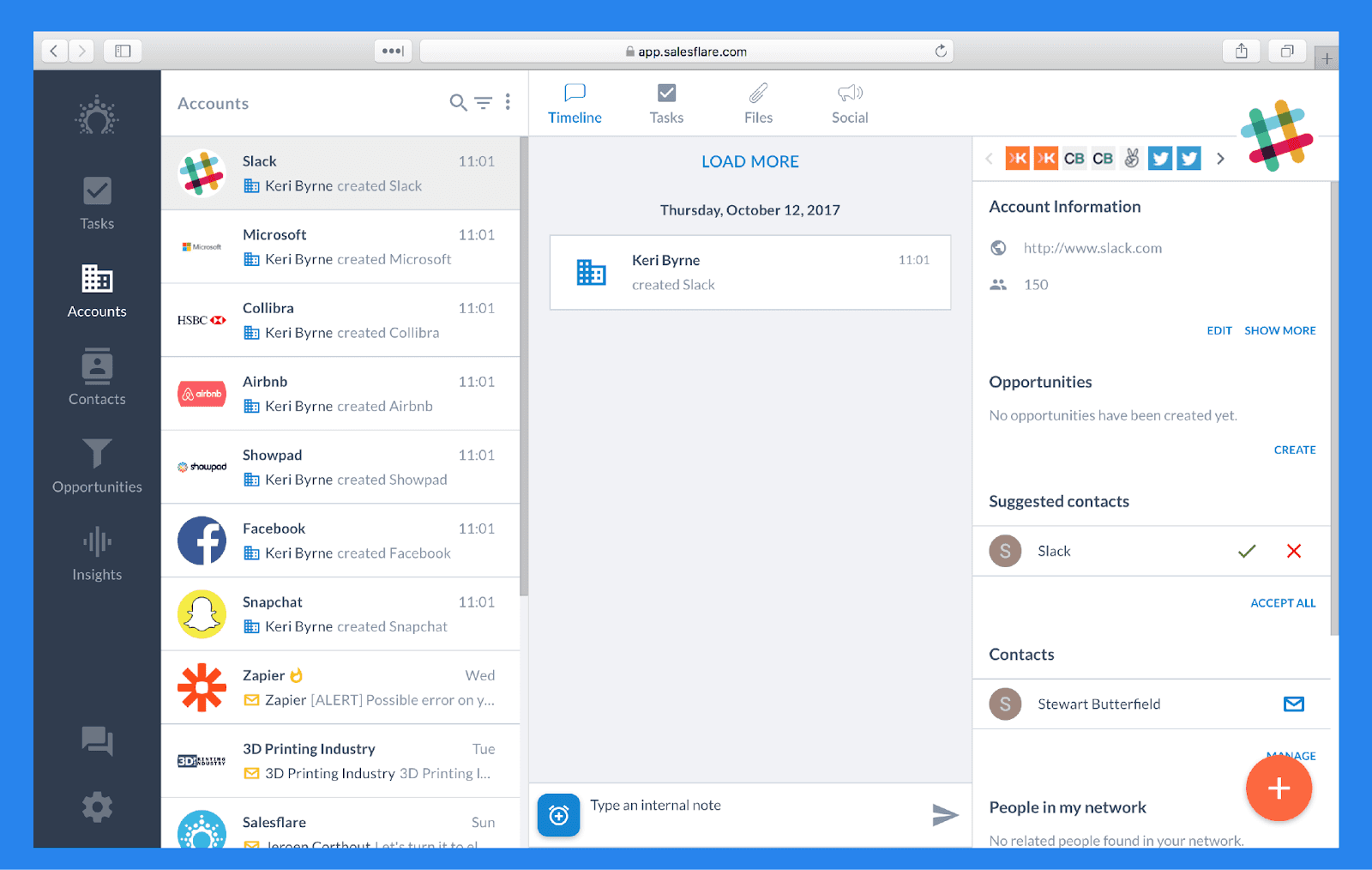
At its core, Salesflare is a sales CRM built to handle most of your customer relationship management needs — giving you an intelligent, organized view of every deal in progress.
Salesflare structures your data into three segments:
**Accounts: ** The companies or organizations you sell to.
Example: "OpenAI".
Contacts: The people who work within these Accounts.
Example: "Sam Altman".
Opportunities: The deals and projects associated with these Accounts.
Example: "AI integration project".
Sales Tracking & Team Collaboration
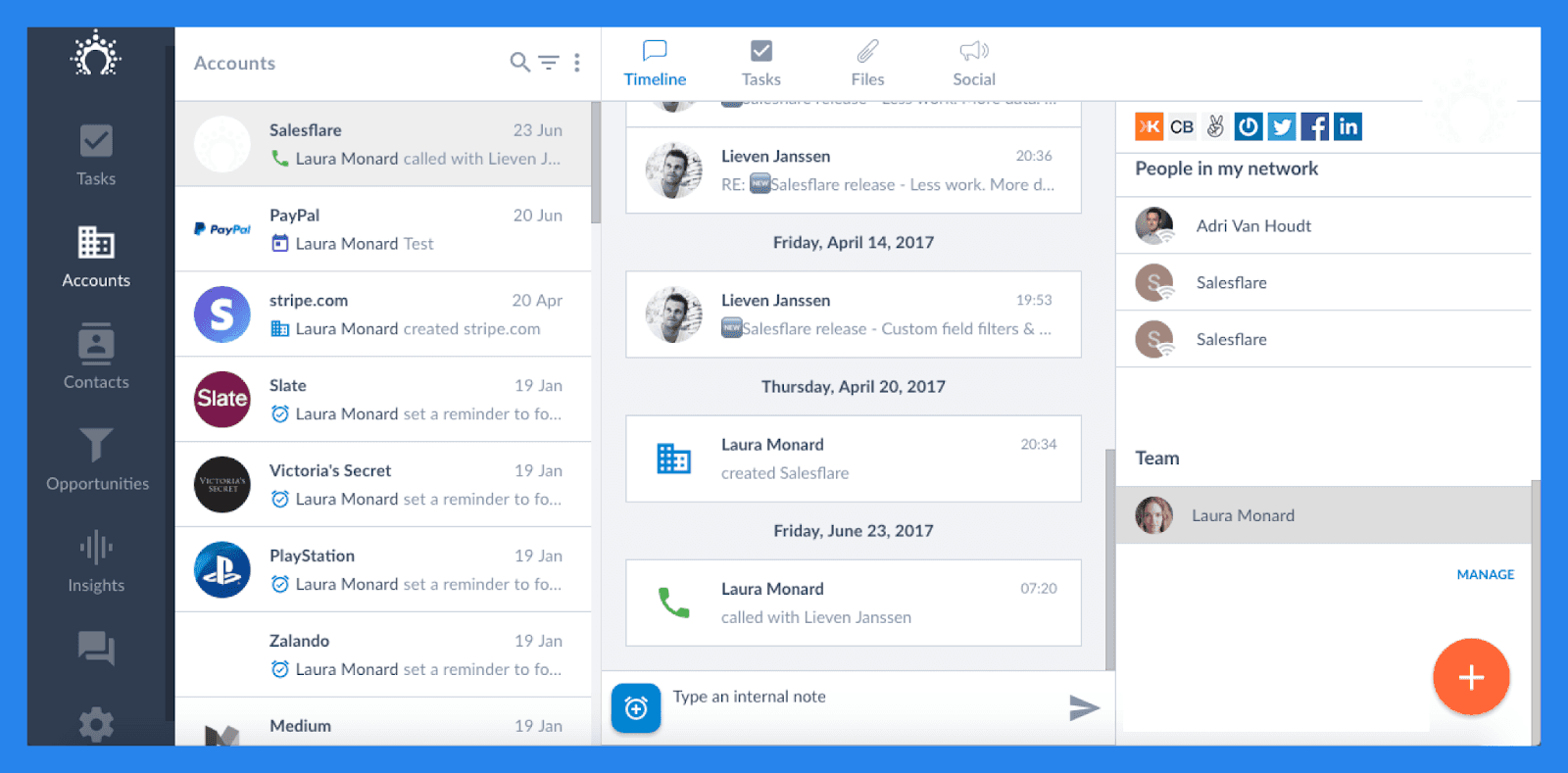
With Salesflare, you get a complete overview of all customer interactions in one place. Every email, call, meeting, and note is automatically logged and visible to your team — so anyone can instantly see who last contacted a lead, what was discussed, and through which channel. This transparency helps teams stay aligned and ensures no opportunities fall through the cracks.
Beyond simple tracking, Salesflare also keeps you proactive with real-time notifications and smart follow-up suggestions. You’ll get alerts when a lead opens an email, clicks a link, or when it’s time to follow up — all customizable to fit your workflow.
Here are some of the notifications you can enable in Salesflare:
New email: Get notified when you receive a new message in an account.
Email open / click-through: Know exactly when a lead opens or interacts with your email.
Meeting updates: Alerts for scheduled meetings, upcoming appointments, and pending meeting notes.
Phone calls: See when a teammate logs a call with a shared account.
Opportunity updates: Be notified when you’re assigned to an opportunity or when a deal moves stages.
Website visits: Get notified when a tracked lead visits your site.
Team activity: Choose between seeing all internal messages or only those that mention you directly.
Lead “hotness”: Alerts when an account becomes active, “hot,” or “on fire.”
Task management: Notifications for due tasks, assigned tasks, or inactivity-based follow-up suggestions.
Setup progress: Stay on top of your CRM onboarding steps with progress notifications.
Overall, Salesflare acts as a smart, centralized command center for your sales team — combining a dynamic address book with in-depth collaboration and tracking tools that make teamwork seamless and efficient.
Pipeline & Dashboards

Salesflare gives you plenty of flexibility when it comes to building and visualizing your sales process.
With pipelines, you can start from scratch and customize every stage to match your team’s workflow. Salesflare allows you to create unlimited pipelines and stages, so whether you’re managing multiple product lines or client segments, you can easily tailor each pipeline to fit your exact sales cycle.
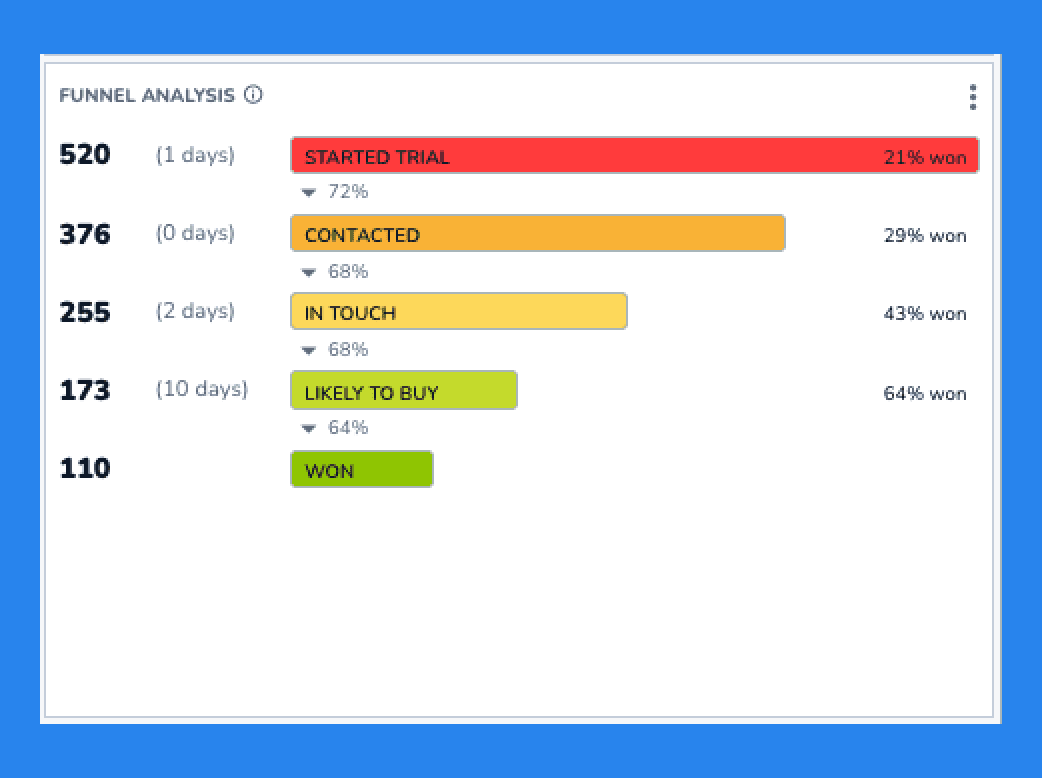
Beyond pipeline customization, Salesflare also provides Sales Funnel Analytics — a powerful reporting feature that helps you understand how deals are progressing through your funnel.
These analytics reveal:
How many closed opportunities successfully moved through all stages.
The average time opportunities spend in each stage.
Stage names and conversion rates, showing the percentage of deals advancing to the next phase.
The win rate of opportunities that reached specific stages.
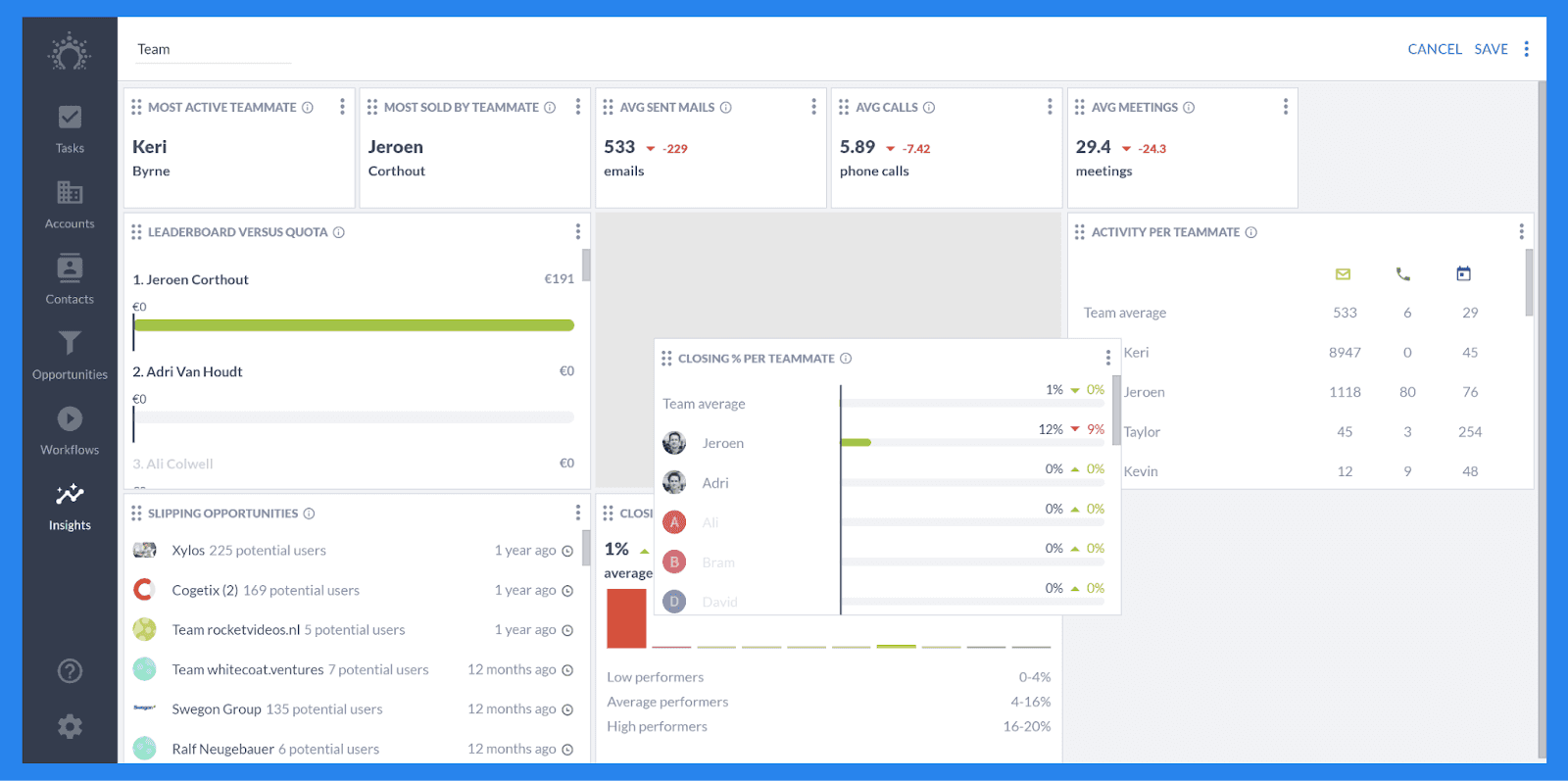
Although Salesflare does come pre-packaged with all the reports most companies want and need, you also have the freedom to build your very own from scratch. It is important to note that custom dashboards are only available to users on the Pro plan and beyond. While not offering the most in-depth analytics, it can help with focusing on the most promising deals or sales reps, among other use cases.
Email Workflows

Email Workflows are how Salesflare helps you automate your outreach at scale. Whether it’s a one-off follow-up or a multi-step drip campaign, this feature makes it easy to stay top of mind with your leads — without having to manually send every message.

Salesflare makes set up easy and gives you a complete roster of configuration options to fine-tune your sequences. Here’s a quick look at what you can customize:
One-time or recurring workflows: You can build single-email automations or full sequences, and even apply existing workflows automatically to new contacts that match your chosen filters.
Goals: Define what you want to achieve with each workflow — for example, getting a reply or clicking/opening your emails.
Exit Conditions: Make sure no contacts get stuck in limbo. Salesflare automatically removes contacts from a workflow when:
They reach the goal you’ve set
An email bounces
They unsubscribe
They haven’t progressed within a set number of days
Scheduling: Control exactly when your workflows start running to match your team’s timing and audience behavior.
Sales Intelligence Software
Data Enrichment
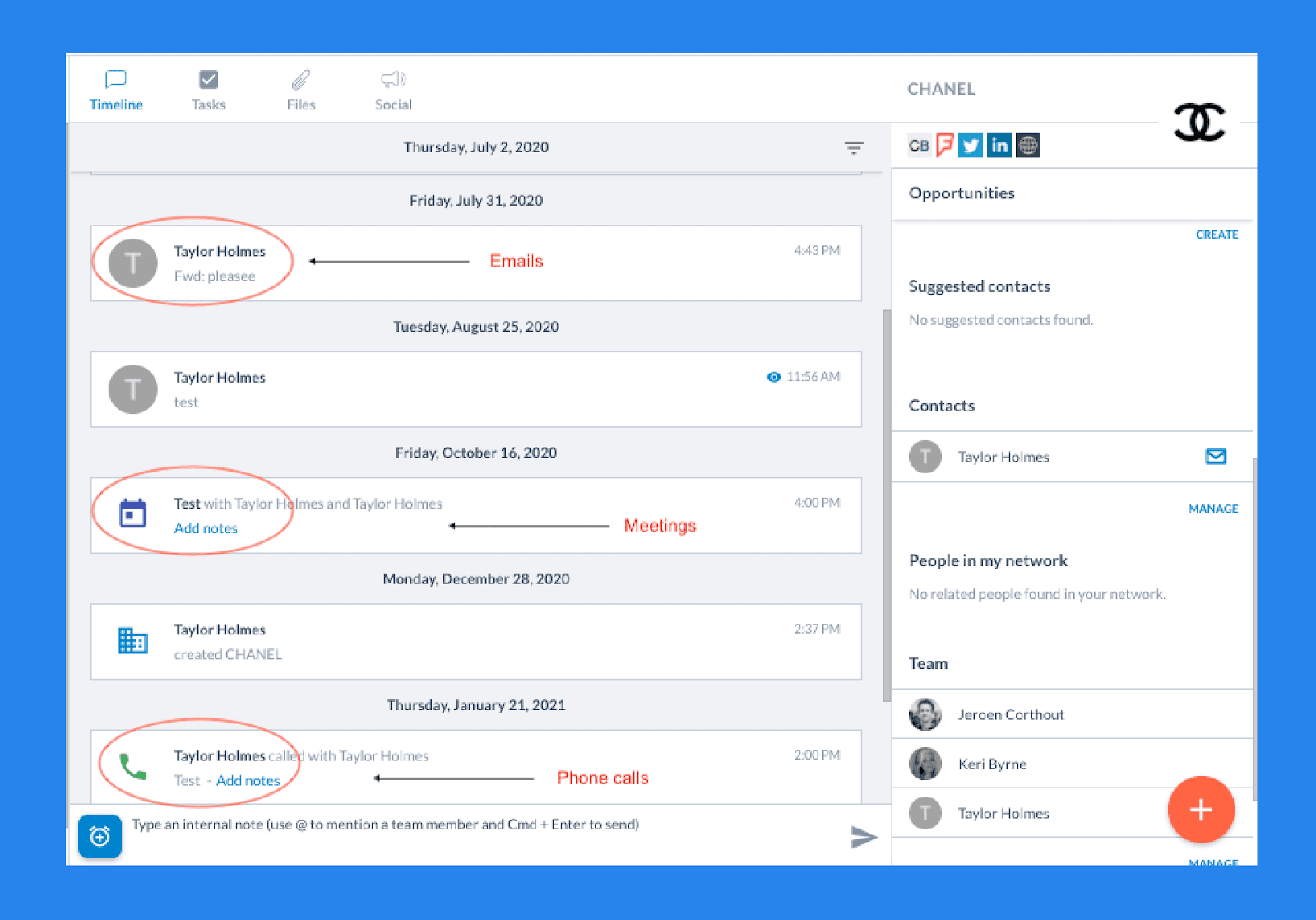
Right out of the gate, Salesflare makes data entry and contact enrichment effortless. The moment you sign up, Salesflare syncs with your email and calendar to automatically build your CRM. As you send emails or schedule meetings, new contacts are created in real time — no manual input required.
What kind of contact information does Salesflare collect?
Public information: From social media and other sources — including profile photos, job titles, company details, and recent updates.
Email signatures: Automatically extracts phone numbers, job titles, addresses, and other relevant details from your communication history.
All automatically generated contacts appear under “My Contacts” — a private list that gives you a full overview of everyone you’ve interacted with via email or meetings. It’s fully searchable and only visible to you.
Once you assign these contacts to specific companies or accounts, they’ll also show up under “Customers”, where your team can view and collaborate on shared data. This seamless automation ensures your CRM is always clean, complete, and up to date — without you ever having to lift a finger.
Did You Know? |
|---|
Breakcold also offers lead enrichment for essential contact information like phone numbers and email addresses. All powered by BetterContact, Breakcold uses waterfall enrichment to surface verified data that is both complete and actionable. |
Relationship Intelligence
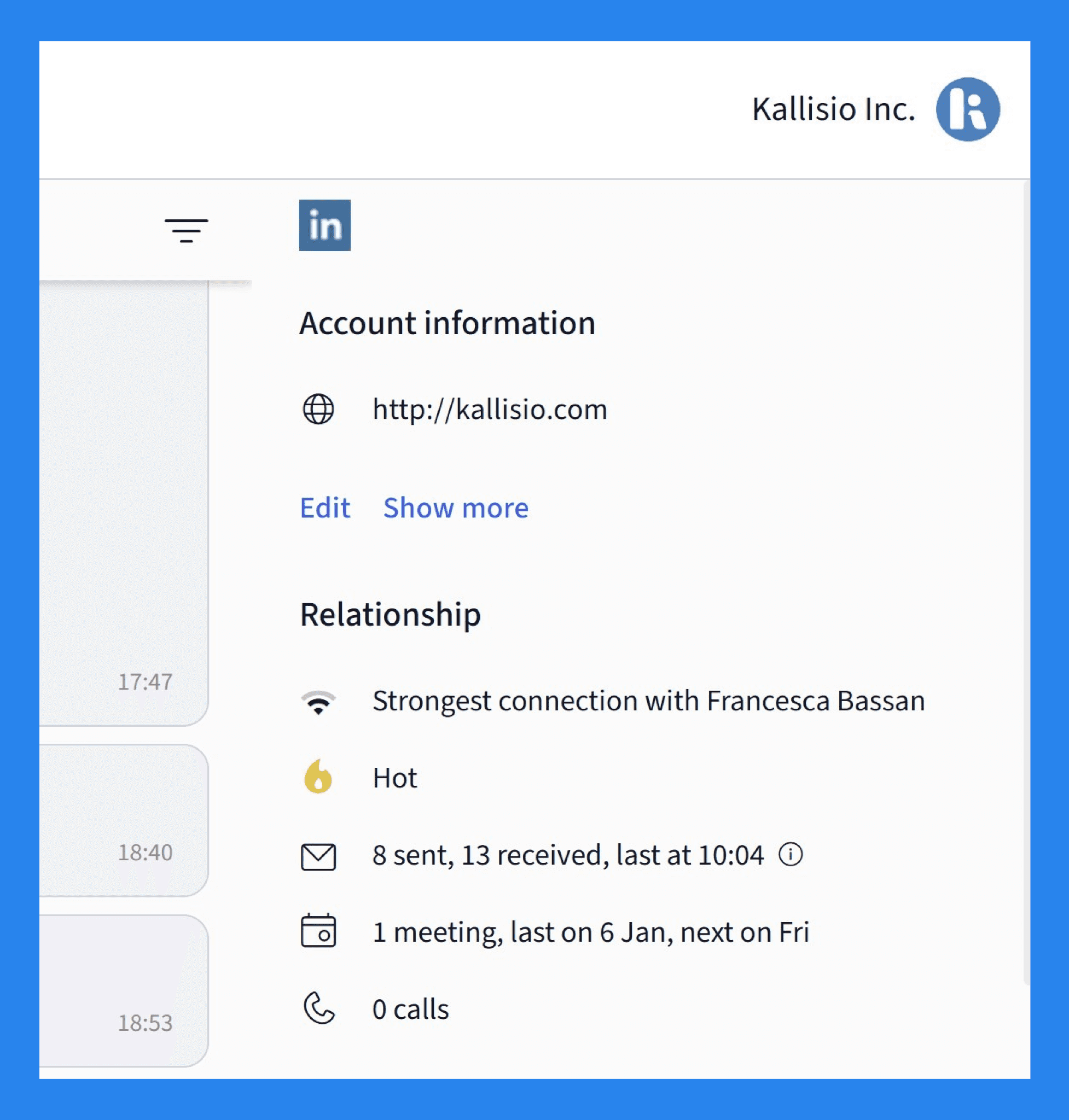
For every contact and account, you can see exactly how strong your team’s relationship is — and who’s driving it. These relationship metrics make it easy to identify which leads are engaged, which ones have gone quiet, and where follow-ups might be needed.
Within each profile, you can track details like:
Which team member has the strongest relationship with the contact/account.
How “hot” or engaged a lead currently is.
The total number of emails/calls sent and received, along with the most recent exchange.
The total number of meetings, including the last one held and the next one scheduled.
Did You Know? |
|---|
Depending on the AI Agent you choose within Breakcold, you’ll never have to do the detective work again. Breakcold Vision will surface the most important tasks while providing context and potential next steps. |
Salesflare AI
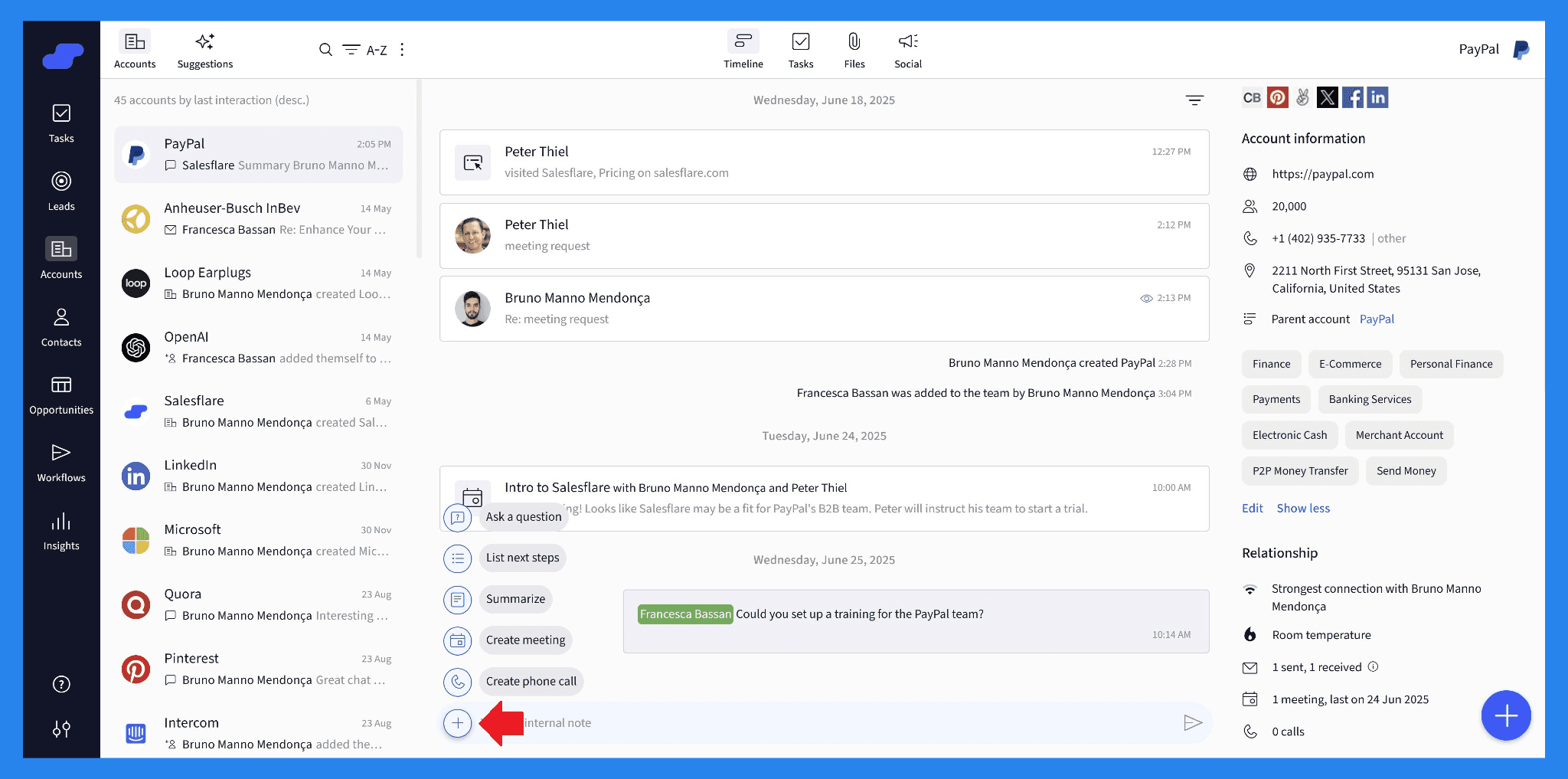
According to Co-founder Jeroen Corthout, Salesflare is an intelligent CRM built for B2B teams that injects intelligence whenever possible. When it comes to large language model (LLM) functionality — the kind of AI we’ve come to expect from tools like ChatGPT — Salesflare has built it right into your contact timelines. With a single click, you can:
Summarize conversations or activity history.
Define next steps for a deal or lead.
Make inquiries or draft quick questions about your pipeline
Create meetings,** **once scheduled.
Create phone calls when they happen.
Beyond these built-in features, Salesflare also gives you control over how your AI behaves. Under “Settings > Personalize AI”, you can input key information about your business — such as your industry, goals, and tone — so the AI better understands your context and can make more relevant recommendations.
Here’s an example of how Salesflare defines itself using this personalization feature:
Name: Salesflare
Summary: Salesflare is an intelligent sales CRM designed for small and medium-sized B2B sales teams. It automatically enriches and logs contact details, emails, meetings and social interactions from Gmail, Outlook, calendars, and company databases, then presents everything in visual pipelines and automated timelines - so you spend your time selling, not entering data. Beyond automatic data capture, it offers built-in email sequences, follow-up reminders, lead scoring, and integrations with 5,000+ apps, helping teams keep deals moving and collaborate seamlessly across web, mobile and inbox/Chrome plugins.
In short, AI in Salesflare is designed to act like a smart sales assistant that understands your business and helps you make decisions more efficiently.
Did You Know? |
|---|
During the onboarding process for Breakcold you can describe your business in your own words. From there, Breakcold Vision considers the unique nuances of your goals and needs, tailoring its recommendations and actions to help you achieve them. |
Mobile App & Integrations
Email & LinkedIn Integration
Salesflare knows that you won’t always be working directly in the CRM — which is why its mobile app and integrations are designed to bring the platform to wherever you work.
One of the most useful tools is the Salesflare sidebar, which acts like a mini-CRM extension for the platforms you already use. You can connect it to your email provider — Gmail or Outlook — to track emails, log activities, and access contact details without switching apps.
There’s also a LinkedIn sidebar, which lets you view and enrich contact information directly while browsing profiles. It’s a smart way to find new leads and capture important details seamlessly from the online business world, all without leaving your workflow.
If you’re often on the go or frequently meeting clients in the field, Salesflare offers a mobile app for both iOS and Android (phones and tablets). Even away from your desk, you can stay on top of your sales activities — receive real-time notifications, automatically log calls, and access nearly all of Salesflare’s functionality right from your mobile device.
Integration Marketplace
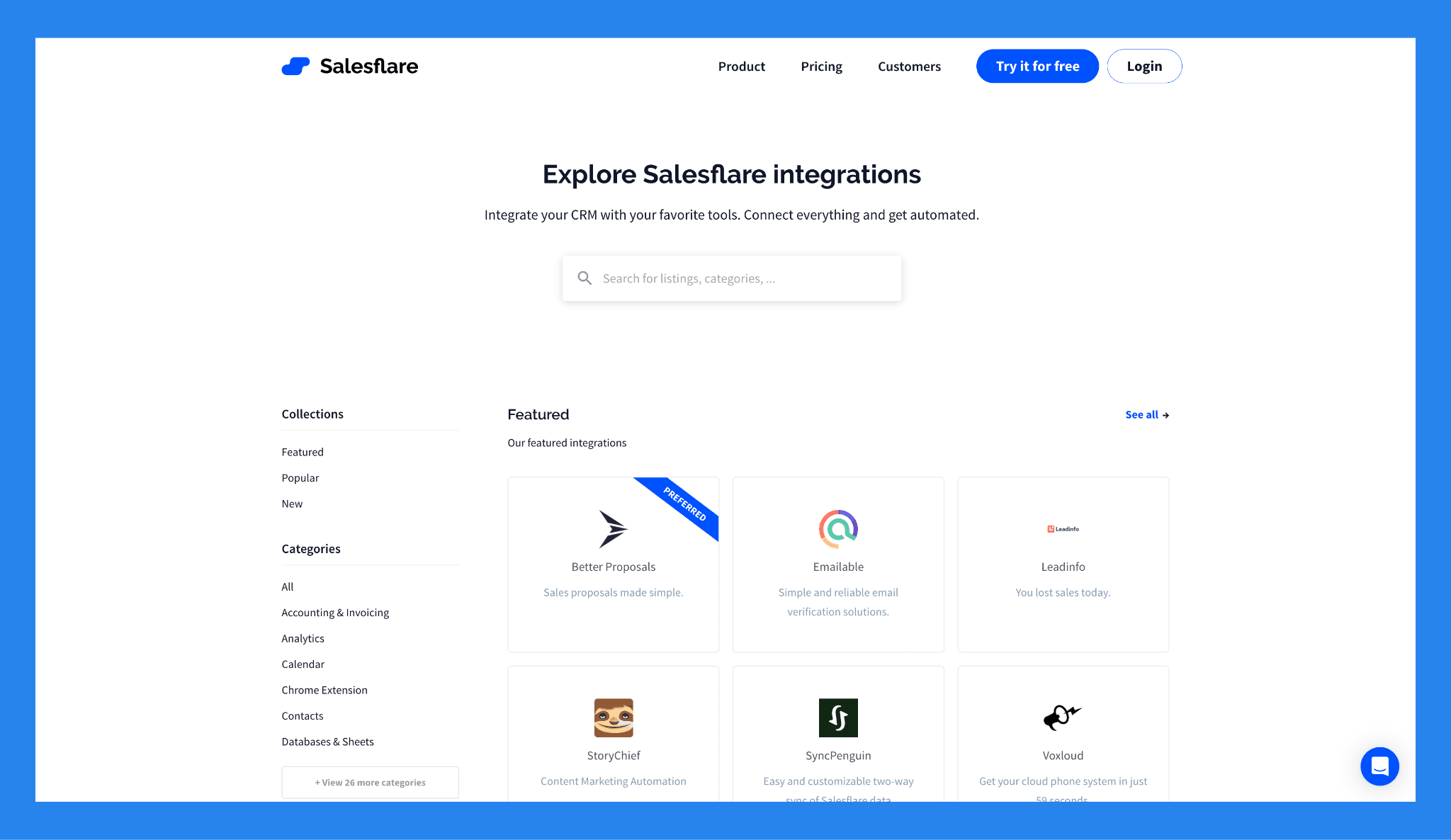
Salesflare comes with a set of built-in integrations to help you connect the dots in your sales tech stack. While the native offerings are somewhat limited, you can still extend the platform significantly. Thanks to third-party platforms like Zapier, Salesflare can connect with thousands of other business tools, making it easy to automate workflows, sync data, and keep all your sales tools working together.
💰 Salesflare Pricing + Pros & Cons ⭐
Pricing Plans
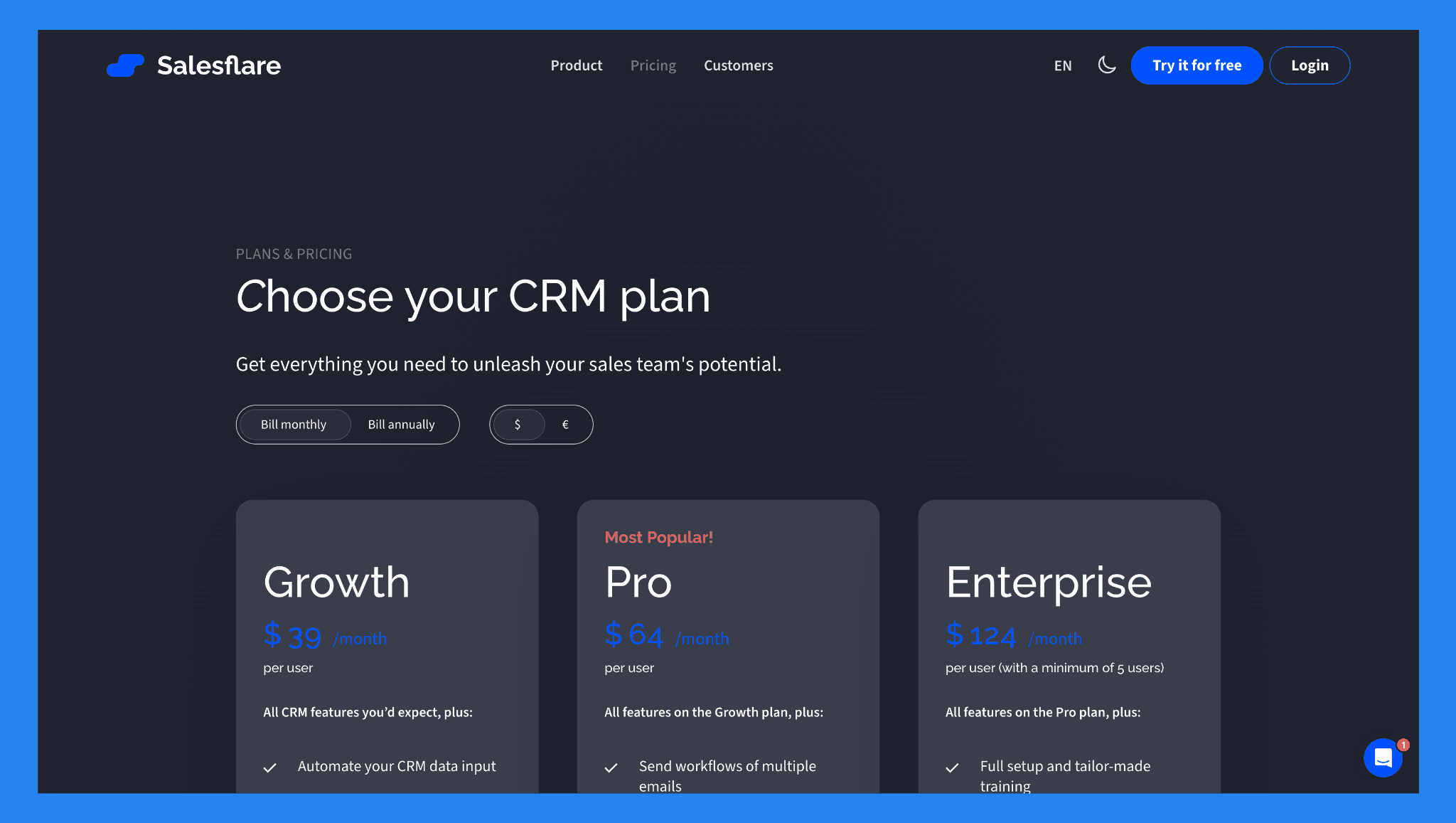
Now we know what Salesflare can do, it’s time to find out how much it’s gonna cost you.
Growth | Pro | Enterprise |
|---|---|---|
$39/user/mo | $64/user/mo | $124/user/mo (with a minimum of 5 users) |
All CRM features you’d expect, plus: Automate your CRM data input Track emails, links and website visits Get a LinkedIn sidebar, email sidebar & mobile app Send personalized email campaigns 5 lead credits | All features on the Growth plan, plus: Send workflows of multiple emails Set user permissions Create custom dashboards 100 lead credits | All features on the Pro plan, plus: Full setup and tailor-made training Data migration done for you Dedicated account manager 250 lead credits |
Pros and Cons of Salesflare
Ratings | |
|---|---|
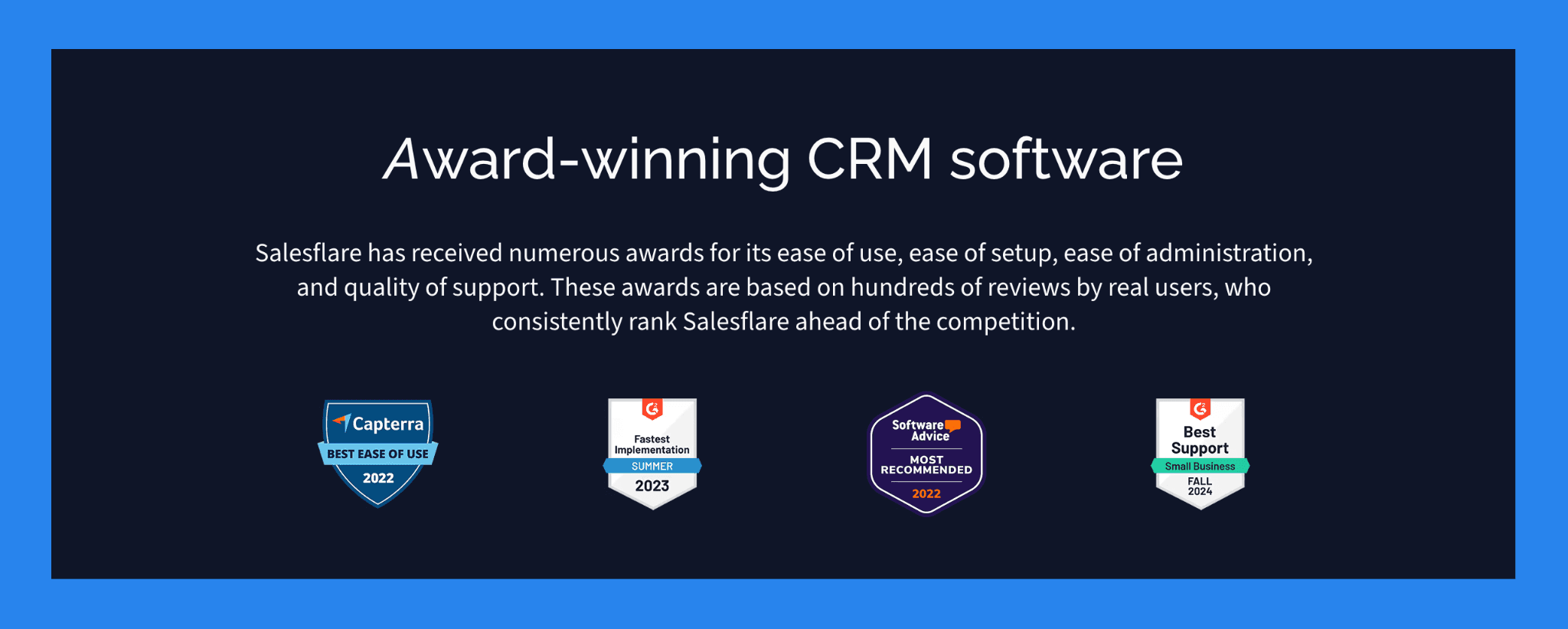
G2 - 4.8/5 (295 reviews) | Capterra - 4.7/5 (139 reviews) |
Pros | Cons |
Saleflare automation kills tedious admin work (like data-entry) to help focus on closing. Built specifically for small sales teams, making it simple and intuitive. Sidebar and mobile app make managing relationships easy, whether you’re in the field, on email, or browsing LinkedIn. | Knowledge base can feel disorganized and hard to navigate. Native integration ecosystem is limited; you may need third-party platforms like Zapier for additional connections. Not the best choice for enterprise-level teams that require extensive automation and a wide range of tools. |
🆚 Salesflare vs. Competitors
Here’s a comparison of Salesflare against three strong alternatives — giving you a quick overview of how each stacks up.
CRM | Key Strength | What Salesflare Does Better | What the Alternatives Do Better |
|---|---|---|---|
Breakcold | AI Native CRM for sales teams of 5 to 30 with multichannel LinkedIn, email, WhatsApp and Telegram sync | Breakcold lacks an intuitive mobile app to support sales teams on the go | Breakcold excels at eliminating tedious admin work at a lower price point |
OnePageCRM | Task- and action-oriented CRM designed to move deals with “next action” focus | Better automation, integrations, and AI-assisted data enrichment | Extremely simple, lightweight, and focused on sales tasks rather than CRM data depth |
noCRM.io | Minimalistic CRM built for teams that dislike traditional CRMs | More integrations, automation, and AI-powered lead enrichment | Lightweight, fast, and extremely easy to use; great for small teams and startups |
🥇 Breakcold – Best For Sales-Focused CRM With AI-Native Features
Summary
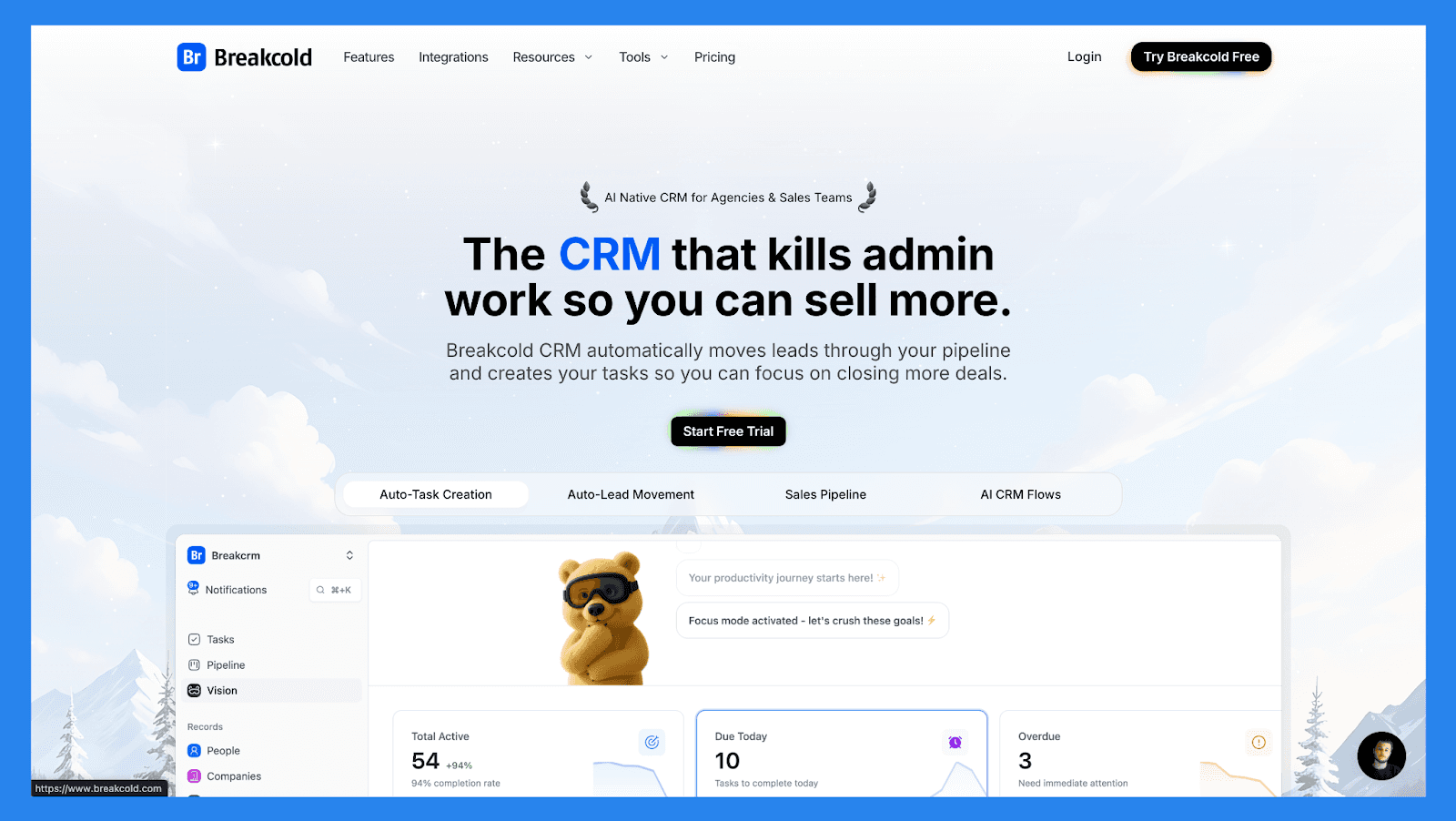
Breakcold takes a different approach from Salesflare: instead of leaning heavily on email automation, it is the AI Native CRM for sales teams of 5 to 30 people. Breakcold automatically enriches contacts, tracks LinkedIn activity, and recommends the next best actions, helping small teams move deals forward without manual research or admin tasks.
It’s ideal for salespeople who rely on social engagement just as much as email outreach.
Key Features | |
|---|---|
Auto Lead Movement – Leads move automatically in Breakcold’s CRM based on your interactions. No setup required — the AI understands and updates everything on its own. Auto Task Creation – Monitors your interactions with leads and automatically creates follow-up tasks so you never lose momentum. Focus on selling, not admin work. Vision Builder – By default, leads move automatically based on your list names and pipeline stages (zero setup). Want more control? Use natural language to build advanced AI CRM workflows. AI-Powered Dashboard – A self-updating dashboard that highlights your most important tasks so you always know what to focus on next. AI Contact Management – Automatically organizes leads into the right lists and groups by analyzing your conversations, notes, and activities. AI Personalities (AI Agents) – Choose an AI personality aligned with your sales style or business goals. Your dashboard then adapts and serves you daily tasks tailored to that persona. AI Reasoning – Every suggested task comes with clear context, so you’ll know exactly why it’s important and why it matters today. AI Message Suggestions – Get next-message recommendations that match your tone of voice and AI personality — for both email and social conversations. AI Rules – Add custom rules to each step of your workflow for deeper automation control and smarter processes. AI-Powered Contact Deduplication – Automatically identifies and merges duplicate contacts, saving hours of manual cleanup and keeping your CRM lean and accurate. Advanced Data Enrichment – Powered by BetterContact, Breakcold uses waterfall enrichment to surface verified B2B emails and phone numbers, improving outreach accuracy and deliverability. AI Notetaker – Integrates with Otter, Fireflies, TL;DV, and Fathom to auto-generate and log call summaries directly into the CRM — complete with transcripts, links, and follow-up tasks. Unified Inbox – Manage conversations from LinkedIn, Email, WhatsApp, and Telegram in one place, so you can respond faster and never miss a follow-up. Social Engagement Stream – Like, comment, and engage with your leads’ posts directly from the CRM to build relationships through consistent, meaningful interactions. 20+ Native Integrations – Connect Breakcold with Slack, Apollo, Smartlead, Instantly, Lemlist, and many other sales tools to streamline your workflow end-to-end. | |
Ratings | |
G2 - 4.7/5 (116) | Capterra - 4.8/5 (93) |
Pros | Cons |
Convenient and easy-to-use interface for LinkedIn power users Well-structured onboarding resources, including how-to videos, flowcharts, and best practices Responsive and reliable customer support Powerful social listening capabilities for lead insights and outreach personalization | Dependent on external services like Google and LinkedIn, which can cause bugs when those platforms update their policies Lacks native calling features and built-in AI functionality Still a developing platform with evolving features and occasional limitations |
Pricing Plans
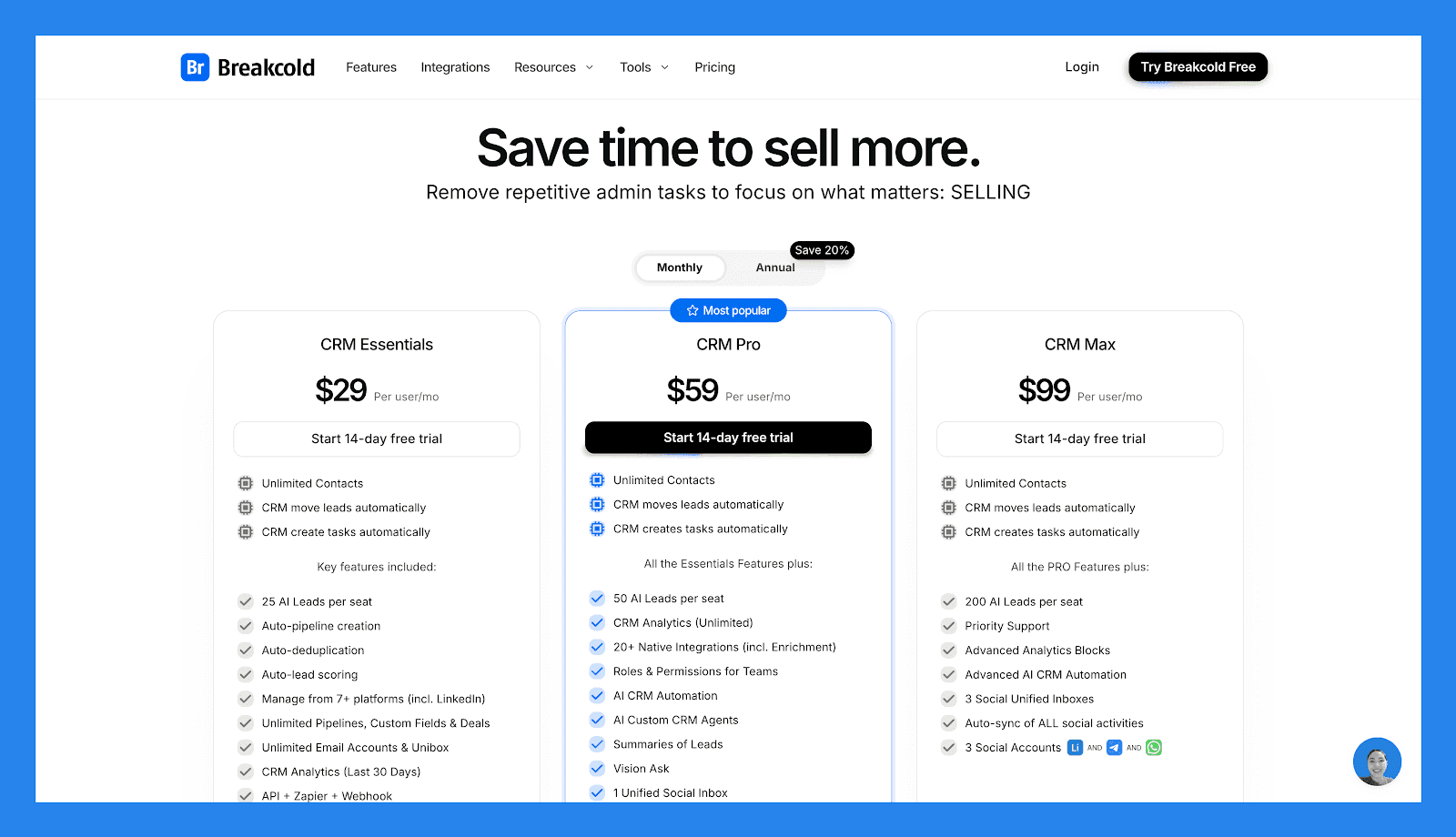
CRM Essentials | CRM Pro | CRM Max |
|---|---|---|
$99/user/mo | $99/user/mo | $99/user/mo |
Unlimited Contacts CRM move leads automatically CRM create tasks automatically Key features included: 25 AI Leads per seat Auto-pipeline creation Auto-deduplication Auto-lead scoring Manage from 7+ platforms (incl. LinkedIn) Unlimited Pipelines, Custom Fields & Deals Unlimited Email Accounts & Unibox CRM Analytics (Last 30 Days) API + Zapier + Webhook | Unlimited Contacts CRM move leads automatically CRM create tasks automatically All Essentials Features plus: 50 AI Leads per seat CRM Analytics (Unlimited) 20+ Native Integrations (incl. Enrichment) Roles & Permissions for Teams AI CRM Automation AI Custom CRM Agents Summaries of Leads Vision Ask 1 Unified Social Inbox Auto-sync social activities for 1 social 1 Social Account (LinkedIn, X, or Whatsapp) | Unlimited Contacts CRM move leads automatically CRM create tasks automatically All PRO features plus: 200 AI Leads per seat Priority Support Advanced Analytics Blocks Advanced AI CRM Automation 3 Social Unified Inboxes Auto-sync of ALL social activities 3 Social Accounts (LinkedIn, X, or Whatsapp) |
A team of 5 on Breakcold is $139/mo, where Attio, Pipedrive and HubSpot Sales Hub run about $500/mo for 5 seats with similar features.
🥈 OnePageCRM – Best for Action-Focused Sales Teams
Summary
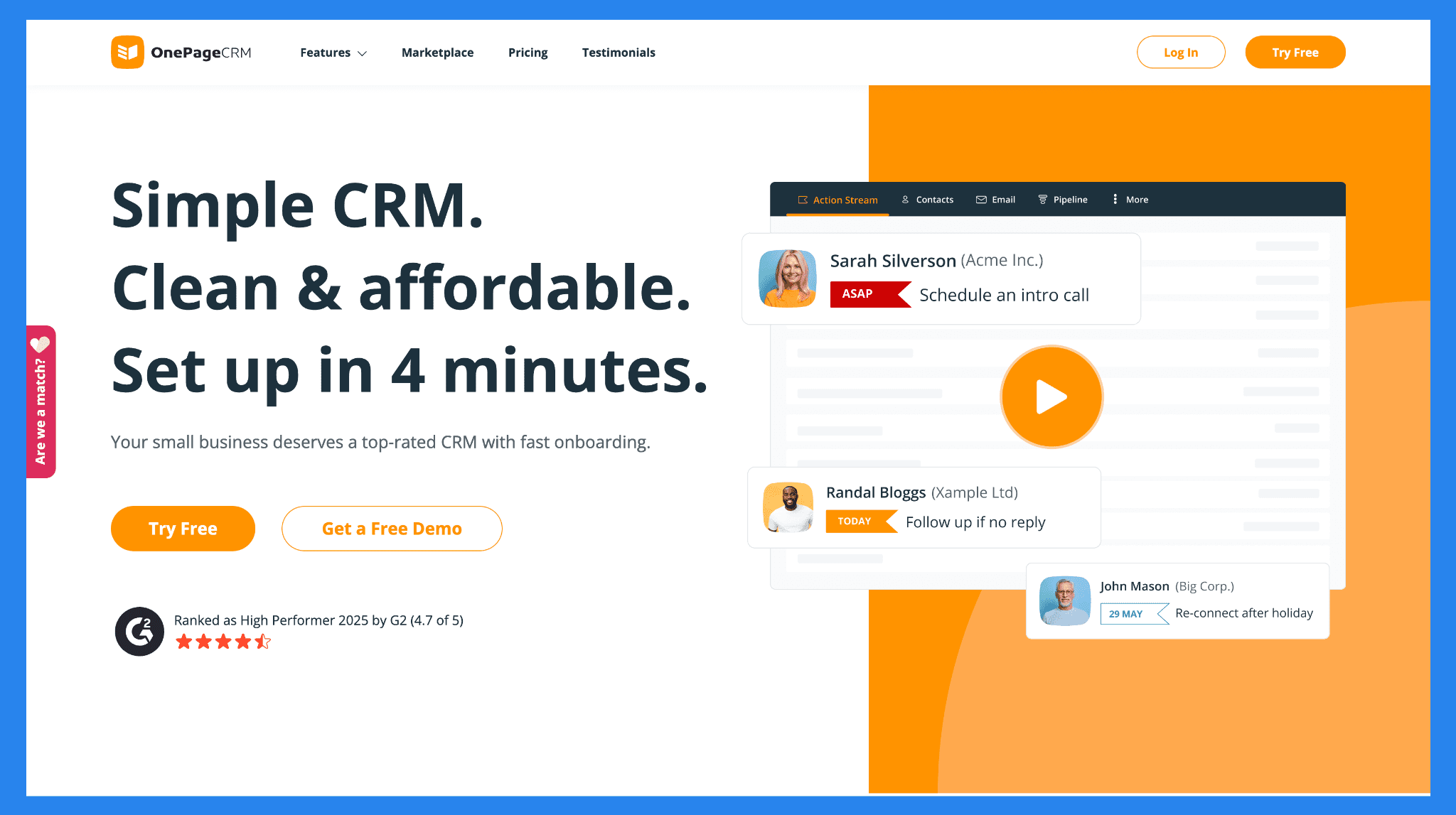
OnePageCRM is built for teams that want momentum, not complexity. Instead of layering on automation like Salesflare, it gives each lead a defined next action so nothing slips through the cracks. The interface is clean, intuitive, and built for productivity — making it perfect for small businesses and consultants who want a lightweight, structured system without the noise of a full-featured CRM.
Key Features | |
|---|---|
Action Stream – Keeps your pipeline moving by assigning a clear “next action” for every lead. Email Integration – Send, receive, and track emails directly from OnePageCRM. Pipeline Management – Simple visual pipeline that lets you track deals effortlessly. Mobile CRM App – Access tasks, notes, and contacts on the go. Contact Management – Centralized contact view with full history of calls, emails, and notes. Integrations – Works with Gmail, Outlook, Mailchimp, Xero, and Zapier for automation. | |
Ratings | |
G2 - 4.7/5 (231) | Capterra - 4.8/5 (71) |
Pros | Cons |
Simple, task-oriented interface that keeps sales teams organized Encourages consistent follow-ups and accountability Great mobile app and email integration Excellent customer support and onboarding experience | Lacks some advanced automation and reporting features Not ideal for large teams or enterprises with complex workflows Limited customization compared to more robust CRMs |
Pricing Plans
Business | Professional |
|---|---|
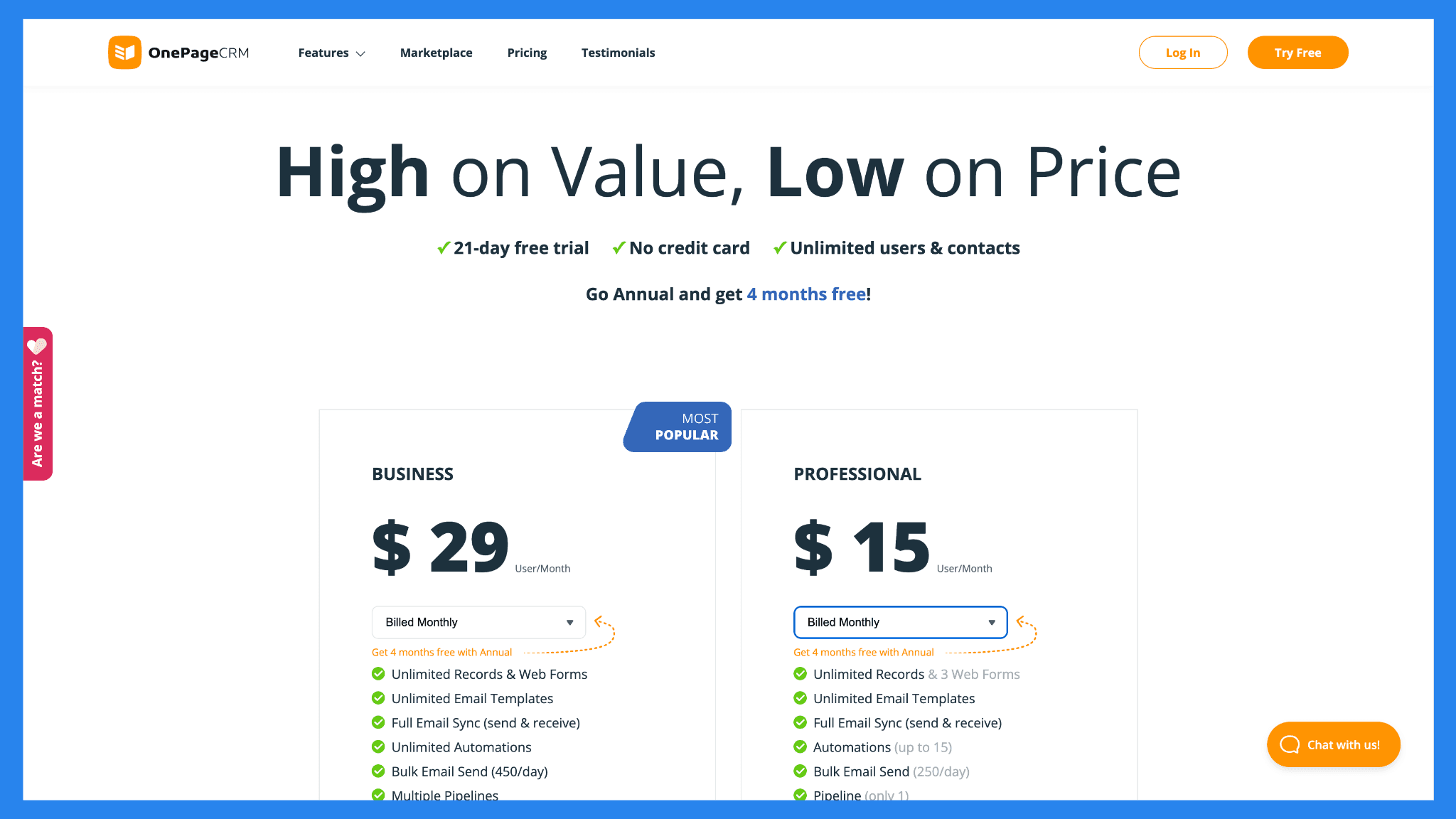
$29/user/mo | $15/user/mo |
Unlimited Records & Web Forms Unlimited Email Templates Full Email Sync (send & receive) Unlimited Automations Bulk Email Send (450/day) Multiple Pipelines Mobile Apps, incl. AI Route Planner AI Biz Card Scanner (500/month) Email Tracking & Notifications Email Scheduling Email History Fetching Light Project Management Advanced User Permissions | Unlimited Records & 3 Web Forms Unlimited Email Templates Full Email Sync (send & receive) Automations (up to 15) Bulk Email Send (250/day) Pipeline (only 1) Mobile Apps, incl. AI Route Planner AI Biz Card Scanner (100/month) |
🥉 NoCRM.io – Best for Sales Teams Who Hate Traditional CRMs
Summary
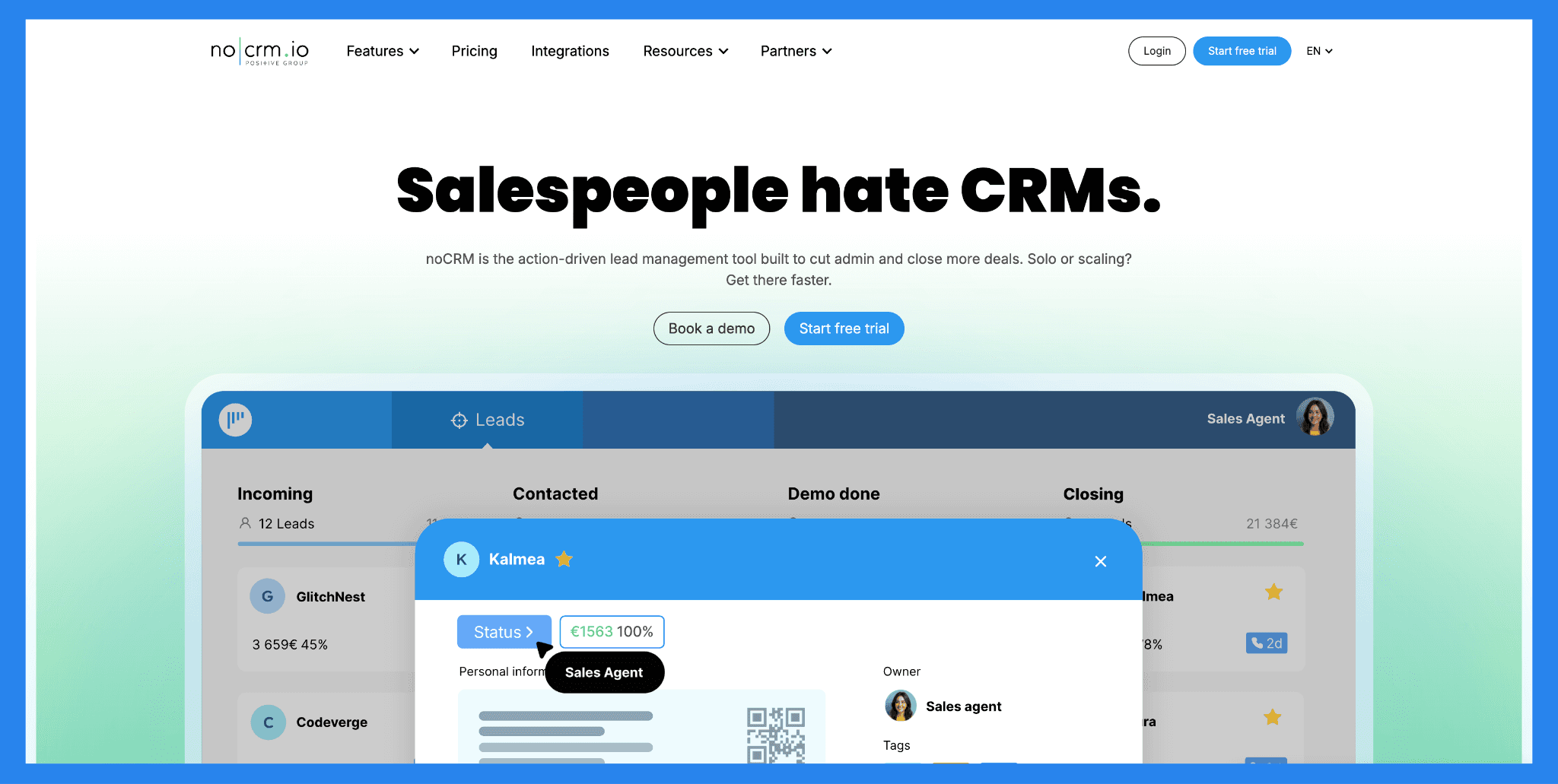
noCRM.io is built for teams that find traditional CRMs, especially data-heavy ones like Salesflare, too rigid or time-consuming. Instead of focusing on fields and forms, it centers everything around capturing leads quickly and moving them through a simple pipeline. The result is a lightweight, action-driven tool ideal for small to mid-sized teams who want speed and momentum over automation depth.
Key Features | |
|---|---|
Lead Capture Made Simple – Instantly create leads from emails, business cards, or websites. Pipeline View – Visual deal pipeline for easy tracking and prioritization. Actionable Sales Process – Every lead comes with a “next action” so nothing slips through the cracks. Email & Calendar Integration – Sync with Gmail, Outlook, and Google Calendar. Custom Sales Scripts – Guide reps through calls and demos with built-in templates. Collaboration Tools – Tag teammates, assign tasks, and share notes for smoother teamwork. Reporting & Analytics – Track team performance, conversion rates, and deal progress. | |
Ratings | |
G2 - 4.7/5 (103) | Capterra - 4.6/5 (481) |
Pros | Cons |
Extremely easy to use and quick to set up Focuses on sales actions, not data entry Great for small teams and startups with straightforward pipelines Affordable pricing with solid customization options | Lacks deep automation and marketing integrations Not ideal for enterprise-level teams Reporting could be more advanced for data-heavy users |
Pricing Plans
Sales Essentials | Dream Team | CRM Max |
|---|---|---|
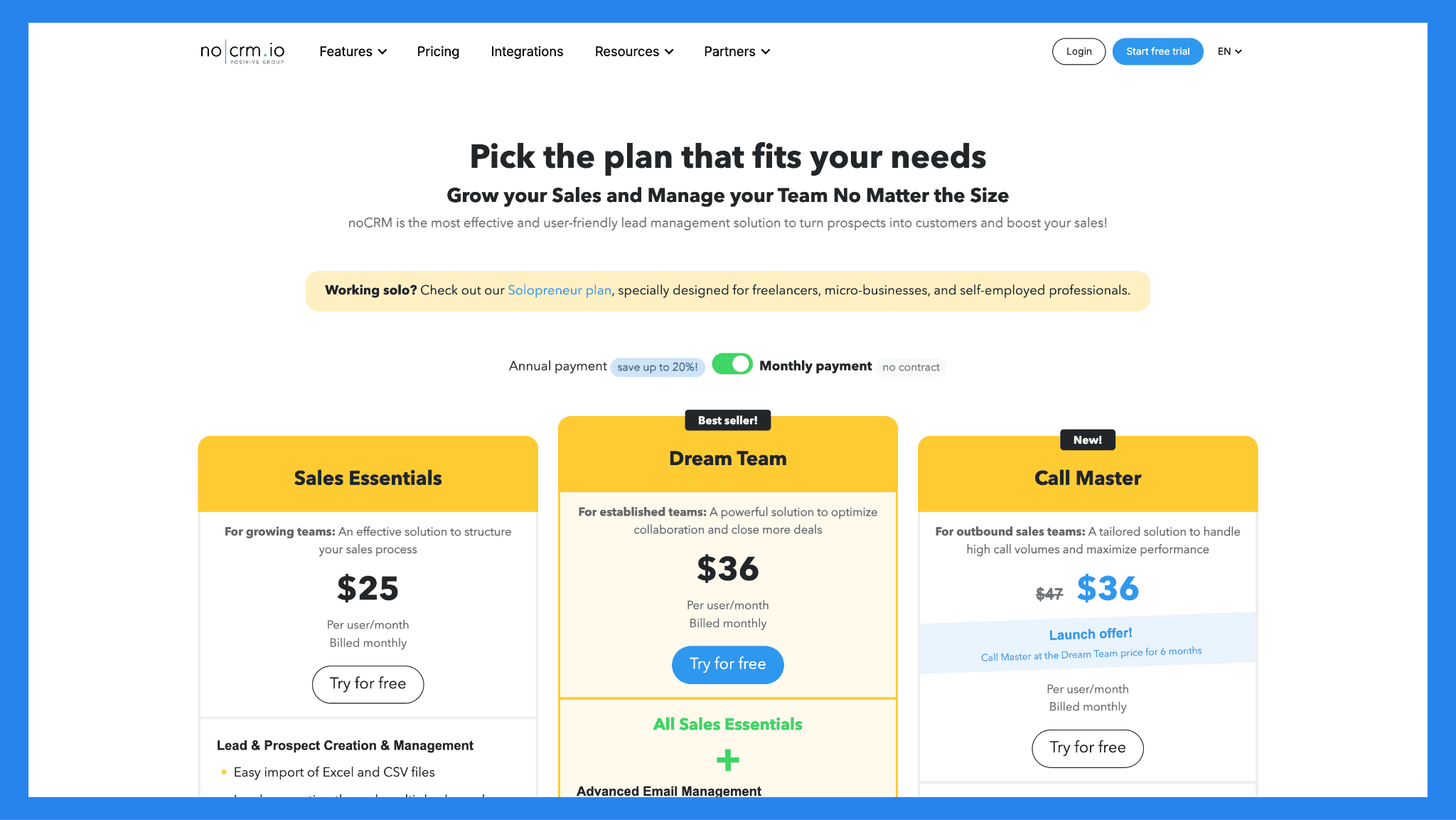
$25/user/mo | $36/user/mo | $47/user/mo |
Lead & Prospect Creation & Management Easy import of Excel and CSV files Lead generation through multiple channels: email, business card scanning, or connected forms Smart classification and prioritization Duplicate detection Optimization of outbound prospecting actions: personalized call scripts, cold lead management Sales & post-Sales Process Management Visual and customizable pipeline Reminders and notifications Automatic calendar synchronization Fast sending of predefined messages (WhatsApp, SMS, etc.) Automated actions for each lead Post-sales tasks management Quote & Invoice Management Quote, deposit, invoice, credit notes creation Advanced customization & templates library Sales Performance Tracking Detailed performance reports Sales activities and lead performance tracking, sales forecasting Statistical reports Integrations 3,000+ automations via Zapier API access (max 2,000 requests/day) Webhooks and email notifications Services Mobile App Fast support via chat and email Online documentation and FAQ | All Sales Essentials + Advanced Email Management Email sync : send, receive, and schedule emails directly from noCRM Customizable email templates and signatures Performance tracking (opening, click, and response rates) VoIP Integrations CloudTalk, JustCall, Aircall, etc. : integration with the best VoIP solutions on the market to make calls directly from noCRM One-click and Power dialing SMS integration Call tracking and recordings Automatic synchronization AI summary transcripts WhatsApp Integration One-click lead creation Customizable message templates Conversation sync Team Management, Advanced Privacy & Security settings Role and permission management User-specific time zone settings Lead assignment Sales team goal tracking Team performance reports Export and deletion restrictions, user session management, sensitive action log Advanced Integrations Full access to native integrations API access with custom quotas API technical support Services Priority support via phone, chat and email Personalized onboarding (min 5 users) Custom onboarding and setup options through certified partners | All Dream Team + Call Campaign Creation & Management Multiple files import Advanced settings: lead source, operating conditions, automation triggers based on call outcomes Ongoing, stopped or completed campaigns visualization Detailed tracking of call results and outcomes Statistical analysis of campaigns and agent activity Call Agent Management Call results and outcomes detailed tracking Campaign Agent Assignment Access and permission management Attendance tracking and automatic logout Advanced Lead Management Lead transfer between noCRM accounts Shared inbox Lead–Prospect field sync |
💭 Final Verdict: Is Salesflare Worth it?
Well… it depends on who’s asking.
If you’re part of a small, agile sales team that values automation, ease of use, and smart integrations — Salesflare is absolutely worth a look. It removes much of the manual data entry pain and helps you stay organized with minimal effort. But if you’re an enterprise team with complex reporting needs, multi-layered workflows, or heavy customization requirements — Salesflare might feel too lightweight.
And if you’re looking for a modern, AI-driven CRM built to scale, Breakcold, the AI Native CRM for sales teams of 5 to 30 people, pulls ahead with deeper multichannel LinkedIn, WhatsApp and email selling and hands-free automation that keeps your pipeline moving effortlessly.
Still on the fence? Breakcold offers a 2-week free trial, so you can experience the future of sales firsthand.
Frequently asked questions

Written by
Arnaud Belinga · Co-Founder & CEO at Breakcold
Arnaud is the Co-Founder & CEO of Breakcold, the AI Native CRM for sales teams of 5 to 30+ people.