Updated May 2026. The original version of this post focused on LinkedIn and Twitter. Both the channels and the tooling have moved on: Twitter became X, sales conversations now happen on Telegram and WhatsApp too, and AI-native CRMs let Claude and ChatGPT read your inbox directly. I've updated this article to reflect how sales lead tracking actually works in 2026.
What is Sales Lead Tracking?
Sales Lead Tracking is the fact to track leads in a system to increase more sales.
The goal of sales lead tracking is to know what actions to perform depending on where prospects are in their customer journey. These actions can go from nurturing the leads or sending a follow-up email for example.
Finally, sales lead tracking also refers to the tracking of prospect's activities on social media such as LinkedIn, X (formerly Twitter), Telegram and WhatsApp. The goal is to monitor what they are posting online so the sales or marketing team can engage them.
Ultimately, sales lead tracking allows you to build strong B2B relationships with prospects which is key to close deals.
To track prospect, you need a robust system to keep fresh data about their activity on any B2B channel
Why Sales Lead Tracking matters?
Sales Lead Tracking matters if you want to always reach your sales quota in Q1, Q2, Q3 and Q4.
If you don't track leads, you'll end up focusing on constantly generating new leads and trying to close quickly the most responsive ones. The problem with this approach is that sales cycles can be long and that certain leads won't close immediately.
Basically, if you're not doing sales lead tracking, you're loosing money on the table over time. Doing sales lead tracking will allow you to:
nurture your leads
follow-up them easily
accelerate your sales pipeline
bonding with them on social media
If you care about your sales quota, start tracking prospects now with Breakcold
What types of leads should you track?
In most scenarios, it's not recommended to track cold leads, meaning prospects that are not interested in your product or service. You should start to track leads only when they become warm prospects.
If you're doing outbound sales for example, it won't make sense to track thousands of cold prospects that haven't shown an interest yet in your solution.
Warm prospects can be:
inbound leads in general
sign-ups on your landing page
people actively asking to see demo of your solution
people that manifested interest in your live chat support
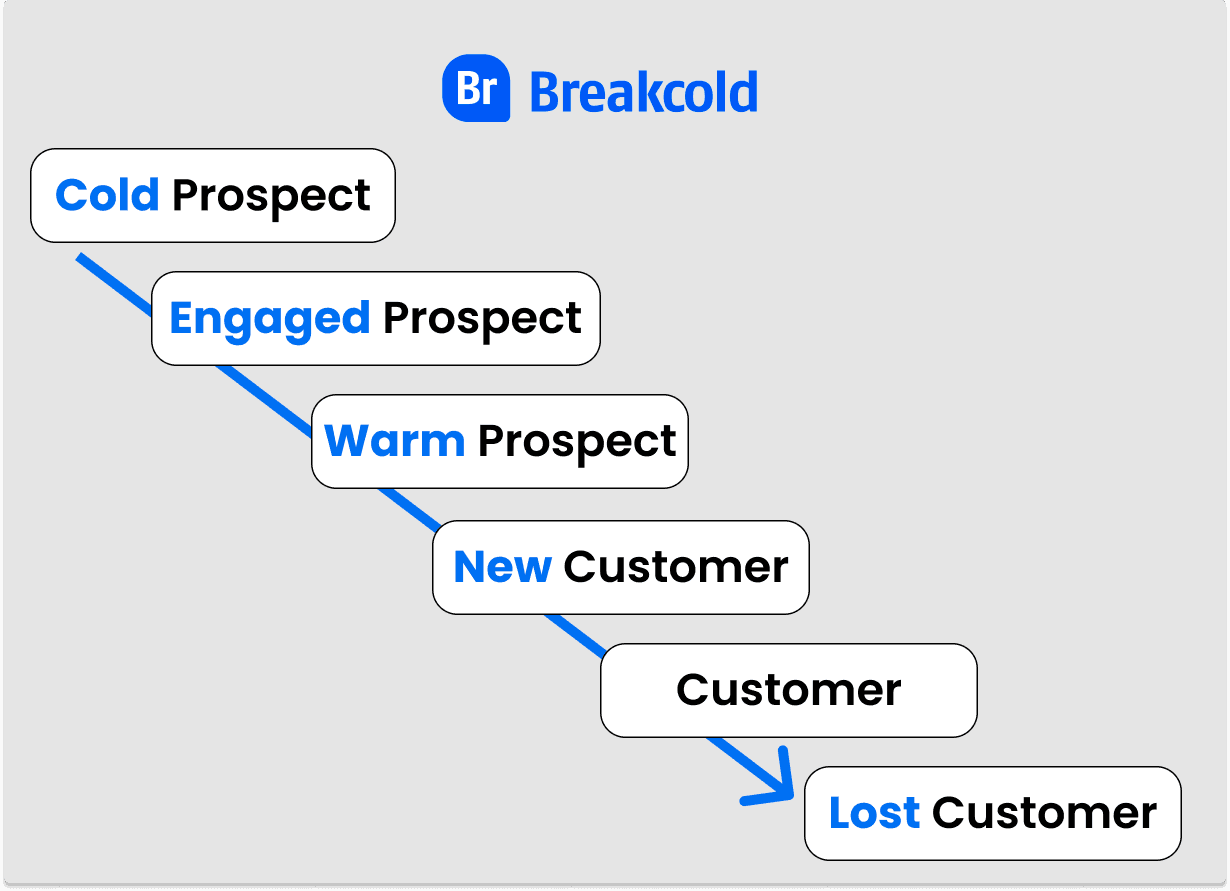
Technically, you can track prospects at any stage of their customer journey but it's better to start at the warm sales pipeline stage
Is there any Sales Lead Tracking softwares?
Sales Lead Tracking softwares can take multiple forms, they take the form of a:
Customer Relationships Management software (CRM)
Sales CRM with a sales pipeline specifically
Google Spreadsheet
Excel Document
Among these different types of sub-sections in the sales lead tracking software category, my personal favorite is the social selling one because it's the best way to close a sale. We'll talk about it below with the tracking leads part on LinkedIn, X, Telegram and WhatsApp.
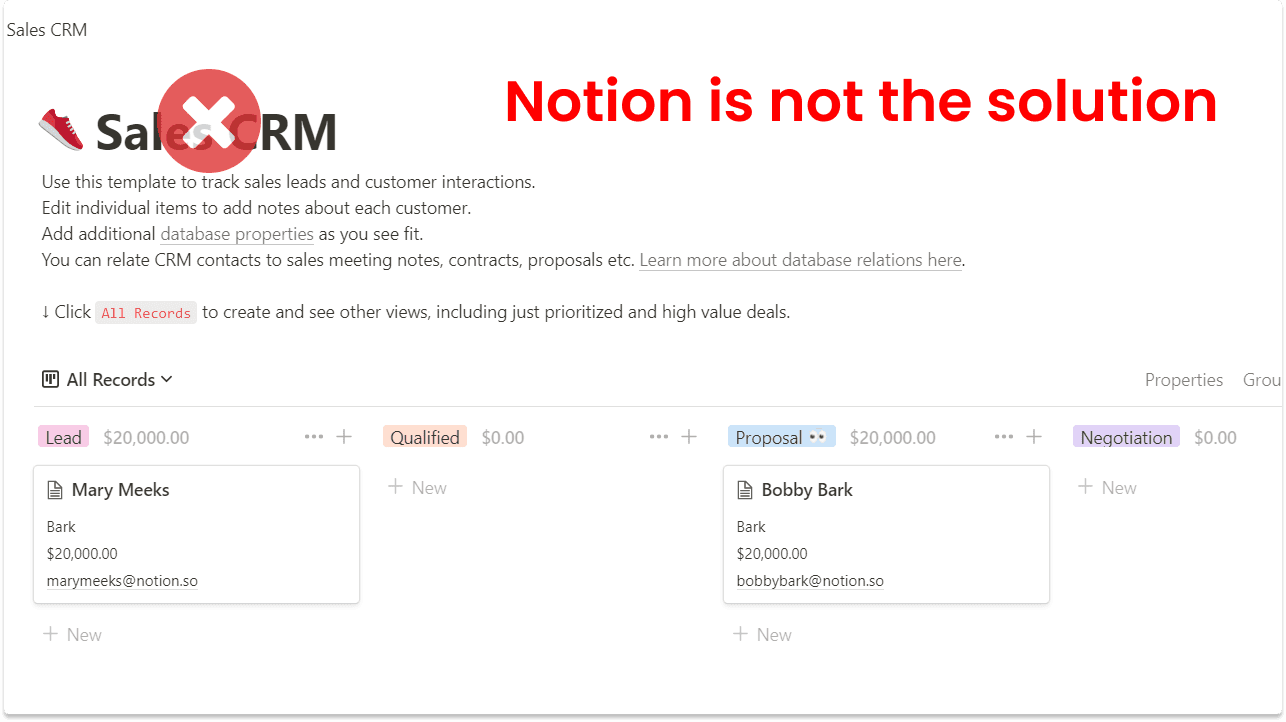
Notion is not the solution to track prospects effectively
On the other hand, people should stop using spreadsheets or Excel to track their leads because it's no longer efficient methods.
Why you should stop using spreadsheets or Excel for your Sales Lead Tracking?
Long story short: it's outdated.
Longer version:
automated features are very limited
you don't have X, LinkedIn, Telegram or WhatsApp integrations which is what closes most B2B deals in 2026
there are no native CRM integrations so you'll have to use Zapier or Make which can be costly
I mean, I get it: using Excel or spreadsheets to track leads is free. Same with Notion or ClickUp.
But are they Sales Softwares? No.
If you really care about closing deals and making more money for your startup or business, you should invest in a real sales lead tracking software.
The ROI for a small subscription below $100/month is such a game changer, not only that a proper sales lead tracking software will also save you tons of hours on prospect research.
How to do Sales Lead Tracking with a CRM?
Sales lead tracking with a CRM is probably the most traditional way to track leads, especially with what is known as a sales pipeline.
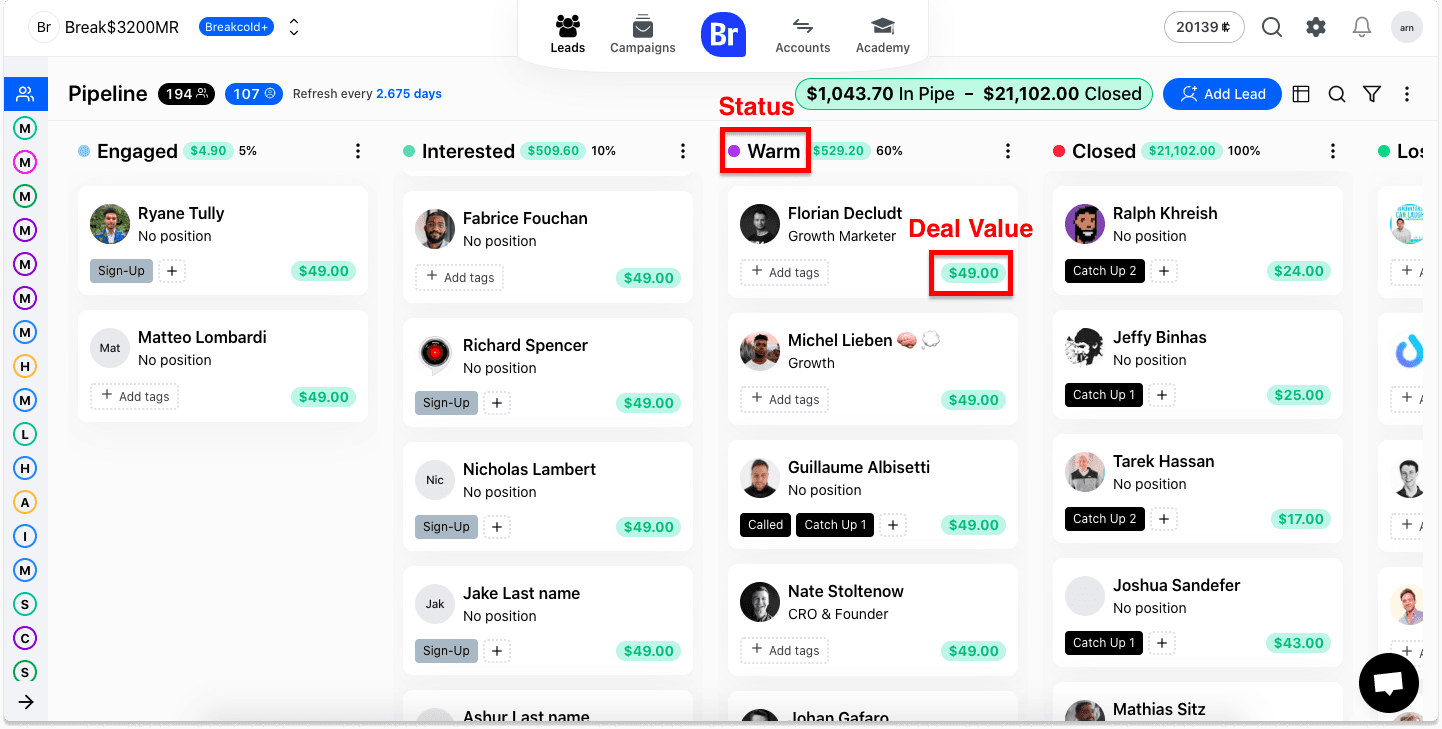
This is what a Sales CRM looks like with a built-in sales pipeline
In practice, you need to assign status and tags to your prospects in order to place them in a specific sales stage. Then your goal is to move your prospect in the different stages until he/she becomes a paying customer.
The advantages of tracking leads with a CRM is that it's designed to close sales faster, notably with the sales pipeline system. It also motivates you to know how much you have in your pipe and how much you closed.
Most of your conversations via email are also track automatically so you don't have to perform any manual data entry which saves you a lot of time.
How to track leads on LinkedIn, X, Telegram & WhatsApp?
Tracking leads on LinkedIn, X, Telegram and WhatsApp is the best way not only to generate leads but also to close them in 2026.
Why?
Because prospects are more and more active there and it's easier to build a relationship with them by liking and commenting their posts.
Sales Lead Tracking on LinkedIn
LinkedIn remains the single highest-density B2B platform in 2026: around 80% of social-sourced B2B leads come from LinkedIn, and most of the modern sales workflows (warm intros, content-led outbound, founder-led sales) live there. LinkedIn is still the first place to track your leads.
Tracking leads with LinkedIn Sales Navigator
Two paths to track LinkedIn leads in 2026: LinkedIn Sales Navigator if you want LinkedIn's own filtering and saved lists, or a LinkedIn-native CRM that auto-syncs the conversations into your sales workflow. Sales Navigator first.
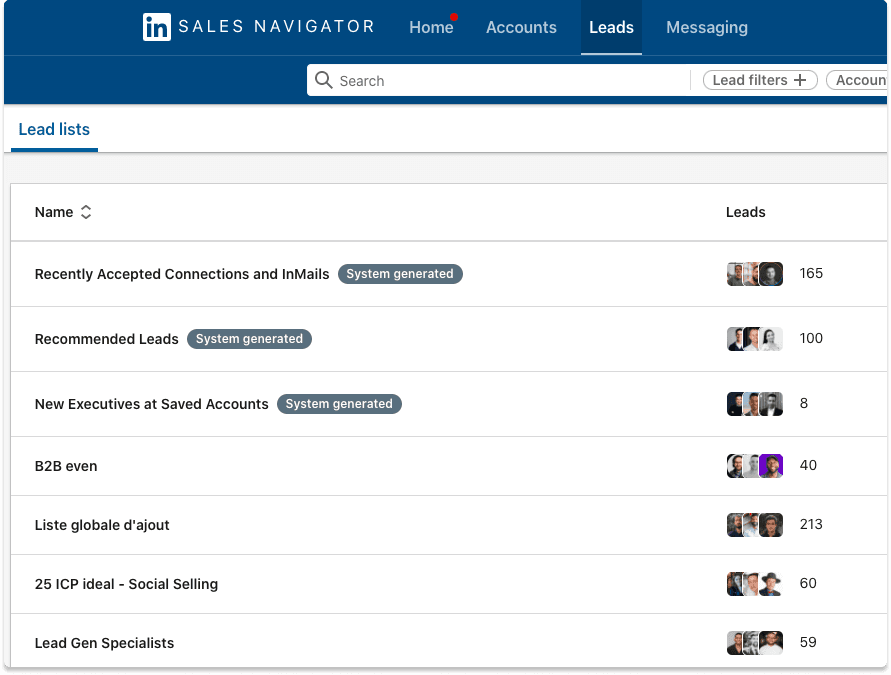
This is what list of prospects looks like inside LinkedIn Sales Navigator
LinkedIn Sales Navigator allows you to save leads into different lists. From there, you can receive notifications on what they're up to on the platform.
Sales Nav is a great system to filter leads by location, job, industry and so on but from my perspective, it's not the best way to track leads effectively.
Tracking leads with a LinkedIn CRM
A LinkedIn CRM is a sub-division of a social selling software which allows you to manage your LinkedIn connections and beyond.
For example, our software Breakcold is now a multichannel AI-native sales CRM covering LinkedIn, X, Telegram, WhatsApp, email, calls and meetings in one inbox, which makes it technically a LinkedIn CRM, an X CRM, a Telegram CRM and a WhatsApp CRM at the same time.
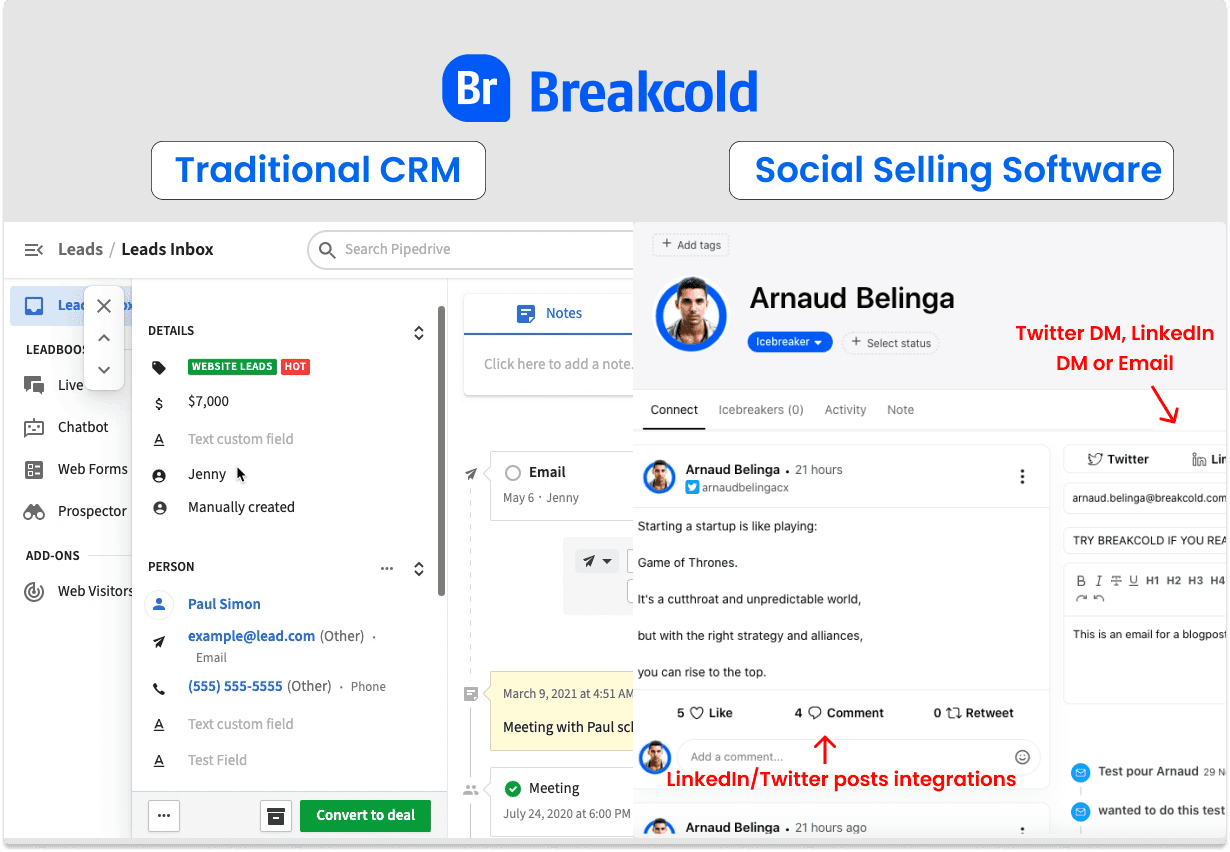
This is a comparison between tracking leads with a traditional CRM vs tracking leads with a Social Selling software
To track leads with a LinkedIn Sales Lead Tracking, you need to:
add a lead to the platform
make sure that you have the LinkedIn URL of your prospect
track the lead
Once the lead is tracked, all his LinkedIn posts will be aggregated to the platform so you can like and comment the posts but also send a direct message (DM) to the prospect.
Sales Lead Tracking on X (formerly Twitter)
During my sales journey, I met many SDRs prospecting on LinkedIn but I realized they were not tracking the leads with any tools, here's how.
Tracking leads with X lists
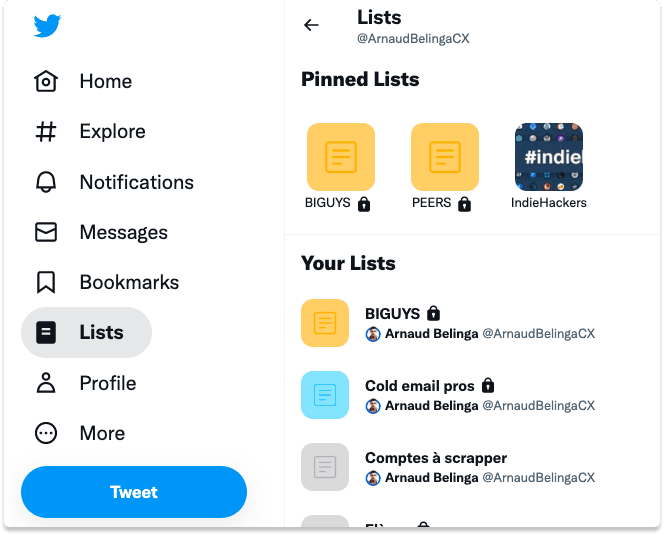
What X lists look like (the feature is the same as the old Twitter lists, just renamed)
On X (formerly Twitter), whether you are on mobile or desktop, you can build lists of X users. To add someone to a list you need to:
go to the profile of the prospect
click on the three dots
click on add to @user from list
Then, when you go to your lists, X will display you the recent posts from the people in your tracked list.
The disadvantage of this technique is that the feeds are not curated, meaning you'll have their replies to tweets which is super annoying.
Another disadvantage of this sales lead tracking technique is that you can't organize them in a sales pipeline or any kind of other sales system.
Tracking leads with X Pro (the renamed TweetDeck)
With X Pro (formerly known as TweetDeck, rebranded in 2024 and rolled into X Premium), you can track leads as well as keywords to find new leads.
The system is similar to X lists. Same advantages and same disadvantages, plus X Pro is now bundled with X Premium ($8/mo and up), so it's no longer free. It's a fine way to monitor both your prospects and your brand if you already pay for Premium.
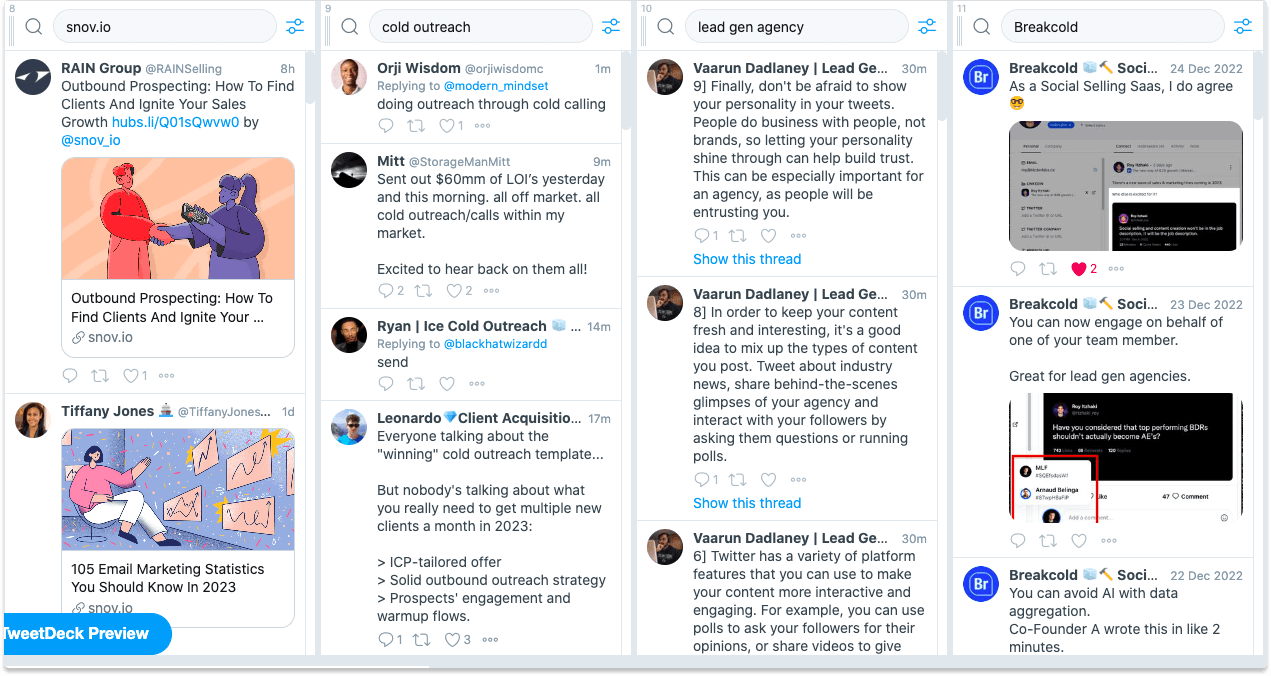
X Pro replaced TweetDeck in 2024 and now sits behind X Premium, so the "free" advantage is gone
Tracking leads with an X CRM (formerly Twitter CRM)
Like for LinkedIn, you can use a CRM that is dedicated to X to track your leads and build B2B relationships faster with them.
You can use Breakcold again for this task. In 2026 Breakcold's multichannel inbox covers X, LinkedIn, Telegram, WhatsApp, email, calls and meetings in one place, so you don't need a per-channel CRM. Same product, every channel.
My personal template to do Sales Lead Tracking
This is my sales lead tracking system to convert leads into paying customers.
Step 1: I import my warm leads in my sales lead tracking software
By default, my leads are automatically imported in the software when they sign-up.
In 2026, the import paths are richer: native integrations, the Breakcold REST API and MCP server (so Claude or ChatGPT can pipe leads in for you), or third-party flows via Zapier, n8n or Make.
Once leads are imported, I assign them a status to place them in my sales pipeline. This step is important for step 4.
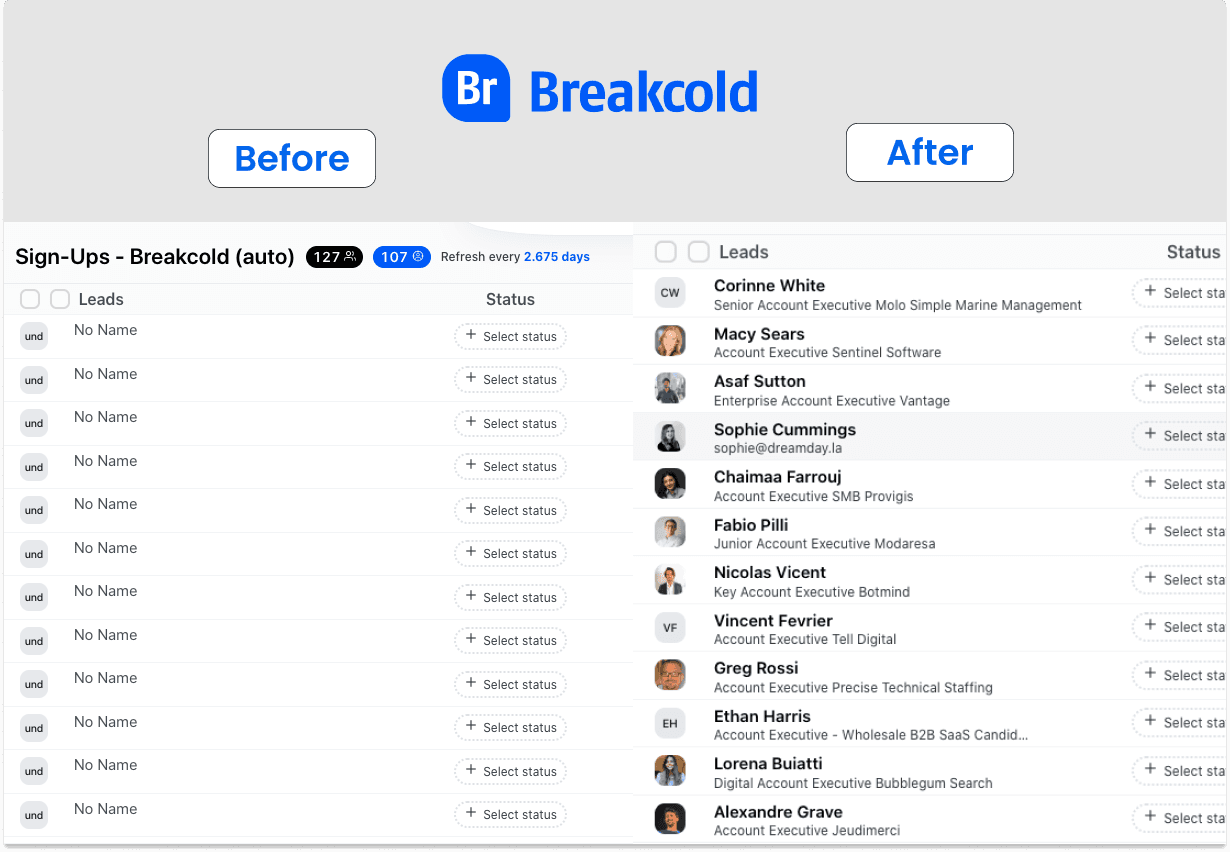
When my B2B SaaS sign ups arrive in my software, they are not enriched yet, this is a before/after example
Step 2: I enrich my leads with their social media URLs
When leads are imported inside Breakcold, there are 2 scenarios:
I already have the social media URLs of my leads
I don't have the social media URLs of my leads
When I don't, Breakcold's waterfall enrichment stitches 50+ data providers to find the LinkedIn URL, work email and phone automatically (2022-me used to do this manually, 2026-me clicks one button).
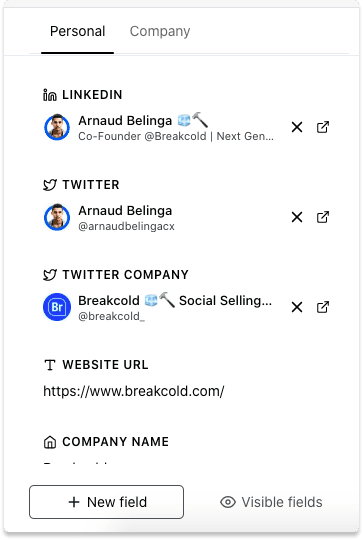
Adding the twitter company URL will allow you to track the company news of the prospect as well
Step 3: I start to track leads
Once everything is ready, I track the leads which will allow me to get their LinkedIn posts and tweets automatically aggregated in the software along with their company ones.
That way, I track the leads on every aspects and I don't need to open thousand tabs a day to engage with them.
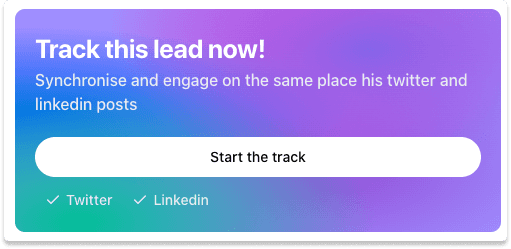
I just have one click to make with Breakcold to start tracking leads
Step 4: I engage with them daily and contact them when it makes sense
Once my leads are tracked, I check every day where my prospects are in my sales pipeline and I click on their profile to engage them via Email, LinkedIn, X, Telegram or WhatsApp depending on what they're up to.
I also use the prospecting feed which track the most active leads.
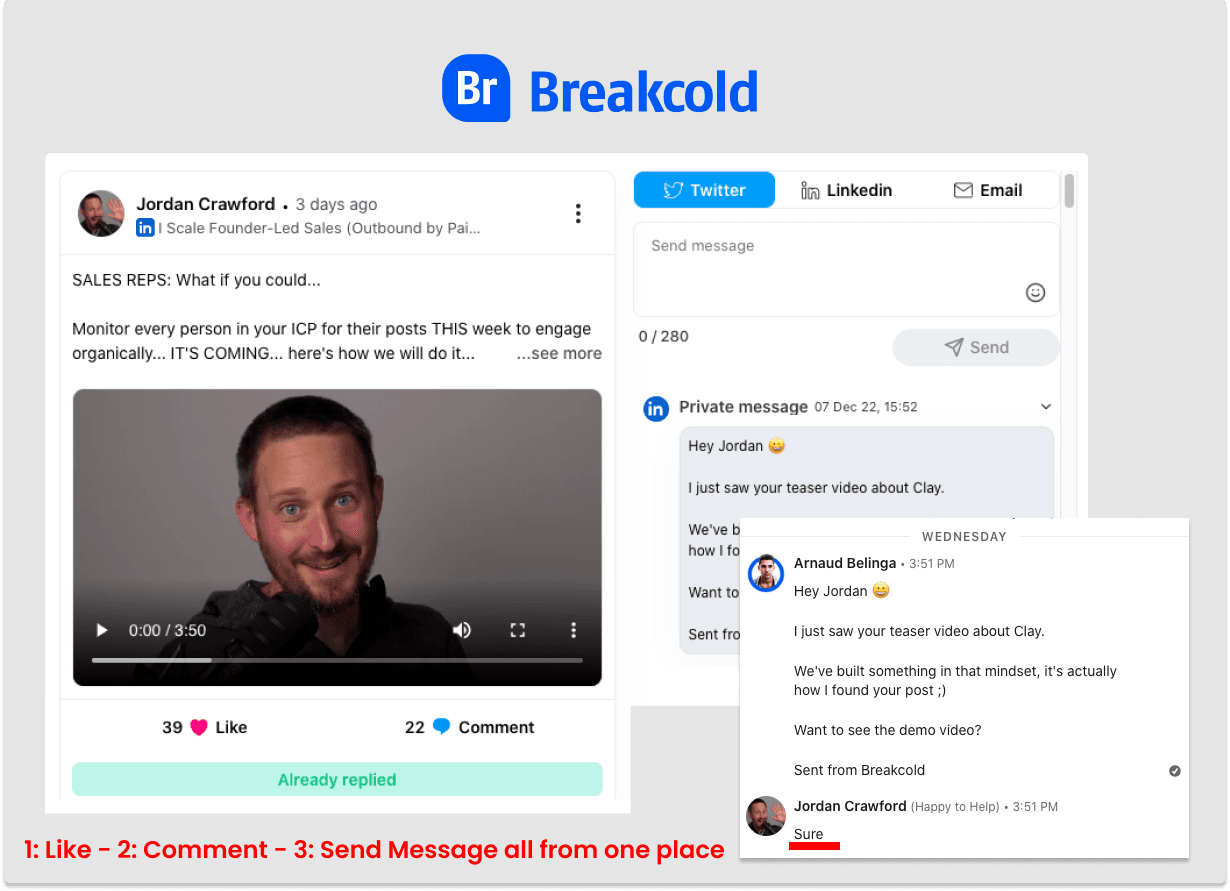
This is an example of how I contacted a lead with my sales tracking system
Step 5 (new in 2026): I let Claude or ChatGPT read the inbox
Since Breakcold ships an MCP server, I can now connect Claude or ChatGPT directly to my CRM. Instead of opening every record to read conversations, I ask: "Score every deal where the prospect replied positively on LinkedIn or WhatsApp in the last 7 days and write a follow-up for each." The AI sees the multichannel conversations, drafts the messages, and I review. The tracking part is now half-automated.
Conclusion: thoughts on Sales Lead Tracking in 2026
Sales lead tracking has evolved a lot since I first wrote this post in 2022. Social-led selling moved from "experiment" to "default", X replaced Twitter, Telegram and WhatsApp became real B2B channels, and AI-native CRMs now let your AI read the conversations directly via MCP.
The principle hasn't changed: to close more deals, you need to track prospects in your CRM and stay active on the channels where they actually live. What changed is the surface area: in 2026 that means LinkedIn + X + Telegram + WhatsApp + email + calls + meetings, ideally in one inbox, with Claude or ChatGPT able to reason over all of it.
If you're picking a sales lead tracking workflow for 2026, the question to ask isn't "which CRM has the prettiest pipeline." It's: "can my CRM see every channel my prospects sell on, and can my AI read it directly?" That's the bar.






![The 8 Best Social CRM Software in 2026 [Comparison]](https://framerusercontent.com/images/RYHyYapdgIi83BEWtMdX418.png?width=1280&height=720)
![The 6 Best LinkedIn CRM in 2026 [Comparison]](https://framerusercontent.com/images/Luywfni7ZKjb19yghbhNPy4I4qQ.png?width=1280&height=720)