



CRM Call Tracking Explained: Features, Use Cases & Tools
TL;DR: the best CRM call tracking in 2026 ties every call to the right deal automatically 🏆
🏆 Breakcold: the AI Native CRM for sales teams of 5 to 30+ people. AI agents handle the admin (move deals, log activity, create tasks), it connects to Claude and ChatGPT via native MCP, and it syncs LinkedIn, email, WhatsApp and Telegram into one pipeline. At 5 seats Breakcold is $139/mo, where a traditional CRM runs $300 to $500/mo. Its built-in meeting and call recorder turns every conversation into transcripts, notes and CRM summaries.
🟢 Close: purpose-built for high-volume outbound with a native power dialer, SMS and call recording, but no native LinkedIn or WhatsApp inbox.
🔵 HubSpot and Salesforce: strong call tracking for larger teams that want an all-in-one platform, at a price that climbs fast with seats.
🟣 Zoho and Pipedrive: affordable mid-market picks with built-in calling and telephony integrations like Aircall and RingCentral.
✅ How to choose: match the tool to your call volume, the channels you sell on, and whether you want call data logged automatically instead of by hand.
Life in sales is fast-paced and often chaotic. Between chasing leads, jumping on demos, and managing follow-ups, it’s easy for things to slip through the cracks. Emails at least leave a trail — you can scroll back, find the context, and pick up where you left off, even if your notes are a little scrambled.
But phone calls? That’s a different story. Without proper tracking, key details get lost, follow-ups get delayed, and opportunities quietly fall through the cracks.
That’s where CRM call tracking comes in — bringing structure, visibility, and accountability to one of the most important (and often overlooked) parts of the sales process.
📞 What Is CRM Call Tracking?
CRM call tracking is the process of automatically logging and analyzing phone calls within your CRM system. Unlike standalone call tracking tools that operate separately from your contact database, CRM-integrated call tracking ties every phone interaction directly to a lead, contact, or deal — providing a more complete view of customer engagement.
Key features typically include:
Caller ID and contact matching: Instantly recognize who’s calling and pull up their profile.
Call recordings and transcripts: Record conversations for quality assurance, training, or future reference.
Activity logging: Automatically capture call details — date, duration, outcome — under the correct contact or deal.
Source attribution: Identify which marketing channel, campaign, or ad driven inbound call.
By syncing call data into your CRM, your team gains richer insights, more efficient workflows, and a better understanding of what drives conversions.
Benefits and Use Cases of CRM Call Tracking
CRM call tracking delivers value across departments and industries by making phone conversations more measurable, actionable, and integrated within your workflow.
1. Sales Teams 📞👥
Call tracking helps sales reps stay on top of leads by automatically logging calls, providing call recordings for review, and surfacing activity insights. This visibility improves follow-up timing and overall rep accountability.
Use Case:_ In consulting, sales teams use CRM call tracking to manage discovery calls and client touchpoints, ensuring no opportunity slips through the cracks._
2. Marketing Teams 📊🎯
Marketers gain deeper attribution insights by tracking which ads, landing pages, or campaigns drive phone calls. This helps optimize spend and understand true ROI beyond form fills or clicks.
Use Case:_ Digital marketing agencies use CRM call tracking to tie inbound calls directly to specific ad campaigns, making reporting more transparent for clients._
3. Customer Support 🎧💬
Support teams benefit from access to full call histories, recordings, and synced notes — leading to faster resolution and more personalized service.
_Use Case: _SaaS startups__ use call tracking to capture product feedback and support conversations directly in the CRM, informing roadmap decisions.
4. Management and Operations 📈🧑💼
Managers can monitor call volumes, duration, rep performance, and conversion trends through analytics dashboards. This helps identify training needs and optimize team efficiency.
Use Case:_ Real estate teams rely on CRM call tracking to capture inbound property inquiries, analyze peak call times, and evaluate rep responsiveness._
🛠️ Best CRM Tools with Call Tracking (2026)
🥇 1) Breakcold
Summary
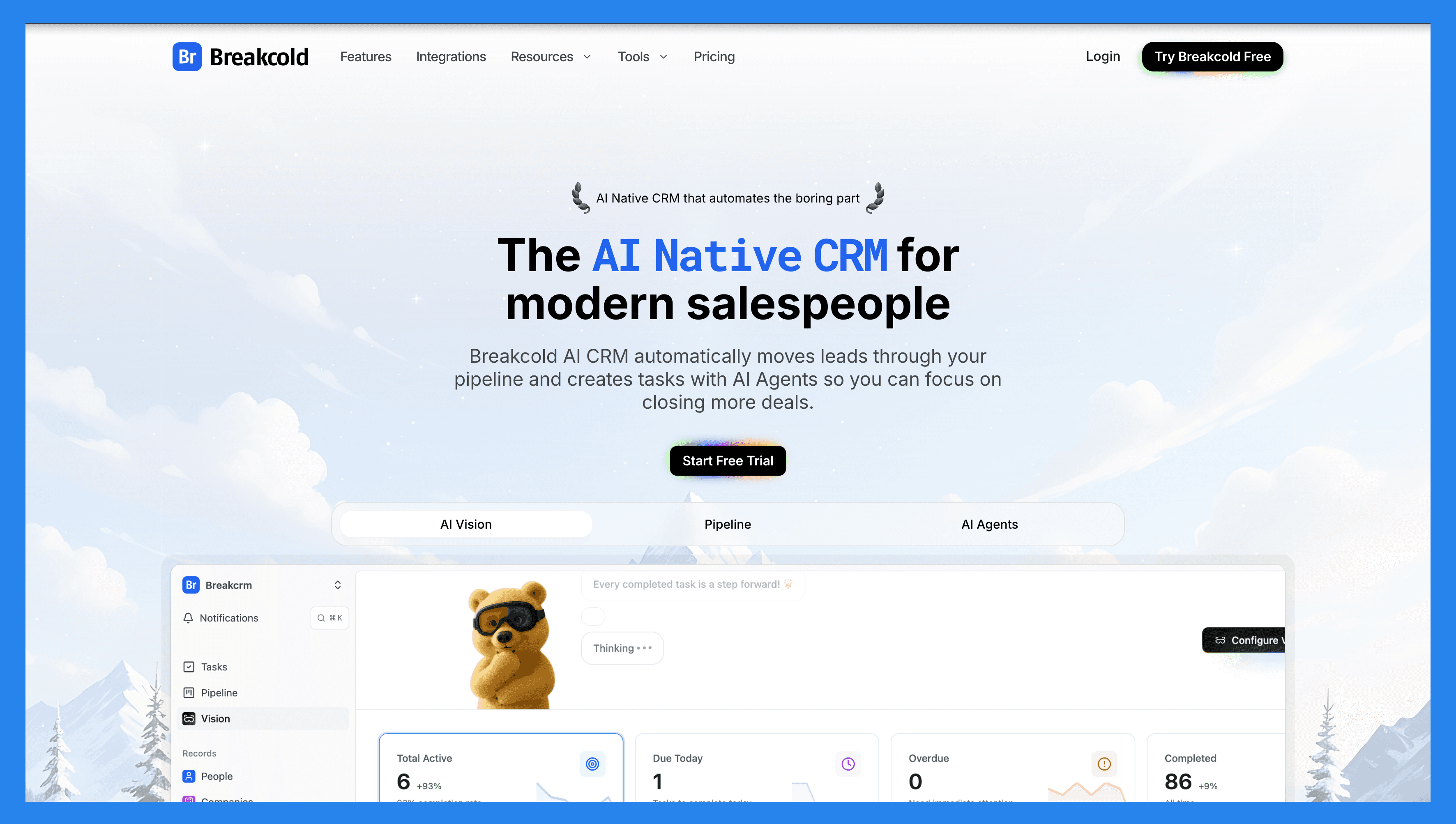
After two years in the game, we’re going all in on AI! Instead of bolting on surface-level automations, we’ve rolled out an all-new range of AI-native features designed to streamline how sales teams prospect, track calls, and close deals. From auto-generating personalized follow-ups, to AI call summarization and reasoning dashboards that tell you why a task matters, Breakcold is evolving into a smarter, faster, and more human CRM, and it is the AI-Native CRM built for modern salespeople and AI agents. AI is the foundation, not a bolt-on: AI agents move leads through the pipeline, assign tags, and create follow-up tasks on their own.
For call tracking, Breakcold ships a built-in meeting and call recorder that turns every conversation into transcripts, notes, action items, and CRM summaries. On top of that, a powerful data enrichment tool surfaces verified lead contact information, especially phone numbers and email addresses, across 50 data points with an email and phone waterfall. Its native MCP server also lets AI agents like Claude and ChatGPT read and update the CRM directly.
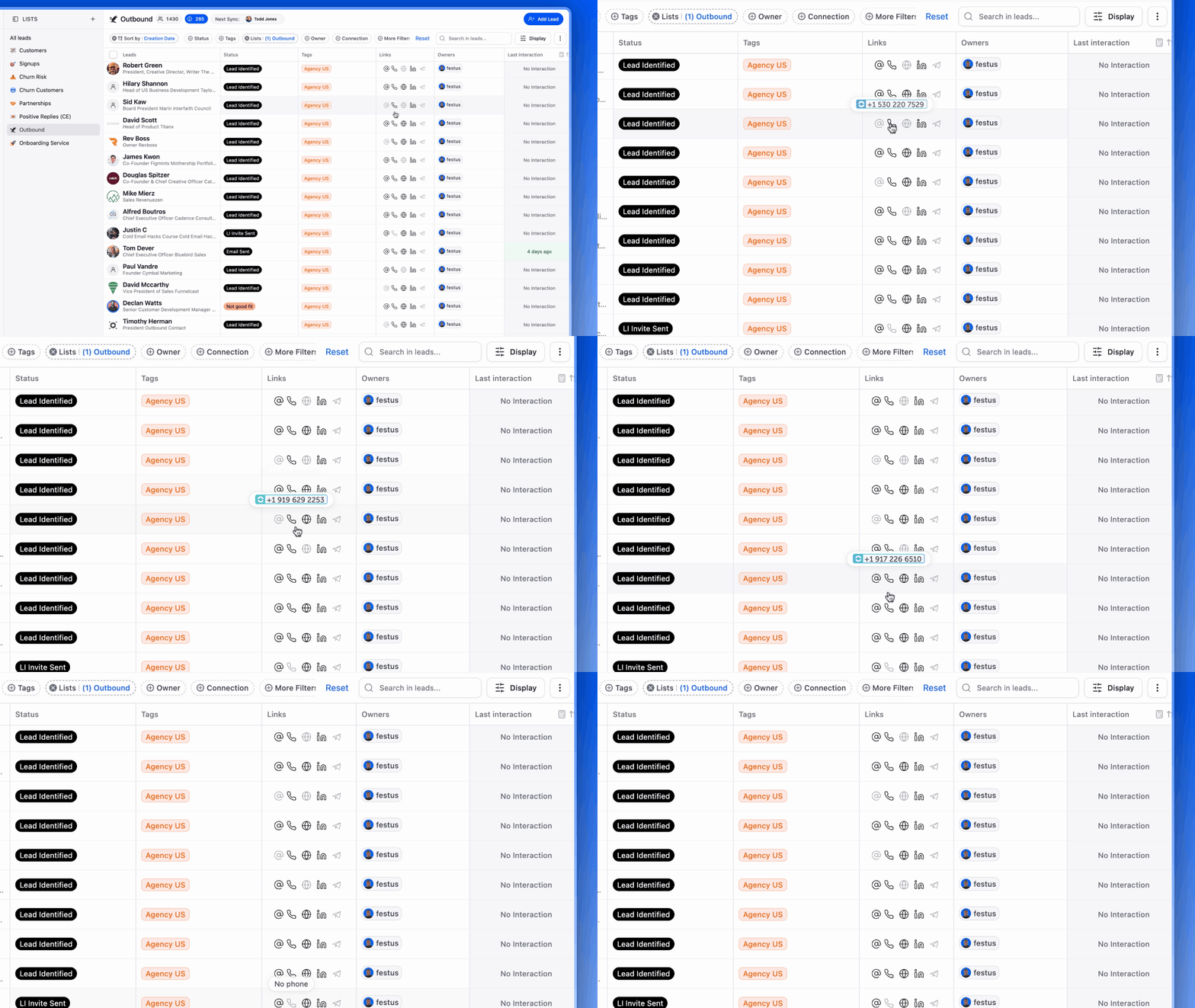
Just last week, Breakcold rolled out five new features in a single week, signaling a serious shift in momentum. With AI innovations on the horizon (you didn’t hear that from me 😶🌫️), this is definitely a CRM to watch.
Key Features | |
|---|---|
Vision Builder – Create automated workflows with a simple text prompt or short voice note. No technical skills required, just describe what you want, and Breakcold builds it for you. AI Agents –You can choose a default AI personality or create your own custom one that determines the frequency of CRM tasks and suggested follow-ups. AI Contact Management – Automatically scores and organizes leads into the right lists and groups by analyzing conversations, notes, and activity. AI-Powered Dashboard – Surfaces your most important leads with a self-updating dashboard, complete with reasoning behind each suggestion. AI-Suggested Messages – Generates personalized follow-ups that adapt to your tone of voice and your prospect’s personality. AI Rules & Automations – Set intelligent rules for lead scoring, follow-ups, and deal movement. AI Contact Deduplication – Merges duplicates automatically, saving hours of data cleanup. AI-Powered Data Enrichment – Surfaces verified emails and phone numbers via waterfall enrichment (BetterContact, Apollo.io, Findymail, Wiza). AI Notetaker – Integrates with Otter, Fireflies, TL;DV, and Fathom to log call summaries, transcripts, and follow-up tasks automatically. All-in-One Unified Inbox – Manage conversations from LinkedIn, email, WhatsApp, and Telegram in one place, so you can respond faster and never miss a follow-up. Sales Pipeline Management – Streamline deal progress with customizable workflows and visibility into lead scoring impact. Social Engagement Stream – Like, comment, and engage with your leads’ posts without leaving the CRM, build relationships through meaningful and consistent interactions. | |
Ratings | |
G2 - 4.8/5 | Capterra - 4.9/5 |
Pros | Cons |
AI-Native CRM with built-in automation to streamline workflows. AI agents move leads, assign tags, and create follow-up tasks on their own. Native MCP server (~54 tools) so Claude, ChatGPT, and Cursor can read and update the CRM. Built-in meeting and call recorder with transcripts, notes, and CRM summaries. Unlimited person and company enrichment (50 data points, email and phone waterfall). Unified inbox for email, LinkedIn, WhatsApp, Telegram, and calls. | Limited advanced reporting capabilities compared to other CRMs. No dedicated customer objects (though custom fields are supported). 20+ native integrations, with more on the way. |
Pricing Plans
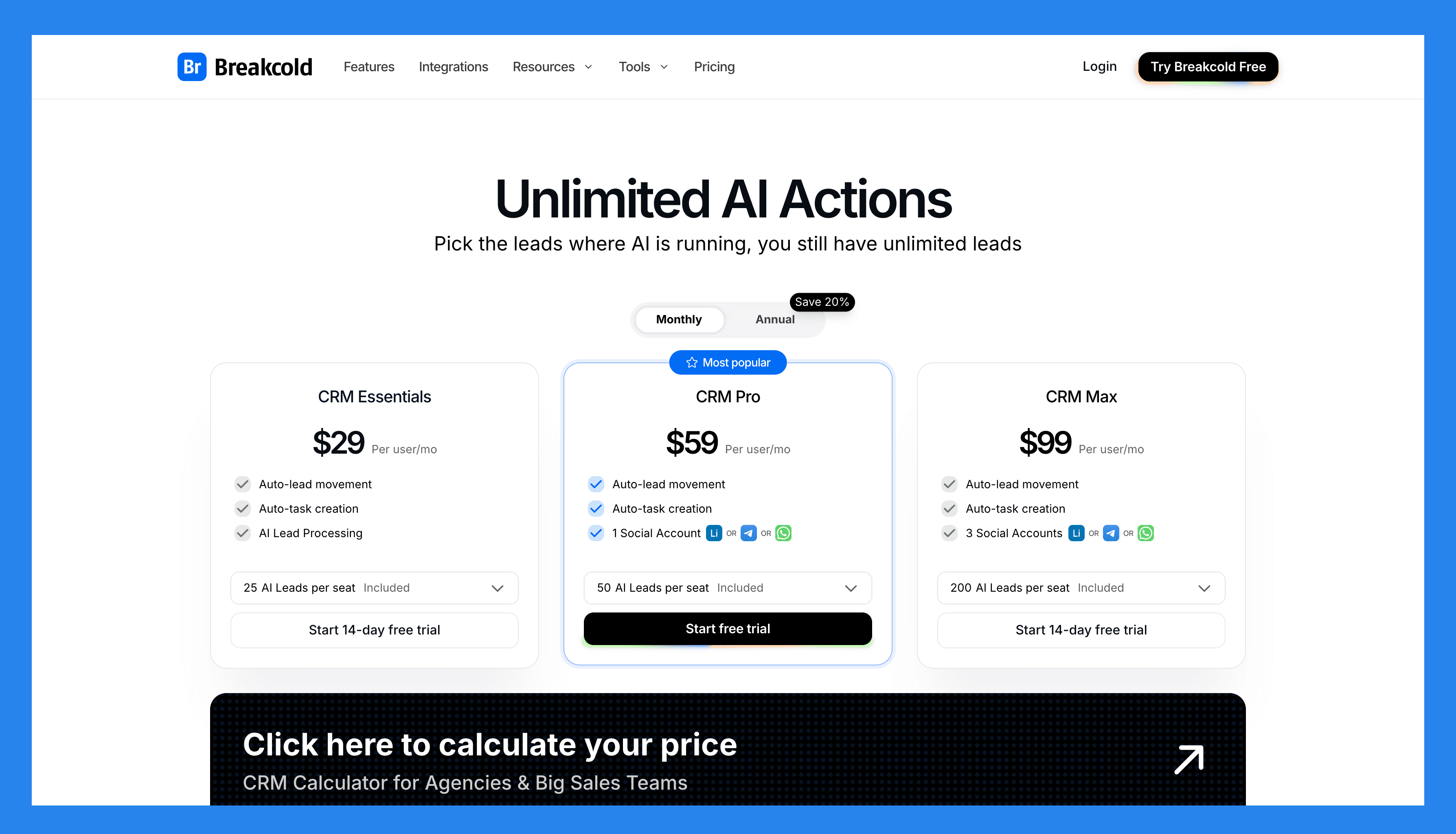
Breakcold has a single, simple plan. See the full breakdown on the pricing page.
The Only Plan |
$99/mo |
What's included: 1 seat 2 connected accounts 1,500 AI tokens/mo Unlimited person and company enrichment Token-based system for AI and enrichment Extra seat +$10/mo, extra connected account +$10/mo 14-day free trial, no credit card required |
A team of 5 on Breakcold is $139/mo, where Attio, Pipedrive and HubSpot Sales Hub run about $500/mo for 5 seats with similar features.
Breakcold Demo Video
Loading YouTube sends it your IP address and may enable cookies. This applies to this content only.
🥈 2) Close
Summary
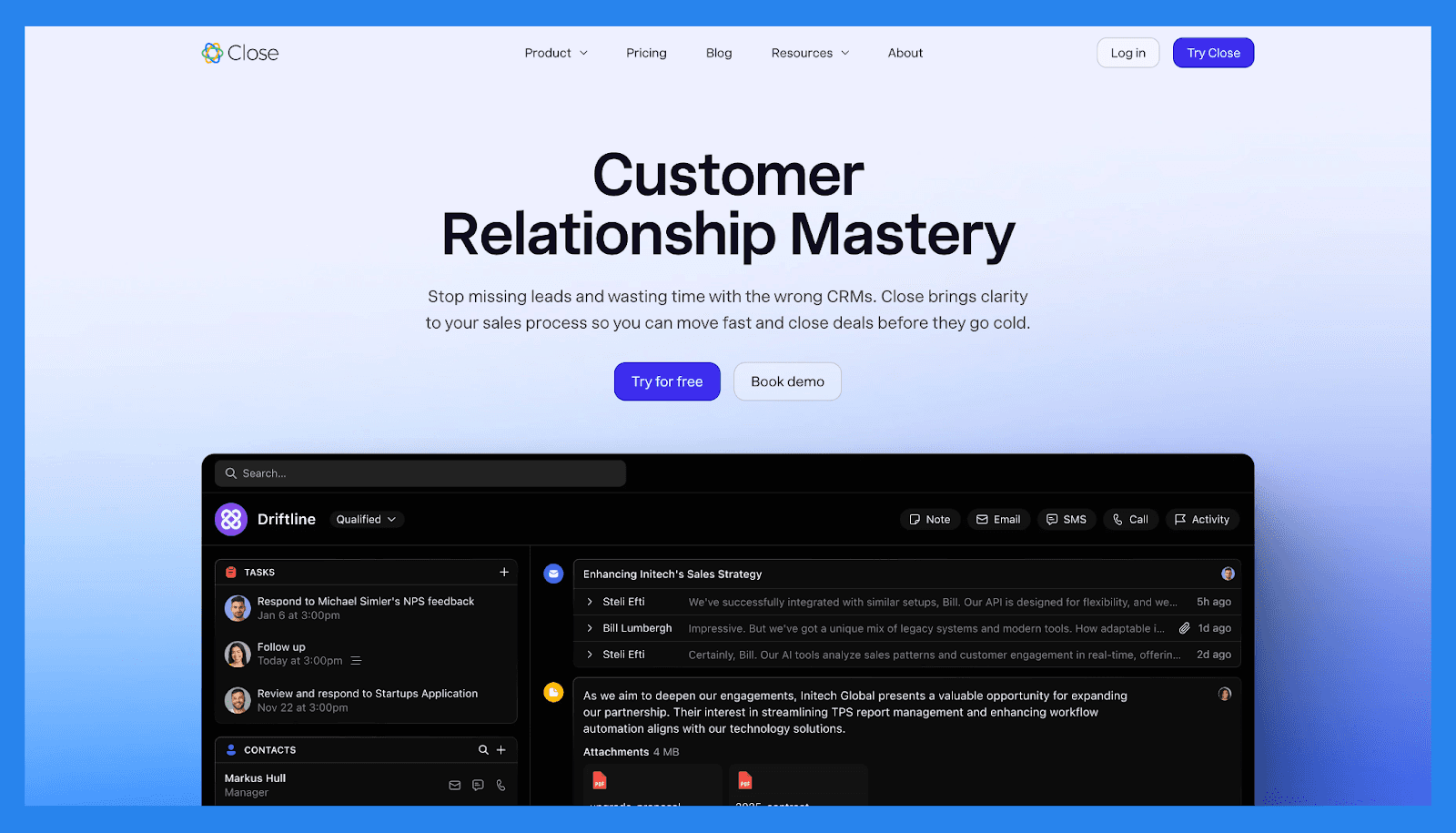
Close (formerly Close.io) is a sales-focused AI CRM built for small and medium-sized businesses aiming to become outbound sales powerhouses. What sets Close apart is its built-in call tracking and calling functionality, designed to help reps spend more time selling and less time switching tools.
With native VoIP calling, automatic call logging, call recording, and real-time activity tracking, Close gives teams complete visibility into every sales conversation. You can dial directly from the CRM, track call outcomes, review performance with analytics, and even set up local caller IDs to boost connection rates — all from a single, unified workspace that also supports email and SMS.
If your team relies heavily on outbound calls, Close is purpose-built to streamline workflows, improve follow-ups, and give you data-driven insights into rep performance and call outcomes.
Key Features | |
|---|---|
Funnel Insights & Sales Metrics – Gain visibility into your pipeline performance by tracking sales velocity, conversion rates, and deal progression to identify friction points and accelerate growth. Team & Rep Analytics – Monitor team productivity with flexible performance dashboards, spotlighting top sellers and revealing coaching opportunities based on real data. Centralized Communications Hub – Manage all your customer interactions—including email, SMS, and phone calls — within one platform, with activity automatically logged for full context. Multi-Channel Sales Sequences – Launch personalized outreach campaigns across channels using automated emails, call tasks, and follow-up reminders. Process Automation Tools – Eliminate repetitive work by building custom workflows that streamline lead nurturing, follow-ups, and pipeline updates. Lead Tracking & Prioritization – Organize your leads by stage, score, or activity, making it easier to focus on high-potential opportunities and assign tasks to the right team members. High-Volume Calling with Power Dialer – Speed up outbound efforts with an integrated power dialer that helps reps make more calls in less time. AI-Powered Call Assistant – Improve call effectiveness with live transcription, smart note-taking, and automated summaries that reduce manual work and keep reps focused on selling. | |
Ratings | |
G2 – 4.7/5 (1,044) | Capterra - 4.7/5 (161) |
Pros | Cons |
Clean, user-friendly interface with a minimal learning curve Robust calling features and automation tools, including Power Dialer Two-way email sync for seamless communication tracking Effective and intuitive email outreach workflows Cost-effective compared to many competitors with similar features Helps streamline productivity and team communication Highly customizable via open API for advanced use cases | No free version available — only a free trial No native integration with LinkedIn, requiring third-party tools Smart View filters can be overwhelming or tedious to set up Workflow features are limited compared to top competitors SMS functionality restricted to the US, Canada, UK, and Australia Some features are gated behind higher-tier pricing plans Users report occasional slow load times and connectivity issues with calling |
Pricing Plans
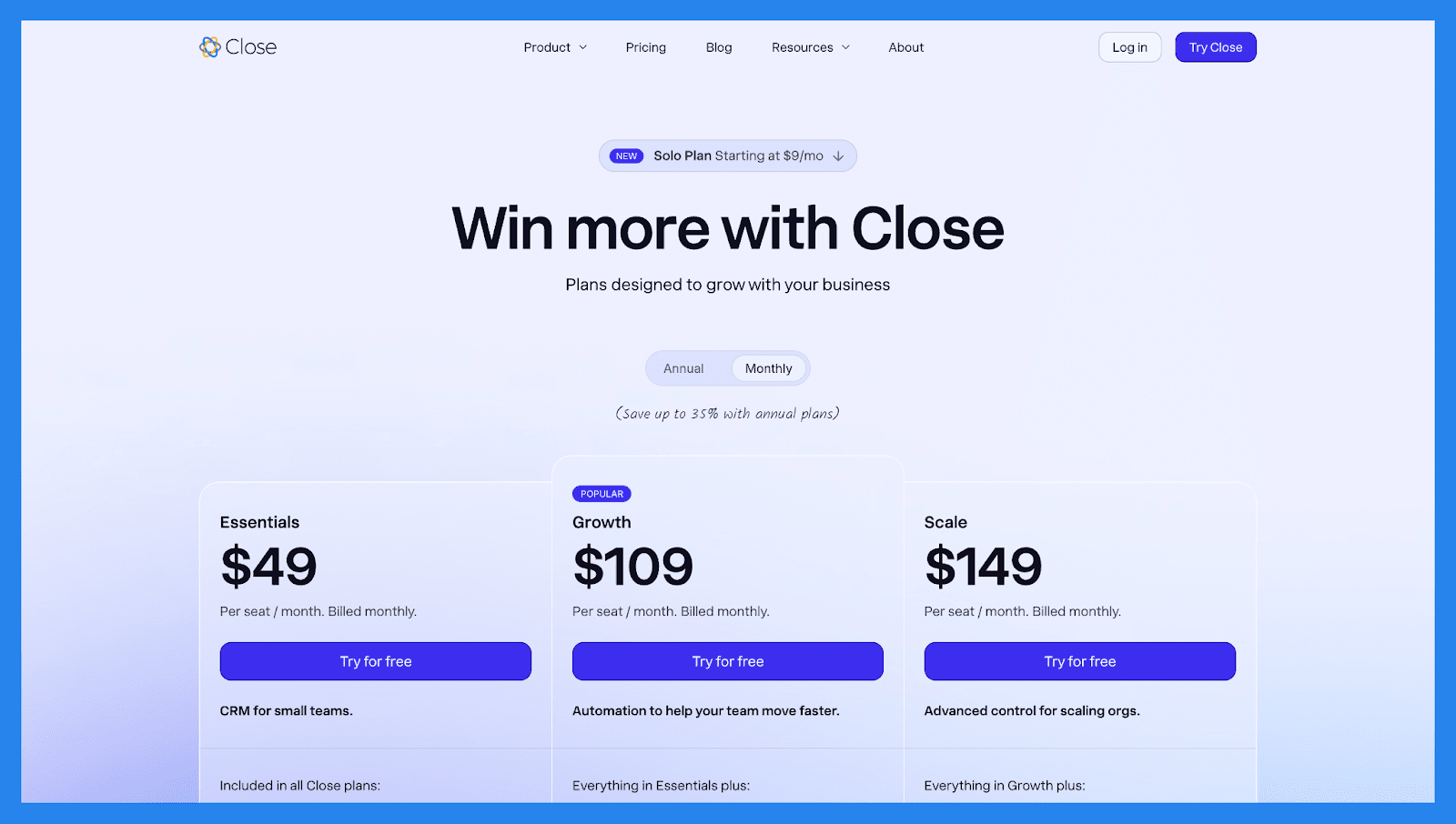
Solo | Base | Professional | Enterprise |
|---|---|---|---|
$19/mo | $49/user/mo | $109/user/mo | $149/user/mo |
Includes everything in Essential, but: Limited to 1 user Limited to 10k leads Workflows not included | Included in all Close plans: Unlimited contacts & leads Multiple pipelines Advanced lead & activity filters Built-in email, calling & SMS Centralized inbox & task lists | Everything in Essentials plus: Automated workflows Power Dialer AI Email Assistant Custom Activities | Everything in Growth plus: Role-based access & permissions Lead visibility rules Predictive Dialer Unlimited call recording |
Close Demo Video
Loading YouTube sends it your IP address and may enable cookies. This applies to this content only.
🥉 3) HubSpot CRM
Summary
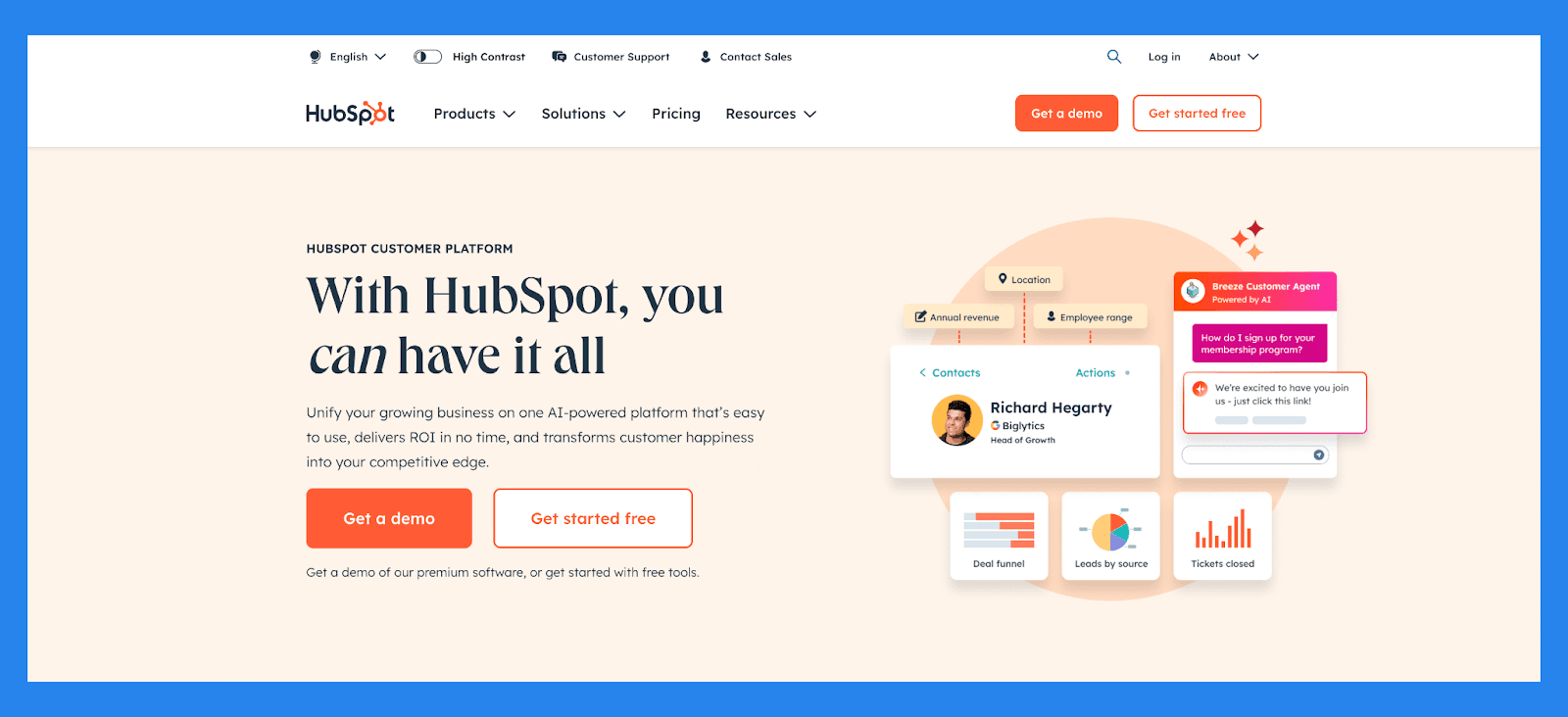
HubSpot is more than just an all-in-one CRM — it’s a fully integrated growth platform that helps teams align marketing, sales, and service. When it comes to call tracking, HubSpot offers a seamless experience by automatically logging calls, recording conversations (with consent), and tying call activity directly to contact records and deals.
With built-in VoIP capabilities and one-click calling from within the CRM, sales reps can connect with leads quickly and track every interaction without manual data entry. HubSpot’s call tracking also supports outcome tagging, note-taking during calls, and integration with third-party tools like Aircall or RingCentral for advanced call handling.
Combined with HubSpot’s reporting and automation features, its call tracking tools provide complete visibility into your sales conversations — helping teams improve follow-ups, coach reps, and understand which calls are driving conversions.
Key Features | |
|---|---|
Contact Management – Automatically enrich and organize lead data with full activity timelines and engagement history Deal & Pipeline Management – Visualize and customize your lead stages to track progress from initial interest to closed deal Lead Scoring & Segmentation – Automatically prioritize leads based on behavior, demographic fit, and engagement level Email Tracking & Sequences – Track opens, clicks, replies, and automate follow-ups based on lead actions Form & Chatbot Lead Capture – Convert website visitors into leads with dynamic forms, chat, and pop-ups AI-Powered Insights – Identify bottlenecks in the sales funnel and surface high-converting channels Marketing-to-Sales Handoff – Seamlessly pass qualified leads between teams with shared data and workflows | |
Ratings | |
G2 - 4.4/5 (12,404) | Capterra - 4.5/5 (4362) |
Pros | Cons |
User-friendly interface, ideal for those who aren’t tech-savvy Clean, intuitive platform that’s easy to navigate Flexible pricing plans with customizable options Serves as a reliable single source of truth for customer data All-in-one platform that combines marketing, sales, and service tools | Pricing may be prohibitive for solopreneurs or very small businesses Some users report a learning curve during onboarding Automation features can be rigid, limiting customization Reporting tools lack depth for advanced analytics |
Pricing Plans
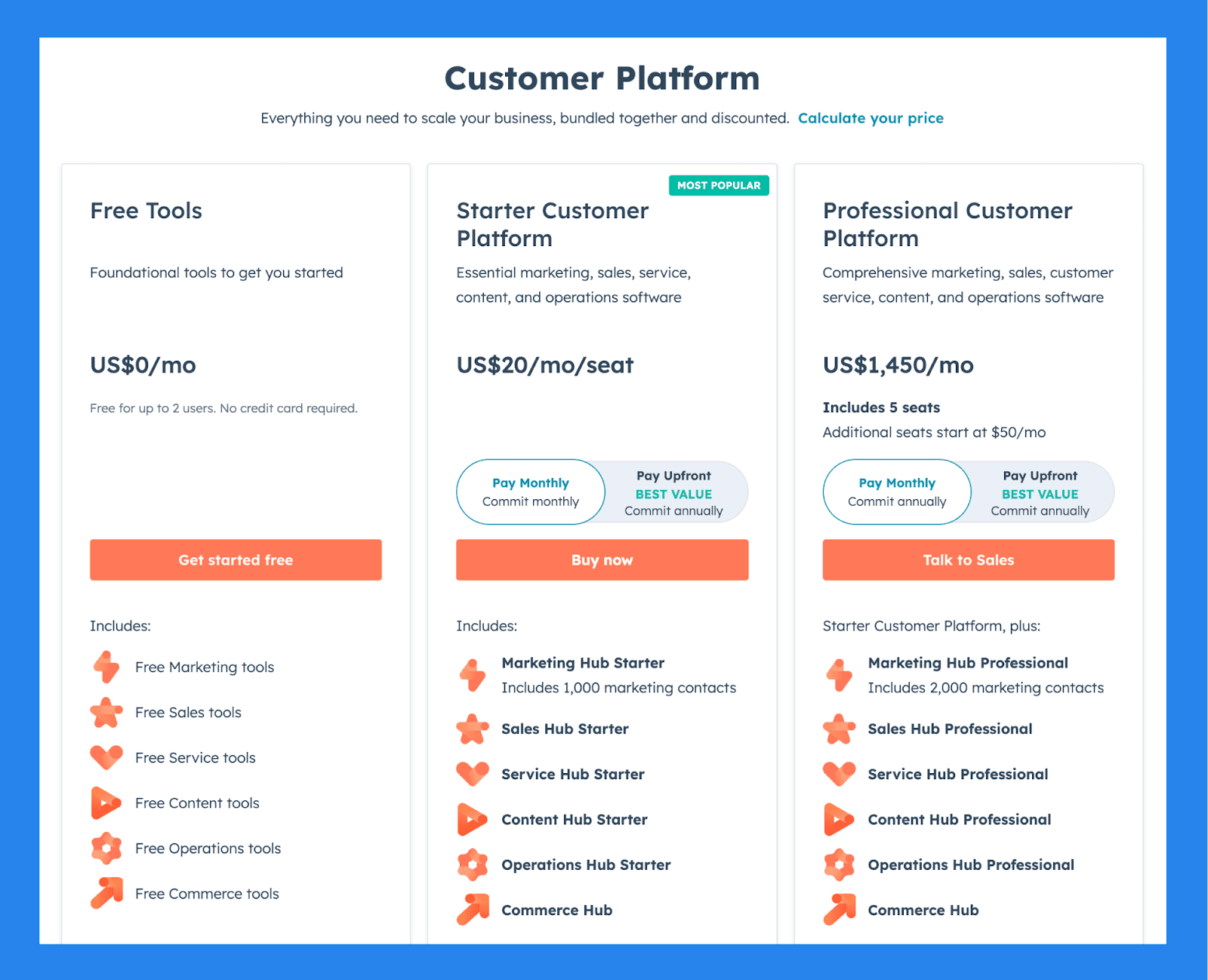
For Individuals & Small Teams
Free Tools | Starter Customer Platform | Professional Customer Platform |
|---|---|---|
$0/mo | $20/user/mo | $1,450/mo |
Includes: Free for up to 2 users No credit card required Free Marketing tools Free Sales tools Free Service tools Free Content tools Free Operations tools Free Commerce tools | Includes: Marketing Hub Starter Includes 1,000 marketing contacts Sales Hub Starter Service Hub Starter Content Hub Starter Operations Hub Starter Commerce Hub | Starter Customer Platform, plus: Includes 5 seats Additional seats start at $50/mo Marketing Hub Professional Includes 2,000 marketing contacts Sales Hub Professional Service Hub Professional Content Hub Professional Operations Hub Professional Commerce Hub |
Hubspot Demo Video
Loading YouTube sends it your IP address and may enable cookies. This applies to this content only.
4) Zoho CRM
Summary
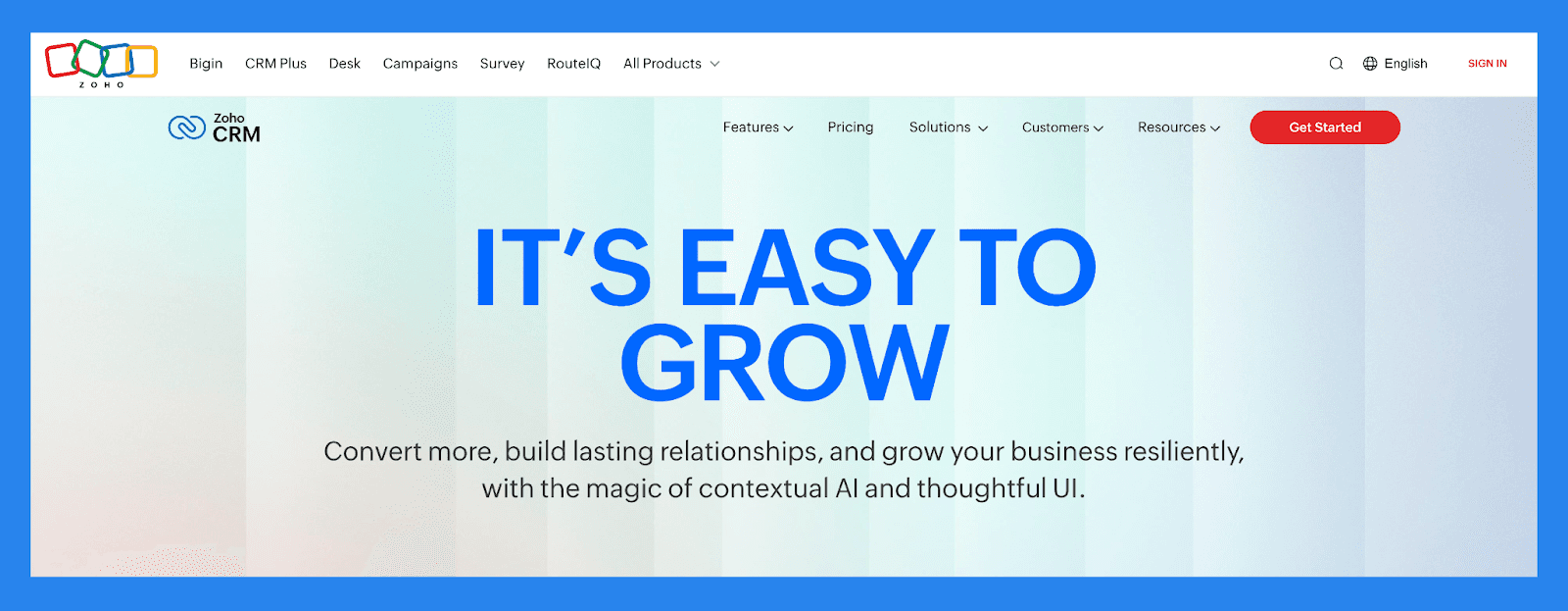
Zoho CRM combines flexibility, affordability, and enterprise-grade power — making it a smart choice for growing businesses. Its built-in call tracking features give sales teams the ability to manage, monitor, and analyze calls directly within the CRM.
With Zoho’s telephony integrations and native calling tools, you can log inbound and outbound calls automatically, record conversations, and link call activity to specific leads, contacts, or deals. The system also supports call reminders, outcome tagging, and detailed call analytics to help managers coach reps and optimize outreach strategies.
Whether you use Zoho’s own phone bridge or connect third-party services like RingCentral or Twilio, Zoho CRM makes it easy to bring call data into your sales workflow — without the need for extra tools.
Key Features | |
|---|---|
Email Sentiment Detection – Get a quick read on customer tone and intent from incoming emails, helping your team craft responses that match the mood and move deals forward. Conversational CRM Navigation – With Zia Voice, users can interact with Zoho CRM using natural language — searching records, generating reports, or making updates hands-free. AI-Driven Forecasting – Use historical trends and rep activity to generate data-backed revenue projections, reducing guesswork and improving forecast accuracy. Smart, Custom Dashboards – Create personalized dashboards that surface the metrics and tasks most relevant to your role, keeping productivity high and distractions low. Desktop & Mobile Access – Stay on top of tasks, deals, and communications with full-featured apps for both desktop and mobile, keeping you connected on the go. Omnichannel Communication – Manage outreach across email, phone, chat, and social channels from a single interface — making every touchpoint more timely and personalized. Safe Customization with Sandbox Mode – Test new fields, modules, or automation rules in a secure sandbox environment before rolling changes out to your live CRM. Zia AI Sales Assistant – From lead scoring and deal predictions to workflow suggestions and real-time insights, Zia helps your team sell smarter and faster. Live Analytics & Sales Dashboards – Monitor deal status, rep performance, and revenue trends with up-to-the-minute reporting tools tailored for sales visibility. | |
Ratings | |
G2 - 4.1/5 (2,753) | Capterra - 4.3/5 (6957) |
Pros | Cons |
Robust and customizable interface that integrates well across various platforms and ecosystems Feature-rich with extensive tools for sales, marketing, and automation Highly scalable, making it a great fit for growing businesses Integrates with a wide range of third-party apps and Zoho’s own suite of business tools | Onboarding and customization can be complex without technical assistance Outdated UI and occasional syncing issues with third-party tools The platform’s size and complexity can lead to slower load times and performance lags |
Pricing Plans
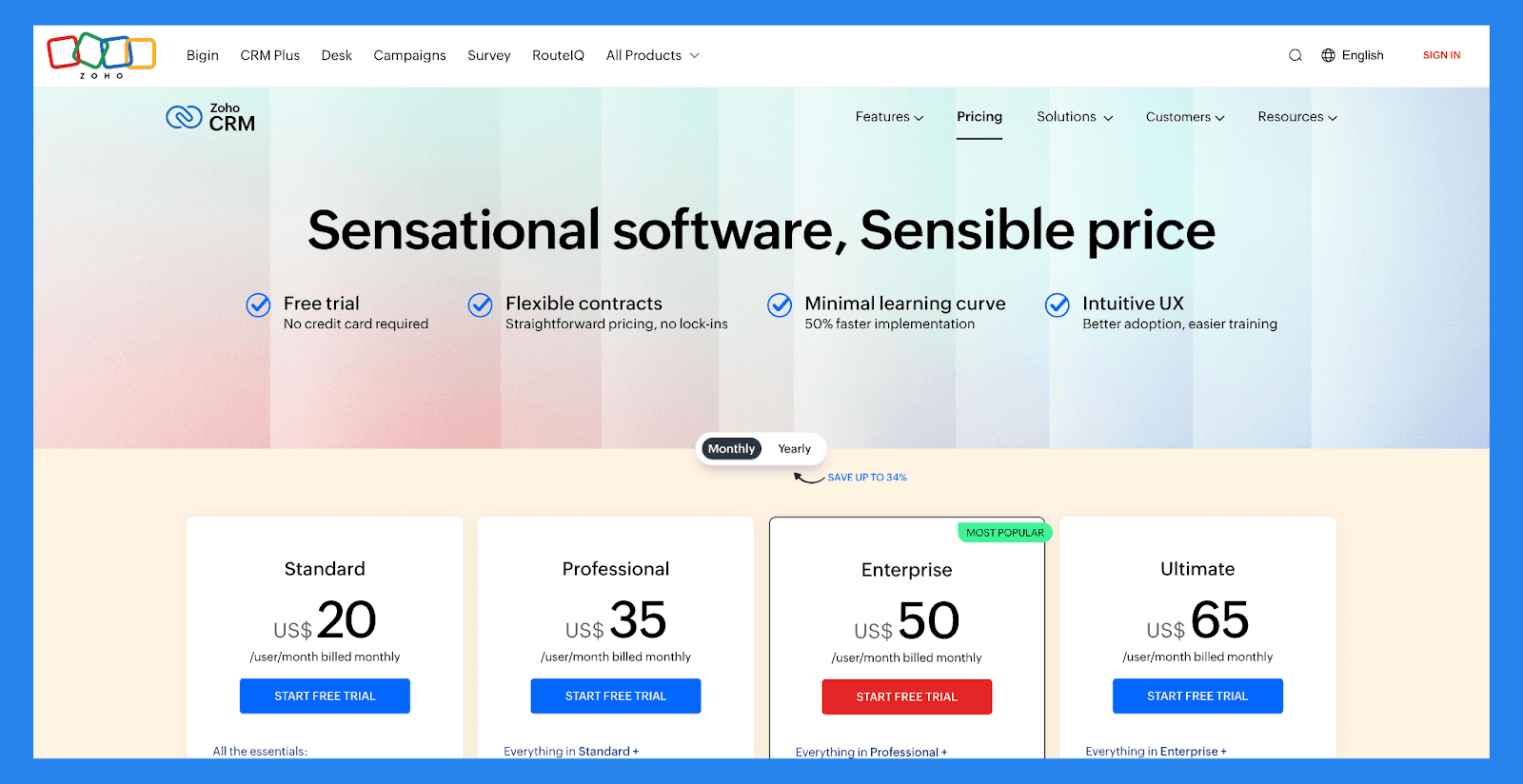
Standard | Professional |
|---|---|
$20 /user/mo | $35 /user/mo |
All the essentials: Mass email Custom modules Workflows Cadences Sales forecasting Lookup fields Canvas Office 365 integration Zoho Marketplace | Everything in Standard + Blueprint CPQ SalesSignals Inventory management Webhooks Assignment rules Validation rules Kiosk Studio Google Ads integration |
Enterprise | Ultimate |
|---|---|
$50 /user/mo | $65 /user/mo |
Everything in Professional + Zia — AI assistant Territory management Custom functions Journey orchestration Multi-user portals Page layouts Client scripts Approval process Sandbox | Everything in Enterprise + Enhanced feature limits Extended AI capabilities Advanced customization Data preparation Augmented analytics Data storytelling Unified business insights Advanced administration |
Zoho CRM Demo Video
Loading YouTube sends it your IP address and may enable cookies. This applies to this content only.
5) Pipedrive
Summary
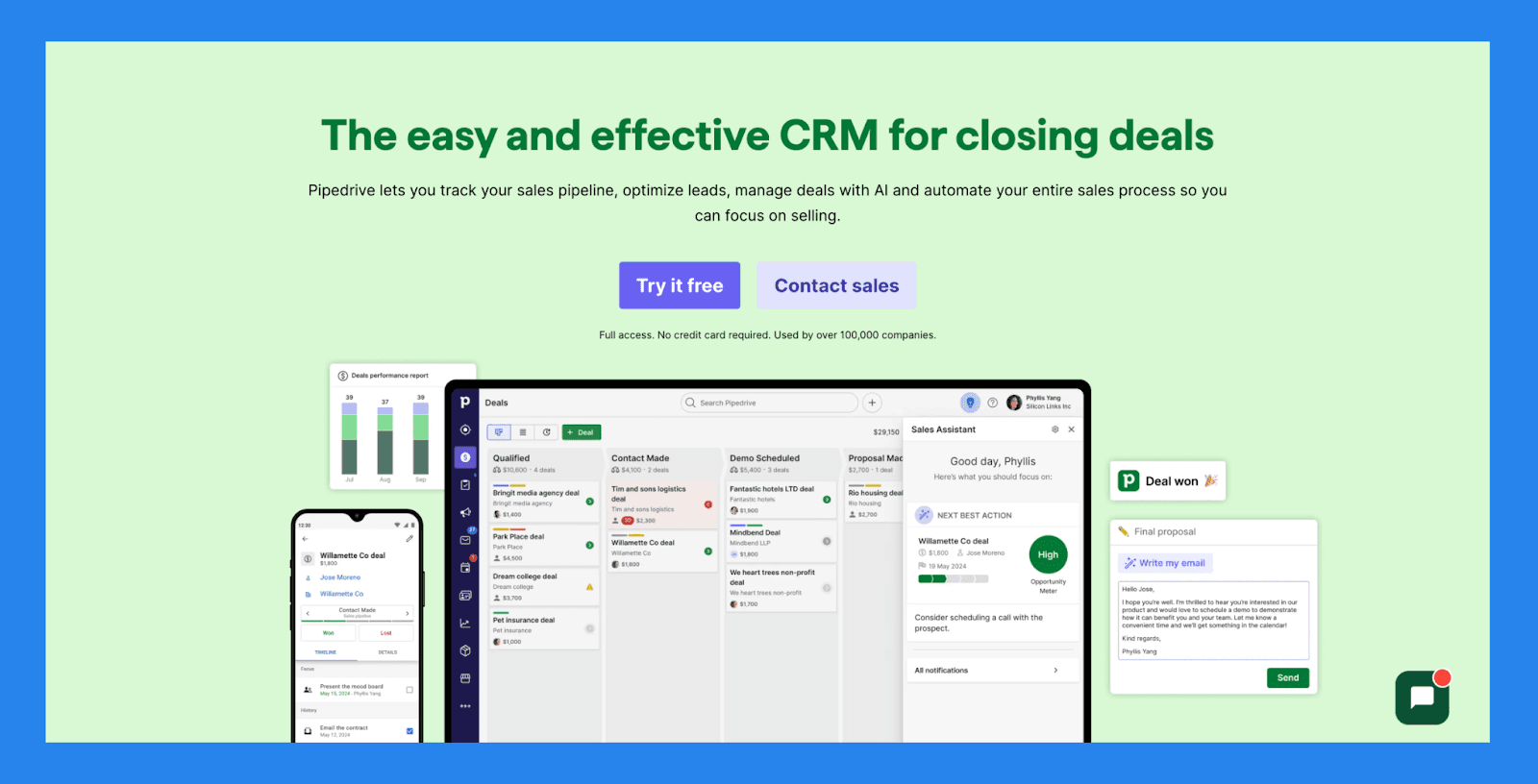
Pipedrive is a visual, deal-driven CRM built for speed, simplicity, and sales efficiency. Its call tracking functionality is designed to keep reps focused and pipelines moving — without the clutter of manual logging or third-party tools.
With built-in calling (via the Smart Call feature) and seamless integrations with VoIP providers, Pipedrive lets you place calls directly from contact records, log every interaction automatically, and record calls for future reference. You can also take notes during or after calls, tag outcomes, and track performance metrics like call volume and duration across your team.
Whether you're making high-volume outbound calls or following up on warm leads, Pipedrive’s call tracking tools help you stay organized, improve outreach quality, and close deals more efficiently.
Key Features | |
|---|---|
AI Deal Guidance – Leverage intelligent prompts and win probability scores based on real-time CRM activity to focus on the deals that matter most. Custom Forecasting & Sales Reports – Build tailored dashboards to analyze revenue trends, deal health, and conversion rates — all in one place. Performance Dashboards & Goal Tracking – Set sales targets and track rep or team performance visually, making it easy to stay aligned and motivated. Visual Pipeline Control – Move deals through stages with drag-and-drop simplicity, schedule next actions, and get real-time visibility into deal momentum. Lead Progress Monitoring – Monitor each lead’s journey from initial contact to conversion, assign follow-ups, and prioritize outreach based on lead quality. Sales Task Automation – Cut down on repetitive tasks with smart workflows that handle data entry, email reminders, and pipeline updates automatically. AI Sales Productivity Suite – Access built-in tools like email writing assistance, summary generation, and LeadBooster to streamline prospecting. Extensive App Integrations – Sync with 350+ tools—including Gmail, Slack, Zoom, Klenty, and Wingman—to create a truly connected sales tech stack. Mobile CRM Functionality – Manage your pipeline, respond to leads, and access reports from anywhere with full-featured mobile access. | |
Rating | |
G2 - 4.3/5 (2,445) | Capterra - 4.5/5 (3047) |
Pros | Cons |
Well-structured onboarding materials, including FAQs and videos Offers a wide range of integrations with third-party tools Strong automation and AI features that boost productivity Quick and easy setup with minimal learning curve | User interface can feel dated or unintuitive for some users No free plan available — paid tiers start quickly Customer support can be slow or inconsistent. No native LinkedIn integration for lead importing Some users report occasional bugs and performance issues |
Pricing Plans
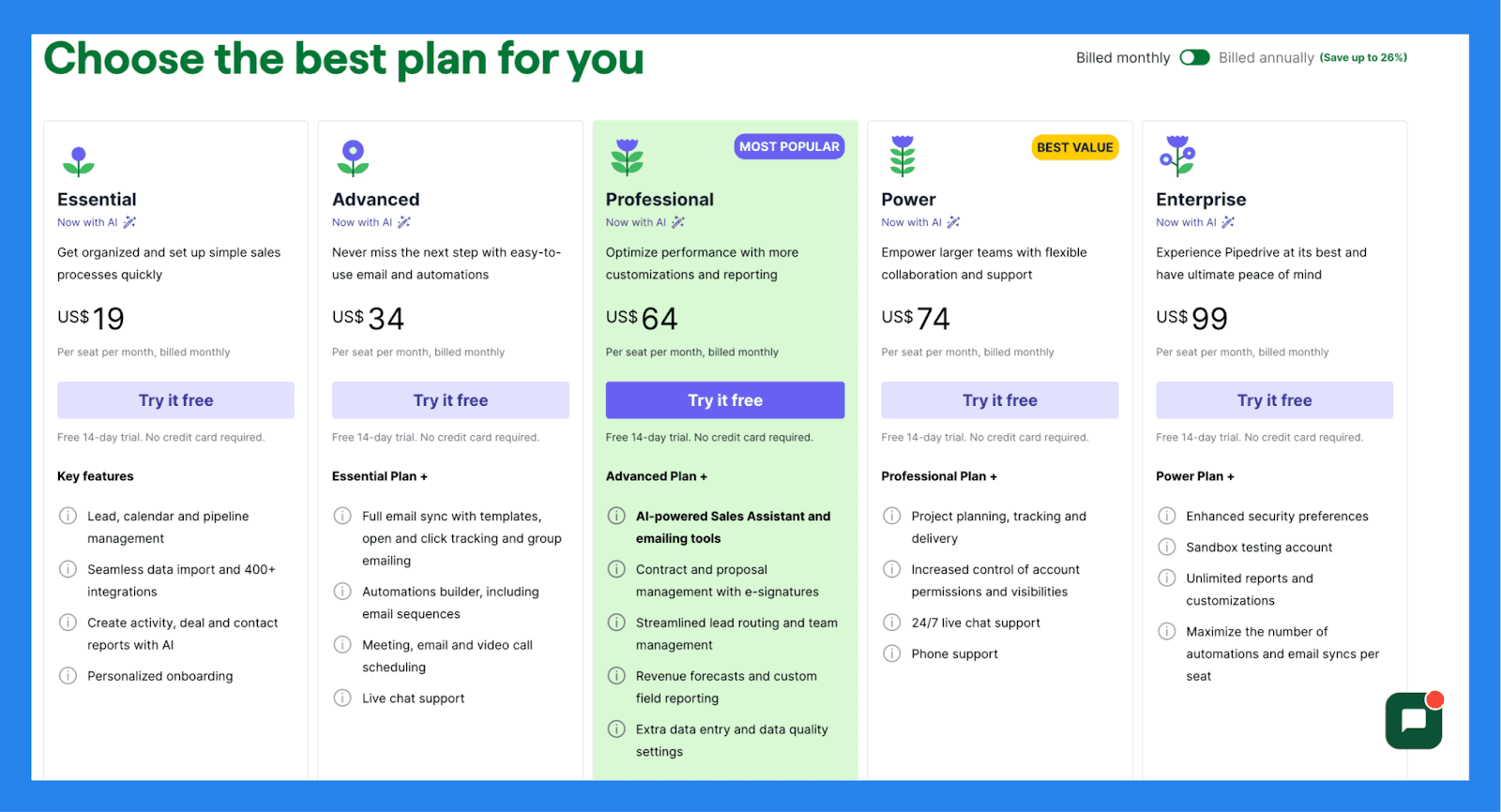
Essential | Advanced | Professional |
|---|---|---|
$19/user/mo | $34/user/mo | $64/user/mo |
Key features: Lead, calendar and pipeline management Seamless data import and 400+ integrations Create activity, deal and contact reports with AI Personalized onboarding | Essential Plan + Full email sync with templates, open and click tracking and group emailing Automations builder, including email sequences Meeting, email and video call scheduling Live chat support | Advanced Plan + AI-powered Sales Assistant and emailing tools Contract and proposal management with e-signatures Streamlined lead routing and team management Revenue forecasts and custom field reporting Extra data entry and data quality settings |
Power | Enterprise |
|---|---|
$74/user/mo | $99/user/mo |
Professional Plan + Project planning, tracking and delivery Increased control of account permissions and visibilities 24/7 live chat support Phone support | Power Plan + Enhanced security preferences Unlimited reports and customizations Maximize the number of automations and email syncs per seat |
Salesforce
Summary
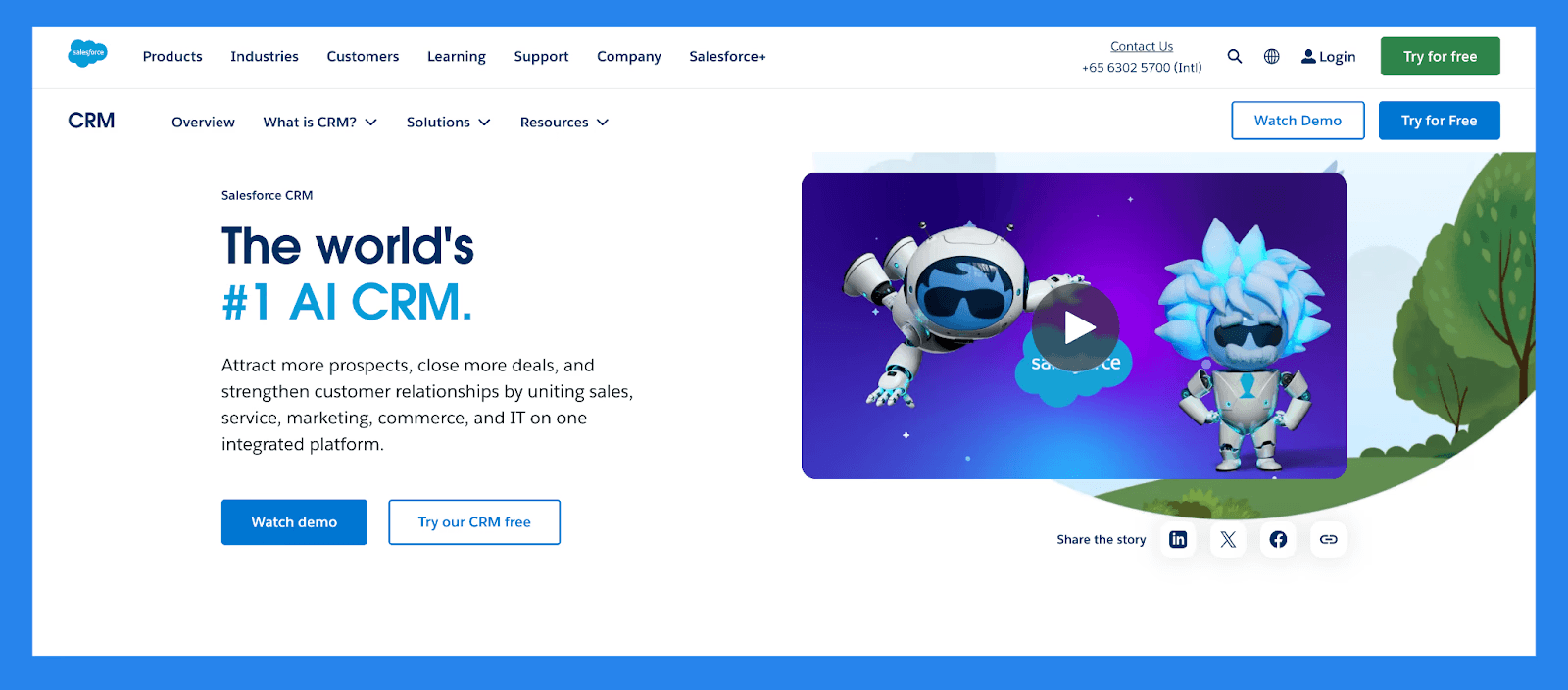
Salesforce is the original CRM giant for managing customer relationships at scale. While known for its robust customization and enterprise-grade features, Salesforce also offers powerful **call tracking capabilities **— either natively or through its vast ecosystem of integrations.
Sales teams can log calls automatically, record conversations, and sync call activity to leads, contacts, or opportunities for a complete engagement history. With integrations like Aircall, RingCentral, and Dialpad, Salesforce enables features like local dialing, call outcome tracking, real-time transcriptions, and AI-powered conversation insights.
Whether you’re managing a high-volume outbound team or a complex sales process, Salesforce gives you the flexibility to track, analyze, and optimize call performance at scale — all within a single source of truth.
Key Features | |
|---|---|
Lead & Deal Tracking – Seamlessly capture and qualify new leads, assign them to the right reps, and follow opportunities through fully customizable sales stages. Sales Process Automation – Minimize manual work with automated lead assignment, task reminders, and follow-up triggers that keep your pipeline moving. Tailored Sales Pipelines – Design visual pipelines that mirror your sales workflow, complete with drag-and-drop controls and detailed progress tracking. Unified Contact Management – Organize contacts and accounts in one place, with full histories of calls, emails, meetings, and notes for every relationship. Integrated Communication Logging – Automatically sync emails, calls, and calendar events from Gmail, Outlook, or other platforms — keeping your CRM activity-rich and up to date. Advanced Workflow Automation – Build complex approval paths and rule-based workflows to streamline internal processes and enforce consistency across teams. App Ecosystem via AppExchange – Expand Salesforce’s functionality with thousands of vetted apps covering everything from lead generation to financial tracking. CRM on the Go – Empower your team with a fully functional mobile app that offers access to deals, contacts, tasks, and dashboards — anytime, anywhere. Einstein AI Intelligence – Boost productivity with AI-driven insights, including predictive lead scoring, opportunity health analysis, and suggested next steps. Built-In Team Collaboration (Chatter) – Collaborate directly inside the CRM with real-time updates, mentions, and threaded discussions to keep everyone aligned on key deals. | |
Ratings | |
G2 - 4.4/5 (23,272) | Capterra - 4.4/5 (18817) |
Pros | Cons |
Optimizes lead management and improves conversion rates Excels at data organization and cleanliness Integration-rich with a vast app ecosystem Responsive customer support and helpful community resources | Complex implementation process that requires time and resources Expensive, especially for solopreneurs or small businesses Steep learning curve, particularly for non-technical users User interface can be unintuitive and hard to navigate |
Pricing Plans
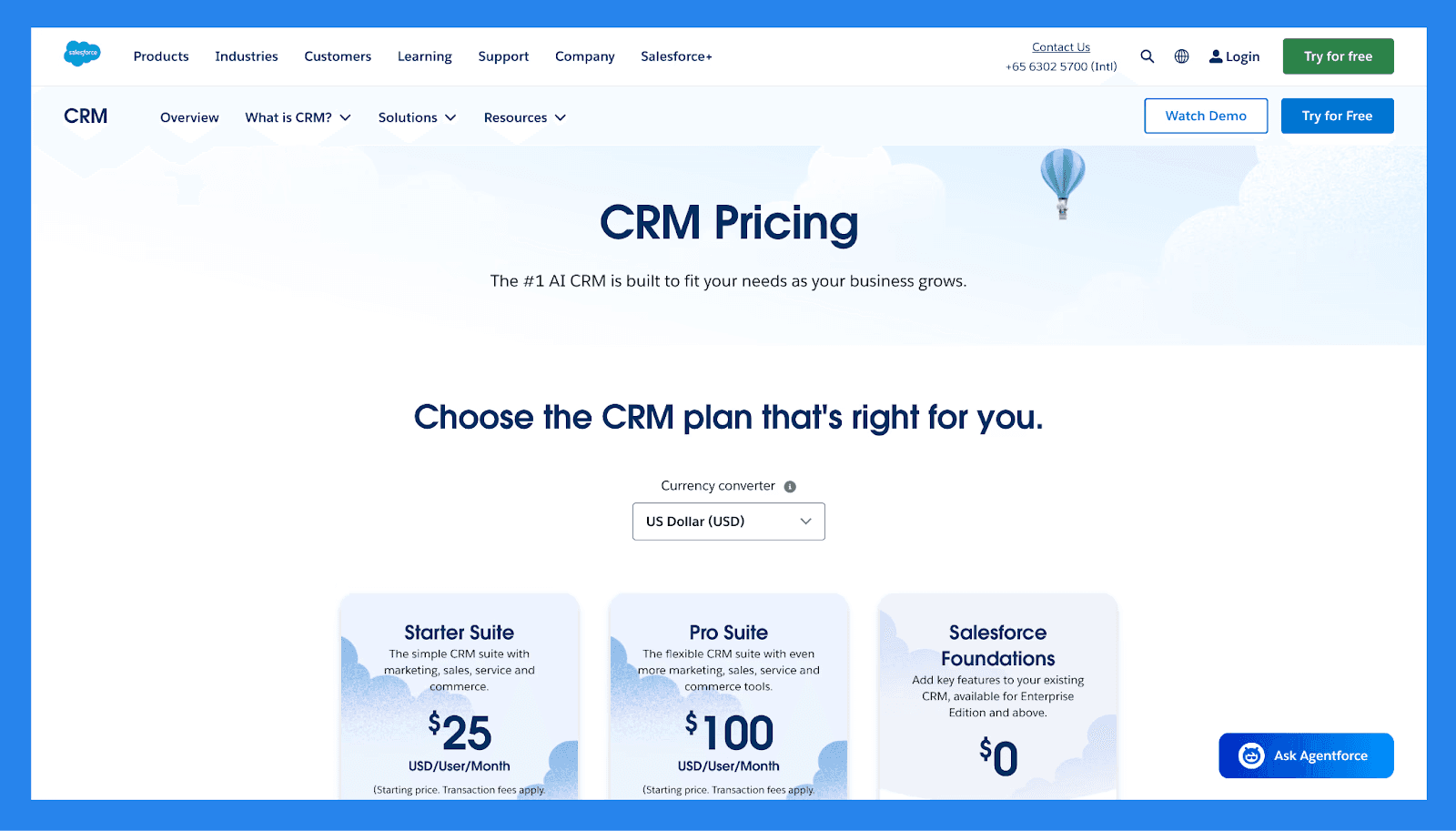
For SMBs | Starter Suite | Pro Suite | Enterprise |
|---|---|---|---|
Price | $25/user/mo | $100/user/mo | $165/user/mo |
Users | 325 max | Unlimited | Unlimited |
Lead scoring | ❌ | ✅ | ✅ |
API | ❌ | $15/user/month | ✅ |
Custom reports | ✅ | ✅ | ✅ |
Advanced Forecasting | ❌ | ❌ | ❌ |
Generative AI features | ✅ | ✅ | ✅ |
For Enterprises | Unlimited | Einstein 1 Sales |
|---|---|---|
Price | $330/user/month | $500/user/month |
Users | Unlimited | Unlimited |
Lead scoring | ✅ | ✅ |
API | ✅ | ✅ |
Custom reports | ✅ | ✅ |
Advanced Forecasting | ✅ | ✅ |
Generative AI features | ✅ | ✅ |
Salesforce Demo Video
Loading YouTube sends it your IP address and may enable cookies. This applies to this content only.
🧠 Final Thoughts
CRM call tracking bridges the gap between phone conversations and customer data. By integrating call activity directly into your CRM, you gain deeper insights into sales performance, marketing attribution, and customer engagement — all in one place. It’s not just about logging calls; it’s about turning every conversation into actionable data that helps your team move faster and close more deals.
Ready to take your communication tracking to the next level?
Explore a CRM built for the future and unlock a smarter, more connected AI-native workflow.
Frequently asked questions

Written by
Arnaud Belinga · Co-Founder & CEO at Breakcold
Arnaud is the Co-Founder & CEO of Breakcold, the AI Native CRM for sales teams of 5 to 30+ people.