



Axonaut CRM: the WORST or the BEST CRM? (Test & Review 2026)
TL;DR: is Axonaut the best or the worst CRM for French SMEs?
📦 Axonaut is a genuine all-in-one for French SMEs: CRM, quotes, invoicing, projects, inventory and cash flow in one subscription at about 70 euros/month plus 30 euros per extra user.
📊 It is strong on invoicing, progress billing, management and inventory, more advanced than most all-in-one tools.
⚠️ The CRM itself is light: basic pipelines, limited customization, and the CRM to quote to project flow needs configuration to feel connected.
🤝 For a modern, sales-first and automation-oriented CRM, Breakcold is the better fit and syncs LinkedIn, email, WhatsApp and Telegram into one pipeline with AI handling the admin.
🏢 For a broader (but more complex) French management suite, Sellsy is the main alternative.
My opinion on Axonaut CRM
Axonaut is typically an “all-in-one” management software that aims to cover as many needs as possible in an SME: CRM, quotes, invoices, expenses/purchases, inventory, projects, tickets, HR, management, and even a business account. On paper, the promise is appealing: a single tool, fewer subscriptions, centralized data.
In reality, Axonaut does some things rather well (sales management, invoicing, progress tracking, management, surprisingly rich inventory), but it suffers from the classic pitfall of generalist suites: modules that are not always at the same level, and sometimes a lack of “natural connection” between the building blocks (especially CRM → quotes → projects). There are settings that unlock a lot of value (for example, the automatic creation of projects upon acceptance of a quote), but if you don't know they exist, you can easily conclude, wrongly, that “the modules are not connected.”
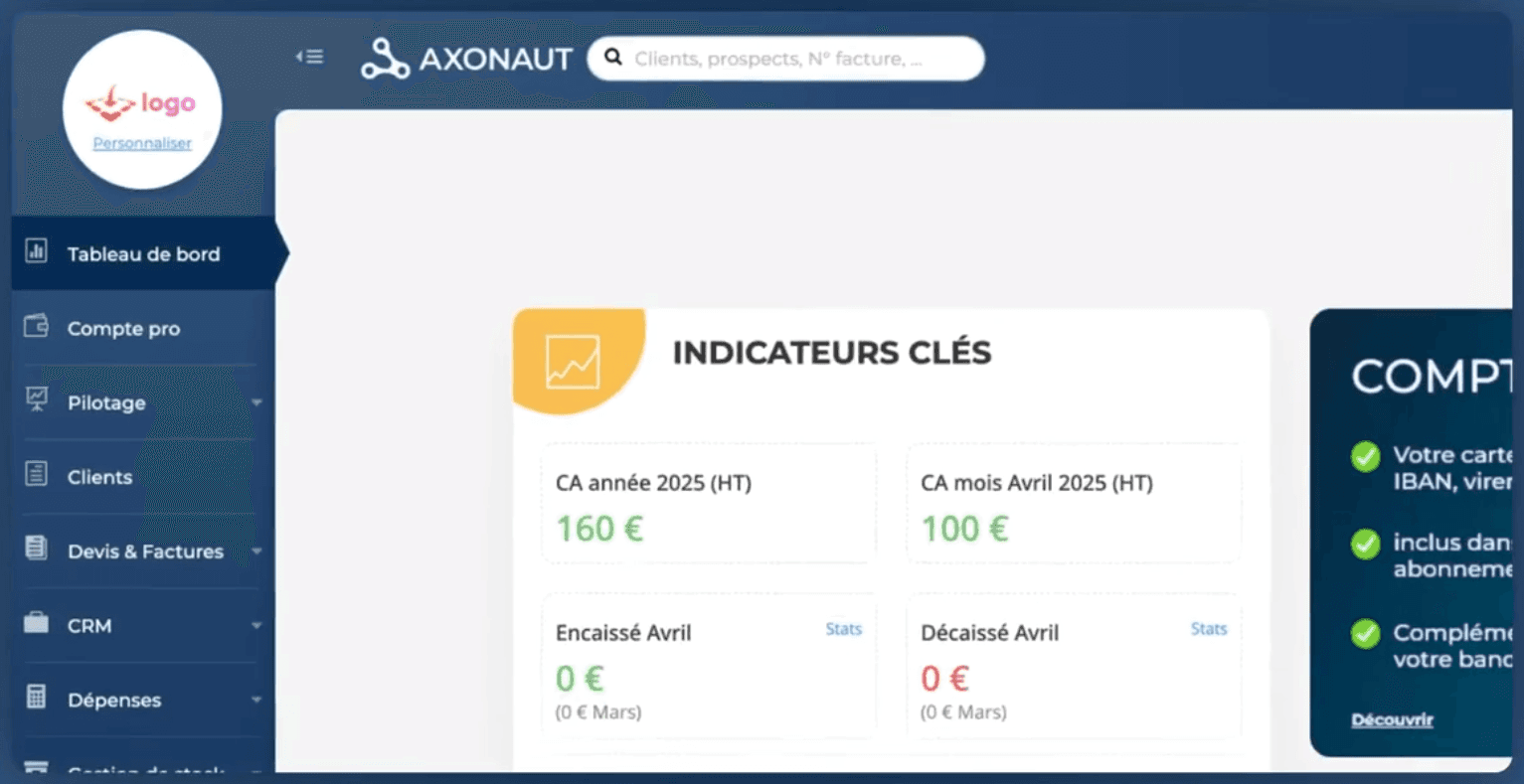
So my opinion is mixed: Axonaut may be a good choice if you want to centralize your management and your CRM needs are simple. However, if you're looking for a modern, very sales-first CRM (like Breakcold/Pipedrive), Axonaut may seem too lightweight, with a less fluid and less clean experience.
Axonaut CRM: the WORST or the BEST CRM? (Review, Opinions & Alternatives) (Summary) |
|---|
Axonaut is an all-in-one management software for small and medium-sized businesses that centralizes CRM, quotes, invoicing, projects, inventory, cash flow, and more. 📦 Centralizes sales, invoicing, projects, and management in a single tool. 📊 Very robust in terms of progress invoicing, management, and cash flow. 📈 More advanced sales and inventory management than the average “all-in-one” tool. ⚙️ Good potential... but highly dependent on settings (otherwise, the modules seem poorly connected). ⚠️ Fairly lightweight CRM, not very focused on “modern sales” and sometimes basic experience. 🧩 The journey from CRM → quote → project is not always smooth without configuration. 💸 Price is reasonable if you use several modules, too expensive if you just want a CRM. 🧊 Axonaut is a good choice for centralizing management with simple CRM needs. 🤝 For a sales- and automation-oriented CRM: Breakcold is more suitable. 🏢 For a comprehensive (but more complex) suite: Sellsy remains an alternative. 🚀 Axonaut is suitable for SMEs that want to consolidate everything, but not for demanding sales teams. |
Pros and Cons of Axonaut
Like all CRMs, Axonaut has both advantages and disadvantages.
Pros
Very comprehensive suite
Few tools offer so many modules in a single subscription: sales (quotes/invoices), purchasing/expenses, inventory, projects, tickets, management dashboards, etc.Well-managed quotes, invoices, and progress billing
Down payments, progress tracking, remaining amounts to invoice, percentage billed: a real strength for service-based businesses.Solid management and cash flow monitoring
Forecasts, tracking of incoming/outgoing payments, dashboards: useful for an overall management view.More advanced inventory management than expected
Products, assemblies/components, manufacturing, stock in/out: covers “simple to intermediate” needs without being a full industrial ERP.Automation via Zapier and Make
Presence on both platforms is a good signal for connecting Axonaut to an existing tech stack.Hosting in France (Scaleway mentioned)
Reassuring for teams sensitive to data sovereignty and European hosting.
Other advantages mentioned by users on G2 and Capterra
✔️ Overall time savings
Users report that the software automates manual tasks and centralizes information, saving time in day-to-day management.✔️ Comprehensive features for SMEs and small businesses
The quote and invoice modules are often seen as complete, with useful features like online signatures and the ability to manage multiple aspects of the business from a single dashboard.
Cons
“Very light” CRM
Pipelines and opportunities are fine for basic use, but far from a modern, sales-oriented CRM with a smooth experience and advanced features.Sometimes unintuitive links between modules
Some workflows are confusing: it often feels like the building blocks exist but don’t “talk” to each other naturally (unless the right settings are enabled).Client-facing interface needs improvement (emails, rendering, deliverability)
Quote emails can look outdated and were flagged as spam during testing, which can hurt prospects’ perception.Tricky navigation and terminology for purchasing/expenses
Concepts like orders/expenses/delivery notes are somewhat disjointed, leading to re-entry and confusion.Major limitation: client-specific VAT (confirmed)
It’s impossible to assign a specific VAT rate per client (e.g., intra-community VAT, reverse charge). For some companies, this is a deal-breaker.Unclear HR module without guidance
It exists, but is hard to evaluate: it feels more like tracking/archiving than a robust HR tool.
Other disadvantages reported by users on G2 and Capterra
⚠️ Learning curve
Some users report that it takes time to master all the features, as the richness of the software can feel a bit overwhelming at first.⚠️ Limited CRM features for advanced needs
The CRM module is considered effective for simple processes, but some reviews mention a lack of advanced features such as predictive scoring or advanced automation options.⚠️ No multi-entity management
A recurring criticism is the inability to manage multiple companies or structures from a single account, which can be limiting for some users.⚠️ Some limitations in the mobile experience
A few reviews mention that the mobile experience could be improved, particularly in terms of app responsiveness or smartphone interface performance.⚠️ Support sometimes needs improvement
Although often appreciated, some feedback indicates that response times can sometimes be long, which can be frustrating when you are blocked.
Axonaut Features and UI/UX
Now that we’ve covered the pros and cons, let’s focus on Axonaut’s features.
CRM
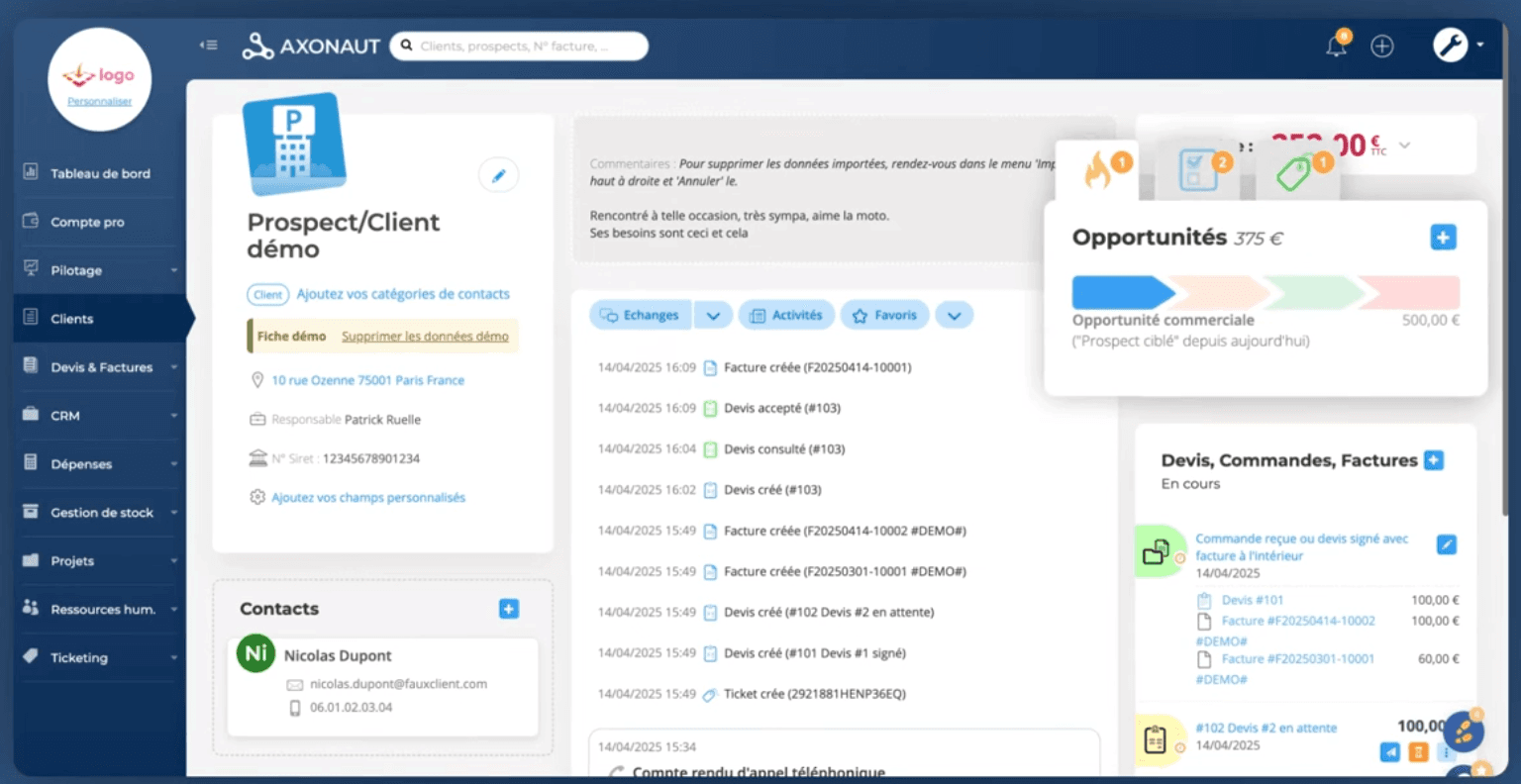
Synchronizable calendar (Google/Microsoft) with simple setup.
Kanban-style opportunity pipeline, with support for multiple pipelines.
However, customization is limited and the overall experience is “basically functional.”
Opportunities / Pipeline:
You’ll find a “Breakcold-style pipeline” logic: columns, stages, drag-and-drop, ability to create multiple pipelines, add opportunities, estimate deal value, probability, and closing date.
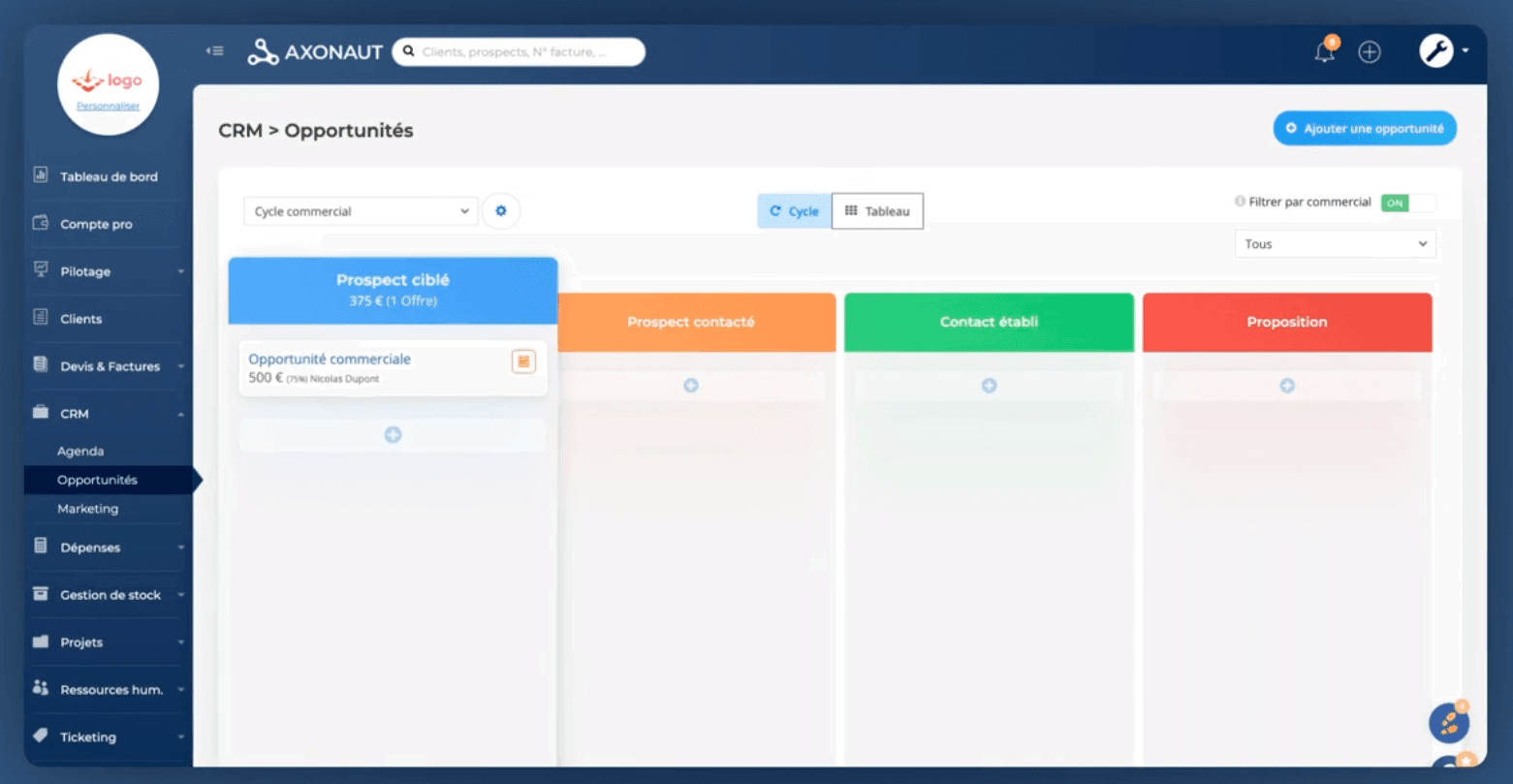
However, the pipeline customization options seem limited: few settings, reorganization is not always intuitive, and the overall experience remains basic. It may be sufficient for simple needs, but it is not an advanced sales CRM like Breakcold.
Above all, one major issue stands out quickly: the connection between the CRM (opportunities) and the quoting/invoicing module is not natural. You try to generate a quote from an opportunity, or at least link a quote to an opportunity… and you realize that this connection does not exist in any obvious way. As a result, the CRM becomes a somewhat isolated building block, whereas in an all-in-one tool, you expect exactly the opposite: a continuous flow “opportunity → quote → signature → invoice → payment.”
Sales (quotes, signatures, invoices)
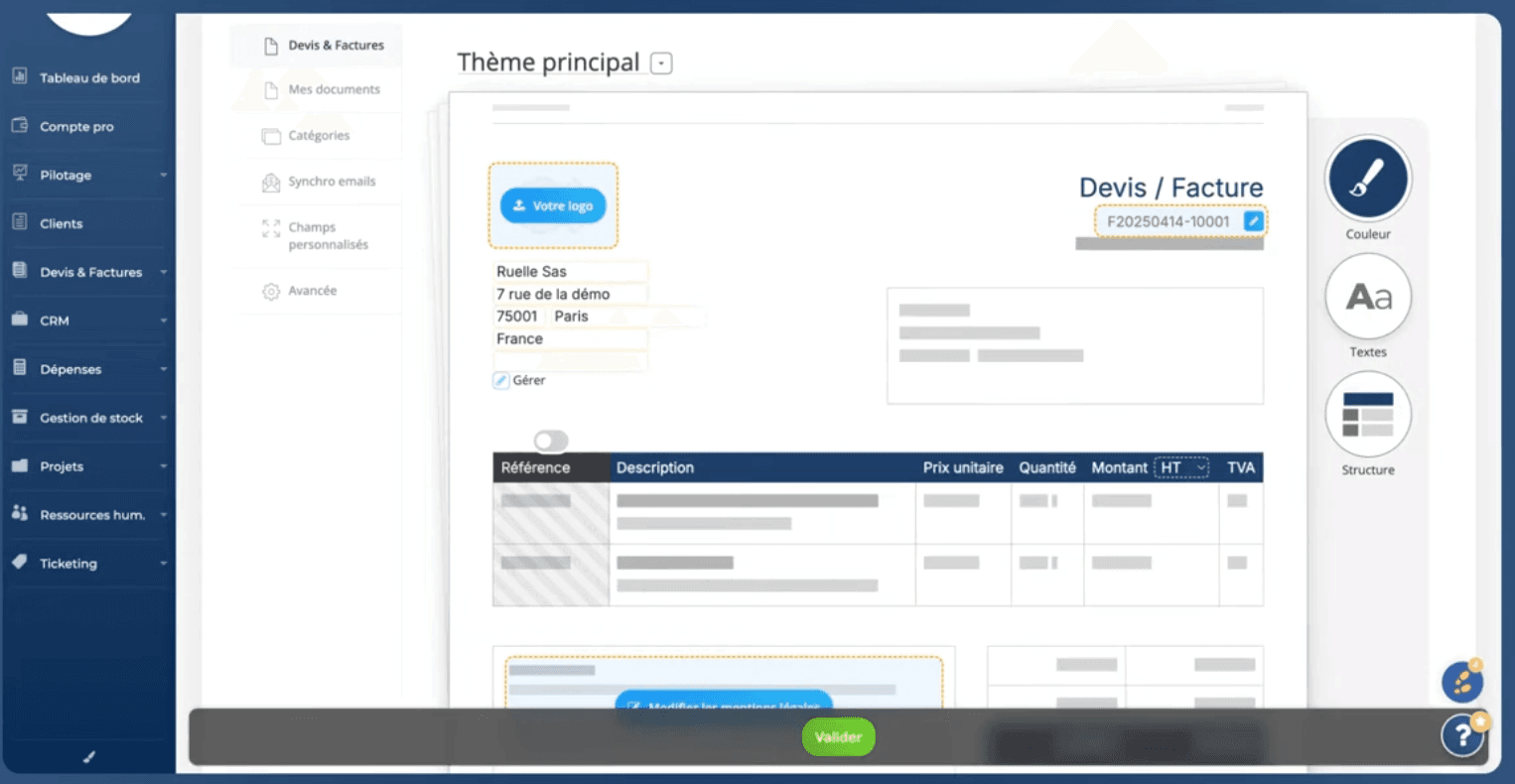
Simple quote creation, with products/services that can be created on the fly.
Electronic signature and online payment available (Stripe mentioned).
Down payment invoices and progress billing: very strong for service businesses.
Creating a quote is straightforward: select the client, add line items (product/service), create products on the fly, manage pricing, taxes, etc. Quotes are typically sent as PDFs, and document generation solutions are often used to produce that file before it goes out for signature. Axonaut also offers electronic signatures and online payments (Stripe is mentioned). On paper, this is a real plus.
But in practice, there are some pain points:
the inability to send a quote “to yourself” (blocked by the system) during testing, which is perceived as an unnecessary constraint,
the perceived quality of outgoing emails (design and deliverability),
and once again, the lack of a clear link between CRM opportunities and quotes.
Projects
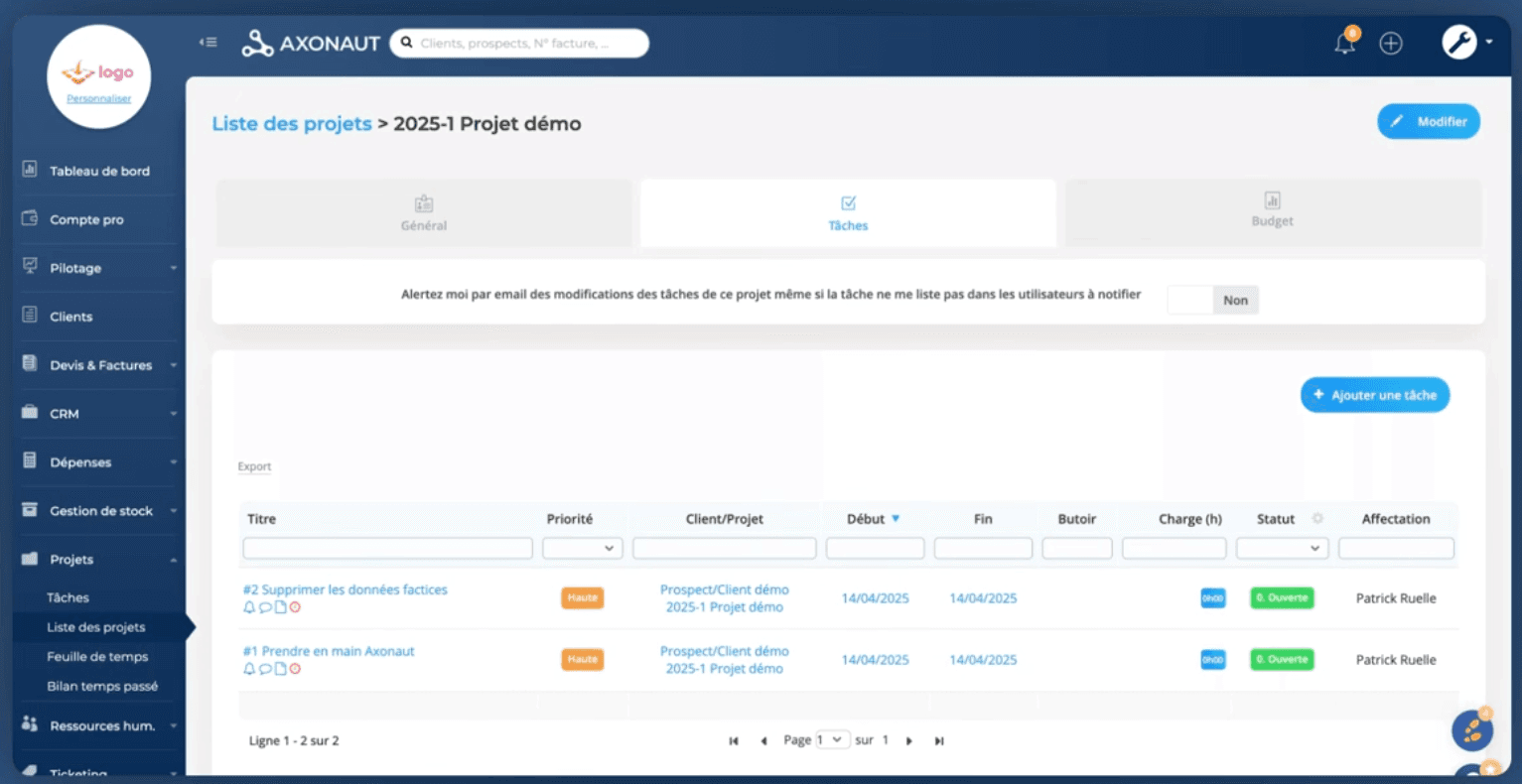
Key point: the quote → project integration depends on a setting (automatic project creation when a quote is accepted). Once enabled, it becomes coherent.
At first, this was a major criticism: projects seemed “disconnected.” You create a quote, but can’t automatically create a project, can’t retrieve the budget, and there’s no natural link… In short, the usual complaint applies: “lots of modules, but not connected.”
Then an important element comes into play: there is a setting (that can be activated) allowing a project to be automatically created when a quote is accepted. Once enabled, the project module becomes much more logical: an accepted quote can generate a project, with the budget carried over, and you finally get the integration you expect from a suite.
Purchases / Expenses / Expense Reports
Standard expense reports (receipts, mileage allowances).
Purchase/expense workflows can be confusing during testing, especially at the beginning.
This is not a full AI industrial ERP, but for simple to intermediate needs, it is far more advanced than what is usually found in “all-in-one” tools focused on services.
Inventory / Manufacturing
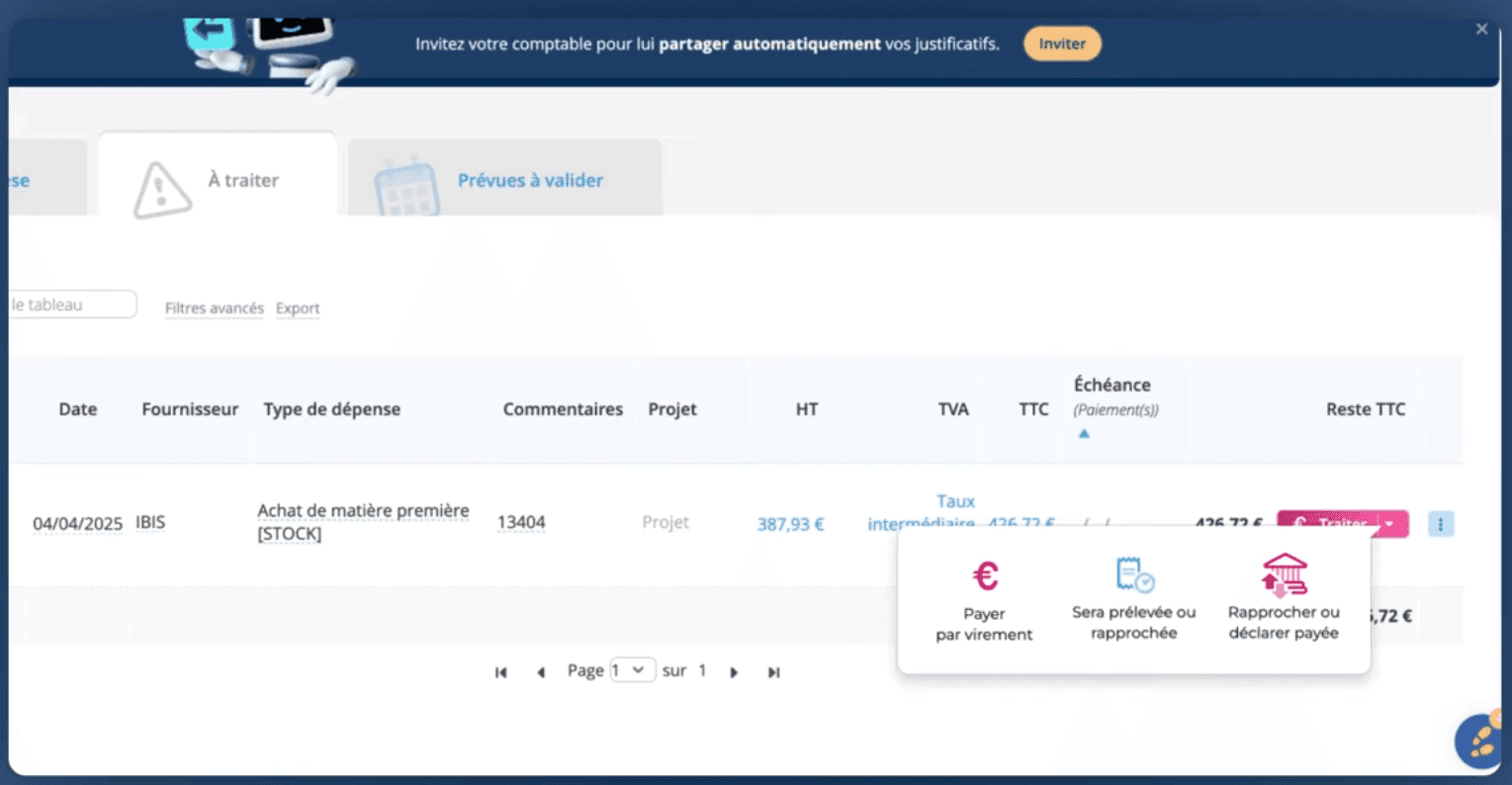
Rich inventory management, with assemblies/components and manufacturing features.
Sufficient for non-industrial needs.
Tickets (Support)
Portal and email-based tickets, with basic integrated helpdesk-style management.
Axonaut offers a helpdesk-style ticketing module (in the spirit of Zendesk/Freshdesk/Intercom). You can enable a portal, connect an email address, automatically create tickets from incoming emails, define statuses and users, etc.
Management / Reporting
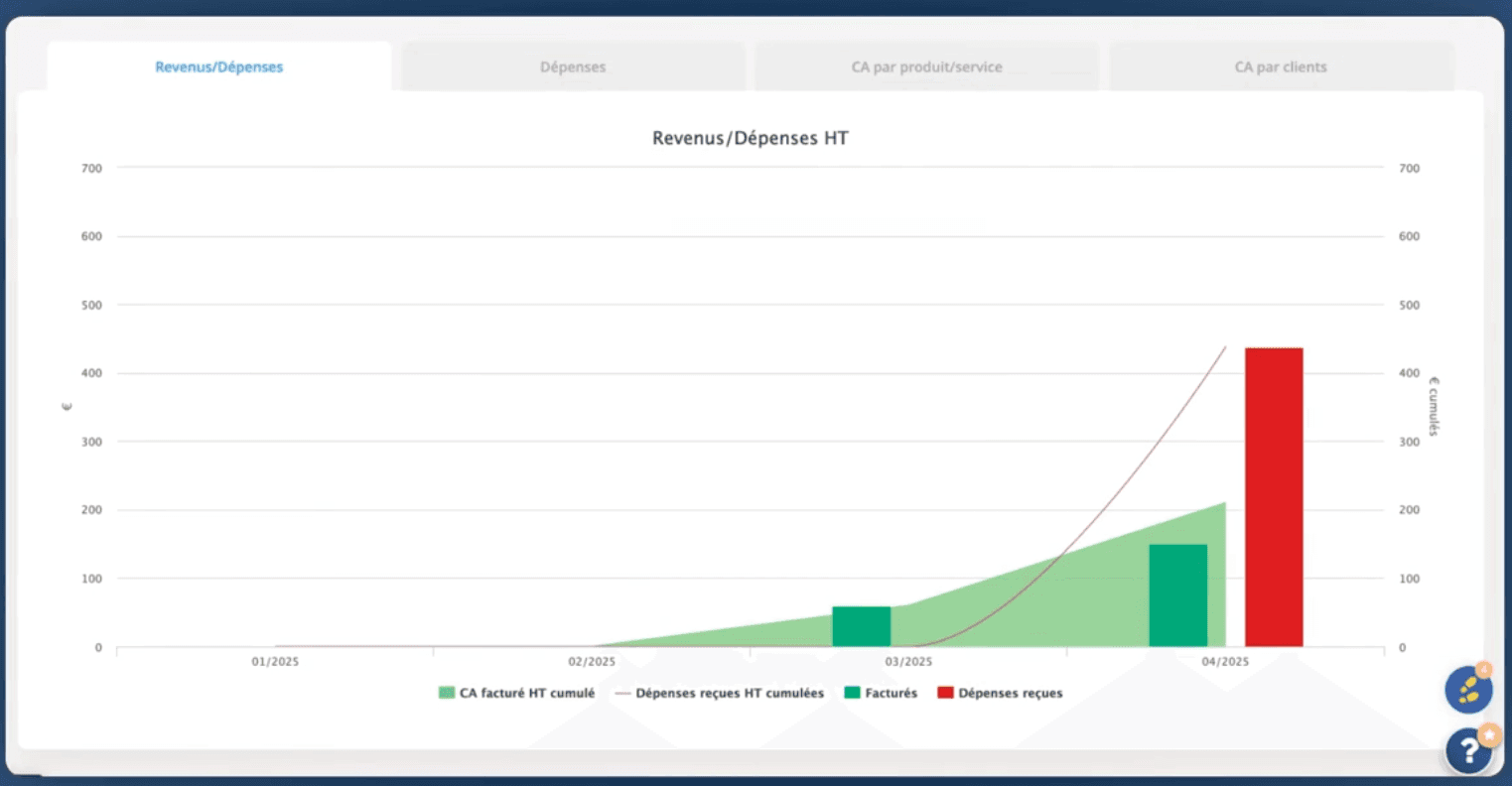
Cash flow management and dashboards are considered well designed, even if the UI feels a bit different from the rest of the product.
The management/reporting module stands out as a pleasant surprise: cash flow forecasts, VAT tracking, shareholder current accounts, monitoring, and dashboards.
UI/UX (Overall Feel)
Usable interface, but not “modern startup-style.”
Some visual inconsistencies and workflows that are not always intuitive.
On the end-customer side (emails/quotes): lack of polish.
Integrations
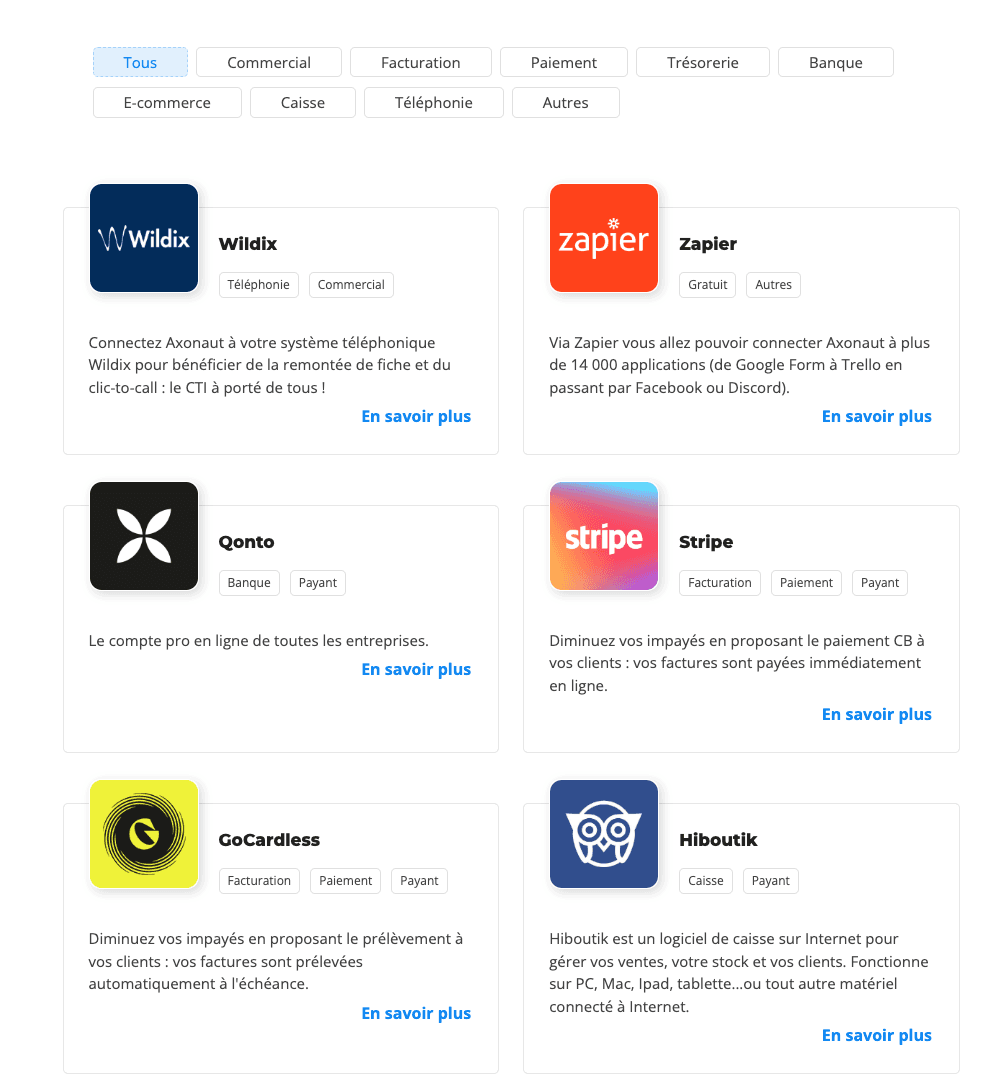
Zapier: Axonaut is available with triggers and actions.
Make: Axonaut is also supported, with multiple modules/flows possible.
Calendar: Google and Microsoft calendar synchronization.
There is also a whole list of integrations with tools such as Waalaxy and Ringover.
Overall, a good point: Axonaut is not a closed tool. You can connect it to an existing stack if needed.
Pricing / Axonaut Costs
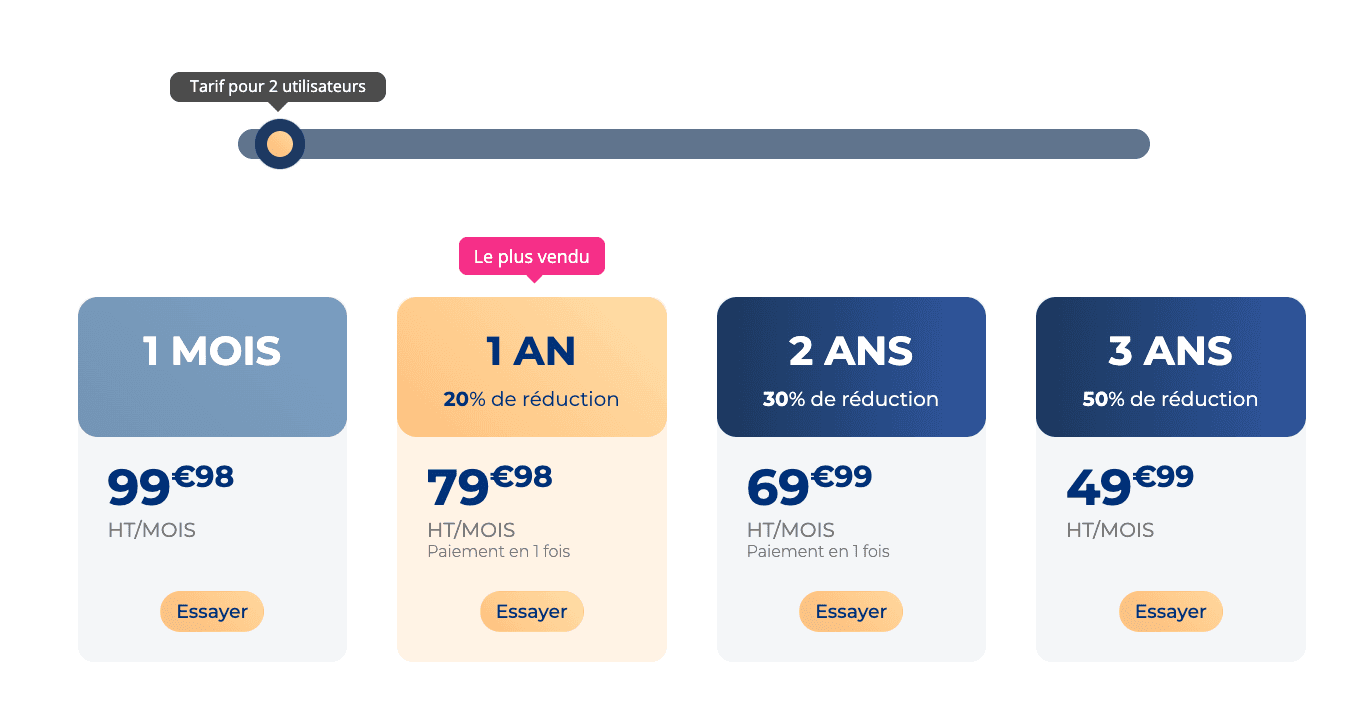
About €70/month for 1 user.
Then about €30/month per additional user.
All modules included (no per-module pricing).
It’s not the cheapest tool on the market, but the price remains reasonable if you actually use multiple modules. If you just want a CRM, you’ll probably pay “too much” for what you need. If you want to centralize management + invoicing + reporting + (possibly) inventory/projects, the equation becomes more interesting.
French Alternatives to Axonaut CRM
If you’re using Axonaut, it’s probably because you want a French CRM, in French with quality French support.
Here are some alternatives to Axonaut based on those criteria:
Breakcold: the French alternative specialized compared to Axonaut.
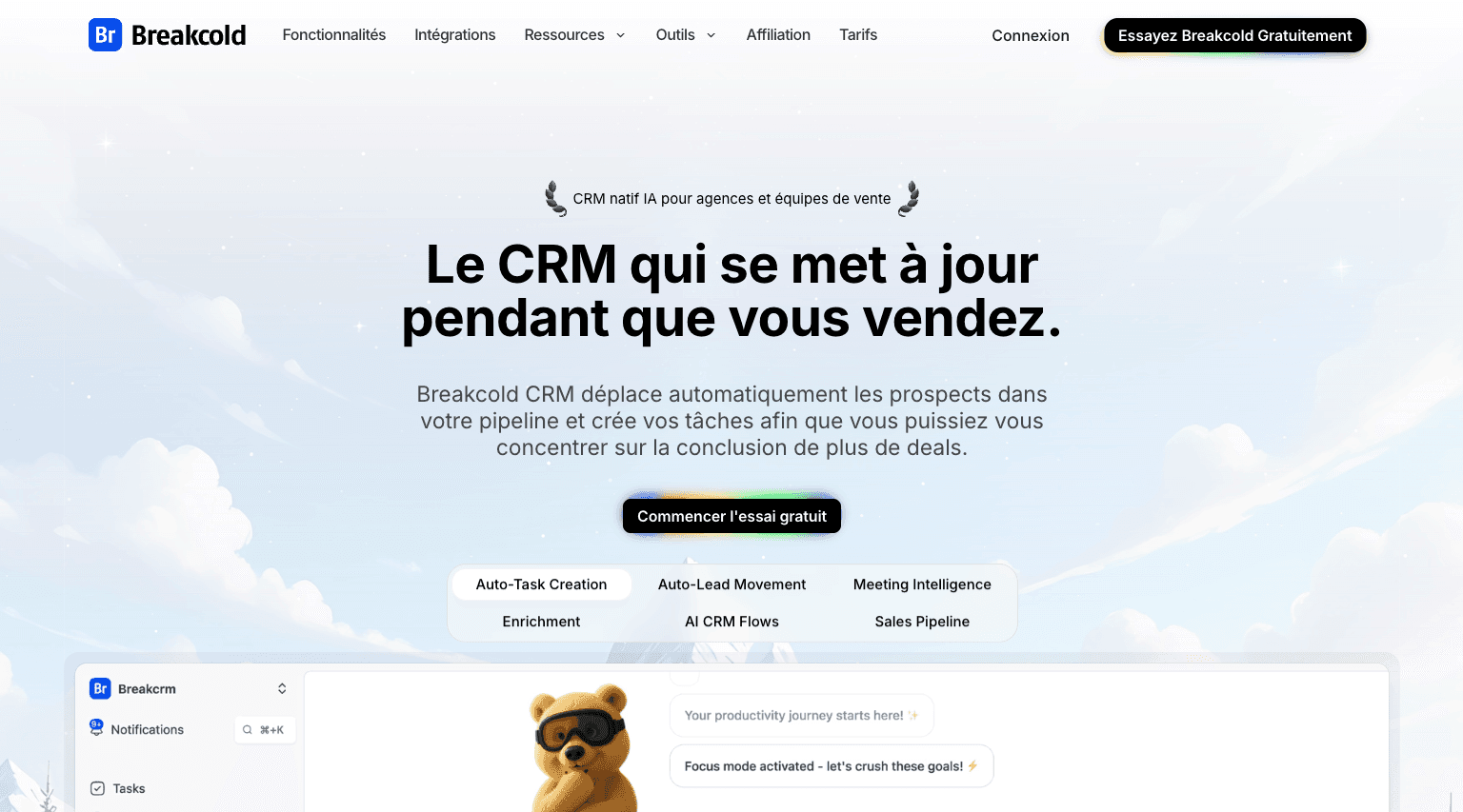
Unlike Axonaut, Breakcold has chosen to specialize in the sales side.
Breakcold is a Sales CRM that allows you to automatically sync your email, phone, meeting, LinkedIn, WhatsApp, and Telegram activities.
The CRM is also AI-native, which means you don’t have to waste countless hours updating your CRM manually, as is often the case with Axonaut.
Breakcold is also inexpensive compared to Axonaut, with its base plan priced at $99/month. A team of 5 on Breakcold is $139/mo, where Attio, Pipedrive and HubSpot Sales Hub run about $500/mo for 5 seats with similar features.
From my own experience, I noticed that Smartlead’s API is more responsive than Instantly’s, so leads are received faster. It almost feels like magic ✨.
Other Key Features of Breakcold AI Native CRM |
|---|
Auto-lead movement: Leads move automatically in Breakcold’s CRM based on your interactions with them. No setup required, the AI understands everything on its own. Auto-task creation: Monitors your interactions with leads and automatically creates follow-up tasks so you never lose momentum. This lets you focus on chatting with leads, not on admin work. Vision Builder – by default, leads move automatically by how you named your lists and sales pipeline stages (zero setup). But if you want to control the AI, you can by using natural language to build advanced AI CRM workflows. AI-Powered CRM Dashboard – A self-updating dashboard that highlights your most important tasks so you always know what to focus on. AI Contact Management – Automatically organizes leads into the right lists and groups by analyzing your conversations, notes, and activities. AI Personalities (AI Agents) – Choose an AI personality aligned with your business goals. Your dashboard then adapts, serving you daily tasks tailored to that persona. AI Reasoning – Every suggested task comes with context, so you’ll know exactly why it’s important and why it matters today. AI-Suggested Messages – Get personalized next-message suggestions that match both your tone of voice and your AI personality. Works for email & social conversations. AI Rules – Add rules to each step of your workflow for deeper customization and smarter automation. AI-Powered Contact Deduplication – Automatically identifies and merges duplicate contacts, eliminating hours of manual data cleanup and keeping your CRM lean and accurate. Advanced Data Enrichment – Powered by BetterContact, Breakcold now uses waterfall enrichment to surface verified B2B emails and phone numbers, enhancing the quality and precision of your outreach. AI Notetaker – Breakcold has its owner AI Notetaker but also integrates with tools like Otter, Fireflies, TL;DV, and Fathom to auto-generate and log call summaries directly into the CRM — complete with transcript links and follow-up tasks based on what was discussed. All-in-One Unified Inbox – Manage conversations from LinkedIn, email, WhatsApp, and Telegram in one place, so you can respond faster and never miss a follow-up. Social Engagement Stream – Like, comment, and engage with your leads’ posts without leaving the CRM — build relationships through meaningful and consistent interactions. 20+ native integrations: including Slack, Apollo, Smartlead, Instantly, Lemlist & many other sales tools. |
Sellsy: the more comprehensive French alternative to Axonaut, but a bit more complex.
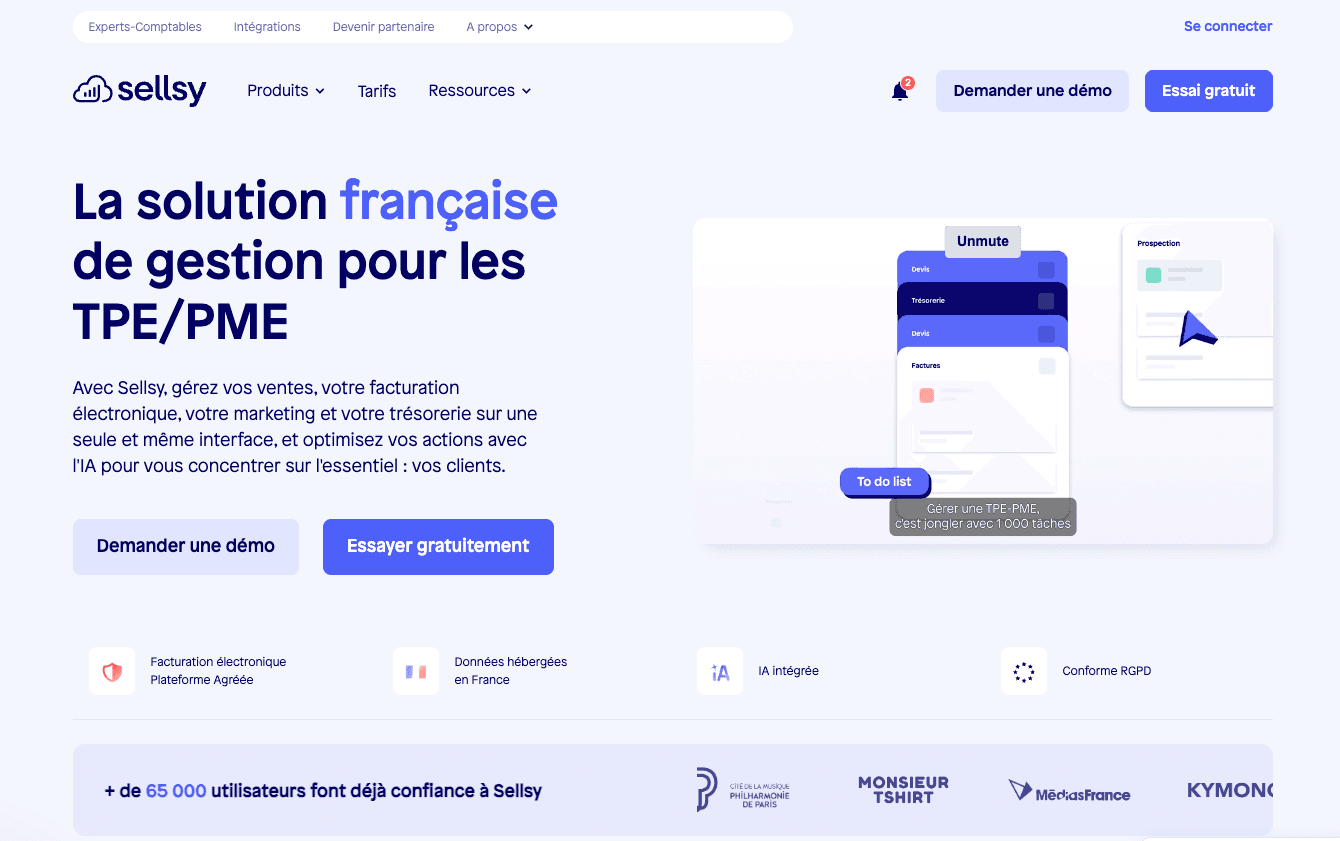
Sellsy is the reference in France for business management tools for small and medium-sized businesses, and Axonaut is its biggest competitor, a bit like the young challenger trying to take the crown.
In my opinion, in terms of price and features, Axonaut is a better choice despite its lower power compared to Sellsy.
Axonaut’s DNA feels younger, and I see more long-term potential in Axonaut than in Sellsy, especially since Sellsy has recently been acquired by an Italian group, while Axonaut is still run by its founders.
Sellsy is also significantly more expensive than Axonaut.
Frequently asked questions

Written by
Arnaud Belinga · Co-Founder & CEO at Breakcold
Arnaud is the Co-Founder & CEO of Breakcold, the AI Native CRM for sales teams of 5 to 30+ people.