



The Best CRMs for Agencies (2026 TIER LIST) with video
TL;DR: the best CRM for agencies is the one that fits your channels and per client workspaces 🏆
🏆 Breakcold: the AI Native CRM for sales teams of 5 to 30+ people. AI agents handle the admin (move deals, log activity, create tasks), it connects to Claude and ChatGPT via native MCP, and it syncs LinkedIn, email, WhatsApp and Telegram into one pipeline. At 5 seats Breakcold is $139/mo, where a traditional CRM runs $300 to $500/mo. Every client gets its own workspace with isolated pipelines, custom objects and granular roles, and it stopped charging per seat ($10/extra seat).
🟢 HubSpot: the go to for marketing agencies that want an all in one suite, but Professional pricing climbs into the thousands fast (a 5 client, 4 manager setup is past $1,000/mo before integrations).
🔵 Pipedrive: a simple, affordable visual pipeline, but no native LinkedIn and only light automation.
🟠 Close: the strongest pick for outbound and cold calling agencies, though it has no native LinkedIn integration.
✅ How to choose: prioritize per client workspaces, roles and permissions, native coverage of the channels you actually sell on, and pricing that does not spike $39 per LinkedIn or WhatsApp connector every time you add a seat or a client.
Video Summary 👇
Okay Breakcolders, it’s Monday morning. Your top sales rep is gearing up to close the biggest deal of the quarter. Your marketing team is prepping to launch three campaigns by noon, and Slack is going off like a machine gun fire. Deadlines are looming. Timelines are shifting. Feedback is scattered. And that’s just the start of your day 😅.
Whether you're in creative,** marketing, consulting, or **sales, agency life is fast-paced, demanding, and often overwhelming. You already know that managing multiple clients, campaigns, and internal workflows requires more than hustle, it requires the right tools.
That’s where a CRM** (Customer Relationship Management system)** becomes your agency’s secret weapon. But with over 1,000 different CRMs on the market, how do you choose the one that fits your agency’s unique needs?
🔍 Don’t worry, we’ve done the leg work. We’ve analyzed reviews on G2 and Capterra, two of the most trusted software review platforms, to bring you the top CRMs for agencies in 2026.
🧩 Benefits of using a CRM in an Agency Environment

Before we dive into the list, let’s quickly cover why a CRM isn’t just a “nice-to-have”, it’s essential for scaling your agency, improving client retention, and keeping your team aligned.
Here’s what the right CRM can do for your agency:
**🗂️ Organize Sales Activities **, Keep track of leads, deals, and client communications in one centralized place, no more digging through emails or spreadsheets.
**🎯 Lead Generation & Management **, Capture, qualify, and nurture leads from multiple channels with streamlined workflows and clear pipeline visibility.
💌 Personalize Outreach & Customer Experience, Use CRM data to tailor your messaging, timing, and tone, improving conversion rates and deepening client relationships.
⚙️ Automate Tedious Tasks, Say goodbye to repetitive admin work. Automate follow-ups, data entry, task assignments, and reporting.
🔌 Expand Your Tech Stack Through Integrations, Connect your CRM with tools like email platforms, Slack, project management apps, and marketing automation tools to build a more powerful, connected workflow.
❌ CRM Alternatives I Wouldn’t Recommend
Look, we get it, cheaper alternatives are ALWAYS tempting, especially when you’re working with a tight budget. But when it comes to customer relationship management, lower cost doesn’t always mean better value.
Sure, tools like **Notion****, **Airtable, and ClickUp can mimic basic CRM functions, and they’re great for project management or internal collaboration. However, they fall short where it counts most: sales-focused automation, pipeline tracking, and lead nurturing.
Without these core CRM features, you’re essentially working with a glorified spreadsheet, one that lacks the power to scale your sales process or deliver meaningful client insights.
🏆 Top 10 Best CRMs for Agencies in 2026
CRM Comparison Chart for Agencies
CRM | Best For | Starting Price | Drawbacks | Free Plan? |
|---|---|---|---|---|
Breakcold | Sales-Focused CRM for AI-Native Features | $99/mo (1 seat, +$10/seat) | No native dialer yet | ❌ |
Snov.io | All-in-One Prospecting + Cold Outreach CRM | $29/mo | Not a pure CRM | ✅ |
Pipedrive | Visual CRM for Pipeline Management | $19/user/mo | Dated user-interface and slow customer support | ❌ |
NetHunt | Gmail/Google Workspace-Power Users | $30/user/mo | Automations are not as flexible or advanced as those in robust CRMs | ❌ |
Nimble | Lightweight CRM with Social Integration | $29/user/mo | Essential features are locked behind higher-tier pricing plans | ❌ |
Salesflare | Best Mobile-First Sales CRM | $35/user/mo | Limited omnichannel capabilities | ❌ |
Hubspot | Managing Marketing Agencies | $20/user/mo | Prohibitive pricing plan and steep learning curve | ✅ |
Insightly | Agencies of All Sizes | $29/user/mo | Can be costly for smaller organizations | ❌ |
Monday CRM | CRM With Task Management Capabilities | $15/user/mo | Too many features clutter the UI | ❌ |
Close | Cold-Outreach Teams | $49/mo (Max: 1 users) | No native integration with LinkedIn, requiring third-party tools | ❌ |
Attio | AI CRM For Fast-Changing Industries | $29/user/mo | Advanced features rely on third-party tools (e.g., via API or Zapier) | ✅ |
🥇 Breakcold: The Agency CRM That Stopped Charging Per Seat
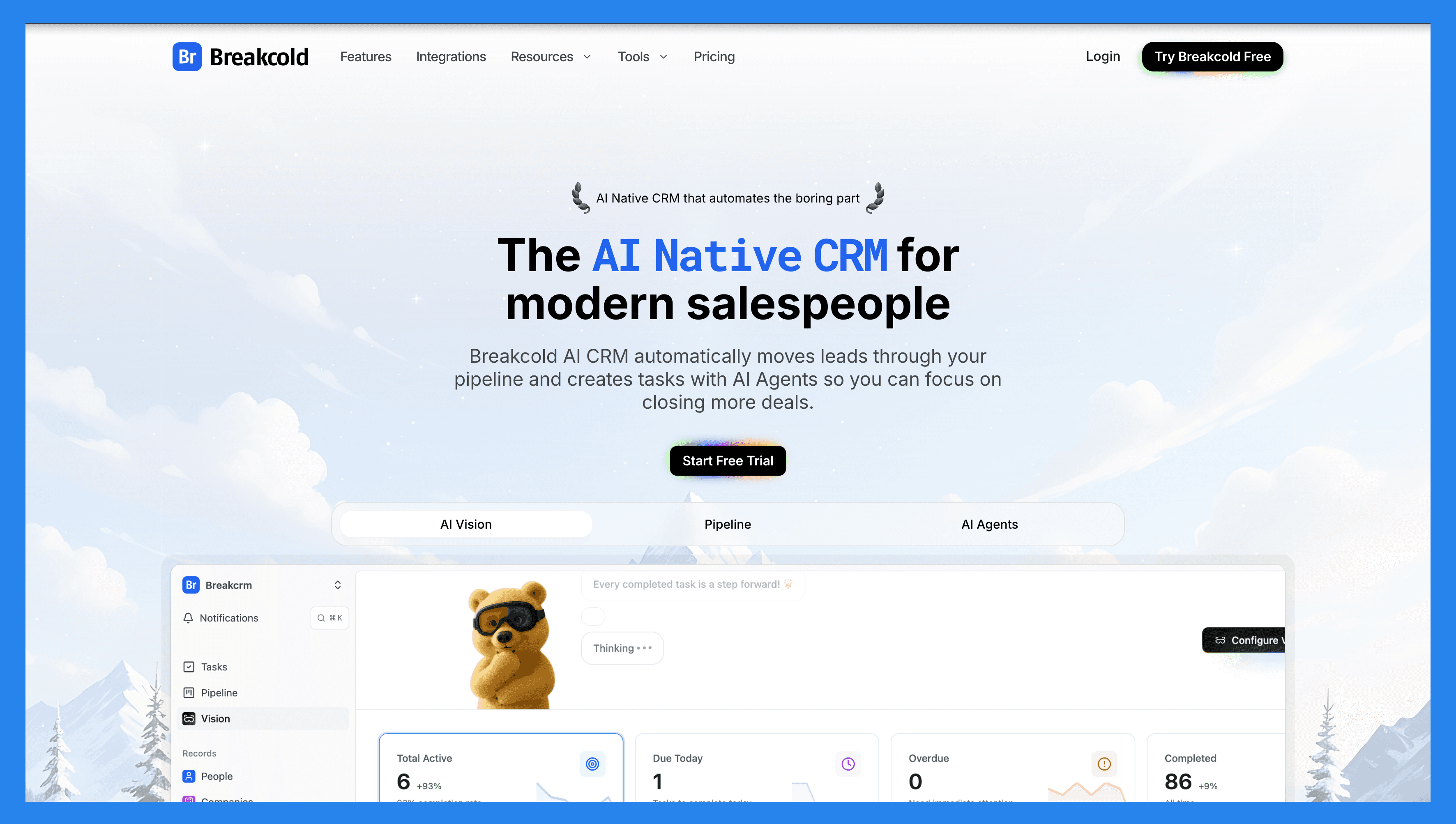
The Agency Math Problem
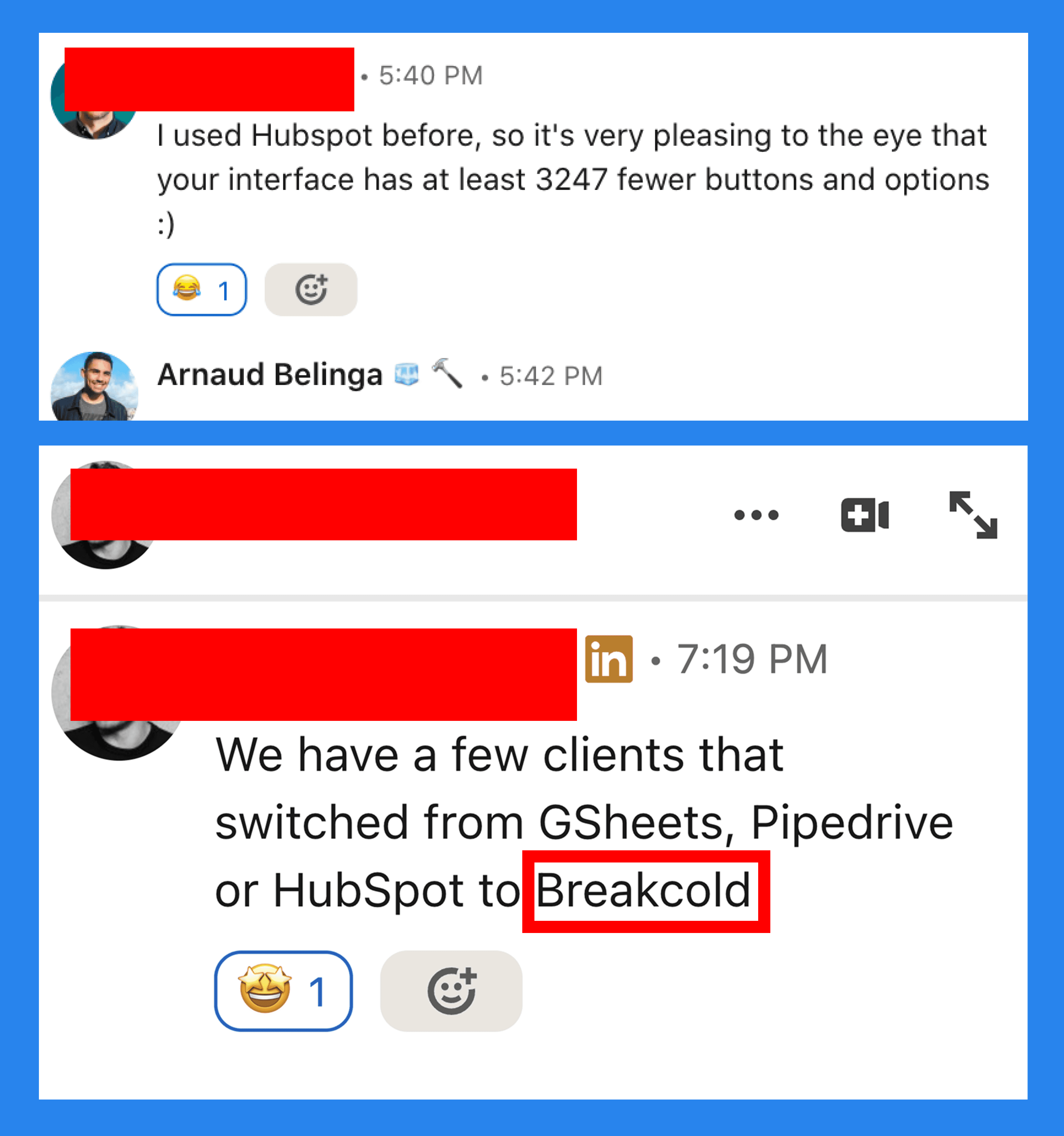
An agency with 5 client books and 4 account managers on HubSpot Sales Hub Pro lands at roughly $500 a month before a single integration. Add a LinkedIn sync, a WhatsApp connector and contact enrichment and you are well past $1,000. Breakcold tore that pricing model in half. One $99 plan, $10 per extra seat, $10 per extra social account, unlimited enrichment. The same 5 client setup runs at $129 a month. A team of 5 on Breakcold is $139/mo, where Attio, Pipedrive and HubSpot Sales Hub run about $500/mo for 5 seats with similar features.
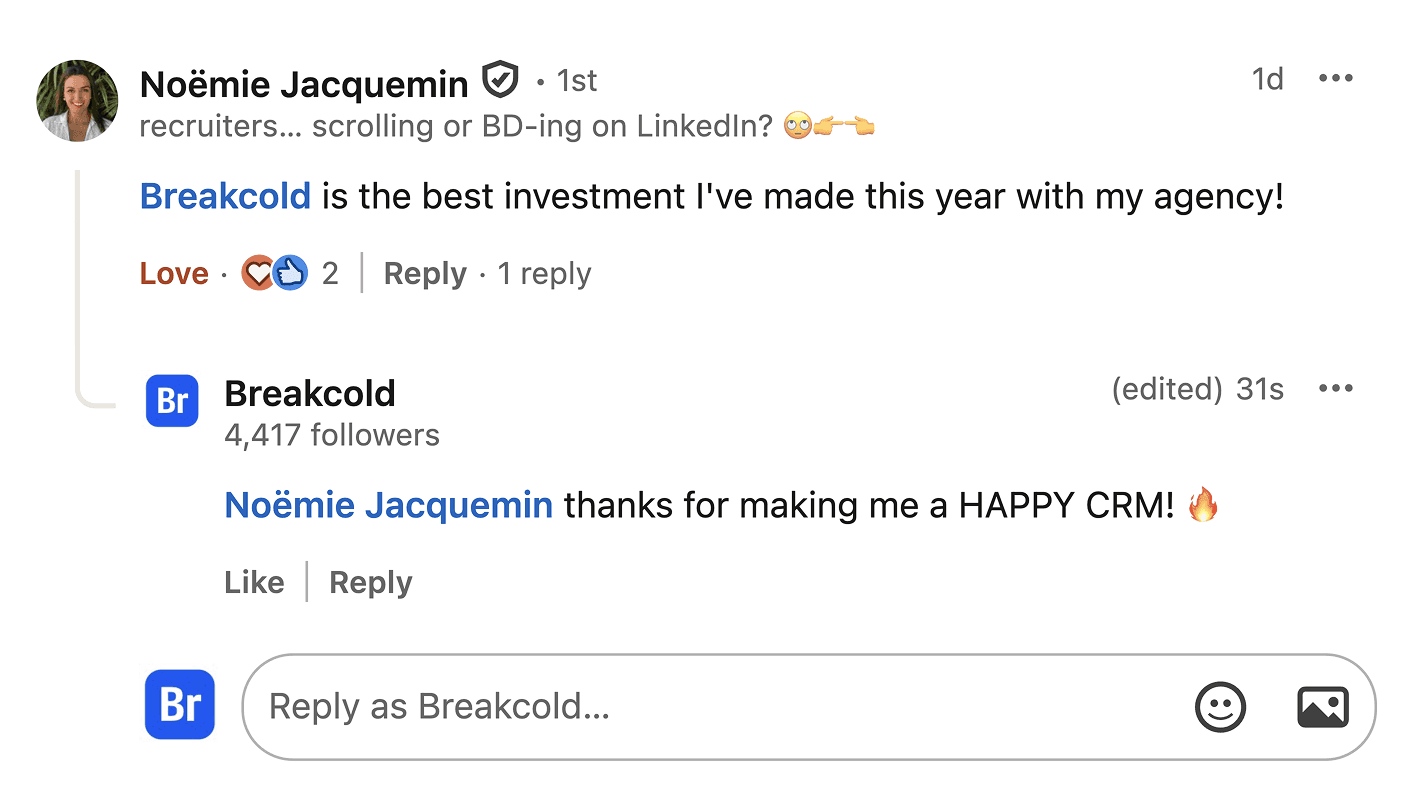
Noemie runs an agency on LinkedIn. She called Breakcold the best investment she made this year. The agency angle is not a tagline for us.
Why Agencies Pick It
Breakcold gives every client a dedicated workspace with its own pipelines, custom fields, custom objects and granular roles. Account managers see their book, SDRs see their queue, the founder sees the rolled up view. Lead gen agencies plug Breakcold underneath HeyReach and Smartlead or Instantly to manage positive replies and run done with you or done for you upsells. The deeper playbook lives in our CRM for lead generation agencies guide.
Key Features for Agencies
Per client workspaces. Isolate pipelines, contacts, custom objects and permissions client by client.
Granular roles and permissions. Restrict an SDR to one pipeline, a contractor to one workspace, an executive to read only.
Multichannel inbox the agency way. Email, calls, meetings, LinkedIn, Telegram and WhatsApp auto sync per workspace. No glue tools.
Native MCP server. Connect Claude, ChatGPT, OpenClaw or any agent so the agency operator runs reporting across clients in plain English. See the Breakcold MCP and our CRMs with an MCP server roundup.
Unlimited people and company enrichment. No add on, no token meter on basic enrichment.
Workspace level reporting. Compare reply rates, meeting volume and pipeline health across all client books.
Ratings
G2: 4.7 / 5 (116 reviews). Capterra: 4.8 / 5 (93 reviews).
Pros for Agencies
The only sales CRM that auto syncs LinkedIn, WhatsApp, Telegram, email and calls per workspace.
Workspaces and roles built around the agency operating model, not bolted on.
$10 per extra seat means a growing agency can hire without dreading the renewal email.
Plays nicely on top of HeyReach, Instantly and Smartlead for done with you offers.
Cons for Agencies
No native dialer yet. We integrate with Aircall and others.
Reporting is solid but not at the agency reporting suite level of HubSpot Operations Hub.
Younger ecosystem of third party apps than legacy CRMs.
Agency Pricing Math
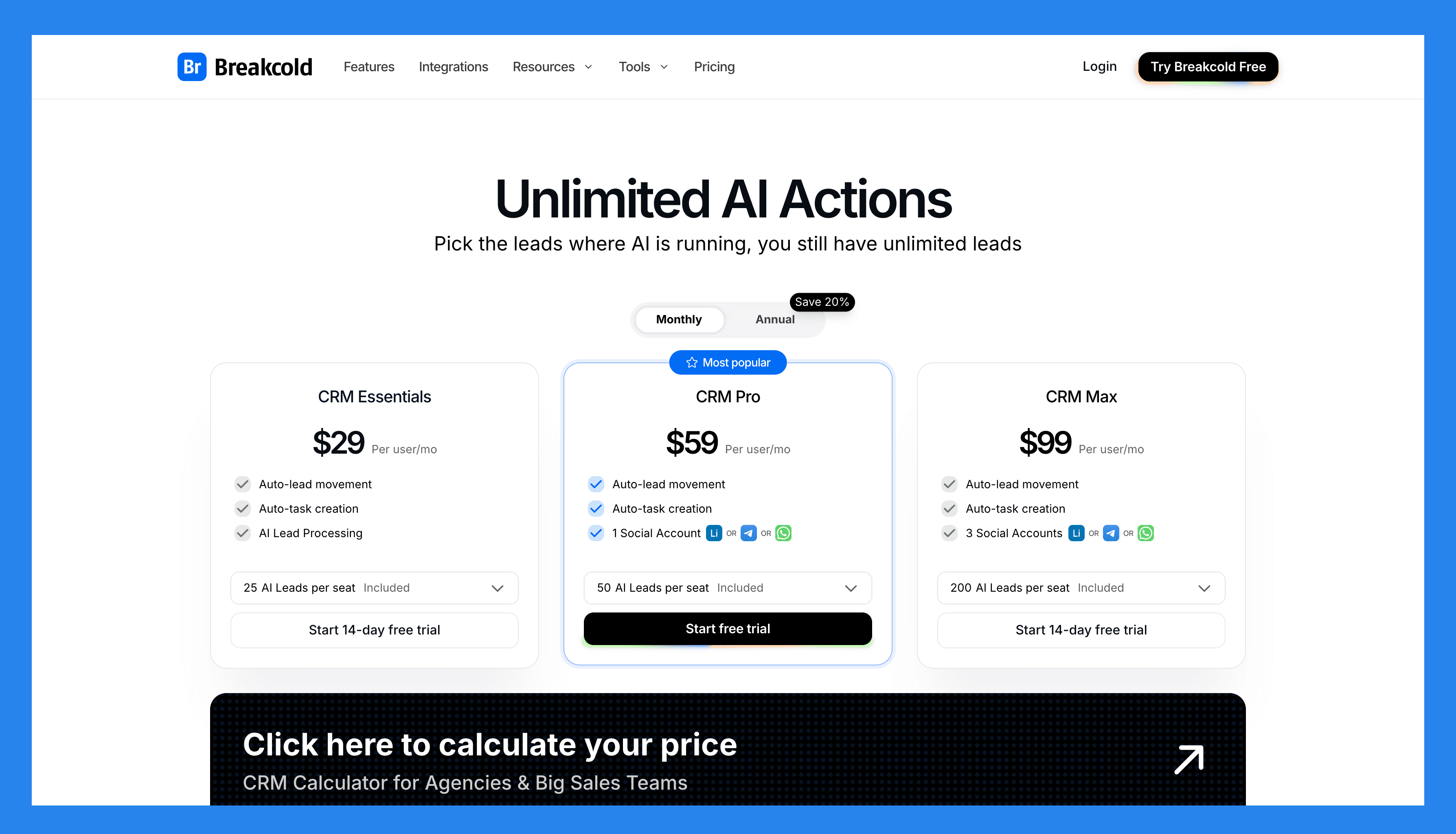
Founder solo: $99 a month. 1 seat, 2 social accounts, full product.
3 person agency running 5 client books: $99 + 2 x $10 (seats) + 3 x $10 (extra LinkedIn or WhatsApp accounts) = $149 a month.
10 person boutique: $99 + 9 x $10 = $189 a month before extra channels. The same setup on HubSpot Sales Hub Pro is past $1,000.
Tokens scale with AI use. 0.5 tokens per AI action, 10 per email waterfall, 80 per phone waterfall. People and company enrichment is free.
Run the full math in our CRMs under $100 a month for small teams writeup or our HubSpot alternative comparison.
Case Studies
Loading YouTube sends it your IP address and may enable cookies. This applies to this content only.
Demo Video
Loading YouTube sends it your IP address and may enable cookies. This applies to this content only.
🥈 Snov.io – Best All-in-One Prospecting + Cold Outreach CRM for Agencies
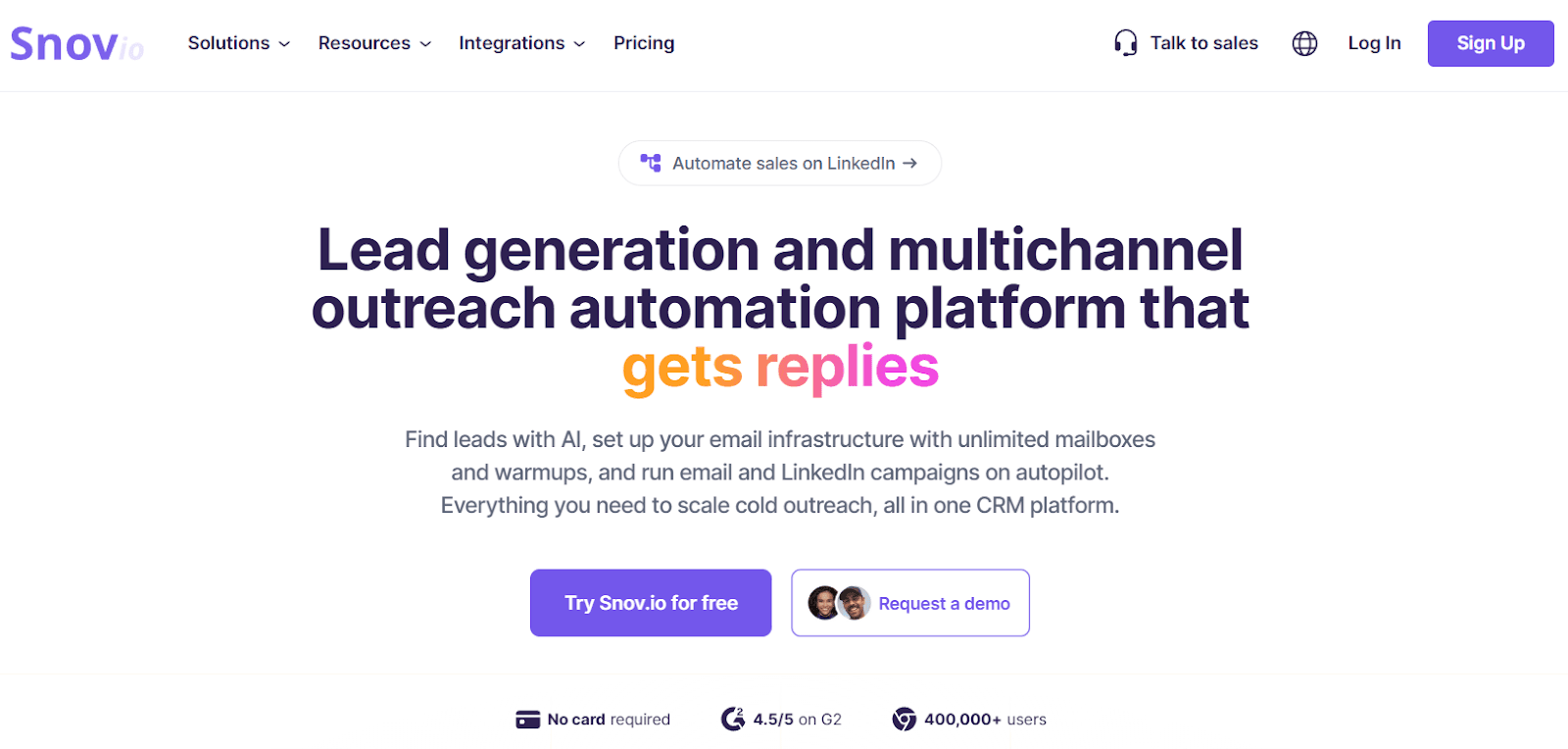
Summary
Snov.io is the kind of platform agencies love when they’re tired of stitching together five different tools just to run outbound. It combines lead sourcing, email verification, cold email campaigns, deliverability, Snov.io warm-up tool, and a built-in Sales CRM, so you can go from “found a prospect” to “booked the meeting” without leaving the same workspace.
If your agency runs outbound for multiple client accounts (or manages a busy pipeline internally), Snov.io’s biggest win is simple: it keeps prospecting + outreach + pipeline management under one roof, without forcing you into an enterprise CRM that takes weeks to configure.
Key Features
Lead Prospecting (Database + Extensions) – Find prospects via database search and collect leads from LinkedIn / websites using browser extensions.
Email Finder + Bulk Lookup – Discover verified B2B emails at scale for outbound lists and client campaigns.
Email Verification – Built-in verification to reduce bounces and protect sender reputation.
Cold Email Drip Campaigns – Launch personalized sequences with unlimited follow-ups (recipients-based quota).
Deliverability Toolkit – Email warm-up + deliverability/placement checks + DNS tools to improve inboxing.
Sales CRM + Tasks – Track deals, manage follow-ups, and keep the pipeline visible for your whole team.
Integrations + API – Connect with HubSpot and Pipedrive (2-way), plus Zapier/Make and API/webhooks.
LinkedIn Automation (Add-On) – Optional paid add-on for automating LinkedIn actions (messages, connections, etc.).
Ratings
G2 - 4.5/5 (479)
Capterra - 4.5/5 (215)
Pros
True “all-in-one” outbound stack: prospecting, verification, campaigns, deliverability, and CRM in one platform.
Strong deliverability feature set (warm-up + checks) for agencies running cold outreach at volume.
Flexible integrations (including 2-way HubSpot/Pipedrive) plus API/webhooks for custom workflows.
Offers a free “Trial” plan so teams can test the workflow before committing.
Cons
Pricing can feel “mathy” at first because usage is based on credits + recipients rather than simple per-seat limits.
\LinkedIn automation is not included in the base subscription and is sold as a separate add-on (listed at $69/mo per slot).
Pricing Plans
Snov.io Pricing Plans
Trial
$0
What’s included:\
Free plan (credits/recipients renew every 30 days, meant as a product preview).
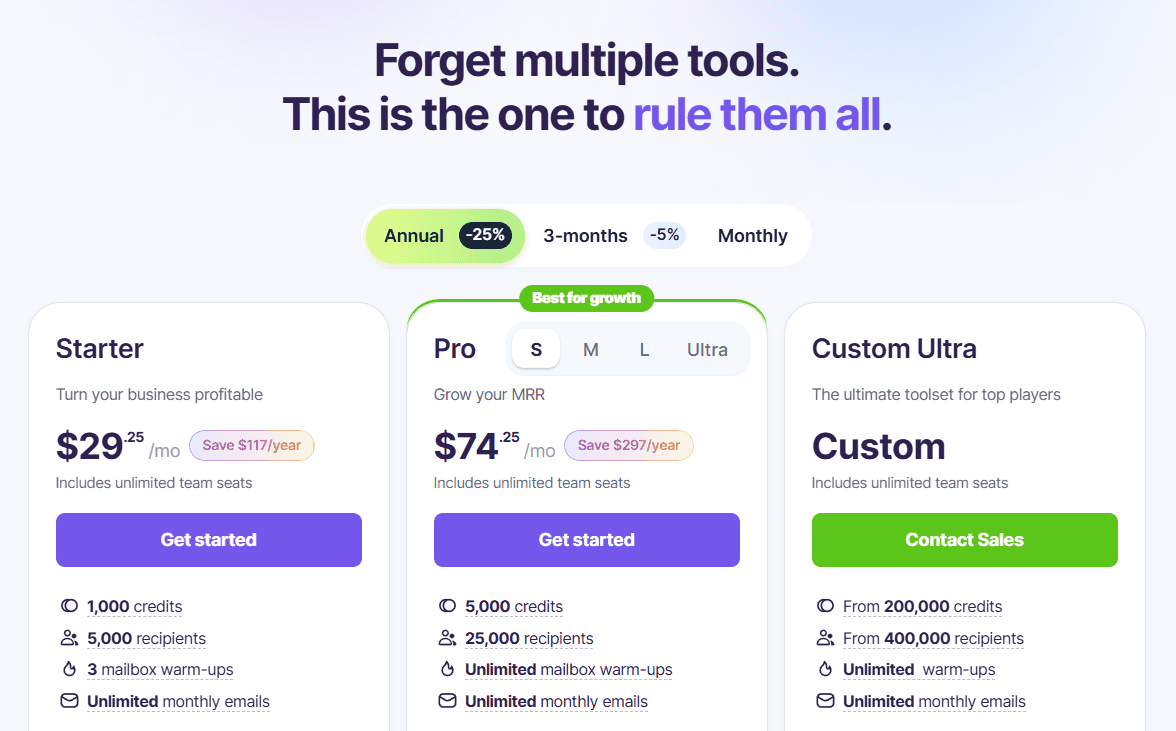
Starter
$29.25/mo
What’s included:1,000 credits
5,000 recipients
3 mailbox warm-ups
Unlimited team seats
Pro (starts at)
$74.25/mo
What’s included:
5,000 credits
25,000 recipients
Unlimited mailbox warm-ups
Unlimited team seats
\LinkedIn Automation (Add-On)
$69/mo per slot (pricing shown as an add-on on the pricing page)
🥉 Pipedrive – Best Visual CRM for Pipeline Management
Summary
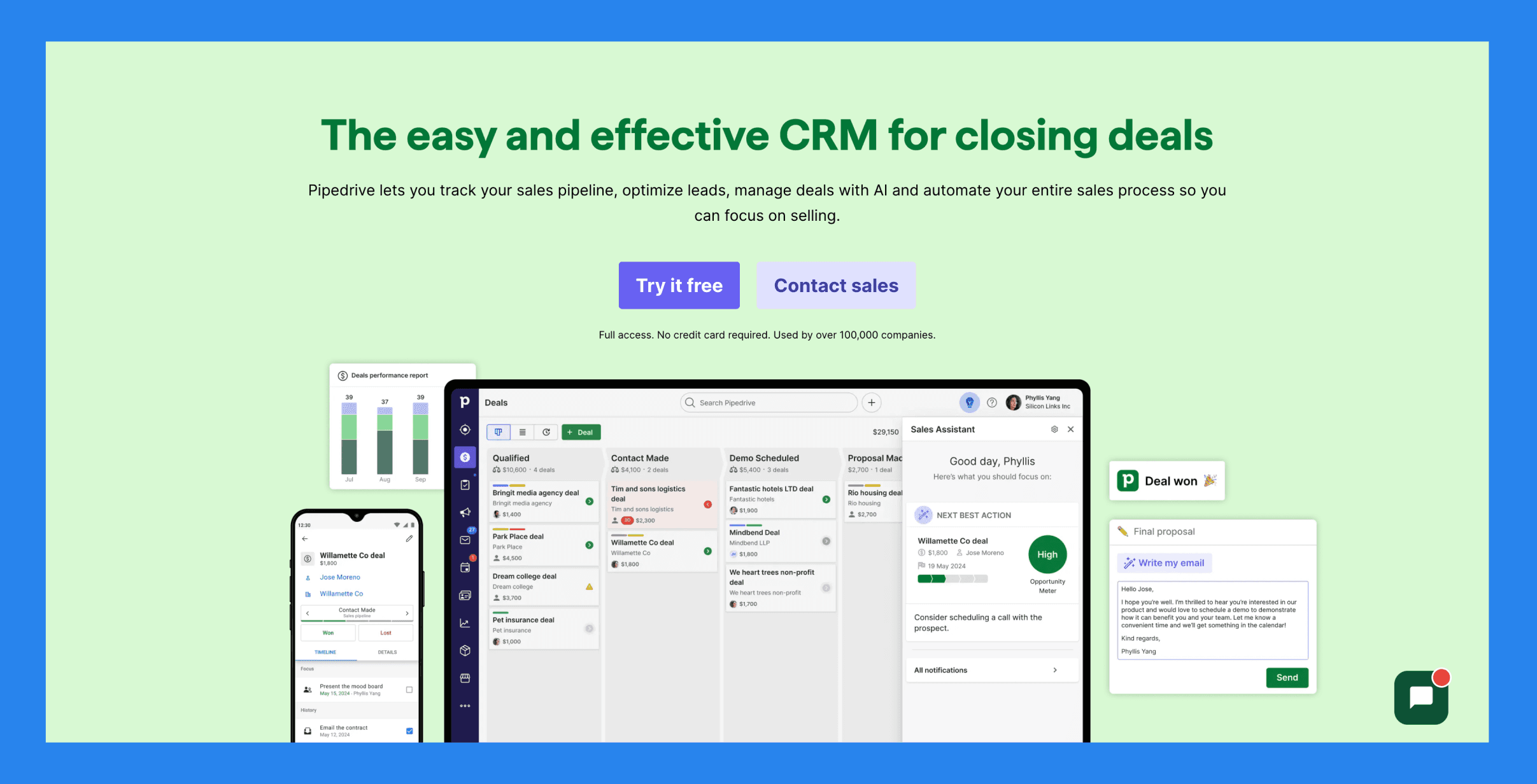
Pipedrive is a user-friendly CRM that helps businesses streamline their sales pipeline, automate repetitive tasks, and track customer interactions with ease. It’s especially well-suited for marketing agencies that need a clear, bird’s-eye view of their pipeline to ensure the right leads are being prioritized and nothing slips through the cracks.
Key Features: Pipeline Management– Visualize and manage your entire sales process., Lead Management– Track and nurture leads from discovery to conversion., Automation– Eliminate repetitive tasks with smart automation workflows., Reporting & Analytics– Gain insight into performance with detailed reports.. Plus 3 more.
Pricing Plans
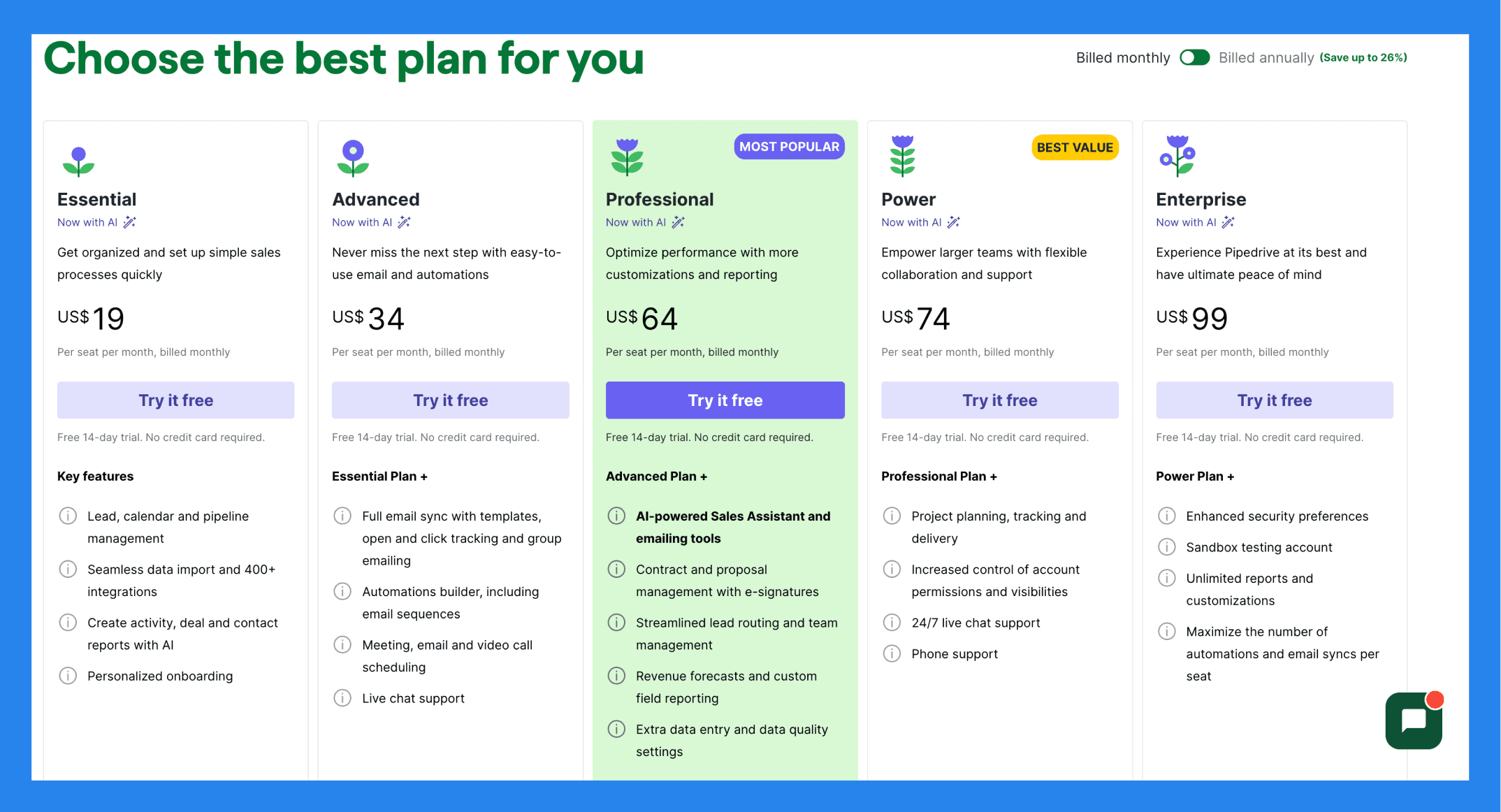
Essential ($19/user/mo): Lead, calendar and pipeline management, Seamless data import and 400+ integrations, Create activity, deal and contact reports with AI, Personalized onboarding.
Advanced ($34/user/mo): everything in Essential, plus Full email sync with templates, open and click tracking and group emailing, Automations builder, including email sequences, Meeting, email and video call scheduling, Live chat support.
Professional ($64/user/mo): everything in Advanced, plus AI-powered Sales Assistant and emailing tools, Contract and proposal management with e-signatures, Streamlined lead routing and team management, Revenue forecasts and custom field reporting. Plus 1 more.
Power ($74/user/mo): Project planning, tracking and delivery, Increased control of account permissions and visibilities, 24/7 live chat support, Phone support.
Enterprise ($99/user/mo): everything in Power, plus Enhanced security preferences, Unlimited reports and customizations, Maximize the number of automations and email syncs per seat.
Demo Video
NetHunt – Best For Gmail and Google Workspace-Power Users
Summary
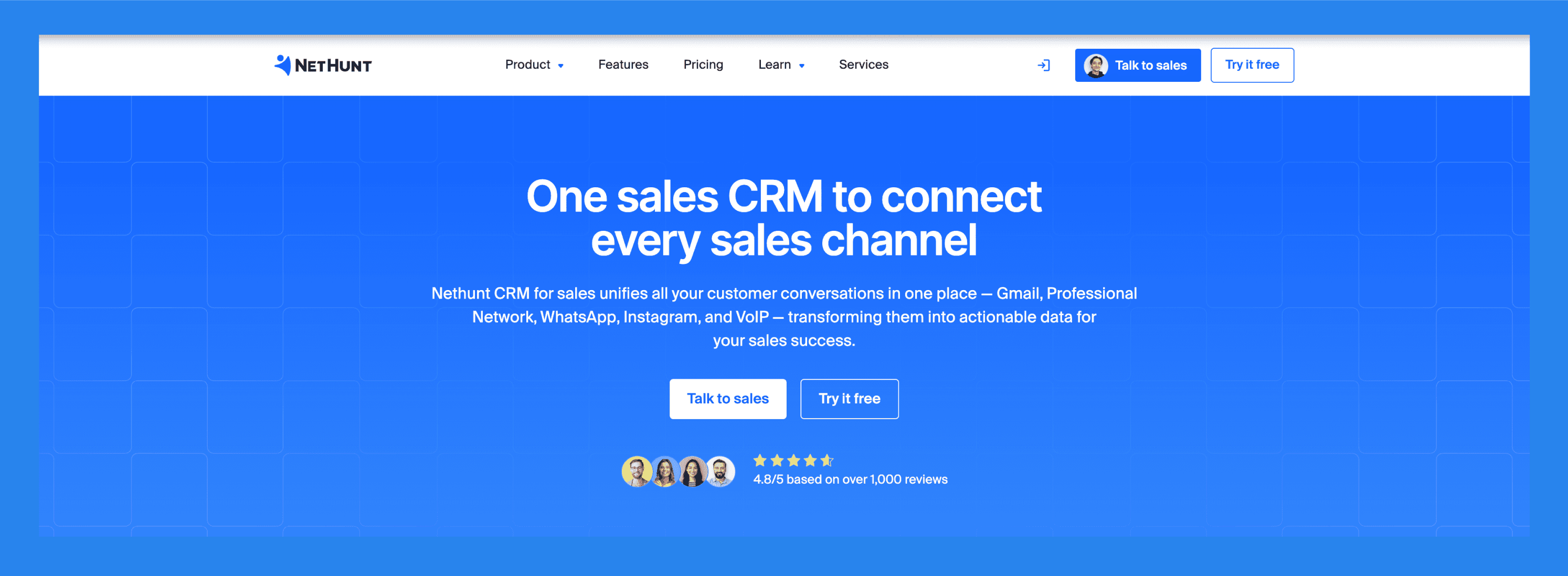
From automatically storing customer data to forecasting sales with AI-powered features, NetHunt CRM lives inside Gmail and Google Workspace apps to streamline and elevate your sales and marketing workflows.
NetHunt is ideal for small to mid-sized agencies, as well as sales and marketing teams that rely heavily on Gmail and Google Workspace (formerly G Suite) for their day-to-day operations.
Ratings: G2 - 4.6/5 (265) · Capterra - 4.8/5 (166).
Pros
Capture, organize, and manage leads directly within your inbox and other Workspace apps, no need to switch tabs
A user-friendly interface that feels familiar for teams already using Google tools, making onboarding smooth and intuitive
Keep all emails, tasks, and customer interactions in one place for better visibility and collaboration
NetHunt is known for its fast and helpful support, making troubleshooting and setup much easier
Cons
While powerful, NetHunt can get pricey, especially for small teams looking to unlock advanced features.
Although automations exist, they're not as flexible or advanced as those in more robust CRMs
Essential tools and connectors may only be accessible at more expensive subscription levels
Gmail integration is a strength, but not fully-fleshed out showcasing limitations with deeper uses
Pricing plans
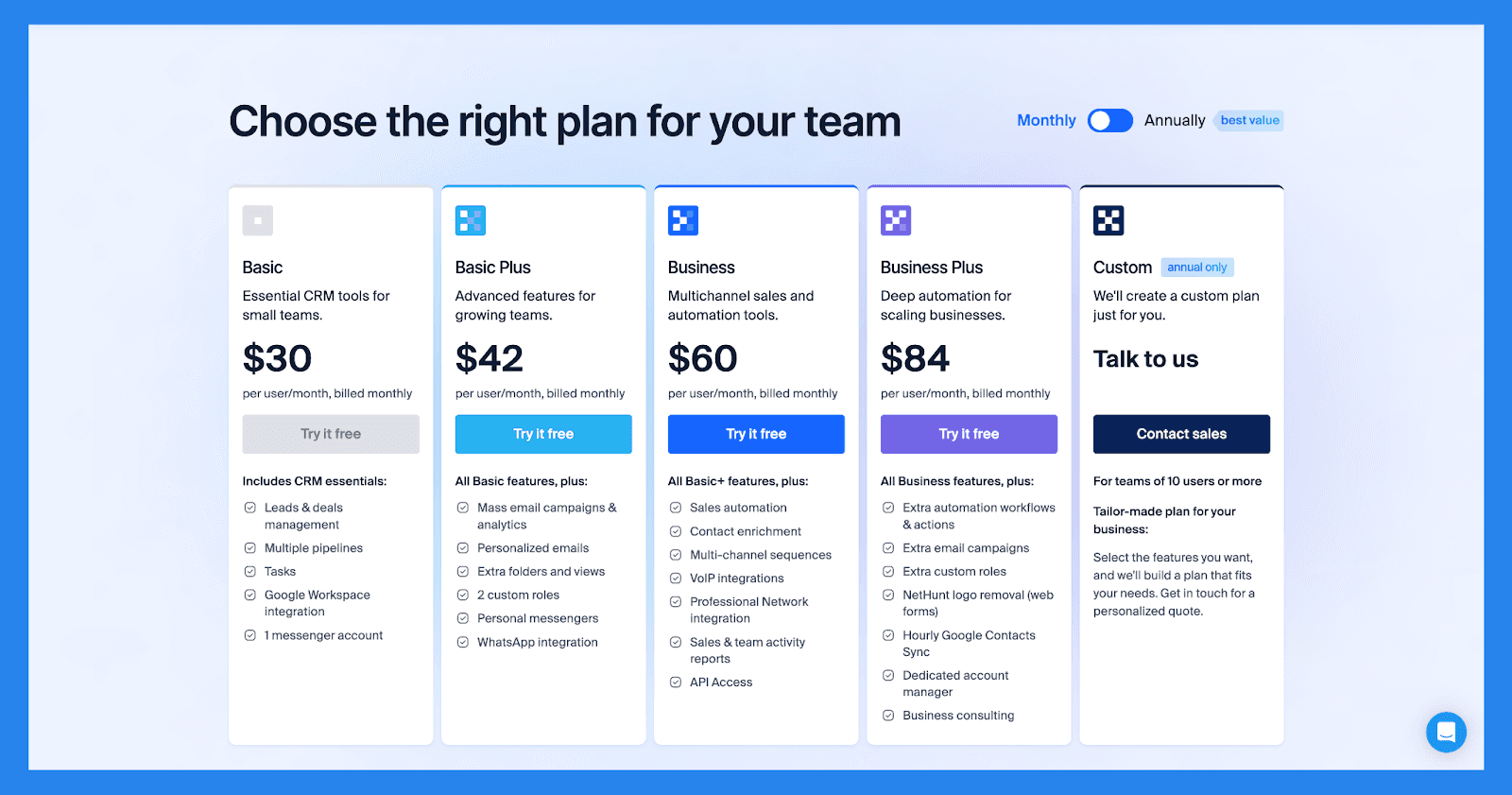
Basic ($30/user/mo): Leads & deals management, Multiple pipelines, Tasks, Google Workspace integration. Plus 1 more.
Basic Plus ($42/user/mo): everything in Basic, plus Mass email campaigns & analytics, Personalized emails, Extra folders and views, 2 custom roles. Plus 2 more.
Business ($60/user/mo): everything in Basic Plus, plus Sales automation, Contact enrichment, Multi-channel sequences, VoIP integrations. Plus 3 more.
Business Plus ($84/user/mo): Extra automation workflows & actions, Extra email campaigns, Extra custom roles, NetHunt logo removal (web forms). Plus 3 more.
Custom (Contact Sales): everything in Business Plus, plus For teams of 10 users or more, Select the features you want, and we'll build a plan that fits your needs. Get in touch for a personalized quote..
Demo Video
Nimble – Best Lightweight CRM with Social Integration
Summary
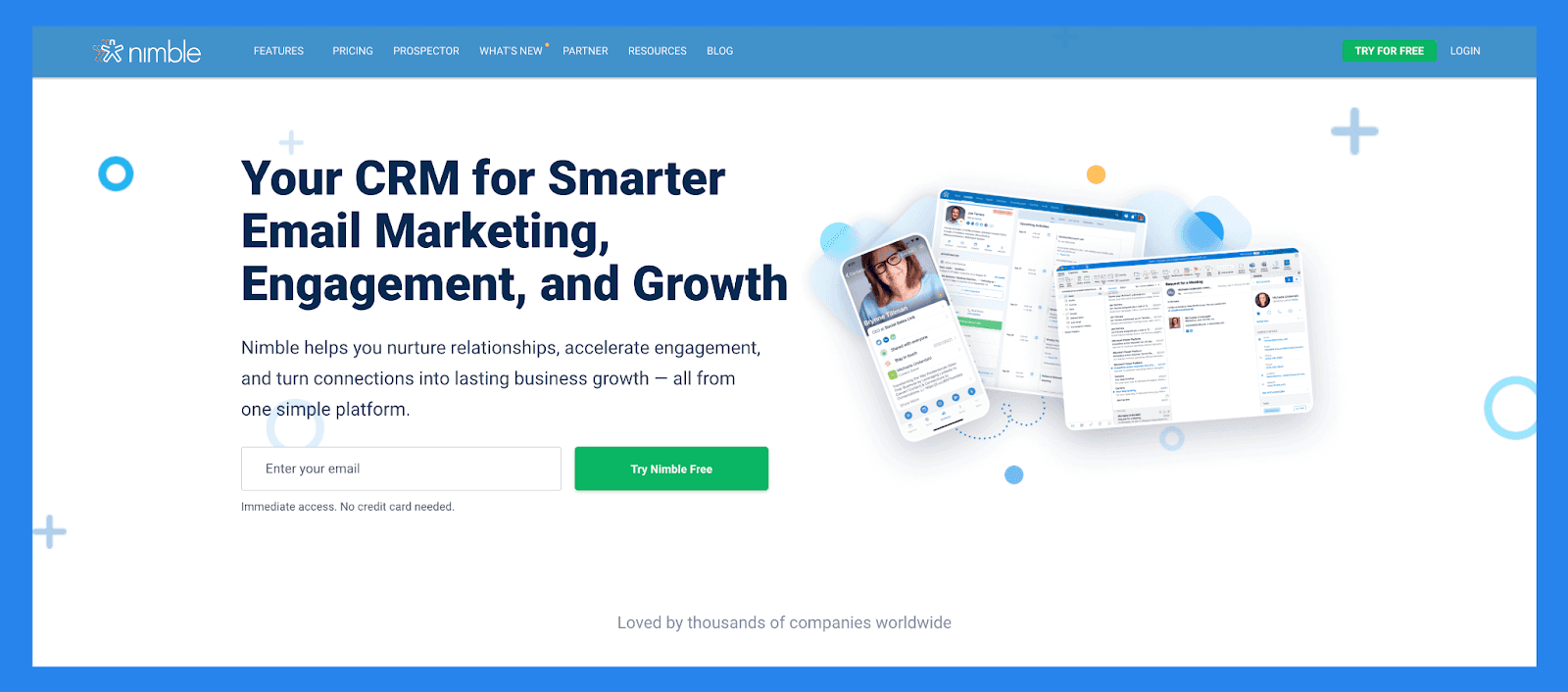
Nimble is a communication-focused CRM designed to go beyond traditional contact management. It equips users with powerful lead generation tools and integrates seamlessly with Google Workspace and Microsoft 365, helping you get more out of every client interaction.
Ratings: G2 - 4.5/5 (1,102) · Capterra - 4.4/5 (1883).
Pros
Easy to learn and use, with** full customization** for different industries and workflows
Makes it simple to find and organize contacts using tags
Clean, user-friendly interface with a mobile app available for iOS and Android
Quick to set up and integrates smoothly with email and social media accounts
Cons
The in-browser widget can be buggy or inconsistent at times
Customer support is helpful but not always easy to reach
Lead enrichment features are somewhat limited and may require manual updates
Some essential features are locked behind higher-tier pricing plans
Pricing plans
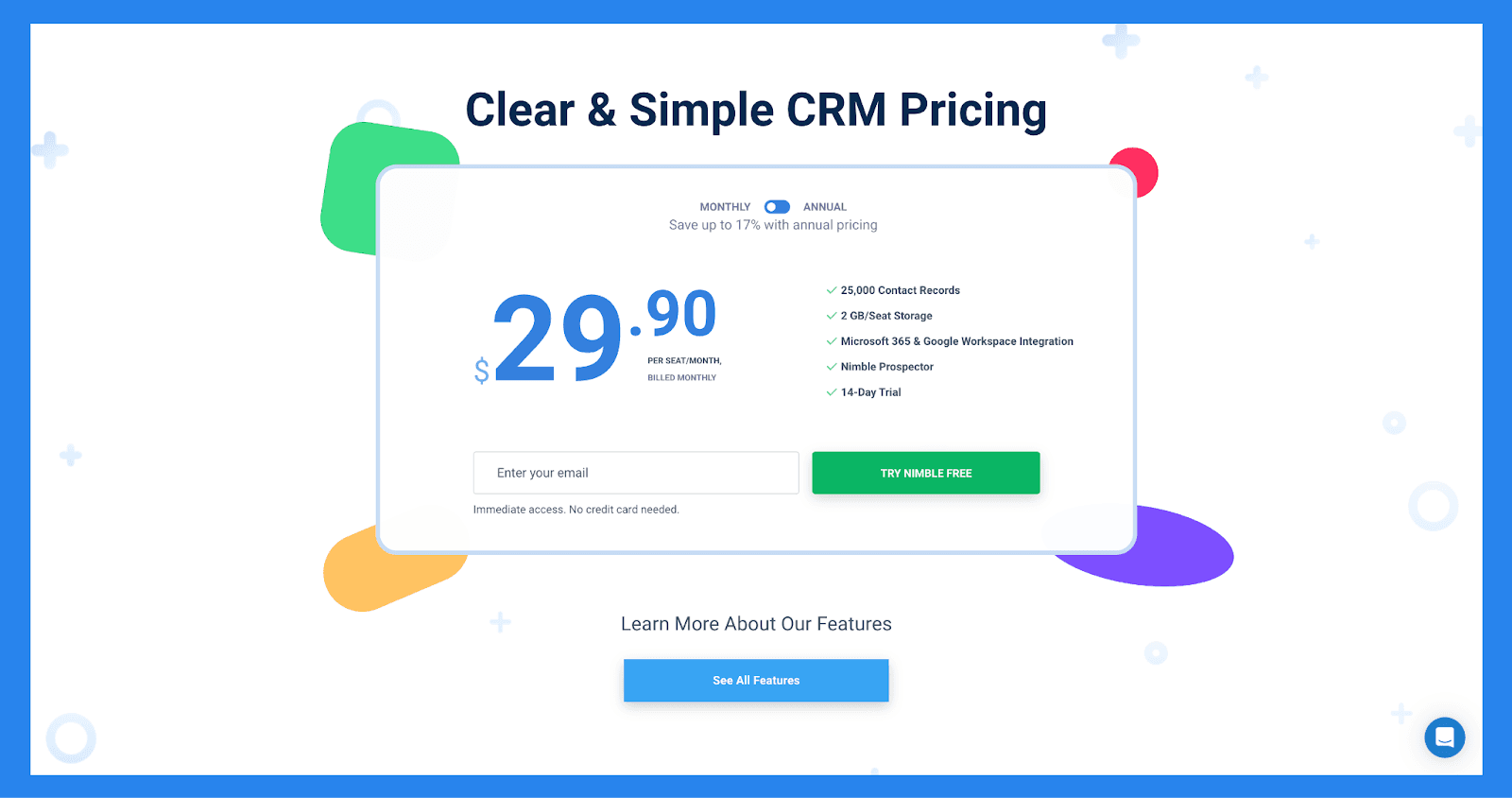
Features (Contact Management).
Nimble CRM plan ($29.90): same scope, higher limits.
Salesflare – Best Mobile-First Sales CRM
Summary
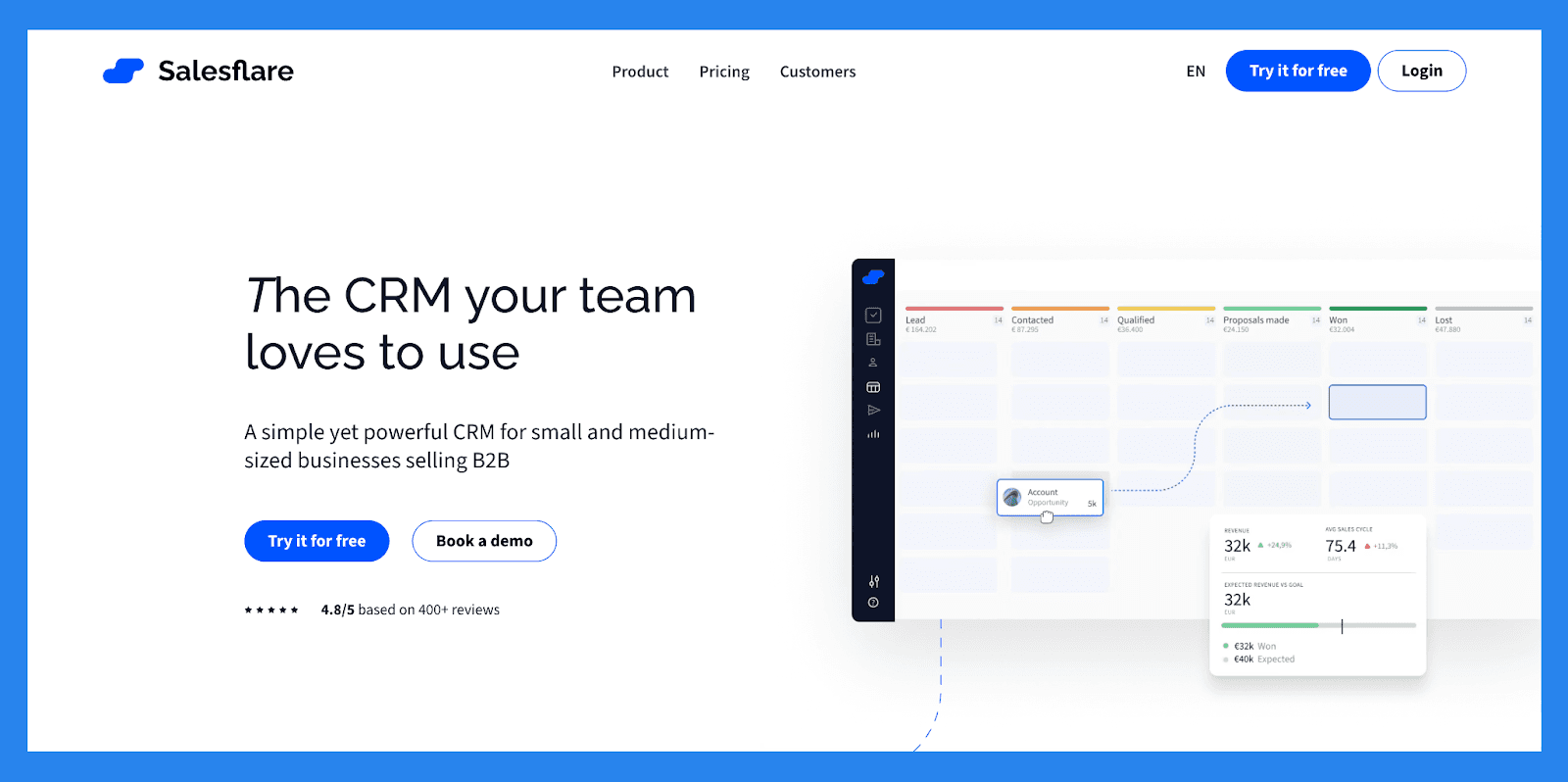
A direct competitor to Insightly, Salesflare is built to eliminate tedious manual tasks through powerful automation and seamless integration with your existing workflows. The goal? To help teams spend less time on data entry and more time on meaningful client engagement and strategy.
Salesflare is widely praised for its ease of use and effectiveness in managing **sales pipelines **, especially for small businesses and B2B startups seeking a lightweight yet intelligent CRM solution. But where Salesflare truly stands out is in its commitment to offering 100% of its CRM features via its mobile app. This makes it an ideal choice for agencies focused on field sales, where having the full power of a CRM on the go is essential.
Ratings: G2 - 4.8/5 (289) · Capterra - 4.7/5 (139).
Pros
Intuitive, modern interface makes managing customer relationships smooth and efficient
Automatic email integration and interaction tracking saves time and helps sales reps focus on high-impact tasks
Responsive and knowledgeable customer support provides fast, tailored assistance
Cons
While there's a free trial, there’s no fully free version for users to explore long-term
Limited omnichannel capabilities, Salesflare excels with email but lacks support for SMS, live chat, or social messaging
Less suited for B2C use cases, as it requires fields like company name, which may not apply to individual consumers
Pricing plans
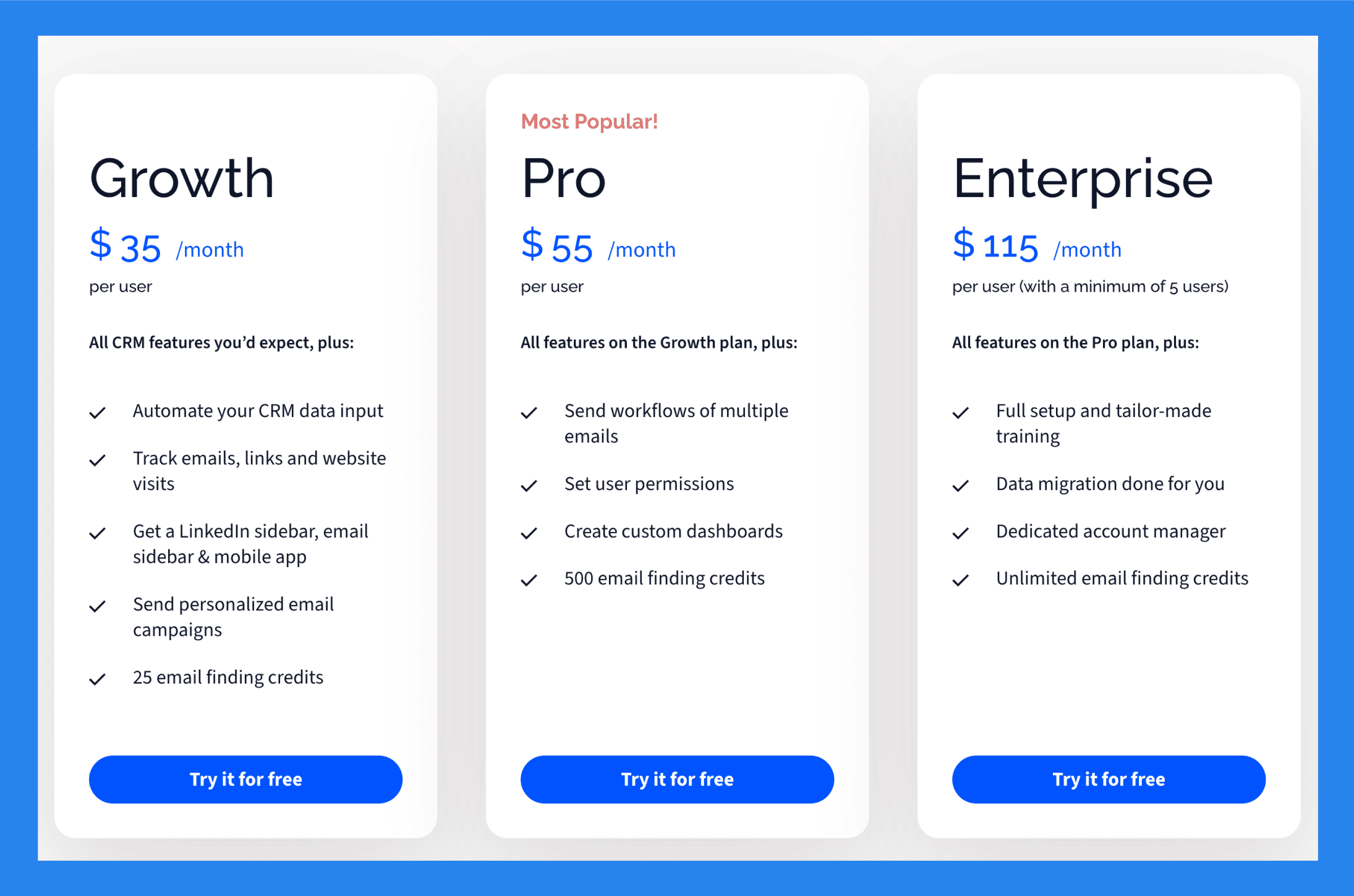
Growth ($35/user/mo): Automate your CRM data input, Track emails, links and website visits, Get Linked sidebar, email sidebar & mobile app, Send personalized email campaigns. Plus 1 more.
Pro ($55/user/mo): everything in Growth, plus Send workflows of multiple emails, Set user permissions, Create custom dashboards, 500 email finding credits.
Enterprise ($115/user/mo): everything in Pro, plus Full setup and tailor-made training, Data migration done for you, Dedicated account manager, Unlimited email finding credits.
Hubspot CRM - Best For Managing Marketing Agencies
Summary
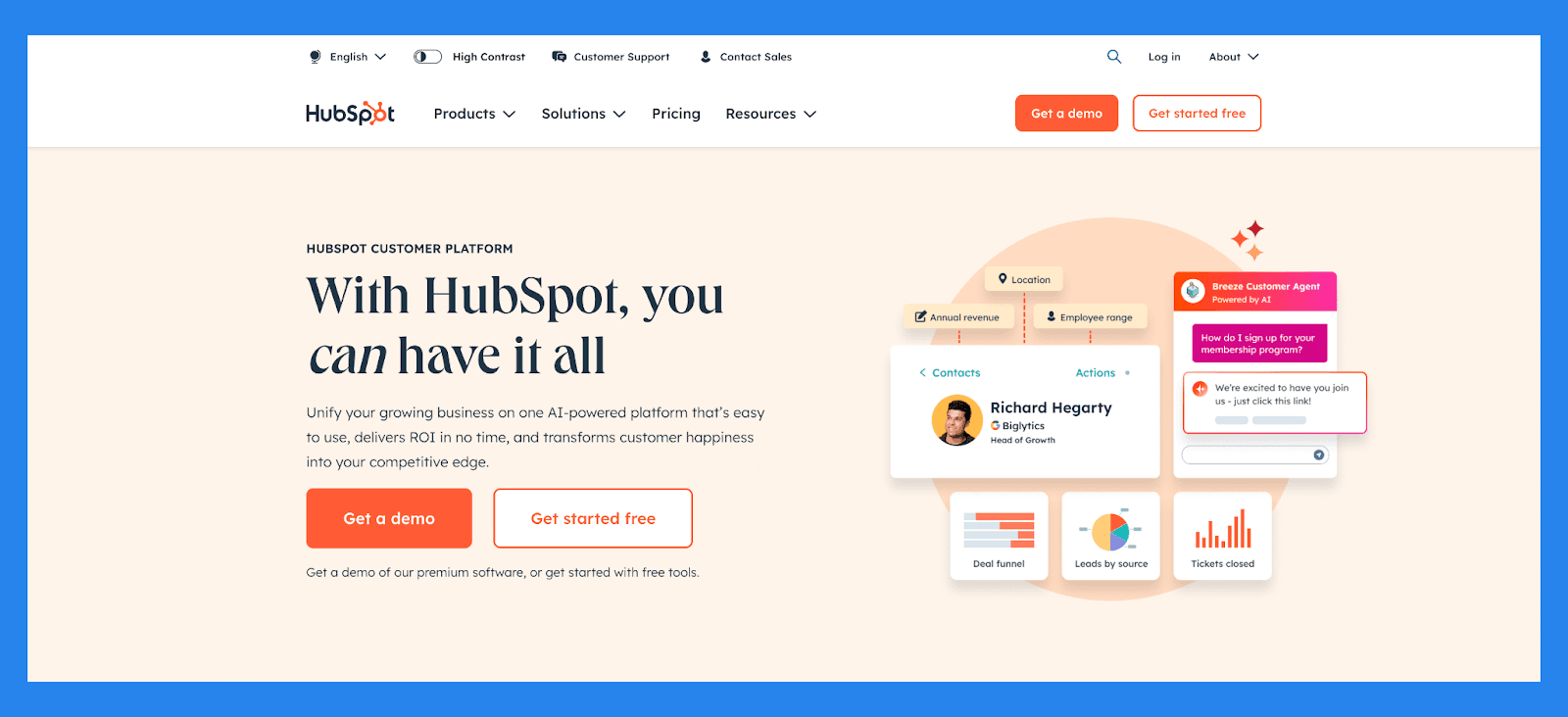
Founded in 2006, HubSpot has long been a leader in helping businesses grow through a platform centered around customer experience. What started as a marketing tool has since evolved into a comprehensive, AI-powered CRM that unites marketing, sales, and customer service in one powerful ecosystem.
If budget isn’t a concern, HubSpot is a great fit for enterprise-level consulting firms that require an all-in-one solution for client retention that runs into the hundreds and thousands. That said, while Hubspot can make a one-man show feel like a circus production, its steep price tag makes it less than ideal for smaller operations. In that case, you might want to explore more budget-friendly options.
Ratings: G2 - 4.4/5 (12,404) · Capterra - 4.5/5 (4362).
Pros
User-friendly interface, ideal for those who aren’t tech-savvy
Clean, intuitive platform that’s easy to navigate
Flexible pricing plans with customizable options
Serves as a reliable single source of truth for customer data
All-in-one platform that combines marketing, sales, and service tools
Cons
Pricing may be prohibitive for solopreneurs or very small businesses
Some users report a learning curve during onboarding
Automation features can be rigid, limiting customization
Reporting tools lack depth for advanced analytics
Pricing plans
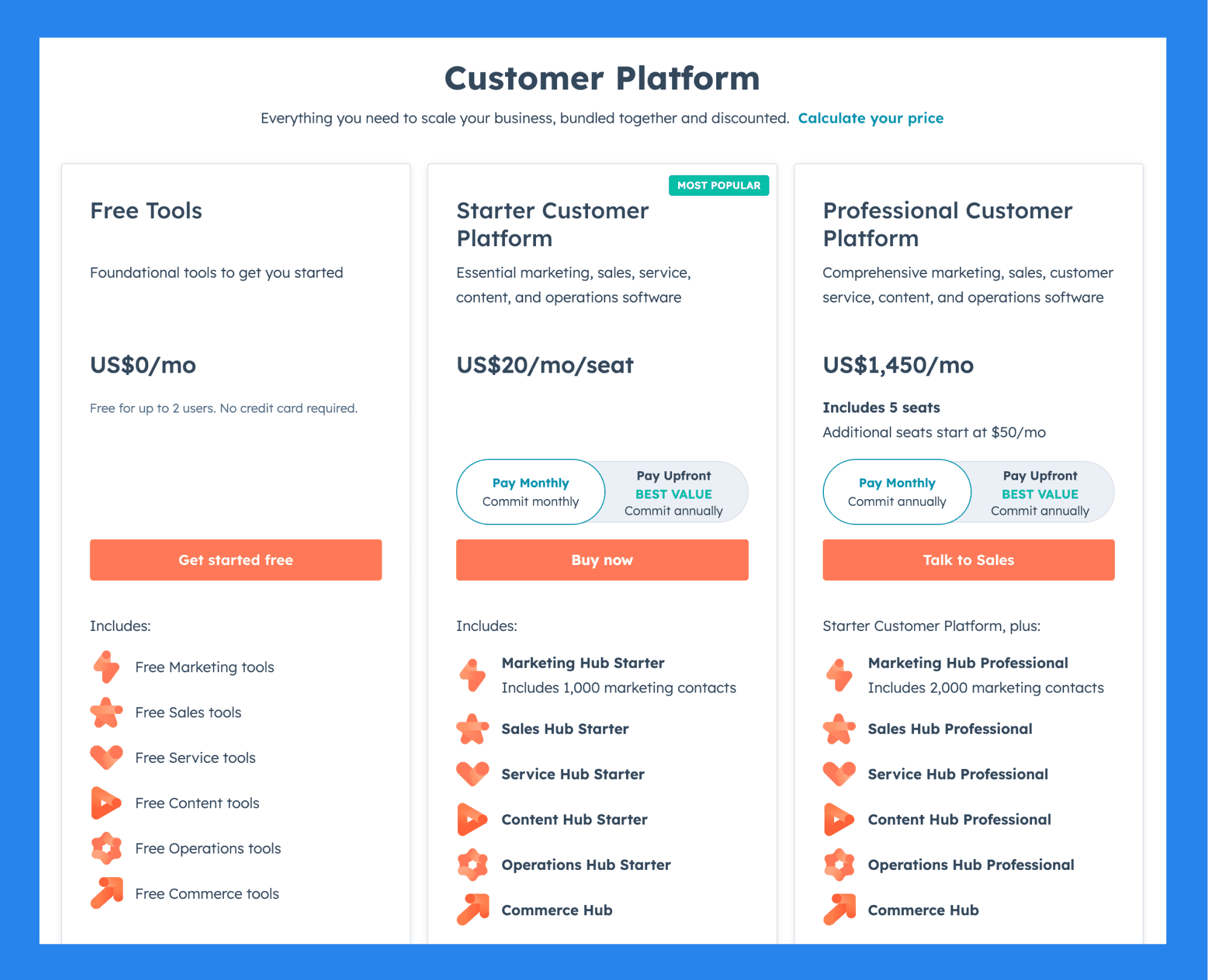
For Individuals & Small Teams
Free Tools ($0): Free for up to 2 users, No credit card required, Free Marketing tools, Free Sales tools. Plus 4 more.
Starter Customer Platform ($20/user/mo): everything in Free Tools, plus Marketing Hub Starter, Includes 1,000 marketing contacts, Sales Hub Starter, Service Hub Starter. Plus 3 more.
Professional Customer Platform ($1,450/mo): everything in Starter Customer Platform, plus Includes 5 seats, Additional seats start at $50/mo, Marketing Hub Professional, Includes 2,000 marketing contacts. Plus 4 more.
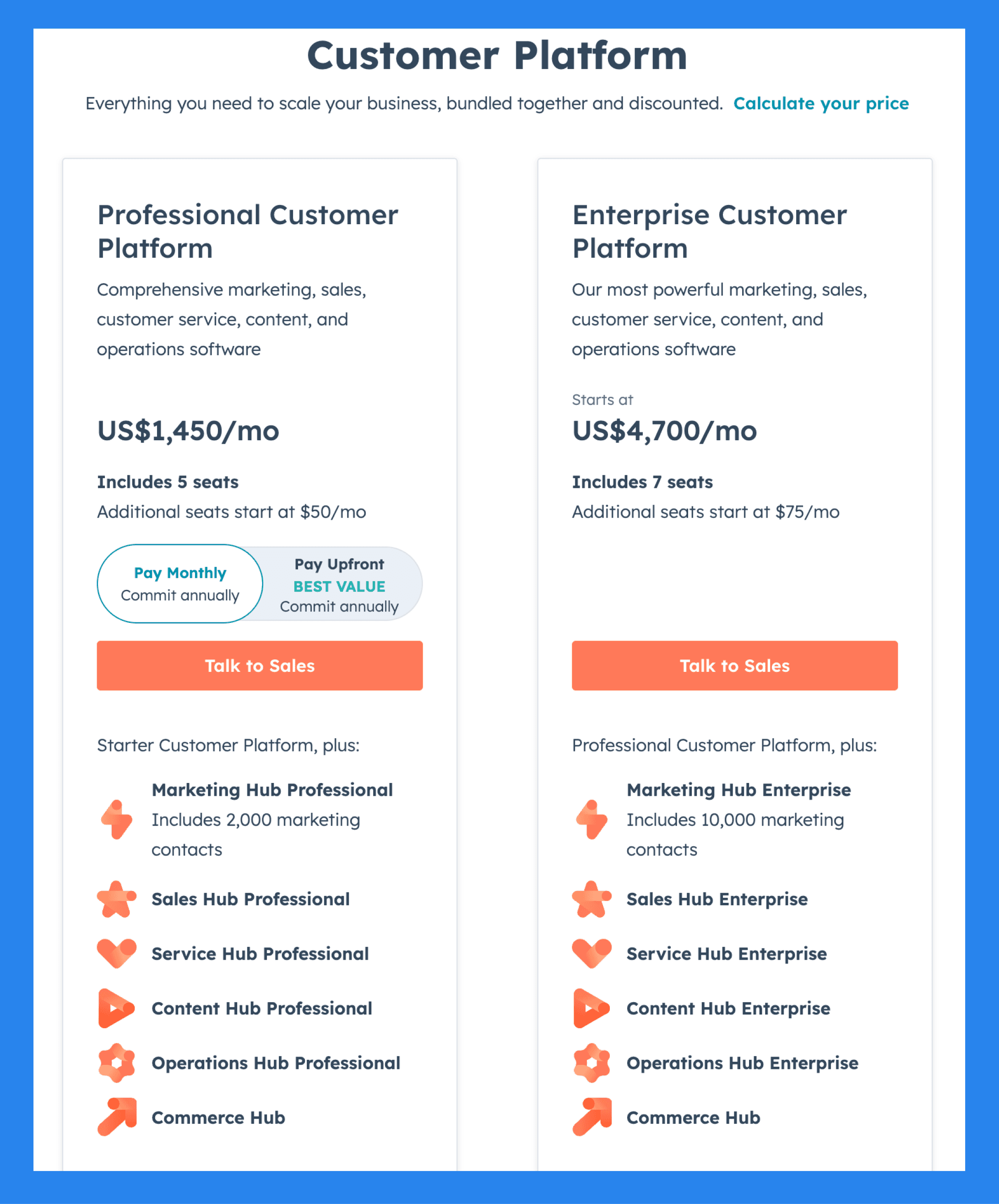
For Businesses & Enterprises
Professional Customer Platform ($1,450/mo): Includes 5 seats, Additional seats start at $50/mo, Marketing Hub Professional, Includes 2,000 marketing contacts. Plus 5 more.
Enterprise Customer Platform ($4,700/mo): everything in Professional Customer Platform, plus Includes 7 seats, Additional seats start at $75/mo, Marketing Hub Enterprise, Includes 10,000 marketing contacts. Plus 4 more.
Insightly – Best For Agencies of All Sizes
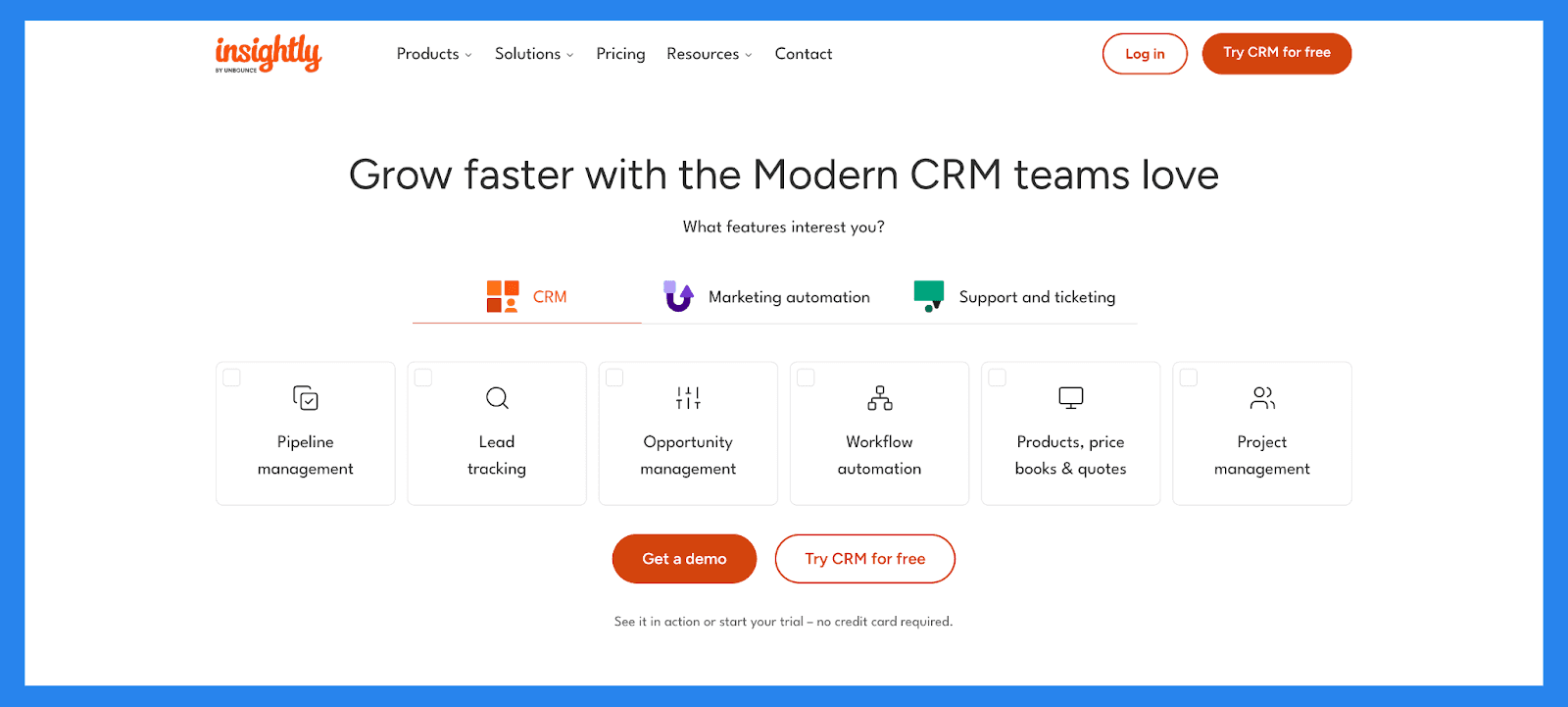
Summary
To help businesses build lasting customer relationships, Insightly offers an all-in-one platform designed to manage projects, client interactions, and growth. With a powerful CRM at its core, combined with marketing automation, customer service tools, and seamless integrations, Insightly empowers businesses to scale efficiently and effectively all over the world.
Ratings: G2 - 4.2/5 (920) · Capterra - 4.0/5 (660).
Pros
Highly customizable: create custom fields, reports, templates, and dashboards
Reliable and responsive customer support
Clean, user-friendly interface with powerful automation capabilities
Cons
Email marketing is reliable but limited to sending 50 emails at a one time
Steeper learning curve; often requires assistance from a success rep to get started
Can be costly for smaller organizations, with key integrations locked behind higher-tier plans
Pricing Plan
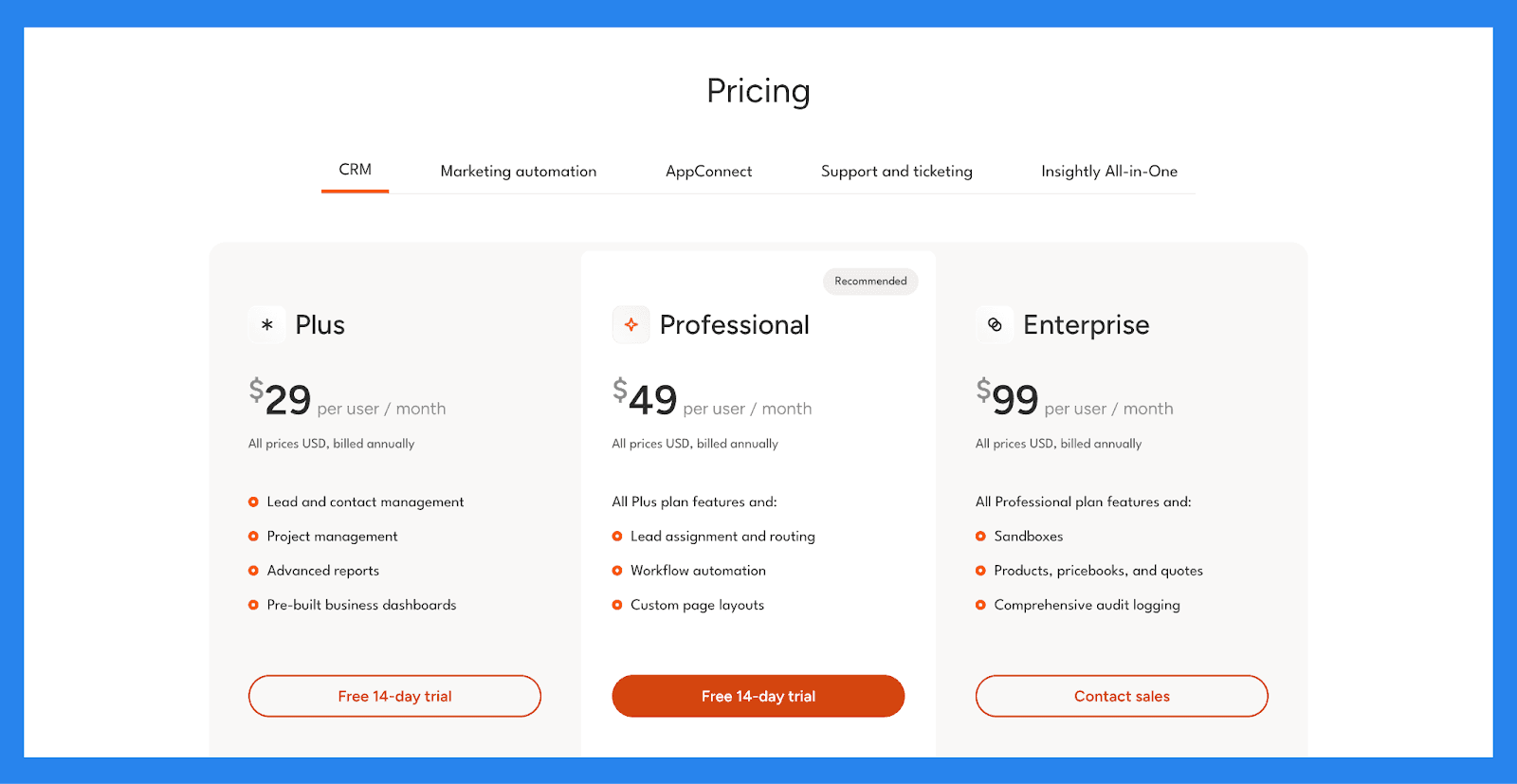
Plus ($29/user/mo): Lead and contact management, Project management, Advanced reports, Pre-built business dashboards.
Professional ($49/user/mo): everything in Plus, plus Lead assignment and routing, Workflow automation, Custom page layouts.
Enterprise ($99/user/mo): everything in Professional, plus Sandboxes, Products, pricebooks, and quotes, Comprehensive audit logging.
Monday CRM – Best CRM Solution With Task Management Capabilities
Summary
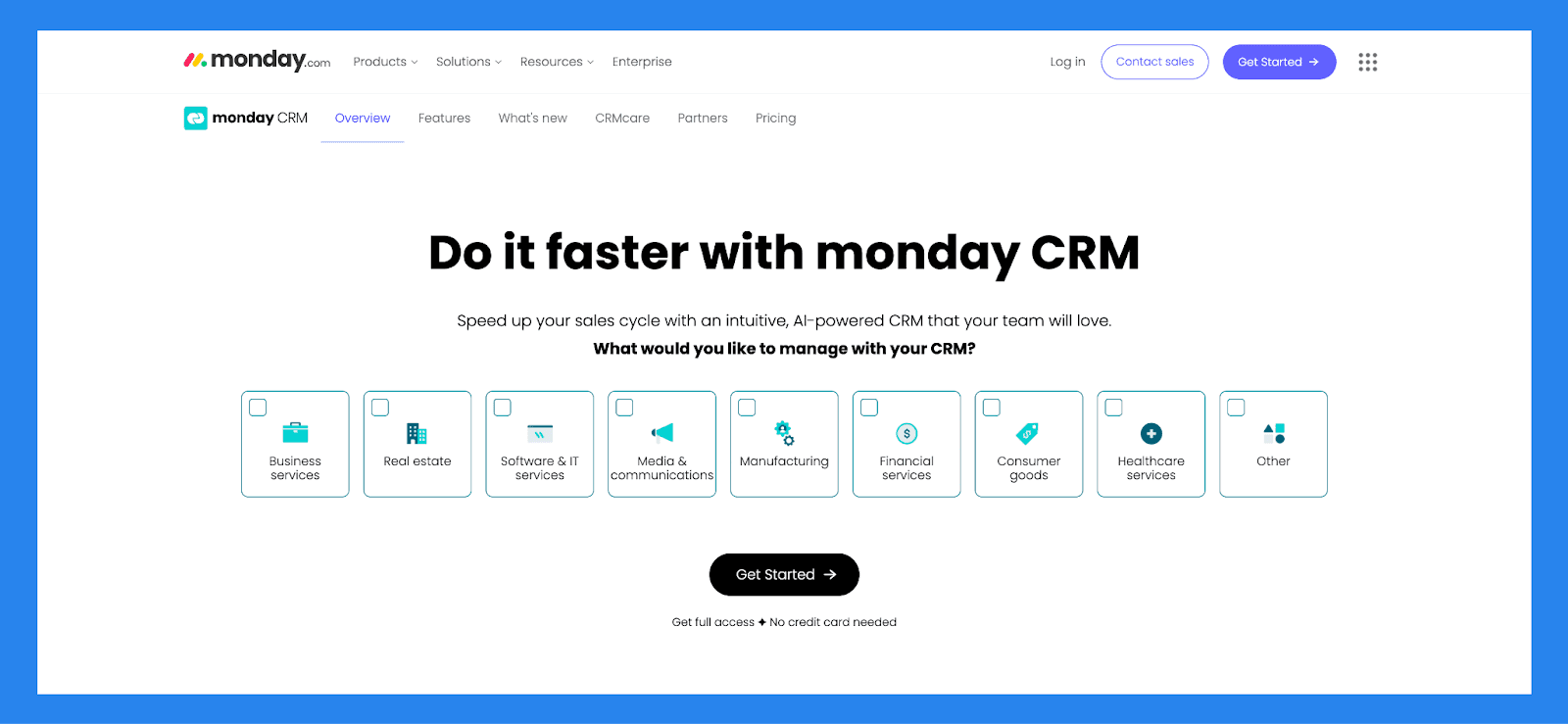
Built on Monday.com, a flexible work OS known for project and task management, Monday CRM is a customizable, no-code sales platform designed to help businesses manage and automate the entire sales process, from lead generation to post-sale activities.
Much like standing in a grocery store overwhelmed by TOO MANY choices, Monday’s wealth of customization options can leave you bogged down in setup, instead of focusing on what you got the platform for in the first place.
Ratings: G2 - 4.6 /5 (921) · Capterra - 4.7/5 (406).
Pros
Highly customizable & flexible
Powerful task management and the lead management system
The interface is simple and easy to use while being pleasant to interact with
Rich integration marketplace
Cons
There are growing pains to setting up the platform to suit your needs
Essential features locked behind higher paywalls
There are too many features sometimes the UI looks cluttered and overwhelming to use
Pricing Plans
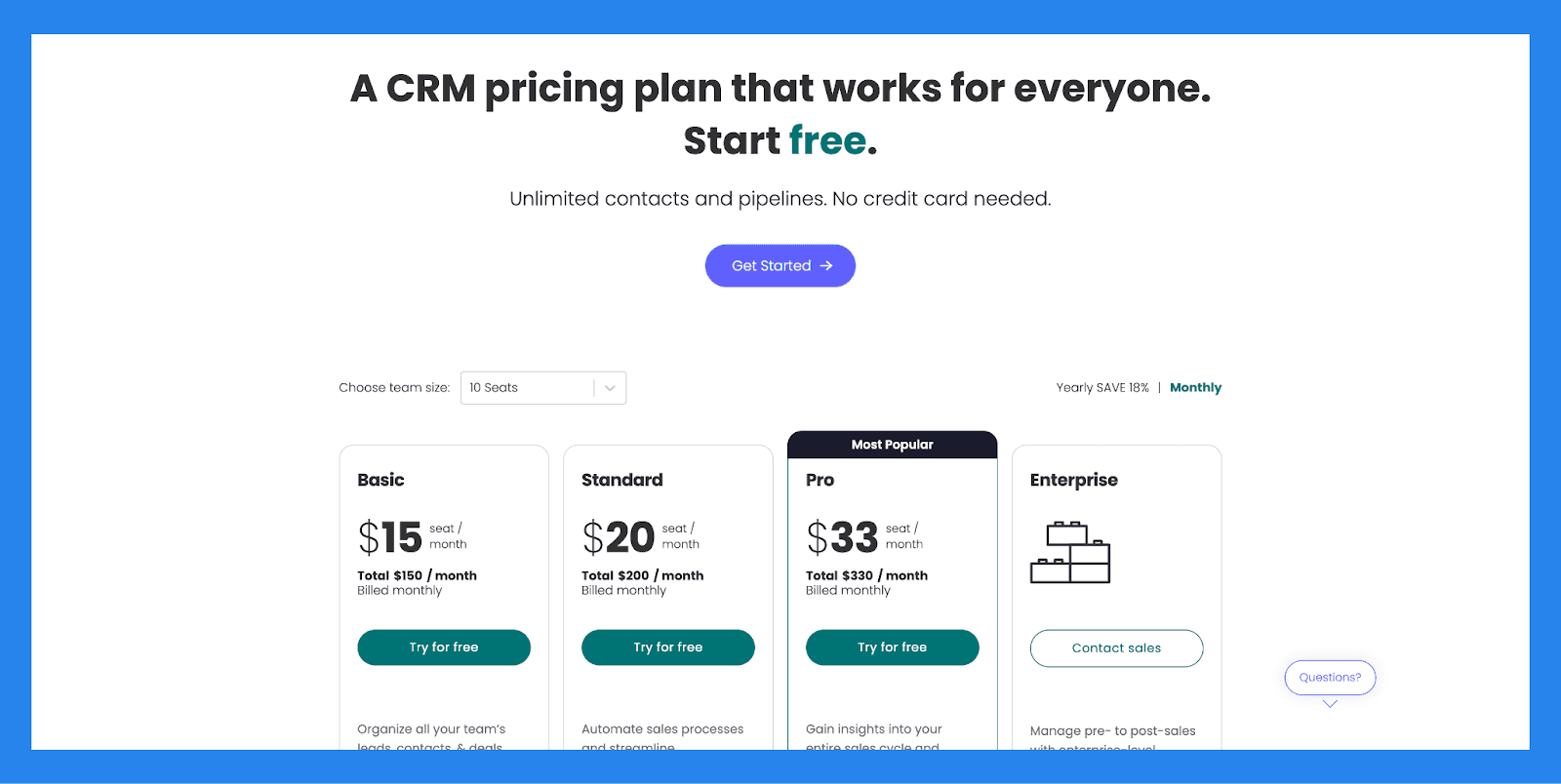
Basic ($15/user/mo): Unlimited customizable pipelines, Unlimited contacts, Unlimited boards, Templates for lead, contact & deal management. Plus 3 more.
Standard ($20/user/mo): everything in Basic, plus Advanced account, contact, & deal management, 2-way email integration with Gmail and Outlook, AI email generator, Activity management. Plus 5 more.
Pro ($33/user/mo): Sales forecasting, Email templates, Email tracking & automations, Sequences. Plus 8 more.
Enterprise (Contact sales): everything in Pro, plus Lead scoring, Mandatory fields, Team goals, Advanced analytics (dashboards up to 50 boards). Plus 6 more.
Close – Best for Cold-Outreach Teams
Summary
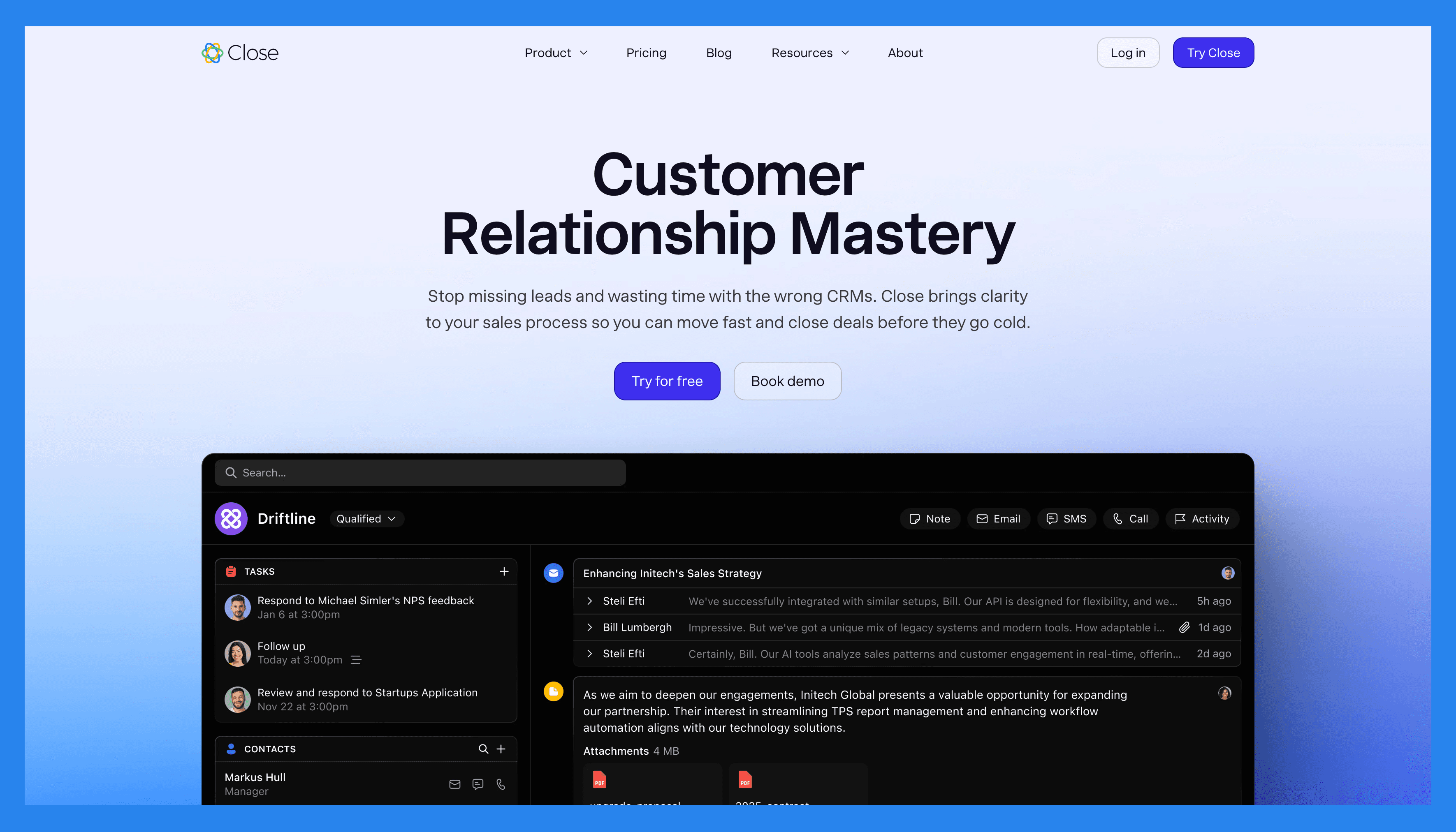
Close (formerly Close.io) is a sales-focused CRM built specifically for small and medium-sized businesses that want to turn leads into revenue, FAST. It unifies essential sales tools like email, calling, and SMS in a single, streamlined interface, eliminating the need to juggle multiple platforms.
Close is ideal for agencies that prioritize outbound sales, manage high-volume outreach, or work with fast-growing SaaS companies. Its emphasis on automation and efficiency makes it a favorite for teams that need to stay focused on closing deals rather than managing data.
Ratings: G2 – 4.7/5 (1,044) · Capterra - 4.7/5 (161).
Pros
Clean, user-friendly interface with a minimal learning curve
Robust calling features and automation tools, including Power Dialer
Two-way email sync for seamless communication tracking
Effective and intuitive email outreach workflows
Cost-effective compared to many competitors with similar features
Helps streamline productivity and team communication
Highly customizable via open API for advanced use cases
Cons
No free version available, only a free trial
No native integration with LinkedIn, requiring third-party tools
Smart View filters can be overwhelming or tedious to set up
Workflow features are more limited compared to top competitors
SMS functionality restricted to the US, Canada, UK, and Australia
Some features are gated behind higher-tier pricing plans
Users report occasional slow load times and connectivity issues with calling
Pricing Plans
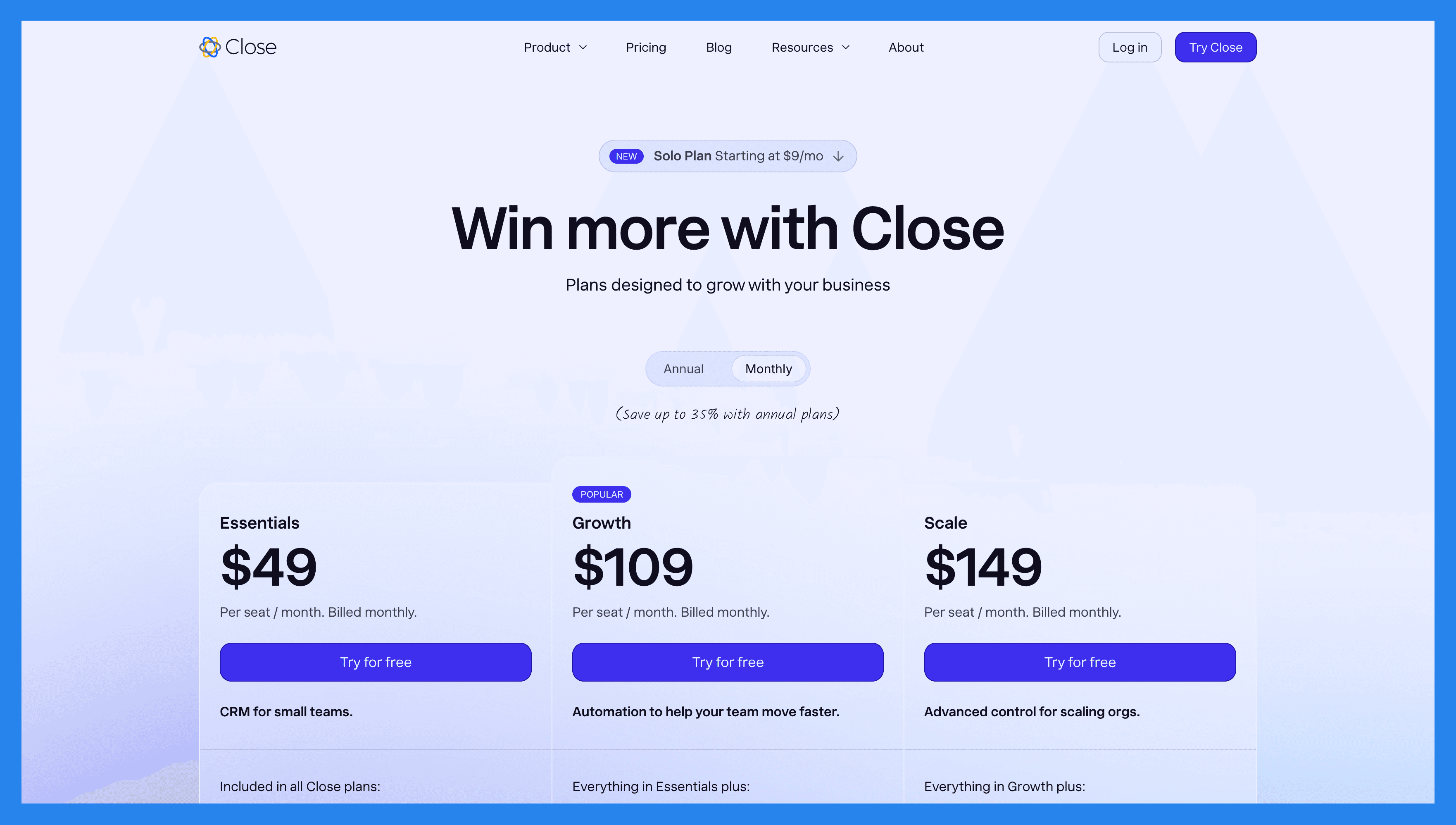
Solo ($19/mo): Limited to 1 user, Limited to 10k leads, Workflows not included.
Base ($49/user/mo): everything in Solo, plus Unlimited contacts & leads, Multiple pipelines, Advanced lead & activity filters, Built-in email, calling & SMS. Plus 1 more.
Professional ($109/user/mo): everything in Base, plus Automated workflows, Power Dialer, AI Email Assistant, Custom Activities.
Enterprise ($149/user/mo): everything in Professional, plus Role-based access & permissions, Lead visibility rules, Predictive Dialer, Unlimited call recording.
Attio – Best AI CRM For Fast-Changing Industries
Summary
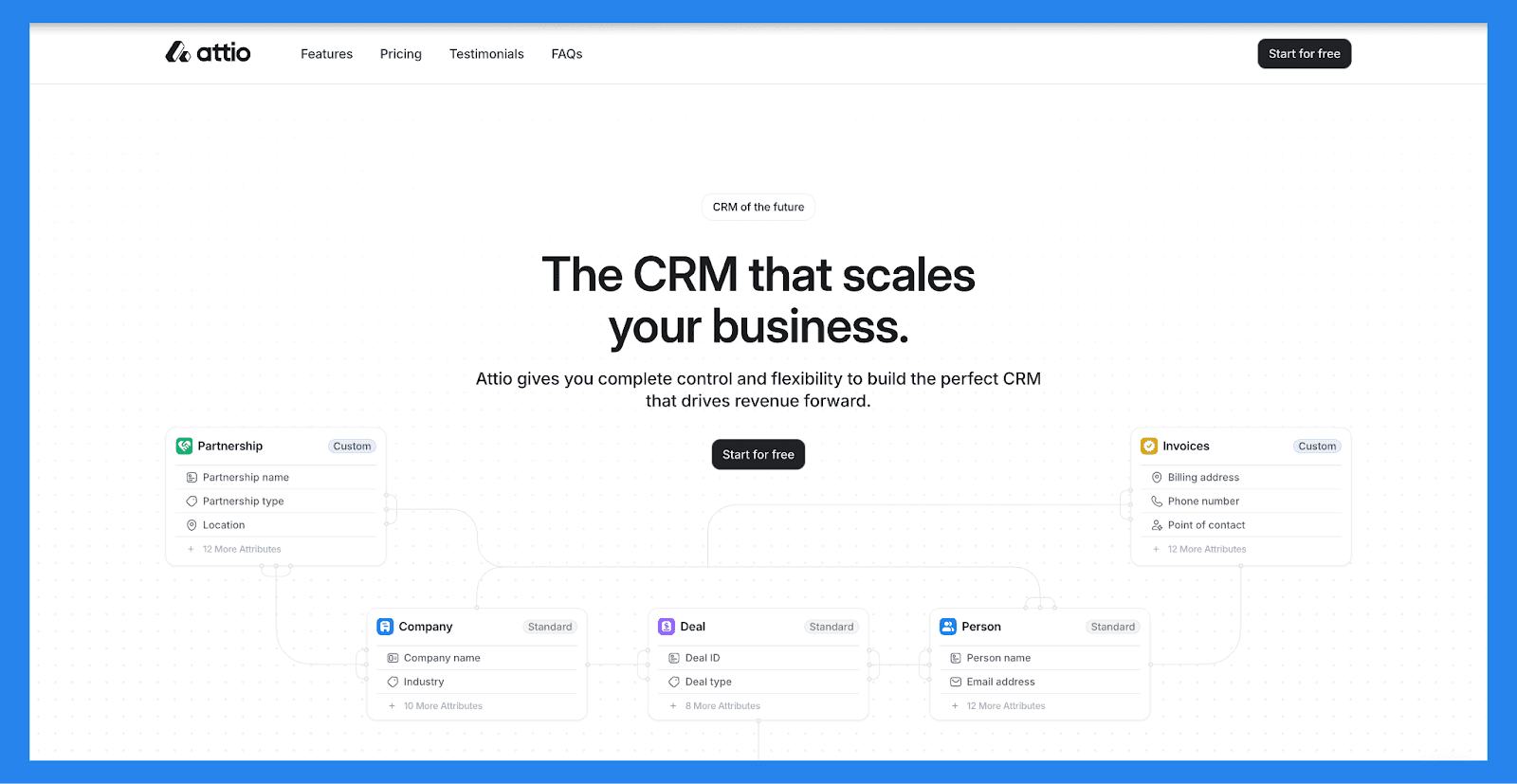
Built from the ground up for the** AI era**, Attio is heralded as the Salesforce of tomorrow, designed for maximum flexibility and built specifically with modern agencies that thrive on adaptability and speed, such as boutique marketing firms, creative studios, strategy consultancies, and sales development agencies
Rather than forcing businesses into a one-size-fits-all system, Attio was created to offer users the freedom to customize their CRM to fit their industry, workflows, and unique challenges, all without the usual complexity of traditional CRMs.
Ratings: G2 - 4.8/5 (18) · Capterra - 4.2/5 (5).
Pros
Extensive customization options for fields, views, and workflows
Intuitive, Notion-style interface that feels modern and flexible
Powerful automation tools for streamlining repetitive tasks
User-friendly and easy to onboard, even for non-technical teams
Cons
Limited number of native third-party integrations
Some advanced features rely on third-party tools (e.g., via API or Zapier)
Minor UI/UX hiccups as the product is still evolving
Pricing Plans
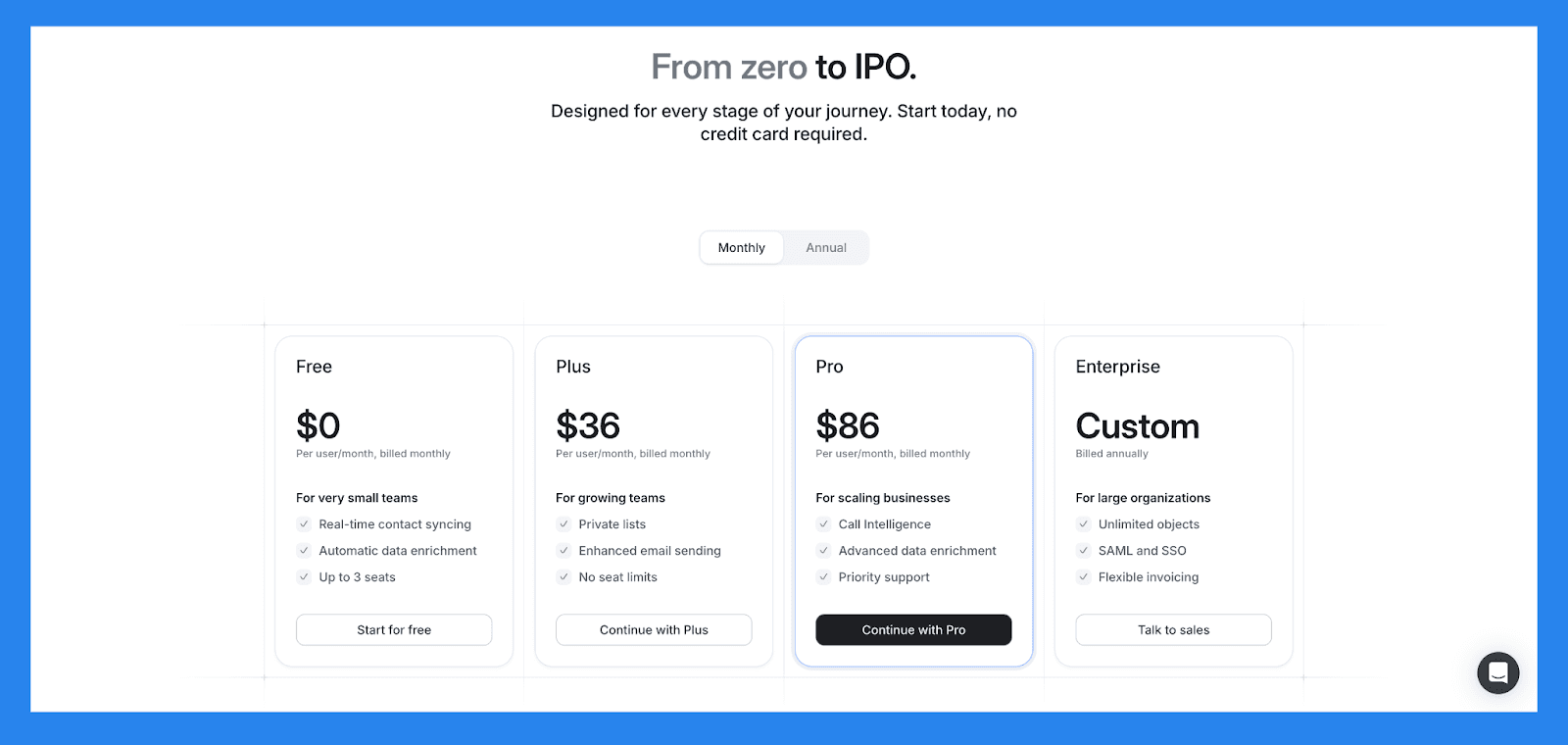
Free ($0/user/mo).
Plus ($29/user/mo): same scope, higher limits.
Pro ($59/user/mo): same scope, higher limits.
Enterprise ($119/user/mo): same scope, higher limits.
Workspace.
Free: same scope, higher limits.
Plus: same scope, higher limits.
Pro: same scope, higher limits.
Enterprise: same scope, higher limits.
Automations.
Free: same scope, higher limits.
Plus ($17): same scope, higher limits.
Pro ($17): same scope, higher limits.
Enterprise ($17): same scope, higher limits.
Email and calendar.
Free: same scope, higher limits.
Plus: same scope, higher limits.
Pro: same scope, higher limits.
Enterprise: same scope, higher limits.
Data sources.
Free: same scope, higher limits.
Plus: same scope, higher limits.
Pro: same scope, higher limits.
Enterprise: same scope, higher limits.
Reporting.
Free: same scope, higher limits.
Plus: same scope, higher limits.
Pro: same scope, higher limits.
Enterprise: same scope, higher limits.
Admin.
Free: same scope, higher limits.
Plus: same scope, higher limits.
Pro: same scope, higher limits.
Enterprise: same scope, higher limits.
Support.
Free: same scope, higher limits.
Plus: same scope, higher limits.
Pro: same scope, higher limits.
Enterprise: same scope, higher limits.
💭 Final Thoughts + Takeaways
Choosing the right CRM for your agency isn’t just about features or pricing, it’s about finding a platform that fits the way your team works, sells, and grows.
Whether you're a creative agency juggling multiple clients, a sales-driven consultancy focused on outbound, or a lean startup scaling fast, the CRM you choose should amplify your workflows, not slow you down.
Here are a few takeaways to keep in mind:
💡 Not all CRMs are created equal. Prioritize tools built with your specific industry, team size, and goals in mind.
⚙️ Automation isn’t a luxury, it’s a necessity. The best CRMs save your team hours by reducing manual work.
🧩 Integrations matter. Make sure your CRM plays well with the tools your agency already relies on (Slack, Gmail, Google Workspace, LinkedIn, etc.).
📈 Think long-term. A CRM should support your current needs while scaling alongside your agency.
At the end of the day, your CRM should feel less like another tool and more like a strategic partner. The right one saves you time, sharpens your focus, and helps you close deals faster. That’s exactly why we built Breakcold. 😉
Frequently asked questions

Written by
Arnaud Belinga · Co-Founder & CEO at Breakcold
Arnaud is the Co-Founder & CEO of Breakcold, the AI Native CRM for sales teams of 5 to 30+ people.