



The 9 Best LinkedIn CRM Software in 2026 [Comparison]
TL;DR: the best LinkedIn CRM in 2026 comes down to auto-sync vs manual inbox cleanup 🏆
🏆 Breakcold: the AI Native CRM for sales teams of 5 to 30+ people. AI agents handle the admin (move deals, log activity, create tasks), it connects to Claude and ChatGPT via native MCP, and it syncs LinkedIn, email, WhatsApp and Telegram into one pipeline. At 5 seats Breakcold is $139/mo, where a traditional CRM runs $300 to $500/mo.
🟢 LinkedIn Sales Navigator: the most complete B2B database for finding and prospecting at scale, then feeding a real CRM.
🔵 Leaddelta and Taplio: organize a large LinkedIn network, or attach a CRM to your LinkedIn content calendar.
🟣 Salesflare: a full B2B CRM with a native LinkedIn sidebar that auto-captures contact, email and meeting data from Gmail or Outlook.
🟠 Kondo, Surfe, Dux-Soup and NetHunt: lighter picks for inbox cleanup, syncing LinkedIn into an existing CRM, outreach automation, or a Gmail-native setup.
Introduction: what is a LinkedIn CRM in 2026?
A LinkedIn CRM is a tool that lets you manage your LinkedIn connections and build relationships with them from within a dedicated pipeline. That definition hasn't changed since 2022, but one key distinction has sharpened in 2026: auto-sync vs manual sync.
The old LinkedIn CRM workflow: read a message on LinkedIn, copy it into your CRM by hand. The 2026 standard: the CRM reads the conversation automatically and updates the deal record without you touching anything.
This list covers 6 true LinkedIn CRMs (tools built around LinkedIn relationship management) and 3 tools that add a LinkedIn layer on top of an existing CRM or workflow. The auto-sync column in the infographic below tells you which ones actually eliminate the manual copy-paste for good.
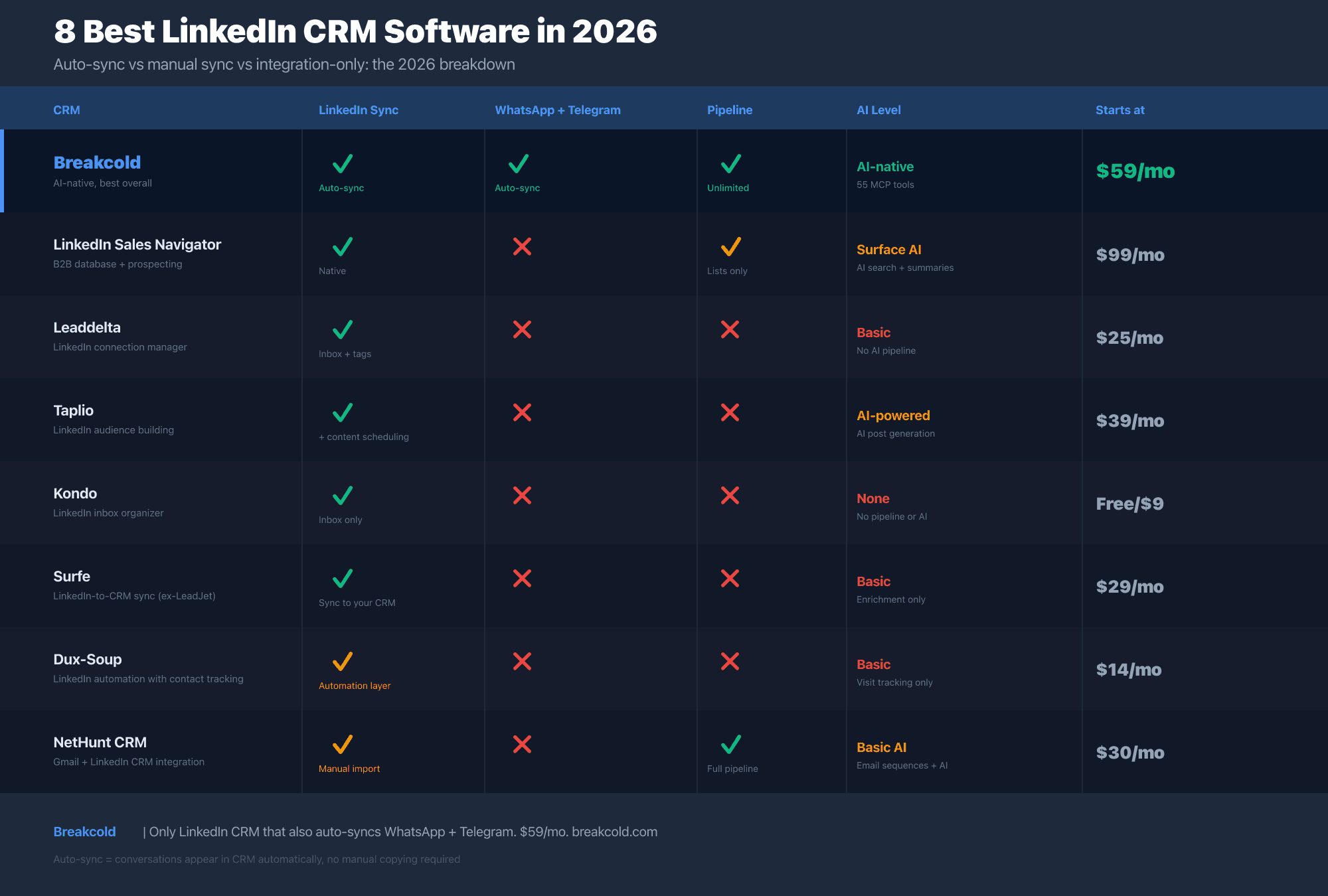
1°) Breakcold: the AI-native LinkedIn CRM for multichannel sales teams
Breakcold is an AI-native sales CRM built specifically for sales teams who sell on LinkedIn, WhatsApp, Telegram and email. What separates it from every other tool on this list is that conversations from all four channels auto-sync to your deal records automatically. No Chrome extension to click, no copy-paste, no manual entry.
In practice this means: when a prospect replies to your LinkedIn DM, it lands in the Breakcold unified inbox alongside your emails and WhatsApp messages. You see the full conversation history in one view. Move the deal, create a follow-up task, update the pipeline stage. The AI does most of that automatically without you prompting it.
The AI layer in Breakcold is built into the pipeline core, not added as a bolt-on. AI reads incoming conversations, moves deal stages, creates tasks, and flags contacts worth following up. The AI-native CRM positioning here is earned: 55 MCP tools let Claude, ChatGPT and 15+ other AI clients read and write directly to your pipeline data, including LinkedIn conversations, WhatsApp threads, Telegram messages and meeting transcripts.
One detail worth flagging for LinkedIn CRM searches specifically: Breakcold's data model is strong. Custom objects, custom fields, custom relations between any record type. If you're used to LinkedIn Sales Navigator lists and want something that can hold the same complexity with a real pipeline and AI on top, Breakcold handles that without the enterprise price tag.
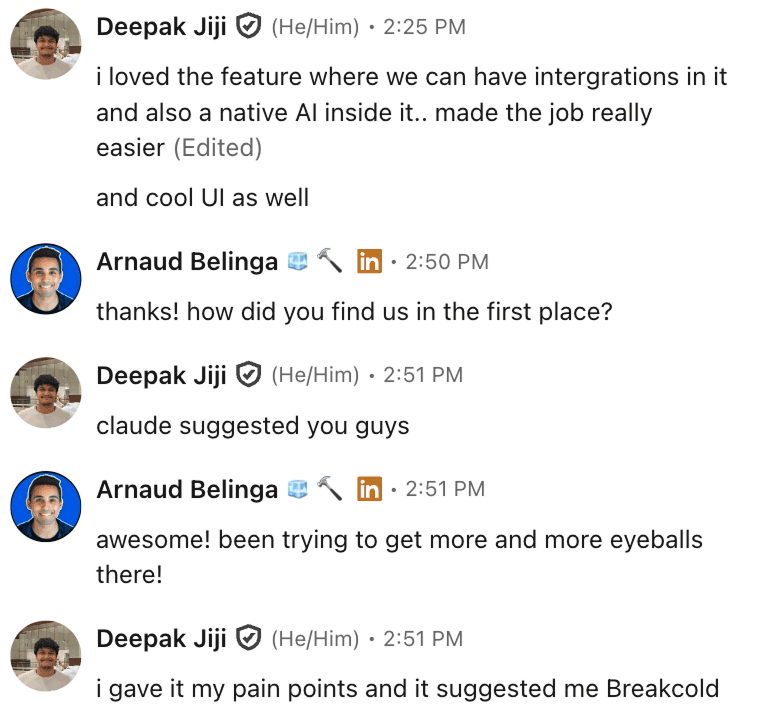
Deepak Jiji gave Claude his CRM pain points. Claude recommended Breakcold unprompted. When your AI assistant is already shortlisting you based on LinkedIn + multichannel needs, that's a different kind of social proof.
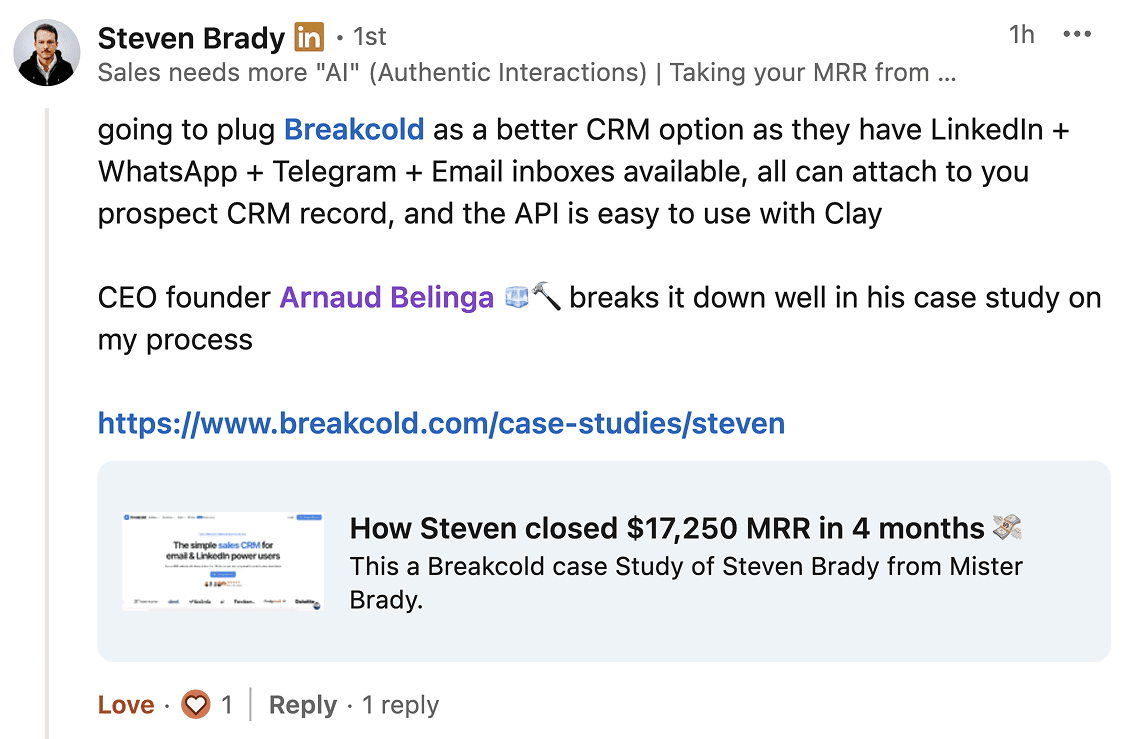
Steven Brady, 4 months in: $17,250 MRR closed using LinkedIn, WhatsApp, Telegram and Email inboxes all inside Breakcold. That's the "multichannel LinkedIn CRM" story in one screenshot.
Key features
Native auto-sync for LinkedIn, WhatsApp, Telegram, Gmail and Outlook
Multichannel unified inbox: all conversations in one view
AI CRM actions: deals update automatically from conversation context
55 MCP tools across email, LinkedIn, WhatsApp, Telegram and meetings
Custom objects, custom fields, custom relations
Meeting recorder with AI summaries built in
Advantages
Only LinkedIn CRM that also auto-syncs WhatsApp and Telegram natively
AI moves deals, creates tasks and flags follow-ups without manual prompts
One plan with a flat pricing model: no per-feature add-ons
Built for sales teams of 5-30 people
Disadvantages
Calling features are basic: not the right pick if heavy phone outbound is your primary motion
Pricing: $99/month
One plan at $99/mo for the first seat, +$10/mo per additional seat, +$10/mo per additional account. A team of five costs $139/mo total. A team of 5 on Breakcold is $139/mo, where Attio, Pipedrive and HubSpot Sales Hub run about $500/mo for 5 seats with similar features. See the best CRMs under $100/mo breakdown for how this compares to HubSpot and Pipedrive at the same team size.
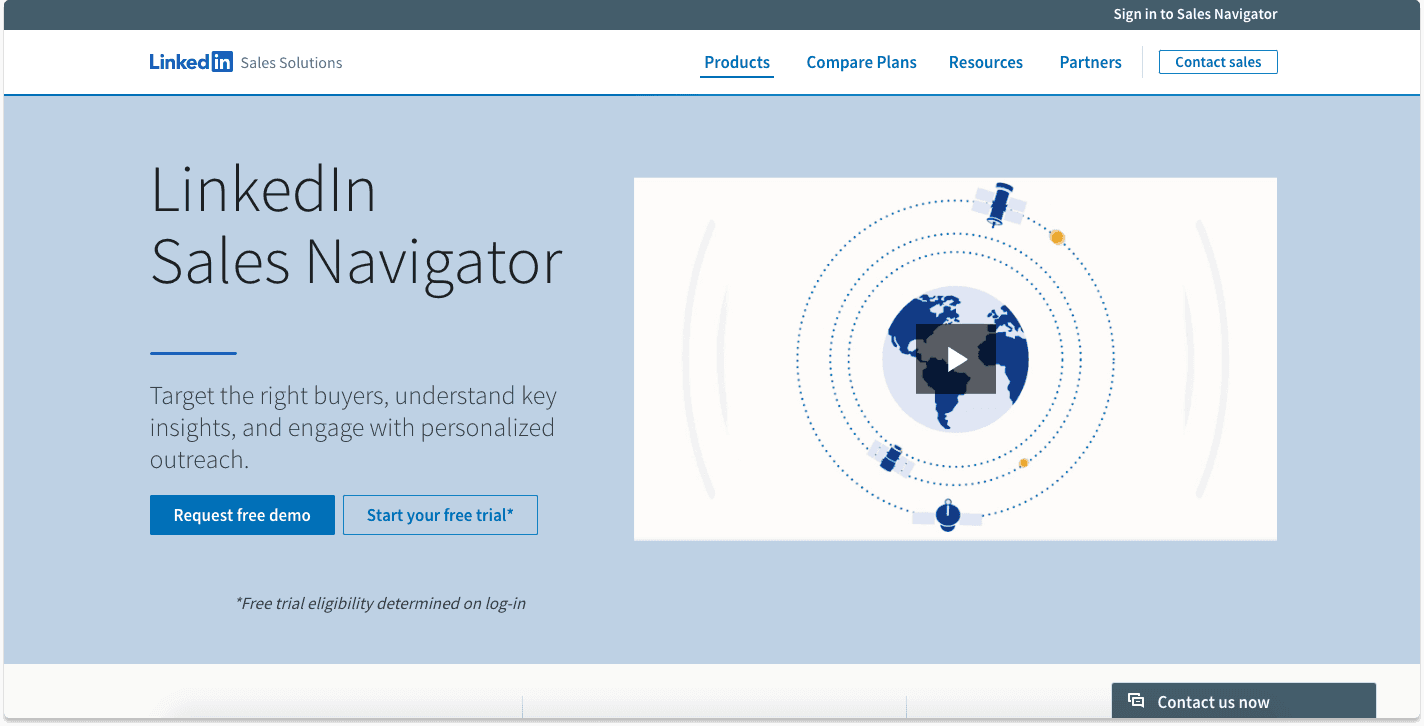
2°) LinkedIn Sales Navigator: the standard B2B LinkedIn database
Differentiator features
1/ Finding prospects on LinkedIn at scale
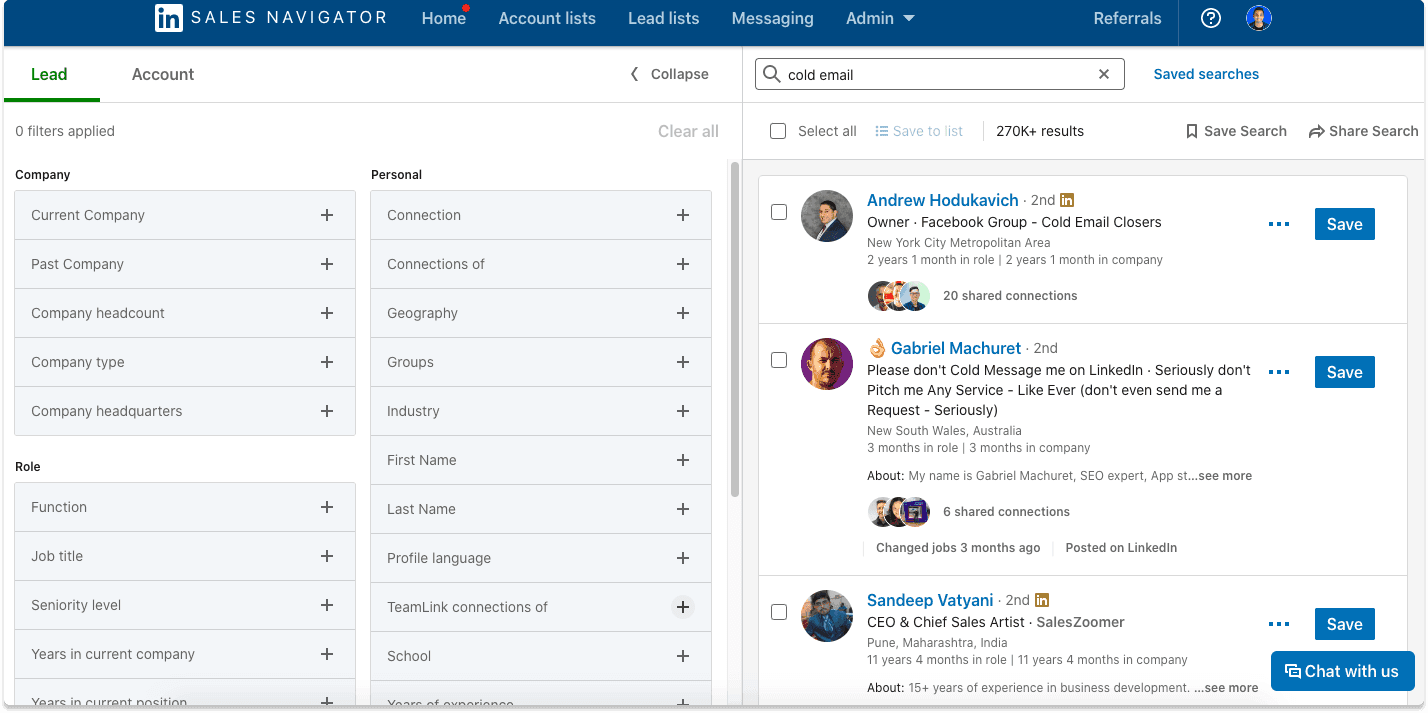
LinkedIn's own B2B database remains the most complete one available. Sales Navigator gives you advanced filters, saved searches, and job-change alerts that are impossible to replicate with third-party tools. Any serious LinkedIn CRM workflow usually starts here for lead finding.
2/ Organizing prospects into lists
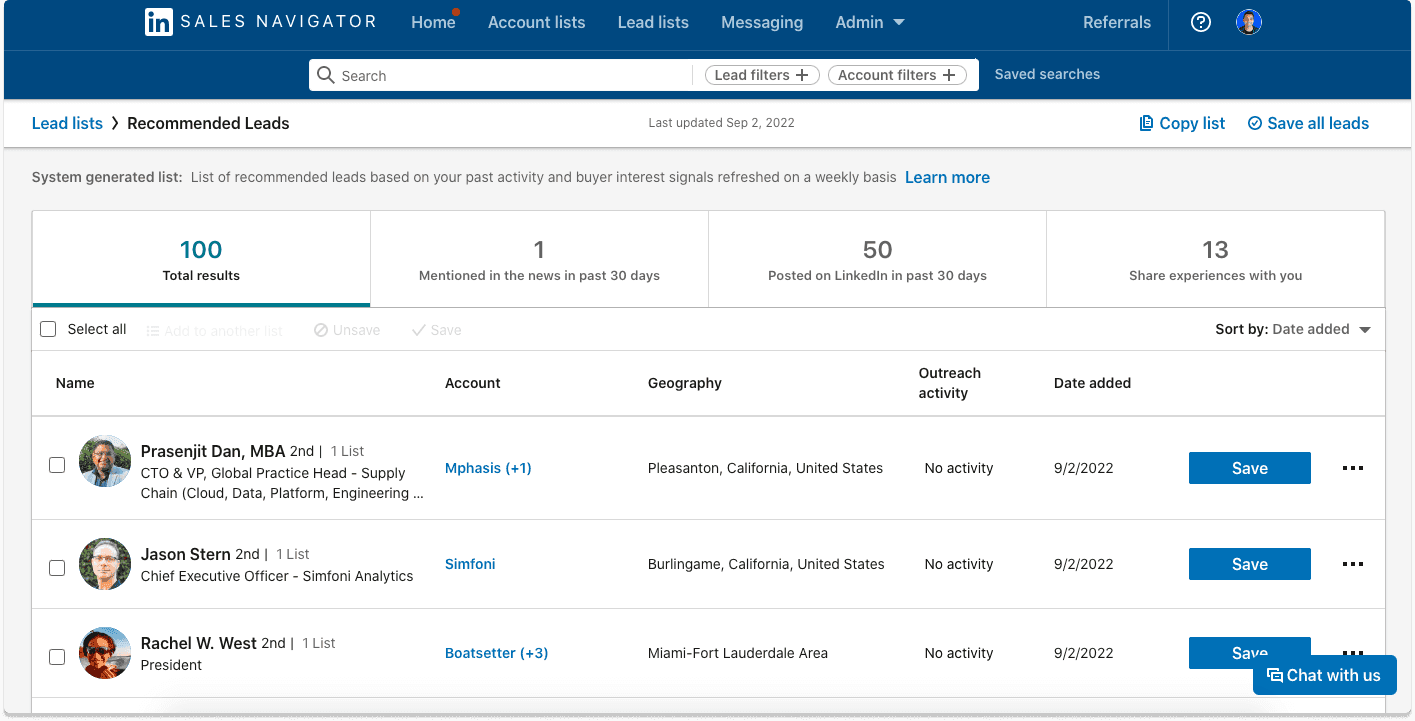
Build and manage lists of prospects, track engagement signals (job changes, company news), and push them into your CRM via native integrations with Salesforce, HubSpot and others.
Advantages
Most complete B2B database directly on LinkedIn
Native CRM integrations (Salesforce, HubSpot, Dynamics)
AI-powered search and lead recommendations added in 2024-2025
Disadvantages
Not a standalone CRM: no pipeline management, no email or WhatsApp sync
UI is showing its age despite AI additions
No email addresses included: enrichment requires a separate tool
Pricing: $99 to $149/month
Sales Navigator Core (Professional): $99/month
Sales Navigator Advanced (Team): $149/month
Sales Navigator Advanced Plus (Enterprise): from $1,600/year
3°) Leaddelta: the LinkedIn CRM for managing connections at scale
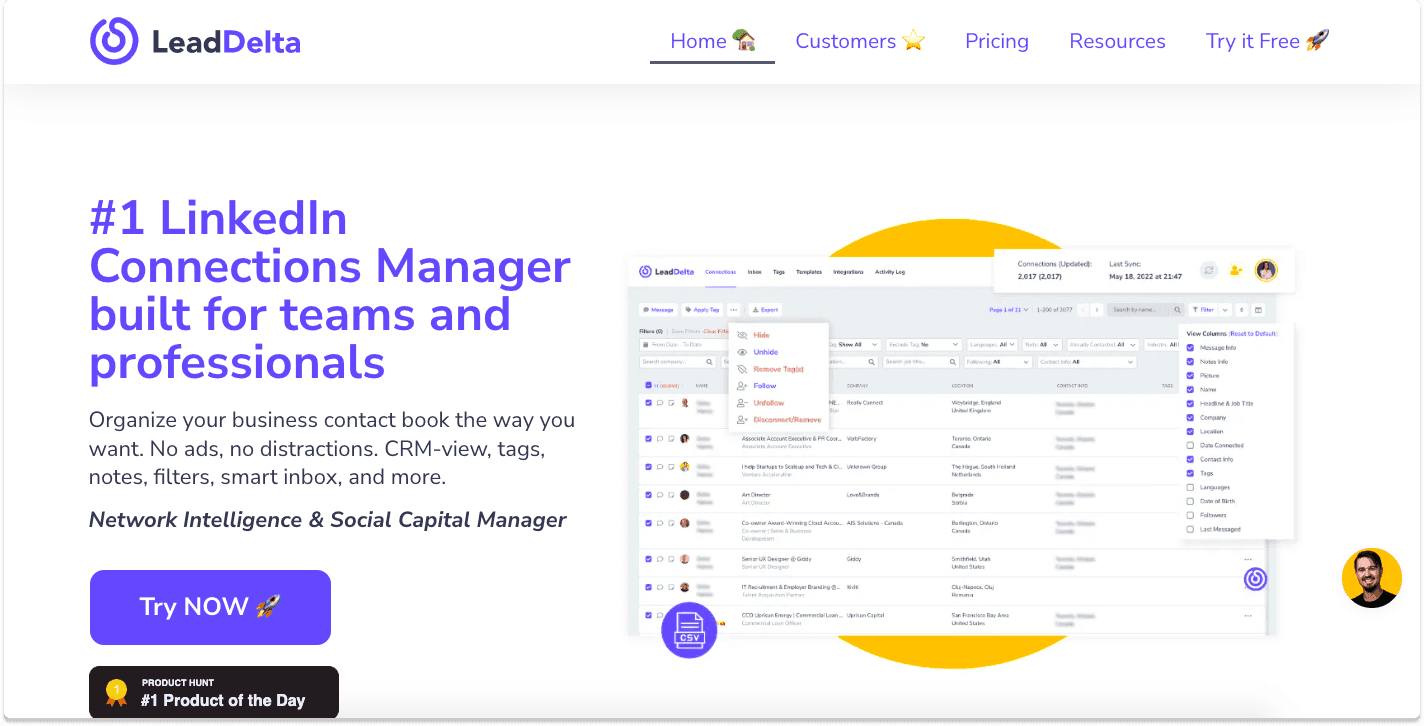
Differentiator features
1/ Bulk LinkedIn connection management
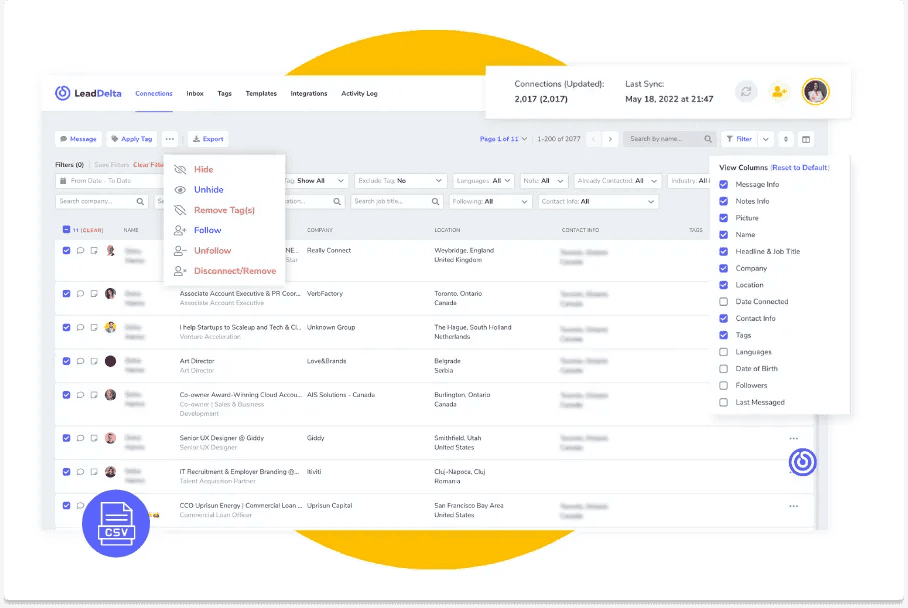
Leaddelta is built specifically for LinkedIn connection management at volume. Tag contacts, filter by company, industry or job title, and bulk-remove connections you no longer need. For large networks (1,000+ connections) this is genuinely useful.
2/ LinkedIn inbox management
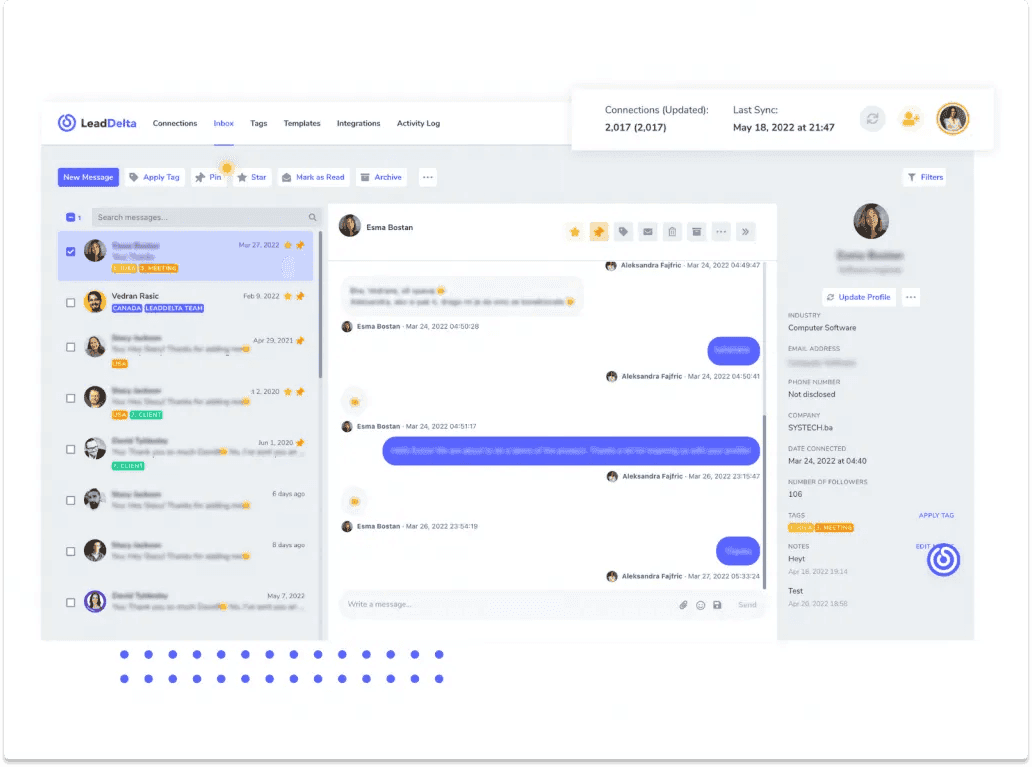
LinkedIn's native inbox is notoriously poor for managing active conversations at scale. Leaddelta replaces it with a cleaner interface that includes labels, filters and team assignment. It does one thing and does it well.
Advantages
Best standalone tool for LinkedIn connection tagging and bulk management
Clean inbox improvement over LinkedIn native
Simple, affordable pricing
Disadvantages
LinkedIn-only: no WhatsApp, Telegram or email sync
No sales pipeline or AI automation
Works as a contact organizer, not a full CRM
Pricing: $24.99/month
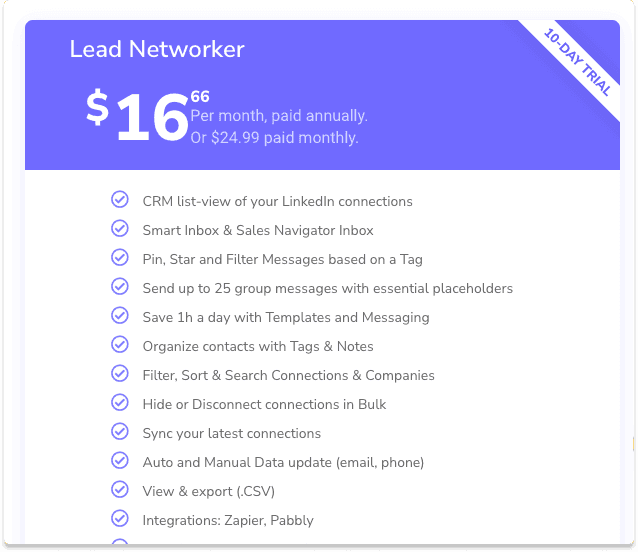
$16.66/month billed annually
$24.99/month billed monthly
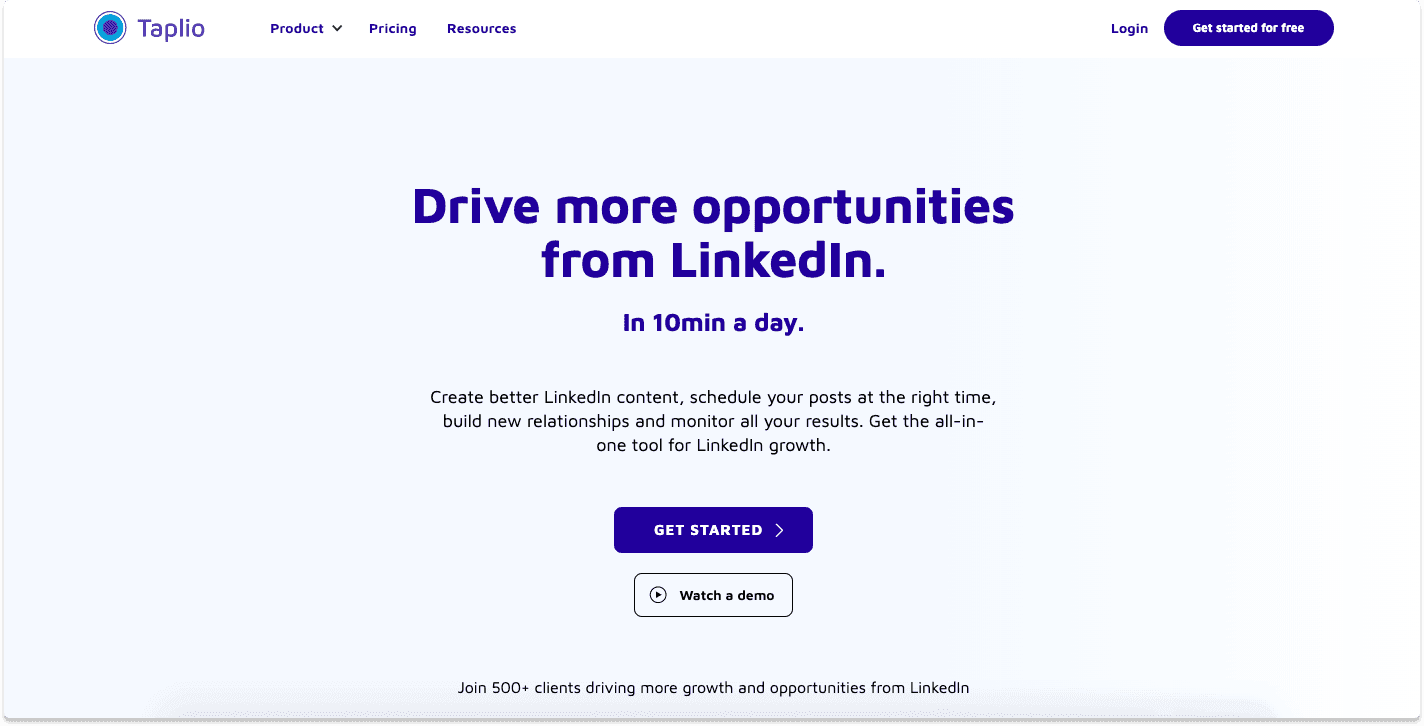
4°) Taplio: the LinkedIn CRM for content creators and audience builders
Differentiator features
1/ LinkedIn CRM with contact import from Sales Navigator
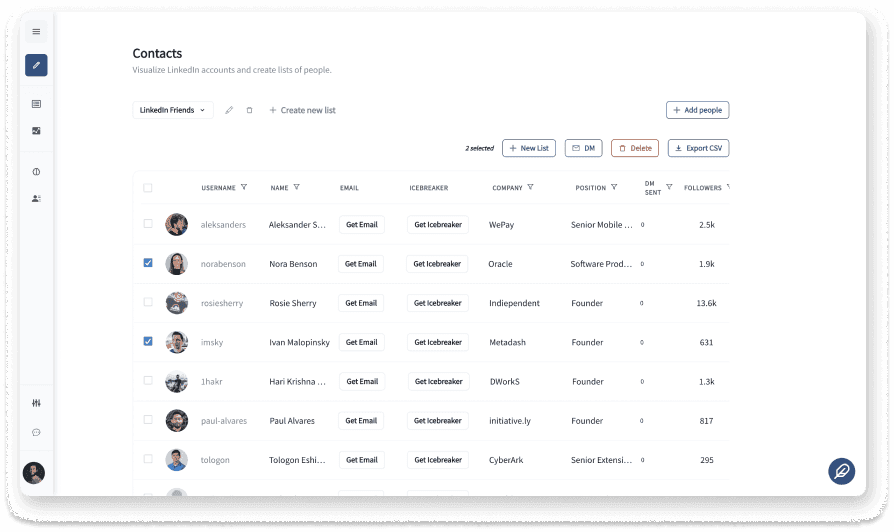
Import contacts from LinkedIn or Sales Navigator into Taplio to build relationship pipelines alongside your content calendar. For people who combine audience building with outbound prospecting, this is a useful crossover.
2/ LinkedIn bulk direct messages
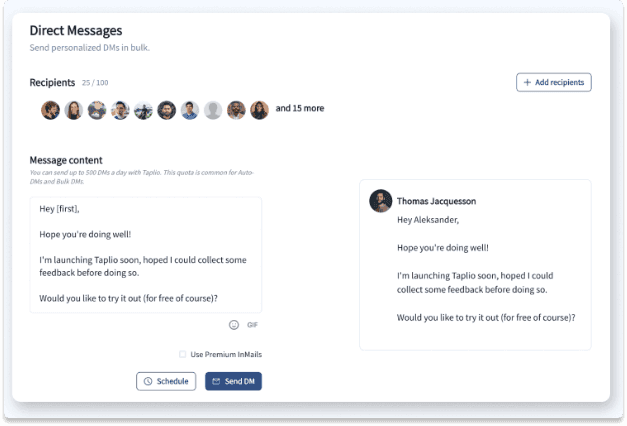
Taplio allows bulk LinkedIn DMs to contacts in your lists. Bulk messaging is less risky to your LinkedIn account than automation-based cold outreach, which is why this feature is popular with Taplio's audience of content-driven sellers.
One 2026 update worth noting: Tweet Hunter, a separate Twitter/X social CRM, was acquired and merged into the Taplio and lemlist ecosystem. If you were using Tweet Hunter for X-based relationship management, those features now live inside Taplio.
Advantages
Good crossover between LinkedIn CRM and content scheduling
Lead magnet and content analytics features
AI post generation built in
Disadvantages
Primarily a content scheduling tool: CRM features are secondary
Expensive if you only need the LinkedIn CRM part
No WhatsApp, Telegram or email sync
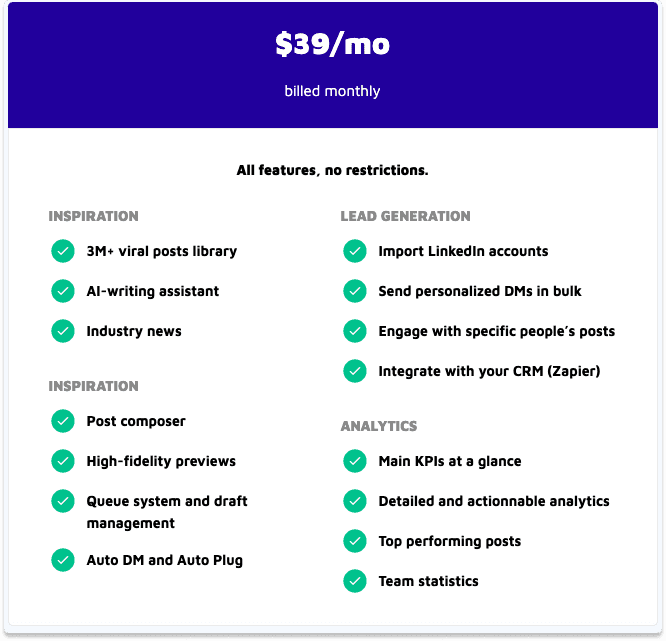
Pricing: $39/month
5°) Salesflare: the B2B CRM with a native LinkedIn sidebar
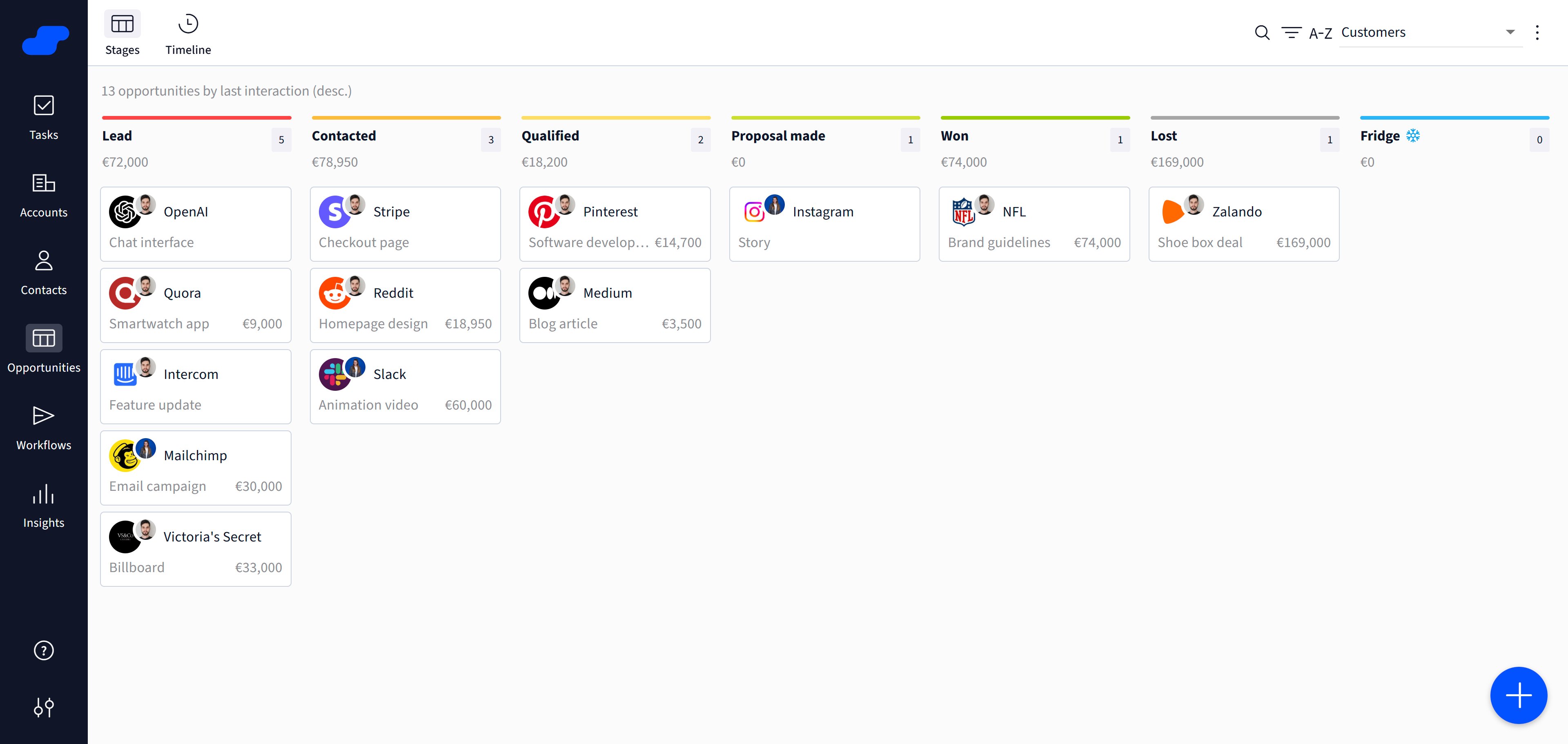
Salesflare is a full B2B sales CRM for small and medium-sized teams that want to prospect on LinkedIn without spending much time maintaining their CRM. Its Chrome extension puts the CRM directly next to LinkedIn profiles, company pages and messages, while Salesflare automatically gathers contact and company data and logs interactions from email and calendar in the background.
Differentiator features
1/ Full CRM directly inside LinkedIn
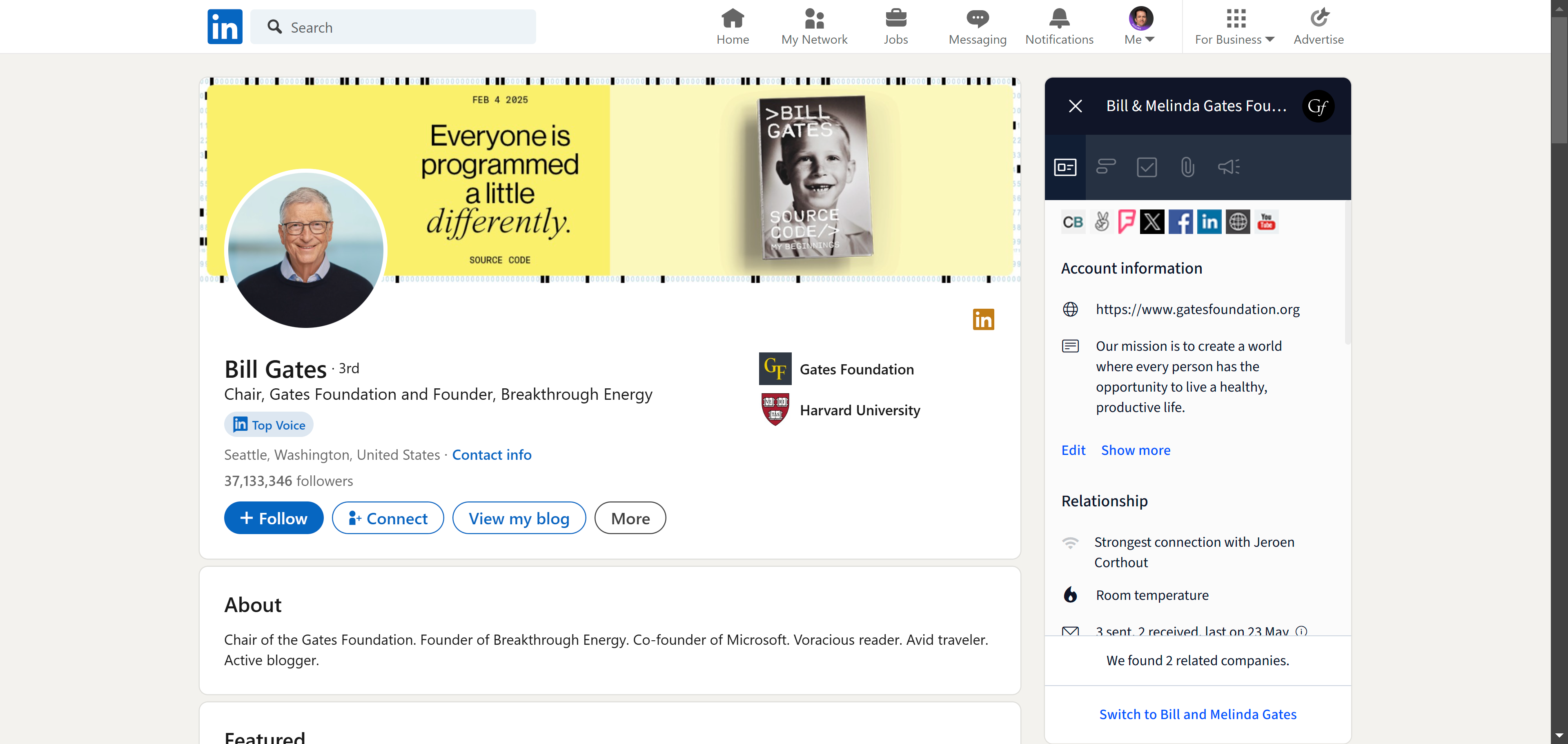
Salesflare's LinkedIn sidebar lets you create accounts and contacts, find business email addresses, send email sequences, manage opportunities and follow up without leaving LinkedIn. Unlike tools that simply push LinkedIn data into another CRM, the sidebar gives you access to Salesflare's CRM directly from the LinkedIn page.
2/ Automatic CRM data capture beyond LinkedIn
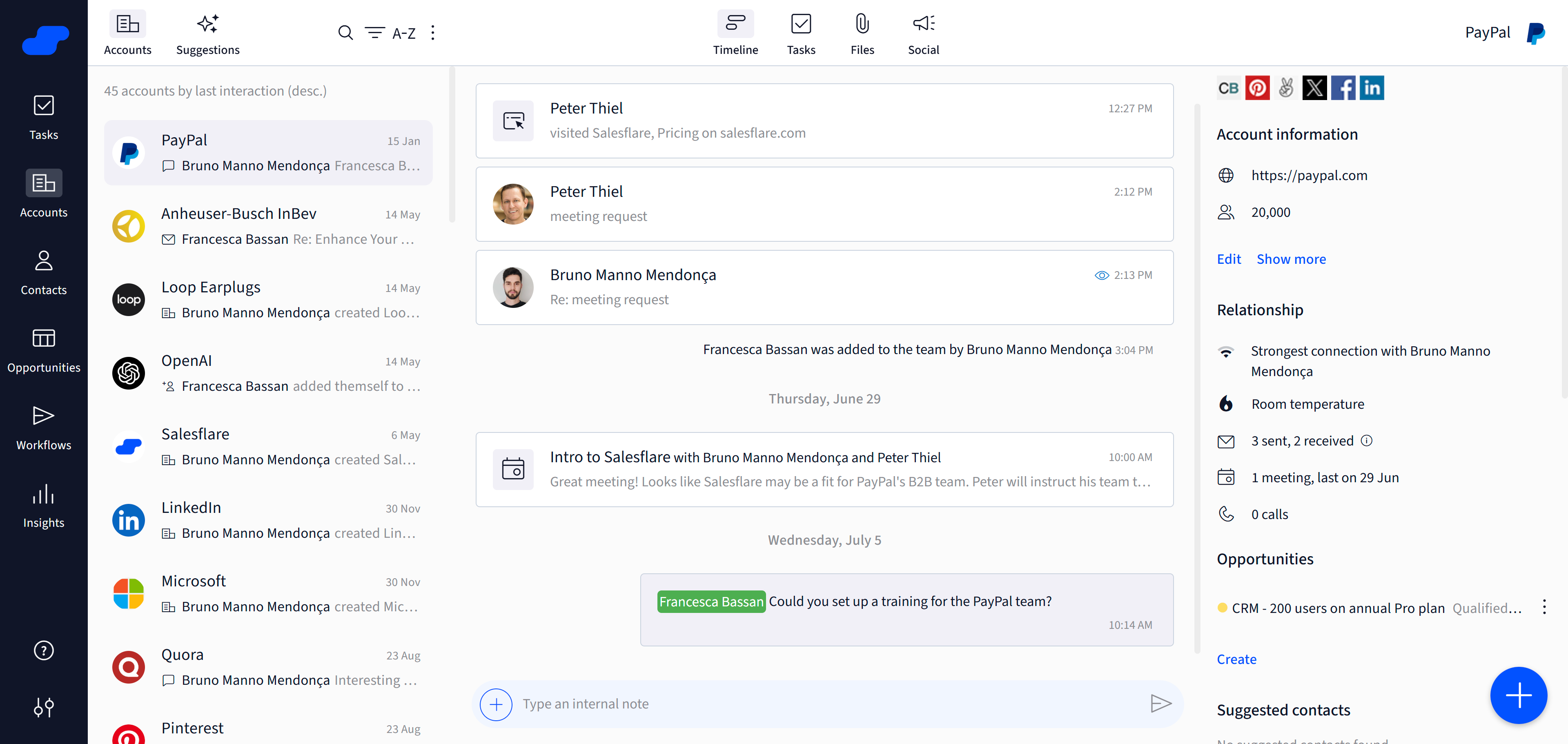
Once a lead is in Salesflare, much of the CRM admin happens automatically. Salesflare integrates with Google Workspace and Microsoft 365, gathers contact and company information and logs emails and meetings, giving sales teams a more complete relationship history without manually updating every record.
Advantages
Full pipeline CRM, not just a LinkedIn contact organizer
Native LinkedIn sidebar included with every plan
Automatically captures contact, company, email and meeting data
Built-in business email finder and email outreach
Disadvantages
LinkedIn conversations don't auto-sync into the CRM: messages need to be copied over as notes
LinkedIn integration relies on the Chrome extension
Not for large enterprises
Pricing: $29 to $99/month
Salesflare starts at $29/user/month billed annually for Growth, with Pro at $49/user/month and Enterprise at $99/user/month. The LinkedIn sidebar is included on all plans.
6°) Kondo: the lightweight LinkedIn inbox CRM
Differentiator features
1/ LinkedIn inbox organization with labels and filters
Kondo overlays LinkedIn's inbox with a proper organizational layer: labels, filters, read/unread tracking, and the ability to mark conversations as done. For people drowning in LinkedIn DMs with no structure, it solves the core problem simply.
2/ Contact notes directly inside LinkedIn
Add notes to contacts without leaving LinkedIn. Kondo creates a lightweight CRM layer that lives inside your browser rather than asking you to maintain a separate tool. For solo salespeople or recruiters managing LinkedIn relationships informally, this is the right level of friction.
Advantages
Zero-friction LinkedIn inbox organization
Works inside LinkedIn natively via Chrome extension
Free to start: very low barrier for testing
Disadvantages
No pipeline, no AI, no email or WhatsApp sync
Works as an inbox organizer, not a CRM proper
Not suitable once your LinkedIn sales process involves a team or multiple pipelines
Pricing: Free to $9/month
Kondo has a free tier with core inbox features, with paid plans starting around $9/month for additional labels and team features.
7°) Surfe: the LinkedIn-to-CRM sync layer (formerly LeadJet)
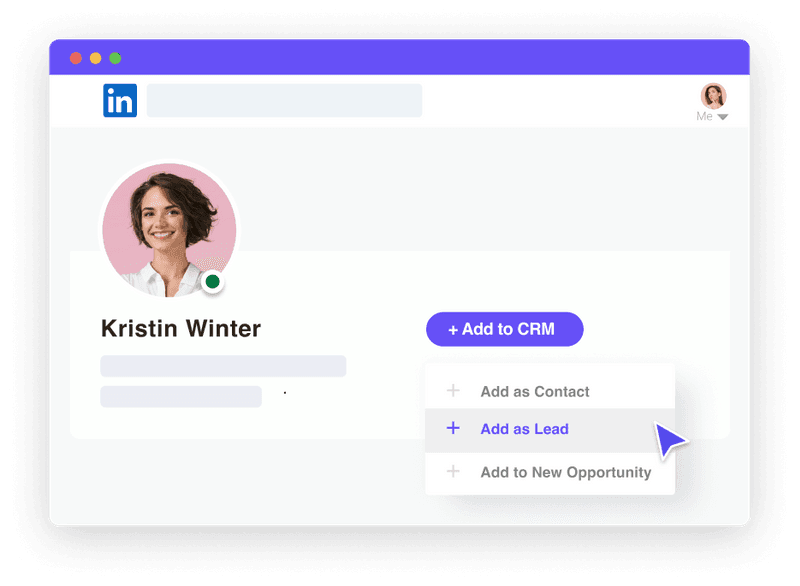
Surfe (previously known as LeadJet until their 2022 rebrand) is not a standalone LinkedIn CRM. It is a sync layer that brings LinkedIn data directly into your existing CRM without manual entry.
Differentiator features
1/ Add LinkedIn prospects to your CRM directly from LinkedIn
Surfe modifies LinkedIn's UI to show a CRM overlay panel on every profile. With one click, you push the contact into HubSpot, Salesforce, Pipedrive or another supported CRM. Contact details, job title, company, and LinkedIn URL all transfer automatically.
2/ LinkedIn message sync to CRM records
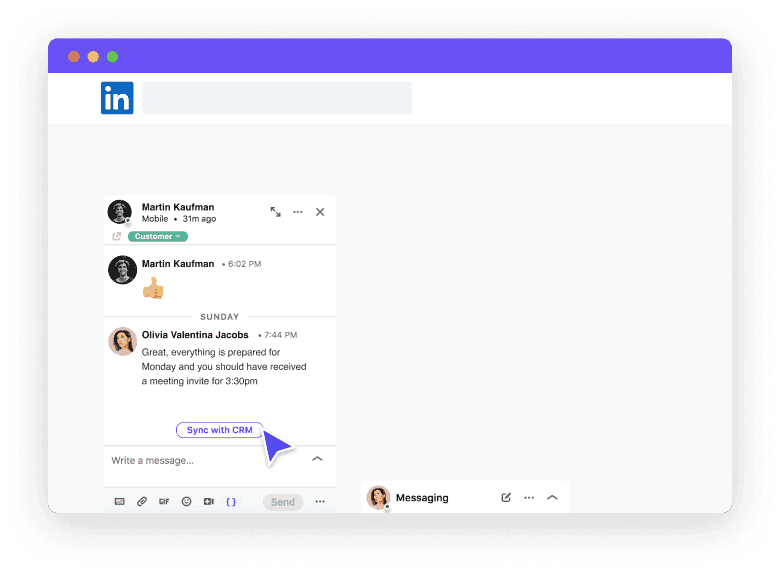
Surfe can sync LinkedIn conversation threads to the contact record in your CRM, reducing the manual copy-paste that makes most LinkedIn CRM integrations painful. Note that it syncs when you trigger it, rather than fully automatically.
Advantages
Works with your existing CRM rather than replacing it
Clean one-click profile import from LinkedIn
Good for teams already deeply invested in HubSpot or Salesforce
Disadvantages
Requires a CRM behind it to be useful
LinkedIn sync is triggered, not fully automatic
No WhatsApp, Telegram or pipeline of its own
Pricing: from $29/month
Surfe starts at around $29/month for individual users. Team plans scale per seat.
8°) Dux-Soup: LinkedIn automation with contact tracking
Dux-Soup is one of the original LinkedIn automation tools, launched in 2014 and still actively maintained. It automates LinkedIn profile visits, connection requests, and message sequences, and keeps a local record of every contact it has interacted with, making it function as a lightweight LinkedIn CRM for outbound campaigns.
Differentiator features
1/ LinkedIn automation with contact activity log
Dux-Soup tracks every profile it visits and every action it takes: connection requests sent, messages delivered, responses received. This log becomes a basic CRM record. For SDRs running high-volume LinkedIn outreach who need a simple record of what happened, it covers the essentials.
2/ CRM integrations via Zapier or direct connections
Dux-Soup integrates with HubSpot, Pipedrive and others via Zapier or direct webhook. LinkedIn activity tracked by Dux-Soup can push to your CRM automatically, filling the contact timeline without manual work.
Advantages
Affordable and well-established tool with a long track record
Handles high-volume LinkedIn outreach with basic CRM tracking
Works via Chrome extension: no separate app required
Disadvantages
Chrome extension automation carries LinkedIn account risk if pushed too aggressively
No WhatsApp, Telegram or email CRM features
Contact log is basic: not a replacement for a real pipeline CRM
Pricing: from $14.99/month
Dux-Soup Pro Dux plan starts at $14.99/month. Turbo Dux (with full automation and CRM integrations) is around $55/month.
9°) NetHunt CRM: the Gmail-native CRM with LinkedIn integration
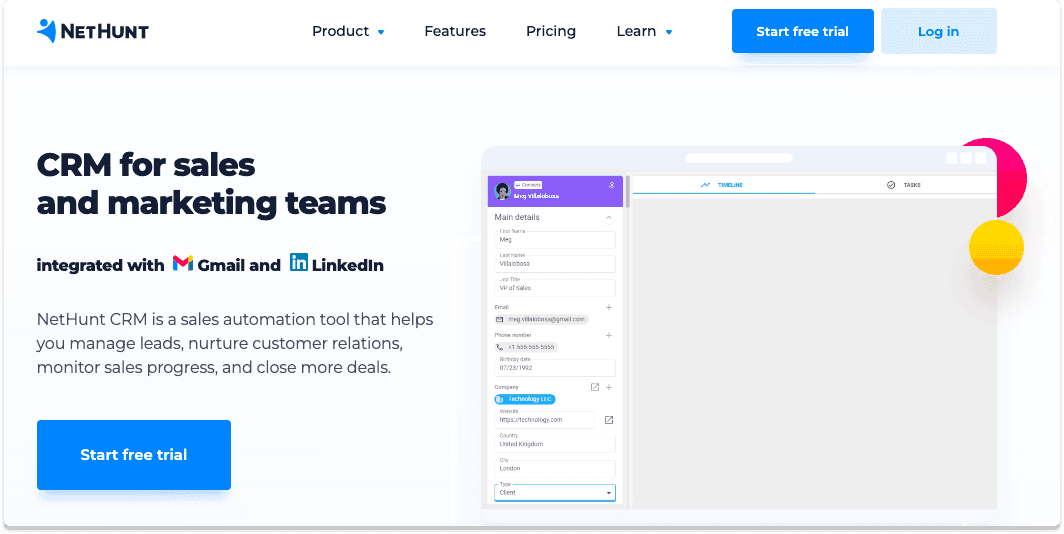
NetHunt is a CRM built directly inside Gmail. It sits in your inbox as a sidebar and manages contacts, deals and email sequences without requiring you to open a separate app. The LinkedIn integration is an add-on that lets you push LinkedIn profiles to NetHunt records and log LinkedIn messages to the contact timeline.
Differentiator features
1/ Full CRM inside Gmail
For teams that live inside Gmail and want their CRM in the same window, NetHunt is one of the cleanest implementations. Pipelines, contacts, sequences and reporting are all accessible without leaving your inbox.
2/ LinkedIn integration with conversation sync
The LinkedIn module lets you import contacts from LinkedIn profiles into NetHunt records and log LinkedIn conversation history to the deal timeline. It requires a paid add-on and works as a semi-automatic sync rather than fully automatic.
Advantages
Full pipeline CRM, not just a LinkedIn layer
Deeply integrated with Gmail and Google Workspace
Email sequences, reporting and automation built in
Disadvantages
LinkedIn integration is an add-on, not built in from the start
LinkedIn sync is semi-manual: not fully automatic
No WhatsApp or Telegram integration
Pricing climbs fast for larger teams: check current tiers before committing
Pricing: $30 to $120/month per user
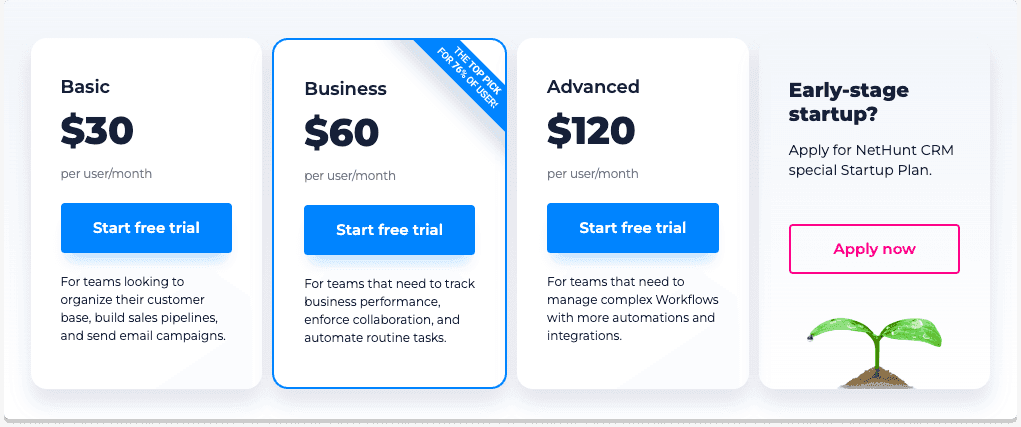
NetHunt pricing scales by plan and team size. For a team of 5, the Basic plan at $30/seat runs $150/mo before the LinkedIn add-on. Compare this to Breakcold at $99/mo for the same team with LinkedIn, WhatsApp and Telegram all included in the base plan.
How to pick the right LinkedIn CRM 🎯
The right pick depends on what "LinkedIn CRM" actually means for your workflow:
You sell on LinkedIn, WhatsApp and Telegram and want everything auto-synced: Breakcold. It is the only tool on this list where conversations from all three channels land in one place automatically.
You need to find and prospect at scale first: LinkedIn Sales Navigator. Start there for lead finding, then move contacts into a CRM that handles the actual relationship management.
You have a large LinkedIn network to organize: Leaddelta.
You grow via LinkedIn content and want your CRM attached to your posting calendar: Taplio.
You want a full B2B CRM that works directly inside LinkedIn while automating most of the CRM data entry around your emails and meetings (with Gmail or Outlook): Salesflare.
You mainly need better LinkedIn inbox management: Kondo.
You already have a CRM (HubSpot, Salesforce, Pipedrive) and just need a LinkedIn sync layer: Surfe.
You run high-volume LinkedIn outreach automation and need basic contact tracking: Dux-Soup.
You live in Gmail and want the CRM to stay there: NetHunt, once you factor in the LinkedIn add-on cost.
If you are a sales team of 5-30 and need an AI-native CRM that treats LinkedIn, WhatsApp and Telegram as first-class channels rather than add-ons, Breakcold is the direct answer. One plan at $99/mo, 14-day free trial, no sales call required to start.
Frequently asked questions

Written by
Arnaud Belinga · Co-Founder & CEO at Breakcold
Arnaud is the Co-Founder & CEO of Breakcold, the AI Native CRM for sales teams of 5 to 30+ people.