



The Best 10 CRMs for Consultants in 2026 (with use cases)
TL;DR: the best CRMs for consultants in 2026 🏆
🏆 Breakcold: the AI Native CRM for sales teams of 5 to 30+ people. AI agents handle the admin (move deals, log activity, create tasks), it connects to Claude and ChatGPT via native MCP, and it syncs LinkedIn, email, WhatsApp and Telegram into one pipeline. At 5 seats Breakcold is $139/mo, where a traditional CRM runs $300 to $500/mo.
🟢 Less Annoying CRM: the simplest, most affordable pick at $15 per user, ideal for a solo consultant who just wants the basics done well.
🔵 HoneyBook: the client operations tool for creative and coaching consultants who live in intake forms, contracts and invoices, though it is weak for outbound.
🟣 Dubsado: the most flexible workflow builder for coaches and creatives, at the cost of a real learning curve and a dated UI.
✅ How to choose: consulting runs on repeat business and referrals, so you live or die by staying top-of-mind across LinkedIn DMs, email and discovery calls. Pick the CRM that keeps one timeline per client, remembers every touchpoint across channels, records your calls, removes admin without a full time assistant, and does not punish you with per-seat pricing when a partner or coordinator joins.
👋 What’s up Breakcolders!
Consulting is one of the most rewarding careers out there. You help businesses grow and thrive, all while building a great living for yourself. But let’s be real: it’s not all sunshine and rainbows.
Consulting firms thrive on repeat business and referrals. That means constantly staying top-of-mind: remembering birthdays, checking in with current and potential clients, and always keeping your pipeline full.
Managing and nurturing relationships is a full-time job in itself, especially when you’re juggling multiple clients at different stages of the sales process. So how do you stay organized and grow your revenue? Simple: invest in a CRM.
In this article, we’ll break down the key benefits of using a CRM in consulting, and share our top picks for the best CRMs for consultants.
🤔 Why Do Consultants Need a CRM?
✅ Key Benefits of Using a CRM
Choosing the right CRM can have a major impact on your consulting business. The right system offers a wide range of benefits, including:
🧠 Customer Retention
Beyond automating tedious daily tasks, CRMs help you capture and track the small-but-important details, birthdays, shared interests, recent interactions, that build lasting client relationships.
🚀 Lead Generation & Management
Whether built-in or powered by third-party integrations, many CRMs can automatically pull key contact info from the web. This helps you identify, organize, and reach out to potential clients more effectively.
📊 Data Insights & Reporting
From your outreach performance to close rates, most CRMs come packed with analytics tools that help you measure what’s working (and what’s not). This means you can make smarter, data-backed decisions and continuously improve your sales strategy.
Breakcold lets you build the analytics dashboard of your dreams, giving you insight into connection strength, conversation activity, and more..
⚙️ Improved Efficiency & Productivity
From task management and team collaboration to automation tools, CRMs are built to streamline your entire workflow. Less admin, more impact.
💰 Increased Sales & ROI
When your CRM is set up right, closing deals becomes faster and easier, all while keeping your pipeline full and your revenue growing.
❌ Alternatives I Wouldn't Recommend
Now it needs to be said that tools like Notion, ClickUp, and Airtable can be more affordable alternatives to CRMs, and for basic task management, they might be all you need.
But here's the thing: at the end of the day, you're essentially using a beefed-up spreadsheet. What you won’t get are the intuitive, sales-focused features and automations that a proper CRM offers, the kind that help you attract the right leads and close better deals.
If task management is your only goal, go for it! But if you need more than just a digital to-do list, it might be time to invest in a CRM that’s actually built for relationship management and growth.
🏆 Top 10 CRMs for Consultants in 2026
CRM Comparison Chart for Consultants
CRM | Best For | Starting Price | Drawbacks | Free Plan? |
|---|---|---|---|---|
Breakcold | AI Native Sales CRM for Consultants | $99/mo (1 seat, +$10/seat) | No native dialer yet | ❌ |
Less Annoying CRM | Simplicity and affordability | $15/user/mo | Lacks enterprise level features | ✅ (trial) |
Pipedrive | Sales driven consulting firms | $19/user/mo | No native LinkedIn integration | ❌ |
HoneyBook | Creative and coaching consultants | $19/mo | Weak as a sales CRM for outbound | ❌ |
Dubsado | Workflow heavy coaches and creatives | $20/mo | Real learning curve and dated UI | ✅ (free up to 3 clients) |
Clientjoy | Boutique consultancies all in one | $19/user/mo | Limited AI, no social inbox | ❌ |
Capsule CRM | Client management | $21/user/mo | Basic feature set | ✅ |
Insightly | Project based consulting | $29/user/mo | Steep learning curve | ❌ |
Bonsai | Independent consultants all in one | $25/mo | CRM and pipeline features are basic | ❌ |
Folk | Relationship and contact management | $25/user/mo | Limited reporting, weak LinkedIn auto sync | ❌ |
🥇 Breakcold: The CRM That Remembers Every Touchpoint a Consultant Has
The Consultant Problem Most CRMs Ignore
Consultants do not run a sales pipeline. They run a relationship graph that compounds over years: a warm intro on LinkedIn in January, a coffee in March, a referral from that coffee in October, a 12 month retainer in February the following year. Lose one touchpoint and the trust thread breaks. Most CRMs were built for SDRs running sequences, not for a senior consultant remembering 4 channels and 18 months of context per client.
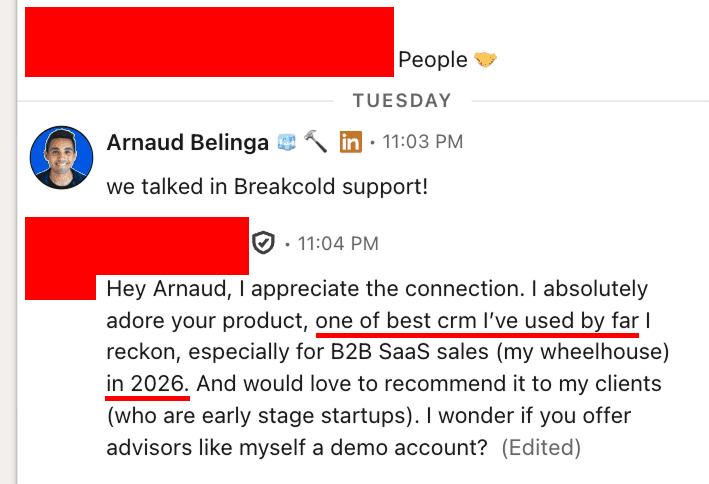
An advisor sliding into our DMs: he wants Breakcold for his early stage clients because nothing else captures the way he actually works. We hear this from consultants and advisors constantly.
How Breakcold Becomes the Memory Layer
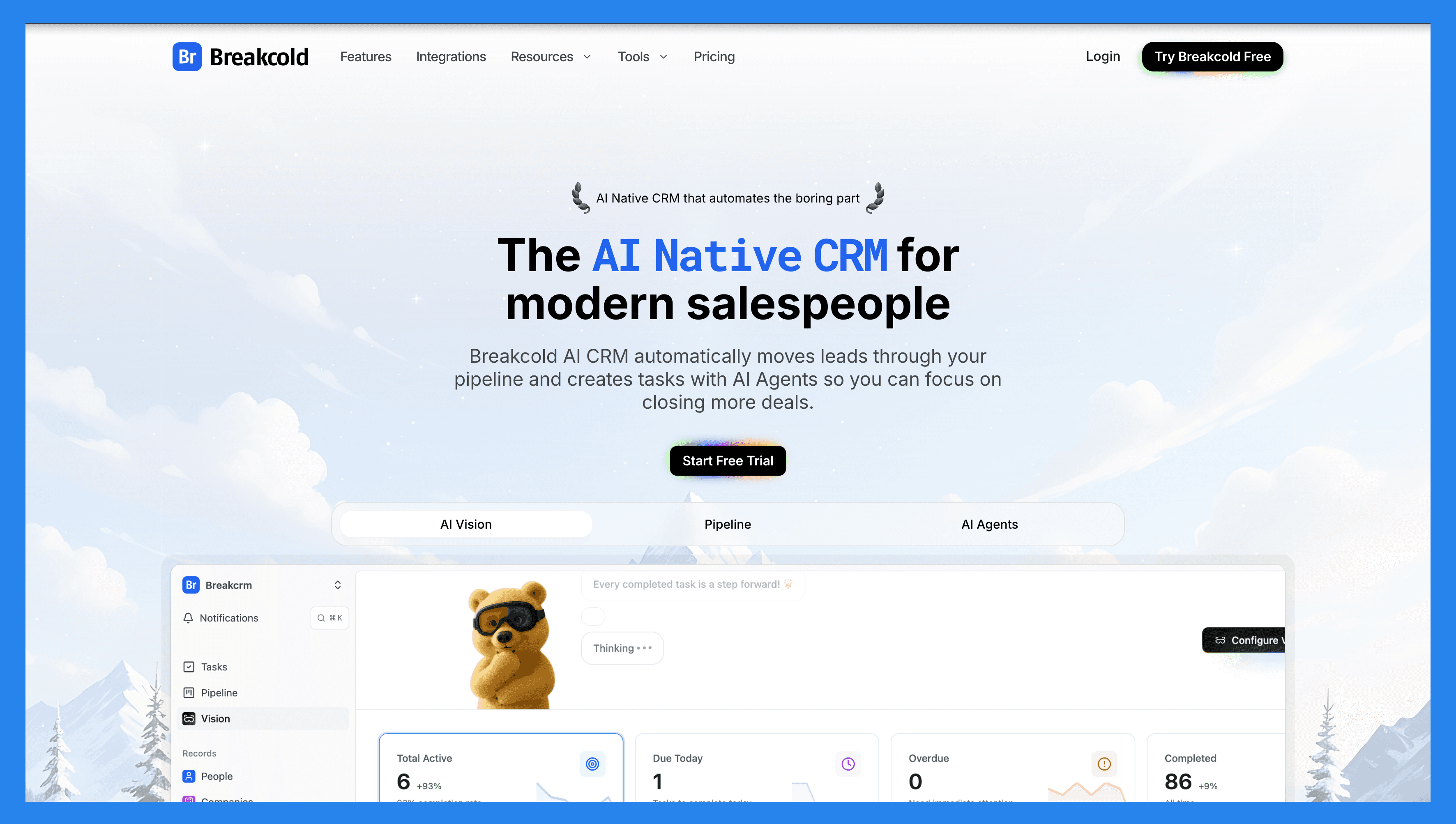
The product is built around the assumption that the conversation is the unit of work. Every email, LinkedIn DM, WhatsApp message, Telegram thread, call and meeting auto syncs into a single timeline per contact. The meeting recorder transcribes every discovery call. The social engagement stream lets a consultant like and comment on a prospect's post without leaving the CRM, which is how warm intros actually happen in 2026. Read the longer take in our LinkedIn selling software guide.
Why Consultants Pick It
Solo consultants pick Breakcold because it replaces 4 tabs (inbox, LinkedIn, Calendly, notes app) with one timeline. Boutique consultancies pick it because 5 partners can collaborate on the same client without losing context. Advisors pick it because they need to track 30 informal relationships without those relationships feeling like a sales pipeline. See CRM for solopreneurs for the solo angle and CRM for freelancers for the project oriented angle.
What Matters for Consultants
One timeline per contact, every channel. Email, calls, meetings, LinkedIn, Telegram and WhatsApp in one thread. Open a contact and read the last 18 months of the relationship in 30 seconds.
Meeting recorder for discovery and review calls. Transcripts, summaries and follow ups land on the right contact automatically. See CRMs with a meeting recorder.
Social engagement stream. Like, comment and reply on a prospect's LinkedIn post without leaving the CRM. The way warm referrals actually compound.
Custom objects for engagements and retainers. Model your practice the way you actually run it, not the way Salesforce thinks you do.
AI agents for the admin work. Auto task creation, smart follow up reminders, contact deduplication. The consultant focuses on the conversation.
Native MCP server. Connect Claude or ChatGPT and ask things like "who haven't I followed up with in 90 days who once paid me." See the Breakcold MCP.
Ratings
G2: 4.7 / 5 (116 reviews). Capterra: 4.8 / 5 (93 reviews).
Where It Wins for Consultants
Best in class multichannel context. No other CRM in this list auto syncs LinkedIn, WhatsApp and Telegram at the same time.
Built for the consultant's reality: relationships are long, channels are mixed, memory matters more than pipeline velocity.
Solo to 30 person practices fit on the same product. No painful tier upgrade.
Strong onboarding, opinionated workflows, responsive support.
Where It Falls Short for Consultants
No native invoicing, contracts or scheduling. Pair with Bonsai, Stripe or HoneyBook for the back office side.
No native dialer. Integrate Aircall if your motion is phone heavy.
Younger third party ecosystem than legacy CRMs.
Consultant Pricing Math
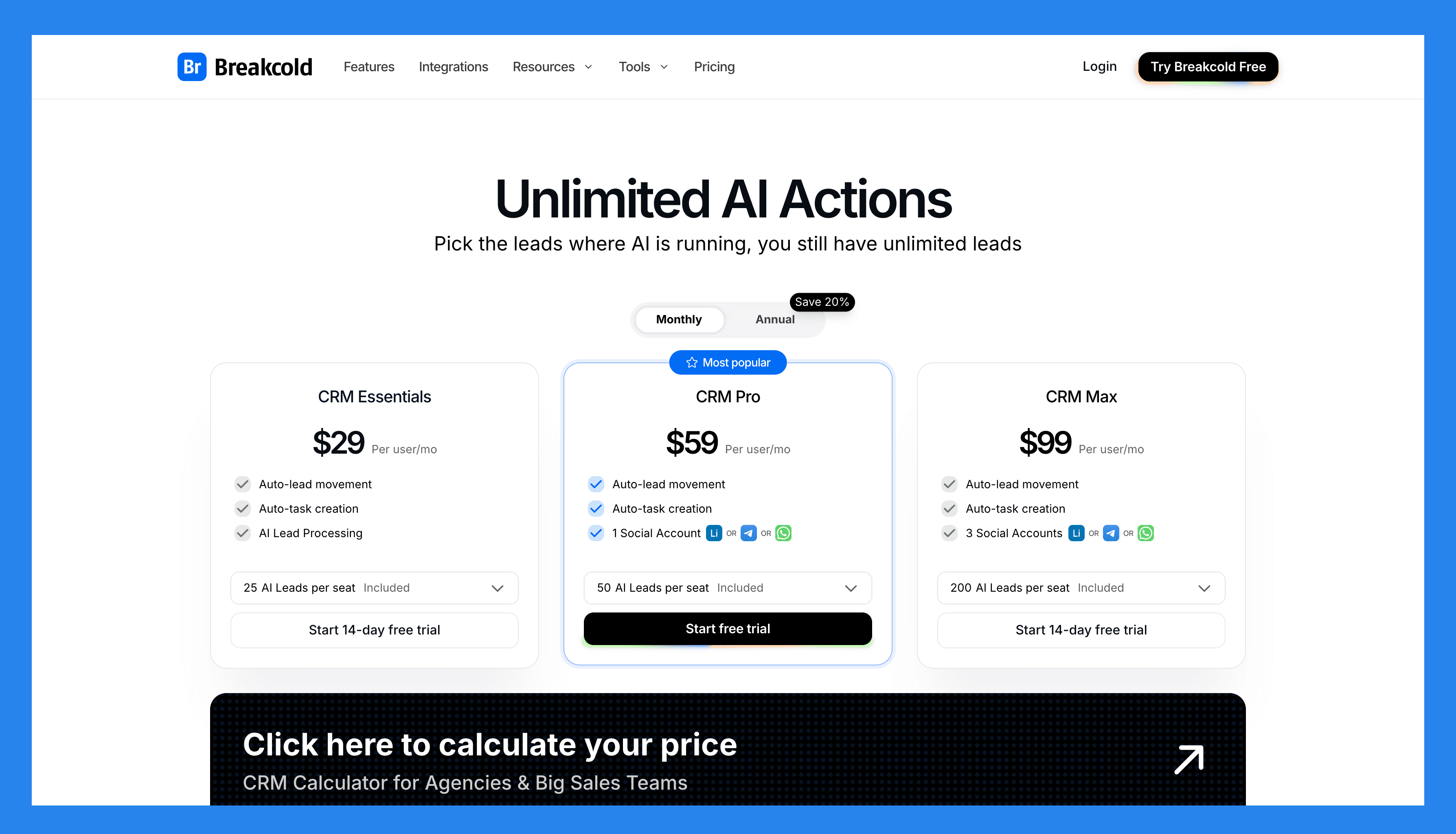
Solo consultant: $99 a month. Full product. No tier gating.
2 partners plus a coordinator: $99 + 2 x $10 = $119 a month.
10 partner boutique consultancy: $99 baseline plus 9 extra seats at $10 each, $189 a month before additional channel accounts.
Tokens scale with AI use. About 0.5 tokens per AI action, 10 per email waterfall, 80 per phone waterfall. People and company enrichment is free.
A team of 5 on Breakcold is $139/mo, where Attio, Pipedrive and HubSpot Sales Hub run about $500/mo for 5 seats with similar features.
Demo Video
🥈 Less Annoying CRM – Best for Simplicity and Affordability
Summary
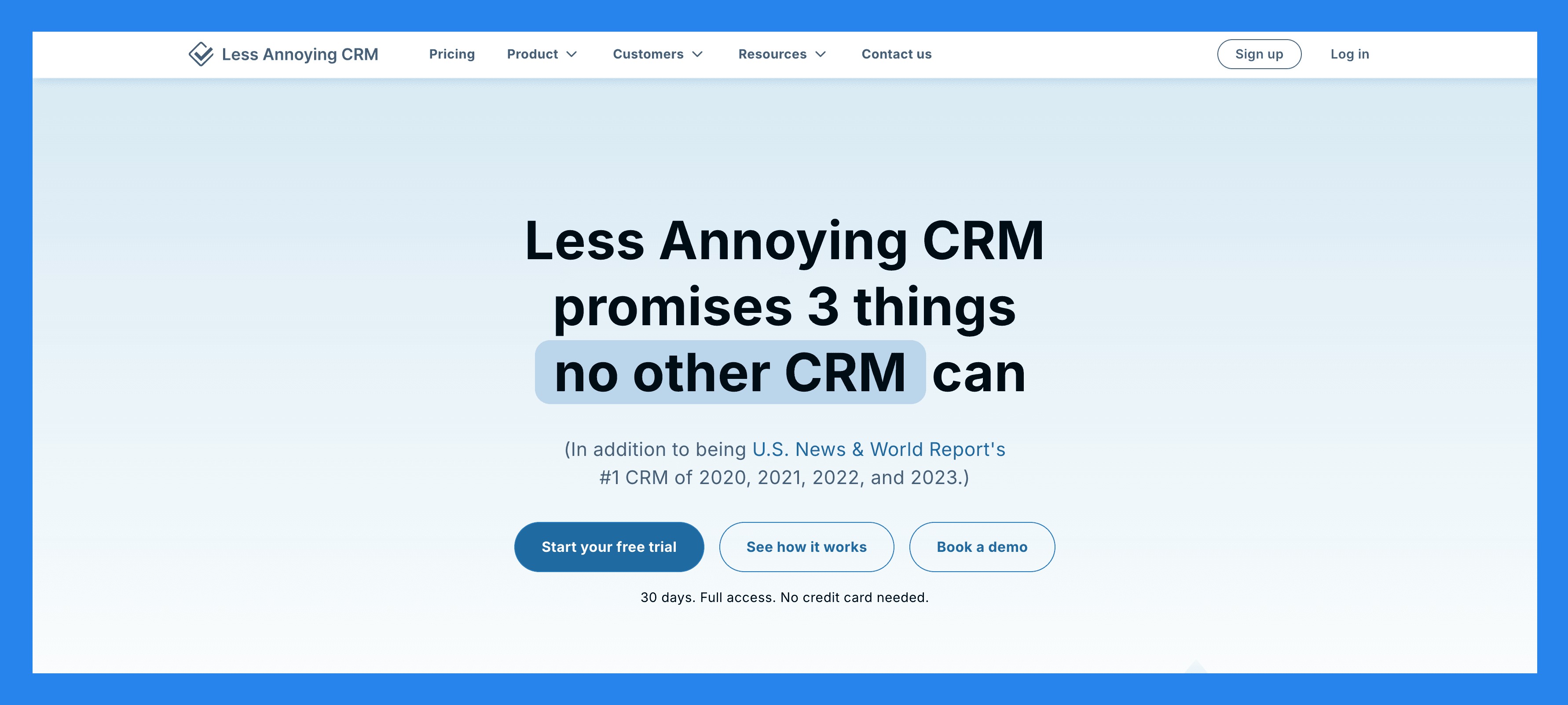
True to its name, Less Annoying CRM delivers a simple, no-frills solution tailored for small consulting teams. Unlike many CRM platforms that can be bloated or overly complex, it prioritizes **ease of use, affordability, and functionality **, making it ideal for users who want to spend more time growing their business and less time learning a tool.
That said, its simplicity can be a double-edged sword. As your team or business scales, the lack of advanced or enterprise-level features may start to feel limiting. Still, with a budget-friendly pricing model, it’s hard to complain, especially if you’re just getting started.
Ratings: G2 - 4.9/5 (632 reviews) · Capterra - 4.8/5 (633 reviews).
Pros
Extremely user-friendly with a logical, intuitive interface.
Single, affordable price point with no hidden fees.
**Clean and simple **, no unnecessary features or bloatware.
Highly responsive customer support.
Cons
Limited integrations compared to larger CRM platforms.
May lack advanced features found in more robust, enterprise-level CRMs.
Pricing Plans
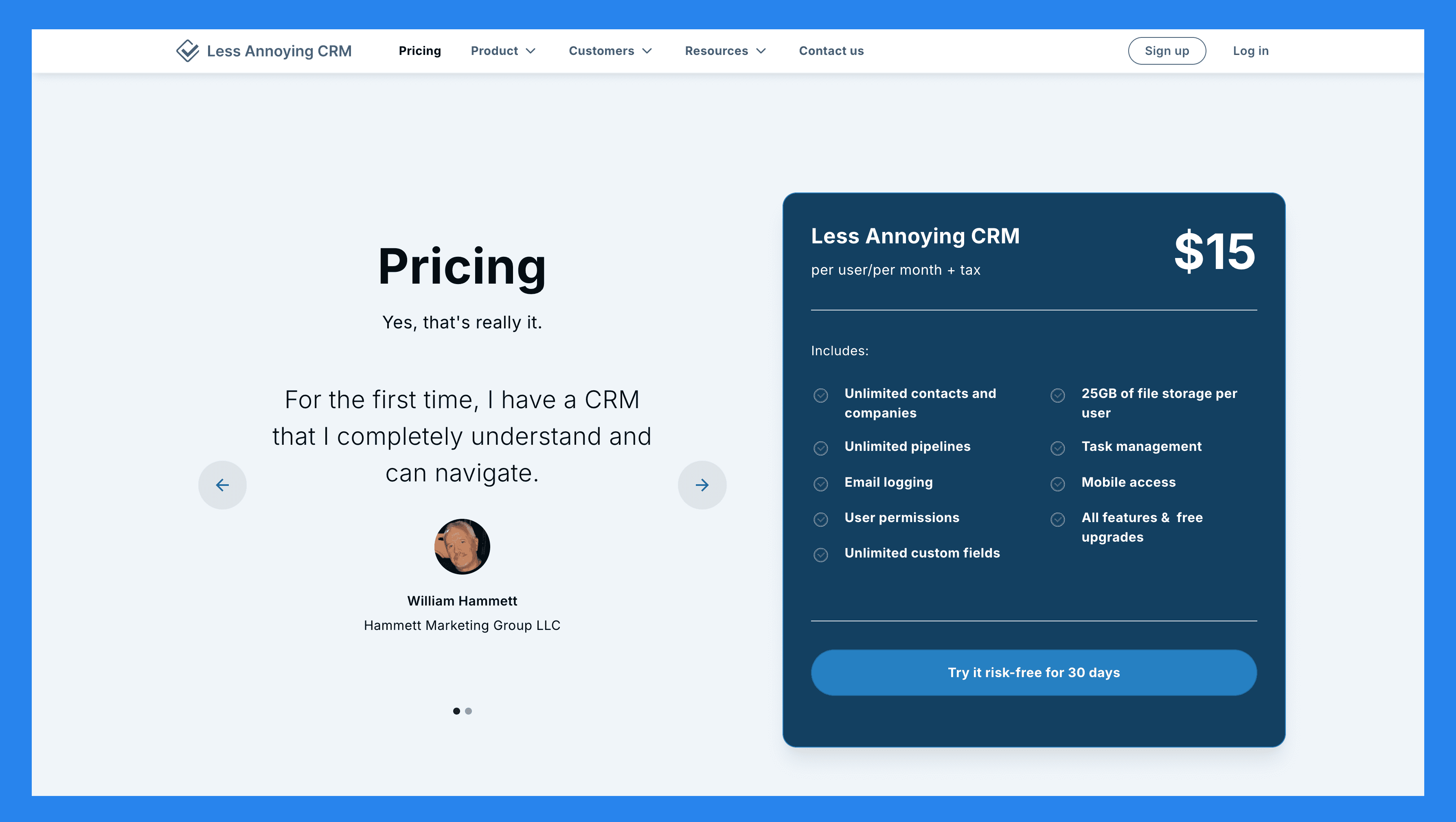
Less Annoying CRM ($15 per user/month (plus tax)): Unlimited contacts and companies, Unlimited pipelines, Email logging, User permissions. Plus 4 more.
Demo Video
🥉 Pipedrive – Best for Sales-Driven Consulting Firms
Summary
Pipedrive is the visual pipeline CRM that solo consultants and small partnerships still pick because it is simple to set up and cheap at entry. The trade off: no native LinkedIn, no AI agents, no MCP. A consultant who lives in DMs and meetings will outgrow the tool fast.
Why Consultants Pick It
Consultants migrating off a spreadsheet often default to Pipedrive because the visual stage board is easier to teach a junior associate than HubSpot. For a 1 to 3 person practice, the basic plan covers contact management and a clean pipeline.
What Stands Out for Consultants
Clean Kanban stage view.
Activity logging that prompts the next follow up.
Mobile app that survives a week of travel between client meetings.
Ratings
4.3 on G2 (around 1,900 reviews). 4.5 on Capterra (around 3,000 reviews).
Pros for Consultants
Cheap entry tier for a solo consultant.
Quick onboarding for an associate joining the practice.
Cons for Consultants
No native LinkedIn or social channel sync. Consultants who win via DM will pay for Surfe on top.
Meeting recorder is missing. Discovery calls live somewhere else.
No native MCP server, AI features are bolted on.
Consultant Pricing Math
Solo consultant on Essential at $19 a seat. Pipeline and contact basics.
Advanced at $34 a seat unlocks email sync plus an automation builder. Often the tier consultants actually use day to day.
Professional at $64 a seat adds AI assistant, e signatures and lead routing. Worth it for a 3 partner team.
Demo Video
HoneyBook: Best Client Operations Tool for Creative and Coaching Consultants
Summary
HoneyBook is not a sales CRM in the classic sense. It is a client operations platform built for creative consultants, coaches, designers, photographers and event planners who run a service business. Roughly 150,000 paid users. If your week is mostly intake calls, contracts, invoices and onboarding paperwork, HoneyBook handles that flow end to end.
Why Consultants Pick It
The intake form, contract, scheduling, invoice and payment loop is the strongest in this category. For a one person practice that closes via discovery calls and sends a proposal next day, this is hard to beat. It is less suited to outbound heavy consulting where LinkedIn DMs and cold email drive most of the pipeline.
Key Features
Branded inquiry forms with lead capture.
Smart files: a single document that bundles proposal, contract and invoice.
Online payments with deposits, milestones and recurring billing.
Automated client onboarding workflows.
Built in scheduling and calendar sync.
Ratings
G2: 4.5 / 5. Capterra: 4.8 / 5.
Pros
End to end client lifecycle in one tool: inquiry, contract, invoice, project.
Beautiful, on brand client touch points out of the box.
Large community of creative consultants sharing templates and workflows.
Cons
Weak as a sales CRM for outbound. No native LinkedIn, Telegram or WhatsApp sync.
Pipeline management is light. Multi pipeline workflows are awkward.
Niche fit: less relevant for strategy, management or technical consultants.
Pricing Plans
Starter, $19 a month (annual). Unlimited clients and projects, invoicing, contracts, scheduling.
Essentials, $39 a month. Adds smart workflows, calendar integrations and quickbooks sync.
Premium, $79 a month. Adds multi user, priority support and advanced reports.
Dubsado: Best Workflow Heavy CRM for Coaches and Creative Consultants
Summary
Dubsado is the cult favorite of coaches and creative consultants who love a deeply customizable workflow builder. Forms, contracts, scheduling, invoicing and a built in CRM all live in one account. The catch is the learning curve: Dubsado rewards setup time and punishes the impatient.
Why Consultants Pick It
If you run a high touch coaching or creative practice and you want every email, form and document to feel hand crafted for the client, Dubsado lets you build that. The white label client portal is the strongest in the category.
Key Features
Drag and drop form and proposal builder with conditional logic.
Workflows that chain emails, forms, payments and tasks across the engagement.
White label client portal.
Contracts, e signatures and recurring invoicing.
Time tracking and project management for engagements.
Ratings
G2: 4.4 / 5. Capterra: 4.3 / 5.
Pros
Most flexible workflow engine in the creative consultant category.
Strong client portal experience that consultants can fully brand.
Flat pricing with unlimited projects and clients.
Cons
Real learning curve. Onboarding takes a weekend, sometimes longer.
Dated UI compared to modern AI native CRMs.
No native LinkedIn, WhatsApp or Telegram sync. Built around email and forms.
Pricing Plans
Starter, $20 a month (annual). Limited to 3 projects per month, full feature access.
Premier, $40 a month (annual). Unlimited projects and clients, multi user, scheduling.
Annual upfront drops Premier to roughly $33 a month.
Clientjoy: Best All In One CRM for Boutique Consultancies
Summary
Clientjoy is the under the radar pick for boutique consultancies that want a single tool for CRM, proposals, contracts, invoicing and a client portal. It targets the 1 to 10 person consultancy that has outgrown spreadsheets and Notion but is not ready for the configuration cost of HubSpot or Salesforce.
Why Consultants Pick It
Clientjoy gives a boutique consultancy a credible client facing portal without paying for HoneyBook plus a separate CRM plus a separate invoicing tool. The proposal builder is genuinely good and the client portal lets clients sign, pay and track engagement progress in one place.
Key Features
Sales pipeline with stages and deal tracking.
Proposal and contract builder with e signatures.
Recurring invoicing and online payments.
Branded client portal with chat, documents and approvals.
Lead inbox and email sequences.
Ratings
G2: 4.6 / 5. Capterra: 4.7 / 5.
Pros
One tool for CRM, proposals, contracts and invoicing. Lower stack cost than the typical alternative.
Client portal is genuinely useful for ongoing retainer relationships.
Friendly pricing for solo and very small consultancies.
Cons
Smaller community than category leaders. Fewer tutorials and templates.
Limited AI features. No native MCP server.
No native LinkedIn or social inbox.
Pricing Plans
Starter, $19 a month per user. Pipeline, proposals, contracts, invoicing.
Growth, $39 a month per user. Adds client portal, advanced automations, custom branding.
Lifetime deal often available via AppSumo for solo consultants who hate subscriptions.
Capsule CRM – Best for Client Management
Summary
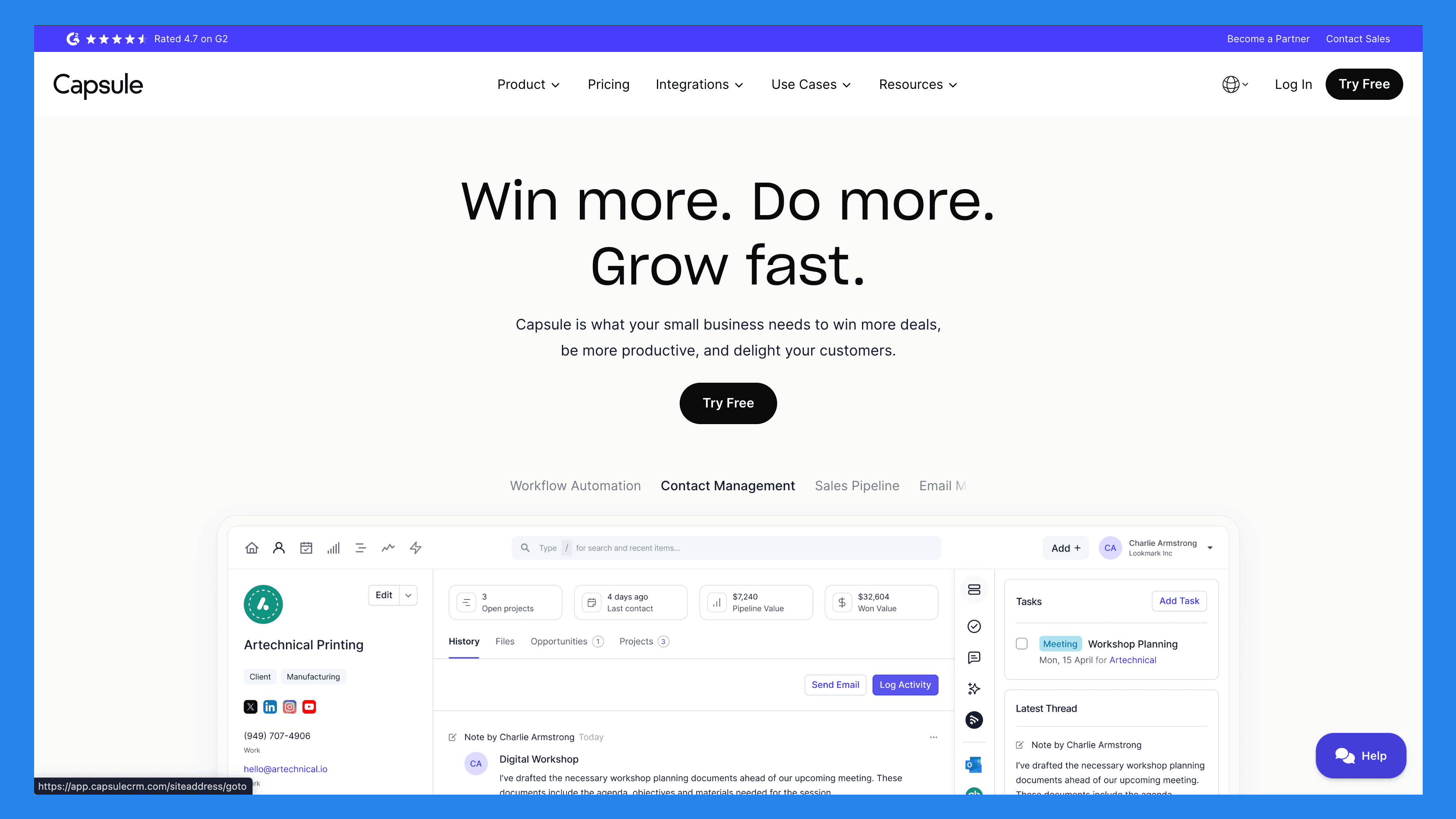
Designed with simplicity and ease of use in mind, Capsule gives users access to powerful CRM features through a thoughtful design that minimizes the learning curve as much as possible. While allowing users to track pipeline milestones, schedule tasks for meetings and follow-ups, automated reminders, set up workflows, and trigger marketing sequences, all from one streamlined platform.
Much like Less Annoying CRM, Capsule’s basic feature set can only take you so far, especially if you’re running a large-scale operation or a business that's starting to scale.
Ratings: 4.5 on G2 across roughly 1,102 reviews, 4.4 on Capterra across 1,883 reviews.
Pros
Capsule’s simplicity makes it easy to set up and start using right away
Customer support is fast and reliable
Provides easy access to manage and store client data and potential sales leads
Cons
The streamlined feature set may feel basic or limiting for larger businesses
Analytics and reporting options are somewhat limited
Training resources are more geared toward admin users than everyday users
Pricing Plans
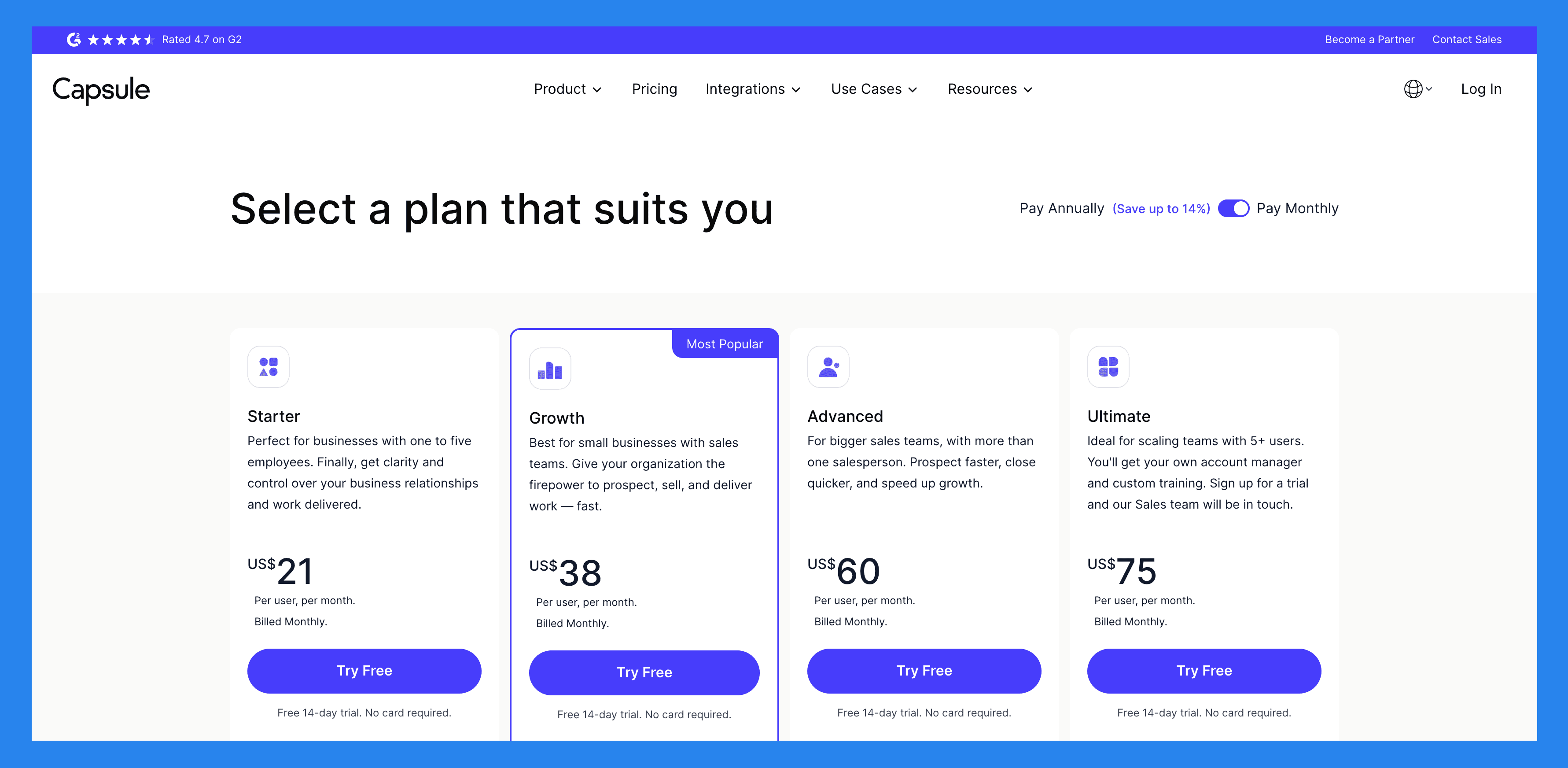
Starter ($21user/mo): 30,000 Contacts, Email Templates, AI-Powered Email Assistant, Shared Mailbox. Plus 3 more.
Growth ($38/user/mo): everything in Starter, plus 60,000 Contacts, Workflow Automations, Advanced Sales Reporting, Reporting Dashboards. Plus 5 more.
Advanced ($60/user/mo): everything in Growth, plus 120,000 Contacts, Contact Enrichment, 50 Project Boards.
Ultimate ($75/user/mo): everything in Advanced, plus 240,000 Contacts, Dedicated Account Manager, Custom Training, Ongoing Priority Support.
Insightly** – Best for Project-Based Consulting**
Summary
Insightly is the project oriented CRM for consultants whose engagements look more like delivery plans than sales cycles. Project management, milestones and task assignment live next to the CRM record. The differentiator is the project layer, not the sales features.
Why Consultants Pick It
Workflow oriented consultancies pick Insightly because the project board is one click from the contact. Discovery, scoping, kickoff, delivery and retainer renewal all live inside the same record.
Key Features for Consultants
Contact, opportunity and project records in one schema.
Milestones, tasks and email tracking per engagement.
Lightweight workflow automation and lead routing.
Reports tailored for project completion and billable hours.
Ratings
4.2 on G2 (around 920 reviews). 4 on Capterra (around 656 reviews).
Pros for Consultants
Real project layer baked into the CRM, not bolted on.
Custom objects and reports cover delivery focused consultancies.
Cons for Consultants
Steep onboarding curve. Plan a weekend of setup before going live.
No native LinkedIn, WhatsApp or Telegram sync. Outbound consultants need extra tools.
UI feels dated compared to modern AI native CRMs.
Consultant Pricing Math
Plus tier at $29 a seat covers a 1 to 3 person consultancy that just needs CRM plus projects.
Professional tier at $49 a seat unlocks workflow automation and lead routing.
Enterprise tier at $99 a seat opens sandboxes and advanced security. Most consultants outside regulated industries skip it.
Bonsai: Best All In One Suite for Independent Consultants
Summary
Bonsai is the Swiss army knife for independent consultants. The CRM is decent but the real value is everything around it: contracts, proposals, invoices, time tracking, accounting, expenses and even tax estimates in one app. It is the closest thing to a fractional ops department for a solo or 2 person practice.
Why Consultants Pick It
If a consultant spends as much time on contracts, invoices and bookkeeping as on actual delivery, Bonsai removes most of that friction. The accounting and tax features are the real differentiator. The trade off is that the CRM and sales workflows are intentionally simple.
Key Features
Project, client and pipeline management.
Proposals, contracts and e signatures with templates.
Recurring invoicing, online payments and late fee automation.
Time tracking with auto invoice from logged hours.
Bookkeeping, expense tracking and quarterly tax estimates (US focused).
Ratings
G2: 4.4 / 5. Capterra: 4.7 / 5.
Pros
Closest thing to a full back office for an independent consultant.
Strong contract and proposal templates lawyers actually approved.
Single subscription replaces 3 to 4 tools for a solo practice.
Cons
CRM and pipeline features are basic. Outbound sales motion is not its strength.
Tax and bookkeeping features are most useful in the US.
No native LinkedIn, WhatsApp or Telegram sync.
Pricing Plans
Starter, $25 a month. CRM, projects, invoicing, contracts, time tracking.
Professional, $39 a month. Adds workflows, client forms, scheduler and integrations.
Business, $79 a month. Adds team seats, accounting and dedicated success.
Folk** – Best For Relationship & Contact Management**
Summary
Folk is the Notion friendly CRM that solo consultants try first. Clean UI, decent enrichment and a Chrome extension that grabs LinkedIn profiles. The honest catch is that LinkedIn DMs do not auto sync. Consultants whose practice runs on LinkedIn outreach will click a lot of buttons.
Why Consultants Pick It
If a consultant runs a light contact book and likes Notion style views, Folk is friendly. It becomes the wrong pick once the practice depends on multichannel conversations or a second partner joins.
Key Features for Consultants
Notion style contact and deal views with templates.
Chrome extension for capturing LinkedIn contacts.
Light email sequencing and basic enrichment.
Ratings
4.6 on G2. 4.5 on Capterra.
Pros for Consultants
Pleasant UI familiar to Notion users.
Good first CRM for a solo consultant or coach.
Cons for Consultants
LinkedIn, WhatsApp and Telegram do not auto sync. Each thread needs a click.
Pipelines are basic. Multi engagement workflows get awkward.
No MCP server. Weak AI agent story compared to modern AI native CRMs.
Consultant Pricing Math
Standard at $25 a seat covers a single practice with up to 2,000 contacts.
Premium at $45 a seat opens unlimited contacts plus advanced enrichment.
A 3 partner boutique pays $135 a month for an experience without a multichannel inbox or AI agents.
Frequently asked questions

Written by
Arnaud Belinga · Co-Founder & CEO at Breakcold
Arnaud is the Co-Founder & CEO of Breakcold, the AI Native CRM for sales teams of 5 to 30+ people.