



4 ways to build hyper-qualified leads list & engage them
TL;DR: how to build hyper-qualified leads lists and engage them
✅ Segment tightly and use intent signals instead of blasting one giant list, so the right offer reaches the right leads.
✅ Match strategy to deal size: personalize manually for high-ticket prospects, automate cold email for high-volume, low-ticket lists.
✅ Build targeted lists from LinkedIn post engagers and Twitter followers using tools like Findymail and Scrapybird.
✅ Warm prospects socially by liking and commenting on their posts before reaching out to lift acceptance and reply rates.
✅ Use an AI Native CRM like Breakcold to aggregate posts, track leads and engage them across channels to move deals forward.
This blogpost is part 1 of our masterclass on sales to help you succeed with Breakcold and beyond: part 2: “Nurturing leads and closing deals: the Breakcold CRM method” part 3: “Sales CRM automation: from 0 to pro” Softwares used for part 1: Breakcold CRM ($99/mo, single plan) Findymail (from $49/mo) Scrapybird (from $49/mo) Apollo.io (from $99/mo) PS: if you liked this blogpost SHARE IT and ASK QUESTIONS in our FB group: https://www.facebook.com/groups/298365015683028 - The Sales Mafia Enjoy! -- Arnaud Belinga | Co-Founder @Breakcold Let’s connect on LinkedIn! |
|---|
A team of 5 on Breakcold is $139/mo, where Attio, Pipedrive and HubSpot Sales Hub run about $500/mo for 5 seats with similar features.
Context: why building classic prospecting lists is not enough?
This is what happened between 2020 and 2026:
rise of cold emailing at scale (i.e - almost like mass mailing but with good deliverability)
rise of LinkedIn automation
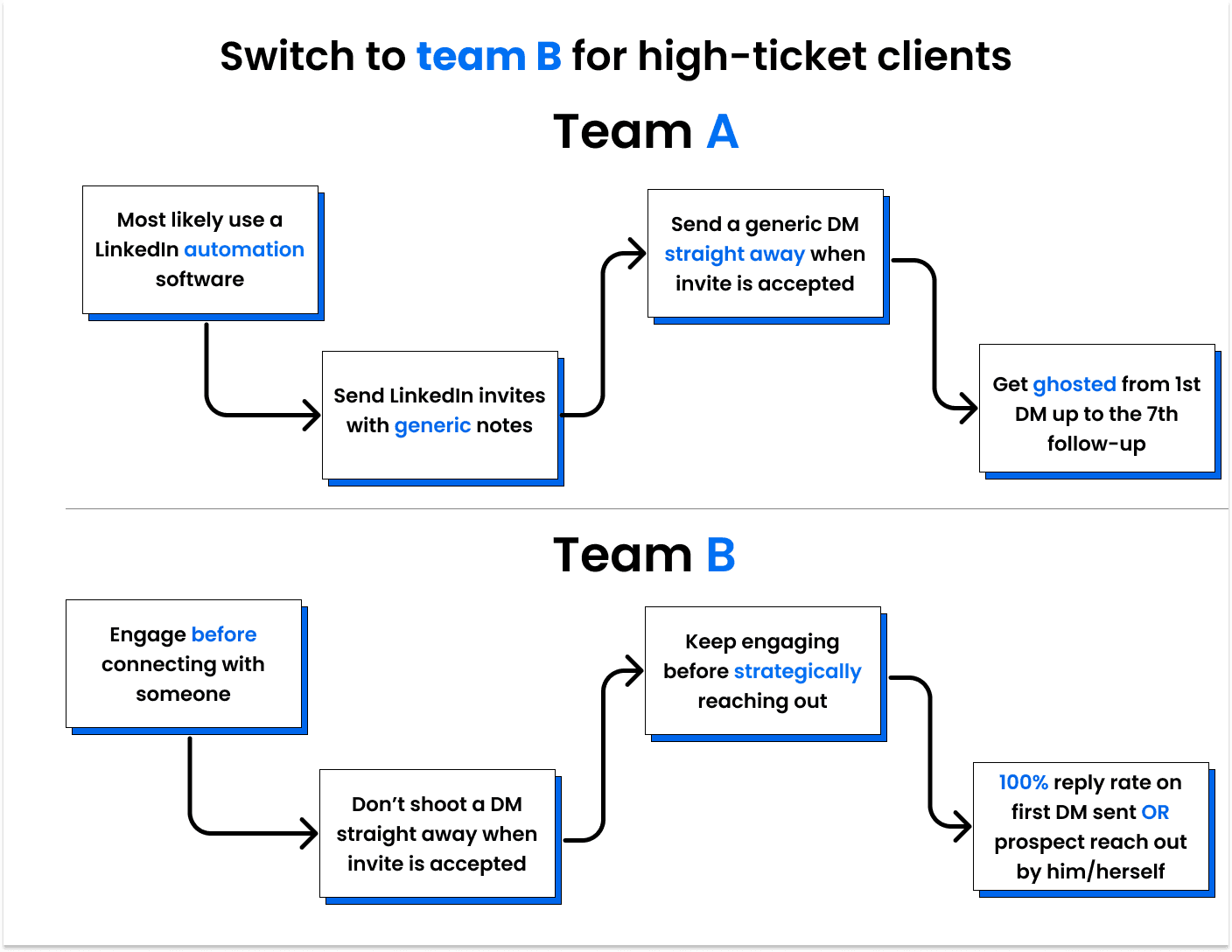
Most people just shoot emails & LinkedIn automated DMs like crazy these days. It’s so easy to do it that they simply don’t think anymore. They just send thousands of emails per day and play the numbers game.
As a result, prospects are smashed with irrelevant sales pitches because people just build gigantic leads lists (1) and send hundreds of emails/messages a day (2).
How does it impact YOU and them?
👉 less visibility = harder to stand out in your prospect’s inbox
👉 more doubt = prospects don’t know if your first LinkedIn/Twitter DM is genuine or not because of automation
👉 smaller reply rate = because of audience fatigue from cold email/automated DMs
So what can you do to stand out?
🥇 Prospect segmentation
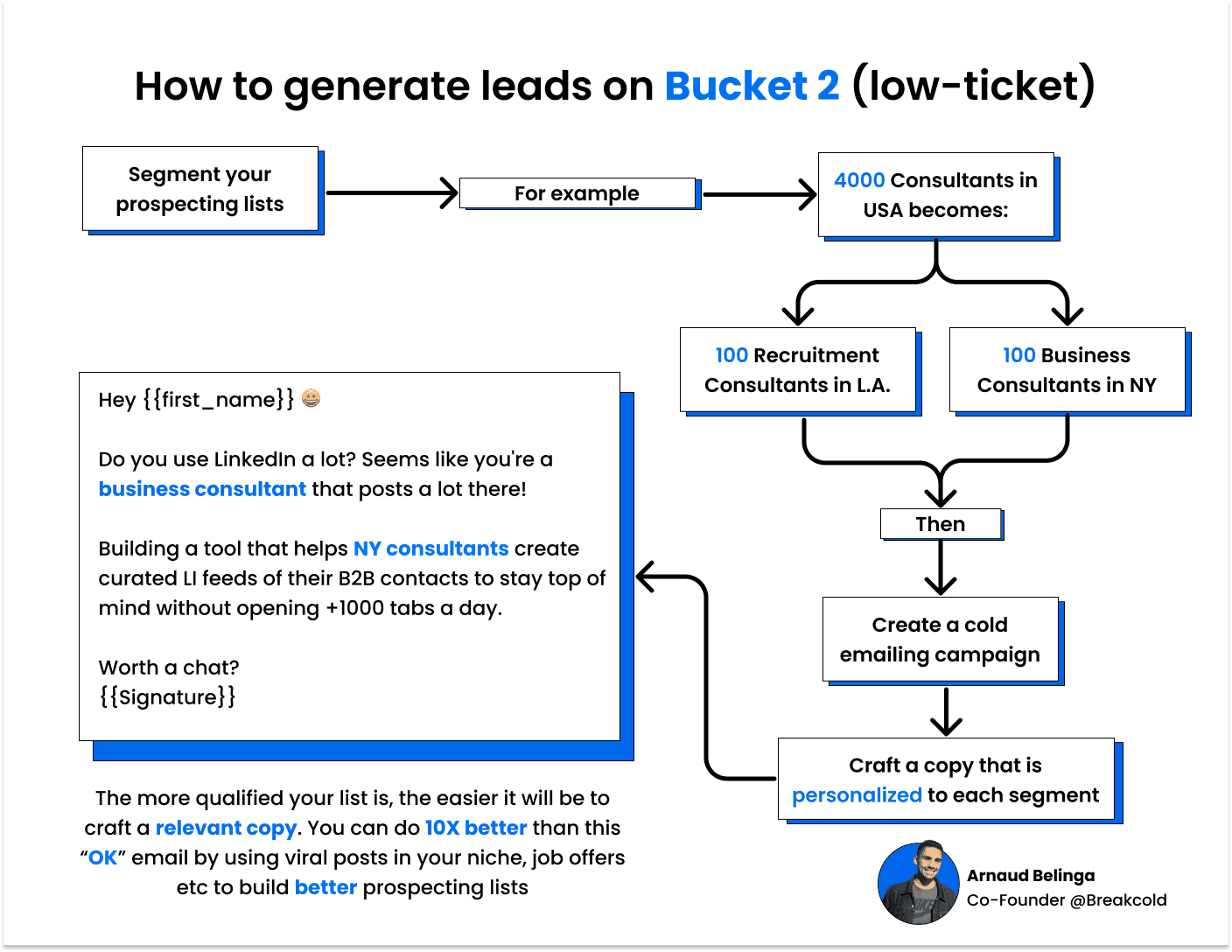
You can segment your prospecting lists to craft a better copy that will be tailored to the list. It means more campaigns but better results.
Example of niching down your prospecting list building:
B2B startups in USA - becomes 👇👉 B2B HR softwares in New York
🥇 Relevant segmentation
Here, you want to contact a prospect because he/she has manifested interest in what you’re selling by performing 1 or different kind of actions.
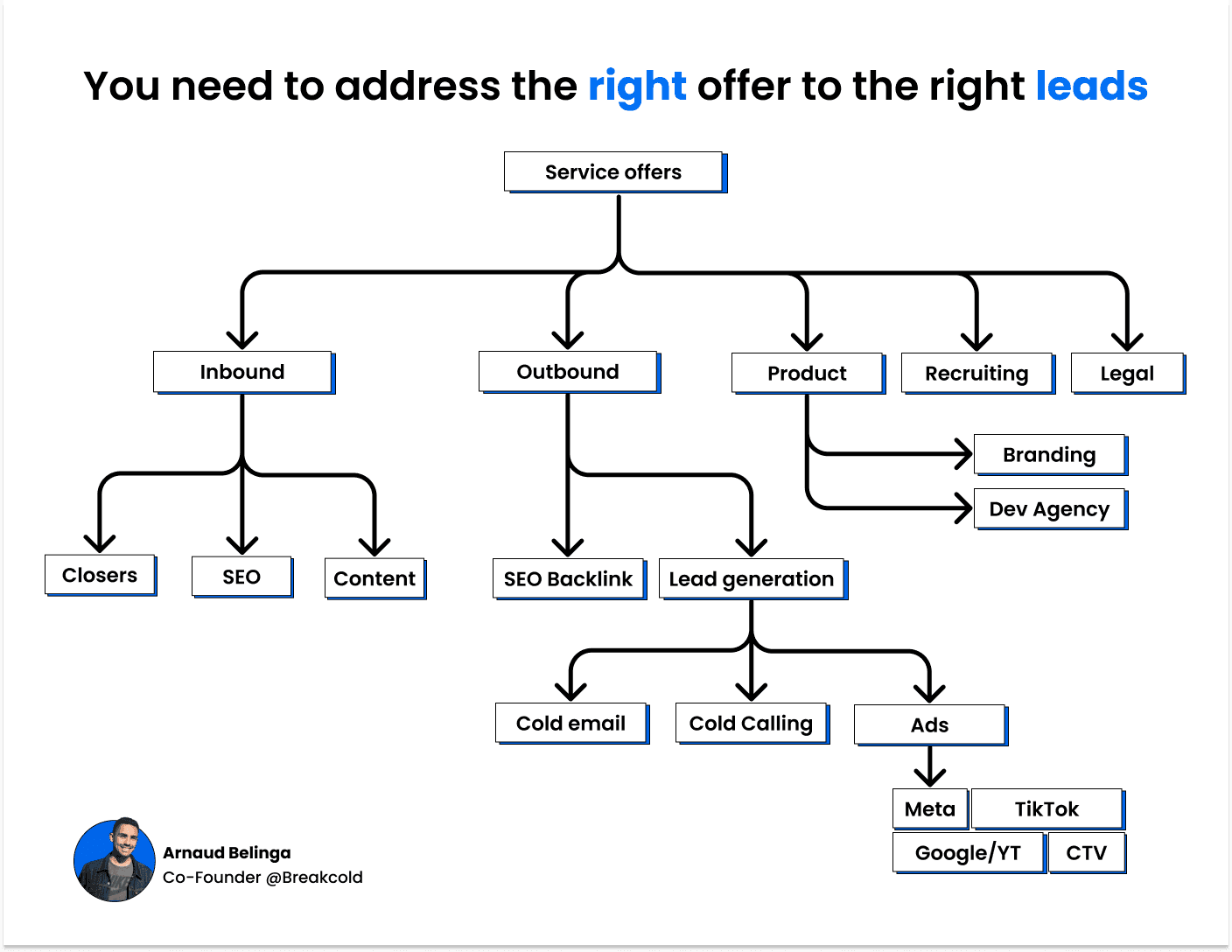
People also fail at sales prospecting because they address the right offer to the wrong leads, there are so many offers for so many different leads. Sales teams often need to export SQL table to CSV format to analyze lead data and segment prospects effectively for better offer targeting. You need to work on that first.
\
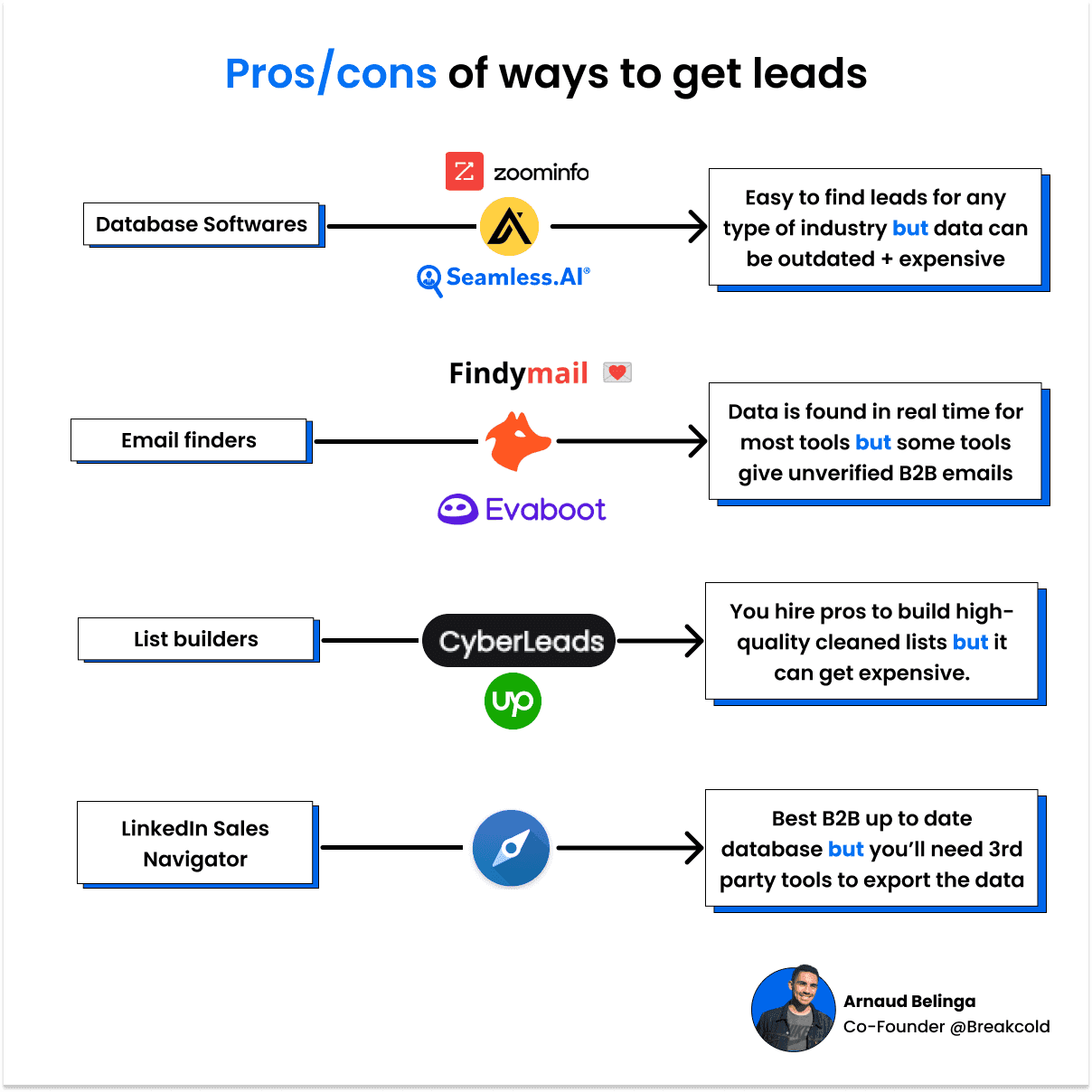
There are multiple ways to get leads.
👉 For cold emailing at scale: database softwares usually work great
👉 To target specific niches and create relevant prospecting lists: the use of tools that can scrape Cloudflare sites with Python and feature an email finder like Findymail are great!
Similarly, as businesses begin to explore the capabilities of quantum computing software, they stand at the cusp of revolutionizing how data is processed for creating even more targeted and hyper-qualified lead lists.
\
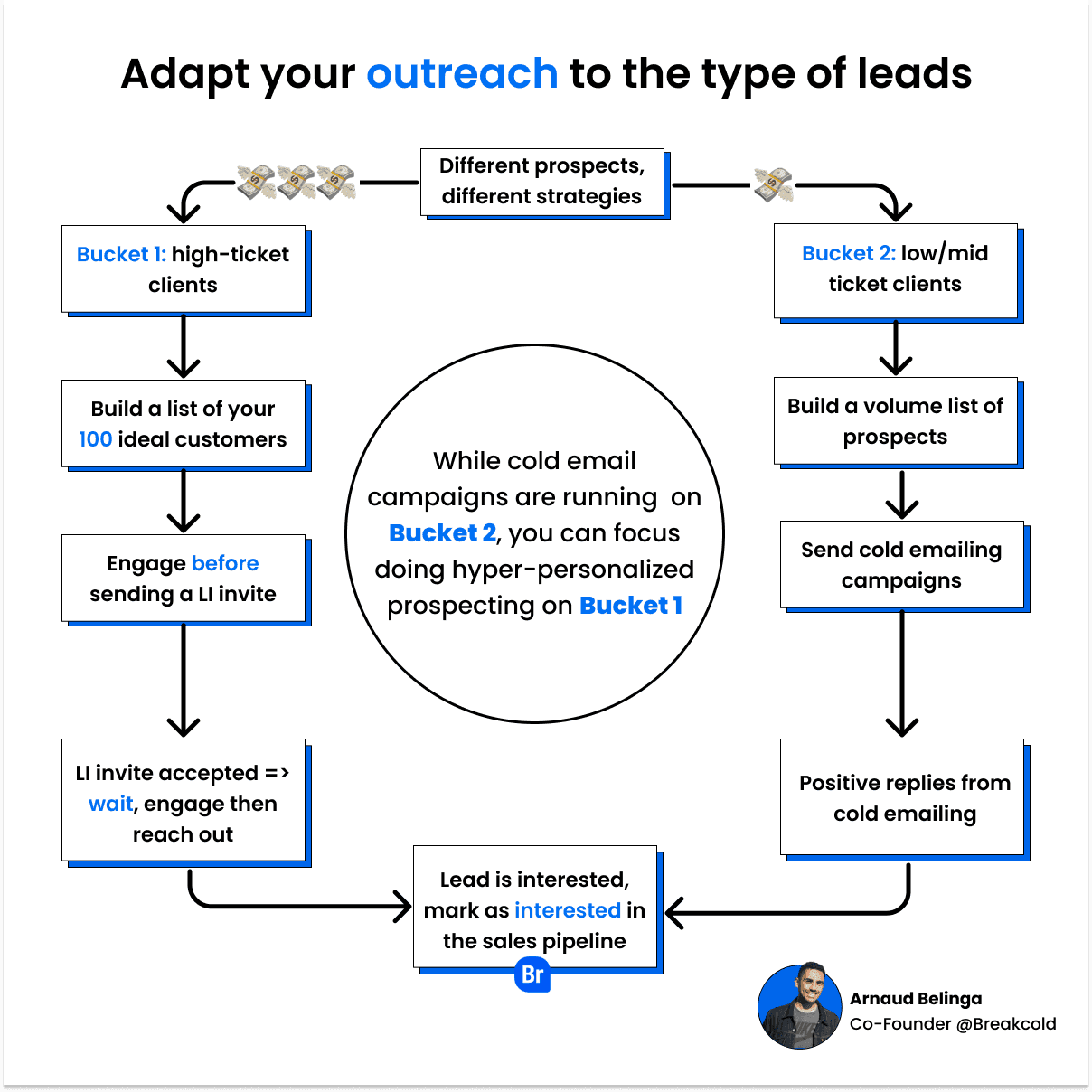
Different strategies for different type of leads
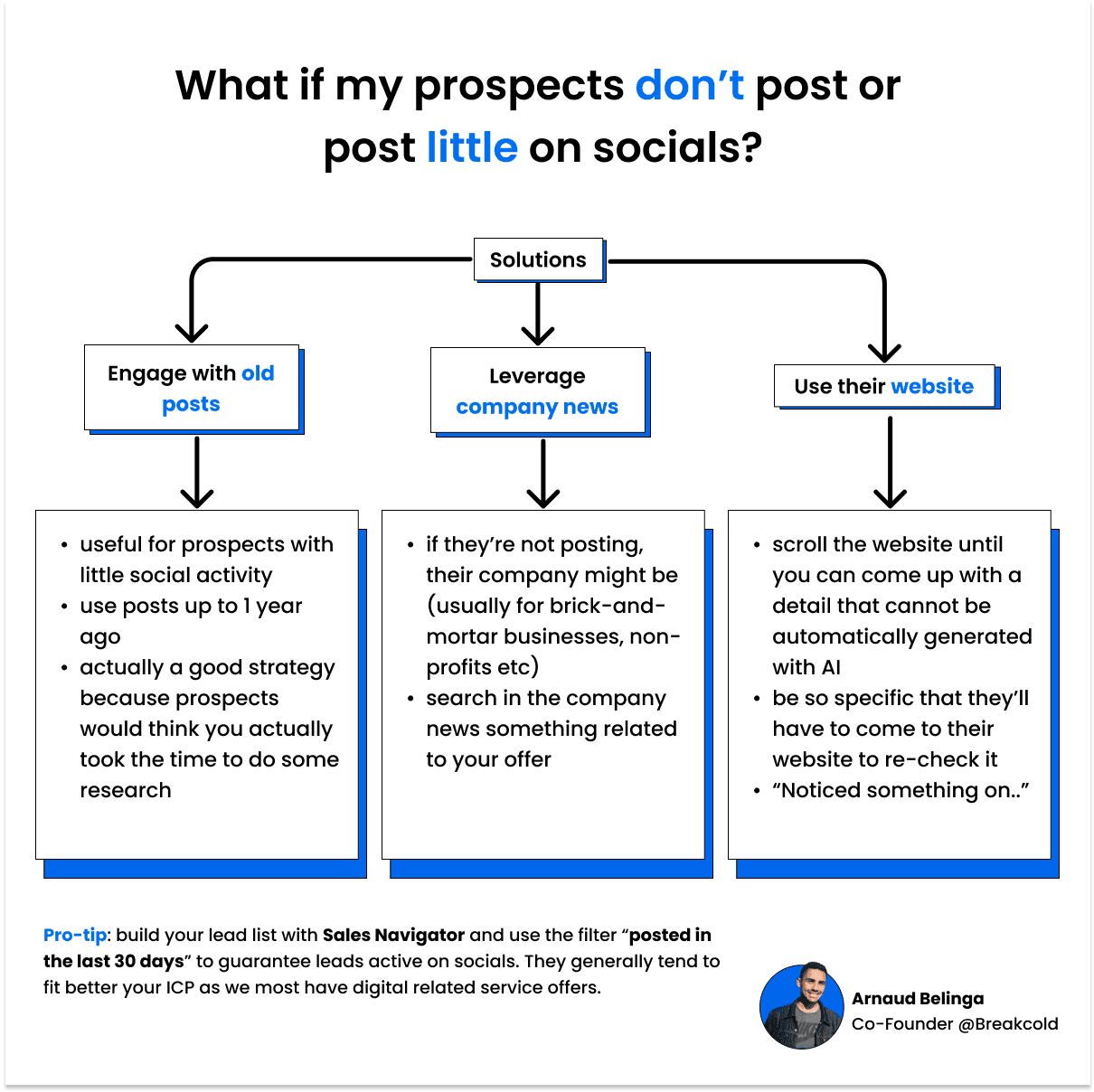
👉 if your TAM (Total Addressable Market) is low = you can’t just blast automated emails/DMs, you’ll burn your lead lists for nothing
👉 if your TAM is big = you can go crazy and use automation tools
👉 whatever the scenario, you always want to take a hyper-personalized approach with your key prospects/partnerships
\
I - Bucket 1 (high-ticket clients)
A°) How to find leads for high-ticket clients
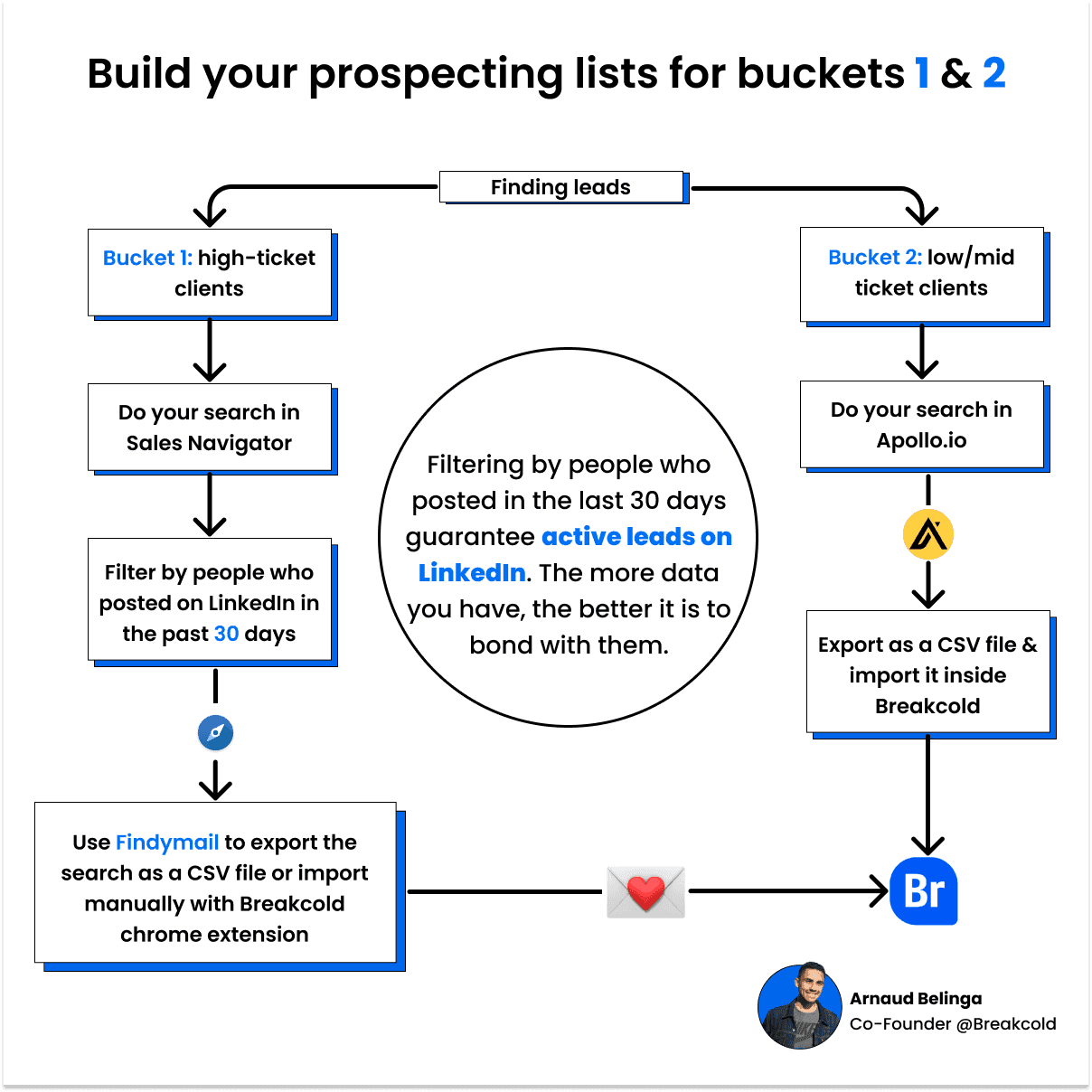
Best way is to use LinkedIn Sales Navigator: why?
👉 it’s real-time data + you can filter people who are active on LinkedIn (ie. you’ll have data to play with to bond with them to start a conversation).
👉 you can adapt this strategy if your prospects are more active on Twitter/Meta etc but it will require you more research as they’re no proper databases for these platforms.
\
Search in Sales Nav + export using Fi
Leads list building with Findymail
B°) How to start conversations with high-ticket clients
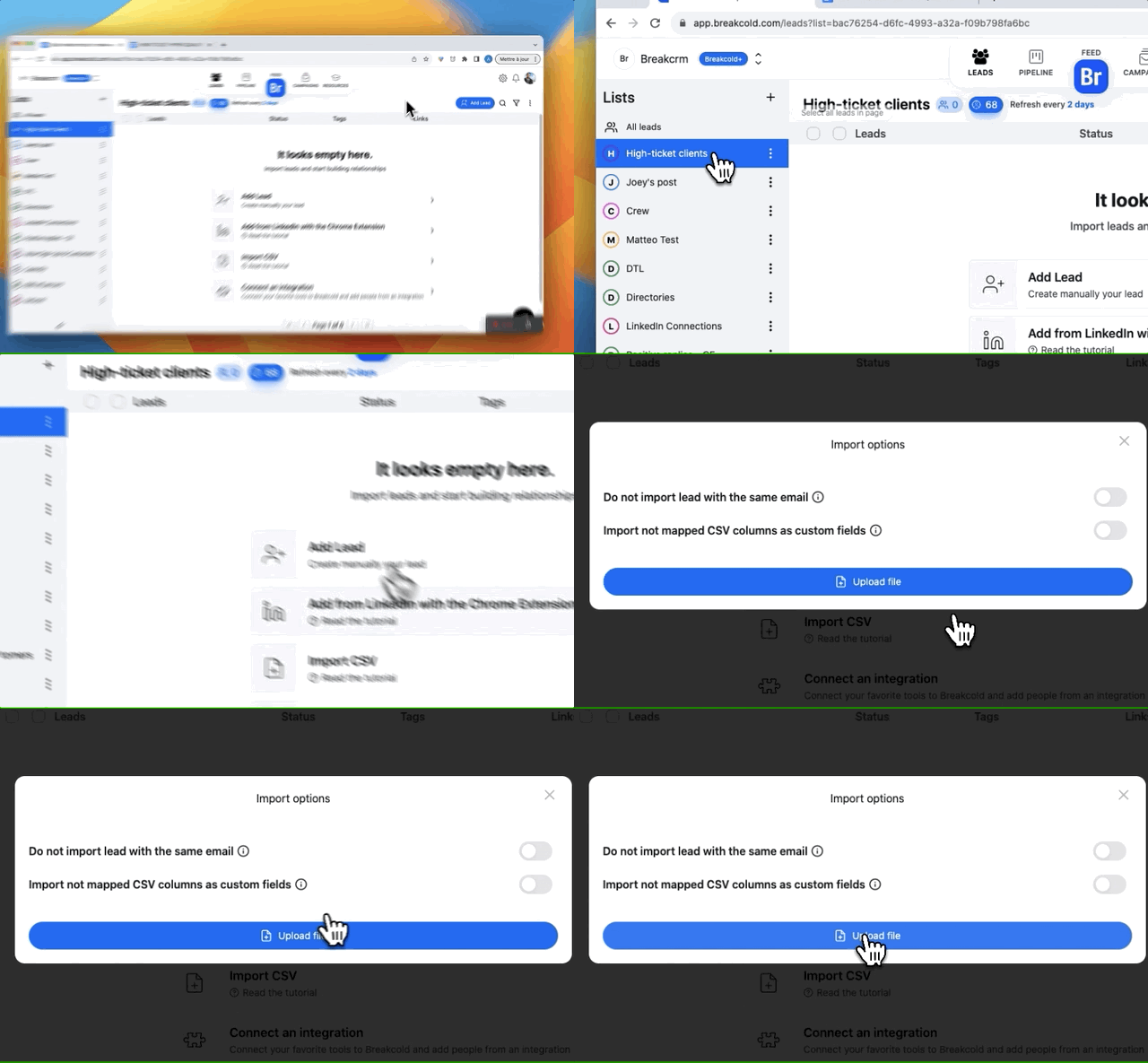
Step 1: import the CSV file of your high-ticket clients inside Breakcold
\
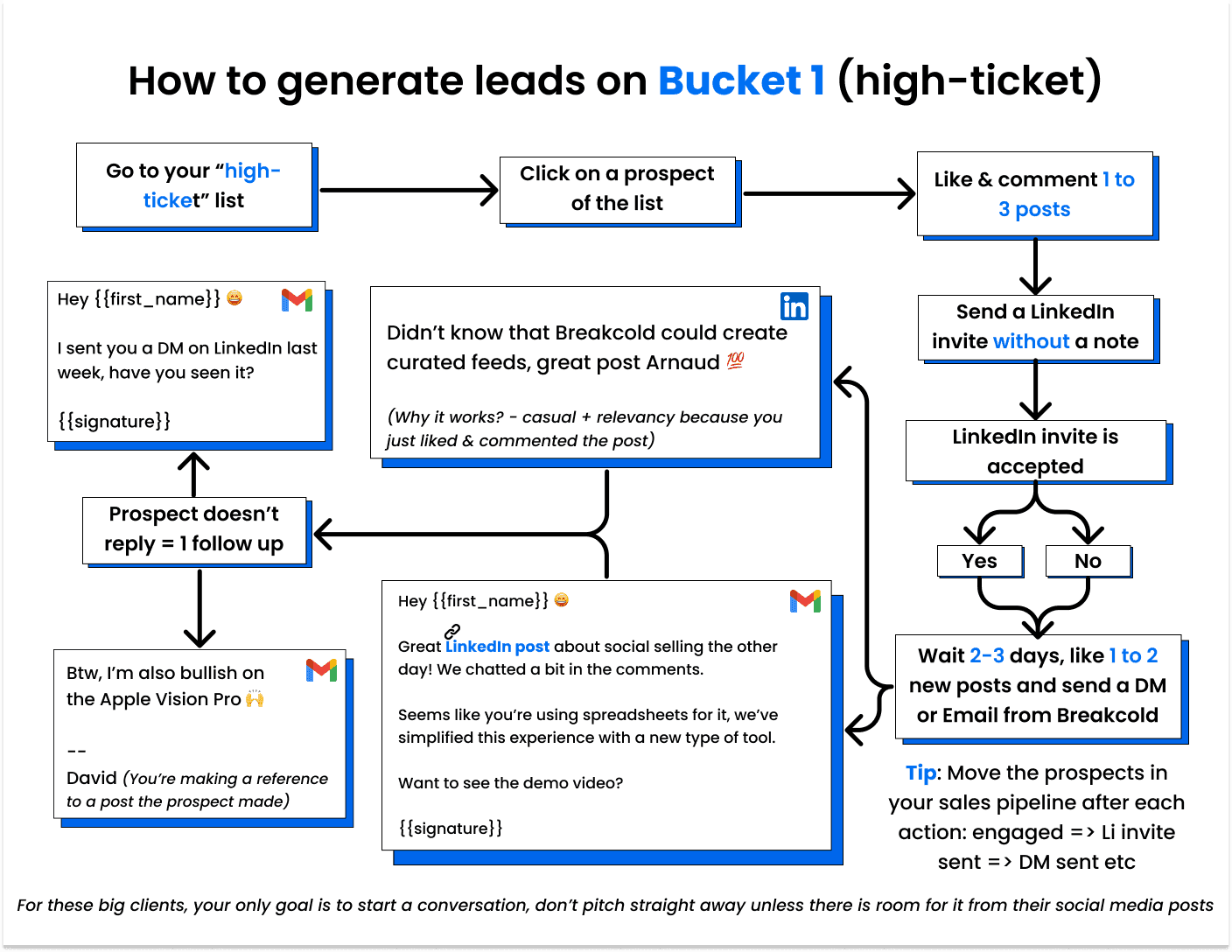
Step 2
\
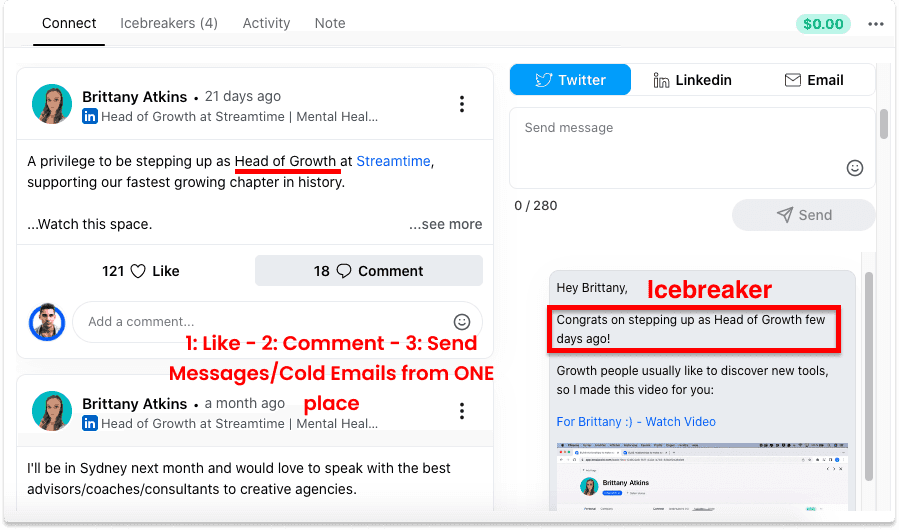
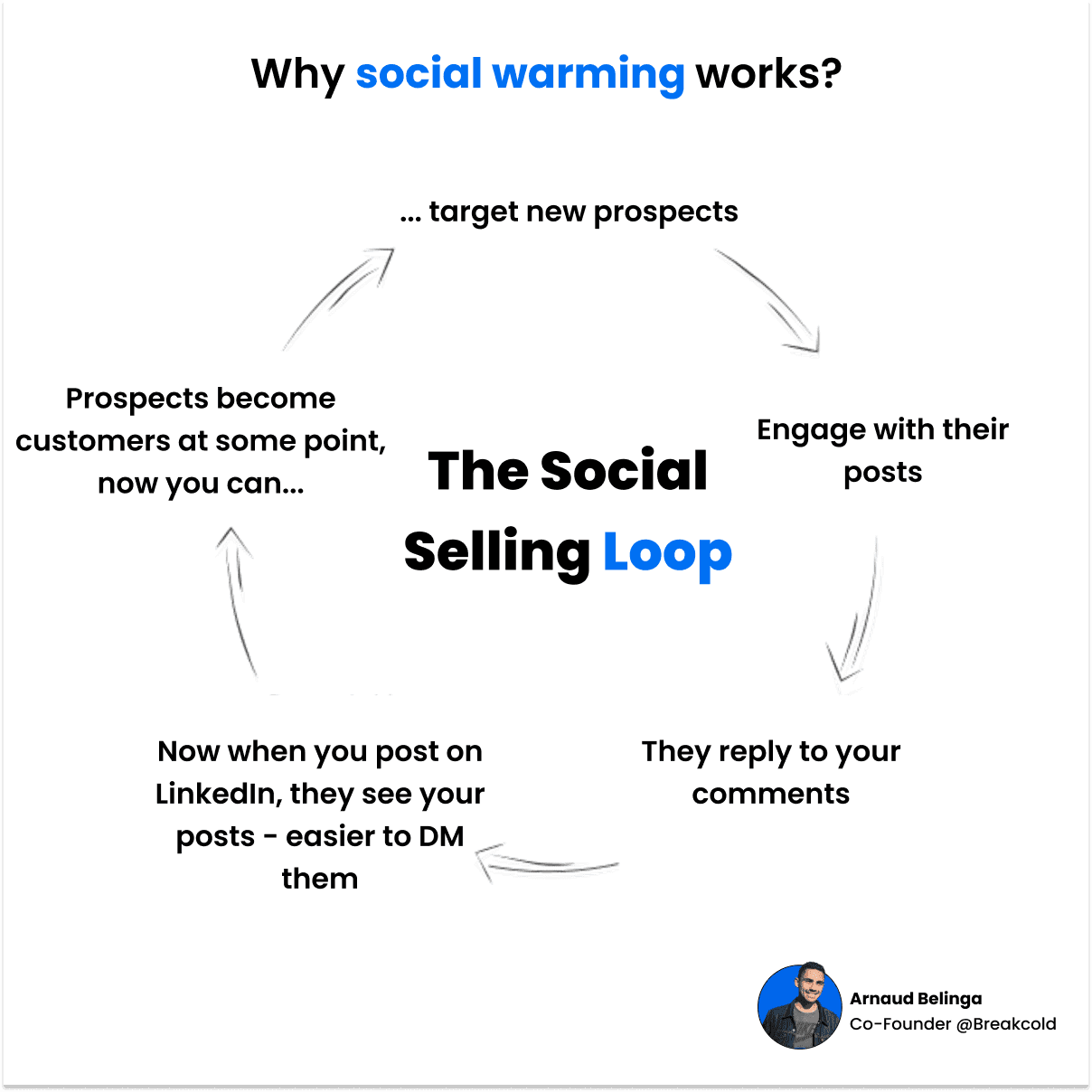
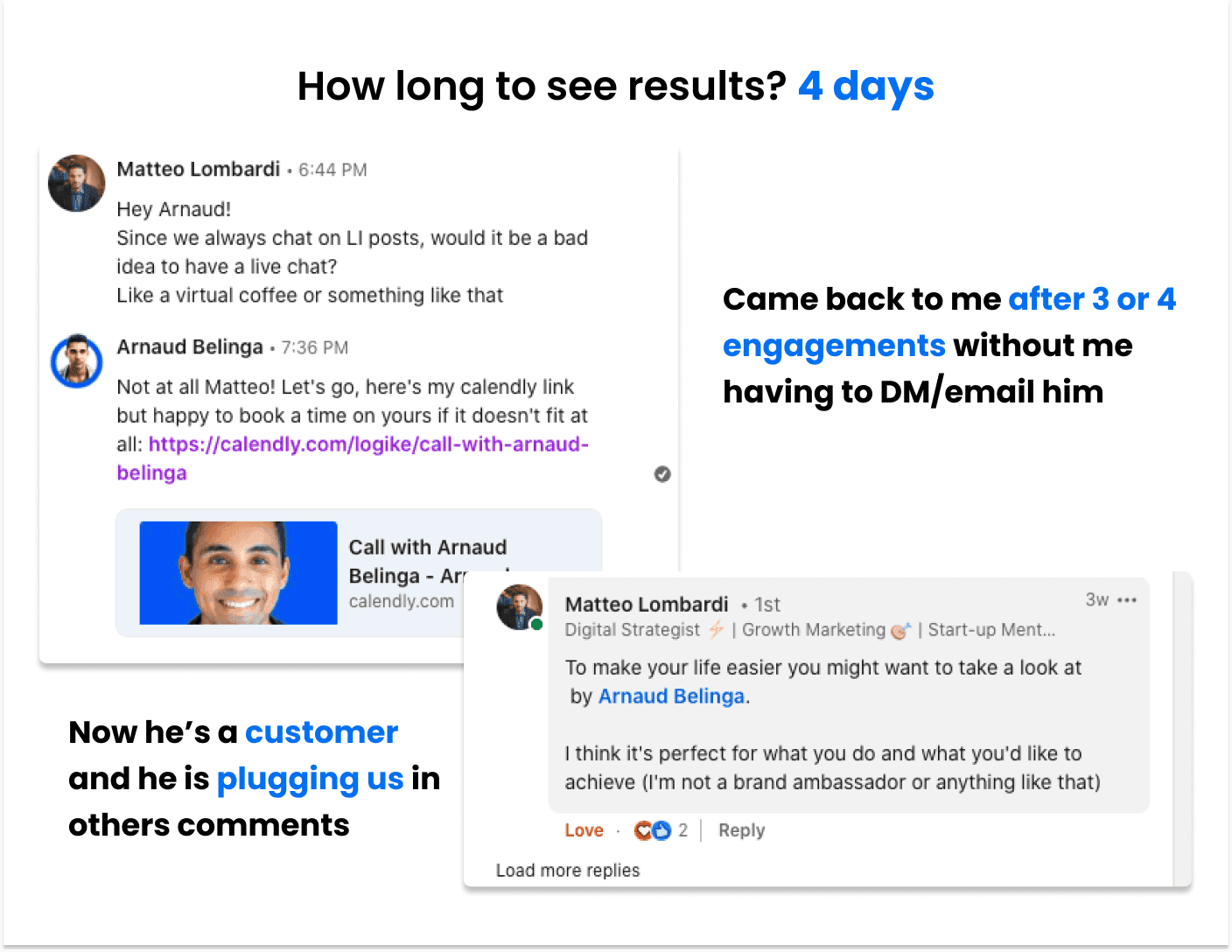
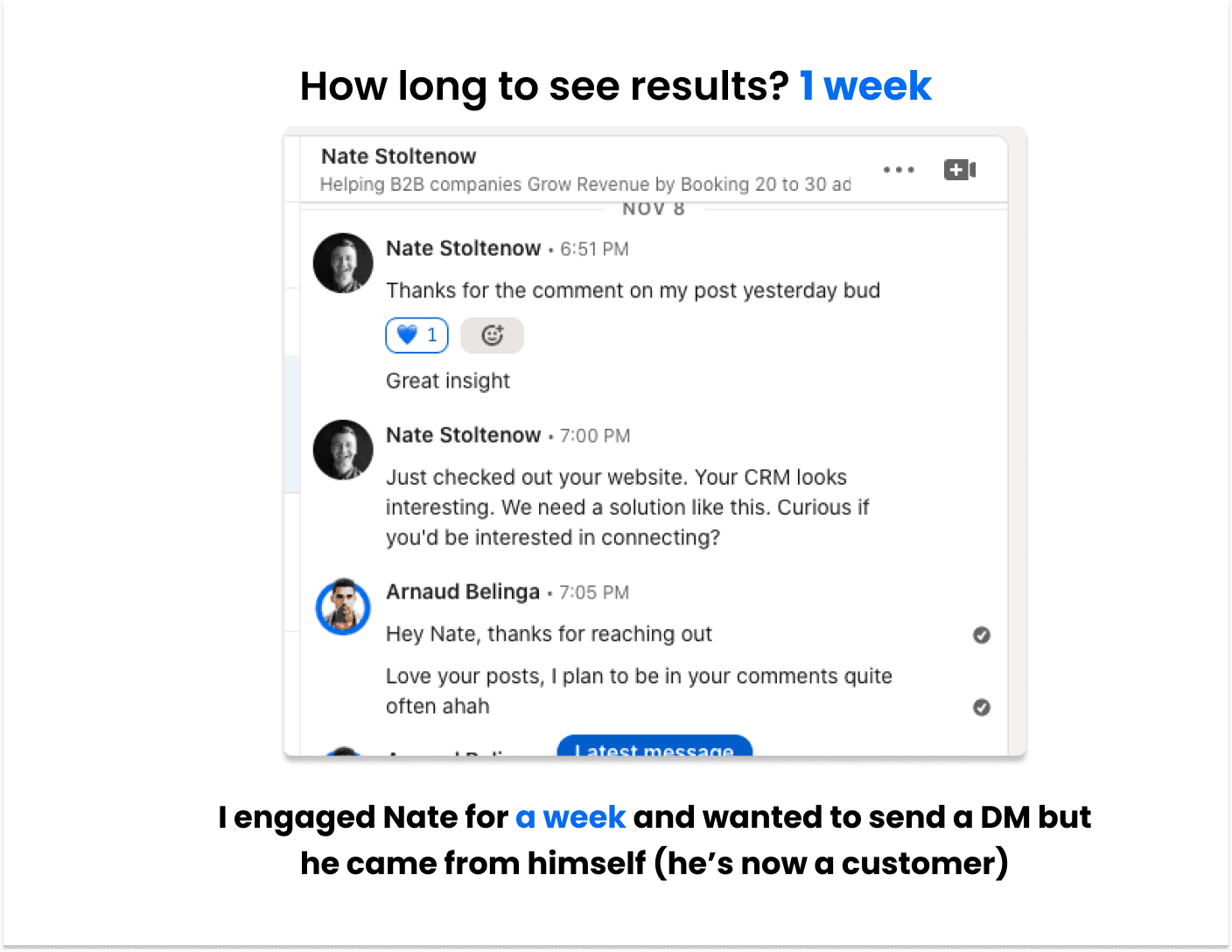
Using this technique will guarantee you close to a 100% acceptance rate and 100% reply rate because of the natural engagement you’ve made.
You can adapt this workflow to other social media platforms if needed.
How it looks like if you start with email 👇
\
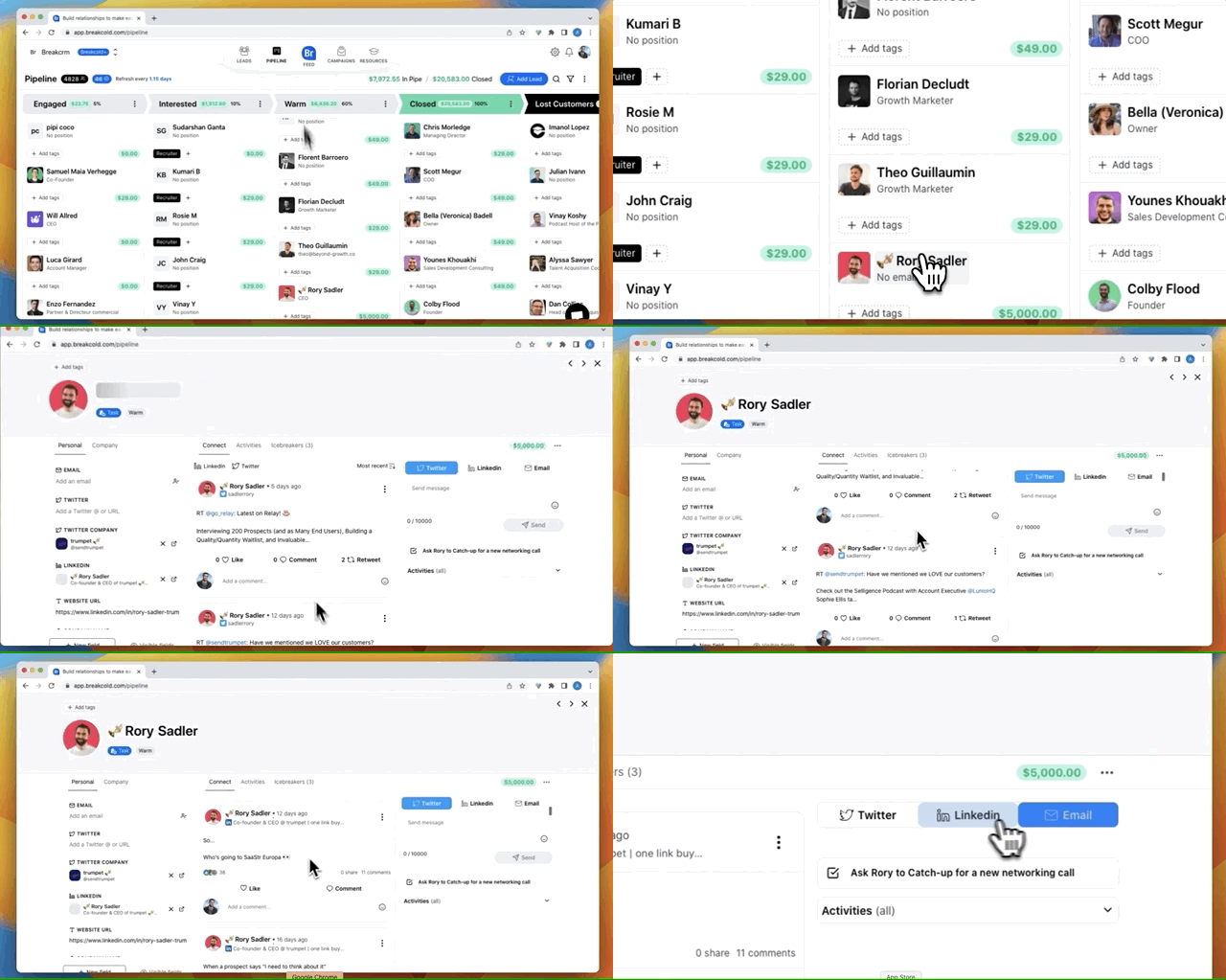
You can be super productive doing this technique by focusing on each lead from the sales pipeline of Breakcold, the AI-Native CRM that auto-syncs your channels and lets AI agents move leads for you 👇
\
Social warming: interacting with someone's posts before reaching out.
\
Essentially, you do the opposite of what +90% of people are doing. Don’t be a monkey, get proper results by doing things that work in 2026, not in 2017.
\
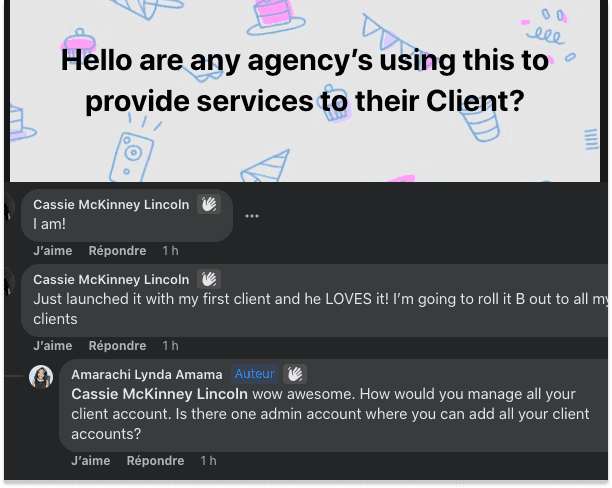
This technique works so well that some of our paid customers created a new type of offer for their clients: a nurturing/hyper-personalized outreach offer.
\
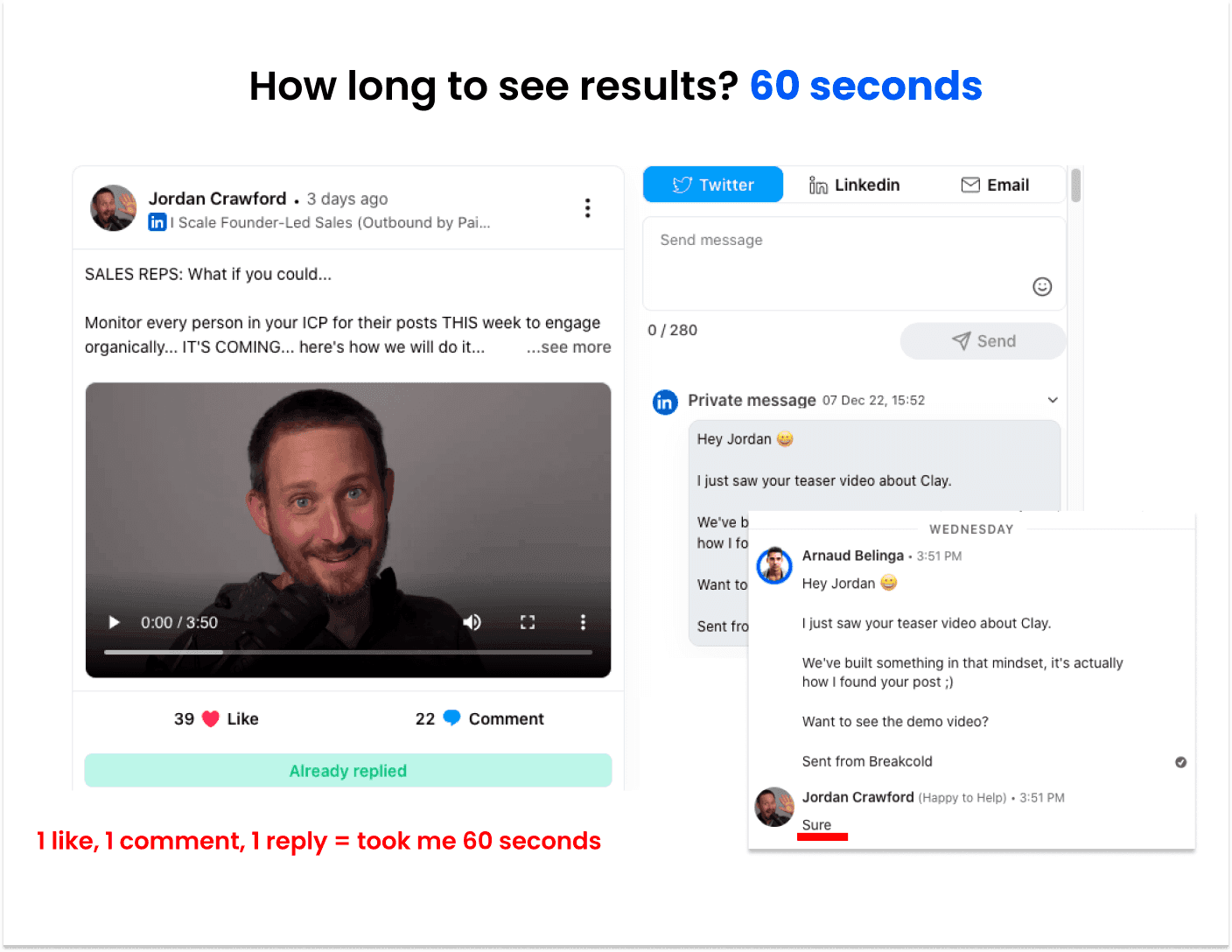
C°) How I did it (video case study)
\
\
\
Video of how I went from cold lead to qualified sales call in less than 1 hour 👇
\
II - Bucket 2 (low-ticket clients)
A°) How to find leads for low-ticket clients
\
With low-ticket clients, you can allow yourself to use automation. You can either use the built-in part of Breakcold to send cold emails (1) or use another software to send cold emails and then push your positive replies to Breakcold CRM (2).
I personally use Smartlead for cold emailing at scale, then I use an automation to push my positive replies to Breakcold. Why do that?
👉 I don’t want to clutter my Sales CRM with thousands of unqualified leads
👉 the campaigns section of Breakcold is best used for warm emailing and for hyper-personalized cold emailing, not mass cold emailing
B°) How to start conversations with low-ticket clients
\
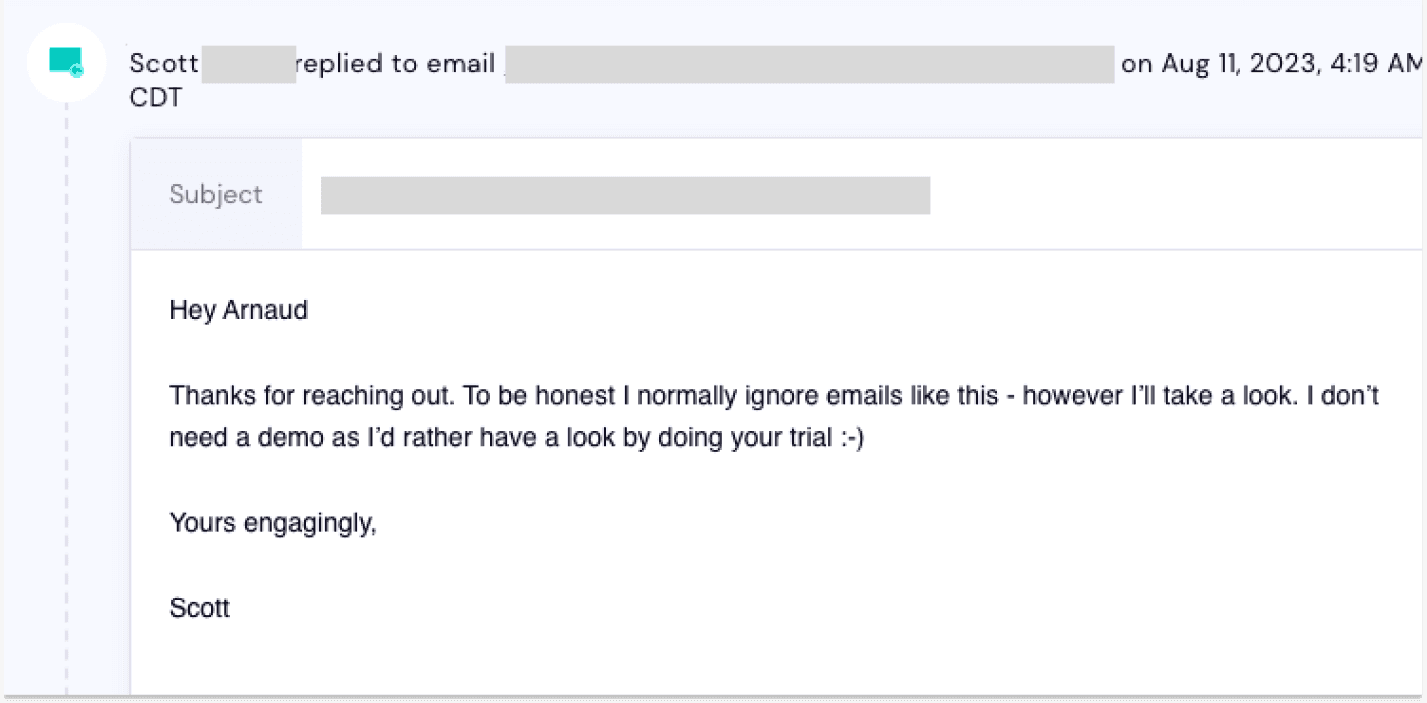
Your emails don’t need personalization (that much) - it’s really about segmenting your prospecting lists and again, addressing the right offer to the right leads.
\
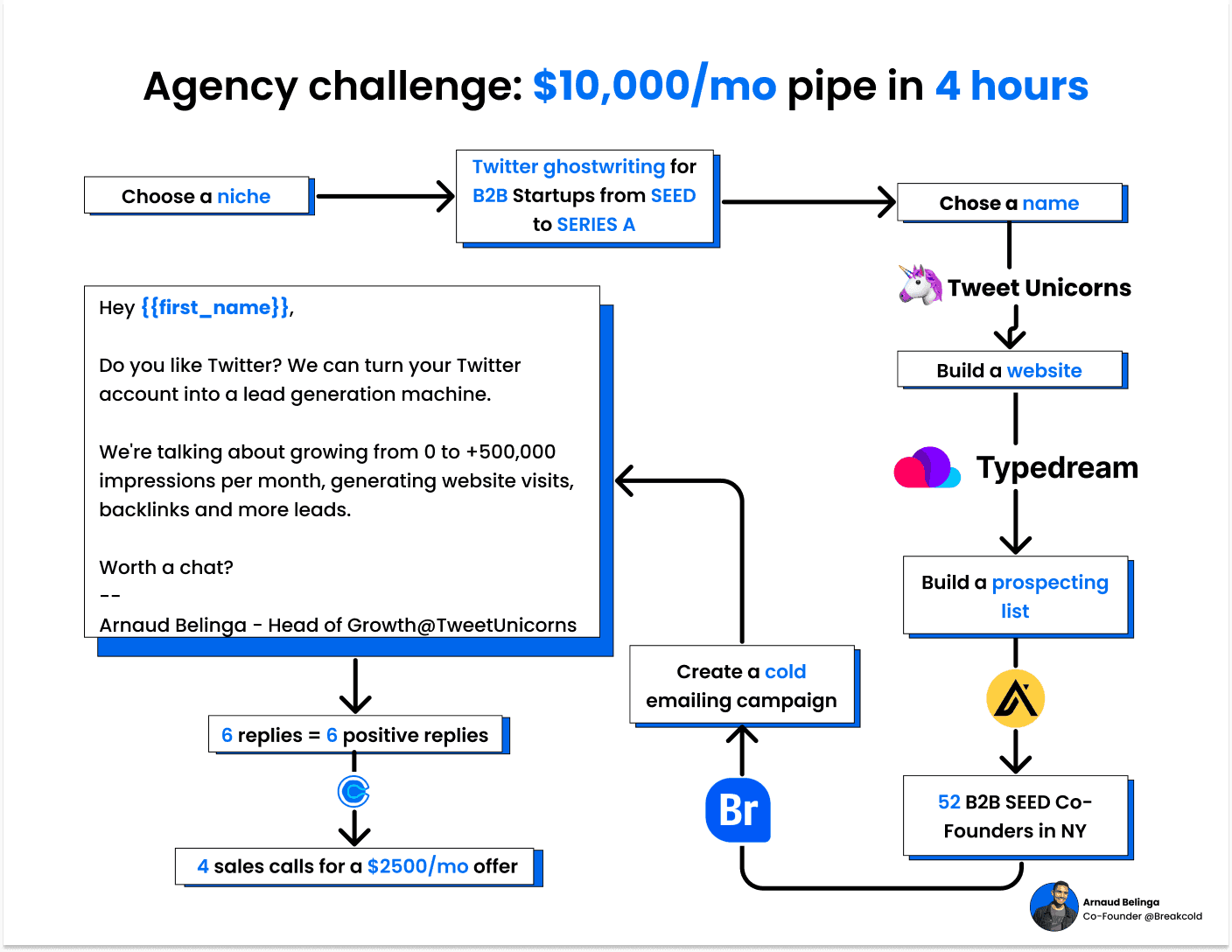
C°) How I did it (video case study)
\
If you need to learn cold emailing from scratch, read these:
cold emailing free course (I spent 24 hours filming, writing, recording & editing this).
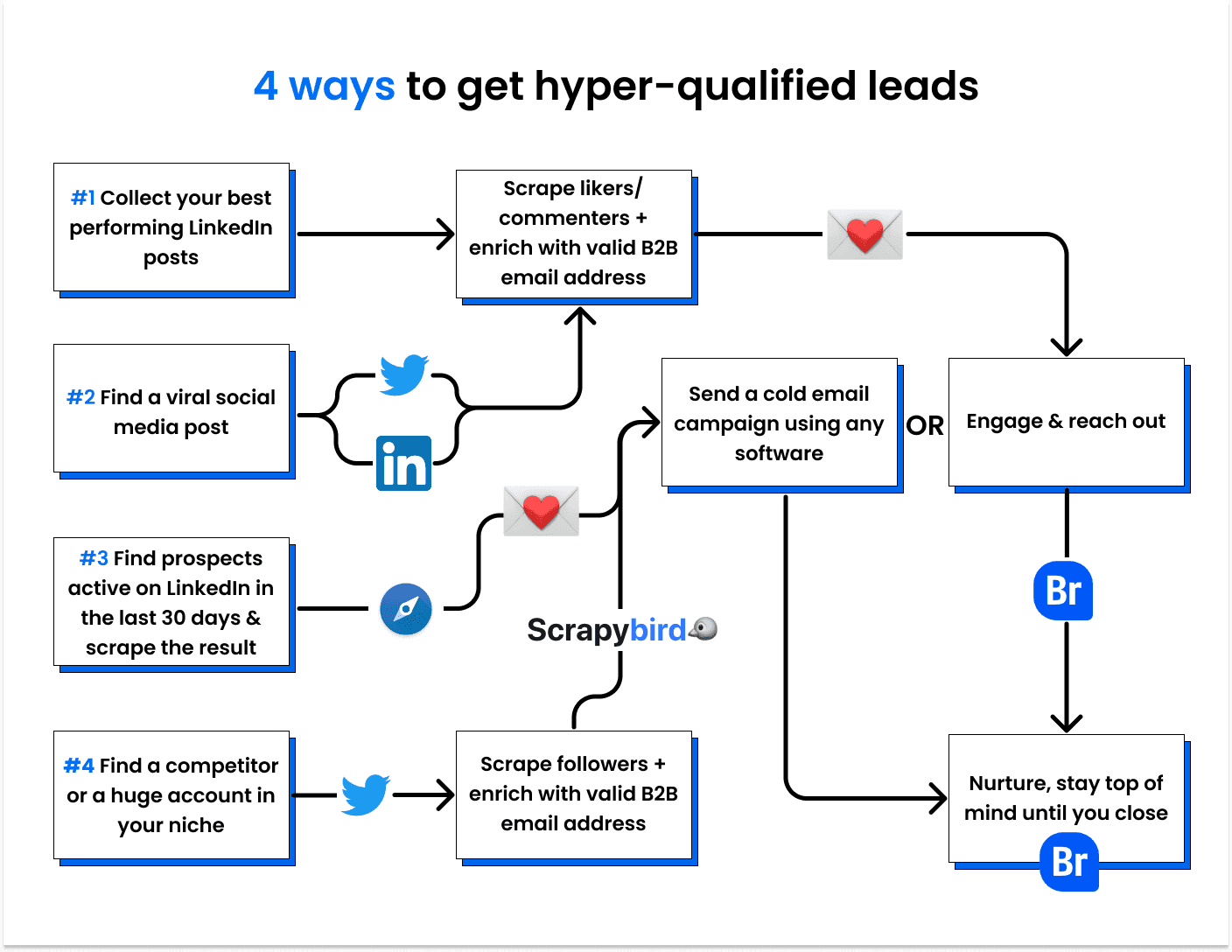
III - 4 unusual performing ways to get leads & engage them
These 4 ways of getting leads are very little used and you don’t need to be a “Growth Hacker” to use them. Because of the relevant prospecting lists you’ll build, you won’t even have to use hyper-personalization in your outreach in most cases.
Summary of all workflows
\
A°) - What you can do with LinkedIn
LinkedIn is a gold-mine to find hyper qualified leads. You can find leads for inbound sales (1) and outbound sales (2), then sync them straight into your LinkedIn CRM.
1°) Getting leads for inbound sales from your LinkedIn posts
Goal: turn likers and commenters into customers
Why it works: they already engaged with you so it’s easier to start conversations
1 - Download Findymail Chrome Extension
\
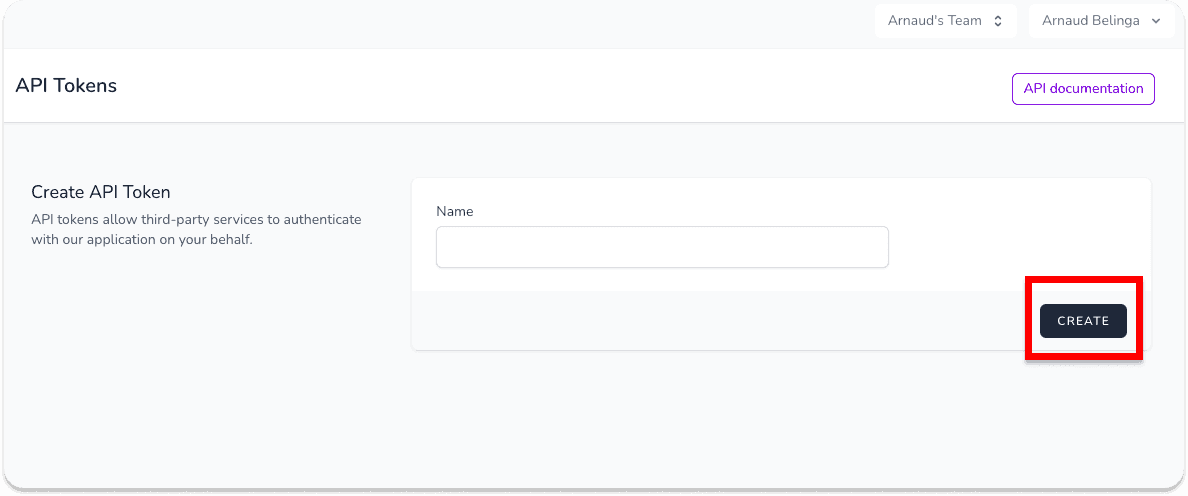
2 - When logged in inside app.findymail.com, create your API Key
\
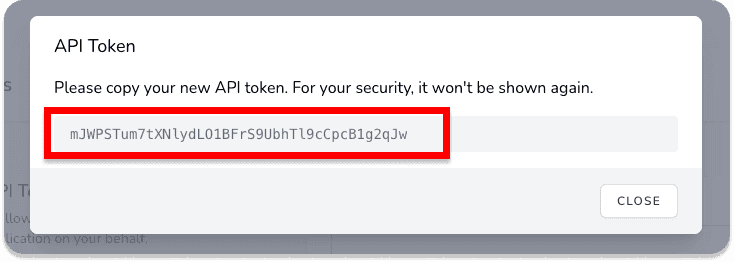
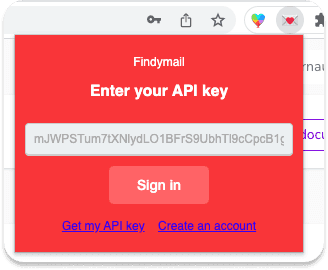
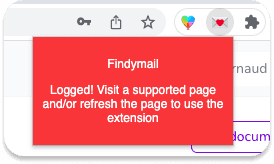
3 - Copy paste your API key in the chrome extension
Step 1
\
Step 2
\
Step 3
\
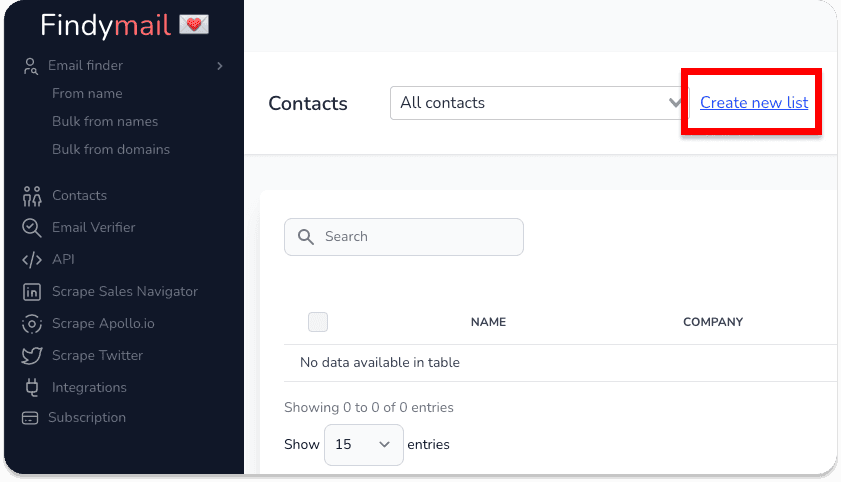
4 - Create a list for your inbound leads
\
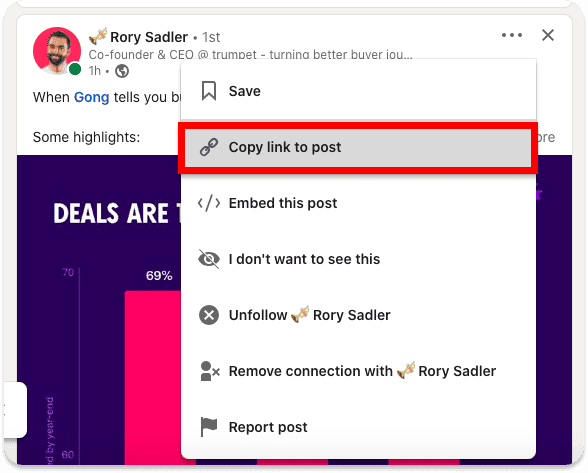
5 - Go to one of your LinkedIn post and copy paste its URL in a new tab
\
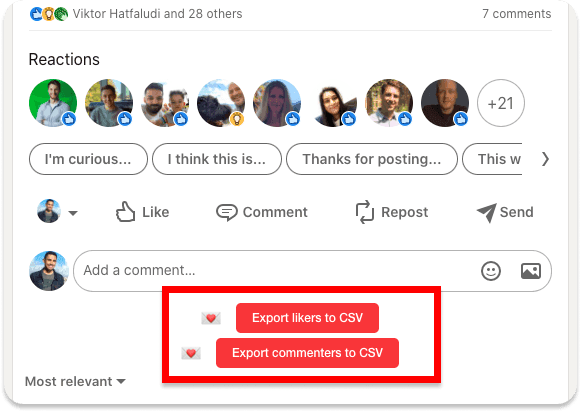
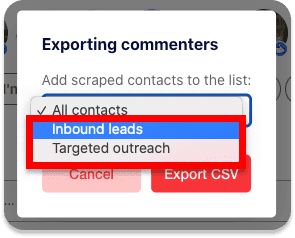
6 - Export likers and/or commenters to CSV and put them in your inbound list
\
\
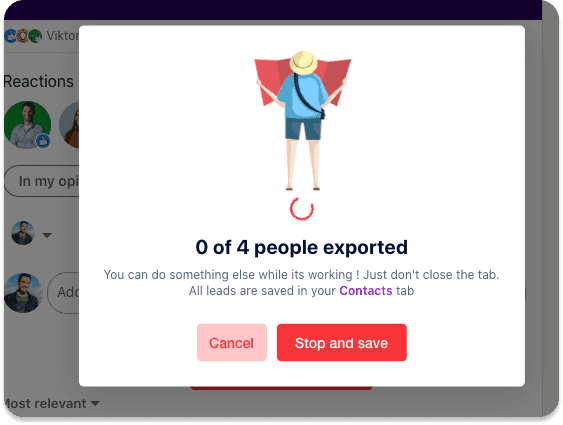
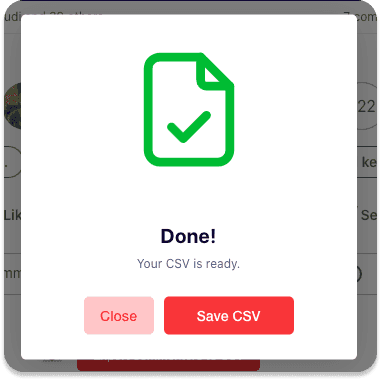
7 - Wait & download the CSV file
\
\
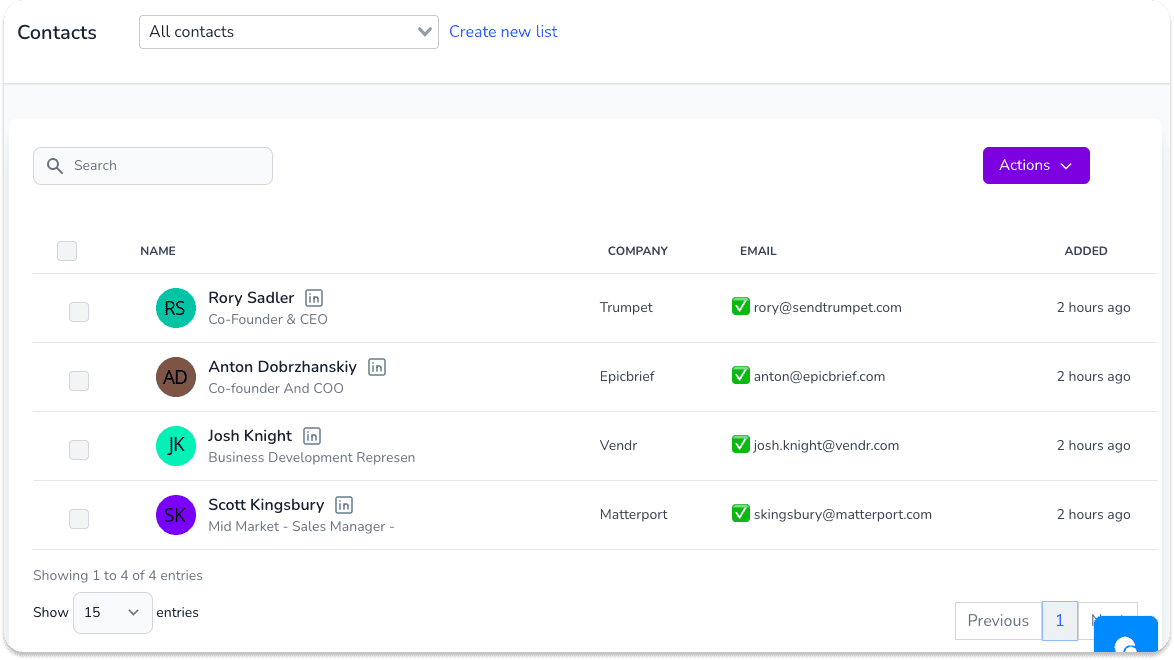
Findymail will find the valid B2B email addresses of your leads. You DON’T need to use an email verifier.
\
8 - Import the CSV file inside a Breakcold CRM list
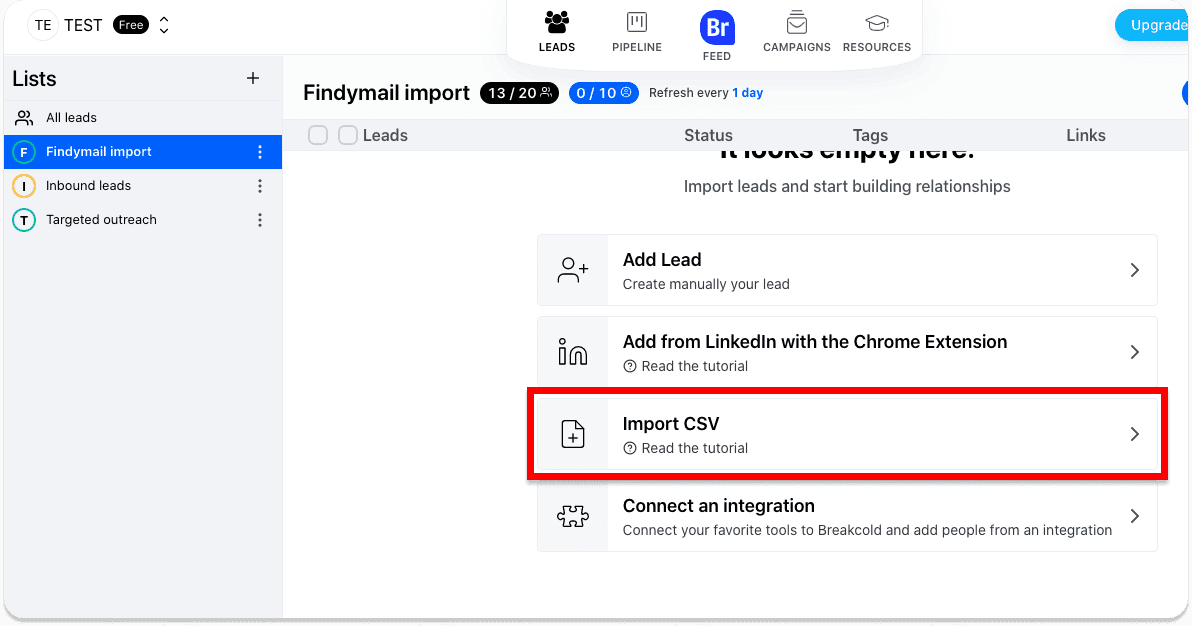
Step 1: create a list and click on import CSV
\
Step 2: map the fields of the CSV that were not automatically reorganized
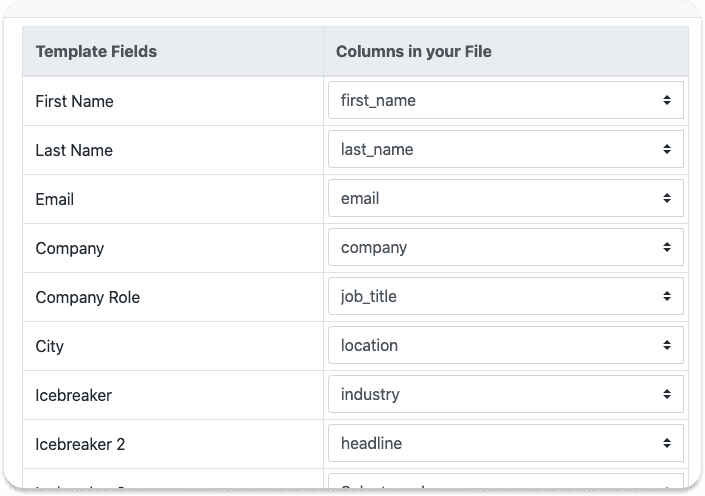
\
Step 3: check that the data is displayed as you want it to be and click on import
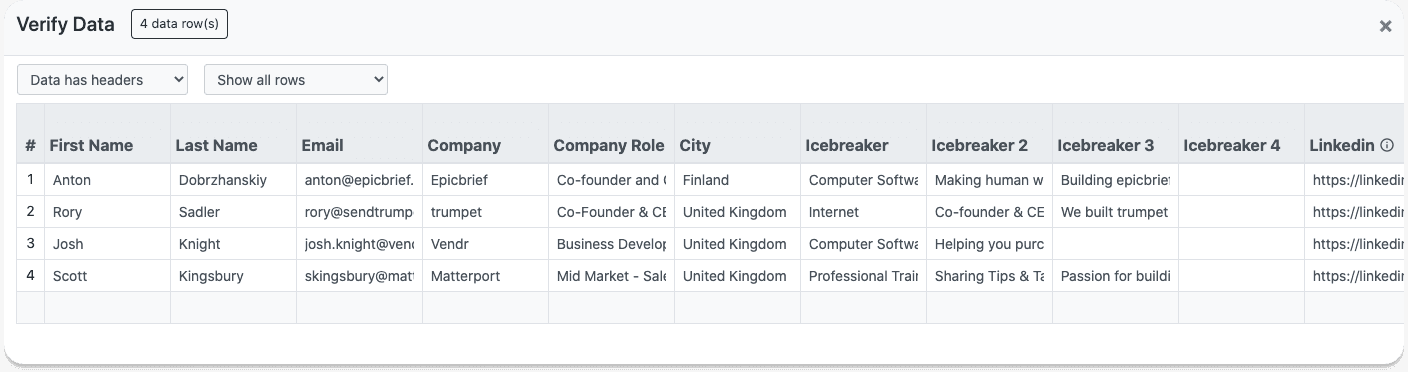
\
Step 4: manually say that emails are valid if Breakcold says otherwise
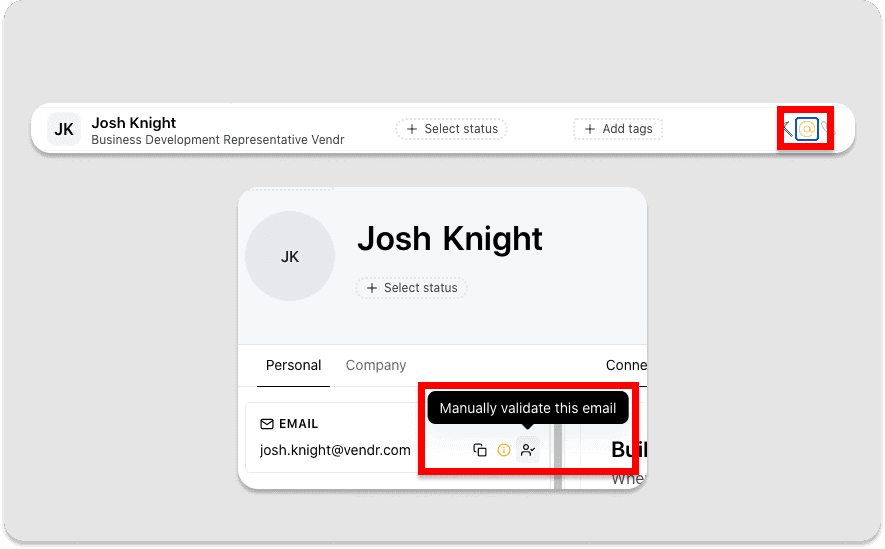
\
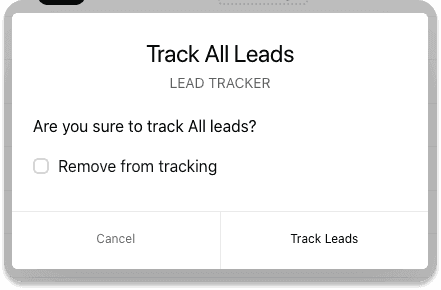
8 - Track the prospects to aggregate their LinkedIn posts
Step 1: select all the leads in the list imported
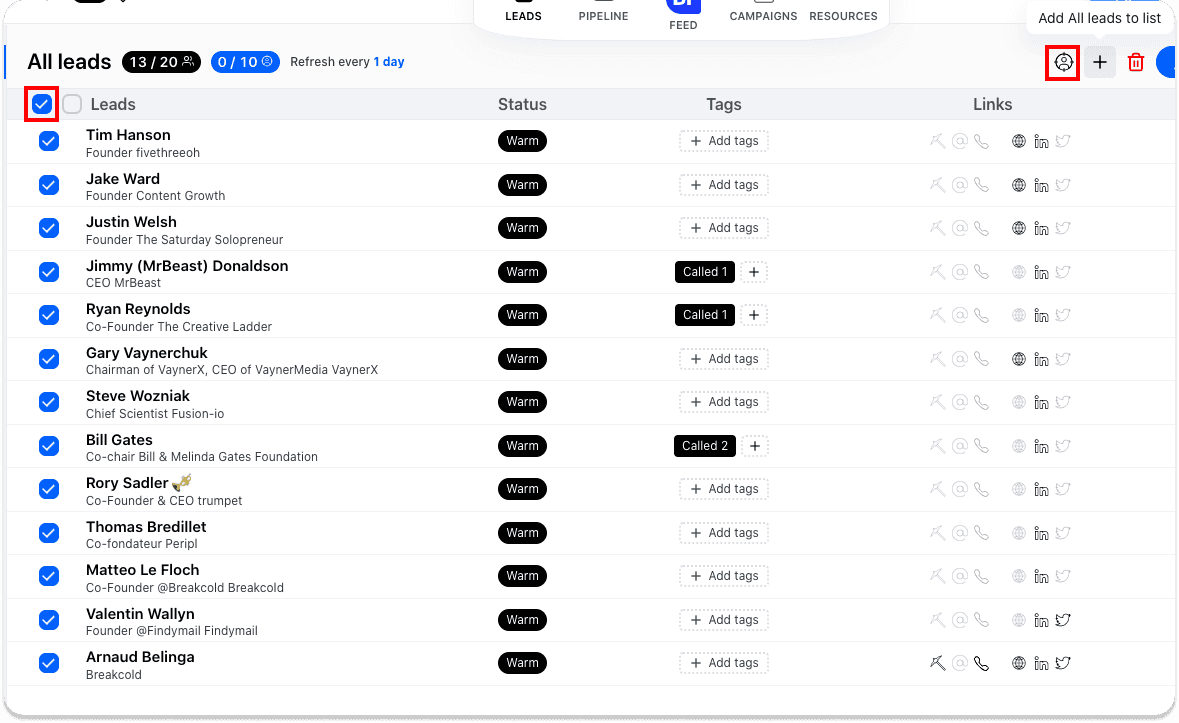
\
Step 2: click on the track leads button and start the track
\
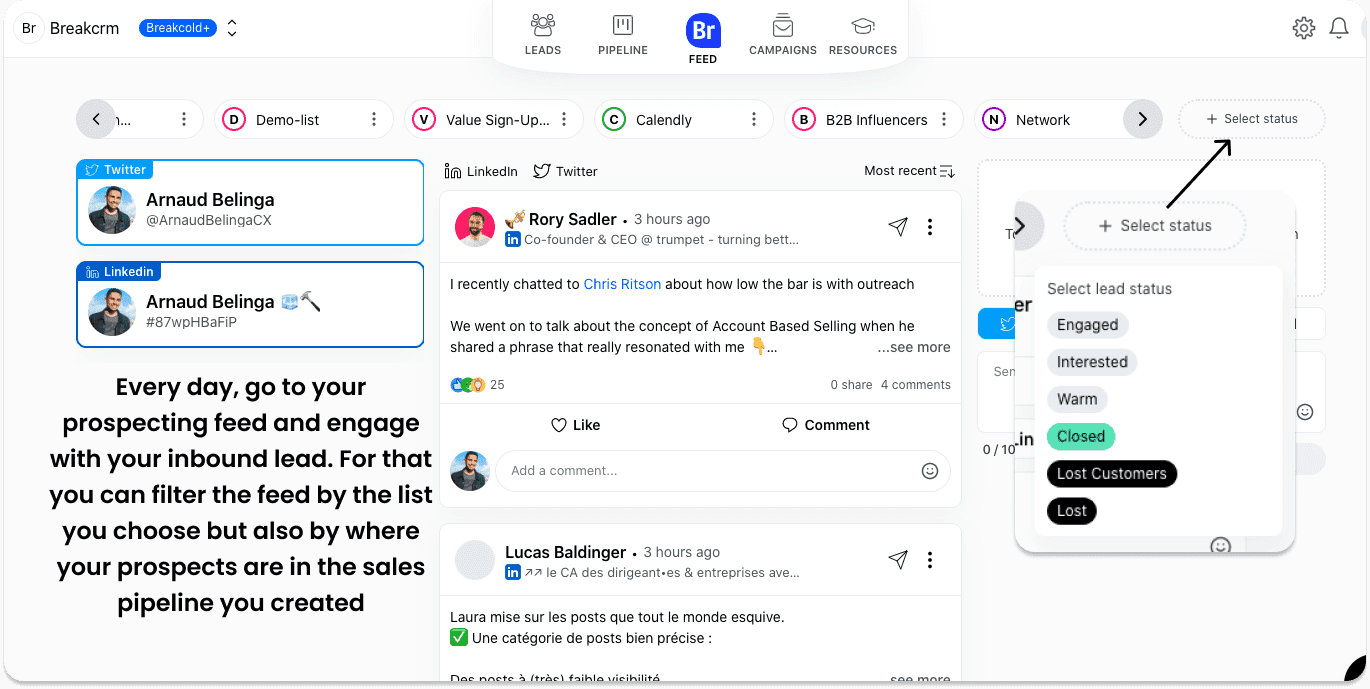
9 - Start building B2B relationships with them and reach out after a few engagements
\
LinkedIn selling tip: you can check in the activity section of each lead how many interactions you had with them.
That way, you can see if you liked and commented their post enough in the past so when you do reach out, you guarantee yourself a 100% reply rate because they know you (1) and engaged with one of your posts in the past (2)
\
2°) Getting leads for outbound sales from viral LinkedIn posts
Goal: creating relevant sales outreach instead of relying on fluffy personalization
Why it works: they manifested their interest in your niche by liking/commenting something related to it
1 - install Findymail as explained from pages 4 to 6
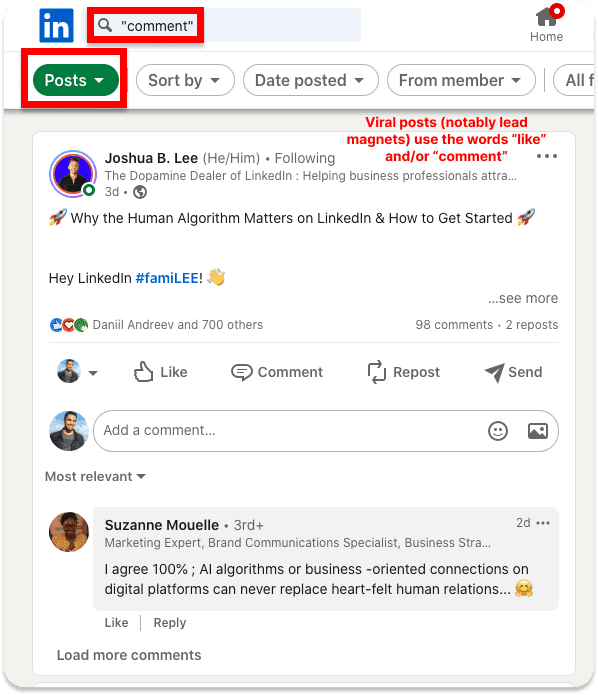
2 - use the LinkedIn search bar to find viral posts from your 1st degree connections to 3rd degree connections
Insights: generally, it will first show you the LinkedIn posts of your 1st degree connections but the more you scroll, the more you’ll see posts from other people. You can also see directly 3rd degree connections posts sorted by most recent posts.
\
3 - use Findymail as explained from page 7 to 8 to export likers and followers and import the CSV file in Breakcold
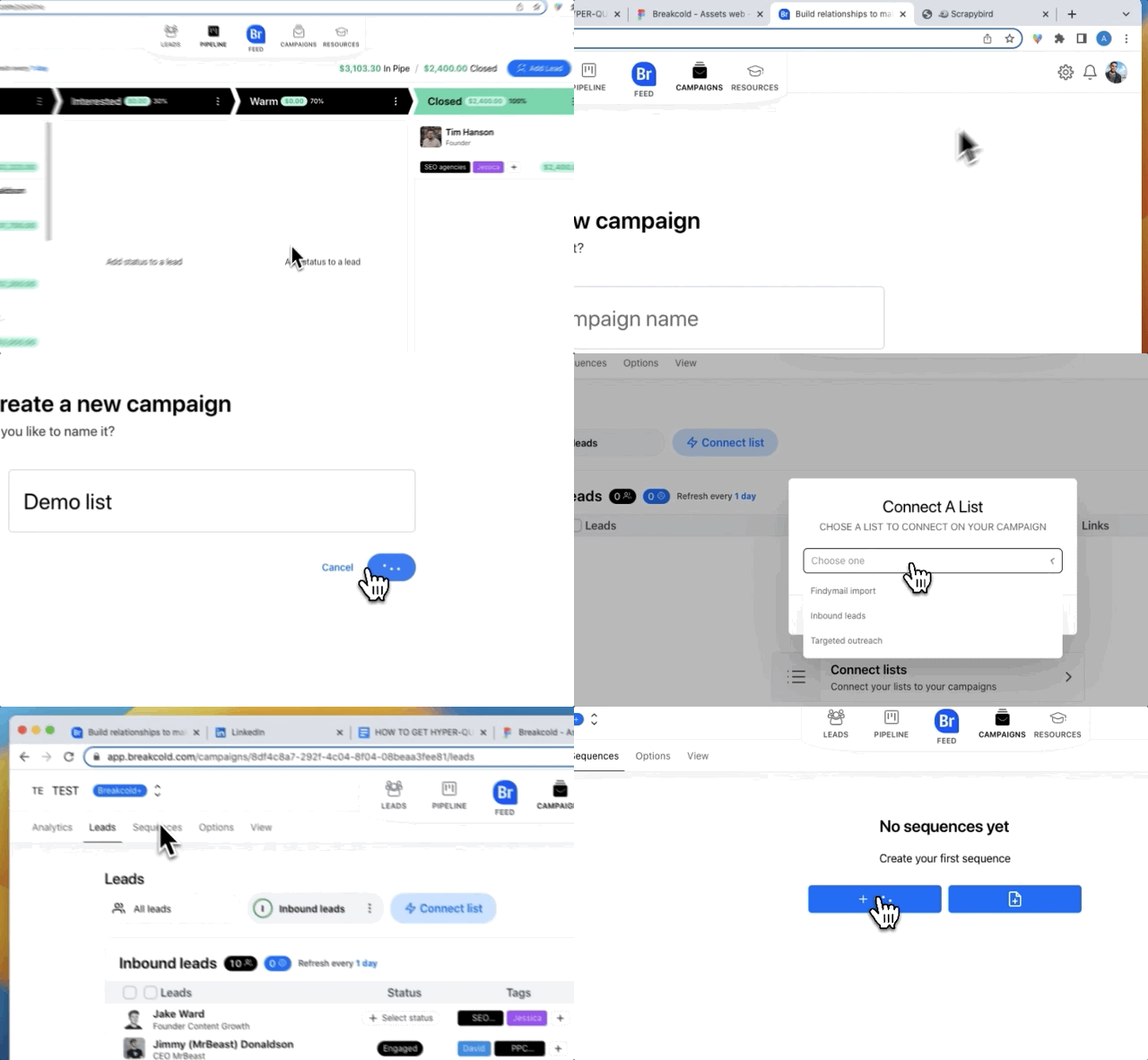
4 - use Breakcold or a dedicated cold emailing software to send a cold email campaign
Step 1: create a cold email campaign & import your list
\
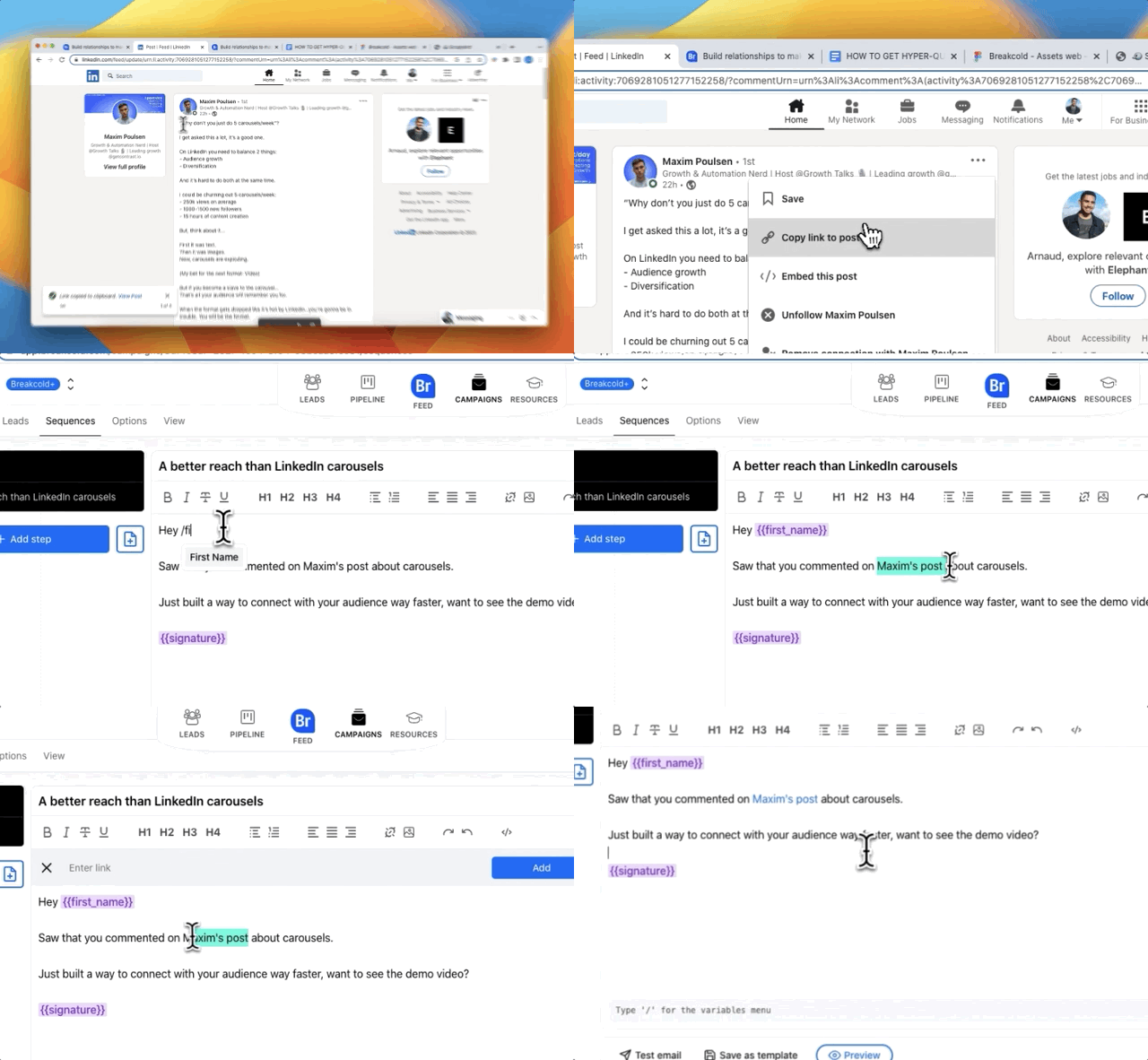
Step 2: craft your cold email copy by referring the LI post
\
You want to use the LinkedIn post URL in your cold email copy
Ideally, use an original subject line that is linked to both your offer and the LI post
Remember, the goal is to start a conversation, don’t sell straight away
\
5 - once you have positive replies, engage them using Breakcold to stay top of mind and accelerate your sales cycle
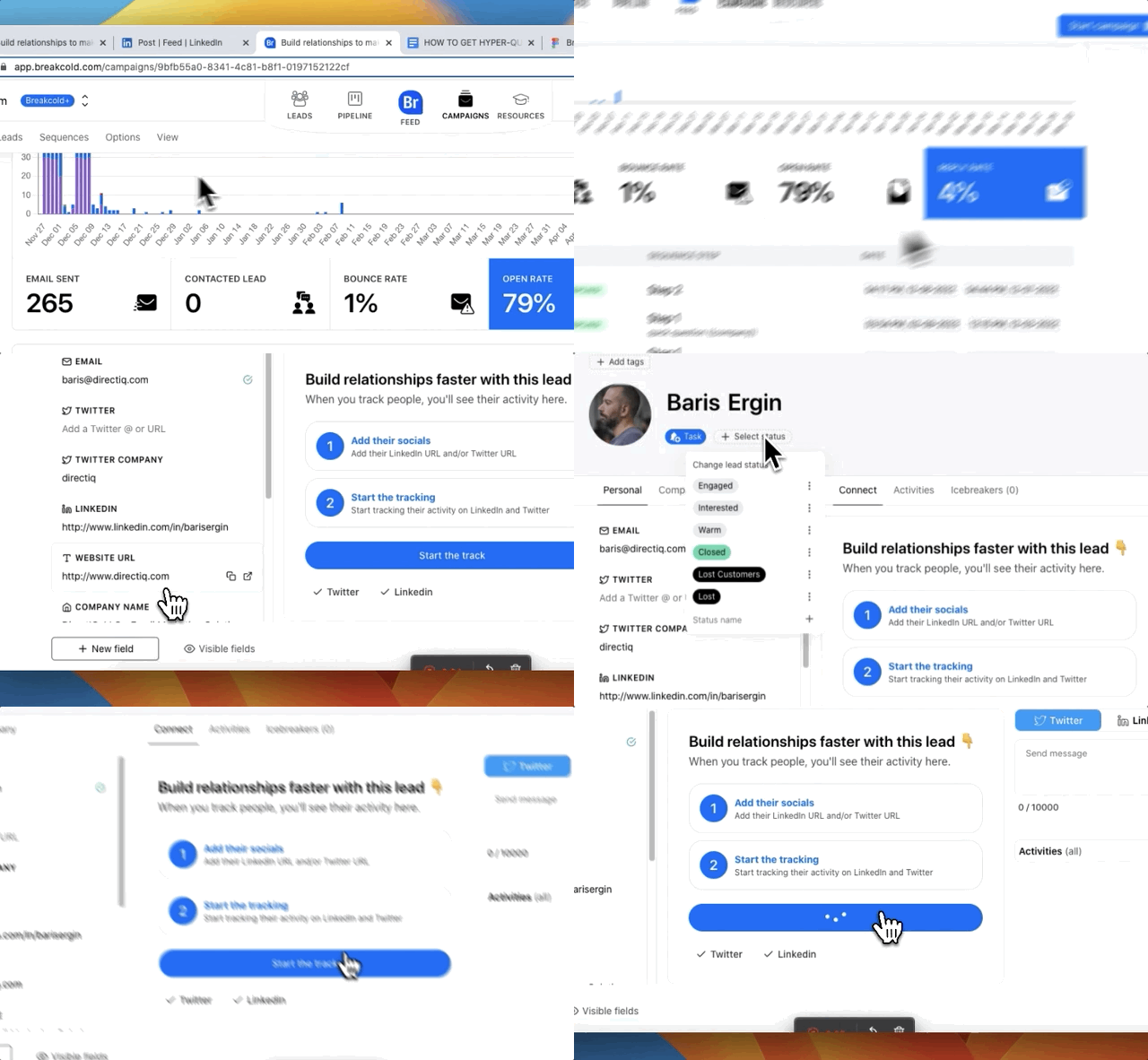
Step 1 - Mark positives replies as interested and track them to engage them on LinkedIn
\
In this example, marking the lead as “interested” puts Baris automatically in a sales pipeline stage.
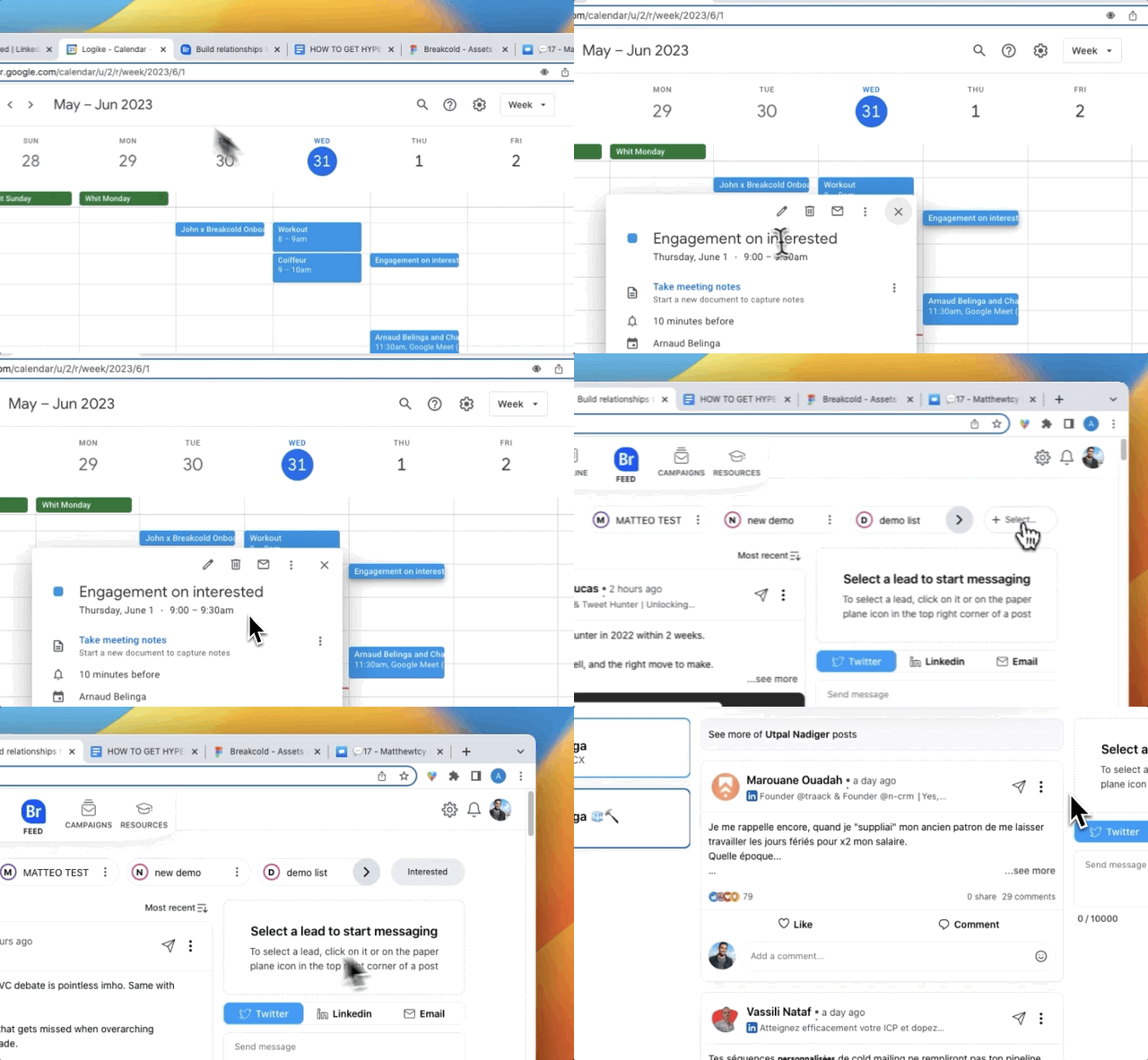
Step 2 - block 15/30 minutes a day to engage with interested leads before/after the sales call to accelerate your sales cycle by staying top of mind
\
Your goal is simple: being top of mind. For that, you’ll become the most likable service provider by building a strong B2B bond with your interested prospects. Doing this will allow you to move the leads between each sales pipeline stages much faster than usual which results in more deals closed.
B°) What you can do with Twitter
I think Twitter is highly underused. Depending on your target audience, you can build exceptional prospecting lists.
1°) targeting a niche by scraping followers
Goal: targeting your competitor’s followers and/or relevant communities
Why it works: Twitter company followers are accessible compare to LinkedIn
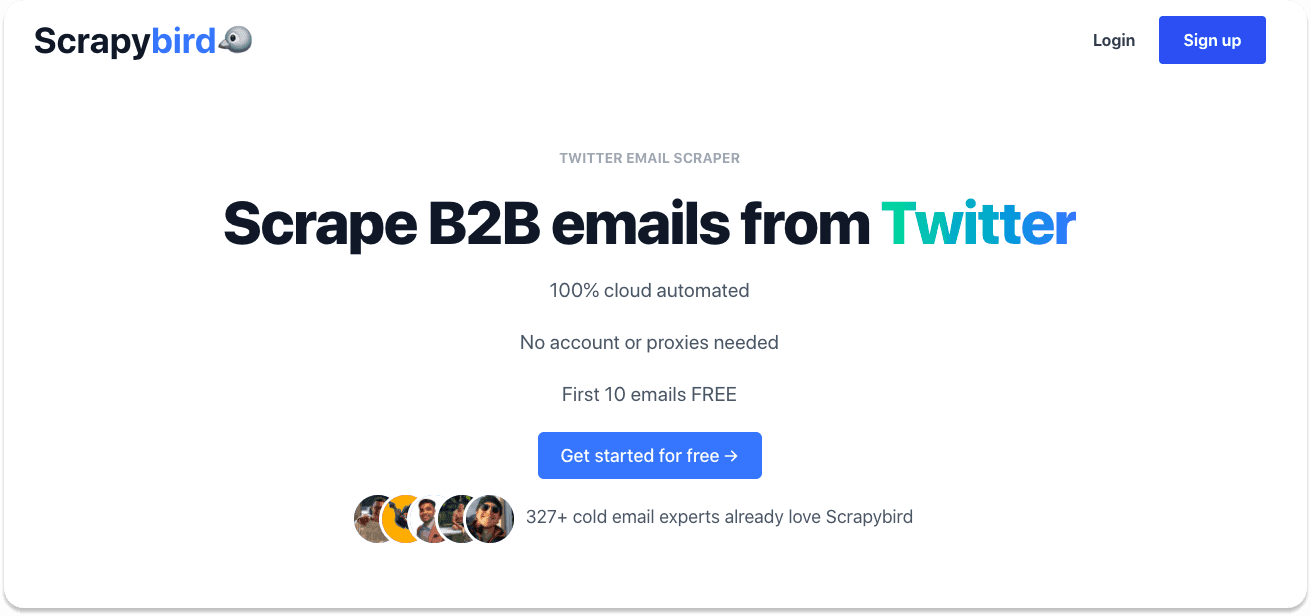
1 - Go to Scrapybird and create an account
\
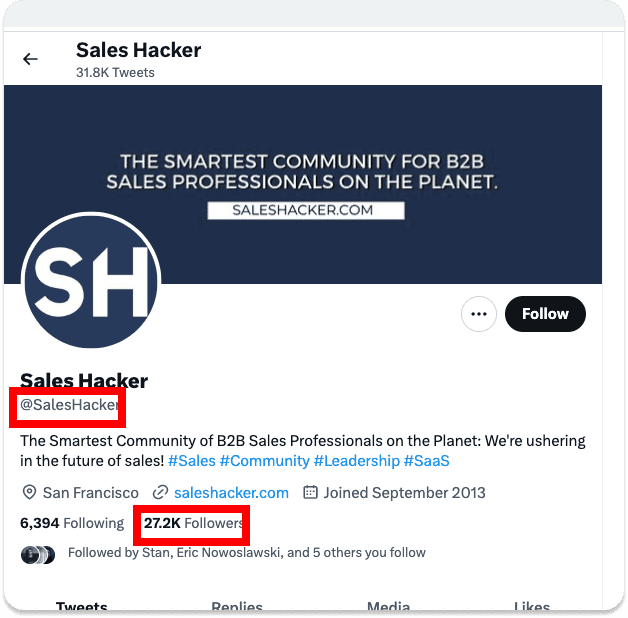
2 - Go to Twitter and find a twitter account with an audience similar to yours
Explanation of the example:
Sales Hacker is a media for sales people
If you follow Sales Hacker, most likely you like sales in a B2B environment
By getting its followers and B2B email address, I can reach out to them by saying that I noticed that they follow Sales Hacker, that I’m a fan too and then I softly pitch
You can also target competitors, someone who follows Mailchimp is aware about email marketing at least a little bit, so you can take advantage of this information to come up with something.
\
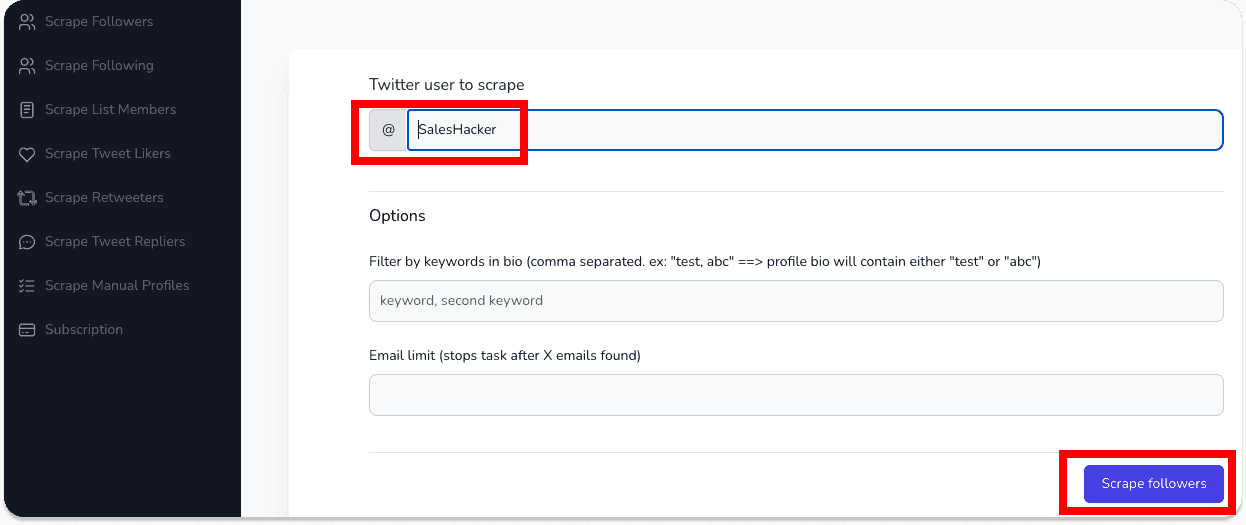
3 - Get the twitter handle and copy paste it inside Scrapybird
\
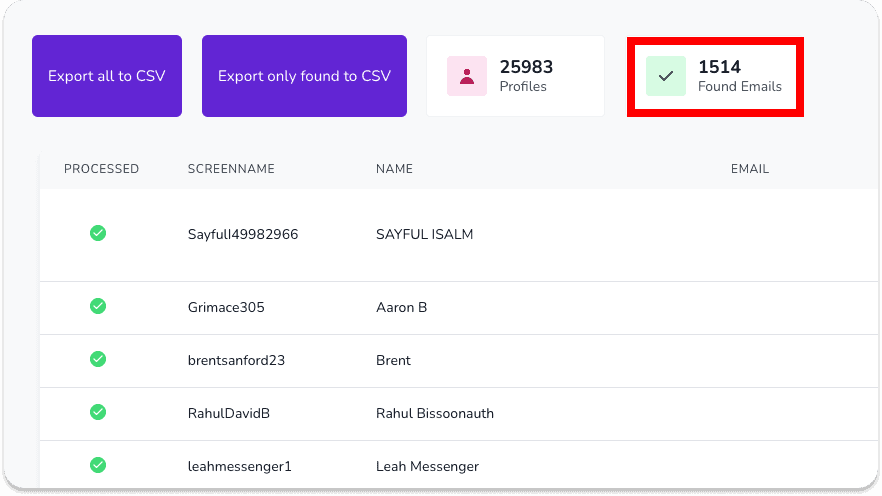
4 - let Scrapybird to its magic and get the CSV file
The enrichment rate of B2B emails on Twitter is pretty low but Scrapybird will charge you only for valid B2B emails found so no problem (1) and it will make you a hyper targeted list.
\
5 - get your CSV file and use the data for cold emailing or hyper personalized LinkedIn outreach
2°) use of Twitter advanced search to find viral tweets
Goal: building a precise prospecting list using Twitter’s search engine
Why it works: compare to LinkedIn, you can define your search way more
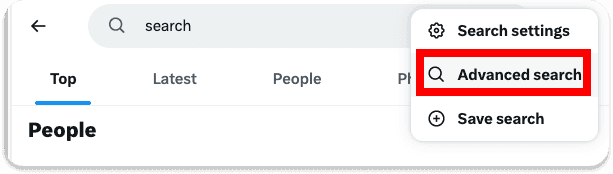
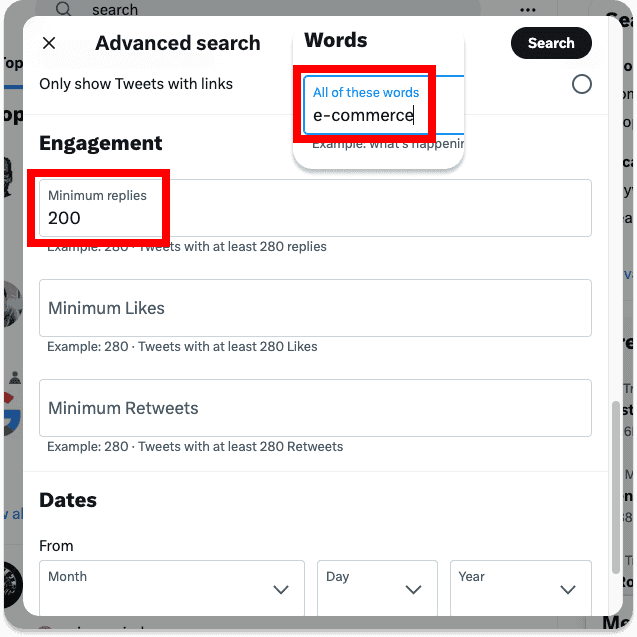
1 - Go to Twitter search and click on advanced search
The advanced search allows you to find tweets by a certain number of likes and replies but also to impose some conditions.
\
2 - Type a keyword related to your business and apply a minimum of replies and comments
\
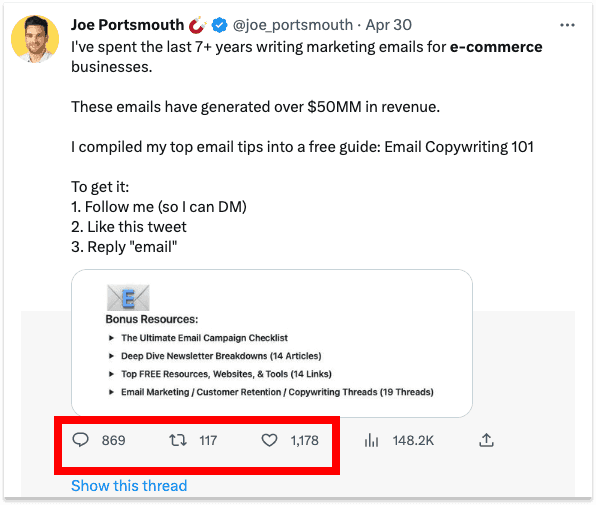
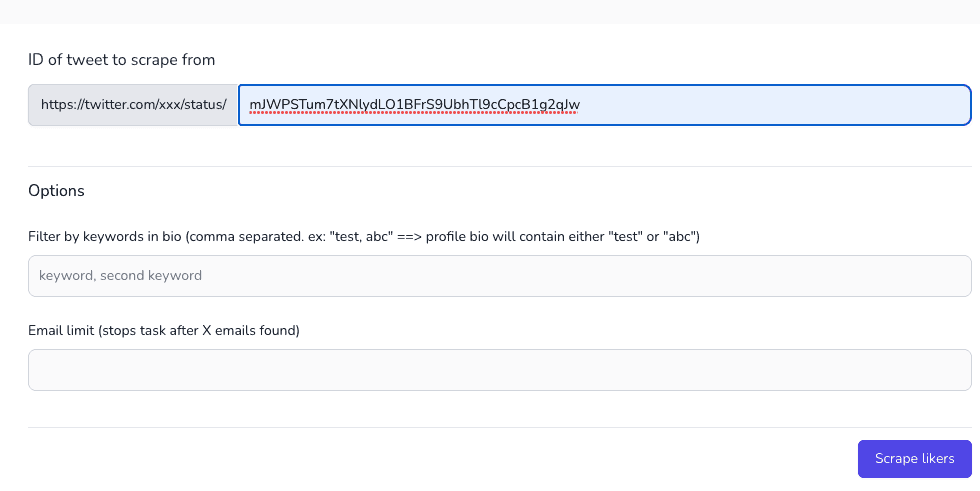
3 - pick a tweet that interest you and copy paste its URL in Scrapybird
\
4 - get your CSV file and use the data for cold emailing or hyper personalized LinkedIn outreach
\
Frequently asked questions

Written by
Arnaud Belinga · Co-Founder & CEO at Breakcold
Arnaud is the Co-Founder & CEO of Breakcold, the AI Native CRM for sales teams of 5 to 30+ people.