



How to SETUP your CRM CORRECTLY (Works for ANY CRM)
TL;DR: how to set up your CRM correctly (works for any CRM)
✅ Keep lists minimal: about four based on relationship type (Customers, Prospects, Partnerships, Network), not the 20+ lists that turn a CRM into chaos and get it abandoned.
✅ Let pipelines do the heavy lifting: build a journey with stages per list (Prospects: call booked, conversation started, ghosted, follow-up, won/lost; Customers: onboarding, check-in, referral ask, case study) instead of describing progress with more lists.
✅ Use tags for one category only: company type (agency, startup, scale-up) or company size, never process states like meeting booked or needs reply, which belong in the pipeline.
✅ Put everything else in custom fields: industry, plan, subscription start date, lead source, all filterable, clean and scalable, so your CRM matches your business without chaos.
✅ Integrate your stack: connect calendar and meetings, email and enrichment, and an AI note taker (summary, transcript, recording link) so the CRM becomes your single source of truth. Do this and you already use your CRM better than 90% of teams.
Most people have a CRM… but they don’t actually know how to set it up.
How do I know? Because I’ve been running my sales CRM Breakcold for more than two years now, and I’ve come across hundreds of prospects using their CRM completely wrong.
So in this article, I’m going to teach you how to do a proper CRM setup, so you can finally leverage your CRM to its full potential.
And the best part is: this works for any CRM.
By the end, your CRM will finally work for you, not against you.
Loading YouTube sends it your IP address and may enable cookies. This applies to this content only.
The #1 CRM Setup Mistake: Too Many CRM Lists
Alright guys, the first big problem I see in CRM setup is this:
People create way too many CRM lists.
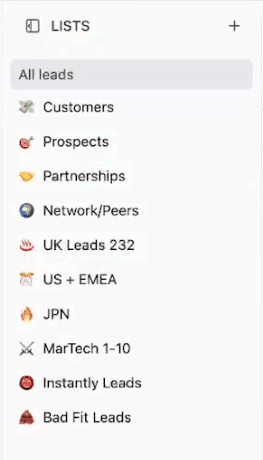
Basically, they try to make a list for everything.
a list for bad fit leads
a list for positive replies from their cold email tool
a list for follow-ups
a list for “maybe later”
a list for “warm leads but not really”
and the list goes on…
I’ve seen prospects (and even customers sometimes) with 20+ lists.
And honestly: it makes no sense.
It overcomplicates your CRM, makes it hard to find anything, and in the end… you stop using the CRM properly.
What you should do instead (in ANY CRM)
The goal of your CRM setup is to limit the number of lists, because there are much better ways to organize and differentiate leads inside your CRM.
No matter what business you have, there are always only four main categories of relationships:
Customers
Prospects
Partnerships
Network / Peers
That’s it.
These are the only lists you need.
Yes, you can tweak this a bit:
maybe you add one more list
maybe you remove one
But overall, this structure works for basically every business.
And there’s no real reason to have more lists… except in rare cases.
Use Pipelines to Build the Right Customer Journeys
Now here’s where it becomes powerful.
Instead of using lists to describe everything, you keep lists simple… and then you build a dedicated journey inside each list.
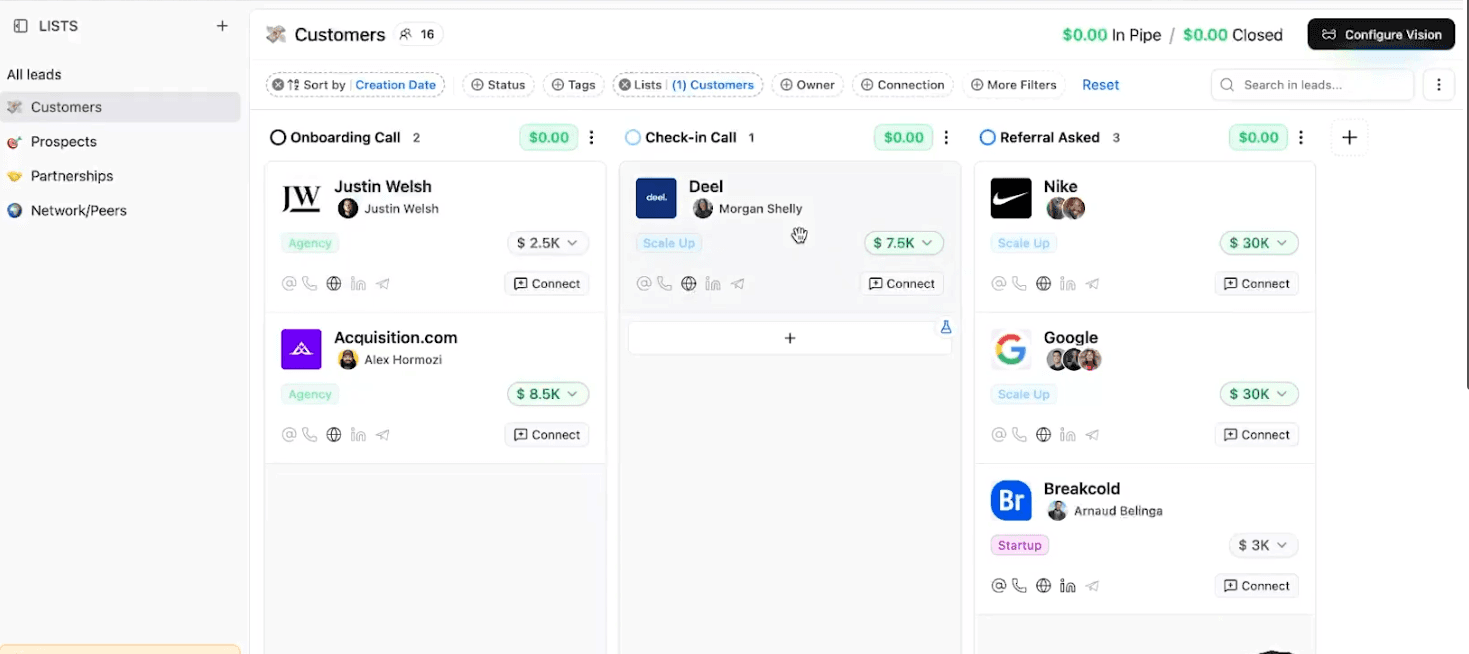
Customer pipeline example
Inside your Customers list, you could have a pipeline like:
Onboarding call
First check-in call
Referral ask
Case study request
This is a customer journey pipeline.
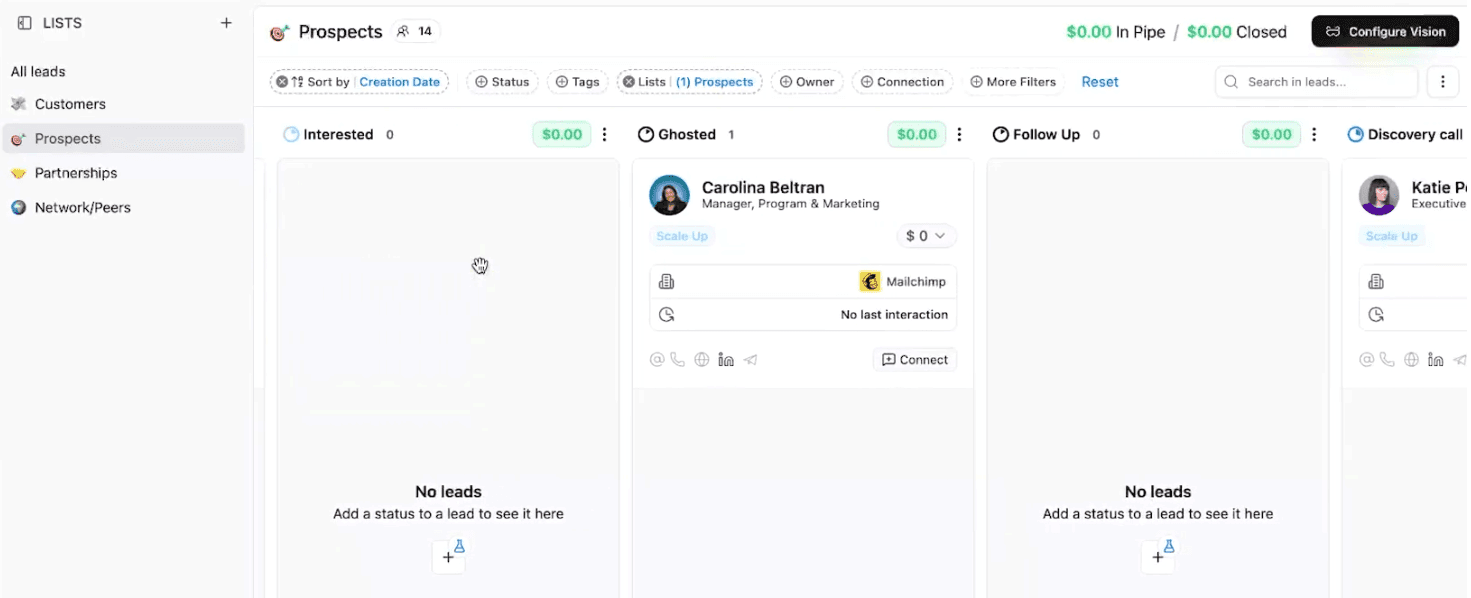
Prospect pipeline example
Inside your Prospects list, you’ll have a totally different pipeline. For example:
Call booked
Conversation started
Ghosted
Follow-up
Closed won / Closed lost
This is where you should manage progress.
So basically: pipelines** should do the heavy lifting**, not lists.
And once you set this up, you avoid the “too many lists” problem forever.
Tags: Use Them for ONE Thing Only
Now people ask me:
“Ok but how do I differentiate between startups, agencies, enterprise, company size, etc.?”
And this is where most people mess up their CRM setup.
They use tags for everything.
And that’s the worst.
What tags should be used for
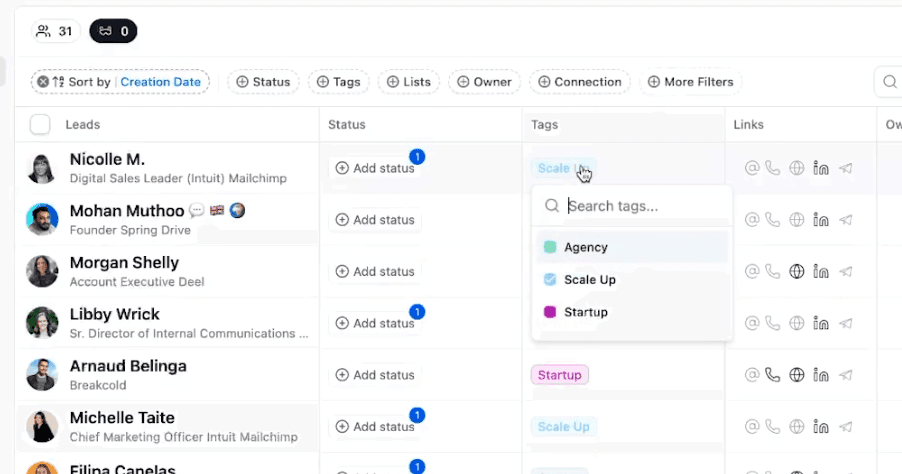
Tags are great to differentiate between types of companies.
For example:
Agency
Startup
Scale-up
But tags should NOT be used for things like:
meeting booked
to follow up
needs reply
waiting response
Because those are not “tags”.
Those are pipeline stages.
If someone booked a meeting, it should be a pipeline stage like:
Meeting booked
Not a tag.
Your CRM tags rule
You want to use tags for one category only:
Either company type (agency/startup/etc.)
Or company size (1-10, 11-50, etc.)
Or one other major category that matters a lot to your business
But don’t mix everything.
Because once you do that, you end up with 50 tags, and your CRM becomes unmanageable again.
Less is more.
Custom Fields: The Secret Weapon of CRM Setup
If multiple things matter for your business (and usually they do), then you should not create more lists, and you should not spam tags either.
Instead, you should use custom fields (also called custom attributes depending on the CRM).
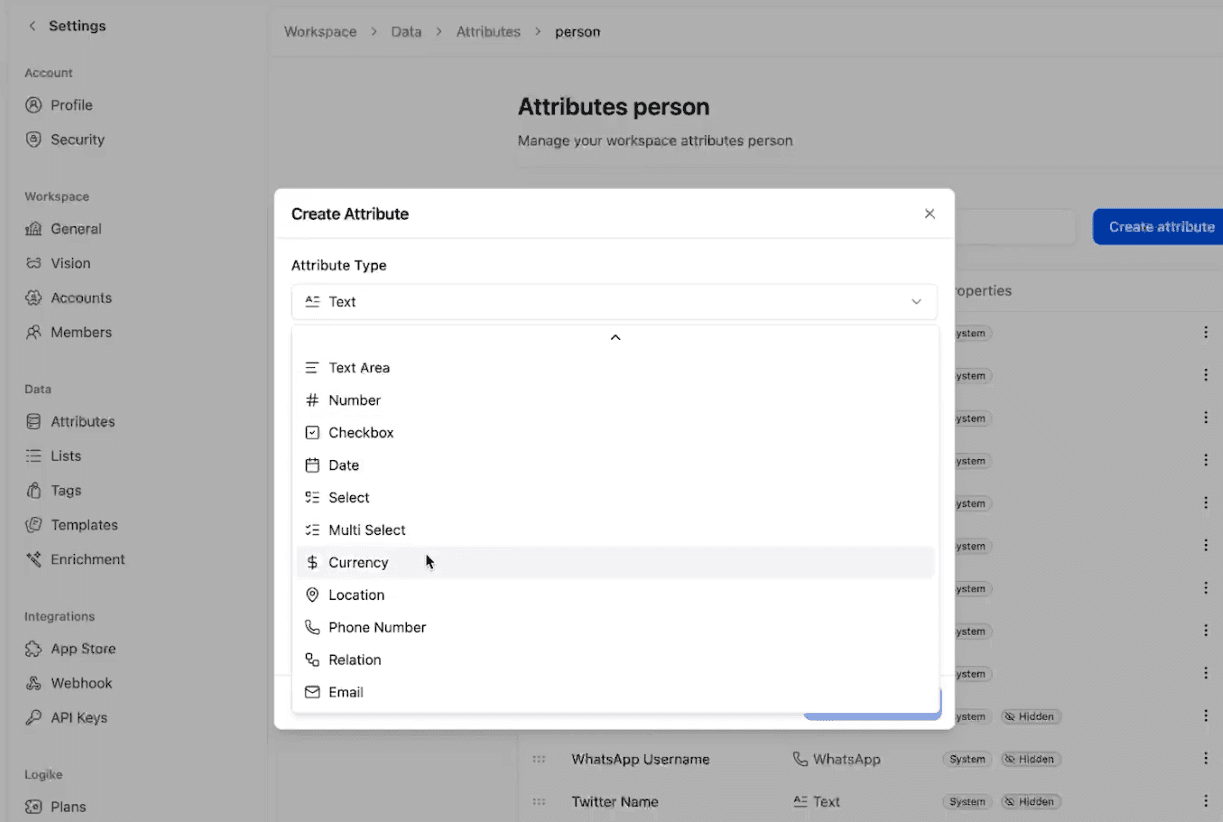
Why custom fields matter
If you open a lead in basically any CRM, you’ll see default fields like:
Name
Email
Company
etc.
But you can also add custom ones, and most importantly:
All these fields are filterable.
So you can filter leads super fast, without creating messy lists.
Example of a useful custom field
If you have a monthly recurring subscription business, you can create a field like:
Subscription start date
Type: date
And now you can filter and sort customers based on it.
How to set it up
In most CRMs, you go to:
Settings → Attributes / Custom Fields → Create Field
And then you choose:
text
date
number
dropdown
This part is what makes your CRM truly match your business.
So your CRM setup becomes personalized, without breaking your organization.
Integrations: CRM Must Be Your Single Source of Truth
The last key point for a correct CRM setup is integrations.
Your CRM should be your single source of truth.
But if it doesn’t integrate with your stack, you’ll constantly deal with missing data, manual copy/paste, disconnected tools… and again you’ll stop using the CRM properly.
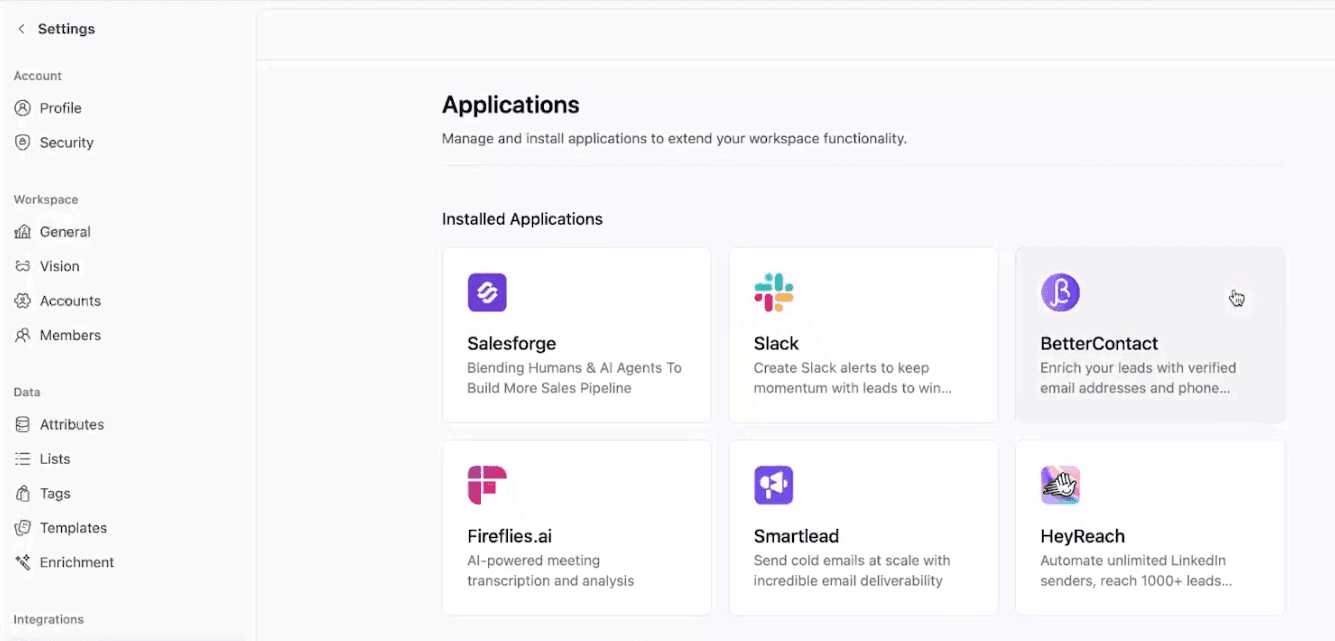
What your CRM should integrate with
You want:
native integrations with your tools
strong data integrations (email + phone enrichment, LinkedIn & other socials)
meeting sync (calendar)
And ideally also an AI note-taker integration, so your meetings are auto-synced into the CRM with:
summary
transcript
recording link
This is the dream setup because your CRM becomes alive automatically.
CRM Setup Recap (Do This and You’ll Beat 90% of People)
To summarize, a proper crm setup looks like this:
Nail your list organization
Keep lists minimal (customers, prospects, partnerships, network)
Organize your pipelines
Pipelines define the journey, not lists
Use tags correctly
ONE category only (company type OR company size)
Use custom fields for everything else
Make your CRM match your business, without chaos
Think hard about integrations
Your CRM must connect to your full tech stack
If you do this, you’ll already be above 90% of people when it comes to using a CRM properly.
Because most people have no clue how they should be structuring their CRM.
Frequently asked questions

Written by
Arnaud Belinga · Co-Founder & CEO at Breakcold
Arnaud is the Co-Founder & CEO of Breakcold, the AI Native CRM for sales teams of 5 to 30+ people.