



Instantly.ai Review (2026): the BEST Cold Email Software EVER?
TL;DR: is Instantly.ai the best cold email software? 🏆
🏆 Instantly: the tool that shook the cold email world in 2022 by making outreach at scale affordable, still moving fast past $40M+ ARR. Unlimited email accounts, built-in warmup, the SuperSearch lead database (with cheap company lookalikes), automations, unified inbox, website visitor tracking and Copilot AI agents, from $37/mo.
🟢 Ease of use: the easiest cold email software to learn, with a lightweight UI and a huge library of tutorials (the Instantly Accelerator), a breeze for beginners and power users alike.
🔵 Weak CRM: the built-in CRM is basically a Kanban view of your reply tags, not a system of record. Pair it with a dedicated CRM like Breakcold to actually track deals, which is why lead-gen agencies keep moving over.
🟠 Watch the cost: features are split across separate plans (email, CRM, website visitors, inbox placement, credits), so pricing can climb toward $400/mo if you use the full suite.
⚔️ Vs rivals: Smartlead wins on deliverability focus, Lemlist on personalization, Instantly on all-in-one scale, and it beats Apollo on price for pure outreach.
✅ Best setup: generate leads with Instantly, then close them in a real CRM.
I still remember January 2022, when Instantly launched. Something changed that day. They put a dent in the cold email space by introducing a new pricing model that made cold emailing at scale affordable for everyone 💥.
Since then, Instantly has become one of the dominant forces in the cold email software industry, maybe even the best 🤔.
Let’s find out in this review of Instantly.ai. I usually use Smartlead.ai, but for this review, I created an Instantly account to dive deep into all their features 🔍.
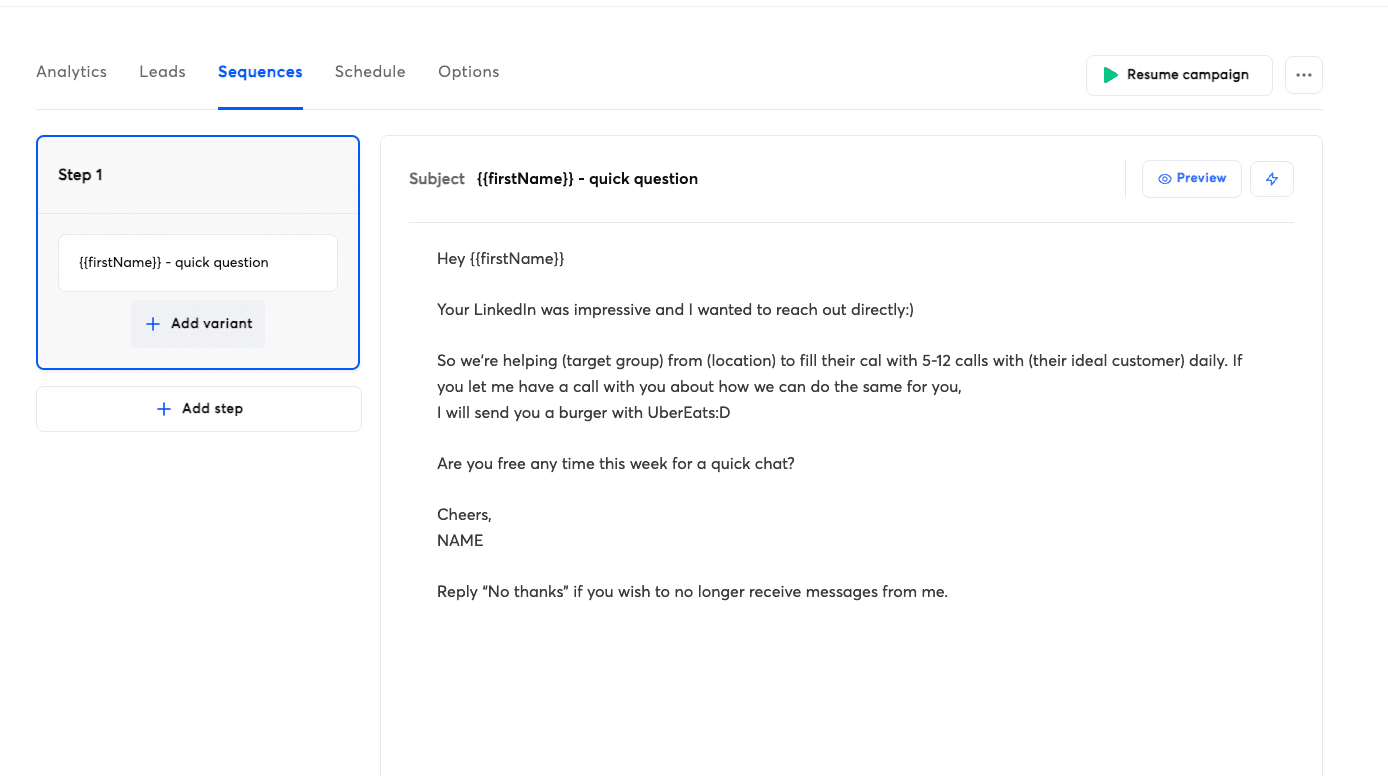
What is my opinion on Instantly.ai
I think Instantly is the EASIEST cold email software on the market. Their UI and UX are very easy on the eyes, which makes it the perfect cold email software for beginners 👀.
They pioneered cold email at scale and therefore fully master this game, so the software is very solid on that side 📬.
They are always one step ahead, if not two, of the competition, which makes them one of the most innovative cold email softwares on the market 💡.
I also heard that the founders are still working like madmen, even after reaching crazy ARR milestones above 40 million dollars in ARR. That is why Instantly stands out compared to other cold emailing platforms. The founders still have skin in the game and remain hungry, even after reaching a very comfortable ARR.
With that being said, let’s take a look at some clear pros and cons.
Pros & cons
Like anything, Instantly got some pros and cons.
PROS
Here are the main pros of Instantly:
Easiest cold emailing software to use 👌
Large volume of tutorials to learn cold emailing 📚
Unlimited email accounts and warm up
Flexible pricing, you upgrade based on what you need 💸
Advanced built in lead database with filters that are hard to get cheaply, like company lookalikes
20+ native integrations with most B2B sales softwares
Advanced features like Automation that do not exist in competitors
CONS
Here are the main cons of Instantly:
Can be a bit overwhelming as a first time user, with many, many features 😵💫
Every feature needs to be upgraded on a separate plan, which makes pricing scale very quickly if you want to fully leverage Instantly 💸
Weak CRM, not worth paying for. You’re better off using a dedicated CRM like Breakcold or another one 🗂️
Lead database called SuperSearch can be expensive, even if you use your own API credits to find emails, which is a big con in my opinion
2°) Key Features of Instantly
Instantly has a lot of features, with Lemlist, it's probably the cold emailing software with the most features on the market.
Unlimited Email Accounts
This one is a classic.
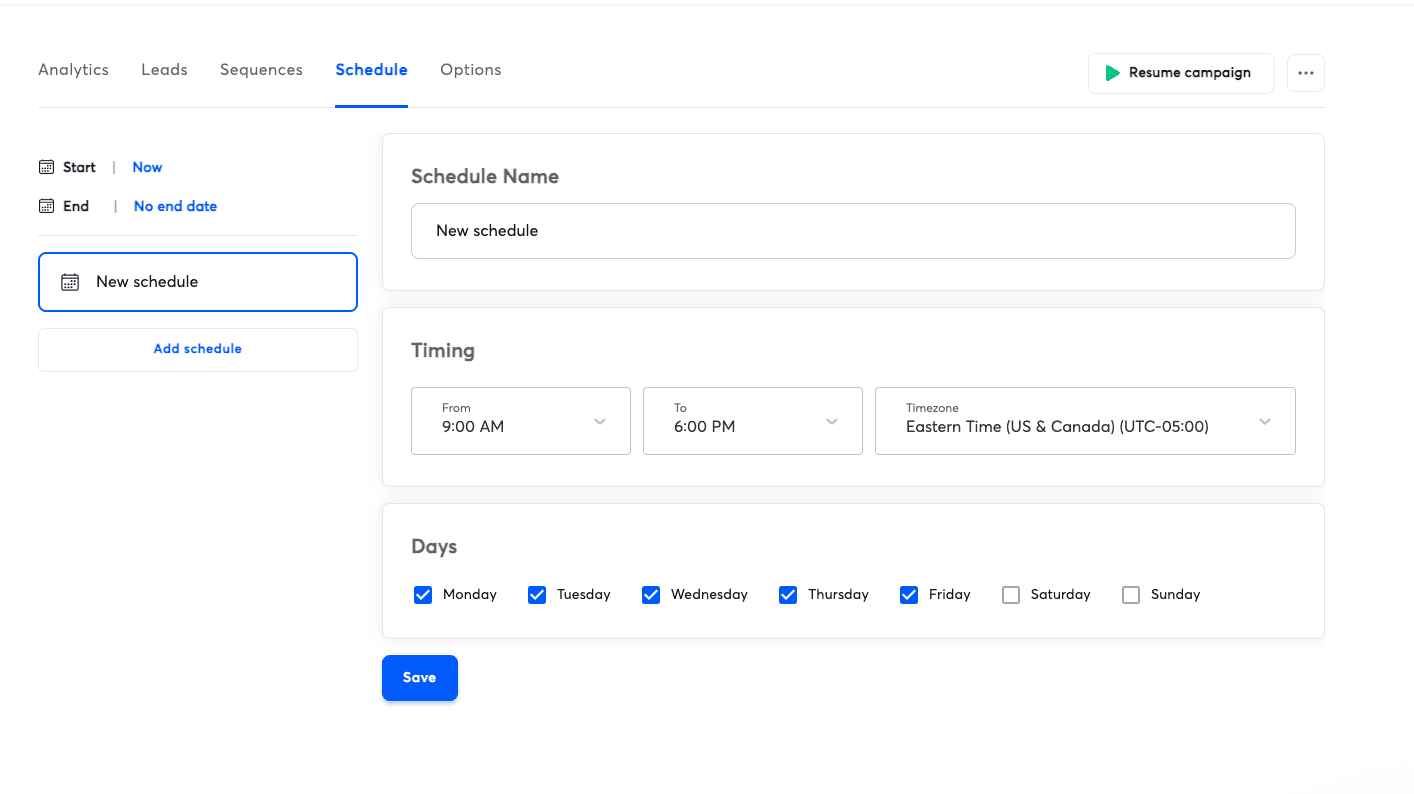
For just **$37 **per month, you can connect unlimited email accounts to your leads 💸.
This concept was introduced by Instantly and badly hurt older players like Mailshake or Woodpecker ⚔️.
With most other cold email softwares, you usually need to pay per email account or per user 📧.
Unlimited Email Warm Up
In the past, you had to pay for separate softwares to warm up your cold email domains 🔥.
Back then, I think only Lemlist had built in warm up (they actually created the warm up concept), which gave them a huge advantage.
Instantly smashed the market by offering built in email warm up that automatically applies to every email account you connect 📬⚙️.
Lead Database (SuperSearch)
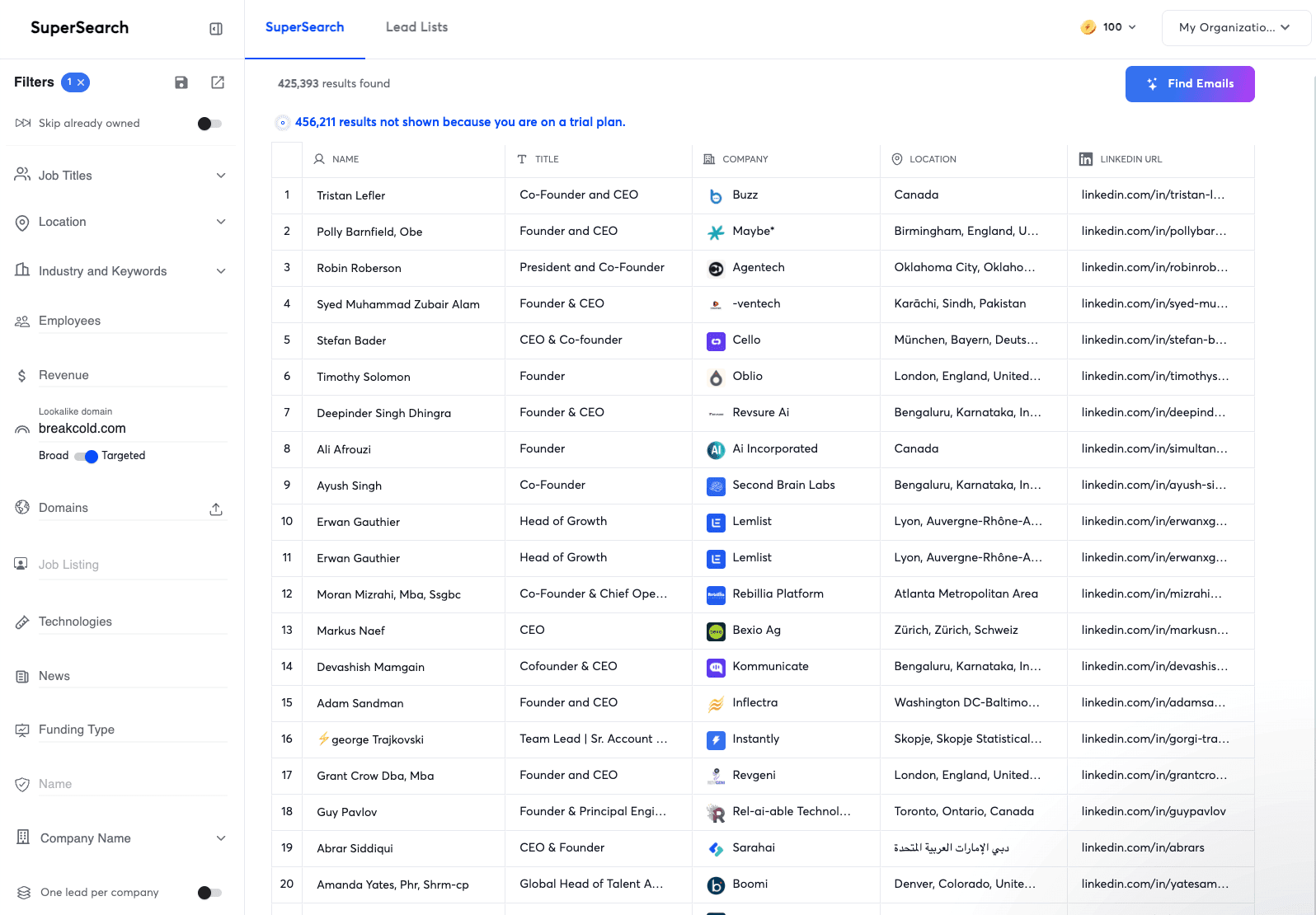
Instantly added along the way its own lead database named SuperSearch.
SuperSearch is not on the same level as Apollo or LinkedIn Sales Navigator, but I’d rank it above Smartlead’s lead database 📊.
What I liked about it were two things:
You can use company lookalikes, which is usually very expensive with tools like Ocean.io, and here you get it for pennies 💰
You can filter your searches to one lead per company. This sounds basic, but it’s extremely helpful and shows that Instantly truly has a cold emailing mindset. They add practical features to SuperSearch 🎯
CRM
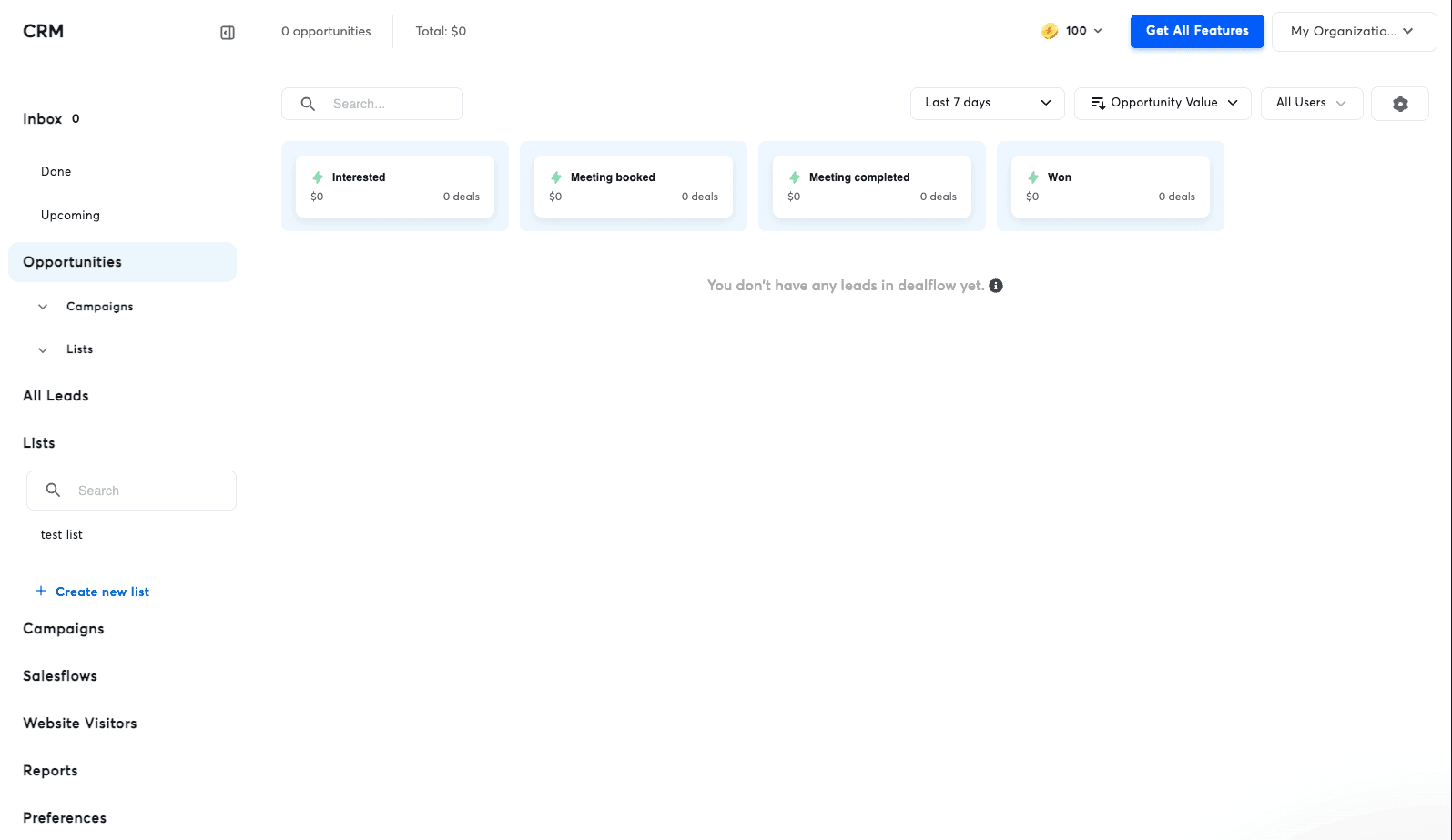
I heard in the space that it’s the one feature they regret releasing and that they expected it to be much simpler 🤦♂️.
I’m not surprised. Running an AI sales CRM myself, I know how tough it is to build a proper CRM 🧠.
Instantly’s CRM is pretty basic. It’s mostly a kanban view correlated with your tags in your cold email campaigns. It’s useful if you don’t need a real CRM and just want to manage cold email replies and see some basic stats, but it shouldn’t really be called a CRM in my opinion 📋.
We also have many customers coming from Instantly because they need a dedicated CRM to properly manage their positive replies, for example 📈.
Auto-setup of Email Accounts
One of the biggest pains in cold emailing at scale was setting up email accounts. It used to take hours ⏳.
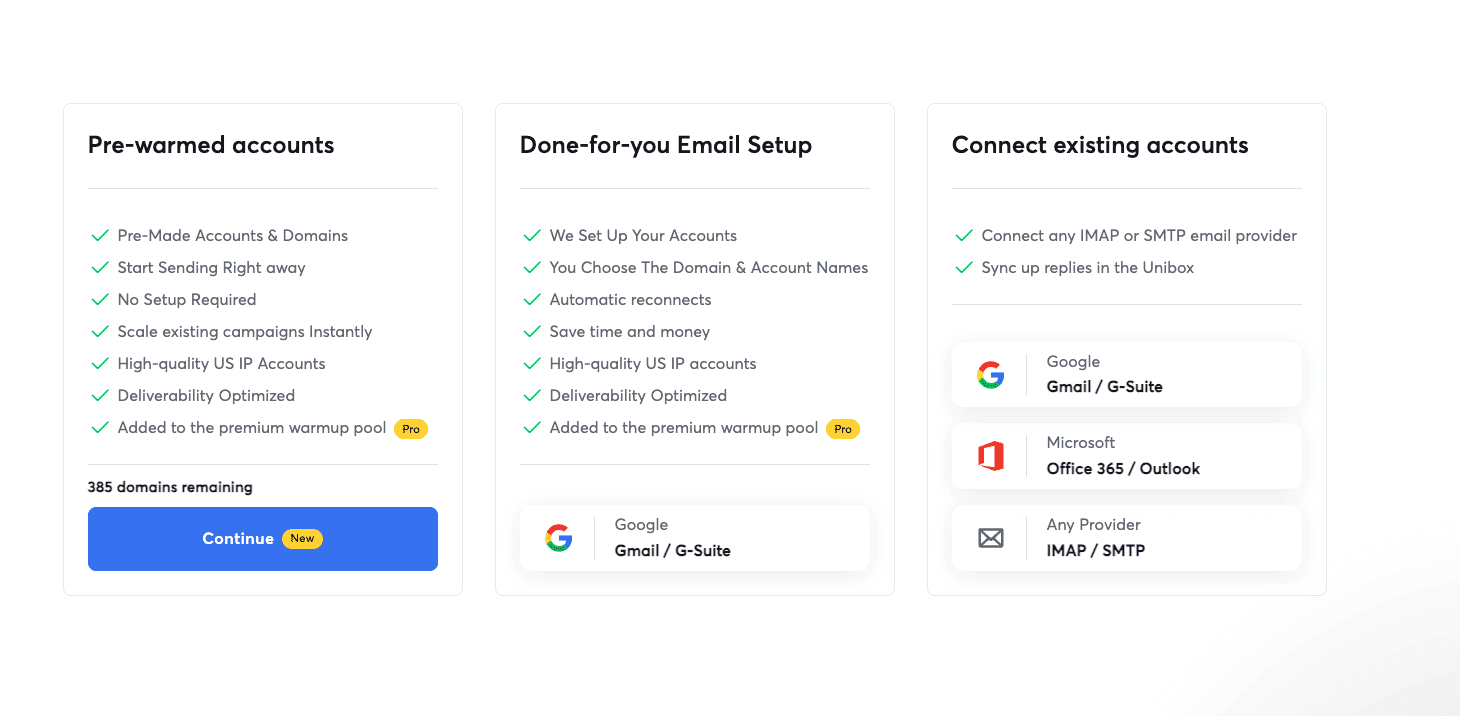
Instantly solved that problem by helping you buy and set up your cold email domains in one go ⚙️.
They are obviously not doing that for free, and you’ll pay a small premium for the service, but for most beginners, it’s a no brainer 👍.
Unified Inbox
If you connect 200 cold email accounts to your Instantly campaigns, it can quickly become a problem to manage replies coming from 200 different inboxes 📥.
Fortunately, you get a unified inbox to manage all replies from one single place, which is pretty useful 🗂️✨.
Automations
If you have ever done cold emailing in your life, you probably used Zapier or Make to push positive replies from your cold emailing tool to your CRM or another B2B sales software, right 🔄?
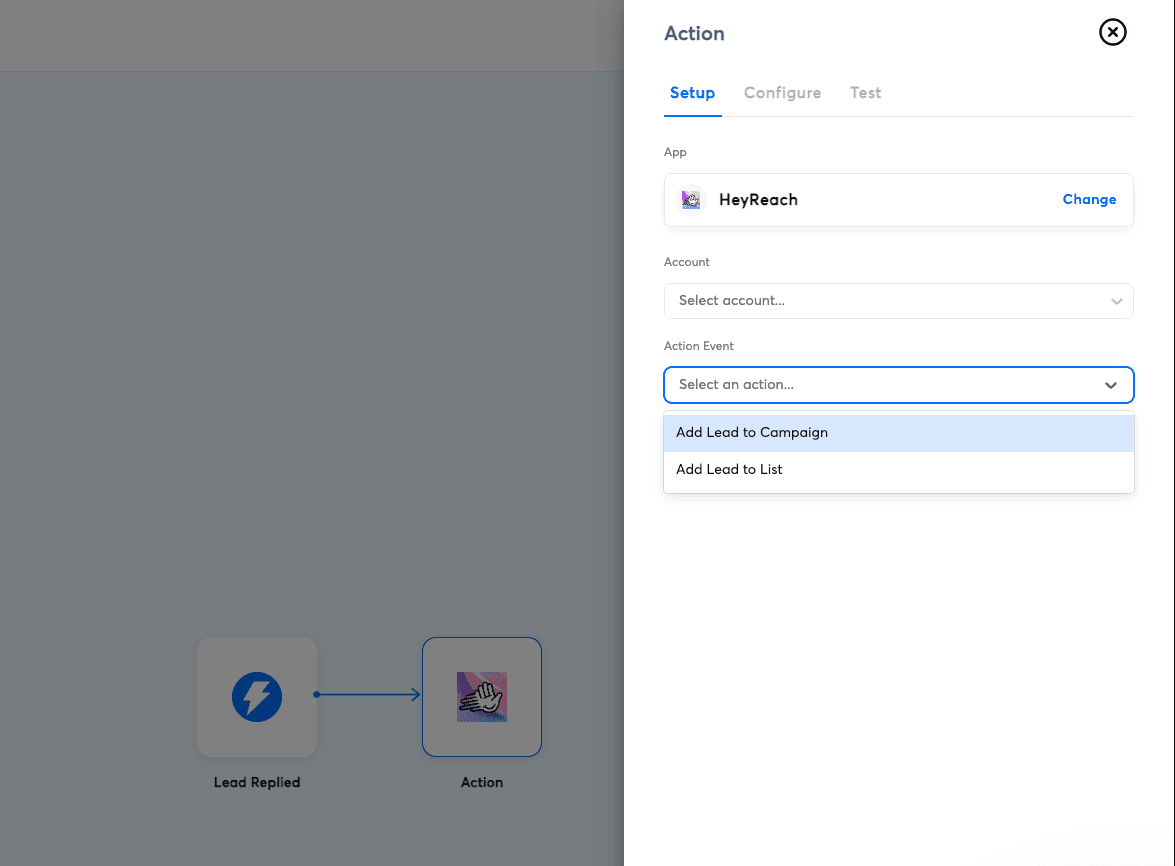
It’s a basic workflow. Step one is usually to catch a webhook to get the data from a trigger in the cold email software, and step two is to push that data into a B2B sales tool. Still, many beginners are not able to make this workflow work and therefore never upgrade to Zapier or Make 🤯.
To solve that, Instantly built its own automation system. This way, with a simple two step workflow, you can push leads from Instantly to HeyReach for example. Very clever ⚙️.
Website visitors identification
RB2B was the B2B sales software that made headlines in late 2024 and 2025 for growing rapidly by identifying anonymous visitors 👀.
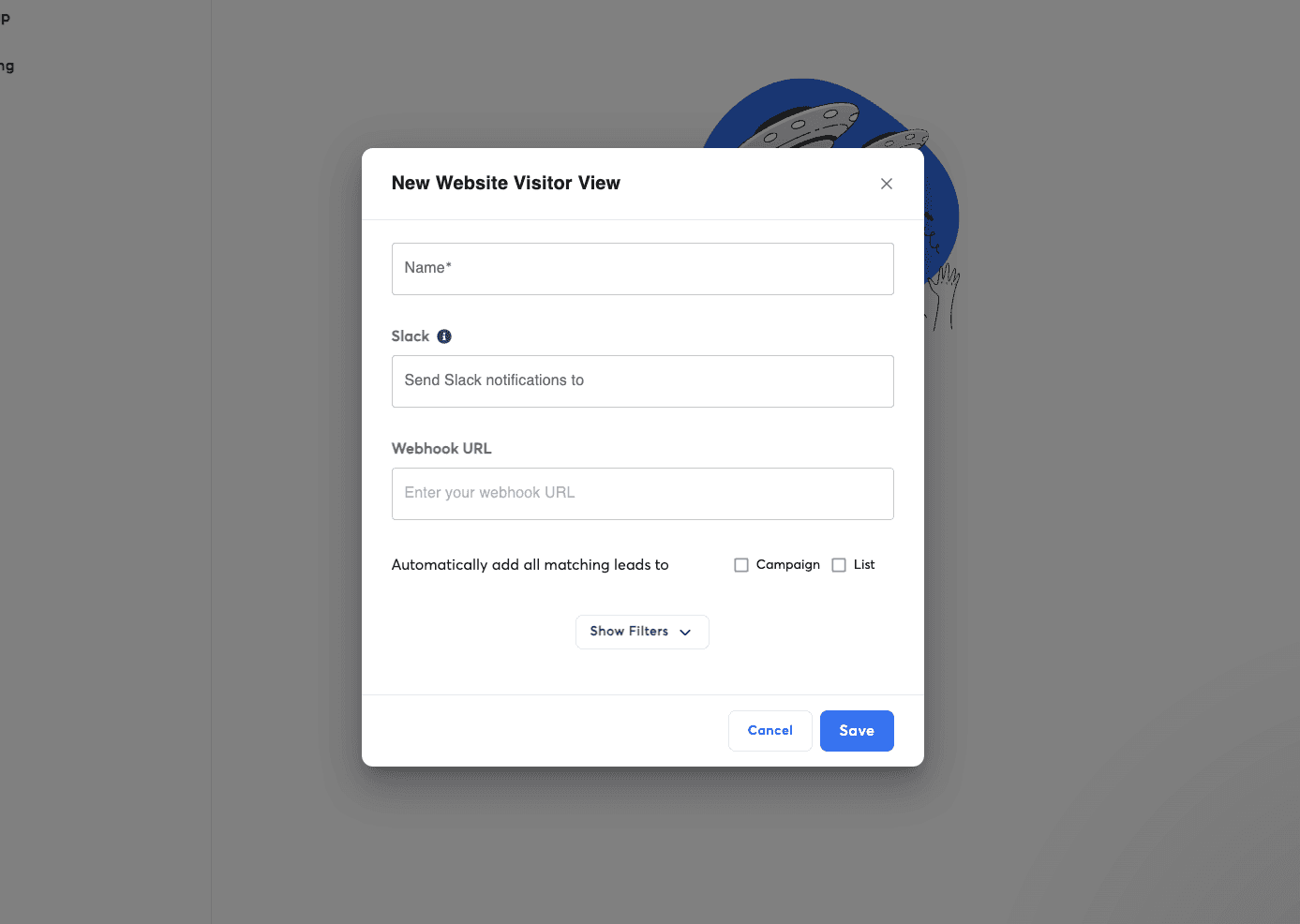
Not only did Instantly build a native RB2B integration, but they went even further by building their own system ⚙️.
That way, you can push qualified leads who visit your website directly into Instantly campaigns 🚀.
Fun fact: RB2B was added later as a native integration.
Cold Email AI Agents with Instantly Copilot
If you don’t like managing cold email replies and running conversations, you can delegate that to AI 🤖.
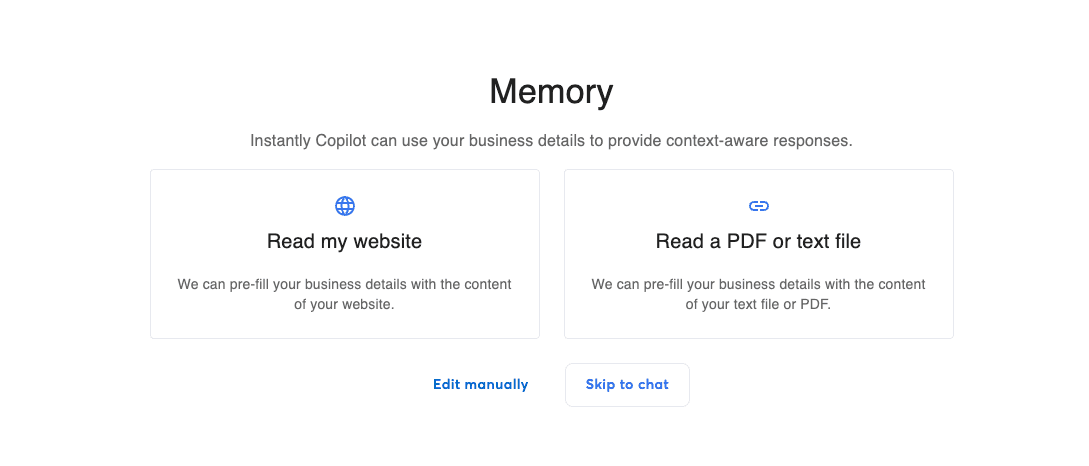
First, set up Instantly Copilot and give it information about your business using your website content or a PDF file. From there, Instantly Copilot will create tasks directly in your Instantly dashboard so you don’t have to think about what to do next 🧠.
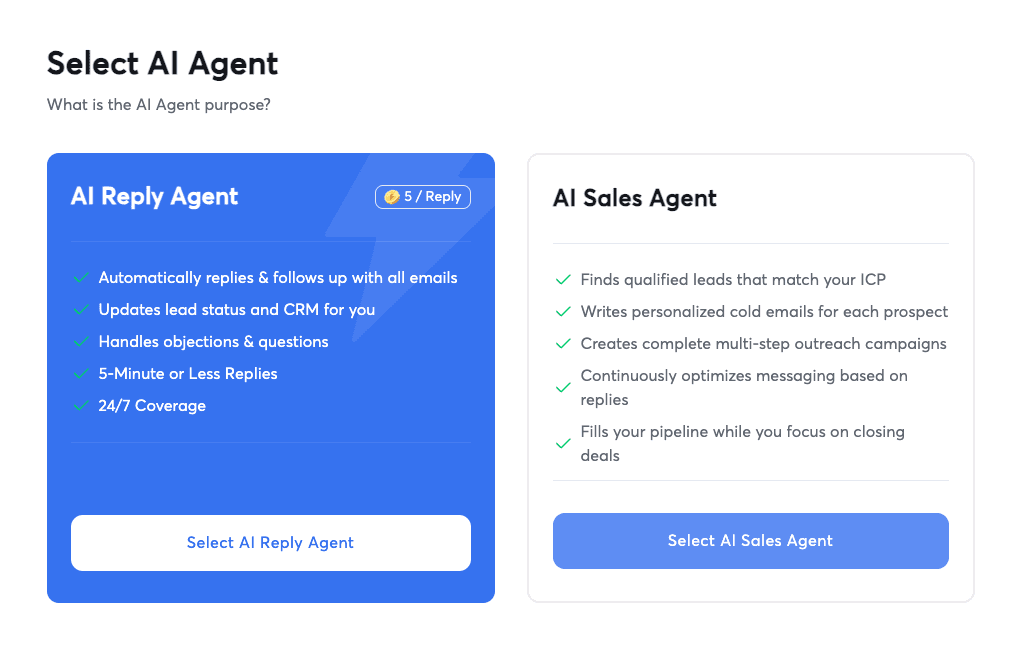
Second, you can use Instantly’s agents. There are two types of agents:
AI reply agent: automatically replies and follows up on all emails 📬
AI sales agent: finds qualified leads that match your ICP and writes personalized cold emails for each prospect
Workspaces
If you’re a lead generation agency, you probably need to run campaigns for multiple clients 🧑💼.
Therefore, the usual workflow is one workspace per client 📂.
For a premium, you can get multiple workspaces in Instantly, which is perfect to run campaigns at scale and grow your agency 📈.
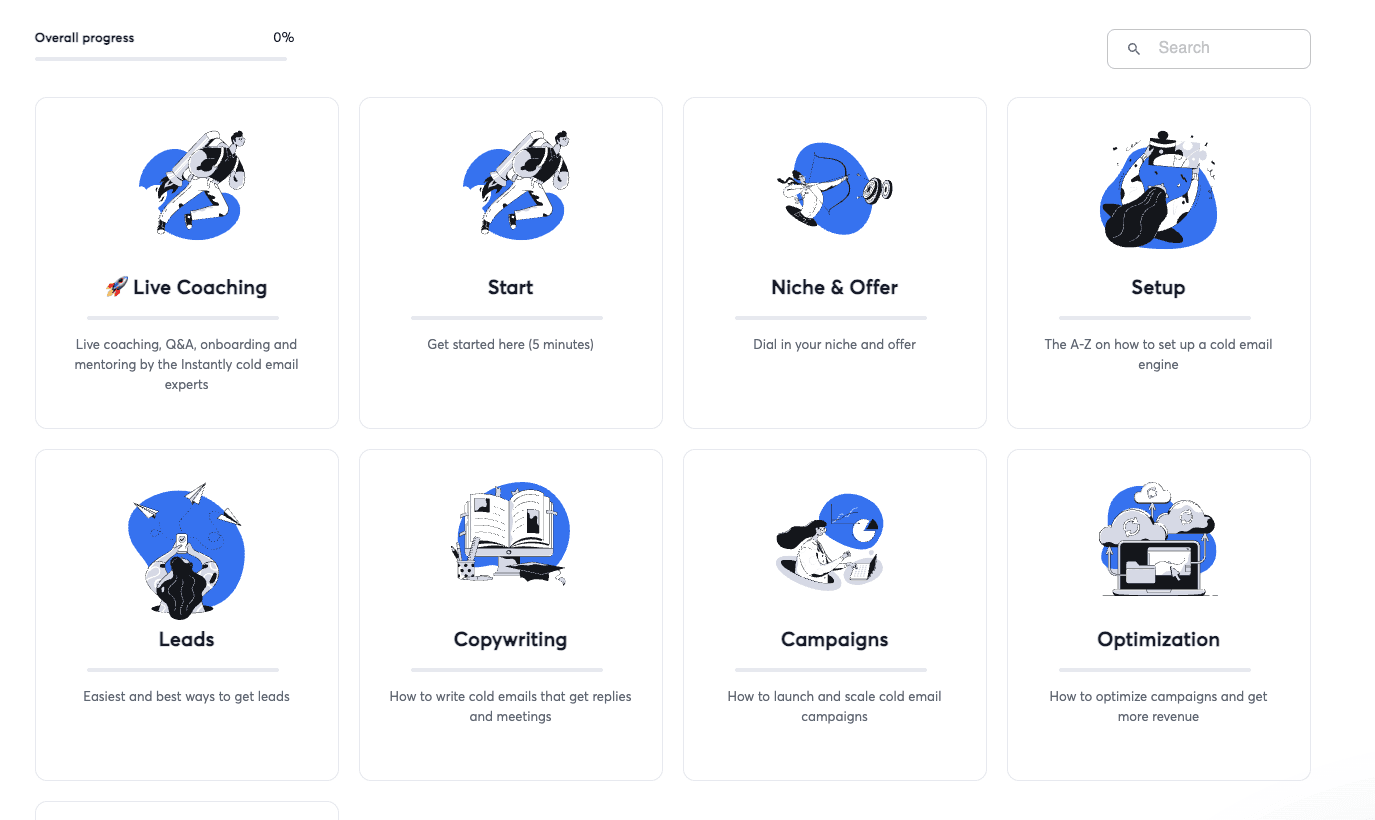
Endless Cold Email Tutorials (Instantly Accelerator)
During their growth in 2023, Instantly released a crazy amount of tutorials on both their YouTube channel and on X 📺.
At some point, they turned all that content into an Instantly accelerator located directly inside Instantly 🧠.
If you know nothing about cold emailing, it’s the perfect place to learn it 🎓.
Integrations of Instantly
Instantly has native integrations with the most used B2B sales softwares on the market such as:
…and many more 🔌.
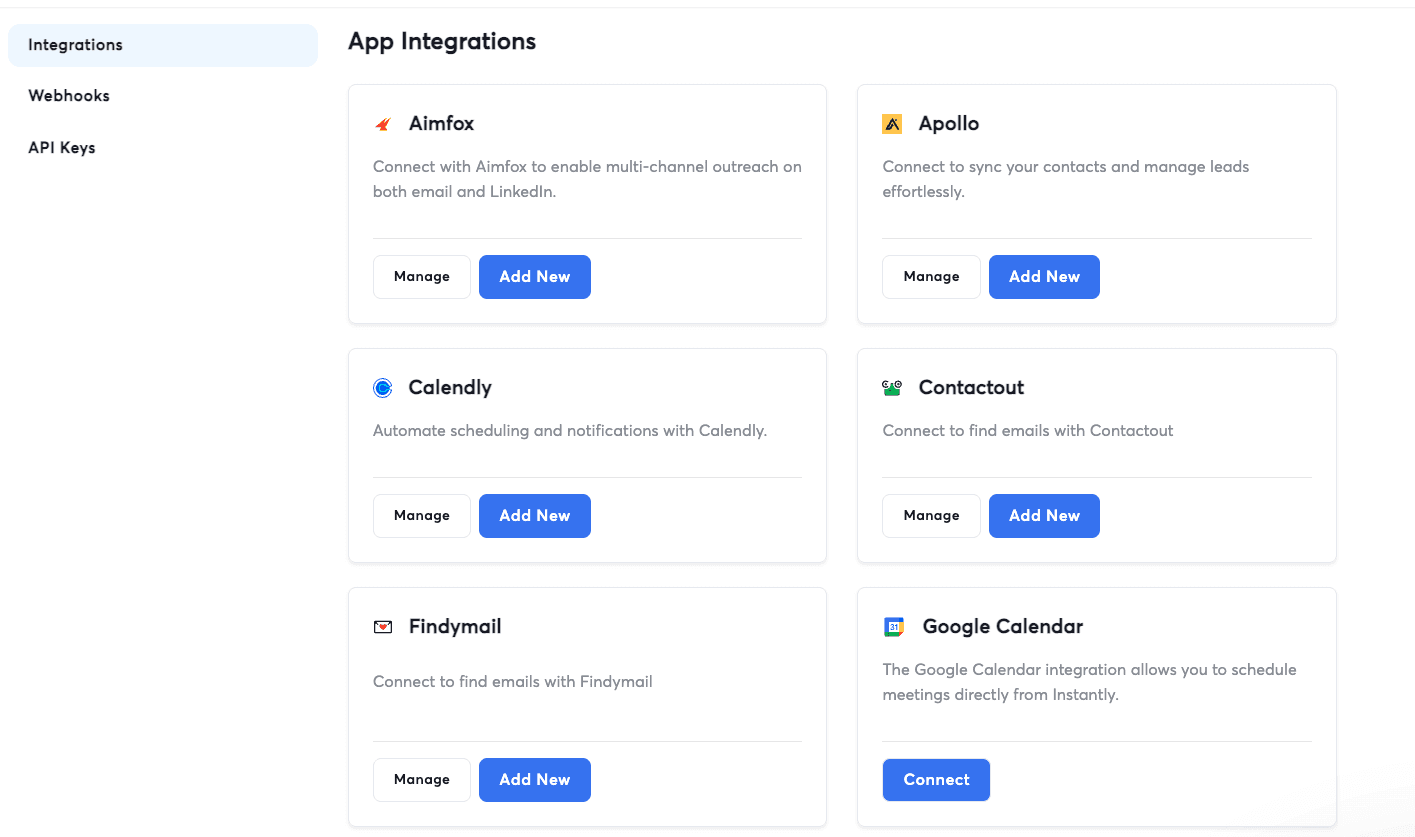
What’s funny is that they even have native integrations with direct competitors like Smartlead or Lemlist. This is probably to allow you to migrate your data easily from one software to another 🔄.
Instantly also has external integrations with tools like Breakcold. For example, you can push your CRM contacts directly into an Instantly campaign in one click, either manually or automatically 🎯.
Loading YouTube sends it your IP address and may enable cookies. This applies to this content only.
Pricing
The pricing of Instantly used to be simple, but now that they have so many products, it’s quite a mess. That said, it’s still structured enough to be understood 🤯.
They have plans for:
Email Outreach: from $37/mo to $358/mo, giving 1,000 to 100,000 uploaded contacts. This is the only plan you need to send cold emails 📧
CRM: from $47/mo to $97/mo, with calling and SMS included in the $97 plan
Website Visitors: from $97/mo to $397/mo, giving 500 to 5,000 credits per month to identify website visitors 👀
Inbox Placement: from $47/mo to $97/mo, offering advanced deliverability tests
Instantly Credits: from $9/mo to $1,700/mo, used to enrich leads found in the lead database, run waterfall email enrichment, and power Instantly Copilot and AI agents 🤖
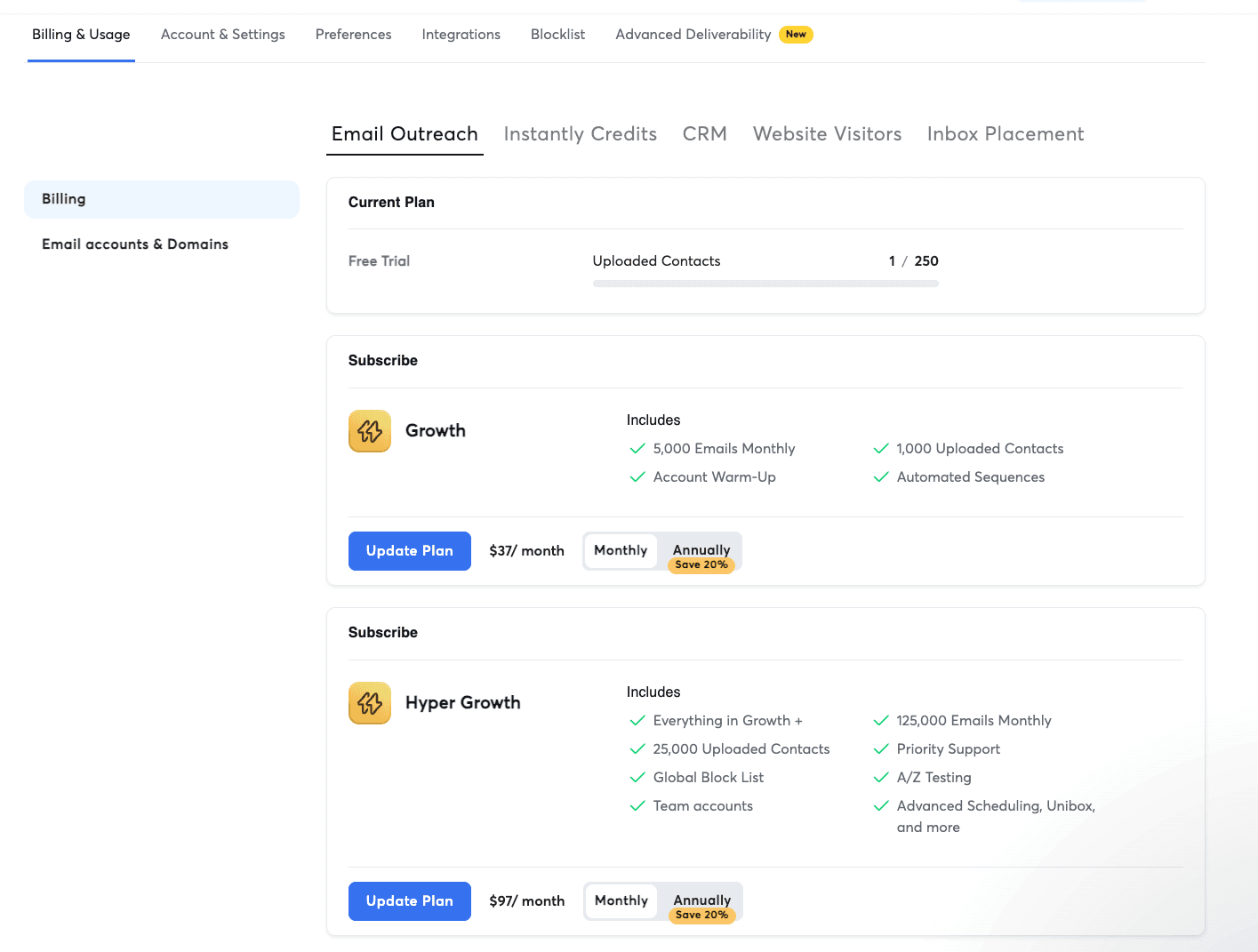
As you can see, pricing can scale quickly. You can very rapidly reach $400 per month if you want to leverage Instantly to its fullest.
But it’s fair when you realize that a full cold email stack from start to finish usually costs between $200 and $1,000 per month for a beginner, depending on how many cold emails you’re sending.
How Instantly compares to its biggest competitors?
Instantly vs. Smartlead
This one is tough ⚖️.
I personally use Smartlead because I love their focus on email deliverability and inbox placement 📬, which is not the case with Instantly as they expand into many different areas of B2B sales.
But if you need a full B2B sales prospecting platform where you don’t have to juggle between multiple sales softwares, then Instantly is the answer to your problems 🧩.
Instantly CRM vs. Breakcold (on the CRM side only)
If you start getting serious leads and run a proper business that makes money, having a CRM becomes mandatory 🧠.
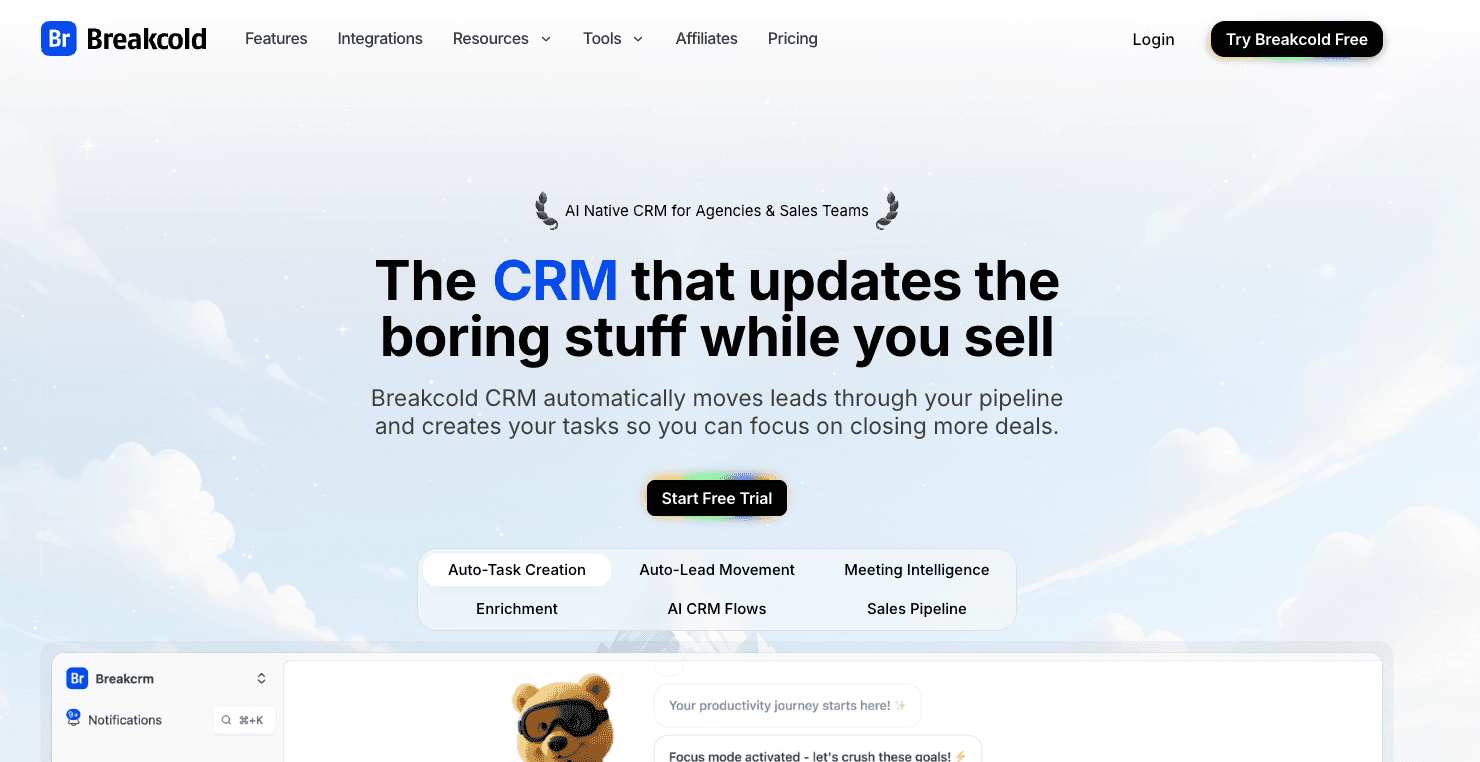
Unfortunately, Instantly’s CRM is designed to manage cold email replies and nothing else. That’s why we see so many lead generation agencies and sales teams moving to Breakcold or other tools to get a proper CRM 📊.
What I usually say is simple: generate leads with Instantly and close deals with Breakcold 🤝.
Instantly vs Lemlist
I think Lemlist hates Instantly, I truly do haha 😅.
Realistically, Instantly killed their growth for about a year and absorbed a large part of their former Facebook community.
But I think that was actually a blessing. Thanks to that, Lemlist built its own path and stayed true to its goal of making cold emails personalized, and not at scale like Instantly 🎯.
If you need a multi channel prospecting software for your sales reps as a replacement for Outreach or Salesloft, you pick Lemlist 📞.
If you need a cold email software to blast cold emails to tens of thousands of leads per month, you pick Instantly. This is how I view it 📬.
Instantly vs. Apollo
Instantly wants to fight Apollo by adding more and more features, but it is still far from being able to kill them ⚔️.
Nevertheless, considering its current feature set, I’d say it’s better to pick Instantly instead of Apollo. It will be cheaper and you’ll get better results on your prospecting campaigns 📈💰.
Frequently asked questions

Written by
Arnaud Belinga · Co-Founder & CEO at Breakcold
Arnaud is the Co-Founder & CEO of Breakcold, the AI Native CRM for sales teams of 5 to 30+ people.