



How to Never Miss a Follow Up (2026 Tutorial)
TL;DR: never miss a follow up by letting an AI CRM agent create the tasks for you
✅ Follow up is basically free money: reviving half of the leads who ghost you can nearly double the revenue you close from the same pipeline.
✅ Ghosting is normal, people get busy and forget, so the fix is a system that does the remembering for you instead of your memory or a spreadsheet.
✅ AI CRM agents watch your email and LinkedIn conversations and auto create follow up tasks, only for warm leads who actually replied.
✅ Best follow ups are short, casual, and human, a quick bump to restart the conversation, never a long essay.
✅ Breakcold: the AI Native CRM for sales teams of 5 to 30+ people. AI agents handle the admin (move deals, log activity, create tasks), it connects to Claude and ChatGPT via native MCP, and it syncs LinkedIn, email, WhatsApp and Telegram into one pipeline. At 5 seats Breakcold is $139/mo, where a traditional CRM runs $300 to $500/mo.
If you don’t follow up with prospects, you’re literally losing clients 😬.
Most people are actually pretty good at generating leads.
They know how to run ads, make content, send cold emails, do LinkedIn outreach, get referrals, whatever.
But… they’re terrible at the closing part.
And the number one reason is not that your offer sucks. It’s not even that your leads are bad.
It’s simply this:
You don’t work your leads enough. Not because you’re lazy. Not because you don’t care. But because it’s insanely hard to keep track of everyone you need to follow up with 🧠.
You have messages everywhere, emails everywhere, DMs everywhere. Some people replied once and vanished. Others said “I’ll get back to you” and disappeared for 2 weeks. Some were super warm and then got busy and forgot.
So in this article, I’m going to show you step by step how to build AI CRM agents that automatically create follow up tasks for you, so you never miss a follow up again ✅.
Loading YouTube sends it your IP address and may enable cookies. This applies to this content only.
Why following up makes you way more money (like… instantly)
Before I show you how to build those AI CRM agents, you need to understand the impact of follow-ups on your revenue.
Because most people don’t realize that follow-up is basically free money.
Let’s take a simple example.
Imagine you have 50 interested leads.
Not random leads.
I mean real leads. Highly qualified. People who actually showed interest in your product or service.
Now you already know what happens next.
They ghost you.
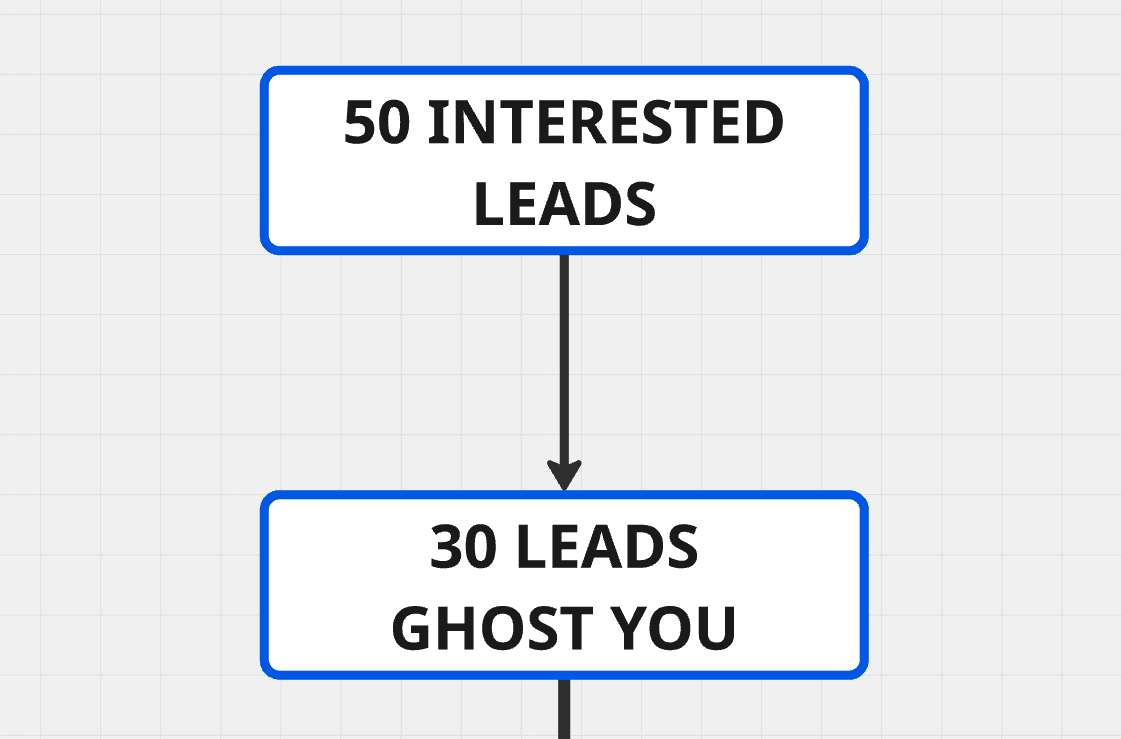
It can happen after their first reply like:
“Sounds interesting!”
And then they vanish.
Or it can happen in the middle of the conversation.
Or after they ask for pricing.
Or right after they said:
“Let me check with my team.”
Ghosting is normal.
And honestly, it’s not even personal.
People are busy. They forget. They get distracted. They open your message while doing something else. They tell themselves they’ll reply later… then they never do.
So realistically, half of them will disappear at some point.
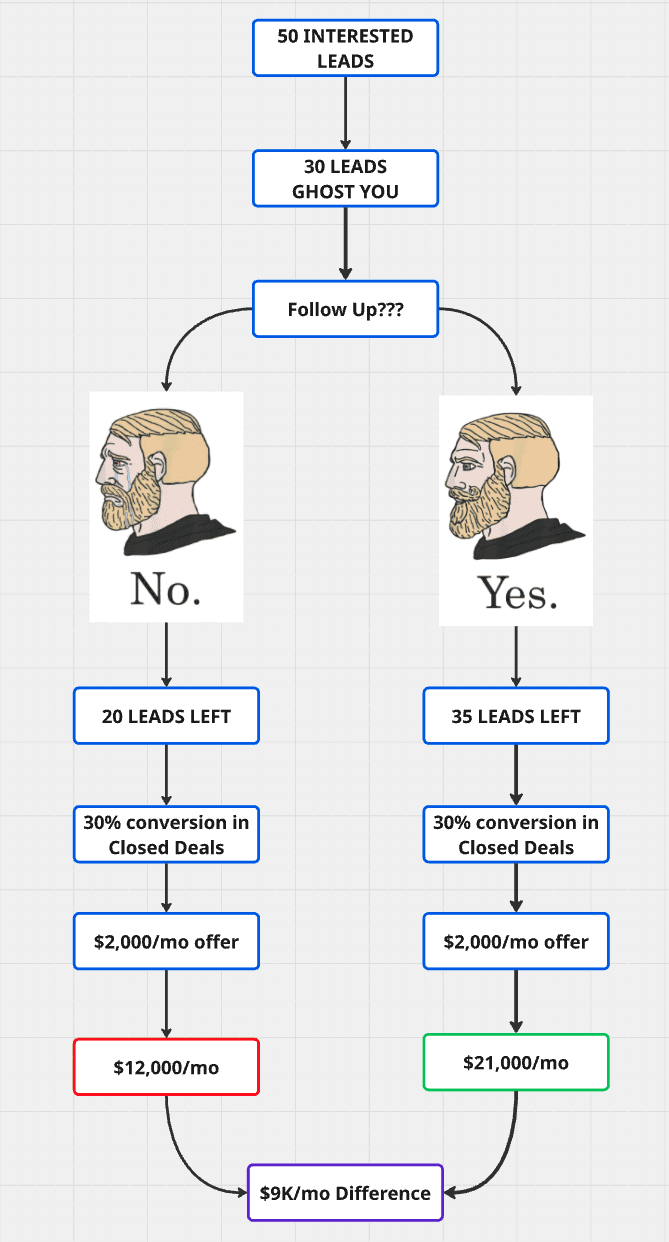
That means that out of 50 warm leads, you might only have 20 left actively replying.
Now here’s where everything changes.
You have two options:
Option 1: You do no follow-ups
If you don’t follow up, you accept the ghosting.
So you stay with 20 active leads.
Option 2: You follow up consistently
If you follow up, you don’t magically revive everyone.
But you will revive a lot of people.
Usually, you can get back around half of the ghosters, sometimes more.
So instead of staying with 20 leads, you might go back up to 30–35 leads still in play.
And that’s massive.
Because if your conversion rate stays the same, you’re simply increasing the number of people who reach the finish line.
Let’s say your offer is $2,000/month.
If you do no follow-ups, maybe you close like $12,000/month.
If you follow up properly, you can almost double that.
It becomes something like $21,000/month.
That’s a $9,000 difference per month.
Just because you followed up.
No new marketing channel. No new leads. No better targeting. No magic hack.
Just doing what you were supposed to do.
And that’s why follow-up is one of the highest ROI activities you can do in sales.
Alright.
Now let me show you how to actually do it with AI CRM agents.
Step 1: Create your Breakcold workspace
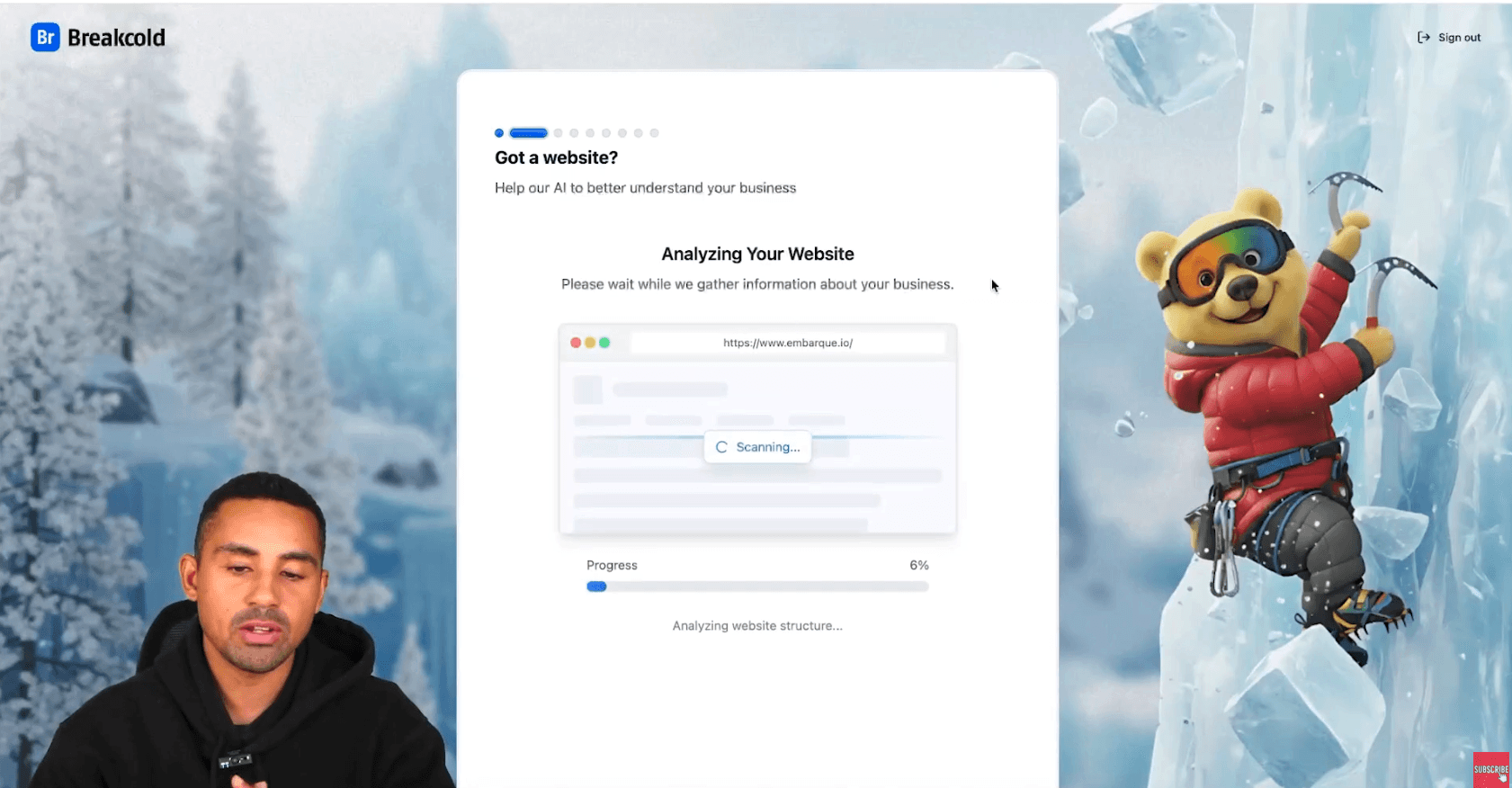
First thing you’re going to do: go to Google and type Breakcold.
Click Breakcold.
Then click Try Breakcold Free (or click the link in the description).
Sign up with your email, and you’ll land on the onboarding flow.
And the onboarding is important because it helps the AI understand your business so it can generate better follow-up behavior automatically.
For this example, we’ll pretend we run an SEO agency called Embarque.
So we do the onboarding like we’re that agency and offer LLM rank tracker solutions.
Onboarding settings (example)
Traffic source: YouTube
Website: enter your site
(If you don’t have a website, it’s fine, you can skip. But having one helps the AI analyze your business.)Business description: I recommend doing it with voice because it’s faster
For example:
“We’re an SEO agency for B2B startups. We help them grow with SEO and content, including content that ranks on LLMs like ChatGPT and Perplexity.”
Then click continue.
Describe your sales process
So here you describe how you get leads and how you close.
Example:
“We generate leads through our landing page, Twitter, LinkedIn, and content. Leads go to our website and book a call. We also get referrals from partners through word of mouth.”
Then continue again.
Choose your channels
This part is important.
You pick the channels you use for follow-up.
If you sell in Web3, maybe you follow up in Telegram.
If you do a lot of calls, choose calling.
In my case, I pick:
Email
LinkedIn
Then I skip invitations.
And now the AI needs a few seconds to analyze everything and generate the best agent suggestions.
Step 2: Connect your accounts (this is mandatory)
Now that the AI analyzed the business, here’s the most important step:
You have to connect your accounts.
Because the AI can’t create follow-up tasks if it doesn’t have access to where conversations happen.
So you connect:
your email inbox
your LinkedIn account (and other channels if you use them)
I won’t do it in this demo because it’s straightforward.
But once your accounts are connected, that’s when the magic starts.
Step 3: Use Vision (your AI agent system)
Now we build the AI CRM agents.
To do that, go to Vision.
Click Configure Vision.
And you’ll see something very important:
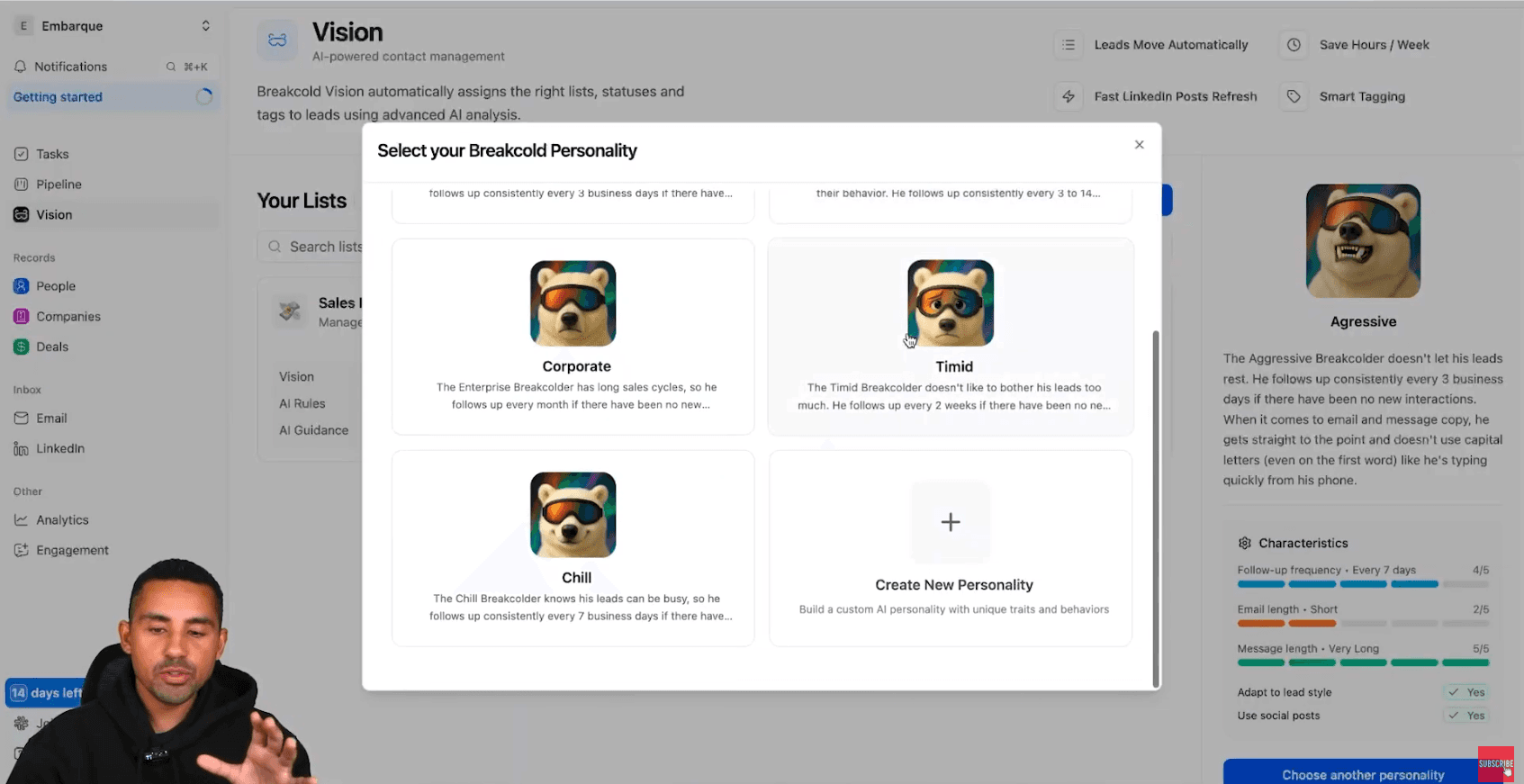
By default, Breakcold assigns you an AI personality.
This personality is basically an AI CRM agent.
And these agents automatically create tasks for you so you never miss follow-ups.
Example: Aggressive agent
For example, the aggressive agent might:
create follow-up tasks every 3 business days
if there has been no new interaction
meaning: no message from the lead, and you didn’t message them either
And in terms of message style, it might:
be direct
short
no unnecessary formality
even avoid capital letters like someone typing fast from their phone
This matters because follow-ups need to feel human.
Not like a template.
Now if you have longer cycles and a more corporate business (enterprise, procurement, etc.), you can pick another default agent like the corporate one.
But…
What if you want to build your own custom AI CRM agent?
Let me show you.
Step 4: Create your own custom AI CRM agent
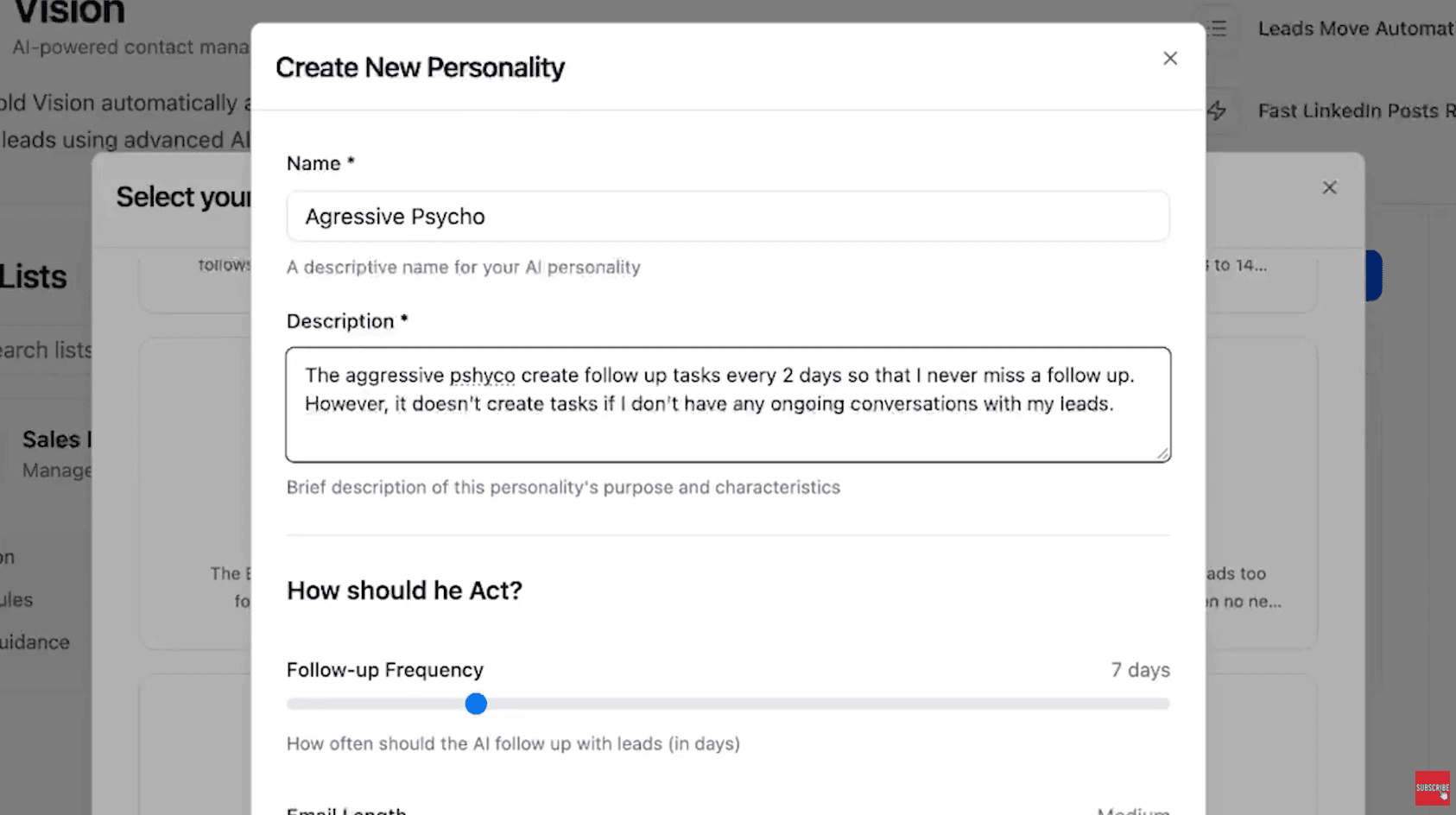
Scroll down and click:
Create new personality
And yes: this is where you customize how the AI works.
I’m going to create one called:
Aggressive Psycho
(Obviously you can call it whatever you want, don’t copy my chaos 😂)
Now you need to describe clearly what the agent should do.
Here’s what I write:
Create follow-up tasks every 2 days
But DO NOT create tasks if there is no real conversation happening
Because here’s the issue:
Some CRMs create tasks for absolutely everything.
They’ll create tasks like:
“Follow up with John”
Even though John never replied once.
That’s dumb.
Your goal is to close deals, so you want tasks focused on people who already showed engagement.
So I add rules like:
Don’t create tasks if the lead never replied
Only create tasks for warm leads (conversation already started)
Then I specify:
Follow-up frequency
Every 2 days
So the AI doesn’t mess up.
Suggested emails/messages length
Emails: medium
Social messages: very short
Because on LinkedIn, if you send long follow-ups, you’re dead.
Nobody reads that.
Writing style adaptation
Toggle on:
adapt to lead writing style
This is huge.
Because if the lead writes casual, and you reply like a lawyer… it kills the vibe.
Use social posts personalization
Toggle on:
use lead social posts for personalization
This is the secret weapon.
Because it gives you follow-ups that feel real, relevant, and not automated.
Finally, add one more rule:
“Don’t create tasks if the lead never replied to me.”
Then click:
Generate personality
In 20 to 30 seconds, you’ll get your custom AI CRM agent ready.
And at this point, setup is basically done.
Because now you don’t need to manage follow-up manually.
You just execute tasks.
Step 5: Where the tasks show up (and how you use them)
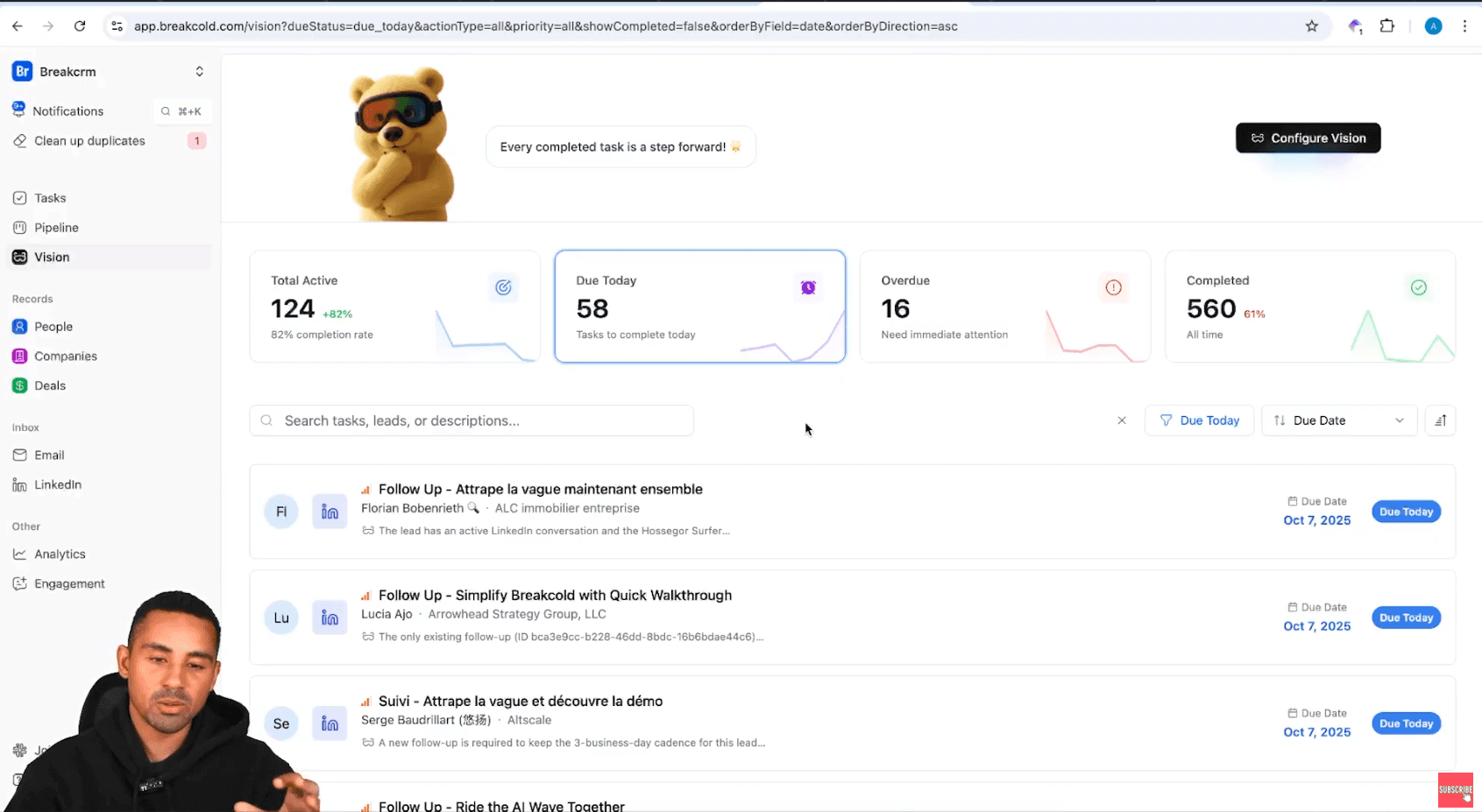
Now I’ll show you what it looks like in a real workspace.
Once everything is connected and your agent is active, you go to Vision and you see a dashboard with tasks.
Tasks due today
Overdue tasks
Upcoming tasks
Each task is clickable.
And here’s the beauty:
When you click a task, it takes you directly to the conversation:
LinkedIn DM
Email thread
whatever channel
So your job becomes insanely simple:
Follow up.
Follow up.
Follow up.
Follow up.
That’s it.
No thinking.
No “oh I forgot this guy existed”.
No spreadsheet.
No Notion.
No chaos.
How to send good follow-ups (examples)
Now let’s talk about the part most people mess up.
Because even if you follow up… if your follow-ups are bad, you’ll still lose deals.
Example 1: The simple bump (LinkedIn DM)
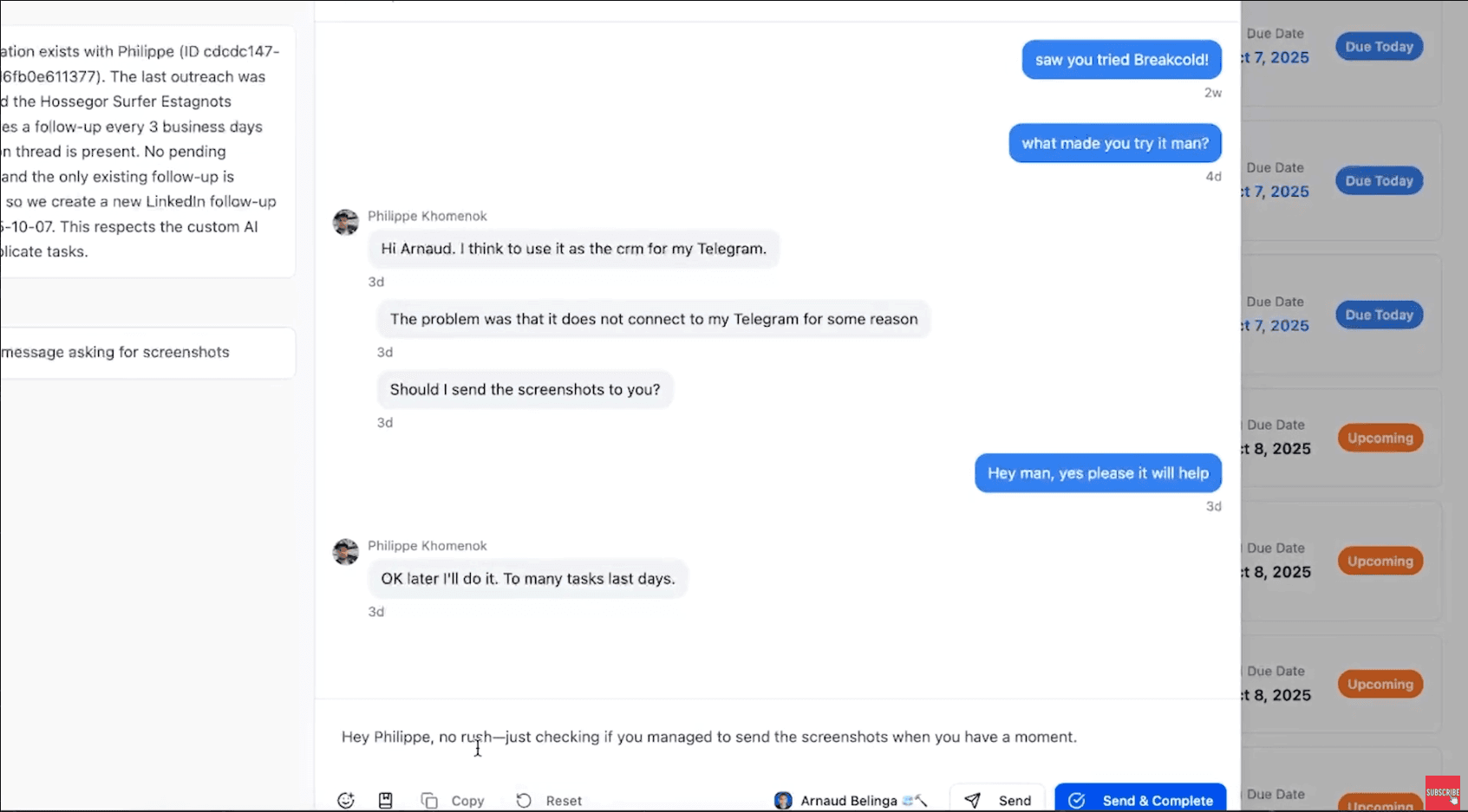
Let’s say I reached out 2 weeks ago.
It’s a warm lead.
No response.
The agent creates a follow-up task automatically.
So I send something like:
“What made you try it man?”
It’s short, casual, relevant.
He replies.
Then later he says:
“Too many tasks last days.”
Now the CRM automatically creates a follow-up task again.
And the AI suggests a message like:
“Hey Phillip, no rush. Just checking if you managed to send the screenshot when you have a moment.”
That message is good enough.
I can send it and complete the task.
Done.
Key point:
Sometimes the AI message won’t be perfect.
That’s fine.
You validate it. You edit it. You rewrite it yourself.
The AI isn’t here to replace you.
It’s here to remove 90% of the admin work and decision fatigue.
Example 2: Use social posts as a PS line
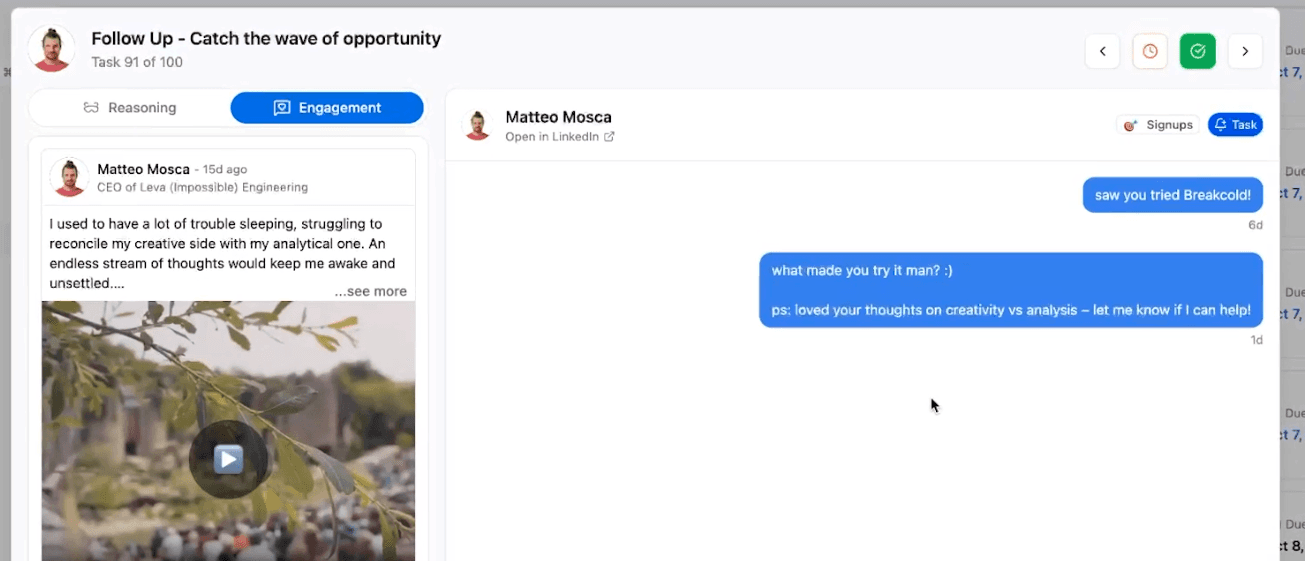
Now another follow-up style I love.
If someone hasn’t replied after 2-3 follow-ups, I use something from their social posts to restart the conversation.
Not in a cringe way.
But in a natural way.
For example:
like their post
comment
then in the follow-up I add something like:
“PS: saw your post about X, super interesting.”
This changes everything.
Because now you’re not just “following up”.
You’re showing you actually pay attention.
You’re creating relationship.
And you’re separating yourself from the 97% of people sending generic templates.
Example 3: Email follow-up
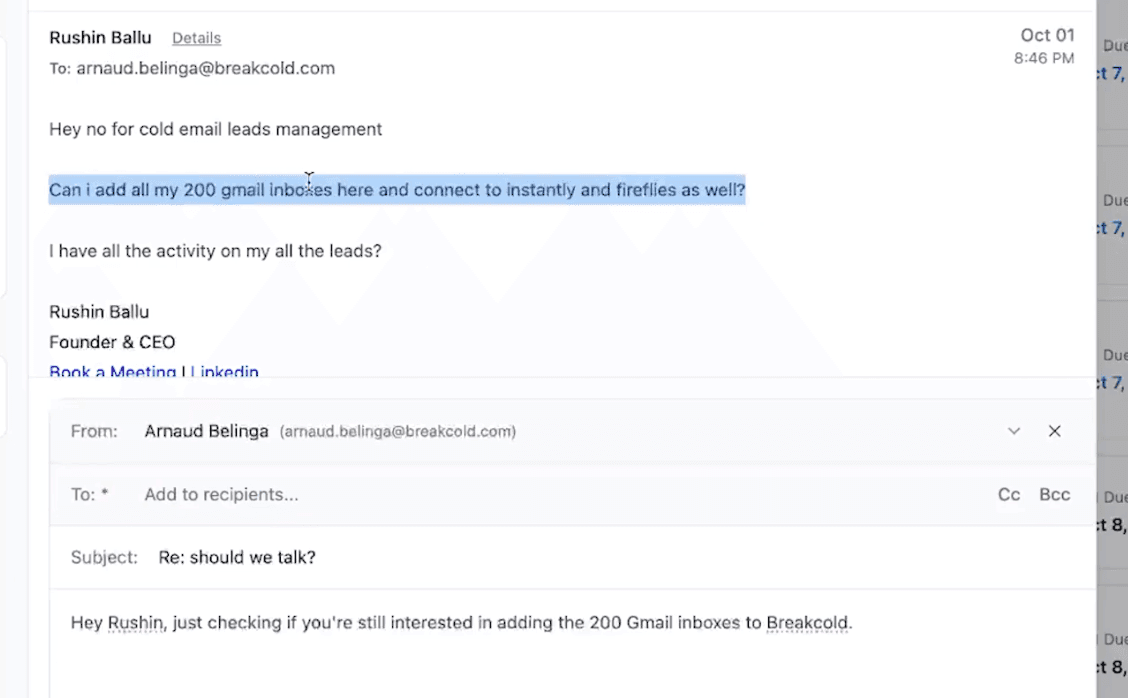
Now with email.
Let’s say a lead asked about connecting 200 Gmail inboxes.
The AI suggested email might be:
“Hey Rhusin, just checking if you’re still interested in adding the 200 Gmail inboxes to Breakcold. Let me know a good time for a quick setup call this week.”
Now personally, I don’t always love proposing calls like this because it can feel pushy.
But if you picked an aggressive agent, you’ll get aggressive behavior sometimes.
And the email is actually good for one reason:
It uses the lead’s exact language.
Not “Google accounts”.
Not “mailboxes”.
It says “Gmail inboxes” because that’s what the lead said.
That’s what personalization really is.
Also, you always have an action plan inside the task.
So even if you forgot what to do, the CRM tells you:
confirm interest
propose next step
The biggest follow-up mistake (don’t do this)
The biggest mistake people do is sending long follow-ups.
They write a whole essay.
They add features.
They add testimonials.
They add paragraphs.
They add a template.
And the prospect sees it and thinks:
“Ugh I’ll read this later.”
And then they never reply.
Follow-ups should be SHORT.
Your goal is not to close inside the follow-up.
Your goal is to restart the conversation.
A follow-up is just a bump.
A reminder.
A quick “hey”.
That’s it.
Short messages win.
Short emails win.
Because people are busy, and their brain is overloaded.
Alright guys, that’s it.
If you want to never miss a follow-up again, build AI CRM agents that create the tasks automatically.
Then you just execute.
Follow up every day.
And watch what happens to your revenue.
Frequently asked questions

Written by
Arnaud Belinga · Co-Founder & CEO at Breakcold
Arnaud is the Co-Founder & CEO of Breakcold, the AI Native CRM for sales teams of 5 to 30+ people.