



The Ultimate Guide to CRM Lead Scoring (2026)
TL;DR: how CRM lead scoring helps you close more with less effort
✅ Lead scoring ranks prospects by how likely they are to convert, using actions (email opens, pricing page views) and traits (job title, company size) so reps focus on the deals that matter.
✅ The strongest B2B approach blends firmographic, behavioral and engagement-based models rather than relying on any single one.
✅ Lead scoring measures interest, while lead grading measures fit and value; many teams use both together.
✅ Revisit your scoring criteria at least quarterly, gathering feedback from sales and marketing and testing the model as buyer behavior shifts.
✅ Modern CRMs automate scoring with AI; Breakcold, for example, scores and organizes leads on its own by analyzing conversations, notes and activity.
**It’s date night. **You and your date are ready to unwind with a nice meal and a movie. But while you’re endlessly scrolling through your streaming platform, your date is glued to their phone. After a while, you finally find the perfect movie — but the meal’s cold, and your date? Gone.
Sadly, it's a feeling sales reps know all too well: when you're so focused on chasing the “perfect” prospect, you end up pouring time and energy into a deal that was never going to happen. 😭
And when you’re already spending hours hunting down new leads, figuring out which ones are actually worth your time is a whole other mountain to climb.
**That’s where Lead Scoring comes in. **
🤔 What Is CRM Lead Scoring?
Loading YouTube sends it your IP address and may enable cookies. This applies to this content only.
Why Is CRM Lead Scoring Important?
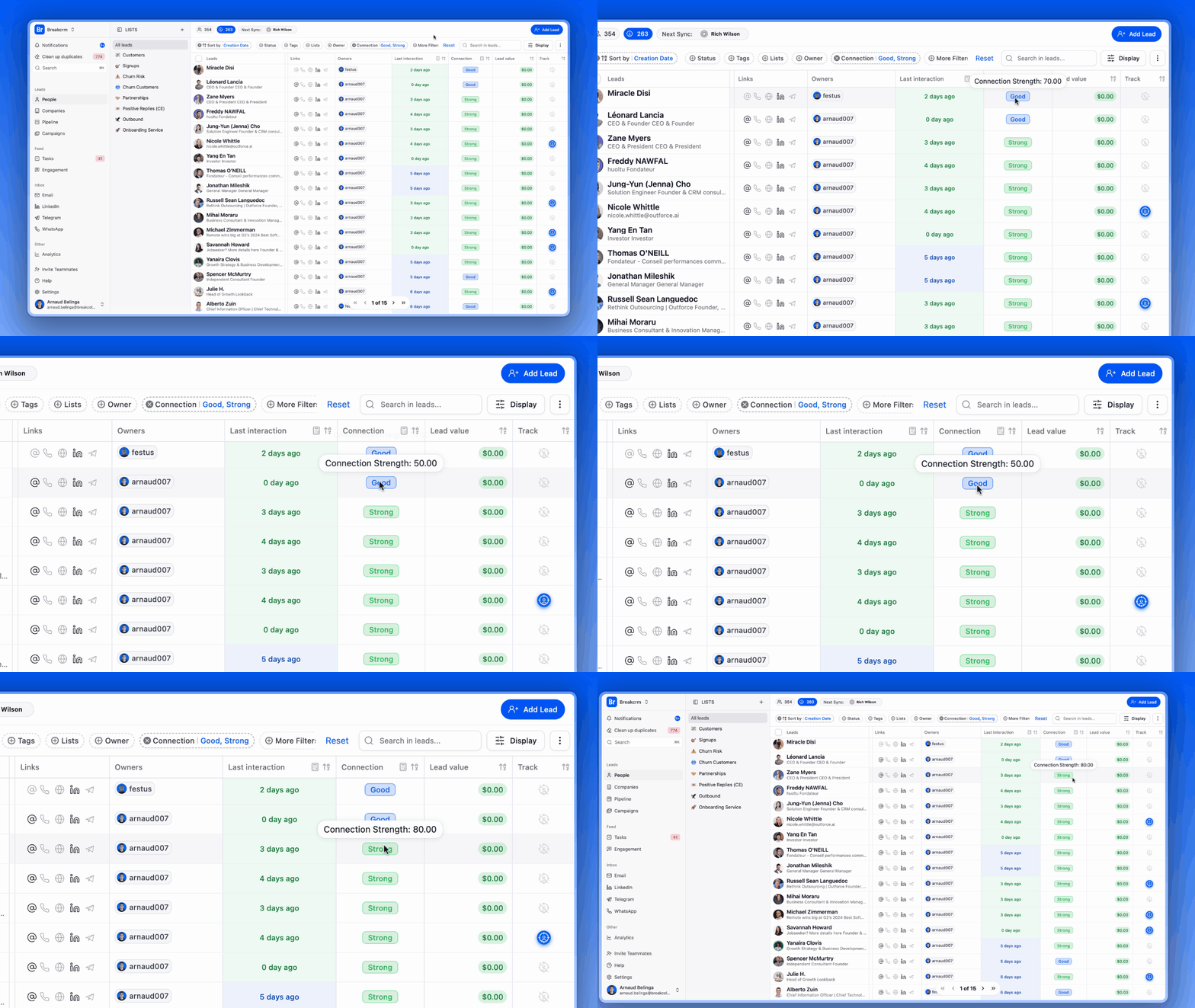
PSST! You didn’t hear it from me, but... 🤫 Breakcold comes packed with a powerful lead scoring tool that helps you score, sort, and prioritize your leads — so you never miss an easy win again. |
|---|
Lead scoring is a powerful yet simple way to help sales reps** identify which prospects are most likely to become customers**. By assigning scores based on **actions **(like opening an email or replying) or **traits **(such as job title or company size), reps can quickly prioritize the leads that matter most. This not only saves time — it filters out unqualified prospects, so your team can focus on the deals that are more likely to close.
Examples of lead scores for different attributes:
Attribute | Example Criteria | Score |
|---|---|---|
Job Title | "Director," "VP," or "C-level" | +10 |
Unsubscribed from Emails | Disengaged | -20 |
Viewed Pricing Page | High-intent behavior | +15 |
No Activity in 30+ Days | Cold Lead | -30 |
Benefits Of CRM Lead Scoring
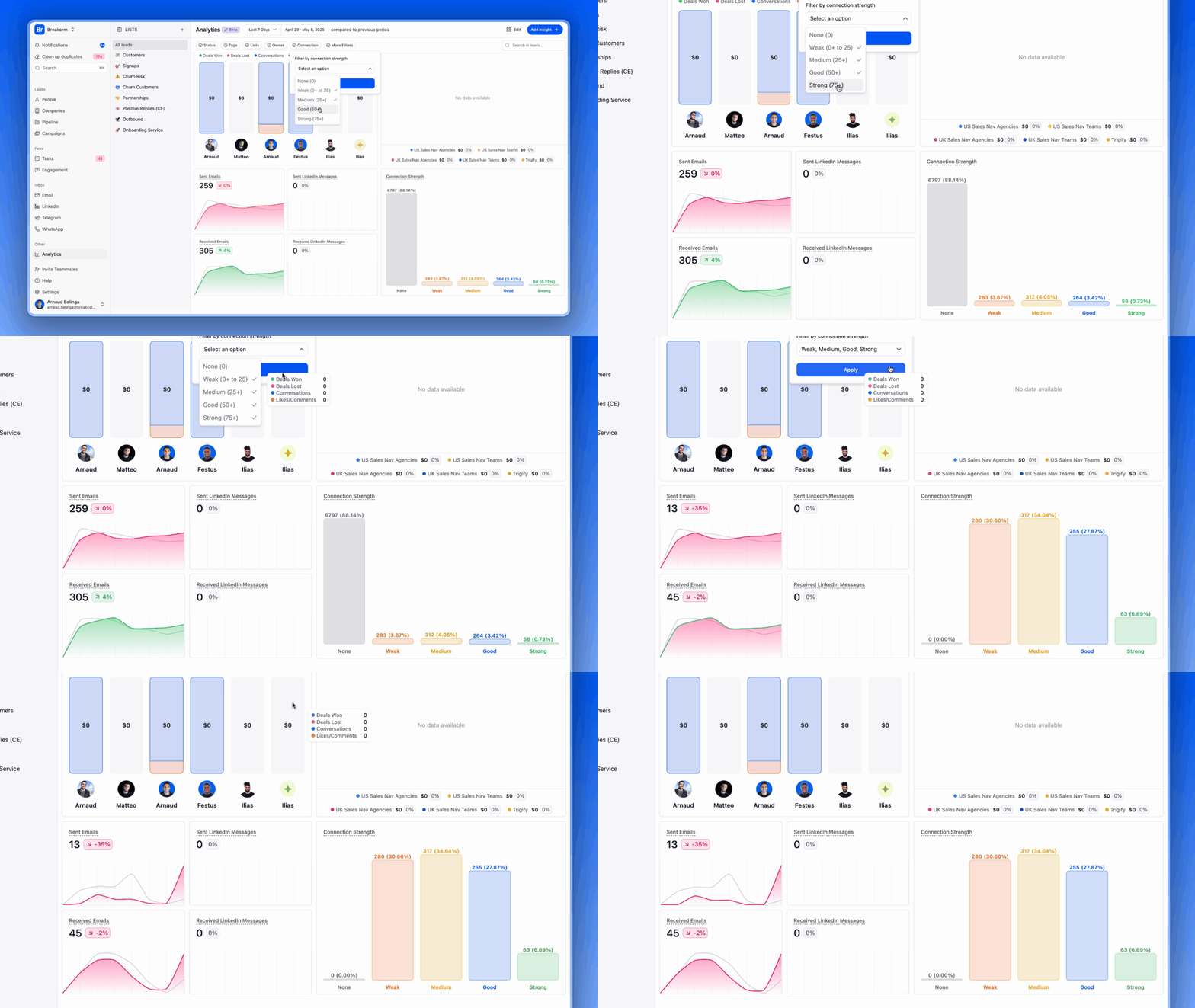
Beyond saving companies time and money, lead scoring also helps:
Increase Sales Efficiency – When you know who your high-quality leads are, you can stop wasting time chasing lukewarm prospects. These leads are already engaged and more likely to convert — they want to be your customer.
Enhance Marketing Strategy – Marketing teams gain real-time insight into campaign performance through lead scores. The stronger the campaign, the higher the lead quality — giving instant feedback on what’s working.
Improve Sales and Marketing Alignment – Lead scoring helps define your company’s true ICP (Ideal Customer Profile), creating a shared framework both teams can understand and act on.
📈 The benefits of Breakcold's lead scoring tool go beyond just boosting ROI! 📈 → gain fresh insights into areas of your sales pipeline you once thought were out of reach. Watch our demo video — or better yet, try our lead scoring tool yourself and see what you discover. |
|---|
Are Lead Scoring And Lead Grading The Same?
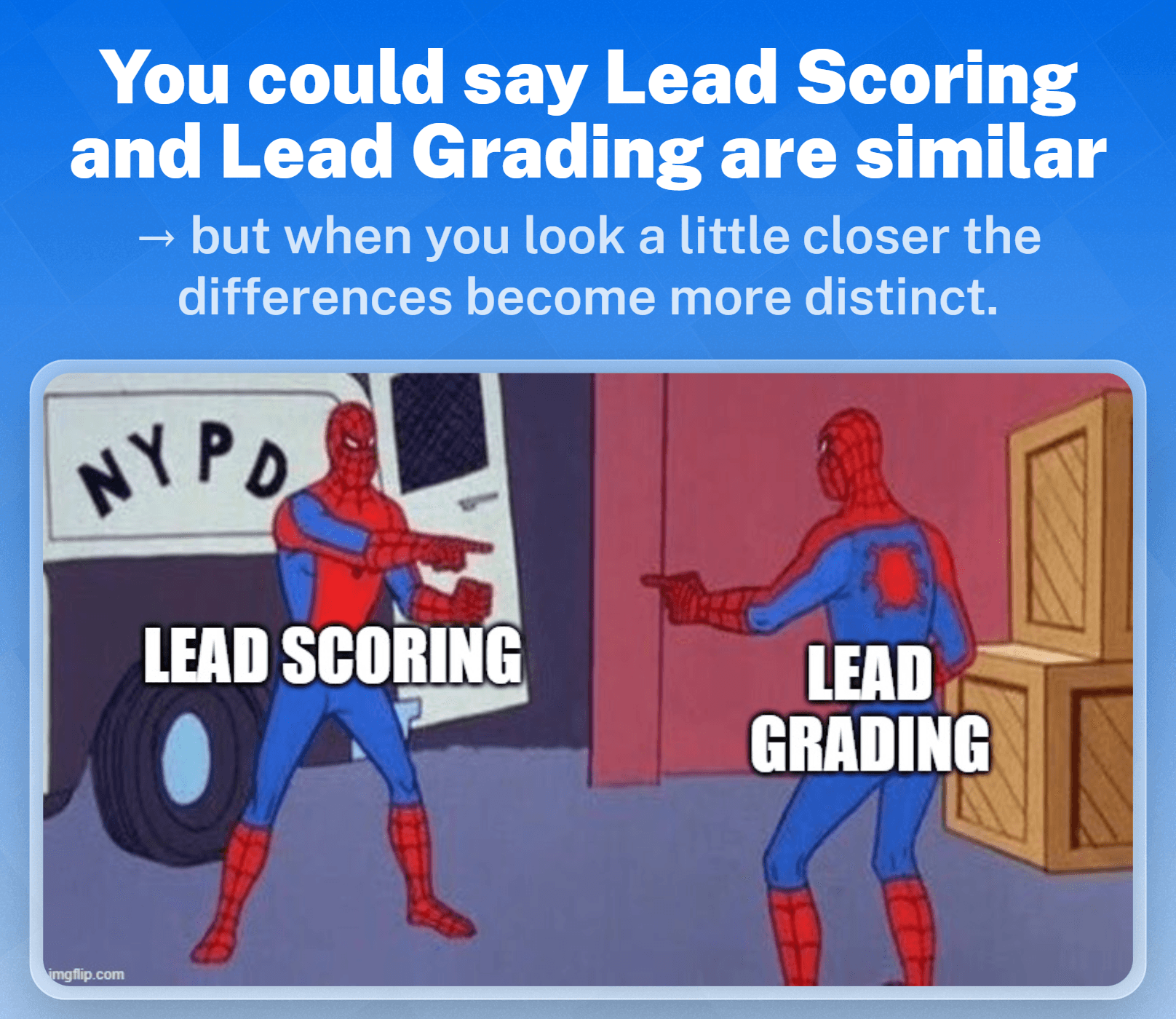
The short answer: No. They may serve a similar function in assessing leads but both provide very different insights.
The long answer:
Lead scoring measures how interested a lead is in your company. It’s based on the lead’s behaviors — such as email opens, website visits, or content downloads — and helps determine how engaged they are with your brand.
Lead grading measures how valuable or qualified a lead is to your company. It evaluates factors like job title, industry, company size, and location to determine how well the lead matches your ICP.
Do You Need A Lead Scoring Model?
If you’re a small business or startup, implementing a lead scoring model might not feel urgent. At a smaller scale, your sales reps can often manage and nurture leads manually without much trouble.
But as your business grows, things change — and fast. Here are a few key signs it’s time to invest in a lead scoring system:
Your reps are maxed out and struggling to respond to leads in a timely manner.
Time is being wasted nurturing low-quality leads instead of focusing on high-intent prospects.
There’s no clear strategy for prioritizing leads in the pipeline.
Your closing rate is consistently low, and you're not sure why.
If any of these sound familiar, it’s probably time to stop guessing — and start scoring.
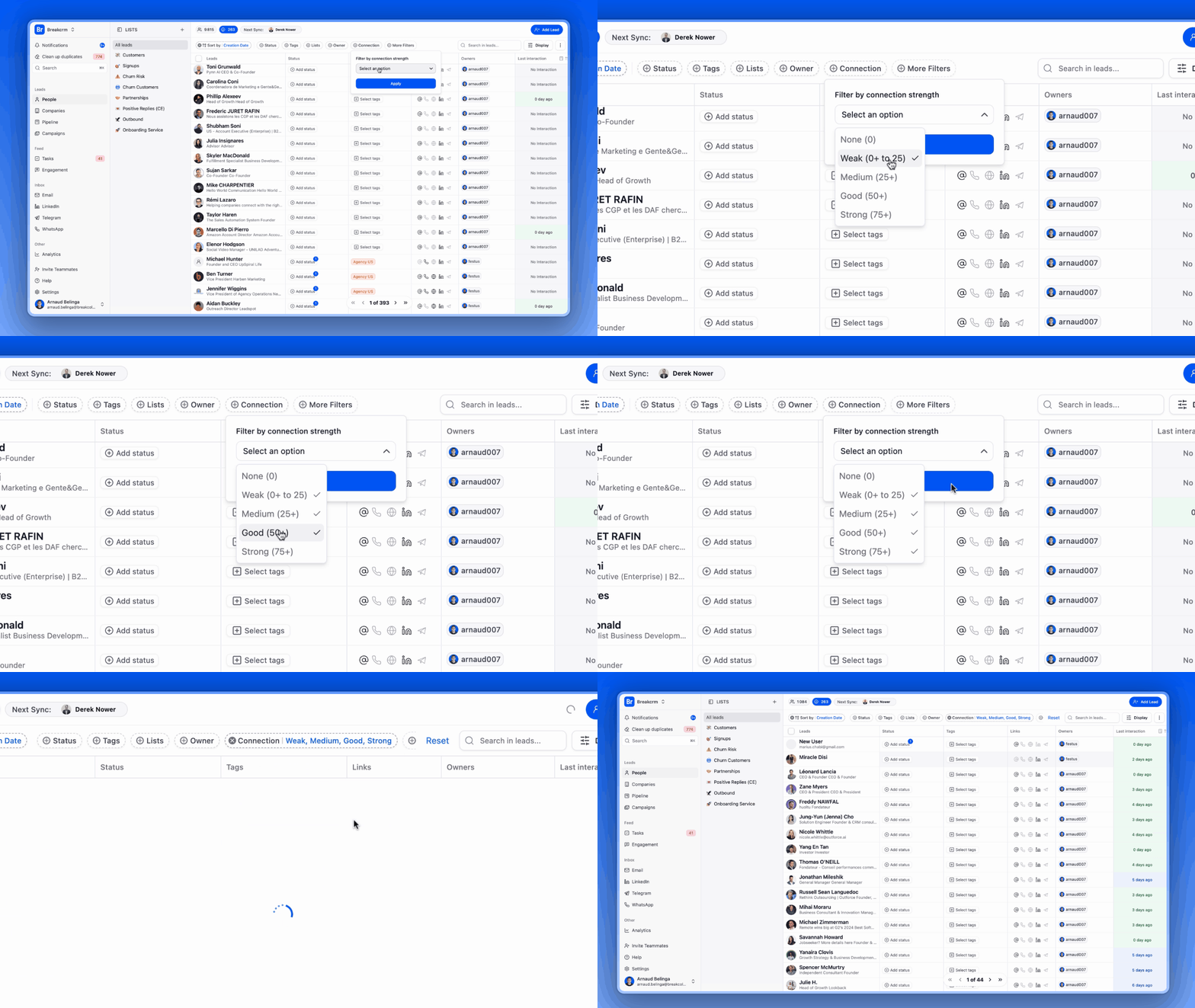
Struggling to manage and nurture leads? Breakcold can help you organize and prioritize your leads — from strongest to weakest — so you can focus on high-priority prospects without scrambling to catch up. |
|---|
🧠 Lead Scoring Models To Consider
Demographic/Firmographic Lead Scoring
Demographic data evaluates individuals based on traits like age, gender, income, education, and occupation. Firmographic data assesses businesses using criteria such as industry, company size, location, and revenue.
This model works well for companies of all sizes, from startups to large enterprises. It’s especially effective for businesses that rely on:
Personalized marketing strategies tailored to specific customer segments.
Sales efforts targeting high-value accounts in key markets.
Segmentation and targeting within marketing campaigns to reach distinct audience profiles.
Behavioral Lead Scoring
As the name suggests, behavioral data scores leads based on their actions and interactions with your brand across various channels. This model is particularly useful for identifying key indicators that suggest a prospect is sales-ready.
It’s especially effective for B2B technology** **and SaaS companies, where prospects are expected to engage with multiple touchpoints — such as webinars, demos, or pricing pages — to fully understand the product’s value.
Purchase Intent Model
Intent data reveals when a lead or customer has entered the buying journey by analyzing their web activity across first-party and third-party digital sources. This model is particularly effective for helping sales and marketing teams identify and engage potential customers early in the decision-making process.
Predictive Lead Scoring
Predictive scoring leverages artificial intelligence (AI) and machine learning to analyze historical data, identify patterns, and predict which leads are most likely to convert. By incorporating real-time data from customer interactions, CRM records, and external databases, predictive scoring continually adapts and refines its accuracy.
While it was once a tool reserved for large enterprises with extensive data resources, advancements in cloud-based solutions have made predictive scoring accessible to businesses of all sizes.
Lead Sources
Don’t be fooled by the simplicity of source-based scoring. Quantifying leads based on their source — whether it’s referrals, email campaigns, or social media — is a highly effective way to identify high-quality prospects.
If you’re already implementing a lead scoring model, you should have a good sense of where your best leads come from. Need a hint? Referrals. They’re often the strongest source for most businesses.
Negative Scoring And Spam Detection
Not all leads are created equal. That’s why a robust scoring model doesn’t just highlight promising prospects — it also filters out unqualified or irrelevant leads, preventing wasted time and effort.
Examples of Negative Scoring Criteria:
Unsubscribing from your email list.
Submitting spam or irrelevant inquiries.
Contact is a competitor.
Internal team member.
Friend or relative.
Assigning negative scores to these behaviors helps neutralize any positive scores and effectively removes unqualified leads from your pipeline, ensuring that your sales team focuses only on genuine opportunities.
💪 Lead Scoring Best Practices
Create Lead Profiles Based On Customer Data
Before assessing the quality of each lead, you first need to know **where to look **— and that’s where segmenting your ICP comes in.
Start by dividing your leads into two groups: converted leads and dead leads. Then, apply your lead-scoring criteria to rank all converted leads. This will give you a clear picture of the types of leads you’re attracting and the strategies that work best for engaging them.
Pinpoint Additional Lead-Scoring Criteria
You might already have a lead scoring system in place, but it never hurts to consider implementing additional models. After all, the ultimate goal is to nurture leads and convert them into customers — organically.
One scoring model can only provide so much data. Run some tests, identify gaps in your insights, and assess whether adding another scoring system could strengthen your strategy.
Perform Lead-Quality Tests To Determine Your Lead-Scoring Threshold
Now it’s time to determine the “magic number” that separates each stage of your sales pipeline. These thresholds are entirely subjective, as every business’s lead scoring model is unique.
While finding the right numbers may involve some trial and error, the process can be accelerated with feedback from your sales reps and customers.
Evaluate And Adjust Scores Regularly
The customer journey is always evolving — and your lead scoring system should, too. Whether it’s making small adjustments to individual attribute scores or completely revamping your model, staying proactive ensures a steady flow of quality leads.
⚙️ Which CRM Are Best For Lead Scoring?
🥇 1) Breakcold
Summary + USP
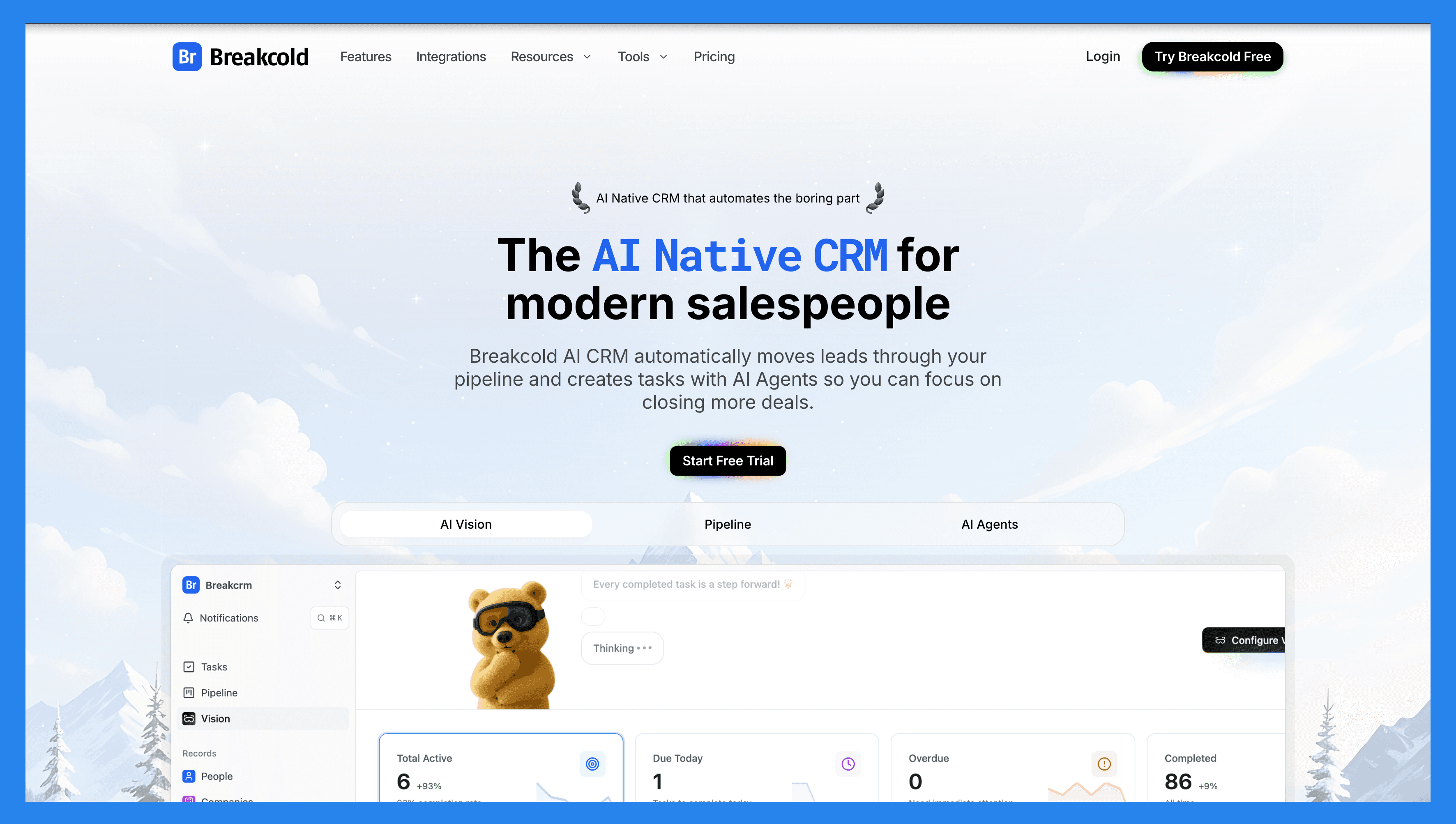
Breakcold is the AI-Native CRM for modern salespeople and AI agents, built for solopreneurs and small businesses that want to work smarter, not harder. AI is the foundation, not a bolt-on: with AI-driven lead scoring, automated follow-ups, and AI agents that move leads through the pipeline on their own, Breakcold helps you prioritize the hottest leads and grow your pipeline without drowning in admin. It’s like having an AI-powered sales assistant that never sleeps, keeping you organized, proactive, and consistently closing deals.
Key Features | |
|---|---|
Vision Builder – Create automated workflows with a simple text prompt or short voice note. No technical skills required, just describe what you want, and Breakcold builds it for you. AI Agents –You can choose a default AI personality or create your own custom one that determines the frequency of CRM tasks and suggested follow-ups. AI Contact Management – Automatically scores and organizes leads into the right lists and groups by analyzing conversations, notes, and activity. AI-Powered Dashboard – Surfaces your most important leads with a self-updating dashboard, complete with reasoning behind each suggestion. AI-Suggested Messages – Generates personalized follow-ups that adapt to your tone of voice and your prospect’s personality. AI Rules & Automations – Set intelligent rules for lead scoring, follow-ups, and deal movement. AI Contact Deduplication – Merges duplicates automatically, saving hours of data cleanup. AI-Powered Data Enrichment – Surfaces verified emails and phone numbers via waterfall enrichment (BetterContact, Apollo.io, Findymail, Wiza). AI Notetaker – Integrates with Otter, Fireflies, TL;DV, and Fathom to log call summaries, transcripts, and follow-up tasks automatically. All-in-One Unified Inbox – Manage conversations from LinkedIn, email, WhatsApp, and Telegram in one place, so you can respond faster and never miss a follow-up. Sales Pipeline Management – Streamline deal progress with customizable workflows and visibility into lead scoring impact. Social Engagement Stream – Like, comment, and engage with your leads’ posts without leaving the CRM, build relationships through meaningful and consistent interactions. | |
Breakcold Ratings | |
G2 - 4.8/5 | Capterra - 4.9/5 |
Pros | Cons |
AI-Native CRM with built-in automation to streamline workflows. AI agents move leads, assign tags, and create follow-up tasks on their own. Native MCP server (~54 tools) so Claude, ChatGPT, and Cursor can read and update the CRM. Built-in meeting and call recorder plus unlimited enrichment. Unified inbox for email, LinkedIn, WhatsApp, Telegram, and calls. | Limited advanced reporting capabilities compared to other CRMs. No dedicated customer objects (though custom fields are supported). 20+ native integrations, with more on the way. |
Pricing Plans
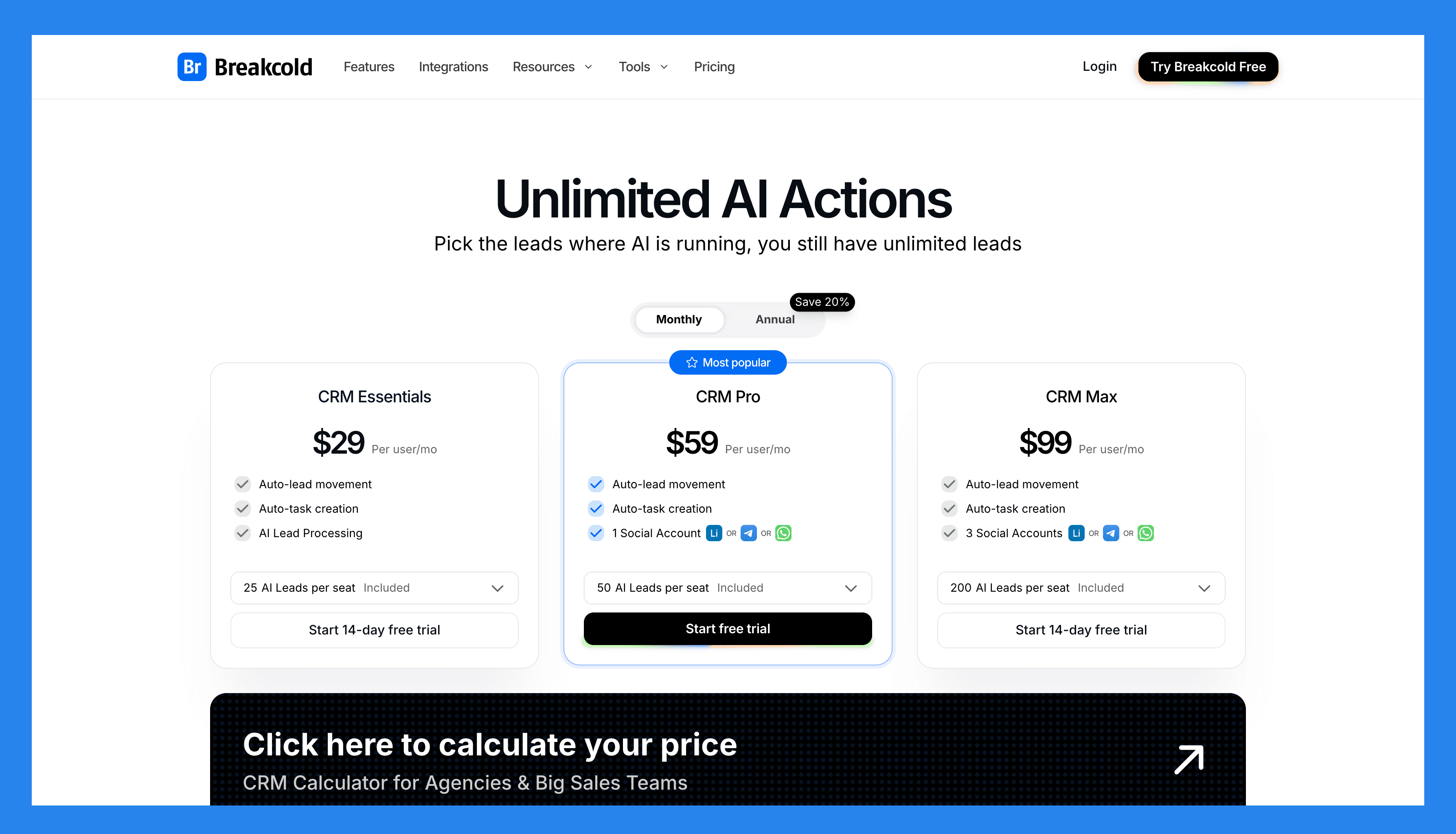
Breakcold has a single, simple plan. See the full breakdown on the pricing page.
The Only Plan |
|---|
$99/mo |
What's included: 1 seat 2 connected accounts 1,500 AI tokens/mo Unlimited person and company enrichment Token-based system for AI and enrichment Extra seat +$10/mo, extra connected account +$10/mo 14-day free trial, no credit card required |
A team of 5 on Breakcold is $139/mo, where Attio, Pipedrive and HubSpot Sales Hub run about $500/mo for 5 seats with similar features.
🥈 2) Monday CRM
Summary + USP
Built on the Monday.com Work OS, Monday CRM is a flexible, no-code sales platform that lets teams manage and automate their entire sales process — from lead generation to post-sales activities. Its drag-and-drop interface and powerful automation features make it an ideal choice for teams that find traditional CRMs like Salesforce or HubSpot too rigid. Monday CRM empowers teams to streamline workflows, collaborate seamlessly, and scale without getting bogged down in complexity.
Key Features | |
|---|---|
Lead Management – Capture, organize, and prioritize leads efficiently. Activity Management – Track calls, emails, and meetings in one central location. Pipeline Management – Visualize deal stages and monitor progress with customizable pipelines. Guided Selling – Keep reps on track with step-by-step workflows. Visualization & Analytics – Gain insights from dashboards and reports to optimize performance. Opportunity Management – Track every deal from start to close. Data & Forecasting Management – Use insights to predict revenue and sales outcomes. Account & Contract Management – Manage client details, contracts, and renewals in one place. Proposals & Quotes – Generate sales documents directly from the platform. Platform Integration – Connect with Gmail, Slack, WhatsApp, and other tools for a unified workflow. Cross-Team Collaboration – Align sales, marketing, and support teams seamlessly. | |
Monday CRM Ratings | |
G2 - 4.6 /5 (921) | Capterra - 4.7/5 (406) |
Pros | Cons |
Highly customizable & flexible Powerful task management and the lead management system The interface is simple and easy to use while being pleasant to interact with Rich integration marketplace | There are growing pains to setting up the platform to suit your needs Essential features locked behind higher paywalls There are too many features sometimes the UI looks cluttered and overwhelming to use |
Pricing Plans
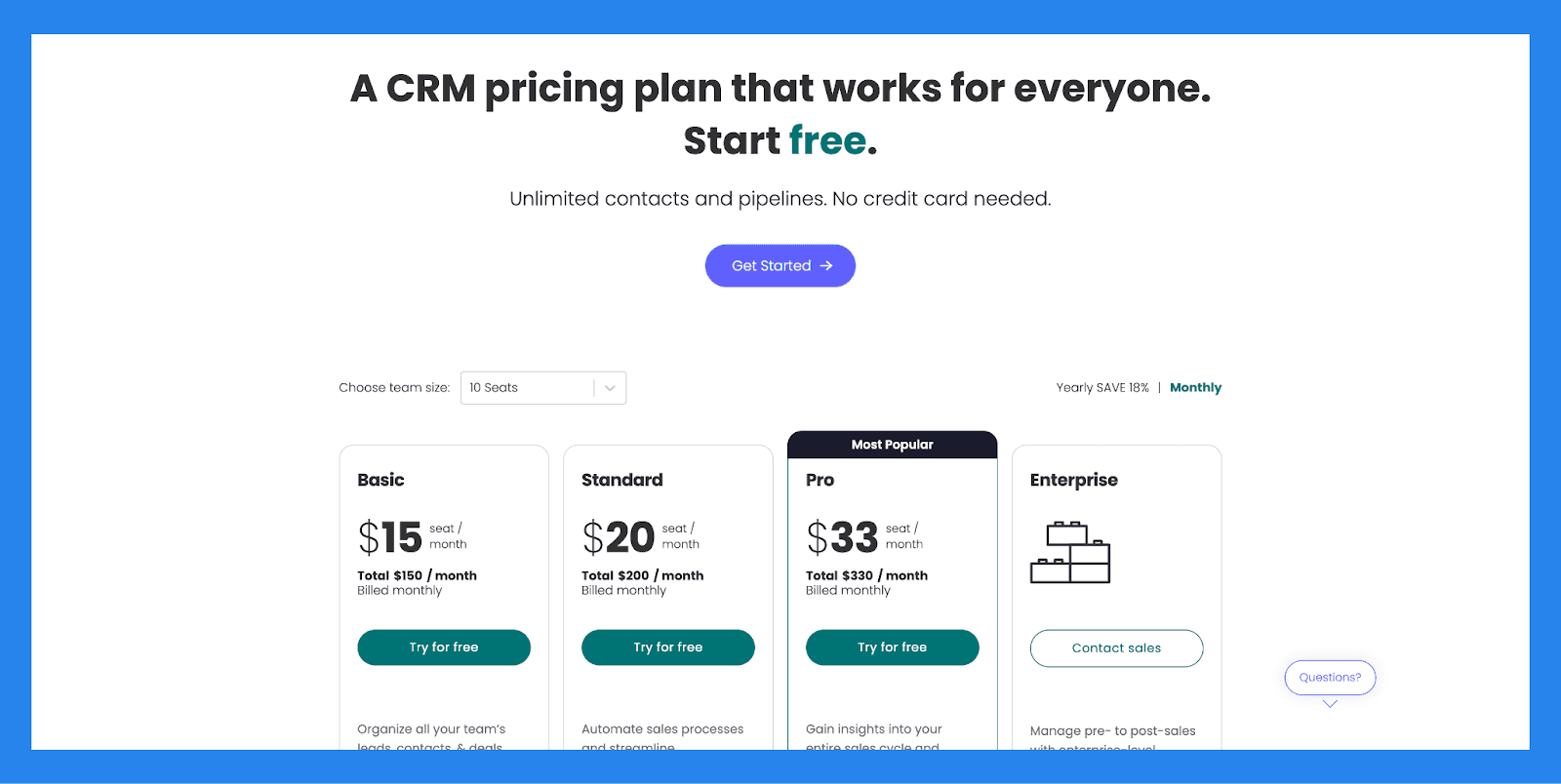
Basic | Standard |
|---|---|
$15/user/mo | $20/user/mo |
Basic includes: Unlimited customizable pipelines Unlimited contacts Unlimited boards Templates for lead, contact & deal management iOS & Android apps Unlimited free viewers Create a dashboard based on 1 board | Includes basic, plus: Advanced account, contact, & deal management 2-way email integration with Gmail and Outlook AI email generator Activity management Merge duplicate data Custom CRM automations (250 actions per month) Custom CRM integrations (250 actions per month) Create a dashboard that combines 5 boards 500 AI credits/mo/user |
Pro | Enterprise |
|---|---|
$33/user/mo | Contact sales |
Includes standard, plus: Sales forecasting Email templates Email tracking & automations Sequences Quotes & invoices Mass emails Google Calendar sync Sales analytics Custom CRM automations (25,000 actions per month) Custom CRM integrations (25,000 actions per month) Create a dashboard that combines 20 boards 500 AI credits/mo/user | Includes pro, plus: Lead scoring Mandatory fields Team goals Advanced analytics (dashboards up to 50 boards) Account management Documents for sales Enterprise-scale automations & integrations Enterprise-grade security & governance Multi-level permissions HIPAA Compliance 500 AI credits/mo/user |
🥉 3) Salesforce
Summary + USP
Starting in the early 2000s as a cloud-based CRM, Salesforce has grown into a full-featured platform for sales, marketing, and customer service teams.
Today, Salesforce brings intelligent lead scoring, opportunity insights, and AI-powered next-step suggestions directly into your sales workflows. Designed for large enterprises, it helps teams prioritize high-value leads, make data-driven decisions, and optimize every customer interaction — making it a go-to choice for organizations with complex sales processes and advanced lead-scoring needs.
Key Features | |
|---|---|
Salesforce AI — Get intelligent lead scoring, opportunity insights, and next-step suggestions to boost rep productivity and drive more deal conversions Conversational AI Assistant — Build your own CRM-native assistant with Einstein Copilot, enabling reps to ask questions, summarize data, generate content, and automate actions in natural language AI Agents — Offload repetitive tasks like follow-ups, case resolution, and data entry to autonomous AI agents — so your team can focus on high-impact work Forecasting Intelligence — Leverage Einstein Forecasting to predict future sales performance with real-time, data-driven projections that help managers and reps stay aligned Email & Conversation Insights — Automatically analyze email threads and sales calls to surface sentiment, action items, and key topics—keeping your team informed without manual review Einstein Bots — Deploy AI-powered bots to handle routine customer service inquiries, deflect tickets, and seamlessly escalate complex cases to human agents when needed Generative AI — Instantly generate personalized sales emails, knowledge base articles, and support responses—saving hours of writing time and improving consistency Marketing AI — Predict customer behavior, optimize campaign timing, and tailor messaging with Einstein’s AI features built into Marketing Cloud | |
Salesforce Ratings | |
G2 - 4.4/5 (23,272) | Capterra - 4.4/5 (18817) |
Pros | Cons |
Optimizes lead management and conversion rates. Excels at keeping your data clean and organized. Reactive customer support Integration-rich | Implementation is complex and resource-intensive. Expensive and not always user- friendly Steep learning-curve Hard-to-navigate UI |
Pricing Plans
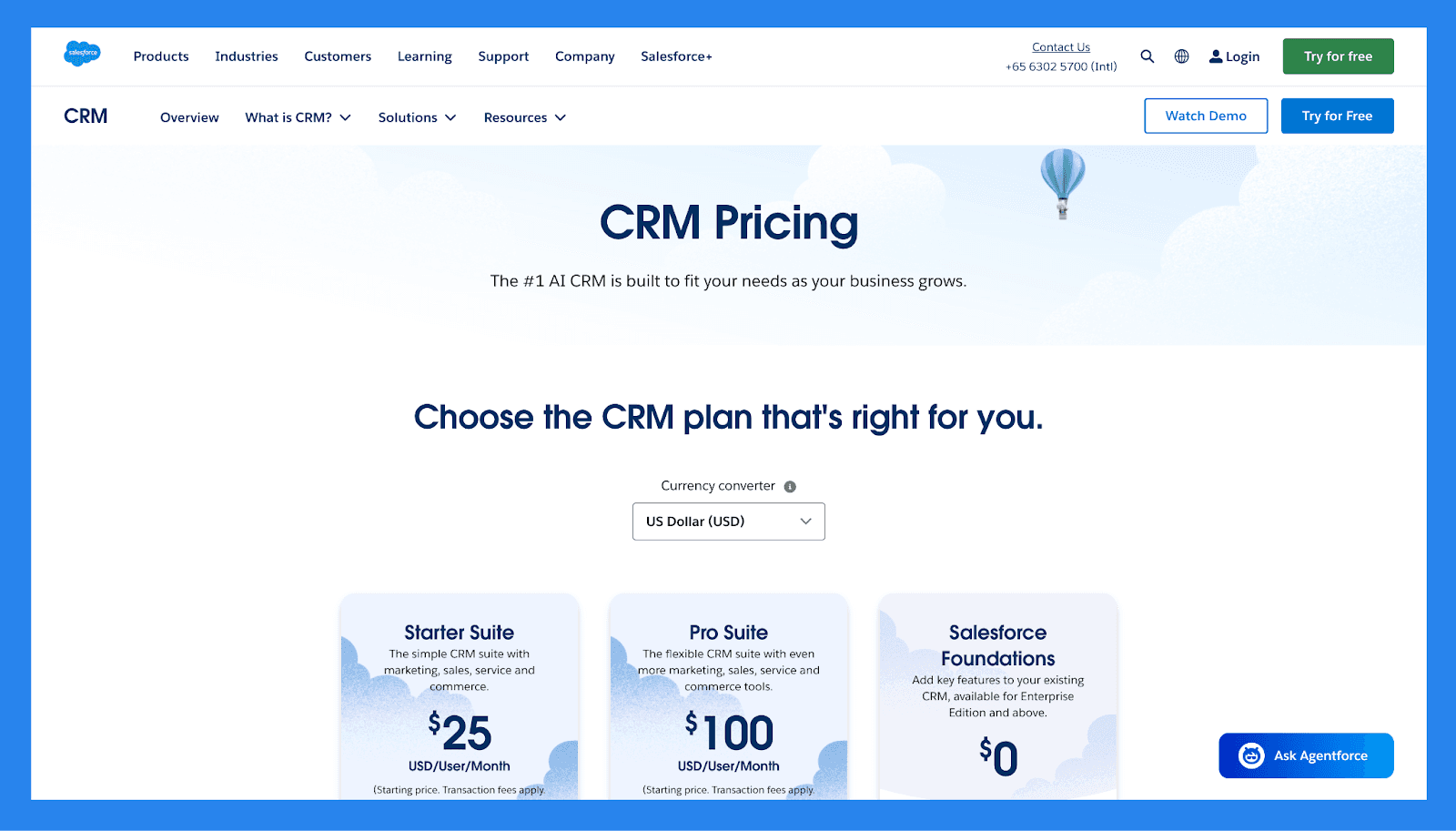
For SMBs
Starter Suite | Pro Suite | Enterprise | |
|---|---|---|---|
Price | $25/user/mo | $100/user/mo | $165/user/mo |
Users | 325 max | Unlimited | Unlimited |
Lead scoring | ❌ | ✅ | ✅ |
API | ❌ | $15/user/month | ✅ |
Custom reports | ✅ | ✅ | ✅ |
Advanced Forecasting | ❌ | ❌ | ❌ |
Generative AI features | ✅ | ✅ | ✅ |
For Enterprises
Unlimited | Einstein 1 Sales | |
|---|---|---|
Price | $330/user/month | $500/user/month |
Users | Unlimited | Unlimited |
Lead scoring | ✅ | ✅ |
API | ✅ | ✅ |
Custom reports | ✅ | ✅ |
Advanced Forecasting | ✅ | ✅ |
Generative AI features | ✅ | ✅ |
💭 Final Thoughts + Takeaway
Lead scoring isn’t just another sales tool — it’s THE tool for helping your sales team focus on the right leads. By honing in on high-quality prospects, you can streamline your sales process, boost productivity, and maximize ROI.
If you’re not using lead scoring yet, now’s the time to start. Assess your CRM options and choose one that aligns with your team’s needs. The sooner you implement a lead scoring system, the sooner you’ll start closing more deals with less effort.
Frequently asked questions

Written by
Arnaud Belinga · Co-Founder & CEO at Breakcold
Arnaud is the Co-Founder & CEO of Breakcold, the AI Native CRM for sales teams of 5 to 30+ people.