If you’ve ever left a business meeting thinking, “Wait… who agreed to what?” — you’re not alone. Between back-to-back Zoom calls, fast-talking stakeholders, and that one person who always goes off-agenda, taking accurate meeting notes has become a full-time job. And let’s be honest: relying on memory (or a half-typed Google Doc) is a recipe for missed action items and awkward follow-ups.
This is exactly where AI note-taking tools come in. Tools like Fireflies.ai promise to turn messy meetings into searchable transcripts, clear summaries, and actionable insights, without you lifting a finger.
In this review, we’ll take a closer look at Fireflies.ai, how it works, its key features, pricing, pros and cons, and how it compares to other AI meeting transcription tools. By the end, you’ll know whether Fireflies.ai is the right AI meeting assistant for your team — or if another option might be a better fit.
Fireflies.ai Overview (TL;DR) |
|---|
Unlike traditional note-taking tools or basic transcription apps, Fireflies.ai is an AI-powered meeting assistant built to automatically record, transcribe, summarize, and analyze your conversations. It works seamlessly across Zoom, Google Meet, and Microsoft Teams, capturing meetings in the background and turning them into searchable transcripts, summaries, and action items — without manual effort.
|
📖 What Is Fireflies.ai?
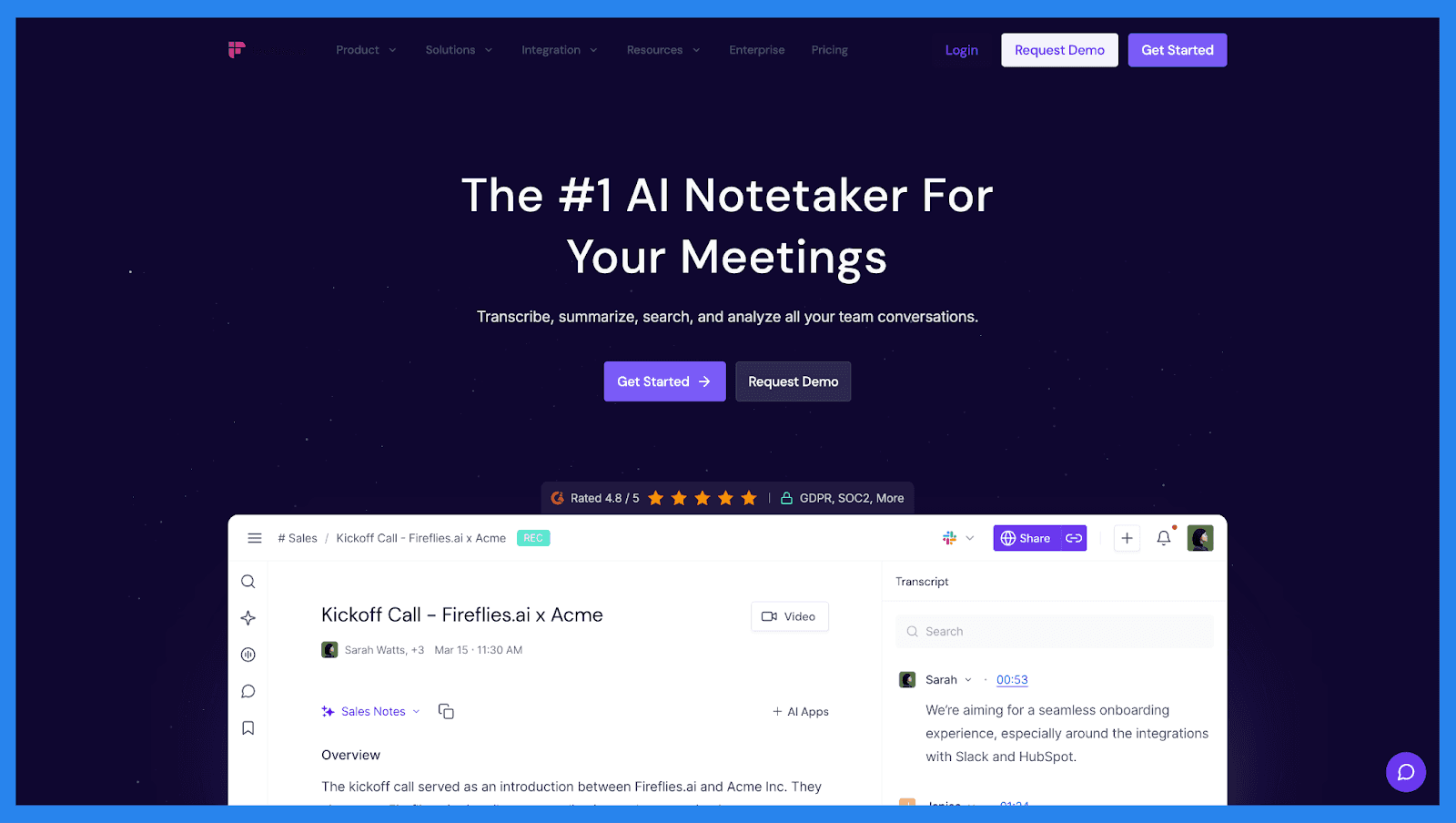
Fireflies.ai is an AI-powered meeting transcription and note-taking tool designed to help teams capture, organize, and analyze conversations automatically. Instead of manually jotting down notes during meetings, Fireflies.ai records your calls, transcribes them in real time, and turns conversations into searchable, actionable insights.
The platform works seamlessly across popular video conferencing tools like Zoom, Google Meet, and Microsoft Teams, making it easy to use whether you’re running sales calls, client meetings, or internal check-ins. Once a meeting ends, Fireflies.ai automatically generates a full transcript, highlights key moments, and creates concise summaries — so you can focus on the conversation instead of the keyboard.
How Fireflies.ai Works

Fireflies.ai operates through an AI-powered bot that joins your meetings automatically (or on demand).
Here’s how the process works:
Bot joins meetings automatically via your calendar or conferencing tool
Records and transcribes conversations with speaker identification
Extracts summaries, action items, keywords, and topics using AI
Stores transcripts in a searchable meeting library for easy access later
All meeting data is saved in one central dashboard, allowing you to search past conversations, review decisions, and share insights with your team. This makes Fireflies.ai especially useful for sales teams, agencies, and remote organizations that rely heavily on meetings and follow-ups.
⚙️ Key Features of Fireflies.ai
From overlapping speakers to different accents and fast-moving discussions, the platform uses AI to capture conversations accurately and turn them into usable data. Below, we break down the key features of Fireflies.ai.
Fireflies Notepad + AskFred
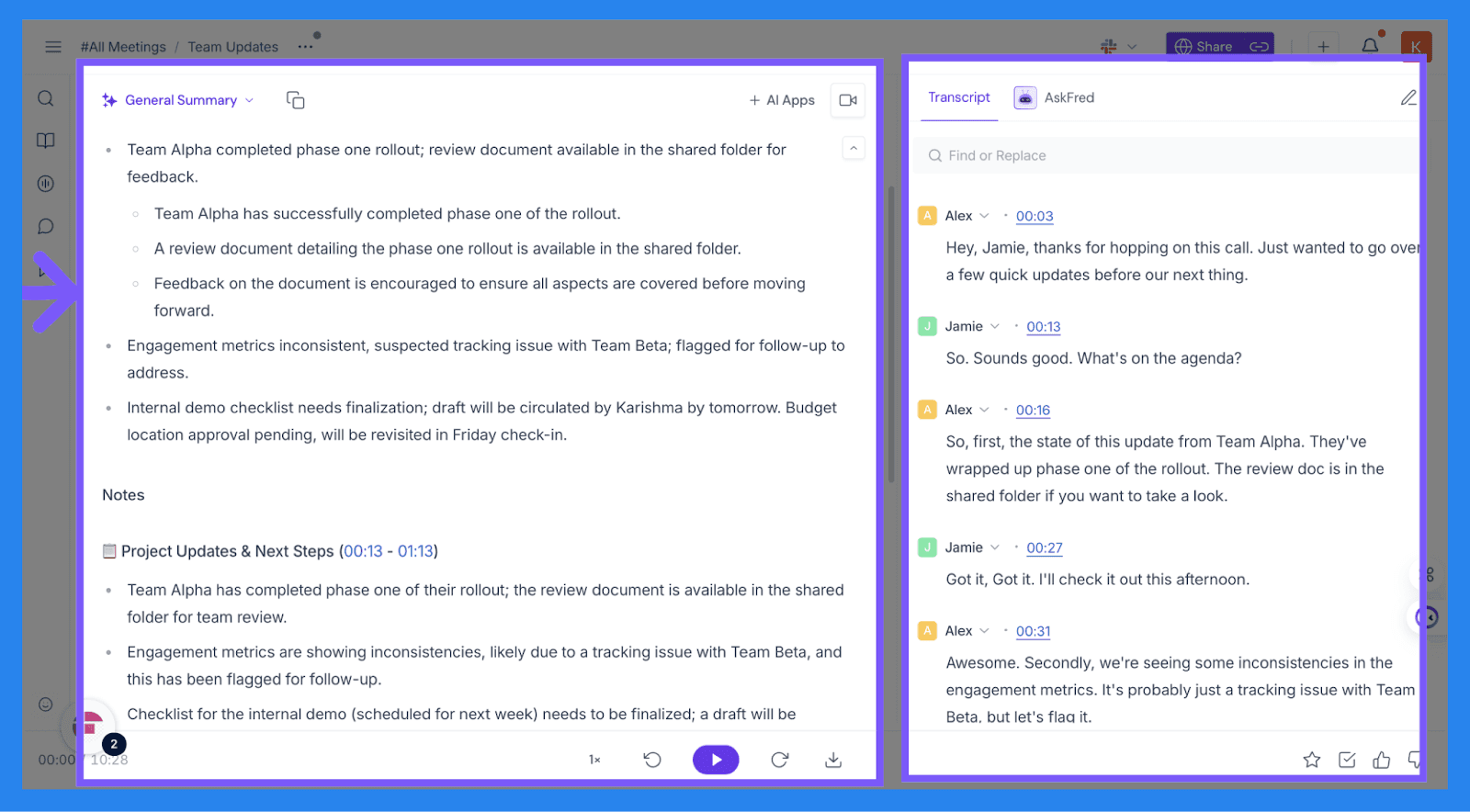
The Fireflies Notepad is your post-meeting command center — the place where everything actually comes together once the call ends. It houses your AI-generated summary, full transcript, video recording, conversation analytics, and action items, all in one workspace. From here, you can review, edit, share, and push notes into your other tools without jumping between tabs.
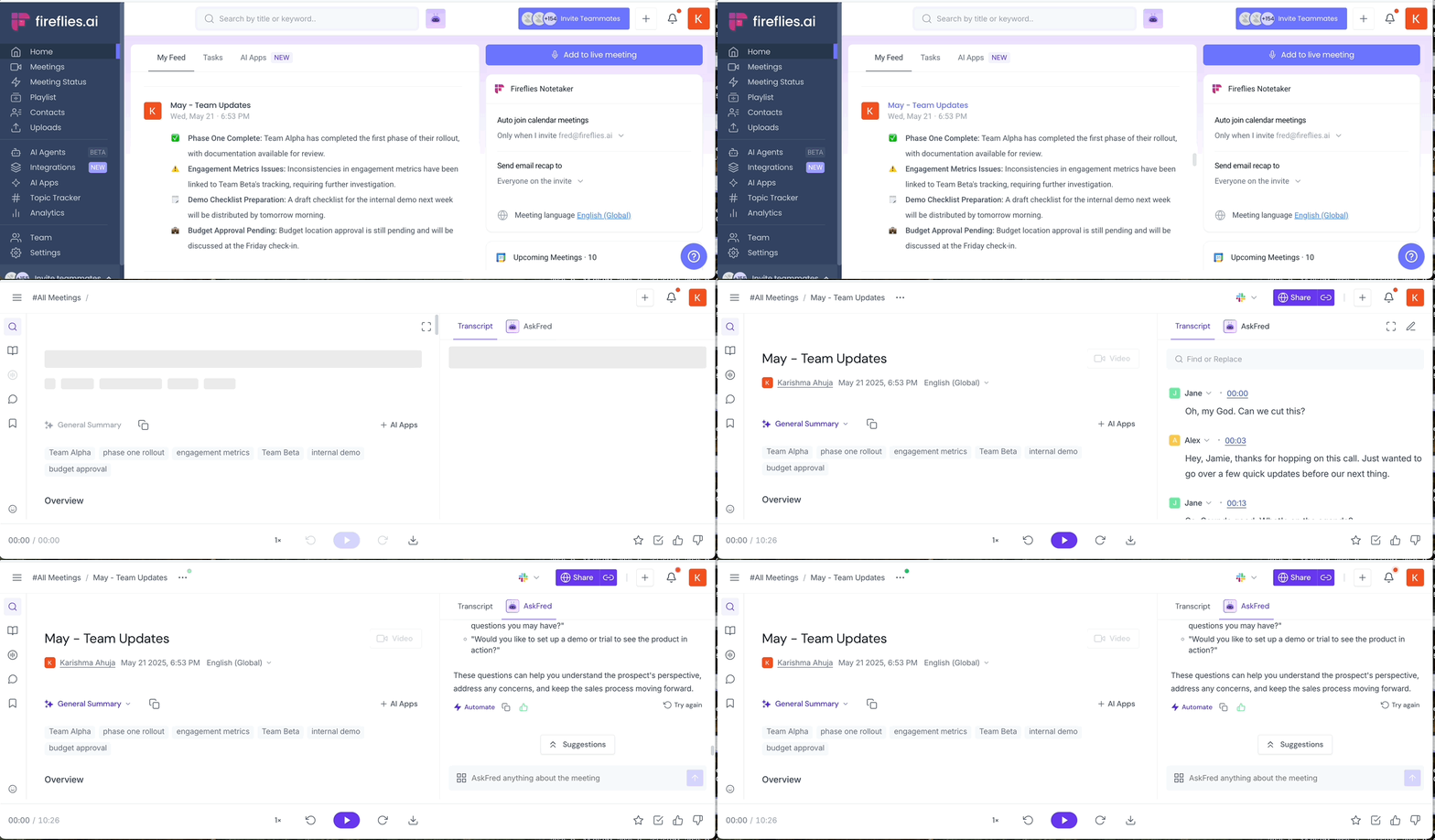
Then there’s AskFred, Fireflies.ai’s built-in AI assistant — think ChatGPT, but trained on your meetings, not random internet data. It lives right inside Fireflies and lets you ask real, practical questions like “What were the main objections?”, “Summarize the action items,” or “What did we agree on next?”
AskFred goes beyond simple Q&A. You can use it to summarize calls, extract insights, generate follow-up emails, and even draft content like LinkedIn posts based on the actual conversation. Instead of rereading long transcripts or guessing what matters, AskFred pulls answers straight from the meeting — so you get clarity fast and spend less time digging, more time doing.
AI Meeting Transcription
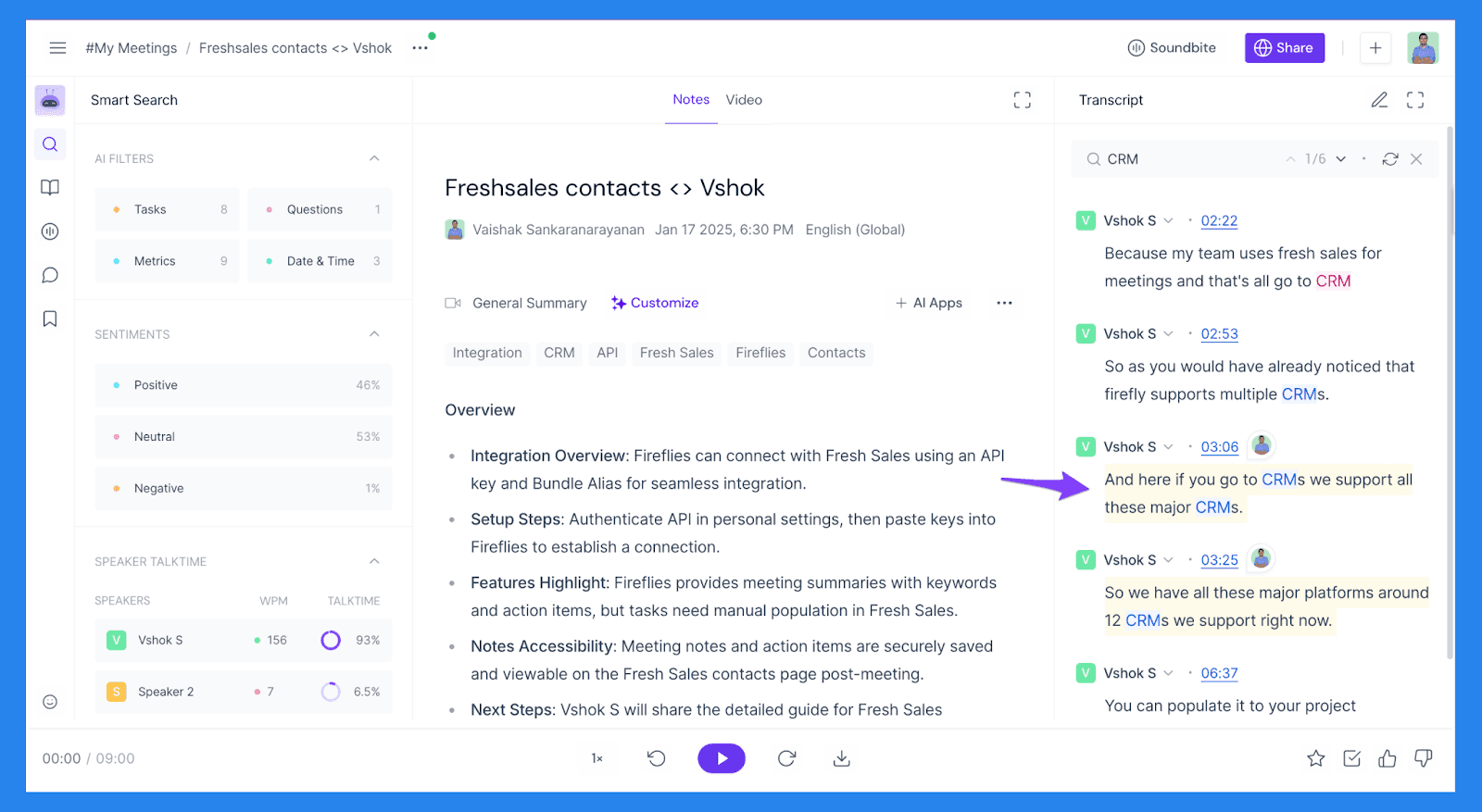
At the core of Fireflies.ai is its AI meeting transcription capability, designed to capture conversations accurately — whether you need notes in real time or a detailed transcript after the meeting ends. Fireflies.ai can transcribe meetings live, allowing participants to follow along as the conversation happens, or process recordings post-meeting for teams that prefer to review discussions afterward.
The platform supports multiple speakers and 100+ languages, making it well-suited for global teams and client calls where conversations aren’t always perfectly paced or clearly separated. Fireflies.ai automatically identifies speakers and organizes transcripts accordingly, reducing confusion and improving readability.
AI-Powered Meeting Summaries
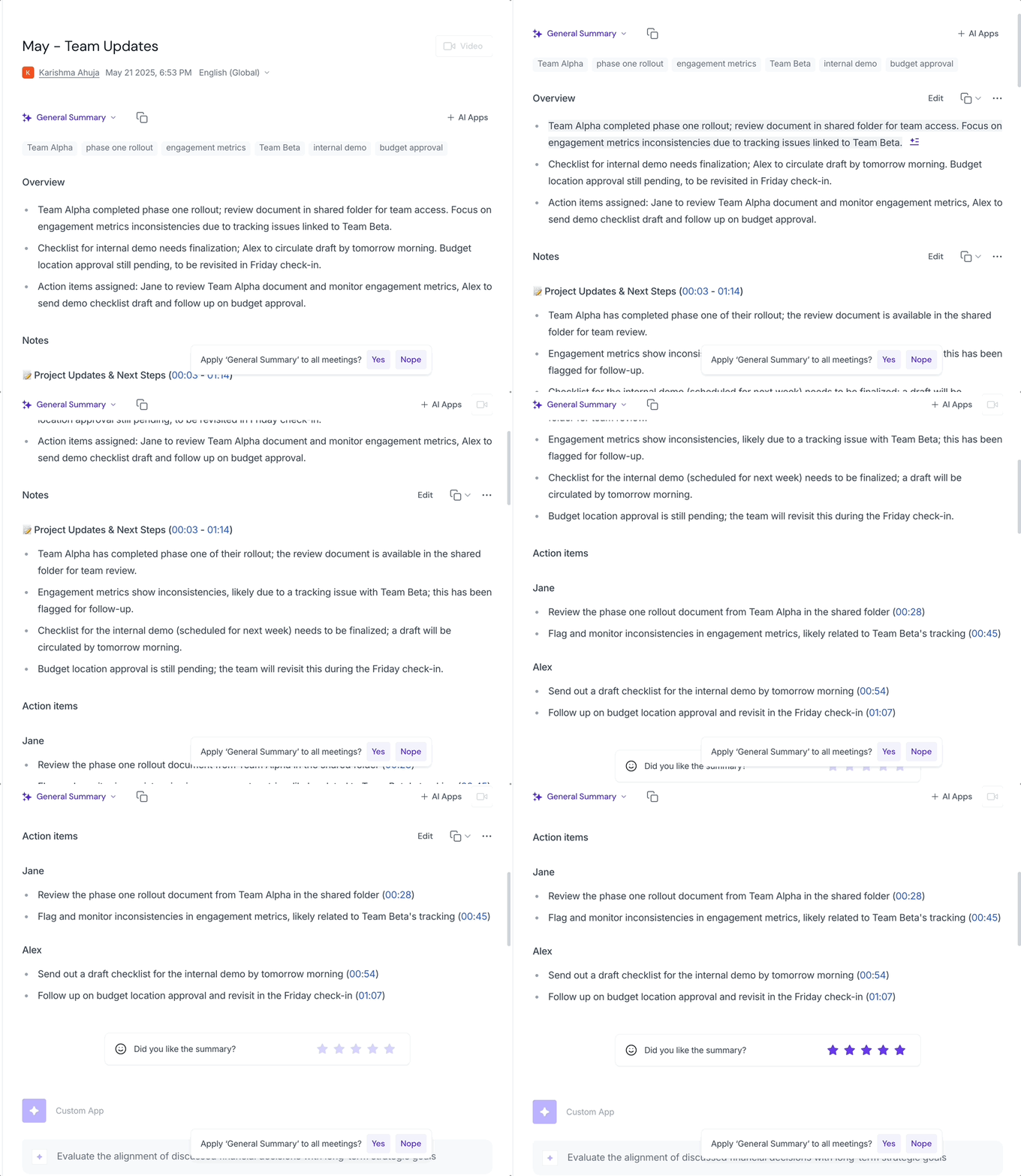
Once your meeting wraps up, Fireflies.ai gets to work — no reminders, no manual cleanup, no “I’ll summarize this later” lies. It automatically processes the conversation and delivers a multi-part AI-generated meeting summary designed for humans who don’t have time to reread transcripts.
Here’s what you’ll typically find inside a Fireflies AI summary:
🔎 Keywords: A quick-hit snapshot of the most relevant terms mentioned during the meeting. Perfect for spotting recurring themes, priorities, or red flags at a glance — no CTRL+F required.
📅 Meeting Overview: A short, plain-English paragraph explaining what the meeting was actually about. Think of this as your elevator-pitch recap for stakeholders who weren’t there (or tuned out halfway through).
⏱️ Time-Stamped Notes: Bullet-point notes grouped into logical chapters, each linked directly to the transcript. Want more context? Click the timestamp and jump straight to that moment in the conversation.
✅ Action Items: Automatically extracted tasks tied to specific speakers. This is where Fireflies.ai quietly eliminates the classic “I thought you were handling that” follow-up email.
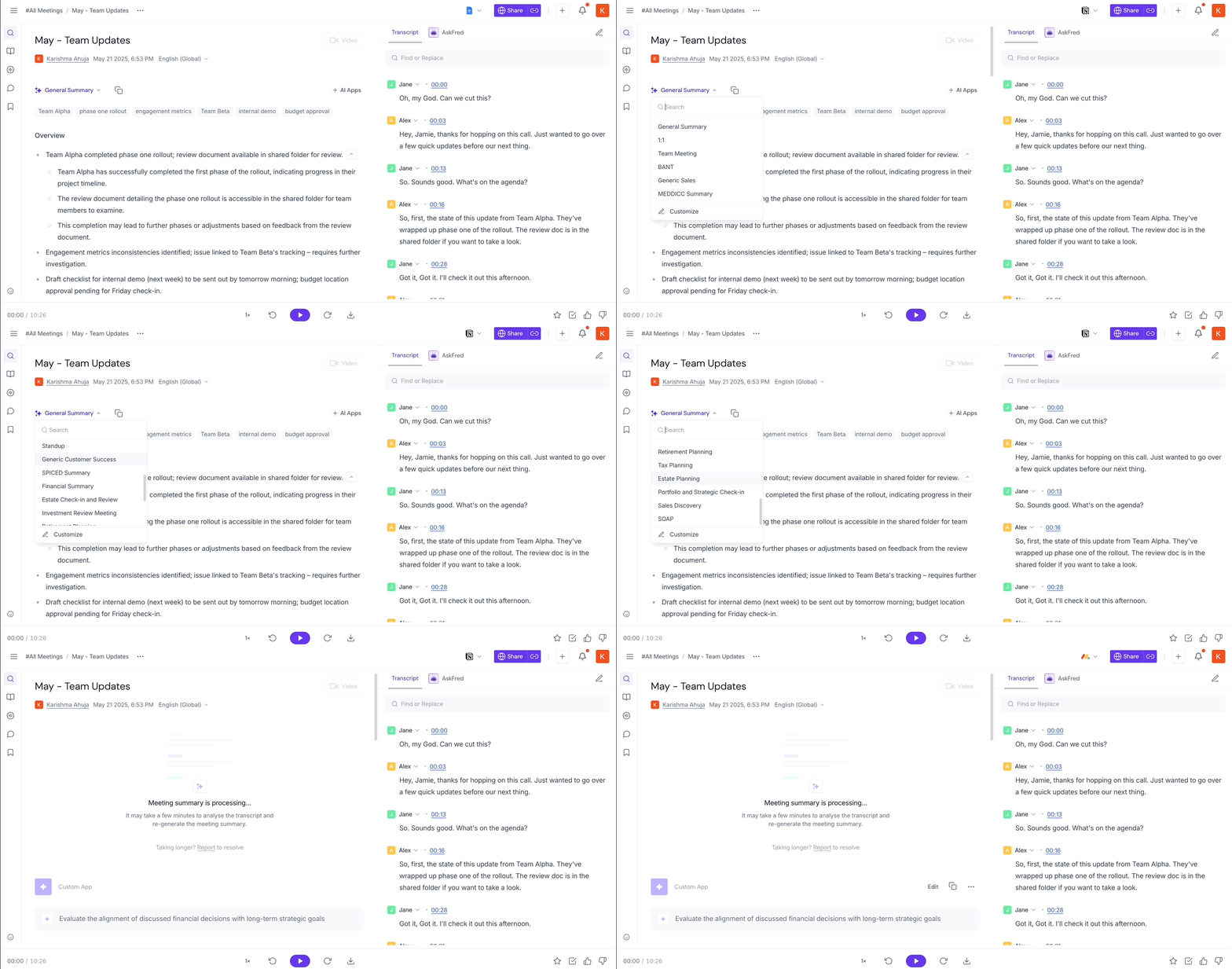
Fireflies.ai takes it a step further and lets you customize your summaries by adding or removing sections with a single click. You can include elements like Blockers, Decisions, Meeting Outlines, Ideas, and more to match the type of meeting you’re running.
Task Feed

The Task Feed is Fireflies.ai’s way of making sure meeting action items don’t vanish into the void five minutes after the call ends. It pulls tasks straight from your meetings and keeps them in one place, so follow-ups actually happen — not just talked about.
Here’s what you can do in the Task Feed:
✅ Mark tasks as complete: Check things off as you go and enjoy that small but satisfying sense of progress.
🔁 Reassign tasks: Send tasks to the right person — especially useful when “someone” somehow became everyone.
🗑️ Delete or copy tasks: Clean up tasks you don’t need, or copy them for repeat meetings and recurring workflows.
⏩ Send tasks to project tools: Manually push tasks into tools like Trello, Microsoft To Do, and other project management apps, so your meetings and task lists stay in sync.
In short, the Task Feed turns meeting talk into actual work, without adding yet another system to babysit.
Integrations
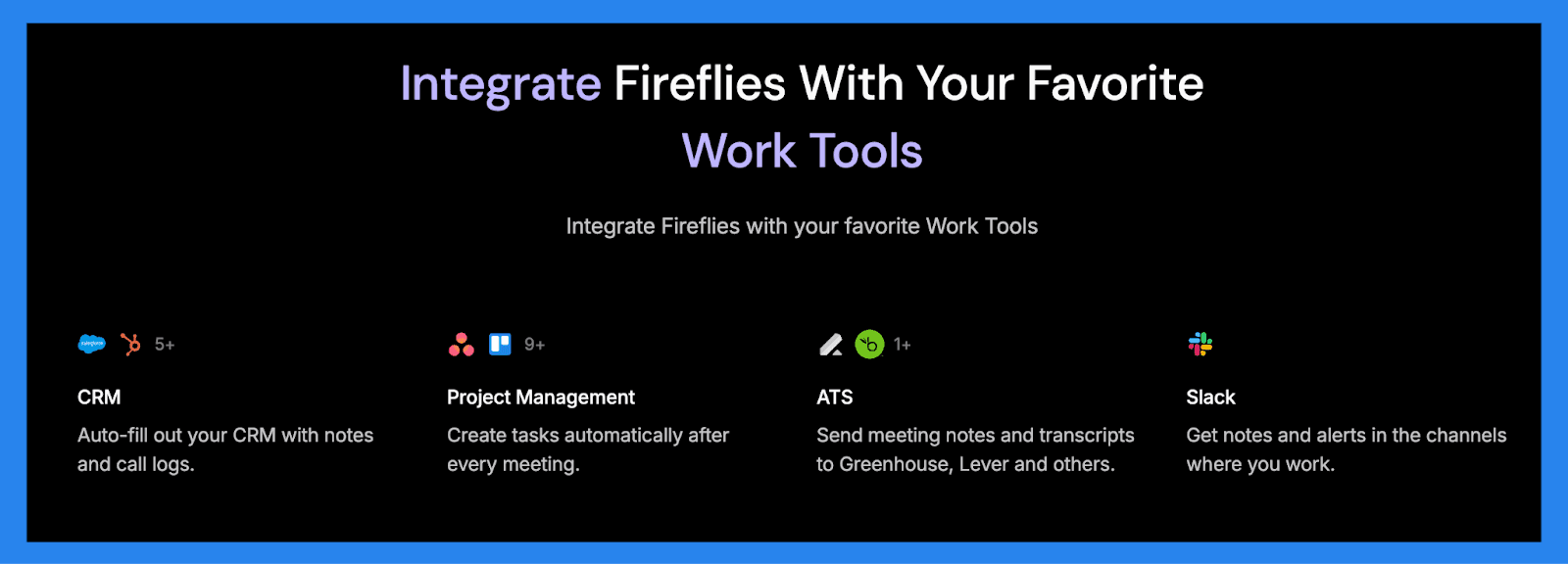
Fireflies.ai is designed to fit into your existing workflow, not create a new one. It connects with a wide range of tools that teams already use, so meeting insights don’t get stuck in yet another dashboard. Below are some of the most useful integrations Fireflies.ai offers.
CRMs: Integrates with platforms like Breakcold, Salesforce, and HubSpot, allowing you to sync meeting summaries, transcripts, and action items directly to contacts and deals. Less admin, more actual selling.
Collaboration tools: Works with tools like Slack, Notion, and Asana so you can share summaries, turn action items into tasks, or store transcripts where your team already collaborates.
Calendars & video conferencing platforms: Connects to your calendar and automatically joins meetings on Zoom, Google Meet, and Microsoft Teams. Once it’s set up, Fireflies.ai shows up, takes notes, and handles the post-meeting chaos for you.
Mobile app: Fireflies.ai’s mobile app for Android and iOS puts an AI teammate in your pocket. Record in-person or offline meetings, add Fireflies to live calls, upload files, review notes, search transcripts, share highlights, and manage tasks — anytime, anywhere.
Looking to integrate Fireflies with Breakcold? | ||
|---|---|---|
We’ve got you covered. Watch the quick video below to see how Fireflies syncs seamlessly with Breakcold — automatically logging meeting notes, summaries, and action items so your sales process runs smoother (and with way less manual work). | ||
💰 Fireflies.ai Pricing Plans
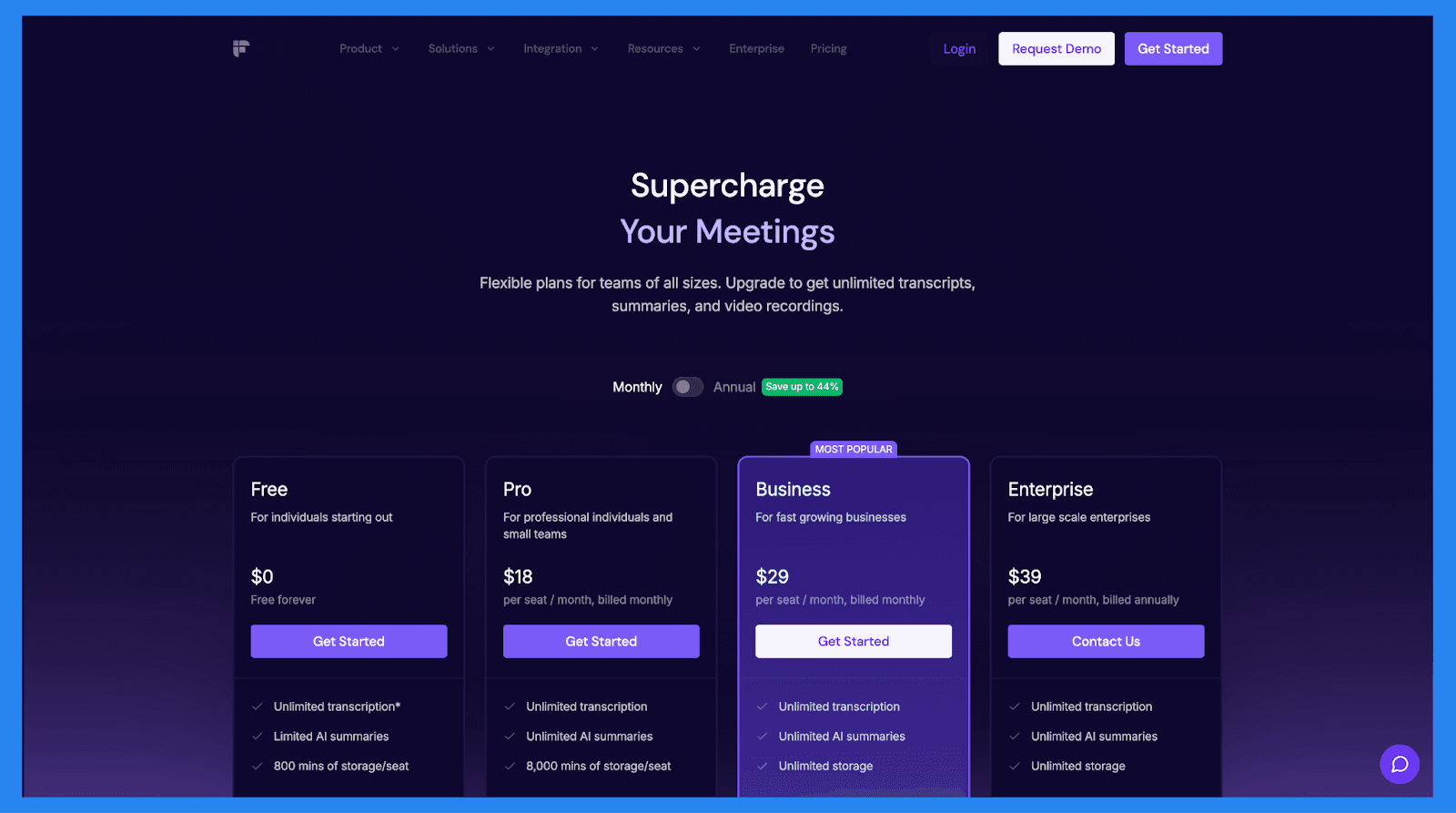
Free | Pro |
|---|---|
$0/Free forever | $18/user/mo |
✅Unlimited transcription ✅Limited AI summaries ✅800 mins of storage/seat Key Features
| ✅Unlimited transcription ✅Unlimited AI summaries ✅8,000 mins of storage/seat Everything in Free, plus..
|
Business | Enterprise |
|---|---|
$29/user/mo | $39/user/mo |
✅Unlimited transcription ✅Unlimited AI summaries ✅Unlimited storage Everything in Pro, plus..
| ✅Unlimited transcription ✅Unlimited AI summaries ✅Unlimited storage Everything in Business, plus..
|
⭐ Ratings+ Pros and Cons of Fireflies.ai ⭐
Ratings | |
|---|---|
G2 - 4.8/5 (725) | Capterra - 4.9/5 (247) |
Pros | Cons |
|
|
🆚 Fireflies.ai vs Competitors
When it comes to AI meeting transcription and conversation intelligence, Fireflies.ai isn’t the only kid on the block. Below is a comparison with some of the most talked-about alternatives in the space — so you can see how Fireflies stacks up in real-world workflows.
🥇 Breakcold’s AI Note-taker
Summary
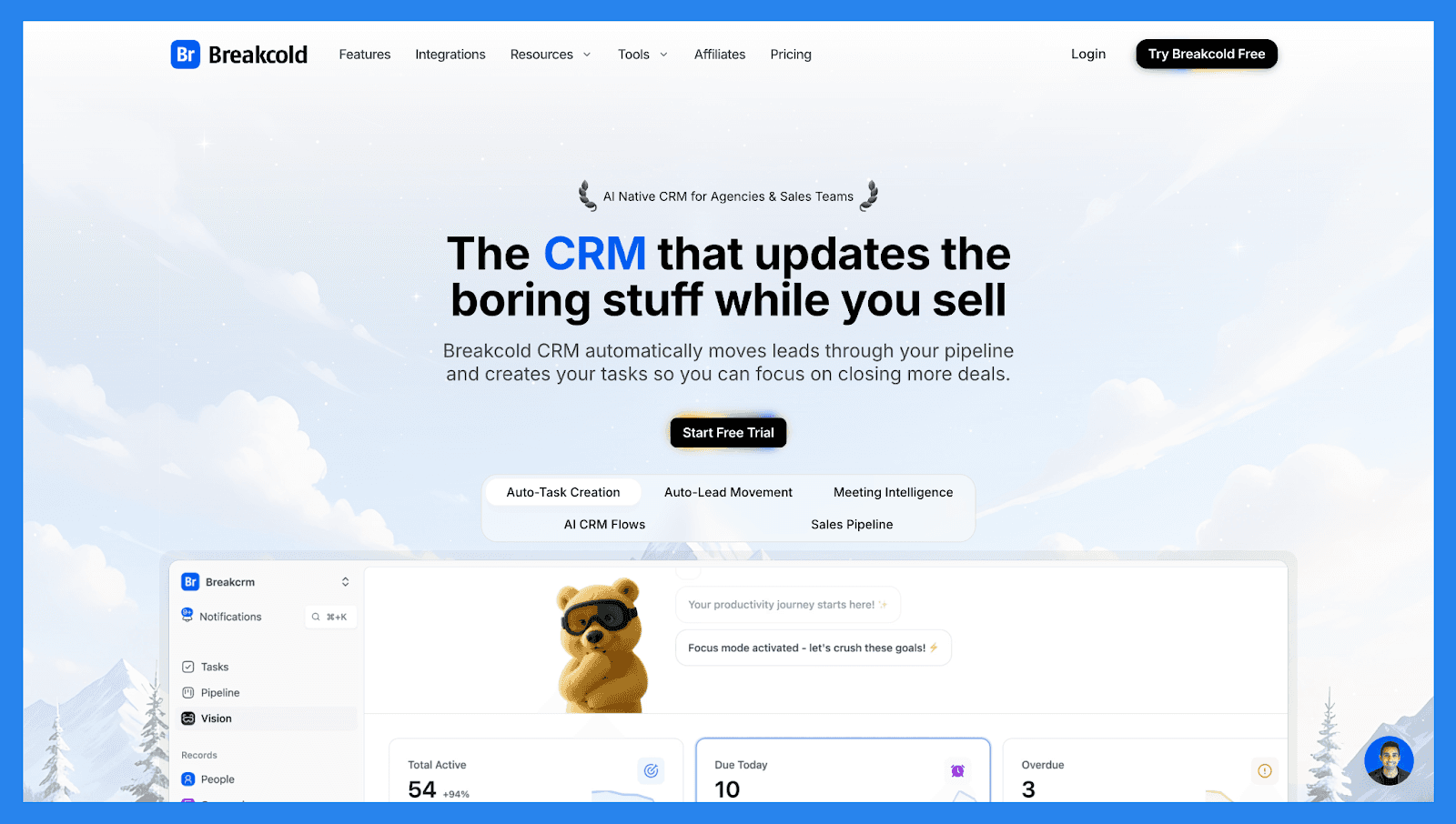
Breakcold’s AI Note-taker isn’t just another meeting assistant, it’s built inside an AI-native sales CRM that already runs your sales process. While standalone tools like Fireflies.ai focus primarily on transcribing and summarizing meetings, Breakcold captures those meeting insights and plugs them directly into your sales workflow without switching apps.
In other words: Breakcold doesn’t just take notes, it automatically turns those notes into CRM context, actionable tasks, and pipeline intelligence. For sales teams that live inside a CRM and want their meeting data to actually move deals forward, that unified experience can be a game-changer.
Key Features | |
|---|---|
| |
Ratings | |
G2 - 4.7/5 (116) | Capterra - 4.8/5 (93) |
Pros | Cons |
|
|
Pricing Plans
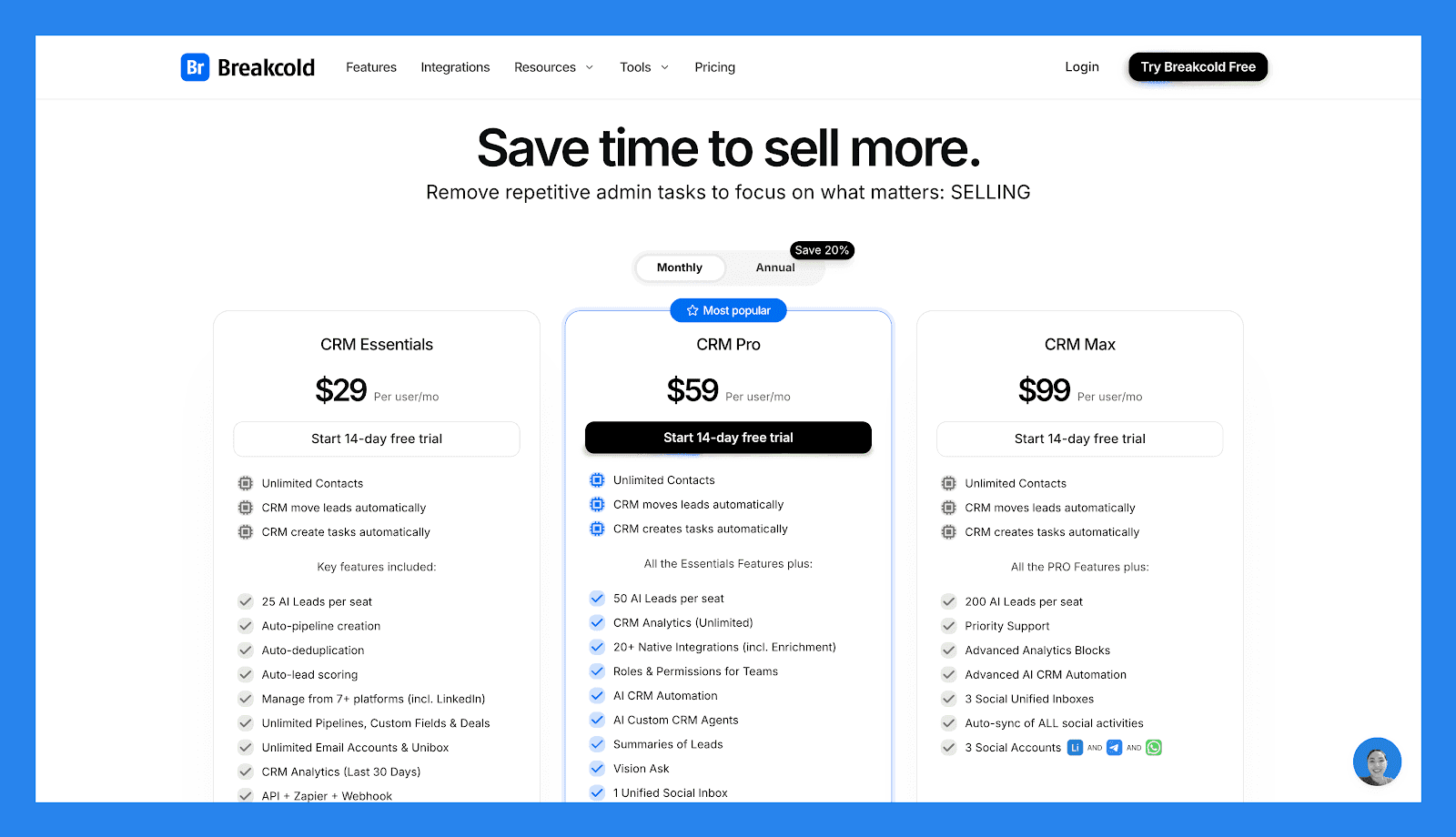
CRM Essentials | CRM Pro | CRM Max |
|---|---|---|
$29/user/mo | $59/user/mo | $99/user/mo |
Key features included:
|
All Essentials Features plus:
|
All PRO features plus:
|
🥈 Otter.ai
Summary
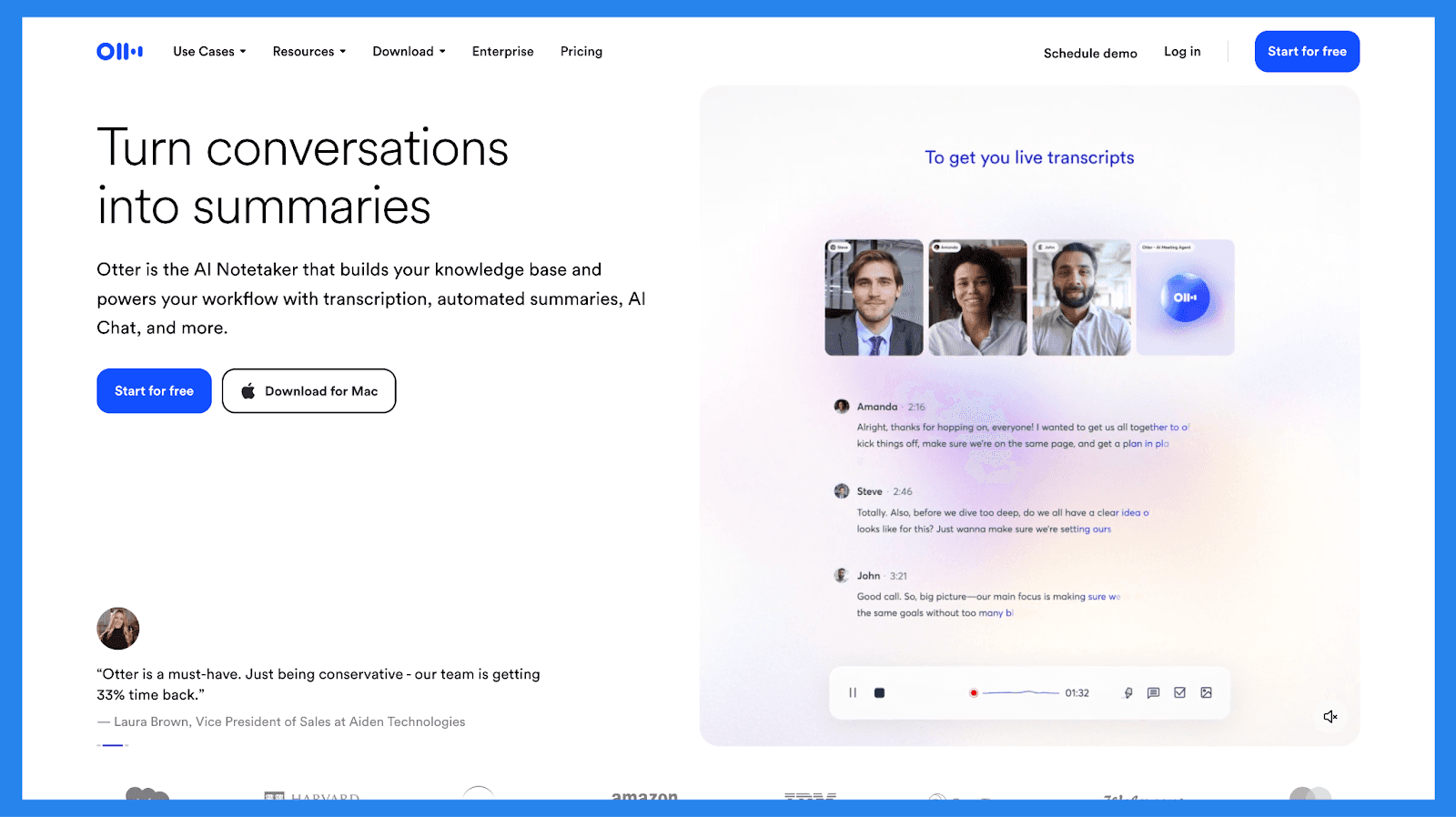
Otter.ai is one of the most widely used tools for real‑time meeting transcription and AI summaries. It’s especially popular for virtual meetings on platforms like Zoom, Google Meet, and Microsoft Teams, where it captures conversations, transcribes them live, and generates searchable summaries. While it doesn’t offer native CRM integrations, you can connect it to tools like Salesforce and HubSpot via Zapier or custom workflows.
However, unlike Fireflies.ai, which is built from the ground up to support workflows, integrations, and task follow‑ups — Otter.ai is primarily focused on capturing and summarizing conversation text. That makes it great for transcription needs, but less useful as a central meeting intelligence hub that feeds directly into sales and productivity systems.
Key Features | |
|---|---|
| |
Ratings | |
G2 - 4.4/5 (440) | Capterra - 4.4/5 (100) |
Pros | Cons |
|
|
Pricing Plans
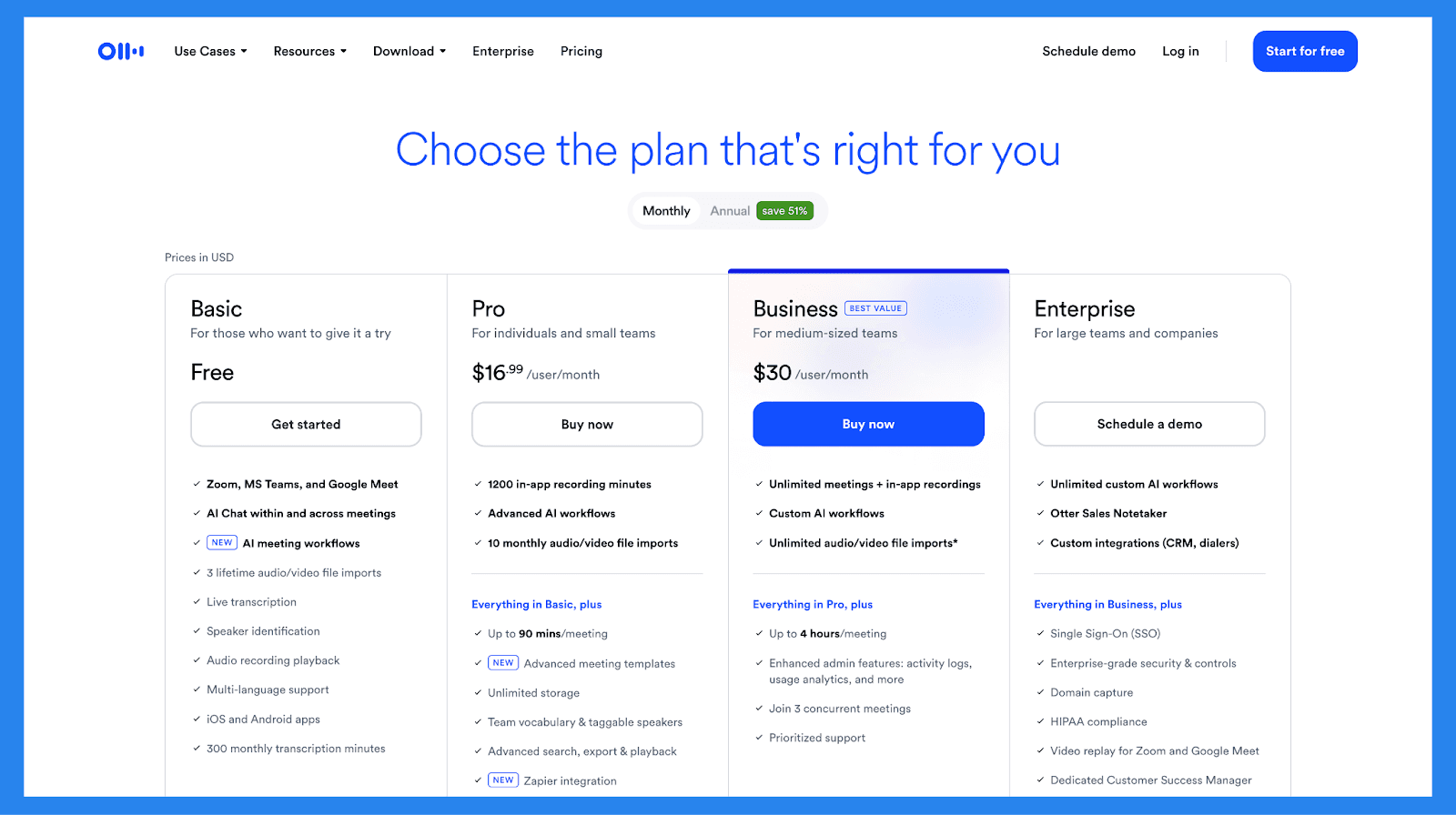
Basic | Pro |
|---|---|
Free forever | 16.99/user/mo |
Features:
| ✅1200 in-app recording minutes ✅Advanced AI workflows ✅10 monthly audio/video file imports Everything in Basic, plus:
|
Business | Enterprise |
|---|---|
30/user/mo | Schedule demo / Contact sales |
✅Unlimited meetings + in-app recordings ✅Custom AI workflows ✅Unlimited audio/video file imports* Everything in Pro, plus:
| ✅Unlimited custom AI workflows ✅Otter Sales Notetaker ✅Custom integrations (CRM, dialers) Everything in Business, plus:
|
🥉 Fathom.ai
Summary
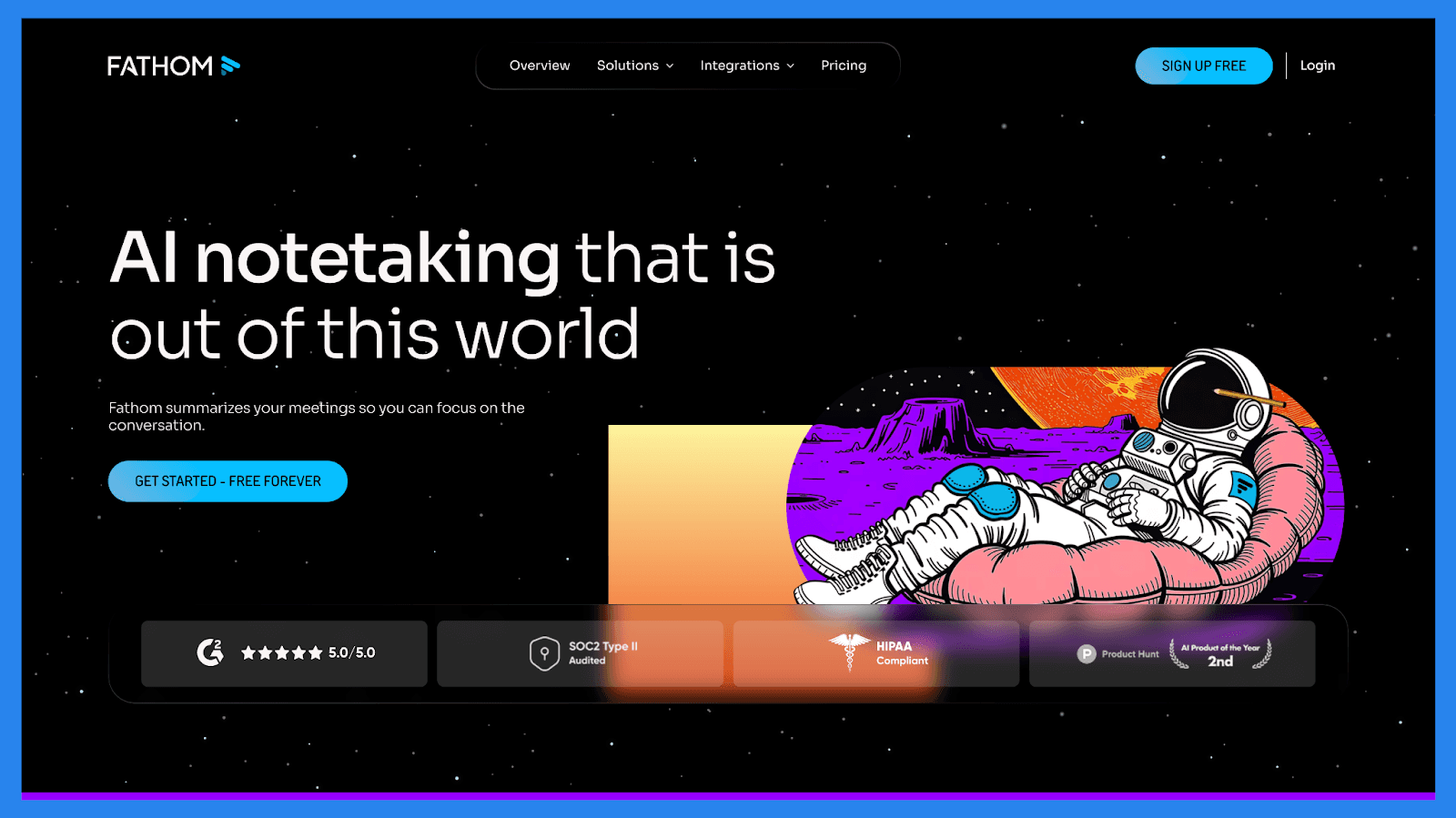
Fathom is an AI-powered meeting notetaker built for sales and customer success teams that prioritize speed, clarity, and seamless follow-up. It automatically records, transcribes, and summarizes calls, allowing reps to stay focused on the conversation while the AI captures every detail in the background. Meeting highlights, action items, and next steps are automatically organized and easily shareable, helping teams avoid missed details and making handoffs smoother.
Fathom works with Zoom, Google Meet, and Microsoft Teams, and integrates with CRMs like HubSpot (native) and Salesforce (via Zapier), providing a solid foundation for workflow automation.
Key Features | |
|---|---|
| |
Ratings | |
G2 - 5/5 (6,317) | Capterra - 5/5 (804) |
Pros | Cons |
|
|
Pricing Plans
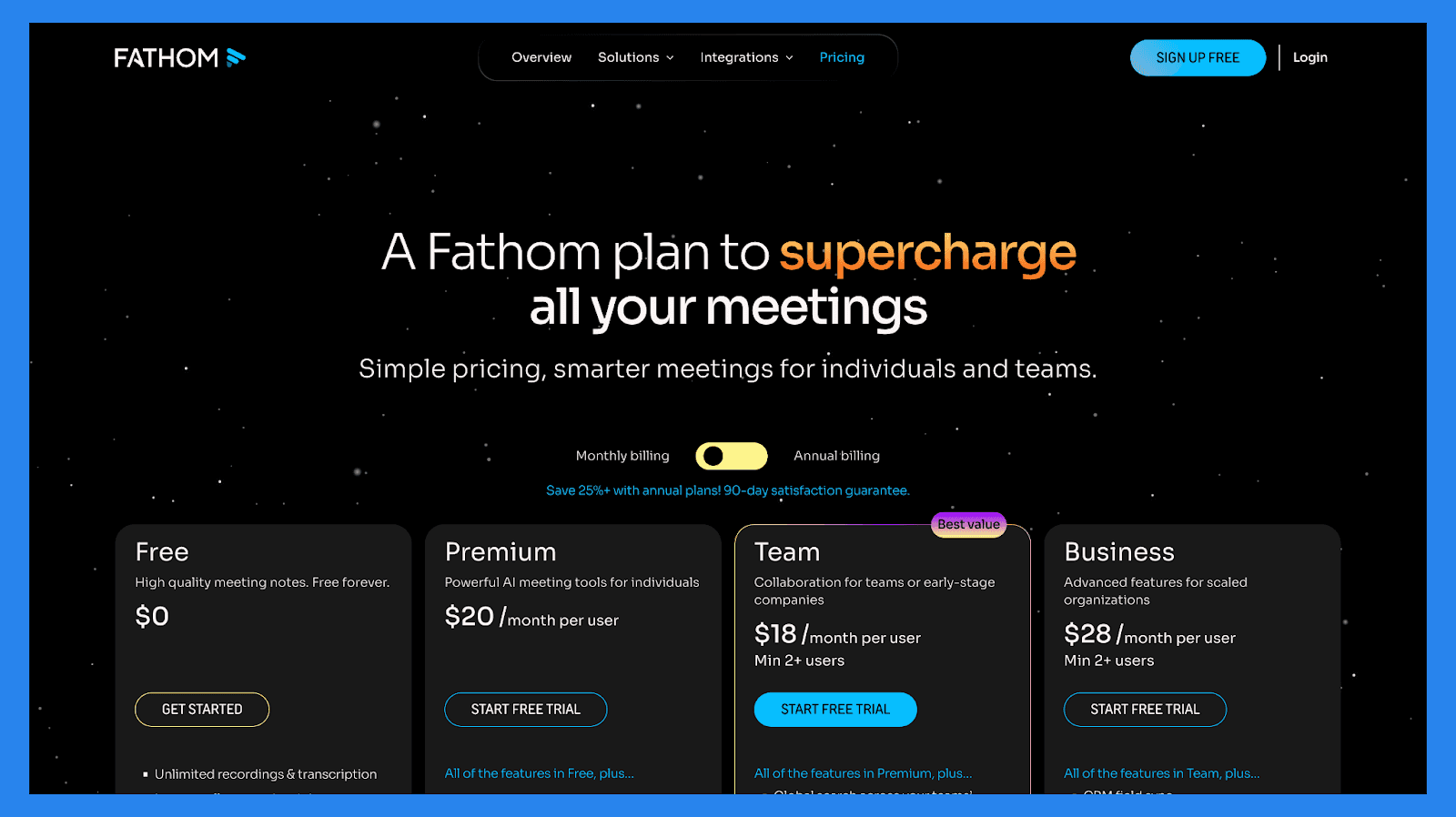
Free | Premium |
|---|---|
Free forever | 20/user/mo |
Features:
| All of the features in Free, plus…
|
Team | Business |
|---|---|
18/mo/users (min 2+ users) | 28/mo/users (min 2+ users) |
All of the features in Premium, plus…
| All of the features in Team, plus…
|
🏁 Final Verdict: Should You Use Fireflies.ai?
Fireflies.ai is a powerful AI meeting assistant that records, transcribes, summarizes, and organizes your meetings automatically. Its ability to extract action items, provide searchable transcripts, and integrate with CRMs, collaboration tools, and video platforms makes it more than just a note-taker — it’s a productivity multiplier for teams who want insights, not just text.
Bottom line: Fireflies.ai is ideal if you want meetings to work for you, not the other way around. It saves hours of manual note-taking, keeps teams aligned, and ensures follow-ups never fall through the cracks.
💡 Looking for something even more sales-focused? If your priority is CRM-native AI that automatically logs meetings, creates follow-up tasks, and moves deals forward, check out Breakcold’s AI Note-taker for a truly integrated workflow that goes beyond transcription.