



CRM Smart Views: The 7 Views Every Sales Team Should Have (2026)
Smart Views are the difference between scrolling 3,000 contacts every morning and opening your CRM with the right list already filtered. Here's the 5-minute setup.
TL;DR: CRM Smart Views 🎯
🧠 Smart Views = saved, dynamic filters on your contacts / deals / tasks that update themselves as data changes
⚡ The point: stop scrolling. Open your CRM, see the slice that matters right now
🏗️ Anatomy: filters + columns + sort + layout (table or Kanban) + save name
📌 Pin to your sidebar as Favorites for one-click access
🤖 AI Filter: describe what you want in plain English instead of building filter chips
🆚 Smart Views vs Static Lists: Smart = dynamic (auto-updates); Static = manual (you choose who's in)
📥 Also works in your Inbox: filter conversations by channel, status, assignment
🚀 The 7 Smart Views every sales team should set up today: full list below ⬇️
For my first year selling, I had a system: every morning, scroll through my contacts page, eyeball who I hadn't talked to in a while, scroll back up, sigh, open LinkedIn, repeat. I genuinely thought that was "doing CRM." 😅
Then someone showed me Smart Views. It took me about 90 seconds to realize I'd been wasting maybe 30 minutes a day on something my CRM could do for me automatically.
If you're a sales rep, founder, or agency operator who lives in a CRM all day, this is the 5-minute setup that's going to save you 2+ hours a week.
What Are CRM Smart Views?
Smart Views in Breakcold are saved filters on your CRM lists that update themselves automatically. Every concept on this page works inside Breakcold, no plugins or add-ons.
Instead of looking at all your contacts (one undifferentiated list of 3,000+ people), Smart Views show you the slice that matters right now: deals that haven't moved in 30 days, people you haven't talked to in a week, conversations you forgot to reply to, leads with a specific tag.
The "smart" part is that the filter is dynamic. You don't manually add people. The view updates itself as your data changes: someone replies, their conversation drops off "Unreplied"; a deal moves stages, it leaves "Stalled deals". You set the rules once and your list curates itself forever.
Why Smart Views Matter (More Than Most Reps Realize)
Every minute you spend scrolling, hunting, or "eyeballing" your CRM is a minute you're not selling. In our own team's case, switching to a Smart Views-first workflow gave us back about 2 hours/week per rep.
The deeper reason: Smart Views force your CRM to do triage for you. Without them, you're the triage layer, and humans are bad at triage (we open who we like, not who needs attention). With Smart Views, your CRM hands you the priority list. 📋
The Anatomy of a Smart View 🏗️
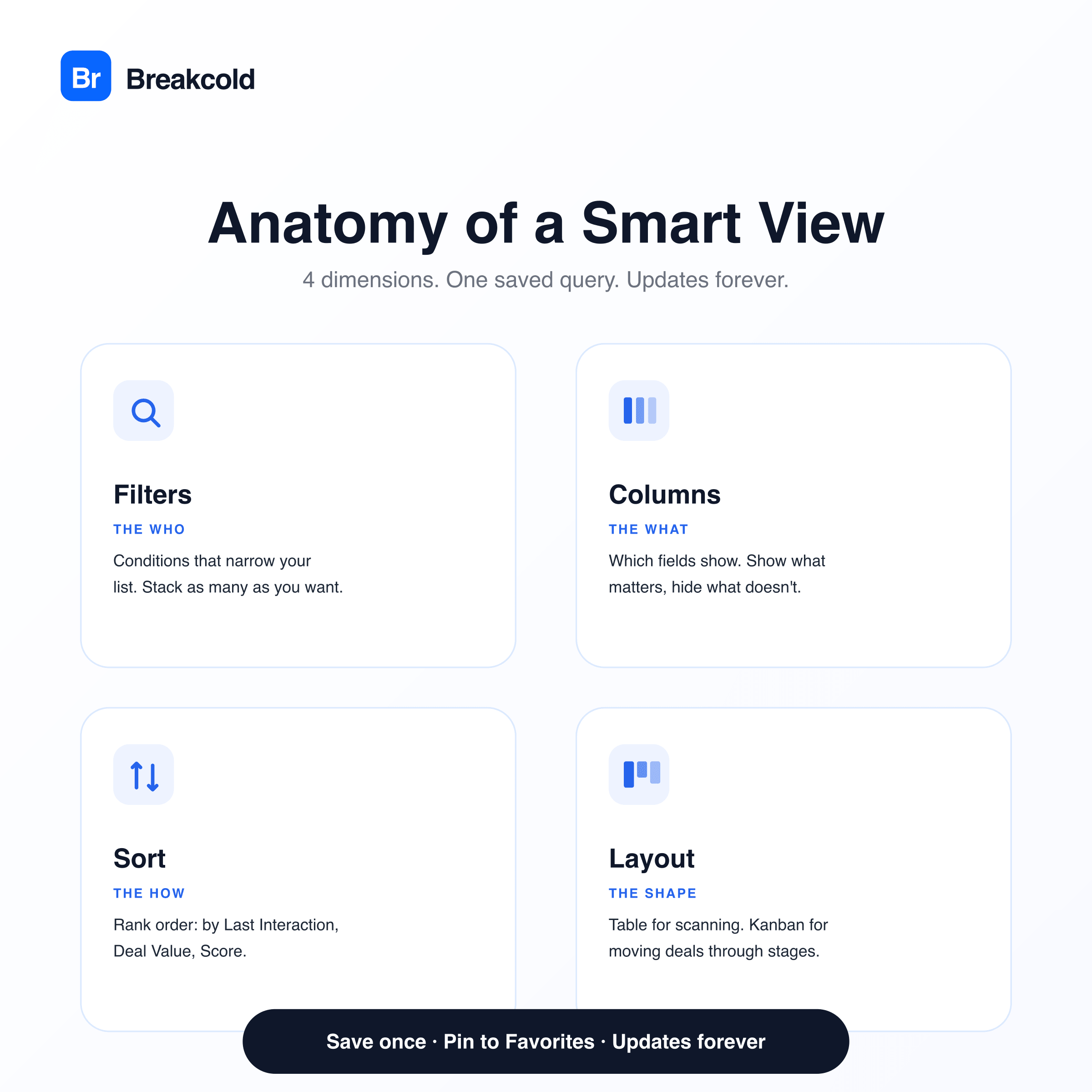
A Smart View in Breakcold has 4 moving parts:
Filter conditions: the "who" (e.g. "Last interaction is older than 7 days", "Deal stage is Stalled", "Tag contains hot-lead")
Columns: which fields show in the table (Name, Company, Job Title, Last Interaction, Owner)
Sort order: how the list is ranked (by Last Interaction descending, by Deal Value, etc.)
Layout: Table or Kanban
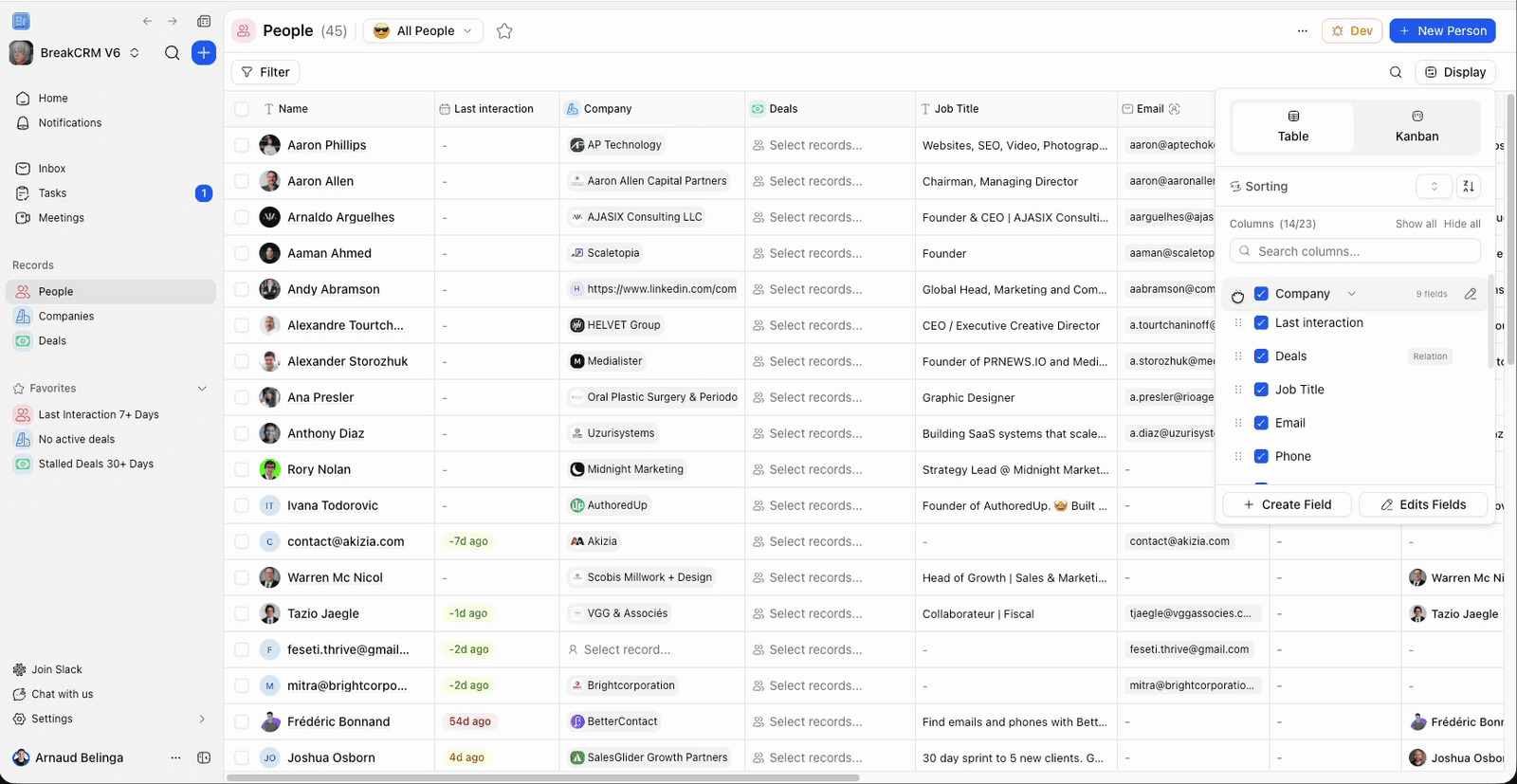
In Breakcold you configure these once, hit "Save as view", give it a name like "🔥 Hot Leads: Not Contacted 5+ Days", and it appears in your view dropdown forever. Done.
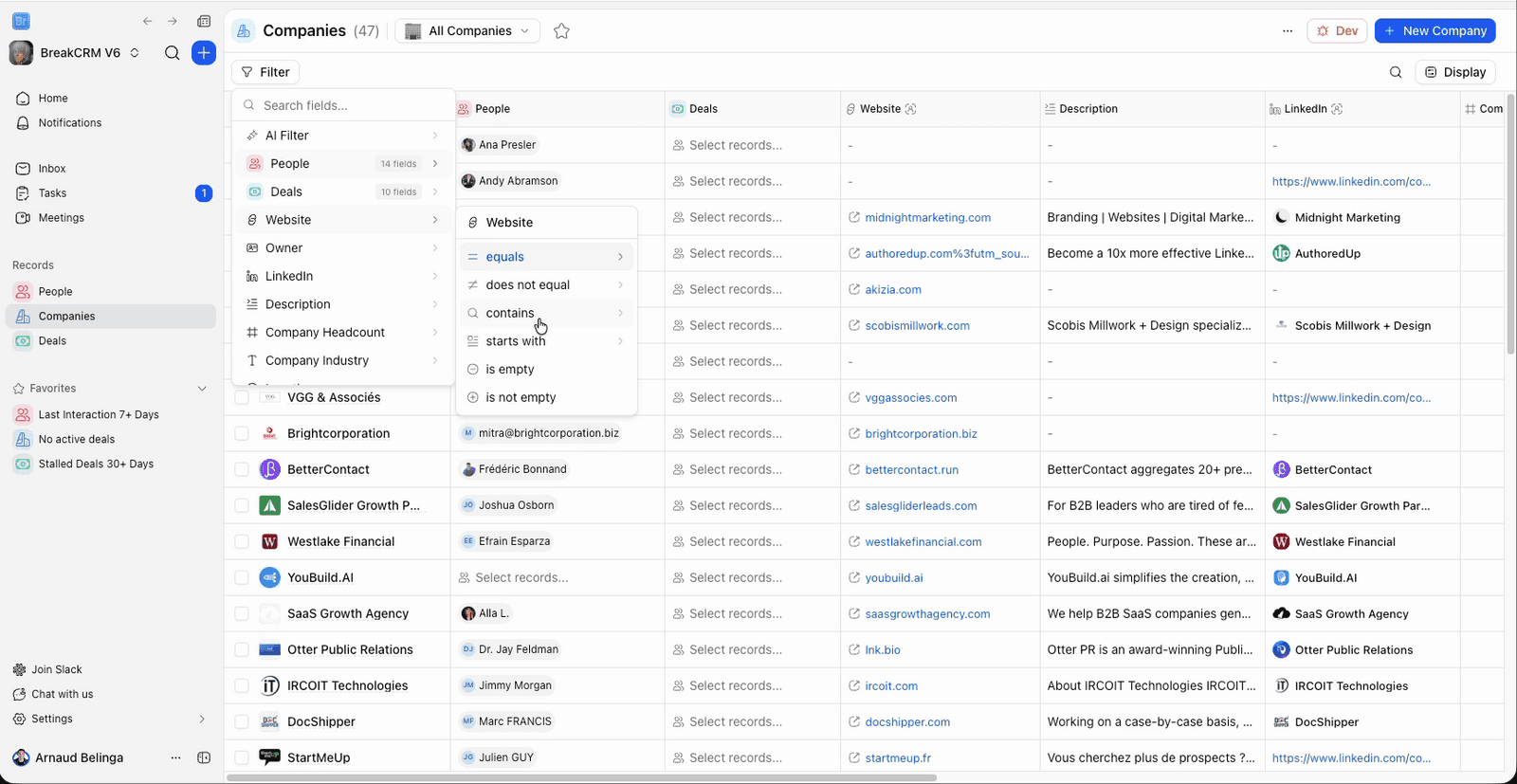
Each filter you add becomes a chip at the top of the view. Stack as many as you want, Breakcold doesn't cap them.
Smart Views vs Static Lists: When to Use Which 🆚
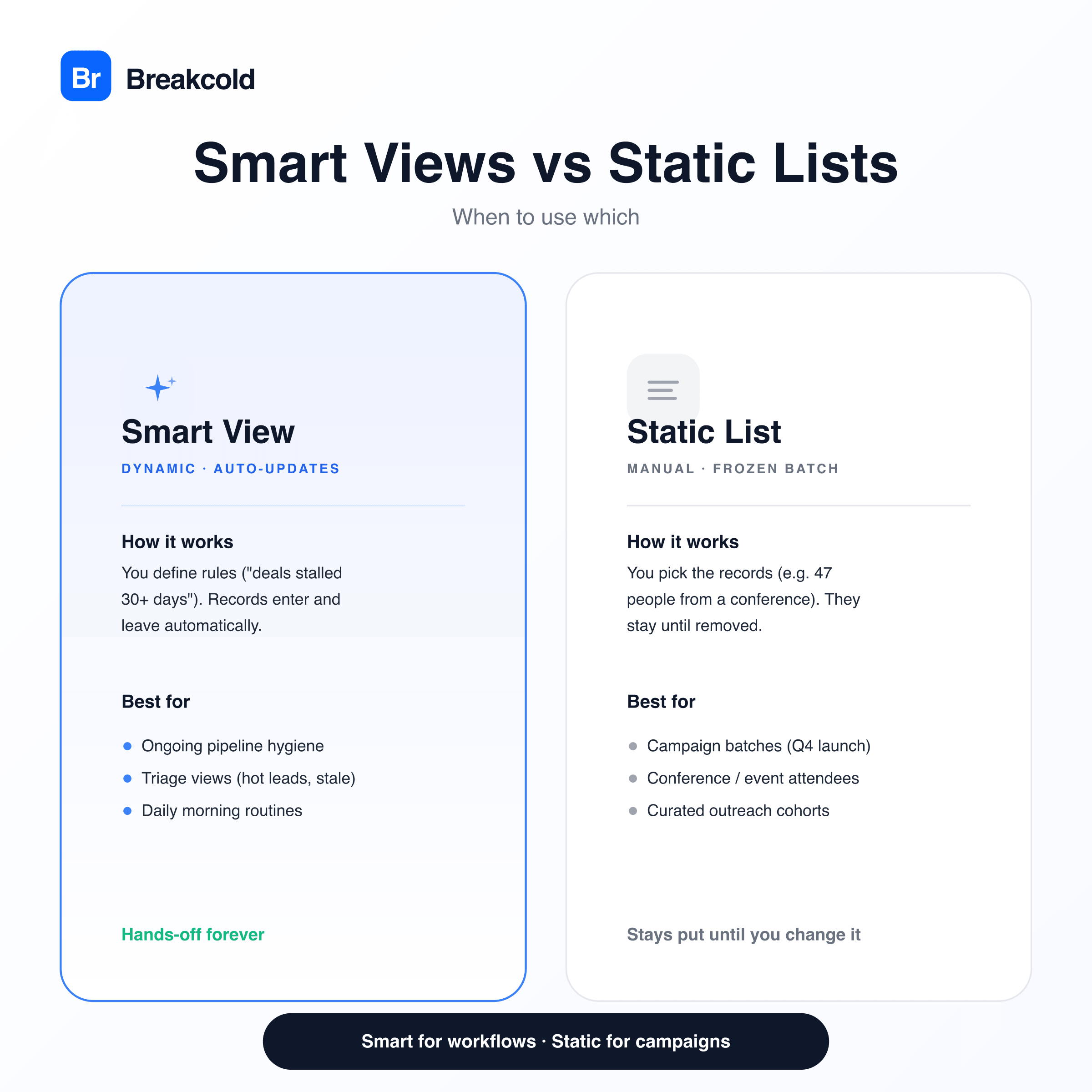
Smart View (dynamic): "Show me everyone tagged 'enterprise' who hasn't replied in 7 days." → Updates automatically. People enter and leave the view as their data changes.
Static List (manual): "Q4 2025 outreach batch. These specific 47 people." → You manually add them. They stay until you remove them.
Rule of thumb: use Smart Views for ongoing workflows (your daily pipeline hygiene), and Static Lists for campaign-style batches (Q4 launch, conference attendees you met IRL).
In Breakcold you can build static lists with a custom Select field: see the help article on creating Static Lists if you go that route.
The 7 Smart Views Every Sales Team Should Set Up Today 🚀
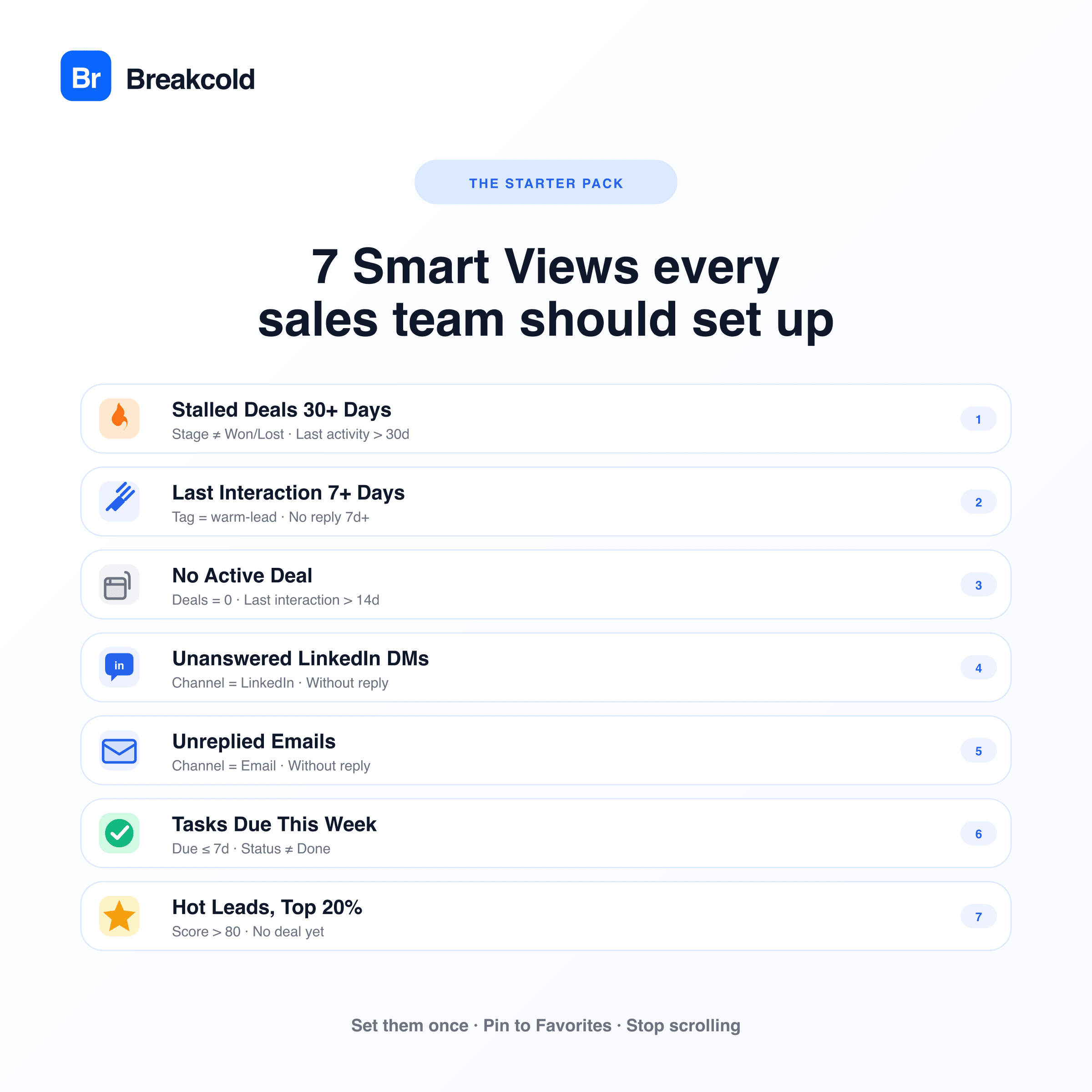
Here's the starter pack. Set these up once and your daily workflow basically runs itself.
1. 🔥 Stalled Deals 30+ Days
Filter: Deal stage is not Won/Lost AND Last activity is more than 30 days ago
Why: Deals don't fail because reps "forgot to close". They fail because they go quiet. This view shows you what's rotting.
2. 👋 Last Interaction 7+ Days (Warm Leads)
Filter: Last interaction is more than 7 days ago AND Tag contains "warm-lead"
Why: Warm leads cool down fast. 7 days is the breakpoint after which most "interested" replies stop converting.
3. 📭 No Active Deal
Filter: Number of deals = 0 AND Last interaction is more than 14 days ago
Why: Contacts without a deal attached and no recent activity are pipeline leakage. Either disqualify or revive: don't ignore.
4. 💬 Unanswered LinkedIn Messages
Filter: Channel = LinkedIn AND Without reply = true
Why: LinkedIn DMs have a ~24-hour response window. Past that, your reply rate drops 60%+.
5. 📧 Unreplied Emails
Filter: Channel = Email AND Without reply = true
Why: Same logic as above but for email. Cleaner inbox = clearer head.
6. ✅ Tasks Due This Week
Filter: Due date within 7 days AND Status ≠ Done
Why: If you scroll your full task list every morning to find what's due today, you've already lost 15 minutes.
7. ⭐ Hot Leads: Top 20%
Filter: Lead score > 80 AND No deal yet
Why: Your hottest unqualified leads in one click. The list every rep should open first thing every morning.
Once these are set, pin them to your sidebar as Favorites. Your morning becomes: open Hot Leads → run through 8 actions → close the tab. No scrolling.
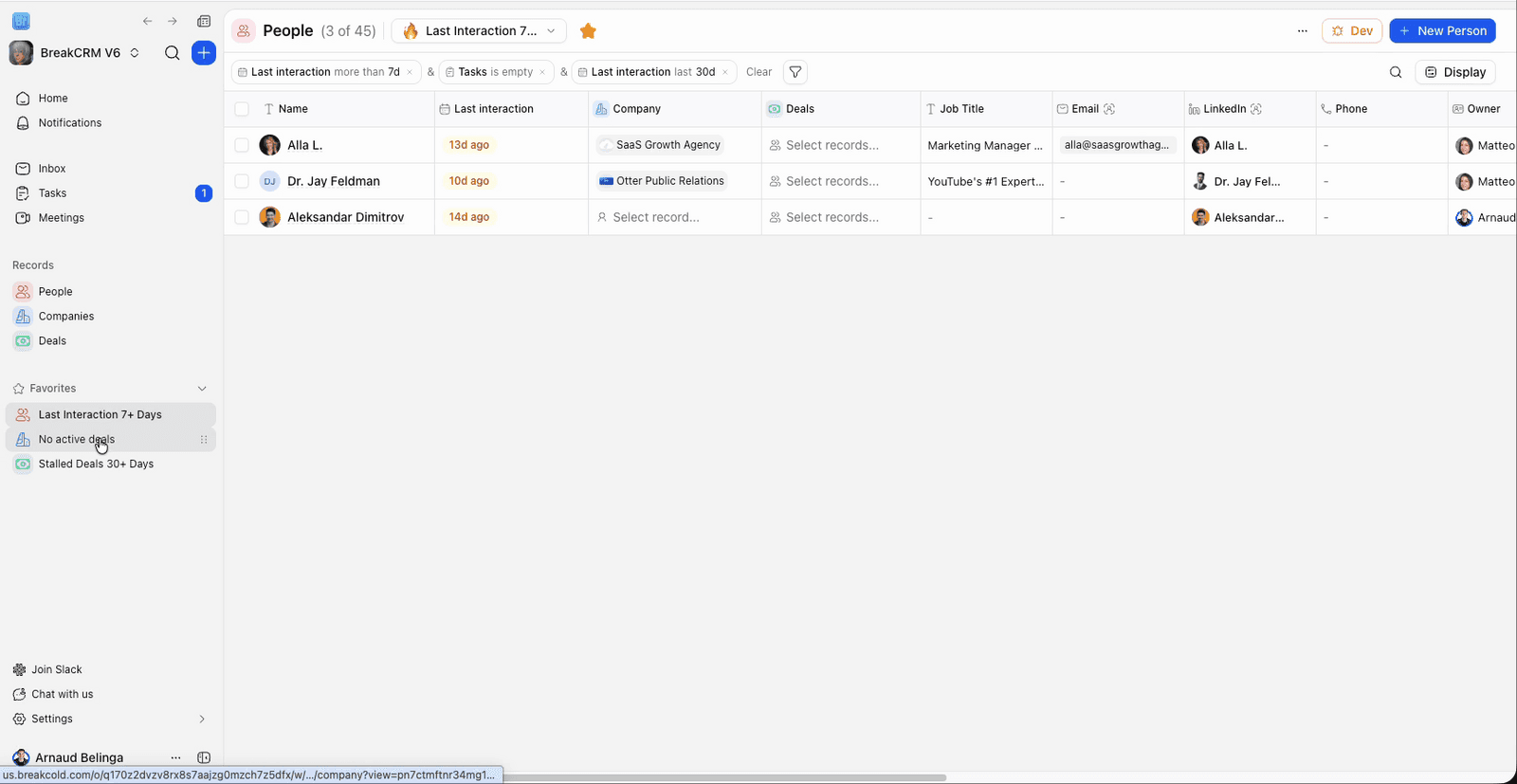
Smart Views in the Inbox (Not Just on Contacts) 📥
Most CRMs let you do filtered views on contacts. Breakcold (an AI-native CRM) extends the concept to the conversation inbox too.
Inside Breakcold's inbox you can have Smart Views for:
📬 Inbox: all conversations across channels
📧 Email only
💼 LinkedIn only
📱 WhatsApp / Telegram only
✅ Done / Archived / Starred
⏰ Scheduled messages
Plus filter overlays: Unread only, Important only, Assigned to me, Without reply, by Message type.
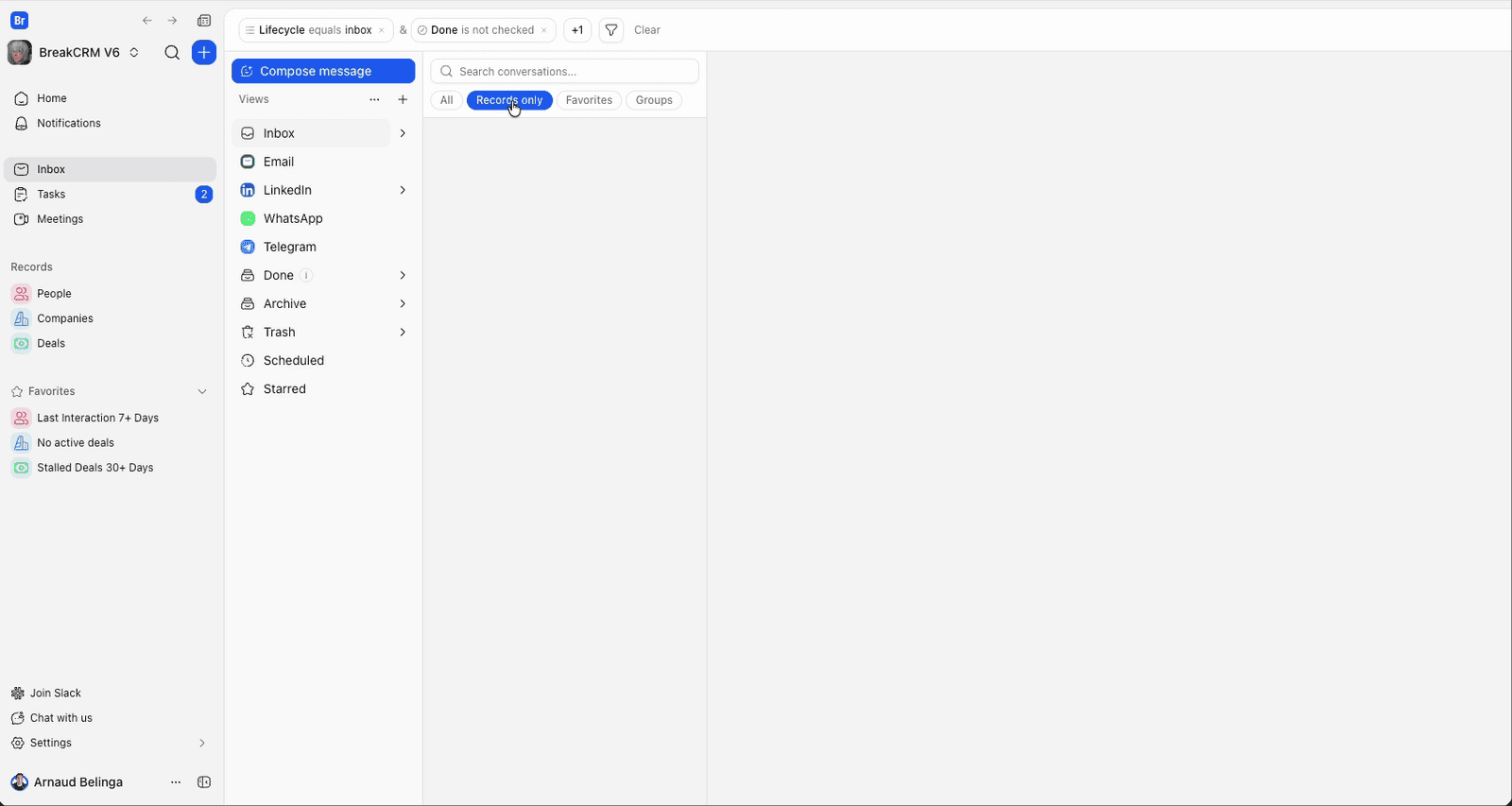
This is genuinely a different mental model: instead of jumping between Gmail, LinkedIn web, and WhatsApp tabs every morning, you have one unified inbox, and you switch views within it.
AI Filter: Skip the Filter Chips 🤖
One of my favorite Breakcold features in the last year, the AI Filter. Instead of clicking through "select field → choose condition → set value → apply", you just type what you want in plain English:
"Show me people in the CRM who replied last week"
"Deals over $5k stalled for more than 14 days"
"Contacts I added in October without a tag"
The AI translates your description into the appropriate filter chips automatically. Speeds up creating new Smart Views by maybe 3x for me personally. ⚡
Smart Views for People, Companies & Deals 🗂️
The same Display + Filter system works across all three core CRM object types in Breakcold (and you can also build them on Custom Objects if you've added any):
People: Smart Views for contacts (e.g. "Decision-makers at companies with 50–200 employees")
Companies: Smart Views for accounts (e.g. "Customers with no active deal AND tagged enterprise")
Deals: Smart Views for pipeline (e.g. "Stalled at proposal stage > 14 days")
Each object type has its own set of saved views, so you can have totally different filter setups per object without them stepping on each other.
3 Common Mistakes With Smart Views 🚫
Creating too many. If you have 30 Smart Views in your sidebar, you'll never use any of them. Stick to 5–10 maximum. Pin only the ones you open daily.
Naming them poorly. "View 1", "View 2", "Test". These are useless. Name them with the action you'll take ("🔥 Hot leads to email today", "Deals to re-engage this week").
Set-and-forget. Smart Views aren't immortal. Review your saved views quarterly: what worked in Q1 might not fit Q3. Delete what you don't open.
Bottom Line 🚀
Smart Views in Breakcold are the difference between "I look at my CRM and feel overwhelmed" and "I open my CRM and immediately know what to do next." They're not a fancy feature. They're a productivity multiplier most sales reps are dramatically underusing.
Every single concept on this page, the Smart Views, the AI Filter, the Inbox views, the Favorites pinning, the dynamic-vs-static logic, all of it is in Breakcold today, one click away from the Display panel + Filter button on any record list. Set up the 7 starter views, pin them to Favorites, and watch what happens to your morning routine.
Frequently asked questions

Written by
Arnaud Belinga · Co-Founder & CEO at Breakcold
Arnaud is the Co-Founder & CEO of Breakcold, the AI Native CRM for sales teams of 5 to 30+ people.