



7 Best CRMs With Real Webhook Capabilities in 2026
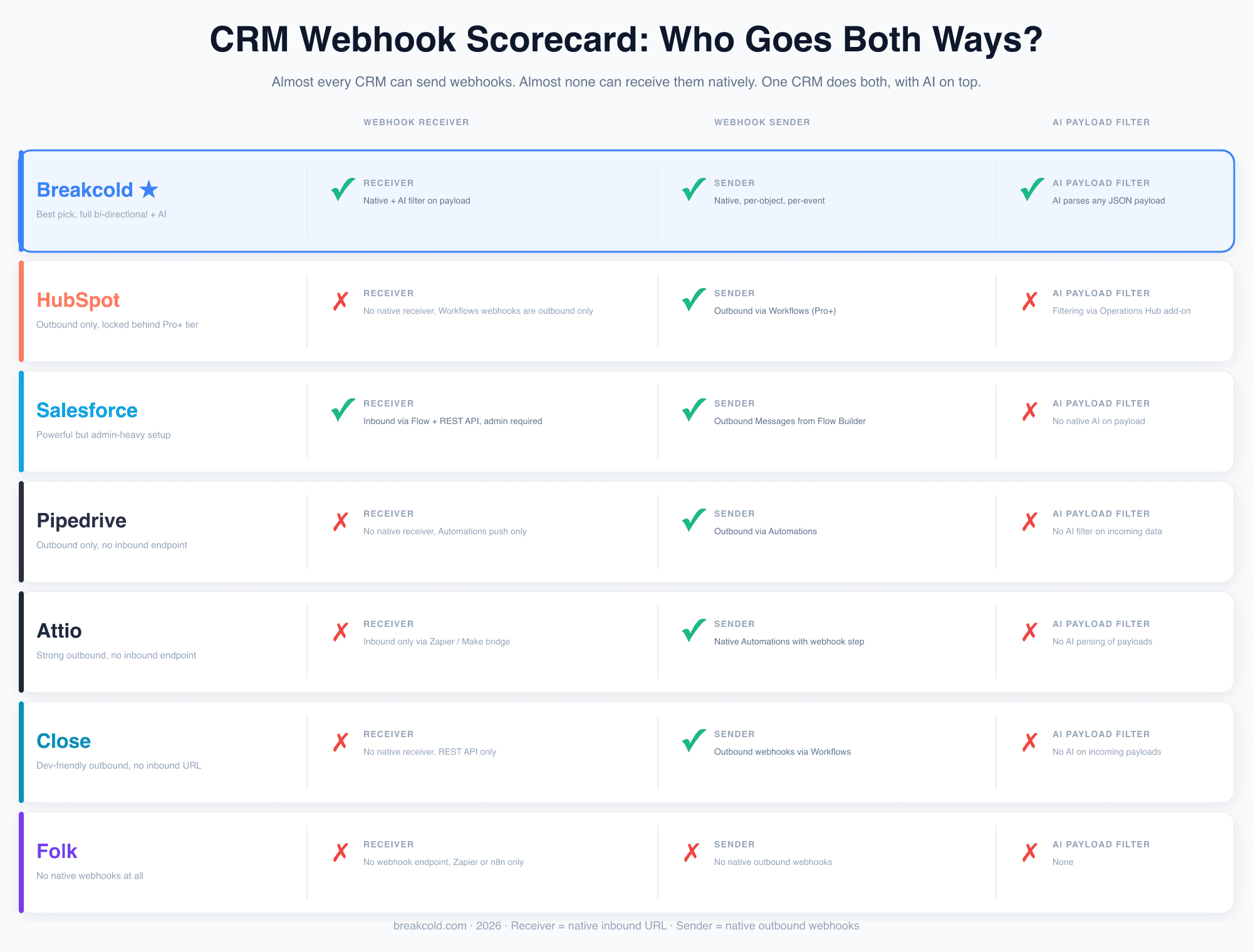
Receiver, Sender, and AI on the payload. Only one CRM does all three natively. Ranked across Breakcold, HubSpot, Salesforce, Pipedrive, Attio, Close, and Folk.
I have looked at almost every modern sales CRM in 2026 and I always end up checking the same thing first: do they have proper webhooks, both ways? Most don't. Most ship outbound webhooks and call it a day. They forget that the real magic happens when your CRM can also receive data from your lead generation stack without going through Zapier, Make, or n8n every single time.
That is the gap this article is about. I will rank 7 CRMs on how seriously they take webhooks (Receiver, Sender, and whether they put AI on top), then walk through the workflows you can actually build with this for lead ads, forms, and outbound replies.
TL;DR: Only 1 CRM Ships Webhook Receiver, Sender and an AI Filter 🏆
🏆 Breakcold: the AI Native CRM for sales teams of 5 to 30+ people, and the only CRM here with a native Webhook Receiver, a native Webhook Sender and an AI filter on incoming payloads. A form tool, lead ad or cold email reply creates a record without Zapier, then pings Slack or Stripe on the way out. At 5 seats Breakcold is $139/mo, where a traditional CRM runs $300 to $500/mo.
🟠 HubSpot: outbound webhooks only, gated behind the Professional tier. No native inbound URL. To receive, you go through Forms, the API, or pay for Operations Hub on top.
🔵 Salesforce: both directions, but the admin-heavy way (Outbound Messages, Flow, Platform Events, REST API). Powerful, plug-and-play it is not. Needs a Salesforce admin and a Saturday.
⚫ Attio: clean outbound automation editor, but no native inbound webhook URL. Strange gap for a CRM that markets itself as developer-first. Form tools and lead ads still go through Zapier or n8n.
🟢 Close: outbound webhooks are first-class and the REST API is well documented. No native receiver, so inbound capture still needs a developer or middleware.
🟣 Pipedrive: outbound only via Automations. No native receiver. The standard pattern is Pipedrive + Zapier + the API, which means paying twice for what should be one feature.
\
Why webhooks matter more than ever in 2026
Every sales team I talk to now runs at least 4 tools to generate leads: a cold email platform, a LinkedIn outreach tool, a form builder, and an ad platform. The CRM is supposed to be the destination where everything lands. In practice, most CRMs make that very hard because they only know how to push data out, not pull it in.
Webhooks fix this. A webhook is just a URL that listens for JSON. Any tool that can do a POST request can talk to it. No Zapier seat, no Make scenario eating your monthly task quota, no custom Python script duct taped to a cron job.
That is why I always tell people picking an AI native sales CRM to test the webhook story before they sign anything. If the CRM can both receive and send, you have a real automation hub. If not, you are back to glueing tools together.
The bi directional gap (and why almost no CRM covers it)
Here is what most webhook reviews miss: there are two completely different features, and most CRMs only ship one of them.
Webhook Receiver, the inbound side. Your CRM gives you a unique URL. Any external tool can POST data to that URL. The CRM creates or updates a record automatically. This is what lets you wire up form tools, lead ads, cold email replies, LinkedIn signals, all without Zapier.
Webhook Sender, the outbound side. When something happens in your CRM (a deal is created, a stage flips, a note is added), the CRM POSTs a payload to a URL you control. This is what lets you alert Slack, log to Notion, fire a Stripe charge, or trigger a Customer.io sequence.
Out of every CRM I looked at, only one ships both natively, with an AI layer on the incoming side. Every other vendor sends, but does not receive. Some don't even send. That is the gap.
The workflows you unlock when both directions work
If you only remember one thing from this article, remember this: webhooks are not a developer feature. They are a sales feature. Here are the workflows I see sales teams build the most often, none of which need a single line of code.
\
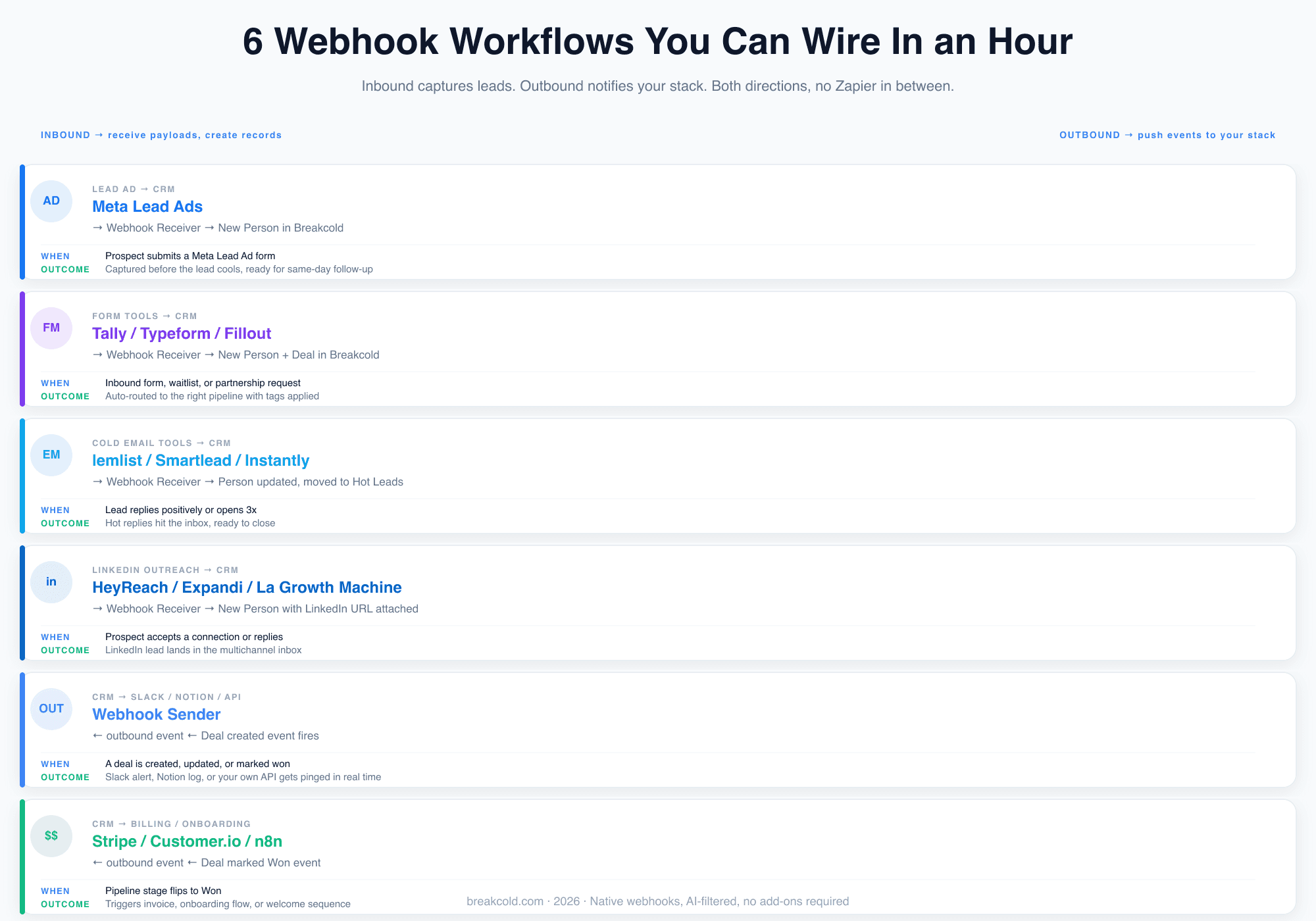
Meta Lead Ads to your CRM. A prospect submits your Facebook or Instagram lead ad form. Meta fires a webhook. Your CRM instantly creates a Person record, ready for same day follow up. Without this, ad leads sit in Meta's UI until someone exports a CSV. By then the lead is cold.
Form builders to your CRM. Tally, Typeform, Fillout, even a Framer form can POST to your CRM. Use cases: inbound demo requests, waitlists, partnership applications, post onboarding feedback forms. Every one of these becomes a Person or a Deal in the right pipeline, tagged correctly, the second the form is submitted.
Cold email reply detection. When a lead replies positively to your lemlist, Smartlead, or Instantly sequence, the tool can fire a webhook. The CRM updates the Person, moves them into your Hot Leads stage, and assigns the right rep. Reply detection wired this way takes minutes to set up and saves hours of manual triage every week. I cover the cold email side in more depth in our cold emailing software roundup if you want the tooling shortlist.
LinkedIn outreach signals. Tools like HeyReach, Expandi, and La Growth Machine can webhook out when a connection request is accepted or when someone replies. Your CRM picks that up and a Person record appears with the LinkedIn URL attached, ready to land in the multichannel inbox. This is the workflow most LinkedIn CRM setups get wrong because they assume manual sync.
Outbound to Slack, Notion, or your own API. Every time a deal hits a certain stage, fire a webhook. Slack gets pinged. Your data warehouse logs it. Your internal admin tool updates a dashboard. This is how serious teams replace half their internal "Zapier ops" with a single CRM event.
Outbound to billing and onboarding. When a deal is marked Won, fire a webhook to Stripe to create an invoice, to Customer.io to start the onboarding sequence, or to a no code tool like n8n to provision the new customer in your app. The CRM stops being a black hole and becomes the event bus of your sales motion.
1. Breakcold, the only CRM with native bi directional webhooks plus AI
I am going to be upfront: Breakcold is the CRM I built, so of course I think it does this well. But the reason I am putting it first is not the brand, it is the feature gap. Breakcold is the only CRM in this list that ships both a Webhook Receiver and a Webhook Sender as first class, native features, with an AI filter layered on top of incoming payloads.
The Webhook Receiver. You create a webhook endpoint in 4 steps: name it, copy the unique URL, send a test payload, and activate. The receiver supports a Smart (AI) mode where the AI automatically parses any JSON payload and extracts the relevant fields, so you do not need to map every field by hand for every external tool. You can also flip on an AI condition filter that uses plain language rules ("only create a record if there's an email") to decide which incoming webhooks become records, and which get skipped.
From there you can pick which object the webhook creates (Person, Company, or Deal), monitor every incoming payload in the Delivery Logs tab (with Total, Succeeded, Failed, Skipped counters), and pause or resume the endpoint without deleting it.
The Webhook Sender. You create an outbound webhook, pick the events that should trigger it (deal created, deal stage changed, note added, task completed, person updated, and dozens more), and optionally filter by object type (People, Company, or Deal). The webhook then fires a POST to your endpoint with the full event payload, in real time.
The receiver and the sender combined cover the full event bus pattern: external tools push leads in, the CRM pushes events back out. No Zapier in the middle.
On top of that, Breakcold runs an MCP server with 50+ tools so you can drive the same data with Claude or ChatGPT, and a documented developer API if you want to script around it.
The pricing model is also designed for this: one plan at $99 a month, extra seats at $10 each. A team of 5 on Breakcold is $139/mo, where Attio, Pipedrive and HubSpot Sales Hub run about $500/mo for 5 seats with similar features. You do not pay extra for the webhook layer, you do not need an Operations Hub tier, and you do not need a Salesforce admin to wire it up. If you are running a sales team CRM and you also care about the under 100 dollars per month bracket, this is the cheapest way to get the full webhook story.
\
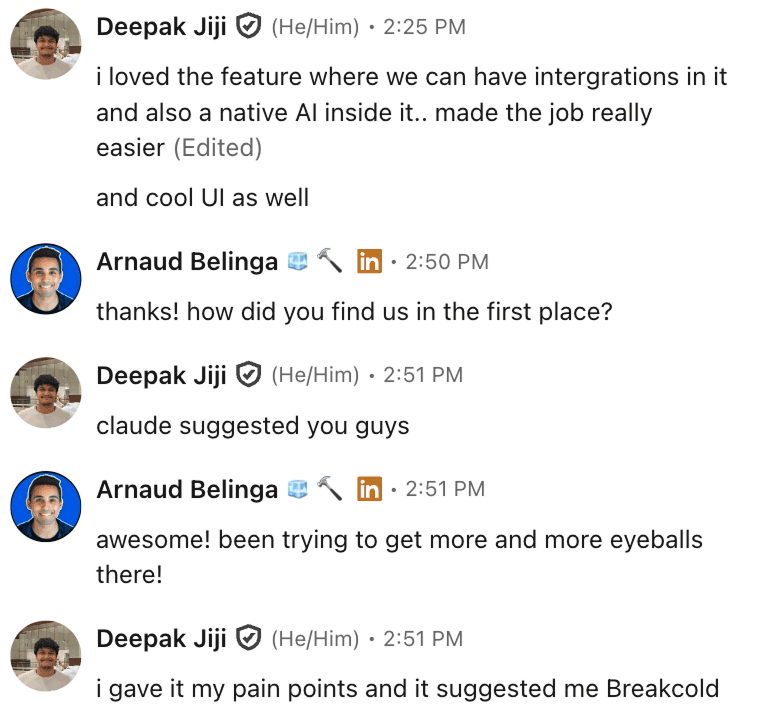
Customers keep telling us they picked Breakcold because the integrations and the AI ship together, not as add ons.
2. HubSpot, the outbound only giant
HubSpot has webhooks. Plural, kind of. The thing is, HubSpot's webhook story is purely outbound. Inside a Workflow, you can add a "Trigger a webhook" action that POSTs to your URL when a contact or deal hits a condition. That works. It is gated behind the Professional tier (which starts at hundreds per seat per month once you include the Marketing or Sales Hub), but it works.
What HubSpot does not ship is a native Webhook Receiver. There is no "give me a URL where I can POST a lead" button. You have to use Forms, the API, or a third party tool. For most teams this means another Zapier seat or another Operations Hub tier just to receive data.
This is one of the reasons we keep seeing HubSpot churn show up in our DMs. The webhook story is a small piece of a bigger pattern: HubSpot is heavy, expensive, and asks you to keep paying for things that should come native. If you are evaluating AI CRM alternatives to HubSpot, the webhook gap is one more reason to look elsewhere.
\
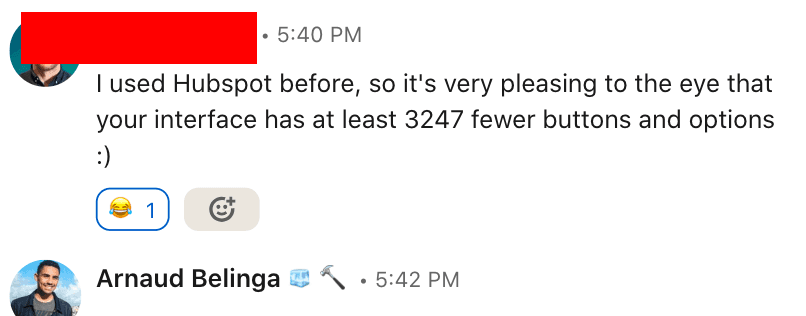
HubSpot migrants almost always cite complexity. The webhook setup is no exception.
3. Salesforce, the powerful but admin heavy one
Salesforce will technically do everything. Outbound Messages from Flow Builder give you outbound webhooks. Inbound is handled by the REST API plus Flow, plus Platform Events if you really want to scale. You can build a full bi directional webhook layer on Salesforce.
You will also need a Salesforce admin, a sandbox, a deployment plan, and probably a Saturday. None of this is plug and play. The cost is not just licensing, it is the time to get a single inbound endpoint live. For most teams under 30 people this is overkill.
Salesforce earns a real "yes" on both Receiver and Sender on the scorecard. It just earns it the hard way.
\
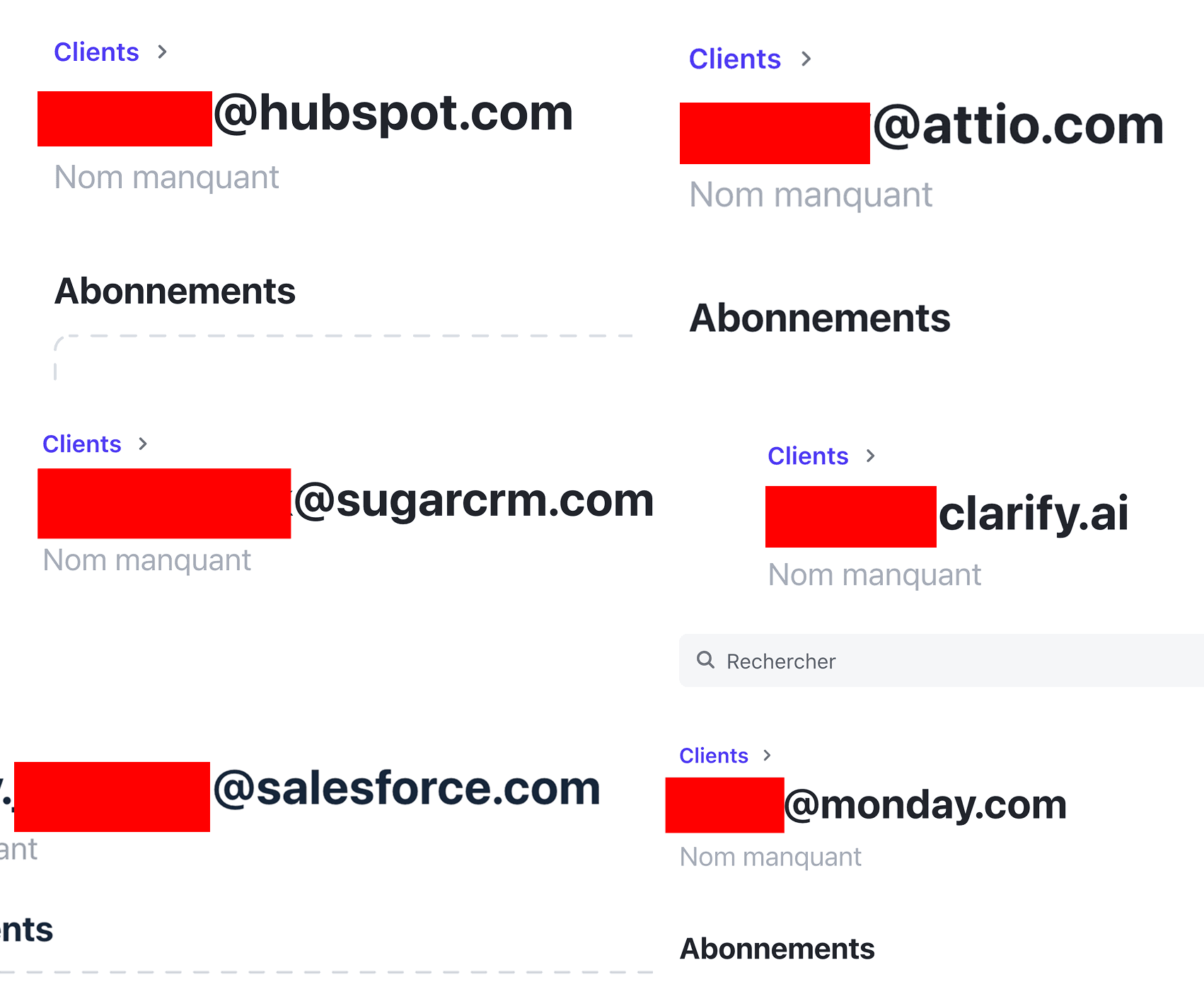
Even Salesforce employees signed up to look at Breakcold. The complexity tax is real, even for the people who work there.
4. Pipedrive, the outbound only veteran
Pipedrive's Automations let you create outbound webhooks when a deal moves, a person is updated, or a note is added. That is the sender side, and it works fine.
There is no native Webhook Receiver. The standard pattern is to use Zapier or Make to receive a webhook, transform it, and call the Pipedrive API. Which works, but you are now paying Pipedrive and paying for a middleware tier as well.
Pipedrive was the best SMB CRM for a decade. In 2026 it feels like it stopped adapting to how sales teams actually buy and integrate tools. The webhook story is a small symptom of that. We dig into the broader pattern in AI CRM alternatives to Pipedrive.
\
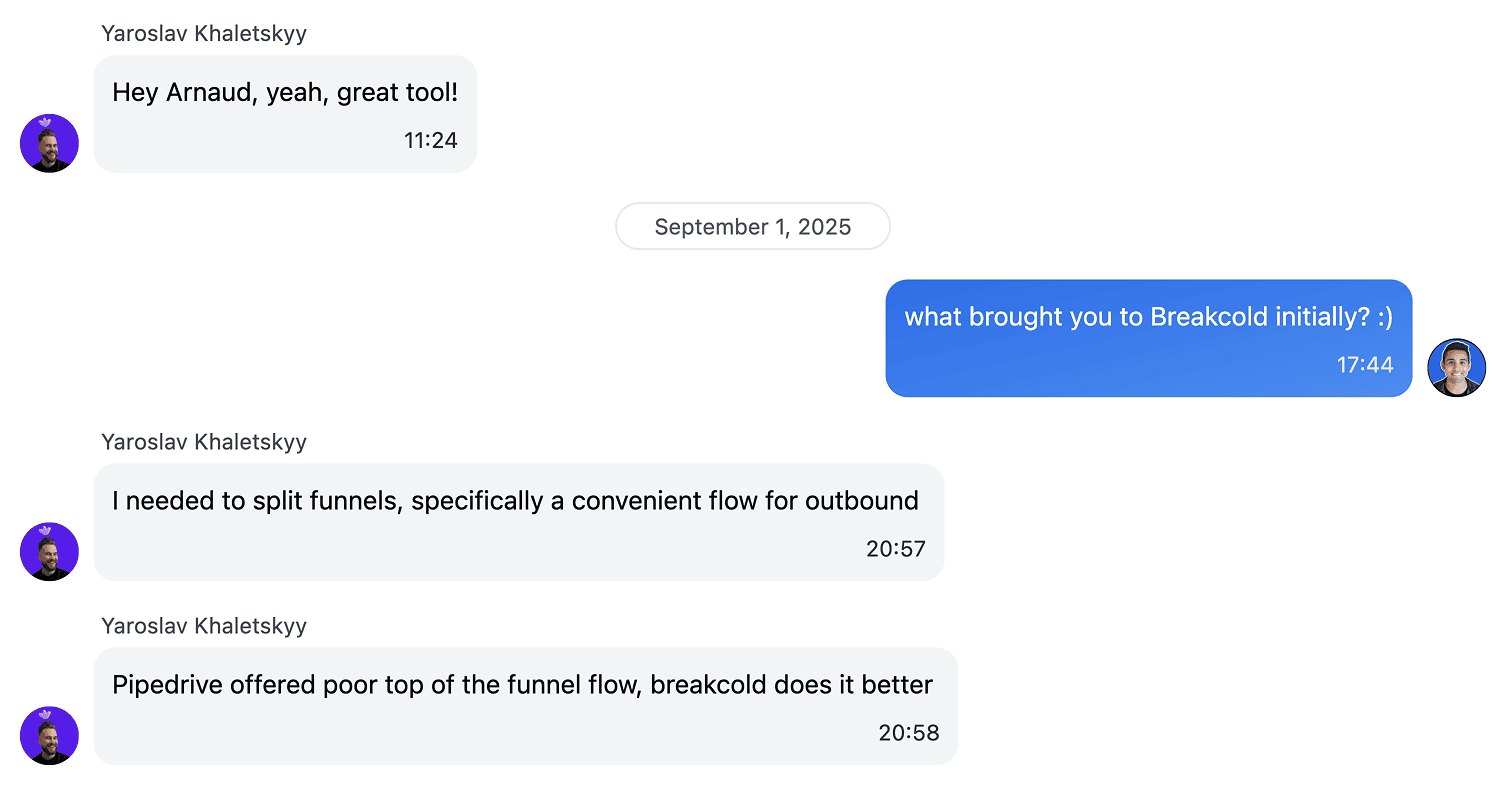
Top of funnel is exactly where webhooks shine. Pipedrive treats it as an afterthought.
5. Attio, the design forward CRM with no inbound endpoint
Attio's Automations engine is strong. You can absolutely fire an outbound webhook on any record event. The visual editor is one of the cleanest in the category.
The catch: Attio does not give you a native inbound webhook URL either. To capture data from a form tool or a lead ad, you go through Zapier, Make, or n8n. For a CRM that prides itself on being the modern, developer first option, that is a strange gap. Most of the Attio reviews skip over this because everyone is busy admiring the UI.
Attio is also priced for VC backed startups (its data model is the closest to Breakcold's in depth, but the surface area assumes you have a RevOps team). If you are looking at Attio alternatives, the webhook receiver gap is one more reason the comparison matters.
\
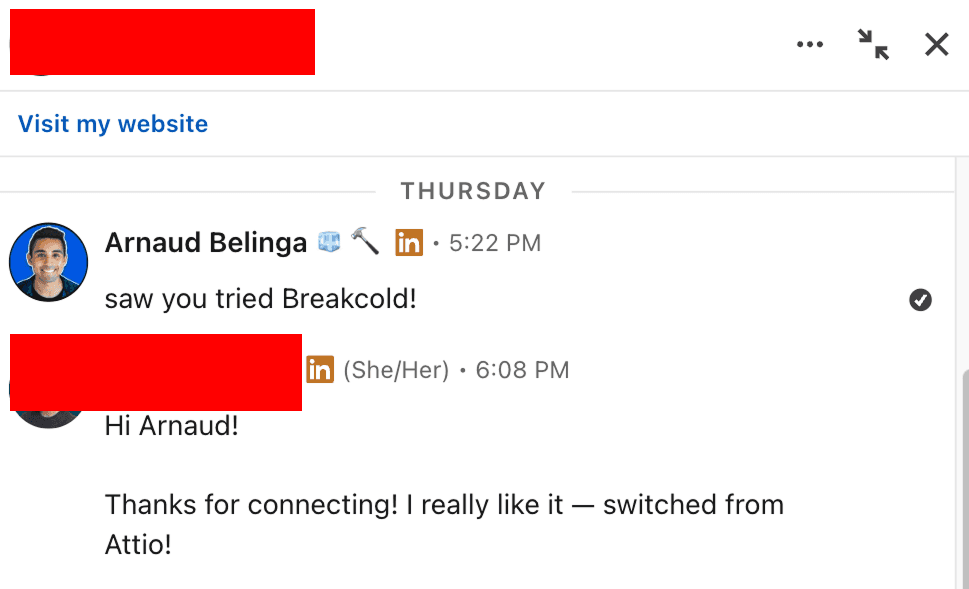
We get this kind of DM weekly. Often the trigger is something boring like webhook setup, not features.
6. Close, the developer friendly outbound choice
Close has been webhook friendly for a long time on the outbound side. Their Workflows can fire webhooks, their REST API is well documented, and developers love them for that reason.
Inbound is still a gap. There is no native receiver URL you can hand to a form tool. You go through the API, which is fine if you have a developer, less fine if you are a 6 person sales team picking your stack on a Tuesday afternoon.
Close is a fair choice if your team is technical, but the same caveat applies as the others: outbound only. If you compare Close head to head with a CRM that ships both, the gap is hard to ignore.
7. Folk, the prettiest CRM with the thinnest webhook story
Folk is gorgeous. The contact management feels modern. For solopreneurs, it is genuinely a great pick.
For webhooks, it is the worst on this list. There is no native inbound URL. There is no native outbound webhook either, only a Zapier or n8n integration. If webhooks are a real requirement, Folk is not the CRM for you.
Folk also frames itself as LinkedIn friendly, but you have to click a button to synchronise conversations, which is the kind of friction the webhook era is supposed to remove. If you like Folk's interface but need more depth, Folk alternatives covers the trade offs.
\
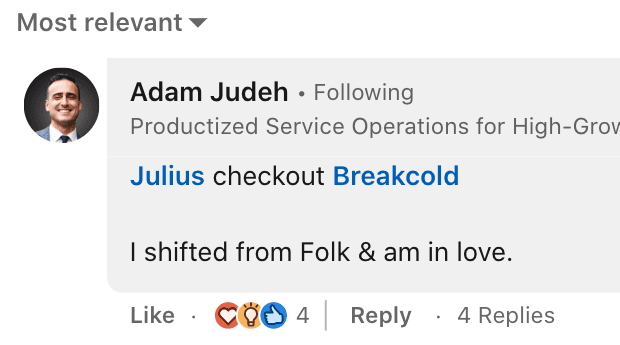
The Folk to Breakcold migration is one of the most consistent patterns we see, often driven by automation and integration limits.
How to choose a CRM by its webhook capabilities
If you take nothing else from this article, take these 3 checks before you sign with any CRM:
Can it receive a webhook natively? Open the docs. Search for "inbound webhook" or "webhook URL". If the answer is "use our API" or "use Zapier", that is a no.
Can it send a webhook natively? Most CRMs pass this one, but check the event coverage. Some only fire on a handful of events (typically "new contact" and "new deal"), not on stage changes, note creation, or task completion.
Does it filter on the way in? Without a filter, every junk submission becomes a record. With an AI filter, you can say "only create a record if there's a real company email", in plain language, and the AI takes care of it.
For most sales teams of 5 to 30 people, the answer is Breakcold. For very small solo operations, Folk is fine if you do not need webhooks. For very large enterprises with a dedicated admin, Salesforce will get you there with effort. The middle of the market is where the gap is most painful, and where the bi directional pattern matters the most.
One more thing: AI agents need webhooks too
The deeper reason this matters in 2026 is that AI agents are starting to read and write from your CRM. The same Webhook Receiver that lets Tally create a Person record also lets an agent push a Person record. The same Webhook Sender that pings Slack on a deal Won event can wake up an agent to draft the welcome sequence.
A CRM that does not take webhooks seriously will not take agents seriously either. That is the bet behind Breakcold. Build the integration layer first, both directions, and the AI side falls into place naturally.
FAQ
What is the difference between a webhook receiver and a webhook sender?
A receiver gives you an inbound URL that external tools POST data to (your CRM creates or updates a record). A sender POSTs data out from your CRM to a URL you control (it notifies your stack when something happens). Most CRMs only have the sender. Breakcold has both.
Do I still need Zapier if my CRM has webhooks?
For most workflows, no. The form tool POSTs directly to your CRM. The CRM POSTs directly to Slack or Stripe. Zapier is only needed if one of the two endpoints does not speak webhooks natively, which is increasingly rare in 2026.
Can I filter which webhooks create records?
In Breakcold, yes. You write a natural language rule (for example "only create if there is an email") and the AI evaluates each incoming webhook against your rule. In every other CRM in this list, you either accept everything that comes in or you write a filter in Zapier.
Which CRM has the best webhook capabilities in 2026?
Breakcold is the only CRM in this comparison with native Webhook Receiver, native Webhook Sender, and an AI filter on incoming payloads. HubSpot, Salesforce, Pipedrive, Attio, and Close cover the sender side but force you through the API or Zapier for the receiver side. Folk has neither.
Are webhooks safe to expose to external tools?
Yes. The unique URL is hard to guess, you can rotate it any time, you can pause an endpoint without deleting it, and Delivery Logs let you see exactly what each external tool sent in case you need to debug or audit.
Frequently asked questions

Written by
Arnaud Belinga · Co-Founder & CEO at Breakcold
Arnaud is the Co-Founder & CEO of Breakcold, the AI Native CRM for sales teams of 5 to 30+ people.