



How To Set Up Cold Email Custom Domain Tracking? [GUIDE]
TL;DR: custom domain tracking swaps the shared open-tracking pixel for your own
✅ Custom domain tracking is a DNS record that moves your open-rate pixel onto your own domain instead of the platform's shared one.
✅ It protects your deliverability, since a shared pixel means other senders' spam can hurt your inbox placement.
✅ Setup is quick: enter your tracking domain in your cold email tool, then add the CNAME record it generates to your DNS.
✅ The process mirrors setting up SPF, DKIM and DMARC records at your DNS host.
✅ Once your deliverability is solid, you can also choose to turn open tracking off entirely.
What is Custom Domain Tracking in a cold email context?
When it comes to cold email, custom domain tracking is a DNS record that needs to be made to improve your cold email deliverability.
Why Custom Domain Tracking is helpful?
When you're using a cold email software or a sales automation software, you use what we call 'a pixel' to track your open rate. The thing about this pixel is that you share it with other users of the platform.
The problem with this method is that if many users of a given platform are spammers and don't send cold emails properly, your email deliverability will decrease.
Therefore, custom domain tracking allows you to replace the tracking pixel of the platform by your own pixel by using your own email domain.
It's very important if you care about your email deliverability and it requires domain hosting to bet set up properly.
How to set up Custom Domain Tracking?
This how you can keep your email deliverability safe.
1°) If you're using Breakcold, go to settings > advanced
2°) Enter the domain where you want to put your pixel
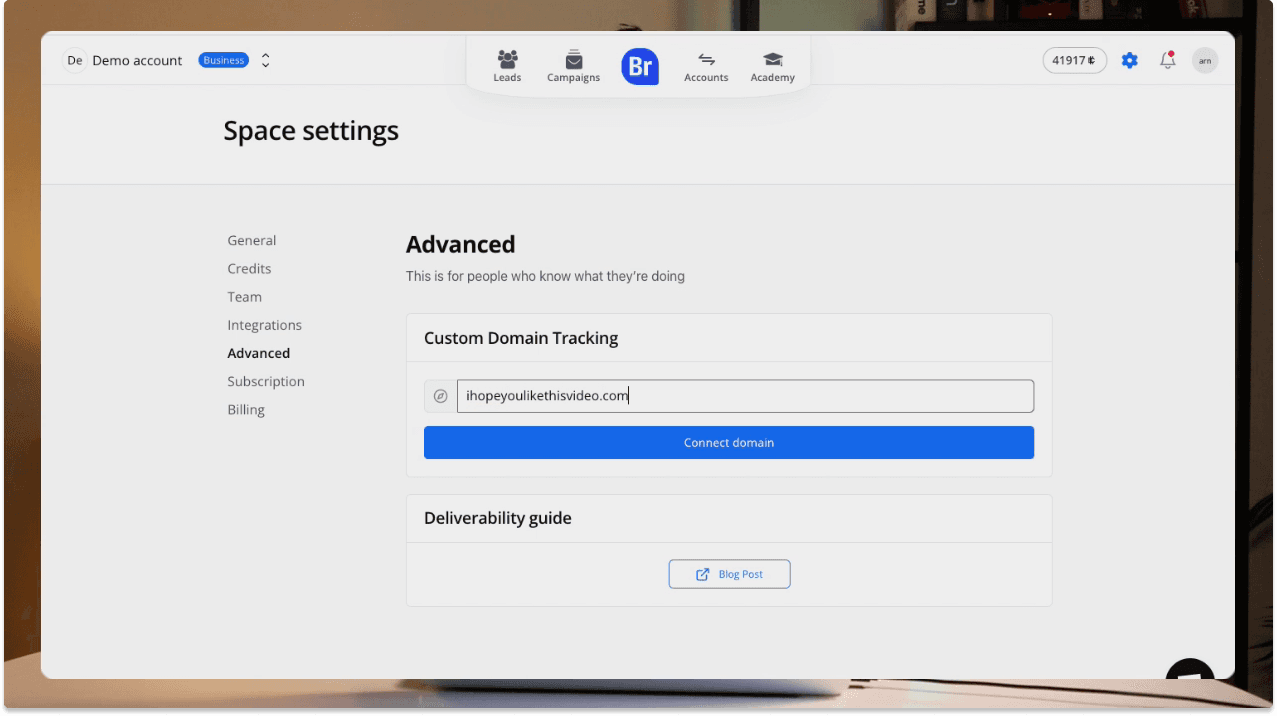
For example: ilovebreakcold(dot)com
3°) Update your DNS records with the information given by your cold email software
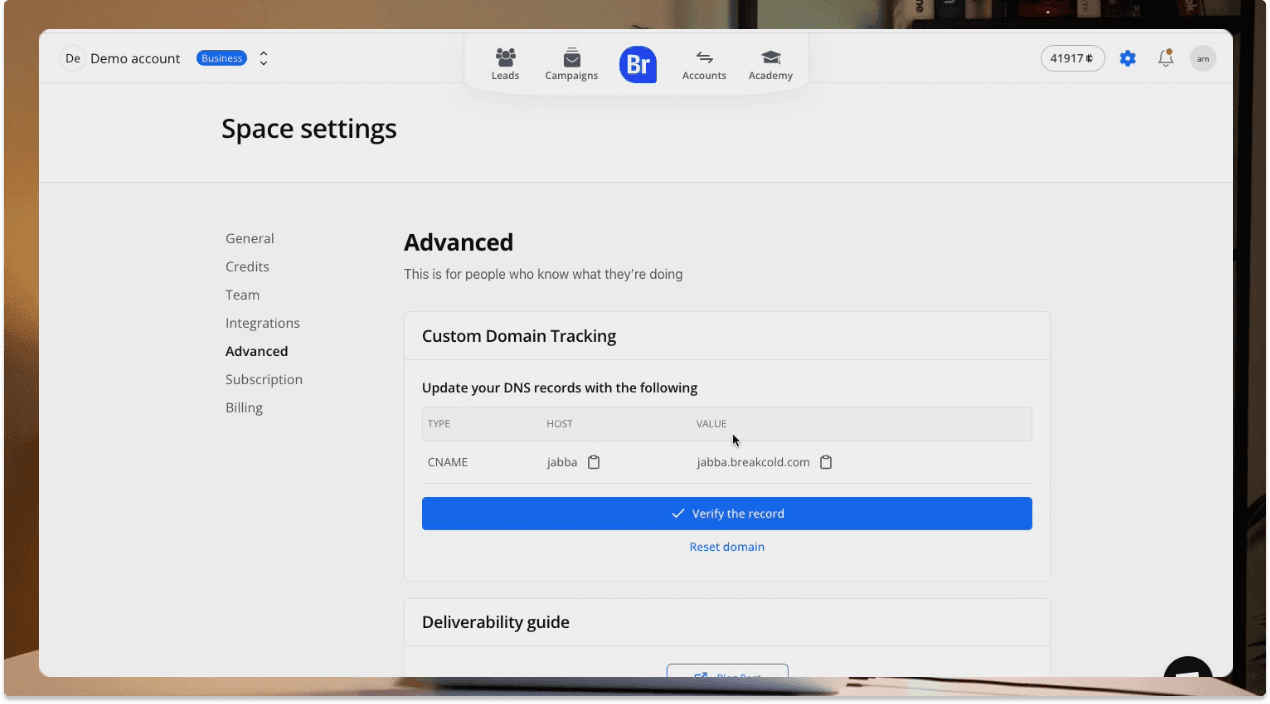
The software will generate DNS records
Normally, you will receive information like this:
TYPE: CNAME
HOST: jabba
VALUE: jabba.breakcold.com
\
\
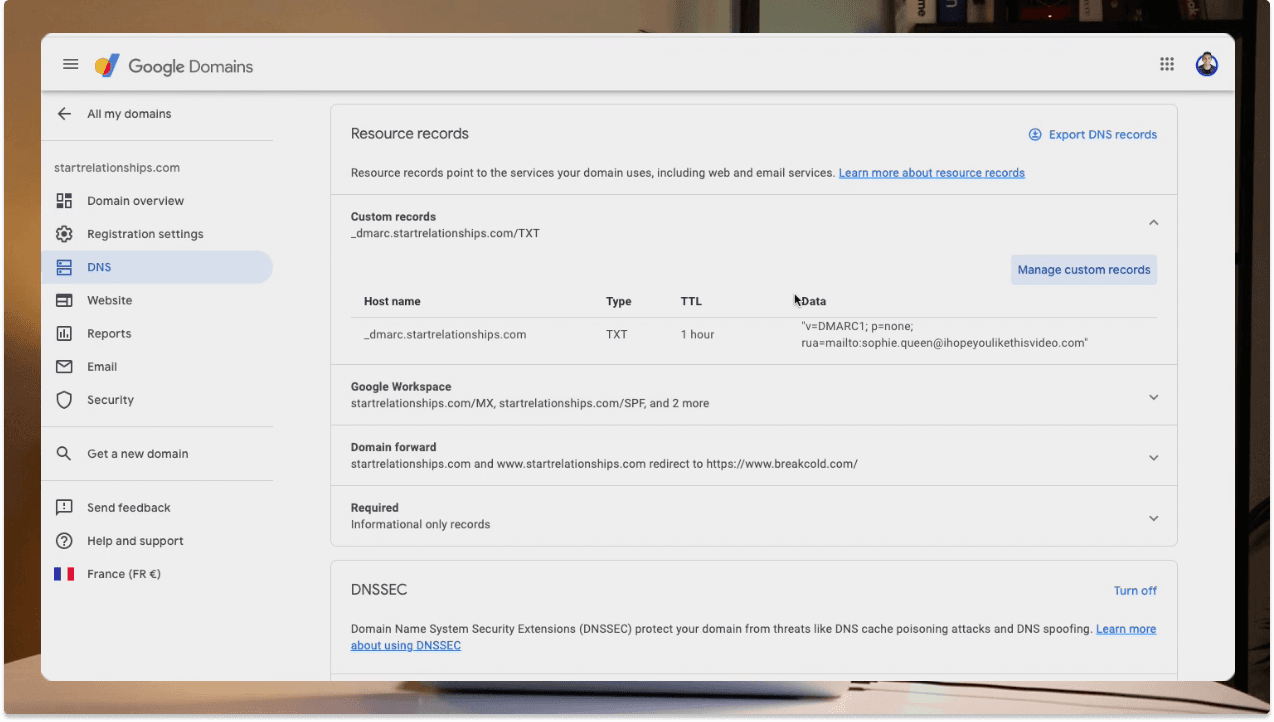
Go to your DNS records in the web hosting provider of the domain you chose and:
click on create a new DNS record
choose CNAM as type
enter jabba as host if you're using Breakcold
enter the value jabba.breakcold.com if you're using Breakcold
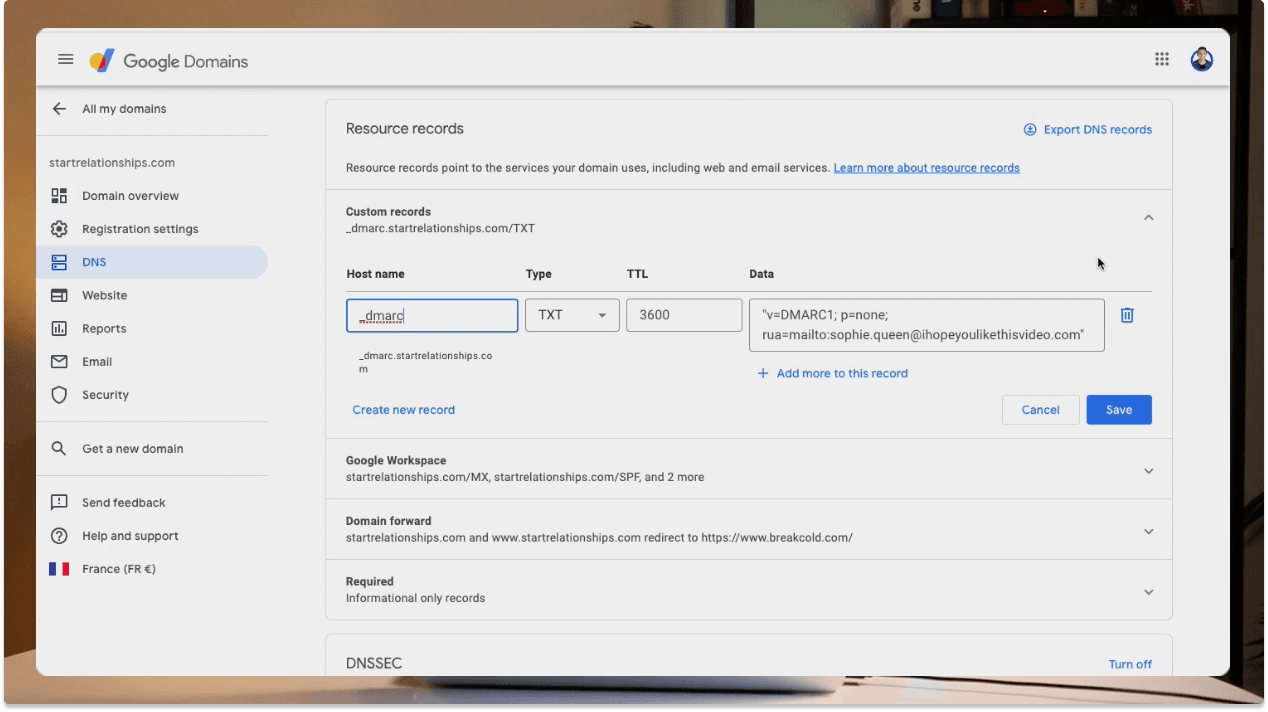
The process is very similar to SPF, DKIM & DMARC DNS entries
Congratulations, custom domain tracking is set up and your email deliverability protected!
Frequently asked questions

Written by
Arnaud Belinga · Co-Founder & CEO at Breakcold
Arnaud is the Co-Founder & CEO of Breakcold, the AI Native CRM for sales teams of 5 to 30+ people.