
Odoo CRM Avaliação (2026): ERP Poderoso ou CRM Excessivo?
Se os CRMs são construídos para gerenciar relacionamentos com clientes, os ERPs são construídos para gerir todo o negócio – desde a contabilidade e gestão de inventário até RH, operações, e sim... vendas. Um Sistema de Planeamento de Recursos Empresariais (ERP) funciona como um centro central que conecta todos os departamentos, para que os dados não fiquem isolados (ou em folhas de cálculo que ninguém quer admitir que ainda existem).
Nos últimos anos, plataformas como Odoo começaram a borrar a linha entre ERP e CRM. Em vez de oferecer uma ferramenta de vendas isolada, Odoo CRM é parte de um ecossistema ERP muito maior, prometendo fluxos de trabalho mais integrados, maior visibilidade de dados e uma abordagem “tudo-em-um” que atrai empresas em crescimento e equipas operacionais pesadas.
Nesta revisão do Odoo CRM, vamos analisar quão bem o Odoo realmente funciona como um CRM — o que faz bem, onde fica aquém, para quem é melhor, e como se compara a ferramentas de CRM mais focadas em vendas. Se está a tentar decidir se um CRM suportado por um ERP é uma escolha inteligente ou uma complicação exagerada, está no lugar certo.
Visão Geral do Odoo CRM (TL;DR) |
|---|
Ao contrário dos CRMs leves, focados em vendas, o Odoo CRM é parte de um ecossistema ERP completo, desenhado para empresas que precisam de vendas integradas com operações, contabilidade, inventário e produção. Oferece gestão de leads e oportunidades, acompanhamento de pipeline, relatórios, automação e módulos adicionais — tudo dentro de uma única plataforma. 🤝 Melhor para: Empresas de manufatura, multinacionais e negócios operacionais pesados que precisam de CRM como parte de um sistema operacional maior. 💰 Preços: O Odoo possui um plano gratuito ilimitado que dá acesso limitado a alguns aplicativos no ecossistema de aplicativos. Os Planos Standard e Custom desbloqueiam recursos adicionais, módulos e suporte, com os custos a escalarem com base em aplicativos e utilizadores. 🔄 Se está a explorar opções, considere: Breakcold – CRM nativo de IA, focado em vendas, construído para equipas que querem fluxos de trabalho automatizados e configuração mínima. Hubspot – Plataforma tudo-em-um para vendas, marketing e serviço com forte automação e nível gratuito por tempo limitado. Salesforce – CRM de nível empresarial para operações complexas e altamente personalizáveis de vendas. Pipedrive – CRM visual e simples de pipeline ideal para equipas de vendas rápidas. |
📖 O que é Odoo?
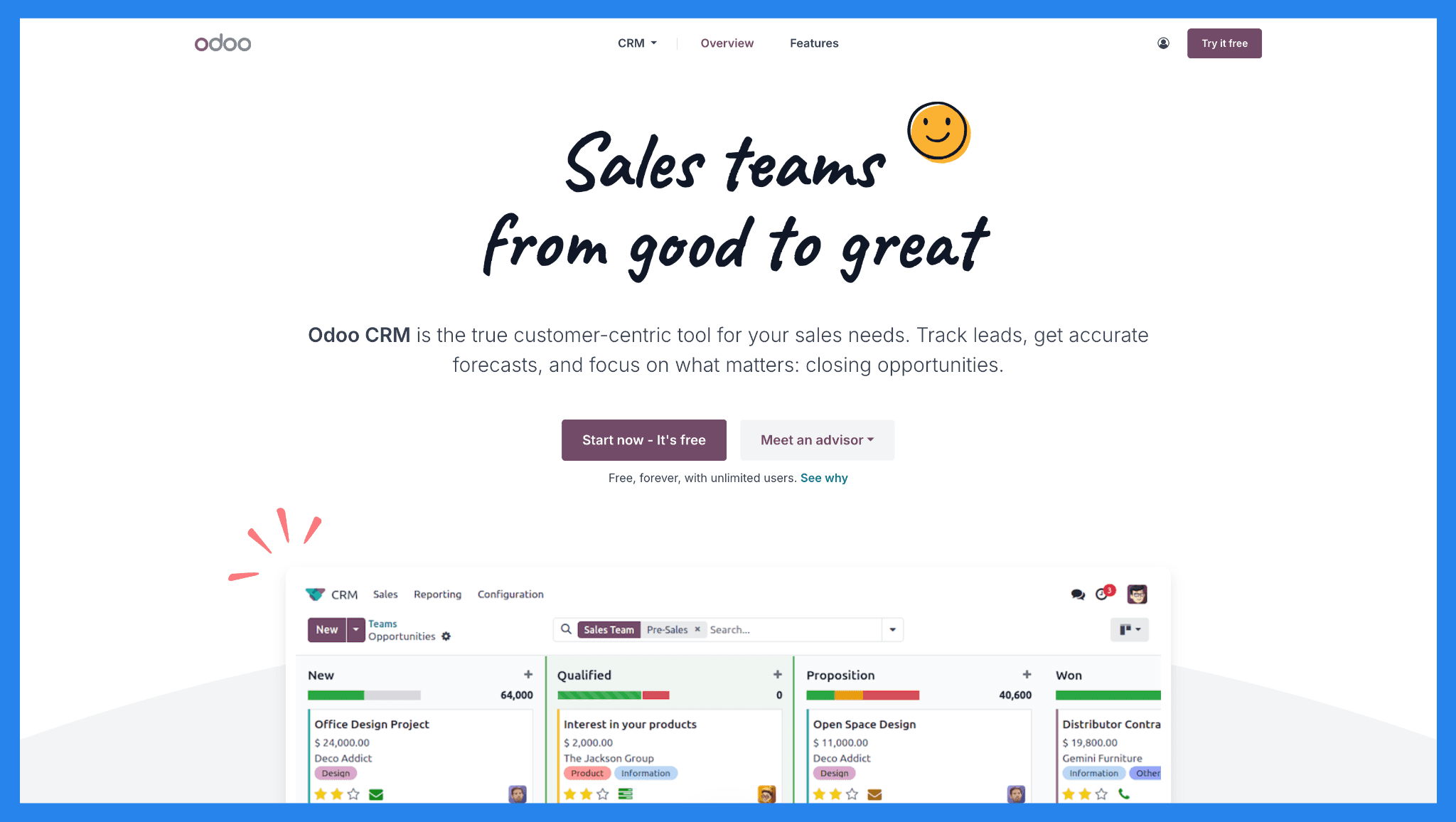
Fundada em 2005 (originalmente chamada TinyERP), a ascensão do Odoo foi impulsionada por uma promessa simples: uma plataforma modular para gerir todo o seu negócio. O Odoo é uma plataforma ERP tudo-em-um que começou como um pequeno projeto open-source na Bélgica e se tornou um dos ecossistemas de software de negócios mais expansivos no mercado, atendendo milhões de utilizadores em todo o mundo e oferecendo dezenas de apps integrados.
Ao contrário da maioria das plataformas modernas de SaaS que bloqueiam você em sistemas proprietários, o Odoo oferece uma Edição Comunitária (open-source) que os desenvolvedores podem personalizar, estender e auto-hospedar livremente. Esta flexibilidade tornou o Odoo especialmente popular entre empresas, fabricantes e negócios operacionais pesados que precisam de personalização profunda além do que os CRMs prontos geralmente permitem.
Dito isto, a maioria das empresas hoje subscrevem aos planos pagos que incluem recursos avançados, suporte oficial, opções de hospedagem e aplicativos de nível empresarial.
Onde o Odoo CRM Encaixa no Conjunto Odoo
O Odoo CRM não é um produto independente — é um módulo dentro de um ecossistema ERP muito maior.
O aplicativo CRM trata de:
Rastreamento de leads e oportunidades
Gestão de pipeline
Previsão de vendas
Automação básica e relatórios
Mas seu verdadeiro poder aparece quando combinado com outros módulos Odoo como Vendas, Inventário, Faturamento, Manufatura e Contabilidade. Em outras palavras, o Odoo CRM é menos projetado para pura velocidade de vendas e mais para conectar vendas a operações subsequentes.
Isso o torna fundamentalmente diferente dos CRMs focados em vendas projetados para movimentos de saída, velocidade de pipeline e vendas baseadas em relacionamento.
Quem Deve Usar o Odoo CRM (E Quem Não Deve)
O Odoo CRM destaca-se quando as vendas são apenas uma parte de um quebra-cabeças operacional complexo. Mas, se a sua prioridade é fechar negócios rapidamente, reduzir o trabalho administrativo e integrar-se em dias (não meses) o Odoo CRM pode parecer excessivamente complexo.
Categoria | Adequação | Por quê |
|---|---|---|
Empresas de manufatura | ✅ Ideal | O Odoo CRM integra-se profundamente com inventário, produção, e contabilidade. Perfeito quando as vendas fazem parte de um fluxo de trabalho operacional maior. |
Grandes empresas | ✅ Ideal | Projetado para suportar processos complexos, coordenação entre departamentos e personalização profunda em toda a pilha ERP. |
Empresas com peso em operações | ✅ Ideal | Brilha quando as vendas precisam ficar conectadas intimamente com o cumprimento, finanças, e gestão da cadeia de fornecimento. |
PMEs & pequenas equipes de vendas | ❌ Não ideal | Configuração, personalização, e manutenção podem parecer esmagadores para equipes menores com necessidades mais simples. |
Startups lideradas por vendas | ❌ Não ideal | Prioriza a profundidade operacional sobre a velocidade — menos adequado para equipes focadas na saída que precisam de agir rapidamente. |
Equipes que querem uma configuração rápida | ❌ Não ideal | Prepare-se para prazos de integração e configuração mais longos em comparação com CRMs modernos focados em vendas. |
⚙️ Recursos Principais do Odoo CRM
Por si só, cobre bem os fundamentos do CRM, mas sua real força aparece quando você começa a conectar vendas a outros aplicativos operacionais como inventário, contabilidade, e manufatura.
Aqui está uma análise das funcionalidades principais que obterá com o Odoo CRM.
Gestão de Leads e Oportunidades
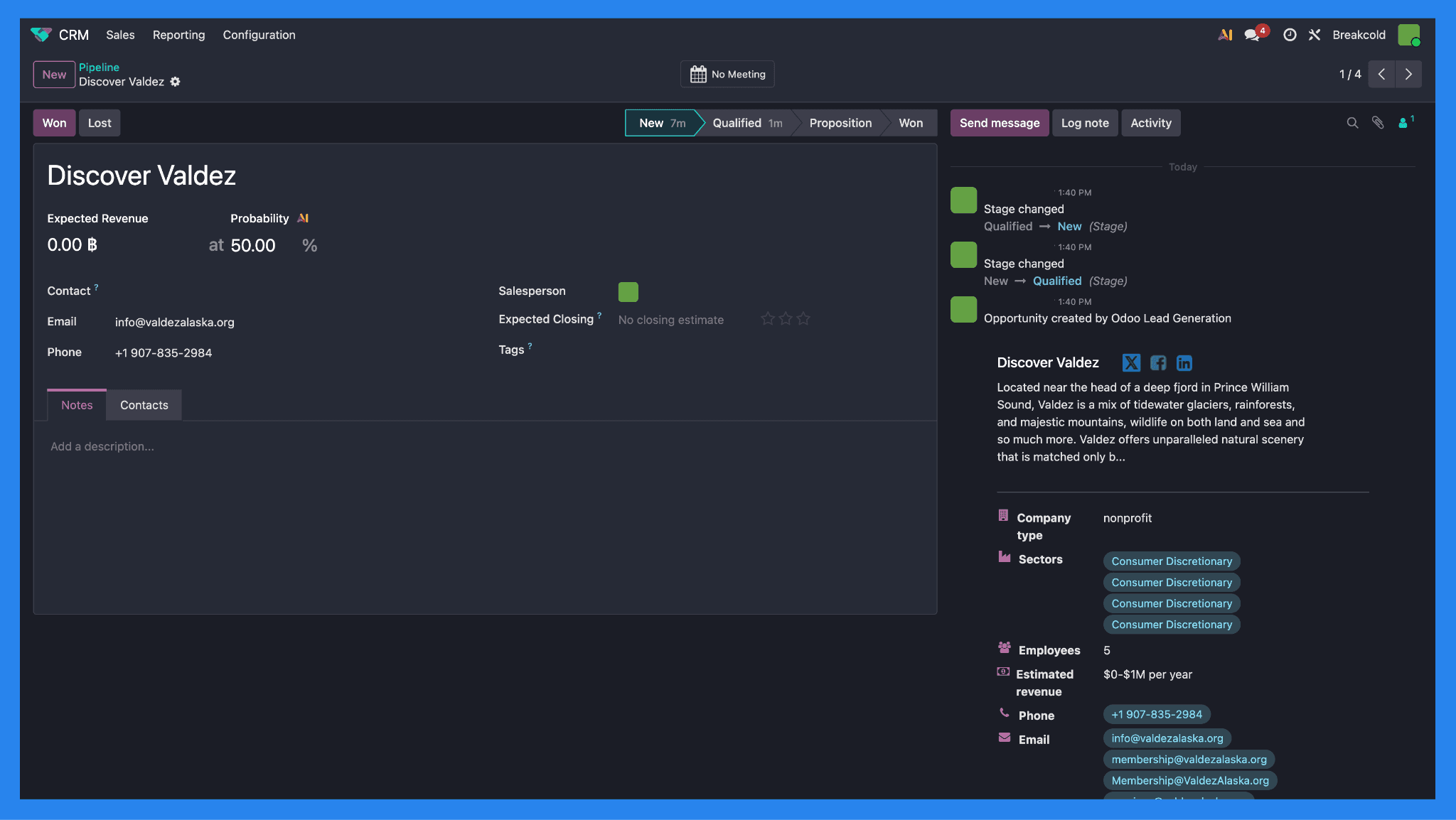
O Odoo CRM permite que você capture leads de múltiplas fontes, incluindo formulários de sites, aliases de email dedicados e importações manuais. Cada registro de lead ou contato fornece uma visão de 360° do cliente, consolidando histórico de atividades como páginas visitadas, e-mails trocados, reuniões registradas, e notas internas em um só lugar.
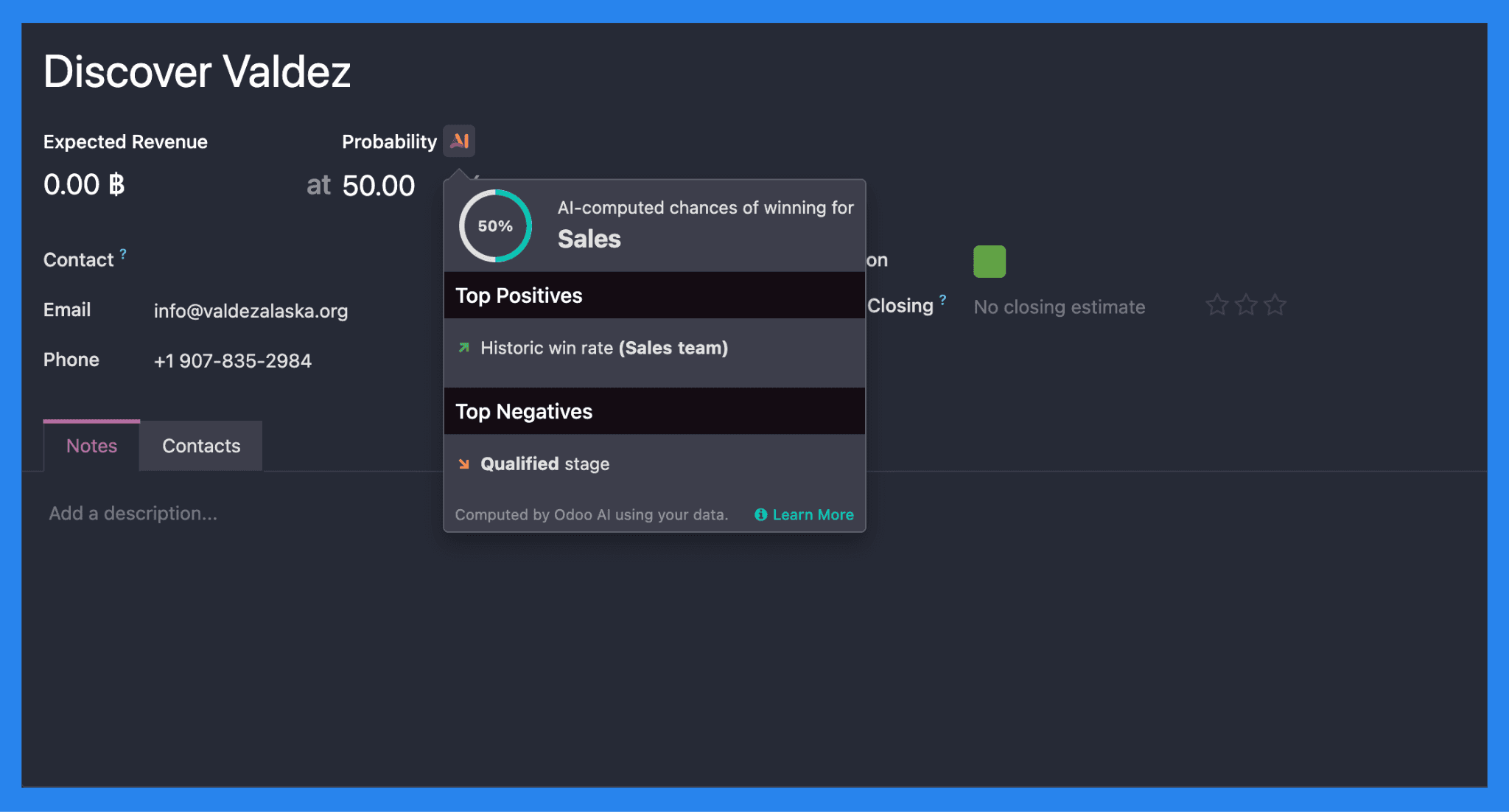
Os leads podem ser avaliados e encaminhados automaticamente usando a IA do Odoo, ajudando as equipes a priorizar prospects de alta intenção e atribuí-los aos representantes certos. Uma vez que um lead atinge critérios predefinidos, ele pode ser convertido sem problemas em uma oportunidade.
O Odoo também suporta enriquecimento de leads, seja automaticamente no ponto de entrada ou manualmente ao longo do tempo, permitindo que as equipes construam perfis mais completos progressivamente à medida que os negócios avançam no pipeline.
Rastreamento de Pipeline e Negócios
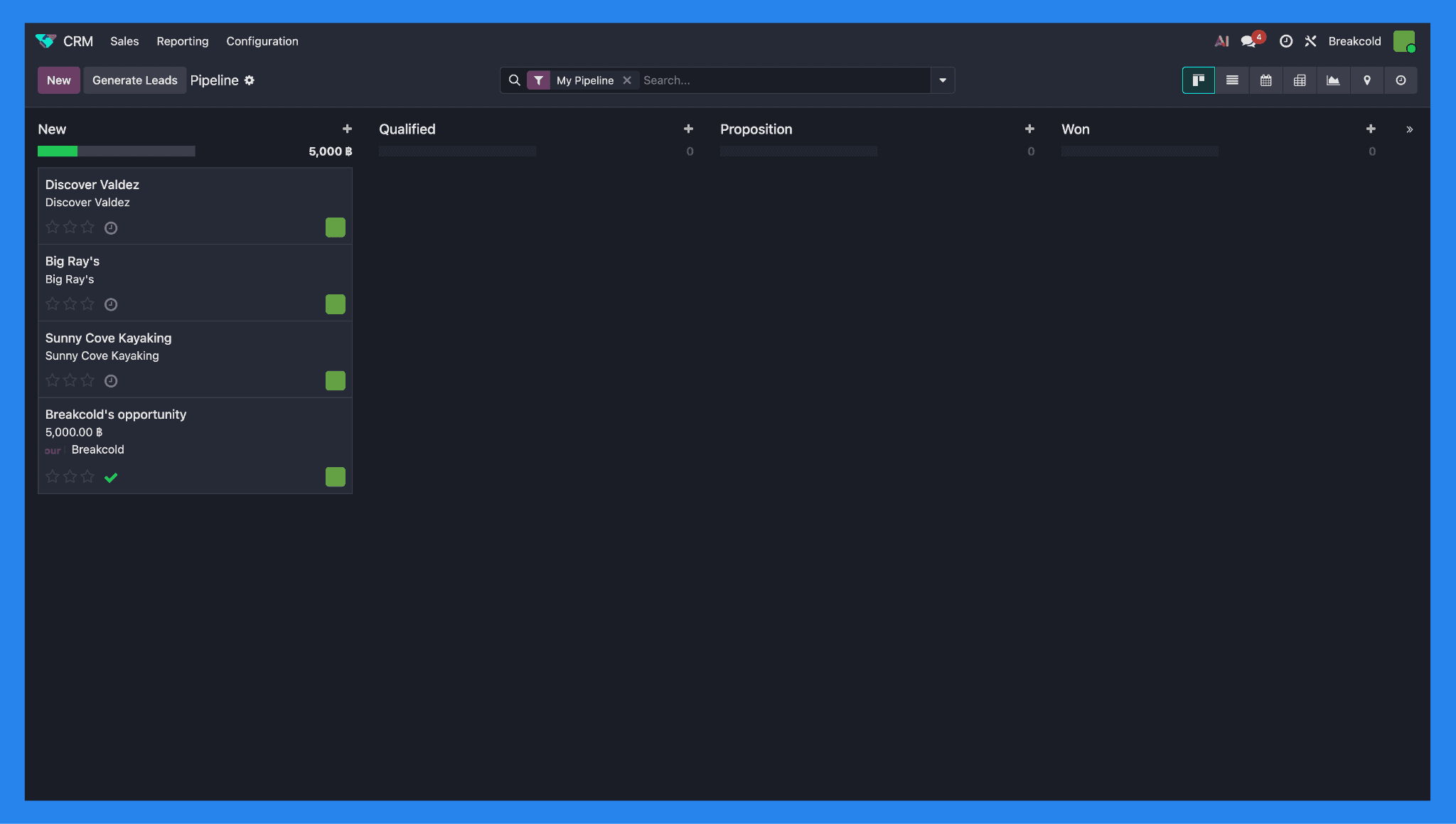
O Odoo CRM usa um pipeline de vendas personalizável, estilo Kanban (com visualizações de lista opcionais) para ajudar as equipes a rastrear negócios do primeiro contacto até o fechamento. As oportunidades passam por etapas totalmente configuráveis, dando-lhe visibilidade sobre onde cada negócio está num piscar de olhos.
Cada registro de oportunidade inclui todos os essenciais que você esperaria de um CRM capaz: cronologia de atividades, notas internas, receita esperada, probabilidade de fechamento, e responsáveis atribuídos. O Odoo também adiciona um simples sistema de prioridade de três estrelas, permitindo que equipes de vendas rapidamente sinalizem negócios de alto valor ou sensíveis ao tempo (três estrelas sendo a prioridade mais alta, uma sendo a mais baixa).
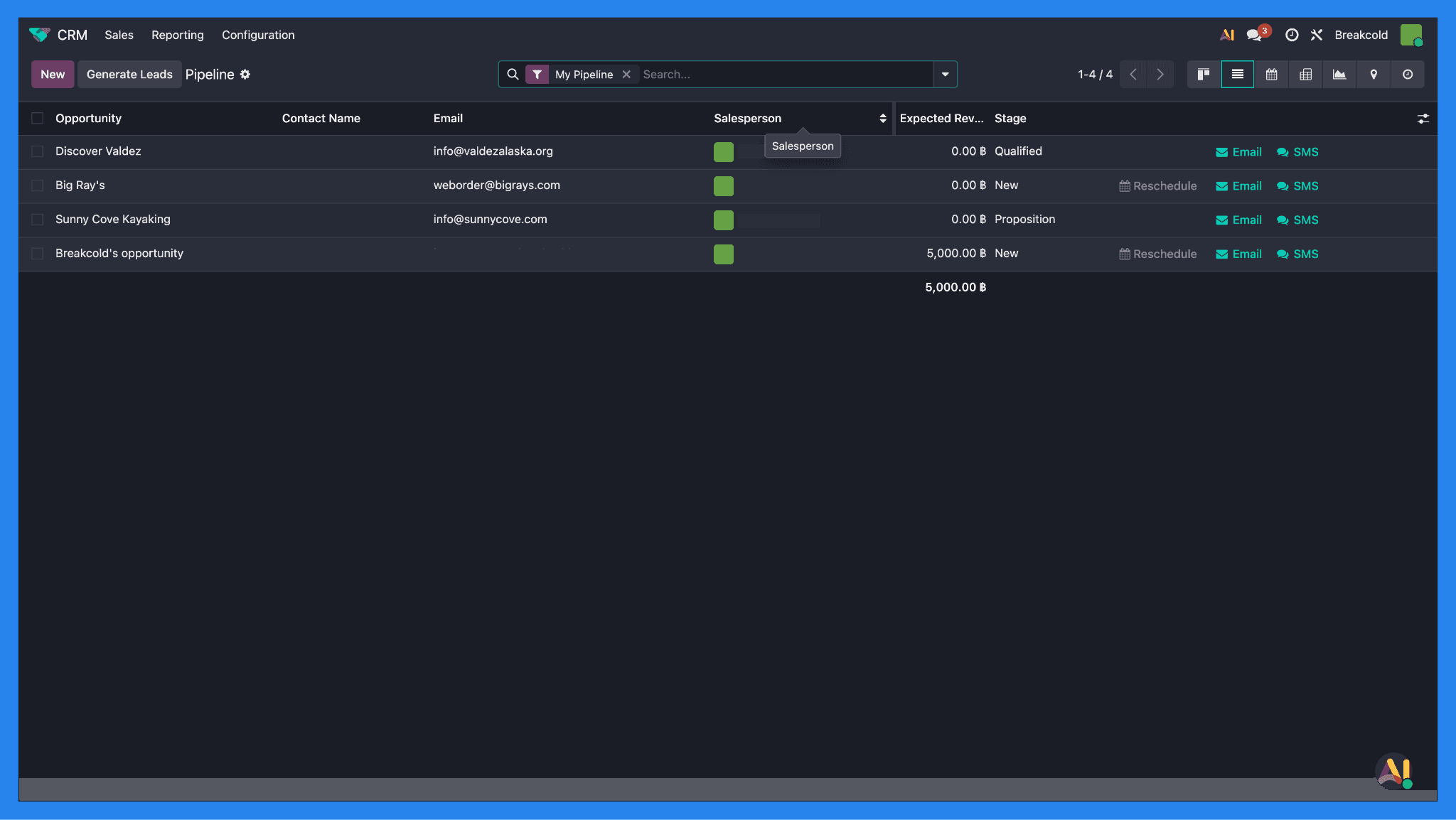
Além da visibilidade do pipeline, o Odoo permite que você agende reuniões/atividades diretamente a partir de uma oportunidade ou visualização de calendário. Estas reuniões sincronizam-se automaticamente com calendários pessoais e de equipe compartilhados, ajudando a manter atividades de vendas alinhadas entre departamentos sem precisar trocar de ferramentas.
Integração de Email e SMS
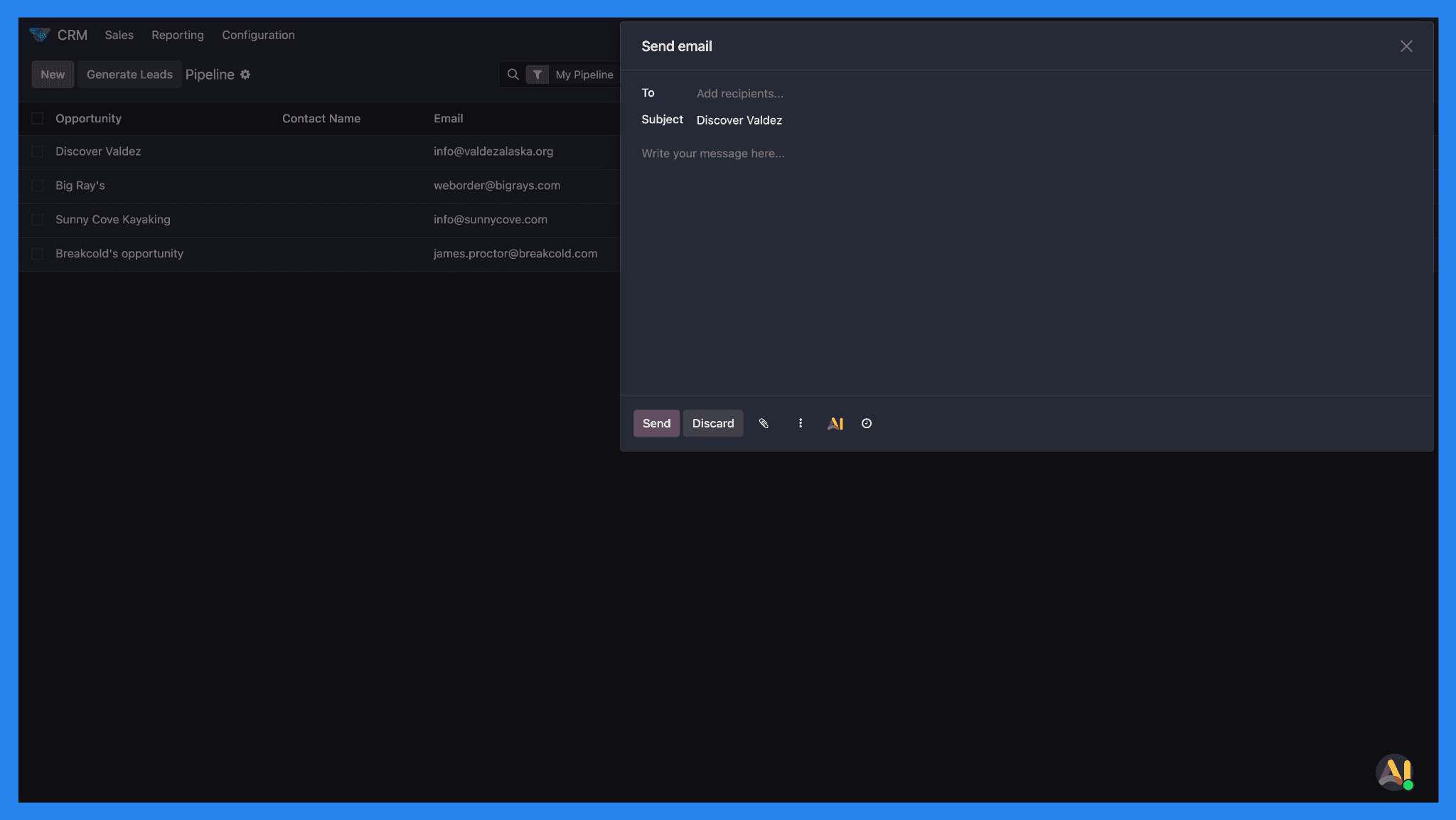
Além de registrar atividades, o Odoo também permite aos utilizadores enviar e-mails, mensagens de SMS, e até fazer chamadas diretamente da plataforma, mantendo a comunicação centralizada dentro do CRM.
Dito isto, estes fluxos de comunicação tendem a ser mais funcionais do que modernos. O Odoo foca-se mais no rastreamento e documentação do que na divulgação multicanal ou vendas no estilo de uma caixa de entrada, o que pode parecer limitante para equipes de vendas acostumadas a experiências de CRM mais voltadas para o engajamento ou sociais.
Relatórios e Dashboards
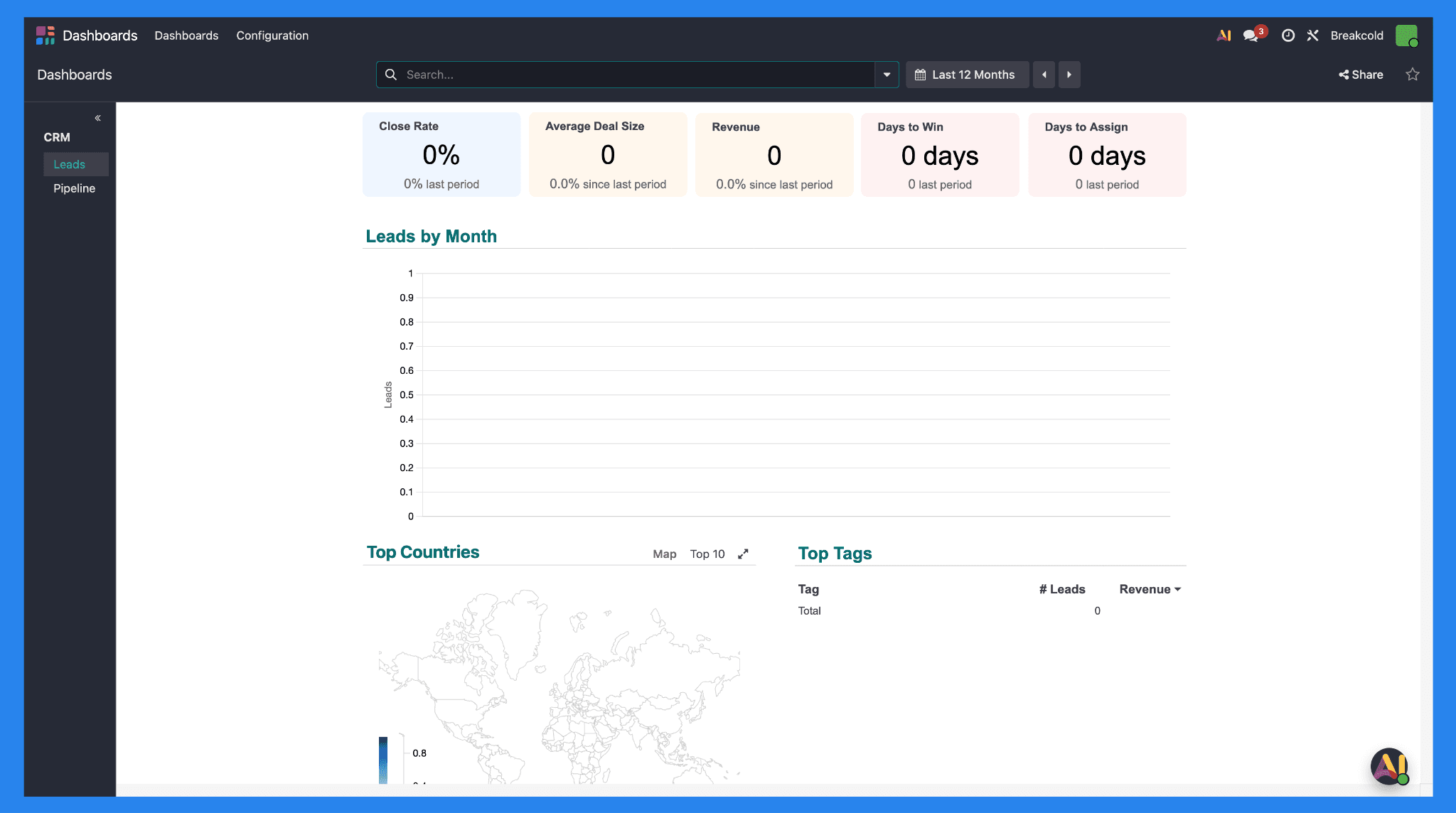
O Odoo CRM oferece dashboards configuráveis e ferramentas de relatório que permitem às equipes rastrear KPIs-chave, como valor do pipeline, taxas de vitória, volume de atividades, e desempenho geral de receita. Estes relatórios podem ser altamente detalhados e flexíveis, tornando-os bem adequados para organizações complexas.
No entanto, desbloquear personalização mais profunda muitas vezes requer conhecimento técnico ou configuração adicional. Relatórios avançados, visualizações personalizadas, e dashboards personalizados podem envolver trabalho de configuração além do que utilizadores não técnicos conseguem facilmente gerir.
Marketplace de Apps e Módulos Adicionais
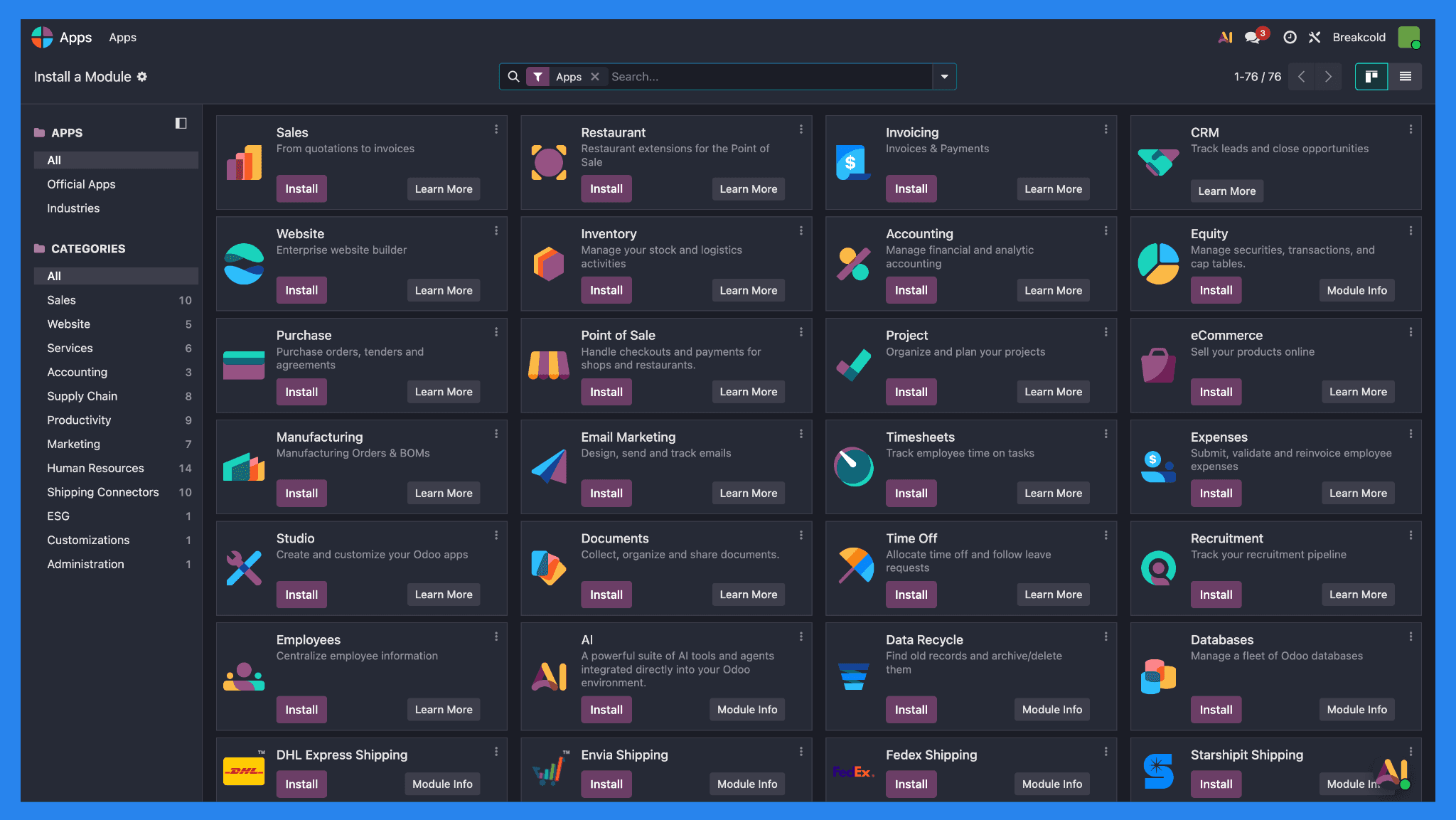
O marketplace de apps do Odoo é um grande diferenciador, permitindo que você estenda a funcionalidade do CRM com módulos para contabilidade, inventário, manufatura, marketing, suporte ao cliente, RH, e mais — gerindo efetivamente a maior parte do seu negócio a partir de uma única plataforma.
A troca é a complexidade. Cada módulo adicionado introduce mais configuração, dependências, e manutenção contínua. Sem recursos operacionais ou técnicos dedicados, uma configuração altamente personalizada do Odoo pode rapidamente se tornar intensiva em termos de tempo.
O Odoo também oferece um app móvel (iOS e Android), permitindo que representantes de vendas gerenciem negócios e atividades em movimento.
💰 Planos de Preço do Odoo (2026) 💰
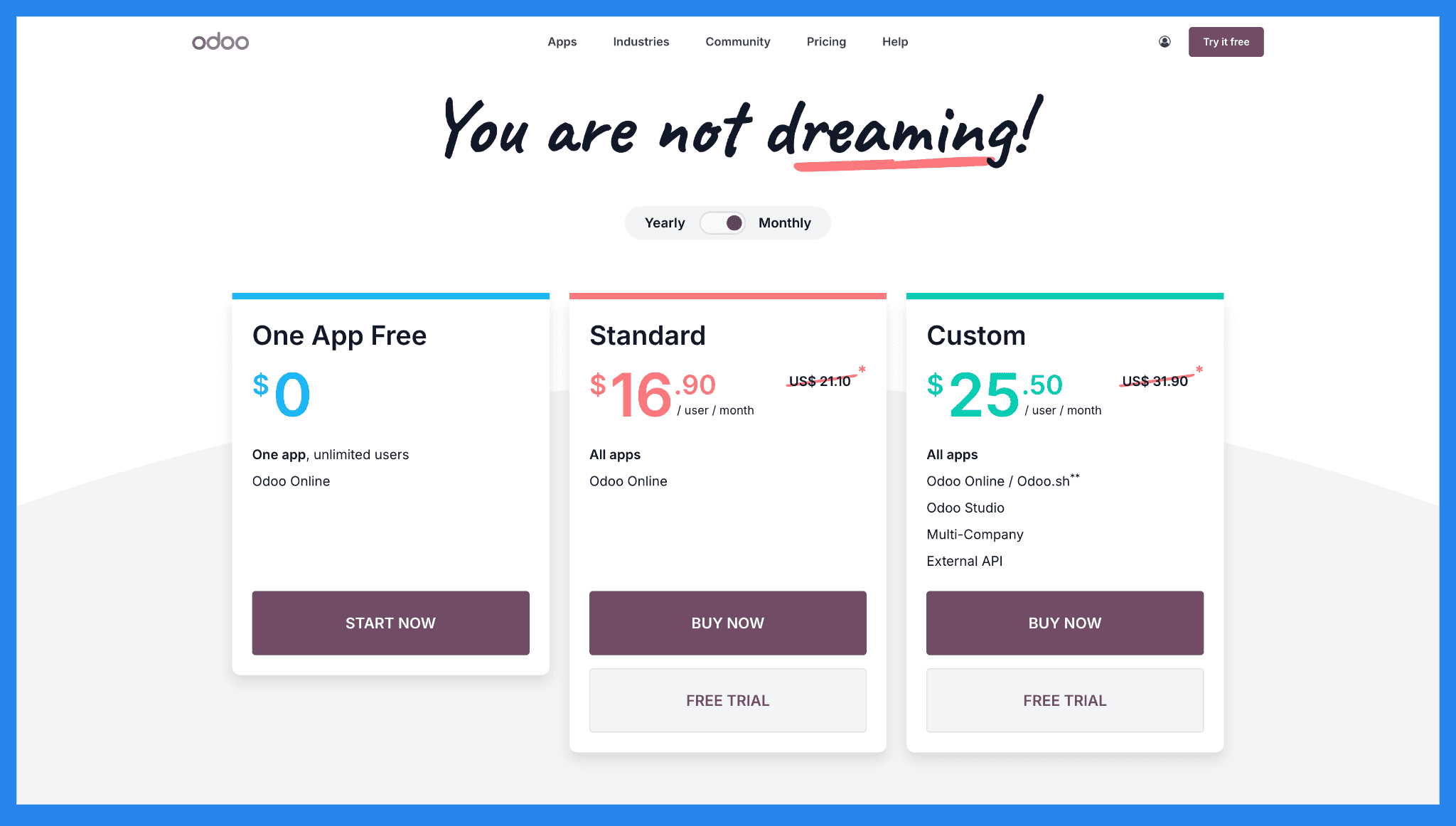
Um App Grátis | Standard | Custom |
|---|---|---|
$0/utilizadores ilimitados | $16,90/utilizador/mês | $25,50/utilizador/mês |
Características: Um app Utilizadores ilimitados Odoo Online | Características: Todos os Apps Odoo Online | Características: Todos os apps Odoo Online / Odoo.sh** Estúdio Odoo Multi-empresa API Externa |
⭐ Prós e Contras do Odoo** **CRM ⭐
Avaliações | |
|---|---|
G2 - 4,1/5 (163) | Capterra - 4,2/5 (1.279) |
Prós | Contras |
O Odoo CRM pode ser adaptado para se ajustar a processos de negócios complexos, tornando-o atraente para organizações com necessidades operacionais específicas. Integração perfeita com contabilidade, inventário, manufatura, RH, e mais, oferecendo às equipes uma única fonte de verdade em todo o negócio. Projetado para lidar com complexidade, volume, e ambientes de multi-equipes à medida que as empresas crescem. | O Odoo CRM é fundamentalmente ERP-primeiro. Quando usado sozinho, falta o polimento e o foco em vendas de CRMs dedicados. A automação é bastante básica, muitas vezes limitada a lembretes, atividades, e fluxos de trabalho simples — bem atrás de CRMs modernos focados em vendas. Para equipes que priorizam a velocidade, movimento de saída, e ciclos rápidos de negócios, Odoo CRM pode parecer inchado e lento de navegar. Muitas empresas dependem de parceiros ou consultores Odoo para configuração e personalização, aumentando os custos e criando dependência de longo prazo. |
🆚 Odoo CRM vs Alternativas
O Odoo CRM não está competindo com ferramentas de vendas leves — está competindo com sistemas operacionais empresariais inteiros. Isso torna as comparações complicadas.
Abaixo, analisamos como o Odoo CRM se compara a alternativas modernas.
🥇 Odoo CRM vs Breakcold: Uma Alternativa Moderna de Vendas Focada em IA
Sumário
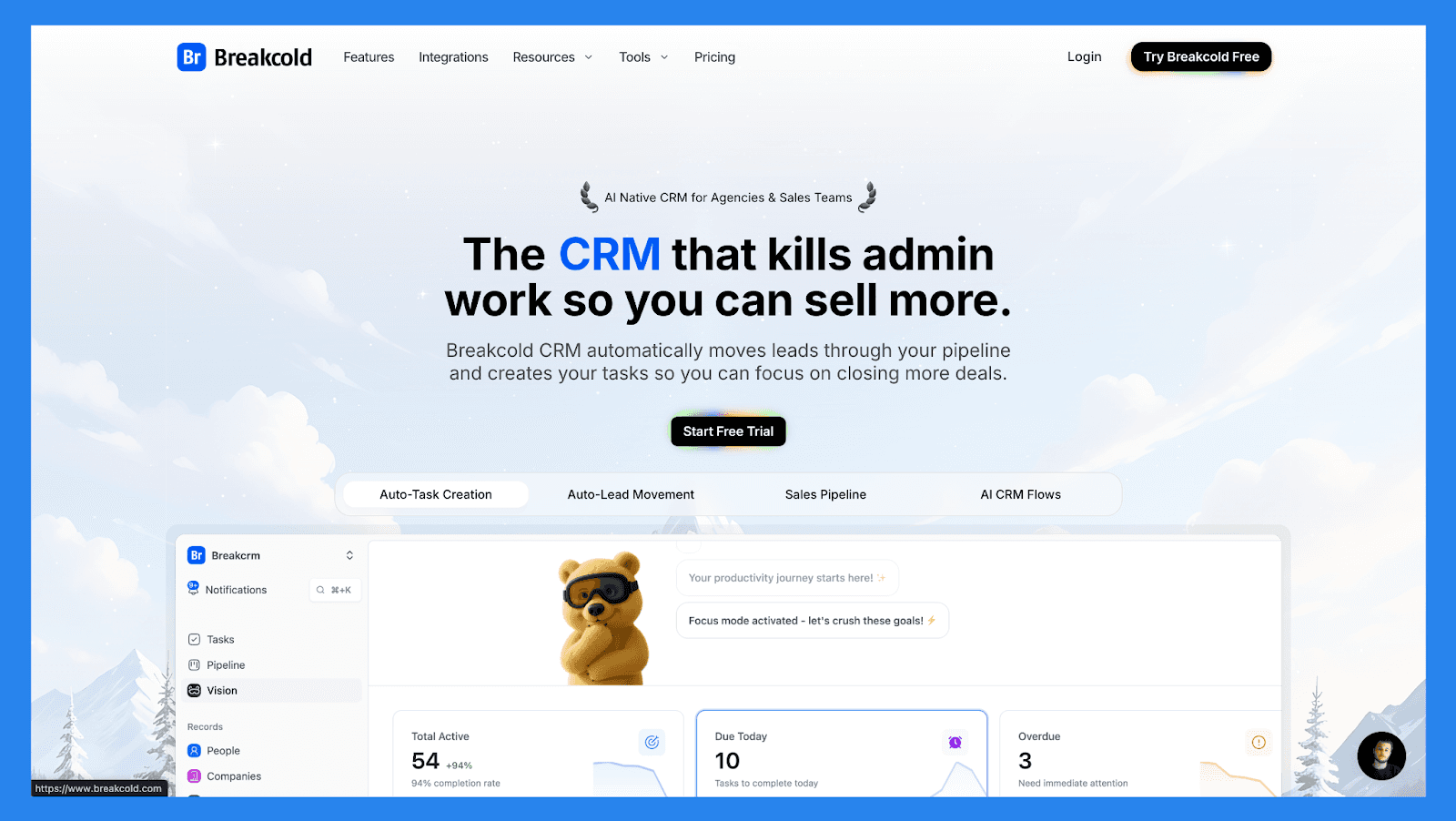
Enquanto o Odoo trata os CRMs como um módulo dentro de um ecossistema ERP maciço, o Breakcold é construído do zero como um CRM de vendas focado em IA focado em fechar negócios mais rapidamente com menos administração. Centraliza e-mail, LinkedIn, WhatsApp, e chamadas em um único fluxo de trabalho, oferece ações diárias de vendas automaticamente com raciocínio de IA, e impulsiona negócios sem a necessidade de configuração pesada ou consultores externos.
Comparado à complexidade e ao custo de implementação do Odoo, o Breakcold é mais rápido para implantar, mais fácil de adotar, e melhor adaptado para startups lideradas por vendas, agências, e PMEs que valorizam a velocidade, eficiência de saída, e vendas baseadas em relacionamento. Para equipes que não precisam de manufatura, inventário, ou contabilidade incorporados em seu CRM, Breakcold destaca-se como a melhor alternativa ao Odoo CRM.
Recursos principais | |
|---|---|
Movimento Automático de Leads: Leads movem-se automaticamente no CRM do Breakcold com base em suas interações. Nenhuma configuração necessária — a IA entende e atualiza tudo sozinha. Criação Automática de Tarefas: Monitora suas interações com leads e cria automaticamente tarefas de acompanhamento para que você nunca perca o ímpeto. Foque-se em vender, não no trabalho administrativo. Construtor de Visões: Por padrão, os leads movem-se automaticamente com base nos nomes das suas listas e estágios do pipeline (zero configuração). Quer mais controle? Use linguagem natural para criar fluxos de trabalho de CRM avançados de IA. Painel Controlado por IA: Um painel que se auto-atualiza para destacar suas tarefas mais importantes, para que você sempre saiba no que focar em seguida. Gestão de Contacto com IA: Organiza automaticamente leads nas listas e grupos corretos analisando suas conversas, notas, e atividades. Personalidades de IA (Agentes de IA): Escolha uma personalidade de IA alinhada com seu estilo de vendas ou metas de negócios. Seu painel então se adapta e lhe serve tarefas diárias adaptadas a essa persona. Raciocínio de IA: Cada tarefa sugerida vem com contexto claro, para que você saiba exatamente por que é importante e por que é relevante hoje. Sugestões de Mensagens de IA: Obtenha recomendações de próxima mensagem que combinem com seu tom de voz e personalidade de IA — para conversas por e-mail e sociais. Regras de IA: Adicione regras personalizadas para cada etapa de seu fluxo de trabalho para controle de automação mais profundo e processos mais inteligentes. Desduplicação de Contactos com IA: Identifica e mescla automaticamente contatos duplicados, economizando horas de limpeza manual e mantendo seu CRM enxuto e preciso. Enriquecimento de Dados Avançado: Potenciado pelo BetterContact, o Breakcold usa enriquecimento em cascata para revelar emails e números de telefone B2B verificados, melhorando a precisão do alcance e a entrega. Notetaker com IA: Integra-se com Otter, Fireflies, TL;DV, e Fathom para gerar e registrar automaticamente resumos de chamadas diretamente no CRM — completos com transcrições, links, e tarefas de acompanhamento. Caixa de Entrada Unificada: Gerencie conversas do LinkedIn, Email, WhatsApp, e Telegram em um só lugar, para que você possa responder mais rápido e nunca perder um acompanhamento. Fluxo de Engajamento Social: Curtir, comentar, e envolver-se com as postagens dos seus leads diretamente do CRM para construir relacionamentos através de interações consistentes e significativas. 20+ Integrações Nativas: Conecte o Breakcold com Slack, Apollo, Smartlead, Instantly, Lemlist, e muitas outras ferramentas de vendas para facilitar o processo de trabalho de ponta a ponta. | |
Avaliações | |
G2 - 4,7/5 (116) | Capterra - 4,8/5 (93) |
Prós | Contras |
Interface conveniente e fácil de usar para utilizadores avançados do LinkedIn Recursos de integração bem estruturados, incluindo vídeos, diagramas de fluxo, e melhores práticas Suporte ao cliente responsivo e confiável Capacidades poderosas de escuta social para percepções e personalização de contato com leads | Dependência de serviços externos como Google e LinkedIn, que pode causar bugs quando estas plataformas atualizam as suas políticas Falta de recursos nativos de chamadas e funcionalidade de IA Ainda em desenvolvimento com funcionalidades em evolução e limitações ocasionais |
Planos de Preço
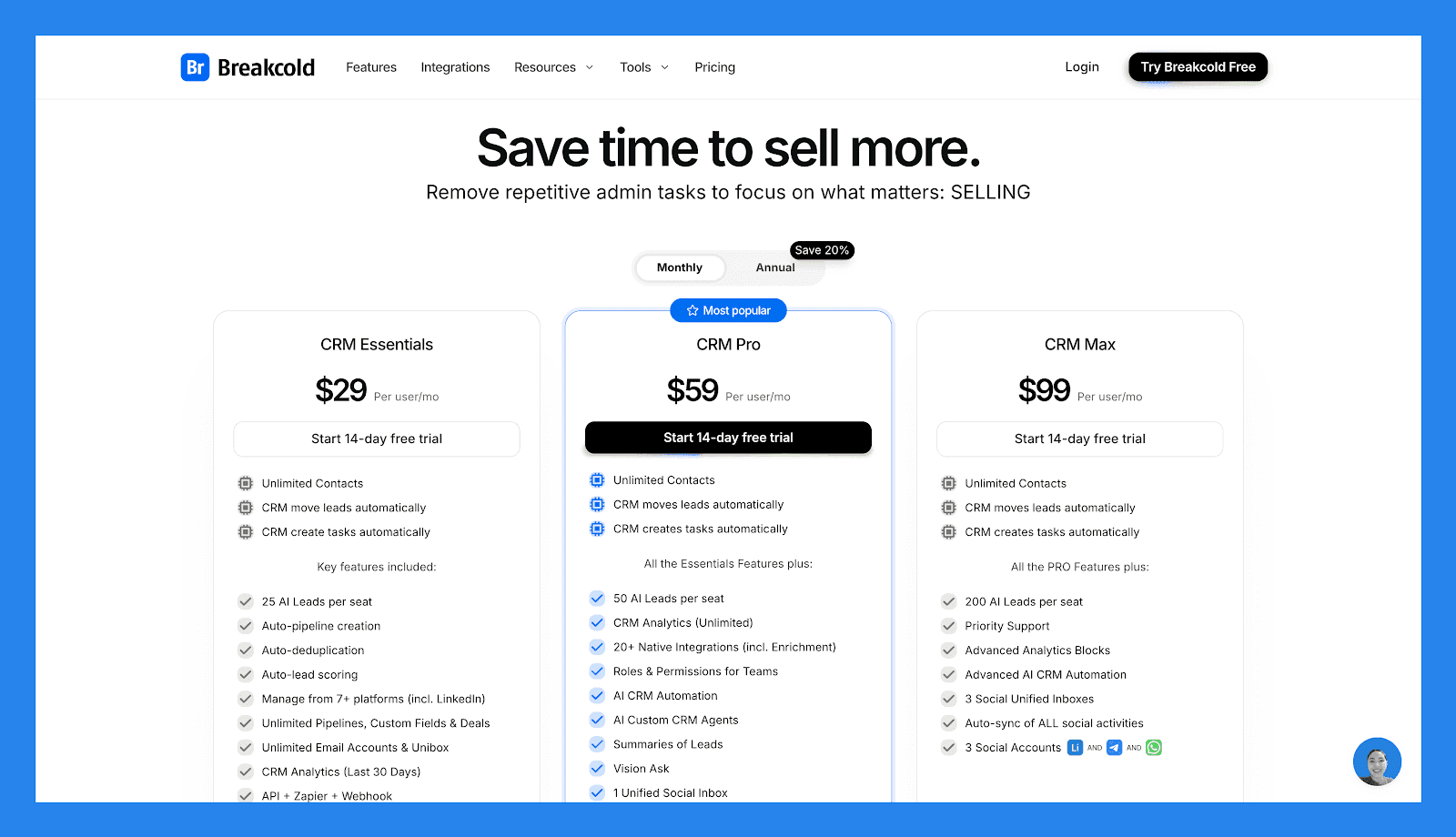
CRM Essentials | CRM Pro | CRM Max |
|---|---|---|
$29/utilizador/mês | $59/utilizador/mês | $99/utilizador/mês |
Contactos Ilimitados CRM move leads automaticamente CRM cria tarefas automaticamente Principais recursos incluídos: 25 AI Leads por assento Criação automática de pipeline Desduplicação automática Pontuação automática de leads Gerir a partir de 7+ plataformas (incl. LinkedIn) Pipelines ilimitados, Campos Personalizados & Negócios Contas de E-mail Ilimitadas & Caixa de Entrada Unificada Análises de CRM (Últimos 30 Dias) API + Zapier + Webhook | Contactos Ilimitados CRM move leads automaticamente CRM cria tarefas automaticamente Todos os Recursos Essenciais mais: 50 AI Leads por assento Análises de CRM (Ilimitado) 20+ Integrações Nativas (incl. Enriquecimento) Funções & Permissões para Equipas Automação de CRM de IA Agentes de CRM Personalizados de IA Sumários de Leads Visão Pergunta 1 Caixa de Entrada Social Unificada Atividades sociais sincronizadas automaticamente para 1 social 1 Conta Social (LinkedIn, X, ou Whatsapp) | Contactos Ilimitados CRM move leads automaticamente CRM cria tarefas automaticamente Todos os recursos PRO mais: 200 AI Leads por assento Suporte Prioritário Blocos de Análise Avançada CRM Avançado com IA Automação 3 Caixas de Entrada Unificadas Sociais Sincronização automática de TODAS as atividades sociais 3 Contas Sociais (LinkedIn, X, ou Whatsapp) |
🥈 Odoo CRM vs HubSpot: Uma Plataforma CRM Completa Focada em Marketing
Sumário
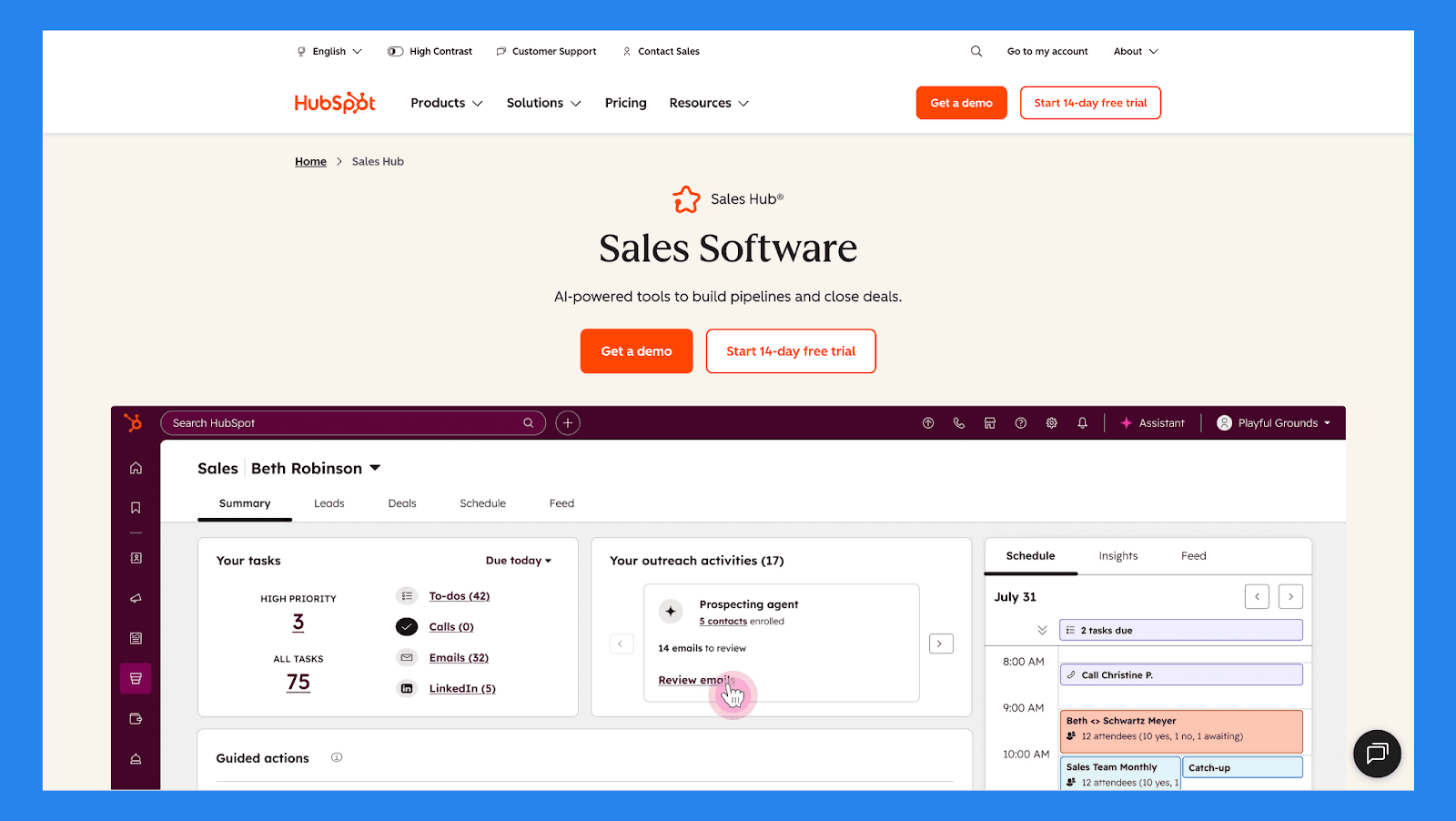
Fundada em 2006, a HubSpot popularizou o movimento de marketing de entrada e desde então se tornou uma das plataformas CRM mais amplamente adotadas globalmente. Seu CRM é projetado para unificar marketing, vendas, serviço e operações em um único ecossistema, tornando-o especialmente atraente para empresas em crescimento que querem pipelines estruturados, forte automação e alinhamento entre equipas.
Comparado à abordagem ERP-primeiro do Odoo, o HubSpot oferece uma experiência mais polida e centrada no CRM com integração mais rápida — embora os custos e a complexidade aumentem à medida que as equipes crescem.
Recursos principais | |
|---|---|
Gestão Unificada de Contatos e Negócios: Todas as interações com clientes — emails, chamadas, reuniões, notas e atividade do site — são registradas automaticamente, oferecendo às equipes uma visão compartilhada e atualizada de cada contato e negócio. Ferramentas de Pipeline & Previsão: Pipelines visuais com estágios de negócio, probabilidades, e previsão de receita ajudam as equipes de vendas a acompanhar o progresso e prever resultados com confiança. Automação de Marketing & Fluxos de Trabalho: Construa fluxos de trabalho automatizados para nutrição de leads, criação de tarefas, atualizações de negócios, e notificações internas usando lógica if/then atrelada ao comportamento de contato. Rastreamento de Emails & Sequências: Monitore aberturas, cliques, e respostas ao mesmo tempo que automatiza sequências de acompanhamento para manter os negócios em movimento sem correria manual. Agendamento de Reuniões & Sincronização de Atividades: Links de calendário nativos e ferramentas de reunião sincronizam-se perfeitamente com o Google e Outlook, registrando automaticamente encontros no CRM. Relatórios & Dashboards de Análise: Dashboards personalizados para vendas, marketing, e equipes de serviço oferecem visibilidade em tempo real sobre desempenho, saúde do pipeline, e ROI de campanhas. Núcleo de CRM Gratuito: O nível gratuito do HubSpot inclui gestão de contatos, acompanhamento de negócios, ferramentas de email, e relatórios básicos — tornando-o acessível para pequenas equipes começando. Extenso Mercado de Apps: Conecte o HubSpot com centenas de ferramentas de terceiros em vendas, marketing, suporte, e operações para expandir a funcionalidade à medida que as necessidades evoluem. | |
Avaliações | |
G2 - 4,6/5 (412) | Capterra - 4,5/5 (665) |
Prós | Contras |
Plataforma unificada combinando CRM, ferramentas de marketing, vendas, e atendimento — reduz a sobrecarga de ferramentas e melhora a colaboração da equipe. Nível gratuito generoso que lida com necessidades principais de CRM. Fortes capacidades de automação, segmentação, e fluxos de trabalho, permitindo operações escaláveis de marketing e vendas. Confiável para organizações que precisam de pipelines estruturados, relatórios, e dados de clientes unificados entre equipes. | Custos escalam rapidamente à medida que adiciona assentos ou atualiza para desbloquear recursos avançados. Alguns recursos poderosos e funcionalidades mais profundas estão bloqueados por trás de planos mais altos, limitando o que os utilizadores de entrada ou gratuitos podem fazer. Pode ser esmagador para equipes muito pequenas ou negócios que precisam apenas de funcionalidades básicas de CRM. |
Planos de Preço
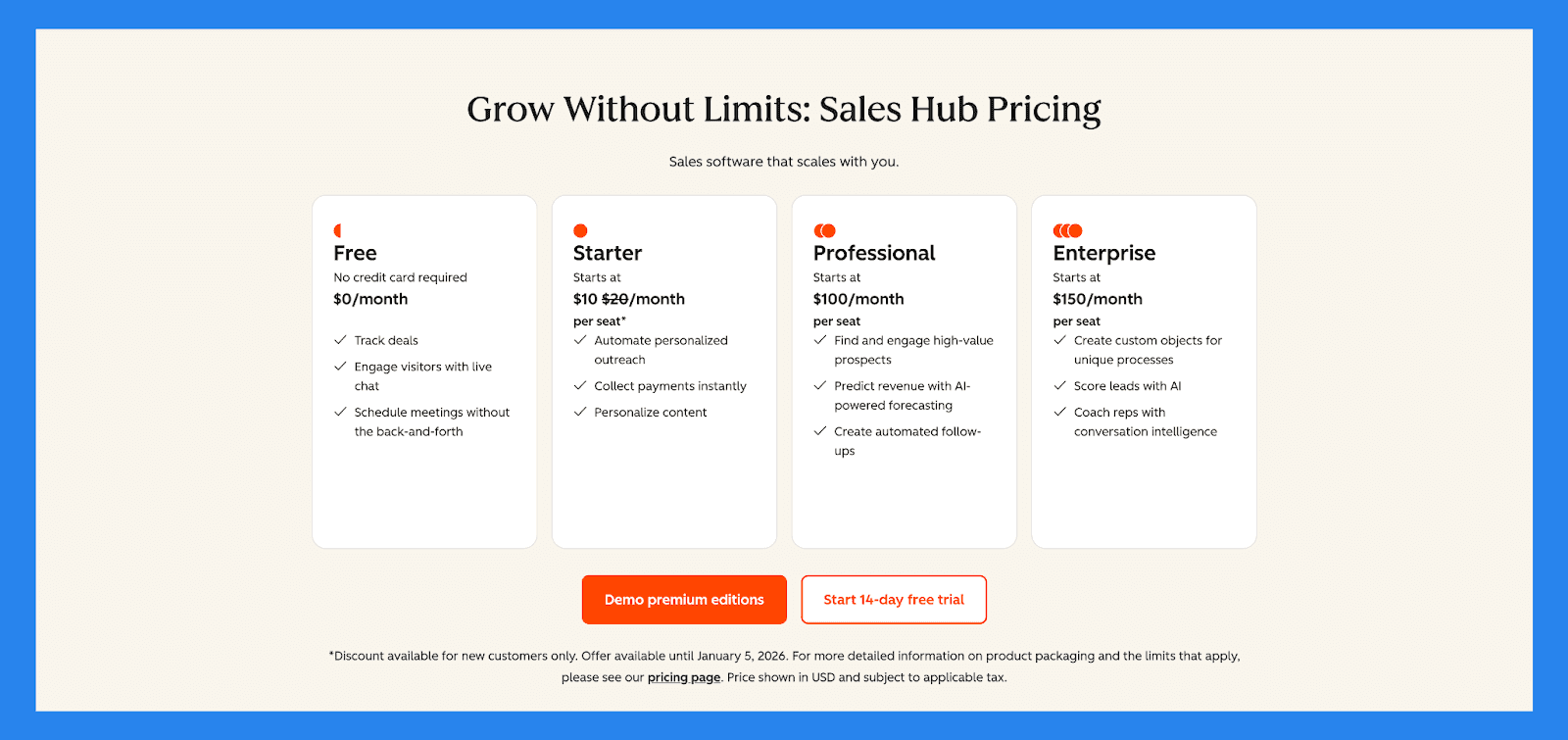
Gratuito | Starter |
|---|---|
US$0/mês | US$10/mês/assento |
Inclui: Acompanhe negócios Interaja com visitantes com chat ao vivo Agende reuniões sem a troca de emails | Ferramentas gratuitas, mais: 500 Créditos HubSpot Assistente de Breeze Chamadas Números de telefone fornecidos pelo HubSpot Tarefas Repetidas e Filas de Tarefas Tags de objeto Metas |
Profissional | Empresarial |
|---|---|
US$100/mês/assento | US$150/mês/assento |
Destaques, além de: Assistente de Reuniões com IA Agente de Prospeção Breeze Transcrição e coaching de chamadas Análises de vendas Espaço de trabalho de vendas Previsão Sequências | Profissional, além de: Enriquecimento de transcrição de chamadas IA (Beta) Inteligência de conversa Divisões de negócios Análises da jornada do negócio Roteamento de Formulário de Lead Aprovações de pipeline para Negócios Resposta de Voz Interativa |
🥉 Odoo CRM vs Salesforce: Vendas de Nível Empresarial, Automação e Escala
Resumo
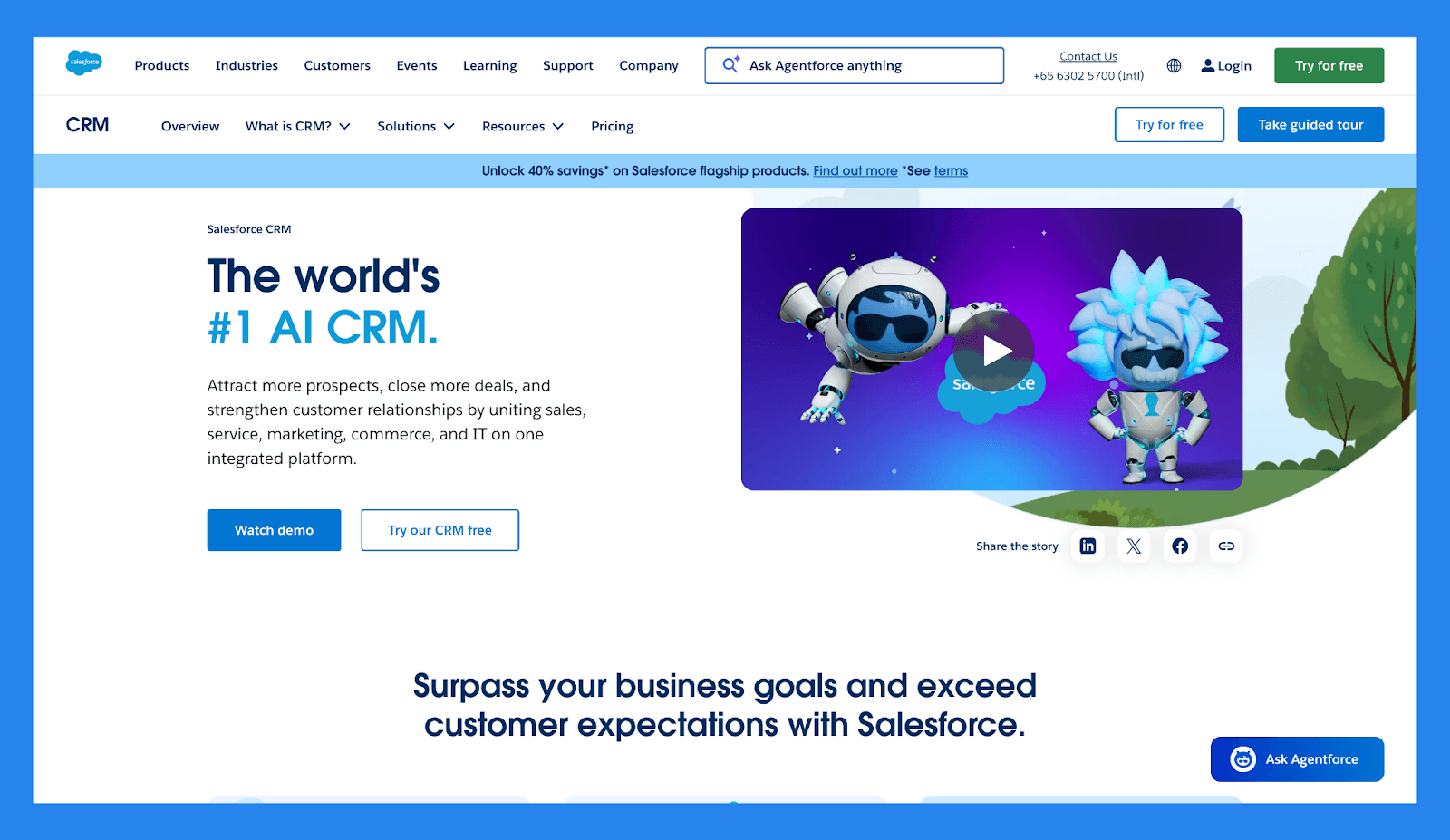
Salesforce é um dos CRMs empresariais mais adotados no mundo, conhecido por sua personalização profunda, automação poderosa, e vasto ecossistema de apps. Construído especificamente para vendas, atendimento e operações de receita, o Salesforce destaca-se na gestão de pipelines complexos, grandes equipes de vendas, e relatórios avançados em escala.
Comparado ao Odoo CRM, o Salesforce oferece uma experiência de CRM independente muito mais madura, mas com custo e complexidade significativamente mais altos. O Odoo atrai organizações que querem CRM embutido em um ambiente ERP, enquanto o Salesforce é mais adequado para empresas que priorizam o desempenho de vendas, extensibilidade, e funcionalidade avançada de CRM sobre unificação operacional.
Recursos Principais | |
|---|---|
Rastreamento de Leads e Negócios: Capture e qualifique novos leads sem problemas, atribua-os aos representantes certos, e acompanhe as oportunidades através de estágios de vendas totalmente personalizáveis. Automação de Processos de Vendas: Minimize o trabalho manual com atribuição automática de leads, lembretes de tarefas, e disparadores de acompanhamento que mantêm seu pipeline em movimento. Pipelines de Vendas Personalizados: Desenhe pipelines visuais que espelham o seu fluxo de trabalho de vendas, completos com controles de arrastar e soltar e acompanhamento de progresso detalhado. Gestão Unificada de Contatos: Organize contatos e contas em um só lugar, com históricos completos de chamadas, e-mails, reuniões, e notas para cada relacionamento. Registro Integrado de Comunicação: Sincronize automaticamente e-mails, chamadas, e eventos de calendário do Gmail, Outlook, ou outras plataformas — mantendo a atividade do seu CRM rica e atualizada. Automação Avançada de Fluxo de Trabalho: Crie caminhos de aprovação complexos e fluxos de trabalho baseados em regras para simplificar processos internos e garantir consistência entre equipas. Ecossistema de Apps via AppExchange: Expanda a funcionalidade do Salesforce com milhares de apps verificados cobrindo desde geração de leads até rastreamento financeiro. CRM em Movimento: Capacite sua equipe com um app móvel totalmente funcional que oferece acesso a negócios, contatos, tarefas, e dashboards — a qualquer hora, em qualquer lugar. Inteligência AI Einstein: Aumente a produtividade com insights gerados por IA, incluindo pontuação preditiva de leads, análise de saúde de oportunidades, e sugeriu próximos passos. Colaboração Interna Integrada (Chatter): Colabore diretamente dentro do CRM com atualizações em tempo real, menções, e discussões encadeadas para manter todos alinhados em negociações chave. | |
Avaliações | |
G2 - 4,4/5 (23.272) | Capterra - 4,4/5 (18.817) |
Prós | Contras |
Otimiza a gestão de leads e melhora as taxas de conversão Destaca-se em organização e limpeza de dados Rica em integrações com um vasto ecossistema de apps Suporte ao cliente responsivo e recursos comunitários úteis | Processo de implementação complexo que requer tempo e recursos Caro, especialmente para empresários individuais ou pequenas empresas Curva de aprendizado acentuada, particularmente para utilizadores não técnicos A interface do utilizador pode ser confusa e difícil de navegar |
Planos de Preço
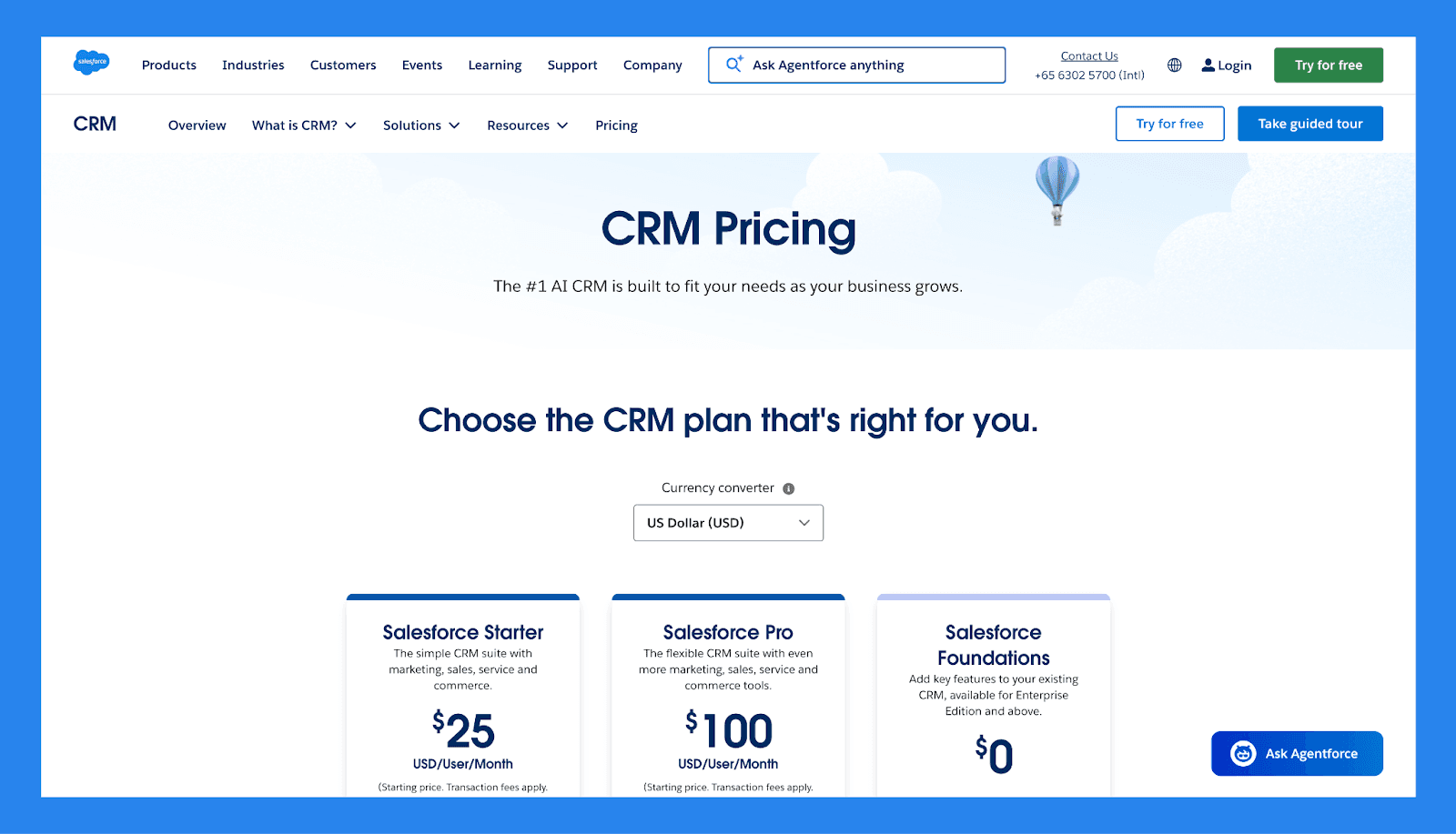
Salesforce Starter | Salesforce Pro | Salesforce Foundations |
|---|---|---|
$25/utilizador/mês | $100/utilizador/mês | $0 |
Gestão de Leads, Contas, Contatos, e Oportunidades Marketing de Email Dinâmico e Análises Fluxos de Vendas Incorporados e Roteamento de Leads Conversas Conectadas no Slack | Tudo no Starter mais Chats em Tempo Real Melhorados Maior Personalização e Automação Cotação e Previsão de Vendas Acesso ao AppExchange | 100k Créditos Flex 250K Créditos de Cloud de Dados Ferramentas de Vendas, Atendimento, Marketing e Comércio |
🏅 Odoo CRM vs Pipedrive: Um CRM Focado em Pipeline Construído para Simplicidade
Resumo
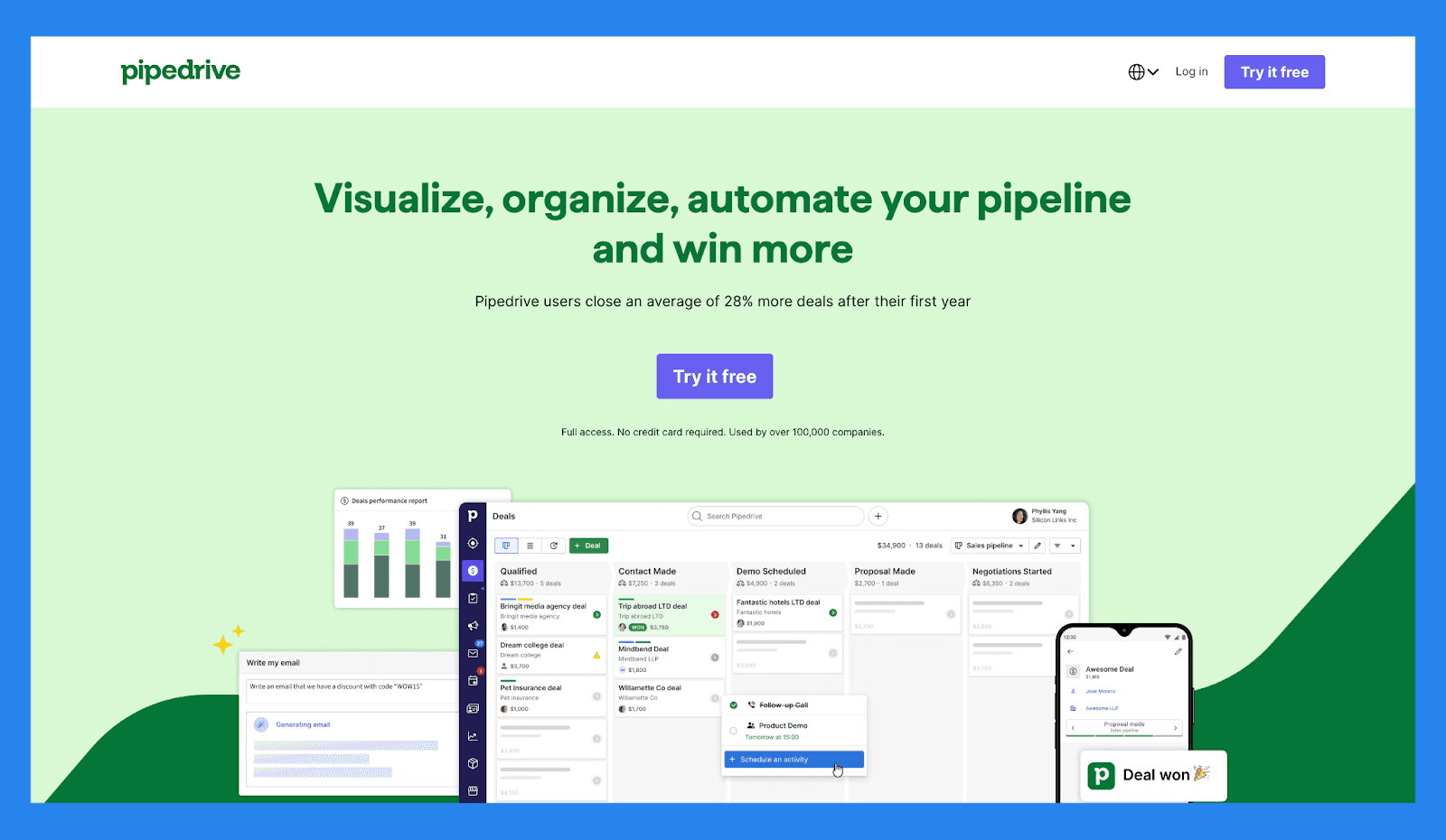
Pipedrive é um CRM projetado para simplicidade e gestão visual de pipelines, tornando-o um favorito para equipes de vendas que querem fechar negócios rapidamente sem administração pesada ou configuração.
Ao contrário do Odoo, que é parte de um ecossistema ERP mais amplo e melhor adaptado para equipes que precisam de integrações operacionais profundas, o Pipedrive mantém as coisas simplificadas para execução de vendas pura. Enfatiza facilidade de uso, configuração rápida, e automação de vendas que ajuda os representantes a passarem mais tempo vendendo e menos tempo gerindo software. Para equipes que priorizam um CRM de vendas leve e intuitivo sobre integração ERP complexa, o Pipedrive geralmente parece mais ágil e acessível.
Recursos Principais | |
|---|---|
Orientação de Negócios com IA: Utilize prompts inteligentes e pontuações de probabilidade de vitória baseadas em atividade de CRM em tempo real para se concentrar nos negócios que importam mais. Previsões Personalizadas e Relatórios de Vendas: Construa dashboards personalizados para analisar tendências de receita, saúde dos negócios, e taxas de conversão — tudo em um só lugar. Dashboards de Desempenho & Acompanhamento de Metas: Defina metas de vendas e acompanhe o desempenho do representante ou da equipe visualmente, tornando fácil manter-se alinhado e motivado. Controle Visual do Pipeline: Mova negócios entre estágios com simplicidade de arrastar e soltar, agende próximas ações, e obtenha visibilidade em tempo real do impulso do negócio. Monitoramento de Progresso de Leads: Acompanhe a jornada de cada lead desde o contato inicial até a conversão, atribua acompanhamentos, e priorize o contato com base na qualidade do lead. Automação de Tarefas de Vendas: Reduza tarefas repetitivas com fluxos de trabalho inteligentes que tratam de entrada de dados, lembretes de email, e atualizações de pipeline automaticamente. Suite de Produtividade de Vendas de IA: Acesse ferramentas integradas como assistência na redação de emails, geração de resumos, e LeadBooster para agilizar a prospeção. Integrações Estendidas de App: Sincronize com mais de 350 ferramentas — incluindo Gmail, Slack, Zoom, Klenty, e Wingman — para criar um stack de tecnologia de vendas verdadeiramente conectado. Funcionalidade Móvel de CRM: Gerencie seu pipeline, responda a leads, e acesse relatórios de qualquer lugar com acesso móvel completo. | |
Avaliação | |
G2 - 4,3/5 (2.445) | Capterra - 4,5/5 (3.047) |
Prós | Contras |
Materiais de integração bem estruturados, incluindo FAQs e vídeos Oferece uma ampla gama de integrações com ferramentas de terceiros Recursos fortes de automação e IA que aumentam a produtividade Configuração rápida e fácil com curva de aprendizado mínima | A interface do utilizador pode parecer datada ou confusa para alguns utilizadores Não há plano gratuito disponível — os níveis pagos começam rapidamente O suporte ao cliente pode ser lento ou inconsistente. Sem integração nativa com LinkedIn para importação de leads Alguns utilizadores relatam erros ocasionais e problemas de desempenho |
Planos de Preço
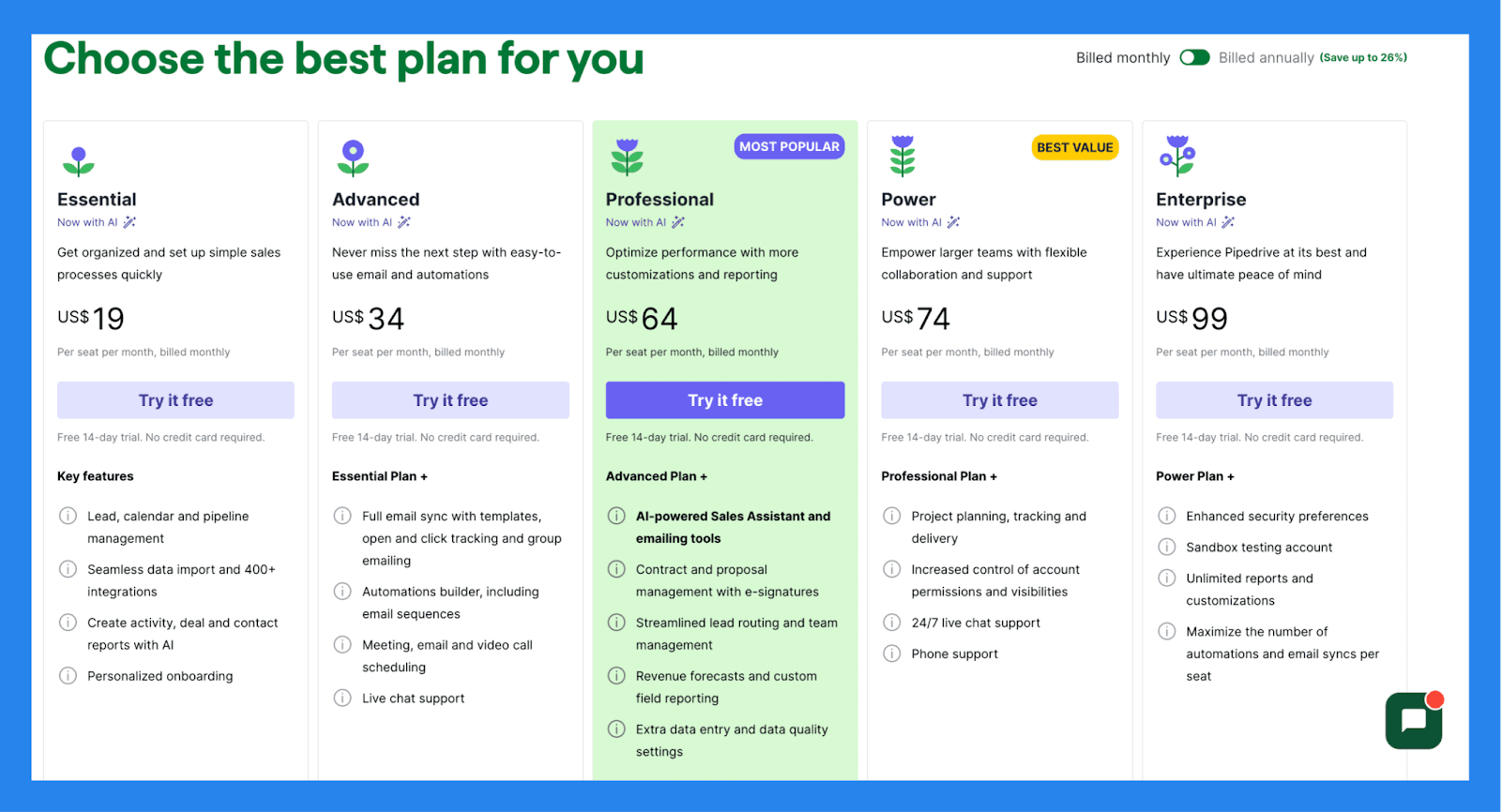
Essencial | Avançado | Profissional |
|---|---|---|
$19/utilizador/mês | $34/utilizador/mês | $64/utilizador/mês |
Recursos principais: Gestão de leads, calendário e pipeline Importação de dados e mais de 400 integrações Crie relatórios de atividades, negócios e contatos com IA Integração personalizada | Plano Essencial + Sincronização completa de e-mail com modelos, rastreamento de aberturas e cliques e envios em massa Construtor de automações, incluindo sequências de e-mail Agendamento de reuniões, e-mails e videochamadas Suporte por chat ao vivo | Plano Avançado + Assistente de vendas com IA e ferramentas de e-mailing Gestão de contratos e propostas com assinaturas eletrónicas Distribuição de leads eficiente e gestão de equipa Previsões de receita e relatórios de campos personalizados Configurações extras de entrada de dados e qualidade de dados |
🏁 Veredicto Final: Vale a pena o Odoo CRM em 2026?
Resposta curta: sim — se realmente precisar de um ERP.
O Odoo CRM é uma escolha sólida em 2026 para negócios onde as vendas estão profundamente ligadas a inventário, contabilidade, manufatura, ou operações. Se a sua organização opera com base em processos, personalização, e fluxos de trabalho interdepartamentais, o ecossistema tudo-em-um do Odoo pode substituir uma pilha desordenada de ferramentas desconectadas.
Dito isto, se o seu objetivo é fechar negócios rapidamente, não configurar sistemas, o Odoo pode parecer exagerado.
Se é uma equipa liderada por vendas, uma startup, ou uma agência que quer velocidade, configuração mínima, e IA fazendo o trabalho pesado, Breakcold é a melhor aposta. É construído para vendas modernas: mover automaticamente leads, gerar acompanhamentos, e manter os representantes focados na receita — não na administração.
Ainda não está convencido? Oferecemos um teste gratuito de 2 semanas para que descubra por si mesmo!
Written by Arnaud Belinga