



Best CRMs for Claude Cowork in 2026: Who Ships a Skill?
Breakcold is the only CRM with a published open-source Claude Cowork Skill on GitHub. Here is what that means for HubSpot, Attio, Salesforce, Pipedrive, and your pipeline.
TL;DR: the best CRM for Claude Cowork is the one that ships a Skill, not just MCP 🏆
🏆 Breakcold: the AI Native CRM for sales teams of 5 to 30+ people. AI agents handle the admin (move deals, log activity, create tasks), it connects to Claude and ChatGPT via native MCP, and it syncs LinkedIn, email, WhatsApp and Telegram into one pipeline. At 5 seats Breakcold is $139/mo, where a traditional CRM runs $300 to $500/mo.
🔵 MCP is the connection, a Skill is the judgment: MCP hands Cowork raw tools, but only a Skill teaches it when to move a stage, how to name a task, and when not to create a duplicate record.
🟢 Only Breakcold ships both: it publishes an open-source Cowork Skill on GitHub with six ready-made workflows plus a 55-tool MCP across six channels.
🟠 HubSpot, Attio and Salesforce have MCP but no Skill: they can do real work with Cowork, but you write the playbook every session and they cover fewer channels.
✅ Pipedrive has neither: no first-party MCP and no Skill, so it is effectively off the table for autonomous Cowork CRM work.
Claude Cowork Runs Your Pipeline While You Are in Meetings
Claude Cowork is not a coding tool. It is Anthropic's desktop agent for knowledge workers: give it a goal, describe the outcome you want, and it works through your files, your emails, and your connected apps while you focus on something else. For sales teams, that means it can run your CRM hygiene while you are on calls.
Travis Bryant, Head of US Mid-Market GTM at Anthropic, runs a 4,000-account book this way. Every morning a scheduled Cowork task pulls pipeline status from his CRM, combines it with spend data, and delivers a briefing ready before his first meeting. Every Friday a second task pulls forecast commits and assembles them into a single-page web report. What used to take RevOps, FP&A, and marketing hundreds of hours of coordination now runs overnight on its own.
Loading YouTube sends it your IP address and may enable cookies. This applies to this content only.
Video of me using my CRM with Claude Cowork to build a workflow to automate tasks creation
The question this article answers is: which CRM gives Claude Cowork enough access to do that for your team? Not just "connects via MCP." The question is which CRM ships a Skill — a packaged playbook that teaches Cowork exactly how to handle your pipeline, your follow-ups, and your prospect notes without you spelling it out every time.
One does. The rest give Cowork raw tools and expect you to figure out the rest. That gap is the difference between a CRM agent that truly runs autonomously and one you have to hand-hold through every session.
MCP Gives Cowork the Connection. A Skill Gives It the Judgment.
When you connect a CRM to Claude Cowork via MCP, Cowork gets a list of tools it can call: look up a contact, create a task, read a conversation thread. These tools are correct and they work. But a tool definition tells Cowork what it can do, not when to do it or how to avoid doing it badly in a sales context.
Without a Skill, Cowork will:
Move pipeline stages in both directions — including backwards when the last message was neutral
Name tasks "Follow up with Sarah" instead of "Re: pricing question — LinkedIn thread silent 11 days"
Create contact records from 70% confidence signals and fill your CRM with noise
Write notes as unformatted blocks of text rather than structured sections that scan in seconds
Miss the WhatsApp or Telegram thread that is the real deal conversation, because it only checked email
A Skill is a file you drop into your Claude skills folder. Cowork reads it and inherits a set of rules and workflow definitions that encode what a good sales CRM operation actually looks like. The six-workflow Breakcold Skill was built specifically so that Cowork can run a pipeline without inventing conventions on the fly.
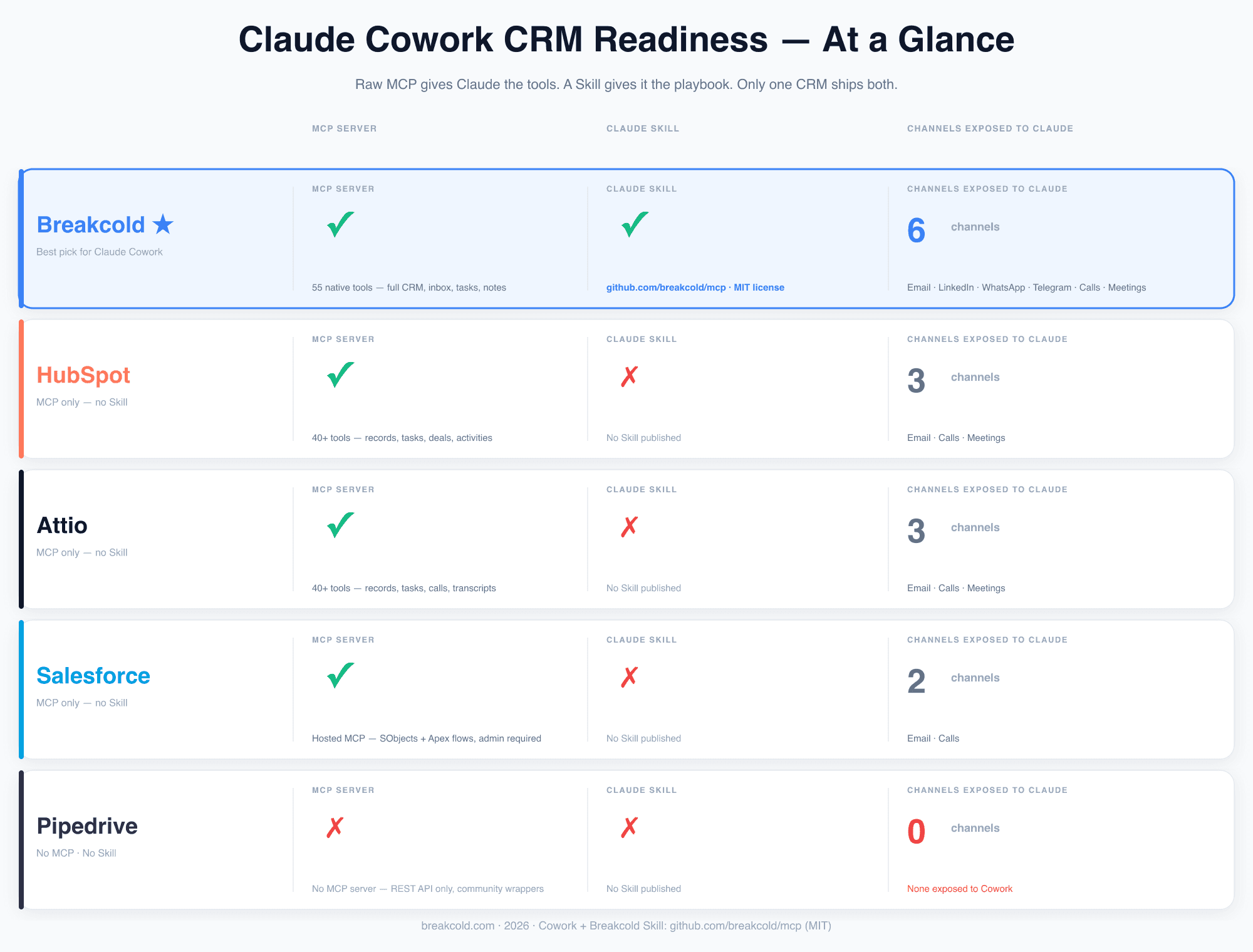
Claude Cowork CRM Readiness — at a glance. Raw MCP gives Cowork the connection. A Skill gives it the playbook. Only Breakcold ships both. Pipedrive ships neither.
1. Breakcold — The Only CRM with a Published Cowork Skill
Breakcold ships two things together: a first-party MCP server with 55 native tools, and an open-source Agent Skill published at github.com/breakcold/mcp under an MIT license. The MCP gives Cowork the connection to your CRM. The Skill gives it the discipline to use that connection correctly.
Setup is two steps, no coding required:
Open Claude Desktop. Go to Settings → Connectors → Add custom connector. Name it Breakcold. Paste the MCP URL for your region (
https://http.us.breakcold.com/mcp/v1for US,/eu/for Europe). Complete OAuth when the browser opens.Download the Skill from github.com/breakcold/mcp and drop the
breakcold-crm.skillfile into your Claude skills folder. Cowork reads it on the next session.
After that, you describe outcomes in plain language and Cowork handles them. "Review my pipeline for deals that have gone quiet this week." "Prep a one-page brief on the five accounts I am meeting tomorrow." "Check if anyone I talked to this month is not in the CRM yet." The Skill has already encoded what those requests require — which tools to call, in what order, with what guardrails.
The six workflows the Skill ships
Auto follow-up tasks. Detects contacts where momentum stalled across any channel. Creates tasks named after the actual conversation — "Re: pricing question, LinkedIn thread silent 11 days" — deep-linked to the thread. Not "Follow up."
Pipeline auto-movement. Reads conversation signals across email, LinkedIn, WhatsApp, Telegram, and meetings. Traverses linked People records before concluding a deal has gone quiet. Never moves a stage backwards. This rule alone prevents the most common failure mode in CRM agents without a Skill.
Visual sales reports. Branded HTML with one headline KPI per section. Adapts to your workspace shape. No generated filler. Deliverable in the same format Travis Bryant describes: a single-page web report ready before the forecast call.
Prospect research. Web research written back into structured notes on the record. Consistent template across the linked Deal and Person records so context stays together and scans fast.
Inbox to CRM detection. Finds people you are actively talking to across channels who are not in the CRM yet. Applies a 95 percent confidence threshold before creating a record. No noise.
CRM setup from URL. From a website URL, builds the full CRM: object types, custom fields, pipeline stages, saved views. Useful once. Saves hours of configuration work.
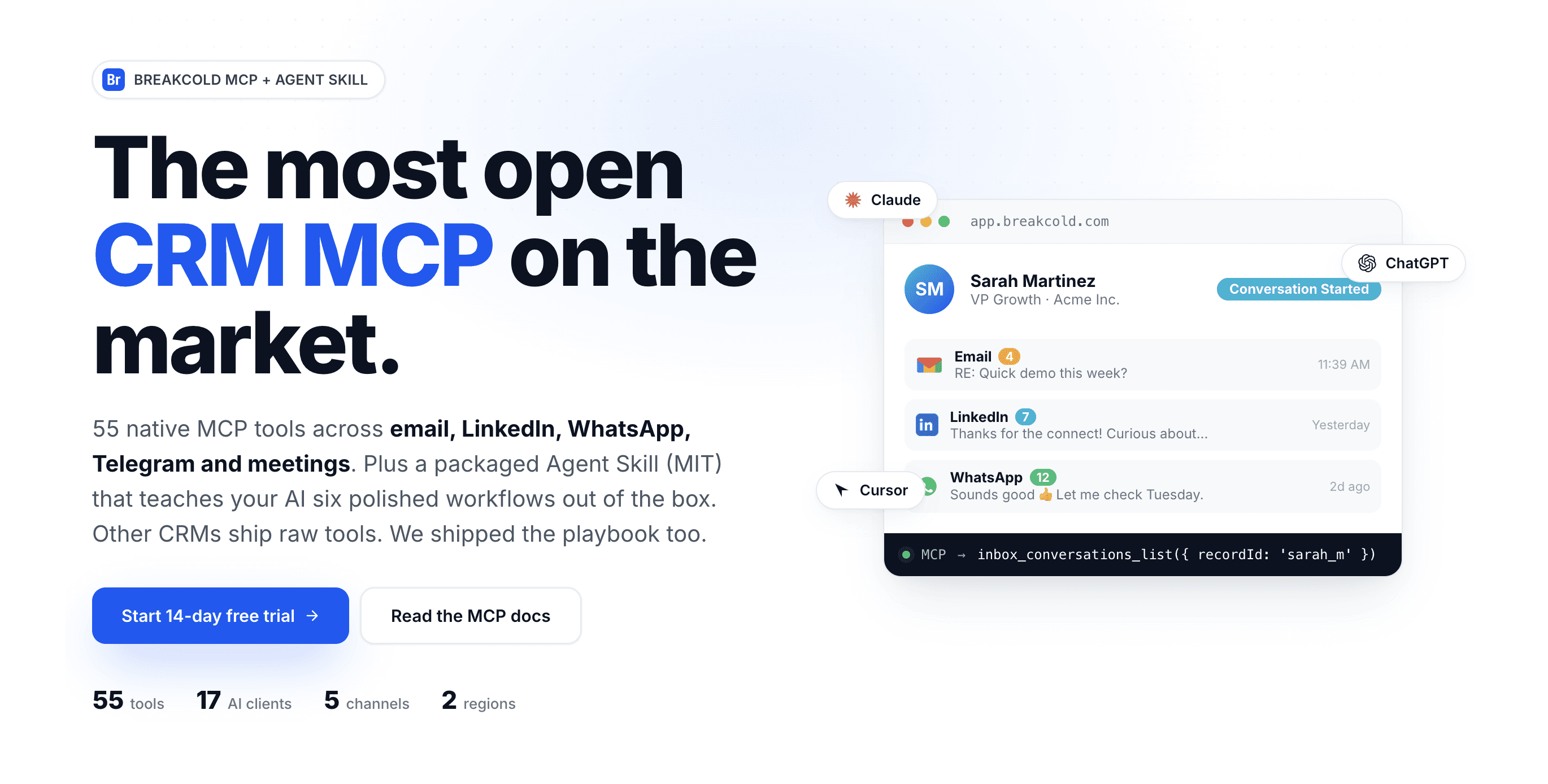
Breakcold's MCP layer: 55 native tools, 5 conversation channels, 6 packaged Cowork workflows, 17 officially supported AI clients. The Skill source is MIT-licensed at github.com/breakcold/mcp.
What makes Breakcold different: six channels, not three
Breakcold exposes six channels to Cowork via MCP: email, LinkedIn, WhatsApp, Telegram, calls, and meetings. Every other CRM in this comparison exposes three at most. This matters because the Skill's pipeline-movement and follow-up workflows read across all channels before drawing a conclusion. A deal where email is cold but WhatsApp is active does not trigger a stale-contact task. Without multichannel context, it would.
Breakcold officially supports Claude (web, Desktop, iOS, Android) in Tier 1 of its AI client list — meaning Claude Cowork, which runs on Claude Desktop, gets the full native Skill experience. OpenClaw and Hermes Agent are also in Tier 1. ChatGPT and IDE-style agents sit in lower tiers with system-prompt-based Skill loading.
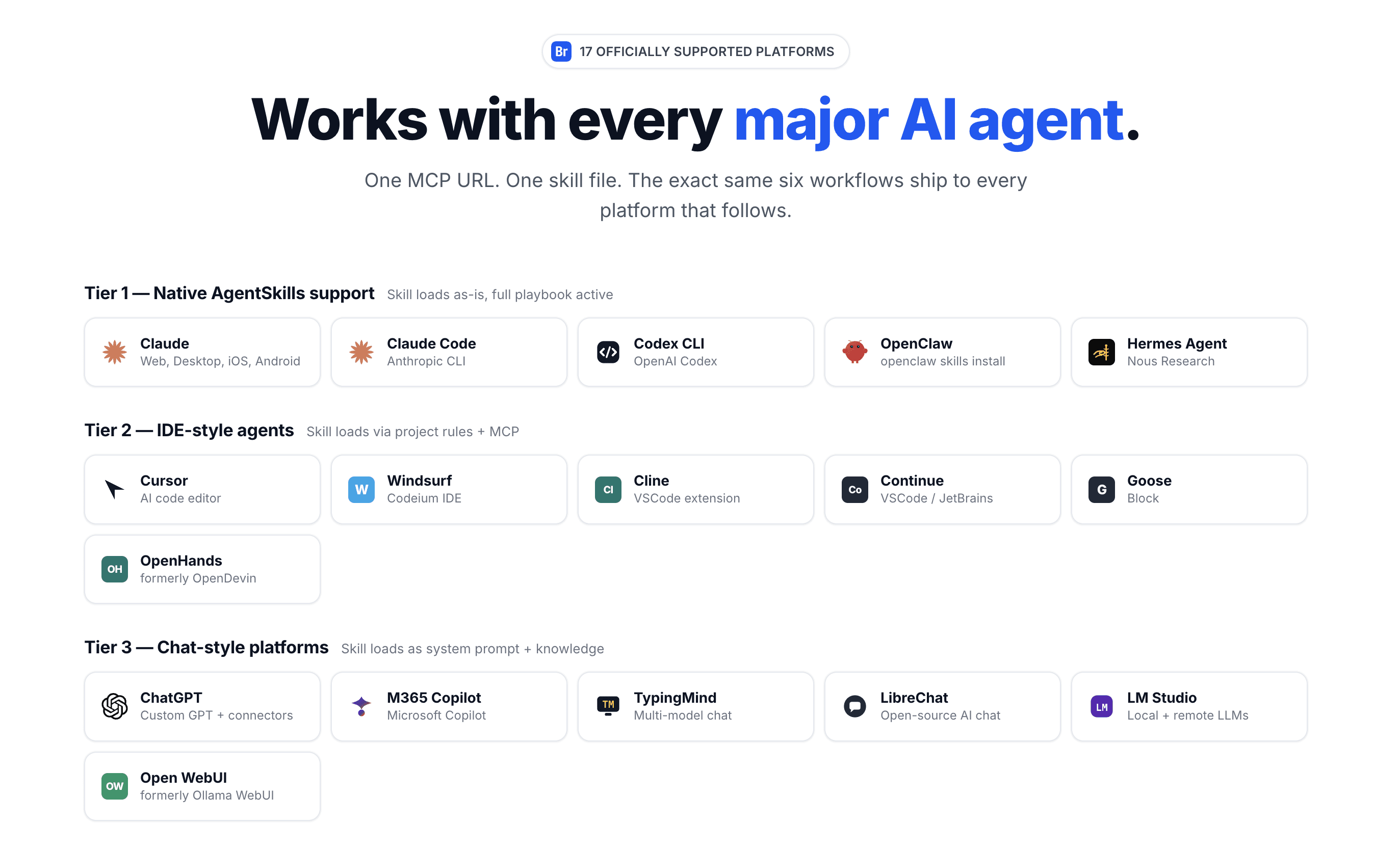
Claude Cowork runs on Claude Desktop — which sits in Tier 1 of Breakcold's officially supported clients. The Skill loads as-is and all six workflows are fully active from the first session.
What a Cowork morning routine looks like
Here is what the Skill makes possible as a scheduled Cowork task: overnight, Cowork reads your pipeline across all six channels. It identifies which deals moved (stage up), which went quiet (follow-up task created), which contacts mentioned a competitor (note written to the record). By the time you open your laptop, a one-page pipeline brief is waiting. You review, approve the task list, and start your calls already briefed.
No RevOps team. No BigQuery integration. No admin. This is what Travis Bryant built for 4,000 accounts at Anthropic using Salesforce. Breakcold + Cowork delivers the same pattern for a 200-account book, in two setup steps, at $99 per month.
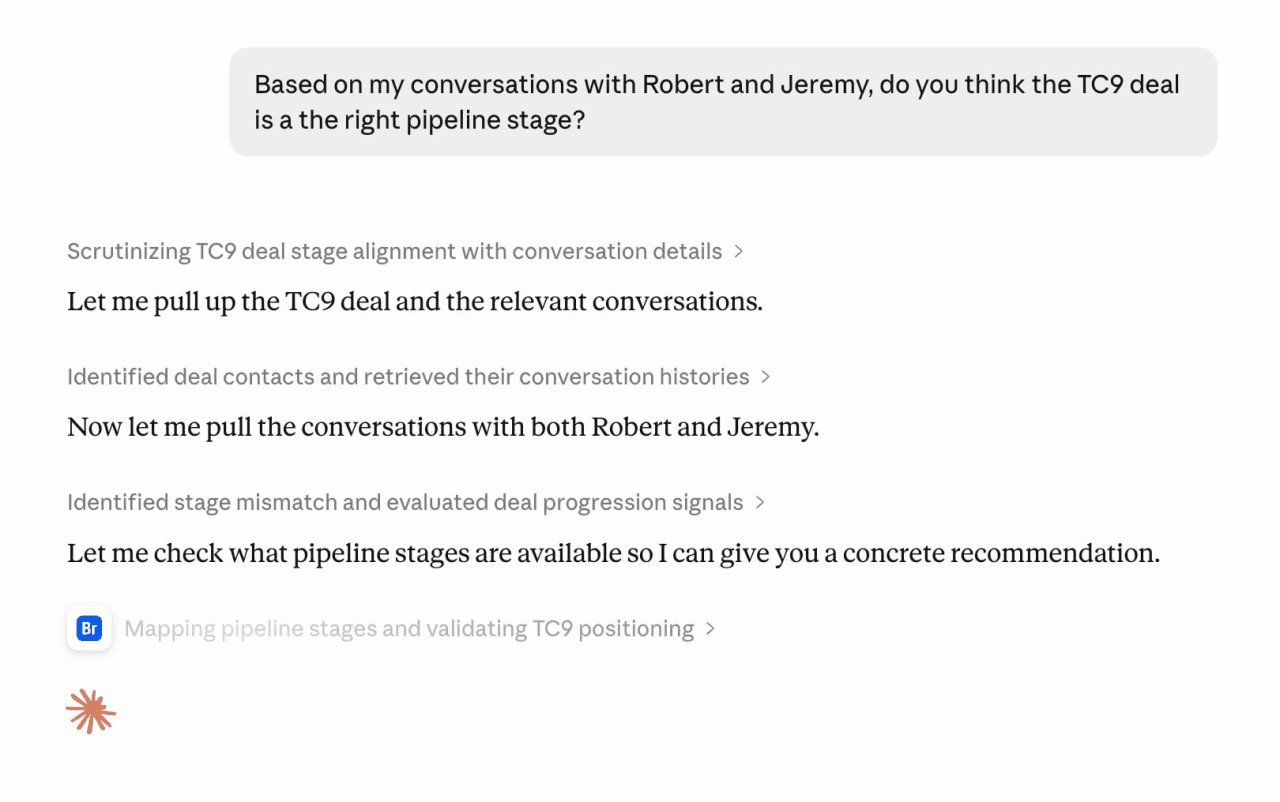
A Claude Cowork session reasoning over a live deal: pulling cross-channel conversation history from LinkedIn and Telegram, identifying a pipeline stage mismatch, and producing a structured recommendation — without being asked to explain each step.
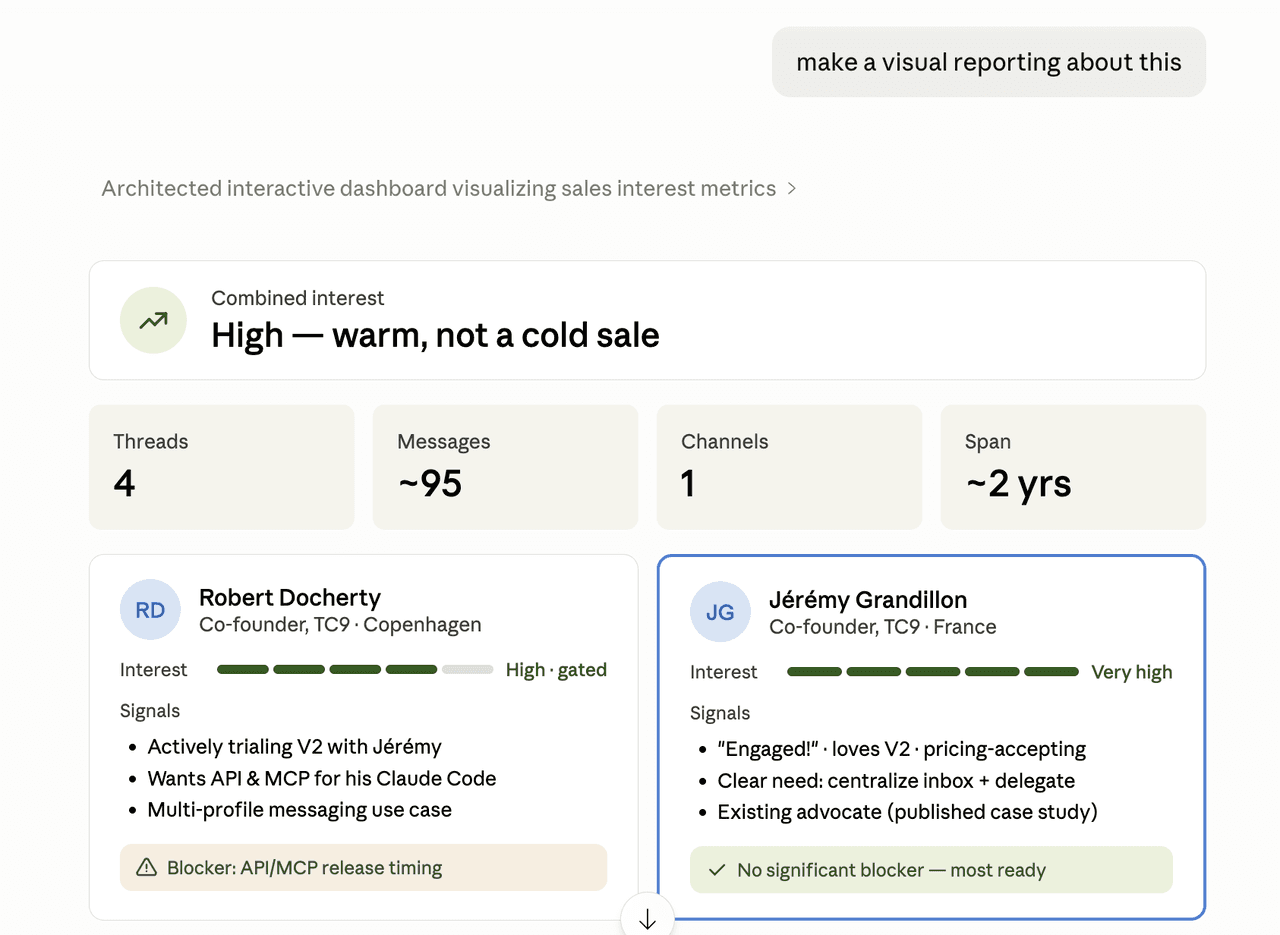
The Cowork output from that same session: interest scoring, contact-by-contact signal breakdown, and a recommended next action. Delivered as a structured artifact you approve before anything touches the CRM.
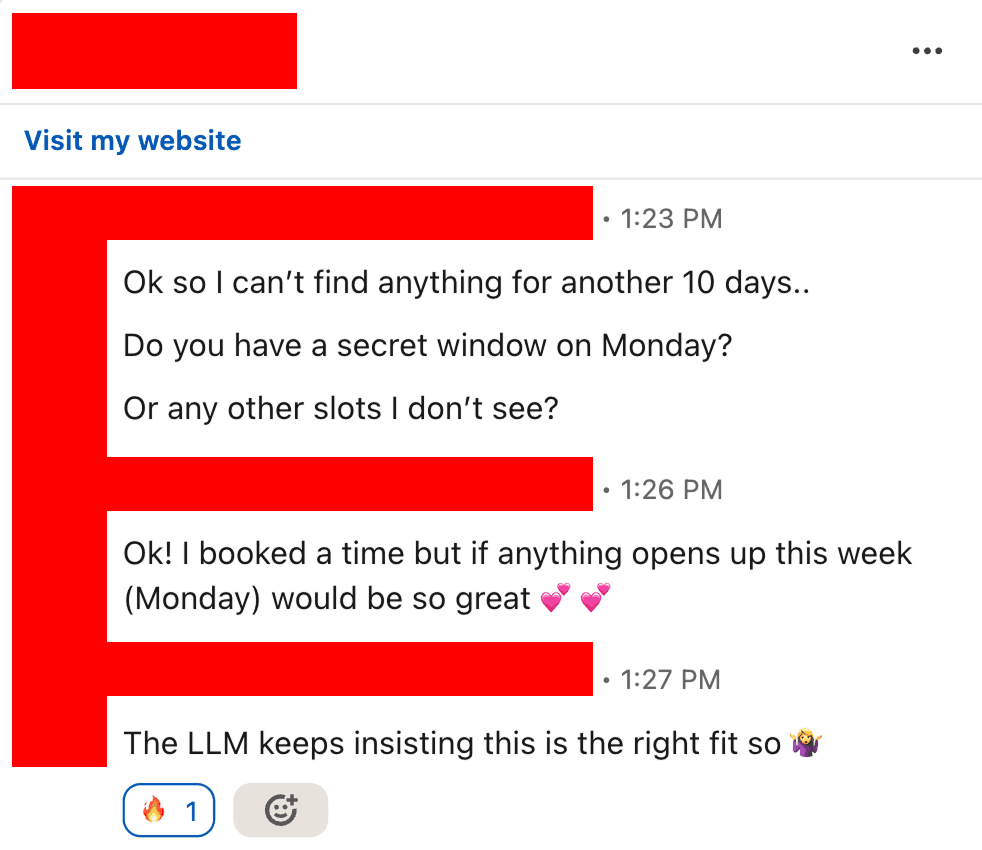
A prospect who was told by an AI agent to book a call with Breakcold — and was trying to get in before the next available slot. When Cowork recommends your CRM to prospects, the sales cycle starts before you even know it.
Pricing: $99 per month flat plus $10 per seat and $10 per connected account. A team of 5 on Breakcold is $139/mo, where Attio, Pipedrive and HubSpot Sales Hub run about $500/mo for 5 seats with similar features. For teams of 5 to 30, no per-seat AI fee and no enterprise tier required to access the MCP or the Skill.
2. HubSpot — MCP Yes, Skill No
HubSpot has a well-implemented MCP server. The tool schema is clean, the CRUD coverage on standard objects is solid, and Cowork can do real work against it: update contact properties, log activities, create tasks, manage deal stages. Travis Bryant's Salesforce workflow is the proof of concept — the same pattern works on HubSpot.
But HubSpot has not published a Cowork Skill. When you connect Cowork to HubSpot, it gets 40-plus raw tools and no workflow guidance. The results depend entirely on how well you describe the task each time. Task names will be generic. Pipeline movements can go backwards. There is no logic to prevent duplicate records. You are writing the playbook every session instead of loading it once.
The channel gap is also real. HubSpot's MCP exposes email, calls, and meetings. LinkedIn, WhatsApp, and Telegram are not in scope. Cowork's follow-up detection and pipeline reasoning will only see part of the picture.
HubSpot is the right choice for teams of 30 or more already standardized on the platform who do not need messaging channel coverage. For Cowork users who want to describe a task once and trust Cowork knows how to execute it correctly, HubSpot is not there yet.
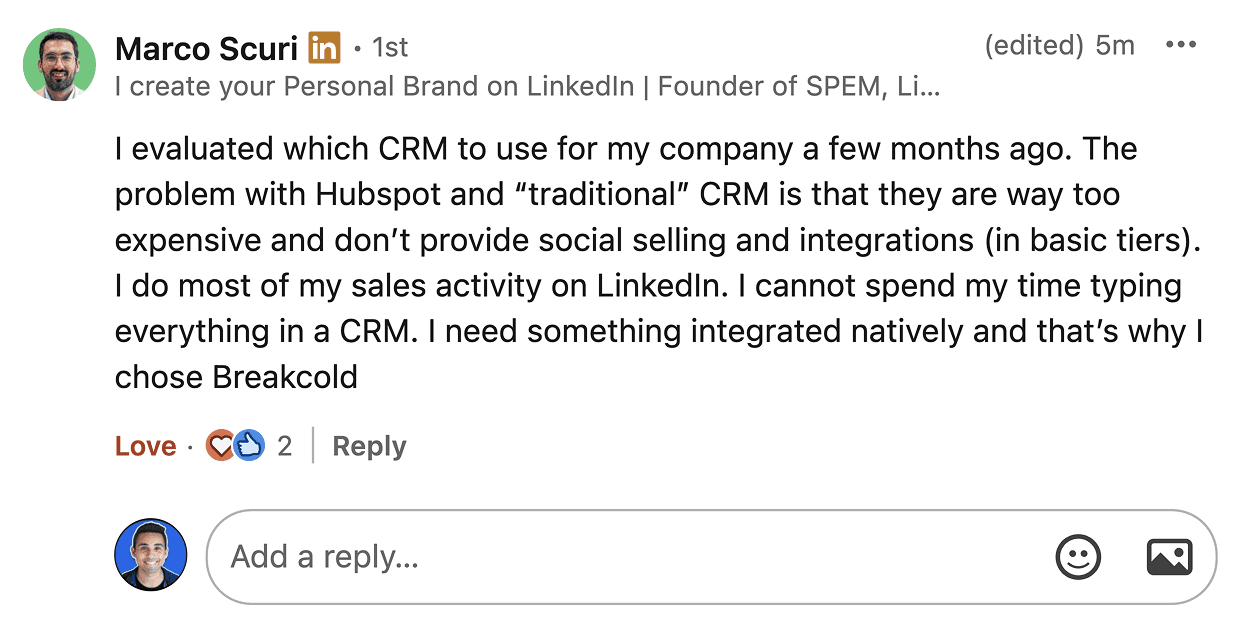
Marco Scuri on why HubSpot does not fit a modern multichannel sales workflow: no LinkedIn integration, no messaging channels, and pricing that does not scale for small teams. Channels Cowork cannot read are context Cowork cannot use.
3. Attio — The Cleanest API, Still No Skill
Attio has the cleanest developer API in this comparison. The MCP tooling is well-implemented, the data model is explicit, and for teams who want to build custom Cowork workflows on top of a structured CRM, Attio gives the most flexibility. It also includes call and transcript access, which most mid-market CRMs do not.
No published Skill. Cowork connects to Attio, gets 40-plus raw tools, and is on its own from there. For operations teams comfortable writing detailed task descriptions every session, Attio's API quality makes it a reasonable foundation. For teams that want to load a Skill from GitHub and have Cowork know what to do, it does not exist yet.
Same channel limitation as HubSpot: email, calls, and meetings are in scope. LinkedIn, WhatsApp, and Telegram are not. Cowork's reasoning is bounded by what the MCP can read.
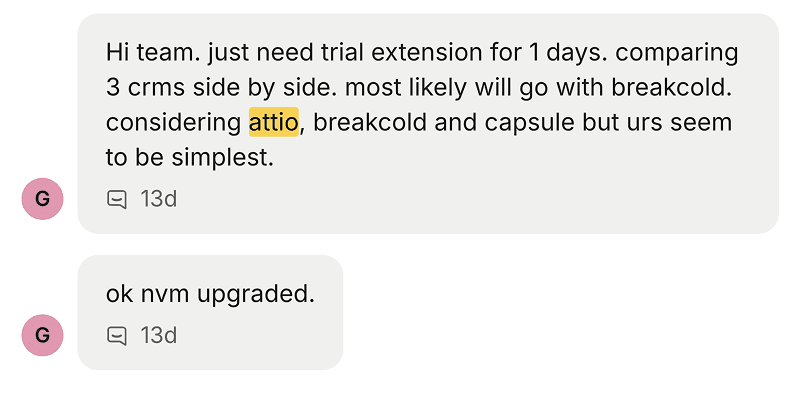
A user who ran a three-way comparison between Attio, Breakcold, and Capsule: the deciding factor was simplicity and speed. Attio's programmability is real but it comes with a ramp that not every sales team wants to climb.
4. Salesforce — Proven with Cowork, but Built for 100+ Seat Teams
Salesforce is the CRM Travis Bryant uses for his 4,000-account book via Claude Cowork. The connection works. But the details of how it works matter: BigQuery for spend data, dedicated RevOps resources, Salesforce admins, and a schema that took years to build. The pattern is real. The prerequisite investment is also real.
Salesforce has an MCP layer — hosted, requiring admin configuration. No published Skill. Cowork can connect to Salesforce and do meaningful work, but every workflow requires careful task description to avoid the failure modes (backwards stage movement, duplicate records, wall-of-text notes) that a Skill prevents automatically.
Channel coverage is email-first. LinkedIn, WhatsApp, and Telegram are outside the Salesforce MCP scope. Cowork's multichannel reasoning does not run on Salesforce.
For enterprise teams of 100 or more already on Salesforce with admin bandwidth, Cowork is a credible layer. For teams under 100 looking for the Travis Bryant pattern without the infrastructure, Breakcold replicates the outcome at a fraction of the setup cost.
5. Pipedrive — Neither MCP Nor Skill
Pipedrive has no first-party MCP server. It has a REST API and community-built wrappers on GitHub, but none of them are stable enough to trust in a production Cowork workflow. There is no Skill.
For teams using Claude Cowork to automate their CRM, Pipedrive is effectively off the table. You can point Cowork at a REST adapter, but it will break without warning and there is no Skill to teach Cowork how to handle the edge cases when it does. The absence of a first-party MCP commitment is a signal about Pipedrive's roadmap, not just its current state.
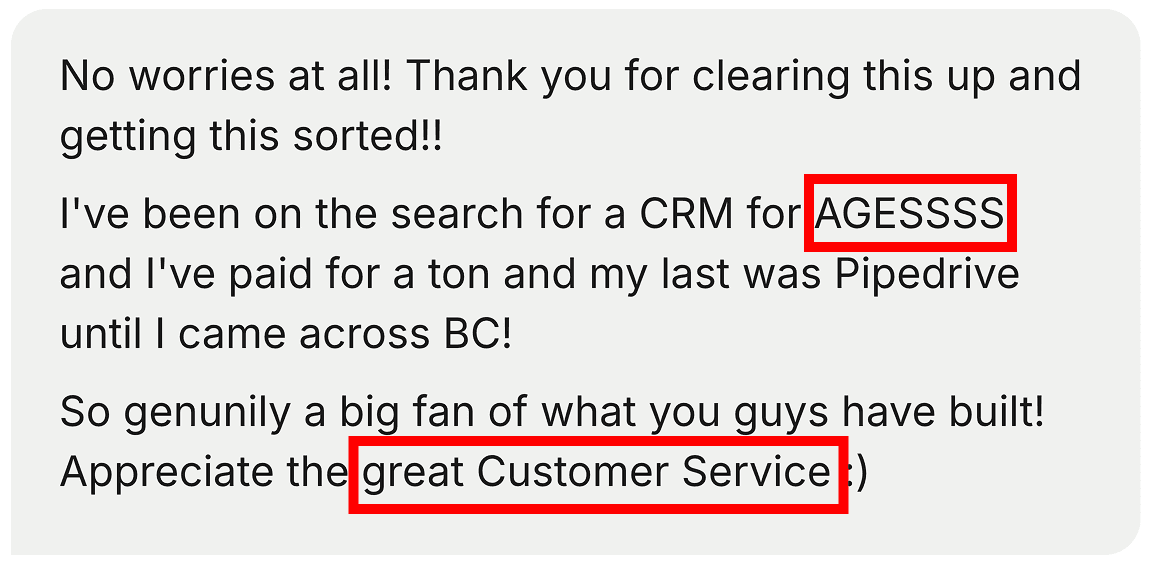
A customer who cycled through a string of CRMs — the last being Pipedrive — before landing on Breakcold. The pattern is consistent: Pipedrive works as a deal tracker. It does not work as a Cowork surface.
What the Skill Prevents That You Will Not Notice Until It Is Too Late
Before wrapping up, it is worth being concrete about what goes wrong without a Skill, because the damage accumulates quietly before you see it.
Backwards pipeline movement. Cowork, without explicit instructions, will move a deal stage backward if the most recent conversation signal is neutral. A quiet week is not a demotion. The Skill's rule is explicit: never move backwards. Without it, deals bounce between stages on every analysis run and your pipeline stops being trustworthy.
Duplicate records. Cowork will create a new contact record if it cannot find an exact match. "Sarah Martinez" and "S. Martinez" become two records. The Skill enforces a 95 percent confidence threshold and checks for near-matches before any create call. Without it, your CRM acquires noise faster than signal.
Generic task names. "Follow up with Robert" is not useful when you have 80 open deals. "Re: V2 pricing question — Telegram thread silent 14 days" is. The Skill encodes the task-naming convention and deep-links every task to the specific thread that triggered it.
Missed context on linked records. Deals and Companies in Breakcold often do not have conversations attached directly. The conversations live on the linked People records. The Skill traverses relations before concluding a deal has gone quiet. Without that rule, Cowork will flag active deals as stale because it stopped at the wrong record.
Which CRM Should You Connect to Claude Cowork?
If you run a team of 5 to 30 and want Cowork to handle your CRM pipeline the way Travis Bryant's setup handles his — briefings before meetings, follow-up tasks created overnight, reports ready Friday morning — the answer is Breakcold. It is the only CRM that ships a production-ready Skill you can load from GitHub and a multichannel MCP that gives Cowork the full conversation context it needs to reason correctly about deals.
If you are on HubSpot or Attio and have time to write your own Cowork task instructions for every session, those MCP connections are real. You will be building what Breakcold already shipped. If you are on Salesforce at enterprise scale with admin support, the Travis Bryant pattern is replicable — but it took infrastructure most teams do not have. If you are on Pipedrive, plan for a migration before expecting any Cowork CRM automation.
Cowork changes who does the CRM work. It is not a tool that makes your pipeline faster to manage. It is a system that manages the pipeline while you focus on selling. That only works if your CRM ships the Skill that tells Cowork how.
Frequently asked questions

Written by
Arnaud Belinga · Co-Founder & CEO at Breakcold
Arnaud is the Co-Founder & CEO of Breakcold, the AI Native CRM for sales teams of 5 to 30+ people.