Two Things Marketers Call an AI CRM (They Are Not the Same)
Search "AI CRM" right now and you will get two completely different products sold under the same label.
The first is a traditional CRM that added a few AI buttons. Click a button, get a summary. Click another, get a suggested reply. The AI is a helper that activates when you ask it to. You are still doing the work. The AI just makes each step a little faster.
The second is something structurally different. It is a CRM that an AI agent can connect to, read autonomously, and write to without you prompting it every time. The agent wakes up, checks your pipeline, reads your LinkedIn threads and WhatsApp conversations, updates deal stages, creates follow-up tasks, and surfaces insights. You review the output. You do not produce it.
These two products are not the same. But almost every article treats them as if they are.
This article covers the second kind. Which CRMs can an AI agent truly operate in 2026? Not which CRM has the nicest AI chat. Which CRM gives your agent enough access, enough context, and enough write permissions to actually run your pipeline for you?
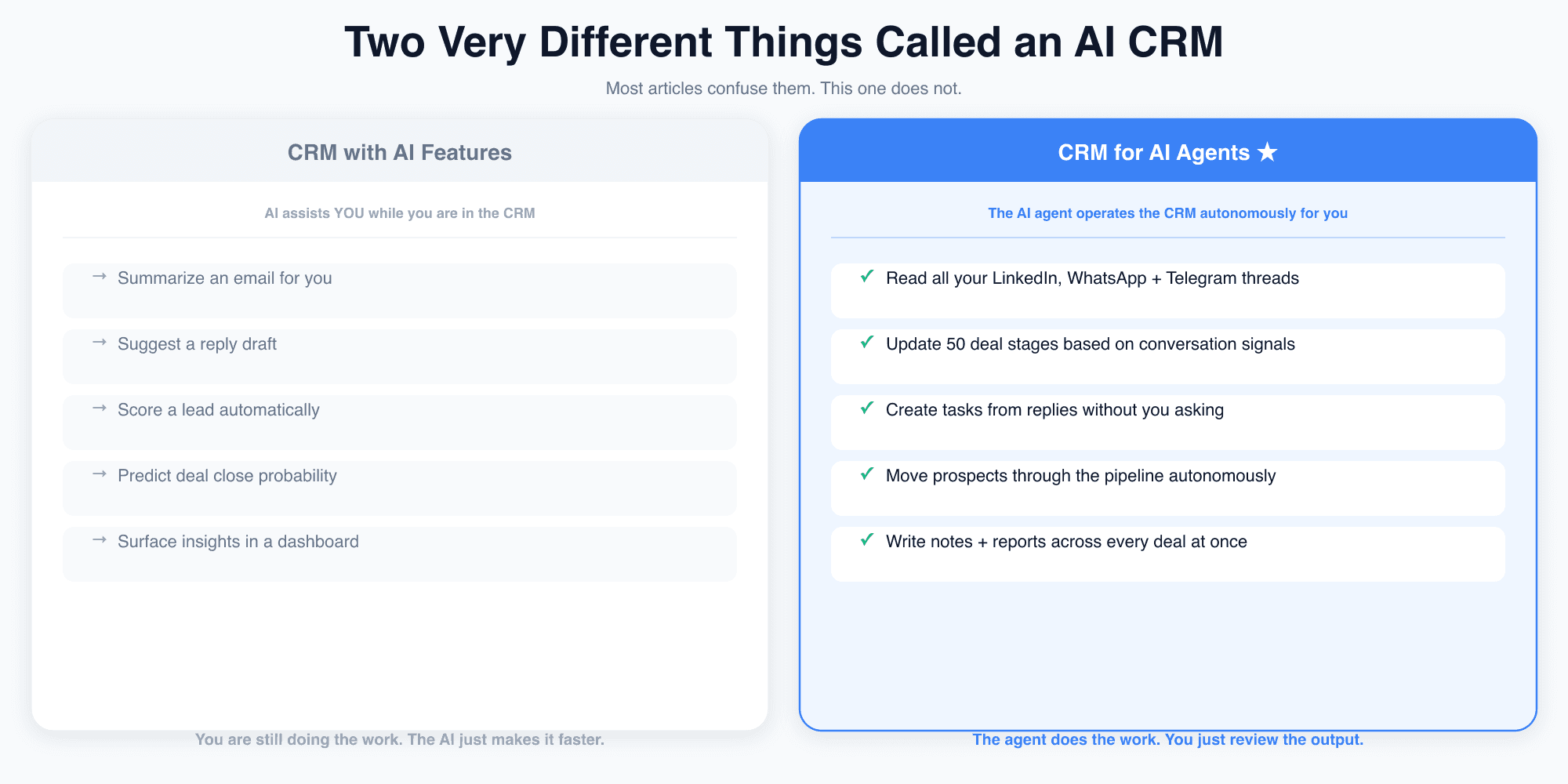
Left: a CRM with AI features: the AI is an assistant, you are still doing the work. Right: a CRM for AI agents: the agent operates the CRM autonomously, you review the output.
What Makes a CRM "Agent-Operable"?
Three things determine whether an AI agent can meaningfully run a CRM: not just poke around in it.
Agent Access. Does the CRM have a real MCP server? An MCP server is not just a REST API wrapped in JSON. It is a structured, tool-by-tool interface that AI agents natively understand. The number of tools matters. 20 tools gives the agent the basics. 55 tools gives the agent the full depth: pipeline management, task creation, notes, inbox operations, conversation threading. Without MCP, the agent has to work through brittle prompt chains over a REST API. That works for simple reads. It does not work for complex multi-step operations.
Context Depth. What can the agent actually read? Most CRMs expose emails, call logs, and maybe meeting transcripts. Modern sales conversations do not live there. They live on LinkedIn DMs, WhatsApp threads, and Telegram channels. A CRM agent that cannot read messaging channels is operating blind. It sees the formal record. It misses the real conversation where deals actually move.
Action Range. What can the agent write or update? Reading context is useless if the agent cannot act on it. Can it update a pipeline stage? Create a task with a due date? Write a note from a LinkedIn thread? If the answer is no, you have an AI assistant, not an AI agent. The distinction is not semantic. Assistants wait. Agents do.
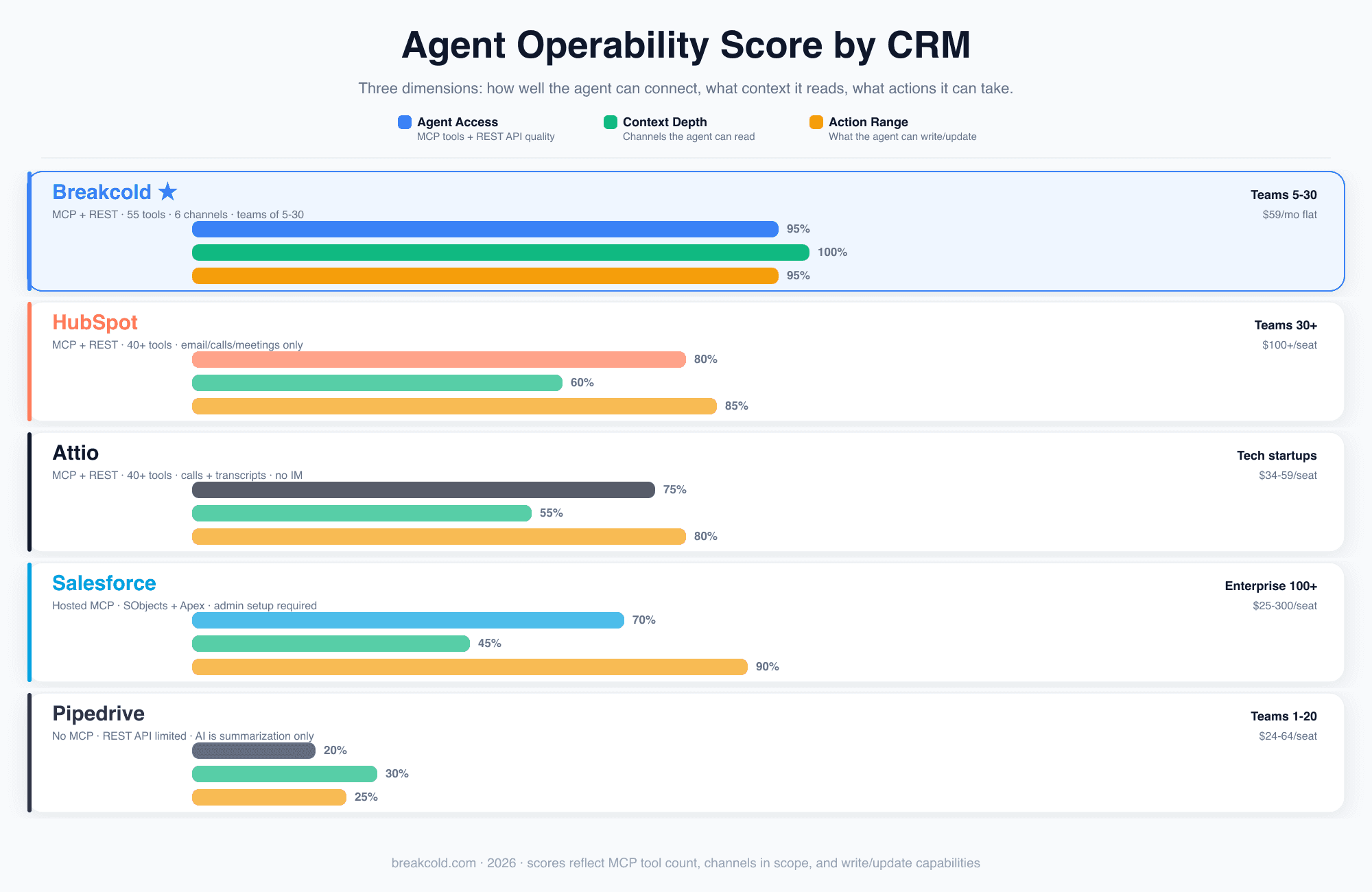
Agent Operability Score across five CRMs on three dimensions: how well the agent connects, what context it can read, and what actions it can take. Scores reflect MCP tool count, channels in scope, and write or update capabilities.
1. Breakcold: Built for Teams of 5 to 30, Purpose-Made for Agents
Breakcold is the only CRM in this list that was built from the start with AI agents as a first-class concern. Every other CRM added MCP on top of an existing product. Breakcold shipped MCP as a core architectural decision.
The numbers: 55 native MCP tools, a packaged Agent Skill in MIT license, and channel coverage that includes email, LinkedIn, WhatsApp, Telegram, calls, and meetings. That is six channels. Every other CRM in this comparison stops at three.
What this means in practice: when you give an AI agent access to Breakcold, it can read every thread that has ever been part of a deal: the LinkedIn DM where you first connected, the WhatsApp negotiation, the email thread with the legal team, the Zoom call transcript. Then it can act. Update the pipeline stage. Create the follow-up task. Write the note. Move the deal forward. Without you asking each time.
Breakcold supports 17 AI clients officially, across three tiers: Claude (Claude Web, Desktop, iOS, Android), Claude Code, Codex CLI, OpenClaw, and Hermes Agent in Tier 1 with native AgentSkills. Cursor, Windsurf, Cline, Continue, Goose, and OpenHands in Tier 2. ChatGPT, Microsoft Copilot, TypingMind, LibreChat, LM Studio, and Open WebUI in Tier 3. One MCP URL. One skill file. Every agent gets the same six polished workflows.
Pricing: $59 per month flat, plus $10 per seat per month, plus $10 per connected account per month. For a five-person team with one shared account, that is $109 per month total. No per-seat AI tax. No feature gating behind enterprise tiers. For teams of 5 to 30, this is the clearest answer in the category.
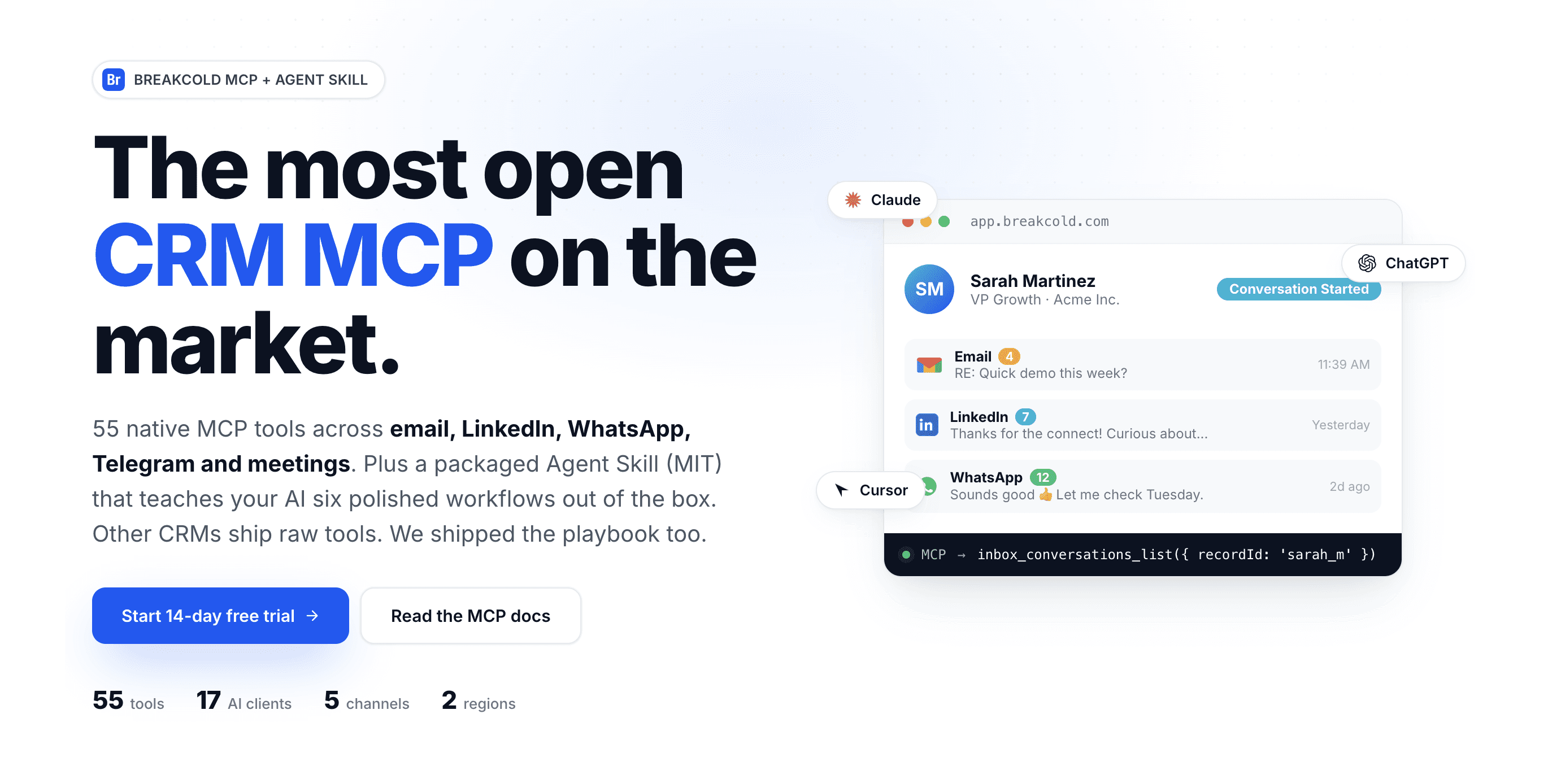
Breakcold's MCP layer: 55 native tools, 17 supported AI clients, 5 channels, plus a packaged Agent Skill with six ready-made workflows that ship to every connected platform.
What it looks like when an agent runs Breakcold
Here is a real example. A Claude agent connected via Breakcold MCP was asked to assess whether a deal was at the right pipeline stage. Without any further instructions, the agent retrieved conversation histories from LinkedIn and Telegram for both contacts on the deal, identified a stage mismatch, mapped the pipeline position, and returned a structured recommendation with a key lever: the single factor most likely to determine whether the deal closes.
This is not a chatbot that summarizes an email when you click a button. This is an agent reading cross-channel conversation context, reasoning about deal health, and producing a structured output. That is the difference.
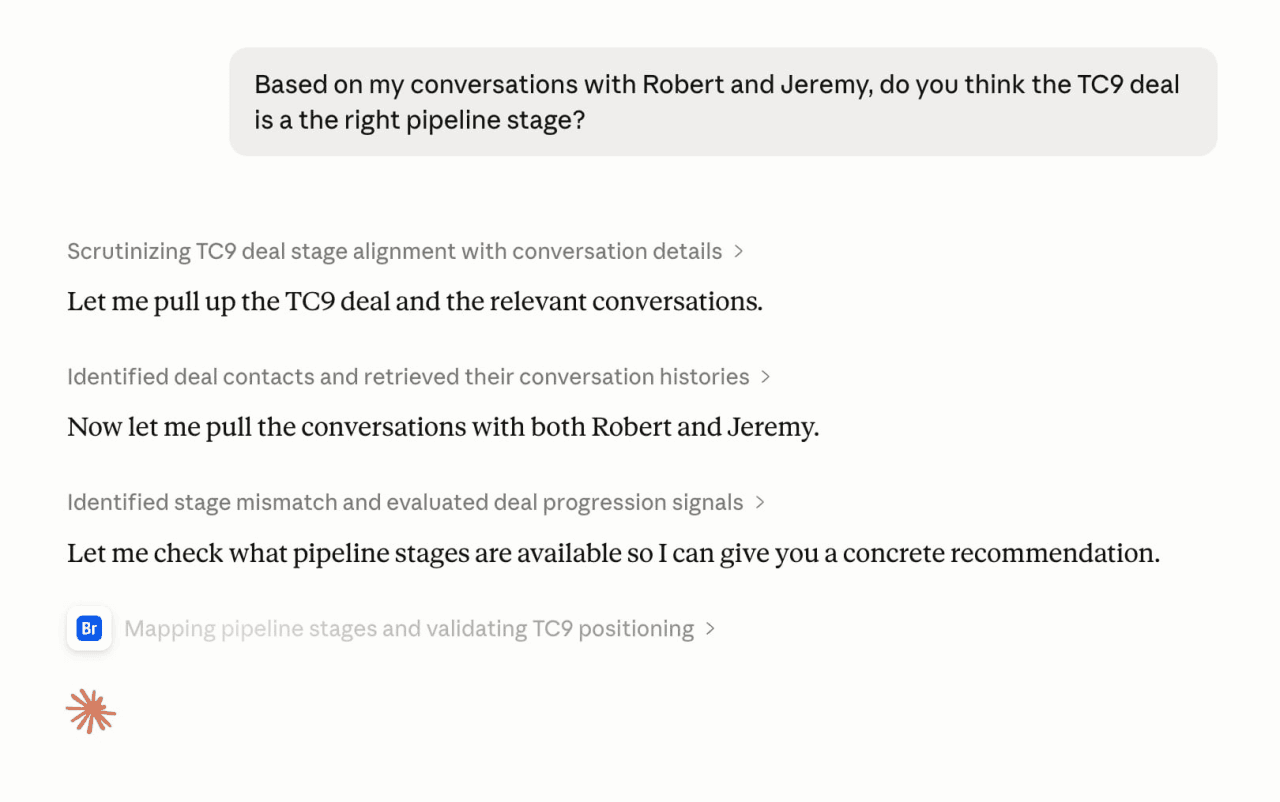
Claude reasoning over a live deal using Breakcold MCP: the visible thinking steps show the agent pulling cross-channel conversation history, identifying a pipeline stage mismatch, and building toward a structured recommendation.
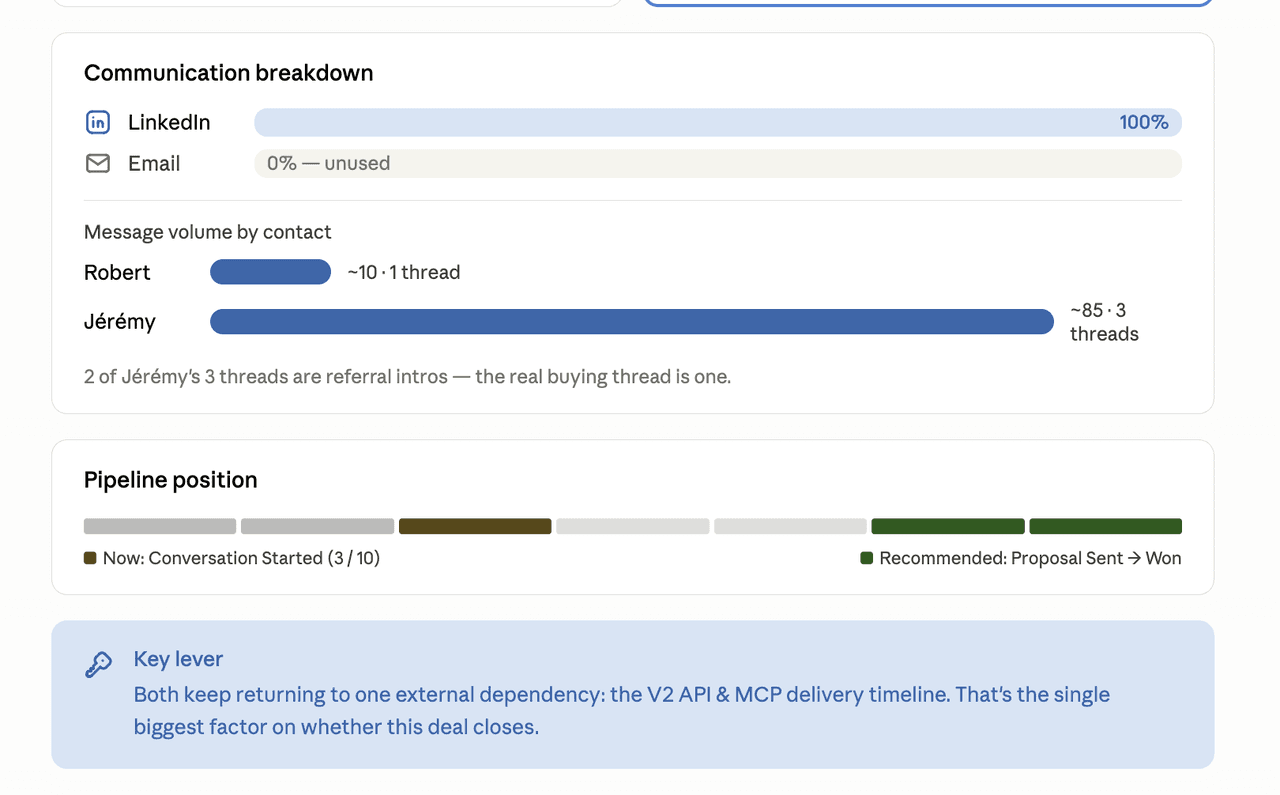
The Claude artifact produced from that same session: a communication breakdown (LinkedIn 100%, Email 0% unused), message volume by contact, a recommended pipeline stage, and a key lever identifying the one factor most likely to determine whether the deal closes.
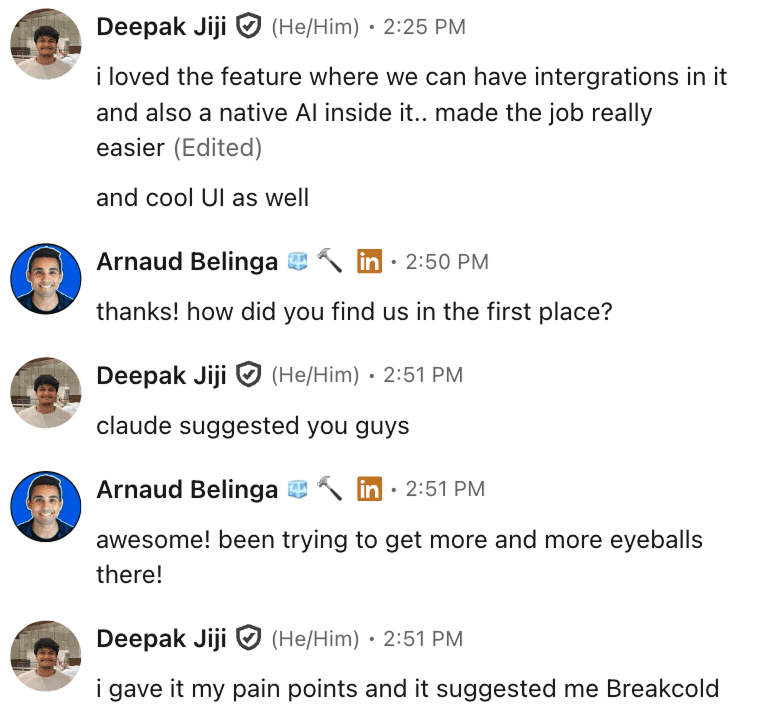
Deepak Jiji: Claude recommended Breakcold when given his pain points. The AI chose the CRM it could actually work in.
Agent Access: 95 | Context Depth: 100 | Action Range: 95
Best for: Teams of 5 to 30. $59/mo flat + $10/seat + $10/account.
2. HubSpot: Wide Reach, Narrow Channels
HubSpot has a real MCP server and a solid REST API. The tooling is well-documented, the schema is predictable, and the agent can do meaningful work: update contact properties, create tasks, log activities, manage deals. For teams of 30 or more that are already inside HubSpot, this is a credible agent platform.
The gap is channel coverage. HubSpot's MCP exposes email threads, call logs, and meeting notes. It does not expose LinkedIn DMs. It does not expose WhatsApp. It does not expose Telegram. For teams whose real sales conversations happen on messaging channels, the agent is working with an incomplete picture. It can read the formal record and miss the actual negotiation.
The cost model is also a constraint for smaller teams. HubSpot's pricing starts at roughly $100 per seat per month at the tiers where the CRM functionality is meaningful. For a ten-person team, that is $1,000 per month before any AI or MCP add-ons. The feature surface is wide, but the price-to-agent-value ratio is not competitive at sub-30 headcount.
HubSpot works well as an agent platform if: your team is large enough that per-seat cost is amortized, your sales process lives primarily in email and phone, and you need the breadth of HubSpot's broader marketing and support tooling to justify the cost. If those conditions do not apply, a more agent-native option is likely a better fit.
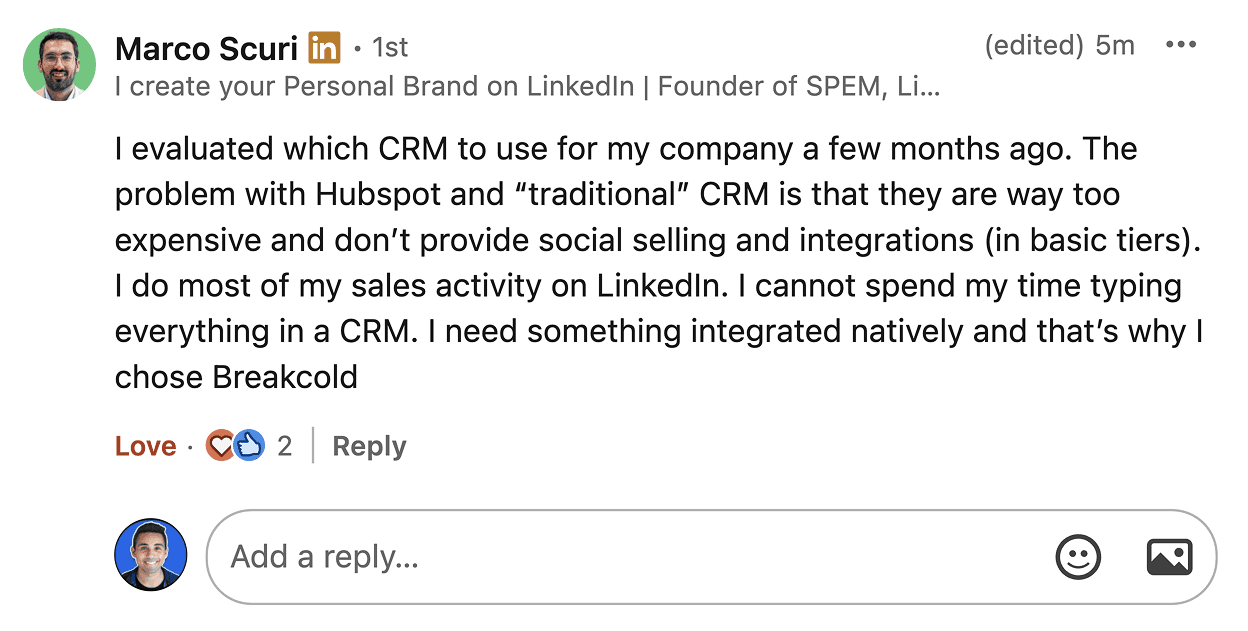
Marco Scuri: HubSpot prices social selling and channel integrations out of the basic tiers. For an agent that needs context, that gap compounds, the threads the agent cannot read are exactly where deals get decided.
Agent Access: 80 | Context Depth: 60 | Action Range: 85
Best for: Teams of 30 or more. $100+/seat/month.
3. Attio: Programmable, but Channel-Narrow
Attio has the cleanest API in this comparison. The data model is explicit, the MCP tooling is well-implemented, and for developers who want to build custom agent workflows on top of a CRM, Attio gives the most flexibility. It also has call and transcript access, which puts it ahead of most mid-market CRMs on context depth.
The channel gap is the same as HubSpot: LinkedIn, WhatsApp, and Telegram are out of scope. The agent can read structured records and call transcripts. It cannot read the LinkedIn thread where the prospect asked a pricing question, or the WhatsApp chain where the deal stalled. This limits what the agent can reason about.
Attio is best for tech startups with developer bandwidth that want maximum programmability, that run their sales process primarily through calls and email, and that do not rely on messaging channels. If you match that profile, Attio is a serious option. If your pipeline depends on LinkedIn or WhatsApp, the context gap will surface quickly.
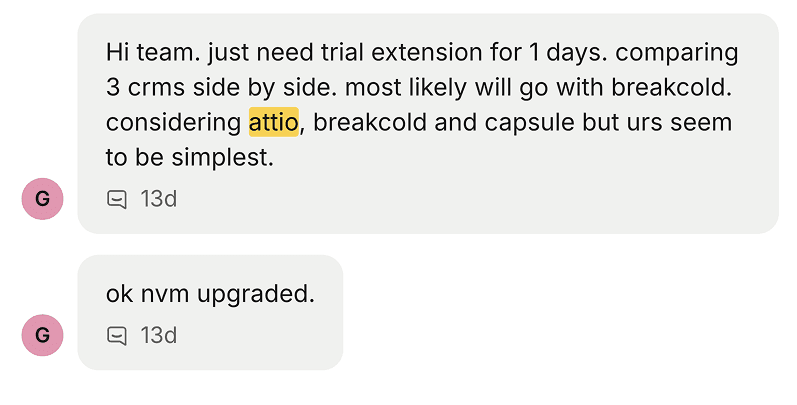
A common pattern: teams comparing Attio against Breakcold land on Breakcold once they actually try to drive both with an agent. Attio is more programmable; Breakcold gives the agent more to see.
Agent Access: 75 | Context Depth: 55 | Action Range: 80
Best for: Tech startups. $34-59/seat/month.
4. Salesforce: Maximum Write Power, Complex Setup
Salesforce has the most powerful write capabilities of any CRM in this comparison. The Apex flow engine, the SObject model, and the hosted MCP layer can give an agent access to deeply complex automation logic. An agent connected to Salesforce can do things that no other CRM in this list can match in terms of sheer write-side capability.
The tradeoffs are real. Salesforce's MCP is hosted and requires admin configuration. The schema is complex. The per-seat cost ranges from $25 for the lightest tier to $300 or more for the enterprise editions where the interesting agent-facing functionality lives. For companies under 100 people, the total cost of ownership: software, admin, configuration, maintenance: makes Salesforce difficult to justify on agent capability alone.
Channel coverage is email-first. Like HubSpot, Salesforce does not natively expose LinkedIn DMs, WhatsApp, or Telegram to its MCP layer. The context depth score reflects this: the agent can read email and call data, but misses the messaging channels where much of modern B2B selling happens.
Salesforce is the right agent platform for enterprises of 100 or more that are already in Salesforce, have Salesforce admins on staff, and need the maximum possible write-side control over complex data models. It is not the right answer for teams under 100 optimizing on agent productivity per dollar.
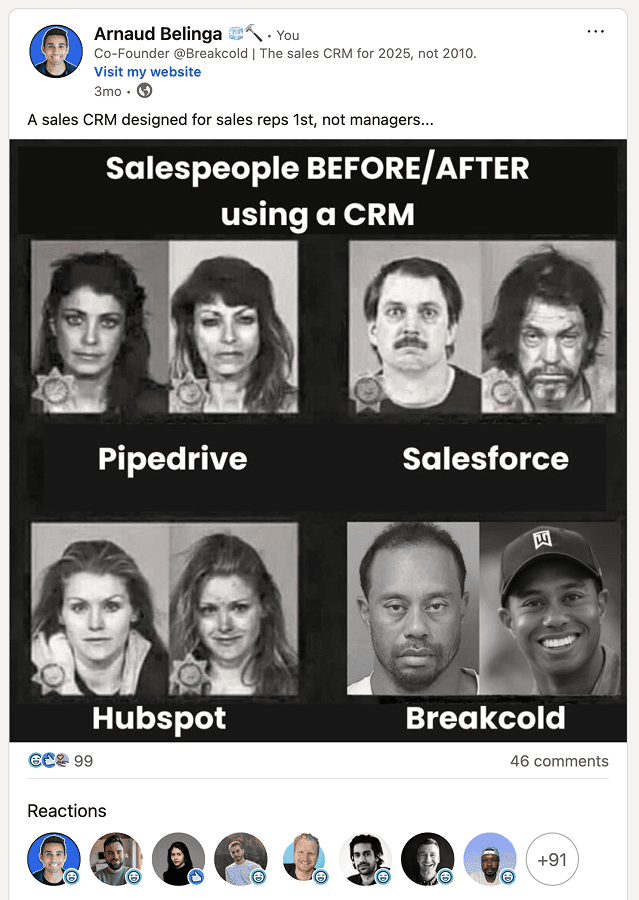
The Salesforce overhead is real before you even get to the agent layer. Admins, Apex, edition gates, and a per-seat cost that does not amortize for sub-100 teams. Powerful for enterprise, painful below it.
Agent Access: 70 | Context Depth: 45 | Action Range: 90
Best for: Enterprise teams of 100 or more. $25-300/seat/month.
5. Pipedrive: Not Ready for Autonomous Agents (Yet)
Pipedrive has good brand recognition and a clean interface. It does not have an MCP server. Its REST API is functional but limited compared to the other CRMs in this comparison. The AI features it ships are summarization tools: click a button, get a call summary, get a meeting recap. That is a CRM with AI features, not a CRM that an AI agent can operate.
For teams of 1 to 20 that do not need autonomous agent capabilities and just want a lightweight, affordable pipeline tool, Pipedrive is a reasonable choice. But if the goal is to connect an AI agent that can read your full conversation context, reason about deal health, and take autonomous action, Pipedrive is not there yet.
The scores reflect this honestly. 20 on Agent Access means there is no MCP, and the REST API does not expose the tooling depth an agent needs for multi-step operations. 30 on Context Depth means the agent can read deal records but not the conversations that inform them. 25 on Action Range means the agent's write capabilities are narrow. These are not criticisms of Pipedrive as a CRM. They are an accurate description of where it stands on agent operability in 2026.
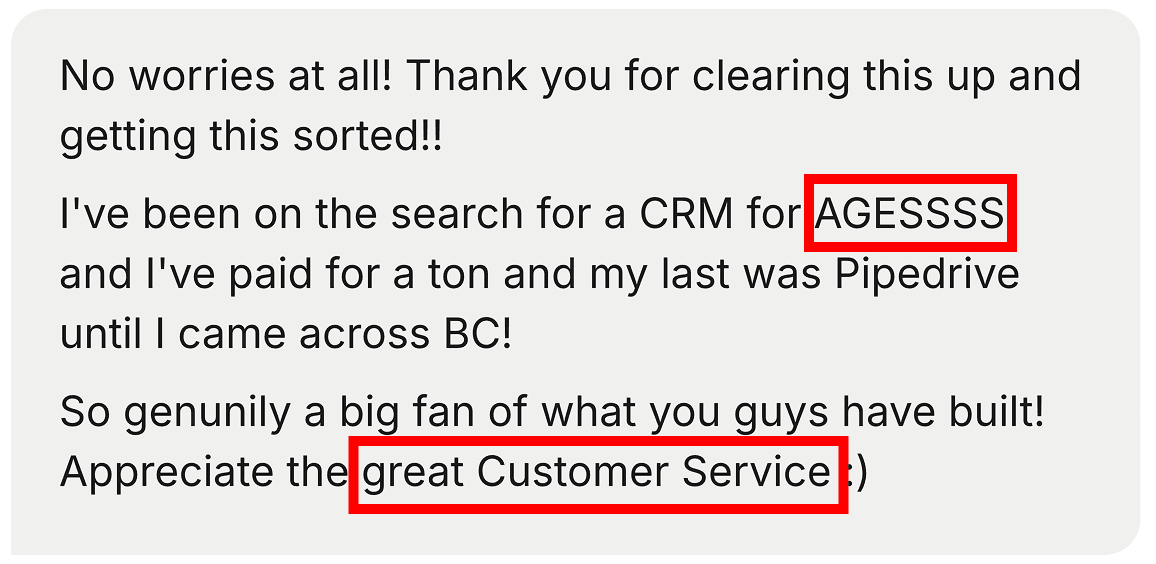
Pipedrive customers churn for the same reason agents struggle on it: the surface is shallow. Good as a pipeline tool, not enough hooks for an autonomous agent to do meaningful work.
Agent Access: 20 | Context Depth: 30 | Action Range: 25
Best for: Teams of 1 to 20 not prioritizing agent automation. $24-64/seat/month.
Which CRM Should Your AI Agent Use?
The answer depends on two things: team size and where your sales conversations actually happen.
If you are a team of 5 to 30 and your sales conversations happen on LinkedIn, WhatsApp, Telegram, or any combination of messaging channels, Breakcold is the clear answer. It is the only CRM in this comparison that exposes all six channels to the agent and ships the MCP tooling depth for truly autonomous operation at a price that scales with small and mid-size teams.
If you are a team of 30 or more running a primarily email-and-calls pipeline and are already in HubSpot, the HubSpot MCP layer is credible. The channel gap is real but may not matter if messaging is not part of your workflow.
If you have developer resources and want maximum programmability on a clean data model, Attio is worth evaluating: with the same channel-gap caveat.
If you are enterprise and already on Salesforce with admin bandwidth to configure an agent setup, Salesforce's write-side power may justify the complexity.
If you are on Pipedrive and considering agents as part of your stack, plan for a CRM migration before expecting autonomous operation.
The distinction that started this article matters more than it might seem at first. A CRM with AI features makes your team faster. A CRM that an AI agent can truly operate changes what your team needs to do at all. The first helps you work. The second works without you having to ask.
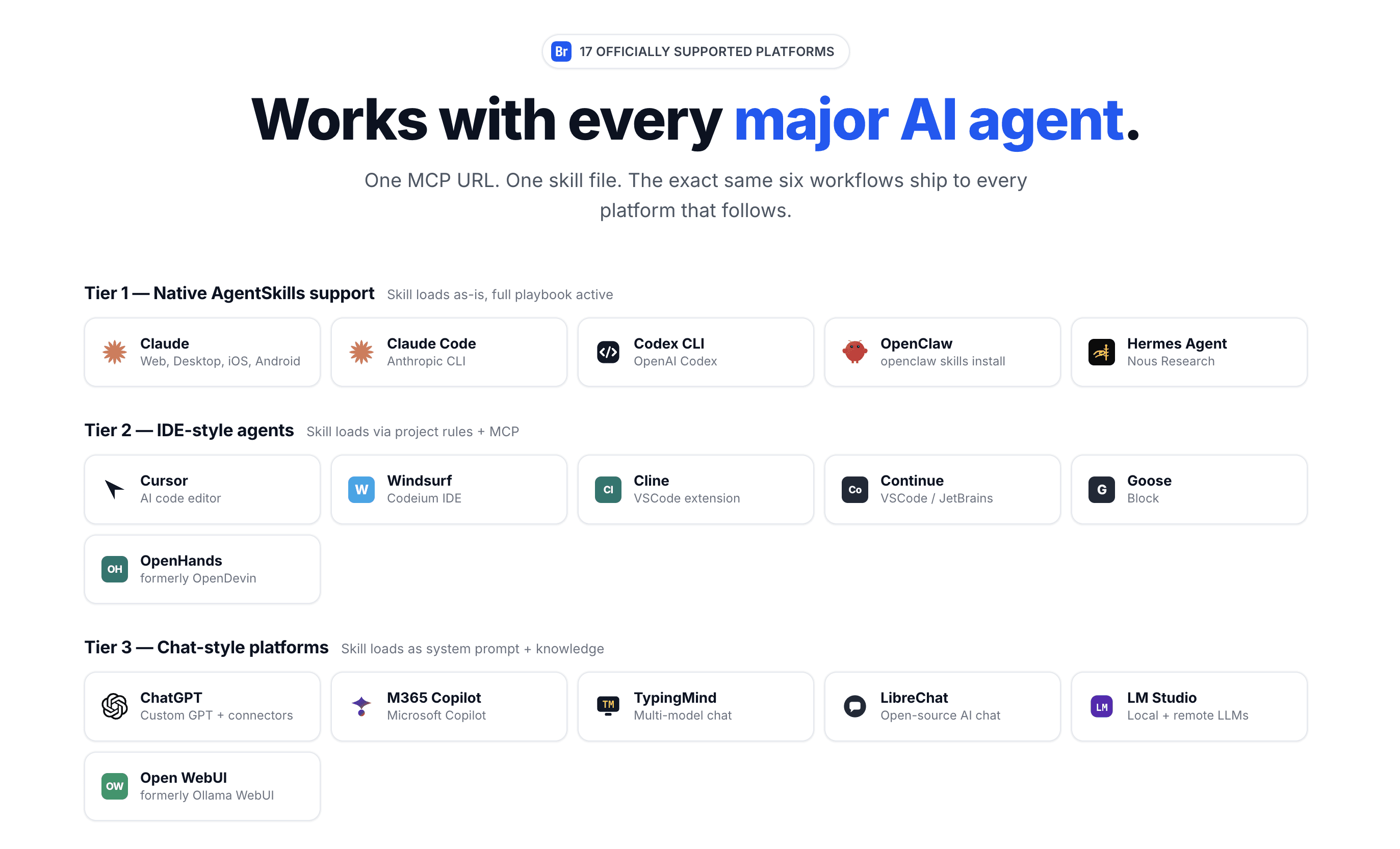
Breakcold's 17 officially supported AI clients across three tiers: Tier 1 with native AgentSkills, Tier 2 IDE-style agents, and Tier 3 chat platforms. One MCP URL. One skill file. The same six workflows delivered to every client.