
HubSpot Sales Hub Anmeldelse (2026): Bygget til at Skala eller Bygget for Stort?
Når du tænker på de øverste CRM-platforme (customer relationship management) på markedet, kommer nok en håndfuld velkendte navne til at tænke på. Hvert salgsteam har sine egne præferencer baseret på budget, arbejdsgang og tidligere erfaringer — men når det kommer til skala, popularitet og markedsdominans, er der få platforme, der matcher HubSpots rækkevidde.
I denne HubSpot Sales Hub anmeldelse vil vi forklare alt, du skal vide, før du vælger det som din primære CRM — fra funktioner og priser til fordele, ulemper og de bedste alternativer.
HubSpot Sales Hub Oversigt (TL;DR) |
|---|
Til forskel fra niche-CRM'er bygget til en enkelt anvendelsestilfælde, er HubSpot Sales Hub designet til voksende salgsteams, der ønsker en skalerbar, alt-i-en salgsplatform bakket op af et modent CRM økosystem. Den kombinerer kontakt- og sagsstyring, salgsautomatisering, rapportering, opkald og AI-drevne indsigter i én tæt integreret oplevelse. 🤝 Bedst til: B2B SaaS teams, inbound salgsorganisationer, bureauer og konsulenter der ønsker en kraftfuld salgs-CRM med sømløse marketing- og serviceintegrationer. 💰 Pris: Gratis plan tilgængelig. Betalte Sales Hub planer starter på Professional niveau, der låser op for avanceret automatisering, prognose og rapportering. Enterprise-planer understøtter større teams med dybere tilpasning og analyser. 🔄Hvis du overvejer muligheder, så tænk på: Breakcold – Bedst til salgsdrevne teams fokuseret på AI-native arbejdsgange. Pipedrive – Et sagscentreret CRM ideelt for teams der ønsker en enkel, visuel salgspipeline. Salesforce – Enterprise-grade CRM bygget til komplekse salgsorganisationer med højt tilpassede arbejdsgange. |
📖 Hvad er HubSpot Sales Hub?
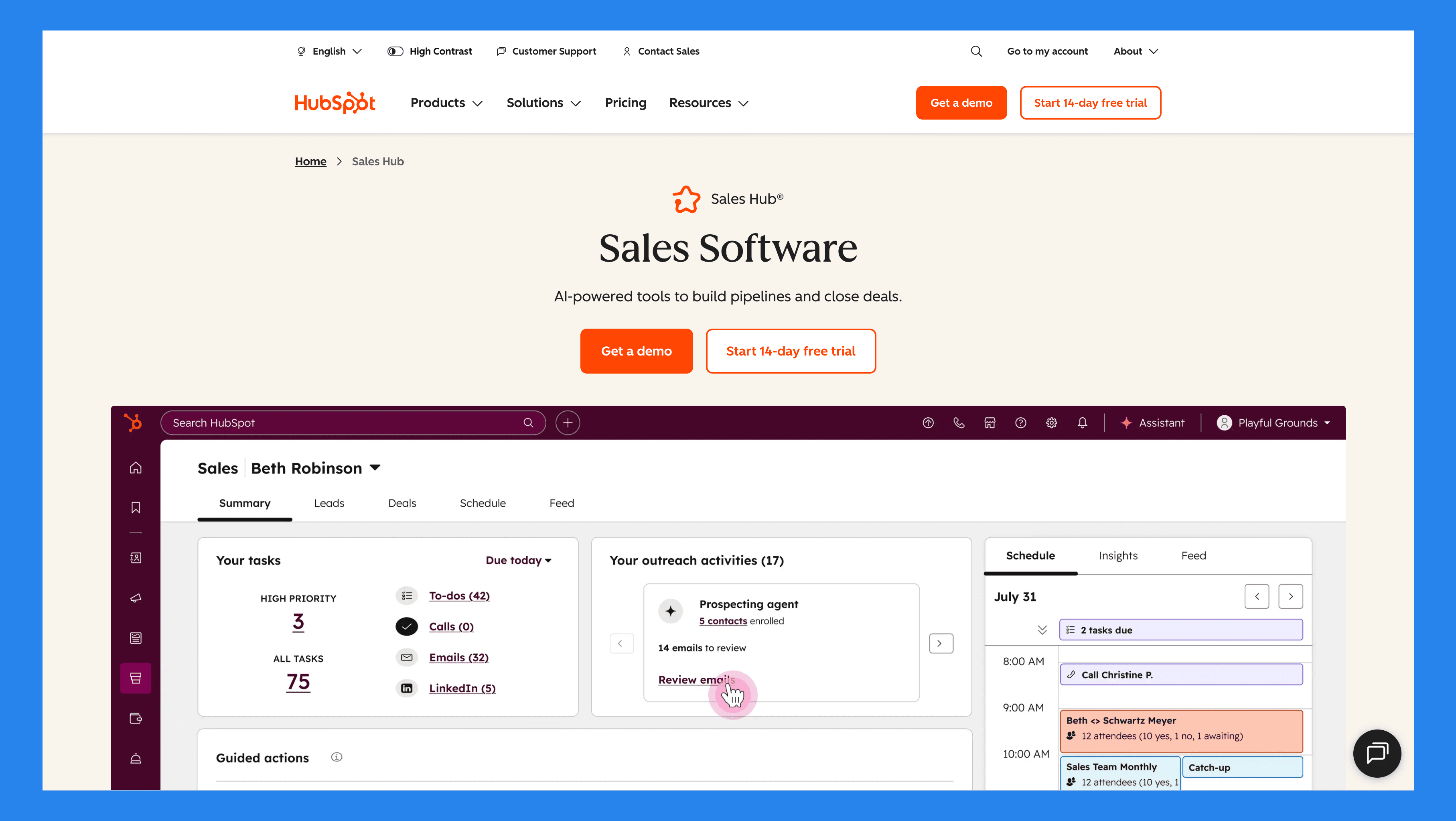
HubSpot, grundlagt i 2006, er en af de mest kendte CRM- og marketingplatforme globalt. Det startede som et inbound marketingværktøj, men er siden vokset til et fuldt udstyret økosystem, der hjælper virksomheder med at håndtere marketing, salg, service og drift alt sammen ét sted.
Mens HubSpot CRM er den gratis, grundlæggende platform designet til grundlæggende kontakt- og sagsstyring, er HubSpot Sales Hub en premium udvidelse, der specifikt fokuserer på salgsautomatisering, pipelinestyring og avanceret rapportering. Tænk på Sales Hub som den del af HubSpot, der omdanner CRM'et til en kraftfuld salgsmaskine.
Sales Hub integrerer også problemfrit med andre HubSpot “Hubs,” inklusive:
Marketing Hub: Tilpas dine marketingkampagner med salgsaktiviteter.
Service Hub: Forbind kundesupport-indsigter til din salgspipeline.
Content Hub: Optimer website og indhold til leadgenerering.
Data Hub: Synkroniser data, automatiser arbejdsgange og hold din CRM ren og opdateret.
Commerce Hub: Strømlin e-handelsprocesser og integrer salgsdata for et komplet overblik over indtægter.
Kort sagt, Sales Hub er ikke bare et CRM-tilføjelse — det er en komplet løsning for teams, der ønsker at skalere deres salgsoperationer effektivt inden for HubSpot økosystemet.
Hvem Bør (og Bør Ikke) Bruge HubSpot Sales Hub?
Mens HubSpot Sales Hub fungerer for mange organisationer, er det ikke den rigtige løsning for hvert team. Brug tabellen nedenfor for hurtigt at se, om det passer til dine behov:
Ideel til | Ikke ideel til |
|---|---|
B2B SaaS teams der ønsker at strømline udgående og indgående salg | Budget-restriktede startups på udkig efter lavpris alternativer |
Inbound-fokuserede salgsorganisationer der er afhængige af automatisering og analyser | Teams med højt komplekse, skræddersyede salgsprocesser |
Agenturer & konsulenter der administrerer flere kunder og pipelines | Teams der ønsker fuld kontrol og ejerskab af alle data |
Sjov Fakta! |
|---|
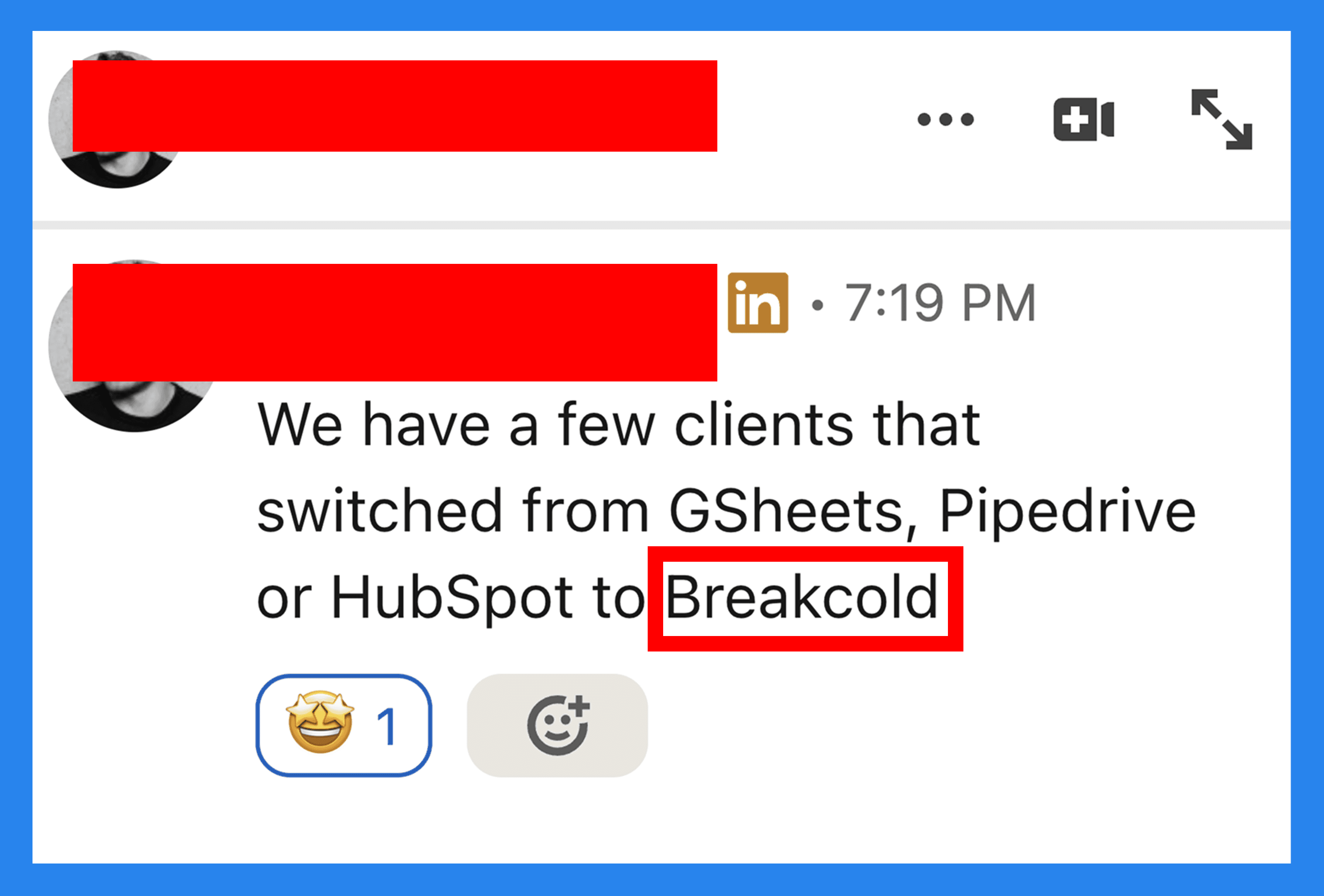
Breakcold og HubSpot deler en masse overlappende kunder — og et godt antal af dem skifter til Breakcold af en eller anden grund... men det har du ikke hørt fra os 🤫 |
⚙️ Nøglefunktioner i HubSpot Sales Hub
HubSpot Sales Hub er spækket med værktøjer designet til at hjælpe salgsteams med effektivt at håndtere sager, automatisere arbejdsgange og lukke flere handler. Lad os gennemgå de vigtigste funktioner:
Kontakt- & Sagsstyring
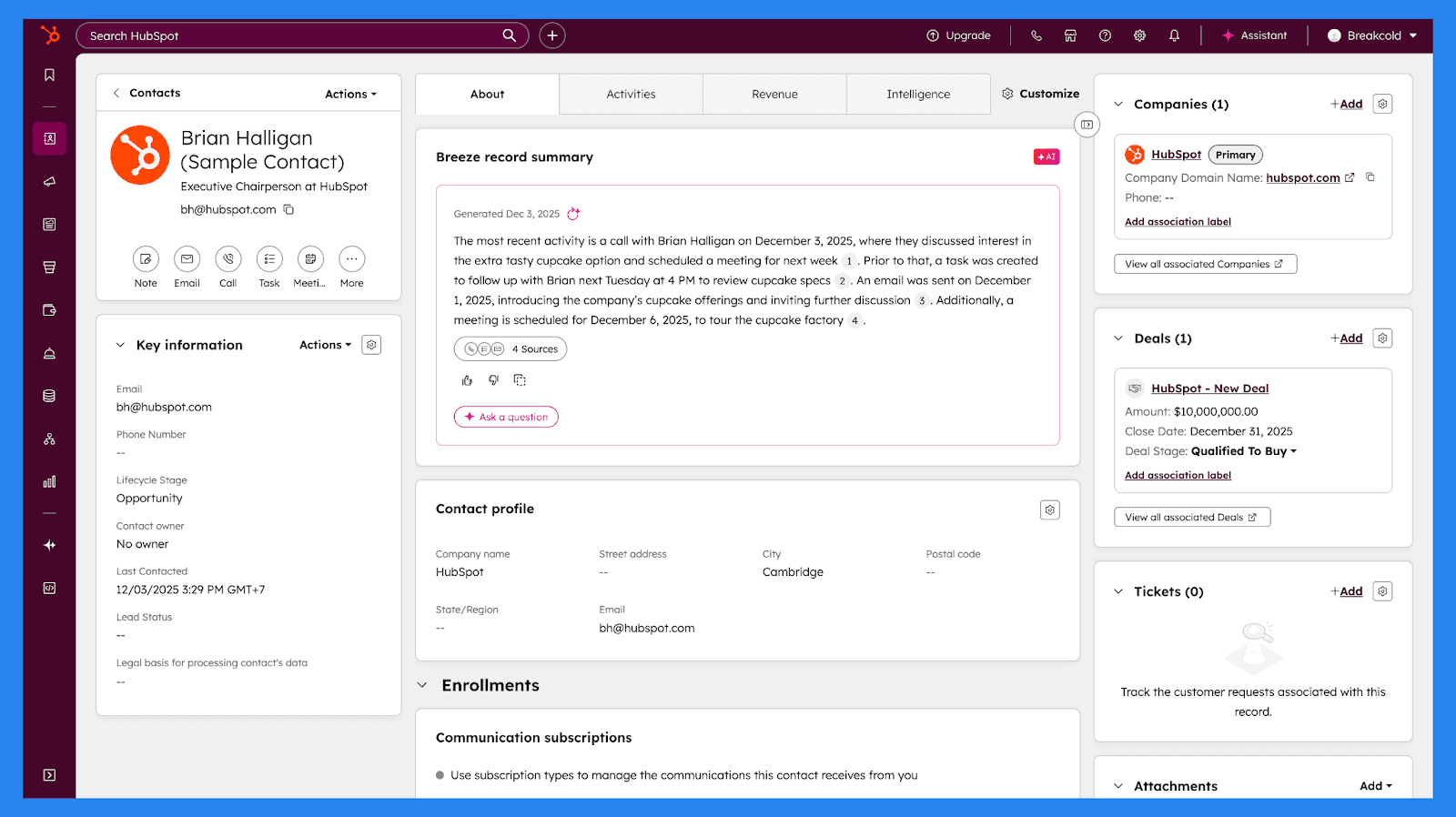
Styring af leads og sager er hjertet i ethvert CRM, og HubSpot er ingen undtagelse. Hver kontakt kommer med en detailleret, dynamisk profil, der konsoliderer alle relevante oplysninger ét sted — virksomhedsinformationer, kommunikationshistorik, sagsaktivitet, engagement med e-mails og indhold, mødenoter og meget mere.
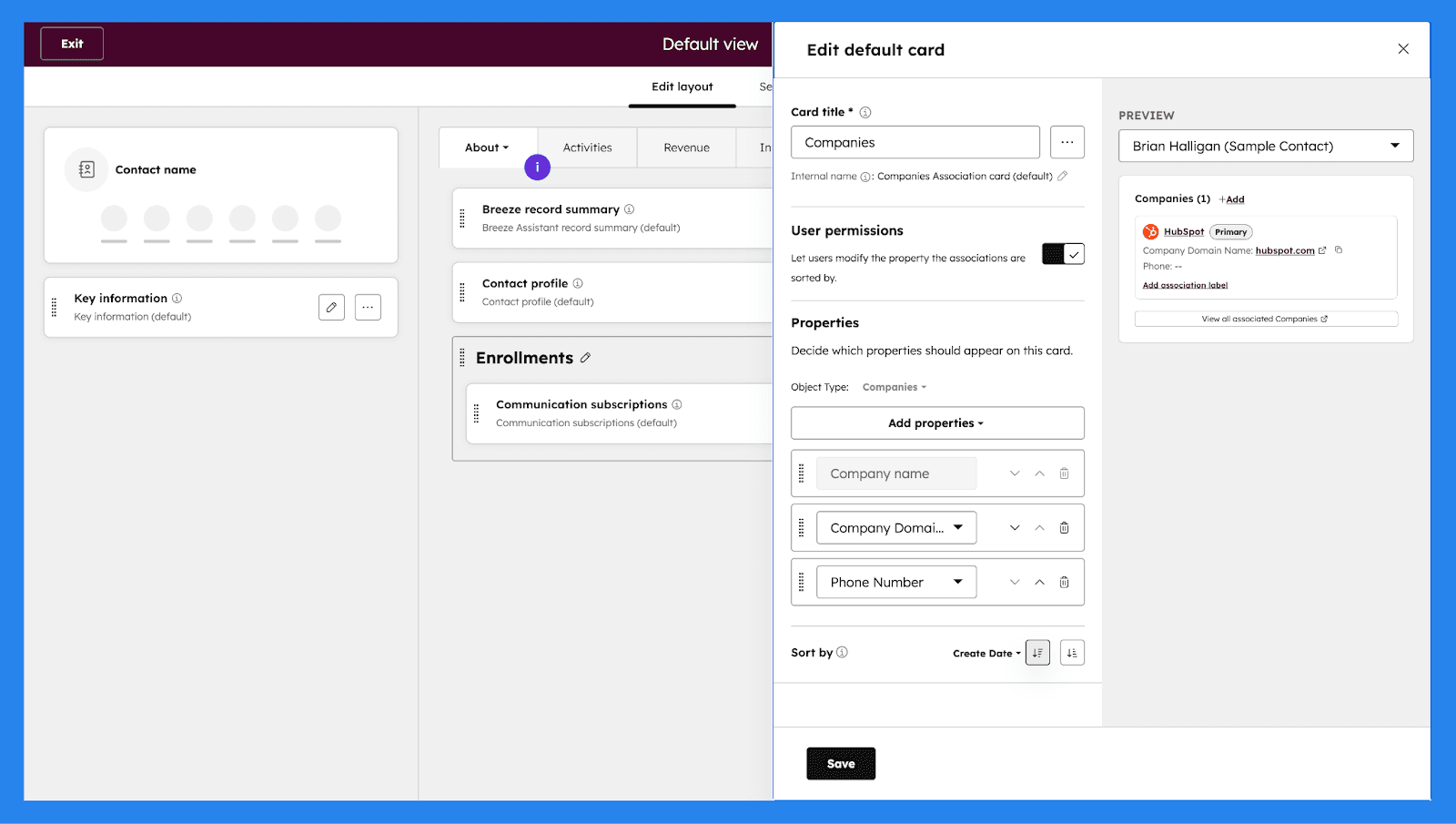
Hvis standardvisningen ikke er nok, giver HubSpot dig fleksibiliteten til at tilpasse kontaktprofiler og pipeline-visninger, så du sikrer, at du fanger de data, der betyder mest for dit team.
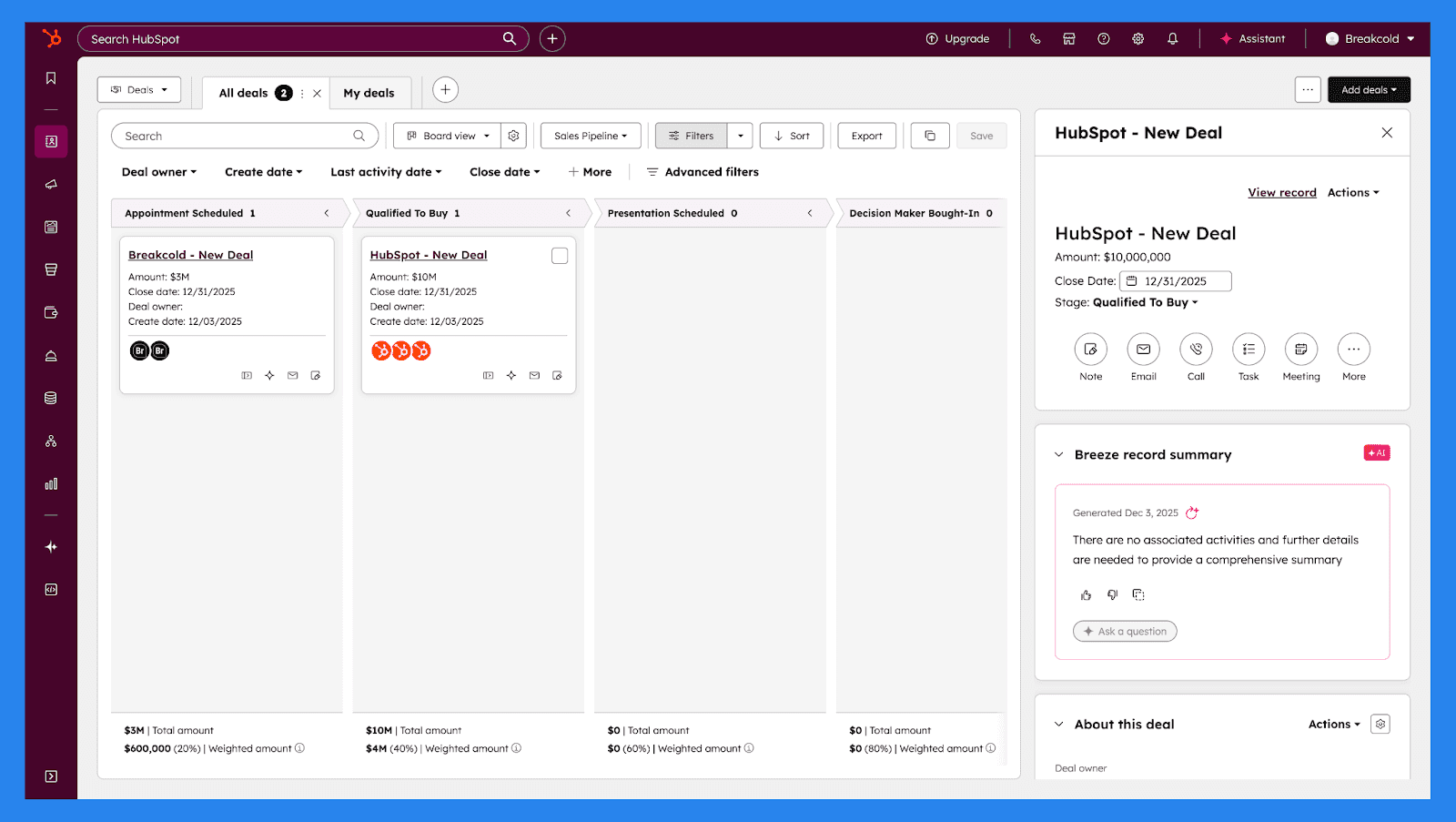
Kombineret med intuitive drag-and-drop, Kanban-stilede visuelle pipelines og tilpassede egenskaber til opbevaring af skræddersyede data sikrer HubSpot, at hver interaktion er informeret, organiseret og relevant — og hjælper dit team med at føre sagerne fremad effektivt.
E-mail Tracking & Engagement Indsigter
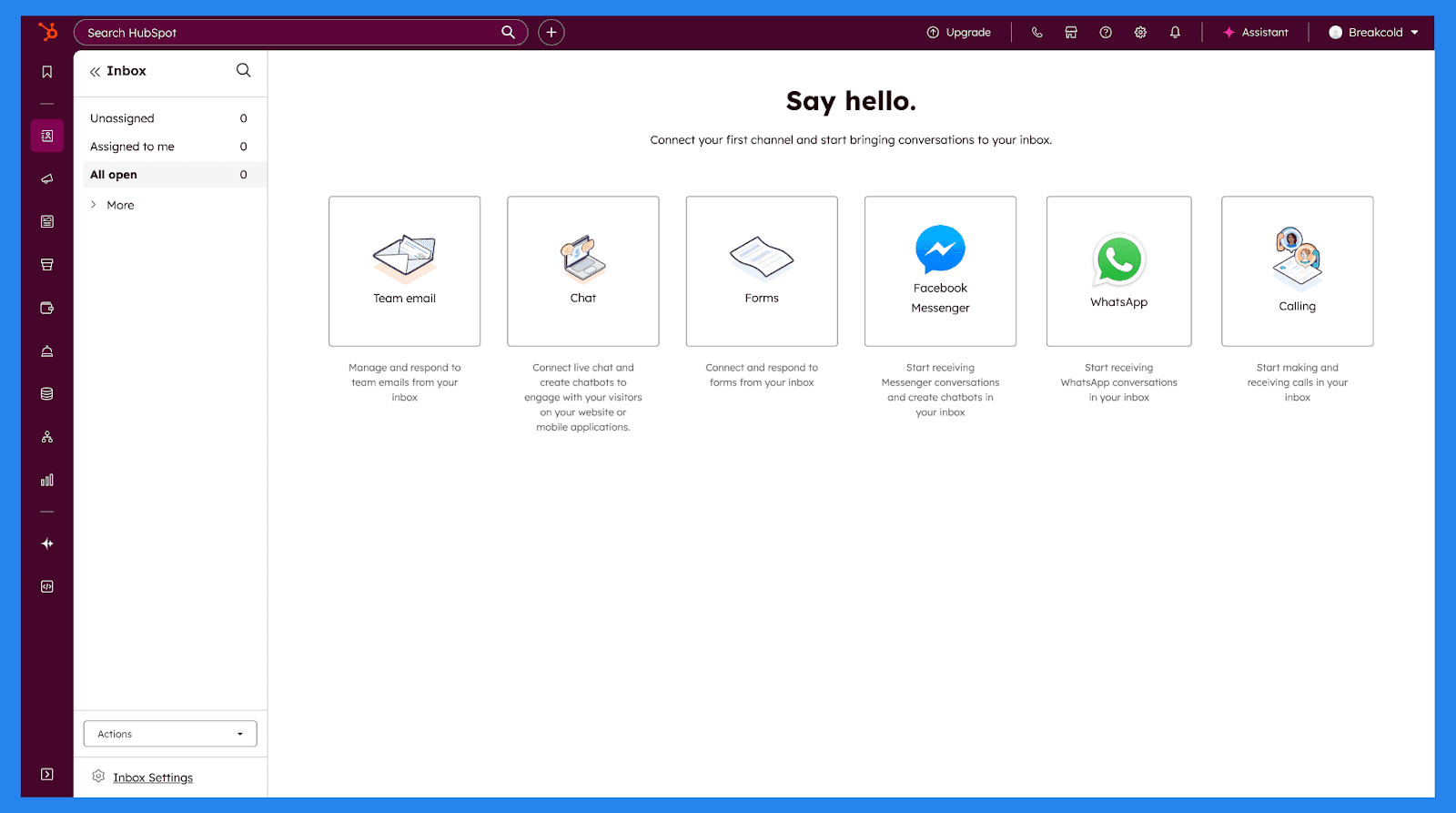
I salg betyder det hvad du siger, men hvornår du siger det, er endnu vigtigere. HubSpot Sales Hub gør det nemt med sin universelle indbakke, der centraliserer e-mails, opkald og andre samtaler i et enkelt sted. Dette giver salgsteamene et klart overblik over hver interaktion og hjælper dem med at forblive responsive uden at jonglere med flere værktøjer eller faner.
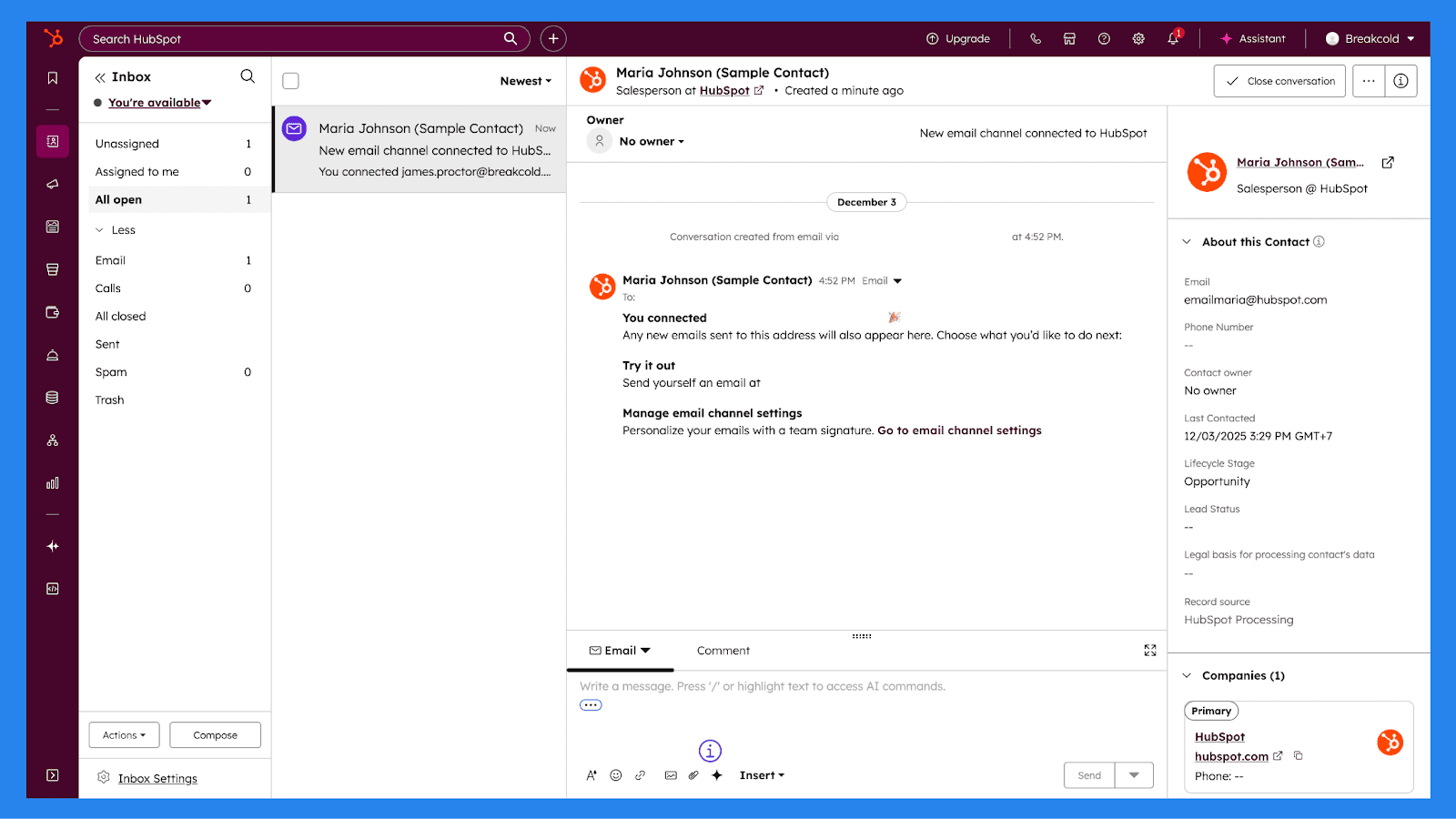
Hver kontaktprofil inkluderer en komplet engagementhistorik, der viser præcis, hvornår en potentiel kunde åbner en e-mail, klikker på et link, eller svarer. Med realtidsunderretninger bliver reps advaret i samme øjeblik en lead engagerer sig, hvilket gør det lettere at følge op, mens interessen er høj og samtalerne stadig er varme.
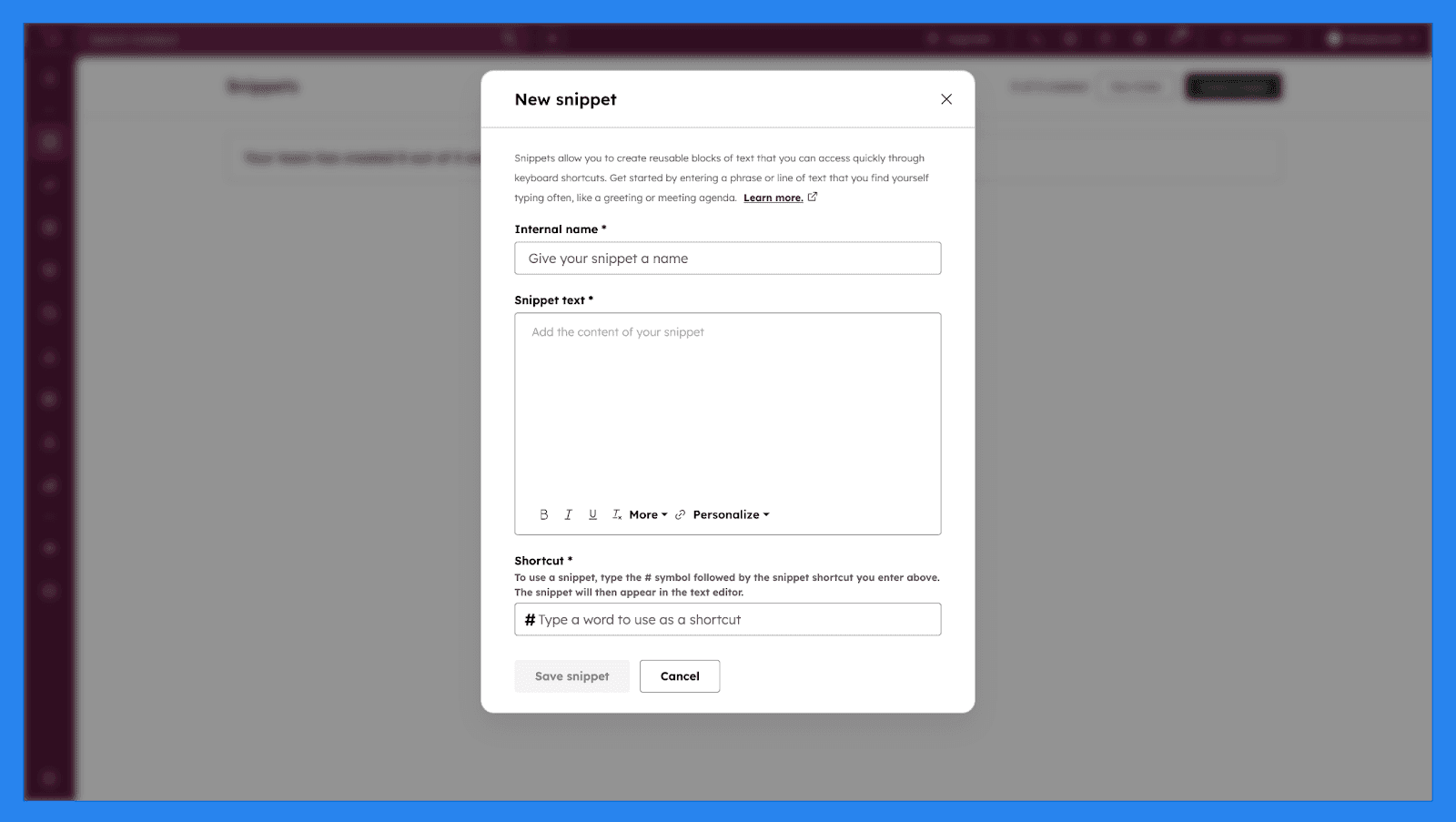
For at skalere outreach uden at lyde robotagtigt tilbyder HubSpot e-mailsnippets og beskedskabeloner, der kan tilpasses for hver kontakt. Disse værktøjer hjælper salgsteams med at opretholde konsekvent budskab, mens de reducerer gentagen skrivning. Sammen med indbygget tracking og engagementindsigter gør HubSpot Sales Hub det muligt for teams at prioritere opfølgninger, personalisere kommunikation og drive mere meningsfulde samtaler gennem hele salgscyklussen.
Bemærk |
|---|
Mens du skriver og sender e-mails fra din indbakke, er det nødvendigt med et Marketing Hub Professional eller Enterprise abonnement for at automatisere din marketing direkte fra marketingaktiver. |
Automatisering & Arbejdsgange (Professional+)
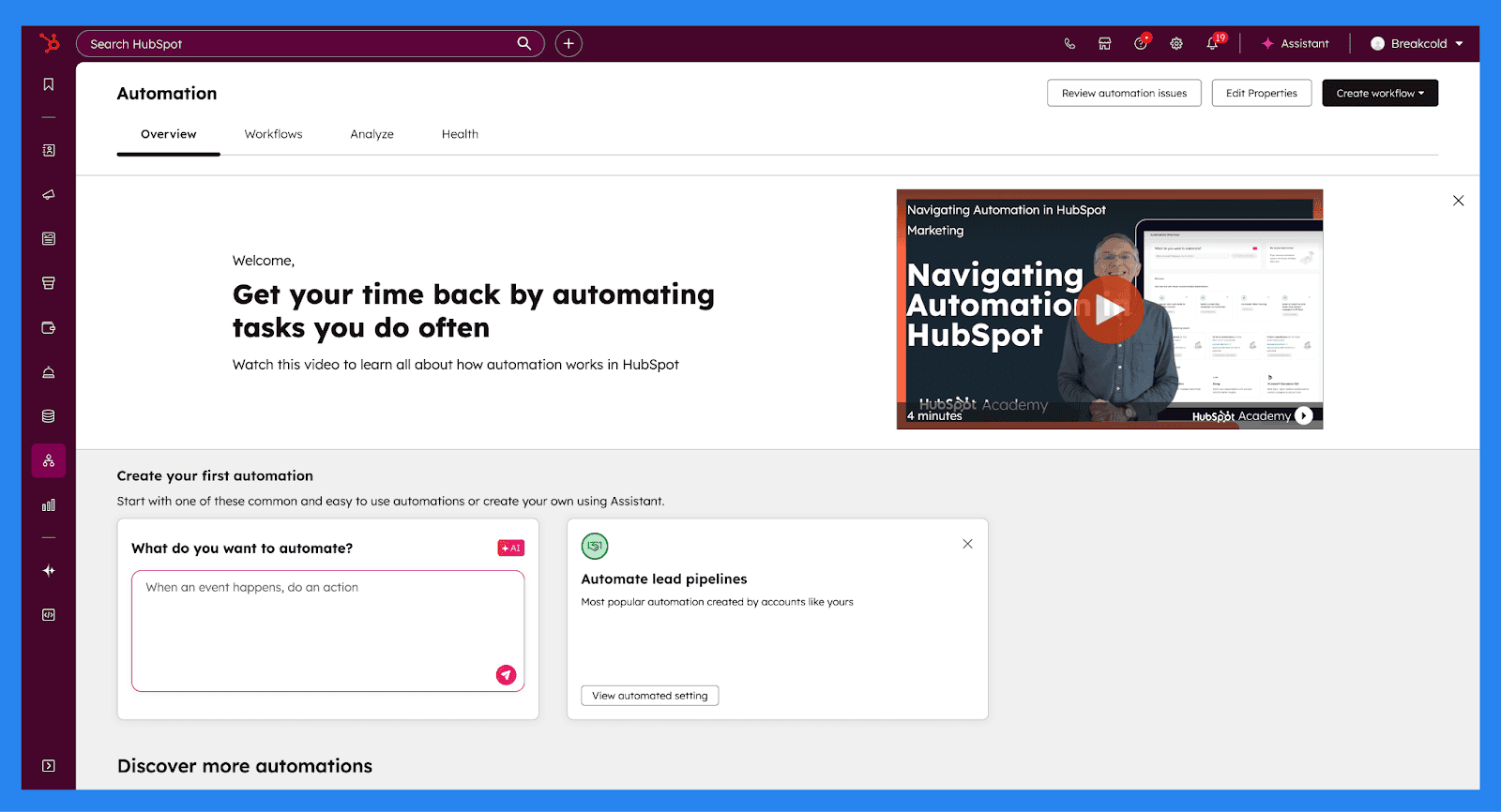
HubSpots Automatisering (tilgængelig på Professional-planer og derover) er designet til at fjerne gentagende, travlt arbejde og holde leads i bevægelse gennem din pipeline med minimal manuel indsats. Øverst på Automatiseringsdashboardet giver HubSpot dig et klart overblik over, hvordan din automatisering præsterer. Interface'et er opdelt i fire kerneafsnit:
Overblik: En høj-niveau oversigt over aktive automatiseringer og brug på tværs af din konto.
Arbejdsgange: Dit centrale hub til at oprette, redigere og administrere alle arbejdsgange.
Analyse: Tilmeldingsdata, ydelsesanalyser og anbefalinger til, hvor automatisering kan (og bør) gøre mere af det tunge arbejde.
Sundhed: Et systemcheck, der markerer brudte, ineffektive eller dårligt ydende arbejdsgange.
Herfra kan Breeze også hjælpe med at generere arbejdsgange, foreslå automatiseringsideer baseret på kontoaktivitet og fremhæve andre automatiseringsværktøjer, som du måske underudnytter — tænk på det som et sæt mere ops-fokuserede øjne.
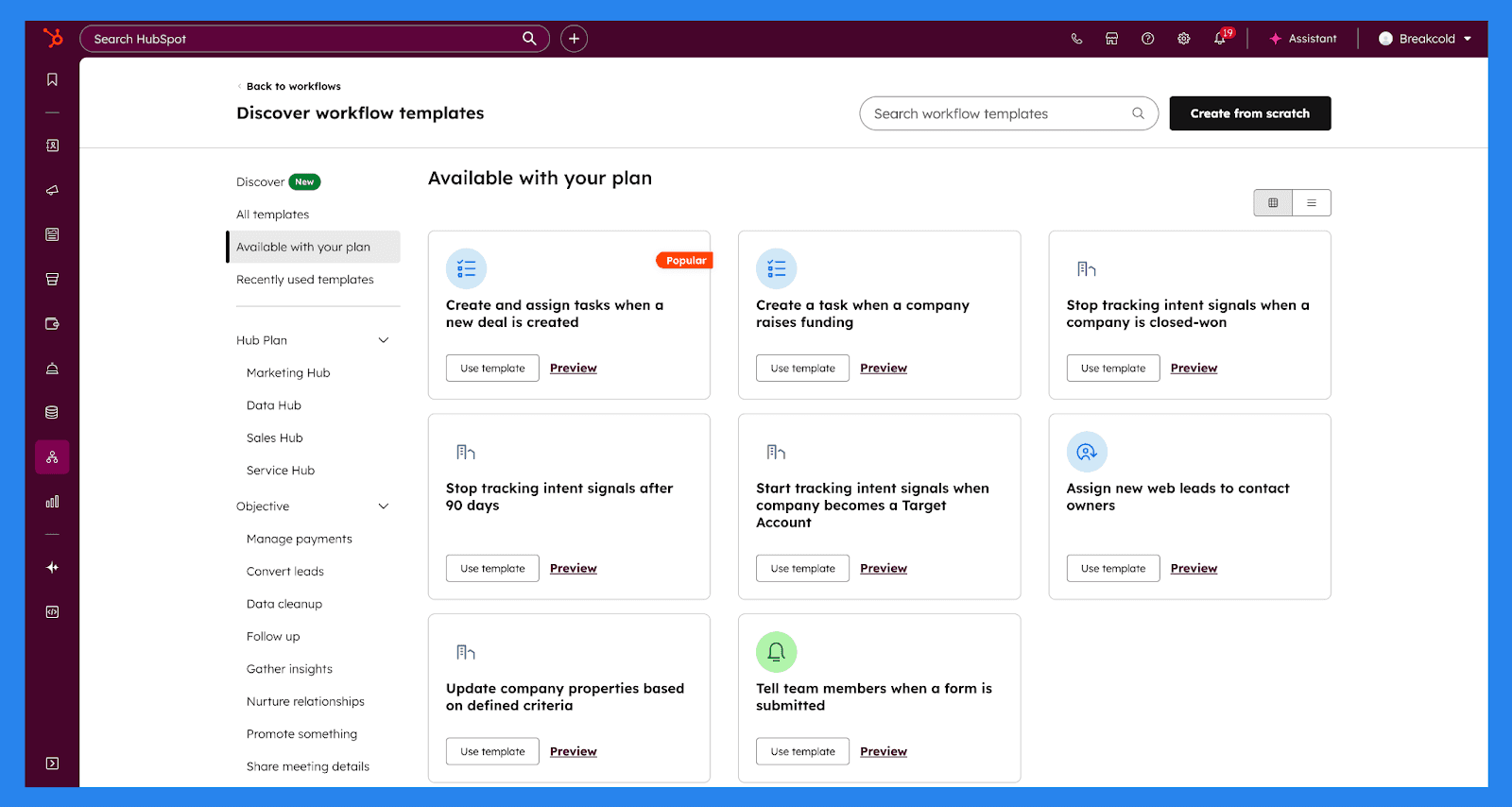
Det samlede antal arbejdsgange, du kan oprette, afhænger af dit abonnement, men HubSpot understøtter automatisering på tværs af en bred vifte af objekter, herunder:
Kontakter, Virksomheder, Aftaler og Leads
Opgaver og Opkald
Tilbud, Fakturaer, Abonnementer og Betalinger
Billetter, Samtaler og Feedback-indsendelser (Service Hub Professional+)
Brugerdefinerede objekter (Enterprise kun)
Samlet set hjælper HubSpots automatiseringsværktøjer salgsteams med at vedligeholde data nøjagtighed, reagere hurtigere og bygge en skalerbar salgsproces — uden at gøre opsætning af automatisering til et fuldtidsjob.
Salgsrapportering & Filtrering
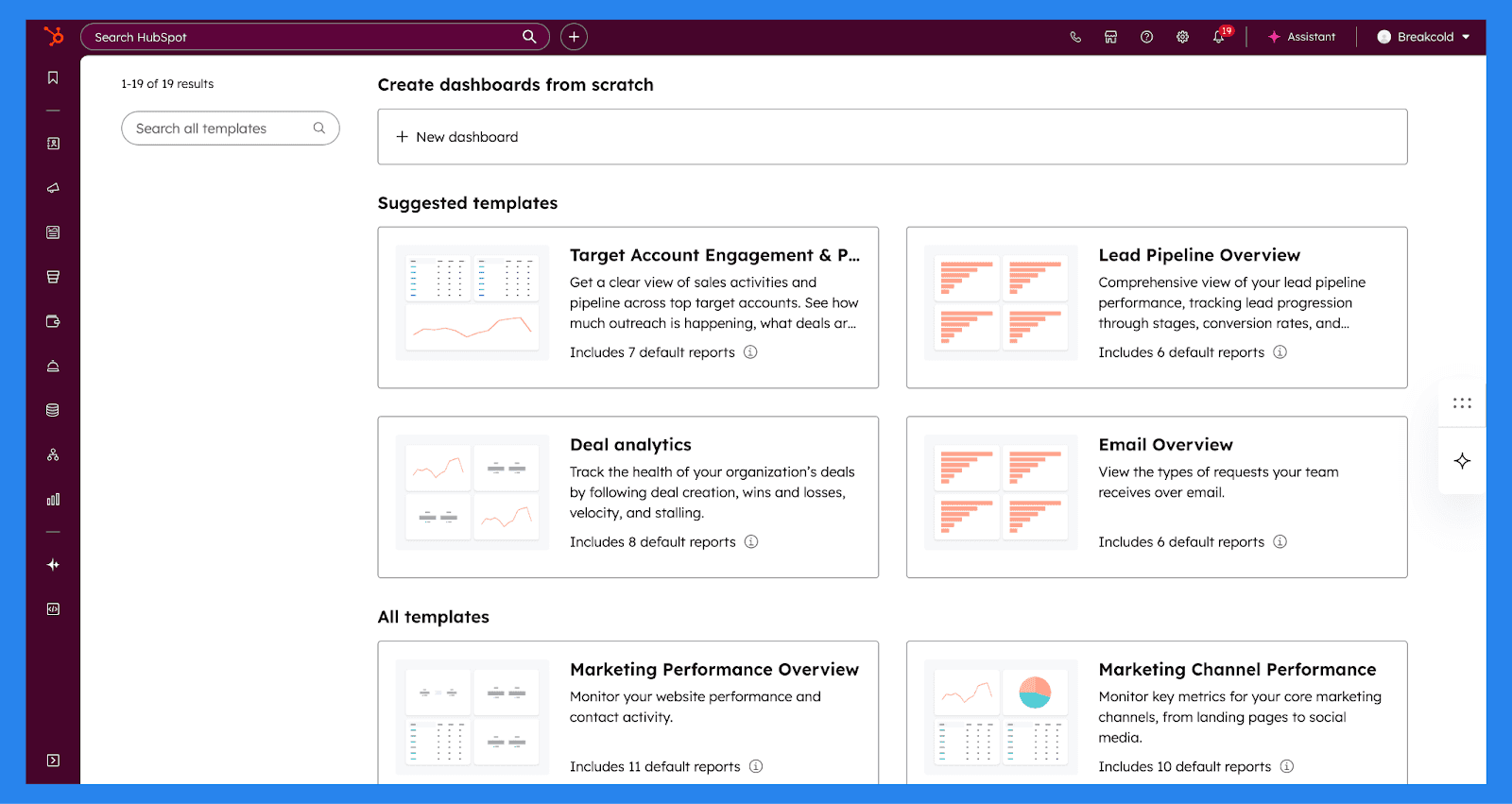
HubSpot Sales Hub inkluderer en robust rapporteringsmotor, der giver salgsteams klar synlighed ind i pipeline sundhed, ydeevne og væksttendenser. Med brugerdefinerede dashboards kan teams bygge rapporter rundt om de metriks, der betyder mest — hvad enten det er et høj-niveau indtægtsoverblik, en opdeling af aftalekilder, eller en detaljeret visning af individuel reps aktivitet. Alt er fuldstændigt tilpasseligt, hvilket gør det nemt at spore ydeevne uden at eksportere data til regneark eller afhænge af tredjepartsværktøjer.
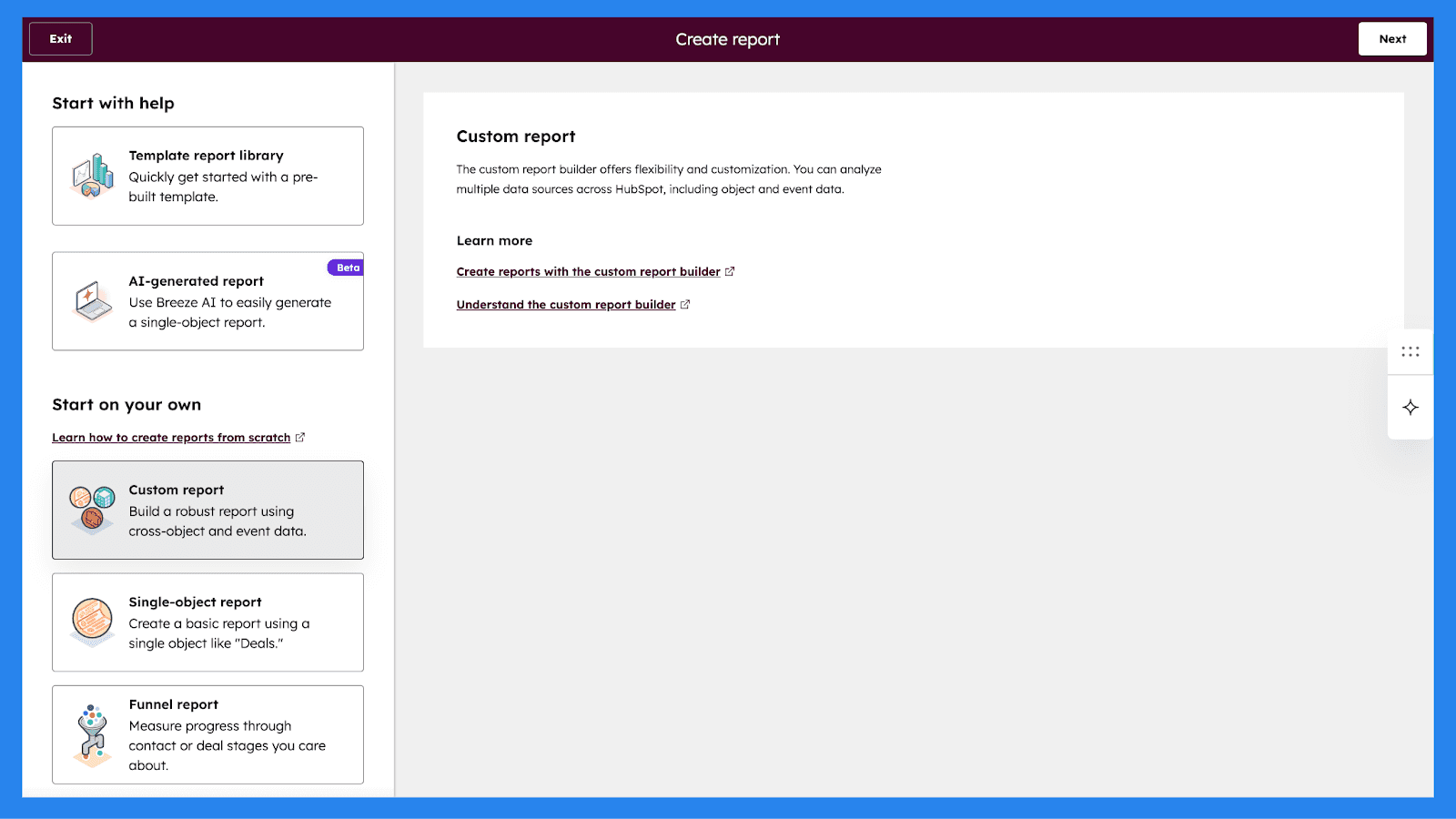
Ved dataanalyse lader HubSpot dig visualisere rapporter ved hjælp af forskellige diagramtyper, afhængigt af de indsigter, du søger. Salgsteams kan vælge mellem søjle-, kolonne-, linje-, område-, doughnut-, kage-, opsummerings- eller tabelvisninger, der tillader rapporter at være så høj-niveau eller granulære som nødvendigt.
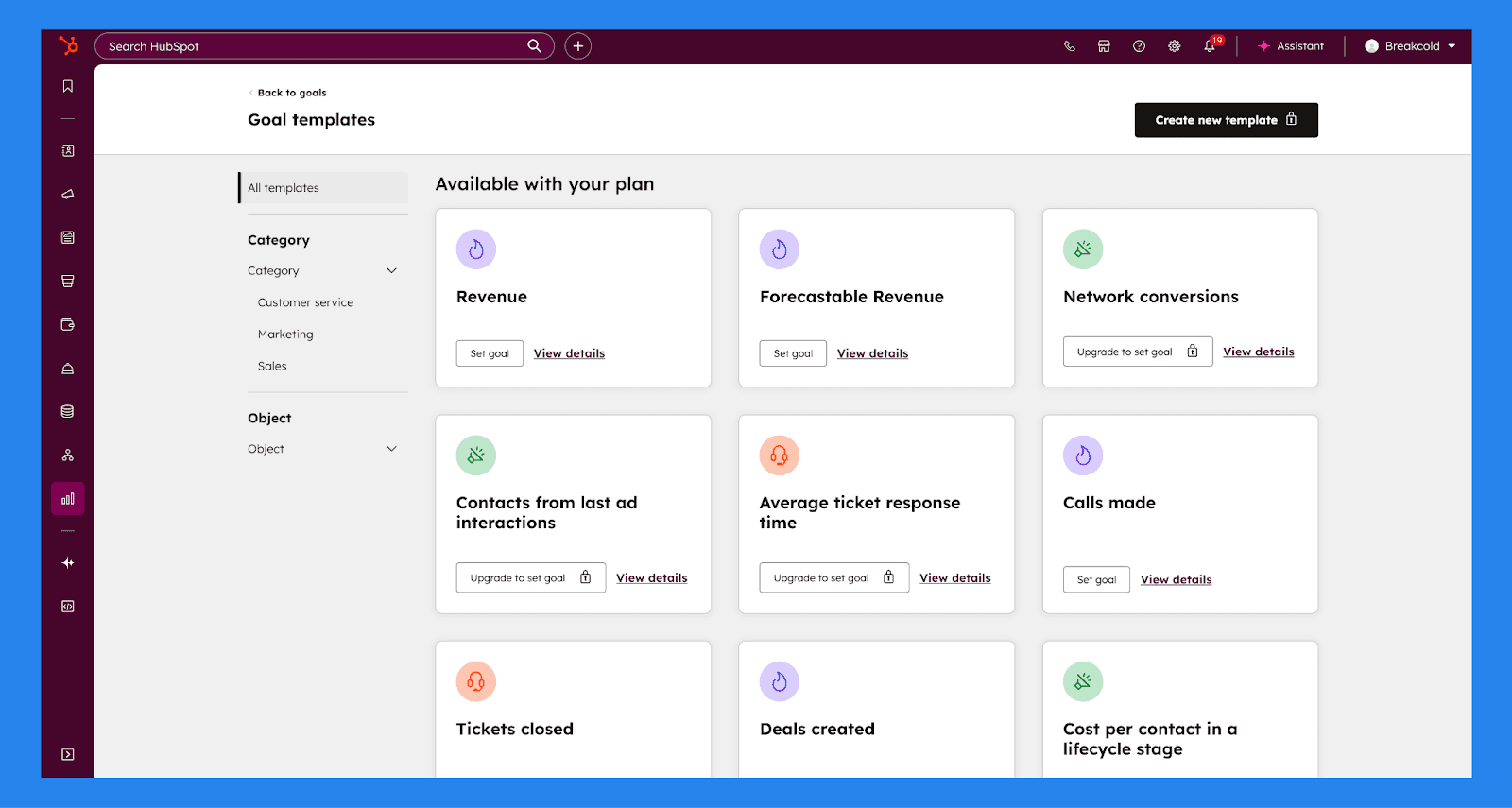
HubSpot inkluderer også Mål, der hjælper salgsledere med at måle ydeevne mod definerede mål og holde teams på linje. Salgs-, marketing- og serviceaktiviteter kan alle rapporteres mod mål for at evaluere fremgang over tid. For salgsteams specifikt kan mål sættes som brugerniveau kvoter, med målbare mål som sager oprettet, opkald foretaget, indtægter genereret, og møder booket. Dette gør det nemt at spore ydeevne, motivere reps, og forudsige resultater med større præcision.
Opkald & Samtaleintelligens (Enterprise)
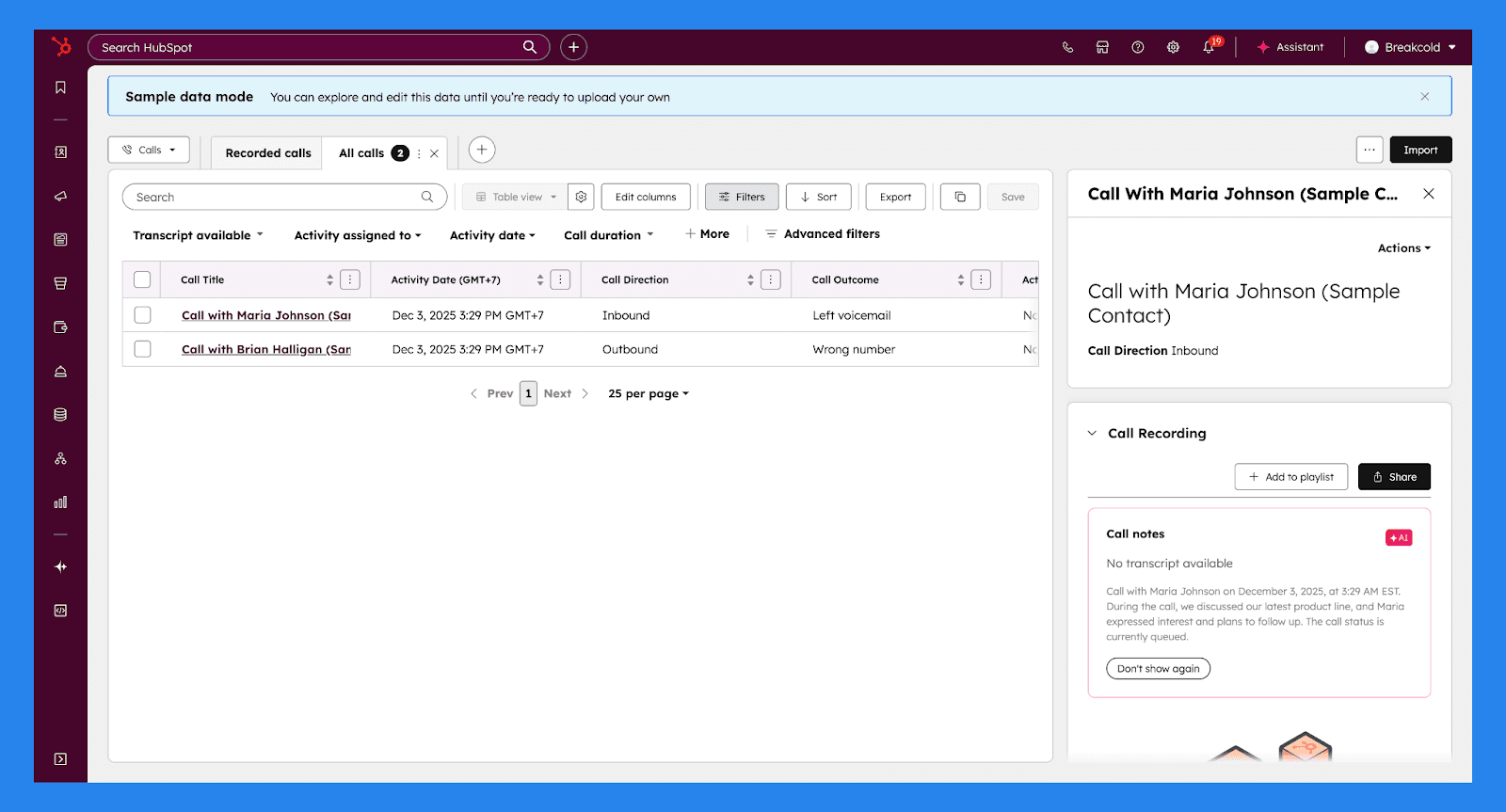
HubSpot Sales Hub lader teams foretage, modtage, optage og analysere salgsopkald direkte fra CRM'et, hvilket holder hver samtale knyttet til den rette kontakt og aftale. Opsætning er fleksibel og virker, uanset om du starter fra bunden eller integrerer en eksisterende opkaldsopsætning.
Når opkald er aktiveret, kan teams:
Generere HubSpot-leverede telefonnumre: Drevet af Twilio, tillader HubSpot telefonnumre reps at foretage og modtage opkald direkte i deres browser, viderestille opkald til en personlig enhed, eller håndtere opkald via mobilappen. Superadministrationsbrugere kan let erhverve, tildele og omfordele numre, efterhånden når teams vokser.
Registrere udgående telefonnumre: Teams kan registrere deres egne telefonnumre til udgående opkald, hvilket sikrer en velkendt opkale.
Integrere tredjeparts opkaldsleverandører: HubSpot understøtter flere opkaldsværktøjer gennem sin App Marketplace, hvilket tillader teams at centralisere opkaldsaktivitet, uden at opgive deres foretrukne leverandører.
Tilpasse opkaldsoptagelse & samtaleintelligens-indstillinger: Opkaldsoptagelse kan aktiveres kontowide, med opkald automatisk lagret i opkaldsindekset. Transskriptioner og grundlæggende analyse er aktiveret som standard. Sales Hub og Service Hub Professional eller Enterprise-brugere kan aktivere Samtaleintelligens (CI) til automatisk optagelse, transskription, opkaldsgennemgang og automatisk tilknytning af opkald til de korrekte CRM-optegnelser.
Krav til logning af opkaldsresultater: Salgsledere kan standardisere hvordan reps logger opkaldsresultater, hvilket gør det nemmere at raportere om aktivitets- og ydeevnemønstre.
Opsæt telefonsvarer & arbejdstider: Teams kan oprette tekst-til-tale eller optagede telefonsvarer, der afspilles under eller uden for definerede arbejdstider.
Tilpasse optagelsessamtykkebeskeder: Optagelsessamtykkebeskeder kan skræddersys for at overholde regionale regler inden indgående opkaldere forbinder med reps.
Samlet set bringer HubSpots opkalds- og samtaleintelligensværktøjer klarhed, konsistens og ansvar til salgsopkald — hjælper teams med at forbedre ydeevnen, stramme budskaber og lukke handler mere effektivt.
HubSpot AI (Breeze)
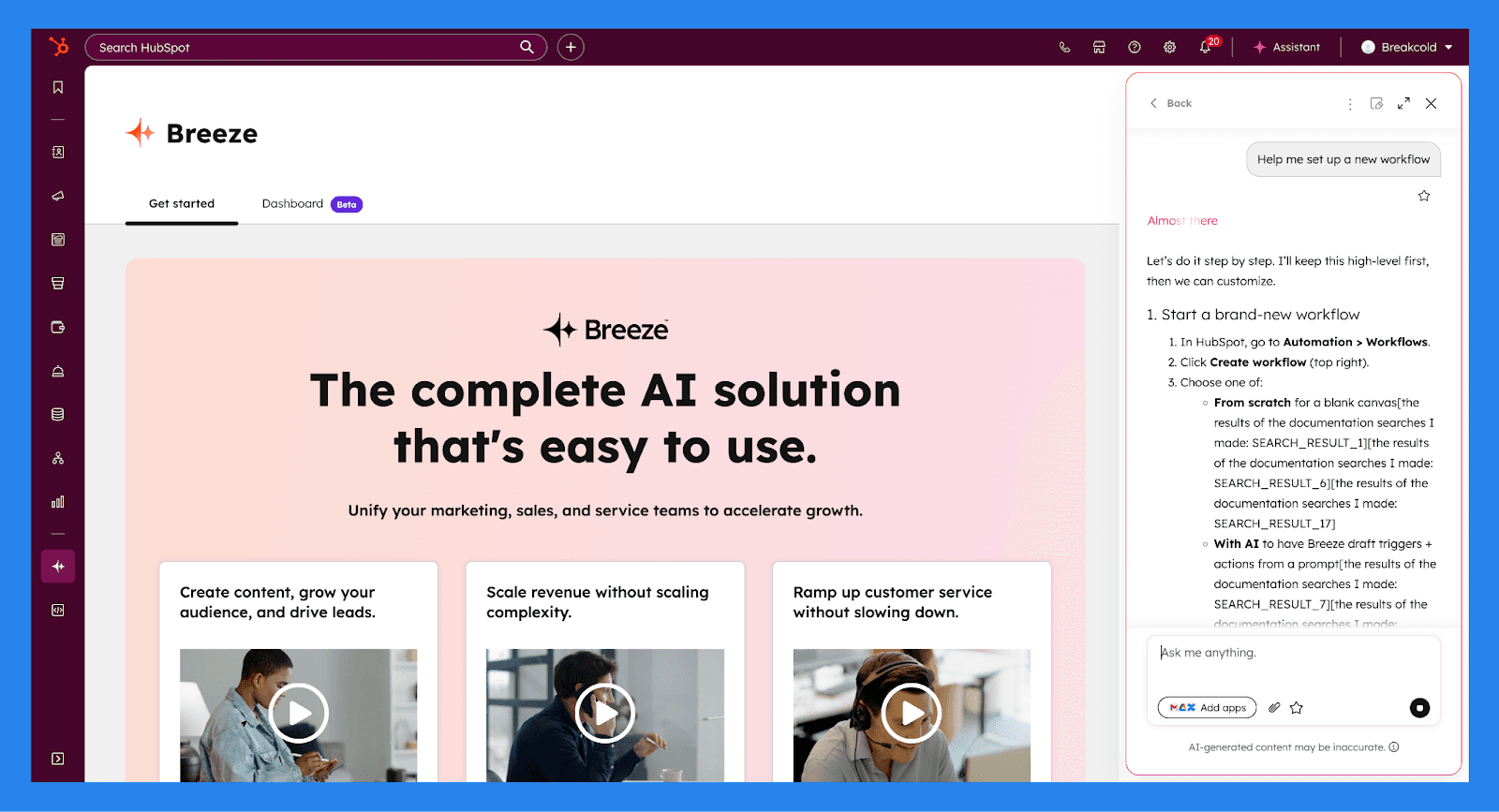
HubSpot er udstyret med en indbygget AI-assistent kaldet Breeze, og det er en af platformens mest nyttige produktivitetsboostere. Breeze er en konversations-AI (på samme måde som ChatGPT), der findes direkte inde i HubSpot og hjælper teams med at arbejde hurtigere på tværs af salg, marketing og service.
Ved at bruge simple eller avancerede tekstfelter kan Breeze oprette arbejdsgange, summarise CRM-optegnelser, generere indhold, forberede reps til møder og fremhæve indsigter fra dine data. Fordi det fungerer inden i HubSpot, forstår det din CRM-kontekst og udfører kun handlinger, som brugere har tilladelse til at udføre — hvilket gør tingene både kraftfulde og kontrollerede.
Med Breeze kan du:
Prospektér og undersøg virksomheder, inklusive teknologi brug og nyere nyheder
Forbered til kommende møder ved at bruge eksisterende CRM og kalenderdata
Summarize CRM-optegnelser for kontakter, virksomheder, aftaler, billetter og arbejdsgange
Opret og opdater CRM-optegnelser, såsom aftaler, noter, opgaver og ejendoms values
List og filtrér poster ved hjælp af specifikke kriterier (f.eks. aftaler, der lukker denne måned)
Generer, forbedr, og omskriv indhold på tværs af blogs, landingssider, e-mails, CTA'er, SMS og vidensbaseartikler
Anvend brandstemme eller juster tone (venlig, professionel, vittig, uddannende, osv.) til eksisterende indhold
Generer helt nyt indhold, inklusive overskrifter, afsnit, underafsnit, e-mails og SMS-beskeder
Summarize performance-data, inklusive rapporter, marketing-e-mails og feedback-undersøgelser (med Service Hub)
Udkast og personalisér salgs-e-mails til forskellige livscyklusstadier
Opret arbejdsgange ved hjælp af pladssprog-opfordringer, inklusive triggere og handlinger
Analysér og fejlfind arbejdsgange, såsom at identificere hvorfor poster ikke blev tilmeldt
Sammenlign apps i HubSpot Marketplace efter funktioner, priser og anmeldelser
Generer billeder til brug i blogindlæg og marketingindhold
Centralisér indsigter på tværs af forbundne apps, når det tillades og aktiveres
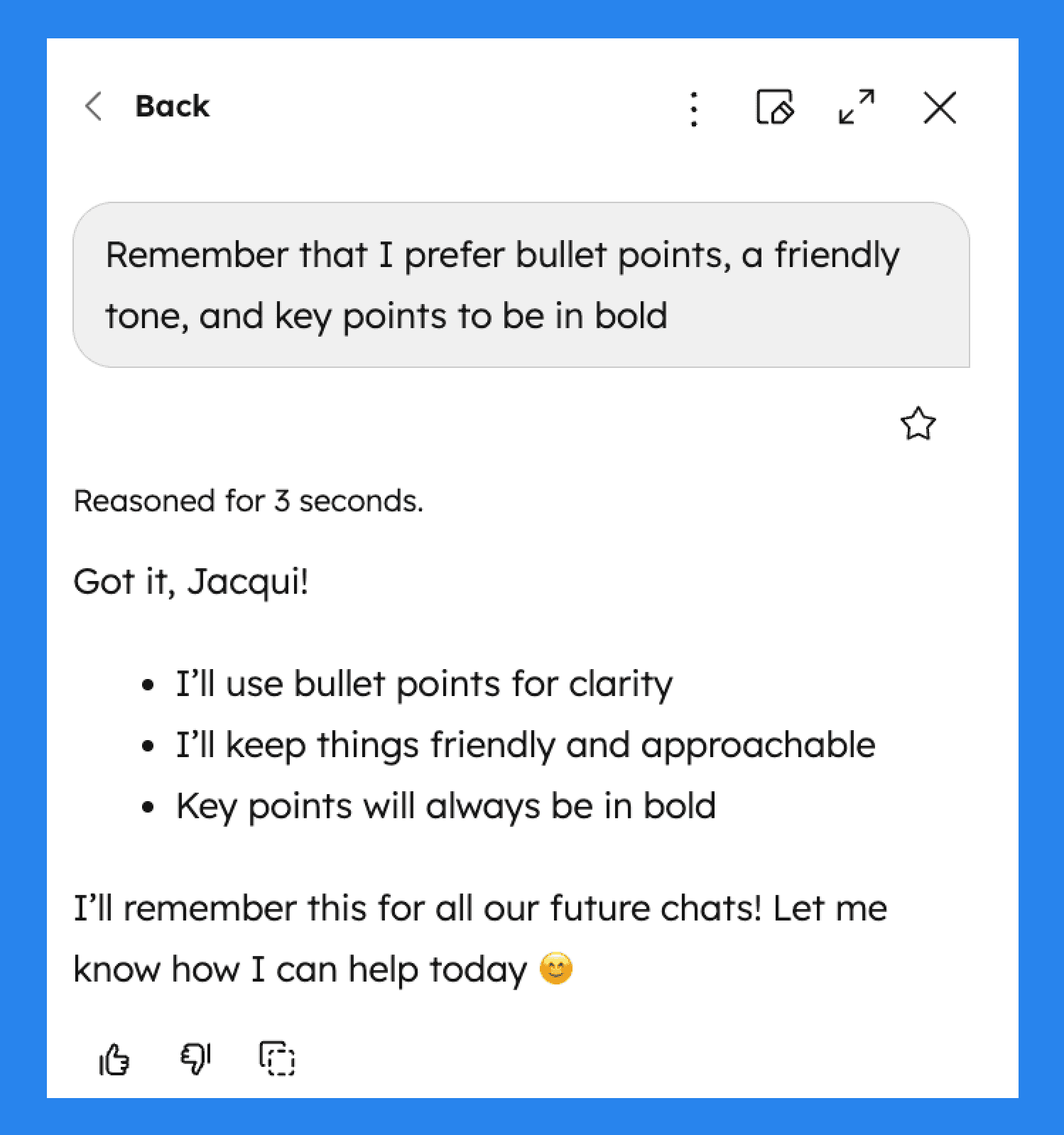
Breeze kan også understøtte hukommelsesbaseret personalisering, hvilket giver Breeze mulighed for at tilpasse sig præferencer som tone, skrivestil eller tilbagevendende instruktioner over tid.
Markedsplads & Mobilapp
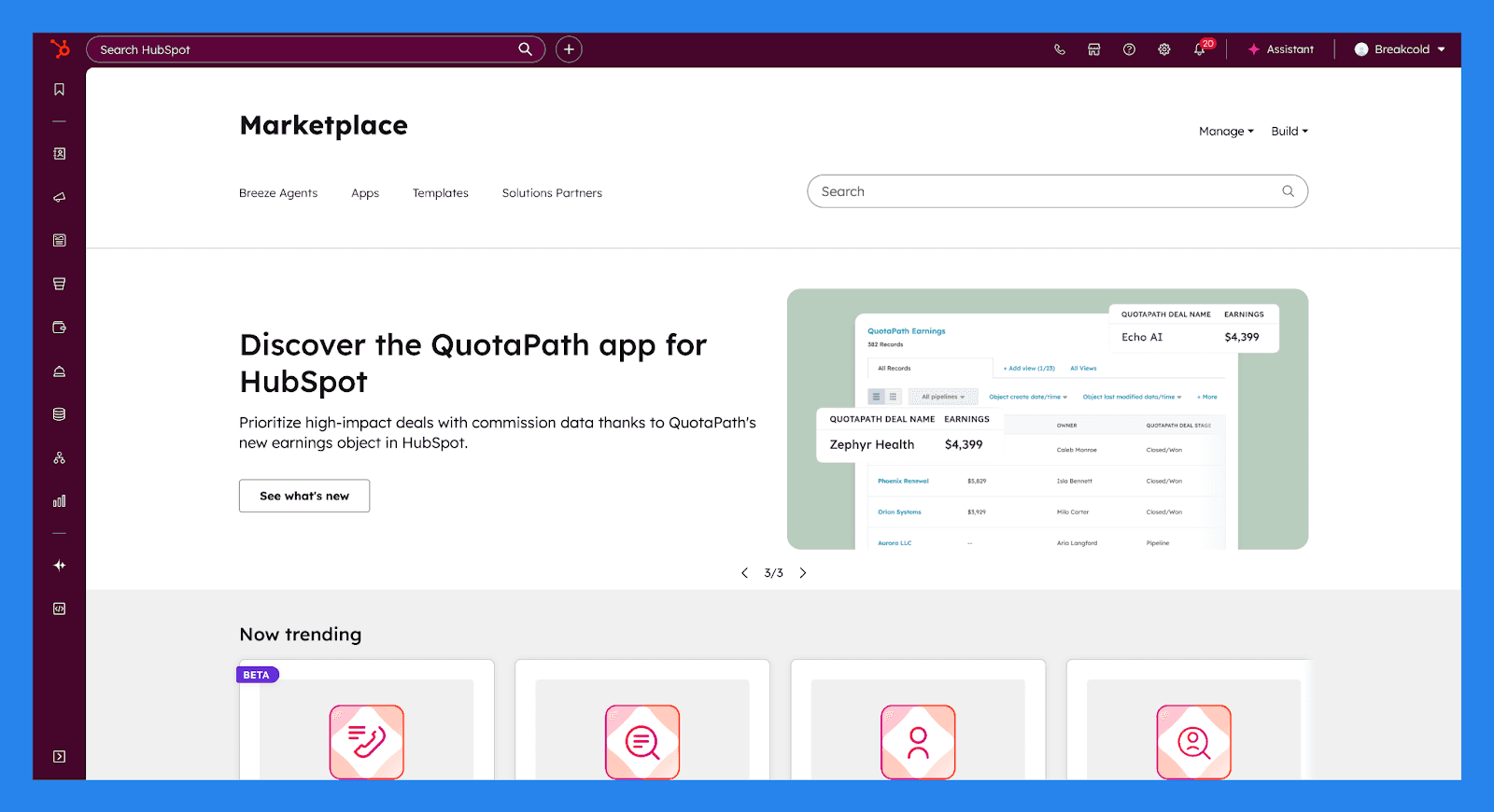
HubSpots App Markedsplads gør det nemt at forbinde de værktøjer din virksomhed allerede er afhængig af direkte til din CRM. Hver app i Markedspladsen er gennemgået og certificeret af HubSpot, der sikrer kompatibilitet, sikkerhed og pålidelig datasynkronisering på tværs af din teknologi stack.
Med 2.000+ apps og over 2,5 millioner aktive installationer, dækker Markedspladsen alt fra kommunikation og automatisering til analyser og betaling. Populære integrationer inkluderer daglige værktøjer som Slack, Microsoft Teams og Zapier, der tillader teams at strømline arbejdsgange og centralisere data uden brugerdefineret udvikling eller komplekse opsætninger.
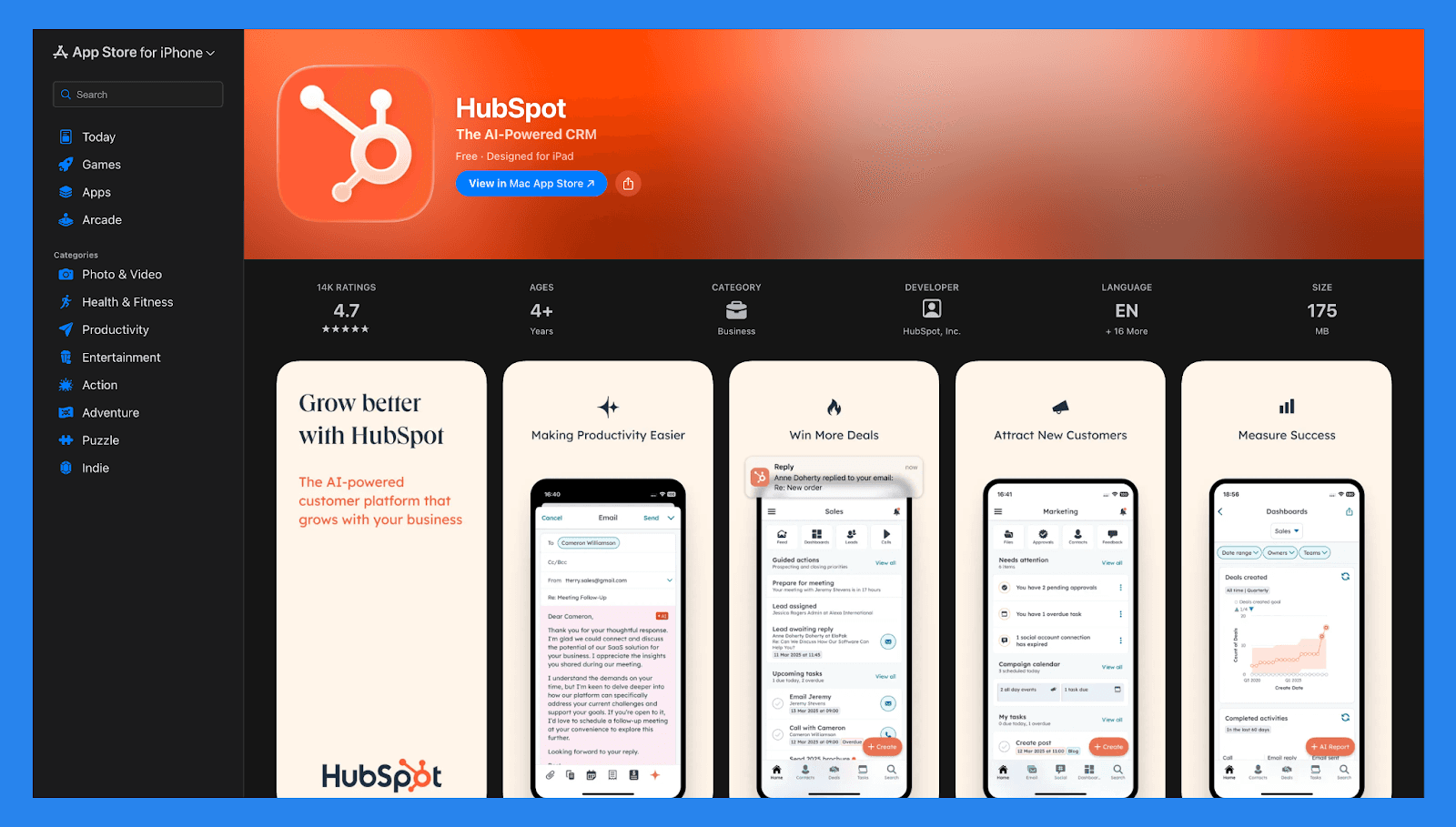
HubSpot understøtter også salgsteams på farten med sin mobilapp, tilgængelig både på iOS og Android. Fra din telefon eller tablet kan reps se og redigere CRM-poster, foretage og logge opkald, håndtere marketing-e-mails, og svare samtaler i den delte indbakke. Dette sikrer, at teams forbliver tilsluttet og produktive — uanset om de er på kontoret, på landevejen eller mellem møder.
💰 HubSpot Sales Hub Prissætning (2026) 💰
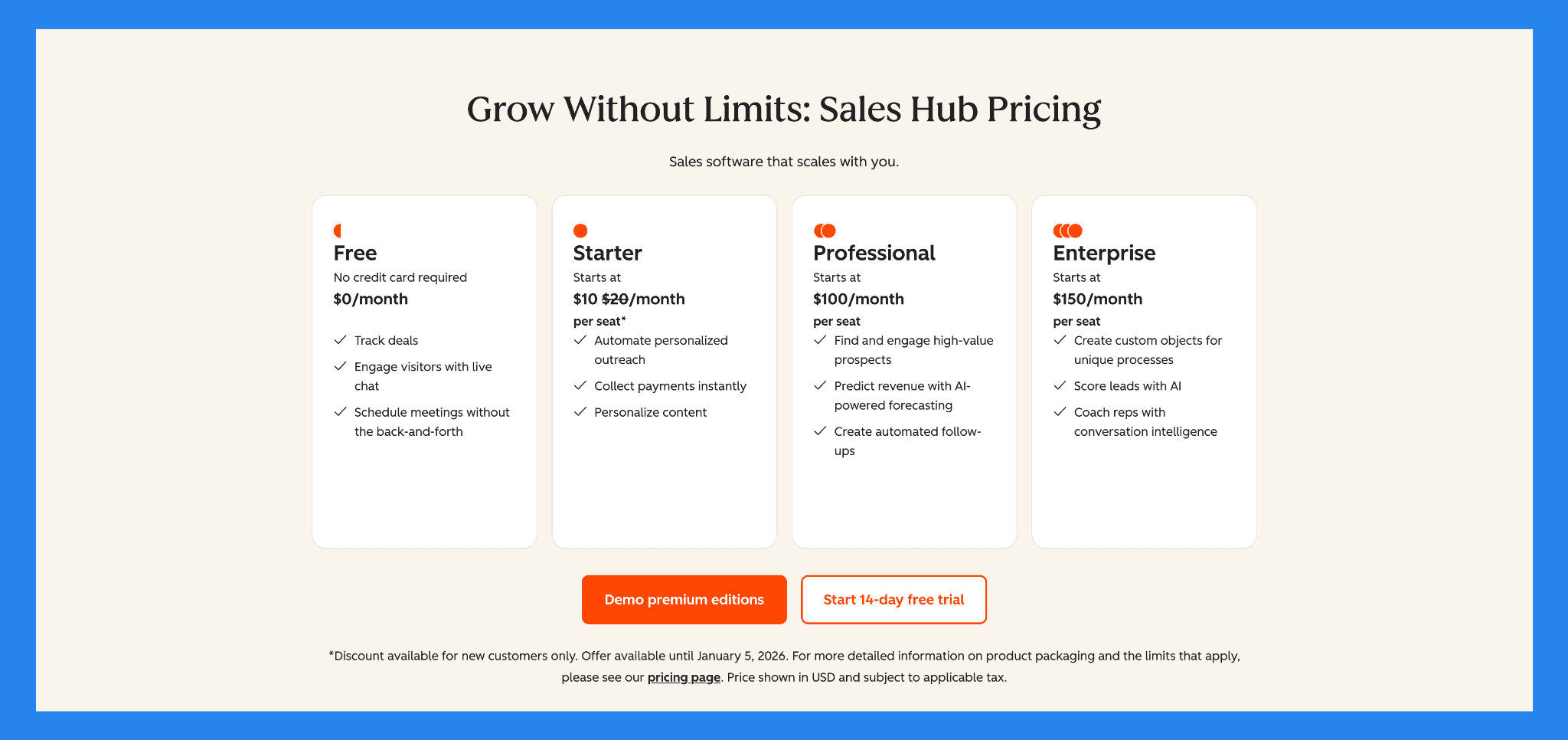
Gratis | Starter |
|---|---|
US$0/md | US$10/md/sæde |
Inkluderer: Spor sager Engagere besøgende med live chat Planlæg møder uden frem og tilbage | Gratis værktøjer, plus: 500 HubSpot Credits Breeze Assistant Opkald HubSpot-leverede telefonnumre Gentagne opgaver og opgavekøer Objekttags Mål |
Professional | Enterprise |
|---|---|
US$100/md/sæde | US$150/md/sæde |
Starter, plus: AI Møde Assistent Breeze Prospecting Agent Opkaldstransskription og coaching Salgsanalyse Salgsområde Forudsigelse Rækkefølger | Professional, plus: Berigelse af AI opkaldstranskription (Beta) Samtaleintelligens Sagsdelinger Aftalerejseanalyse Ledelsesrutning til Lead Forms Pipeline-godkendelser for Sager Interaktiv Stemmesvar |
⭐ Fordele & Ulemper ved HubSpot Sales Hub ⭐
Bedømmelser | |
|---|---|
G2 - 4.6/5 (412) | Capterra - 4.5/5 (665) |
Fordele | Ulemper |
Samlet platform der kombinerer CRM, marketing, salgs- og servicetjenester — reducerer værktøjsophobning og forbedrer team samarbejde. Generøs gratis niveau, der håndterer kerne CRM behov. Stærk automatisering, segmentering og arbejdsflow kapaciteter, der tillader skalerbar marketing- og salgsdrift. Pålidelig for organisationer, der har brug for strukturerede pipelines, rapportering, og forenet kundedata på tværs af teams. | Prisen stiger hurtigt, når du tilføjer sæder eller opgraderer for at låse op for avancerede funktioner. Nogle kraftfulde funktioner og dybere funktionalitet er afhængige af højere niveau planer, hvilket begrænser, hvad entry-level eller gratis brugere kan gøre. Kan være overvældende for meget små teams eller virksomheder, der kun har brug for grundlæggende CRM funktionalitet. |
🆚 HubSpot Sales Hub vs Konkurrenter
HubSpot Sales Hub er en kraftfuld, velafrundet CRM, men det er ikke den eneste mulighed på markedet. Afhængigt af dit salgsmønster, budget og appetit for automatisering, kan en anden platform være en bedre pasform. Nedenfor sammenligner vi HubSpot Sales Hub med ledende alternativer, startende med værktøjer bygget specifikt til salgsdrevne teams, der prioriterer hastighed, automatisering, og moderne arbejdsgange.
🥇 Breakcold – Bedst til salgsdrevne teams fokuseret på AI-native arbejdsgange
Resumé
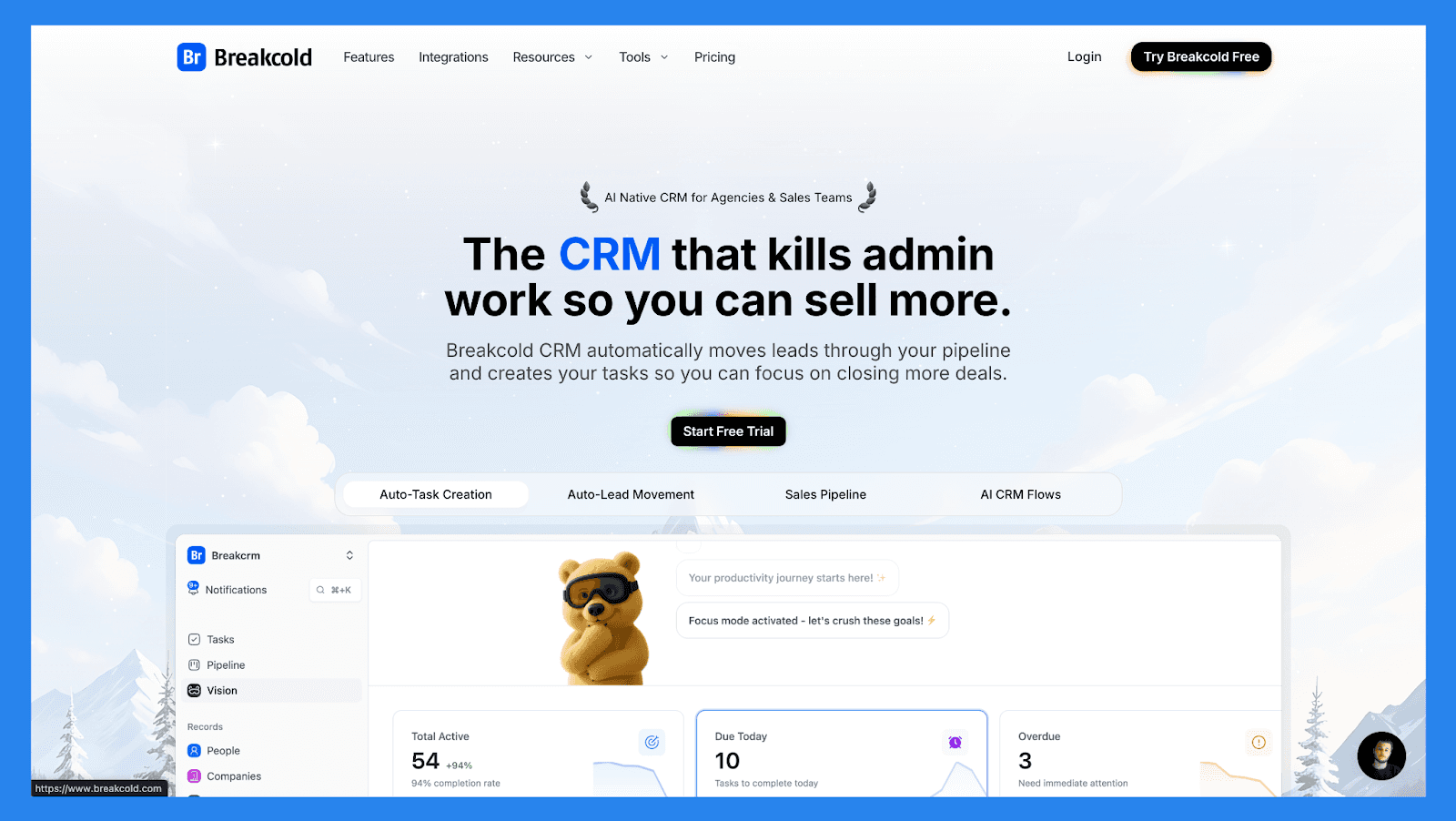
Breakcold er en letvægts, AI-native salgsfirst CRM bygget til hastighed, enkelhed, og social-salg. Det er ideelt for bureauer, individuelle sælgere, og små teams der ønsker at starte prospektering hurtigt uden at håndtere komplekse opsætninger, tunge automatiseringer eller overfyldte dashboards af enterprise CRMs. Sammenlignet med HubSpot Sales Hub føles Breakcold langt mere fokuseret: færre funktioner, men mindre friktion — især for salgsdrevne arbejdsgange.
Dog vinder HubSpot Sales Hub klart på skala og dybde. Hvor Breakcold udmærker sig ved at forblive slank og bevæge sig hurtigt, stråler HubSpot med avanceret rapportering, automatisering, pipeline-tilpasning, coachingværktøjer og høj grad af tilpasning med marketing- og serviceteams.
Nøglefunktioner | |
|---|---|
Automatisk Lead bevægelse: Leads bevæger sig automatisk i Breakcold’s CRM baseret på dine interaktioner. Ingen opsætning kræves — AI forstår og opdaterer alt på egne hånd. Automatisk opgaveoprettelse: Overvåger dine interaktioner med led og opretter automatisk opfølgningsopgaver, så du aldrig mister momentum. Fokusér på salg, ikke på administrativt arbejde. Vision Builder: Som standard bevæger leads sig automatisk baseret på dine listenavne og pipeline-stadier (nul opsætning). Ønsker du mere kontrol? Brug naturligt sprog til at bygge avancerede AI CRM arbejdsgange. AI-drevet Dashboard: Et selvopdaterende dashboard der fremhæver dine vigtigste opgaver, så du altid ved, hvad du skal fokusere på næste. AI Kontaktstyring: Organiserer automatisk leads i de rigtige lister og grupper ved at analysere dine samtaler, noter og aktiviteter. AI-personligheder (AI Agenter): Vælg en AI-personlighed, der matcher din salgsstil eller forretningsmål. Dit dashboard tilpasser sig herefter og serverer dig daglige opgaver skræddersyet til den persona. AI-resonnering: Hver foreslået opgave kommer med klar kontekst, så du ved præcis, hvorfor den er vigtig, og hvorfor den betyder noget i dag. AI-beskedsforslag: Få næste-besked anbefalinger der matcher din tone of voice og AI-personlighed — både for e-mail og sociale samtaler. AI Regler: Tilføj brugerdefinerede regler til hvert trin i din arbejdsgang for dybere automatiseringskontrol og klogere processer. AI-drevet Kontakt Deduplikation: Identificerer og fusionerer automatisk dublerede kontakter, hvilket sparer timer med manuel oprydning og holder dit CRM slankt og præcist. Avanceret Data Berigelse: Drevet af BetterContact, bruger Breakcold waterfall-berigelse til at overflade verificerede B2B e-mails og telefonnumre, der forbedrer outreach nøjagtighed og deliverabilty. AI Notetaker: Integrerer med Otter, Fireflies, TL;DV, og Fathom for automatisk at skabe og registrere opkaldsreferater direkte i CRM’et — komplet med transkriptioner, links, og opfølgningsopgaver. Samlet Indbakke: Håndter samtaler fra LinkedIn, Email, WhatsApp og Telegram på ét sted, så du kan svare hurtigere og aldrig gå glip af en opfølgning. Social Engagement Strøm: Like, kommentér og engager dig i dine leads’ opslag direkte fra CRM’et for at bygge relationer gennem konsekvente, meningsfulde interaktioner. 20+ Native Integrations: Forbind Breakcold med Slack, Apollo, Smartlead, Instantly, Lemlist, og mange andre salgsværktøjer for at optimere din arbejdsgang fra ende til ende. | |
Bedømmelser | |
G2 - 4.7/5 (116) | Capterra - 4.8/5 (93) |
Fordele | Ulemper |
Praktisk og nem at bruge interface for LinkedIn magtbrugere Velstrukturerede onboarding ressourcer, inklusive hvordan-til videoer, flowcharts, og bedste praksis Responsiv og pålidelig kundesupport Stærke sociale lyttekapaciteter for lead indsigt og outreach personalisering | Afhængig af eksterne tjenester som Google og LinkedIn, hvilket kan forårsage fejl, når disse platforme opdaterer deres politikker Mangler indbygget opkaldsfunktioner og AI funktionalitet Stadig en udviklende platform med udviklende funktioner og lejlighedsvise begrænsninger |
Prisplaner
CRM Essentials | CRM Pro | CRM Max |
|---|---|---|
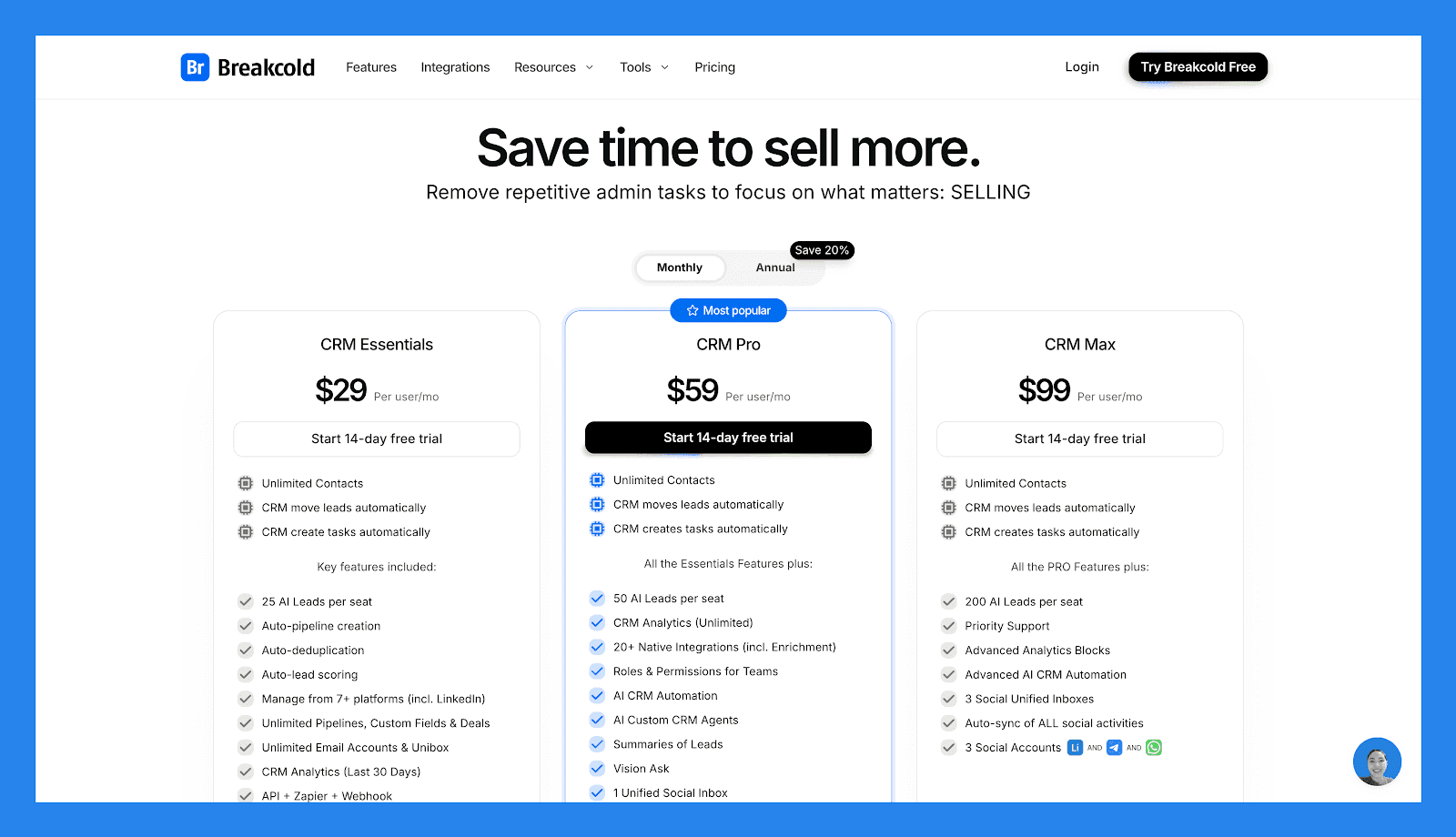
$29/bruger/md | $59/bruger/md | $99/bruger/md |
Ubegrænsede Kontakter CRM flytter leads automatisk CRM opretter opgaver automatisk Nøglefunktioner inkluderet: 25 AI Leads pr. sæde Automatisk pipeline-oprettelse Automatisk deduplikation Automatisk leadscoring Administrer fra 7+ platforme (inkl. LinkedIn) Ubegrænsede Pipelines, Brugerdefinerede Felter & Sager Ubegrænsede Email Konti & Enhed CRM Analyser (Sidste 30 Dage) API + Zapier + Webhook | Ubegrænsede Kontakter CRM flytter leads automatisk CRM opretter opgaver automatisk Alle Essentials Funktioner plus: 50 AI Leads pr. sæde CRM Analyser (Ubegrænset) 20+ Native Integrations (inkl. Berigelse) Roller & Tilladelser for Teams AI CRM Automatisering AI Brugerdefinerede CRM Agenter Summarier af Leads Vision Spørg 1 Enhed Samlet Social Indbakke Automatisk synkronisering af sociale aktiviteter for 1 social 1 Social Konto (LinkedIn, X, eller Whatsapp) | Ubegrænsede Kontakter CRM flytter leads automatisk CRM opretter opgaver automatisk Alle PRO Funktioner plus: 200 AI Leads pr. sæde Prioritetssupport Avancerede Analyseblokke Avanceret AI CRM Automatisering 3 Sociale Enheder Enhed Indbakker Automatisk synkronisering af ALLE sociale aktiviteter 3 Sociale Konti (LinkedIn, X, eller Whatsapp) |
🥈 Pipedrive – Et sagscentreret CRM ideelt for teams der ønsker en enkel, visuel salgspipeline
Resumé
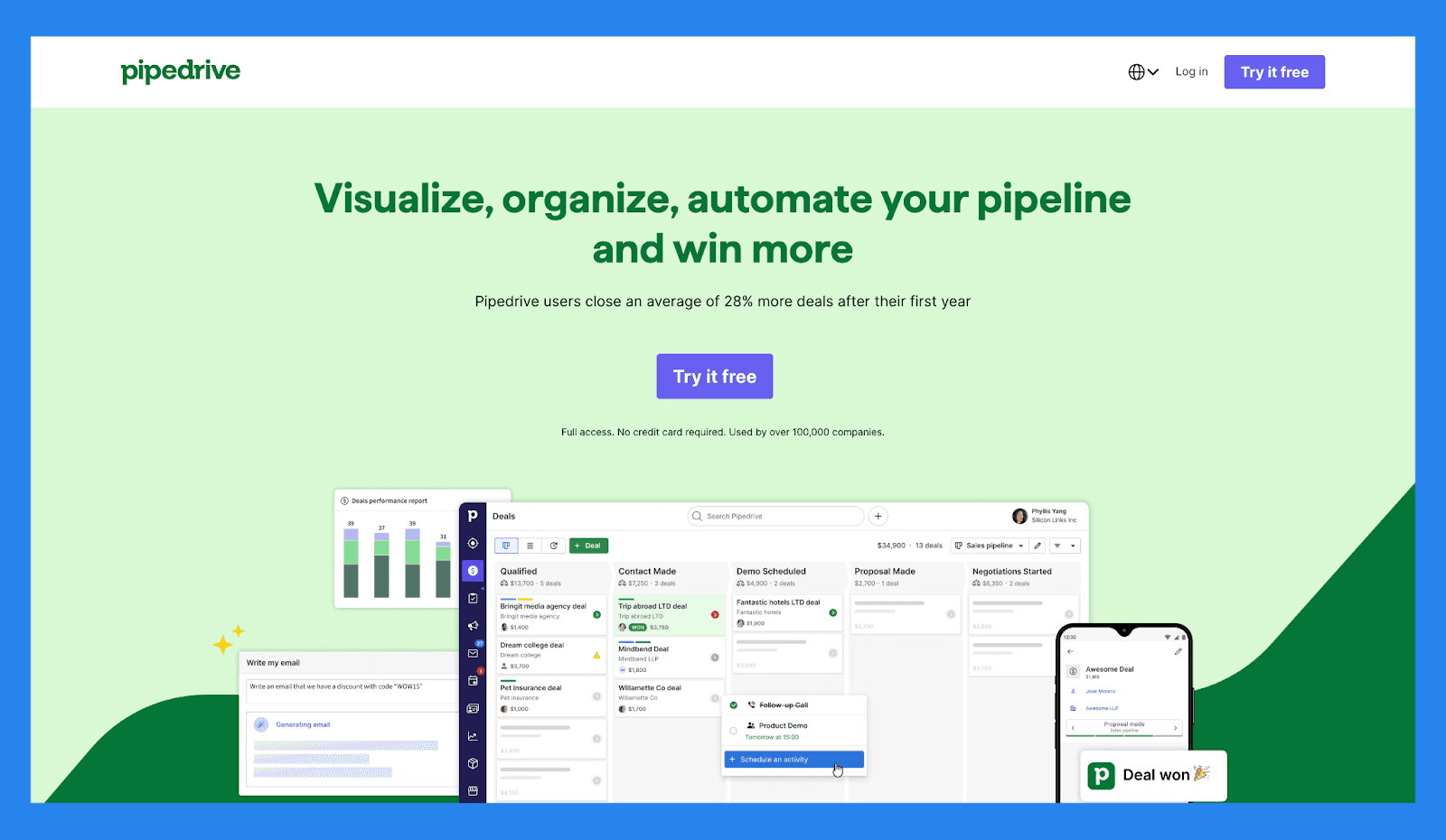
Pipedrive er en sagscentreret CRM designet til salgsteams der lever og ånder for salgspipelines. Dens visuelle interface gør det utroligt nemt at spore sager, flytte muligheder gennem stadier, og holde reps fokuseret på afslutning. Sammenlignet med HubSpot Sales Hub er Pipedrive lettere at lære og hurtigere at adoptere, især for teams der ønsker stærk pipeline-oversigt uden at dykke ned i avancerede automatiseringer eller komplekse rapporteringer.
Dog tilbyder HubSpot Sales Hub langt mere dybde ud over pipelinestyring. Mens Pipedrive er en god pasform for salgsledede teams, der værdsætter klarhed og brugervenlighed, overgår HubSpot Pipedrive i automatisering, analyser, AI-drevne indsigter og tværteamsjustering med marketing- og serviceværktøjer.
Nøglefunktioner | |
|---|---|
AI Sagsvejledning: Udnyt intelligente opfordringer og vinde sandsynlighedsscorer baseret på CRM-aktivitet i realtid for at fokusere på de sager, der betyder mest. Brugerdefineret Forudsigelse & Salgsrapporter: Byg tilpassede dashboards for at analysere indtægtstendenser, sagssundhed og konverteringsrater — alt sammen ét sted. Ydelsesdashboards & Måspinning: Sæt salgsmål og spor reps eller teamets ydeevne visuelt, hvilket gør det nemt at forblive justeret og motiveret. Visuel Pipelinekontrol: Flyt sager gennem stadier med drag-and-drop enkelhed, planlæg næste handlinger og få realtidsindsigt i sagsmomentum. Lederfordojektik: Overvåg hver leads rejse fra initial kontakt til konvertering, tildel opfølgningsopgaver og prioriter outreach baseret på leadkvalitet. Salgsopgave Automatisering: Skær ned på gentagne opgaver med smarte arbejdsgange, der håndterer dataindtastning, e-mail påmindelser og pipeline-ændringer automatisk. AI Salgsproduktivitets Suite: Få adgang til indbyggede værktøjer som e-mail skrivestøtte, opsummering af lån og LeadBooster for at optimere prospektering. Omfattende App-integrationer: Synkroniser med 350+ værktøjer — inklusive Gmail, Slack, Zoom, Klenty og Wingman — for at skabe en sand forbundet salgsteknologistack. Mobil CRM Funktionalitet: Håndter din pipeline, respondér til leads, og få adgang til rapporter fra hvor som helst med fuldfunktions mobil adgang. | |
Bedømmelse | |
G2 - 4.3/5 (2,445) | Capterra - 4.5/5 (3047) |
Fordele | Ulemper |
Velstrukturerede onboarding materialer, inklusive FAQ'er og videoer Tilbyder en bred vifte af integrationer med tredjepartsværktøjer Stærke automatisering og AI funktioner der øger produktiviteten Hurtig og let opsætning med minimal læringskurve | Brugergrænsefladen kan føles forældet eller uintuitiv for nogle brugere Ingen gratis plan tilgængelig — betalte niveauer starter hurtigt Kundesupport kan være langsommelig eller inkonsistent. Ingen indbygget LinkedIn integration for leadimportering Nogle brugere rapporterer lejlighedsvise fejl og ydeevne problemer |
Prisplaner
Essential | Avanceret | Professionel |
|---|---|---|
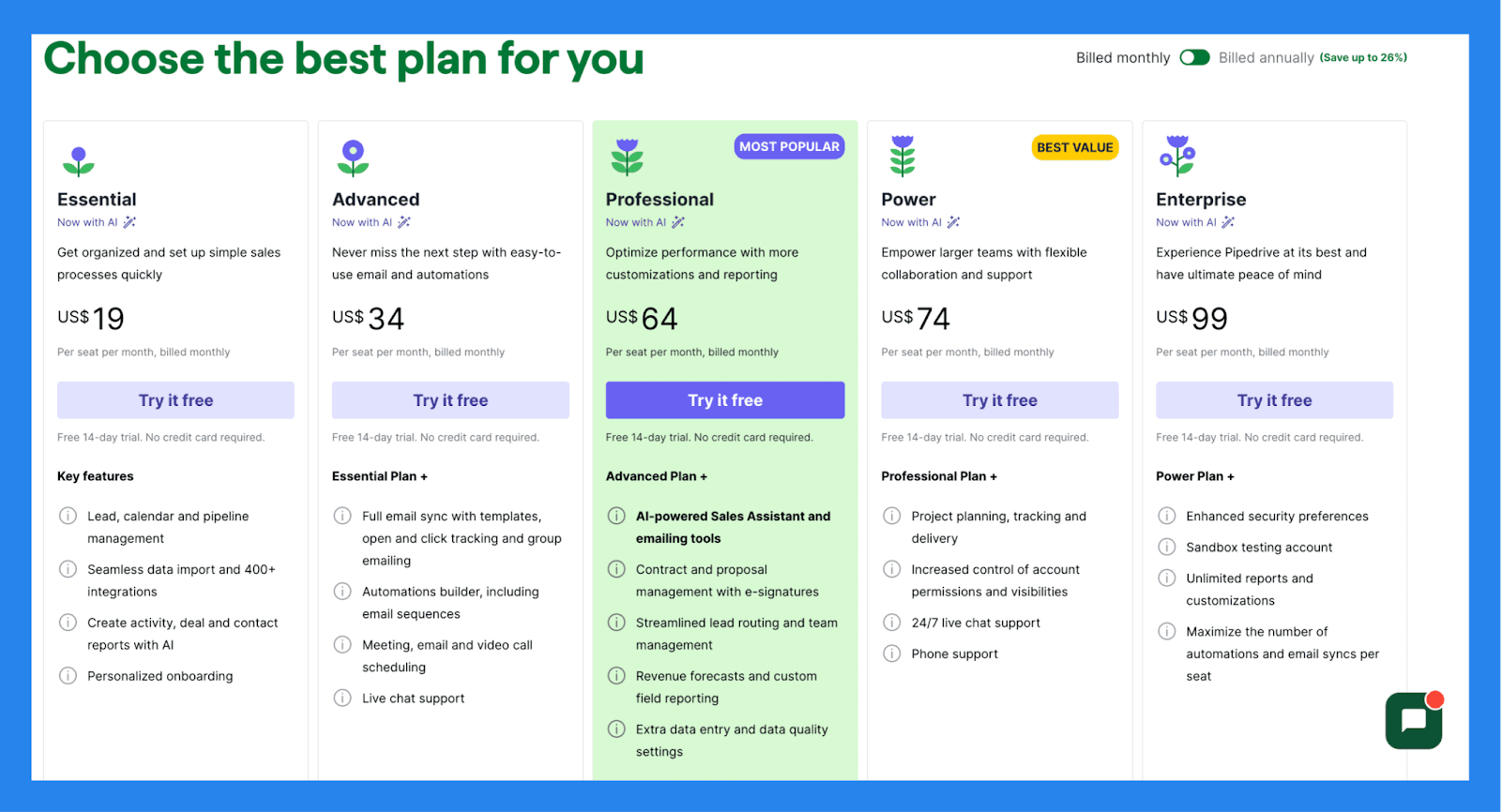
$19/bruger/md | $34/bruger/md | $64/bruger/md |
Nøglefunktioner: Lead, kalender og pipeline management Sømløs dataimport og 400+ integrationer Opret aktivitets-, sags- og kontakt-rapporter med AI Personlig onboarding | Essential Plan + Fuld e-mail synkronisering med skabeloner, åben- og kliksporing og gruppe email Automationsbygger, inklusive e-mail sekvenser Møder, e-mail og videoopkaldsplanlægning Live chat support | Avanceret Plan + AI-drevet Salgsassistent og e-mail værktøjer Kontrakt og forslagshåndtering med e-signaturer Strømlin lead-routing og team management Indtægtsprognoser og brugerdefinerede feltanalyser Ekstra dataindtastning og datakvalitetsindstillinger |
🥉 Salesforce – Enterprise-grade CRM bygget til komplekse salgsorganisationer med stærkt tilpassede arbejdsgange
Resumé
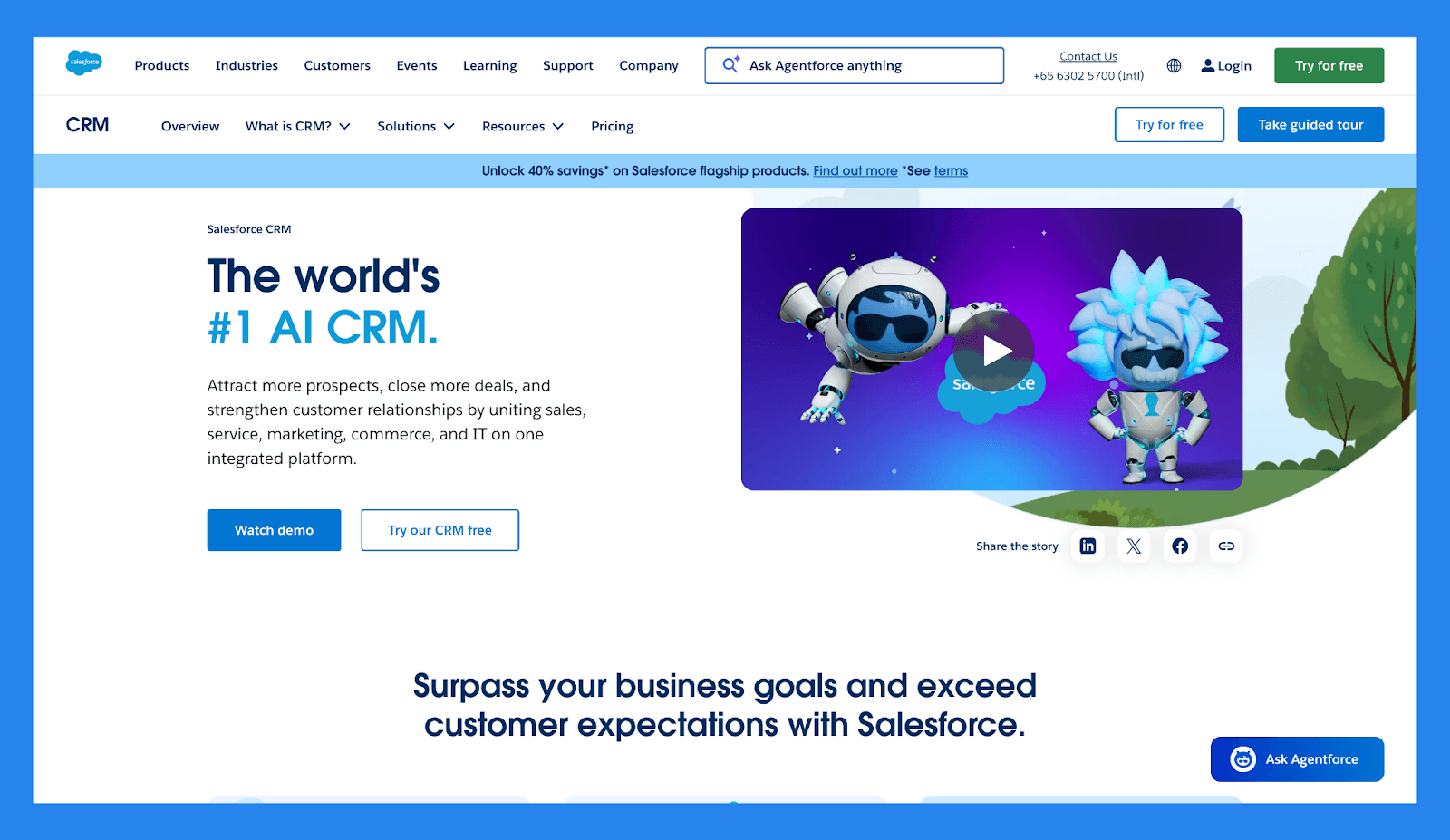
Salesforce er en af de originale sværvægtere på CRM-området, bygget til virksomheder der har brug for maksimal fleksibilitet, tilpasning og kontrol. Det kan understøtte næsten enhver salgsproces i enhver skala, understøttet af et massivt AppExchange-økosystem og dybe rapporteringskapaciteter. For store eller stærkt regulerede organisationer forbliver Salesforce en af de mest magtfulde CRM'er på markedet.
Den magt, kommer dog til en pris. Sammenlignet med HubSpot Sales Hub, har Salesforce en stejlere indlæringskurve, højere implementeringsomkostninger og tungere vedvarende administrativ overhead. HubSpot vinder på brugervenlighed, hurtigere tid til værdi, og indfødt justering på tværs af marketing, salg og servicetjenester.
Nøglefunktioner | |
|---|---|
Lead- & Sags Tracking: Fang sømløst og kvalificer nye leads, tildel dem til de rigtige reps, og følg muligheder gennem fuldt tilpassede salgstrin. Salgsproces Automatisering: Minimér manuelt arbejde med automatiseret lead-tildeling, opgavemindelser, og opfølgningstriggere der holder din pipeline i bevægelse. Skræddersyede Salgspipelines: Design visuelle pipelines der afspejler din salgsoverarbejdsgang, komplet med drag-and-drop kontroller og detaljeret fremskridtssporing. Fælles Kontaktstyring: Organiser kontakter og kontoer ét sted, med fulde historikker af opkald, e-mails, møder og noter for hver relation. Integreret Kommunikation Logning: Synkroniser automatisk e-mails, opkald og kalenderbegivenheder fra Gmail, Outlook eller andre platforme — holder din CRM aktivitet rig og opdateret. Avanceret Arbejdsgangsautomatisering: Byg komplekse godkendelsesstier og regelbaserede arbejdsgange for at optimere interne processer og håndhæve konsistens på tværs af teams. App Ecosystem via AppExchange: Udvid Salesforces funktionalitet med tusindvis af gennemgåede apps der dækker alt fra lead-generering til finacial tracking. CRM on the Go: Giv dit team med en fuldt funktionel mobilapp der tilbyder adgang til sager, kontakter, opgaver og dashboards — anytime, anywhere. Einstein AI Intelligens: Forøg produktivitet med AI-drevne indsigter, inklusive forudsigelig leadscoring, mulighedsanalyse af sundhed og foreslåede næste trin. Built-In Team Collaboration (Chatter): Samarbejd direkte indeni CRM med real-time opdateringer, nævnelser og trådede diskussioner for at holde alle justeret på nøgleaftaler. | |
Bedømmelser | |
G2 - 4.4/5 (23,272) | Capterra - 4.4/5 (18817) |
Fordele | Ulemper |
Optimerer lead management og forbedrer konverteringsrater Udmærker sig i dataorganisation og renhed Integration-rich med et stort app-økosystem Responsiv kundesupport og hjælpsomme samfundsressourcer | Kompleks implementeringsproces der kræver tid og ressourcer Dyr, især for solopreneurs eller små virksomheder Stejl indlæringskurve, især for ikke-tekniske brugere Brugergrænsefladen kan være uintutitiv og svær at navigere |
Prisplaner
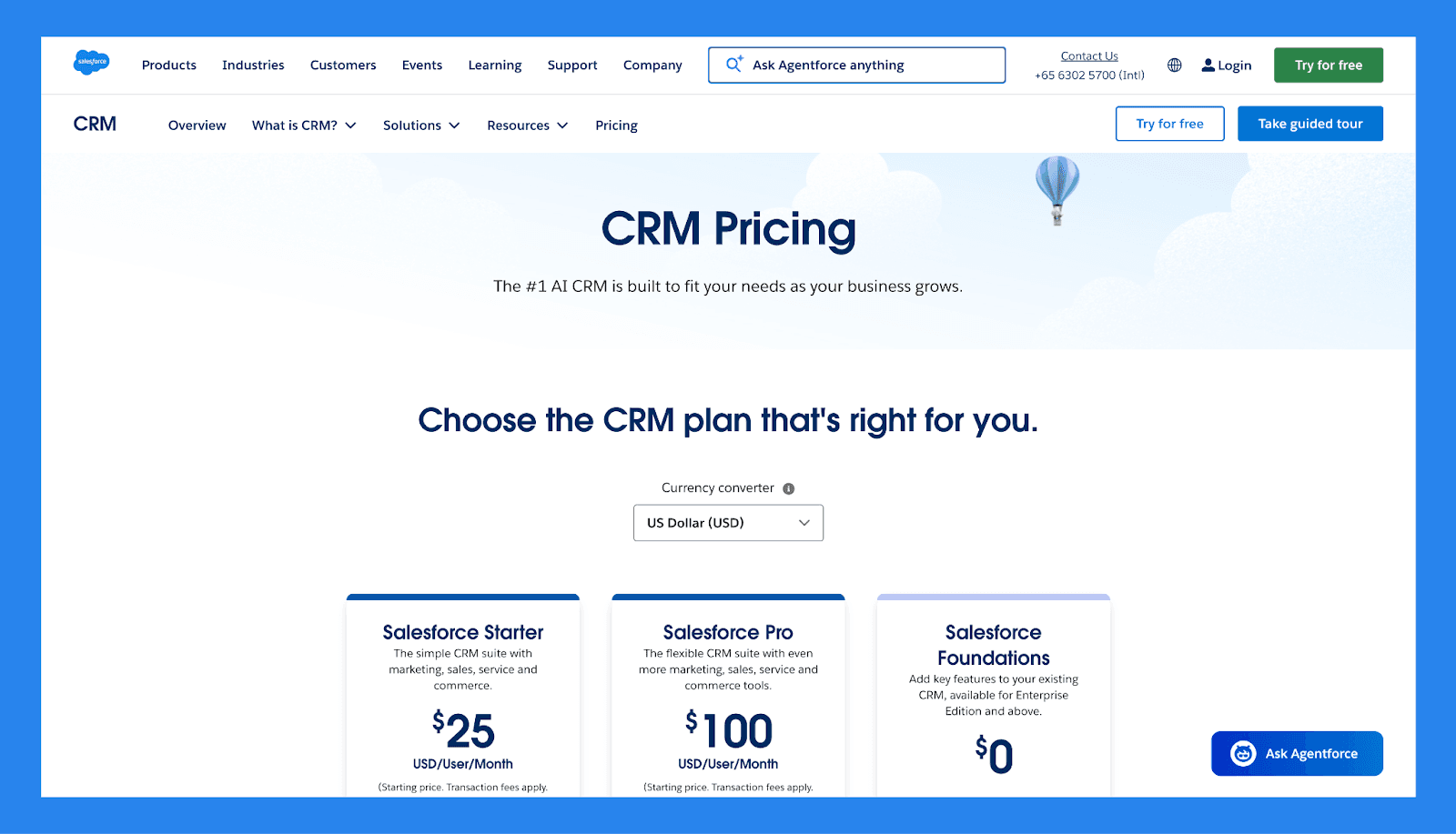
Salesforce Starter | Salesforce Pro | Salesforce Foundations |
|---|---|---|
$25/bruger/md | $100/bruger/md | $0 |
Lead, Konto, Kontakt og Muligheds Management Dynamisk E-mail Marketing og Analyser Indbyggede Salgsstrømme og Lead Routing Forbundne Slack Samtaler | Alt i Starter plus Forbedret, Real-Time Chat Større Tilpasning og Automatisering Salgs Tilbud og Prognoser Adgang til AppExchange | 100k Flex Credits 250K Data Cloud kreditter Salg, Service, Marketing og Commerce værktøjer |
🏁 Endelig Dom: Er HubSpot Sales Hub det Værd i 2026?
I dag forbliver HubSpot Sales Hub en af de stærkeste salgsplatforme i 2026 takket være dens intuitive UI, dybe automatisering og sømløse forbindelse til HubSpots Marketing, Service, Content og Operations Hubs. For voksende B2B teams der er afhængige af inbound leads, værdsætter rene data, og ønsker salg, marketing og kundesucces i ét økosystem, leverer HubSpot reel langsigtet værdi. Tilføjelsen af AI værktøjer som Breeze styrker kun dens position som en moderne, fremadsynet CRM.
Det sagt er HubSpot ikke for alle. Du bør vælge HubSpot Sales Hub, hvis du ønsker hurtig tid til værdi, skalerbar automatisering, og minimal CRM overhead. Dog bør du undgå det hvis du er på et stramt budget, har brug for ekstrem tilpasning, eller foretrækker en lettere salgfirst CRM uden økosystem-lås-in — i hvilket tilfælde Sales Hub kan føles som mere end du har brug for.
👉 **Vores vurdering: **For teams der værdsætter hurtig eksekvering, minimal administration, og AI-native salgsarbejdsgange, er Breakcold ofte den bedre pasform. Prøv det gratis i 2 uger og oplevel en CRM designet til salg — ikke styring af software.
Written by Arnaud Belinga